
Snapchat video downloader tools are something almost everyone searches for at some point — even if they don’t admit it. You see a great video, a funny story, a useful tutorial, a motivational clip, or even a quick business tip… and then it disappears forever. Snapchat was built around temporary content, which is great for privacy, but frustrating when you genuinely want to keep something meaningful. That frustration is exactly why the demand for a reliable Snapchat video downloader keeps growing.
If you’ve ever tried screen recording, you’re already familiar with the pain. Notifications pop up, quality drops, audio glitches, and sometimes the app even notifies the other person. Not ideal. That’s why people search for smarter, cleaner solutions.
In this guide, I’ll walk you through real, working Snapchat video downloader tools, explain how they work in plain language, what you should absolutely avoid, and which tools are actually worth your time in 2025. No robotic talk, no exaggerated claims, no shady tricks — just honest recommendations, practical tips, and realistic expectations.
Find More: 7 Powerful Instagram Post Downloaders You’ll Wish You Found Earlier
What Is a SnapChat Video Downloader and How Does It Work?
A Snapchat video downloader is a tool that allows you to save Snapchat videos directly to your device instead of relying on screen recording. Depending on the tool, this is usually done through a shared video link, public content access, or cached media already loaded in your browser.
The goal is straightforward: obtain the original video file in the best possible quality, without adding watermarks or unnecessary branding.
How Snapchat video downloader tools save videos
Most tools work in one of three main ways:
-
They fetch the video using a shared Snapchat link.
-
They extract cached media files from your browser after the video loads.
-
They process public Snapchat content hosted on Snapchat’s own servers
Good tools are designed to do this quietly and safely. They don’t ask for your Snapchat username, password, or permission to access your account. If a site asks for any of that, that’s your sign to close the tab immediately.
Online vs app-based Snapchat video downloader tools
Online tools are usually the better option for most people. You don’t install anything, you don’t give system permissions, and you avoid apps packed with ads or hidden trackers. Most browser-based tools work on both mobile and desktop and are updated more frequently.
App-based tools can work, but many are bloated, outdated, or designed mainly to push ads rather than deliver quality downloads. Unless you absolutely need an app, online tools are the safer choice.
Is using a Snapchat video downloader legal and safe?
Downloading Snapchat videos for personal use is generally fine in most regions. Problems start when people repost content without permission or use it commercially. From a safety standpoint, the rules are simple: don’t log in, don’t install sketchy software, and don’t give unnecessary permissions. Stick to browser-based tools, and you’ll avoid most risks.
Key Features to Look for in a Snapchat Video Downloader
Not all tools are created equal. Some look good on the surface but fail when you actually use them. Here’s what really matters.
Video quality and HD download support
A proper video downloader for Snapchat should preserve the original quality. If the downloaded video looks blurry, stretched, or compressed, the tool is cutting corners. The best tools let you download videos exactly as they appear on Snapchat, including HD when available.
No watermark and no signup requirements
A clean Snapchat video downloader without a watermark is essential. You shouldn’t have to tolerate logos, banners, or forced branding on your videos. You also shouldn’t need to sign up, verify your email, or create an account just to download a video.
Speed, compatibility, and device support
The best tools work smoothly on:
-
Mobile phones
-
Desktop computers
-
Any modern browser
They should process downloads quickly, without freezing, redirecting you, or forcing multiple clicks just to start the download.
Privacy and security considerations
This can’t be stressed enough: never trust a tool that asks you to log in with Snapchat. Legitimate tools simply don’t need that access. Minimal design, limited ads, and no login requests are usually good signs.
9 Best Snapchat Video Downloader Tools Most People Don’t Know About
These tools are real, tested, and currently working. Availability may vary by region, but overall, these are some of the most reliable options right now.
Tool #1 – SnapSave

SnapSave is fast, simple, and works directly in your browser. You paste the Snapchat link, click download, and that’s it. No watermark, no signup, and consistently good video quality. It’s a great starting point if you want something reliable without complications.
Tool #2 – SaveSnap
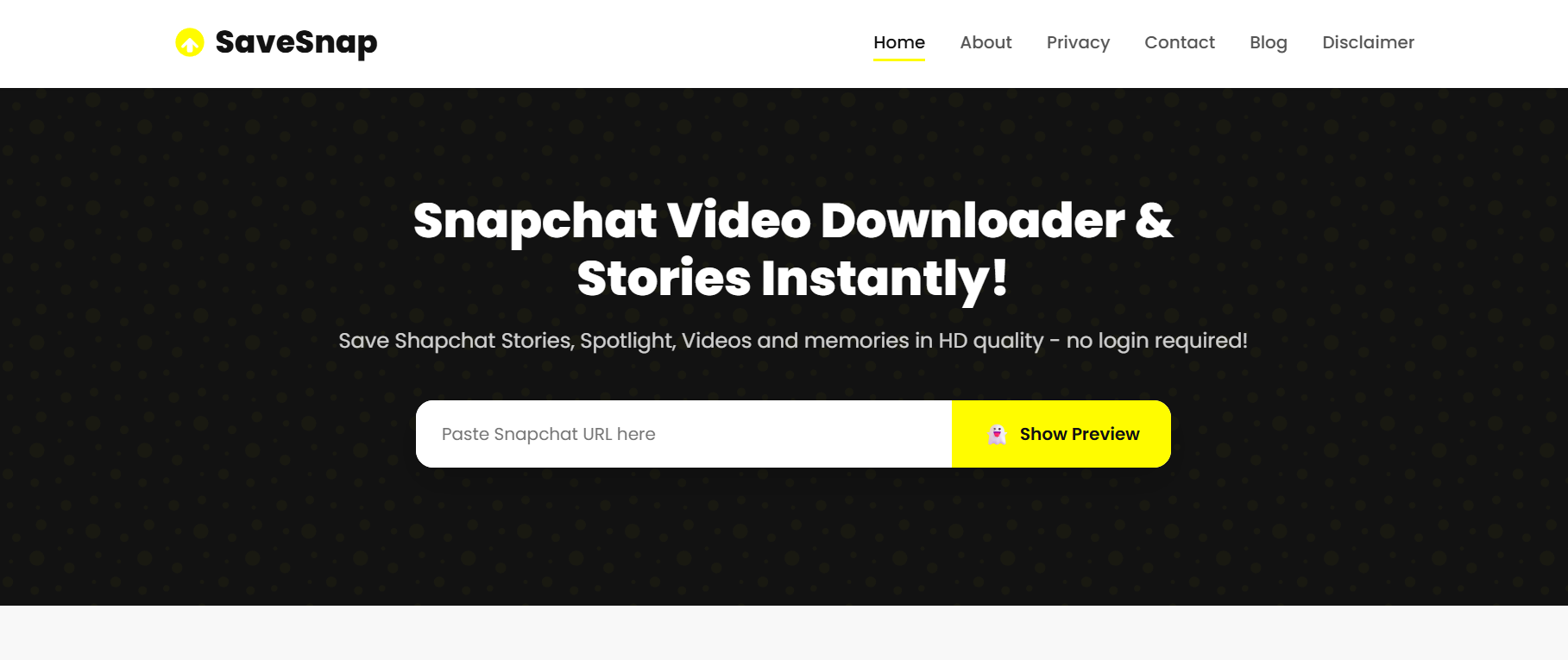
SaveSnap is a well-known Snapchat video downloader tool, especially for public videos and Spotlight content. It performs very well on mobile devices and keeps pop-ups to a minimum, which already puts it ahead of many competitors.
Tool #3 – SnapDownloader Online

This tool is all about speed. It doesn’t have a fancy interface, but it loads quickly and delivers clean downloads. If you value efficiency over design, this one does the job.
Tool #4 – GetSnap
GetSnap is ideal if you’re looking for a Snapchat video downloader without a watermark that also supports stories. The interface is clean, ads are limited, and the download process feels smooth and predictable.
Tool #5 – SnapKeep
SnapKeep works especially well on Android browsers. It supports multiple formats and handles longer videos better than many similar tools. It’s a solid video downloader for Snapchat users who rely mostly on mobile.
Tool #6 – SnapVid
SnapVid is lightweight and surprisingly reliable. It doesn’t overload you with options, which makes it perfect for quick downloads. No login, no personal data requests, just simple functionality.
Tool #7 – StorySaver Snap
As the name suggests, this tool shines when it comes to public stories and Spotlight videos. It’s not overloaded with features, but it’s consistent, which is more important than flashy extras.
Tool #8 – SnapMedia Save
SnapMedia Save focuses on quality retention. If maintaining sharp video and clean audio matters to you, this is a strong option. It works well on both desktop and mobile.
Tool #9 – Browser Cache Method (Advanced)
This isn’t a traditional tool, but advanced users can extract Snapchat videos from browser cache files. It requires technical knowledge and patience, but it can be extremely effective for content that other tools fail to download.
How to Use a Snapchat Video Downloader Step by Step
Most tools follow the same basic process, which makes them easy to use even for beginners.
Copying the Snapchat video link correctly
For public content, tap the “Share” option and copy the link. If the video doesn’t offer a share option, it’s likely private and protected from downloading.
Paste the link into the Snapchat video downloader
Paste the link into the input field of your chosen tool. Give the page a few seconds to process the link before clicking download.
Downloading and saving the video to your device
Select the available quality if prompted, then download and save the file locally. Always check your downloads folder afterward to confirm the file saved correctly.
Common Mistakes to Avoid When Using a Snapchat Video Downloader
Many problems people face come from avoidable mistakes.
Fake download buttons and scam websites
If a website is filled with flashing buttons and aggressive ads, it’s probably not trustworthy. Legitimate tools are usually simple and clean.
Tools that compromise your Snapchat account
Never enter your Snapchat credentials into a third-party site. If a tool requires login access, it’s not worth the risk.
Low-quality or watermarked downloads
If a tool forces watermarks or reduces video quality, move on. There are better options that respect both quality and user experience.
Snapchat Video Downloader on Mobile vs Desktop
Both options work well, but each has its strengths.
Best Snapchat video downloader tools for mobile users
Mobile users should stick to browser-based tools optimized for Chrome or Safari. These usually offer the best balance between speed and safety.
Best Snapchat video downloader tools for PC and Mac
Desktop tools provide more control, easier file management, and sometimes better quality handling, especially for longer videos.
Which option is better for long-term use?
If you download frequently, the desktop is usually more reliable. For occasional saves, mobile tools are more than enough.
Conclusion
Snapchat video downloader tools exist because people want more control over the content they enjoy. Whether you’re saving something funny, educational, or genuinely meaningful, the key is choosing tools that are simple, safe, and transparent.
Stick to no-login tools, avoid sketchy apps, respect content ownership, and always prioritize quality. Choose one of the tools above, try it once, and you’ll quickly see why screen recording is no longer the best option.
Find More: Boost Your Sales With SEO Services
FAQs
1. Can I use a Snapchat video downloader without logging in?
Yes. The safest and most reliable tools never ask for login information.
2. Do Snapchat video downloader tools work for private videos?
Most tools only support public content. Private videos are intentionally protected by Snapchat.
3. Is there a free Snapchat video downloader without a watermark?
Yes. Several tools listed above offer free, clean downloads with no watermarks.
4. Can using a Snapchat video downloader get my account banned?
If you avoid logging in and only download public content, the risk is extremely low.
5. What’s the safest Snapchat video downloader in 2025?
Browser-based tools that don’t require credentials, have minimal ads, and a clean interface are generally the safest choice.