

Cold outreach still works in 2026, but email providers have made it harder. Gmail, Outlook, and other major ESPs now scrutinize new domains more aggressively than ever. Send cold emails from a fresh inbox without warming it up first, and you’re looking at spam folders, blacklists, or worse—a burned domain.
Email warmup solves this by gradually building your sender reputation. It sends controlled volumes of emails, generates realistic engagement signals, and trains inbox providers to trust your domain before you launch real campaigns.
We’ve tested the top warmup platforms based on what actually matters: inbox placement rates, reputation building speed, and how well they scale with your outreach. Here are the five tools that consistently deliver results.
1. Instantly
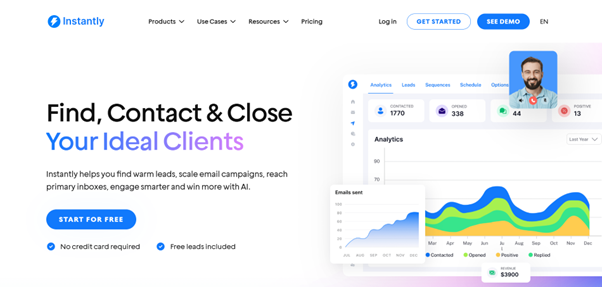
Instantly email warmup is designed to build inbox trust while running outreach campaigns, making it ideal for businesses and sales teams sending emails in large volumes. Instantly automatically warms up inboxes by sending and receiving emails across real accounts. These emails are opened, engaged, and moved out of spam, generating the engagement signals that email providers look for to confirm if it’s a legit account.
Instantly Feature Highlights
- Automated warmups: Instantly simulates real engagement (opens, replies, moves from spam) across a large warm-up network.
- Warm multiple inboxes at once: You can warm up multiple email accounts and domains at the same time.
- Safe email volume increase: Instantly slowly increases the number of emails sent out each day, protecting your inbox from sudden spikes that can lead to flagging.
- Deliverability tracking: Instantly gives you insights on how your inbox is performing, including signs of spam issues.
- Health Score: The Health Score feature gives you insight into your sender reputation—helping you track your account performance and deliverability in real time.
Instantly Pricing
- 14-day free trial available.
- Growth: $30/month.
- Hypergrowth: $77.6/month.
- Light speed: $286.3/month.
- Enterprise: Custom pricing
Instantly Pros
- Manage multiple clients at once because of Instantly’s multi-inbox feature.
- All the subscription plans come with unlimited email warmups across unlimited email accounts.
- User-friendly interface allows for better deliverability tracking.
- Email warmup and outreach in one platform means a less complex workflow.
Instantly Cons
- This tool may be overwhelming for some users. It has more capabilities than needed for low-volume senders.
2. Mailreach
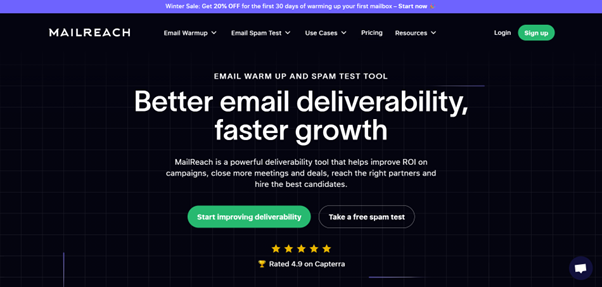
Mailreach suits users that already have a separate platform for cold outreach but still require a means to prepare inboxes for campaigns. It treats email warmup as a readiness step, before you start your campaign, rather than a continuous process.
Mailreach Feature Highlights
- Automated warmup emails: Mailreach sends and replies to emails within a network of real users.
- Email volume ramping: Daily sending limits gradually increase as the warmup process continues.
- Inbox health monitoring: Mailreach gives you insights on your deliverability status.
Mailreach Pricing
- Flexible pricing according to your desired number of mailboxes to warm per month.
- 50 mailboxes: $900/month
- 80 mailboxes: $1,280/month
- 100 mailboxes: $1,600/month
Mailreach Pros
- Mailreach gives you strong visibility into inbox readiness, assuring you that you’re campaign-ready.
- It offers a predictable and controlled warmup process.
Mailreach Cons
- Very pricey, especially for large-volume operations.
- Limited usefulness once the campaign is fully live.
3. Mailwarm
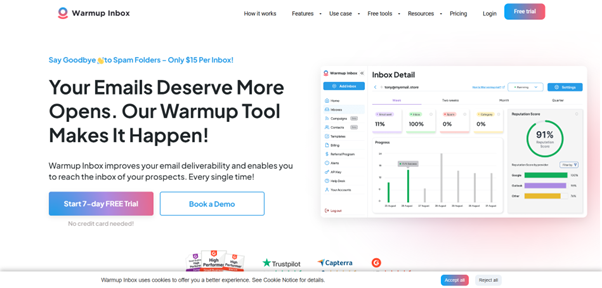
Mailwarm focuses on consistency and simplicity—the warmup process happens quietly in the background, with minimal configuration needed. The platform relies on consistent daily activity to build a good sender reputation over time, making it suitable for individual inboxes or small teams running low-volume campaigns.
Mailwarm Feature Highlights
- Daily inbox warmup activity: Mailwarm sends emails as consistent volumes each day, preventing account flagging
- Automated engagement: This tool automatically generates replies to simulate real conversations and engagement signals.
- Hands-off setup: Mailreach email warmup requires minimal configuration to run.
Mailwarm Pricing
- Starter: $69/month
- Growth: $159/month
- Scale: $479/month
Mailwarm Pros
- Offers a gradual and stable warmup behavior that supports small teams and individual inboxes.
- The platform is easy to set up and requires low maintenance.
Mailwarm Cons
- Mailwarm doesn’t offer much deliverability insight.
- It is not designed for scaling across multiple inboxes, so it doesn’t favor large-scale businesses or teams.
4. Mailflow

Rather than focusing only on engagement signals, Mailflow approaches email warmup slightly differently. It combines warmup activity with inbox and domain checks. This is particularly useful for new domains or teams setting up a cold outreach campaign for the first time.
Mailflow Feature Highlights
- Technical checks: Monitors authentication and setup issues that can reduce inbox warmup effectiveness.
- Automated warmup process: Generates controlled email sending and replying to establish good messaging patterns.
- Volume control: Mailflow enforces conservative daily email sending limits.
Mailflow Pricing
- Free Pool: Free
- Silver Pool: $49/month
- Gold Pool: $99/month
Mailflow Pros
- Great for validating new inboxes or domain setups.
- The conservative limits reduce early deliverability risks.
Mailflow Cons
- Though the conservative limits help deliverability, they restrict scaling.
- Offers limited value for long-term outreach.
5. Warmbox
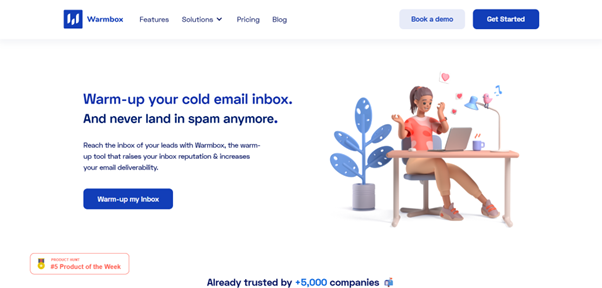
Warmbox focuses on creating realistic behavioral patterns during the warmup process. Instead of just sending and replying to messages, it performs actions that more closely resemble how a real user interacts with emails—like sending delayed replies, marking messages as important, and correcting spam placement. This makes inboxes appear natural to email providers.
Warmbox Feature Highlights
- Human-like engagement: Warmbox performs inbox actions beyond replying to messages to better mimic human behavior.
- Custom warm-up speed: Allows users to adjust how rapidly inbox activity ramps.
- Multi-inbox support: Warms multiple email accounts simultaneously and with different activity patterns.
Warmbox Pricing
- Solo: $15/month – 1 inbox
- Start-up: $69/month – 3 inboxes
- Growth: $139/month – 6 inboxes
- Enterprise: custom pricing
Warmbox Pros
- Warmbox’s engagement patterns feel very natural.
- Warmup patterns are very flexible.
Warmbox Cons
- Aside from email warmup, Warmbox doesn’t have outreach functionality.
- It requires a third-party sending platform, which may increase the cost of operation.
Which Email Warmup Tool Wins in 2026?
Email warmup isn’t a one-time setup task—it’s ongoing maintenance that protects your sender reputation throughout every campaign. In 2026, the difference between tools comes down to whether they just prepare your inbox or actively maintain it while you’re sending at scale.
For occasional cold outreach, any of these platforms will get the job done. But if you’re running continuous campaigns across multiple inboxes, you need a tool that handles warmup and outreach in one place without constant babysitting. That’s where Instantly separates itself from the pack—it’s built for teams that treat cold email as a core growth channel, not an experiment.
The best warmup tool is the one you’ll actually use consistently. Choose based on your volume, your team’s technical comfort, and whether you need warmup alone or a complete outreach system.