
Krea AI is one of those tools that many creators think they understand… until they actually take the time to explore it properly. At first glance, it looks simple: type a prompt, generate an image, maybe tweak it once or twice, and move on. That’s how most people use it. But if that’s all you’re doing, you’re barely scratching the surface.
The truth is, Krea AI (or krea.ai, krea-ai — however you prefer to write it) was never meant to be a “one-click and done” tool. It’s built for people who care deeply about control, speed, and staying in a creative flow without constant interruptions. Designers, content creators, marketers, YouTubers, and even solo founders use it in ways that feel almost unfair once you understand what’s possible. In this article, I’ll walk you through 7 powerful Krea AI features most creators haven’t discovered yet, explained like one creator talking to another — no hype, no buzzwords, just real-world value and practical insight.
Find More: 7 Brutally Honest Truths About JobHire AI (Before You Pay)
Why Krea AI Is More Than Just an AI Art Tool
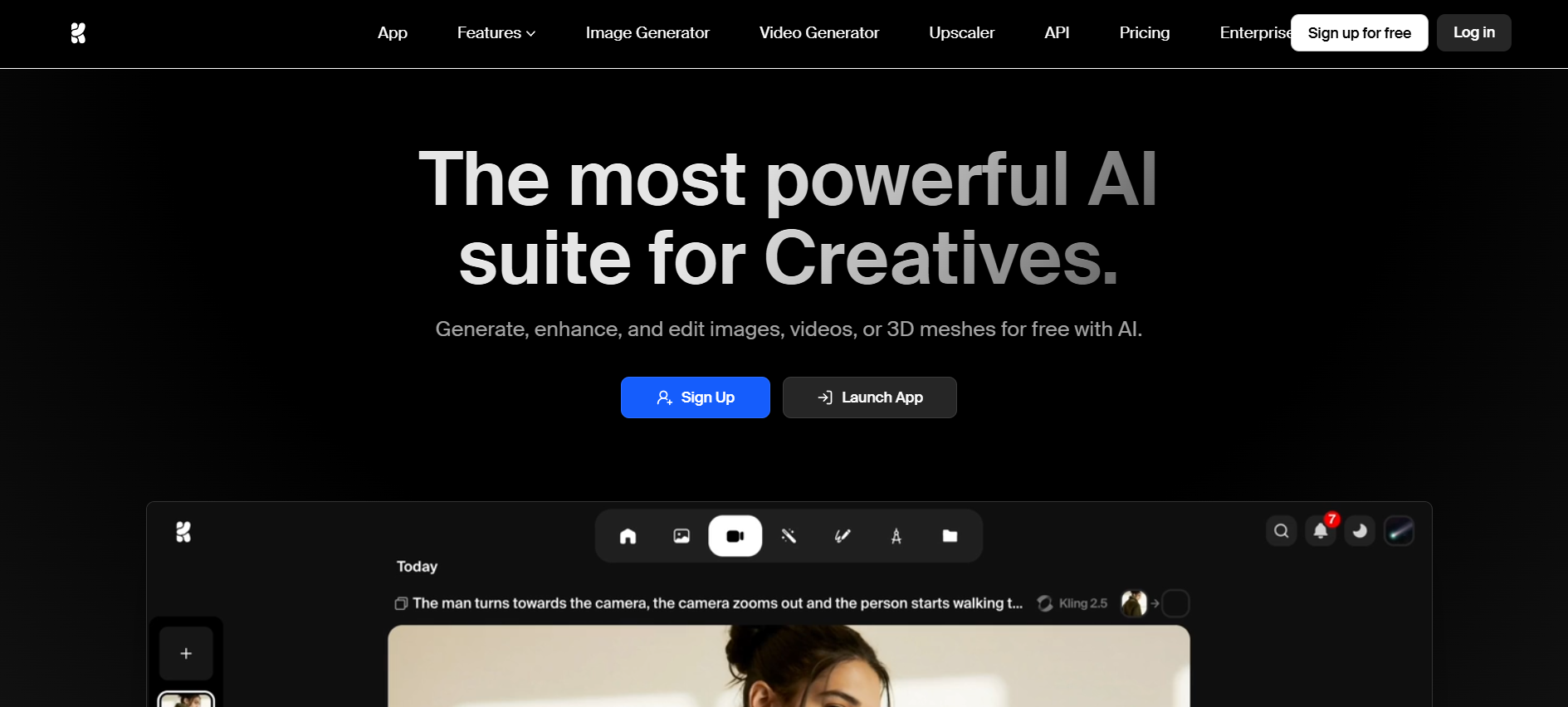
Most AI tools are obsessed with output. You give them an input, they give you a result, and that’s where the relationship ends. Krea AI focuses on something more important: process. And that difference matters more than people realize.
Instead of generating something and hoping it’s usable, Krea AI keeps you involved while the image or video is being created. You’re not waiting, guessing, or restarting from zero. You’re guiding the result as it forms. It doesn’t feel like talking to a black box — it feels like collaborating.
What Makes Krea AI Different From Other AI Creative Platforms
The usual workflow with AI tools looks like this: prompt → wait → result → disappointment → re‑prompt. It’s slow and mentally draining. Krea AI flips that entire loop on its head. You see changes happening in real time. You adjust styles, lighting, composition, or mood and instantly understand what the AI is doing.
This alone changes how creative the process feels. Instead of rolling the dice, you’re making decisions. It feels closer to actual design work than prompt gambling.
Who Should Use Krea AI (Designers, Marketers, Content Creators)
If you care about consistency, speed, and not wasting hours tweaking prompts, Krea AI is for you. Designers use it for concept exploration and final visuals. Marketers rely on it for ads, thumbnails, and landing page imagery. Content creators use it for social posts, short-form videos, and even building a recognizable personal brand.
Feature #1 – Real-Time AI Image Generation That Responds Instantly
This is the feature that quietly changes everything once you experience it.
How Real-Time Prompt Editing Works in Krea AI
Instead of typing a prompt and waiting, Krea AI shows the image while it’s being generated. You can change a word, adjust a style slider, tweak framing, or alter mood — and you see the effect immediately. It’s like having a live conversation with the AI instead of sending messages into the void.
Why This Feature Saves Time and Improves Creative Control
You stop guessing. You stop regenerating endlessly. Real-time generation turns trial-and-error into intention. Krea AI starts to feel less like luck and more like skill. Once you get used to this way of working, going back to traditional generation methods feels painfully slow and outdated.
Feature #2 – Advanced Style Control for Consistent Visual Identity
Consistency is where most AI tools completely fall apart. Krea AI doesn’t.
How to Maintain Brand or Character Consistency Using Krea AI
With Krea AI, you can lock in certain visual styles, color moods, and artistic directions so your outputs don’t feel random. This is massive for brands, YouTubers, and Instagram creators who need everything to look like it belongs in the same world.
Practical Use Cases for Designers and Content Creators
Think about using the same character across multiple posts, keeping the same aesthetic across an entire campaign, or maintaining a visual language for a personal brand. Krea-ai makes this achievable without advanced technical skills or endless prompt engineering.
Feature #3 – AI Video Generation and Motion Enhancement Tools
Most people still assume Krea AI is just for images. That’s a mistake.
Turning Static Images Into Animated Visuals
Krea AI allows you to add motion to still images, creating subtle, cinematic animations instead of cheap-looking effects. These small movements make a huge difference in attention, especially on platforms like Instagram, TikTok, and YouTube Shorts.
How Krea AI Helps Creators Produce Videos Faster
Instead of starting from scratch in complex video software, you can generate, animate, and enhance visuals directly inside Krea AI. For solo creators or small teams, this can easily cut production time in half while still delivering professional-looking results.
Feature #4 – Ultra-High-Resolution Upscaling Without Quality Loss
Low resolution kills great ideas faster than almost anything else. Krea AI solves this problem.
Image and Video Upscaling Capabilities Explained
Krea AI can upscale images and videos to extremely high resolutions while keeping details sharp and natural. Faces stay realistic. Textures remain clean. You don’t get that artificial, plastic look that many upscalers produce.
When and Why Creators Should Use Upscaling in Krea AI
If you’re printing designs, running paid ads, or delivering visuals to clients, this feature alone can justify using Krea.ai. It turns rough concepts into polished, professional assets that are actually usable in real-world projects.
Feature #5 – Custom AI Model Training for Personal or Brand Styles
This is where Krea AI moves from impressive to genuinely powerful.
What Is Custom AI Training in Krea AI
Krea AI allows you to train models on your own images or visual style, so the AI starts learning from you. Over time, the outputs feel less generic and more like an extension of your creative identity.
How Creators Use This Feature for Unique Visual Results
Illustrators, agencies, and personal brands use this to build a visual identity that’s hard to copy. Instead of looking like “AI art,” the results start to look like your art. This is one of the most underrated advantages of krea-ai.
Feature #6 – Powerful AI Editing Tools for Refining Visuals
Generation is only step one. Editing is where quality actually happens.
Object Removal, Enhancements, and Style Adjustments
Krea AI lets you remove unwanted objects, clean up details, and refine visuals without jumping between multiple tools. It’s not meant to replace Photoshop completely, but for fast iterations, it’s incredibly effective.
How AI Editing Improves Workflow Efficiency
Less exporting. Less re-uploading. Less friction. Krea AI keeps you in the creative zone, which is where the best ideas usually happen.
Feature #7 – Asset Management and Workflow Optimization
This feature doesn’t look exciting — until you suddenly need it.
Organizing Projects and Creative Assets Inside Krea AI
Krea AI helps you organize assets, versions, and experiments so you don’t lose track of what you created or why. This matters a lot once you start producing content regularly.
Why This Feature Is Often Overlooked but Extremely Valuable
If you create a lot of content, this saves mental energy. And mental energy is often the real bottleneck for creators, not tools or ideas.
Who Should Use These Krea AI Features (And Who Shouldn’t)
Krea AI isn’t magic. It’s still just a tool — but a very good one.
Best Use Cases by Creator Type
It’s ideal for designers, marketers, content creators, and founders who want speed and control. If you only want random images for fun, you might not need everything Krea AI offers.
Limitations Creators Should Be Aware Of
There is a learning curve, and some advanced features aren’t fully available on krea ai free plans. But if you treat it like a serious creative tool, the payoff is absolutely worth it.
Conclusion
Krea AI isn’t about replacing creativity — it’s about removing friction. Once you understand and actually use these features, you stop fighting the tool and start collaborating with it. If you’ve been using Krea AI casually, this is your sign to go deeper and unlock what really makes it special.
Find More: Boost Your Sales With SEO Services
FAQs
1. What is Krea AI used for?
Krea AI is used for generating and editing AI images and videos with real-time control, advanced styles, and professional-level outputs for creators and brands.
2. Is Krea AI free?
There is a Krea AI free tier available, but advanced features, higher limits, and commercial usage usually require a paid plan.
3. How is Krea AI different from other AI art tools?
Unlike many tools, Krea AI focuses on real-time interaction, consistency, and workflow instead of one-click, luck-based results.
4. Can beginners use Krea AI easily?
Yes. Beginners can start quickly, and as their skills grow, they can unlock more advanced features over time.
5. Is Krea AI worth it for professional creators?
If visuals are part of your income or brand, Krea AI can easily pay for itself by saving time and improving creative quality.