

Most CRMs promise efficiency. Few actually remove the work. If you’ve ever spent hours updating deals, logging calls, or chasing follow-ups, you already know the problem. The next generation of AI-native CRM tools is changing that. Here’s what makes Day AI fundamentally different.
Direct Answer
Day AI is an AI-native CRM that automatically captures, structures, and analyzes customer interactions without manual data entry. Unlike traditional CRMs, it listens to meetings, drafts follow-ups, updates pipelines, surfaces insights, and acts as an intelligent assistant—reducing admin work while improving decision quality.
Find More: 7 Powerful Things You Can Build With Google Coral AI (Most Devs Miss #3)
What Is Day AI?
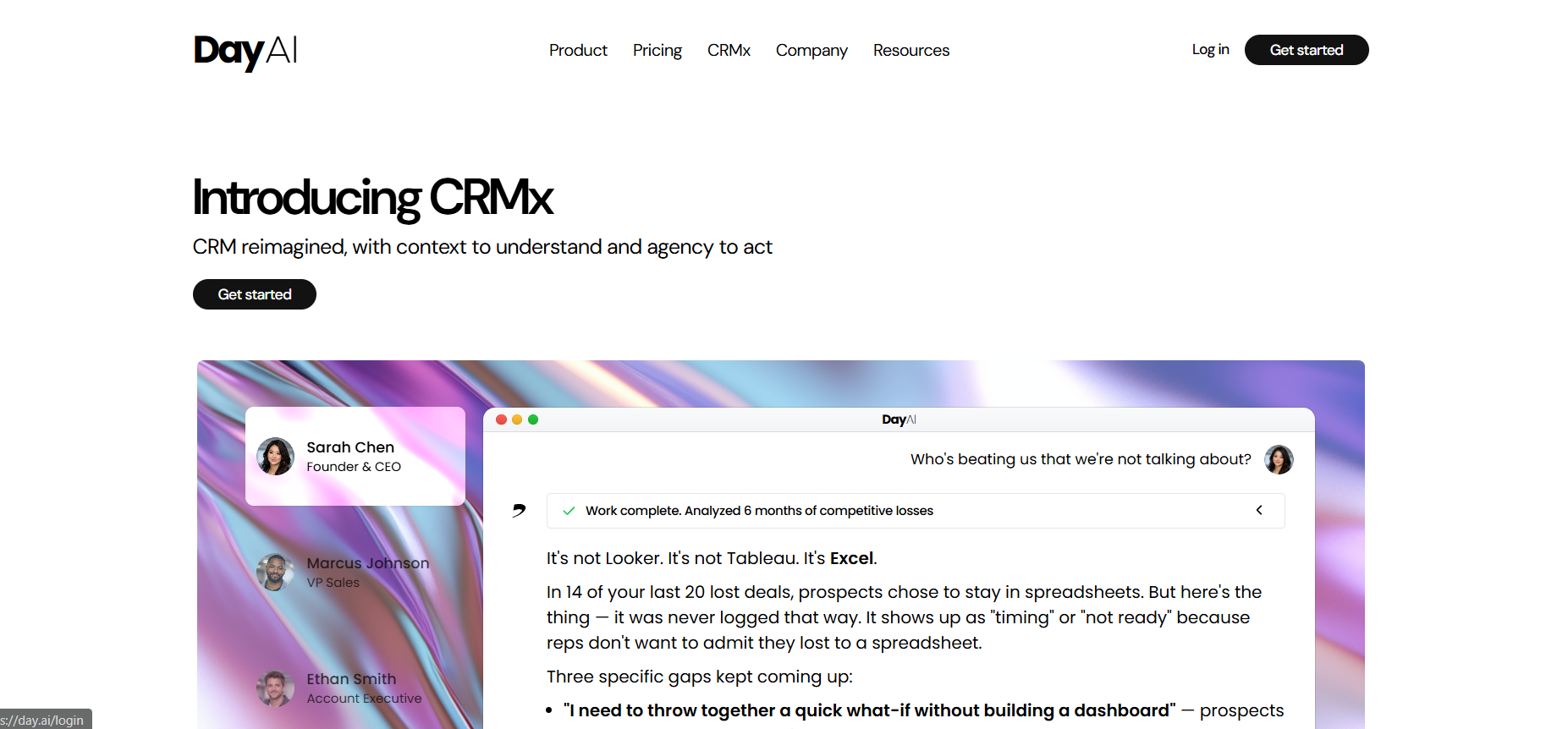
Day AI (also written as day ai or day.ai) is an AI-native customer relationship management platform designed to replace manual CRM workflows with automated intelligence.
Traditional CRMs are database-first systems. Day AI is intelligence-first.
Instead of asking users to input data, it captures conversations, emails, and meetings automatically—then turns them into structured CRM records.
What Is a Traditional CRM?
A traditional CRM is a software system used to manage contacts, deals, pipelines, and customer communication.
Examples include legacy platforms where sales reps must manually log calls, update deal stages, and write follow-up notes.
They are powerful—but heavily dependent on human input.
1. Automatic CRM Creation From Conversations
Traditional CRMs require manual entry.
Day AI builds and updates records automatically from:
-
Meetings
-
Emails
-
Calendar events
-
Call transcripts
Real-World Example
After a Zoom sales call, Day AI:
-
Generates a summary
-
Extracts action items
-
Updates the deal stage
-
Logs the contact automatically
No rep intervention required.
Why This Matters
Manual CRM usage drops below 40% in many sales teams due to friction.
Automation increases data accuracy and completeness.
2. AI-Powered Meeting Intelligence (Not Just Notes)
Most CRMs store notes.
Day AI understands conversations.
It identifies:
-
Buying signals
-
Objections
-
Budget mentions
-
Decision-makers
Pro Tip
Use AI-tagged objections to refine your sales scripts across the team.
This turns CRM data into strategy, not storage.
3. Context-Aware Follow-Up Drafting
Traditional systems provide templates.
Day AI drafts personalized emails based on the actual conversation.
Step-by-Step Workflow
-
Complete a sales call
-
AI summarizes the meeting
-
AI drafts a follow-up referencing key pain points
-
Rep reviews and sends
This reduces follow-up time from 15 minutes to under 2.
4. Self-Updating Pipelines
In legacy CRMs, deals move when a rep updates them.
In Day AI, pipeline stages adjust based on conversation signals and commitments.
Example
If a prospect says, “Send the proposal,” the deal can automatically move to Proposal Sent.
This improves forecast accuracy.
5. Conversational CRM Interface

Traditional CRM = dashboards + filters.
Day AI = chat interface + natural language commands.
You can ask:
-
“Show me stalled deals over $5K.”
-
“Which prospects mentioned pricing concerns?”
This reduces navigation friction and speeds up decision-making.
6. Unified Customer Memory
Most CRMs fragment data across notes, emails, and tasks.
Day AI creates a structured customer timeline that includes:
-
Conversations
-
Key topics
-
Action items
-
Sentiment trends
This produces a living customer intelligence layer.
7. AI-Assisted Decision Support
Traditional CRMs show data.
Day AI suggests actions.
Examples:
-
Follow-up reminders based on silence
-
Risk alerts for disengaged prospects
-
Recommendations for next best action
This shifts CRM from passive system to active assistant.
Comparison: Day AI vs Traditional CRM
Data Entry
-
Traditional CRM: Manual
-
Day AI: Automatic
Intelligence Layer
-
Traditional CRM: Reporting dashboards
-
Day AI: AI analysis + recommendations
Workflow Speed
-
Traditional CRM: Admin-heavy
-
Day AI: Admin-light
Adoption Rates
-
Traditional CRM: Often low due to friction
-
Day AI: Higher due to automation
Step-by-Step Framework: Implementing Day AI Effectively
Step 1: Audit Your Current CRM Usage
Identify where reps spend the most manual time.
Step 2: Integrate Email and Calendar First
Ensure Day AI captures core communication streams.
Step 3: Define Pipeline Rules
Align AI stage movement with your sales process.
Step 4: Train the Team on AI Review (Not Data Entry)
Shift mindset from logging data to validating AI output.
Step 5: Use Insights Weekly
Review objection patterns and risk alerts in sales meetings.
Common Mistakes When Using AI CRMs

-
Blindly trusting AI without review
-
Not defining clear pipeline logic
-
Ignoring data privacy compliance
-
Treating it like a traditional CRM
AI tools require process alignment.
Pro Tips for Intermediate Users
-
Create standardized objection tags for cleaner insights
-
Use AI summaries for onboarding new reps
-
Export structured insights for quarterly strategy reviews
-
Pair AI alerts with manual accountability
Internal Linking Suggestions
-
[Guide to Building a High-Converting Sales Funnel]
-
[How to Increase Sales Team Productivity]
-
[AI Tools for Modern Startups]
Key Takeaways
-
Day AI eliminates most manual CRM data entry
-
It understands conversations—not just stores them
-
It drafts contextual follow-ups automatically
-
Pipelines update dynamically
-
It acts as a decision-support assistant
-
Adoption improves when friction decreases
AI-native CRM systems represent a structural shift—not just a feature upgrade.
Find More: Boost Your Sales With SEO Services
FAQs
1. What makes Day AI different from traditional CRMs?
Day AI is AI-native. It automatically captures and structures data from conversations instead of relying on manual entry.
2. Is Day AI suitable for intermediate sales teams?
Yes. Teams with structured pipelines benefit most because AI can map signals to defined stages effectively.
3. Does Day AI replace human sales reps?
No. It reduces administrative work and improves decision quality but does not replace relationship-building.
4. Can Day AI integrate with existing tools?
Yes. It connects with email, calendars, and meeting platforms to capture communication data.
5. Is data accuracy better with AI automation?
In most cases, yes. Automated capture reduces missed entries and incomplete records.
If you’re evaluating whether AI-native CRM tools are worth adopting, start by measuring how much time your team spends on manual updates. The difference may be larger than you think.