
Creating invitations used to mean spending hours in design software or paying a graphic designer. Not anymore. Free online invitation makers have changed the game completely, making it possible to design professional-looking invites in minutes instead of hours.
The catch? Not all invitation makers work the same way. Some excel at wedding invites but struggle with corporate events. Others offer tons of templates but lock the good ones behind paywalls. And then there’s the new wave of AI-powered tools that generate custom designs on the fly.
From Idea to Invite: Best Platforms Ranked
A truly useful free invitation maker needs to deliver on several key fronts. The following criteria separate the platforms worth your time from those that will leave you frustrated and switching to another tool mid-project.
- Actually free downloads: No watermarks, no surprise fees at checkout
- Template variety: Coverage for weddings, birthdays, corporate events, and seasonal celebrations
- Customization depth: Ability to change colors, fonts, layouts, and add personal touches
- Modern design quality: Templates that look current, not like they’re from 2010
- Export flexibility: Multiple format options for printing or digital sharing
- Speed to completion: Can you finish a design in under 10 minutes?
These factors form the foundation of any invitation maker worth considering. Without them, you’re better off with traditional methods.
Design.com
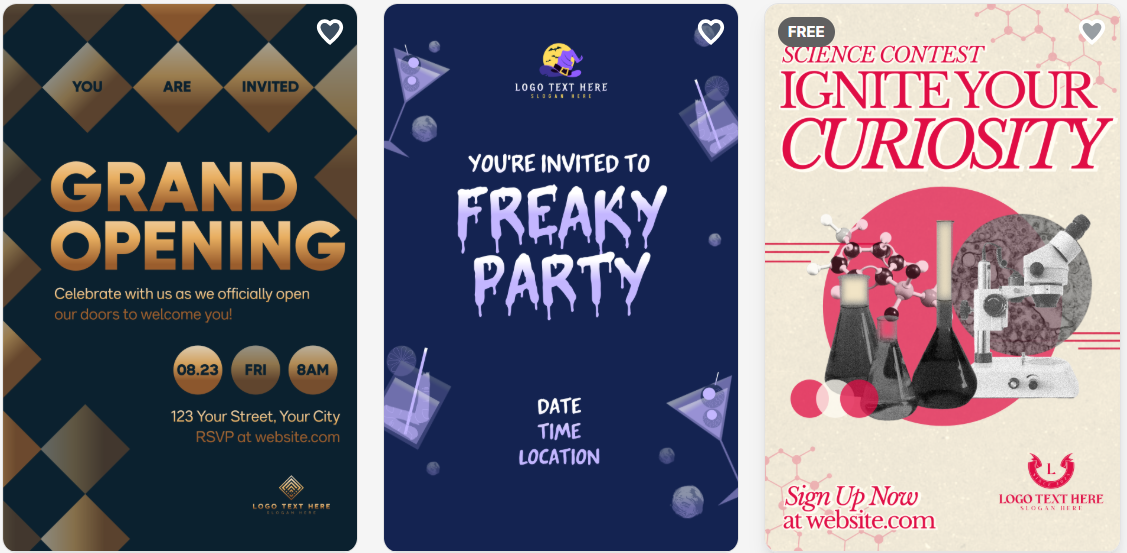
Design.com stands out with its AI-first approach to invitation creation. Here’s what makes it a compelling choice for modern event planners:
Pros
- AI generates custom invitations instantly based on text descriptions
- Each design is unique; no duplicate invitations at events
- Intuitive drag-and-drop customization after AI generation
- Smart font pairing suggestions prevent amateur mistakes
- Integrated ecosystem for logos, business cards, and social media graphics
These core strengths position Design.com as the speed leader among invitation makers.
Additions
Beyond the primary features, Design.com includes several valuable extras that enhance the overall experience:
- AI tools for complete event branding (logos, banners, social posts)
- AI editing for text refinement and layout optimization
- Multiple export formats (PNG, JPG, PDF) for print and digital
- Professionally reviewed AI outputs for quality assurance
- Extended licensing included for commercial use
Free Offering
- Unlimited designs and downloads on the free tier
- Free brand kit storage for consistent event materials
- No watermarks on free downloads
These additions make Design.com particularly strong for users creating multiple coordinated pieces for their events.
Cons
Despite its strengths, Design.com has limitations to consider:
- Advanced designers may want deeper control, but the simplicity makes it perfect for quick, beautiful results.
Greetings Island
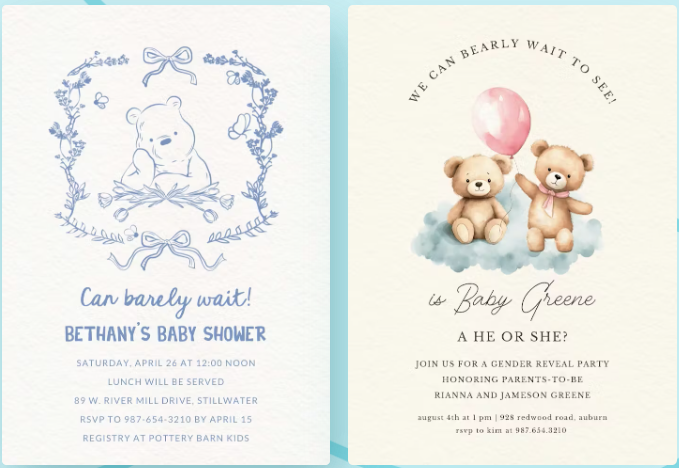
Greetings Island takes the opposite approach from Design.com, focusing on template quantity and traditional design methods:
Pros
- Matching envelope and RSVP card templates included
- Excellent category organization and search functionality
- High-resolution downloads available for all users
- Templates for obscure and specific event types
- No account required for downloads
This template-first strategy makes Greetings Island ideal for users who prefer browsing to creating from scratch.
Additions
The platform includes numerous helpful features that complement its extensive template library:
- Over 400 birthday templates, along with detailed subcategories
- Envelope liner designs that coordinate with invitations
- RSVP tracking templates for manual guest management
- Multiple size options for each design
- Print-ready PDF formats with bleed marks
- Safe, family-friendly content across all templates
- Seasonal updates with trending design styles
These thoughtful additions demonstrate Greetings Island’s focus on comprehensive event stationery solutions.
Free Offering
- Completely free with no premium tier or hidden costs
- Massive library of 3,000+ free invitation templates
Cons
- No AI generation or smart design assistance
- Limited font selection
- Color changes affect individual elements, not global themes
- The traditional approach may feel slow compared to AI tools
VistaCreate
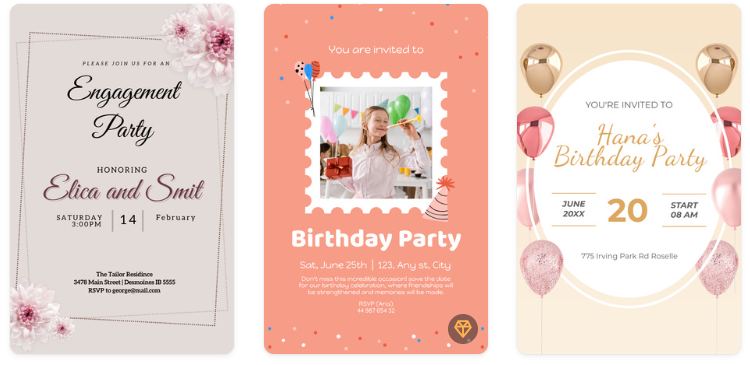
VistaCreate positions itself between simplicity and professional capability:
Pros
- Professional design tools simplified for beginners
- Advanced features like layers, transparency, and text effects
- One-click background removal for photos
- Animation options for digital invitations
- Contemporary, agency-quality templates
- Team collaboration features for group planning
This balance makes VistaCreate attractive for users wanting more control without complexity.
Additions
The platform extends its capabilities with features typically found in premium design software:
- Over 500 invitation templates with seasonal updates
- Animation library with subtle, professional effects
- Background removal AI for perfect photo integration
- Multiple export formats, including MP4 for animated invites
- Safe, professionally curated design assets
- Extended licensing for event marketing materials
These professional-grade features set VistaCreate apart for users creating sophisticated event materials.
Free Offering
- Brand kit available even on the free plan
- Free stock photo library with millions of images
Cons
The advanced features come with limitations on the free tier:
- Limited to 5 downloads per month on the free tier
- Smaller template selection than pure template sites
- Steeper learning curve for advanced features
Performance Comparison
| Metric | Design.com | Greetings Island | VistaCreate |
| Speed to Design | 3-5 minutes | 5-10 minutes | 10-15 minutes |
| Template Load Time | <2 seconds | 3-5 seconds | 2-4 seconds |
| Export Processing | Instant | 5-10 seconds | 10-20 seconds |
| Mobile Performance | Best (web) | Excellent | Good (app) |
| Learning Curve | Minimal | None | Moderate |
| Design Quality Score | 9/10 | 7/10 | 8.5/10 |
Final Choice
Each platform excels in different scenarios. Design.com wins for speed and originality; when you need something unique fast, the AI generation can’t be beat. The customization options let you refine without getting bogged down in details.
For speed, originality, and overall value, Design.com takes the crown. Its free tier provides everything most users need to create stunning invitations without restrictions or watermarks.
The AI-first approach represents the future of design tools, making professional-quality invitations accessible to everyone regardless of design experience.