
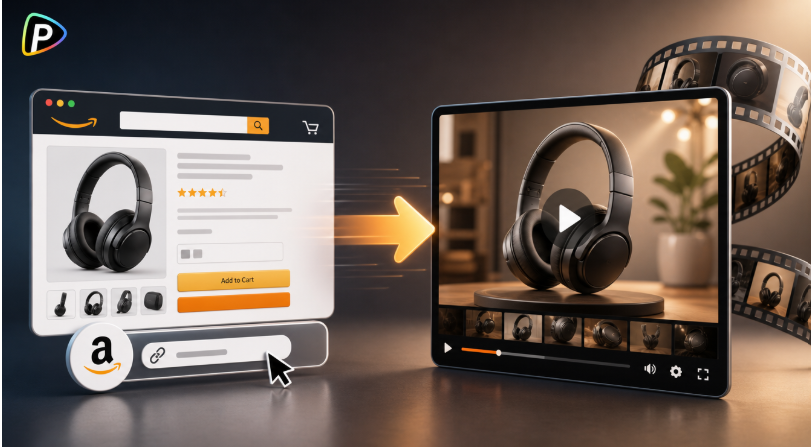
An Amazon product page already has most of the information needed for a product video. What is often missing is the time and footage needed to turn that information into one.
An AI Amazon URL to video generator solves this by starting with the listing itself. Instead of writing a script and building scenes from scratch, sellers can give the tool an Amazon URL and work from the video it generates.
Why Use Pollo AI for Amazon Product Videos?
Pollo AI is a practical option when the goal is to turn an existing Amazon listing into a video rather than edit footage manually. Its Amazon URL to Video Maker can use the product page to generate the script, visuals, voiceover, and music, while users can refine the result with prompts.
This workflow is particularly useful for sellers launching a new product, updating older listings, or creating videos for several products without shooting new footage for each one.
The key is to treat the generated video as a starting point. Product details still need to be checked before the video is used.
How to Turn an Amazon Listing into a Video with Pollo AI
1. Pick the right Amazon listing and copy its URL
Start with a product page that has clear images, a useful description, and accurate specifications. The more complete the listing is, the more useful it is as source material. This also gives sellers a solid foundation if they later explore other video creation options, such as a Powtoon AI video generator, for different presentation styles.
This is also where sellers can avoid a common problem: outdated listing information. If an old product image or incorrect specification is still on the page, it may affect the generated video. It is worth cleaning up the listing first.
2. Paste the URL into Pollo AI
Open Pollo AI’s Amazon URL to Video Maker and paste the product URL into the input field.
The tool is designed to turn the listing into a product video, including the script, visuals, voiceover, and background music.
At this stage, it helps to think about what the video should actually show. A seller promoting a portable blender, for example, might want to focus on using it in a small kitchen or taking it on a trip rather than simply showing the product against a plain background.
3. Tell Pollo AI what the video should focus on
After adding the URL, sellers can use text prompts to guide the result. Pollo AI allows users to refine elements such as the script, visuals, and music.
Specific instructions usually work better than general ones. Instead of saying “make a better product video,” a seller could ask for a short video focused on the product’s compact design and everyday use.
The generated scenes should also be checked carefully. AI may create a setting or product detail that looks convincing but does not match the actual item. If an accessory is not included with the product, for instance, it should not appear as though it comes in the box.
4. Check the video against the Amazon listing
Once the draft is ready, the seller should watch the entire video and compare it with the product page.
Pay particular attention to specifications, compatibility, dimensions, product variants, and included accessories. Voiceovers should also pronounce product names and numbers correctly.
Pollo AI supports AI voiceovers and multilingual video creation, which can be useful for sellers targeting different markets.
However, changing the language does not remove the need for a product-information check. Each version should communicate the same accurate information.
5. Generate the final version
After the script, scenes, voiceover, and music have been adjusted, the seller can create the final video through Pollo AI’s workflow. The official process is essentially: add the Amazon URL, refine the result, and click Create.
The finished video can then be used as a starting point for Amazon product content or other marketing channels, depending on the seller’s needs.
How to Get Better Results from an Amazon URL
The best results usually come from giving the generator a clear product page and one clear video goal.
A short product video does not need to cover every feature in an Amazon listing. If a desk lamp is mainly being sold for home-office use, the video can focus on how it fits into a workspace and demonstrate its most useful feature.
Sellers can also create different versions for different purposes. One version might introduce a new product, another might demonstrate a specific use case, and a third could focus on a feature that shoppers frequently ask about.
This is where using an AI Amazon URL to video generator can be useful: the Amazon listing provides the starting material, while the seller decides what story the video should tell.
Final Thoughts
Turning an Amazon listing into a video does not have to start with filming or a blank editing timeline. With Pollo AI’s Amazon URL to Video Maker, sellers can start with the product URL and build from there.
The most important step is still the review. A good-looking video is not enough if it shows the wrong product or makes an unsupported claim. Check the listing, give the AI a specific direction, and review the finished video before putting it to use.