


Document sharing is a standard process in the modern world. Companies share information with their partners and clients. Educators provide information to their students and report their success to the Ministry of Education. Even though many of them use online tools from Google like Google Docs or Sheets, PDF remains the choice #1 for 82% of all existing companies. Generally, they are chosen for their security, compatibility, and ability to preserve formatting unchanged.
The most significant disadvantage and, at the same time, the advantage of PDF files is their picture-like format. Users can view but cannot change them without the best PDF software. In this article, you will learn about the top five tools to manage your PDF documents without hassle and challenges.
#1. PDF Converter from PDF Guru

Unlike many PDF programs, the PDF to OCR converter from PDF Guru is available online. So you do not need to download and install it. The tool offers a range of formats (one of the biggest in the market), including options for users looking for a PDF to Word converter, and a simple conversion process:
- Open the converter.
- Choose the output format you need.
- Tap on “+” to upload your document.
- Start the process and download the converted file.
Here, you can store all your converted files. As a result, you can access them from anywhere with just a few clicks and an Internet connection. Besides, PDF Guru is more than just a converter. On this site, you will also find such features as:
- Page separation;
- Document merging;
- Document editing;
- Online signing;
- PDF compressor;
- PDF summarizing;
- Tax form filling, etc.
Its inclusiveness makes PDF management a low-hanging fruit. The only disadvantage of the tool is a lack of free services, which is explained by enhanced security to the provided online storage and all stored files.
#2. Adobe Acrobat DC

This brand has already gained a positive reputation in the market thanks to its PDF reader. Almost everyone who uses PCs installs Adobe Acrobat to read, extract, edit, and comment on PDF documents from them, edit something, and even leave comments on the downloaded files. This PDF app also has an online conversion feature.
Yet, just like any other tool, it has its pros and cons:
| Pros | Cons |
|
|
#3. Foxit PDF

It is another PDF editor software that offers an all-inclusive editing package. It has a basic and a professional version to satisfy everyone’s needs. However, their online and desktop versions look like different tools, and this must not confuse the users. Speaking about its pros and cons, one should keep in mind the following:
Pros
- All-inclusiveness for effective PDF management
- Both desktop and online versions
- 14 days of free use
Cons
- Limited conversion options
- All premium tools are fee-based
- Its Pro version is only for Windows users
#4. PDFelement

This tool will meet your needs if you want to convert several PDF documents simultaneously. It is another paid tool that offers easy editing and conversion to different formats in a few clicks.
Speaking about its benefits, one can highlight its easy-share feature via Google Drive and Dropbox. Besides, the conversion is quite speedy.
Judging its opposing sides, the Pro version is accessible only to Mac users, and batch conversion slows down the tool. Some users could not finish the process as the tool refused to respond. Yet, it is great for single-document conversion.
#5. CloudConvert
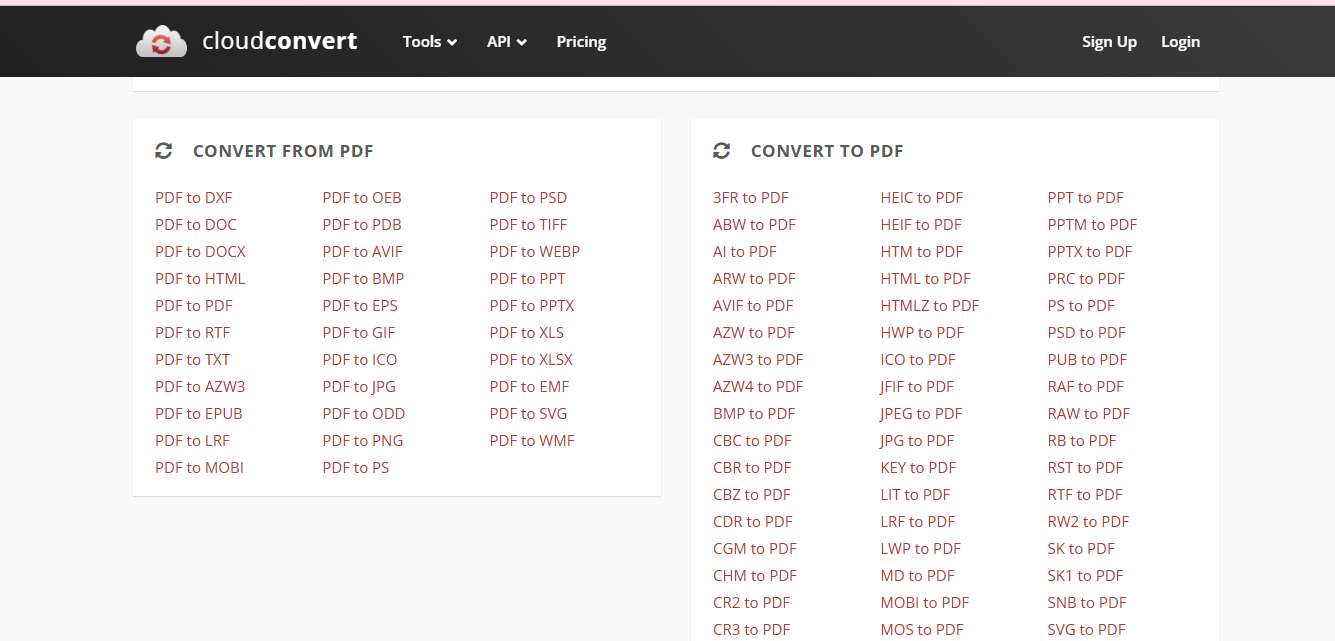
Even though this tool does not offer PDF editing features, it is a free and easy to handle online converter. You can convert PDF to any format and vice versa. There is no need for a subscription as it offers only basic file-to-file conversion. Yet, it is simple, secure, and 100% free.
How to Choose the Best PDF Converter in 2025?
The choice of a PDF converter relates to your personal needs. If you need only to convert a document, the basic PDF converter will do the job. However, if you want to add or delete information or some elements, merge or split documents, or sign your files and protect them with passwords, you need to choose a Pro version of a PDF editor to enjoy these features.
Moreover, you should make sure your tool supports different formats to justify your subscription. While some tools might demand a higher cost having limited services but a recognized brand, others can be all-inclusive and cheaper.
Drawing Conclusions
The choice of online editing and converting tools impresses beginners. However, pretty soon, you will be able to choose the best PDF converter that will meet your specific needs. Just try their free trial to compare the offers. If your goal is mere conversion, free tools will be your good assistant.
