

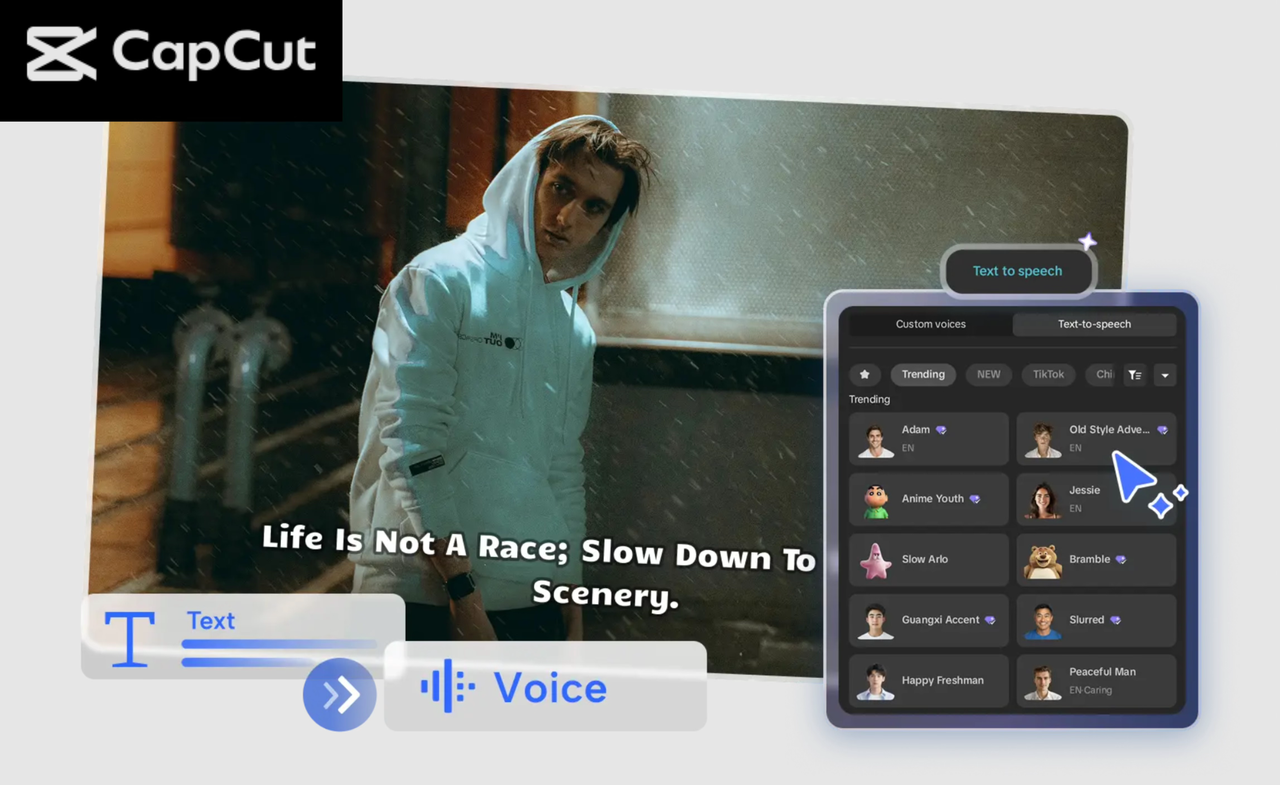
If you spend any time on TikTok, Instagram Reels, or YouTube Shorts, you’ve probably noticed a huge rise in AI-narrated videos. More influencers are now using CapCut Text to Speech AI because it gives them a fast, polished, and consistent way to create content—without recording their voice each time. This shift isn’t just a trend; it’s a complete transformation in how creators work. Today’s influencers are under constant pressure to upload regularly, stay on top of trends, and maintain high-quality content. But recording voiceovers can be time-consuming, awkward, or simply not practical when you’re not in a quiet environment. CapCut’s Text to Speech (TTS) tool solves all of this. It turns your written script into a clear, expressive, natural-sounding voice in seconds.
Why Influencers Love CapCut Text to Speech
1. It Saves Hours of Work
Recording audio takes time—scripting, rehearsing, recording, trimming, re-recording, and cleaning background noise. With CapCut TTS, influencers cut that entire process down to minutes. They simply paste the script, pick a voice, and let CapCut generate polished narration instantly.
2. Voiceovers Sound Clean and Studio-Ready
Influencers love that the TTS voices sound clear, steady, and emotionally expressive. No more worrying about room noise, mic quality, cracking voice, or inconsistent tone. CapCut’s audio output has built-in clarity, perfect pacing, and optional sound enhancements.
3. It Helps Camera-Shy Creators Post Confidently
Many creators want to grow online—but don’t want to talk on camera. With TTS, they can create professional content without revealing their voice or identity. It boosts confidence and lets them publish consistently.
4. Perfect for Trends, Tutorials & Storytelling Videos
Influencers use CapCut TTS for daily vlogs, meme videos, educational explainers, storytime clips, product reviews, travel recaps, and aesthetic montage videos. The consistency of the narration makes their content recognisable and more shareable.
5. Easier to Edit and Update
If influencers need to fix a mistake or add a new line, they don’t have to re-record the entire audio. They just update the text and regenerate the voice. This makes editing effortless and fast.
How to Make Influencer Content Using CapCut Text to Speech
Let’s explore a step-by-step guide to help you create polished influencer-style videos with CapCut’s Text-to-Speech feature.
Step 1: Upload Your Video
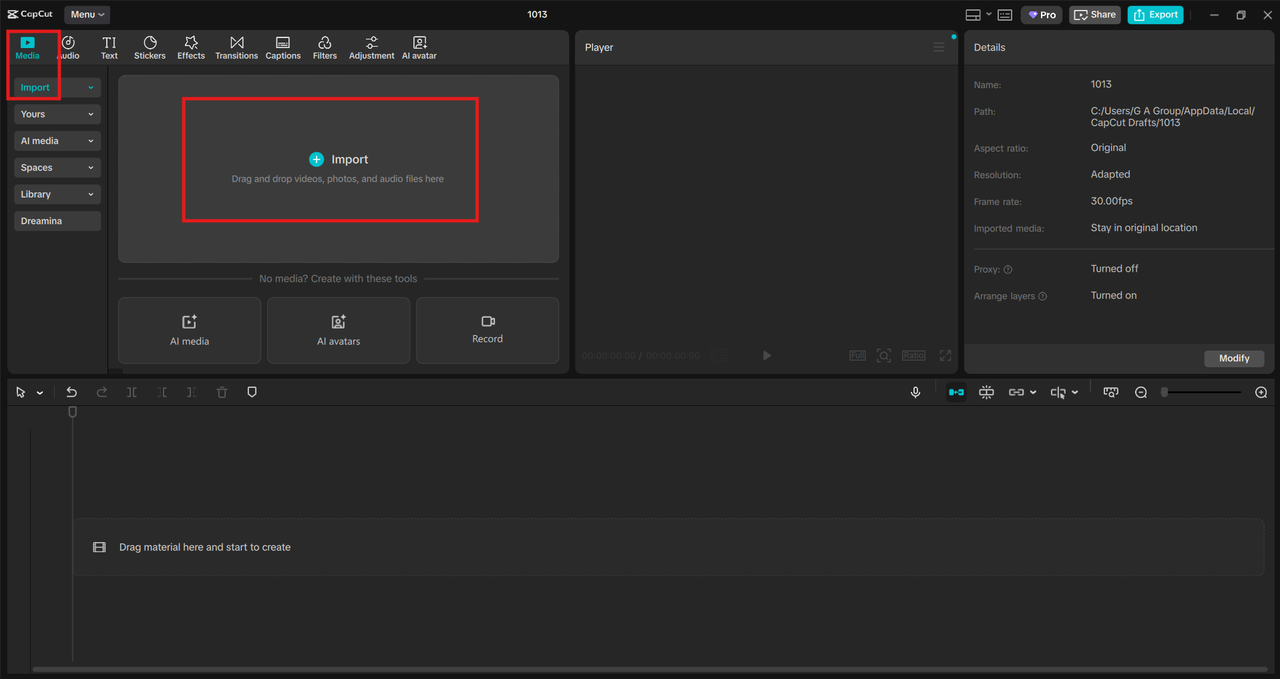
Open CapCut Desktop, then click Create project to open a new editing space. Once you’re inside the workspace, import the footage you want to turn into influencer content. This could be clips from your day, a product showcase, a travel moment, an aesthetic montage, or a simple B-roll sequence. Drag your video file from your computer into CapCut’s blank canvas or use the Upload button in the top-left corner. After adding the clip, place it on the timeline so you can begin working on your narration. If your video has background noise or you want to remove some unwanted audio, this is a good moment to mute the original clip. Select the video on your timeline, then lower the volume to zero. This leaves clean space for your AI-generated voiceover to shine.
Step 2: Convert Text to Speech
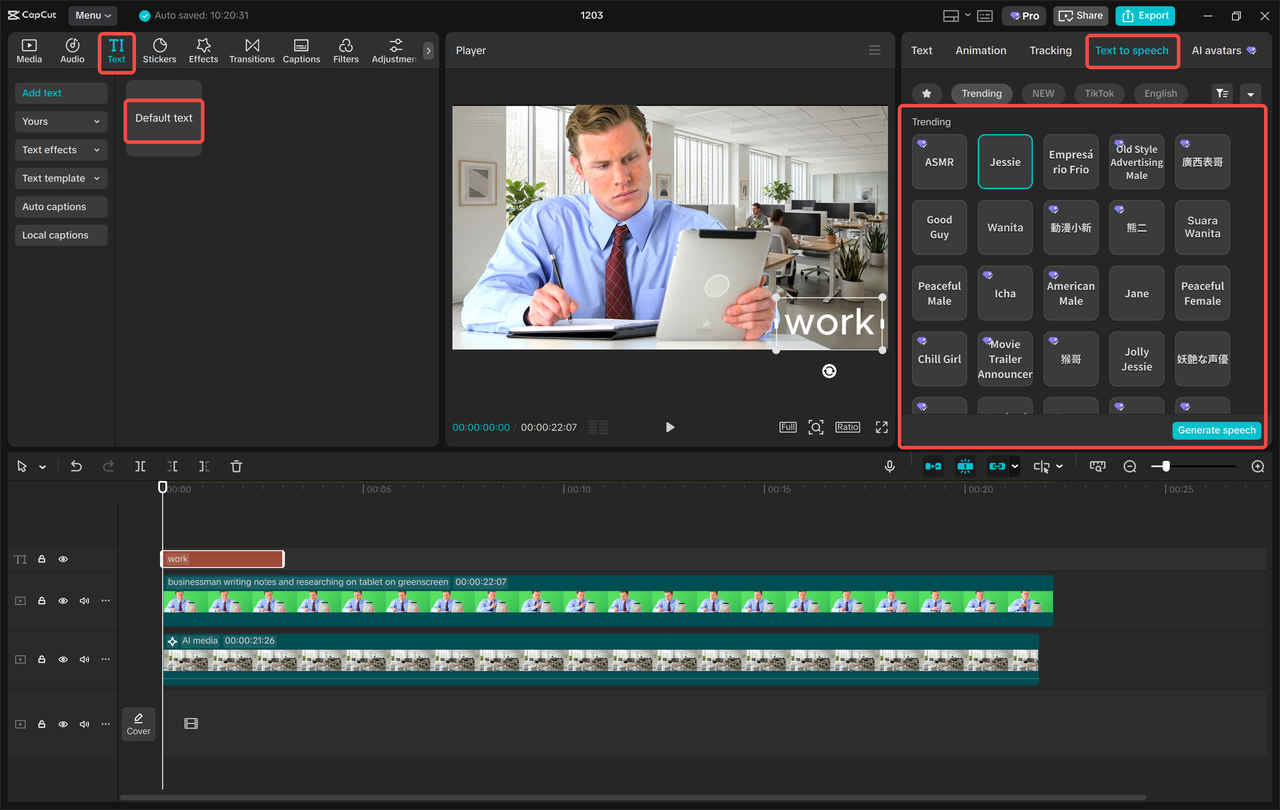
Now it’s time to add your script. Go to the Text panel, click Default text, and a textbox will appear on your canvas. Type or paste your narration—this can be as short or as detailed as you like. Influencers often write scripts ranging from 10-second hooks to full minute-long explanations. After entering your script, look for the Text to Speech option. Click it, and CapCut will open its voice library. Browse through the available voices to choose one that fits your style—calm for tutorials, upbeat for lifestyle videos, or funny for meme content. Once you select a voice, click Generate. In seconds, CapCut will transform your script into a smooth audio file and place it directly on the timeline. You can drag the audio to sync it with your video moments. Try CapCut and other amazing tools such as AI Avatar, AI Video Maker, and more. These tools make your video amazing. CapCut also includes several audio enhancements you can use:
- Voice effects to add personality
- Noise reduction to keep things clean
- Volume adjustments for balance
- Fade in/out to make transitions smoother
These tools help influencers polish their content without needing an external audio editor.
Step 3: Export & Share
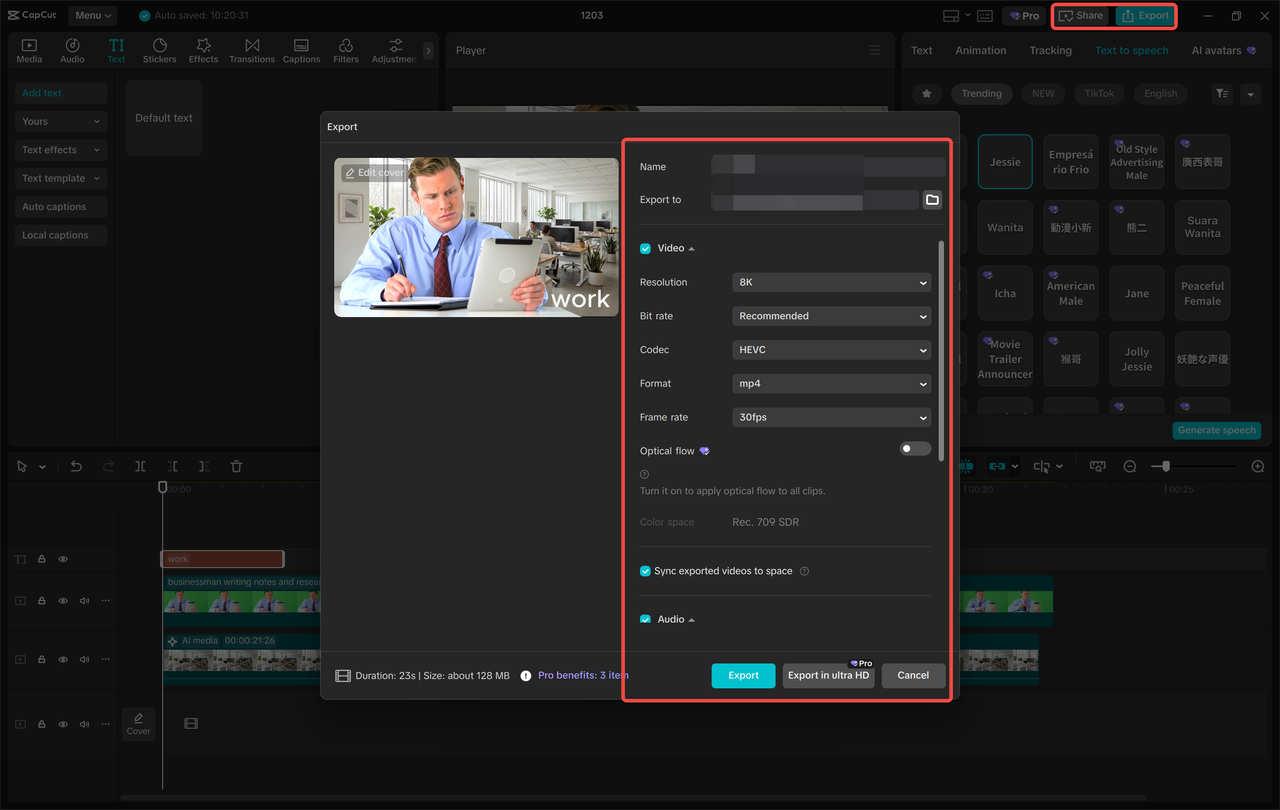
When your video looks and sounds the way you want, it’s time to prepare it for posting. Click Export at the top-right corner of CapCut. Once everything is set, click Export again to download your final video. CapCut also lets you share directly with TikTok, which is a huge time-saver for influencers who post daily. Upload your video to platforms like TikTok, Instagram Reels, YouTube Shorts, and Facebook Reels, and you’re done!
Conclusion
Influencers are moving to CapCut Text to Speech AI because it offers speed, clarity, and creative freedom. Instead of spending hours recording voiceovers, they can generate expressive narrations instantly, freeing up time to focus on filming and storytelling. Whether you’re a beginner or a seasoned creator, CapCut TTS helps you produce crisp, engaging content that stands out on any platform.