UK: +44 2038074555 info@atamgo.com
Top 4 Design Agency in India that Helped FMCG, Food & D2C Brands

Top 4 Design Agency in India that Helped FMCG, Food & D2C Brands

top design agency in india

When it comes to building iconic FMCG, Food, and D2C brands in India, great design isn’t just decoration — it’s strategy. From packaging that pops off the shelf to brand storytelling that sticks in your head, Indian design agencies have become key partners in brand growth. In fact, over 78% of consumers in India say packaging design directly influences their purchasing decisions — especially in the food and D2C space where first impressions matter.
With the country witnessing a D2C boom projected to hit $100 billion by 2025, the role of creative agencies has never been more critical. But with so many players in the market, who are the real game-changers? In this blog, we spotlight the Top 4 Design Agencies in India that have consistently delivered standout branding for FMCG and food brands — blending local culture with global appeal, and creativity with commercial results.

Why Design Agencies are Crucial for FMCG, Food & D2C Brands?

Design agencies play a crucial role in shaping how FMCG, Food, and D2C brands connect with customers. In a market flooded with options, smart design helps a product stand out on the shelf and stay top-of-mind. For FMCG and Food brands, packaging is often the first interaction a consumer has with the product — and it takes just 7 seconds to make a first impression.
Meanwhile, D2C brands rely heavily on digital presence, and design influences everything from website UX to social media engagement. A skilled agency not only creates visually appealing assets but also builds a strong brand identity, ensuring consistency across platforms. This leads to better recall, trust, and ultimately, conversions. In short, design is no longer optional — it’s a growth engine.

Top 4 Design Agency in India that Helped FMCG, Food & D2C Brands

India’s FMCG, Food, and D2C sectors are thriving, and at the heart of this growth are design agencies that turn everyday products into memorable brand experiences. Here are the top 4 design agencies that have made a lasting impact in this space:

1. DesignerPeople

Location: Faridabad, Haryana
Specialization: Branding, Packaging Design, and Marketing Services
Key Highlights:
● Over 18 years of experience in branding and packaging for food, beverages, personal care, and lifestyle sectors.

● Extensive portfolio of Indian and international clients including Haldiram, MDH, and LaOpala.

● Expertise in converting local Indian brands into global-looking D2C powerhouses.

Notable Work:

● Packaging design for Cornitos – Increased shelf visibility and international market acceptance.

● Branding for R-pure Spices – Helped revive brand perception with modern packaging visuals.

Services:
● Brand Strategy

● Logo Design

● Packaging & Label Design

● E-commerce Packaging

● Product Design

2. Elephant Design

Location: Pune, Maharashtra
Specialization: Strategic Brand & Product Design
Key Highlights:
● One of India’s oldest independent design consultancies.

● Known for creating impactful brand identities across sectors.

Notable Work:
● Rebranding of Paper Boat – A cultural success that connected nostalgia with modern storytelling.

● Packaging for Epigamia Yogurt – Clean, vibrant, and functional designs that appeal to millennials.

Services:
● Brand Identity Design

● Packaging Innovation

● Product Design

● Consumer Research

3. Landor India (Now Landor & Fitch)

Location: Mumbai
Specialization: Global Branding and Experience Design
Key Highlights:
● Part of the WPP network with a presence in over 20 countries.

● Brings global expertise to local Indian brands.

Notable Work:
● Brand transformation for Tata Consumer Products

● Worked with Marico and ITC for packaging and brand architecture

Services:
● Brand Strategy

● Consumer & Market Research

● Brand Architecture

● Naming & Verbal Identity

● Digital Branding

4. WowDesign

Location: Mumbai
Specialization: Design-Led Brand Consulting for FMCG
Key Highlights:
● Known for category-first designs in food, beverage, and baby care segments.

● Integrates consumer behavior insights with bold creative output.

Notable Work:
● Rebranding for Mother’s Recipe – Stronger shelf appeal and pan-India market reach.

● Packaging for Crax – Youth-focused design transformation.

Services:
● Brand Strategy

● Packaging Design

● Innovation Workshops

● Research-Based Design Thinking

How These Design Agencies Impact Business Growth?

These design agencies don’t just create good-looking packaging — they craft brand experiences that drive real business growth. By aligning visuals with consumer psychology, they help brands stand out in crowded FMCG and D2C markets. A well-designed product can boost shelf visibility, improve brand recall, and even command higher price points. For example, revamped packaging can increase sales by up to 30%, according to industry insights.
These agencies also bring strategic thinking to the table, helping brands evolve their identity, enter new markets, and stay relevant. From rebranding legacy names to launching new-age D2C startups, their impact goes beyond aesthetics — they build trust, drive engagement, and ultimately, fuel sales growth and long-term customer loyalty.

Tips for Brands Before Hiring a Design Agency

Choosing the right design agency can make or break your brand’s identity in today’s competitive FMCG, Food, and D2C landscape. Before you dive in, here are some practical tips to ensure you partner with the right team.

1. Define Your Brand’s Vision and Goals Clearly

Before approaching any agency, be clear about your brand story, values, and what you want to achieve — whether it’s higher shelf visibility, digital engagement, or entry into new markets. A well-defined vision allows the agency to align their strategy with your goals and suggest meaningful design directions.

2. Review Portfolios Relevant to Your Category

Not all design agencies specialize in the same sectors. Always look through the agency’s previous work, especially in your product category. If you’re a food brand, check how they’ve handled packaging, storytelling, and branding for similar products. This gives insight into their creativity, industry understanding, and consumer focus.

3. Check for Scalability

Your brand might be small today, but what about in the next 3–5 years? Choose an agency that can scale with you — one that’s capable of handling complex branding requirements as your business grows. Look for experience in working with both startups and established brands.

4. Be Open to Creative Risks – If They’re Strategic

Safe design rarely stands out. Be open to bold, creative ideas — but only if they are backed by consumer insights or strategic reasoning. A good agency should challenge your perspective, not just please it.

5. Demand Performance Metrics and ROI

Design isn’t just about beauty — it should deliver results. Ask the agency how they measure performance. Whether it’s increased sales, better customer engagement, or improved shelf visibility, understanding ROI ensures accountability and long-term value.
By following these tips, brands can form partnerships that are not just creative but also commercially impactful.

Success in India doesn’t translate seamlessly across international markets. As more FMCG, Food, and D2C brands explore international growth, particularly in competitive markets like the United States, the level of competition increases significantly. Branding and packaging become a much higher priority.

What works on Indian shelves may not resonate with American consumers. Retail expectations differ. So do shopper behaviors, visual cues, and claims that drive purchase decisions. Entering these markets often requires repositioning your product visually and strategically rather than what most do which is to just translate language.

That’s why many global brands partner with U.S.-based design agencies like SmashBrand, who specialize in retail-tested packaging and consumer-backed design systems. Agencies familiar with American retail environments can help your brand meet buyer expectations and stand out in crowded categories, whether you’re launching in grocery chains, food markets, or digital marketplaces. If international expansion is in your near future, invest early in understanding your target market and choose a creative partner who knows how to translate local success into global relevance.

Conclusion

India’s FMCG, Food, and D2C sectors are evolving rapidly, and the right design agency can be a powerful partner in that journey. The top 4 agencies featured in this blog — DesignerPeople, Elephant Design, Landor & Fitch, and WowDesign — have demonstrated consistent creativity, strategic thinking, and a deep understanding of consumer behavior.
From packaging that boosts shelf presence to brand identities that build lasting recall, these agencies have helped brands grow in both local and global markets. While the insights shared here are based on research from Google, industry magazines, and publicly available sources, it’s important for every brand to conduct its own evaluation to find the right creative fit. After all, each business has unique needs — and the right agency should align perfectly with your growth vision.
8 Powerful YouTube Subtitle Downloader You Must Try Today

8 Powerful YouTube Subtitle Downloader You Must Try Today

youtube subtitle downloader

Introduction

YouTube subtitle downloader – Have you ever wanted to save YouTube subtitles for offline reading, language learning, or content creation? Whether you need subtitles for better accessibility, translations, or study purposes, this tool makes the process effortless.

Many tools allow you to extract subtitles from YouTube videos in formats like SRT, TXT, and VTT, giving you full control over the content. In this guide, we’ll explore nine powerful YouTube subtitle downloaders that are fast, reliable, and easy to use—whether you prefer online tools, software, browser extensions, or advanced scripts.

Let’s dive in and find the best tool for you!

Find More: Top 7 Free Tools for YouTube Shorts Download

How to Choose the Best YouTube Subtitle Downloader

When selecting a YouTube subtitle downloader, consider the following factors:

  • User-Friendliness: The tool should have an intuitive interface that doesn’t require advanced technical skills.
  • Format Support: Ability to download subtitles in various formats like SRT, TXT, or VTT.
  • Language Support: Capability to handle multiple languages, especially if you’re dealing with non-English content.
  • Platform Compatibility: Ensure the tool works seamlessly on your operating system, be it Windows, macOS, or Linux.

Best Online YouTube Subtitle Downloaders

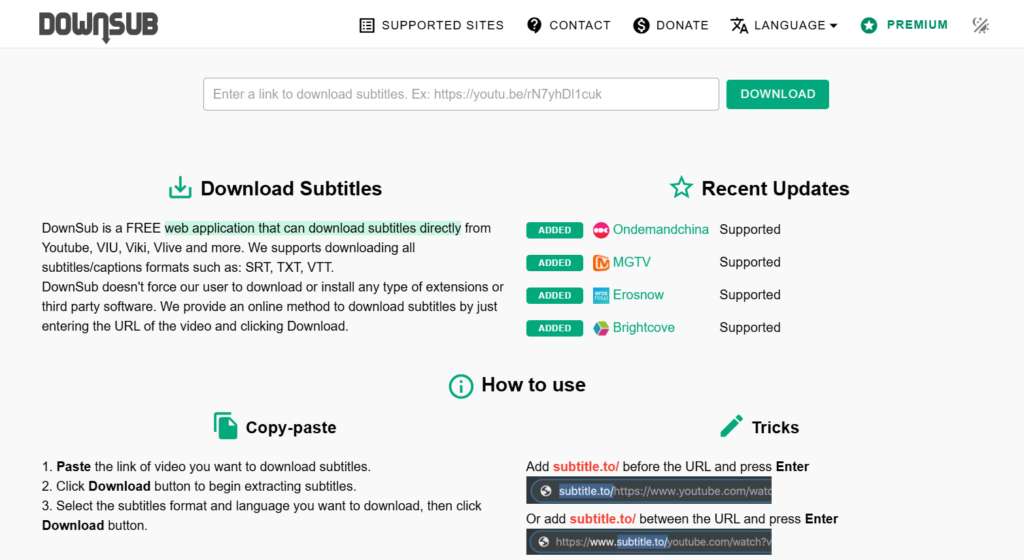
1. DownSub

DownSub

DownSub is a free web application that allows users to download subtitles directly from YouTube and other platforms like Viki, Viu, and Vlive. It supports multiple languages and provides subtitles in formats like SRT and TXT.

How to Use DownSub:

  1. Copy the URL of the YouTube video.
  2. Paste it into the input box on DownSub’s homepage.
  3. Click the “Download” button.
  4. Choose your preferred subtitle format and language to download.

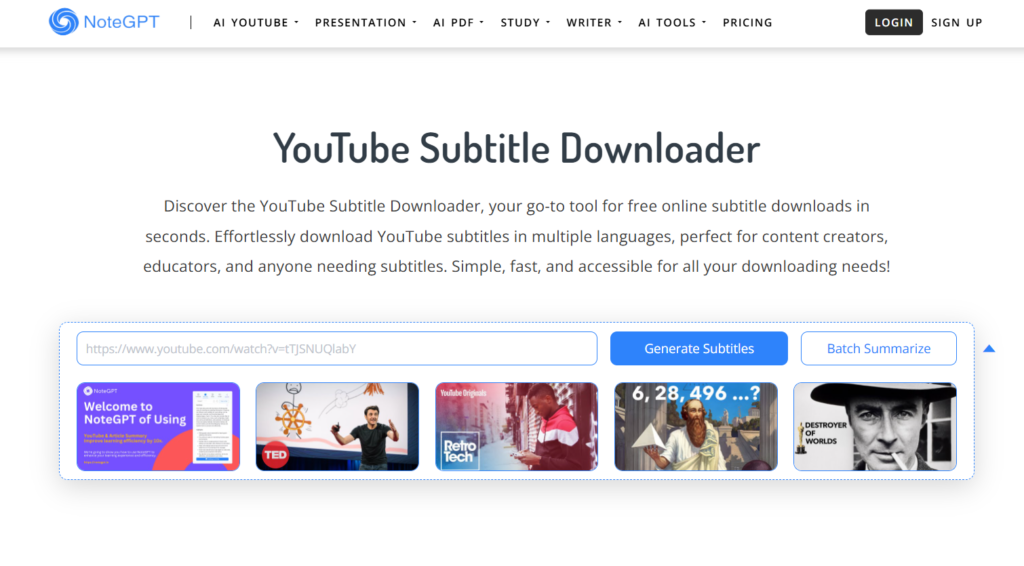
2. NoteGPT

NoteGPT

NoteGPT is an online tool that allows for quick and free downloading of YouTube subtitles in multiple languages. It’s particularly useful for content creators and educators who need subtitles for various purposes.

Features:

  • Supports multiple subtitle formats.
  • No sign-up required.
  • Fast and user-friendly interface.

How to Use NoteGPT:

  1. Paste the YouTube video link into the input box.
  2. Click the “Generate” button.
  3. Download the subtitles in your desired language and format.

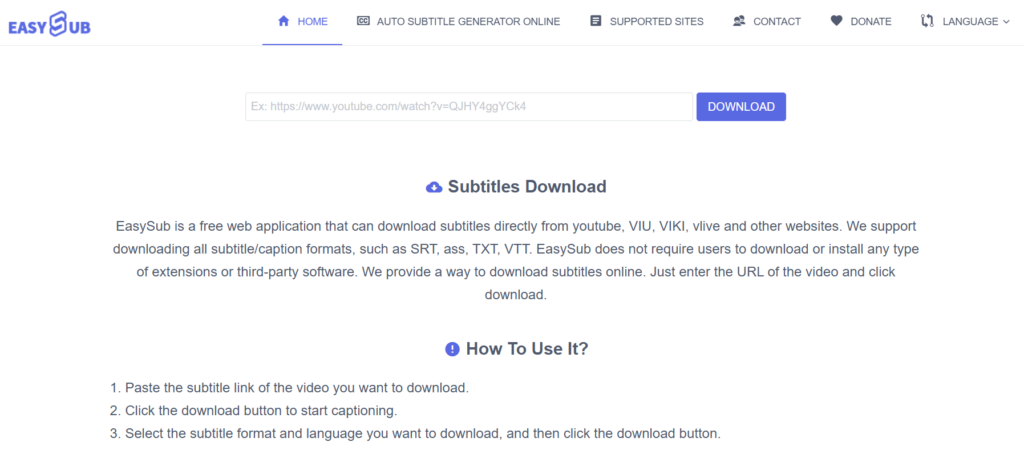
3. EasySub

EasySub

EasySub is another online tool that supports downloading subtitles from YouTube and other websites. It offers subtitles in formats like SRT, ASS, TXT, and VTT, catering to a wide range of user needs.

How to Use EasySub:

  1. Copy and paste the YouTube video link into the input field on EasySub’s website.
  2. Click “DOWNLOAD.”
  3. Select your preferred subtitle format and language to download.

Software-Based YouTube Subtitle Downloaders

1. yt-dlp

yt-dlp is a command-line program that allows users to download videos and subtitle files from YouTube. It’s a fork of the popular youtube-dl, offering additional features and improved performance.

Features:

  • Supports downloading subtitles in various languages.
  • Ability to embed subtitles directly into videos.
  • Highly customizable with numerous command-line options.

How to Use yt-dlp:

  1. Install yt-dlp on your system.
  2. Open Command Prompt or Terminal.
  3. Run the command: yt-dlp --write-subs --sub-lang LANG "URL", replacing LANG with the desired subtitle language code (e.g., en for English) and URL with the YouTube video link.

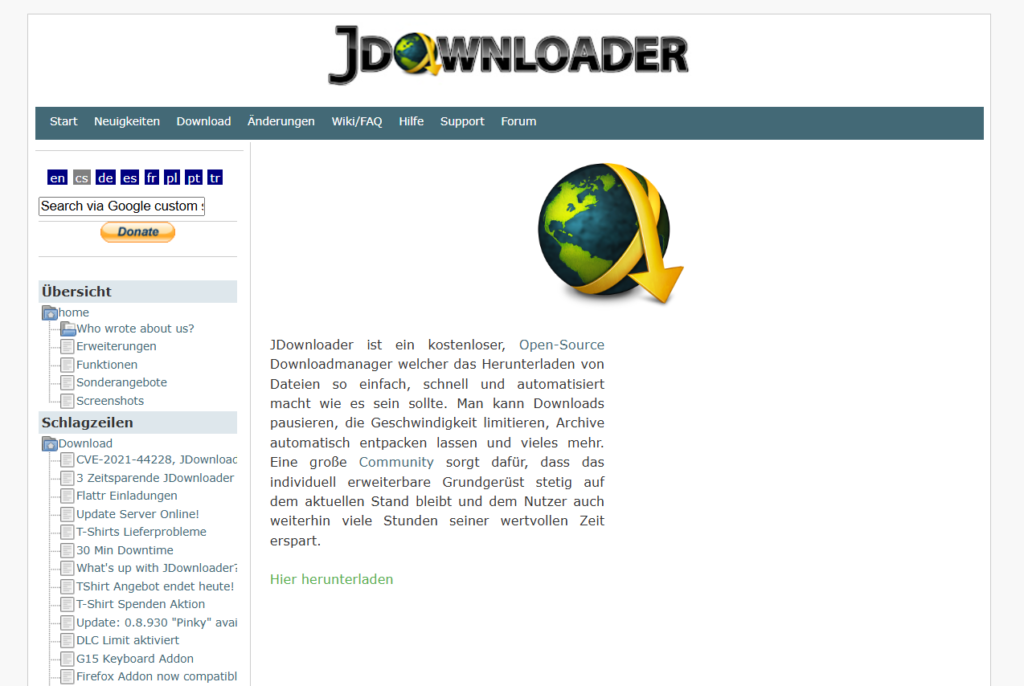
2. JDownloader

JDownloader

JDownloader is a free, open-source download manager that simplifies downloading files from various platforms, including YouTube. It can automatically detect and download available subtitles along with the video.

Features:

  • Supports downloading subtitles in multiple languages.
  • Allows for batch downloading of videos and subtitles.
  • Cross-platform compatibility (Windows, macOS, Linux).

How to Use JDownloader:

  1. Install JDownloader on your computer.
  2. Copy the URL of the YouTube video.
  3. JDownloader will automatically detect the video and its subtitles.
  4. Select the video and subtitle files you wish to download and click “Start.”

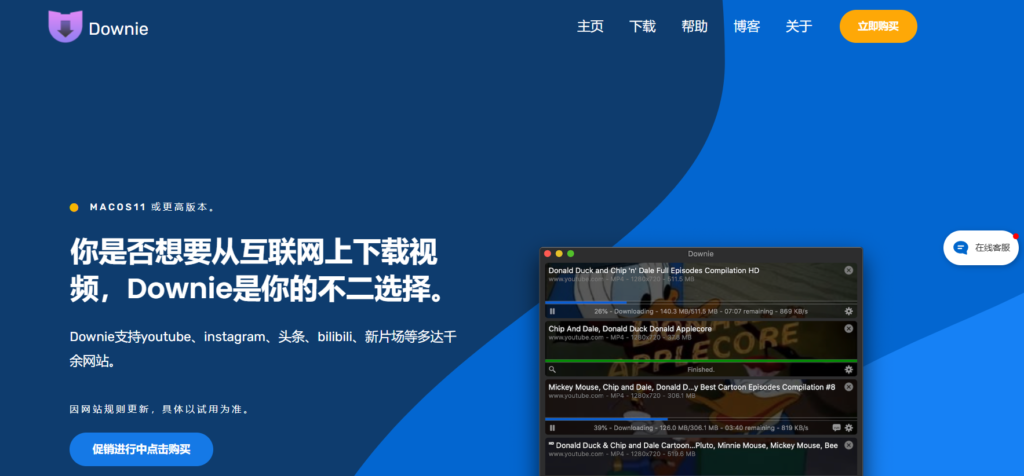
3. Downie

Downie

Downie is a video downloader for macOS that supports over 1,200 sites, including YouTube. It can download videos along with their subtitles, making it a comprehensive solution for macOS users.

Features:

  • Supports downloading embedded subtitles from videos.
  • Offers post-processing options like converting videos to different formats.
  • Regular updates to support new websites and features.

How to Use Downie:

  1. Install Downie on your Mac.
  2. Drag and drop the YouTube video link into Downie.
  3. Downie will process the link and provide options to download the video and subtitles.

Browser Extensions for Downloading YouTube Subtitles

If you prefer a seamless, integrated approach, browser extensions can help you download YouTube subtitles directly while watching videos.

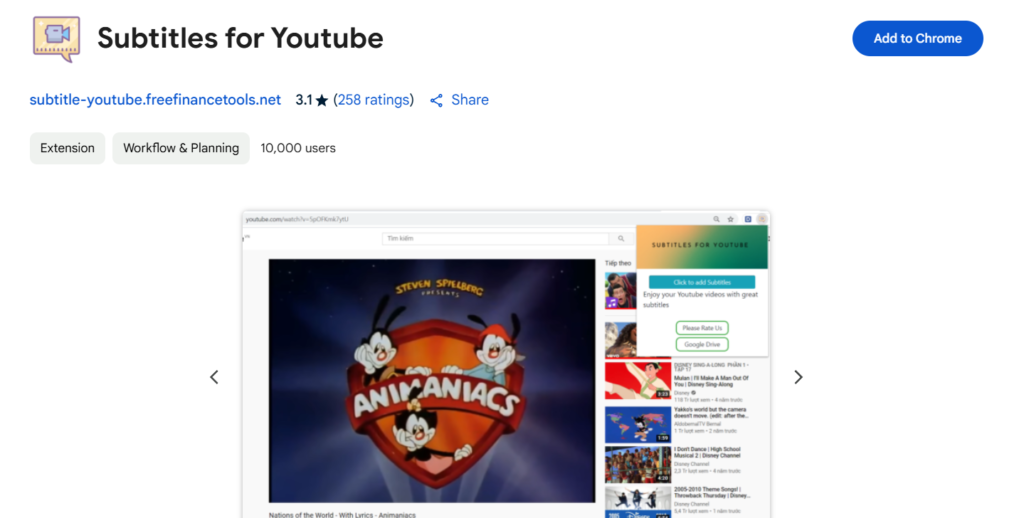
1. Subtitles For YouTube

Subtitles For YouTube

Overview:
This Chrome extension allows users to download subtitles directly from YouTube videos without leaving the website. It works with both manually uploaded and auto-generated subtitles.

Features:

  • One-click subtitle download
  • Supports multiple subtitle formats (SRT, TXT)
  • Works on all YouTube videos with captions

How to Use Subtitles For YouTube:

  1. Install the extension from the Chrome Web Store.
  2. Open a YouTube video with subtitles.
  3. Click the extension icon and choose the subtitle language.
  4. Download the subtitle file in your preferred format.

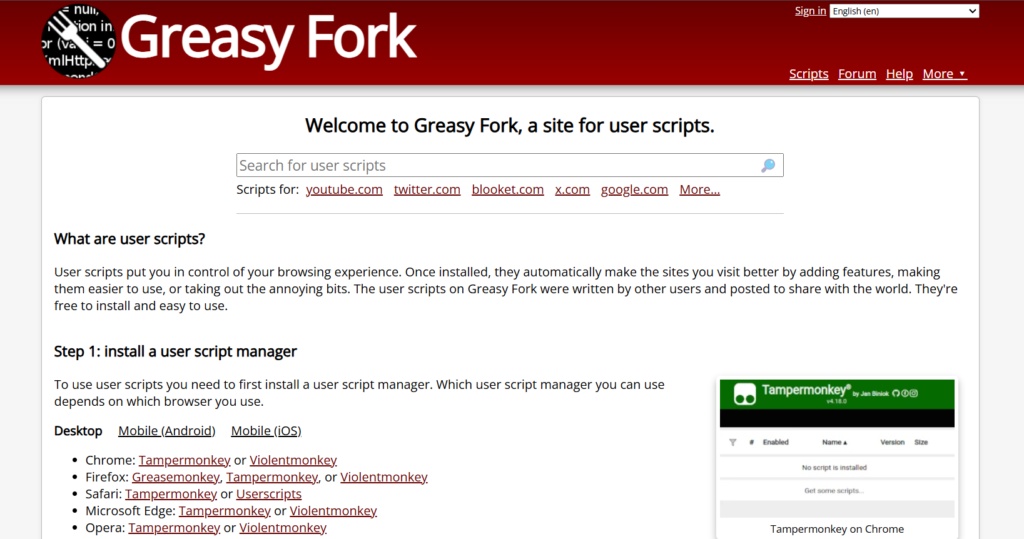
2. Tampermonkey + GreasyFork Script

GreasyFork Script

Overview:
Tampermonkey is a popular userscript manager that allows you to run custom scripts on websites. By using a YouTube subtitle downloader script, you can add a download button directly on YouTube.

Features:

  • Lightweight and customizable
  • Works in Chrome, Firefox, Edge, and Opera
  • Supports multiple subtitle formats

How to Set It Up:

  1. Install Tampermonkey on your browser.
  2. Add a YouTube subtitle download script from GreasyFork.
  3. Open a YouTube video and download subtitles using the new button.

How to Extract and Edit Downloaded YouTube Subtitles

Once you’ve downloaded subtitles, you may want to edit, sync, or convert them.

  • Convert SRT to TXT or VTT using converter tools
  • Sync subtitles using Aegisub
  • Translate subtitles using Google Translate + Notepad++

Common Issues and How to Fix Them

Problem: No subtitles available for a video

  • Check if the video actually has subtitles.
  • Try different tools, as some work better with auto-generated captions.

Problem: Subtitle timing is off

  • Use VLC Media Player to adjust subtitle delay.

Problem: Unable to download auto-generated subtitles

  • Some tools don’t support auto-generated captions. Use yt-dlp or DownSub.

Conclusion

If you want a simple online tool, DownSub or NoteGPT are great choices.
For bulk downloads, yt-dlp and JDownloader work best.
If you need a quick browser solution, try Subtitles for YouTube or Tampermonkey scripts.

Find More: Boost Your online Sales With shopify services

FAQs

How do I download subtitles from YouTube for free?

Use tools like DownSub, NoteGPT, or yt-dlp to extract subtitles from videos without paying.

Can I download auto-generated subtitles?

Yes, but not all tools support them. yt-dlp and DownSub can download both manual and auto-generated captions.

Which formats are best for downloading subtitles?

SRT is the most commonly used format. TXT is good for text extraction, while VTT is useful for web players.

Are YouTube subtitle downloaders legal to use?

Downloading subtitles for personal use is generally acceptable, but redistributing copyrighted subtitles may violate YouTube’s policies.

How can I download subtitles in multiple languages?

Tools like DownSub and yt-dlp allow you to select and download subtitles in different languages.

Tags:
Why Experiences Sell Better Than Products

Why Experiences Sell Better Than Products

Why Experiences Sell Better Than Products

It’s no longer just about what’s in the box. In today’s saturated marketplace, people aren’t just buying things. They’re buying feelings, memories, and stories. Experiences are quickly becoming the currency of modern consumption, overtaking traditional product-driven marketing.

This shift is more than a trend, it’s a full-blown evolution of consumer behavior. Whether it’s a music festival, a craft cocktail class, or even a custom event gift like a personalized water bottle, customers are leaning into what makes them feel something. And brands that embrace this reality are not just surviving, they’re thriving.

1. The Psychology Behind Experience-Driven Consumption

Let’s start at the root: emotion.

People remember how something made them feel far longer than they remember the specs of a product. Studies in behavioral economics and marketing psychology have confirmed this: experiences elicit stronger emotional responses, which in turn strengthen memories and brand loyalty.

In fact, a study by the Journal of Consumer Research reveals that experiential purchases, like travel, concerts, or even curated events. Bring more enduring happiness than material purchases. Why? Because experiences shape identity. Because experiences shape identity. A trip to Bali, a wine-tasting event, or even completing a triathlon training says something about who you are. A new pair of shoes? Not so much.

2. The Science of Memory and Emotional Attachment

Think about your last vacation. Chances are, you can vividly recall the scent of the air, the laughter shared, or the music playing in the background. Now think about the last kitchen appliance you bought. What brand was it again?

This isn’t a coincidence. Neuroscience confirms that emotionally charged events are better remembered. When a brand taps into emotion through experience, it builds long-term attachment. Products may age or break, but a well-crafted experience becomes a memory that lives on.

3. How Smart Brands Are Packaging Products as Experiences

Savvy companies understand this shift. They’re not just selling, they’re storytelling.

Some companies don’t just sell merchandise for events. They create immersive, branded experiences around it. Their event kits, from curated drinkware to themed games, offer more than items; they create memories. Something as simple as a personalized water bottle becomes a cherished keepsake tied to a joyful moment.

Similarly, brands like Apple have mastered the experience economy. The packaging, the unboxing, the in-store layout. It’s all crafted to elevate the feeling of buying their products, not just the product itself.

4. Digital and Physical Experiences: Blurring the Lines

In today’s hybrid world, experiences aren’t confined to physical spaces. Digital interactions can be just as immersive.

Virtual product demos, AR filters, personalized shopping via AI, these tools create engagement that mimics the impact of physical experiences. The digital customer journey is now a primary battleground for experience-driven differentiation.

Brands that integrate digital storytelling with physical products win big. A subscription box becomes more than a monthly delivery, it becomes an unfolding narrative customers look forward to. That’s what makes people stick around.

5. The Rise of Experiential Marketing

Experiential marketing has become the heartbeat of successful brand strategy. Instead of telling consumers what a brand is, marketers invite them to live it.

It’s about bringing a brand to life in a way that audiences can feel, touch, and internalize. Pop-up shops, branded installations, live-streamed events. These aren’t just flashy gimmicks. They’re strategic ways to embed the brand into someone’s personal story.

And when a customer lives your brand, they become your most powerful advocate.

6. Experience vs. Product: The ROI Debate

It’s easy to wonder, “Are experiences worth the investment?” The answer: absolutely.

Brands that prioritize experiences over products see higher customer lifetime value, improved retention, and more word-of-mouth referrals. Why? Because experiences ignite emotion, and emotion drives action.

Customers are more likely to share experiences than things on social media. And let’s face it: a photo from a company-hosted retreat or immersive unboxing experience is way more shareable than a pic of a new toothbrush.

This kind of organic amplification is priceless.

7. Experience-Based Branding Builds Loyalty

In a marketplace where options are endless, loyalty is everything. And loyalty isn’t built by discounts or product specs, it’s built on connection.

By shifting from “we sell X” to “we create Y experience,” brands give people a reason to come back. Experience-centric companies are redefining success by measuring impact in terms of engagement and emotional resonance, not just sales.

Think about brands like Airbnb or Nike. They don’t just offer accommodations or athletic wear. They sell belonging. Identity. Aspiration.

8. Turning Everyday Items into Emotional Moments

Here’s the magic trick: almost any product can be turned into an experience with the right storytelling.

A coffee mug? Make it part of a morning mindfulness ritual. A tech gadget? Showcase how it transforms a user’s daily routine. Even something as ordinary as a personalized water bottle can be reimagined as a symbol of an event someone cherished or a personal wellness milestone.

The goal is to shift from utility to meaning. What does your product help someone feel, become, or remember?

9. Strategies for Selling Experiences Over Products

So how can brands implement this? Here are a few practical tactics:

  • Tell a story, not just a feature list. Connect the dots between the product and the life your customer wants.
  • Create shareable moments. Think about what elements of your brand experience are social-media ready.
  • Involve the customer. Let them personalize or co-create their experience.
  • Build anticipation and memory. Experiences begin before the purchase and linger long after—nurture both.
  • Make use of scarcity and exclusivity. Limited events or editions drive urgency and value.

When you shift your mindset from seller to storyteller, you transform your offer from a product to a platform for connection.

10. Final Thoughts: Experience Is the New Economy

The truth is simple: experiences stick. In a world overflowing with options, the brands that win are those that make people feel. They create joy, wonder, nostalgia, and empowerment. Those feelings are what turn casual buyers into lifelong customers.

So, as you look at your business strategy, ask yourself: Are you selling a thing? Or are you selling a moment your customer will never forget?

The answer could make all the difference.

If you’re inspired to elevate your brand into the experience economy, it might start with something as simple and meaningful as a personalized water bottle at your next event. Because when you create a moment, you create a memory. And memories sell better than anything else.

Top 7 Free Tools for YouTube Shorts Download

Top 7 Free Tools for YouTube Shorts Download

youtube shorts download

YouTube Shorts download – ever stumbled upon an amazing Shorts video and wished you could save it instantly? Whether you want to keep a funny clip, store a tutorial for offline viewing, or repost content (with permission), finding a reliable tool can be tricky.

The good news? You don’t need to install software, sign up, or deal with watermarked videos! In this guide, we’ll show you the 7 best free tools for YouTube Shorts download, so you can save YouTube Shorts videos hassle-free.

Keep reading to discover the easiest ways to download YouTube Shorts without an app and in the highest quality!

1. AISEO

AISEO

Key Features:

  • High-Quality Downloads: Supports HD and Ultra-HD resolutions.
  • No Watermarks: Downloads are free from any branding.
  • Cross-Platform Compatibility: Accessible on mobile, tablet, or desktop devices.

How to Use:

  1. Copy the Link: Open YouTube, select your desired Shorts video, and copy the video link.
  2. Paste the Link: Paste the copied link into the AISEO YouTube Shorts Downloader and click “Download”.
  3. Select Format and Resolution: Choose the format and resolution you prefer.
  4. Download Video: Click download and get your selected video file instantly.

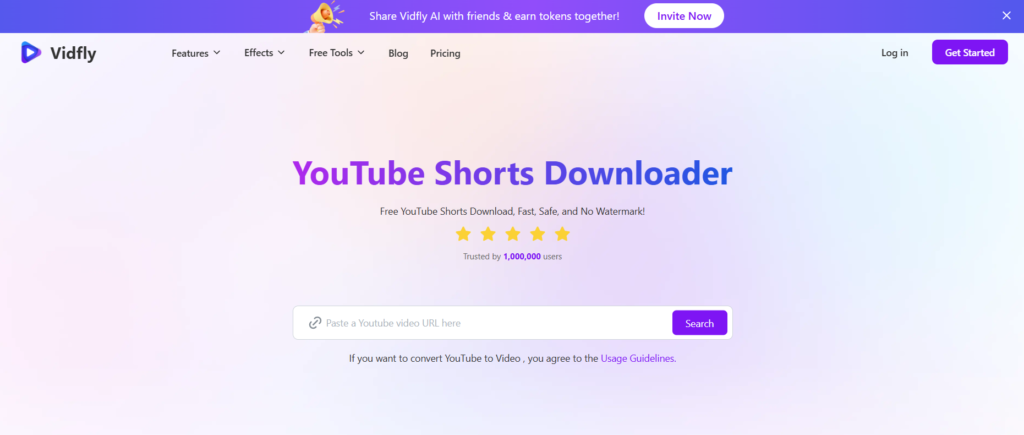
2. Vidfly

vidfly

Key Features:

  • Fast and Free Downloads: No limits on the number of downloads.
  • Multiple Formats and Resolutions: Supports formats like MP4 and HD 1080p.
  • No Watermarks: Ensures clean downloads without any branding.

Step-by-Step Guide:

  1. Copy the Video URL: Find the YouTube Shorts video you want to download and copy its URL.
  2. Paste the URL: Input the copied URL into the Vidfly YouTube Shorts Downloader.
  3. Select Format and Resolution: Choose your preferred format and resolution
  4. Download: Click the download button to save the video to your device.

3. SendShort

SendShort

Key Features:

  • No Sign-Up Required: Access the tool without any registration.
  • Fast Downloads: Quickly save videos with minimal wait times.
  • User-Friendly Interface: Simple and intuitive design for ease of use.

Simple Steps to Download Shorts:

  1. Copy the Video Link: Navigate to the desired YouTube Shorts video and copy its link.
  2. Paste the Link: Paste the link into the SendShort downloader input field.
  3. Download: Click the download button to retrieve the video.

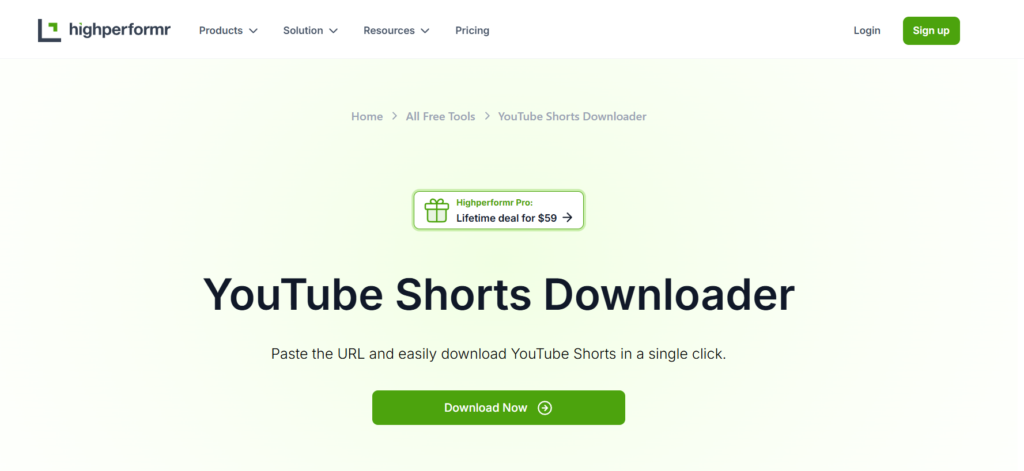
4. Highperformr

highperformr

Key Features:

  • No Sign-Up Required: Access the tool without any registration.
  • No Watermarks, No Ads: Download videos without any watermarks or ads.
  • Fast and Reliable: Save videos instantly with high-speed downloads.

How to Use It Efficiently:

  1. Copy the Video URL: Find the YouTube Shorts video you wish to download and copy its URL.
  2. Paste the URL: Enter the copied URL into the Highperformr downloader.
  3. Download: Click the download button to save the video to your device.

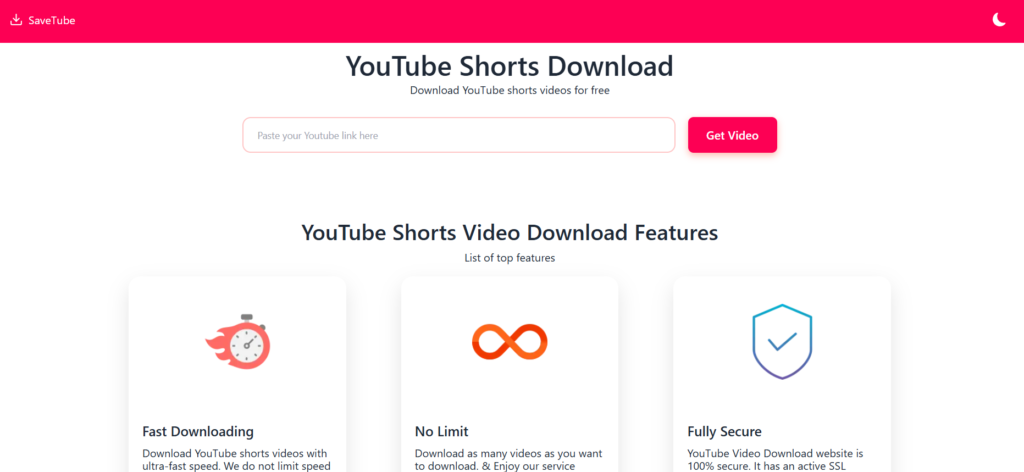
5. SaveTube

savetube

Key Features:

  • User-Friendly Interface: Allows for quick and easy downloads directly from your web browser without the need for installation.
  • Multiple Quality Options: Offers various video quality and format choices to suit your preferences.

How to Use YT SaveTube:

  1. Copy the Video URL: Navigate to the desired YouTube Shorts video and copy its URL.
  2. Visit YT SaveTube: Go to the SaveTube website.
  3. Paste the URL: Enter the copied URL into the search box on the website.
  4. Initiate Download: Click on the download button.
  5. Select Preferences: Choose your desired video quality and format.
  6. Download: Click ‘Download’ to save the video to your device.

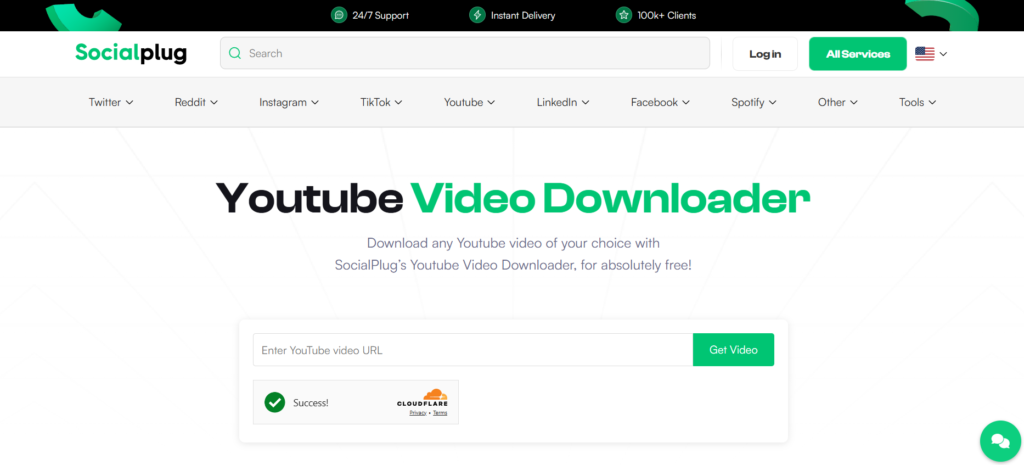
6. SocialPlug

socialplug

Key Features:

  • Ad-Free Experience: Provides a clean interface without advertisements.
  • Multiple Resolution and Format Options: Allows downloading videos in various resolutions and formats to meet your needs.
  • Mobile Compatibility: Fully compatible with Android devices, enabling direct downloads to your phone.

How to Use SocialPlug:

  1. Copy the Video URL: Find the YouTube Shorts video you wish to download and copy its URL.
  2. Visit SocialPlug: Go to the SocialPlug YouTube Video Downloader website.
  3. Paste the URL: Input the copied URL into the downloader’s input field.
  4. Choose Preferences: Select your preferred resolution and format.
  5. Download: Click the download button to save the video to your device.

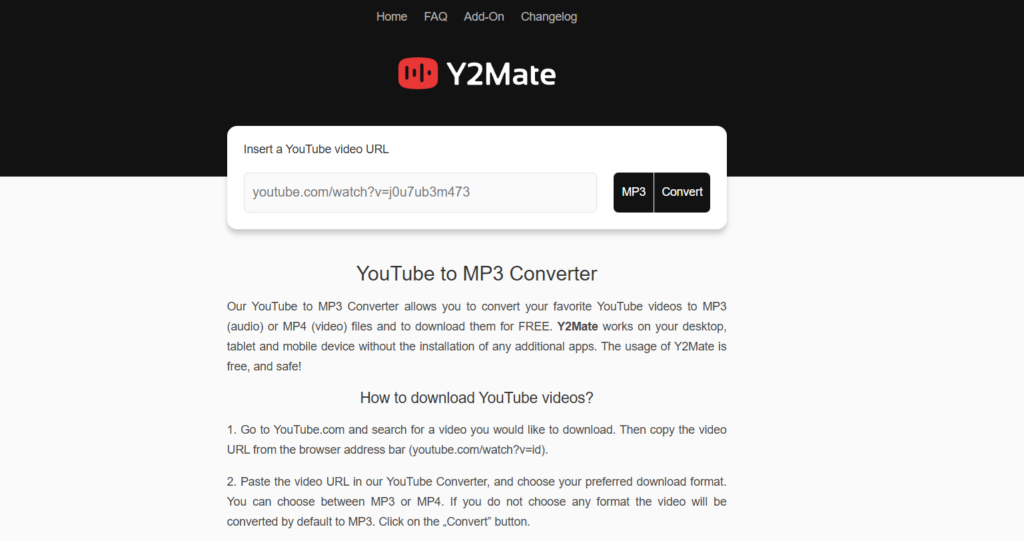
7. Y2Mate

y2mate

Key Features:

  • No Ads: Provides a clean downloading experience without intrusive advertisements.
  • High-Quality Downloads: Allows downloading videos in various resolutions, including HD.
  • No Software Installation: Operates entirely online, eliminating the need for additional software.

How to Use Y2Mate:

  1. Copy the Video URL: Navigate to the desired YouTube Shorts video and copy its URL.
  2. Visit Y2Mate: Go to the Y2Mate website.
  3. Paste the URL: Enter the copied URL into the input field provided on the website.
  4. Select Quality and Format: Choose your preferred video quality and format.
  5. Download the Video: Click the download button to save the video to your device.

Conclusion

You don’t have to struggle with unreliable apps or paid subscriptions to download YouTube Shorts. With the 7 free tools listed above, you can download YouTube Shorts instantly, without sign-ups or extra hassle.

Our Top Picks:
🔥 Best Overall: AISEO YouTube Shorts Downloader
Fastest Tool: Vidfly YouTube Shorts Downloader
🎯 Best for HD Videos: YTShorts.Save

FAQs

1. Can I download YouTube Shorts without an app?

Yes! Online tools like AISEO YouTube Shorts Downloader and Vidfly let you download Shorts directly from your browser—no app required.

2. Are these YouTube Shorts download tools safe to use?

Most reputable tools are safe, but always double-check the website URL and avoid suspicious download buttons.

3. Can I download YouTube Shorts in HD quality?

Yes, tools like YTShorts.Save and Highperformr support HD and even 4K video downloads.

4. Is it legal to download YouTube Shorts for offline use?

Downloading YouTube Shorts is legal for personal use only. However, distributing or re-uploading them without permission may violate copyright laws.

5. Why do some YouTube Shorts downloaders stop working?

YouTube frequently updates its system, which can cause some download tools to stop functioning. If a tool isn’t working, try another from the list above.

Tags
5 Shocking Benefits of Using SSSInstagram for Insta Downloads

5 Shocking Benefits of Using SSSInstagram for Insta Downloads

sssinstagram

Introduction

SSSInstagram: Instagram is a treasure trove of amazing content, from viral videos to inspiring reels and creative stories. But what happens when you want to save a video for offline viewing, reuse a reel for inspiration, or archive a post before it disappears? Unfortunately, Instagram doesn’t provide a direct download option.

That’s where SSSInstagram comes in—a powerful and user-friendly Instagram downloader that allows you to save any video, reel, or story in just a few clicks. Whether you need an SSSInstagram video download for personal use or an SSSInstagram reels download to keep up with trending content, this tool makes the process quick and effortless.

In this article, we’ll explore five shocking benefits of using SSSInstagram, including instant downloads, high-quality media, unlimited access, security features, and compatibility with all Instagram content types. By the end, you’ll see why SSSInstagram is the best solution for downloading Instagram videos.

Find More: The 5 Best Snapchat Viewer (Tested & Verified)

1. Instant Downloads Without Limitations

One of the most frustrating aspects of online tools is download speed restrictions or annoying pop-ups asking for payment. With SSSInstagram, you don’t have to worry about any of that—it offers unlimited, fast, and hassle-free downloads.

No Login Required – Download With Ease

Some Instagram downloaders require you to log in with your Instagram account, which can be risky. However, SSSInstagram eliminates this step—all you need is the URL of the Instagram post you want to save.

Example: Imagine scrolling through Instagram and finding an incredible reel that you want to save for later. Instead of taking a screen recording (which reduces quality), just copy the post link, paste it into SSSInstagram, and download it instantly!

Works on Any Device: Mobile, PC, and Tablet

No matter what device you’re using, SSSInstagram works seamlessly. It’s a web-based tool, meaning you can use it on:

  • Smartphones (Android & iOS)
  • Laptops & Desktops (Windows & macOS)
  • Tablets & iPads

Pro Tip: Bookmark the SSSInstagram website on your mobile browser for quick access anytime you need to download Instagram videos.

2. High-Quality Media Without Compression

Many free downloaders reduce the quality of Instagram videos when you save them, making them blurry or pixelated. SSSInstagram, on the other hand, ensures that you get the highest resolution available.

Download Full-Resolution Instagram Photos & Videos

Most Instagram videos and reels are compressed when uploaded to the platform, but SSSInstagram ensures that you download them in their original resolution.

Example: If an influencer uploads a high-definition (1080p or even 4K) reel, you’ll be able to download it in the same quality.

Maintain Original Sound and Video Clarity

A common problem with screen recording Instagram videos is audio distortion. With SSSInstagram video download, the original sound quality remains intact—no muffled voices, no weird distortions, just pure high-quality audio.

3. 100% Free and User-Friendly Interface

Unlike some Instagram downloaders that require you to purchase a subscription or sign up for a premium plan, SSSInstagram is completely free—with no hidden costs.

No Hidden Fees or Premium Subscriptions

There are no monthly charges, no pro versions, and no frustrating watermarks on your downloaded videos. What you see is what you get—a simple, free, and reliable Instagram downloader.

Simple Copy-Paste Process for Quick Downloads

Using SSSInstagram is so easy that anyone can do it—even if you’re not tech-savvy.

How to Download Instagram Videos with SSSInstagram:

  1. Find the video or reel you want to download on Instagram.
  2. Tap the three-dot menu (⋮) on the post and select “Copy Link”.
  3. Open SSSInstagram, paste the link into the search bar, and hit “Download”.
  4. Save the file to your device and enjoy your offline video!

4. Supports All Instagram Content Types

While some Instagram downloaders only work for standard video posts, SSSInstagram supports every type of Instagram media.

Download Reels, Stories, IGTV, and Private Videos

Whether it’s a funny reel, an inspiring IGTV video, or a time-sensitive Instagram story, SSSInstagram has you covered. What’s more, it’s perfect for turning fleeting stories into endless content ideas that boost your engagement.

Example: Let’s say your favorite influencer posts an exclusive Instagram Story tutorial, but it will disappear in 24 hours. With SSSInstagram, you can save it forever!

One Tool for Every Instagram Media Format

There’s no need to use different tools for different downloads—SSSInstagram handles everything, including:

  • Instagram Reels
  • IGTV Videos
  • Instagram Stories
  • Private Instagram Videos (if you have access to the original link)

5. No Ads, No Annoying Pop-Ups, Just Fast Downloads

Most free Instagram downloaders like Insanony are packed with ads, annoying pop-ups, or even malicious software. SSSInstagram is completely ad-free and prioritizes a smooth user experience.

Why SSSInstagram Is Safer Than Other Downloaders

Unlike sketchy tools that ask for unnecessary permissions or redirect you to spammy websites, SSSInstagram is built with security in mind.

How It Helps You Avoid Spam and Malware

Many download tools trick users into downloading unwanted files. SSSInstagram only provides direct Instagram downloads—no extra software, no hidden risks.

Conclusion

With SSSInstagram, you don’t need to worry about download limits, poor quality, or security risks. Whether you need an SSSInstagram reels download for entertainment or an SSSInstagram video download for offline access, this tool makes it quick, free, and reliable.

Find More: Boost Your Sales With shopify Services

FAQs

How do I use SSSInstagram to download Instagram videos?

Simply copy the Instagram video link, paste it into the SSSInstagram search bar, and hit “Download.”

Is SSSInstagram legal to use?

Downloading videos for personal use is generally fine, but always respect Instagram’s terms of service and copyright laws.

Does SSSInstagram work on private Instagram accounts?

No, it only works with public Instagram posts.

Can I use SSSInstagram without installing software?

Yes! SSSInstagram is an online tool, so there’s no need to install any apps or extensions.

Are there any download limits?

No! You can download unlimited videos, reels, and stories without restrictions.

Tags:
Facebook Story Viewer: How to View Stories Anonymously (2026 Guide)

Facebook Story Viewer: How to View Stories Anonymously (2026 Guide)

facebook story viewer

If you’re looking for a Facebook story viewer, you’re probably trying to watch a story without appearing in the viewer list.

Many users want to:

  • Check a story privately

  • Monitor competitors

  • Avoid showing up in the views

  • Download stories for reference

In this article, we’ll explore the most popular Facebook Story Viewer tools that let you watch stories without revealing your identity. Whether you’re looking for a web-based solution, a mobile app, or a browser extension, we’ve got you covered!

Quick Answer: Can You View Facebook Stories Anonymously?

Yes, but only in certain situations.

You can view stories anonymously when:

  • The profile is public

  • The tool supports the story format

  • The story is not restricted by privacy settings

For private accounts, most tools will not work.

What Is a Facebook Story Viewer?

A Facebook Story Viewer is a tool that lets you watch someone’s Facebook Story without them knowing. Normally, when you view a story on Facebook, the person who posted it can see your name and profile picture in their list of viewers. This means they know exactly who has seen their story.

However, with a Facebook Story Viewer, you can stay completely anonymous. These tools are designed to fetch and display Facebook Stories in a way that doesn’t send a notification to the story’s creator. Essentially, they provide a separate platform where you can watch stories without revealing your identity.

This ability to remain unseen is popular among people who want to check out updates without engaging or leaving a visible trace. Whether you’re curious about a friend’s posts or looking to monitor trends discreetly, Facebook Story Viewers offer privacy and peace of mind.

Facebook stories anonymously​ have become a popular way to share fleeting moments with friends and followers.

How to Use Facebook Story Viewer Tools Safely and Effectively?

If you’ve ever wanted to check out someone’s Facebook story anonymously, you’re not alone. Many people look for discreet ways to view stories without revealing their identity—whether out of curiosity, privacy needs, or for professional research. Fortunately, there are legitimate tools that can help you do this easily, but it’s important to use them responsibly and keep your data safe.

Understanding the Types of Story Viewers

There are several types of Facebook story viewer solutions available:

  • Web-based Viewers: These let you paste a profile or story link into a website and instantly view the story content. They’re perfect for one-off views or users who don’t want to install extra software.

  • Browser Extensions: Add-ons like Anonymous Stories for Facebook allow anonymous viewing right from your browser, ideal for frequent users or content researchers.

  • Mobile Apps: Apps such as BraveDown and Family Orbit integrate story viewing with device features—great for parents or frequent mobile users.

Each tool has its unique pros and cons. For example, most web tools work best for public profiles, while parental control apps offer wider monitoring but may require access or installation.

Key Features to Look For

Before choosing a Facebook story viewer, look for features that prioritize both safety and usability:

  • No Need for Login: Avoid tools that ask for your Facebook credentials, as this can risk your account security.

  • Quality of Output: The ability to download stories in high resolution is valuable for creators and marketers.

  • Cross-Platform Access: Tools that work on both desktop and mobile devices are much more flexible.

  • Privacy Protections: Choose platforms that clearly state they don’t log or share your browsing data.

Responsible and Ethical Story Viewing

While these Facebook viewer tools are powerful, ethical considerations matter. Never attempt to access private stories without consent, and respect other users’ privacy settings. If you’re using monitoring features for kids, always be open with them about why and how you monitor their activity.

Tips to safely view facebook story anonymously

  • Use a VPN for extra privacy, especially on public Wi-Fi.

  • Regularly clear your browser cache if using web-based tools.

  • Choose reputable, ad-free options when possible to avoid malware or data leaks.

  • Stay updated; some tools may stop working if Facebook changes its system.

Combining Story Viewing with Content Strategy

Marketers and small business owners can use these tools as part of a broader social content strategy:

  • Competitor Research: Anonymously monitor competitors’ story content for new ideas or campaigns.

  • Trend Discovery: View trending content formats and creative story templates across the platform.

  • Engagement Tracking: Monitor published story reach without inflating view counts. 

Best Facebook Story Viewer Tools (2026 Tested)

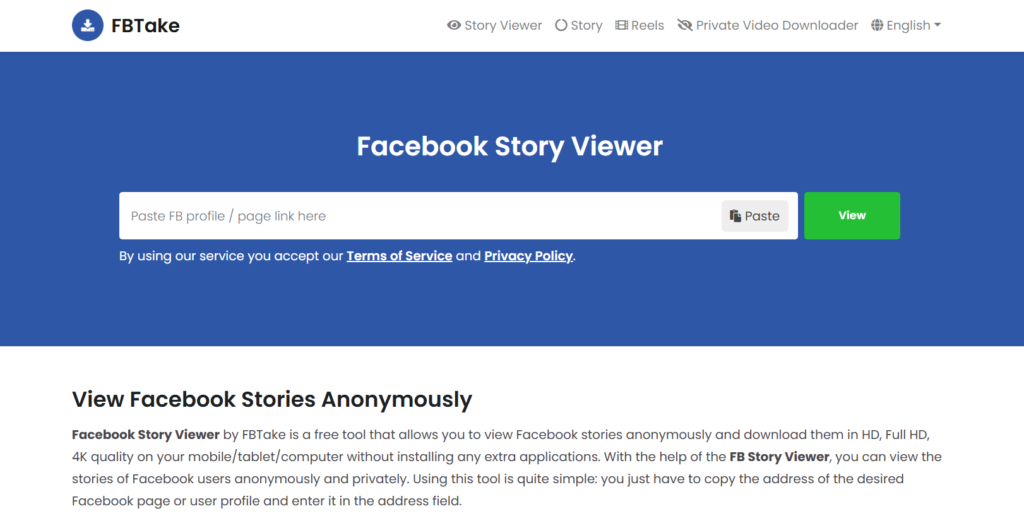
1. FBTake

FBTake

FBTake is a free online tool that lets you view and download Facebook Stories anonymously, making it ideal for use with an antidetect browser to maintain privacy and avoid detection while browsing stories.

2) Anchor text: antidetect browser

🔹 Key Features:

  • View Facebook Stories without an account
  • Download stories in HD, FHD, and 4K quality
  • No registration required

🔹 How It Works:

  1. Copy the link to the Facebook profile or page.
  2. Paste it into FBTake’s search bar.
  3. Click “View” to watch the stories.

🔹 Pros & Cons:
✅ Easy to use
✅ No need for software
❌ Doesn’t work for private profiles

2. BraveDown

BraveDown

BraveDown is a simple yet powerful Facebook Stories viewer that allows anonymous story viewing and downloading.

🔹 Key Features:

  • Works on both desktop and mobile
  • Supports multiple download quality options
  • Free to use

🔹 Pros & Cons:
✅ User-friendly interface
✅ Works across platforms
❌ Contains ads

3. 4kSave – Best for High-Quality Downloads

4kSave

If you need high-resolution downloads, 4kSave is the tool for you. It supports up to 4K quality and works seamlessly.

🔹 Key Features:

  • View and download Facebook stories in 4K resolution
  • No software installation required
  • Ad-free experience

🔹 Pros & Cons:
✅ High-quality downloads
✅ No pop-up ads
❌ Only works for public stories

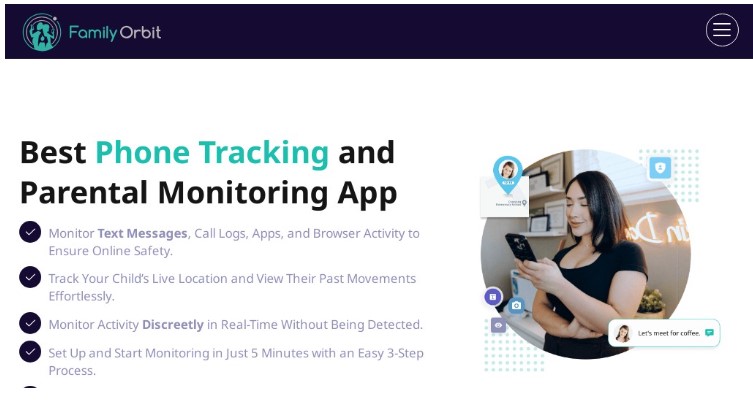
4. Family Orbit 

Facebook Stories

Family Orbit isn’t just for viewing Facebook stories — it’s a full-fledged parental control app trusted by thousands of families. Alongside social media tracking, it gives you insights into your child’s phone activity, location, and media usage.

🔹 Key Features:

  • Monitor Facebook stories and messages
  • Track shared photos, videos, and posts
  • View browsing history and installed apps
  • Real-time GPS tracking with geofencing

🔹 Pros & Cons:
✅ All-in-one monitoring for Facebook and beyond
✅ Works on both iOS and Android
❌ Some features require iCloud or device access
❌ Not ideal for stealth use on adult targets

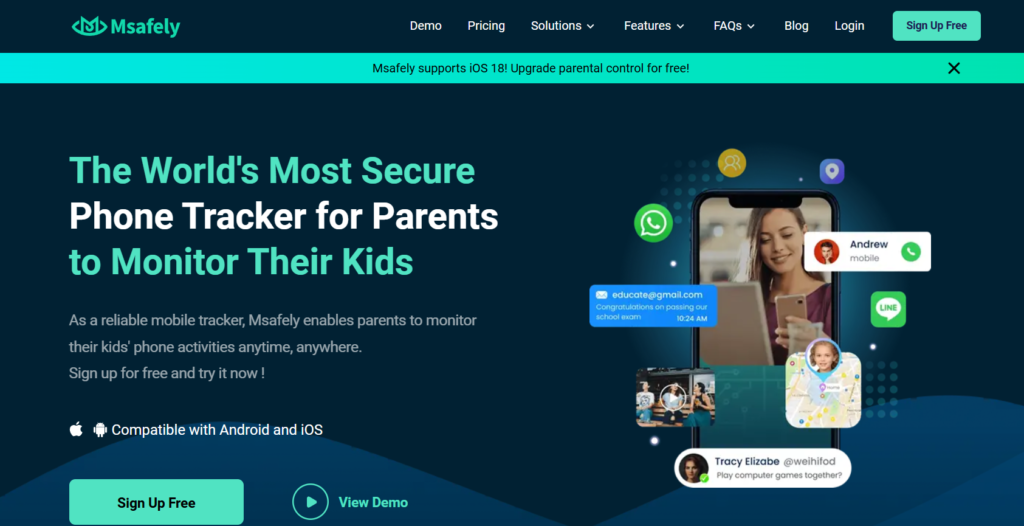
5. Msafely 

Msafely

If you’re looking for a monitoring solution that includes Facebook Story viewing, Msafely offers advanced tracking features.

🔹 Key Features:

  • View Facebook stories anonymously
  • Access messages, posts, and media
  • Real-time location tracking

🔹 Pros & Cons:
✅ Full monitoring suite
✅ User-friendly dashboard
❌ Requires device access
❌ Ethical concerns

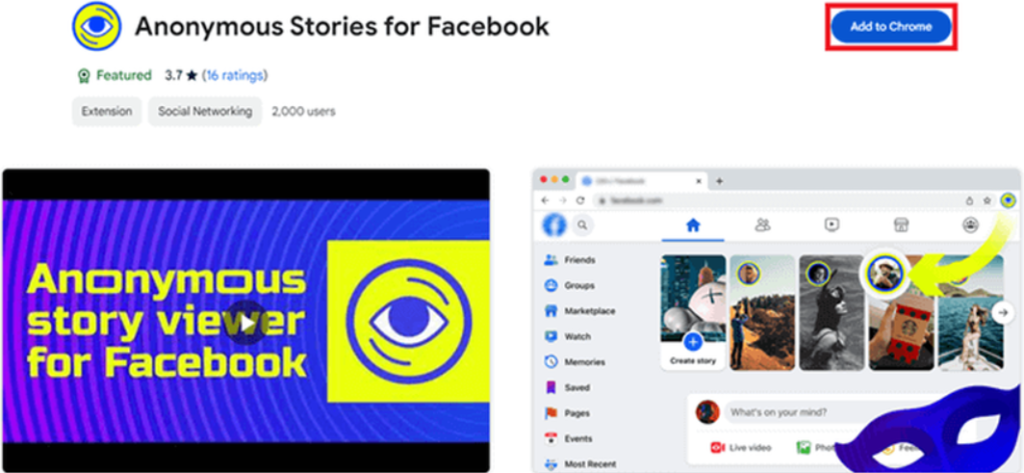
6. Anonymous Stories for Facebook – Best Chrome Extension

Anonymous Stories for Facebook

A simple Chrome extension that enables anonymous Facebook story viewing directly from your browser.

🔹 Key Features:

  • Works instantly after installation
  • No need for third-party apps
  • Free to use

🔹 Pros & Cons:
✅ Fast and easy to install
✅ No additional software required
❌ Works only on Chrome
❌ May stop working with Facebook updates

7. Airplane Mode Trick 

If you don’t want to use a third-party tool, the Airplane Mode Trick is a quick way to view Facebook Stories without getting detected.

🔹 How It Works:

  1. Open Facebook and let the stories preload.
  2. Turn on Airplane Mode (disconnecting Wi-Fi & mobile data).
  3. View the stories while offline.
  4. Close the app before turning the internet back on.

🔹 Pros & Cons:
✅ 100% safe and free
✅ No third-party tools needed
❌ Doesn’t work if the story isn’t preloaded

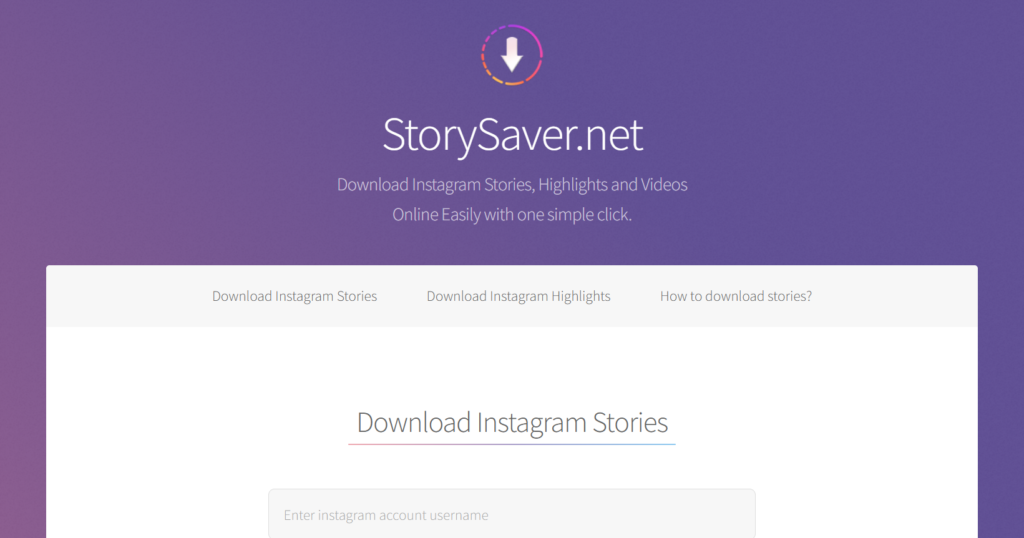
8. StorySaver.net

StorySaver.net

If you want to view and download Facebook Stories, StorySaver.net is a top choice.

🔹 Key Features:

  • Download stories in HD quality
  • No software installation required
  • Works with both Facebook & Instagram

🔹 Pros & Cons:
✅ Easy to use
✅ Supports multiple platforms
❌ Requires story URL

How to Choose the Best Facebook Story Viewer for Your Needs

When selecting the right Facebook story viewer, consider:
✔️ Privacy & Security – Does it keep your data safe?
✔️ Features – Does it offer downloads, high quality, or cross-platform support?
✔️ Ease of Use – Is the interface beginner-friendly?
✔️ Free vs. Paid – Some tools offer premium features for better performance.

Find More: Increase your ROI in 2026

FAQs

1. Can I use a Facebook Story Viewer without an account?

Yes! Most tools listed above allow you to view Facebook stories anonymously without logging in.

2. Do Facebook Story Viewer tools really work?

Yes, but they work best for public stories. Private stories may not be accessible.

3. Will the person know if I viewed their story?

No. These tools let you watch Facebook Stories without appearing in the viewer list.

4. Are these tools safe to use?

Most tools are safe, but always check for security features before using them.

5. What’s the best free Facebook Story Viewer?

For free options, FBTake and BraveDown are top choices.

Conclusion

A Facebook story viewer can help you watch stories privately, but results depend on privacy settings and tool reliability.

If you want the safest and easiest option:

  • Use a web-based viewer

  • Avoid login-required tools

  • Stick to public stories

Tags: