...
UK: +44 2038074555 info@atamgo.com
6 Powerful Adobe Stock Downloader Tools Most Designers Don’t Know

6 Powerful Adobe Stock Downloader Tools Most Designers Don’t Know

adobe stock downloader

Adobe Stock downloader is one of those search terms designers usually type quietly, late at night, when a deadline is breathing down their neck and the perfect image or video is right there… but not quite accessible yet. If you’re a designer, marketer, content creator, or even a small business owner, you already know the feeling. You find an asset on Adobe Stock that fits your project perfectly, but before committing, you want to test it, preview it properly, or understand your options.

This article is not about shady hacks or risky shortcuts. It’s about real, practical, and widely used tools designers rely on to preview, manage, and legally work with Adobe Stock assets more efficiently. We’ll talk honestly about what an adobe stock downloader can and cannot do, where the limits are, and how to avoid mistakes that could cost you time, money, or even your account.

Find More: 5 Proven Terabox Downloader Tools That Still Work in 2025

Understanding Adobe Stock Licensing Before Using Any Downloader

Before we talk tools, we need to be real for a moment. Adobe Stock has one of the clearest licensing systems in the stock industry, but many people skip reading it — and that’s where confusion starts.

How Adobe Stock Licensing Actually Works

Adobe Stock offers Standard and Extended licenses. A Standard license covers most digital and print uses, while an Extended license is needed for merchandise or large-scale distribution. When you download an asset through Adobe Stock officially, it’s tied to your Adobe account and license history.

Preview files, on the other hand, are watermarked and meant only for testing layouts, mockups, and drafts. Any adobe stock image downloader that promises “full quality, no license, unlimited use” should immediately raise a red flag.

Is Using an Adobe Stock Downloader Legal or Risky?

Here’s the honest truth: most designers use downloader tools for previews and workflow efficiency, not for bypassing licenses. Tools that help you save previews, organize assets, or test visuals locally are generally safe. Tools that claim to unlock paid assets for free are risky — ethically and legally.

If you’re using an adobe stock images downloader responsibly (for previews, drafts, or deciding before purchase), you’re on solid ground. If you’re trying to avoid licensing altogether, you’re playing with fire.

Why Designers Look for Adobe Stock Downloader Tools

Designers don’t look for these tools because they’re cheap. They look for them because time matters.

Previewing Assets Before Committing to a Subscription

Not every project has the budget for trial-and-error downloads. Being able to test an image in a real layout before licensing it saves money and frustration.

Speed, Convenience, and Workflow Efficiency

Opening a browser tab, logging into Adobe, downloading previews one by one — it adds up. A good adobe stock image downloader or adobe stock video downloader can streamline this process without crossing any lines.

6 Powerful Adobe Stock Downloader Tools Most Designers Don’t Know

Let’s get into the tools you asked for specifically. These are the exact Adobe Stock downloader tools people usually find through search when they want quick previews, testing, or alternative ways to fetch Adobe Stock assets. I’ll explain what each one does in plain language, how designers actually use it, and what to be careful about.

1. AdobeStock Downloader by BeatSnoop

beatsnoop

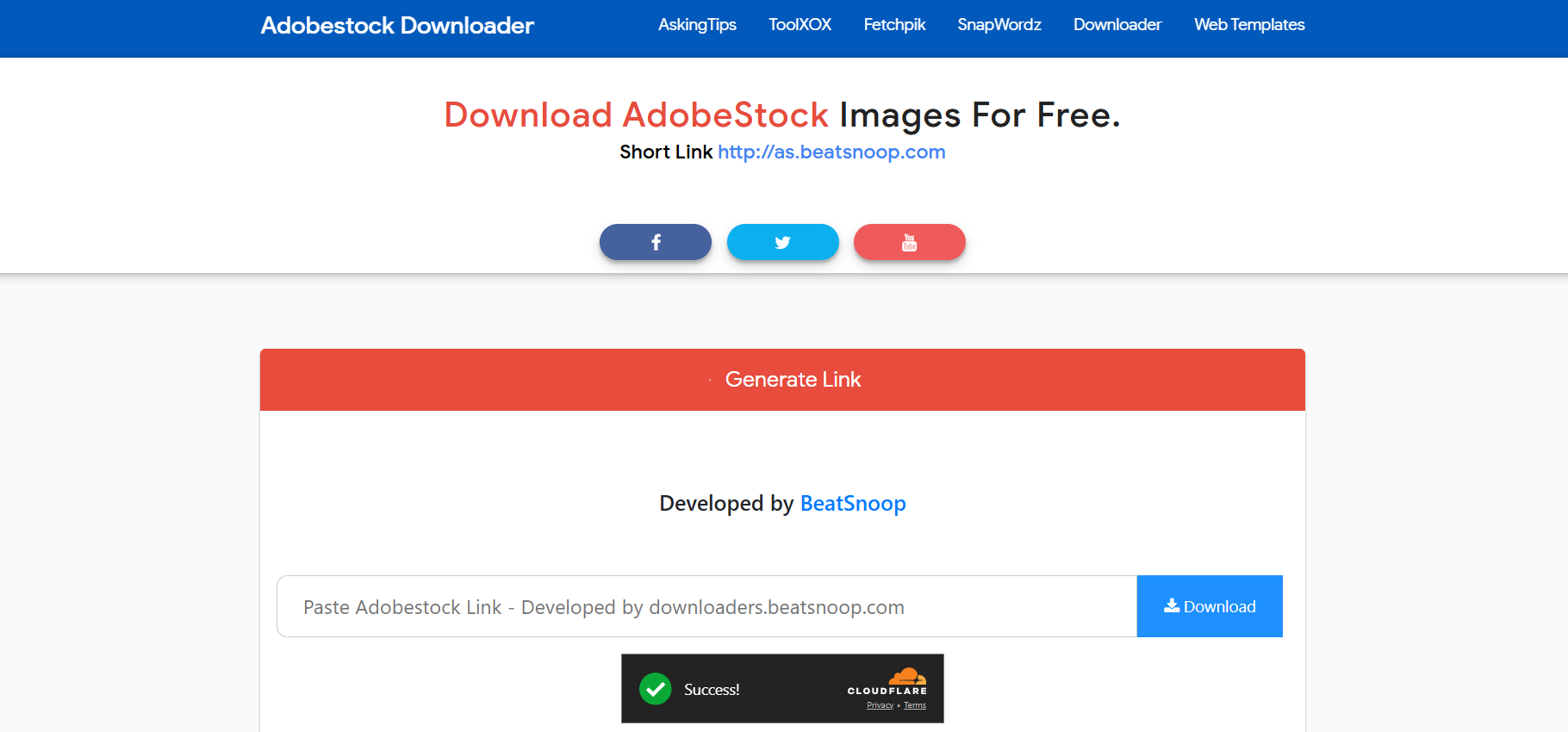
BeatSnoop – This is one of the most searched browser-based Adobe Stock downloader tools. The workflow is simple: you paste the Adobe Stock asset link, and the tool attempts to fetch the available file.

Designers typically use this as an Adobe Stock image downloader when they want to quickly test an image within a layout or mockup before deciding whether it’s worth licensing. It’s fast, doesn’t require account creation, and works directly in the browser.

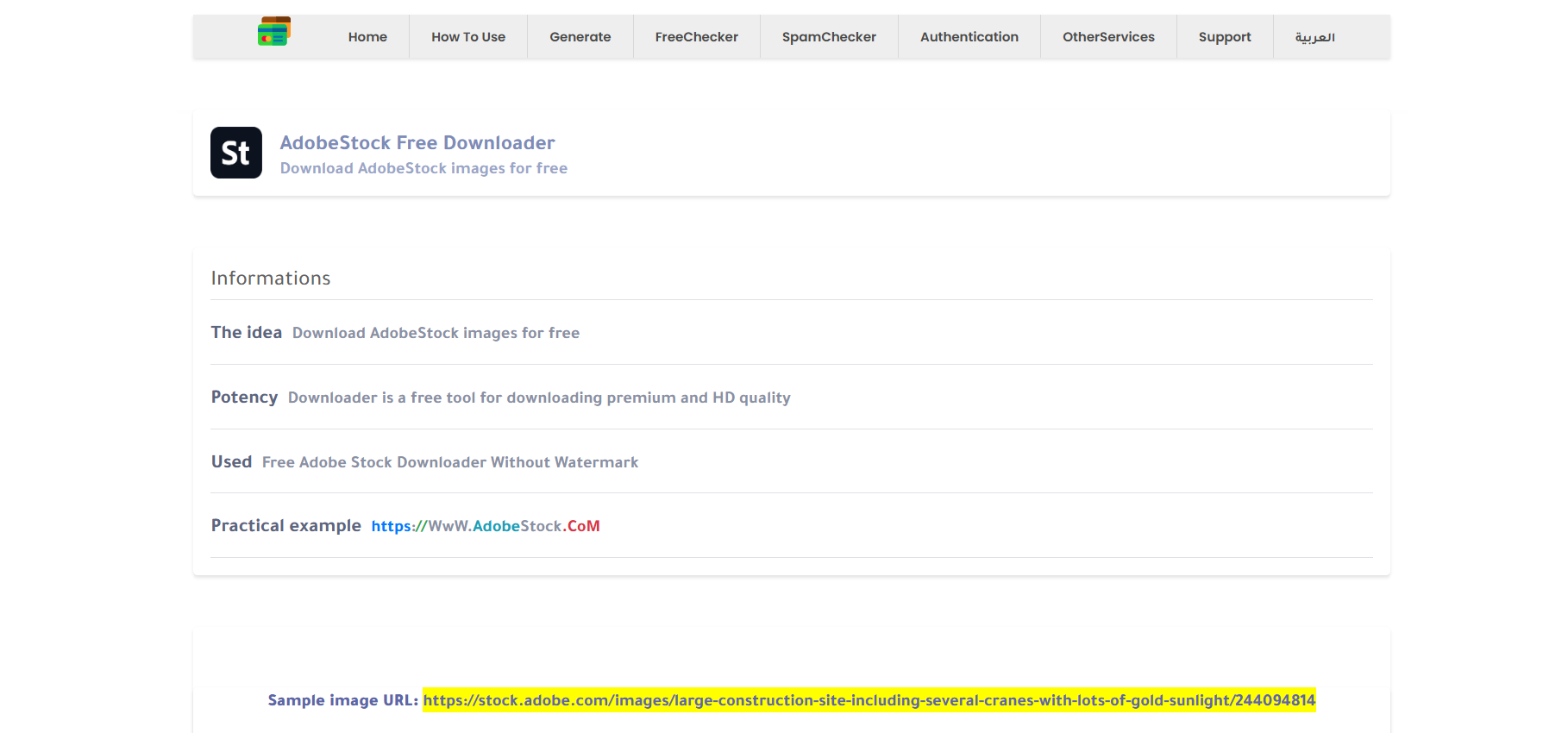
2. Nohat Adobe Stock Downloader

Nohat’s Adobe Stock downloader is very minimal, which is exactly why some designers like it. There are no distractions, no unnecessary steps, and no software installation.

It’s commonly used as an adobe stock images downloader for quick concept drafts, especially when designers want to compare multiple visuals side by side before committing.

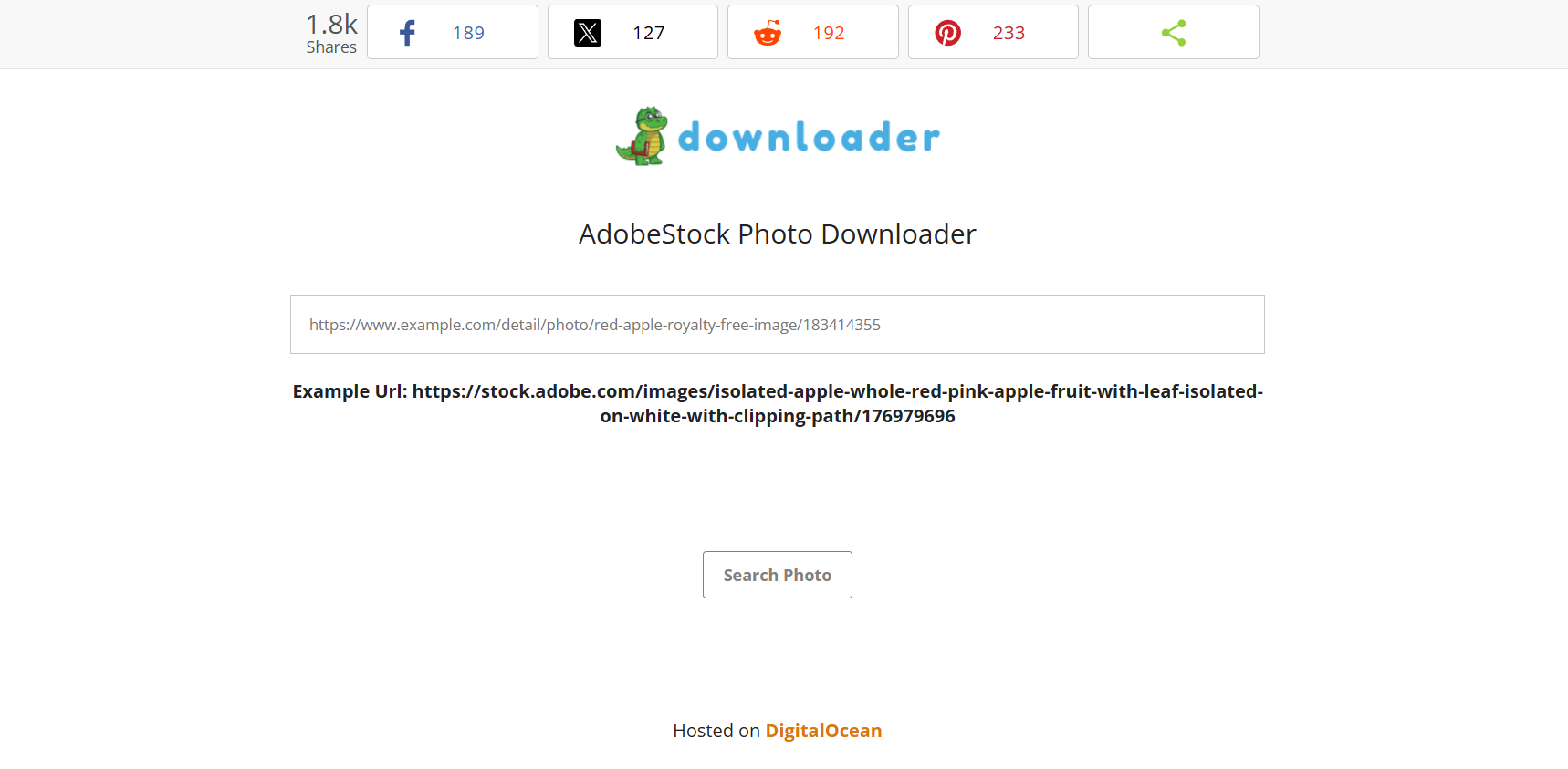
3. Downloader.la Adobe Stock Downloader

Downloader.la is known for supporting many platforms, and its Adobe Stock downloader page follows the same approach. You paste the Adobe Stock URL, and the tool handles the rest.

Some designers also use this as a basic adobe stock video downloader to preview motion clips before importing licensed versions into editing software.

4. Fetchpik Adobe Stock Downloader

Fetchpik focuses heavily on images and is often used when someone specifically needs an adobe stock image downloader experience. The interface is clean, and the tool is designed to work quickly without technical steps.

Designers mainly use it for visual testing, mood boards, and early-stage drafts.

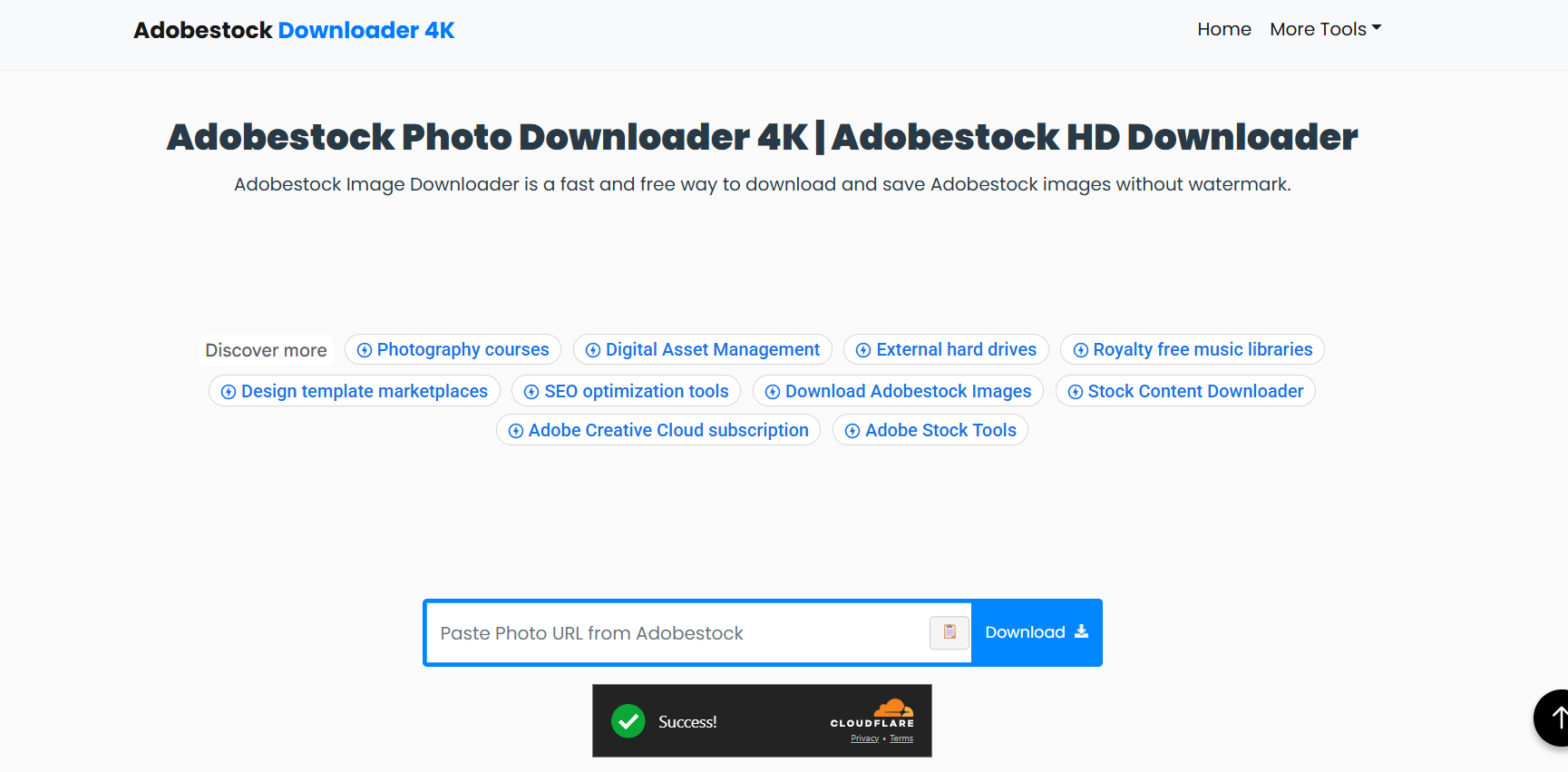
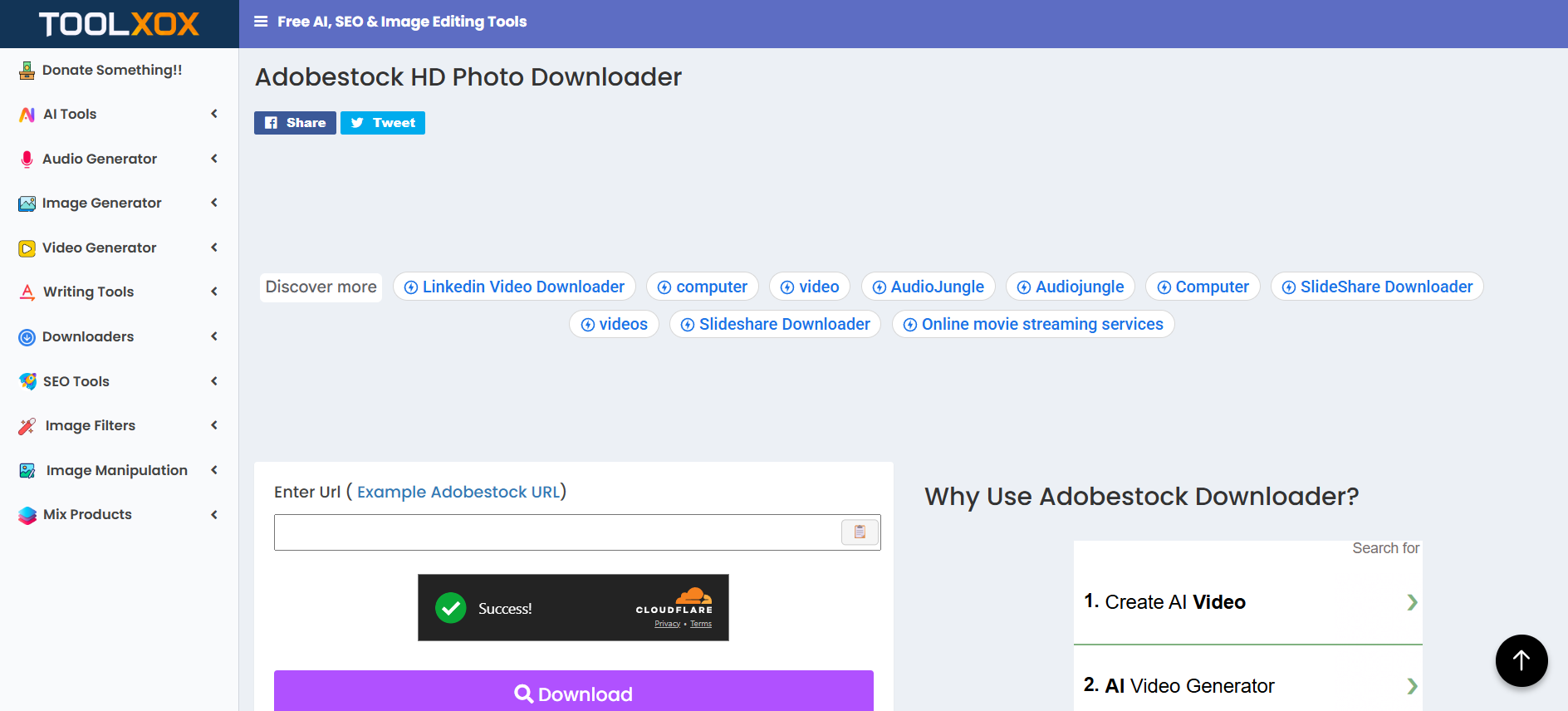
5. Toolxox Adobe Stock Downloader

Toolxox offers a very straightforward Adobe Stock downloader page with minimal explanations. You paste the link, wait a moment, and the tool attempts to fetch the asset.

It’s often used when someone wants a fast adobe stock images downloader without creating accounts or installing anything.

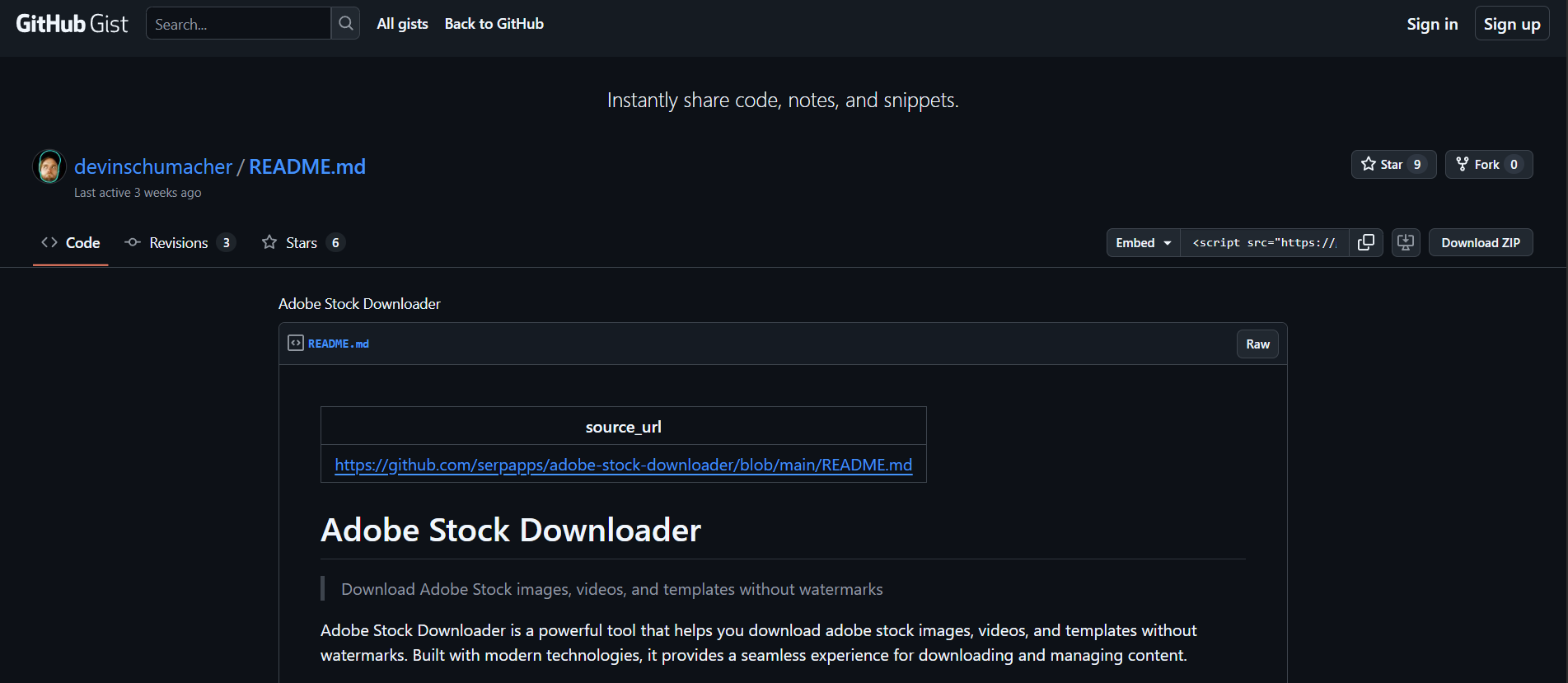
6. GitHub Gist Script by Devin Schumacher

This option is very different from the others. Instead of a website, this is a public GitHub Gist that shows a script-based approach related to Adobe Stock downloading.

Advanced users, developers, and technical designers sometimes explore this option to understand how Adobe Stock assets are fetched at a technical level. This is not beginner-friendly and should only be approached if you’re comfortable reading and understanding code.

How to Choose the Right Adobe Stock Downloader for Your Needs

Not all designers work the same way, so there’s no single “best” tool.

Key Features to Look For

Look for tools that support previews, maintain image quality, and don’t ask for suspicious permissions. If a tool wants your Adobe login credentials, walk away.

Red Flags to Avoid When Using Adobe Stock Downloader Tools

Avoid anything that promises full-resolution files without licensing, disables watermarks, or hides its source. These tools often disappear — along with your files.

Best Practices for Using an Adobe Stock Downloader Safely

Being smart beats being fast.

Protecting Your Adobe Account

Never connect your Adobe account to unofficial tools. Use downloaders only for preview handling and organization.

Respecting Copyright and Usage Rights

Always license assets before final delivery to a client. This protects you professionally and legally.

Common Mistakes Designers Make When Using Adobe Stock Downloaders

Many designers assume preview files are “good enough.” They aren’t. Others forget to license assets before publishing. These mistakes can be expensive.

Conclusion

Adobe Stock downloader tools aren’t about cheating the system — they’re about working smarter. When used responsibly, they help you move faster, test ideas, and make better creative decisions. Stick to legit tools, respect licensing, and you’ll never have to worry about your work — or your reputation.

Find More: Boost Your Sales With SEO Services

FAQs

1. Can I use an Adobe Stock downloader without a subscription?

Yes, you can download previews without a subscription, but licensed use requires payment.

2. Is there an adobe stock image downloader without watermark?

Legitimately, no. Watermarks are removed only after licensing.

3. Are adobe stock downloader tools safe to use?

Preview-focused tools are generally safe. Tools promising free licensed assets are not.

4. Can I use preview downloads in client projects?

No. Previews are for testing only. Final use requires licensing.

5. What’s the best adobe stock video downloader for previews?

Adobe Stock’s official video preview system is still the most reliable.

Tags:
Most Impactful Motion Graphics Techniques

Most Impactful Motion Graphics Techniques

Motion Graphics Techniques

In today’s fast-paced digital world, attention spans are shrinking while the amount of content being produced continues to skyrocket. Brands, creators, and marketers face the ongoing challenge of finding ways to stand out from the competition. One of the most effective methods to achieve this is through motion graphics. Unlike static visuals, motion graphics combine movement, design, and storytelling to engage viewers on multiple levels. Whether used in advertising, explainer videos, or social media campaigns, motion graphics have become a staple in modern content strategy.

The rise of the professional motion graphics company has made it easier for businesses to adopt this creative approach without needing to master every technical detail themselves. These companies specialize in combining design principles with animation techniques that not only look visually stunning but also communicate messages clearly and effectively.

This article explores the most impactful motion graphics techniques, the tools behind them, and the role a motion graphics company plays in transforming content into a memorable experience.

Why Motion Graphics Matter Today

In the digital world, it is difficult to deny the influence visual communication holds over traditional media. Research shows that people retain 95% of a message when they consume a message in video form, yet only 10% of a message when they consume the same message in textual form. Thus, video is a dominating force in social media including Instagram, TikTok, and YouTube. Motion graphics serve as one of the key components, providing visual clarity and creativity.

A well-defined video marketing strategy guide can further enhance this approach by outlining clear objectives, identifying target audiences, selecting the right platforms, and ensuring that each motion graphic aligns with broader marketing goals to maximize impact.

When compared to live-action video, motion graphics provide the user total creative control when telling a story visually. Designers can get more abstract with the visuals, utilize animated graphics or typography, or even add in 3D elements to visually clarify complex ideas in a way that is simple, attractive and informative. This is especially important in industries like technology, finance, or healthcare where the traditional photo and text media can struggle to translate complex ideas.

For a business, using a motion design firm can provide the creative elements of storytelling with the strategic framework to explain visually and provide intent with brand objectives. Even when a business is targeting clearly defined areas of brand/image consistency through design style, colors, and motion, motion graphics can be a very effective medium to deliver a message consistently to maintain audience interest and ultimately achieve campaign objectives.

Core Techniques That Make Content Stand Out

Dynamic Typography

Typography isn’t confined to choosing just the right font anymore; it’s a matter of giving words motion and animate characteristics. Dynamic typography has the potential to animate text in numerous ways that help direct the viewer’s attention and reinforce important ideas. Words can fade, spring, stretch, and move along paths that emphasize the overall theme of the piece.

A professional motion graphics agency knows how to animate kinetic typography to its full potential. For example, showing keywords pop or spring suddenly is very effective, as is animating the text to the beat of the music. This technique works especially well in advertising, title sequences, and social media.

3D Elements and Depth

By incorporating 3D aspects into motion graphics, we add an element of realism and depth. 3D animation presents backdrops, characters or products as if they can truly be felt. This encapsulates the viewer, similar to a product promotion, an architectural visualization or technology demonstration.

A motion graphics firm frequently works with a mixture of 2D, 3D and 3D animation to allow the production to remain efficient while allowing the studio to create, “high-quality produced” visual elements of high caliber. For example, a product showcase might have a 3D model “floating” in space, surrounded by 3D animation of 2D icons and text. The mixture of dimensionality creates a harmony of proportions that lends to attract the viewer.

Color Psychology and Gradients

In design, color is one of the most powerful tools, and in motion graphics, it becomes a powerful weapon since the colors move, change, and interact dynamically. Bright gradients, tones on a wide spectrum, or muted palettes will all impact an audience and ultimately how they perceive a message.

Excellent motion graphics companies will use color principles and psychology to connect images to an emotional brand objective. For example, blue could create trust in financial services, while bright reds and oranges could evoke urgency or excitement in a marketing campaign. Animated gradients, glowing highlights, or transitioning colors add complexity and depth to an otherwise flat visual.

Smooth Transitions and Flow

A hallmark of professional motion graphics is seamless flow. Transitions allow the viewer to move from one scene to another without losing anything in between. Transitions can be done through wipes, morphs, dissolves, and camera movement. Without those transitions, motion graphics can seem jerky or disjointed. Motion graphics that have transitions considered and designed seem like a journey to the viewer, and it adds to a professional finish, this is with regard to brand storytelling.

Data Visualization with Motion

Data can become somewhat difficult to digest when provided only as numbers or spreadsheets. Motion graphics bring data to life by developing animated charts, infographics, and visual metaphors. Bars can rise; numbers can count up; and maps can light up to show geographic relevance. 

Many of the organizations that work alongside a motion graphic company often apply this approach to presentations, published reports, and marketing or promotional campaigns. Animated data can inform as well as entertain, and accessible information is often more memorable.

Character Animation

There are few factors of engagement that will have more impact than human connection. Character animation adds sapient and emotive richness to motion graphics. Characters can be realistic or abstract in shape, depending on how ‘serious’ you want to make the character connected to your message. 

Take explainer videos, for example. Many businesses are embedding animated characters who walk the viewer through their product or service. A motion graphics firm creates characters that are expressive in movement, gesture, and facial expressions; these small changes help move abstract concepts into the relatable. It allows brands to develop empathy and trust with their audience.

Tools and Software Behind the Magic

Every great example of motion design has great software behind it. After Effects is still the name in motion graphics, giving animation and compositing ability to users. Cinema 4D is typically utilized for 3D motion design. Other programs like Blender and Houdini have very unique characteristics that can take creativity to other levels like simulations or procedural effects.

A normal motion graphics company usually uses a different combination of tools based on the needs of the project. After Effects is typically the preferred tool for 2D animations and typographical design but Cinema 4D will take care of the 3D modelling and rendering aspects. Ultimately the software selections depend on the complexity of the design, budget and desired aesthetic.

How a Motion Graphics Company Enhances Brand Identity

Brand identity must be consistent, creative, and clear and motion graphics can help wrap all this together with visuals that represent brand values and personality. Moving graphics animates logos, colors, gradients, type, and not-to-mention sound; all combined to make a custom solution that ties a significant portion of your visual brand into one cohesive entity. 

For instance, a luxury fashion brand may use graceful flowing transitions, sparse type, and muted colours as well as a tech start-up that may use popping gradients, 3D and animated interfaces, fresh typefaces, and energetic typography. These enhancements add value, and allowed branding customization across all existing and potential digital touchpoints.

In addition, a motion graphics company creates solutions that are scalable, like a comprehensive design system to incorporate a single aesthetic language and framework for aesthetic consistency whether for a short social clip or full explainer video or interactive piece. For anything we create, it should feel like it is part of a unique brand story.

Case Studies and Industry Examples

Motion graphics have shown their ability to enhance content throughout every business sector. In the health care sector, motion graphics are used to take complex medical procedures and create visual animations that can help patients and professionals understand the information. In education, animated learning lessons use motion graphics to make the learning and curriculum interactive and entertaining.

A tech firm in partnership with a motion graphics studio creating animated product demonstrations, showcasing the product features, visually without the need to print lengthy manuals or run through stagnant slides. Non-profits also utilize motion graphics to help tell powerful stories, through emotive animation, to help support their advocacy funding initiatives.

The examples given illustrate how motion graphics apply to many sectors. Motion graphics should not be limited to one sector. They are a versatile and flexible medium to further business.

Future Trends in Motion Graphics

The field of motion graphics is constantly changing and evolving. Some of the emerging trends are:

  • A. AR & VR Integration: Motion graphics are going to be vital for next generation immersive experiences that combine animated graphics with augmented and virtual reality.
  • B. Interactive Motion Graphics: Viewers are soon going to be able to do more than just view content. Eventually, they will engage with that content, changing motion graphics from simply passive viewership to an active participation.
  • C. AI in Design: AI is starting to help designers streamline their workflow, so that a motion graphics company can create visual work faster while tapping into their creativity more than ever.
  • D. Hyper-Realism 3D: As rendering technology continues to improve, motion graphics and video content in 3D is going to achieve levels of realism that rival live-action video.

Knowing these trends allows businesses to continue to get their audience’s attention and be on the cutting edge of customer engagement in new and innovative ways.

Conclusion

In the ever-growing, crowded digital space today you must do more than just good visual content, you must have unforgettable visuals that will connect emotionally and intellectually with audiences. Motion graphics does this by ultimately combining design, movement and storytelling into one communication tool. From kinetic typography and 3D animation to seamless transitions and compelling data visualization, these techniques elevate content from average to engaging. A great professional motion graphics company will ensure that every project is not only visually stunning, but in alignment with brand identity and strategic initiatives. 

As technology continues to advance and improve, motion graphics will always prevail to be a leading force in the digital communication space by providing another method of engaging audiences for businesses, educators and creators around the world. For brands looking to elevate their presence on a crowded digital stage, investing in motion graphics is not debatable it’s a requirement.

The ROI of Hiring a Skilled Graphic Designer for Your Business

The ROI of Hiring a Skilled Graphic Designer for Your Business

Hiring a Skilled Graphic Designe

Every business today is fighting for attention, whether it’s through websites, social media campaigns, or product packaging. The competition is fierce, and standing out is no longer optional, it’s survival. This is where a skilled graphic designer becomes your most underrated yet powerful business asset.

Think about this: would you trust a brand with blurry logos, inconsistent colors, and cluttered brochures? Probably not. Customers form opinions about your brand within seconds, and design plays a massive role in that decision-making process. When businesses choose to hire graphic designer talent, they aren’t just spending on visuals; they’re investing in higher brand trust, better conversions, and long-term customer loyalty.

But how exactly does design translate into ROI? What do companies really gain from working with skilled designers? Let’s break it down into key areas where creative expertise directly impacts revenue and growth.

First Impressions That Drive Conversions

Studies show that it takes less than 7 seconds for a customer to form an opinion about your brand. In fact, 94% of first impressions are design-related meaning your website, logo, and social media graphics can make or break the deal before your product even enters the spotlight.

By choosing to hire graphic designer experts, businesses gain a professional edge that makes their brand look polished, credible, and customer-focused. For example:

  • A clear and visually appealing website increases time-on-site and reduces bounce rates.
  • Well-designed product pages with compelling visuals lead to higher add-to-cart conversions.
  • Professionally branded marketing campaigns increase recall value, making your ads more effective.

For tech companies, this is even more critical. In industries where products can be complex, a skilled graphic designer simplifies communication through infographics, product visuals, and UI elements that make customers instantly “get it.” That clarity directly improves sales opportunities.

Building a Strong Brand Identity

Consistency is one of the most powerful aspects of branding. Businesses that maintain a consistent brand presentation are 3.5 times more likely to gain strong brand visibility than those that don’t.

When you hire graphic designers, they help craft a visual identity that goes beyond just a logo. From typography to color palettes and visual tone, designers create a consistent look across your website, packaging, social media, and advertising. This consistency builds familiarity and familiarity builds trust.

Think of companies like Apple or Nike. Their visuals are instantly recognizable, and that recognition is worth billions. Even smaller businesses benefit from this. For example, a local café with a cohesive identity across menus, flyers, and Instagram posts can stand out far better than one using random templates.

Effective Marketing That Saves Costs

Here’s where ROI becomes tangible: great design reduces wasted ad spend. If your ads don’t catch attention, you will keep paying for impressions that don’t convert. On the other hand, strong visuals not only attract clicks but also improve engagement.

Let’s put numbers into perspective:

  • Facebook ads with high-quality visuals get up to 87% more engagement compared to text-only ads.
  • Professionally designed landing pages have been shown to improve conversions by up to 200%.

By investing in skilled design upfront, businesses save thousands in ineffective campaigns later. In this sense, design isn’t just an expense, it’s a cost-saving mechanism.

Competitive Advantage in Crowded Markets

What makes customers pick your product over a competitor’s? Often, it’s the look and feel of your brand. In fact, 48% of consumers say the website’s design is the top factor they consider when deciding credibility.

When companies hire graphic designers, they gain a sharper edge in crowded industries. For tech companies, where multiple startups often compete with similar products, design can be the differentiator that says, “We are more professional. We are more reliable.”

This competitive advantage isn’t limited to global corporations. Even local businesses can stand out against competitors simply by upgrading their design presence, whether it’s through sleek menus, professional signage, or user-friendly websites.

Long-Term Value Through Brand Equity

Brand equity, the value a brand adds to a product, directly affects profitability. When you look at why people pay extra for Starbucks coffee or an iPhone, a large part of it comes down to branding. That branding, at its core, is visual storytelling.

Choosing graphic design for hire ensures your business isn’t seen as “cheap” or “unreliable.” Over time, every touchpoint your customer has with your brand builds equity: your packaging, presentations, pitch decks, and even your email newsletters. The stronger the visual consistency, the higher the perceived value.

This is why design is a long-term investment. While ads may stop bringing traffic once budgets are paused, a strong visual identity keeps paying dividends for years.

Why a Full-Time Designer Can Be a Game-Changer

At some point, businesses outgrow freelance or one-off design solutions. That’s when it makes sense to hire full time graphic designers.

A dedicated designer ensures:

  • Faster turnaround on campaigns and projects.
  • Brand consistency across every piece of communication.
  • The ability to experiment and innovate with new design trends.

For tech companies especially, where product updates and marketing happen frequently, having a designer on the team can dramatically improve efficiency and reduce reliance on outsourcing.

Mistakes Businesses Make When Skipping Design

Some companies try to cut corners by skipping design or relying solely on generic templates. While this may save money in the short term, it often leads to:

  • Poor brand perception, making it harder to build customer trust.
  • Inconsistent visuals that confuse potential buyers.
  • Higher marketing costs due to ineffective campaigns.

In short, bad design is more expensive than good design. The ROI of hiring a professional far outweighs the risk of losing customers because of weak branding.

Final Thoughts

Design is no longer optional; it’s a measurable driver of business growth. When you hire graphic designers, you aren’t just getting someone to make things look pretty, you are investing in brand recognition, customer trust, higher conversions, and long-term equity.

The numbers back it up: better design equals better business outcomes. And in industries where trust and attention are the currency, design often determines whether your brand thrives or disappears into the noise.

So ask yourself: can your business really afford not to invest in design?


5 Key Elements of a Great Logo Design

great logo design

A great logo is more than just an image or a combination of colors—it’s the visual foundation of your brand. A well-designed logo captures attention, communicates your values, and builds a lasting connection with your audience. But what makes a logo truly effective? By focusing on a few essential principles, you can ensure your logo not only looks great but also drives long-term business success.

Simplicity: Why Less is Always More in Logo Design

One of the most important elements of a successful logo is simplicity. In a world where attention spans are short, a simple logo is easier to recognize and remember. Think of iconic brands like Nike or Apple—both are instantly recognizable due to their clean, minimalist designs.

Simplicity doesn’t mean boring; it means stripping away unnecessary details to focus on the essence of your brand. A cluttered or overly complex logo can confuse your audience and make your brand less approachable. If you’re just getting started, using a logo maker can streamline the process and help you visualize ideas quickly. If you’re looking for inspiration, exploring logo design ideas can help you find the balance between creative expression and clarity.

This article has been crafted by the specialists at Turbologo, a platform dedicated to helping businesses design memorable and professional logos. With our expertise, we’ll guide you through the five key elements of effective logo design.

Creating a simple yet impactful logo can be challenging, especially without design expertise. This is where tools like Turbologo come into play. Turbologo is an intuitive logo maker that simplifies the design process, helping you focus on clean, minimalist aesthetics that capture your brand’s essence.

With its AI-powered suggestions and a wide range of customizable templates, Turbologo allows you to experiment with different layouts, fonts, and colors to find the perfect balance between simplicity and creativity. By eliminating unnecessary complexities, the platform ensures your logo is not only visually appealing but also easy to recognize and remember. Turbologo is the perfect solution for creating professional, straightforward designs that resonate with your audience.

Memorability: Creating a Logo That Sticks in People’s Minds

A great logo should be memorable, meaning it leaves a lasting impression after just one glance. Memorability is achieved through unique design elements, such as a distinctive shape, clever use of negative space, or bold typography.

For example, FedEx’s logo incorporates an arrow hidden in the negative space between the “E” and “X,” symbolizing forward motion. This clever detail makes the design both functional and memorable.

To make your logo stick, focus on creating something visually striking yet easy to understand. Avoid overly generic designs that might blend into the background of your industry.

Timelessness: Designing for Longevity, Not Just Trends

Trends come and go, but a timeless logo remains effective for decades. A timeless design ensures your logo won’t feel outdated in just a few years, saving you the cost and effort of frequent redesigns.

Consider Coca-Cola’s logo—it has remained virtually unchanged for over a century, proving that a consistent and classic design can withstand the test of time. While it’s tempting to jump on design trends, remember that timeless logos prioritize enduring appeal over fleeting fads.

To achieve timelessness, focus on clean lines, classic typography, and a design that reflects your brand’s core identity. Avoid overly trendy fonts, colors, or effects that might lose relevance quickly.

Versatility: Making Sure Your Logo Works Everywhere

A great logo must be versatile enough to adapt to various platforms, sizes, and formats. From social media icons and business cards to billboards and packaging, your logo needs to look sharp and legible in every context.

When designing a logo, consider its scalability. Test it at different sizes to ensure it remains clear and impactful, even when shrunk down for a mobile app or favicon. Additionally, your logo should work equally well in color and monochrome, making it flexible for different printing and digital uses.

Versatility is especially crucial in today’s digital-first world, where your logo may appear on screens, products, or even merchandise. A versatile design guarantees that your brand stays consistent and recognizable across all channels.

Relevance: Aligning Your Logo with Your Brand’s Identity and Audience

Finally, a great logo must be relevant to your brand’s message and resonate with your target audience. Relevance means your design reflects your brand’s values, industry, and personality.

For instance, a law firm might use a sophisticated serif font and neutral color palette to convey professionalism, while a children’s brand might opt for playful fonts and bright, cheerful colors. If your logo doesn’t align with your audience’s expectations or your brand’s identity, it risks creating confusion or alienation.

The key to relevance is understanding your audience’s preferences and ensuring your logo visually communicates what your business stands for.

Conclusion: The Building Blocks of a Great Logo

Creating a great logo involves more than just artistic talent—it requires a strategic approach rooted in simplicity, memorability, timelessness, versatility, and relevance. By focusing on these five key elements, you can design a logo that not only captures attention but also builds trust and recognition over time.

At Turbologo, we specialize in helping businesses craft logos that embody these principles. Our tools and expertise make it easy to create a professional, impactful logo that resonates with your audience and sets your brand up for success. Start designing your perfect logo today!

Top Tips to Pick the Right Graphic Design College in Ontario

Top Tips to Pick the Right Graphic Design College in Ontario

Graphic Design College

Graphic design education in Ontario offers an array of opportunities for aspiring designers. If you’re on the hunt for a top-notch institution, navigating your options can feel overwhelming. Here’s a detailed guide to help you select the right college that aligns with your creative aspirations and professional goals.

Understanding the Landscape of Design Education in Ontario

Ontario is home to numerous esteemed institutions that offer graphic design programs. Choosing the right Graphic Design College requires careful consideration of several factors including educational quality, practical experience, and financial investment. Whether you’re looking for technical skills or a broad-based creative education, there’s a program suited to every aspiring designer. Before diving into applications, it’s essential to grasp the variety of educational paths available.

Key Factors to Consider When Choosing a College

Accreditation and Reputation: Start by checking if the institution is accredited and recognized by professional design associations. This accreditation not only ensures quality education but also enhances your degree’s credibility in the job market.

Curriculum and Specializations: Look for a curriculum that offers a robust foundation in graphic design principles, along with opportunities for specialization. Whether you’re interested in digital design, typography, or user experience, the right program will allow you to explore your interests deeply.

Practical Experience: Engaging in real-world projects and internships is crucial. These experiences enable you to apply classroom knowledge, build a professional network, and enhance your portfolio, which is indispensable when seeking job opportunities after graduation.

Facilities and Resources: Check for modern facilities like up-to-date computer labs, studio spaces, and access to professional design software. These resources are vital for fostering a conducive learning environment.

The Importance of Visiting Campuses

Visiting a campus can provide insights that are hard to gauge from brochures and websites. Spend time in the studios and labs, talk to current students and faculty, and get a feel for the creative atmosphere and community. Seeing the environment firsthand will help you determine if it fits your learning style and artistic sensibilities.

Financial Considerations

Investing in your education is significant, but it shouldn’t lead to insurmountable debt. WordPress LMS plugin offers a cost-effective solution for creating and managing online courses, giving educational institutions a powerful platform to offer affordable learning options while providing valuable industry experience through interactive content, quizzes, and more. Look into tuition fees, available scholarships, and financial aid options. Some schools also offer work-study programs, which can help manage costs while providing valuable industry experience.

Leveraging Alumni Success Stories

Investigate the success rates of alumni to gauge the effectiveness of the college’s educational approach. Successful alumni can indicate strong industry connections and a high-quality curriculum.

Staying Informed About Industry Demands

The graphic design industry is ever-evolving. Ensure that your chosen institution teaches current technologies and techniques, and prepares students for the future demands of the profession.

Real-Life Student Experiences

First-hand accounts from students provide invaluable insights. For example, Emma, a recent graduate from a renowned Ontario design college, shared her journey:

“I appreciated the balance of theory and practical application in my program. The internships arranged by our college were pivotal in landing my first job at a leading design agency in Toronto.”

Conclusion

By thoroughly researching and visiting potential colleges, you can find the program that best suits your career goals and creative passion.

Embarking on a journey in graphic design in Ontario is an exciting prospect. With the right preparation and information, you can select a college that not only meets your educational needs but also sets you up for a successful career in the design world.

10 Quick Tips and Tricks for Improving Your Product Photos Fast

10 Quick Tips and Tricks for Improving Your Product Photos Fast

improve your product photos

High-quality product photography can make or break your sales success. Despite this, many businesses struggle to find efficient ways to enhance their images. Fear not! With a few simple tricks, you can improve your product photos, making them more eye-catching to customers. 

How to Improve Your Product Photos Quickly and Easily

This guide will provide you with ten easy-to-implement tips that will elevate your photography game in no time. Let’s explore how you can transform your product images to boost sales.

1. Use Natural Lighting

Harnessing the power of natural lighting can significantly enhance your product photos. The key to using natural light effectively is to avoid harsh, direct sunlight, which tends to create unflattering shadows and overexposed areas on the subject. It can also be hard to edit that out. 

Instead, aim for diffused light or softer conditions, such as those found on a cloudy day or during winter. This will produce a smooth, even glow that highlights the best features of your product.

2. Use a Photo Editor 

A photo editor is essential for achieving professional-grade product photography. A quality editing tool allows you to make adjustments to your images, optimizing them for presentation. 

Use a photo editor like Picsart to enhance colors, fix exposure errors, and adjust shadows to greatly improve image quality for little cost. And Picsart really lives up to the tagline “photo editing made easy,” as you can do all of those editing tricks and more with a single click. 

3. Keep it Simple

When it comes to product photography, simplicity is often the best approach because it creates a focal point. A clutter-free background helps draw attention to the item you’re trying to showcase, allowing potential buyers to focus on its features and details without distraction.  

Opt for a solid color backdrop or something with minimal texture. Additionally, be mindful of props and styling elements. Don’t go too overboard and crowd your image with accessories.

4. Insert Your Logo 

A professional-looking logo is essential for successful marketing efforts, even in product photography, as it helps establish brand consistency. And if you have limited skills in graphics, you can easily create a logo using Wepik and insert it on your packaging or in your images. 

When inserting your logo in product photos, be mindful of placement, size, and color. It’s crucial for the logo to be visible without overwhelming or distracting from your product. 

5. Invest in a Good Camera

Committing resources to a good camera can make all the difference in your product photography, resulting in professional-looking images that stand out among competitors. 

While high-end equipment can be costly, there is a vast range of affordable cameras that offer excellent image quality and manual settings for greater creative control. Look for features like optical zoom, adjustable aperture, autofocus, and shutter speed options for your camera. 

6. Use Tripod or Stabilizer

In product photography, sharpness and clarity in every shot are crucial, making a tripod or stabilizer an essential investment. These tools help steady your camera, preventing blurriness from hand movements and enabling longer exposure times when you need it the most. 

Using a tripod or stabilizer also provides more control over composition and framing, enabling you to make minor adjustments that yield perfect results with a smartphone or DSLR.

7. Employ Creative Angles

Incorporating a variety of angles in your product photography adds depth and interest to your images, delivering a more immersive visual experience for potential customers. 

Instead of settling for standard straight-on shots, try experimenting with different perspectives like top or bottom views, diagonals, or even close-ups. By presenting products from multiple viewpoints, you provide buyers with a comprehensive understanding of the item’s whole look. 

8. Focus on Details

Paying close attention to the details in your product photography can be a game-changer when it comes to showcasing your items. Zoom in and capture the intricate features that set your products apart, whether it’s an embroidery pattern, special stitching, or a distinct material. 

When you provide high-quality close-up images of these finer aspects, you help customers appreciate and better understand the effort and craftsmanship that went into creating each item. 

9. Consider On-Model Shots

For clothing and accessory brands, incorporating on-model shots in your product photography can be an effective way to demonstrate how items fit and look on real people. 

Showcasing your products being worn by a diverse range of body types and sizes adds credibility and relatability. These types of images can also help highlight the versatility and practicality of your products, emphasizing their functionality as well as their style. 

10. Plan Your Composition

Taking the time to plan and compose each image thoughtfully can greatly enhance the visual appeal of your product photography. Instead of just snapping random photos, consider elements like balance, symmetry, and negative space in your shots to create an appealing composition. 

Carefully arrange all elements within the frame to achieve harmony while also drawing attention to specific areas you want your audience to focus on. This will help you snap incredible images. 

In Conclusion… 

Now that you’re equipped with these tips, it’s time to elevate your product photography and make a lasting impression on potential customers. Remember that even small changes can have a significant impact. Don’t hesitate to try different techniques and unleash your creativity.