...
UK: +44 2038074555 info@atamgo.com
How to Extract Emails from LinkedIn: Practical Methods for Recruiters and Marketers

How to Extract Emails from LinkedIn: Practical Methods for Recruiters and Marketers

Extract Emails from LinkedIn

LinkedIn is overtaking as the world’s largest professional networking site. As a network of over a billion professionals around the world, recruiters, business developers, and marketers find one another on the network. But there’s still one problem: how do you reach out to someone from outside your network when you don’t have their available email?

It can feel limiting to depend solely on LinkedIn messages. InMail is costly, and not every professional looks regularly at their LinkedIn inbox, even if they have credit. This is the reason people want to find a way to get emails from LinkedIn—legally, ethically, and effectively.

This guide includes a few methods, all of which can be done manually, tools that are premium-only, and finally, third-party options. We’ll explain the advantages and disadvantages, as well as what can make you compliant or put you at risk.

Why Extracting Emails from LinkedIn Matters

Once you have a person’s email address, you gain the ability to communicate directly with them. If you’re a recruiter hunting for candidates, a sales rep prospecting for leads, or a founder forging a new partnership, email is still the best channel.

The benefits of an email include:

  • Higher response rates: Emails will be read more reliably than LinkedIn messages.
  • Scalability: Whether you are campaigning for dozens or hundreds of people, an email gets your message out there to everyone.
  • Flexibility: Integrating email into CRM systems, tracking open rates and automating follow ups.
  • No connecting: You don’t need to be friends with someone to message them.

For these reasons, many professionals rely on LinkedIn for research, but email for their actual outreach.

Manual Ways to Find Emails on LinkedIn

The most basic methods require no extra tools, though they are limited.

1. Checking the “Contact Info” Section

Some LinkedIn users list their email addresses directly under their profile’s contact information. This is the easiest way but depends entirely on what the person chooses to share.

2. Exporting Your Connections

LinkedIn allows you to export data from your first-degree connections. This includes emails if those contacts made them visible. To do this:

  1. Go to Settings & Privacy → Data Privacy → Get a copy of your data.

  2. Request an export of your “Connections.”

  3. Download the file and check which emails are available.

This method works only with existing contacts and will not reveal information about second- or third-degree connections.

3. Guessing Company Email Formats

If you know where a person works, you can sometimes deduce their email address. Many companies use standard formats like firstname.lastname@company.com. Tools such as Hunter.io provide company email patterns and verification checks.

LinkedIn’s Own Premium Options

There are premium paid features.

InMail: Premium or Sales Navigator feature only. You can message people who aren’t in your network, but there is a finite number of credits, and they are costly.

LinkedIn Recruiter: Perfect for an HR team with it all in one place. It also has Connectifier, which claims to scour the public web for contact information.

Although these are helpful alternatives. Recruiter licenses may run into the thousands of dollars per year, which is out of reach for small businesses or individual recruiters.

Using Email Finder Tools

While manual methods work, they can be slow. Platforms exist that help map company-wide email patterns instantly. For example, if you need BCG email data, SignalHire shows the formats used at Boston Consulting Group and lets you verify addresses. The same method works to find employees across different industries, saving time compared to guessing or trial-and-error approaches.

Popular email finders include:

  • Lusha – widely used in sales for quick lookups.

  • ContactOut – strong in tech recruiting, often integrated with GitHub.

  • Apollo.io – provides both contact discovery and email sequencing features.

These tools differ in pricing, accuracy, and integrations, but all help bypass LinkedIn’s built-in limitations.

Example: Extracting Emails with SignalHire

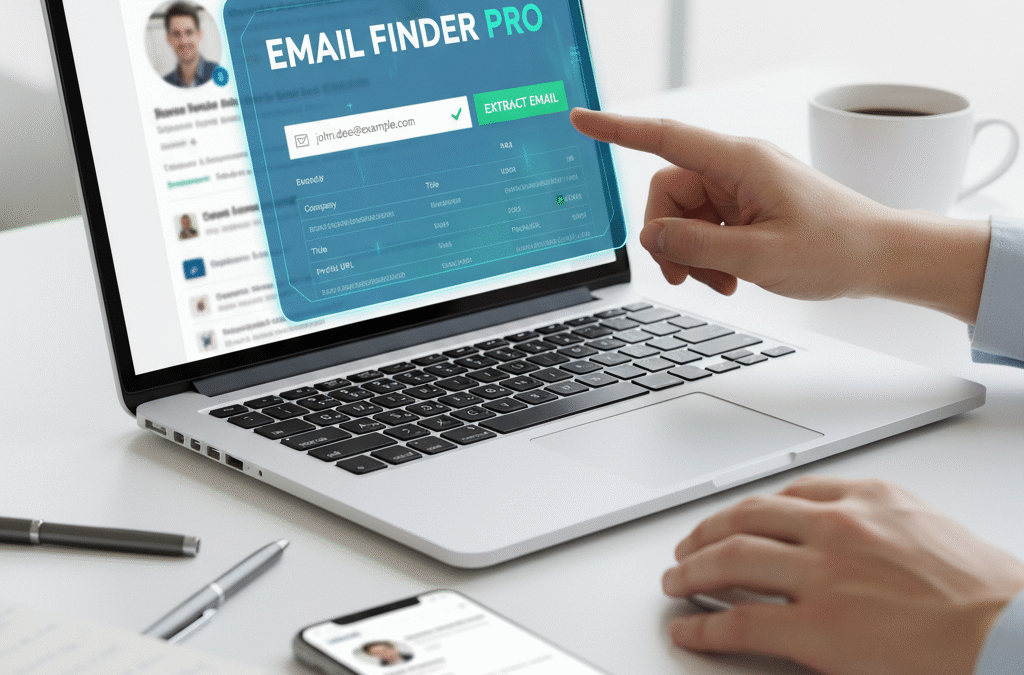
One example of a professional email finder is SignalHire, a platform that provides verified personal and work emails as well as phone numbers. It works through a browser extension and can pull data directly from LinkedIn, GitHub, Facebook, and other networks.

Here’s how it works:

  1. Register for a free trial on the website.

  2. Install the browser extension from Chrome or Firefox.

  3. Open a LinkedIn profile and click the extension icon.

  4. Reveal the available email or phone number.

SignalHire also allows bulk extraction and integrations with CRMs like Salesforce and HubSpot. While it is not the only tool on the market, it is often praised for accuracy and ease of use.

Legal and Ethical Considerations

Emails must be responsibly culled. There are some important things to remember:

  • GDPR and privacy laws compliance: Always complying with local laws before storing or using personal data is a must.
  • Transparency in outreach: If you’re reaching out to someone, be straightforward about why you’re reaching out. No more deceptive subject lines, no buried agendas.
  • Honor Unsubscribe Requests: If someone wants to be taken off your list, do so immediately.
  • Don’t spam: Mass emailing recipients you don’t know reaches no one and is actually harmful to your reputation.

LinkedIn actually discourages scraping and automatic collection of data. That’s why it is so crucial to use reliable tools that follow privacy rules and ensure ethical, verifiable access to data.

Benefits and Risks of Email Extraction

Like any strategy, extracting emails has advantages and drawbacks.

Benefits

  • Faster access to decision-makers.

  • More reliable communication than LinkedIn messaging.

  • Ability to scale outreach campaigns.

  • Better tracking and integration with marketing systems.

Risks

  • Potential violation of privacy regulations if misused.

  • Some people may see unsolicited emails as intrusive.

  • Using unreliable tools can lead to high bounce rates and damage sender reputation.

The key is to balance efficiency with respect for privacy. Quality outreach matters more than sheer quantity.

Best Practices for Responsible Outreach

Now that you have the email addresses, it’s time to get to work. A successful outreach involves a professional and respectful approach:

  • Personalize your emails: Mention the recipients job, company, or accomplishments.
  • Be brief: No one, especially a busy professional, has time for long, rambling emails.
  • Provide value: Whether it’s a job, partnership, or product, show them how it’s doing something for them.
  • Follow up graciously: A gentle reminder can work, but don’t overdo the messaging.
  • Segment your lists: It’s not a one-size-fits-all email out there. Target your industry or function.

In its best form, email outreach forges real connections instead of coming across as spam.

Conclusion

Email finding on LinkedIn can be a great help for recruiting, sales, networking, etc. Although manual techniques (manually reviewing the “Contact Info” section or exporting connections) perform well in a few cases, most professionals use specialized tools for accurate and scalable retrieval.

LinkedIn’s own offerings, such as InMail and Recruiter, can also work, but these options can be costly. A more flexible and accessible alternative is provided by third-party email finders, which can be in the form of solutions like SignalHire, Lusha, or ContactOut.

Whatever your approach, remember that compliance and ethics are important. Focus on personalized, respectful communication. That its email extractions are on the up-and-up can indeed prove validating: It’s harder to regard as grifty that which is harmless and easy, and now your magic email-extraction trick isn’t just a hacky shortcut to contact details — it’s a gateway to gettin’ you the contacts that count!
Best Alternatives of LinkedIn Games – You Should Try

Best Alternatives of LinkedIn Games – You Should Try

LinkedIn Games

LinkedIn is often considered a professional platform for job searching, networking, and socialising with professional peers. People have always used it as a job-hunting platform. But nowadays, it has changed its strategy. It’s adding more interactive and engaging elements to the site, like games. 

When I heard the news about LinkedIn launching games, I was quite surprised, as I often consider LinkedIn for professional networking only. It’s not only LinkedIn, but other platforms like Apple News and Netflix are also offering gaming options, following the successful inspiration of NYT Games. 

Games have always been a source of entertainment and a relaxing element in the workplace. LinkedIn games offer moderate to easy puzzle games that act as a short burst of entertainment during work. People love to play these daily game challenges, but unfortunately, the platform only provides one game per 24 hours.

In this article, I will explain the five best alternatives to LinkedIn games worth playing to give you a rush of dopamine. 

What are the LinkedIn Games?

LinkedIn games are gaining popularity day by day. Unlike typical card arcade-style video games, which can take hours to complete, these games are short, clever puzzles that take a short time. These little puzzles are designed to keep workers’ minds active.

To date, LinkedIn has released five logical puzzle games. Let’s examine each one individually to see what they’re all about. 

Queens

It is a logical challenge game, similar to Sudoku. It has a famous queen’s crown to place logically. The queen’s crown resembles a chessboard game. The rules are quite simple. No two queens will share the same row, column, or colored region. 

At the beginning of the game, it feels easy, but it requires logic at the end. The game gives immense satisfaction when we place the last crown correctly. It feels great happiness when your logic works precisely.

PinPoint

It is a word-guessing game with very few clues. You have to find the category of the game. The game provides five chances to guess the word, and if the guess is incorrect, it will reveal the related word. 

In this way, five clues appear on the screen to help you guess the correct category. This pinpoint is quite popular among those who are good at cultural knowledge and building connections.

Crossclimb

It is a crossword puzzle game that involves finding words. It includes vocabulary and lateral thinking. It is pretty famous among word puzzle games. Each word differs from the other by one letter. Try to guess the words first. If you fail to guess, press the reveal option. 

Now you have to unlock the up and down levels. Shift them up and down to match the consecutive letters in the column. Now, guess the remaining two words to complete the game. People find cross-climbing very interesting as they challenge their vocabulary. 

Tango

It is a non-verbal, logical puzzle game played on a grid. Moon and sun symbols must be arranged in a logical order. The number of sun and moon symbols must be equal in quantity. People love this game due to its clean, minimal design. 

Zip

It is an exciting dots brain game. All you have to do is connect numbers in logical order in a grid. In this game, all the spaces in the grid must be covered. The game is to complete without crossing the path or blocking yourself. 

People love this amazing game due to its visual satisfaction. It feels like a snake moving through a grid without dead ends. 

Top 5 LinkedIn Game Alternatives to Play

I have mentioned the five most interesting alternative games that LinkedIn game lovers would love to play.

Strands Game

Strands game is a fun game that consists of a 6×8 grid filled with random letters. You’ll see the theme at the top of the game interface. You have to find words related to the theme. You can’t finish the game without finding a Spangram. A theme-based special word that touches two sides of the grid. 

Who would like to play the Strands Game?

Strands is a game for those who enjoy vocabulary puzzle challenges. It is a word puzzle game. The best part of the game is the easy navigation feature. Drag to connect the possible word outcome. If it is correct, it will be marked as done. If it is not, it automatically deselects the previous selection. 

Connections Game

As its name suggests, the game is about finding a common connection between four words. A set of 16 words appears on the screen. A specific attribute categorises four groups. 

The category could be a synonym, a type of cutting used in cooking, or shades of green colour. It always allows users to make four mistakes, so you have to be careful to win the game on the first attempt. 

Who would like to play the Connections Game?

The game is designed for individuals who enjoy playing vocabulary-based games. The game is about finding the proper relation between words. If you enjoy finding similarities and relatable things, then the connection game is for you. 

Wordle Game

You must have heard of this popular game. All you have to do is guess five-letter words in six tries. Try guessing different words to reveal letters to find a unique word. It is one of the most famous games among the folks. 

Who would like to play the Wordle Game?

Wordle is not a complex word game to guess. You don’t need a huge vocabulary base to play the game. It has more guessing elements to find that unique word. Hurrah, you win the game. The Wordle game is very addictive to play, and people love to share their scores with their social circle.   

Luminosity

Luminosity is a gaming platform where you can find dozens of little games. These games are special in a way that they improve memory and problem-solving skills. It also gives feedback about cognitive abilities by tracking previous records.

Who would like to play the Luminosity?

Luminosity is best suited for people who enjoy playing mini-games. Who is interested in playing games based on personalised suggestions? The app highlights the player’s strengths and weaknesses. It is a fun game that allows you to measure your performance. 

Wordscapes

As its name suggests, Wordscape is a challenging and calming game. It also deals with forming words from a given set of possible letters. It is a crossword game that improves your vocabulary. The background of the puzzle is nature-inspired, which makes you feel cosy while playing. 

Who would like to play the Wordscapes?

The game is designed for individuals who enjoy guessing various letter words. Those who love making word puzzles should give it a try. Wordscape is best for individuals who want to learn new words in a natural, relaxing environment. There is no timer in the game, and the number of mistakes allowed creates a sense of pressure while playing. 

Final Thoughts

Although there are numerous games available on the market, LinkedIn games are the most popular. These mini games, such as quizzes, crosswords, and zip, provide a daily dose of pleasure. For more such doses of dopamine and adrenaline, try playing a LinkedIn alternative.

One can consider Wordle, connections, and strands to play word puzzles. Lumosity for mixed logical and word games. Wordscape for finding more relaxing word challenges. You can easily find something to match your mood. 

Next time, during your break, take a mental break to solve a puzzle and refresh your brain for the following tasks during the day to improve your productivity. 

Unlocking Momentum: Smarter LinkedIn Strategies for Complex B2B Sales Cycles

Unlocking Momentum: Smarter LinkedIn Strategies for Complex B2B Sales Cycles

Smarter LinkedIn Strategies

The Hidden Cost of Stalled Pipelines

It’s not always a lack of leads that slows B2B sales down. Often, it’s the stall—the point where good conversations drift, where decision-makers go dark, and where teams struggle to push opportunities from “maybe” to “signed.” In complex B2B sales, this happens more often than anyone wants to admit. Long buying committees, internal politics, shifting priorities—it’s a maze.

So how do you keep deals moving when you’re not in the room?

This is where LinkedIn becomes more than just a prospecting tool. It becomes the digital extension of your sales team—nurturing, reinforcing, reminding, and building trust long after the first call.

Why Traditional LinkedIn Tactics Fall Short

If your pipeline feels sluggish, it’s worth rethinking how you’re using LinkedIn.

A lot of companies still treat it like an outbound list. Hit connect, send a message, pitch a meeting. That can work—to a point—but it rarely sustains the momentum needed for complex deals. These deals require consensus across multiple stakeholders. They take months, sometimes quarters, to close. And attention spans, especially on LinkedIn, are fleeting.

Pushing cold messages won’t carry a deal across the finish line. But consistent, strategic visibility might.

The Power of Strategic Visibility

Let’s say your SDR team has already done the hard work: they’ve identified the right accounts, engaged with the right people, and qualified interest. Then what?

A smarter LinkedIn strategy kicks in after that initial engagement. Think of it as air cover for your sales team. When buyers see your brand, your thought leadership, your customer success stories—again and again, not just from your company page but from individual sellers—they remember. They compare. And eventually, they move.

This kind of visibility doesn’t rely on luck. It relies on intent.

Match Messaging to the Buying Stage

If all your content feels like a pitch, you’re likely scaring off the very people who were warming up. People need different things at different stages. Early on, they want to understand the problem. Later, they want proof you can solve it. Near the end, they want confidence they’re not making a mistake.

So instead of blasting a generic message to everyone, think about segmenting your LinkedIn approach the way you would your email nurture. Use custom audiences, retargeting, and sequencing to match your messaging to where your buyers are mentally—not just where they sit in your CRM.

Don’t Just Target Decision-Makers—Surround Them

Enterprise sales rarely rest on one person’s shoulders. There’s always a champion, but there’s also an approver, a blocker, and someone in procurement who’s never heard of you. If your strategy only targets the person who filled out a demo form, you’re missing the bigger picture.

Use LinkedIn to build brand awareness within the entire buying committee. Show up with different angles. Create ads and content that speak to both the CFO’s concerns and the end-user’s day-to-day. It’s not about volume—it’s about precision and coverage.

This is where a Linkedin ads tool can help. These platforms give you tighter control over who sees what and when. With features like matched audiences, sequential messaging, and funnel-stage targeting, you can keep your messaging sharp and your spend efficient.

What to Track (Hint: It’s Not Just Clicks)

When deals stall, it’s tempting to blame the SDR, the pricing, or the product. But sometimes the real problem is that people forget about you. Or worse—they remember you for the wrong reasons.

LinkedIn can show you early warning signs. Are buyers engaging with your brand content? Are champions still interacting with your team? Are new decision-makers from target accounts starting to show up?

Don’t just look at clicks. Look at view-through conversions, profile engagement, and frequency. This tells you if your message is landing—or if you need to pivot before the deal slips away.

From Cold Outreach to Warm Influence

The future of B2B isn’t just about better outreach—it’s about building influence over time. When done well, LinkedIn becomes a long-game tool that supports every part of the sales cycle, not just the first step.

If your pipeline feels stuck, it might not be a volume issue—it could be a visibility one. That’s why rethinking your approach to LinkedIn isn’t just a marketing job. It’s a revenue strategy.

Top 7 LinkedIn Video Downloader Tools You Need to Try Today

Top 7 LinkedIn Video Downloader Tools You Need to Try Today

Linkedin video downloader

1. Unlock the Power of LinkedIn Video Content

In today’s professional landscape, LinkedIn has become more than just a resume platform; it’s a vibrant hub for learning, networking, and sharing valuable insights through video content. From engaging professional development webinars to insightful industry talks and even compelling personal branding clips, LinkedIn videos offer a wealth of knowledge. For businesses or individuals looking to elevate their LinkedIn presence, collaborating with a professional video production agency in Melbourne can ensure your video content stands out and aligns with your brand. But what if you want to save these valuable resources for offline viewing, for reference, or to integrate into your own learning or content strategy (with proper attribution, of course)? This is where LinkedIn video downloader tools become indispensable.

Whether you’re looking to download LinkedIn videos easily for your personal learning library or simply to revisit a crucial presentation, having the right tool can make all the difference. This article will guide you through the best options available, helping you efficiently capture the professional video content you need.

2. Understanding LinkedIn Video Downloaders: What They Are & How They Work

The Basics of Saving LinkedIn Videos

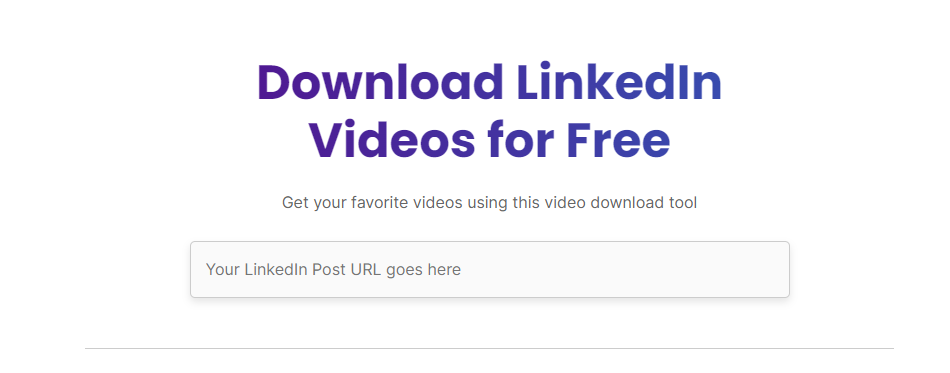
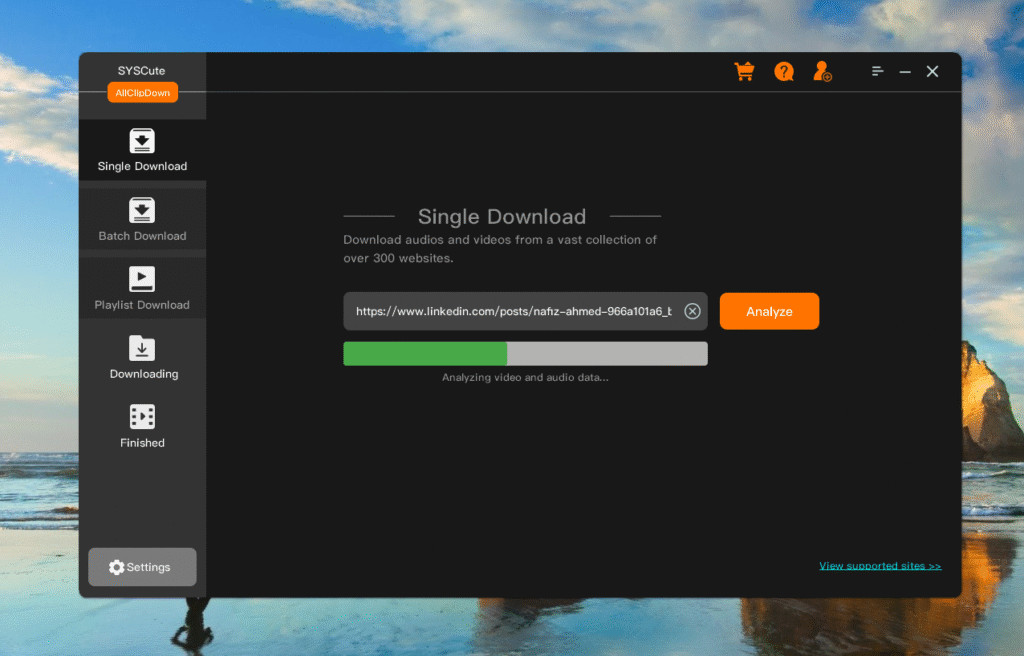
A LinkedIn video downloader is essentially a software application, a web-based service, or a browser extension designed to extract video files from the LinkedIn platform. These tools typically work by taking the URL (web address) of a LinkedIn video, processing it, and then providing you with a link or direct download option for the video file in various formats and qualities.

Key Features to Look for in a Reliable Tool

When selecting a downloader, consider these crucial features:

  • Ease of Use: Is it intuitive, even for beginners?
  • Video Quality Options: Can you choose between standard, HD, or even 4K where available?
  • Format Compatibility: Does it support popular formats like MP4?
  • Speed: How quickly can it process and download videos?
  • Safety & Security: Is the tool trustworthy and free from malware?
  • Cross-Platform Support: Does it work on your device (Windows, Mac, mobile, or via a web browser)?

Is it Legal to Download LinkedIn Videos? (Copyright & Usage)

This is a critical point. While downloading videos for personal, offline viewing is generally acceptable, re-uploading, sharing, or monetizing copyrighted content without explicit permission from the creator or rights holder is illegal and unethical. Always respect intellectual property rights. Most creators welcome sharing, but always ensure you’re using content responsibly and ethically, providing proper attribution when necessary. LinkedIn’s user agreement also outlines terms of service regarding content usage.

Linkedin video downloader

3. Top 7 LinkedIn Video Downloader Tools You Need to Try Today

Here are our top picks for downloading LinkedIn videos, offering a range of features for different needs:

VidSavvy LinkedIn

VidSavvy LinkedIn is a popular online tool known for its extreme ease of use. Simply paste the LinkedIn video URL, click download, and you’re good to go. It supports various resolutions, making it ideal for quick and hassle-free grabs without needing to install any software.

  • Pros:
    • Extremely Easy to Use: No software installation or technical expertise required; just paste and download.
    • Accessibility: Works on any device (desktop, mobile, tablet) with a web browser.
    • Quick for Single Downloads: Ideal for rapid, one-off video saving.
    • Free to Use: Generally, online tools are free, making them budget-friendly. 
  • Cons:
    • Internet Dependent: Requires a stable internet connection to function.
    • Reliance on Website Stability: Performance can vary based on the website’s server load or potential downtime.
    • Potential for Ads/Pop-ups: Free online tools often include advertisements, which can be intrusive.
    • Limited Advanced Features: Typically lacks batch downloading, format conversion variety, or advanced quality controls.

LinkedIn Video Pro

This desktop-based software (available for Windows and Mac) is for those who need more control. LinkedIn Video Pro offers advanced features like batch downloading, conversion to multiple formats beyond MP4, and even subtitle extraction for LinkedIn Learning videos. It’s a robust solution for power users.

  • Pros:
    • Robust Features: Offers advanced functionalities like batch downloading, a wider range of format conversions, and potentially subtitle extraction.
    • Offline Functionality (Post-Download): Once installed, the software can manage downloads and conversions without constant internet access.
    • Higher Reliability: Less prone to browser or website-specific issues than online tools or extensions.
    • No Browser Dependence: Operates independently of your web browser, potentially offering more stable downloads.
  • Cons:
    • Requires Installation: Takes up disk space and requires installation, which some users might prefer to avoid.
    • Platform Specificity: May only be available for certain operating systems (e.g., Windows or Mac), limiting cross-device use.
    • Cost: Often a paid solution, either a one-time purchase or a subscription.
    • Updates: Requires manual updates or relies on auto-update features to stay current with LinkedIn’s platform changes.

QuickClip LI (Browser Extension)

QuickClip LI is a fantastic browser extension (Chrome, Firefox) that integrates directly into your LinkedIn Browse experience. When you’re watching a video, a discrete download button appears, allowing for one-click saving directly from the page. It’s incredibly convenient for spontaneous downloads.

  • Pros:
    • Ultimate Convenience: Integrates directly into your Browse experience, allowing one-click downloads while watching.
    • Seamless Workflow: No need to copy/paste URLs or switch between tabs.
    • Lightweight: Typically doesn’t consume much system resources.
    • Free Access: Most browser extensions for this purpose are free.
  • Cons:
    • Browser Specific: Only works with the browser it’s installed on (e.g., Chrome, Firefox).
    • Potential for Instability: Can sometimes break or become incompatible after LinkedIn updates, requiring developer updates.
    • Security Concerns: Requires granting permissions to your browser, making it crucial to use reputable extensions to avoid privacy risks.
    • Limited Features: Generally offers basic download functionality, not advanced features like batch processing or extensive format options.

SnapDownloader

While a general-purpose video downloader, SnapDownloader excels with LinkedIn content, including LinkedIn Learning. It boasts support for high-resolution downloads (up to 8K, if available) and the ability to download entire playlists or courses, making it excellent for educational purposes. It’s a premium desktop application.

  • Pros:
    • High-Resolution Support: Known for downloading up to 8K, preserving original video quality.
    • Comprehensive Platform Support: Works with LinkedIn Learning and numerous other video platforms, making it a versatile solution.
    • Batch Downloading & Playlists: Excellent for managing multiple downloads or entire LinkedIn Learning courses.
    • Reliability & Stability: As a premium desktop tool, it generally offers superior performance and fewer interruptions.
  • Cons:
    • Paid Software: Requires a purchase or subscription, which might be a barrier for some users.
    • Installation Required: Needs to be installed on your computer.
    • Resource Intensive: Might consume more system resources compared to online tools or extensions due to its advanced features.

GetVid.Li (Online Tool)

GetVid.Li is another strong online contender, praised for its clean interface and reliability. It focuses purely on LinkedIn videos, ensuring high success rates for downloads. It’s a go-to for users who prefer not to install anything and just need a quick, dependable way to save videos.

  • Pros:
    • Clean & User-Friendly Interface: Focuses on simplicity and ease of navigation.
    • High Success Rate: Designed specifically for LinkedIn, aiming for consistent and reliable downloads.
    • No Installation: Completely web-based, accessible from any device.
    • Free Access: Typically operates on a free model.
  • Cons:
    • Limited Features: Offers basic download options without advanced functionalities.
    • Internet Connection Required: Cannot be used offline.
    • Potential for Ads: As a free online service, it may rely on advertising for revenue.
    • Dependent on Website Uptime: If the site is down or experiencing high traffic, performance can suffer.

4K Video Downloader

Though its name suggests “4K,” this versatile desktop software handles various resolutions and is fully compatible with LinkedIn. It’s known for its robust download capabilities, including entire channels or user profiles (where applicable), and supports proxy settings for advanced users. A great all-rounder.

  • Pros:
    • Wide Platform Compatibility: Downloads from many sites, not just LinkedIn, making it a versatile tool.
    • High-Quality Downloads: Supports 4K resolution where available, ensuring excellent video quality.
    • Batch Downloading & Channel Support: Efficient for downloading multiple videos or content from specific LinkedIn channels/profiles.
    • Proxy Support: Offers advanced network options for specific user needs.
  • Cons:
    • Installation Required: Desktop application that needs to be installed.
    • Free Version Limitations: The free version might have limitations on the number of downloads per day or batch size, encouraging upgrade.
    • Interface Can Be Overwhelming: May have a more feature-rich interface that could be less intuitive for absolute beginners compared to simple online tools.

TubeRipper (Online)

TubeRipper offers a no-frills, efficient online service specifically for LinkedIn videos. It prides itself on speed and simplicity, getting the job done without unnecessary features. If you need a fast and free way to download individual LinkedIn videos, TubeRipper is a solid choice.

  • Pros:
    • Speed & Simplicity: Focuses on rapid downloads with a minimalist approach.
    • No Frills: Ideal for users who want a straightforward download without extra features.
    • Free & No Installation: Accessible directly from a browser without any cost or setup.
    • Good for Individual Videos: Very efficient for quickly saving one video at a time.
  • Cons:
    • Very Basic Functionality: Lacks any advanced features like batch processing, format conversion, or quality selection beyond what’s directly offered.
    • Internet Dependent: Requires an active internet connection.
    • Ad Presence: As a free online tool, it’s likely to display ads.
    • Less Control Over Quality: Might offer fewer options for specific video resolutions compared to more feature-rich tools.

Find More: Best Digital Marketing Agency for Small Businesses

4. How to Choose the Best LinkedIn Video Downloader for Your Needs

Linkedin video downloader

Selecting the perfect tool depends on your specific requirements:

Considering Your Budget: Free vs. Paid Options

Many online tools offer free services, often supported by ads. Desktop software or more feature-rich online platforms might come with a one-time purchase or subscription. Free tools are great for occasional use, while paid options typically offer better reliability, faster downloads, and advanced features.

Compatibility: Desktop, Mobile, or Online?

Do you prefer downloading on your computer, phone, or directly through a web browser?

  • Online tools are universally accessible from any device with an internet connection.
  • Desktop software often provides more features and stability.
  • Browser extensions offer ultimate convenience for on-the-fly downloads.

Security and Privacy Concerns

Always download software from official websites and use reputable online tools. Be wary of sites that prompt excessive permissions or display suspicious pop-ups. A good tool prioritizes your privacy.

Customer Support & Updates

For paid tools, look for good customer support and regular updates, which indicate the developer’s commitment to the product’s functionality and security.

5. Step-by-Step Guide: How to Download a LinkedIn Video (General Process)

While each tool might have minor variations, the general process for downloading a LinkedIn video is remarkably consistent:

  1. Copying the LinkedIn Video URL: Navigate to the LinkedIn video you wish to download. Click on the “Share” icon (often an arrow) or right-click the video and select “Copy video link” or “Copy link address.”
  2. Pasting into Your Chosen Downloader Tool: Open your selected LinkedIn video downloader (website, desktop app, or activate the browser extension) and paste the copied URL into the designated input field.
  3. Selecting Quality and Format: The tool will usually present you with options for video quality (e.g., 360p, 720p, 1080p) and sometimes format (e.g., MP4). Choose your preferred settings.
  4. Initiating the Download: Click the “Download” or “Convert” button. The tool will then process the video and start the download to your device.

6. Conclusion

In an increasingly video-centric world, the ability to save LinkedIn video content can significantly enhance your professional development, research, and content creation efforts. The tools listed above offer reliable and efficient ways to access valuable insights offline. Remember to always use these downloaders responsibly, respecting copyright and intellectual property rights.

By leveraging these powerful tools, you can build your personal library of professional knowledge, revisit key presentations, and ensure you never miss out on important insights shared on LinkedIn. Choose the tool that best fits your workflow and start archiving your favorite professional videos today!

7. Frequently Asked Questions (FAQ) 

Can I download private LinkedIn videos?

No, most legitimate downloaders cannot access private or restricted LinkedIn videos. They typically only work with publicly accessible content.

Are these tools safe to use?

Reputable tools from trusted sources are generally safe. Always download desktop software from official websites and be cautious of online tools that require excessive permissions or seem suspicious. Using antivirus software is also recommended.

What video formats are supported?

Most LinkedIn video downloaders primarily support MP4, which is a universally compatible format. Some advanced tools may offer other formats like MOV or AVI.

Do I need an account to use these downloaders?

For most online tools and browser extensions, no account is required. Desktop software might require a purchase or license key, but not a separate “downloader account.”

Will downloading LinkedIn videos alert the original poster?

No, using these downloaders to save a video does not send a notification to the original content creator or poster on LinkedIn. Your activity remains private.

Tags: