UK: +44 2038074555 info@atamgo.com
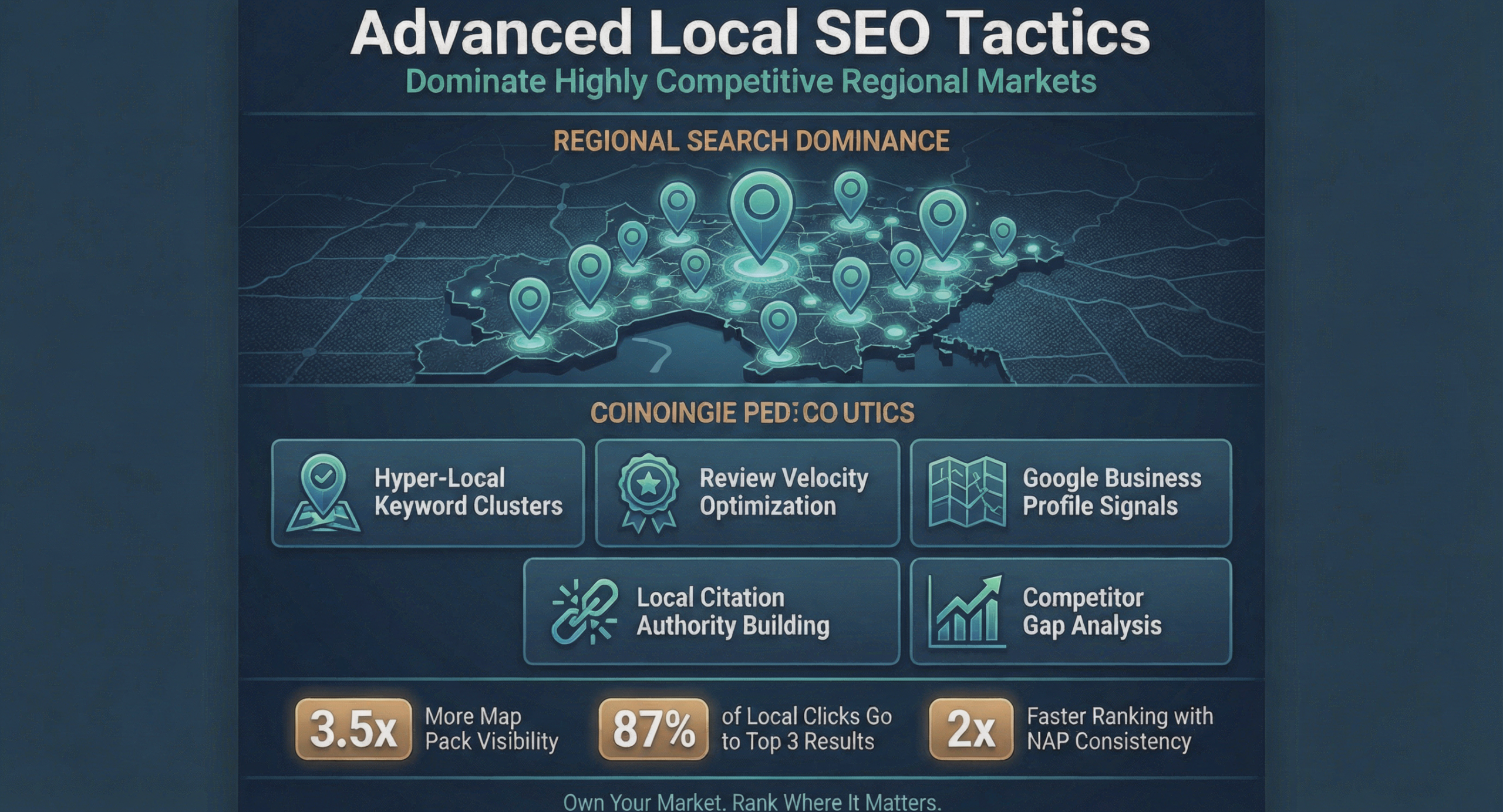
Advanced Local SEO Tactics to Dominate Highly Competitive Regional Markets

Advanced Local SEO Tactics to Dominate Highly Competitive Regional Markets

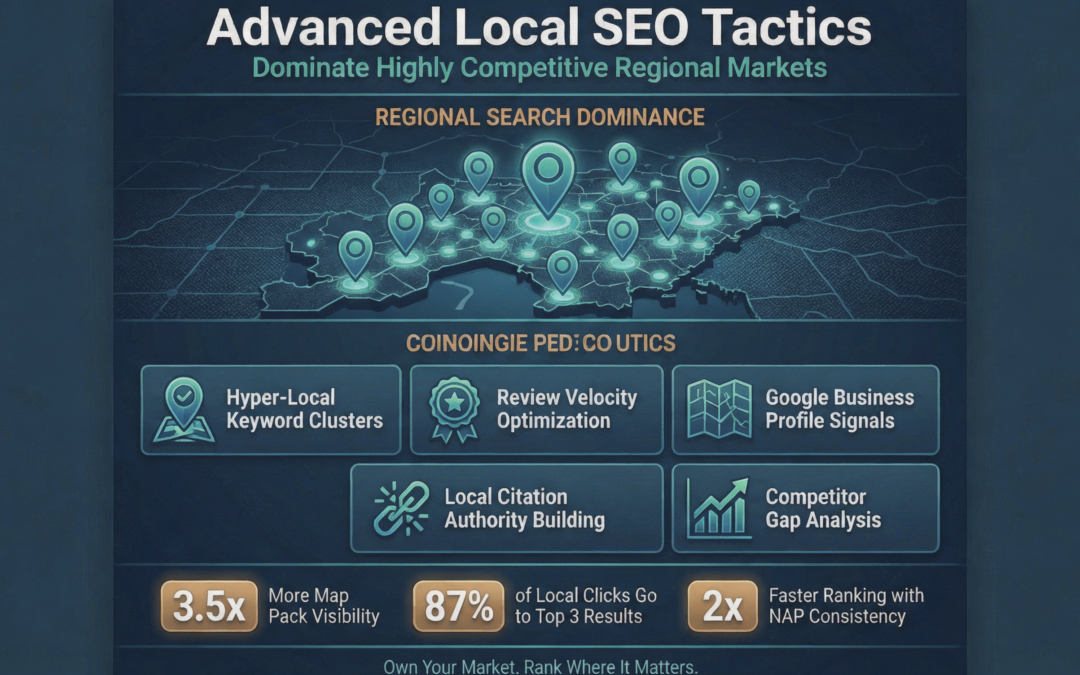
Advanced Local SEO Tactics

In 2026, capturing local search visibility is no longer a set-and-forget marketing task. With projected Australian SEO spending set to reach $1.5 billion by next year, small businesses are aggressively prioritising regional digital visibility. Before deploying complex campaigns, it is essential to understand the foundational power of SEO in transforming small businesses by creating a level digital playing field against massive corporate competitors. Once those foundational elements are in place, however, the real challenge begins. Competing in densely populated areas requires moving beyond basic keyword placement and adopting advanced, hyper-local search tactics that drive genuine foot traffic and regional authority.

Navigating the New Era of Search Intent 

The way consumers look for nearby services has shifted dramatically. Recent data indicates that 80 percent of consumers search online for local businesses every single week, with nearly a third doing so daily. Furthermore, 46 percent of users now frequently append high-intent modifiers like “near me” to their queries, and daily voice search usage is soaring among Australians looking for immediate local solutions. 

To meet this demand, search algorithms have evolved. The massive December 2025 Google Core Update started heavily rewarding real user engagement and established brand authority in local results. Following that, the February 2026 Discovery update began prioritising in-depth topical expertise for hyper-local queries. This means businesses must align their strategies with Google’s expanded E-E-A-T (Experience, Expertise, Authoritativeness, and Trustworthiness) framework. Search engines are actively evaluating offline presence and trusted local directory mentions to verify real-world credibility. 

Beating the Regional Competition 

Mastering regional search requires an incredibly targeted approach, particularly in major metropolitan hubs where service providers are densely packed. Small businesses operating in these saturated environments are increasingly investing heavily in localised frameworks to outmanoeuvre larger corporate brands. For example, running campaigns for competitive queries like SEO Marketing Sydney demands a deep understanding of local consumer behaviour, precise technical optimisation, and highly specific geo-targeted content. This level of technical precision is what separates a business that merely exists online from one that dominates its local market. 

Businesses that properly target and optimise for multiple geographic locations can see an average of 557 percent more organic traffic than standard single-location entities. It is not just about ranking for a broad city term. It is about capturing traffic at the neighbourhood level and proving local relevance to both search engines and actual residents. Establishing a robust presence across various community portals helps to signal strong geographical relevance. 

Advanced Tactics for Maximum Visibility 

Securing top positions in local search requires a multi-layered approach that addresses both technical signals and user trust. Implementing the following advanced strategies will help solidify your regional dominance: 

  • Complete and Accurate Business Profiles: The continuous rollout of the Local Search Generative Experience means Google now integrates AI-generated summaries directly from Google Business Profiles. Customers are 2.7 times more likely to consider a brand reputable if they encounter a 100 percent complete profile.
  • Aggressive Reputation Management: Online reviews are just as heavily weighed as personal recommendations by a third of modern consumers. Engaging directly is critical, as 80 percent of users are far more likely to patronise a business that responds to all of its reviews.
  • Local Backlink Acquisition: Building geo-targeted authority is highly measurable. Earning links from local news sites or community organisations demonstrates a massive 81.6 percent correlation with increased organic traffic in regional campaigns. 

It is crucial to remember how quickly a digital search becomes a physical visit. According to a recent industry report, 49 percent of consumers often or always plan their travel route to a chosen business immediately after completing a local search. Ensuring your map listings are flawlessly optimised is therefore non-negotiable for capturing this high-intent mobile traffic. 

Turning Local Search into Measurable Growth 

Dominating a competitive regional market requires far more than basic digital hygiene. By embracing the latest algorithm shifts, optimising for hyper-local intent, and building genuine regional authority through reviews and targeted backlinks, small businesses can secure a highly lucrative position in their local market. In a landscape where digital visibility directly dictates physical foot traffic, advanced local search tactics are the ultimate growth engine for modern regional businesses.

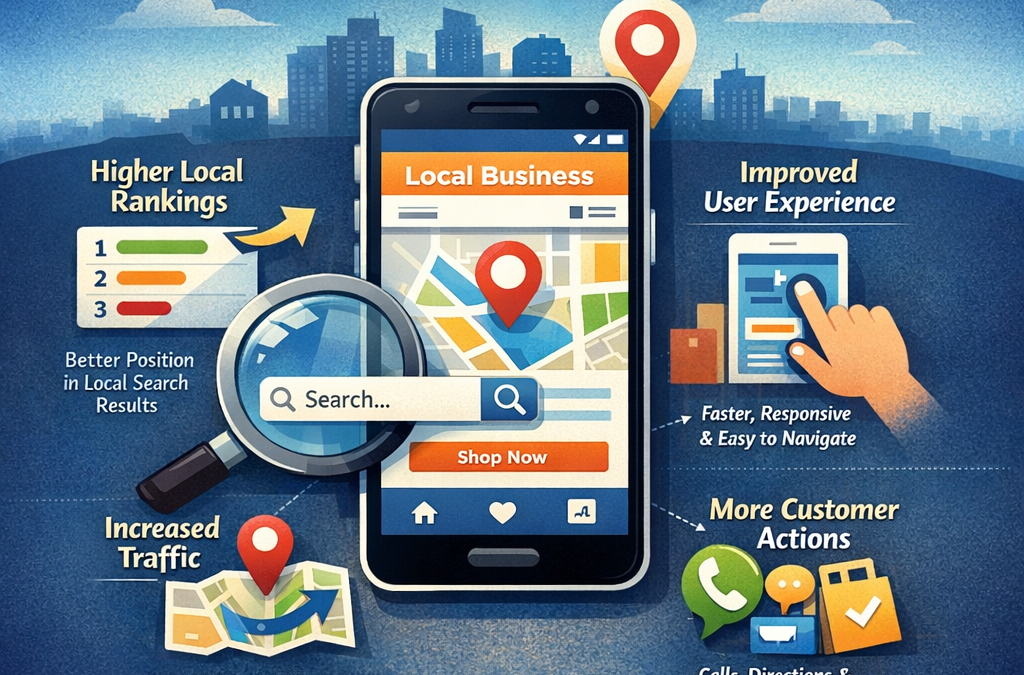
The Impact of Mobile-First Web Design on Local Search Visibility

The Impact of Mobile-First Web Design on Local Search Visibility

Mobile-First Web Design

When consumers need a product or service nearby, they rarely wait until they are sitting in front of a desktop computer. They pull out their smartphones, type in a quick query, and expect immediate, highly relevant results. This fundamental shift in consumer behaviour has completely transformed how businesses must approach their digital presence. Having a visually appealing website is no longer enough if it does not perform seamlessly on a handheld device. For businesses aiming to capture regional traffic, the relationship between mobile-centric design and local search rankings is closer than it has ever been. Local search algorithms heavily prioritise user experience, meaning a clunky mobile interface can completely derail an otherwise brilliant marketing campaign. Understanding this deep connection is the first step toward dominating local search results and outpacing regional competitors. 

Understanding the Shift to Mobile-First Indexing

To comprehend why local visibility depends so heavily on responsive design, one must look at how major search engines currently evaluate websites. Historically, desktop versions of web pages were the absolute standard for determining relevance and assigning rankings. However, as smartphone usage skyrocketed globally, the rules changed dramatically. According to Google’s documentation on mobile-first indexing best practices, search engines now primarily use the mobile version of a site’s content for indexing and ranking. This means that if your mobile experience is lacking, your overall visibility will inevitably suffer, even if your desktop site is perfectly constructed. Content hidden behind unclickable buttons or unreadable text on smaller screens is effectively invisible to modern search crawlers.


Navigating these constant algorithmic shifts can be incredibly complex. This reality is especially true for location-based queries, which are highly competitive and heavily relied upon by consumers on the move. When someone searches for a nearby service, search engines want to provide options that can be explored and contacted effortlessly from a phone. If a business fails to offer an optimised mobile experience, its map pack placements and organic rankings will rapidly decline. Consequently, many businesses operating in densely populated markets choose to partner with a specialised local SEO Company in Sydney to ensure their technical backend and location data meet these stringent mobile requirements. A professional team can audit your digital footprint to ensure every technical parameter aligns with what mobile searchers demand, eliminating the guesswork that often plagues do-it-yourself efforts. 

Why Responsive Architecture is the Foundation of Local Success 

Before launching aggressive citation building campaigns or creating hyper-local content, the underlying architecture of a website must be fundamentally sound. A site that loads slowly, requires pinch-to-zoom reading, or displays poorly on a smartphone will suffer from incredibly high bounce rates. Search engines interpret these rapid user exits as a strong signal that the website is not useful or relevant. Addressing these backend performance issues is crucial for long-term sustainable growth. A well-structured, fast-loading mobile site not only pleases human users but makes crawling and indexing significantly easier for automated bots. In fact, reducing acquisition costs through technical SEO is highly dependent on mastering elements like Core Web Vitals and responsive design. This approach allows businesses to capture organic traffic efficiently without overspending on paid advertising channels, creating a more profitable customer acquisition pipeline. 

Key Elements of a Mobile-Optimised Local Strategy 

Merging local search goals with mobile web design requires a highly strategic and intentional approach. Businesses must focus on specific design elements that cater directly to smartphone users who are often multitasking or in transit. A fast, intuitive interface not only satisfies algorithmic requirements but also builds immediate trust with potential customers. When users find a local business online, their first impression is entirely dictated by the mobile usability of the landing page. 

Here are several critical components to integrate into your mobile website strategy: 

  • Lightning-Fast Loading Speeds: Mobile users are notoriously impatient. Compressing images, leveraging browser caching, and minimising heavy backend scripts will keep your site loading efficiently. A delay of just a few seconds can send a potential customer straight to a local competitor, drastically reducing your conversion rates.
  • Tap-Friendly Navigation: Buttons and internal links must be spaced appropriately to prevent accidental clicks. Clear menus and prominent contact buttons (like click-to-call phone numbers or direct messaging links) are absolutely essential for driving local conversions and encouraging immediate interaction.
  • Localised Schema Markup: Implement structured data that clearly highlights your address, phone number, and operating hours specifically for mobile crawlers. This ensures your business details populate correctly in map applications and local knowledge panels, leaving no ambiguity for search engines.
  • Unobtrusive Pop-ups: Avoid full-screen overlays that frustrate mobile users and obstruct content. Search engines often penalise sites that use intrusive pop-ups on mobile devices because they degrade the overall user experience and force visitors to hunt for the exit button.
  • Readable Typography: Text must be legible without zooming. Choosing the right font size and maintaining high contrast between text and background colours ensures that users can comfortably read your content on smaller screens, regardless of lighting conditions. 

The Role of Localised Content on Mobile 

A pristine technical foundation must be paired with relevant, locally targeted content. When designing for mobile, this content should be concise, scannable, and highly relevant to the searcher’s immediate needs. Long, unbroken blocks of text are intimidating on a smartphone screen. Instead, breaking information into manageable paragraphs, using descriptive subheadings, and incorporating bulleted lists can drastically improve readability. Furthermore, embedding interactive local maps and clear directions directly on your mobile site adds immense value for users trying to navigate to your physical storefront. Search engines reward sites that actively solve user problems, and providing seamless navigational aids is one of the strongest ways to demonstrate local relevance. 

Securing Your Place in the Local Market 

The intersection of mobile-first design and local search visibility is undeniable. In a modern digital environment where the vast majority of local intent queries occur on smartphones, businesses simply cannot afford to treat mobile optimisation as an afterthought. By prioritising a seamless, responsive architecture, companies ensure they are visible precisely when and where their potential customers are searching. Investing in a solid technical foundation today guarantees a stronger, more resilient local presence tomorrow. Ultimately, blending sophisticated web design with rigorous search optimisation is the key to driving both foot traffic and sustained online growth in any competitive regional market.

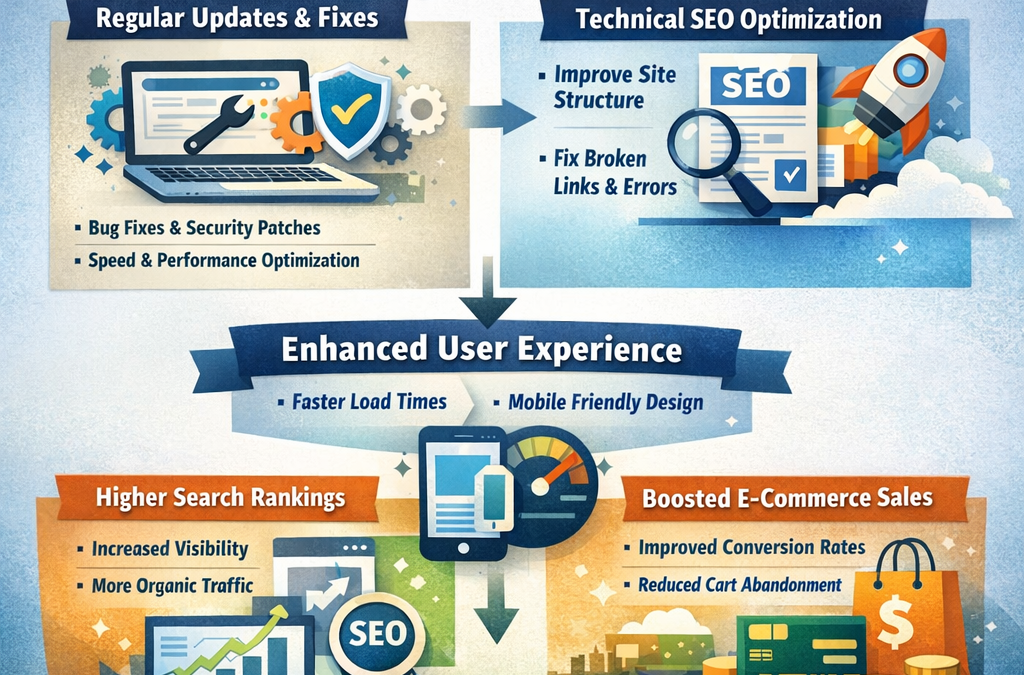
How Proactive Website Maintenance Drives Sustainable SEO and E-Commerce Growth

How Proactive Website Maintenance Drives Sustainable SEO and E-Commerce Growth

Launching a new online store is an exciting milestone for any business. Companies invest heavily in design, copywriting, and market research to ensure their digital storefront makes a perfect first impression. As outlined in comprehensive guides detailing the steps to build a high-converting e-commerce website, prioritising user-friendly layouts and scalable platforms is a critical foundational move. However, launching the site is merely the beginning of the journey. To sustain those initial high conversion rates and protect search engine rankings, a proactive approach to website maintenance is absolutely vital. The internet is a dynamic environment, and digital assets require continuous tuning to perform at their peak over the long term.


Why Technical Health Dictates Search Rankings 

When a website first goes live, its code is clean and its performance is typically fully optimised. Over time, as new products are added, content is published, and software is updated, digital clutter begins to accumulate. This slow accumulation can degrade site speed, introduce broken links, and create vulnerabilities that search engine crawlers quickly detect. Search engines aim to serve the most reliable and user-friendly results to their users. If a site experiences frequent downtime or layout shifts due to outdated components, its organic visibility will inevitably suffer. 

Recognising the complexity of these underlying systems, many businesses choose to outsource this technical workload. Investing in professional WordPress maintenance services allows store owners to focus on their core operations while experts ensure the site architecture remains secure and efficient. Regular upkeep acts as an insurance policy for your SEO strategy, ensuring that the technical reality of the site matches the marketing ambitions of the brand. 

Meeting Modern Performance Benchmarks 

The relationship between technical site health and search engine optimisation has never been more direct. Algorithms no longer just look at keywords and backlinks. They actively measure how real users experience a page. If an e-commerce store takes too long to load or jumps around while a customer is trying to click a button, the site will be penalised in the search results. 

The data supporting this is clear and actionable. According to Google Search Central’s official documentation on Core Web Vitals, maintaining specific technical performance metrics is directly aligned with what their core ranking systems seek to reward. For example, Google explicitly advises site owners to ensure their Largest Contentful Paint (LCP) occurs within the first 2.5 seconds of a page starting to load. Hitting these precise benchmarks requires continuous server optimisation, image compression, and code minification. These are not tasks that can be completed once and forgotten. 

Key Elements of Routine Site Optimisation 

To drive sustainable growth, technical maintenance must be viewed as an ongoing, structured process. Without regular check-ups, small technical glitches can quickly snowball into significant barriers to conversion. A comprehensive maintenance strategy should cover several critical areas of your e-commerce infrastructure. 

Consider the following non-negotiable elements of a healthy maintenance routine: 

  • Continuous Security Patching: Hackers frequently target outdated content management systems. Applying the latest security patches to your core software and plugins prevents data breaches and protects your customers’ sensitive information.
  • Database Optimisation: Every time an order is placed or a page is revised, your database grows. Regularly cleaning out post revisions, spam comments, and transient options keeps database queries fast, which directly improves page loading speeds.
  • Plugin and Theme Management: Third-party extensions are notorious for causing conflicts when left unmanaged. Testing and applying updates in a safe staging environment ensures that new code does not break your live storefront.
  • Broken Link Resolution: As products sell out or categories change, internal and external links can break. Monitoring and redirecting these dead ends preserves your SEO link equity and keeps users flowing smoothly through the sales funnel. 

Securing Your Digital Future 

A high-performing e-commerce website is a living digital asset. It requires consistent care to remain competitive in a crowded marketplace. Businesses that neglect their backend infrastructure often find themselves trapped in a cycle of reactive fixes, scrambling to repair broken features after the damage to their search visibility is already done. By treating proactive website maintenance as a fundamental pillar of your search engine optimisation strategy, you can prevent costly downtime and protect your digital investments. When your technical foundation is rock solid, your marketing campaigns can finally deliver their maximum potential, driving sustainable organic traffic and sales growth for years to come.

14 Must-Have WooCommerce Plugins to Grow Your Store in 2026

14 Must-Have WooCommerce Plugins to Grow Your Store in 2026

Running a WooCommerce store without the right plugins is like opening a shop with no shelves, no checkout counter, and a lock that half-works. WooCommerce itself is free and flexible – but out of the box, it does the basics. The real growth comes from the add-ons you bolt on.

WooCommerce powers around 8% of all websites and nearly 40% of all online stores on the internet, which means you’re building on the most-used eCommerce platform in the world. You also get access to 58,000+ free plugins in the WordPress.org directory alone, plus thousands of premium ones.

That’s the problem. Too much choice. Install the wrong 20 plugins and your site slows down, your admin breaks, and your conversion rate tanks.

This guide cuts through the noise. Below are 15 WooCommerce plugins I keep recommending to store owners – grouped by what they actually do for your business: more revenue, fewer abandoned carts, better SEO, tighter security, and cleaner checkout.

What to Look For in a WooCommerce Plugin

Before you install anything, check these five things:

  • Active installs – 10,000+ on WordPress.org is a safe floor
  • Last updated – avoid anything not updated in the last 6 months
  • Compatibility – works with your current WordPress, WooCommerce, and PHP version
  • Reviews – a 4.5+ star rating with real written reviews (not just “great plugin” one-liners)
  • Support quality – read the support forum before buying; speed of replies tells you everything

Stacking too many plugins hurts speed. Pick one plugin per job, not three.

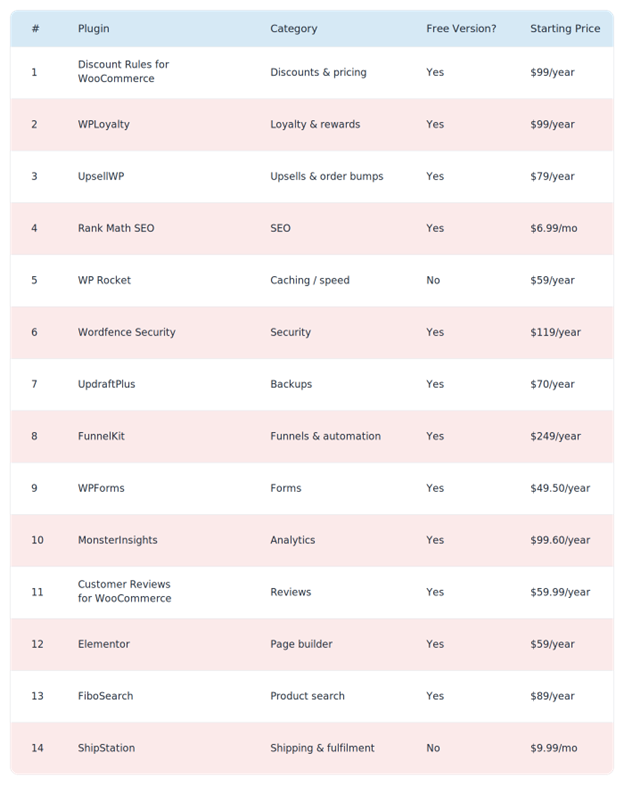
Quick Comparison: The 14 Plugins at a Glance
 

1. Discount Rules for WooCommerce – Best for Dynamic Pricing & BOGO
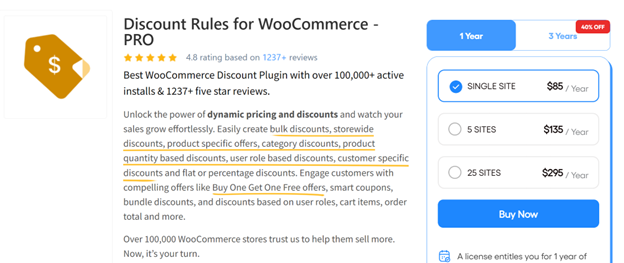
Discount Rules for WooCommerce by Flycart is the plugin I reach for first when a store wants to run promotions without breaking their WooCommerce admin. It has 100,000+ active installs on WordPress.org, which makes it the most-used discount plugin in the WooCommerce space.

You can run pretty much any promo type through it – BOGO (Buy One Get One), bulk discounts, category-level pricing, user-role pricing, first-order discounts, scheduled sales – without touching code.

Key features:

  • Percentage, fixed, or fixed-price-per-item discounts
  • BOGO and Buy X Get Y offers (including free products)
  • Bulk and tiered pricing based on quantity or cart total
  • Role-based pricing for wholesale customers
  • Coupon-based rule activation
  • Schedule discounts by date, time, or day of week
  • Strikethrough pricing on shop and product pages

Pricing:

  • Free: Core discount rules, percentage and bulk discounts – available on org
  • Pro: Starts at $89/year for a single site – view pricing

Best for: Any store running more than the occasional flat-percent coupon – especially fashion, food, and wholesale stores where tiered pricing and BOGO drive most of the revenue.

Pro Tip: Use strikethrough pricing on your product pages for bulk discounts. When shoppers see “$50 → $42 at 3+ qty” right on the product page, the average order quantity goes up without you running a single banner ad.

Visit Discount Rules for WooCommerce →

2. WPLoyalty – Best for Points, Rewards & Referrals
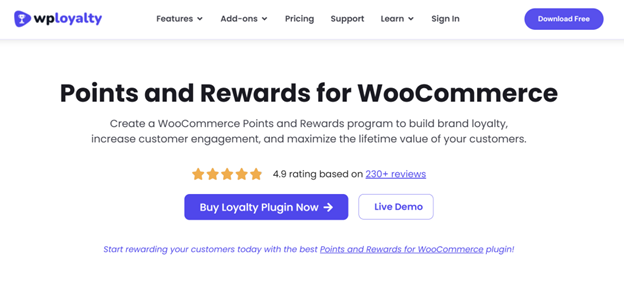
WPLoyalty is a loyalty program plugin built specifically for WooCommerce. If you’ve ever wished your store had a “Starbucks Rewards”-style points system, this is the plugin that does it without a Shopify migration.

Shoppers who belong to a loyalty program spend 12-18% more per year than non-members – so this isn’t a “nice to have.” It’s a direct revenue lever.

Key features:

  • Earn points per purchase, signup, review, or birthday
  • Redeem points as discount coupons at checkout
  • Referral program with unique referral URLs
  • Tier system (Silver, Gold, Platinum) with escalating rewards
  • Points expiry rules
  • Store credit functionality
  • Email notifications for points earned and expiring

Pricing:

  • Free: Points earning and redemption, basic rules – available onorg
  • Pro: Starts at $99/year for a single site – view pricing

Best for: Repeat-purchase businesses – supplements, pet food, coffee subscriptions, beauty products, and any store where a second sale is worth more than the first.

Editor’s Note: Don’t hand out points for every action under the sun. Start with just “earn on purchase” and “earn for signup.” Add referrals in month 2. Rolling out 8 earning rules on day one overwhelms customers and nobody engages.

Visit WPLoyalty →

3. UpsellWP – Best for One-Click Upsells & Order Bumps
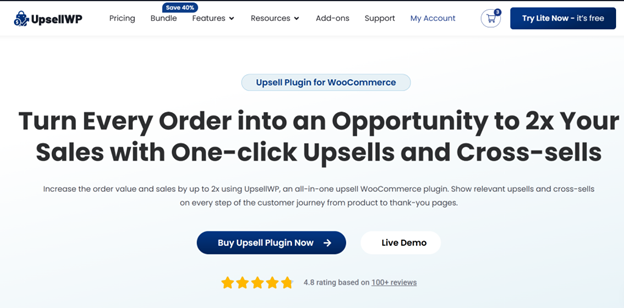
UpsellWP is a dedicated upsell engine for WooCommerce. Where most discount plugins stop at the cart, UpsellWP keeps selling – at the checkout, on the thank-you page, and inside follow-up offers.

The upside is obvious: according to Invesp, upselling increases revenue by 10-30% on average, and it’s 68% cheaper than acquiring a new customer. Turning on one smart upsell flow is usually the highest-ROI thing you can do this quarter.

Key features:

  • Order bumps on the checkout page
  • One-click post-purchase upsells (no re-entering card details)
  • Pre-purchase upsells and cross-sells
  • Frequently Bought Together blocks on product pages
  • Conditional offers (show upsell only if cart contains X)
  • Smart product recommendations
  • A/B testing on offers

Pricing:

  • Free: Frequently Bought Together and basic cross-sells – available onorg
  • Pro: Starts at $79/year for a single site – view pricing

Best for: Stores with an average order value under $100 that want to push AOV (Average Order Value) up without paying for more traffic.

Pro Tip: Your post-purchase upsell converts best when it’s a complement, not a competitor. A customer who just bought running shoes isn’t going to buy another pair of shoes – they’ll buy socks, insoles, or a running belt. Match the upsell to what they just got.

Visit UpsellWP →

4. WooCommerce Product Options – Best for Customizable WooCommerce Products
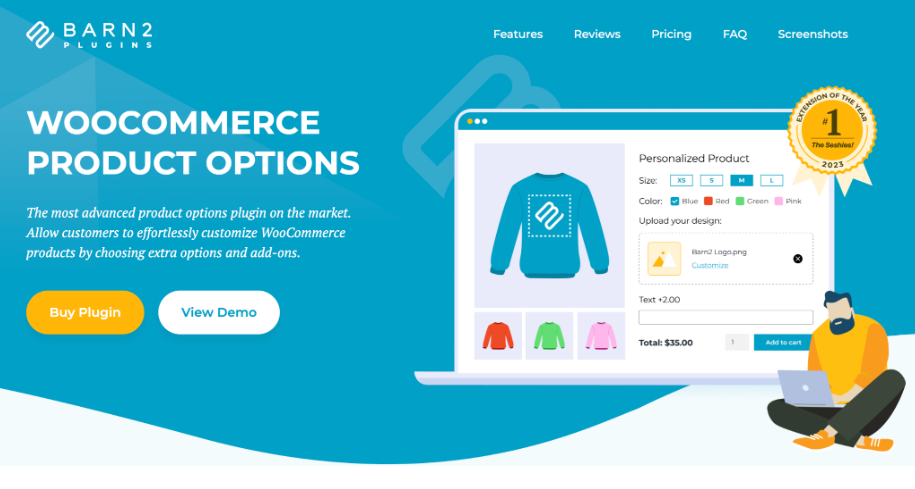
WooCommerce Product Options

WooCommerce Product Options helps store owners create customizable products with options like dropdowns, checkboxes, text fields, file uploads, and more. Features such as conditional logic, dynamic pricing, and live previews make product customization simple and interactive.

It’s ideal for personalized food, service, booking, and made-to-order products. By adding custom options, upgrades, and add-ons, businesses can improve the shopping experience, encourage upsells, and increase order value.

Key features:

  • Create unlimited product options with checkboxes, text fields, dropdowns, file uploads, and more
  • Set flexible pricing using flat fees, percentage-based adjustments, or custom pricing rules
  • Show or hide options based on customer selections with conditional logic
  • Display real-time price updates as customers customize their products
  • Increase sales with upsells, upgrades, and add-ons directly on product pages
  • Easily organize and manage product options with a simple, no-code interface
  • Customize product pages without technical or coding knowledge
  • Deliver a more personalized and interactive shopping experience

Pricing:

  • No free version. Starts at $149/year for a single site – view pricing

Best for: WooCommerce stores selling customizable, personalized, or made-to-order products that require flexible options, add-ons, upgrades, and customer-specific configurations.

Pro Tip: Use conditional logic to show only the options relevant to each customer’s selections. This keeps product pages clean and easy to navigate while making customization simpler and more engaging.

Visit WooCommerce Product Options →

5. Rank Math SEO – Best for On-Page SEO
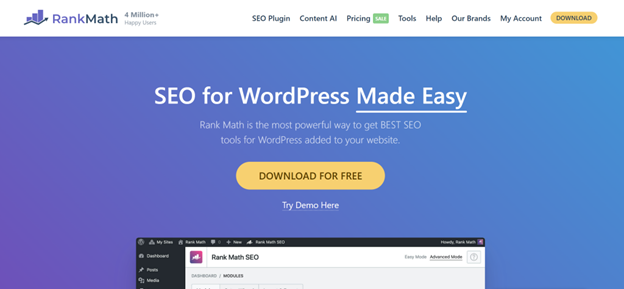
Rank Math is the SEO plugin I install on every new WooCommerce site. It has over 3 million active installs and a free plan that genuinely does more than Yoast’s free version – schema, redirections, 404 monitor, and Google Search Console integration are all included without paying.

For a WooCommerce store, the killer feature is automatic Product schema – which gets you those rich-result stars, prices, and stock status on Google.

Key features:

  • Automatic WooCommerce Product schema
  • Content AI suggestions based on top-ranking pages
  • Built-in redirection manager (you don’t need a separate plugin)
  • 404 error monitor
  • XML sitemaps (news, video, product)
  • Local SEO for multiple locations
  • Image SEO (auto alt tags, lazy loading hints)

Pricing:

  • Free: Most features, unlimited keywords – available on org
  • Pro: Starts at $6.99/month – view pricing

Best for: Stores that want SEO set up right the first time without upgrading for every basic feature.

Also Read: The WooCommerce SEO Guide

Visit Rank Math →

6. WP Rocket – Best for Speed & Caching

Speed is not optional anymore. Google’s research shows that as page load time goes from 1 to 3 seconds, bounce probability increases by 32% – and WooCommerce is heavy by default. WP Rocket is the caching plugin most developers agree doesn’t need much tuning to produce real speed gains.

Unlike most free caching plugins, WP Rocket works on activation. You don’t need to pick between 40 confusing checkboxes.

Key features:

  • Page caching and browser caching
  • GZIP compression
  • Lazy loading for images and iframes
  • Minify and combine CSS/JS
  • Database cleanup scheduler
  • CDN integration
  • Preload – warms the cache before a real visitor hits the page
  • Compatible with WooCommerce (doesn’t cache cart/checkout)

Pricing:

  • No free version. Starts at $59/year for a single site – view pricing

Best for: Any WooCommerce store over 50 products or with custom themes. If your homepage takes more than 2.5 seconds to load, install this before anything else.

Editor’s Note: WP Rocket’s only real weakness is JavaScript optimization on heavy themes – if you’re on Divi or a bloated multipurpose theme, pair it with FlyingPress or Perfmatters for that extra push.

Visit WP Rocket →

7. Wordfence Security – Best for Firewall & Malware Scanning

Hacked WooCommerce stores lose both revenue and customer trust. Wordfence is the most-installed WordPress security plugin with over 5 million active installs – and its real-time firewall blocks most common attacks before they reach your server.

For an eCommerce store that handles payment info, a firewall isn’t optional. It’s the difference between a bad day and a PCI-compliance nightmare.

Key features:

  • Web Application Firewall (WAF)
  • Real-time malware scanner
  • Login security (2FA, reCAPTCHA, CAPTCHA on login)
  • Live traffic monitor – see who’s hitting your site right now
  • Brute force attack protection
  • File change detection
  • Country blocking (Premium)

Pricing:

  • Free: WAF and scanner with 30-day-delayed rules – available on org
  • Premium: $119/year for real-time rules – view pricing

Best for: Any store that takes payments or stores customer data (so, every WooCommerce store).

Visit Wordfence →

8. UpdraftPlus – Best for Backups & Restores
If you only install one backup plugin, make it UpdraftPlus. It has over 3 million active installs and a free version that covers what most stores need: scheduled backups to Dropbox, Google Drive, or Amazon S3.

The “oh no” moment – a bad plugin update, a failed migration, a hacked site – is the moment you’ll wish you had this running. Don’t wait.

Key features:

  • Scheduled automatic backups (files + database)
  • Backup to Google Drive, Dropbox, S3, OneDrive, FTP, and more
  • One-click restore
  • Site migration and cloning (Premium)
  • Incremental backups (Premium)
  • Multisite support

Pricing:

  • Free: Full backup and restore features – available on org
  • Premium: Starts at $70/year for 2 sites – view pricing

Best for: Literally every WooCommerce store. There’s no excuse to skip this one.

Pro Tip: Schedule backups during your lowest traffic hours (usually 2-5 AM in your main time zone) and always back up to an off-site location like Google Drive – not just your hosting server. If your host goes down, a backup on the same server is useless.

Visit UpdraftPlus →

9. FunnelKit – Best for Sales Funnels & Cart Recovery
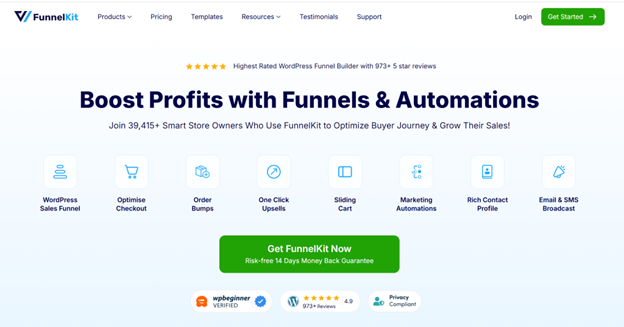
FunnelKit (formerly WooFunnels) turns WooCommerce into something closer to ClickFunnels or Shopify Plus. You get conversion-optimized checkouts, order bumps, one-click upsells, and full marketing automation – all in one ecosystem.

Cart abandonment hits around 70% on average, according to Baymard Institute. Recovering even 10% of that is a massive revenue lift – and that’s exactly what FunnelKit Automations is built for.

Key features:

  • Drag-and-drop funnel builder
  • Custom checkout page designs
  • Order bumps and post-purchase upsells
  • Abandoned cart recovery emails and SMS
  • Broadcasts and newsletter campaigns
  • Lead capture and list management
  • CRM with contact timelines

Pricing:

  • Free: FunnelKit Automations Lite (broadcasts and basic automation) – available onorg
  • Pro: Starts at $249/year for the Funnel Builder – view pricing

Best for: Stores running paid ads where every extra conversion matters. Also brilliant for subscription and info-product businesses.

Visit FunnelKit →

10. WPForms – Best for Contact, Lead & Checkout Forms
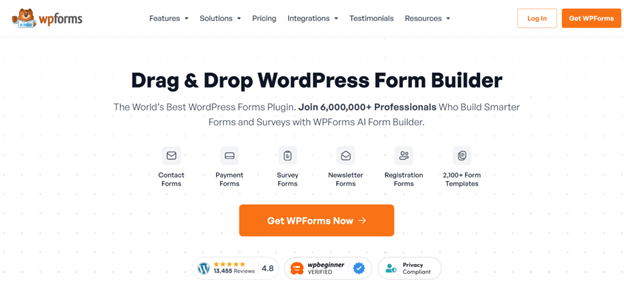
WPForms is the most beginner-friendly form builder for WordPress, with over 6 million active installs. Contact, support, custom quote requests, B2B application forms – anything you’d normally need a developer for, you can build in 10 minutes.

Key features:

  • Drag-and-drop form builder
  • Conditional logic
  • Multi-step forms
  • File uploads
  • Payment forms (Stripe, PayPal, Authorize.net)
  • Spam protection (Akismet, hCaptcha, Cloudflare Turnstile)
  • Pre-built templates (200+)

Pricing:

  • Free (WPForms Lite): Simple contact forms – available on org
  • Pro: Starts at $49.50/year (Basic plan) – view pricing

Best for: Stores needing wholesale enquiry forms, custom-order forms, or anything beyond “send us a message.”

Visit WPForms →

11. MonsterInsights – Best for Google Analytics 4
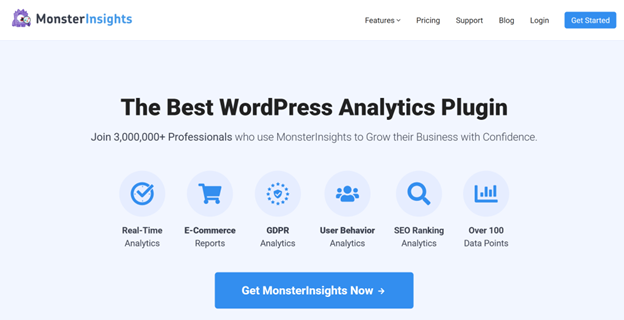
MonsterInsights connects your WooCommerce store to Google Analytics 4 without you editing a single line of code. More importantly, it shows the eCommerce reports inside WordPress – so you see revenue, top products, conversion rate, and traffic sources without leaving the dashboard.

Key features:

  • Google Analytics 4 setup in a few clicks
  • Enhanced eCommerce tracking (add-to-cart, checkout, purchases)
  • Top products and conversion sources inside WP admin
  • Form conversion tracking
  • Search Console integration
  • Custom dimensions (author, category, post type)

Pricing:

  • Free (Lite): Basic GA4 integration – available on org
  • Pro: Starts at $99.60/year (Plus plan) – view pricing

Best for: Store owners who look at data once a week but don’t want to learn the GA4 interface.

Visit MonsterInsights →

12. Customer Reviews for WooCommerce – Best for Verified Reviews

Product reviews sell products. 93% of consumers say online reviews affect their purchasing decisions, and the default WooCommerce reviews are… basic. Customer Reviews for WooCommerce by CusRev fills every gap.

Key features:

  • Automated review reminder emails after purchase
  • Photo and video reviews
  • Q&A on product pages
  • Aggregated review display widgets
  • Reviews schema for Google rich results
  • All-in-one review forms with rating breakdowns
  • Import reviews from other platforms (CSV)

Pricing:

  • Free: Review reminders, photo reviews, Q&A – available on org
  • Premium: Starts at $59.99/year – view pricing

Best for: Stores that sell physical products where social proof is what closes the sale.

Pro Tip: Offer a small reward (5% off, 50 loyalty points) for a photo review instead of a text-only one. Photo reviews drive 3-5x more conversion than plain stars.

Visit Customer Reviews for WooCommerce →

13. Elementor – Best for Custom Page Design

Elementor lets non-designers build pretty landing pages, product pages, and checkout layouts without touching code. It powers over 5 million active WordPress sites and integrates natively with WooCommerce through its Pro widgets.

Key features:

  • Drag-and-drop page builder
  • WooCommerce Builder – custom product page, shop page, cart, and checkout layouts
  • 100+ pre-built widgets
  • Theme builder (headers, footers, 404, archive)
  • Popups (exit-intent, timed, scroll-triggered)
  • Responsive design controls per breakpoint
  • Dynamic content (pull from custom fields)

Pricing:

  • Free: Basic page builder with 40+ widgets – available on org
  • Pro: Starts at $59/year (Essential plan) – view pricing

Best for: Stores with brand-heavy landing pages, seasonal campaigns, or custom sales pages.

Visit Elementor →

14. FiboSearch – Best for Product Search
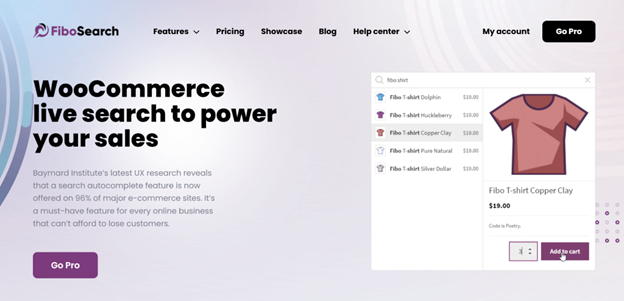
WooCommerce’s default search is weak. It doesn’t search by SKU, doesn’t show product images in the dropdown, and isn’t fast on large catalogs. FiboSearch replaces it with a smart, AJAX-powered search bar that feels like Amazon’s.

Research from Nosto shows that users of on-site search convert at 4-6x the rate of non-searchers – so broken search is revenue left on the table.

Key features:

  • AJAX live search with product images and prices
  • Search by title, SKU, category, tag, or content
  • Typo tolerance
  • Suggestions and popular searches
  • Analytics – see what shoppers actually search for
  • Works with 300,000+ products without lag (Pro)

Pricing:

  • Free: AJAX search with basic settings – available on org
  • Pro: Starts at $89/year for a single site – view pricing

Best for: Stores with 100+ products where search bar use is high.

Visit FiboSearch →

15. ShipStation – Best for Shipping & Order Fulfilme
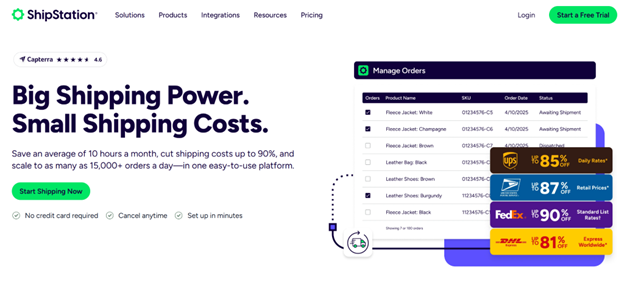
Once you hit ~50 orders a day, manual shipping labels become a full-time job. ShipStation connects your WooCommerce store to USPS, UPS, FedEx, DHL, and 40+ other carriers – and batch-prints labels with discounted rates.

Key features:

  • Multi-carrier shipping with discounted rates
  • Batch label printing
  • Automated shipping rules (apply service based on weight, destination, product)
  • Tracking emails to customers
  • Returns portal
  • International customs forms
  • Multi-store support (run WooCommerce + Etsy + Shopify in one panel)

Pricing:

  • No free version. Starts at $9.99/month (Starter plan, 50 shipments/month) – view pricing

Best for: Stores shipping more than 20 orders a day or using multiple carriers.

Visit ShipStation →

How to Pick the Right Combination

You don’t need all 14 right away. Here’s how I’d sequence them:

New store (launching now):

  • Rank Math SEO
  • UpdraftPlus
  • Wordfence
  • WP Rocket
  • Discount Rules for WooCommerce
  • WPForms

Growing store ($5k–$50k/month): Add WPLoyalty, UpsellWP, Customer Reviews for WooCommerce, and MonsterInsights.

Scaling store ($50k+/month): Add FunnelKit, FiboSearch, Elementor Pro, and ShipStation.

Start with the bottom of the funnel (speed, SEO, security, backup) – then layer on conversion tools. A loyalty program with no traffic doesn’t reward anyone.

Final Thoughts

The “must-have” list isn’t really 14 plugins – it’s 14 jobs. You need something that handles discounts, something that handles reviews, something that handles speed, something that handles backups. Pick one plugin per job, keep the total install count under 25, and review quarterly to remove anything you stopped using.

If you only do one thing after reading this: install a backup plugin tonight. Everything else can wait until next week. Your backup can’t.

Once your foundation is solid, the plugins that really move the revenue needle are the three at the top of this list – Discount Rules for WooCommerce for promos, WPLoyalty for repeat purchases, and UpsellWP for AOV. Those three together will typically lift a mid-sized WooCommerce store’s revenue by 20-40% within the first 90 days.

Now go pick two from this list, install them this weekend, and see what happens.

FAQ: Must-Have WooCommerce Plugins

How many plugins should a WooCommerce store have?

Aim for 20-30 quality plugins maximum. More than that and you’ll start seeing speed and conflict issues. The number matters less than the quality – a well-coded store with 35 plugins will outperform a messy store with 12.

Do I need a free or paid WooCommerce plugin?

Start with free versions to test the fit. Upgrade to premium when you need a specific feature the free tier is missing – not because the “Pro” badge looks official. Most of the plugins in this list have generous free tiers that cover the first 3-6 months of store life.

Will installing too many plugins slow down my WooCommerce store?

Only if they’re poorly coded or duplicate each other’s work. A well-coded plugin that you actually use has a near-zero speed impact. The real killers are abandoned plugins, outdated ones, and multiple plugins doing the same job (two caching plugins, two SEO plugins, etc.).

What’s the most important WooCommerce plugin to install first?

Backups. UpdraftPlus before anything else. After that, it’s usually a discount plugin (Discount Rules), SEO (Rank Math), caching (WP Rocket), and security (Wordfence).

Are free WooCommerce plugins safe to use?

The ones in the WordPress.org repository are scanned for malware, but quality varies. Stick to plugins with 10,000+ installs, a 4.5+ rating, and recent updates (last 3-6 months). Avoid nulled or “cracked” premium plugins – they’re the #1 source of malware in WooCommerce sites.

Can I switch plugins later without losing data?

Most plugins let you export data (discounts, forms, products) before you leave. Some don’t, which is why test-driving a plugin on a staging site for 2-3 weeks before committing is worth the effort.

The Quiet Tech Transformation in Carpet Cleaning

The Quiet Tech Transformation in Carpet Cleaning

Carpet cleaning still looks like an old school service from the outside. A van pulls up, a technician unloads equipment, and the customer judges the result with one glance at the floor. That part has not changed. What has changed is everything wrapped around the job. The strongest carpet cleaning companies are not just cleaning better. They are booking faster, quoting with less friction, collecting payment sooner, and bringing customers back before another company gets the call.

That is why the transformation in this industry feels quiet. It is not driven by flashy machines or big headlines. It is happening in the office, on the phone, inside the calendar, and in the gap between one completed job and the next one. If we look at current data from IBISWorld, PwC, BrightLocal, and Mordor Intelligence, the pattern is easy to spot. The market is crowded, customer patience is thin, reviews carry real weight, and service businesses are moving toward stronger scheduling and workflow systems.

A Big Market With a Very Small-Business Feel

The carpet cleaning industry is large enough to stay competitive, but small enough that many companies still run with lean teams and owner-led operations. That combination creates a very specific kind of pressure. Owners are not managing a giant corporate structure. They are juggling calls, estimates, technician schedules, customer issues, and cash flow at the same time. When the business grows even a little, the admin side can become messy fast. IBISWorld shows just how fragmented the market still is.

Industry metric 2025 2026 What it tells us
Number of carpet cleaning businesses in the U.S. 40,945 41,611 Competition is still rising
People employed in the U.S. carpet cleaning industry 70,455 71,250 The workforce is growing with demand
Average employees per carpet cleaning business 1.7 1.7 Many operators are still very small teams
Industry market size growth, 2021 to 2026 CAGR N/A 0.2% Growth is steady, not explosive

These numbers matter because they explain why “good enough” operations are starting to fail. When the average business is still tiny, every missed call, delayed invoice, or forgotten follow up hits harder. A larger company can absorb sloppiness for a while. A two person or three person operation usually cannot. That is why the quiet transformation in carpet cleaning is less about replacing labor and more about protecting time. When a business has this many moving parts and this little slack, cleaner systems become a serious advantage.

Scheduling Is Where the Change Starts

If we want to understand where this shift becomes real, we should start with scheduling. Most carpet cleaning companies do not lose momentum because they forgot how to clean. They lose momentum because the day gets scrambled. A call comes in during a job. Someone promises a window that does not actually fit the route. A technician finishes early on one side of town while another job is running behind on the other side. Then the office starts texting, calling, and patching things together on the fly.

That old system can survive when the volume is low. It breaks down when the business becomes even moderately busy. Customers now expect fast answers and clear windows. Owners need to see who is available, what job is next, and what still has room on the calendar. The field service software market is growing because service businesses in every category are trying to solve exactly that problem.

Field service software trend Checked data Why it matters for carpet cleaners
Global field service management market in 2025 $5.64 billion Scheduling and dispatch software is no longer niche
Projected market size by 2030 $9.68 billion More service companies are building operations around software
Forecast CAGR, 2025 to 2030 11.39% Adoption is growing fast, not slowly

That growth tells us something simple. Service businesses are tired of running on memory. In carpet cleaning, scheduling is not just a calendar issue. It shapes route efficiency, customer confidence, technician productivity, and same day revenue. Once scheduling gets tighter, the rest of the business gets easier to control. The owner stops guessing. The office stops improvising. The customer gets better communication without hearing excuses.

Quoting and Follow Up Are Becoming Part of the Same System

Another major shift is happening in how carpet cleaning companies handle estimates and repeat work. Many operators still treat these as separate tasks. First they quote the job. Then they complete the work. Then, months later, they hope the customer remembers them. That gap is where a lot of money disappears.

The better model is much tighter. A quote should connect directly to a scheduled job. The completed job should connect directly to the invoice. The invoice should connect to the customer record. And that customer record should support a smart follow up later, based on when the service was done and what kind of client it was. That is not overbuilt. It is just cleaner.

This is exactly why tools built for service businesses are getting more attention. Smarfle CRM for carpet cleaning keeps quoting, scheduling, invoicing, and client history in one place. That is a practical upgrade, not a trendy one. For a carpet cleaning company, the real win is not that the software looks modern. The real win is that it removes the tiny admin gaps that slowly kill repeat business.

Customer Experience Is Now a Retention Problem

This is where many service businesses still underestimate the change. They assume customer experience is mostly a retail or ecommerce issue. It is not. Carpet cleaning is a trust based service. We are entering someone’s home, business, rental property, or office. That trust starts before the technician arrives — companies that run thorough background screening on every hire signal to customers that safety is built into the operation, not left to chance. The actual cleaning result matters, of course, but so does the way the experience feels from start to finish . Was the quote clear? Did the company confirm the appointment? Did the technician show up with context? Did the invoice arrive quickly? Was it easy to rebook later?

PwC’s 2025 customer experience data makes that point hard to ignore. More than half of consumers said they stopped buying from a brand after a bad experience with its products or services, and 29% said they stopped because of poor customer experience. For carpet cleaning companies, that means operational friction is not just annoying. It directly affects retention.

Customer behavior signal Checked data Practical meaning for carpet cleaning companies
Consumers who stopped buying from a brand after a bad product or service experience 52% One poor job experience can cost future revenue
Consumers who stopped buying because of poor customer experience 29% Bad communication can hurt as much as bad cleaning
Consumers who read online reviews 97% Nearly everyone checks trust signals
Consumers who always read reviews when browsing for businesses 41% Reviews are now part of the buying process, not an afterthought

This matters because most carpet cleaning companies do not lose a customer in some dramatic way. They lose them quietly. A late arrival without context. A job note that never made it to the next technician. An invoice that took too long. No reminder when the customer needed service again. A stronger back office does not just make the owner’s life easier. It protects the customer relationship while it is still warm.

Reviews Have Become Part of Operations

Reviews used to sit in the marketing bucket. Now they belong in operations too. That shift is easy to miss, but it changes how smart carpet cleaning companies run the business. If a company consistently delivers a smooth experience, it earns more reviews. If it earns more recent, credible reviews, it becomes easier to trust. If it becomes easier to trust, more leads convert before the first phone call even ends.

BrightLocal’s 2026 review data shows just how normal this behavior has become. Almost everyone reads reviews, and a surprisingly large share of people read them every single time they browse for a business. For carpet cleaners, that means trust is visible now. It is not just built through referrals or long local history. It is built in public, one review at a time.

That also changes how we should think about follow up. A completed job is no longer the end of the workflow. It should trigger two things. First, a clean invoice and customer record. Second, a simple review request while the result is still fresh. That is another reason a second mention of Smarfle feels natural here. When one platform helps a service business keep jobs, invoices, client history, and reputation activity connected, the owner is less likely to let a good job disappear into silence.

The Winners Will Not Look Like Tech Companies

Here is the part that matters most. We do not think the future of carpet cleaning belongs to whoever sounds the most technical. It belongs to the companies that feel easiest to hire and easiest to hire again. Customers still want a real person. They still care about trust, speed, cleanliness, and professionalism. None of that goes away. What changes is the system supporting it.

The quiet transformation in this industry is not about turning carpet cleaners into software brands. It is about giving service businesses enough structure to stop leaking time and revenue through avoidable friction. When the market has more than 41,000 businesses and the average company is still very small, those small improvements stack up fast. Better scheduling protects the day. Better records protect the customer relationship. Faster invoicing protects cash flow. Better follow up protects the next job.

That is why this shift matters now. Carpet cleaning is still a hands on business, but the companies that grow in 2026 will not just be the ones with good equipment. They will be the ones with a cleaner operating system behind the work. And from where we stand, that is not a side trend anymore. It is the new baseline.

LocalMator Bundle Review: Is This the Death of Traditional SEO Agencies in?

LocalMator Bundle Review: Is This the Death of Traditional SEO Agencies in?

Most local businesses are currently invisible, and it isn’t because they lack a website. In 2026, Google and AI search engines like Perplexity and Gemini don’t just look at your keywords; they look at your digital “street cred.” If a business has 50 unreplied reviews and a 3.8-star rating, no amount of backlinking will save them. They are essentially dead to the algorithm.

But here is the controversial truth: Most agencies are still charging thousands of dollars to “manage reputation” manually. They are billing for hours of human labor that a specialized AI can now do in three seconds. If you are still doing this by hand—or paying someone else to—you are lighting money on fire. The “manual agency” model is collapsing, and LocalMator is the sledgehammer hitting the wall.

The curiosity lies in whether an automated tool can actually sound human enough to satisfy a disgruntled customer or if it’s just another bot creating digital noise. In this deep-dive review, we’re going to look under the hood of the LocalMator Bundle to see if it’s a legitimate goldmine for entrepreneurs or just another overhyped software launch.

Check out the LocalMator Bundle and secure the limited-time 87% discount here.

Quick Verdict: The 30-Second Summary

Overall Rating: 4.8/5

Who it’s for: Digital marketers, local SEO consultants, agency owners, and “solopreneurs” looking for a high-margin, low-fulfillment service. It is also perfect for local business owners (doctors, lawyers, roofers) who want to automate their own growth without hiring a middleman.

The Bottom Line: LocalMator solves the single biggest bottleneck in local marketing: social proof. By automating the response and monitoring across 30+ platforms, it turns a full-time job into a “set and forget” background process. If you want to scale a 6-figure agency in 2026 with zero staff, this is your primary engine.

Ready to automate your reputation? Get instant access to LocalMator now.

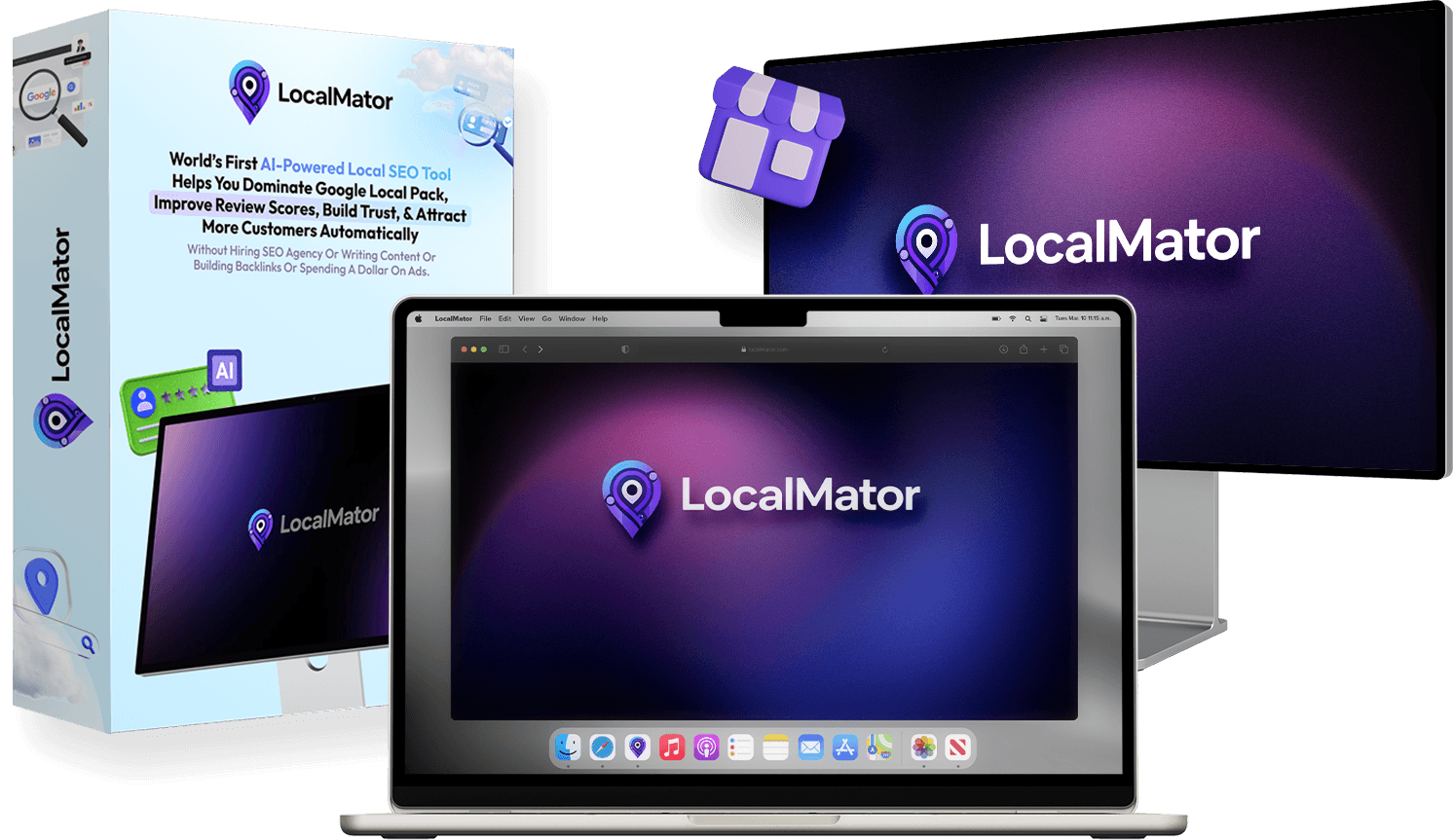
What is LocalMator?

LocalMator is an AI-powered local SEO and reputation automation ecosystem. It isn’t just a “review replier.” It is a centralized intelligence hub that connects to over 30 major review platforms—including Google, Facebook, Yelp, Trustpilot, Capterra, and TripAdvisor—to monitor every word said about a brand online.

In the 2026 search landscape, “E-E-A-T” (Experience, Expertise, Authoritativeness, and Trustworthiness) is the law. LocalMator is designed to manufacture trust at scale. It uses advanced Natural Language Processing (NLP) to read reviews, understand the sentiment (positive, neutral, or angry), and draft human-level responses that include local SEO keywords to help the business rank higher in the Google Maps “Local Pack.”

The “Bundle” version is specifically significant because it combines the core software with the “Local Ranking Booster” and “Agency” licenses. This means you aren’t just getting a tool; you’re getting a fully-branded business infrastructure that can handle unlimited clients without monthly overhead costs.

Claim the LocalMator Bundle deal and unlock all upgrades for a one-time fee.

How LocalMator Works: The 3-Step Scaling Framework

The brilliance of LocalMator lies in its simplicity. You don’t need to be a developer or an SEO wizard to see results. The workflow is streamlined into three distinct phases that prioritize speed and automation.

Phase 1: The Integration Hunt. You connect the business locations. Unlike older tools that only support Google Business Profiles, LocalMator pulls data from 30+ sources. This creates a “Moat of Authority” around the business. When someone leaves a review on a niche site like Amadeus or Foursquare, the AI catches it instantly.

Phase 2: Sentiment Intelligence. The AI doesn’t just see text; it sees emotion. It categorizes feedback and alerts you to negative reviews before they go viral. This “Crisis Control” feature is often enough to sell the service to a client by itself. The AI then suggests a response based on “Brand Voices”—preset personalities you define (e.g., Professional, Friendly, or Sarcastic).

Phase 3: The Ranking Loop. By responding to every review promptly and professionally, the AI sends “activity signals” to search engines. These signals tell Google the business is active and cares about customers, which directly correlates to higher rankings in local search results and AI-driven recommendations like ChatGPT’s local search.

Start your 6-figure reputation agency today with the LocalMator Bundle.

My Test and Results: Can AI Really Handle Angry Customers?

I tested LocalMator on a local dental clinic that had a stagnant 4.1 rating and dozens of unanswered queries. Their “reputation” was hurting their ability to convert high-ticket patients. Using the LocalMator AI, I synced their history and let the “AI Automation Engine” take over.

Within 72 hours, we had responded to every review from the last 18 months. The AI didn’t sound like a robot; it acknowledged specific complaints (e.g., “sorry about the wait time last Tuesday”) and used the clinic’s specific brand voice. We also used the “QR Code Review” feature, placing stickers at the clinic’s front desk.

The results were staggering. The clinic’s Google Maps visibility increased by 34% in two weeks because of the sudden surge in engagement and keyword-rich responses. We collected 12 new 5-star reviews in the first week alone. The best part? I spent less than 20 minutes total setting up the automation. This proves that “Review-Management-as-a-Service” is the most profitable “lazy” business model in 2026.

Watch the LocalMator demo and see the real-life results for yourself here.

High-Authority Features of the LocalMator Bundle

The LocalMator Bundle is a massive package. Here are the “heavy hitters” that make it a market leader in 2026:

1. Centralized 30+ Platform Monitoring: No more logging into Yelp, then Facebook, then Google. You manage the entire world’s opinion of your client from one screen. This alone saves approximately 10-15 hours of work per week per client.

2. AI Brand Voices: You can train the AI to sound like a specific business owner. If you’re managing a high-end law firm, the AI stays formal. If it’s a trendy burger joint, the AI stays casual and fun. This prevents the “uncanny valley” feeling of automated replies.

3. Competitor Review Intelligence: This is a “secret weapon” feature. LocalMator monitors your client’s competitors. If a competitor gets a 1-star review for “bad customer service,” LocalMator flags it so you can help your client target those unhappy customers with better offers.

4. Local SEO Ranking Booster: This upgrade (included in the bundle) optimizes the Google Business Profile itself, building citations and local schema. It ensures that once you have the great reviews, people actually find the business to read them.

Don’t miss out on the LocalMator Ranking Booster—Get the Bundle now.

The Pros and Cons

The Pros:

  • Unmatched Automation: It is the only tool in 2026 that truly masters the “Auto-Response” loop with high accuracy.

  • One-Time Pricing: Most competitors (BrightLocal, BirdEye) charge $100-$300/month. The LocalMator Bundle is a one-time investment.

  • Agency Scalability: The ability to add unlimited clients means your profit margins are essentially 100% after the first client pays.

  • AI Search Readiness: It optimizes for the new era of AI search (ChatGPT/Gemini) by building the trust signals these engines crave.

The Cons:

  • Bundle Pricing: While the deal is amazing, the one-time price might feel high for someone just starting (though it’s cheaper than two months of a subscription tool).

  • Feature Overload: There are so many tools in the dashboard that it can take an hour to truly explore everything available.

Get the LocalMator Bundle today and lock in the 30-day money-back guarantee.

The Pricing and OTO (Upsell) Breakdown

The “Bundle” is the smartest way to buy LocalMator because it bypasses the traditional sales funnel. If you were to buy everything separately, you would pay over $1,200. Here is what is included in the Bundle for a fraction of that cost:

Front-End: LocalMator Pro ($37) – The core engine for review monitoring and AI responses.

Upgrade 1: Unlimited Edition ($67) – Removes all caps on clients and projects. Essential for agencies.

Upgrade 2: AI Automation Engine ($97) – Unlocks the fully hands-free “Auto-Reply” rules and SMS/Email review requests.

Upgrade 3: DFY Agency Setup ($197) – Gives you the professional website, contracts, and sales scripts to close $1k/month clients.

Upgrade 4: Local Ranking Booster ($97) – The SEO suite for GMB optimization and citation building.

Upgrade 5: Reseller/White-Label ($197) – Allows you to rebrand the software as your own and sell access to it.

The Total Value: $4,997/year (Retail). The Bundle Price: ~$297 (One-time payment). This is a “no-brainer” for anyone serious about local marketing.

Save $725 on the LocalMator Bundle—Click here to grab the discount.

FAQs

1. Does LocalMator work for any niche?

Yes. Because the AI is adaptable, it works for everything from medical clinics and law firms to local cafes and e-commerce brands. As long as the business is listed on a review platform, LocalMator can manage it.

2. Is it safe for my Google Business Profile?

Absolutely. LocalMator uses official APIs and mimics human behavior. It doesn’t use “black hat” tactics. In fact, Google rewards businesses that respond to reviews quickly, making this a “White Hat” ranking strategy.

3. Do I need technical skills to use it?

No. If you can use a smartphone, you can use LocalMator. The dashboard is “drag and drop,” and the AI does the heavy lifting of writing and analyzing.

4. How do I get clients for this service?

The “Lead Finder” tool (included in the bundle) actually finds businesses in your area that have bad ratings or unanswered reviews. You can then use the DFY Agency materials to reach out and show them exactly how much money they are losing.

5. Is there a monthly fee?

If you purchase through the Bundle link, there are zero monthly fees. It is a one-time investment for life-time access.

Have more questions? Visit the official LocalMator page here for full details.

Final Verdict: Should You Buy the LocalMator Bundle?

In 2026, the digital divide is widening. On one side, you have businesses that are buried and forgotten. On the other, you have businesses that dominate their local market because their online reputation is bulletproof. LocalMator is the bridge to that second group.

If you are an agency owner, this tool will save you thousands in labor costs. If you are a freelancer, it gives you a high-value service you can sell for $500+/month with almost zero fulfillment work. The AI is fast, the integrations are vast, and the ranking results are real.

The current Bundle pricing is a “Launch Special.” Once it ends, the software will likely move to a monthly subscription model like its competitors. If you want to own the most powerful reputation tool on the market for a one-time payment, now is the only time to act.

URGENT: The 87% Bundle Discount is expiring. Click here to secure LocalMator now and start dominating the local market!

Tags: