
...
UK: +44 2038074555 info@atamgo.com
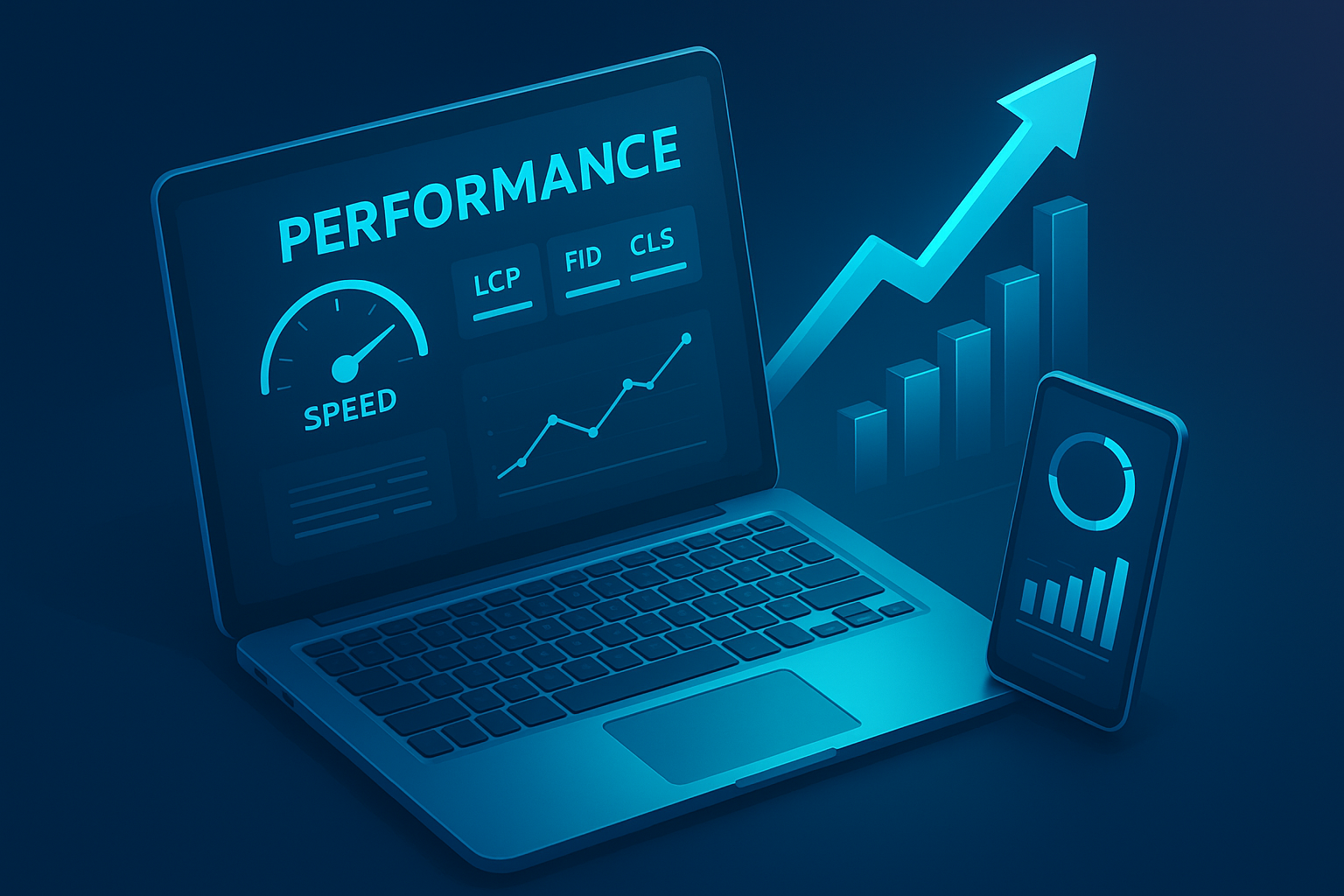
Why Website Performance Impacts Revenue
Why Website Performance Impacts Revenue

Website Performance

Website performance directly shapes how users perceive your brand, how search engines rank your pages, and how effectively you convert traffic into revenue. As digital expectations evolve, even small performance delays have measurable financial consequences. This article explains why speed impacts revenue and the technical mechanisms behind it, so you can make informed, data-backed decisions.

Customer Expectation Shift (and Why Speed Determines Revenue)

Online users today operate with a performance baseline shaped by fast SaaS platforms, cloud-native applications, and highly optimized mobile experiences. Because of this, even slight delays feel unusual — not because visitors consciously measure milliseconds, but because modern digital environments train them to expect seamless, interruption-free interaction.

To understand how performance affects revenue, it’s important to look at the interaction between user psychology, browser rendering behavior, and device constraints. These factors collectively determine how quickly a user can move from intention to action.

1. Behavioral Expectations and Cognitive Load

Users don’t evaluate speed analytically; they react emotionally to friction. When a page stalls or its interface appears partially loaded, their cognitive focus shifts from intent (“I want to see this product”) to doubt (“Is this loading correctly?”).

This transition creates hesitation. Research shows that nearly half of all users expect a two-second load time, and most mobile visitors abandon a page after three seconds. These thresholds are tied to how the brain interprets delays: similar to how an unresponsive elevator button instantly makes you question the system, even small digital delays create uncertainty about stability and trustworthiness.

As this uncertainty accumulates, users explore less, engage less, and convert less without ever consciously realizing that performance influenced their decision.

2. The Technical Relationship Between Speed and Conversions

From a technical perspective, website performance affects revenue through a chain of rendering steps occurring the moment the browser begins processing the page. Even a small delay can disrupt the construction of the DOM, postpone the Largest Contentful Paint, or block JavaScript from making CTAs responsive.

A helpful analogy is to think of the page as a high-precision machine. If any gear a render-blocking script, a large stylesheet, a third-party tracking pixel turns even slightly slower, the entire mechanism experiences a lag that users can feel in the interface.

This is especially critical on mobile devices where CPUs are weaker and network conditions fluctuate. The browser may defer heavy scripts, throttle background work, or delay hydration of components, causing visible stutter or late-loading sections. Addressing these issues usually requires architectural improvements the kind handled through specialized web development services where engineers optimize critical rendering paths, reduce main-thread blocking, and restructure resource delivery to improve Core Web Vitals.

3. Mobile-First Behavior and Device Constraints

Today, over 60% of global traffic originates from mobile devices, yet mobile hardware has significant constraints: lower CPU power, variable network stability, and energy-saving throttles. A site that feels “fast” on a desktop can feel sluggish on mid-range smartphones because mobile browsers often:

  • Defer heavy JavaScript execution
  • Throttle background tasks
  • Halt rendering when large layout shifts occur

This is where true optimization happens — not just compressing images, but restructuring the page to reduce main-thread work, prioritizing critical rendering paths, and minimizing hydration time for frameworks like React or Vue.

Without these improvements, mobile users experience jitter, delayed taps, and slow-loading product sections, all of which reduce conversion rates. Many businesses solve these issues by working with professional web development services, because performance tuning requires architectural changes, not surface-level adjustments.

4. Trust, Perception, and Revenue Risk

Performance also influences trust. Slow-loading sites create an impression of outdated technology, poor maintenance, or potential security vulnerabilities. Users may hesitate to complete payments, share card details, or proceed through multi-step forms. This is why performance isn’t just a UX issue — it’s a brand-perception issue that directly affects the likelihood of someone returning or referring your business.

The financial impact becomes clearer when you connect performance to measurable outcomes: wasted ad spend due to high bounce rates, increased customer acquisition cost, reduced organic visibility when Core Web Vitals drop, and higher churn from returning users who experience inconsistency.

How Speed Influences Conversion Rates

Conversion rates reflect how efficiently users transition from intent to action, and performance is one of the strongest variables affecting that transition. Even when traffic quality is high, a slow-loading or poorly optimized interface creates friction that interrupts the user journey at critical moments.

At a technical level, most conversion losses begin in the rendering sequence. When the browser’s main thread is overloaded with JavaScript execution, layout calculations, or resource parsing, users experience a page that visually appears loaded but is not yet interactive. This delay — captured in metrics like First Input Delay (FID) and Interaction to Next Paint (INP) — causes the interface to feel unresponsive even if the content is visible.

This incomplete interactivity affects every stage of the funnel:

1. Initial Engagement (First Impression Layer)

The moment a page appears, users subconsciously measure stability and speed. If the hero image, headline, or primary navigation loads late or shifts position, the user’s trust weakens. Layout instability (measured through CLS) signals a lack of polish, leading to reduced scrolling depth and shallower interactions.

2. Product Evaluation (Decision-Making Layer)

Interactive product elements such as image galleries, tabs, filters, and configurators rely heavily on JavaScript and CSS. If these components take too long to hydrate or respond, users interpret the delay as friction. Even minor lags create a sense of heaviness that discourages exploration, reducing the likelihood that users will evaluate more products or features.

3. Checkout and Payment (Critical Action Layer)

This is where performance failures have the highest financial impact. Checkout flows often struggle with:

  • third-party payment SDKs
  • API roundtrip latency
  • blocking scripts
  • excessive re-renders caused by dynamic DOM updates

If a button does not respond immediately or the UI freezes briefly, users become uncertain about transactional safety. In eCommerce and SaaS billing forms, even a fraction-of-a-second lag can trigger abandonment because payment hesitation is amplified by perceived technical instability.

In short, performance affects conversions not only by slowing the experience but by breaking the chain of micro-assurances that guide users toward action.

Performance and SEO: A Revenue-Direct Relationship

Performance is now tightly integrated into search engine rankings, making it a direct contributor to revenue. Google uses real-world performance data through the Chrome User Experience Report (CrUX) to determine how quickly users can load, view, and interact with key content. These measurements influence how pages are ranked, surfaced, and crawled.

1. Core Web Vitals as Ranking Signals

Google evaluates three primary performance metrics:

  • Largest Contentful Paint (LCP): how fast meaningful content loads
  • First Input Delay (FID) / INP: how soon the page becomes usable
  • Cumulative Layout Shift (CLS): how stable the layout remains during load

Poor scores on any of these reduce a site’s perceived quality within the ranking system. As a result, pages with suboptimal performance decline in visibility, especially on mobile devices where performance variations are more pronounced. Lower visibility translates directly into reduced organic sessions and increased dependency on paid channels.

2. Crawling Efficiency and JavaScript Rendering

Modern websites frequently rely on client-side rendering frameworks like React, Vue, and Angular. While flexible, these frameworks introduce complexity for search engines.
When performance is poor:

  • Googlebot consumes more resources rendering JS
  • crawl budgets shrink for large sites
  • deeper product or category pages may be indexed late
  • JavaScript-rendered content may not appear consistently in search

This has direct revenue implications, especially for eCommerce stores and SaaS platforms where rapid visibility of new pages influences sales cycles.

3. SEO Compounded by User Signals

Search engines increasingly incorporate user behavior into ranking decisions. High bounce rates, short session durations, and low interaction rates — all consequences of poor performance — reinforce a cycle where:

Slow experience → Poor engagement → Lower rankings → Reduced traffic → Lower revenue

Thus, performance is not merely a UX concern or a developer metric. It is a central component of SEO strategy and a measurable contributor to financial outcomes.

How Much Does 1 Second Cost? (Revenue Impact Explained)

Speed is not an abstract UX metric — it is a quantifiable financial variable. Multiple independent studies consistently show that even a single second of delay creates measurable revenue loss. While the exact percentage varies by industry, the underlying reason is always the same: time creates friction, and friction compresses the number of users who reach the monetization point.

1. Understanding Revenue Decay From Latency

When a page slows down, the impact is nonlinear. The first one–two seconds do most of the damage because they interrupt the user’s flow at the moment of highest intent. After that, the decay steepens as hesitation compounds.

To put this into perspective:

  • A 1-second delay can reduce conversions by up to 7% in competitive sectors.
  • A 2-second delay increases bounce probability by over 30%, especially on mobile.
  • A 3-second delay pushes more than half of visitors to abandon.
  • If an eCommerce site making $100k/day slows down by just one second, the annualized loss can exceed $2 million.

These aren’t arbitrary numbers. They align with how latency affects the rendering pipeline, network negotiation, JavaScript execution time, and user trust thresholds.

2. Latency vs. Perceived Speed (Why Perception Matters More)

Users don’t care whether the delay is caused by server response time, render-blocking CSS, or hydration lag — they interpret all delays the same: “The site is slow.”

This is why optimizing perceived performance often produces larger revenue gains than raw backend improvements. Techniques like:

  • lazy-loading non-critical assets
  • deferring heavy scripts
  • reducing main-thread blocking
  • optimizing the critical rendering path

… dramatically improve how fast the site feels, even if the absolute load time hasn’t changed significantly.
Perception drives confidence, and confidence drives conversions.

3. Why Micro-Delays Matter

Even 150–300ms delays — small enough that users cannot consciously detect them — still disrupt scrolling smoothness, hover responsiveness, and input fluidity. These micro-interruptions subtly lower the user’s desire to continue exploring.

Performance economics is ultimately behavioral economics:
Every delay—visible or invisible—chips away at the user’s momentum and reduces the probability that they will complete a revenue-generating action.

Performance Bottlenecks and How to Identify Them

To address performance issues effectively, businesses need visibility into where the system is slowing down. Modern websites are complex ecosystems that combine client-side frameworks, APIs, third-party scripts, media assets, and server logic — so bottlenecks can emerge from dozens of places.

A structured approach makes diagnosis more accurate and prevents teams from chasing misleading symptoms.

1. Front-End Bottlenecks

Most performance issues originate in the front end because this is where browser rendering happens.

Common bottlenecks include:

  • Render-blocking resources: Large CSS files, synchronous JS, or fonts that prevent initial paint.
  • JavaScript main-thread blocking: Heavy bundles, unused code, or frameworks that delay interactivity (INP/FID issues).
  • Large DOM trees: Excessive nodes increase layout calculation time.
  • Unoptimized media: Oversized images, video autoplay, and uncompressed animations.
  • Excessive re-renders: Particularly in SPA frameworks like React and Vue.

Each of these slows LCP, delays hydration, or creates input latency — directly affecting revenue-critical interactions.

2. Backend Bottlenecks

Backend bottlenecks may not be visible to the user directly, but they influence every step of the interaction.

Key issues include:

  • High server response time (TTFB): Slow frameworks, inefficient database queries, or congested hosting.
  • API latency: External services (payments, CRMs, product feeds) that introduce unpredictable delays.
  • Content delivery inefficiency: Lack of caching policies, poorly configured CDNs, or origin distance.
  • Dynamic rendering stress: Server-side rendering workloads that exceed CPU limits.

If the backend isn’t fast enough, the front end will always feel slow — even if it’s perfectly optimized.

3. Third-Party Dependencies

Scripts from analytics, ads, chat widgets, personalization tools, or A/B testing platforms can account for 40–60% of total load delay. These scripts often execute synchronously, block rendering, or introduce heavy CPU work.

A dependency audit typically reveals:

  • long script parse times
  • iframe delays
  • redundant or duplicate integrations
  • outdated SDKs with high execution cost

Solving these issues often produces the fastest performance gains because third-party scripts frequently contribute the majority of JavaScript weight.

4. Monitoring and Diagnostic Tools

Identifying bottlenecks efficiently requires the right diagnostic stack. Common tools include:

  • Lighthouse / PageSpeed Insights: Surface-level Core Web Vitals insights.
  • Chrome DevTools: Detailed JS execution profiling, layout shifts, and CPU usage.
  • WebPageTest: Waterfall analysis and filmstrip view of the render sequence.
  • CrUX / RUM tools: Real-user data showing how actual visitors experience the site.
  • Application Performance Monitoring (APM): Backend traces (New Relic, Datadog, etc.).

Combining synthetic tests with real-user monitoring gives the clearest picture of where revenue is being lost.

Long-Term Business Impacts of Speed Optimization

Speed isn’t just a UX factor — it reshapes how a business performs over time. When a website stays consistently fast, users build a sense of trust in the experience. This reliability lowers friction and makes people more willing to return, explore, and purchase again.

Fast experiences strengthen retention. Users don’t need to pause, recalibrate, or question whether the interface is working. That reduced cognitive load compounds over months, quietly lifting LTV while decreasing reliance on paid acquisition.

Performance also affects how well a business scales internally. As products expand, new scripts and integrations gradually slow things down. Without ongoing optimization, teams accumulate performance debt, making every new feature feel heavier. Companies that treat performance as a continuous workflow avoid this drag and maintain stable, predictable release cycles.

Speed even influences how a brand is perceived. In competitive markets, users often choose the platform that “feels better,” even if the features are similar. That feeling usually comes from responsiveness.

Long-term advantages include:

  • Better retention because the experience feels consistently smooth
  • Lower CAC as organic traffic becomes more valuable
  • Fewer engineering regressions and more stable deployments
  • Stronger market perception driven by responsiveness

Ultimately, long-term performance is a business strategy, not a technical checkbox.

Practical Ways to Improve Speed Starting Today

You don’t need to rebuild your entire platform to see performance gains. Many improvements come from understanding how browsers load pages and removing friction from that sequence.

A strong starting move is optimizing the critical rendering path. The browser can’t draw anything until it processes HTML, CSS, and certain scripts. Adjusting this path — like deferring non-essential JavaScript or limiting how much CSS loads upfront — often gives an immediate lift in how fast the page feels.

Media is another easy win. Images and videos usually carry the most weight, and many sites serve them larger than necessary. Converting files to WebP/AVIF and loading non-visible media lazily reduces both load time and total data transfer without touching design.

JavaScript deserves close attention because it directly impacts responsiveness. Heavy libraries or unnecessary scripts slow the main thread, and that’s where scroll, click, and input processing take place. When the main thread is jammed, even simple interactions lag. Trimming dependencies or replacing bulky components with lighter alternatives can dramatically improve interactivity.

Backend performance sets the baseline. Even a perfectly optimized frontend will feel slow if server response times are high. Faster TTFB, better caching, and updated protocols like HTTP/2 or HTTP/3 ensure the browser can start rendering sooner and more reliably.

Finally, performance needs maintenance. New features, integrations, and tracking scripts constantly shift the load profile.
This is why continuous monitoring matters.

Ongoing checks help you spot issues like:

  • new scripts slowing down interactivity
  • API latency creeping into checkout
  • older devices struggling with heavier JS

Speed isn’t static — maintaining it is a continuous part of modern web engineering.

Conclusion

Website performance isn’t just an engineering metric or a UX preference — it’s a measurable revenue driver. Every millisecond affects how quickly users see value, how confidently they interact with your interface, and how smoothly they move toward conversion. When the experience is fast, users trust the system. When it’s slow, they hesitate, disengage, or leave entirely.

The connection between speed and revenue becomes even clearer as a business grows. Faster websites earn more organic visibility, achieve higher conversion efficiency, reduce acquisition costs, and strengthen retention. They also scale more gracefully, avoiding the performance debt that slows down development and damages user perception.

Ultimately, optimizing performance is not about chasing a perfect Lighthouse score — it’s about shaping an experience that feels stable, responsive, and effortless across every device and network condition.
Businesses that embrace this mindset build digital products that convert more predictably, rank more consistently, and grow more sustainably.

Speed is the quiet multiplier behind every high-performing website — and investing in it is one of the most reliable ways to improve both user satisfaction and long-term revenue.
10 Must-Have Features for a High-Performing WordPress Business Website

10 Must-Have Features for a High-Performing WordPress Business Website

WordPress business website

We have been allured by the splendid aura of the computer screen, with its gleaming columns of numbers appearing in a multitude of colors, that we call “computer.” It is not enough these days just to have a site that looks good, as the Players of the online world pounce on those who lag behind. What you need is a fast-loading WordPress business website that stands large on standing for security, user-friendliness, and future scalability.

If you are in the process of hiring a WordPress web design company, or you have your in-house team, then there are certain features any business website cannot do without. Here, the 10 essentials are going to be listed for any modern WordPress website, not just for sustenance but for long-term success.

Why WordPress for Business Websites?

WordPress powers 40% of the world’s websites. Not by chance, this is because WordPress has the flexibility with which scalability intertwines. From small startups to huge brand enterprises, businesses will use it for being adaptable, SEO-friendly, and easy to manage. But with so much potential, it is this wordpress website development strategy that takes an ordinary website and turns it into a business powerhouse.

The Intriguing Features

Imagine a shop for a moment. A good shop not only looks nice from the outside but is also lit well, safe to enter, and easy to navigate structurewise, making customers want to stay. Same logic with your WordPress business. Shall we get down with must-have features? 

1. Mobile-Responsive Design

Imagine a potential customer looking up your service on his phone and deciding to leave your site because it does not display correctly for his device. That is lost money. Responsive design ensures that your site looks great no matter the screen size, be it mobile, tablet, or desktop.

Tip: Pick up a theme that’s responsive for mobile displays, or convey to your web design and development partner to make it so.

2. Speed That Keeps Visitors Engaged

Speed makes or breaks a site’s conversion capacity; a conversion rate drops with every extra second of load time.

Speed checklist:

  • Compress images
  • Use cache plugins
  • Choose reliable hosting
  • Consider a Content Delivery Network (CDN)

3. Search-Engine Optimised Foundation

Your website needs to be searched and discovered on engines. Strong SEO infrastructure builds a step ahead of your competitions in pulling organic traffic. Leveraging White Label WordPress Development can help ensure your site is structured efficiently and optimized for search visibility.

What helps?

  • Clean URL structures
  • Meta tags
  • Schema markup
  • A plugin, e.g., Yoast SEO

With WordPress website design aid, your website can be set up-from day one-for an effective rank. 

4. Security Gaining Trust

The visitors should know their data in safe hands. Security entails much more than getting an SSL certificate. Security means keeping up protection.

Security essentials:

  • Malware scanners
  • Firewalls
  • Two-factor authentication
  • Regular plugin & theme update

5. Clear Navigation & Intuitive UX

A cluttered website is like a dirty store; it just gets under your skin, “I can’t find what I want.” Good navigation makes users want to stay longer and view more pages.

General nudging: In three clicks, no page should be far from the homepage. 

6. A Kick-Ass Content Management System

Surely one of the biggest advantages of WordPress is the CMS. But sometimes businesses need tailored solutions. A WordPress website development team can customise the CMS to streamline workflows, so it becomes easier for your team to update and publish content.

7. Marketing Integration Funkier

Your Web site requires compatibility with your marketing strategy. When tools such as Google Analytics, Mailchimp, or HubSpot are integrated into the website, the Web site becomes a marketing machine.

Pro-tip: Studies show that organizations with CRMs and e-mail marketing platforms integrated directly into their Web site experience better engagement from their customers.

8. CTAs That Drive Conversions

Where there are no CTAs in the Web interface of a site, the danger of an empty counter looms over that shop. Be it “Buy Now,” “Get A Quote,” or “Subscribe,” CTAs are supposed to nudge your visitors into taking action.

 Tip: Location matters! Keep your CTAs visible but don’t harass the user experience.

9. Blog That Works for Business

Blogs are more than simple update sections-they are crucial to SEO optimisation and cementing the authority of your company. An organised blog section means steady organic traffic while promoting the credibility of the company at the same time.

Content tip: Solve customer problems; please don’t just discuss your services.

10. Scalability

Anything, from businesses to websites, evolves. As far as operation goes, the term “being scalable” means to grow in the number of visitors and consequently accommodation of new functionalities without having to be renovated again.

Ask yourself: Can this website grow with my business? If the answer is no, then upgrade it.

Being on the fence

A website is far from being an online brochure; rather, it acts as a catalyst for business growth. Keeping these ten features in view will ensure a WordPress site of good looks that delivers at par with other requirements for a business endeavor.

Hiring an experienced IT development company can ease out all the mess as they will be skilled technically as well as in the design aspect. To simply phrase it: your business should be aiming for a website that is secured, fast, scalable, and optimized for conversions.

Because of these must-have features, your WordPress business website is now on solid grounds in facing the challenges of tomorrow without losing their pace today.

Mastering Web Development: Techniques to Build Better Websites

Mastering Web Development: Techniques to Build Better Websites

Mastering Web Development

Your digital business depends on a website to become the gateway that presents your brand or service to the digital world. A strategically designed website demonstrates two key effects: it attracts viewers and establishes trust, while it encourages reader interaction and produces sales results. The process of creating websites requires a thorough understanding of tested web development principles that help build superior and swift websites with excellent user interfaces.

The following article explains vital development methods followed by practical demonstrations and analyzes a present-day case study that illustrates how these approaches operate in real-world implementations. 

The Foundations of Great Web Development

Next to establishing high-performing websites, one must focus on developing essential aspects. Web design companies in Wakefield emphasize that success in web development depends on four essential elements.

  • User Experience (UX): Designing interfaces based on user needs promotes improved navigation throughout the system alongside accessible information and enhanced user interaction.
  • Responsive Design: People access your website with different devices including mobile phones and desktops thus you need your site to function flawlessly for each platform.
  • Clean and Maintainable Code: Maintaining clean code standards leads to shorter loading times and decreases the number of errors and makes updates and maintenance simpler.
  • Accessibility: Users with disabilities, along with every website visitor,deserve accessibility through the support of screen readers combined with keyboard navigation functions.

By solidifying these principles early, you’re setting yourself up for scalable and sustainable development.

Front-End Development Techniques

The front-end of your site is your user’s first impression. It should be intuitive, beautiful, and efficient.

Embrace Modern Frameworks

Developers utilize React, Vue.js, along Svelte to build reusable modular components in their projects. Development speed increases while program code duplication decreases alongside the capability to generate dynamic interactive web pages. Facebook and Netflix, among other companies, employ React because it provides exceptional performance alongside scalability.

Mobile-First Design

Regardless of current statistics showing that mobile devices drive more than 60% of web traffic, developers must make mobile usability their main design focus. Atypical mobile design approach requires developers to work with compact screens before moving up to larger ones to guarantee that  users can read and access essential content. The use of media queries together with percentage-based layouts and scalable vector graphics (SVGs) is now an industry standard practice.

Optimize for Performance

Speed matters. Your site will lose 53% of its traffic whenever page loading exceeds three seconds. Use TinyPNG to optimize images while bundling files for decreased server requests, together with lazy image and iframe loading methods. Both browser caching and content delivery networks (CDNs) immensely improve website loading speed.

Back-End Development Best Practices

Behind every user-friendly interface is a strong, secure, and scalable backend that manages data, logic, and functionality.

Choose the Right Stack

The tech stack you choose will determine your development workflow and capabilities. For instance:

  • MEAN Stack (MongoDB, Express, Angular, Node.js): Great for single-page applications.
  • MERN Stack (MongoDB, Express, React, Node.js): Ideal for dynamic websites.
  • LAMP Stack (Linux, Apache, MySQL, PHP): Reliable for traditional CMS-based websites.

Your choice should reflect your business needs, developer expertise, and long-term maintenance plans.

Security First

The rising concern about cybersecurity continues to grow because sensitive data discovery breaches have become major news headlines. Your website protection needs HTTPS encryption along with sanitized form inputs and JWT-based authentication methods. A Web Application Firewall (WAF) with web application testing and vulnerability scan schedules provides additional protection for your system..

Use Version Control

Git provides developers a system that monitors changes for collaboration and enables the restoration of previous system states. GitHub and Bitbucket enable developers to work together on cloud storage platforms that prevent conflicts during simultaneous editing. 

Integrating APIs and Third-Party Services

Today’s digital world showcases websites that require connections to external systems through APIs. Through APIs, your website establishes communication links with outside services for payment gateways, CRM platforms, and analytics tools. Secure payment functionality stems from the Stripe API integration alongside Mailchimp API capabilities to conduct email marketing campaigns.

The implementation of APIs should occur with close attention to documentation and must handle errors in a way that maintains the user experience. 

Testing and Deployment

Testing for Quality Assurance

Testing functions as a basic requirement instead of an optional practice. Through systematic testing, which includes both small unit tests and complete end-to-end (E2E) evaluations, the website’s functionality is guaranteed under multiple circumstances. The testing tools Selenium and Jest, with their automated testing features, allow developers to find bugs during the early stages of development. This proactive approach not only ensures quality but also answers the growing debate around is web development dying by proving that modern development practices are evolving, not disappearing.

Continuous Deployment

The CI/CD pipeline executes automated testing protocols that simultaneously integrate new code and deploy it into production. Through automation, new features can be deployed safely using an efficient process. Through platforms such as Netlify, Heroku, and Vercel, developers can use their Git repository to link directly to deployment pipelines.

Case Study: Redesigning an E-Commerce Website

Client: BellaGlow Cosmetics – A growing e-commerce store struggling with high bounce rates and low mobile conversion.

Problem: The website was visually outdated, slow, and not mobile-friendly. The backend was built using outdated PHP scripts without proper security protocols.

Solution:

  • Switched to the MERN Stack for better scalability.
  • Redesigned the user interface using React with a mobile-first approach.
  • Integrated Stripe for smoother and more secure payments.
  • Used Cloudinary for image optimization and Firebase for real-time user data syncing.
  • Set up a CI/CD pipeline with GitHub Actions and deployed on Vercel.

Result:
Within 3 months, BellaGlow saw a:

  • 45% improvement in page load speed
  • 60% increase in mobile conversions
  • 30% increase in repeat purchases

This real-world example highlights the power of applying modern development techniques and technologies strategically.

Keep Learning, Keep Building

Web development exists as a dynamic field that keeps changing. Follow Field Development News through Frontier Focus, along with Blog Reading and Forum Joining, and Online Bootcamp Participation. Your ability to stay competitive will increase through continuous learning which enables you to adapt to new standards and tools. 

Conclusion

Dominance in web development does not require complete knowledge of all programming languages or adherence to every new development in the industry. The art of web development focuses on developing purposeful systems which deliver effective digital interactions. A combination of solid fundamental practices with current technological advancements along with continual enhancement strategies leads to the creation of impactful websites.

Professional web developers can use these techniques for both website transformations and fresh platform development to achieve digital success in the current marketplace.

FAQs

1. How long does it take to build a high-quality website?

The length of development work depends on the dimensions of the project. The timeframe for a basic website spans a few weeks but development of a complete web application requires at least several months that include design phases alongside development followed by testing and ultimately the deployment stage.

2. Can I build a website without learning to code?

Yes. You can build websites without coding by using the platform options Wix, Squarespace, and WordPress. Custom development systems offer better versatility and scaling capabilities, together with improved performance levels.

3. What is the most important skill for a web developer today?

Adaptability. Professional growth requires mastery of skills in learning and implementing cutting-edge frameworks, together with languages and best practices, since technological advancements occur rapidly.

4. How can I make my website more secure?

Your security framework should include the use of HTTPS alongside regular updates for frameworks and plugins, and protected input and authentication controls like OAuth and JWT. Security audits, together with regular vulnerability scans, need to be performed regularly.

How to Choose a Website Template?

How to Choose a Website Template?

website template

It comes a time when the majority get stuck when making a website. Not with the words. Not with the pictures. But with something that seems innocently basic, selecting a web template.

And if you’re here looking for ways how you can choose a website template that won’t bog you down, perplex your visitors, or cost you conversions, then I’ve been where you are more often than I care to admit. Some of the people who have taken my courses previously only focused on appearance, and a week or so later would be overhauling the entire site.

So, let’s clarify that.

Here’s what actually works when it comes to choosing a website template that will be suitable for your future growth.

Know What Your Site Requires

Before being swayed by a glitzy appearance or trendy homepage design, take a moment to think through what your site really needs to do.

Is this a photography portfolio showcasing your work? Is it an online shop? A coaching website? A blog?

I have witnessed clients try the minimalist theme with the e-commerce setup and end up with a two-page checkout. What did they get? Fewer sales and more frustration.

A good template will be adaptable enough to fit your requirement, rather than the other way around. Your website resembles your virtual residence and a template would be the framework. It should be conceived as per how people will be utilizing it. If your site needs monetization or growth on platforms like YouTube, don’t forget to consider tools that help you increase your YouTube views.

Make Sure It Compliments Your Content

It’s a no-brainer except when you’re high in a template demo with your head spinning through complicated animations.

A well-looking template doesn’t equate with being a good one.

You’ll need to verify:

  1. Is the content accessible by all devices?
  2. Are the headings well-spaced?
  3. Does the design make your primary message more apparent or more obscure?

I remember this one student who chose a black background theme because it appeared edgy. Yet, when she put the pastel brand colours on top, all the colours blended. She tweaked it for weeks so it would be ideal.

Start by testing your own content using the demo. If it doesn’t function immediately, go ahead.

Responsiveness and Speed

I had one designer send me a screenshot of their stunning web design one time. It displayed beautifully on a desktop. Then I visited it on a mobile phone and couldn’t even access the menu.

All the templates are touted as being “mobile-friendly” but you’ll have to test it for yourself. Test it on various screen sizes and check how it responds with varying content lengths.

And don’t forget speed. Bloated templates make your site load more slowly, resulting in increased bounce rates. I have seen image-heavy templates take over five seconds to load. That’s not a lot, but according to various studies, over three seconds and you start losing people in big numbers.

Less is more particularly in the case of performance.

Trust and Communication

it’s about experience. And when one’s attempting to create a position of trust, the way one designs matters so much.

I’ve seen content creators on YouTube and elsewhere who overnight became hugely popular not just because they were producing great content, but because they had a well-designed site. If your project’s the one they’re working on, your web presence matters, across all platforms. In fact, creators who link their personal website with Instagram often report a 32% increase in profile engagement and a better following count is usually the result of that synergy.

It’s why some people who want a more instant nudge in the direction of being credible prefer getting subscribers as one method for growth. Coupled with a clean, credible looking website theme, it will have guests look at you as a credible organization with an instant glance.

It’s not so much faking the success, it’s eliminating barriers that would deter folks from trying your work.

Testing, Tweaking, and Getting Feedback

You think you have the perfect sample but you can never be sure if it isn’t tested with real users.

I’ve done it more often than I care to remember. It all appeared much more elegant on paper, but the instant another human attempted to make their way through it, they would get confused and miss a major CTA.

Don’t rely on your own vision. Share the template sample with filled-in content with a colleague or a friend. Better still, watch them use it. You’ll be immediately shown usability issues you didn’t notice.

And don’t forget that the majority of sites provide a trial prior to joining: use the trial time.

Understand Limitations: Free Templates

Free templates serve their purpose. They’re a great place to start, especially if you’re testing things out or building a basic site.

But they are usually followed by:

  • Limited adjustment.
  • No help
  • Obsolete plug-ins or codes

One of my earliest students began a blog using a free theme. It was stunning, until she needed a newsletter sign-up or added analytics for ads views. It became a plug-in mess and workarounds.

If you’re taking your site seriously and anticipating expansion, a premium theme will generally be a better investment. It will be more efficient code, have quicker load time, and better support and live updates.

That peace of mind will be worth so much more than the down payment.

Last Checks Prior to Publication

Make the last walk-through prior to making the last decision. Have the last review.

  • Clean mobile and tablet preview
  • Readable (even on touchscreen phones)
  • Navigation is easy
  • It shows your company’s personality
  • Pivotal call-to-actions are easily visible

If a generator does all the above, you have probably found the correct one.

FAQs

What makes a website template “SEO-friendly”?

Look for clean, minimal code, fast loading times, responsive design, and the ability to set custom meta tags and alt text. Templates that are built with performance in mind tend to perform better in search rankings.

Can I switch templates after launching my site?

Yes, but it can be a hassle. Switching templates might affect your layout, formatting, or even SEO settings. Always back up your content and test thoroughly in staging before making changes live.

What’s more important, design or functionality?

Functionality. While design draws users in, it’s the experience that keeps them there. A simple, well-structured layout almost always outperforms a visually stunning one that’s confusing to navigate.

It comes a time when the majority get stuck when making a website. Not with the words. Not with the pictures. But with something that seems innocently basic, selecting a web template.

And if you’re here looking for ways how you can choose a website template that won’t bog you down, perplex your visitors, or cost you conversions, then I’ve been where you are more often than I care to admit. Some of the people who have taken my courses previously only focused on appearance, and a week or so later would be overhauling the entire site.

So, let’s clarify that.

Here’s what actually works when it comes to choosing a website template that will be suitable for your future growth.

Know What Your Site Requires

Before being swayed by a glitzy appearance or trendy homepage design, take a moment to think through what your site really needs to do.

Is this a photography portfolio showcasing your work? Is it an online shop? A coaching website? A blog?

I have witnessed clients try the minimalist theme with the e-commerce setup and end up with a two-page checkout. What did they get? Fewer sales and more frustration.

A good template will be adaptable enough to fit your requirement, rather than the other way around. Your website resembles your virtual residence and a template would be the framework. It should be conceived as per how people will be utilizing it. If your site needs monetization or growth on platforms like YouTube, don’t forget to consider tools that help you increase your YouTube views.

Make Sure It Compliments Your Content

It’s a no-brainer except when you’re high in a template demo with your head spinning through complicated animations.

A well-looking template doesn’t equate with being a good one.

You’ll need to verify:

  1. Is the content accessible by all devices?
  2. Are the headings well-spaced?
  3. Does the design make your primary message more apparent or more obscure?

I remember this one student who chose a black background theme because it appeared edgy. Yet, when she put the pastel brand colours on top, all the colours blended. She tweaked it for weeks so it would be ideal.

Start by testing your own content using the demo. If it doesn’t function immediately, go ahead.

Responsiveness and Speed

I had one designer send me a screenshot of their stunning web design one time. It displayed beautifully on a desktop. Then I visited it on a mobile phone and couldn’t even access the menu.

All the templates are touted as being “mobile-friendly” but you’ll have to test it for yourself. Test it on various screen sizes and check how it responds with varying content lengths.

And don’t forget speed. Bloated templates make your site load more slowly, resulting in increased bounce rates. I have seen image-heavy templates take over five seconds to load. That’s not a lot, but according to various studies, over three seconds and you start losing people in big numbers.

Less is more particularly in the case of performance.

Trust and Communication

it’s about experience. And when one’s attempting to create a position of trust, the way one designs matters so much.

I’ve seen content creators on YouTube and elsewhere who overnight became hugely popular not just because they were producing great content, but because they had a well-designed site. If your project’s the one they’re working on, your web presence matters, across all platforms. In fact, creators who link their personal website with Instagram often report a 32% increase in profile engagement and a better following count is usually the result of that synergy.

It’s why some people who want a more instant nudge in the direction of being credible prefer getting subscribers as one method for growth. Coupled with a clean, credible looking website theme, it will have guests look at you as a credible organization with an instant glance.

It’s not so much faking the success, it’s eliminating barriers that would deter folks from trying your work.

Testing, Tweaking, and Getting Feedback

You think you have the perfect sample but you can never be sure if it isn’t tested with real users.

I’ve done it more often than I care to remember. It all appeared much more elegant on paper, but the instant another human attempted to make their way through it, they would get confused and miss a major CTA.

Don’t rely on your own vision. Share the template sample with filled-in content with a colleague or a friend. Better still, watch them use it. You’ll be immediately shown usability issues you didn’t notice.

And don’t forget that the majority of sites provide a trial prior to joining: use the trial time.

Understand Limitations: Free Templates

Free templates serve their purpose. They’re a great place to start, especially if you’re testing things out or building a basic site.

But they are usually followed by:

  • Limited adjustment.
  • No help
  • Obsolete plug-ins or codes

One of my earliest students began a blog using a free theme. It was stunning, until she needed a newsletter sign-up or added analytics for ads views. It became a plug-in mess and workarounds.

If you’re taking your site seriously and anticipating expansion, a premium theme will generally be a better investment. It will be more efficient code, have quicker load time, and better support and live updates.

That peace of mind will be worth so much more than the down payment.

Last Checks Prior to Publication

Make the last walk-through prior to making the last decision. Have the last review.

  • Clean mobile and tablet preview
  • Readable (even on touchscreen phones)
  • Navigation is easy
  • It shows your company’s personality
  • Pivotal call-to-actions are easily visible

If a generator does all the above, you have probably found the correct one.

FAQs

What makes a website template “SEO-friendly”?

Look for clean, minimal code, fast loading times, responsive design, and the ability to set custom meta tags and alt text. Templates that are built with performance in mind tend to perform better in search rankings.

Can I switch templates after launching my site?

Yes, but it can be a hassle. Switching templates might affect your layout, formatting, or even SEO settings. Always back up your content and test thoroughly in staging before making changes live.

What’s more important, design or functionality?

Functionality. While design draws users in, it’s the experience that keeps them there. A simple, well-structured layout almost always outperforms a visually stunning one that’s confusing to navigate.

Why Static Residential Proxies Offer Consistency for Digital Operations

Why Static Residential Proxies Offer Consistency for Digital Operations

Static Residential Proxies

Static proxies ensure consistency for digital operations, especially in areas that demand stability, security, and constant accessibility. While participating in web scraping, managing multiple accounts, or conducting market research, for example, you require a dependable connection that simulates actual user activity without repeated interruptions. This is where a static residential proxy’s benefits come into play, providing a reliable and effortless digital experience.

Reliable Access to Geo-Restricted Content

If your work involves accessing content or services restricted by geographic location, static proxies provide a significant advantage. Since the IP addresses come from actual residential networks, platforms and services identify them as valid users from the corresponding geographic areas.

This type of accuracy helps you sidestep geo-blocks to view sites or apps as a local user. Reverse proxy servers allow you to collect data without being hindered by international firewalls, making them perfect for proxy-based content retrieval, whether for international market analysis or region-based content testing.

Consistent Online Identity for Long-Term Tasks

Static proxies offer users the incredible benefit of keeping a consistent online identity. Unlike dynamic proxies that keep changing IP addresses, static proxies give you a specific IP address from a real residential address. This lets you complete extensive digital work without being interrupted by IP rotations.

For instance, managing social media accounts, a static proxy protects the users from being system flagged as suspicious, which happens regularly due to changing IP addresses. This reliability guarantees remarkable operational efficiency over significant amounts of time and reduces downtime and errors.

Enhanced Security and Privacy

Using static proxies makes your digital operations more secure because they mask your actual IP address with one that is legitimate and residential. This concealing process protects your identity along with sensitive data from cyber threats and unauthorized access. Since the IP address remains constant, it mitigates the risk of security alerts triggering or CAPTCHA challenges, which frequently accompany IP changes. 

Moreover, static proxies limit legal repercussions associated with proxy use because they comply with local laws and policies of the network. Such compliance makes sure that your online activities remain within the boundaries while maintaining privacy.

Improved Performance and Speed

More than just providing stability, static proxies also enhance the speed and efficiency of your digital operations. You avoid the latency and buffering issues common with rotating proxies since the IP address does not change.

This is particularly valuable when you need to simultaneously download multiple files, open numerous web pages, or run automated bots. Reduced delay ensures that you complete tasks faster with fewer disruptions. Therefore, businesses that require quick, uninterrupted access to data significantly benefit from this boost in performance.

Maintaining Session Integrity and Trust

Logging into platforms or services repeatedly requires maintaining session integrity. With static proxies, you can preserve the same IP address across sessions, which mimics normal user behavior. This behavior lowers the chances of multi-factor authentication prompts appearing or account locks occurring.

Managing high-security accounts or digital campaigns becomes effortless thanks to the session permanence provided by static residential proxies. This characteristic is indispensable for digital marketers and social media managers who require persistent access to online services.

Scalability and Network Traffic Management

In business environments, static proxies efficiently balance network traffic. They route requests through stable IP addresses, which prevents server overloads and crashes that could disrupt workflows. Hence, employees and customers benefit from smoother operations due to balanced traffic management.

Simplified Integration and Secure Access Control

Static proxies typically offer methods of authentication, such as username, password, or IP whitelisting, which provide managed access for security. This makes it easier to integrate them into enterprise frameworks that need role-based access and activity tracking. This tiered access is helpful within compliant and data-sensitive environments with strict requirements.

Limitations and Considerations

Even with numerous advantages, static proxies have limitations. Each IP address is unique and fixed, which makes them more expensive than shared or rotating proxies. Also, if a static IP gets banned or blacklisted, its effectiveness is severely diminished until you get a new address. Moreover, in the case of high-volume scraping tasks that require masking thousands of requests, rotating proxies often provide better anonymity.

Conclusion

If you want to ensure smooth, uninterrupted digital operations, static proxies are an indispensable tool. Their fixed IP addresses provide the stability needed to avoid blocks, maintain session integrity, and support long-term projects. They enhance trust with websites, improve data security, and enable efficient multi-tasking. By incorporating static residential proxy technology into your workflows, you can build a resilient foundation that keeps your online activities consistent, secure, and effective, no matter how complex your digital landscape becomes.

Unlock the Power of a Custom CCMS App for Your Centre

Unlock the Power of a Custom CCMS App for Your Centre

Custom CCMS App

When you use a template-based childcare management app, it rarely fits your centre’s branding or the way you actually work. It might seem like a quick fix, but you’ll probably end up missing features that matter most to you, your staff, and your families. 

Here’s how building something designed just for you can make all the difference. 

Centralised Service Management Made Simple

 Running a childcare centre involves juggling a range of tasks, and without the right setup, things can get overwhelming fast. A good thing about having a well-built CCMS is that it gives you one central place to handle daily operations, so you’re not jumping between spreadsheets, emails, and sticky notes. 

This kind of setup works well because you can perform crucial tasks all in one place (e.g., manage enrolments, keep track of bookings, and update attendance records). Furthermore, it helps reduce errors and save time. When everything’s in sync, your team can focus more on the children and less on the admin. 

Improved Communication With Families

 A parent always likes to have information about everything, especially with respect to his or her kid. Using the right app, you can make it easy and even source daily updates. From sharing pictures to sending instantaneous reminders about events or changes, communication becomes much smoother and more personal. 

These tools also provide an adjunct to one another concerning business requirements. You are not simply sending updates; you are also creating an enhanced experience for parents who trust. In order to avoid misunderstandings and information neglect, the app will always have notices, reports, and feedback from parents all in line. 

The end result? Happier families who feel more connected to your centre. 

Empowered and Organised Educator Teams 

When staff don’t have to waste time looking for forms or tracking down info, they can do their best work. A digital setup that supports educators helps create a more efficient and calm environment. 

Parents want to know their children are in capable, well-supported hands. A smart management system helps your educators log learning stories, track routines, and stay on top of compliance with minimal fuss.

 Besides, less stress for your team means more energy spent engaging with the children, and that’s where it really matters. 

Smarter Documentation and Compliance

 Staying compliant can be a headache, especially when your paperwork isn’t in order. With a customised app, it’s easier to keep your records accurate and up-to-date. You can create documentation that fits your own way of working, rather than adjusting to a generic template. 

This is handy for handling: 

  • Learning outcomes
  • Daily reports
  • Incident logs
  • Checklists for regulations 

When audits come around, you’re ready. No last-minute stress trying to find the right folder or report. Ultimately, you will save time and avoid costly slip-ups because everything is stored securely and easy to access when needed. 

Integrated Payment and Enrolment Systems 

Getting paid on time and managing enrollment shouldn’t take up half your week. A custom-built app can make the whole process easier for both your team and your families. 

Having everything work together helps your business run more smoothly. No need for extra software or clunky processes. It makes your centre look more professional and feel easier to deal with. 

Get in touch with OWNA to discuss your centre’s needs and explore how a bespoke childcare management system can be built just for you.