

Pixnova AI is one of those tools that a lot of people stumble upon, play with briefly, and then close the tab — without really understanding what they just ignored. At first glance, it feels like just another AI image editor on the internet. Simple interface, a few buttons, upload an image, and get a result. But if you slow down and actually explore PixNova AI properly, you realize there’s much more depth than most users expect. This isn’t a hype-driven review or a blind recommendation. This is a real, human breakdown of PixNova AI, what it’s genuinely good at, where it clearly struggles, and which powerful features most people completely miss.
Find More: 9 Powerful Things Wava AI Can Do (And 3 It Can’t)
Introduction
PixNova AI has been quietly gaining attention as a browser-based AI tool focused on image editing, face manipulation, and creative transformations. If you’ve searched for a PixNova AI review or you’re trying to figure out whether PixNova AI is actually useful or just another AI gimmick, you’re in the right place. The truth is, most users only test one or two features, get average results, and assume that’s all the platform has to offer. In reality, PixNova AI rewards curiosity. The more you explore, the more capable it starts to feel.
What Is PixNova AI? (Quick Overview)
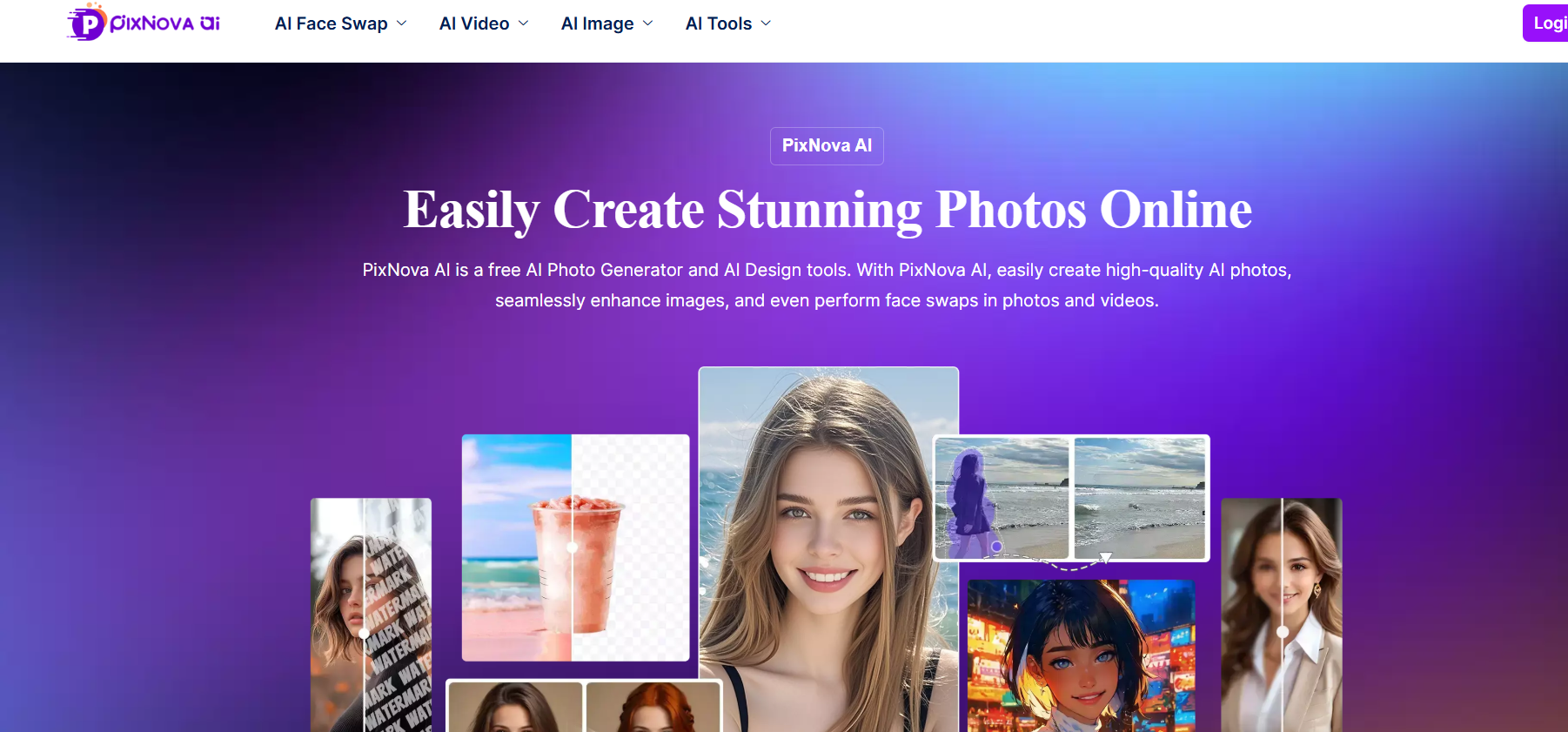
PixNova AI is an online AI-powered platform designed to make image editing and visual transformations accessible to anyone. There’s no software to install, no complex dashboards, and no steep learning curve. Everything runs directly inside your browser, which already removes a huge barrier for casual users, creators, and marketers who just want fast results.
Core Purpose of PixNova AI
At its core, PixNova AI exists to remove technical friction. You don’t need design skills, photo editing experience, or AI knowledge. Whether you want to experiment with face swaps, enhance low-quality images, test different outfits, or try creative styles, PixNova AI is built to make that process feel simple and fast.
Who Should Use PixNova AI
PixNova AI is a strong fit for social media creators, casual users, marketers testing visual ideas, and anyone curious about AI-powered image tools. It’s especially appealing if you want results quickly without opening heavy software. That said, it’s not really designed for professional designers who need pixel-perfect control or consistent outputs across large projects.
Supported Media Types (Images, Video, Face Editing)
PixNova AI focuses mainly on images, but it also offers limited video support, particularly for face swap features. The platform’s strongest area is clearly face-related tools — face swaps, enhancements, expressions, and transformations — where it performs better than many users expect.
Why Most Users Miss These PixNova AI Features
One of the biggest reasons PixNova AI is underestimated is its simplicity. The interface looks almost too basic, which leads people to assume the tool itself is basic.
Interface Simplicity vs Feature Depth
PixNova AI hides a surprising amount of functionality behind a clean interface. Some tools only become visible after you upload an image or select a specific category. If you don’t click around or test different options, you’ll never even know these features exist.
Tools Hidden Behind Advanced Options
Features like expression editing, detailed face adjustments, body reshaping, and clothing changes aren’t always front and center. They’re there, but they require a bit of exploration. Most users never go past the homepage tools, which is why they miss so much.
Free Features Many Users Overlook
Another reason PixNova AI flies under the radar is how generous it is with free access. Many people assume advanced tools are locked behind a paywall, so they don’t bother trying. In reality, several of PixNova AI’s most interesting features are available without payment.
7 Powerful PixNova AI Features Most Users Miss
Feature #1 – Advanced Face Swap for Images & Video
The Pixnova AI face swap feature is easily one of the platform’s standout tools. This isn’t a low-effort face overlay. When used with good source images, PixNova AI does a solid job preserving lighting, skin tone, and facial proportions.
What most users don’t realize is that this feature also works with short videos. While the results won’t fool professionals, they’re impressive enough for social media, experiments, and creative content — especially considering it runs entirely in the browser.
Feature #2 – AI Image Enhancer Without Quality Loss
PixNova AI’s image enhancer is surprisingly balanced. It improves sharpness, lighting, and clarity without pushing images into that over-processed, artificial look many AI tools suffer from.
This makes it especially useful for old photos, compressed images, or visuals pulled from messaging apps and social platforms. Used lightly, it can noticeably improve image quality while keeping things natural.
Feature #3 – Background & Object Removal Precision
Background removal is a common feature, but PixNova AI handles it better than most casual users expect. It deals fairly well with hair edges, uneven lighting, and complex backgrounds, particularly in portrait photos.
This is extremely useful for profile pictures, quick thumbnails, simple product visuals, or anytime you want a clean background without opening advanced editing software.
Feature #4 – AI Style & Character Transformations
PixNova AI includes several style transformation options, allowing you to turn photos into sketches, anime-style images, or stylized portraits. While it won’t replace professional illustration tools, it’s excellent for experimentation and creative fun.
Many users try one style, get a decent result, and move on — missing how much variety and flexibility these transformations actually offer.
Feature #5 – AI Image Upscaling for Social Media
If you’ve ever uploaded a blurry or low-resolution image to Instagram, Facebook, or X, you’ll immediately see the value of PixNova AI’s upscaling tool. It increases resolution while keeping details reasonably sharp.
This is especially helpful for creators repurposing older content or resizing images for different platforms without losing quality.
Feature #6 – Expression & Facial Detail Editing
This is one of PixNova AI’s most underrated tools. It allows subtle expression changes — small smiles, relaxed facial tension, or slightly more expressive looks.
When used carefully, this feature can make portraits feel more natural and engaging without crossing into the uncanny or artificial territory.
Feature #7 – Browser-Based Processing (No Installation Required)
It doesn’t sound exciting, but this feature matters. PixNova AI runs entirely in your browser. No downloads, no updates, no heavy files.
That convenience makes it perfect for quick edits, spontaneous ideas, or situations where you just want results without committing time or storage space.
PixNova AI Body Generator and Clothes Changer
Two features that deserve extra attention are the Pixnova AI body generator and the Pixnova AI clothes changer. These tools let users experiment visually with body proportions, outfits, and styles.
The body generator is more about visualization than realism. It’s useful for concept ideas, fashion inspiration, or creative content. The clothes changer works best with clear, front-facing images and can produce genuinely fun results, though it still has limitations and occasional inaccuracies.
PixNova AI Pros and Cons (Honest Review)
PixNova AI Advantages
PixNova AI is fast, easy to use, and surprisingly generous with free features. You don’t need experience, and you don’t feel overwhelmed. The face swap, enhancer, and creative tools offer strong value for casual and semi-serious users.
PixNova AI Limitations
Results can be inconsistent, especially with complex images or unusual angles. Advanced users may feel restricted by the lack of fine manual controls. There are also valid concerns around uploading personal photos, which users should take seriously.
PixNova AI vs Similar AI Image Tools
Compared to heavier tools like Photoshop with AI features or premium AI platforms, PixNova AI feels lighter and more playful. It’s not trying to replace professional workflows.
When PixNova AI Is the Better Choice
PixNova AI is the better choice when speed, simplicity, and experimentation matter. It’s great for quick ideas, social media visuals, and creative testing.
When You Should Consider Alternatives
If you need consistent, high-quality outputs for commercial use or client work, professional tools are still the safer and more reliable option.
Is PixNova AI Safe and Legit?
PixNova AI works as advertised, but like any online AI tool, it should be used responsibly.
Data & Privacy Considerations
Avoid uploading sensitive or personal images. Think of PixNova AI as a creative sandbox rather than a secure storage solution.
Best Practices for Safe Use
Stick to non-sensitive images, review outputs carefully, and avoid sharing anything you wouldn’t want publicly accessible.
Who Should Use PixNova AI (And Who Shouldn’t)
PixNova AI is ideal for creators, marketers, hobbyists, and curious users. It’s less suitable for professionals who need full control, guaranteed consistency, and commercial-grade reliability.
Conclusion: Is PixNova AI Worth Using in 2026?
PixNova AI is far more capable than most people assume — but only if you take the time to explore it. It’s not perfect, and it’s not meant to replace professional tools. But for what it offers, especially at the free level, it delivers real value. If you approach it as a creative tool rather than a production solution, PixNova AI is absolutely worth trying.
FAQs
1. Is PixNova AI really free?
Yes, many of PixNova AI’s features are available for free, though some usage limits may apply depending on the tool.
2. Does PixNova AI add watermarks?
Most outputs do not include watermarks, which makes it more usable for casual and creative projects.
3. Can PixNova AI edit videos or only images?
PixNova AI supports limited video face swap features, but its main strength is still image editing.
4. Is PixNova AI safe for personal photos?
It’s best to avoid uploading sensitive or private images, just as you would with any online AI platform.
5. What makes PixNova AI different from other AI tools?
Its simplicity, browser-based access, and surprisingly capable face-related tools are what truly set PixNova AI apart.
