


Curious about who is lurking on your profile or want to analyze a competitor without leaving a digital footprint? In 2026, TikTok has tighter privacy than ever, but specific tools still allow you to view profiles anonymously and extract deep insights.
Direct Answer: A TikTok profile viewer is a third-party tool or native feature used to see who visited a profile or to browse accounts anonymously. As of 2026, the best working tools are Urlebird (best for browsing), TikVib (best for analytics), and SnapTik (best for saving content). Native viewing is only possible if both users enable “Profile View History.”
Find More: 10 Mind-Blowing Hacks to Download TikTok Audio in Seconds
What is a TikTok Profile Viewer?
A TikTok profile viewer serves two primary purposes:
- Anonymous Browsing: Allowing you to watch videos and view bios without an account or triggering a notification.
- Viewer Tracking: Identifying specifically which users have clicked on your own profile.
- The Two Types of Viewers
-
Native Viewers: The built-in “Profile View History” feature within the TikTok app.
-
Third-Party Viewers: External websites or apps that bypass the TikTok login requirement to show public data.
7 Best TikTok Profile Viewer Tools in 2026
1. Urlebird (Best for Complete Anonymity)
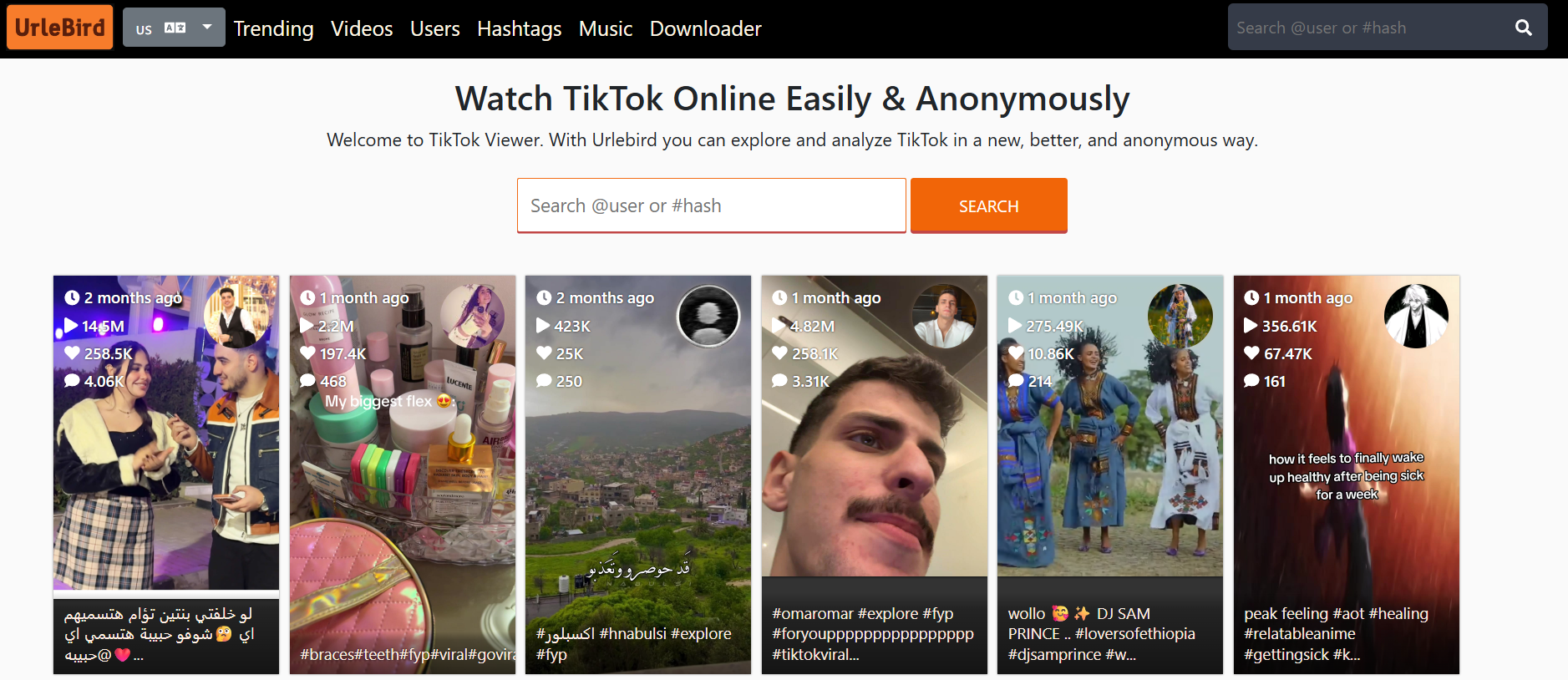
Urlebird remains the gold standard for “stalking” profiles without a trace. It mirrors TikTok’s content in a web-based interface, meaning you never have to log in.
-
Best for: Watching videos without the creator knowing.
-
Key Feature: Displays trending hashtags and music used by the profile.
2. TikVib (Best for Competitor Analysis)
If you are a creator looking to learn from others, TikVib is the most powerful tool right now. It provides a “Value” and “Stats” tab for any public handle.
-
Insight: It calculates the average engagement rate and estimated post value.
-
Pro Tip: Use the “Stats” tab to see which time of day a competitor usually posts.
3. SnapTik (Best for Content Archiving)
While known as a downloader, SnapTik’s viewer interface allows you to scan a profile’s entire video grid and view them without watermarks.
-
Best for: High-quality, off-platform viewing.
4. PeekViewer (Best for Fast Lookups)
PeekViewer is designed for speed. It is a lightweight browser tool where you simply type a username to see the bio, follower count, and recent uploads instantly.
-
Benefit: Zero cookies or tracking scripts, making it the safest for privacy-conscious users.
5. Countik (Best for Real-Time Data)
Countik specializes in live data. If you want to see a profile’s follower count fluctuate in real-time or check their exact engagement metrics, this is the tool.
-
Use Case: Tracking a viral moment as it happens.
6. Exolyt (Best for Professional Strategy)
Exolyt is more of a “viewer on steroids.” It is used by agencies to track profile growth over months.
-
Expert Insight: It provides “Growth Predictions” based on current profile trends.
7. Socialinsider (Best for Benchmarking)
Socialinsider allows you to “view” a profile side-by-side with your own to compare performance.
-
Feature: Benchmarking your views against the industry average.
Comparison of Top 3 Tools
| Tool | Primary Use | Privacy Level | Cost |
| Urlebird | Anonymous Watching | Extremely High | Free |
| TikVib | Competitor Stats | High | Free |
| Exolyt | Deep Analytics | Medium | Paid/Trial |
How to See Who Viewed Your Profile (The Native Way)
If you want to see who is looking at your content, you don’t need a third-party tool. You need to enable the native Profile View History.
Step-by-Step Framework to Enable Views:
- Open TikTok and tap Profile (bottom right).
- Tap the Three-Line Menu (top right).
- Select Settings and Privacy.
- Tap Privacy, then scroll to Profile views.
- Toggle Profile View History to ON.
Note: This only works if the other person also has this setting turned on. In 2026, TikTok estimates that 60% of users keep this off for privacy.
Common Mistakes to Avoid
-
Downloading “Private Profile” Apps: Be careful. Any app claiming it can see a “Private Account” (where the user has not approved you) is likely a scam or malware.
-
Expecting Retroactive Data: Turning on Profile Views today won’t show you who visited yesterday. It only tracks from the moment you enable it.
-
Ignoring the 5,000 Follower Limit: TikTok often disables the “Profile View History” feature for accounts with more than 5,000 followers to protect the privacy of high-profile creators.
Find More: Boost Your Sales With SEO Services
FAQs
1. Does TikTok show who viewed your profile?
Yes, but only if you have “Profile View History” turned on in your settings and the person who visited also has it enabled. It is a mutual opt-in system.
2. Can I see who viewed my TikTok videos?
No. TikTok provides the total number of views for a video, but it does not provide a list of specific usernames who watched it.
3. How to turn off profile views on TikTok?
Go to Settings and Privacy > Privacy > Profile views and toggle the switch to OFF. Once off, you won’t appear on others’ lists, and they won’t appear on yours.
4. Is there a way to view TikTok profiles anonymously?
Yes. Using third-party web viewers like Urlebird or PeekViewer allows you to watch public content without logging into an account, ensuring your visit is never recorded.
5. Why can’t I see the “footsteps” icon on my profile?
This usually happens if you are under 16 years old, have over 5,000 followers, or if the feature is currently disabled in your specific region.
Key Takeaways
-
Native views are mutual: You can’t see who viewed you without letting them see when you view them.
-
Third-party tools are for public data: Tools like TikVib and Urlebird only work for public accounts.
-
Privacy is the 2026 trend: Most users now browse anonymously to avoid the “social pressure” of the view history list.
-
Safety first: Never enter your TikTok password into a third-party “viewer” website.
