UK: +44 2038074555 info@atamgo.com
8 Legal Questions Every Business Should Ask Before Automating HR

8 Legal Questions Every Business Should Ask Before Automating HR

Legal Questions

Artificial intelligence is transforming HR. Recruitment software can shortlist candidates in seconds, chatbots answer employee questions around the clock, and automated platforms can manage everything from onboarding to performance reviews.

For growing technology businesses, these tools offer clear efficiency gains. However, automating HR decisions also introduces legal responsibilities that cannot be delegated to software. As AI becomes more involved in employment processes, companies need to ensure innovation doesn’t outpace compliance. Regulators are placing increasing emphasis on transparency, data governance, and human oversight of AI-driven employment decisions.

Before implementing new HR technology, here are eight important legal questions every business should ask.

Who Is Ultimately Responsible for AI Decisions?

No matter how advanced an HR platform becomes, accountability still sits with the employer.

If an AI recruitment tool rejects candidates unfairly or an automated performance system produces biased outcomes, businesses remain responsible for those decisions. Technology should support HR professionals, not replace their judgement

Are We Processing Employee Data Lawfully?

Modern HR platforms collect vast amounts of personal information, including CVs, interview notes, attendance records and performance data.

Before introducing automation, businesses should understand exactly what information is being collected, how long it is stored and whether employees have been informed about how their data is used. Privacy compliance becomes even more important when AI analyses personal information at scale.

Could the Software Introduce Bias?

AI learns from historical data, and historical data is not always fair.

If previous hiring decisions reflected unconscious bias, an automated recruitment platform may unintentionally reinforce those patterns. Regular testing, auditing and human review help reduce the risk of discriminatory outcomes, particularly in recruitment and promotion decisions.

Do Employees Know When AI Is Being Used?

Transparency builds trust.

Whether AI is screening applications, summarising interviews or assisting with performance management, employees and candidates should understand when automated systems contribute to decisions. Clear communication also helps organisations demonstrate responsible governance if decisions are ever challenged.

Are Our Employment Policies Ready for AI?

Many employee handbooks were written long before generative AI became commonplace.

Policies should now address topics such as acceptable AI use, handling confidential information, reviewing AI-generated outputs and maintaining appropriate human oversight. Businesses can benefit from seeking advice from experienced solicitors for employment law when updating workplace policies to reflect rapidly evolving technology.

What Happens When the AI Gets It Wrong?

AI tools can produce inaccurate recommendations, overlook context, or generate misleading information.

Businesses should establish clear review procedures so managers can question automated outputs rather than accepting every recommendation at face value. Human intervention remains an essential safeguard in employment decisions.

Have We Properly Assessed Our Technology Vendors?

Not all AI providers operate to the same standards.

Before adopting a new HR platform, businesses should understand how the software is trained, what security measures are in place, and what contractual protections exist if problems arise. Vendor due diligence has become an increasingly important part of responsible AI governance.

Are We Automating the Right Tasks?

Not every HR process should be fully automated.

Routine administrative work, such as scheduling interviews or generating onboarding documents, can often be automated successfully. Decisions involving dismissals, promotions, grievances, or employee well-being require human judgement, empathy, and careful consideration that technology cannot replicate. Companies that combine AI efficiency with experienced HR leadership are typically better positioned to build trust while reducing legal risk.

Automation will continue to reshape HR, particularly within fast-growing technology companies. The businesses that benefit most will not simply adopt the latest tools. They will ask the right legal questions first, implement robust governance and ensure people remain at the centre of every important employment decision.

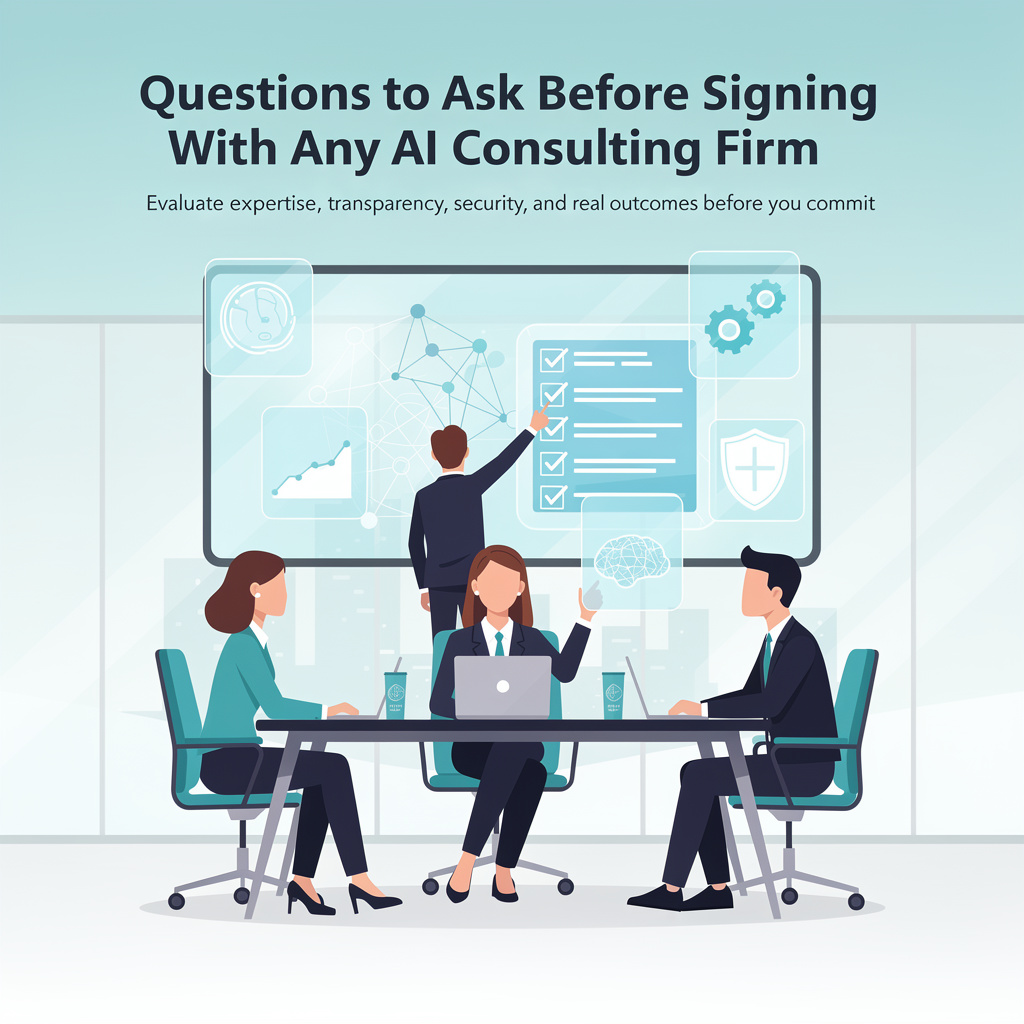
Questions to Ask Before Signing With Any AI Consulting Firm

Questions to Ask Before Signing With Any AI Consulting Firm

AI Consulting Firm

Signing with an AI consulting firm is a real commitment. Time, money, and operational disruption are all on the line.

The best way to protect yourself is to ask the right questions before any contract is signed. Not generic questions. Specific ones that reveal how a firm actually operates, not how they present themselves in a sales conversation.

Here are the questions that matter most when evaluating AI consulting firms.

Questions About Their Experience

1. Can you share case studies from businesses our size?

Enterprise case studies do not tell you much about SMB fit. You want to see examples from companies with similar team sizes, budgets, and operational complexity to yours.

What to look for in the answer:

  • Specific before-and-after metrics (not vague claims of improvement)
  • Named processes that were changed, not just industries served
  • A clear description of what the client could do after the engagement that they could not before

2. Who specifically will be working on our account?

Many firms sell on the strength of senior consultants but deliver through junior team members. Ask to meet the actual implementation team before signing, not just the sales lead.

Follow-up: What happens if a key team member leaves during our engagement?

3. How long have you been doing AI consulting specifically?

The market exploded fast. Many firms pivoted to AI consulting from adjacent services in the last 12 to 18 months. That is not automatically disqualifying, but you should know it going in.

Questions About Their Process

4. Walk me through your discovery process in detail.

A credible firm will have a structured, repeatable discovery methodology. They should be able to describe exactly what they do in the first two to three weeks, what they are looking for, and what output it produces.

Red flag: A firm that cannot describe discovery in specific terms or treats it as a short preliminary step before jumping to implementation.

5. How do you decide which processes to prioritize?

You want to hear a framework, not an instinct. Good consultants use structured criteria: frequency of the task, current time cost, data availability, integration complexity, and estimated ROI.

If the answer is “we look for quick wins,” ask them to be more specific.

6. What does your handoff process look like at the end of an engagement?

You should leave with documented systems, trained team members, and full ownership of everything built. Ask specifically:

  • What documentation will we receive?
  • Will we be able to operate the system without your involvement?
  • What ongoing support, if any, is included after the engagement ends?

Questions About Accountability

7. How do you define and measure success for an engagement like ours?

If the answer is not specific and measurable, push until it is. Success should be defined in numbers: time saved per week, error rate reduction, revenue impact, cost reduction.

Any firm worth hiring will welcome this conversation. Firms that resist it are telling you something important.

8. What happens if results fall short of the targets we agree on?

This question separates firms that are confident in their delivery from those that are not. A good firm will have a clear answer: additional work at no charge, a revised scope, or a defined remediation process.

A bad firm will pivot to explaining why guarantees are impossible in consulting.

9. Do you have any vendor relationships or financial affiliations we should know about?

Some consulting firms receive referral fees or reseller commissions from tool vendors. That is not automatically a problem, but it must be disclosed so you can evaluate recommendations in the right context.

A firm that hesitates on this question or gives a vague answer deserves more scrutiny.

Questions About Fit

10. What does a client need to have in place for this engagement to be successful?

Good consultants know exactly what conditions make their engagements work and what makes them fail. If they cannot answer this question clearly, they either have not thought about it or have not done enough engagements to know.

Common honest answers include:

  • Clean, accessible data in one or two systems
  • A team member with authority to approve workflow changes
  • Leadership commitment to actually adopting what gets built
  • Realistic timeline expectations (results in months, not weeks)

11. What is the most common reason your engagements underperform?

This question is deliberately uncomfortable. How a firm answers it tells you more about their self-awareness and honesty than almost anything else.

Good answers acknowledge real risks: poor data quality on the client side, low team adoption, scope creep, unclear success metrics at the start.

Bad answers blame external factors entirely or deny that underperformance happens.

Before You Sign: A Final Checklist

Run through this before committing to any engagement:

  • [ ] You have met the actual implementation team, not just the sales lead
  • [ ] Success metrics are defined in specific, measurable terms
  • [ ] The engagement starts with a scoped pilot, not a long-term contract
  • [ ] All vendor affiliations have been disclosed
  • [ ] You will own everything built at the end of the engagement
  • [ ] There is a clear handoff and documentation plan
  • [ ] You have references you can actually contact

If any of these boxes are empty, resolve them before signing. A firm that pushes back on reasonable due diligence is not a firm worth hiring.

Best MLM Software for Supplement and Vitamin Companies in 2026

Best MLM Software for Supplement and Vitamin Companies in 2026

mlm software

I work with vitamins MLM companies every week. Their founders call our office at FlawlessMLM with the same worry: the software they picked six months ago can’t handle their autoship logic, and distributors are filing complaints about wrong payouts. The problem is always the same. They chose a generic platform before defining their compensation plan in detail.

Supplements and vitamins account for 38% of our active client base at FlawlessMLM. We have built MLM software for 87 companies in this vertical since 2005. That experience taught us something most comparison articles miss: the best MLM software for a supplement brand is not the one with the longest feature list. It is the one that matches the company’s product reorder cycle, compensation structure, and international shipping rules from day one.

This guide shares the data and lessons we gathered from those 87 projects. I will compare binary, unilevel, and matrix MLM software for health product companies, break down real MLM software price ranges for the supplement vertical, and explain why multi level marketing supplement companies that start on affiliate program software almost always end up paying twice.

Why Supplement MLMs Need Specialized Software

Can a generic network marketing platform handle a vitamin brand? Technically, yes. The enrollment form works. The genealogy tree displays. Commission checks go out. But the details that separate a profitable supplement MLM from a struggling one live in the systems that generic tools handle poorly.

Autoship is the clearest example. A supplement company lives and dies on recurring orders. When a distributor’s credit card declines, the system needs to retry on a schedule that maximizes recovery without triggering chargebacks. It needs to hold the commission qualifier status while the retry window stays open. It needs to let the distributor swap flavors or adjust quantities without canceling and re-creating the subscription.

Most affiliate program software treats subscriptions as a bolt-on feature. The retry logic is basic. Product swaps require manual intervention. Volume credits vanish the moment the payment fails. For a supplement network with 20,000 autoship subscribers, those gaps mean thousands in lost revenue every single period.

Inventory management is the second blind spot. Vitamins have expiration dates, batch codes, and country-specific labeling requirements. A network marketing company shipping collagen powder to 14 countries needs lot-level tracking that connects the warehouse to the distributor’s order screen. If the system can’t flag expiring stock and route orders to the correct batch, the compliance risk alone can shut down a market.

According to the World Federation of Direct Selling Associations (WFDSA), health and wellness products represent 33% of global direct selling revenue, totaling $56.1 billion in 2024. Supplements and nutritional products are the largest subcategory. (WFDSA Annual Report, 2025)

The third gap is mobile engagement. Our internal data from 87 supplement clients shows that 74% of distributor activity happens on mobile devices. Not just checking earnings. Placing personal orders, sharing product links on social media, watching training videos, and tracking team performance. A platform that treats mobile as a secondary experience loses distributor attention within the first 60 days.

Binary vs. Unilevel vs. Matrix: What the Data Says for Supplement Brands

Every supplement founder asks this question during our first consulting call: which plan type will grow my network fastest? The answer depends on the product model, the target market, and whether the company prioritizes recruiting speed or long-term per-distributor revenue.

We ran a comparative analysis across all 87 supplement clients in our portfolio. The numbers tell a clear story.

Metric

Binary MLM Software

Unilevel MLM Software

Matrix MLM Software

Distributor growth rate (Year 1)

2.4x average

1.6x average

1.3x average

Per-distributor revenue (Year 3)

$2,100/year

$2,760/year

$1,890/year

Autoship retention at 12 months

41%

54%

38%

Average order value

$87

$112

$74

Commission payout as % of revenue

38-42%

28-34%

32-36%

Typical launch timeline

6-10 weeks

8-12 weeks

8-14 weeks

Binary MLM software drives the fastest team growth. The paired-leg structure creates urgency because distributors need to balance volume between two sides to earn. For a vitamin company launching a single flagship product with a high reorder rate, binary generates the most momentum in the first year.

Unilevel MLM software produces higher per-distributor revenue over time. The unlimited frontline width lets product-focused sellers build deep customer bases without worrying about leg placement. Supplement brands with 10 or more SKUs and a strong repeat purchase cycle tend to thrive on unilevel. The 54% autoship retention rate at 12 months is the highest of the three plan types in our data.

Matrix MLM software restricts both width and depth. A 3×7 or 4×5 matrix limits how many people each distributor can sponsor directly. This creates spillover, which appeals to newer recruits who benefit from their upline’s excess. But the cap on earning potential frustrates top performers. Our data shows matrix plans have the lowest average order value and the weakest retention among supplement brands.

“Binary plans create fast momentum for supplement companies when the product has a natural 30-day reorder cycle. Sell a product that people reorder every 90 days through a binary structure, and the tree stalls after the first purchase wave. The plan type and the product reorder frequency have to match. That is the single biggest lesson from 20 years of building MLM platforms for health brands.” Oleksandr Honcharov, CEO at FlawlessMLM

We recommend binary for supplement startups targeting aggressive first-year growth with one to three core products. We recommend unilevel for established brands with a wide catalog and a distributor base that values product income over recruiting bonuses. We rarely recommend matrix for supplements unless the company has a very specific membership model that benefits from controlled width.

MLM Software Price for Supplement Companies: Real Numbers

How much does MLM software cost for a vitamin or supplement brand? That question arrives in our inbox at least five times per week. The honest answer requires context. Here is what the market looks like in 2026 based on our project records and vendor research.

Platform Type

Price Range

Delivery Time

Best Fit

SaaS MLM (Exigo, MarketPowerPro)

$200-$600/month

1-2 weeks

Pre-revenue startups testing a single market

FlawlessMLM Starter

$8,500 one-time

4-8 weeks

Vitamin brands launching with one plan type and autoship

Mid-Range Custom

$25,000-$60,000

2-4 months

Supplement companies adding mobile apps and multi-country support

Enterprise Custom

$60,000-$120,000+

4-7 months

Global health MLMs with hybrid plans, lot tracking, and regulatory compliance

A pattern I see constantly: a supplement startup picks a $300/month SaaS tool to save money, hits 3,000 distributors, and discovers the autoship engine can’t handle mid-cycle product swaps. The migration to a proper MLM platform costs $15,000-$30,000, plus weeks of downtime and distributor confusion. In 2025, 71% of supplement companies that joined FlawlessMLM were migrating from a first platform they outgrew.

MLM software price goes beyond the license fee. Hosting for a supplement MLM with 50,000 distributors runs $300-$800/month on cloud infrastructure. Annual security audits cost $3,000-$8,000. Compliance updates for new markets add $2,000-$5,000 per country. Our three-year total cost model shows that a $300/month SaaS platform costs roughly $18,000 over three years with zero code ownership. A $25,000 custom build gives you the source code, your own servers, and no recurring license.

The math favors custom builds once a supplement company passes $3M in annual revenue. Below that threshold, SaaS tools offer a reasonable starting point.

Autoship Architecture: The Feature That Separates Good from Great

For supplement MLMs, the autoship system is the revenue engine. Over 60% of sales volume in the vitamin networks we manage comes from recurring subscriptions. When autoship works smoothly, distributors stay active, commissions calculate correctly, and the company’s revenue becomes predictable.

When autoship breaks, everything breaks. The distributor loses their volume qualifier. The commission engine pays the wrong amount. Customer service gets flooded with tickets. In one FlawlessMLM project, we inherited a vitamin brand whose previous platform processed autoship renewals in a single overnight batch. If the batch failed, 22,000 orders sat in limbo until someone noticed the next morning. Their worst incident cost $47,000 in delayed commissions and 340 support tickets in a single day.

We rebuilt their autoship from scratch. Our engine processes renewals in real time, not in batch. Failed payments trigger automated retries on day 3, day 7, and day 14. The distributor’s qualifier status stays active during the retry window. Product swaps happen instantly without canceling the subscription. Skip-a-month requests process automatically and resume on the correct date.

The result: 11-16% of failed billing attempts recover without human intervention. For a network with 30,000 autoship subscribers at an average order of $95, that recovery rate saves between $31,000 and $45,000 per commission period. Over a year, the savings exceed the entire cost of the software build.

How We Build MLM Platforms for Supplement Brands at FlawlessMLM

Our team has delivered over 400 network marketing software projects since 2005. In the supplement vertical alone, we have built platforms for 87 vitamins MLM companies across 28 countries. The largest processes commissions for 1.4 million active distributors.

What separates our process from most MLM software vendors is the consulting layer. Before any development starts, our specialists spend two to three weeks mapping the client’s compensation plan. Every qualifier, cap, bonus condition, and rank rule gets documented and stress-tested with synthetic data. We run 10,000+ commission scenarios before the first screen is designed.

The question we hear most often from supplement founders sounds simple: can I add a new bonus type after launch without rebuilding the commission engine? The answer at FlawlessMLM is yes. Our engine stores plan rules as configurable parameters, not hardcoded logic. Adding a matching bonus or changing a rank qualifier takes hours, not weeks. No developer intervention required for standard rule changes.

“Supplement companies change their compensation plans more often than any other vertical we serve. A new product launch, a new market entry, a seasonal promotion. Each one needs a plan adjustment. If every adjustment requires a $5,000 development ticket and a two-week sprint, the math stops working fast. We built our engine so that plan changes happen in the admin panel, not in the codebase.” Oleksandr Honcharov, CEO at FlawlessMLM

FlawlessMLM holds a 4.9 rating on Clutch based on verified client reviews and was named MLM Market Leader by Software Suggest in 2025. For supplement brands specifically, our team brings domain knowledge that generic software providers lack. We understand lot-level tracking, DSHEA compliance requirements, and the difference between QV and PV in supplement comp plans. That knowledge shows up in faster project timelines and fewer post-launch surprises.

Our starter packages for supplement brands begin at $8,500 and go live within 4 to 8 weeks. That includes one compensation plan type, autoship with failed payment retries, a distributor back office, admin panel, and a genealogy tree viewer. Larger builds with mobile apps, multi-language support, and custom inventory management fall in the $25,000-$60,000 range.

The Supplement MLM Software Market: Where It Stands in 2026

The health and wellness segment of the direct selling industry generated $56.1 billion in 2024 according to WFDSA. Supplements and nutritional products are the single largest category within that figure. The software that powers these companies is evolving just as fast.

Three trends stand out in 2026. First, AI-driven churn prediction is becoming standard in the best network marketing software. Predictive models flag distributors who are likely to cancel autoship two to three weeks before they go inactive. Early intervention from the upline or the company saves 18-24% of at-risk subscribers in networks we manage.

According to the Direct Selling Association (DSA), 67% of direct selling companies plan to increase technology investment in 2026, with AI and mobile experience cited as the top two priorities. (DSA Technology Survey, 2026)

Second, compliance automation is no longer optional. Supplement MLMs operating in the EU, Southeast Asia, and Latin America face different labeling, health claim, and import rules in every market. The best MLM software now includes rule engines that block non-compliant product listings, auto-generate country-specific disclaimers, and flag distributor social media content that violates health claim regulations.

Third, the line between MLM and affiliate program software continues to blur. Supplement brands that started with a single-tier referral model are adding second and third commission levels. SaaS wellness brands and DTC vitamin companies are experimenting with network marketing structures to reduce customer acquisition costs. MLM multi level marketing software built on modular architecture handles both models in one codebase.

We offer a free 30-minute consultation for supplement and vitamin companies. Our team will map your compensation plan and recommend the right platform architecture for your product model and growth targets.

FAQ

What MLM software do the top supplement companies use?

The top supplement MLM companies use purpose-built network marketing platforms, not generic e-commerce tools. Companies with fewer than 10,000 distributors often run on SaaS tools like Exigo or DirectScale. Brands above that threshold typically invest in custom MLM software built around their specific compensation plan and autoship logic. At FlawlessMLM, 38% of our active client base operates in the health and supplement vertical. These companies chose custom builds because no off-the-shelf platform could handle their multi-country autoship rules and hybrid commission structures.

Which compensation plan works best for vitamin MLM companies?

Binary compensation plans work best for vitamin MLM companies focused on rapid team growth with a single flagship product line. The paired-leg structure creates urgency and encourages active recruiting. Unilevel plans suit vitamin brands with wide product catalogs and a mature distributor base generating most revenue from repeat purchases. In our data from 87 supplement clients, binary plans produced 2.4x faster distributor growth in year one. Unilevel plans produced 31% higher per-distributor revenue by year three. The right choice depends on your growth stage and product strategy.

How much does MLM software cost for a supplement company?

MLM software price for supplement companies ranges from $200 per month for basic SaaS platforms to $120,000 or more for fully custom enterprise builds. FlawlessMLM starter packages for vitamin brands begin at $8,500 and include autoship management, a binary or unilevel commission engine, and a distributor back office. Mid-range custom builds with mobile apps and multi-currency support cost between $25,000 and $60,000. The total investment depends on how many countries you operate in and how complex your compensation plan rules are.

Can I run a supplement MLM on affiliate program software?

Affiliate program software works for supplement brands with a flat referral structure and no downline commissions. Once you add a second payout level, autoship billing, or rank-based bonuses, affiliate tools break down fast. We onboarded 11 supplement clients in 2025 who tried running their MLM on affiliate platforms first. Every one of them hit a wall within 8 months. The migration cost them between $12,000 and $35,000. Starting with purpose-built MLM multi level marketing software saves money over a 3-year window.

What autoship features should supplement MLM software include?

The best MLM software for supplement companies must handle failed payment retries on day 3, 7, and 14 automatically. It should allow distributors to swap products mid-cycle without canceling the subscription. Flexible ship dates, skip-a-month options, and volume credit rules for autoship orders are non-negotiable. The system also needs lot-level inventory tracking to manage expiration dates and batch recalls. At FlawlessMLM, our autoship engine recovers 11-16% of failed billing attempts without human intervention. That recovery rate translates to tens of thousands in saved revenue per commission period.

How AI changed the way I make and test book covers

How AI changed the way I make and test book covers

A reader spends hours choosing a book and about three seconds deciding if the cover feels right. I think about that gap a lot. The cover is doing real work in those three seconds. It signals the genre, sets the tone, and tells someone whether this book is for them, all before they have read a word.

For a long time that pressure pushed me toward playing it safe. Working through rounds of sketches with a designer is good work, but it is slow, and it is expensive enough that you stop experimenting. You pick the version that is fine and move on. You rarely get to ask, “what else could this cover have looked like?”

That is the part AI actually changed for me. Not the final polish. The cheap, low-stakes experimenting before the polish.

Trying directions instead of committing early

The old question was “what is the best cover?” The more useful one turned out to be “what are the three or four directions this book could go?” A dark, moody thriller treatment. A clean typographic one for nonfiction. Something illustrated and a little strange for fiction. A symbolic cover that leans on mood instead of a literal scene.

When you can put those next to each other, the decision gets easier, and it gets more honest. You stop defending the first idea you had just because it was first. You also learn something about the book. Seeing it rendered four ways tells you how it reads at a glance, which is exactly the judgment a browsing reader is about to make.

Where Pixlio’s book cover generator fits

Pixlio is a browser-based platform for creating and editing images, and its AI book cover generator is built for this kind of exploration. You describe the book, pick a mood or genre, and generate a few concepts to compare, all without installing anything or opening a design tool you half remember how to use.

The workflow is about as simple as it sounds. Enter a book idea or theme. Set the genre or mood. Generate a handful of covers. Compare them and refine the ones worth keeping. A prompt as loose as “a near-future detective story set in a flooded city” can come back as a neon skyline, a quiet character portrait, and a stark symbolic cover. None of them is the final answer yet. Each one tells you something different about who the book is for.

That is the real value for me. Not “one good cover,” but several plausible identities for the same book.

ai book cover

Refining once you have a direction

Picking a direction is where the rest of the platform quietly helps. Once a concept is close, I will often clean it up or push it a little further in the AI image editor, or use the image combiner when a cover needs two elements brought into one scene. These are not the main event. They are just there when a draft is almost right and needs one more pass before it earns the title text. The point is that the early exploring and the later tidying happen in the same place.

Why iterating beats perfecting

There is an honest tradeoff here. AI does not remove the need for design judgment. If anything it gives you more to judge, because now you have four covers instead of one and you still have to choose. What changes is the cost of looking. In a traditional workflow, every revision costs time and money, so ideas get filtered out before they are ever explored. When trying another direction is cheap, you explore more of them, and you usually land somewhere better than your first safe guess.

I would not send any of this straight to print without a careful human pass. But for the early stretch, where the cover is still an open question and you are figuring out what the book even wants to look like, generating and comparing covers in the browser has made me a lot less precious about getting it right on the first try. For a cover that has three seconds to do its job, that extra room to experiment matters more than it sounds.

How Remote Transport Fleets Maintain Communication in Cellular Dead Zones

How Remote Transport Fleets Maintain Communication in Cellular Dead Zones

Remote Transport

Modern transport operations run on a continuous, uninterrupted stream of data. From real-time route optimisation to automated dispatching, connectivity is the absolute lifeblood of contemporary logistics. Customers and supply chain managers expect pinpoint accuracy regarding freight locations, driven by the rapid evolution of e-commerce workflows. However, the moment a heavy vehicle crosses the city limits and heads into regional Australia, this robust digital safety net can vanish without warning. 

The Vulnerability of Cloud-Based Logistics 

As detailed in a comprehensive freight tracking software comparison, modern platforms utilise real-time GPS tracking, application programming interfaces, and artificial intelligence to streamline supply chain efficiency. These tools are incredibly powerful in urban environments where mobile networks are strong. They provide businesses with the oversight needed to manage vast fleets efficiently. 

Yet, this oversight has geographical limits. While major telecommunications networks reach over 98 percent of the populated areas in Australia, their actual footprint only covers approximately 1.7 million square kilometres of the nation’s landmass. This leaves roughly 6 million square kilometres entirely without reliable cellular connectivity. When fleets cross into these regional mobile black spots, the software cannot update, leaving dispatchers blind unless the driver has an alternative method to communicate. 

Bridging the Connectivity Gap Safely 

To guarantee driver safety and operational resilience, transport companies must source premium, commercial-grade UHF equipment from trusted industry suppliers such as CB Radio Wholesalers before dispatching trucks into remote regions. Equipping vehicles with high-quality hardware ensures drivers always have a reliable voice on the airwaves when their digital tracking systems drop offline. This hybrid approach to communication is the only way to safeguard a remote workforce effectively. 

Relying exclusively on mobile-dependent software exposes transport operators to severe risks. Under the National Heavy Vehicle Regulator guidelines, logistics companies must maintain a comprehensive Safety Management System that accounts for emergency response procedures in off-grid locations. If a driver becomes stranded due to a mechanical failure in a cellular dead zone without an analogue communication lifeline, operators can face serious compliance breaches under Chain of Responsibility laws. 

Australia’s Ongoing Infrastructure Challenge 

The lack of outback connectivity is a well-documented issue that continues to impact the freight industry. Official documentation regarding the Mobile Black Spot Program confirms that despite activating over 1,200 base stations, massive infrastructure gaps are still a serious reality for remote transport corridors. Major routes, including extensive stretches of the Barrier Highway and the Snowy Mountains Highway, continue to experience dangerous communication dropouts. 

The federal government has made significant investments to address these blind spots across regional and rural areas. However, the sheer scale of the continent makes total coverage an ongoing struggle. This geographical hurdle validates the absolute necessity of analogue radio hardware for heavy vehicle drivers navigating vulnerable zones. 

Essential Hardware Protocols for Off-Grid Routes 

When cellular networks fail, drivers depend on the Citizen Band Radio Stations Class Licence governed by the Australian Communications and Media Authority. This regulation allows the transport sector to utilise the 476 to 477 MHz UHF band freely. To use this technology safely and legally, fleets must follow strict operational protocols: 

  • Dedicated Highway Communication: Australian heavy vehicle operators universally rely on UHF Channel 40 as the designated highway channel. Drivers use this specific frequency to broadcast real-time hazard alerts, share road conditions, and issue wide-load warnings to surrounding traffic.
  • Protected Emergency Channels: Channels 5 and 35 are strictly reserved for emergency situations. This critical mandate ensures that isolated drivers have a legally protected, uncrowded frequency to call for help during off-grid crises.
  • Regulated Output Power: Fleet hardware must safely meet the maximum 5-watt legal output power permitted for mobile transceivers in Australia. This limitation ensures reliable transmission ranges without causing widespread interference across the network.
  • Telemetry Restrictions: For logistics fleets experimenting with off-grid data, regulations strictly limit telemetry and telecommand transmissions to Channels 22 and 23. Voice communication is explicitly barred on these specific frequencies to keep data streams clear. 

The Future of Fleet Communication 

True digital transformation in the remote transport sector requires a pragmatic, dual-layered approach. Advanced cloud platforms and analytics software deliver unmatched visibility and efficiency within urban centres. However, traditional radio frequency hardware remains the ultimate, non-negotiable safety net in the vast Australian outback. By maintaining both robust software tracking systems and fully compliant UHF hardware, transport operators can navigate the most isolated regions of the country with complete confidence.

SEO for Landing Pages: How to Make Your Landing Pages Rank on Google and AI

SEO for Landing Pages: How to Make Your Landing Pages Rank on Google and AI

LANDING PAGES

Your website is meant to be a lead and sales generation machine, not a fancy relic that just sits around. For this to happen, you need a well-thought-out and carefully crafted landing page.

However, if your landing pages aren’t appearing in search results, you might as well be wasting your time. 

In this guide, I will show you why and how to SEO your landing pages built on WordPress for better visibility on Google, Bing, and AI platforms. 

But first, the basics. 

What is a Landing Page?

Put simply, a landing page is basically any page on your website that visitors “land” on. By this logic, it means virtually any page on your site can be a landing page: blog post, home page, about us page, etc. 

However, within the context of marketing, landing pages are meant to nudge visitors to take certain action, hence driving conversion. 

For example, you might want visitors to make a purchase, subscribe to your newsletter, contact you, etc. These are actions that can impact your bottom line positively, and a landing page is best suited for this. 

5 Hacks to Improve the Visibility of Your Landing Pages on Search

I hate to break it to you, but your landing pages won’t appear by themselves on Google or AI. You have to strategically engineer them for this purpose.

That being said, here are 5 simple hacks to improve ranking and visibility for your landing pages: 

  • Do your keyword research
  • Focus on one keyword at a time
  • Use the keywords smartly 
  • Add CTAs (call to action)
  • Use images and videos objectively 

Do Your Keyword Research

Every SEO effort begins with exhaustive keyword research. You will want to know what queries potential customers who are looking for your services or products are typing into Google or ChatGPT. 

Get as many keywords as possible, because you will need them. I’d say don’t worry if those keywords are difficult to rank for or don’t have a huge search volume – you just need something decent

Focus On One Keyword at a Time

At the end of your keyword research campaign, chances are you will come up with multiple, often related keywords. It can be tempting to stuff these keywords into one page. It’s best to focus on one major keyword per page at a time. 

For example, let’s say you run an eatery business and are trying to rank for the keyword “restaurant in Lagos”. Some potential keywords you can go after include sea food restaurant lagos, best restaurant in Ikeja (or any other location), fine dining restaurant Lagos, etc. 

Rather than stuff all these keywords into one page, create one landing page each for the keywords. You get my gist, don’t you? 

Doing this gives clarity to search bots crawling your site, hence improving ranking. 

Use the Keywords Smartly on the Page

Once you’ve figured out the right keywords you want a specific landing page to rank for, the next step is to infuse them into your copy. You will want to do so smartly. 

One good place to start is in your headings, particularly the H1 and H2s. This is not to say you shouldn’t use them in your body content, but only do so sparingly. 

Add CTAs, but Space Them Out

This one is a no-brainer, isn’t it? You want people to come to your landing page and take an action, right? Then you have to tell them exactly what to do. This is what a CTA, short for call-to-action.

Don’t sweat it, CTA is just a clickable button.

surfer

I will say, add these CTAs sparingly on your page. Having buttons littered all over the place will only make your landing page look cluttered. 

Use Images and Videos Objectively

Ever tried reading a long article on Wikipedia that has no images? Just a long chunk of in-your-face texts without any image to break it up. It was pretty hard, right?

The same applies to your landing pages. Adding visuals, including images and videos, gives visitors a chance to catch their breath and rest up. Resting means they will stay longer on your site. Google loves it when people stay longer on your web pages, and this leads to a higher ranking. 

A note of caution: It’s super duper important to compress images and media to ensure your page stays light and loads faster. 

Thankfully, there are lots of WordPress plugins that can automatically compress your media files without significant loss in quality. They include TinyPNG, Imagify, etc.  

How to Build a Landing Page Optimized for SEO

The easiest and fastest way to set up a landing page that gets search traffic is to hire a web designer who understands SEO. Going this route can be surprisingly affordable. 

Another option is to use landing page building tools like PageFly and Unbounce. This will require a monthly subscription. 

The Elementor Page Builder could also work if your website is built on WordPress.

Finally, if you’ve got the skills or you know how to prompt AI tools, you can go the DIY (do it yourself) route. Just be sure to follow the guidelines I have shared here.