...
UK: +44 2038074555 info@atamgo.com
Best Writing Tools for Creating High-Converting Shopify Product Descriptions!

Best Writing Tools for Creating High-Converting Shopify Product Descriptions!

Best Writing Tools for Creating High-Converting Shopify Product Descriptions

A product description is not just a piece of text; it is your opportunity to present your sales pitch to your potential customers. A well-written product description would serve as a primary source of information about the product itself and would definitely influence the purchase decision of a customer. 

You would be surprised to know that over 78% sales in the ecommerce platform happen because of strong product descriptions.

Subsequently, poor descriptions can result in an over 30% cart abandonment rate. This shows how important a product description is these days.

It doesn’t matter whether you’re just starting or have experience in the ecommerce world; it is very important to focus on the quality of your product descriptions.

In this guide, we’re going to discuss in detail some of the best tools that can help you write descriptions that would definitely get conversions.

Let’s start with the basics….

What to Consider When Writing a Product Description?

Before we discuss the best tools, it is important to understand what makes a description get more conversions:

  • First and foremost, it should have a clear value proposition. It should tell customers about the problems it would solve and how it would value them.
  • It should have an emotional appeal and should connect with the wants or pain points of buyers.
  • The description must be optimized so that it ranks well on Shopify search results as well as on Google’s serps.
  • It should be written in a scannable format. (Bullet points, clear headings, CTAs, etc.)
  • Your Shopify product description must be clear, transparent, and should have a confident tone.

Now that you know about the important characteristics, let’s get down to the details of the tools.

Top Writing Tools for Creating Shopify Product Descriptions

Here are some of the best tools that can help you write the best descriptions:

1. Google’s Gemini

Gemini is a generative tool that can answer your common queries and provide detailed responses to your questions. You can use this tool to create product descriptions that can be used as a reference or guide.

This is a free tool that can create all kinds of content, so if you have never created a description before, you can easily take advantage of it.

You can describe your product and get a complete description copy in seconds. You can also create layouts, images, CTA, and FAQs based on the information you provide. 

Here, an important thing that you need to understand is that this generative tool can surely create logically accurate content, but it would not get much engagement as it lacks human touch, so always humanize it before putting it on your store.

Google’s Gemini

2. Humanizeai.net

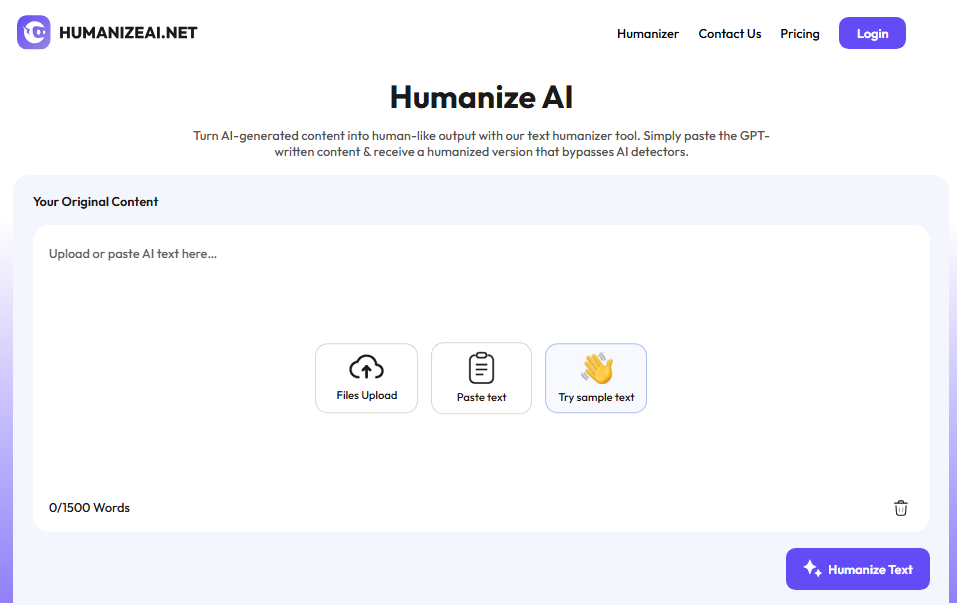
Humanizing text is very important, especially if you are getting it from AI tools. This AI humanizer can easily identify robotic elements in your content and can rephrase them into something that sounds more engaging.

As mentioned before, your product description needs to be simple & straightforward if you want to get conversions. This humanizer tool can remove uncommon words, passive voice, and other elements that might be making the description confusing or hard to understand. 

This humanizer tool is free and very easy to use, which makes it an ideal solution for those who don’t have writing skills or experience and are heavily relying on AI text generators.

Humanizeai

3. iDetect.org

It would not be wrong to say that people today are not interested in reading robotic content, as it simply doesn’t connect or convert.

Therefore, it is important to ensure that your descriptions don’t sound fake or overly formal, even if you haven’t used AI tools.

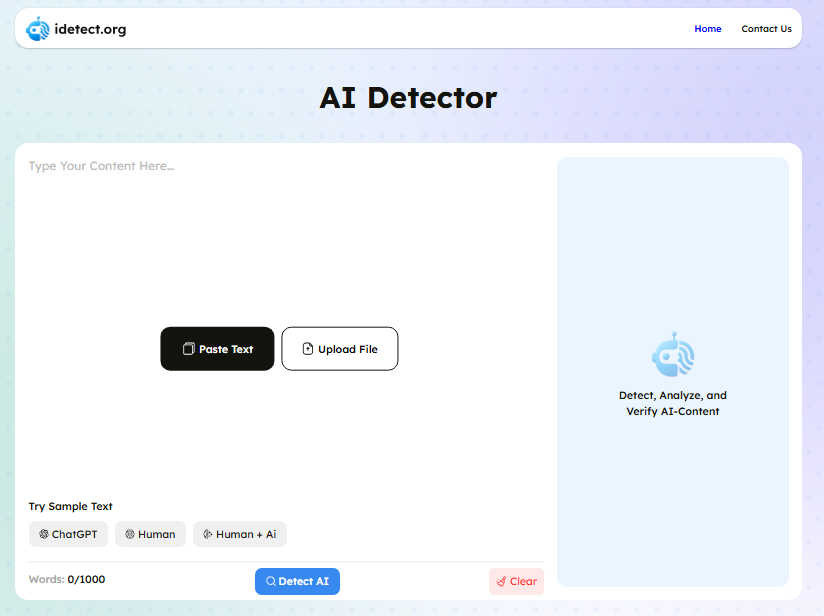
This AI detector can easily highlight content that sounds similar to a GPT-written draft. If you find AI instances, you can easily remove or rephrase them differently.

This tool helps you make sure that every part of your description sounds natural and authentic.

iDetect

4. Grammarly AI

Grammarly is an AI grammar corrector tool that can help you find and fix all kinds of human errors in your descriptions.

It is important to understand that any errors in your product description would poorly reflect on the quality of your products. Therefore, it is important to ensure quality.

This tool is powered by AI and can easily detect errors that would often go unnoticed during manual checking and editing tasks.

It also offers real-time suggestions for improvements through which you can easily uplift the quality of your descriptions.

Here, you must also know that if you’re using the premium version of Grammarly, you can also find out if your descriptions are similar to any of your competitors using the plagiarism checker.

Grammarly

5. PlagiarismRemover.co

Plagiarism Remover is yet another helpful utility that can assist in writing a powerful product description. This tool, as the name suggests, can help you eliminate all kinds of duplication from your writing.

In case you’ve found out excessive similarities in your description with another one of your competitors, you must rephrase and ensure originality. You can easily do so with this tool. 

It uses NLP and other advanced rewriting technologies, which makes it capable of restating your entire description differently without changing its underlying context or intent. 

The thing we like about this tool is that it also comes with a built-in plagiarism checker, which allows you to check your revised descriptions for unwanted plagiarism.

PlagiarismRemover

Conclusion

It is important for you to understand that your Shopify product description is your silent salesperson.

With the right writing tools, you can automate the grunt work while still delivering persuasive, brand-aligned descriptions that would get you maximum conversions.

In this guide, we have discussed in detail what a product description is, its important characteristics, and the best tools that can help you write the best ones that would get conversions and increase your sales.

Remember that the purpose of AI tools is to offer assistance. You must avoid over-reliance on them and make sure that the final copy has been edited and optimized by you!

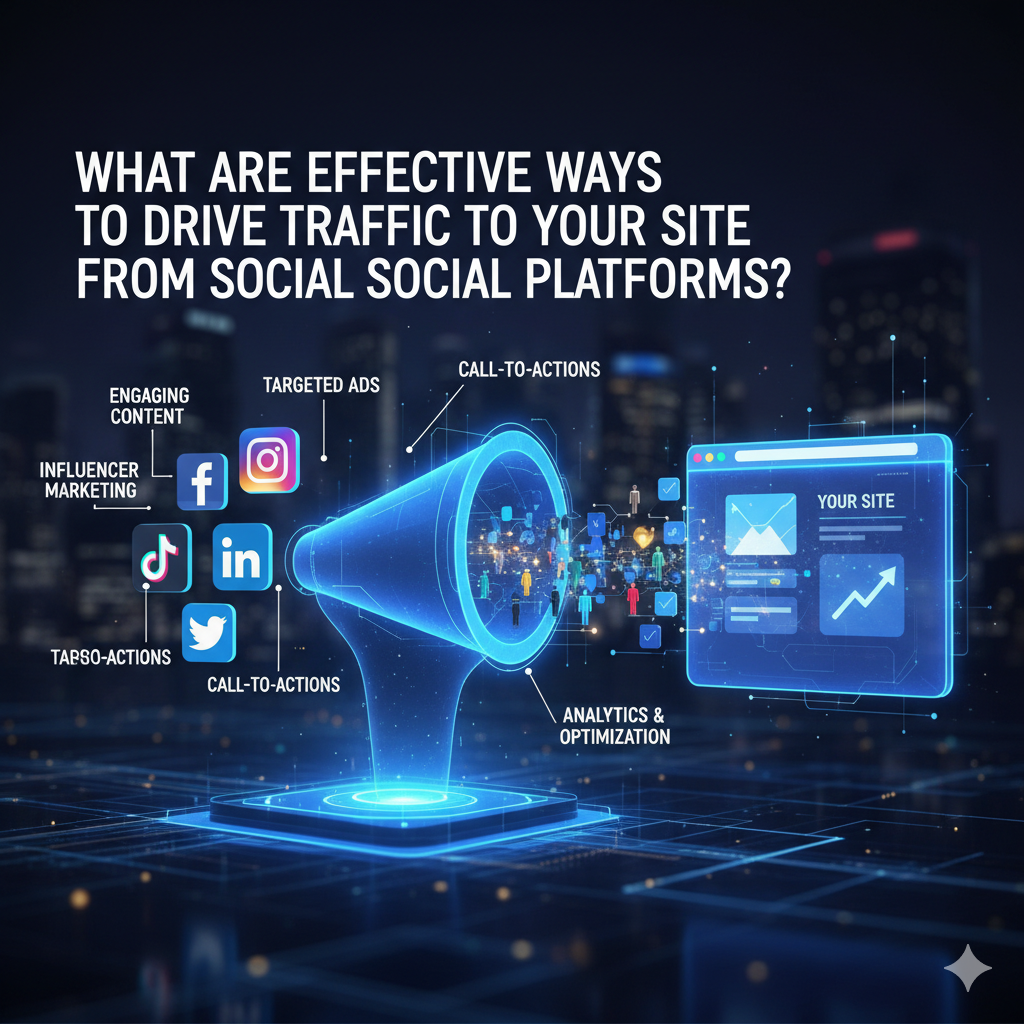
What Are Effective Ways to Drive Traffic to Your Site from Social Platforms?

What Are Effective Ways to Drive Traffic to Your Site from Social Platforms?

Social Platforms


Using social media to drive traffic to your website is similar to solving a Rubik’s Cube with constantly shifting colours. The Instagram post may receive over 100 likes one day, but no website views. The next day, a simple Facebook status update might get a good amount of traffic. You’re not the only one who wants to know how to get people who follow you on social media to visit your website.

The positive aspect? There are certain social media marketing strategies that work for everyone. After you grasp the basics, you can adjust them to fit your brand and target audience. Now let’s examine the most practical choices available to companies today. 

Understanding Social Media User Behaviour to Drive Website Traffic 

A recent survey exposes that before trying to engage in social media marketing, thus falling into tactics, marketers ought to ascertain that users interact differently with each platform. A LinkedIn user would be in a professional state of mind and hence would be interested in clicking either the link or advertisement for some industry insight, whereas a typical Instagramnaut is there for visual inspiration and some quick fun.

One should tailor their content to meet the natural user behaviour of each platform. If the strategy is synchronised with the way users utilise each platform, it makes the work of gaining traffic easier. The company would never use the same style of conversation at a business event and at a casual party, and social media is no different. 

How to Create Click-Worthy Social Media Content That Brings Visitors to Your Website 

At the base of social media traffic creation lies crafting content that makes people want to know more about it. Don’t settle for superficial posts; give people something of real value that they can delve into only on your website.

Another great way is by using the “teaser method.” Provide a fascinating insight, surprising statistic, or intriguing question just for social media, and then lead followers to the website to get the full explanation or solution. Instead of posting the entire “How to” blog on social media, post step 1 or the most surprising tip and then direct people to the site for the entire process.

Storytelling with cliffhangers is another compelling strategy. Start an engaging story in your social post, then create intrigue by stating that the resolution or the surprising twist is in your full blog post. This fits nicely with our innate desire to know how stories end. 

Proven Social Media Strategies to Increase Website Traffic on Facebook, Instagram, Twitter, and LinkedIn 

Each social platform requires slightly different strategies for engagement. On Facebook, long posts that start conversations work best, especially when you ask questions related to the website content. The comments then act as an organic place to drop your link as a resource.

Instagram is more visually appealing. Instagram Stories take centre stage since ordinary posts are unable to include clickable links. To point your followers to particular website pages, use the link sticker or swipe-up feature. Make eye-catching story highlights that act as a constant entry point to your finest work.

Fast-paced Twitter is good for sending tips with specific calls-to-action to read more on your website. The character limit naturally creates a “teaser” effect. Engage with replies for extra visibility and traffic.

LinkedIn is for thought leadership. Share relevant insights on your field and mention in passing that on [Website], you’ve written a detailed analysis. B2B audiences love anything educational: case studies, you name it. 

Using Visuals and Video to Boost Social Media Traffic to Your Website 

Engagement and click-through rates are always higher with visuals rather than text-only posts. And you don’t have to hire someone for creating fancy graphics and photography. Simple and clear visuals will do the trick if they complement your message.

Since the majority of social algorithms favour video lately, video content needs special attention. Create short videos introducing topics, giving quick tips, or showing behind-the-scenes content, then tell viewers they can go to your website for elaborate information. The kind of video that you might be shooting with a mobile phone is just the thing for genuine, valuable content.

You could consider a video series with each episode explaining one facet of the broader subject, while the complete guide could be on your site. It simultaneously builds anticipation for each upload and provides multiple avenues for discovery. 

Optimising Your Social Media Marketing for Maximum Website Clicks 

Timing and consistency weigh heavy on the social media marketing scale on which success is placed. Get to know well when your particular profile’s audience is online for different days within a platform and schedule your posts around such observations. Most management tools give analytics on when followers are online.

Free use of the social media calendar would be a mistake on a perfect impulsive act. Posting schedules, no matter what they are, has to foster a split-second recognition pattern among recrudescent visitors, so hopefully they click on the links we share.

Engagement is very much the same. Make sure you engage in the comment threads, contribute to conversations, and slowly start to develop authentic relationships with potential clients. People are more likely to browse websites for brands to which they feel a personal attachment. 

Tracking Social Media Traffic and Improving Results with Analytics 

Carefully track results to learn what works and what does not. Almost all website analytics programmes indicate which social platforms generate the most traffic and distinguish between types of posts that perform the best.

Pay attention to traffic quality relative to quantity. Are social visitors staying around and viewing multiple pages, or do they bounce on arrival? Such feedback will be used to refine the social content and the web experience.

For Wix SEO users, check that landing pages are optimised to handle social media traffic. The whole journey feels akin to partying, from a social post down to the landing on a website. 

Building Long-Term Website Traffic Through Social Media Engagement 

There isn’t a single way to get more people to visit your social media pages. It all comes down to making real connections and always giving something of worth. Think about what your fans really want to know, and try to be helpful instead of trying to sell them something.

Social media platforms are viewed by successful brands as more than just sources of traffic; they are instruments for building relationships. Traffic comes easily when you truly want to provide value.

Which social media tactics have brought more people to your website? Feel free to leave your thoughts in the box below, and don’t forget to sign up for our email to get more digital marketing news sent right to your inbox!

What Are Effective Ways to Drive Traffic to Your Site from Social Platforms?

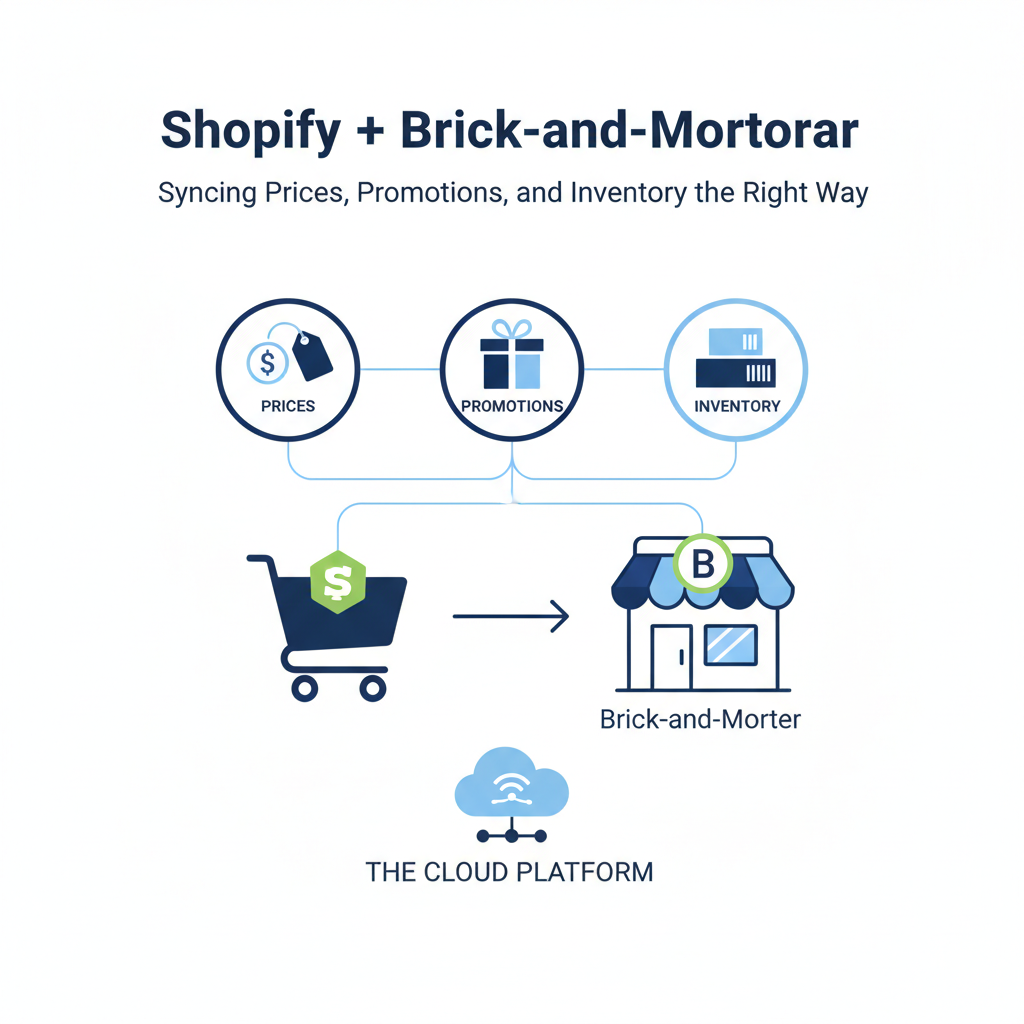
Shopify + Brick-and-Mortar: Syncing Prices, Promotions, and Inventory the Right Way

Brick-and-Mortar

Shoppers in the UK move naturally between your website and your high street store. If a price, promotion or stock count doesn’t match, trust drops and margin follows. The solution is a single source of truth for products and rules, then simple workflows that keep Shopify and your POS in step. End-to-end pricing platforms such as Retail Express help centralise pricing science and publish consistent changes to every channel so lean teams can trade with confidence.

Omnichannel leaders already treat web and store as one operation. They align pricing guardrails, promotion calendars and stock movements so the experience feels the same wherever customers buy. UK trade coverage indicates that retailers who close these gaps grow faster than those that run channels separately. For a concise sector view, see Retail Gazette’s analysis of omnichannel performance.

What to keep in sync, and why it matters

Prices that make sense in every channel

Your goal is consistency first and foremost; context comes second. Decide which system is the price owner, then mirror outwards. Use price roles so key value items stay sharp, while long tail products can be more flexible. Keep endings consistent and log every manual override so you can audit decisions later.

Promotions that carry across store and web

Define each offer once with the same name, dates and eligibility. Limit stacking so in-store outcomes match your online checkout. Record the intent of each promotion. If the aim is to clear aged stock, judge it on sell-through rather than redemptions alone.

Inventory that updates in real time

Track on-hand by location and reserve stock as soon as a basket is confirmed. Click and collect, ship from store, and returns should all write back instantly. For a practical overview of why timely updates improve fulfilment quality and customer experience, see Shopify’s UK guide to real-time inventory management.

Where planning and AI fit in

Pricing and promotions work best when they move in step with buying. Your retail assortment planning solution should share product hierarchies and attributes with Shopify and the store POS so price ladders, markdown cadence and depth of buy all support one strategy. If your range is built around good, better and best tiers, pricing should preserve clear gaps between those tiers across the season, not collapse them with reactive discounts.

To decide when to hold, match, or promote, choose retail AI that respects your guardrails and writes approved changes back to your source of truth. The goal is to scale sound trading judgement, not replace it.

An operating model a lean team can run

  • One clean catalogue with shared IDs and barcodes for every channel.
  • One promotions calendar that publishes everywhere at once.
  • Exception reviews each week for rapid price swings or repeat stockouts on click and collect.
  • Clear playbooks for store teams to process returns, click and collect and authorised price edits.

Common pitfalls to avoid

  • Local store price files that drift from your online catalogue.
  • Offers with different dates or eligibility in different channels.
  • Company-level stock counts that create false availability.
  • Too many manual overrides that break audit trails.

The bottom line

Customers do not think in channels. They expect the same deal and the same availability wherever they shop. Tie Shopify and store operations to one set of product, price and inventory rules, then let your planning and pricing tools automate the routine work. Your team spends less time reconciling and more time trading, and shoppers get a consistent experience that builds trust.

11 AI Tools Shopify Experts Use to Double Conversions in 2025

11 AI Tools Shopify Experts Use to Double Conversions in 2025

shopify ai tools

Running an online store has never been more competitive. Customers expect smooth shopping experiences, lightning-fast customer support, and personalized recommendations at every step. In 2025, simply having a Shopify store isn’t enough; you need advanced tools that can think, analyze, and act smarter than ever before. Artificial Intelligence (AI) has become the backbone of modern e-commerce, enabling store owners to automate processes, make data-driven decisions, and scale their operations with ease.

AI is no longer a luxury; it’s a necessity. From predicting customer behaviour to generating product descriptions, AI tools for Shopify are shaping the way brands connect with their customers. They work tirelessly in the background while you focus on strategy and growth. We’ll explore 11 powerful Shopify AI tools that are leading the future of online selling in 2025.

Why Use AI Tools with Shopify?

AI should be used in Shopify stores, but why has it become so essential in 2025? Here are the key reasons Shopify owners are turning to AI solutions:

  • Personalization at Scale – Shoppers expect customized experiences. AI tools help deliver personalized product recommendations, targeted emails, and dynamic discounts for each user.
  • Data-Driven Insights – AI tools can process thousands of data points to reveal trends about inventory, seasonal demands, and customer behaviour that humans might miss.
  • 24/7 Customer Support – With chatbots and AI-powered assistants, your store can provide instant replies even when your team is offline.
  • Higher Conversions – AI isn’t just about automation; it’s about smarter decision-making. From optimized product pages to personalized offers, AI directly impacts sales.
  • Operational Efficiency – AI cuts down manual work like writing product descriptions, categorizing tickets, or testing landing pages.

When you integrate the right AI tools into Shopify, you gain more than just technology; you gain a competitive advantage in a crowded market.

Factors to Consider When Choosing an AI Tool for Shopify

Working with shopify experts like Omatic Growth can also help you identify the right AI strategy and ensure smooth integration for sustainable growth. Not all AI apps are built the same, and choosing wisely can make all the difference. Here are some important factors to consider:

  1. Ease of Integration – The best AI tools should integrate seamlessly with Shopify and your existing apps like Klaviyo, Mailchimp, or Google Analytics.
  2. Scalability – Ensure the tool can handle your growth. If you scale from 500 to 50,000 monthly visitors, the AI should adapt accordingly.
  3. Pricing Model – Some tools operate on subscription plans, while others use pay-per-usage models. Consider your budget before committing.
  4. Features & Capabilities – Different AI tools focus on personalisation, chatbots, A/B testing, or analytics. Choose based on your store’s immediate goals.
  5. Support & Reliability – AI is evolving quickly. Work with providers that offer regular updates, strong documentation, and reliable customer support.

By evaluating these factors, Shopify owners can choose tools that align with their business objectives and budget, ensuring long-term ROI.

Top Shopify AI Tools For Maximum Productivity

Running a successful Shopify store isn’t just about having great products, it’s about working smarter. That’s where AI-powered tools come in. From automating customer support and personalizing shopping experiences to streamlining inventory management and optimizing marketing campaigns, AI tools help Shopify merchants save time, cut costs, and boost sales. By integrating the right solutions, you can focus on scaling your business while AI handles the heavy lifting behind the scenes.

1. Rebuy AI

Rebuy AI is a leader in personalization and upselling for Shopify stores. This tool uses advanced recommendation engines to suggest products based on each customer’s browsing behaviour and purchase history. Instead of showing generic product suggestions, Rebuy dynamically updates recommendations in real time, increasing the chances of upsells and cross-sells.

One standout feature of Rebuy is its seamless integration with Shopify’s checkout process. Customers are presented with relevant add-ons right before completing their purchase, which significantly boosts average order value (AOV). Additionally, Rebuy integrates with email and SMS marketing platforms, allowing brands to continue personalized engagement outside of the store.

For Shopify owners, Rebuy AI is not just about automation; it’s about creating meaningful shopping experiences that drive repeat purchases. By showing customers products they actually want, you build stronger loyalty while growing your revenue.
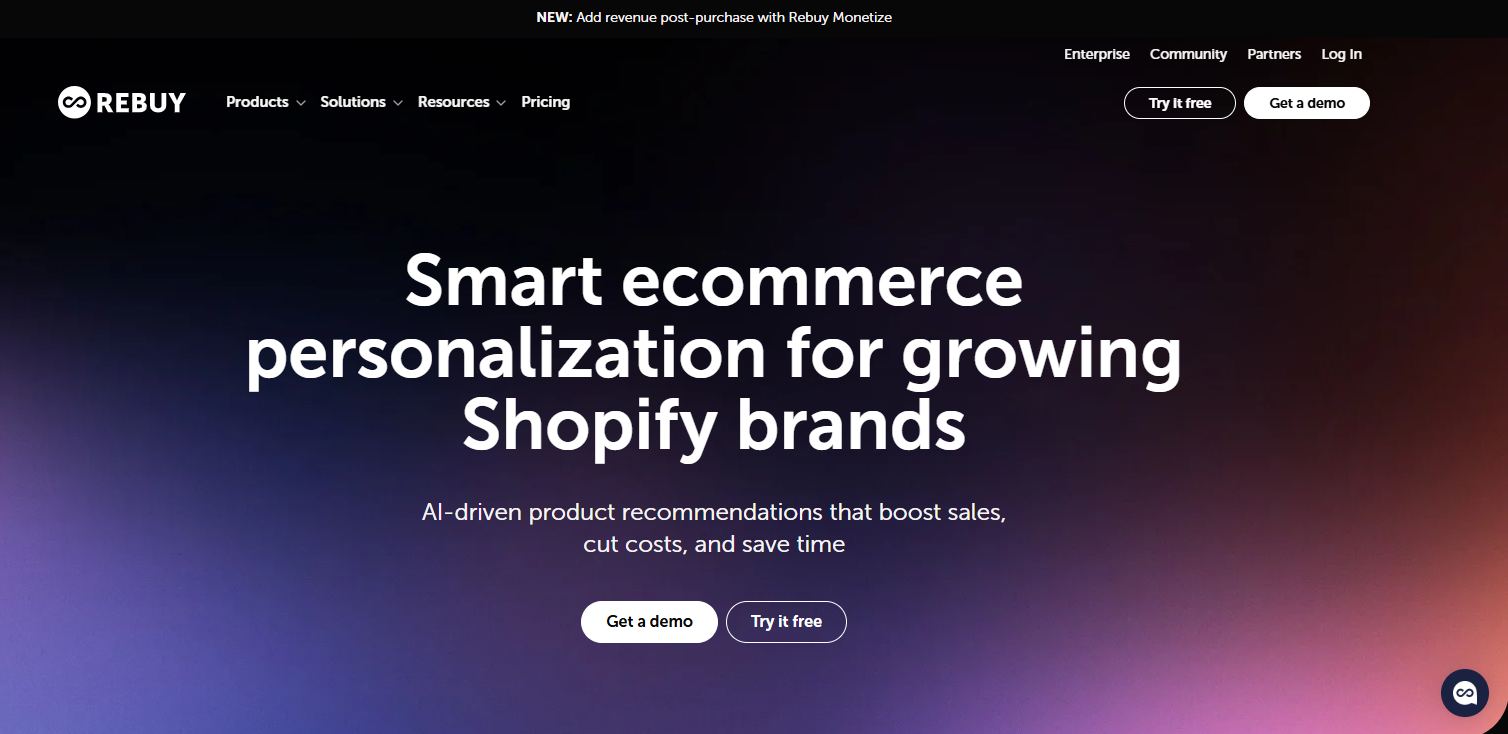
Rebuy AI

2. Clerk.io

Clerk.io focuses on enhancing customer experience through personalized search, product recommendations, and email automation. One of its key strengths lies in its AI-powered search engine. Unlike Shopify’s default search bar, Clerk.io delivers highly accurate search results tailored to the shopper’s intent.

This tool doesn’t just stop at search; it also powers recommendation widgets across your store, from product pages to the cart. With Clerk.io, you can deliver hyper-targeted email campaigns by analyzing customer data and predicting future buying behaviour.

For businesses aiming to increase conversions and reduce cart abandonment, Clerk.io provides a holistic solution. It turns a simple store into an intelligent sales machine, helping brands compete with giants like Amazon in terms of personalization.
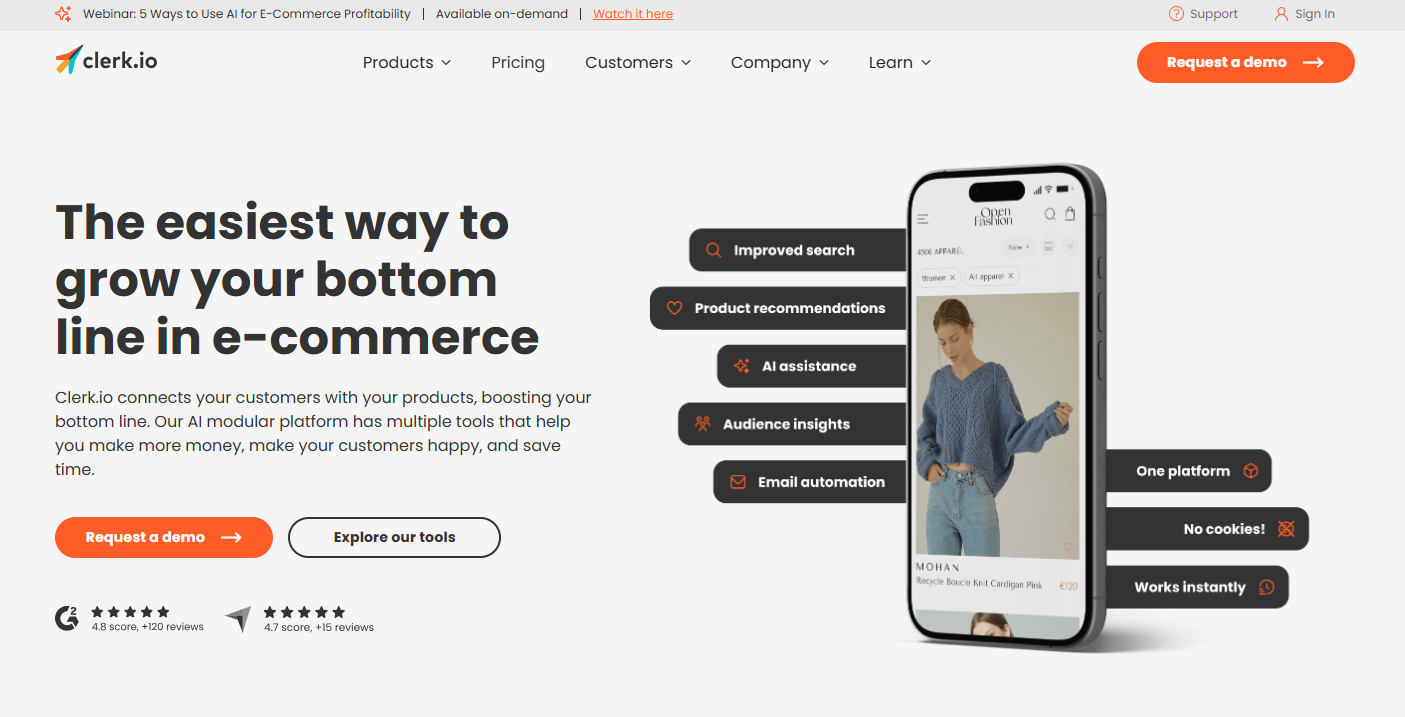
Clerk

3. Dialogflow (Google AI)

Dialogflow, developed by Google, is one of the most sophisticated conversational AI platforms available today. When integrated with Shopify, it enables brands to create chatbots that can handle complex customer queries, process orders, and provide multilingual support.

What sets Dialogflow apart is its ability to use natural language understanding (NLU). Instead of responding with scripted answers, it understands customer intent and provides context-aware responses. This makes conversations feel human-like and trustworthy.

For international Shopify stores, Dialogflow’s multilingual support is a huge advantage. It allows businesses to connect with customers globally, breaking down language barriers and improving accessibility.
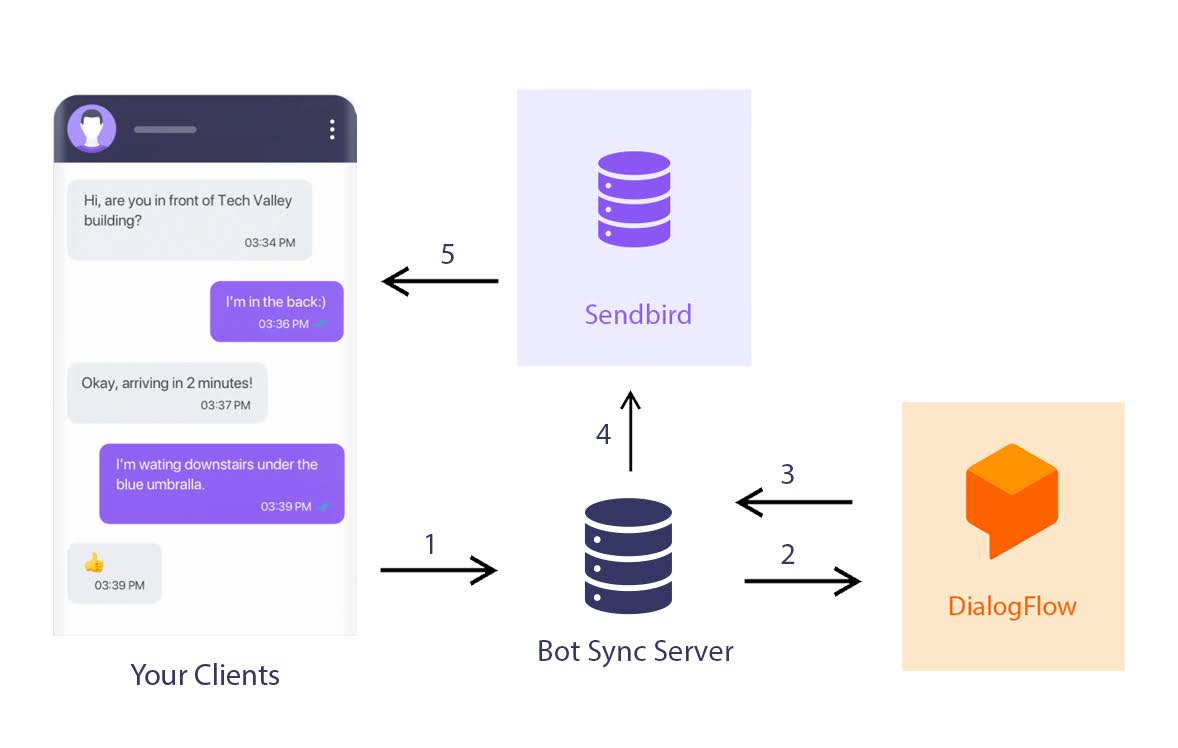
Dialogflow (Google AI)

4. Shopify Magic

Shopify Magic is Shopify’s own AI solution, built directly into the platform. It helps store owners automate content creation, including product descriptions, SEO-friendly titles, and email campaigns. For busy entrepreneurs managing hundreds of SKUs, Shopify Magic can save hours of manual work.

The biggest advantage of Shopify Magic is that it’s native to Shopify. There’s no complicated setup or integration; it works seamlessly within your dashboard. Additionally, it adapts to your store’s tone and branding, ensuring consistency across all content.

For new businesses, Shopify Magic provides a head start, while for established brands, it ensures scalability without hiring large content teams.

Shopify Magic

5. Jasper AI

Jasper AI is one of the most advanced AI writing assistants in the market. For Shopify owners, Jasper can generate compelling product descriptions, blog posts, ad copy, and even social media captions in minutes.

What makes Jasper unique is its ability to adapt writing styles. Whether you want a playful tone for a fashion brand or a professional voice for a tech store, Jasper delivers high-quality content tailored to your audience.

Beyond content creation, Jasper AI can help with SEO optimization by suggesting keywords and meta descriptions. This makes it easier for Shopify stores to rank higher in Google search results while engaging potential customers with powerful copy.
Jasper AI

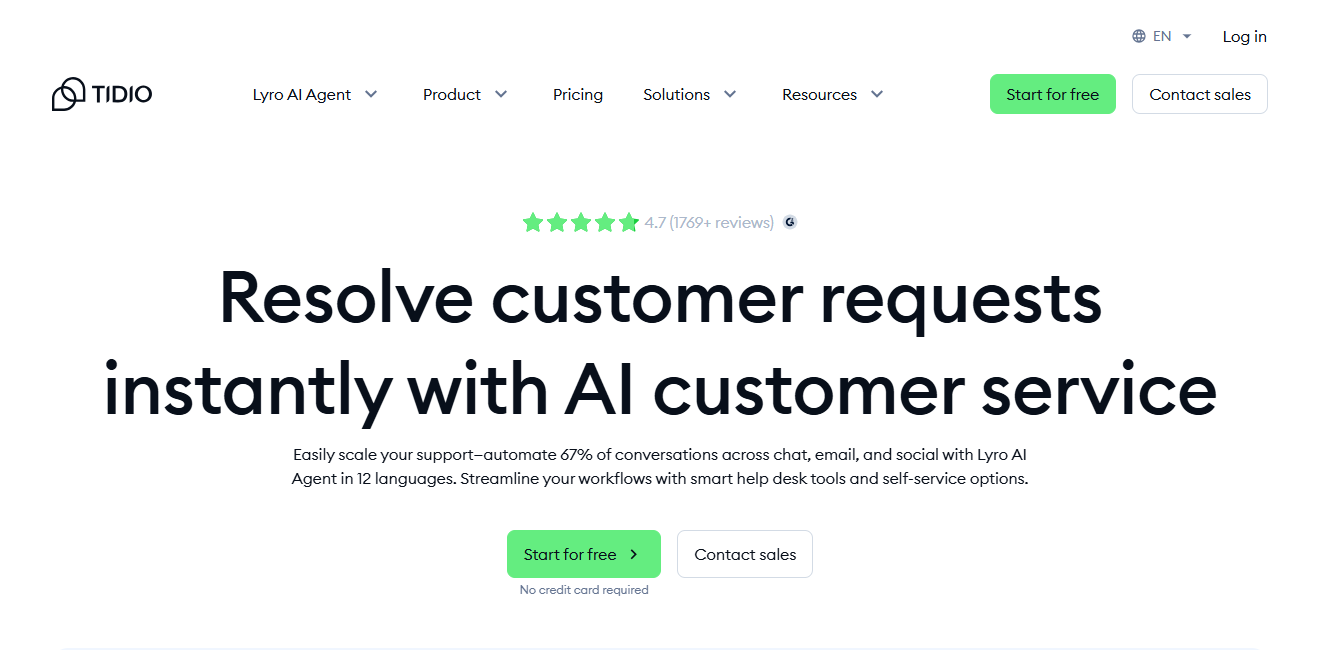
6. Tidio AI Chatbot

Tidio combines live chat and AI chatbot features, making it one of the best customer service tools for Shopify. With Tidio, you can offer instant support to shoppers, answer FAQs, and guide them through the purchase process.

The AI chatbot can handle common queries like shipping details, return policies, and product availability. When a complex issue arises, the conversation is seamlessly handed over to a human agent. This hybrid approach ensures efficiency without compromising customer satisfaction.

In addition to customer service, Tidio also doubles as a lead-generation tool. It can capture visitor information, recommend products, and nudge shoppers towards checkout, making it a valuable asset for sales as well.
Tidio AI Chatbot

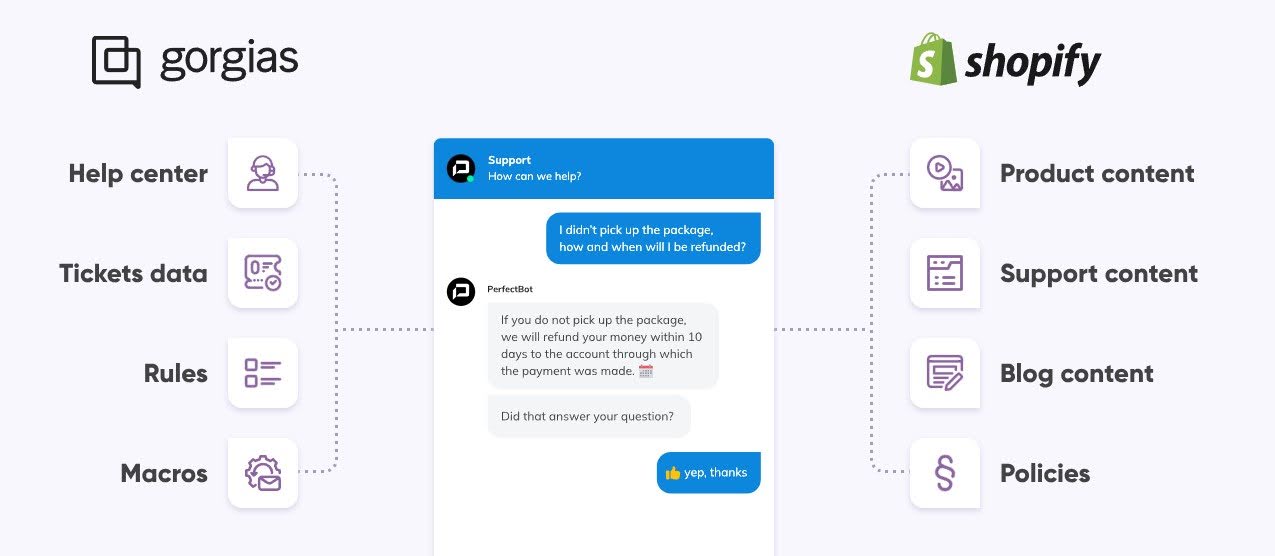
7. Gorgias AI

Gorgias AI is a customer support platform designed specifically for e-commerce. It integrates directly with Shopify, centralizing all customer inquiries from email, chat, social media, and SMS into one dashboard.

The AI capabilities of Gorgias include ticket categorization, automated replies, and performance analytics. It reduces response times by suggesting the best responses to agents and automatically handling repetitive tickets.

For Shopify brands with growing customer bases, Gorgias is a lifesaver. It ensures customers receive quick, accurate responses while freeing up your team to handle more complex cases.
Gorgias AI

8. Optimizely AI

Optimizely AI is built for experimentation and optimization. Shopify owners can use it to run A/B tests on product pages, checkout flows, and marketing campaigns. Instead of relying on guesswork, Optimizely uses AI to determine which variations convert best.

This tool also helps personalize experiences by showing different versions of content based on customer segments. For example, first-time visitors might see a welcome discount, while returning customers are shown loyalty rewards.

The result is a more data-driven approach to e-commerce. Shopify brands can continuously optimize their sites, leading to higher conversions and better customer retention.
Optimizely AI

9. ChatGPT (Shopify Integration)

OpenAI’s ChatGPT has become one of the most versatile tools for Shopify owners. With Shopify integrations, ChatGPT can be used for customer support, product recommendations, and content generation.

What sets ChatGPT apart is its conversational intelligence. It can handle customer interactions in a friendly, engaging tone while providing accurate information. Store owners can customize ChatGPT’s responses to align with their brand personality, making every conversation feel authentic.

Beyond chat, ChatGPT can also generate blog content, product FAQs, and marketing copy. It’s like having a virtual team member that never sleeps, always ready to create and communicate.

ChatGPT (Shopify Integration)

10. Qubit AI

Qubit AI is a personalization powerhouse. It uses real-time data to deliver product recommendations, personalized landing pages, and targeted offers for each shopper.

Unlike generic apps, Qubit adapts to user behavior as it happens. If a customer abandons a cart, Qubit can instantly trigger a personalized offer to win them back. If a shopper repeatedly views a product, Qubit AI highlights related products or discounts to encourage purchase.

This kind of real-time personalization helps Shopify stores increase engagement, reduce churn, and maximize revenue. It’s particularly powerful for brands with large catalogues or diverse audiences.

Qubit AI

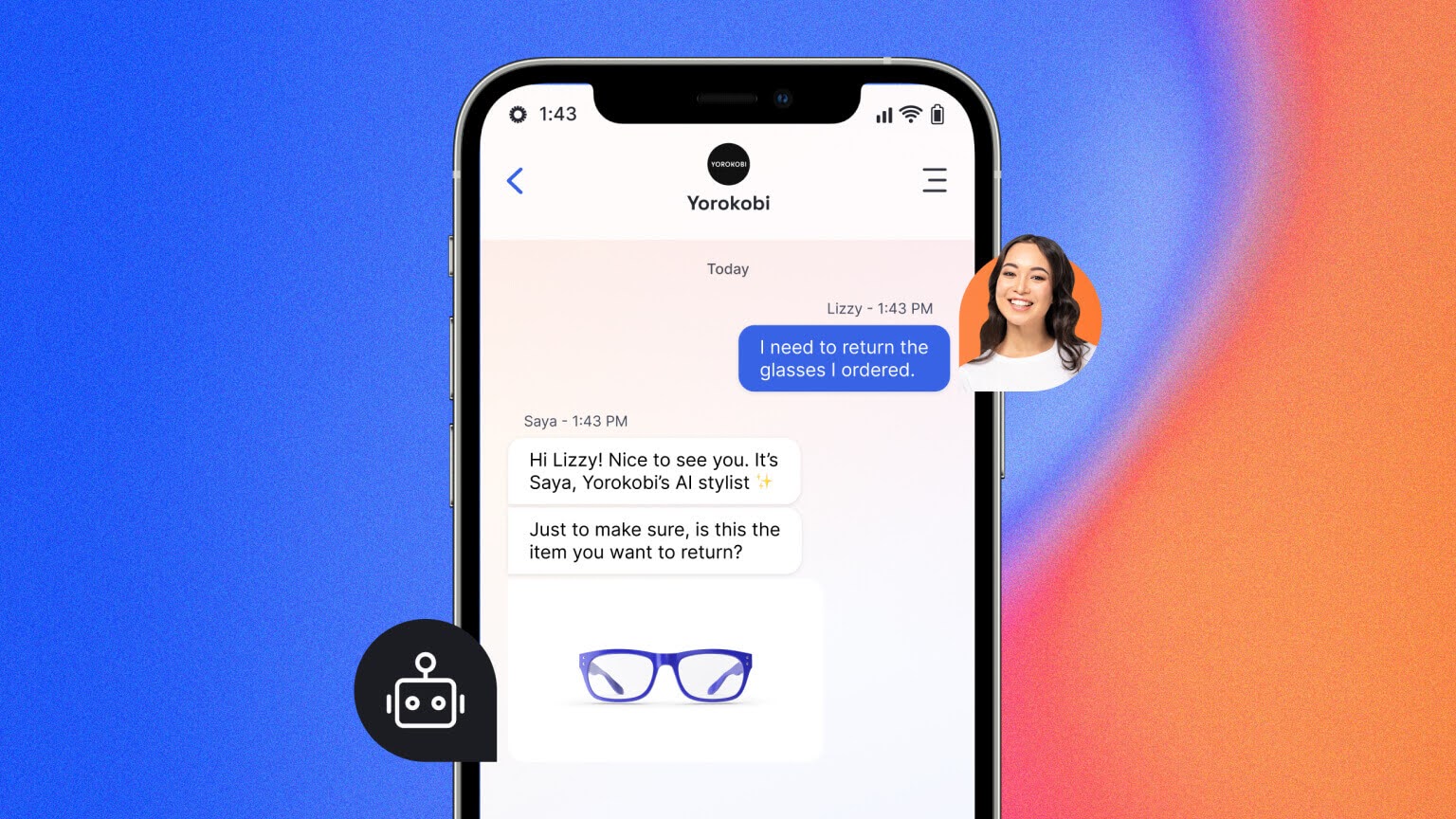
11. LivePerson AI

LivePerson AI is a conversational commerce tool that allows Shopify stores to engage with customers across multiple channels, including website chat, WhatsApp, SMS, and Facebook Messenger.

Its strength lies in natural language processing (NLP), which enables it to understand and respond to customer intent accurately. Whether it’s checking order status, recommending products, or handling complaints, LivePerson AI ensures seamless communication.

In addition, LivePerson provides analytics on customer interactions, helping brands improve service quality and identify opportunities for upselling. It bridges the gap between customer service and sales, turning conversations into revenue.
LivePerson AI

Final Thoughts

AI is the future of Shopify success. These tools are no longer “nice to have”; they are the foundation of modern e-commerce. From personalization engines like Rebuy and Qubit to customer service solutions like Tidio and Gorgias, each AI tool brings unique value to your Shopify store.

The key to success isn’t using every AI tool on the market but choosing the ones that solve your specific challenges. Whether it’s automating customer support, optimizing conversions, or generating content, AI is your ultimate partner in growth.

Omatic Growth helps e-commerce brands harness the power of AI and digital marketing to scale smarter, not harder. By integrating the right AI tools, you can future-proof your Shopify store and stay ahead of competitors. The time to act is now; the future of Shopify is AI-driven, and those who embrace it will lead the way.


Offline marketing for Shopify stores that still works

Offline marketing for Shopify stores that still works

Offline marketing for Shopify stores

Many Shopify teams focus on ads, email, and social. That makes sense, but it leaves money on the table. Shoppers still respond to things they can see, touch, and scan. A poster with a QR code. A flyer tucked into a bag. A text message that arrives at the right moment. 

Recent Harvard Business Review analysis notes that marketers are shifting some spend back to traditional channels because they cut through clutter and build trust.

Inside the store

Your physical space can drive installs and sales without heavy lifts. Put a clear QR code near checkout and in the shop window. Train staff to mention the app and show what a shopper gets for installing it. 

A small discount, a loyalty stamp, or early access works better than a generic pitch. Add the code to packaging and bags so the reminder travels home with the customer. Every reuse of that bag turns into a small billboard.

If you are building your own app, a builder like Appbrew can keep the look and feel in line with your store and integrations. The tactic stays the same either way. Make the install the easiest action a shopper can take while the product is still in their hands.

Direct mail and flyers

Digital channels are busy. A simple mailer still gets attention, especially if it carries a QR code and a clear offer.  Using a tool like The QR Code Generator (TQRCG) makes it easy to create scannable codes that drive engagement. The USPS Household Mail Survey shows that households continue to read and interact with advertising mail, which makes it a steady way to reach local buyers. 

Think of mail as a second chance to continue the in-store conversation. Use it for new store openings, local events, or win-back offers. Pair mail with a short landing page that loads quickly and asks for one action only. 

If you need help with physical distribution at scale, a service like Oppizi handles flyer distribution and direct mail software so your team does not have to organize boots on the ground.

Text messages and web push

SMS and web push sit on the edge between online and offline. They work well with physical prompts. A shopper scans a code in store then gets a short text with a welcome code. Or they leave a cart and receive a short web push reminder without sharing a phone number or email. 

The MDN Push API documentation explains how web push uses browser permissions rather than personal contact details. Keep messages short. Tie them to real events like pickup ready, local popups, or new store hours. Respect quiet hours and opt outs.

Social proof that keeps working

Offline prompts work better when your product pages look trustworthy. Review apps are the easiest lift here. They add star ratings, photos, and short videos that reduce doubt at the point of decision. 

A Spiegel Research Center study found that reviews have a measurable effect on sales, with the size of the effect shaped by rating levels, number of reviews, and product price. You do not need fancy designs. You need a steady flow of real reviews and a clear way to show them across product pages, collections, and search results.

Community and cause

Some products sell because shoppers feel part of something. A small forum or community space can capture that energy and keep it near your store. 

PeerBoard adds a branded community with groups, profiles, and comments on product pages. It helps you hear questions before they turn into support tickets and gives you text that also aids search.

Cause giving also fits well with local and offline work. Virtue helps you donate a part of sales to selected charities and shows the impact on site. Many stores use this in place of a blanket discount. It gives shoppers one more reason to scan that QR code or try your app.

Make results visible to your team

Motivation helps teams stick with simple habits. The Counter app pulls sales or orders into a lightweight display so your staff can see daily and weekly progress. Put it on a screen in the back office. Call out a win when the team hits a target. Small feedback loops keep offline habits alive.

How to combine these pieces

Start at the door. A clear QR code in the window, another near checkout, and one on bags and packaging. Pair the code with a simple reward for installing the app or joining SMS. Keep the ask small. One tap. One field. One clear benefit.

Back it up on the site with review widgets so new traffic from mailers and codes sees proof from other buyers. Use web push for cart reminders and price drops. Use SMS for shipment status, pickup, and one local offer each week at most. If you run local events, add a printed invite at checkout with a QR code to RSVP.

Test a small direct mail run to a nearby postcode. Use a short URL or a QR code that lands on a page made only for that campaign. Track redemptions rather than clicks. If you need feet on the street for flyers near your shop, look at Oppizi so your staff can stay focused on service.

Add a small community space if your category benefits from it. Think hobby products, wellness, beauty, food, or tech accessories. Keep it tidy. Pin two or three helpful threads. Invite new buyers to introduce themselves or share a photo of how they use the product. 

If giving fits your brand, set up Virtue and let buyers direct a small part of the order total to a cause. Tell that story next to the QR code and at the register.

Guardrails that keep this simple

Keep print clear and short. Use one offer at a time. Do not flood people with texts. Make it easy to leave the list. Ask for reviews a few days after delivery and again after first use. Feature fresh reviews on your top pages. Refresh posters and flyers using poster templates so they never look stale, and train staff with a one-page script they can easily practice. Track what matters in one place so you can see trends without digging.

A quick tool map

Need reviews you can display fast JudgeMe, LAI, Stamped, Yotpo
Need SMS without heavy setup Postscript for full features, YSMS for basic campaigns
Need web push to reach anonymous visitors PushOwl
Need a simple forum tied to your store

PeerBoard


Want to link sales with giving Virtue
Want a visible scoreboard for the team Counter
Need help with flyers and mail Oppizi

The takeaway

Offline prompts and simple apps work well together. Use the store to start the action. Use mail and flyers to extend it. Back it up with reviews, SMS, and web push. Keep the message short and the path to action even shorter. 

Do this with steady effort and you will see more installs, more repeat visits, and more orders without adding heavy overhead.

How Story-Driven Content Turbocharges Shopify SEO and Sales

How Story-Driven Content Turbocharges Shopify SEO and Sales

Story-Driven Content

In today’s digital-first marketplace, Shopify has become a go-to platform for businesses looking to sell online. But with millions of stores competing for visibility, simply having great products is not enough. 

What truly sets successful Shopify brands apart is the ability to tell a compelling story. This is where tools like Storygenerator come in, helping merchants craft engaging narratives that not only connect with customers but also boost SEO rankings. 

By combining storytelling with search engine optimization, Shopify brands can drive more organic traffic, improve user engagement, and increase conversions.

Why Storytelling Matters for Shopify Brands

1. Building Emotional Connections

Customers don’t just buy products—they buy experiences and emotions. A Shopify store that communicates a brand’s journey, values, or customer success stories is more likely to foster trust and loyalty. Story-driven content gives meaning to your products and encourages repeat business.

2. Differentiating from Competitors

With thousands of similar stores online, a compelling story becomes your strongest unique selling point. It helps your brand stand out in a crowded market, making your products memorable and relatable.

The SEO Advantage of Story-Driven Content

1. Higher Engagement = Better Rankings

Search engines reward content that keeps users engaged. Well-written stories powered by Storygenerator can improve time-on-page, reduce bounce rates, and signal relevance to Google.

2. Natural Keyword Integration

Storytelling makes it easier to blend keywords into meaningful narratives without sounding forced. By embedding terms like “Shopify SEO,” “Shopify growth,” and “conversion optimization” into authentic stories, you achieve better rankings while keeping content reader-friendly. Additionally, using SEO reporting tools helps track how well these keywords are performing within your content, allowing you to refine your storytelling approach and ensure your SEO efforts are data-driven and effective.

3. Backlink Potential

Stories are shareable. Engaging narratives often attract backlinks from blogs, influencers, and digital publications—further improving domain authority and organic visibility.

How Storygenerator Can Transform Shopify Content

1. Crafting Product Descriptions That Sell

Instead of bland product specs, Storygenerator can create descriptions that highlight the problem, the solution, and the lifestyle transformation that comes with buying the product.

2. Blog Posts That Drive Traffic

Regular blog content generated with storytelling techniques improves Shopify SEO by targeting long-tail keywords and creating internal linking opportunities.

3. Email and Social Campaigns with a Narrative Hook

Emails and social posts infused with micro-stories capture attention and improve click-through rates, ensuring consistent customer engagement beyond the storefront.

Practical Tips for Using Storytelling in Shopify SEO

  • Use customer success stories to showcase real-world results.
  • Highlight your brand’s origin story on your About page.
  • Add mini-stories in product descriptions to emphasize benefits.
  • Leverage Storygenerator to brainstorm creative campaign ideas that align with SEO goals.
  • Ensure every piece of story-driven content is optimized with metadata, headings, and alt text.

Conclusion:

Shopify merchants who embrace storytelling gain more than just brand loyalty—they unlock the power to rank higher, attract more organic visitors, and increase sales. 

By leveraging tools like Storygenerator, businesses can craft narratives that merge seamlessly with SEO strategies, creating content that both search engines and customers love. 

In the crowded world of e-commerce, your story may just be the most powerful tool you have to stand out, build trust, and drive long-term growth.