UK: +44 2038074555 info@atamgo.com
How Data Analytics Is Revolutionizing Our Everyday Lives

How Data Analytics Is Revolutionizing Our Everyday Lives

Data Analytics

In today’s fast-paced world, data analytics is a driving force behind innovation and improved decision-making. From enhancing business strategies to improving personal healthcare, the impact of analytics is more significant than most people realize. For those interested in diving deeper into this field, pursuing an online data analytics master’s at Northwest Missouri State University could be a transformative step. But how exactly is data analytics reshaping our daily lives?

As technology evolves, data analytics plays a critical role in bringing us closer to a future that’s not only technologically advanced but also more efficiently managed. In this article, we will dive into the various ways data analytics influences our day-to-day activities and explore why it’s rapidly becoming indispensable across multiple sectors.

The Rise of Data Analytics

Data analytics is no longer a niche area restricted to tech professionals; it is now a core component of virtually every industry. The last decade has seen an explosion in the availability of digital data, accrediting data analytics with a growth rate unmatched in most sectors. According to multiple industry studies, the data analytics market is projected to continue its upward trajectory, attracting investments and evolving with innovations in machine learning and artificial intelligence. This growth is greatly attributed to the increased digitization of industries and the need for data-driven results.

Everyday Applications of Data Analytics

Data analytics is woven into the fabric of everyday life in ways that might surprise you. Take businesses, for instance; they leverage analytics and data integration tools to streamline operations, from inventory management to optimizing logistics. Businesses rely on an accurate analysis of consumer behavior to craft strategic marketing campaigns that resonate with their target audience. According to a Forbes article on key analytics trends, utilizing data and data integration tools has become pivotal for companies seeking a competitive edge, making them more agile and responsive to market demands.

Data-Driven Decision Making

The era of decision-making based solely on instinct and experience is being overshadowed by data-driven approaches. Today, businesses and organizations are increasingly relying on data analytics to guide key decisions. The benefits of elevating data to a central decision-making role are evident: more accurate forecasting, reduced risk, and improved efficiency. Enrolling in courses in data analytics can equip professionals with the skills to interpret and leverage data effectively for better business outcomes. When companies harness vast troves of data, they can adapt swiftly to changing market conditions and consumer preferences, ensuring long-term sustainability and profitability.

The Role of Data in Healthcare

The healthcare industry is arguably one of the most significant beneficiaries of data analytics. By analyzing electronic health records and utilizing predictive analytics, healthcare providers can identify patterns and predict patient outcomes with unprecedented accuracy. This enables doctors to offer personalized medical advice, improving patient care and operational efficiency. Reports by Health IT Analytics highlight how data-driven innovations are revolutionizing healthcare delivery, transforming patient experiences, and greatly enhancing efficiency in medical operations.

Enhancing Customer Experience

In the modern market landscape, customer experience is key to building loyalty and fostering brand success. By leveraging data analytics, companies can dive deep into customer feedback and behavioral data to offer a more personalized service. This tailored approach helps businesses preemptively understand customer needs and interests, allowing for relevant product recommendations and smoother customer service interactions. Case studies across industries have shown that businesses that embrace data analytics in customer relations outperform competitors that do not utilize data as effectively.

Education and Data Analytics

In education, the advent of data analytics has paved the way for a revolution. Academic institutions now employ data to understand student behaviors, tailor educational offerings, and enhance learning outcomes. With analytics, educators can develop customized learning plans and assess the efficacy of teaching methods on a data-driven scale, leading to improved student engagement and performance metrics throughout educational systems.

Ethical Considerations in Data Analytics

With great power comes great responsibility, and the realm of data analytics is no exception. As data collection becomes more ubiquitous, ethical concerns such as privacy, security, and data integrity take center stage. Organizations must navigate these challenges seriously to maintain consumer trust. Establishing robust ethical guidelines and compliance measures is paramount to address these concerns proactively, ensuring data is utilized for beneficial purposes without compromising user privacy.

Looking Towards the Future

The future of data analytics is as promising as it is intriguing. As analytics integrates with emerging technologies such as AI and blockchain, new opportunities will arise—transforming industries and creating innovative applications. Speculative insights suggest that these advancements will lead to even more seamless operations, smarter cities, and products tailored to our individual needs. Maintaining an informed, adaptable approach will be key as the landscape continues to evolve, highlighting the importance of continuous learning and adaptation in a data-driven world.

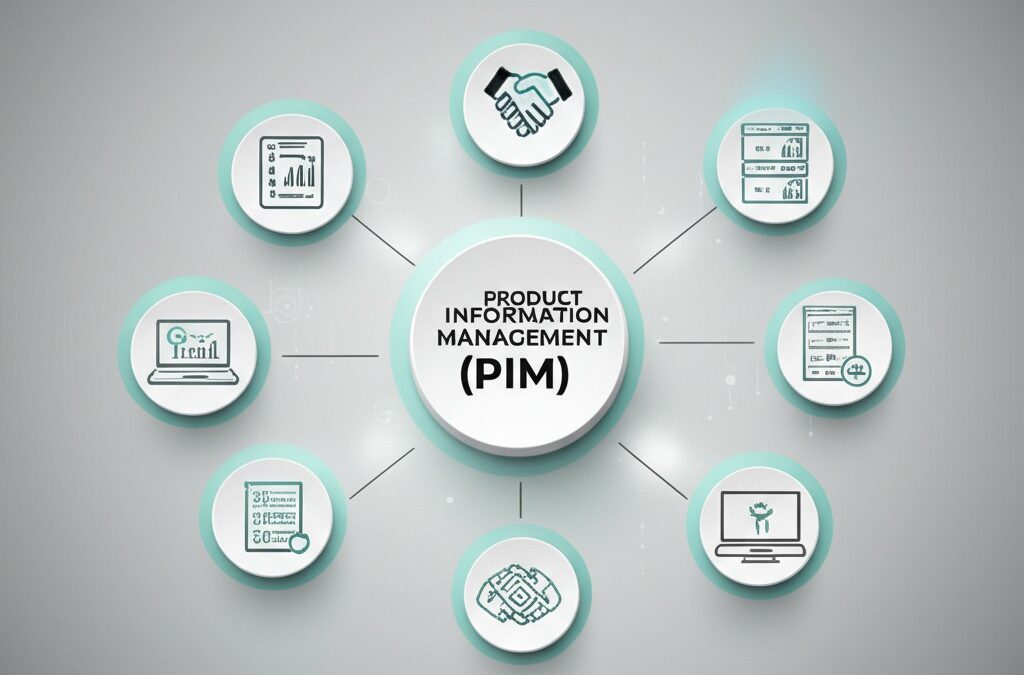
Top 10 Benefits of a Product Information Management (PIM)

Top 10 Benefits of a Product Information Management (PIM)

product-information-management/

Today, many companies compete in the digital market. Managing product information well is very important for all businesses. Product Information Management systems help companies organize and share product data. These systems are useful tools for many different channels. 

When you understand the benefits of PIM, you can change how your business works. This change can make your processes easier and improve customer experience. A PIM solution is a place where all product information is stored. This helps keep information consistent, accurate, and easy to access in your organization.

It does not matter if you are a small company or a big one with many products. The benefits of product information management are more than just storing data. 

1. Centralized Data Management and Single Source of Truth


One of the big benefits of a PIM system is that it creates one source of truth for all product information. Instead of having product data in many spreadsheets, different departments, and various systems, a PIM solution puts everything in one place. 

This centralization stops data silos that cause problems in organizations. Marketing teams may work with different product specifications than sales teams. Ecommerce platforms may display outdated information. With a PIM system, every stakeholder get the same accurate and up-to-date product data. This reduce confusion and make sure of consistency across all touchpoints. 

The centralized approach also makes data governance easier. It becomes simpler to implement quality controls and track changes. It helps maintain data integrity. When product information come from one location, businesses can make clear workflows for data entry and approval processes. This lead to more reliable and trustworthy product information. 

2. Improved Data Quality and Accuracy 

Data quality is a big benefit of a PIM solution. Poor product information can make customers unhappy. It also leads to more returns and can hurt the brand’s reputation. PIM systems fix these problems. They use strong data validation rules, standardization protocols, and quality control methods. 

PIM software can find incomplete, inconsistent, or incorrect product information. It does this before the information reaches the customers. This helps to manage data quality. It makes sure that product descriptions, specifications, images, and prices follow certain standards. This is true for all marketing channels. 

The system lets businesses create data governance workflows. In these workflows, product information gets reviewed and approved before it gets published. This way to manage data quality helps to reduce errors. It also makes sure customers receive correct and complete product information. This helps them to make better buying decisions. 

3. Enhanced Ecommerce Performance and Customer Experience 

PIM in ecommerce gives many benefits. It helps online stores show clear and correct product information. In the digital market, product information is the main way that businesses and customers connect. This makes data quality important for sales and customer happiness. 

A PIM system lets businesses make detailed product catalogs. They can include complete descriptions, high-quality images, and important technical information. This good content helps customers understand products better. It also reduces doubts and makes customers more confident when they buy. 

Also, PIM ecommerce integration keeps product information the same across different sales channels. These channels can be the main website, platforms like Amazon or Shopify, or mobile apps. This consistency stops customer confusion. It also keeps the brand strong on all digital platforms. 

4. Accelerated Time-to-Market for New Products 

Speed to market can decide success in competitive industries. PIM systems speed up product launch processes a lot. They make how businesses collect, process, and share product information better. This means businesses can bring new products to market very fast. 

Traditional product launch processes need many departments. These departments use different systems and do manual work that can create delays. A PIM solution gets rid of these problems. It gives automated workflows that move product information from the start to the final publication across all channels. 

The system also lets different teams work at the same time. The marketing team makes promotional content while the technical team inputs specifications. The creative team uploads product images, all on the same platform. This approach can reduce time to market by weeks or even months. 

5. Streamlined Multi-Channel Distribution 

Modern businesses sell their products in many ways. They use their own websites, third-party marketplaces, retail partners, and print catalogs. Managing product information by hand across these different channels takes a lot of time. This also leads to many mistakes. 

PIM systems help with this problem. They automate the distribution of products to many channels. A good PIM solution can format and share product information based on the needs of each channel. For example, Amazon may need some product attributes that are different from what your own ecommerce platform requires. The PIM system changes the product information to fit these needs. This ensures that it follows the rules and looks good on all channels. 

This feature is very useful for businesses that use platforms like Shopify. PIM software for Shopify can sync product information automatically. This makes sure that your online store shows the most current and correct data. Automation removes the need for manual data entry across different platforms. This reduces mistakes and saves a lot of time. 

6. Increased Operational Efficiency and Productivity 

The benefits of a PIM extend significantly into operational efficiency, transforming how teams work with product information. By eliminating manual, repetitive tasks associated with product data management, employees can focus on higher-value activities that directly impact business growth. 

Before implementing a PIM system, teams often spend considerable time searching for product information, manually updating multiple systems, and coordinating between departments to ensure data consistency. A PIM solution automates these processes, creating streamlined workflows that reduce administrative burden and minimize human error. 

The efficiency gains are particularly notable in organizations managing large product catalogs. What once required hours of manual work can be accomplished in minutes through automated processes, bulk updates, and intelligent data mapping. This productivity improvement allows businesses to manage larger product catalogs with the same resources or reallocate personnel to more strategic initiatives. 

7. Better Collaboration Across Teams and Departments 

Good product information management need collaboration with many people. These people includes product managers, marketing teams, sales departments, and technical specialists. PIM systems help this collaboration. They provide shared workspaces for teams to add their knowledge. This keeps the data correct. 

Modern PIM solutions have many teamwork features. These features are role-based access controls, approval workflows, and tools for real-time collaboration. Marketing teams write product descriptions. Product managers add technical specifications. Both teams can see each other’s work right away. This helps communication and makes sure all important information is collected. 

Also, PIM systems keep audit trails. These trails show who changed what and when. This creates accountability for the teams. They can understand how product information changed over time. This visibility can help to solve problems and know how decisions are made. It also helps to keep quality standards high for all product data. 

8. Enhanced Marketing Capabilities and Campaign Management 

PIM for marketing delivers powerful capabilities that extend far beyond basic product data management. Modern marketing requires rich, engaging content that tells compelling product stories across multiple touchpoints, and PIM systems provide the foundation for these sophisticated marketing efforts. 

With centralized product information, marketing teams can easily access all necessary assets, including high-resolution images, detailed specifications, competitive positioning information, and customer use cases. This comprehensive view enables the creation of more effective marketing campaigns that highlight relevant product benefits for specific customer segments. 

PIM systems also support dynamic content creation, where marketing materials automatically update when product information changes. This capability ensures that all marketing collateral remains current and accurate, reducing the risk of promoting outdated or incorrect information that could damage credibility or create customer confusion. 

9. Scalability for Growing Businesses 

As businesses grow, their product information management needs become increasingly complex. PIM solutions for small business provide the scalability needed to support this growth without requiring proportional increases in administrative overhead or system complexity. 

A well-designed PIM system can accommodate expanding product catalogs, additional sales channels, and more complex organizational structures without requiring complete system overhauls. This scalability is particularly important for businesses experiencing rapid growth or seasonal fluctuations in product offerings.

The cloud-based nature of many modern PIM solutions provides additional scalability benefits, allowing businesses to adjust their usage based on current needs without significant upfront investments in infrastructure. This flexibility enables companies to grow their product information management capabilities in alignment with business expansion. 

10. Improved ROI and Business Performance 

The cumulative effect of all these benefits translates into measurable improvements in business performance and return on investment. Organizations implementing PIM systems typically see improvements in conversion rates, reduced operational costs, faster time-to-market, and enhanced customer satisfaction. 

The ROI from PIM implementation often exceeds initial expectations because the benefits compound over time. As data quality improves, customer satisfaction increases, leading to higher conversion rates and reduced returns. As operational efficiency improves, teams can manage larger catalogs or focus on strategic initiatives that drive additional growth. 

Furthermore, the improved data insights available through PIM systems enable better business decision-making. With comprehensive visibility into product performance across channels, businesses can make data-driven decisions about pricing, inventory management, and product development that directly impact profitability. 

Optimize Your Business Today with Our PIM Solution 

The benefits of product information management extend across every aspect of modern business operations, from internal efficiency to customer experience and competitive advantage. As businesses continue to expand their digital presence and manage increasingly complex product portfolios, PIM systems have become essential infrastructure rather than optional tools. 

Whether you’re considering PIM solutions for small business applications or enterprise-level implementations, the objectives of product information management remain consistent: create a single source of truth, improve data quality, enhance customer experiences, and drive business growth through more effective product information management. 

The investment in a PIM solution pays dividends through improved operational efficiency, better customer experiences, and enhanced competitive positioning in an increasingly data-driven marketplace. For businesses ready to explore PIM solutions, the market offers various options including enterprise platforms like Akeneo and Pimcore, mid-market solutions such as Plytix and Salsify, and emerging platforms like PIMinto that provide comprehensive product information management capabilities designed to address the evolving needs of modern commerce. 

As digital commerce continues to evolve, businesses with robust product information management capabilities will be better positioned to adapt, scale, and succeed in the competitive landscape ahead.


5 Best Ways to Auto Forward WhatsApp Messages in 2025 (With Comparison)

5 Best Ways to Auto Forward WhatsApp Messages in 2025 (With Comparison)

Auto Forward WhatsApp Messages

WhatsApp is a go-to communication platform, with over 2.78 billion monthly users globally as of 2024. However, it lacks a built-in option to auto-forward messages. Whether you’re a parent trying to keep your child safe online, a business looking to archive conversations, or simply someone who wants messages mirrored across devices, there are reliable tools and workarounds available in 2025.

This post explores the 5 best ways to auto-forward WhatsApp messages, ranked by ease, legality, and effectiveness.

Key Takeaways

  • AutoForwardText offers a simple way to forward WhatsApp notifications to another phone (Android only), and forward whatsapp messages to email automatically.
  • WhatsApp Web and Companion Mode let you mirror WhatsApp on multiple devices officially.
  • Family Orbit is the best solution for parents to monitor their child’s WhatsApp activity in real-time.
  • Each method varies in complexity, legality, and device compatibility.
  • Choose the one that fits your needs – whether it’s casual mirroring or full parental control.

Comparison Table: WhatsApp Auto Forwarding Methods

Method Real-Time Forwarding Works on iOS Technical Setup Best For Legality/Policy-Safe
1. AutoForwardText Easy Notification mirroring
2. WhatsApp Web Easy Desktop or temporary access
3. WhatsApp Companion Mode Easy Multi-device use
4. Family Orbit Easy Parental monitoring ✅ (with consent)
5. WhatsApp Business API Advanced Business automation


1. Use AutoForwardText (Android Notification Forwarding)

In today’s mobile-first world, receiving real-time updates across multiple devices is more important than ever. AutoForwardText meets this demand by offering a straightforward way to forward WhatsApp message notifications to another device or email address. It stands out because it doesn’t require root access or violate WhatsApp’s policies, making it one of the safest third-party solutions for Android users.

A recent Reuters investigation (2024) revealed how financial institutions were scrutinized for unmonitored WhatsApp use, further emphasizing the importance of message oversight tools.

  • How it works: The app monitors your phone’s notification bar. When a WhatsApp message arrives, it extracts the notification content and sends it to a designated email address or phone number.
  • Setup: Install AutoForwardText from the official website, grant it access to notifications, and configure the forwarding destination.
  • Pros:
    • Quick and easy setup
    • Works in real time
    • No root or advanced permissions required
  • Cons:
    • Works only on Android
    • Can only forward what appears in the notification (no media or full chat logs)

Best for: Android users who want instant, no-fuss WhatsApp preview forwarding.

Pro Tip: If you’re using WhatsApp to talk to customers, you can make your chats even more powerful with Whatsform. It lets you create interactive forms inside WhatsApp and collect leads automatically!


WhatsForm - WhatsApp Lead Generation

Collect leads automatically with WhatsApp

Interactive forms in WhatsApp
Automate lead collection
Seamless integration
Try WhatsForm Free

2. Use WhatsApp Web

If you spend most of your day in front of a computer, WhatsApp Web offers a seamless experience for accessing messages without constantly switching devices. It mirrors your phone’s WhatsApp chats on a desktop browser, making it ideal for light monitoring or productivity use during work hours.

  • How it works: Visit web.whatsapp.com, scan the QR code with your phone’s WhatsApp app, and the chat history is instantly mirrored on your desktop.
  • Setup: Open WhatsApp on your phone > Tap the three-dot menu > Select “Linked Devices” > Scan the QR code on your computer.
  • Pros:
    • Official and secure
    • No installation needed on desktop
    • Works with any modern browser
  • Cons:
    • Phone must stay online and nearby
    • No message forwarding outside the web session

Best for: Users who occasionally need access to their WhatsApp messages from a computer.

3. Use WhatsApp Companion Mode

As users juggle multiple devices, WhatsApp’s Companion Mode brings much-needed flexibility. It allows one WhatsApp account to function across several devices simultaneously, including two smartphones—without logging you out from the primary device.

  • How it works: Open WhatsApp on a second phone, select “Link as companion device” during setup, and scan the QR code displayed on your main device.
  • Setup: On the secondary device, install WhatsApp > Tap “Link to existing account” > Scan QR from the primary phone’s WhatsApp “Linked Devices” section.
  • Pros:
    • Seamless syncing of messages and media
    • Supports up to 4 linked devices
    • Works even if the primary phone is offline for up to 14 days
  • Cons:
    • No message forwarding to external services
    • Slight delay in syncing multimedia on slower connections

Best for: Users with multiple devices who want full access to their WhatsApp account everywhere.

4. Use WhatsApp Monitoring Tool like Family Orbit

In an age where digital parenting is essential, tools like Family Orbit offer peace of mind. This feature-rich WhatsApp monitoring app enables guardians to view WhatsApp activity in real-time while complying with privacy laws.

  • How it works: Once installed on the child’s phone with appropriate permissions, Family Orbit captures WhatsApp messages, contact names, timestamps, media files, and more, and uploads them securely to a cloud-based dashboard.
  • Setup: Download Family Orbit on the monitored device, complete the setup with parental consent, and begin receiving updates in your online account.
  • Pros:
    • Real-time message monitoring
    • Access to multimedia, call logs, and contact info
    • Cloud-based dashboard for easy viewing
    • Tamper-proof and runs in stealth mode
  • Cons:
    • Requires physical access for installation
    • Monitoring must comply with privacy laws (e.g., for minors only)

Best for: Parents seeking a reliable and transparent way to monitor their child’s WhatsApp communication.

5. Use WhatsApp Business API (Advanced Users)

For companies and developers, the WhatsApp Business API opens the door to full-scale automation, also managing whatsapp business multiple users. This enterprise-grade tool supports integration with CRMs, bots, and customer service platforms, enabling smart message forwarding based on business logic.

  • How it works: Approved businesses can integrate WhatsApp with their backend using APIs and webhooks. Incoming messages can be automatically forwarded to CRM systems, emails, or custom dashboards.
  • Setup: Requires API approval from WhatsApp (via a Business Solution Provider), server-side configuration, and access to programming resources.
  • Pros:
    • Highly customizable and scalable
    • Integrates with customer support tools
    • Ideal for automated workflows
  • Cons:
    • Not suitable for personal use
    • Requires significant technical setup

Best for: Medium to large businesses handling high volumes of customer interactions.

Conclusion

In 2025, while WhatsApp still doesn’t offer a built-in way to auto forward messages, users have a range of tools to choose from based on their specific needs. Whether you’re a parent looking for peace of mind, a multitasker managing conversations across devices, or a business striving for message automation, there’s a reliable solution available.

Each method—AutoForwardText, WhatsApp Web, Companion Mode, Family Orbit, and the Business API—caters to a distinct use case. With WhatsApp facilitating over 100 billion messages per day, adopting the right strategy ensures more control over how and where your WhatsApp data flows. Choose wisely based on legality, convenience, and technical ability—and enjoy seamless communication wherever you are.

FAQ

1. How can I forward WhatsApp messages to email automatically?

Yes, it’s possible! You can forward WhatsApp messages to email automatically by using simple automation tools. Once set up, any new message you get can land right in your inbox—perfect for keeping track of important chats without constantly checking your phone.

2. Is there a way to forward WhatsApp messages without doing it one by one?

Definitely. With the right app or integration, you can set up auto forward WhatsApp so your messages are sent where you need them—whether that’s another phone number or your email. No more copy-pasting each chat.

3. Can you auto forward WhatsApp messages to another device or email?

Yes, you can. Many tools let you auto forward WhatsApp messages so they’re instantly shared with another device or your email address. It’s a handy way to keep someone else in the loop without manually forwarding each message.

4. How do I send WhatsApp messages to email automatically for storage?

If you want to send WhatsApp messages to email automatically, you can link your WhatsApp to an email-forwarding tool. This way, every chat you choose gets saved straight to your inbox—easy to search, organize, and store for later.


WhatsForm - WhatsApp Lead Generation

Collect leads automatically with WhatsApp

Interactive forms in WhatsApp
Automate lead collection
Seamless integration
Try WhatsForm Free


Tags:
How RCM Software Helps Maximize Reimbursements

How RCM Software Helps Maximize Reimbursements

RCM Software

Revenue Cycle Management (RCM) software has become an essential tool for modern healthcare providers aiming to streamline operations, reduce claim denials, and maximize reimbursements. By automating and optimizing the various steps in the revenue cycle—from patient registration and insurance verification to coding, billing, and collections—RCM software supports healthcare organizations in maintaining financial sustainability while focusing on delivering quality care.

Understanding how RCM software works and its benefits can help providers make informed decisions about the technology and workflows they implement in their practices.

What Is Revenue Cycle Management?

Revenue Cycle Management is the process healthcare organizations use to track revenue from patients, starting from the initial appointment or encounter through to the final payment of the balance. It involves multiple administrative and clinical functions including scheduling, charge capture, claims submission, payment posting, and collections. Errors or delays in any of these areas can result in lost revenue or delayed payments.

Historically, many of these functions were handled manually, leading to inefficiencies, higher denial rates, and increased administrative burdens. The advent of RCM software has transformed this process, bringing automation, real-time tracking, and advanced analytics into play. The goal is not just faster billing but also higher collection rates and better compliance with payer requirements.

How RCM Software Enhances Reimbursement Processes

1. Reducing Claim Denials

One of the primary ways RCM software maximizes reimbursements is by minimizing claim denials. Most denials result from coding errors, missing information, or issues with patient eligibility. RCM systems use built-in validation tools and rules engines to flag errors before a claim is submitted. This preemptive approach leads to a higher first-pass claim acceptance rate, which directly translates into faster and more consistent revenue streams.

Moreover, intelligent workflows built into RCM software allow for automatic resubmission of corrected claims and management of appeals. This reduces the need for manual intervention and shortens the reimbursement cycle.

2. Improved Charge Capture and Coding Accuracy

Accurate charge capture ensures that all billable services are recorded and submitted correctly. RCM software integrates with Electronic Health Records (EHRs) to automatically capture data during patient encounters, reducing the chances of omitted charges. It also supports the use of standardized coding systems like ICD-10, CPT, and HCPCS, minimizing the risk of miscoding, which often leads to denials or underpayments.

This accurate coding and real-time feedback loop also helps practices stay compliant with evolving payer rules, reducing the likelihood of audits or financial penalties.

3. Seamless Integration with Medical Credentialing Services

RCM software is most effective when integrated with broader administrative systems, including medical credentialing services. Credentialing ensures that providers are authorized to bill insurance companies and are up-to-date with licensure and accreditation requirements.

A fully integrated RCM platform pulls credentialing data to validate billing privileges before claim submission, which helps avoid rejections due to lapsed credentials. This integration also simplifies the onboarding process for new providers, ensuring they are ready to generate revenue more quickly.

The Role of Analytics in Revenue Optimization

Advanced RCM platforms come with robust analytics and reporting tools that offer insight into the health of a practice’s revenue cycle. These tools allow administrators to monitor key performance indicators such as days in accounts receivable, denial rates, and collection efficiency.

By identifying patterns and pinpointing bottlenecks—such as frequent errors from a specific payer or delays in claim submission—practices can take corrective action promptly. Some systems even use predictive analytics to forecast future cash flows or assess the financial impact of operational decisions, helping practices remain proactive rather than reactive.

Adaptability for Different Practice Sizes

RCM solutions are not one-size-fits-all. Small practices often face unique challenges such as limited administrative staff and budget constraints. An ideal RCM system for these environments is one that automates complex processes, reduces manual input, and provides intuitive dashboards.

For clinics and independent physicians seeking the best emr for small practice, combining an intuitive EHR with an RCM module can create a seamless ecosystem where patient care and payment processing coexist efficiently. This integration reduces data duplication, enhances communication, and speeds up the revenue cycle.

Addressing the Needs of Public Health Organizations

Public health institutions have specific administrative needs, including grant tracking, population health reporting, and compliance with government programs like Medicaid. RCM software tailored to these requirements must be able to handle multiple funding sources, different reimbursement models, and extensive reporting.

When paired with a public health ehr, a capable RCM system can automate billing for both individual encounters and programmatic reimbursements. It also helps track metrics critical for public health funding and ensures timely reporting to agencies and stakeholders.

CureMD’s RCM Solution

CureMD offers a comprehensive RCM solution designed to address the challenges faced by today’s healthcare providers. With decades of experience in healthcare IT, CureMD’s platform combines advanced technology with deep industry knowledge to streamline billing operations, reduce errors, and improve overall financial performance.

CureMD’s RCM software is fully integrated with its EHR and Practice Management systems, enabling seamless data flow from clinical documentation to billing. The platform includes real-time eligibility checks, automated claims scrubbing, denial management, and payment reconciliation—all designed to maximize reimbursements while minimizing administrative workload.

What sets CureMD apart is its hands-on approach. The company provides dedicated account managers and revenue cycle experts who work closely with clients to optimize performance. Practices benefit from regular performance reviews, customized reporting, and compliance support, ensuring they stay ahead in an ever-evolving regulatory landscape.

Whether you run a solo practice or a growing multi-specialty group, CureMD’s flexible architecture and commitment to innovation make it a top choice for healthcare organizations seeking a partner in revenue optimization. The platform is particularly advantageous for smaller practices looking for enterprise-grade features at a scalable cost.

Compliance and Regulatory Readiness

The healthcare industry is heavily regulated, with strict rules around billing practices, patient privacy, and data security. RCM software plays a vital role in ensuring compliance with standards such as HIPAA and CMS guidelines. Automated alerts and audit trails help practices maintain documentation integrity and reduce risk exposure.

CureMD’s RCM platform, for example, includes built-in compliance features that keep practices aligned with changing payer policies and federal regulations. This level of preparedness not only safeguards against penalties but also contributes to smoother claims processing and higher reimbursement rates.

Conclusion

RCM software is more than just a billing tool—it’s a strategic asset for any healthcare organization aiming to stay financially healthy in a complex reimbursement landscape. From reducing denials and automating workflows to integrating with credentialing and EHR systems, the right RCM solution can transform the way practices operate.

CureMD’s end-to-end RCM platform is uniquely positioned to deliver these benefits by blending automation with personalized support. For providers looking to improve efficiency, enhance compliance, and ultimately increase reimbursements, investing in a robust RCM system like CureMD’s is a forward-thinking decision.

What Is Revenue Cycle Management (RCM) in Healthcare?

What Is Revenue Cycle Management (RCM) in Healthcare?

Revenue Cycle Management (RCM)

Revenue Cycle Management (RCM) in healthcare refers to the financial process used by medical providers to track patient care episodes from registration and appointment scheduling to the final payment of a balance. It integrates administrative data such as patient names, insurance providers, and treatment codes with billing information to streamline the payment lifecycle.

At its core, RCM is designed to ensure that healthcare providers get paid for their services as efficiently and accurately as possible. This process involves front-end tasks like verifying insurance coverage and collecting copayments, as well as back-end functions including claim coding, billing, and follow-up on denied claims.

Why RCM Matters in Modern Healthcare

With the rise of value-based care models, regulatory demands, and complex payer requirements, effective RCM has become essential for the financial health of medical practices and hospitals. Poor RCM processes can lead to denied claims, delayed payments, and significant revenue loss—all of which threaten a practice’s sustainability.

RCM also plays a critical role in patient satisfaction. A well-managed revenue cycle ensures timely billing, transparency in pricing, and minimized out-of-pocket surprises for patients. This directly impacts the perception of care quality and trust in the provider.

Key Components of RCM

The RCM process can be broken down into several interconnected stages:

1. Pre-Authorization and Eligibility Verification

Before a service is rendered, the provider confirms the patient’s insurance details and determines whether the treatment requires pre-authorization. This step is crucial for minimizing claim denials later.

2. Medical Coding and Charge Capture

Medical services provided are translated into standardized codes using CPT, ICD-10, and HCPCS systems. These codes are essential for claims submission. Accurate coding is critical not only for compliance but also for securing correct reimbursement.

Many providers rely on medical coding services to ensure accuracy and regulatory compliance. Errors in coding can lead to underpayment, delayed reimbursement, or audits.

3. Claims Submission and Adjudication

After services are coded, claims are submitted to insurance payers. The insurance company then reviews the claims in a process known as adjudication, determining the reimbursement amount based on the patient’s benefits and policy terms.

4. Payment Posting and Patient Billing

Once payments are received, they are posted in the practice management system. Any remaining balance is billed to the patient, which may include copayments, coinsurance, or non-covered services.

5. Accounts Receivable (A/R) Follow-Up

This step involves identifying and resolving unpaid claims. It may require resubmitting corrected claims or contacting the payer for clarification. Timely follow-up can significantly reduce Days in A/R, a key performance indicator for RCM effectiveness.

6. Reporting and Analytics

RCM systems typically offer dashboards and reporting tools that provide insight into performance metrics such as collection rates, denial rates, and payment timelines. These reports help healthcare administrators identify bottlenecks and areas for process improvement.

CureMD: A Leader in Revenue Cycle Management

CureMD offers a comprehensive suite of Revenue Cycle Management solutions tailored to the needs of modern medical practices. Their RCM services are built on a foundation of deep industry knowledge, proprietary technology, and a focus on maximizing collections while reducing administrative burden.

CureMD’s approach integrates seamlessly with its award-winning EHR and practice management platform, ensuring a unified experience from clinical documentation to billing and collections. With intelligent automation and real-time analytics, CureMD helps practices optimize coding accuracy, reduce denials, and accelerate cash flow.

One of the standout features of CureMD’s RCM offering is its proactive denial management strategy. The system flags potential errors before claims are submitted, significantly improving the first-pass acceptance rate. Moreover, their experienced billing teams stay updated with changing payer rules, ensuring regulatory compliance and minimal revenue leakage.

In addition to traditional billing services, CureMD provides comprehensive RCM Billing services that include insurance verification, credentialing, payment posting, patient statements, and A/R follow-up. Whether a solo practice or a multi-specialty group, CureMD’s scalable solutions are designed to adapt to the unique workflows and financial goals of any healthcare organization.

Their results-driven model has helped practices across the U.S. improve collection rates, reduce overhead costs, and gain better visibility into their financial health—all while freeing up providers to focus more on patient care.

Technology’s Role in Advancing RCM

The evolution of digital health tools has transformed how RCM is executed. Cloud-based software platforms, AI-driven analytics, and electronic health records (EHRs) have made it easier for providers to track the financial journey of each patient encounter.

Automated eligibility checks, real-time claim edits, and predictive analytics have become standard features in modern RCM systems. These capabilities allow practices to identify issues before they become costly problems. For instance, if a payer has recently changed their reimbursement policy, a smart RCM platform can flag affected procedures for manual review before claims are submitted.

Patient portals also play a role in revenue cycle efficiency by allowing individuals to view bills, make payments online, and communicate with billing staff. This transparency boosts patient engagement and accelerates revenue collection.

RCM and Compliance

Healthcare providers must also adhere to stringent regulatory standards, including HIPAA, CMS guidelines, and payer-specific rules. Failure to comply can lead to hefty fines, audits, and reputational damage.

RCM systems like CureMD’s are designed to align with these requirements, embedding compliance into every stage of the billing cycle. From secure data storage to audit trails and documentation practices, regulatory adherence is baked into the RCM process.

Challenges in Revenue Cycle Management

Despite technological advancements, RCM still faces numerous challenges:

  • Payer Rule Changes: Frequent policy updates by insurers require constant vigilance and system updates.
  • Staff Turnover: Skilled billing professionals are in high demand, and turnover can disrupt the RCM workflow.
  • High Denial Rates: Inaccurate coding, missing information, or miscommunications with payers contribute to claim rejections.
  • Patient Financial Responsibility: As more costs are shifted to patients via high-deductible health plans, collecting balances becomes more complex and time-consuming.

The Importance of Reputation in RCM

In an increasingly competitive healthcare landscape, a practice’s ability to manage its revenue cycle effectively impacts not just its bottom line but also its brand. Long wait times for billing clarification, surprise medical bills, and unclear payment policies can all harm a practice’s reputation.

Incorporating online reputation management for doctors into the RCM strategy is emerging as a new best practice. By delivering a smoother billing experience and transparent communication, practices can generate positive reviews and build trust with patients, ultimately enhancing their online presence.

The Future of RCM in Healthcare

As the healthcare ecosystem moves toward more integrated, value-based care models, the revenue cycle will need to evolve as well. Future RCM platforms are expected to leverage artificial intelligence, predictive modeling, and patient-centric features to improve outcomes for providers and patients alike.

There is also a growing emphasis on interoperability—RCM systems must communicate effortlessly with EHRs, lab systems, and payer platforms. This will be crucial for enabling a seamless, end-to-end patient journey from clinical interaction to financial closure.

In parallel, the role of patient engagement in RCM is likely to grow. With increased access to billing information, self-service tools, and mobile payment options, patients will become active participants in the revenue cycle process.

Conclusion

Revenue Cycle Management is more than just billing—it’s the financial heartbeat of a healthcare organization. From the moment a patient schedules an appointment to the final payment reconciliation, every touchpoint has a financial implication.

With rising costs, changing reimbursement models, and tighter regulations, efficient RCM is no longer optional—it’s essential. CureMD stands out as a trusted partner in this space, offering comprehensive, tech-enabled RCM solutions that empower practices to thrive financially while maintaining a sharp focus on patient care.

By integrating accurate coding, proactive billing, compliance, and patient-centric technology, CureMD ensures that providers can navigate the complexities of healthcare finance with confidence.

Top 5 Benefits of Using EHR Software in Clinical Practice

Top 5 Benefits of Using EHR Software in Clinical Practice

 EHR Software

Electronic Health Record (EHR) software has fundamentally reshaped how healthcare is delivered and managed. By digitizing patient information and streamlining operations, EHRs enhance clinical workflows, improve patient outcomes, and reduce administrative burden. As digital healthcare evolves, the adoption of EHR systems is no longer just a technological upgrade—it’s a clinical necessity.

Below, we explore the top five benefits of using EHR software in clinical practice and why it is integral to modern healthcare.

1. Improved Clinical Efficiency and Workflow

One of the most immediate advantages of implementing EHR software is the significant improvement in clinical workflow. EHRs enable healthcare professionals to access patient records instantly, reducing the time spent on paperwork and manual data retrieval. Features such as digital charting, medication tracking, and automated alerts for drug interactions streamline daily tasks, allowing clinicians to focus more on patient care.

EHR systems also facilitate faster and more accurate documentation. Templates, voice-to-text capabilities, and real-time data syncing contribute to consistent, legible, and standardized notes, reducing errors and omissions. This not only enhances clinical decision-making but also supports better coordination among care teams.

2. Enhanced Patient Safety and Quality of Care

EHRs contribute significantly to improving patient safety. With access to complete medical histories, allergies, medications, and lab results, clinicians are better equipped to make informed decisions. Automated alerts warn of potential drug interactions, duplicate therapies, and contraindications, helping to minimize adverse events.

Moreover, EHRs support preventive care by generating reminders for screenings, immunizations, and wellness checks. This proactive approach leads to early diagnosis and timely interventions, which ultimately improves health outcomes.

Accurate and up-to-date records also play a critical role in emergency care situations, where rapid access to patient history can make a life-saving difference.

3. Streamlined Billing and Revenue Management

Integrating EHR software with billing systems enhances the efficiency of the revenue cycle. Clinical documentation captured during patient encounters can be used directly to generate accurate claims, reducing the risk of billing errors and claim denials. Features such as charge capture, coding assistance, and real-time eligibility checks help ensure that reimbursements are processed swiftly. For specialty practices like cardiology, EHR systems combined with robust billing workflows can significantly reduce claim denials and promote timely reimbursements. If you’re seeking a deeper dive into unique challenges, codes, and step-by-step processes specific to cardiology practices, this comprehensive cardiology billing article provides clear guidance on essential best practices and the latest regulatory considerations

For practices that offer laboratory billing services, having an integrated EHR means that orders, results, and charges are linked seamlessly. This minimizes manual entry, accelerates claim submissions, and improves cash flow.

The automation of administrative processes not only reduces the need for redundant tasks but also helps practices maintain compliance with evolving regulatory requirements, such as HIPAA and MIPS, especially important if your organization qualifies as a HIPAA Covered Entity.

4. Better Data Management and Interoperability

EHR software provides centralized data management, offering clinicians a comprehensive view of a patient’s health record in a single interface. This holistic approach to care supports better diagnostics and treatment planning.

EHRs also support interoperability, allowing data to be shared securely across healthcare systems, labs, imaging centers, and pharmacies. This promotes continuity of care, reduces duplication of tests, and ensures that patients receive the most appropriate care regardless of the provider or setting.

For clinics working closely with a medical billing company, interoperability ensures that patient and billing data flow smoothly between systems, improving overall operational efficiency.

5. Support for Specialized Care and Reporting

EHR systems are increasingly tailored to meet the needs of specialty practices. Whether it’s pediatrics, cardiology, dermatology, or oncology, modern EHRs offer specialty-specific templates and modules that align with clinical workflows.

In fields like oncology, where documentation and compliance requirements are extensive, EHRs play a critical role in managing patient data, treatment plans, and regulatory reporting. Integrated features for oncology revenue cycle management help streamline prior authorizations, capture complex codes, and manage high-value claims more effectively.

Analytics and reporting tools built into EHR systems also empower practices to monitor performance metrics, track patient outcomes, and participate in value-based care models.

Why CureMD Stands Out

Among EHR providers, CureMD has established itself as a leader in delivering innovative, user-friendly, and customizable solutions. Designed with both clinicians and administrative staff in mind, CureMD’s EHR system is built to enhance productivity, ensure regulatory compliance, and improve patient care.

What sets CureMD apart is its commitment to seamless integration. The platform connects clinical, administrative, and financial processes into one unified system, enabling practices to streamline operations across the board. From appointment scheduling and e-prescribing to billing and lab integration, CureMD covers the full spectrum of healthcare management.

CureMD’s EHR solution also offers specialty-specific modules—particularly strong in oncology, internal medicine, and family practice—that are designed to meet the unique demands of each clinical area. The system includes built-in analytics, dashboards, and compliance tools that support better decision-making and improved outcomes.

For practices engaged in laboratory and diagnostic services, CureMD’s lab integration and automated charge capture simplify workflows and reduce billing errors. Its revenue cycle management capabilities, including coding assistance and denial management, are especially beneficial for practices that prefer to handle billing in-house rather than outsourcing to a third-party medical billing company.

By continuously updating its technology to meet changing regulatory standards and clinical needs, CureMD ensures that healthcare providers remain at the forefront of digital innovation.

Conclusion

EHR software has become a cornerstone of modern clinical practice, offering benefits that extend beyond digital record-keeping. From improving efficiency and enhancing patient safety to supporting specialized care and boosting financial performance, EHRs are essential tools for any forward-thinking healthcare provider.

Solutions like CureMD demonstrate how a well-designed EHR system can transform clinical and administrative operations. As healthcare continues to evolve, providers who embrace advanced EHR technologies will be better positioned to deliver high-quality, patient-centered care while optimizing their practice performance.