UK: +44 2038074555 info@atamgo.com
QDownloader Review (2026): Features, Limits & Alternatives

QDownloader Review (2026): Features, Limits & Alternatives

qdownloader

Introduction: 

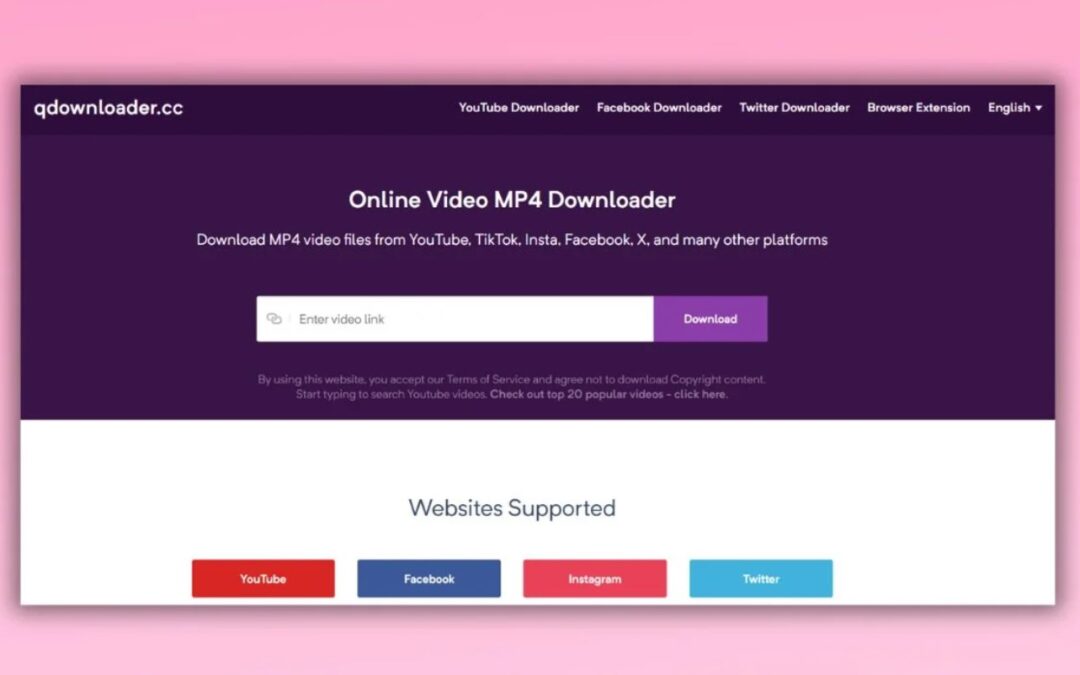
QDownloader: In today’s digital world, videos are everywhere—on social media, YouTube, educational websites, and even business platforms. But what happens when you want to save a video for offline viewing, educational use, or content creation? Unfortunately, most platforms don’t offer an easy way to download videos directly.

That’s where QDownloader comes in. This online tool allows users to download videos from multiple platforms effortlessly. Whether you need to save a lecture, social media clip, or high-quality movie trailer, QDownloader has got you covered.

In this article, we’ll explore five genius ways to use QDownloader like a pro, helping you unlock its full potential. By the end, you’ll be equipped with expert knowledge to maximize your video downloading experience while staying within ethical and legal boundaries.

Find More: 7 Best FLVTO Alternatives You Need to Know

1. Download High-Quality Videos from Any Platform

One of QDownloader’s most powerful features is its ability to download videos in high resolution from multiple platforms. Whether you need 4K quality for professional projects or lower resolutions to save storage space, QDownloader gives you flexibility.

Finding the Best Video Resolution for Your Needs

Different use cases require different video resolutions. Here’s a quick guide:

  • 1080p (Full HD) & 4K – Best for high-quality viewing on large screens or content creation.
  • 720p (HD) – Ideal for watching on mobile devices without consuming too much storage.
  • 480p or 360p – Suitable for users with limited data plans or slow internet connections.
  • 240p or lower – Works best for audio-heavy content where video clarity isn’t essential.

Always choose the optimal resolution based on your needs. Higher resolutions offer better clarity, but they also take up more storage and require faster internet speeds.

Choosing the Right Format: MP4, WEBM, or More?

Different video formats serve different purposes:

  • MP4 – Most widely supported and compatible with almost all devices.
  • WEBM – Offers better compression without quality loss but isn’t supported everywhere.
  • AVI & MKV – Higher quality but larger file sizes, best for professional use.

For general users, MP4 is the safest and most compatible format.

Ensuring Compatibility Across Devices

If you plan to transfer videos across devices, check their format support first. For example:

  • iPhones & iPads prefer MP4 and MOV files.
  • Windows PCs can handle most formats, including AVI and MKV.
  • Smart TVs & Streaming Devices work best with MP4 and some WEBM files.

2. Extract Audio from Videos in a Few Clicks

Sometimes, you don’t need the entire video—just the audio. Whether it’s a podcast, music track, or speech, QDownloader lets you extract audio from videos easily.

How to Convert Videos to MP3 with QDownloader

  1. Copy the video URL.
  2. Paste it into QDownloader.
  3. Select MP3 as the format.
  4. Click Download and save the audio file.

Best Use Cases for Extracted Audio

  • Listening to educational content on the go
  • Creating music playlists from YouTube videos
  • Extracting speech or podcast episodes for offline listening
  • Using background music for personal projects

Alternative Tools for Audio Extraction

If you need more advanced features, you can try:

  • 4K YouTube to MP3 – High-quality audio downloads.
  • YTMP3 – Fast and free YouTube to MP3 conversion.
  • Audacity – For editing extracted audio files.

3. Save Social Media Videos for Offline Viewing

Social media is full of short, engaging videos, but most platforms don’t provide a built-in download option. QDownloader allows you to save Facebook, Instagram, Twitter, and TikTok videos effortlessly.

Downloading Facebook, Instagram, and Twitter Videos

Each platform has a different method for copying the video URL:

  • Facebook – Click on the video, select “Copy link,” then paste it into QDownloader.
  • Instagram – Tap on the three dots above a post, select “Copy link,” and paste it.
  • Twitter (X) – Click on the share icon, choose “Copy link,” and use QDownloader.

Overcoming Platform Restrictions and Limitations

If a video fails to download, consider:

  • Checking if the video is private or restricted.
  • Using a VPN if the content is region-locked.
  • Trying a different format or resolution.

Legal Considerations When Saving Social Media Content

Downloading copyrighted content without permission may violate terms of service. If you plan to reuse a video, always:

  • Get the creator’s permission.
  • Give proper credit if allowed.
  • Use downloads for personal use only.

4. Batch Download Multiple Videos at Once

Need to download multiple videos? QDownloader’s batch download feature saves time by fetching multiple files at once.

Speed Up Your Workflow with Bulk Video Downloads

  • Save an entire YouTube playlist for offline viewing.
  • Download multiple tutorial videos at once.
  • Organize large video collections efficiently.

Managing Large Video Files Efficiently

Downloading multiple videos at once can quickly consume storage. To manage this:

  • Use an external hard drive for storage.
  • Compress videos using tools like HandBrake.
  • Organize downloads into folders for easy access.

Troubleshooting Common Batch Downloading Issues

  • Check for broken URLs – Ensure each link is valid.
  • Verify internet stability – Slow speeds can cause failed downloads.
  • Use a different browser – Some settings may block bulk downloads.

5. Use QDownloader for Educational and Professional Needs

QDownloader isn’t just for entertainment—it’s also a powerful tool for students, researchers, and professionals.

Saving Online Lectures & Tutorials for Offline Learning

If you’re a student or researcher, QDownloader lets you:

  • Save university lectures for later review.
  • Download technical tutorials from YouTube and learning platforms.
  • Keep educational materials accessible offline.

Using QDownloader for Content Creation & Research

Content creators and marketers can use QDownloader to:

  • Download reference materials for projects.
  • Study competitors’ content for inspiration.
  • Create video mashups or edits (while respecting copyrights).

Ethical Usage: When and How to Download Responsibly

Always respect copyrights and intellectual property rights when using downloaded videos. Use QDownloader only for legal and ethical purposes.

Conclusion

QDownloader is an invaluable tool for anyone who frequently deals with online videos. By following these five genius methods, you can make the most of it:

  • Download high-quality videos in the right format.
  • Extract audio for learning and entertainment.
  • Save social media videos for personal use.
  • Batch download multiple videos for efficiency.
  • Use QDownloader for educational and professional purposes.

Find More: Boost Your Sales With SEO Services

FAQs

Q1. Is QDownloader free to use?

Yes, QDownloader is a free tool that allows users to download videos without any cost. However, some features may have limitations based on the platform you’re downloading from.

Q2. Can I download private or restricted videos?

No, QDownloader only supports publicly accessible videos. Private or restricted content cannot be downloaded legally.

Q3. Why is QDownloader not working for some websites?

Some websites frequently update their security settings, preventing third-party tools from accessing their content. If QDownloader isn’t working, try an alternative downloader or check if the website has changed its restrictions.

Q4. Is QDownloader safe, and does it contain ads or malware?

QDownloader is generally safe to use, but be cautious of ads and pop-ups that may redirect to unsafe websites. Always use a trusted ad blocker and avoid downloading unnecessary software.

Q5. What are the best QDownloader alternatives?

If QDownloader doesn’t work for you, here are some great alternatives:

  • Y2Mate (for YouTube videos)
  • SaveFrom.net (multi-platform support)
  • 4K Video Downloader (for high-quality downloads)
7 Powerful Discord Alternatives You Haven’t Tried Yet

7 Powerful Discord Alternatives You Haven’t Tried Yet

Discord alternatives

Introduction: Why Look for Discord Alternatives?

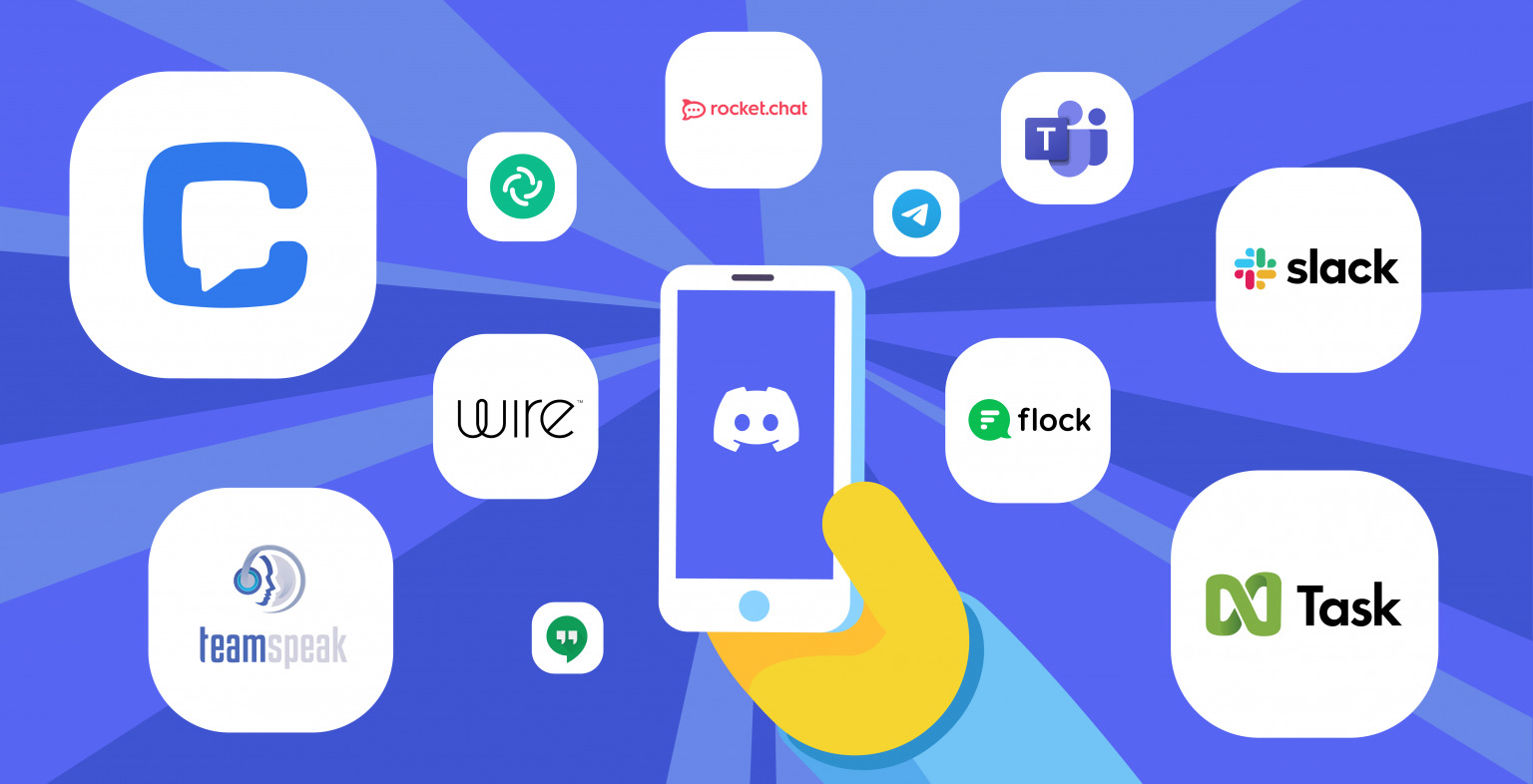
Discord alternatives​ have gained attention as more users seek better communication platforms beyond Discord. While Discord remains a top choice for gamers, communities, and businesses, it’s not ideal for everyone. Concerns about privacy, performance, and feature limitations drive users to explore other options. Whether you need a more secure platform, greater customization, or a solution tailored to your needs, there are plenty of alternatives worth considering.

While Discord is known for its robust features, including voice channels, bots, and server customization, some users experience frequent outages, security concerns, or simply want a more specialized platform that caters to their exact needs. That’s why we’ve put together this guide—to introduce you to seven powerful Discord alternatives that might just be the perfect fit for you. Whether you’re a gamer, a business professional, or someone who values total privacy, you’ll find an option that meets your expectations.

Find More: 5 Shocking Benefits of Using SSSInstagram for Insta Downloads

1. Element – Best for Privacy and Security

Element

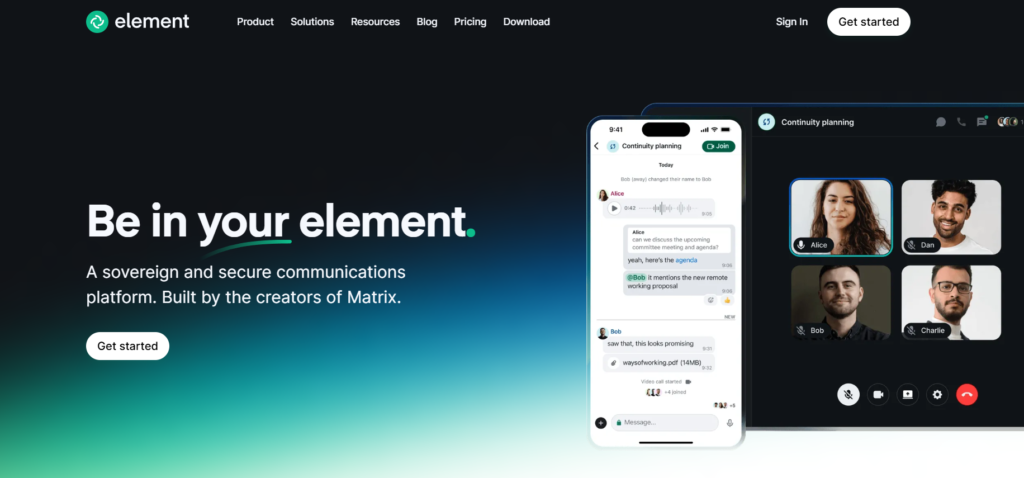
If security is your top priority, Element (formerly Riot.im) is an excellent alternative to Discord. It is built on the Matrix protocol, offering end-to-end encryption, decentralized servers, and full control over your data. Unlike Discord, which relies on centralized servers, Element allows users to self-host their chats, ensuring complete privacy and data ownership.

Key Features:

  • End-to-end encrypted messaging
  • Decentralized, meaning no central authority owns your data
  • Open-source and customizable
  • Supports text, voice, and video chats
  • Integration with popular tools like Slack and Microsoft Teams

Who should use it? Element is ideal for those who prioritize privacy, such as activists, businesses, or individuals concerned about data security. If you want an open-source solution with encryption, Element is one of the best choices.

2. Guilded – The Ultimate Gaming Community Platform

Guilded

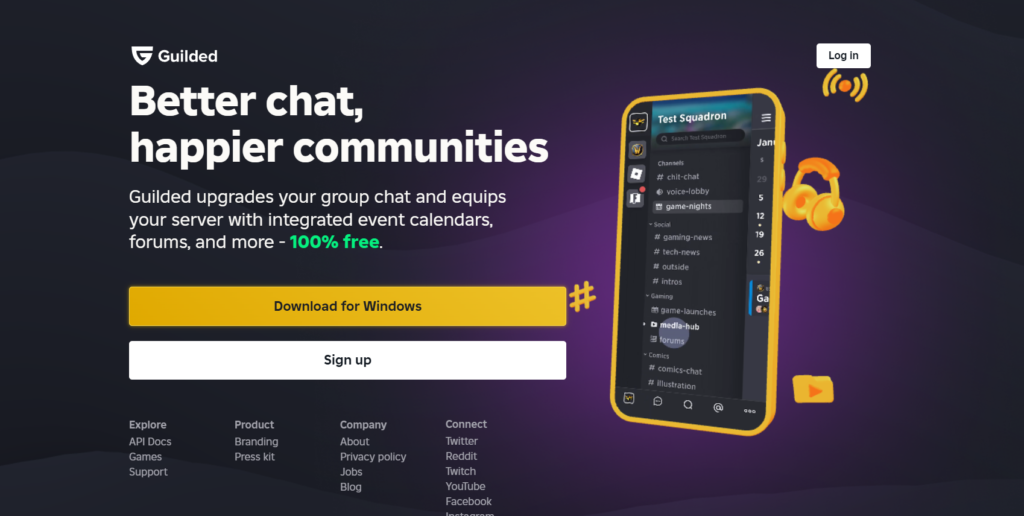
For gamers looking for a better alternative to Discord, Guilded is a top choice. Designed specifically for gaming communities, it offers features that outshine Discord in many ways, including built-in tournament management, better server organization, and enhanced voice quality.

Key Features:

  • Higher-quality voice chat with lower latency
  • Advanced server organization with subchannels
  • Built-in tournament hosting and scheduling tools
  • No message length limits
  • Enhanced calendar and event scheduling for esports teams

Who should use it? Gamers and esports communities who want a platform with better organization and competitive features. If you run a competitive gaming team, Guilded will give you more tools to manage your squad.

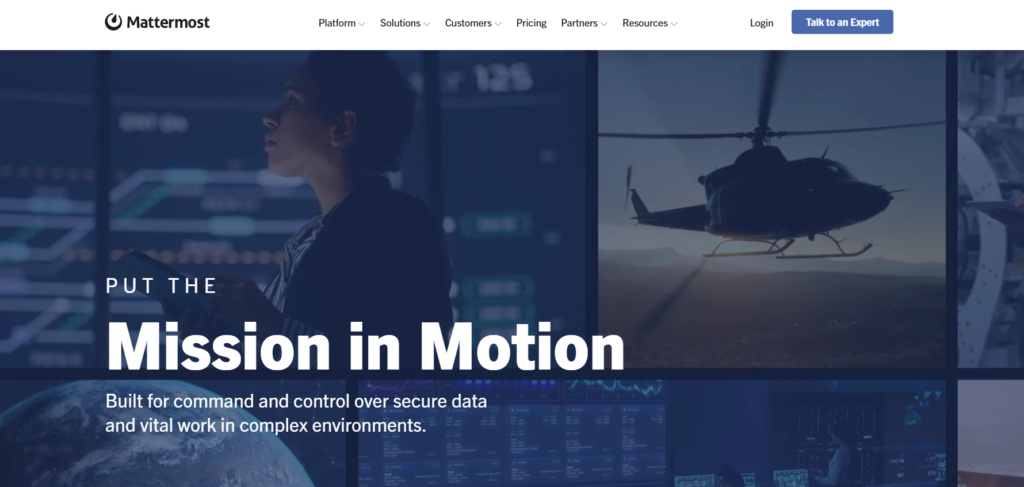
3. Mattermost – The Ideal Alternative for Teams & Businesses

Mattermost

For businesses and teams that need a self-hosted, secure alternative to Discord, Mattermost is a great option. It provides enterprise-level security and integrates well with DevOps workflows, making it perfect for tech teams.

Key Features:

  • Self-hosting options for complete data control
  • Rich integrations with Jira, GitHub, and more
  • Advanced role management and team collaboration tools
  • Multi-platform support with mobile and desktop apps
  • End-to-end encryption for secure corporate communication

Who should use it? Businesses, developers, and remote teams looking for a professional chat solution. If you need Slack-like features but want full data control, Mattermost is a great pick.

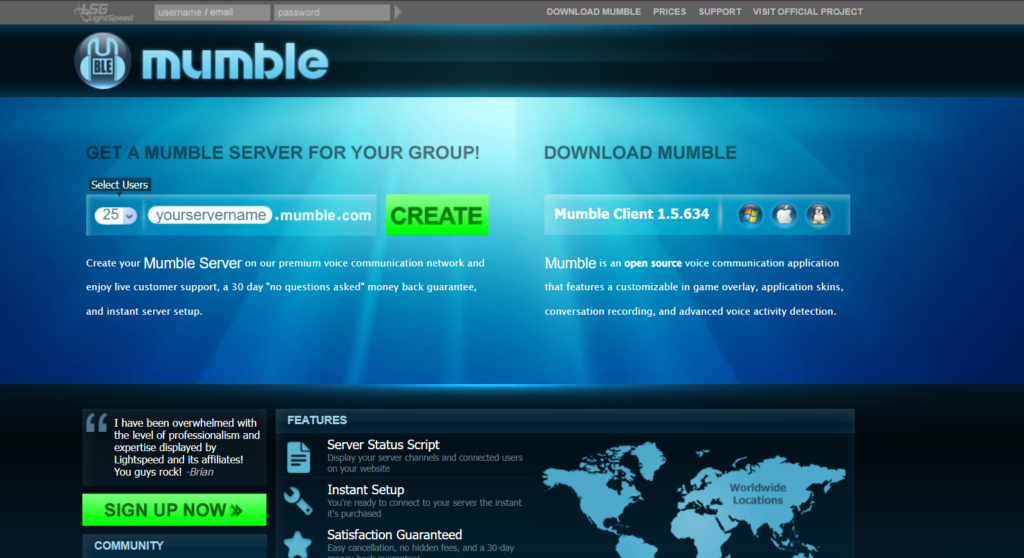
4. Mumble – The Low-Latency Voice Chat Solution

Mumble

If voice chat quality is your main concern, Mumble is a fantastic alternative. It offers ultra-low latency and high-quality audio, making it perfect for in-game communication or even professional use.

Key Features:

  • Open-source and free to use
  • Ultra-low latency for real-time voice chat
  • Secure communication with encryption
  • Lightweight and resource-efficient
  • Supports positional audio for an immersive gaming experience

Who should use it? Gamers and professionals who need high-quality voice communication with minimal lag. If you find Discord’s voice chat laggy or unreliable, Mumble will provide a smoother experience.

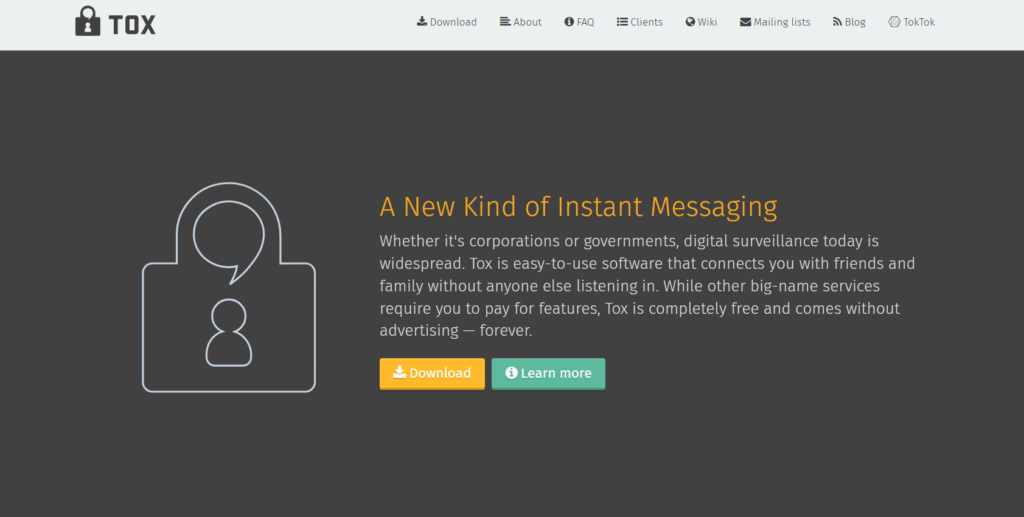
5. Tox – The Most Secure, Decentralized Chat Alternative

Tox

For those who want total privacy and decentralization, Tox is an excellent choice. Unlike Discord, which stores data on central servers, Tox uses peer-to-peer communication, ensuring that no third party has access to your messages.

Key Features:

  • Fully decentralized with no central servers
  • End-to-end encryption for all communication
  • Free and open-source with no ads or tracking
  • Supports voice, video, and file sharing
  • Anonymous account creation with no need for an email

Who should use it? Users who want maximum privacy and don’t mind a slightly more technical setup. Tox is ideal for users in restrictive environments where privacy is essential.

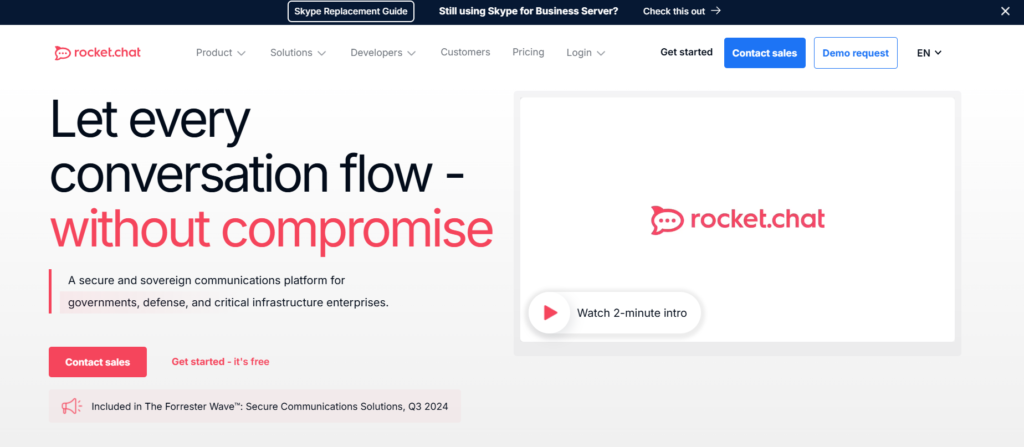
6. Rocket.Chat – Best Open-Source Collaboration Alternative

Rocket.Chat

If you need a team collaboration tool that’s open-source and secure, Rocket.Chat is a great alternative. It combines chat, voice, and video communication with integrations for productivity tools, making it a strong competitor to Slack and Discord.

Key Features:

  • Self-hosting for full data control
  • Customizable chat experience
  • Integrates with Slack, Trello, and more
  • Supports automation via bots and webhooks
  • Advanced permission management for teams

Who should use it? Businesses, developers, and large teams needing a secure and customizable communication platform. Rocket.Chat is perfect for enterprises looking for an open-source chat solution.

7. Revolt – A Discord-Like Experience Without the Bloat

Revolt

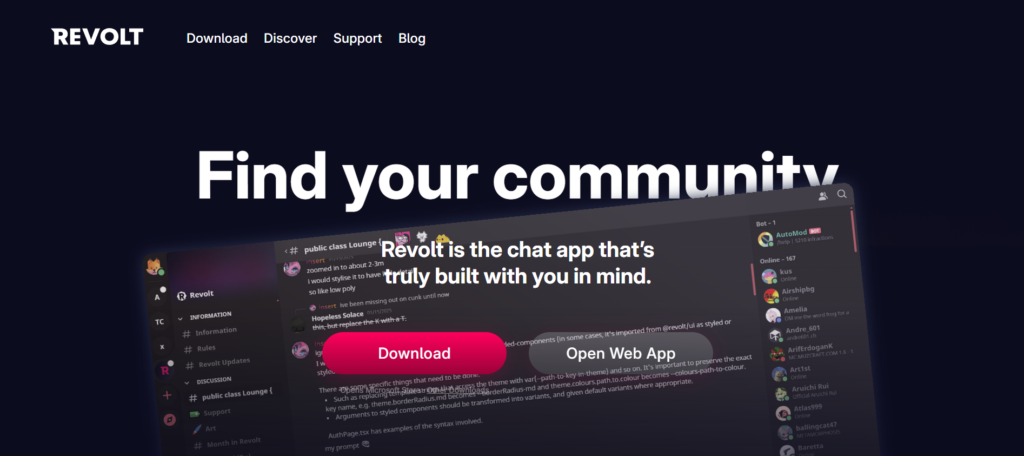
If you like Discord’s interface but want a lighter, open-source version, Revolt is a promising alternative. While it’s still in development, it provides a familiar experience without the extra bloat, making it a great alternative for casual users.

Key Features:

  • Open-source and community-driven
  • Customizable with themes and plugins
  • No data tracking or monetization
  • Supports text, voice, and media sharing
  • Lighter on system resources compared to Discord

Who should use it? Anyone looking for a Discord-like experience with more transparency and control. Revolt lets you personalize your profile using a Discord-style template, so you can show off your interests and info. You can explore some Discord bio templates for ideas.

How to Choose the Right Discord Alternative for You

When deciding on a Discord alternative, consider the following factors:

  • Security & Privacy: If privacy is your priority, choose Element or Tox.
  • Gaming & Voice Chat: If you need a better gaming experience, try Guilded or Mumble.
  • Business & Team Collaboration: For work-related communication, Mattermost and Rocket.Chat are the best options.
  • Open-Source & Customization: If you want more control, go with Revolt or Rocket.Chat.

Conclusion

Discord is a fantastic platform, but it’s not the only option. Whether you’re looking for better privacy, improved voice chat, or a more professional workspace, there are Discord alternatives that can meet your needs.

If you prioritize privacy, go for Element or Tox. If you need a gaming-focused alternative, Guilded is the best option. For businesses and teams, Mattermost and Rocket.Chat offer excellent collaboration features.

Try one of these Discord alternatives today and discover a better way to communicate!

Find More: Boost Your Sales With SEO Services

FAQs

1. What is the best alternative to Discord for gamers?

Guilded is the best gaming alternative, offering better voice chat, tournament tools, and server organization.

2. Which Discord alternative is the most secure?

Element and Tox offer end-to-end encryption and decentralized messaging, ensuring maximum privacy.

3. Are there any open-source alternatives to Discord?

Yes, Element, Rocket.Chat, Mumble, and Revolt are great open-source options.

4. Can I self-host any of these Discord alternatives?

Yes, Element, Mattermost, and Rocket.Chat offer self-hosting options for full data control.

Tags:

7 Powerful Features of Vidu Studio You Didn’t Know Existed

vidu studio

Introduction: Unlocking the Hidden Potential of Vidu Studio

Artificial intelligence is transforming the way we create videos, and Vidu Studio AI is at the forefront of this revolution. Whether you’re a content creator, marketer, or filmmaker, this AI-powered tool simplifies video production while delivering professional-quality results. But beyond its basic functionalities, Vidu Studio has several hidden gems that many users overlook.

In this article, we’ll uncover 7 powerful features of Vidu Studio you didn’t know existed. From advanced AI-driven video generation to ultra-fast rendering, these features will take your video creation process to the next level.

Find More: Stop Scrolling! Using Stock Photos That Actually Grab Attention 

One of Vidu Studio’s standout features is its Reference-to-Video tool. This allows users to upload reference images, and the AI transforms them into dynamic video clips. It works hand-in-hand with image to video AI technology, making the process of turning still visuals into moving content more seamless than ever.

1. AI-Powered Video Generation: Create Stunning Clips in Seconds

vidu

How Vidu Studio AI Transforms Video Creation

Gone are the days of spending hours editing and rendering videos. Vidu Studio AI uses cutting-edge artificial intelligence to generate videos from text descriptions, images, or reference footage. This automation allows users to create professional-grade content in minutes.

Real-World Applications for Businesses and Creators

  • Social Media Marketers: Generate engaging video ads without hiring a production team.
  • E-commerce Stores: Create product showcase videos effortlessly.
  • Content Creators: Produce YouTube and TikTok videos faster than ever.

With AI-powered video generation, Vidu Studio ensures high-quality output while minimizing manual effort.

2. Multi-Entity Consistency: Keeping Characters and Objects Aligned

What Multi-Entity Consistency Means for Your Videos

One of the biggest challenges in AI video generation is maintaining character and object consistency across different frames. Vidu Studio AI addresses this with its multi-entity consistency feature, ensuring:

  • The same characters appear consistently throughout a video.
  • Backgrounds, props, and other elements remain visually accurate.
  • Smooth transitions between frames for a polished look.

How It Enhances Visual Accuracy and Storytelling

Whether you’re creating animated explainer videos or AI-generated advertisements, this feature helps maintain continuity, making the final product look more professional and engaging.

3. Reference-to-Video Feature: Transform Ideas into Reality

How to Use Reference Images to Generate AI Videos

One of Vidu Studio’s standout features is its Reference-to-Video tool. This allows users to upload reference images, and the AI transforms them into dynamic video clips.

Best Practices for High-Quality Results

  • Use high-resolution images to improve output quality.
  • Ensure the reference image has clear subject positioning.
  • Experiment with different styles and effects to get unique results.

With this feature, creators can turn static images into visually engaging content with just a few clicks.

4. Image-to-Video Capabilities: Animate Still Images Like Magic

How Vidu Studio Converts Images into Motion

With the Image-to-Video feature, Vidu Studio AI breathes life into static images, creating motion graphics and animated visuals. This is particularly useful for:

  • Revitalizing old photos by adding movement.
  • Creating animated marketing content from static brand assets.
  • Generating unique motion effects without complex software.

Creative Use Cases for Marketers, Designers, and Influencers

  • Instagram & TikTok: Convert brand images into short, engaging videos.
  • Product Marketing: Showcase products with smooth transitions and animations.
  • Graphic Designers: Add motion to static projects for enhanced appeal.

5. Text-to-Video: Bring Your Script to Life with AI

How Vidu Studio Turns Written Descriptions into Visual Masterpieces

Text-to-Video is one of the most powerful AI features in Vidu Studio AI. Simply input a script, and the AI will automatically generate relevant visuals, transforming text into high-quality video content.

Tips for Crafting Effective Text Prompts

  • Be specific: The more details you provide, the better the AI-generated result.
  • Use action words: This helps the AI create more dynamic visuals.
  • Experiment with different styles: Vidu Studio allows for various themes and effects.

This feature is perfect for creators who want to automate video production without compromising quality.

6. Ultra-Fast Video Rendering: AI-Powered Speed & Efficiency

How Vidu Studio Delivers Videos in Record Time

Speed is a major advantage of Vidu Studio AI. Unlike traditional software that requires hours to render, Vidu.com’s AI-powered infrastructure can generate high-quality videos in just seconds.

Comparing Speed with Other AI Video Tools

  • Vidu Studio: Generates videos in seconds.
  • Traditional Video Editors: Can take hours for high-quality rendering.
  • Other AI Video Tools: Often lack real-time processing capabilities.

If time is money, then Vidu Studio is a game-changer for content creators and businesses alike.

7. Advanced Motion Control: Creating Realistic and Dynamic Movement

How Motion Control Enhances Video Fluidity

Vidu Studio AI doesn’t just generate videos—it ensures they look natural. The Advanced Motion Control feature fine-tunes movements for realistic and dynamic animation.

The Science Behind Vidu Studio’s Realistic Animations

  • AI-driven physics modeling ensures natural motion.
  • Smart motion blending avoids robotic-looking movements.
  • Dynamic scene adjustments make transitions smooth and cinematic.

This makes Vidu Studio AI ideal for creating professional-level animations without the need for complex manual adjustments.

Conclusion

With Vidu Studio AI, video creation has never been easier. We’ve explored 7 powerful features that make this tool a must-have:

  • AI-Powered Video Generation
  • Multi-Entity Consistency
  • Reference-to-Video Transformation
  • Image-to-Video Animation
  • Text-to-Video Automation
  • Ultra-Fast Rendering
  • Advanced Motion Control

If you’re serious about high-quality, AI-driven video production, Vidu.com is the perfect platform to explore. Try it today and revolutionize your video creation process!

Find More: Boost Your Sales With SEO Services

FAQs

1. Is Vidu Studio free to use?

Vidu Studio offers both free and premium plans. The free version includes basic features, while the premium plan unlocks advanced tools and higher-quality rendering.

2. How does Vidu Studio compare to other AI video generators?

Unlike many AI video tools, Vidu Studio AI offers advanced multi-entity consistency, ultra-fast rendering, and customizable animation features.

3. Can I customize the AI-generated videos?

Yes! Vidu Studio provides extensive customization options, allowing you to adjust text, visuals, and animations according to your needs.

4. What are the system requirements for using Vidu Studio?

Since Vidu.com operates as a cloud-based platform, it works seamlessly on most devices with an internet connection.

5. Is Vidu Studio suitable for professional video production?

Absolutely! Many professionals use Vidu Studio AI for marketing, animation, and content creation due to its high-quality output and AI-driven enhancements.

Tags:

7 Best Tumblr Video Downloaders for Fast and Easy Downloads

7 Best Tumblr Video Downloaders for Fast and Easy Downloads

Tumblr Video Downloader

Introduction

Tumblr video downloader tools are essential for saving creative and engaging videos from Tumblr, as the platform doesn’t offer a direct download option. This leaves users searching for reliable solutions to store their favorite content offline.

Whether you want to save funny clips, educational content, or personal favorites, a good Tumblr video downloader makes it easy to store and watch videos offline. In this guide, we’ll explore the 7 best Tumblr video downloaders that are fast, free, and easy to use.

By the end of this article, you’ll know exactly which tool suits your needs—whether it’s an online downloader, browser extension, or a dedicated software solution. Let’s dive in!

Find More: 7 Top VPNs in the UK for 2025

1. GetInDevice – The Best Overall Choice

GetInDevice

Key Features:

  • No watermark downloads
  • Supports multiple formats
  • High-speed downloads

Pros:

  • User-friendly interface
  • No registration required
  • Compatible with various devices

Cons:

  • Requires internet access

How to Use It:

  1. Copy the Tumblr video link.
  2. Visit the GetInDevice Tumblr Video Downloader.
  3. Paste the link into the provided field.
  4. Click “DOWNLOAD” and choose your preferred quality.

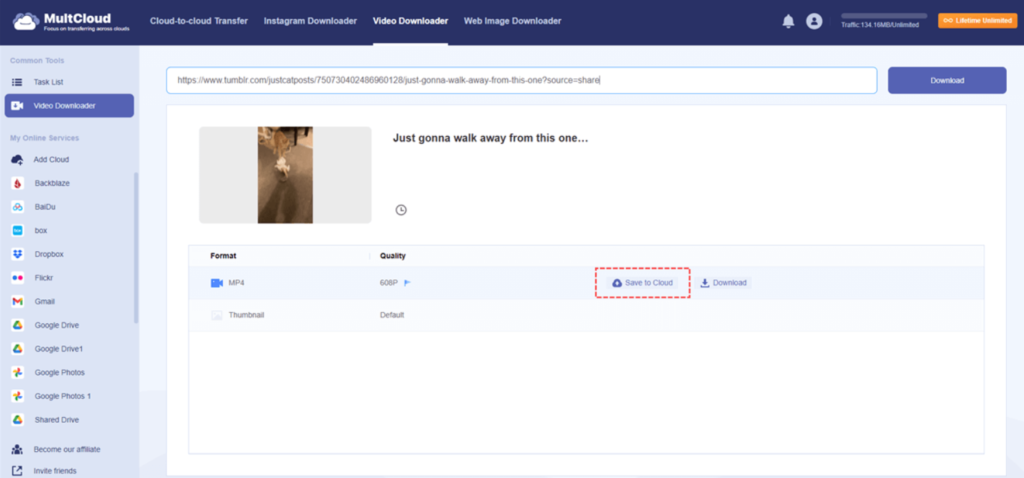
2. MultCloud – Best for Cloud Storage Integration

MultCloud

Key Features:

  • Direct downloads to cloud services
  • Supports multiple cloud platforms
  • Secure and encrypted transfers

Pros:

  • No need for local storage
  • Manages multiple cloud accounts
  • User-friendly interface

Cons:

  • Free plan has limitations
  • Requires an internet connection

How to Use It:

  1. Sign up for a MultCloud account.
  2. Link your preferred cloud storage service.
  3. Copy the Tumblr video URL.
  4. Use MultCloud’s “Remote Upload” feature to save the video directly to your cloud storage.

3. BraveDown – Best Free Tumblr Video Downloader

BraveDown

Key Features:

  • Supports videos, GIFs, and images
  • High-quality MP4 conversions
  • No size restrictions

Pros:

  • No installation required
  • Fast and free
  • Compatible with multiple formats

Cons:

  • Relies on website availability

How to Use It:

  1. Copy the URL of the Tumblr video.
  2. Paste it into BraveDown’s download box.
  3. Click ‘Download’ and select your preferred option.

4. Timbloader for Tumblr – Best Mobile App for Tumblr Video Downloads

Timbloader for Tumblr

Key Features:

  • Dedicated mobile application
  • Supports downloading videos, images, and audio
  • Easy-to-use interface

Pros:

  • Convenient for mobile users
  • Direct downloads to your device
  • Free to use

Cons:

  • Contains ads
  • Not an official Tumblr app

How to Use It:

  1. Install Timbloader from the Google Play Store.
  2. Open Tumblr and find the desired video.
  3. Share the video with Timbloader.
  4. Choose the download option.

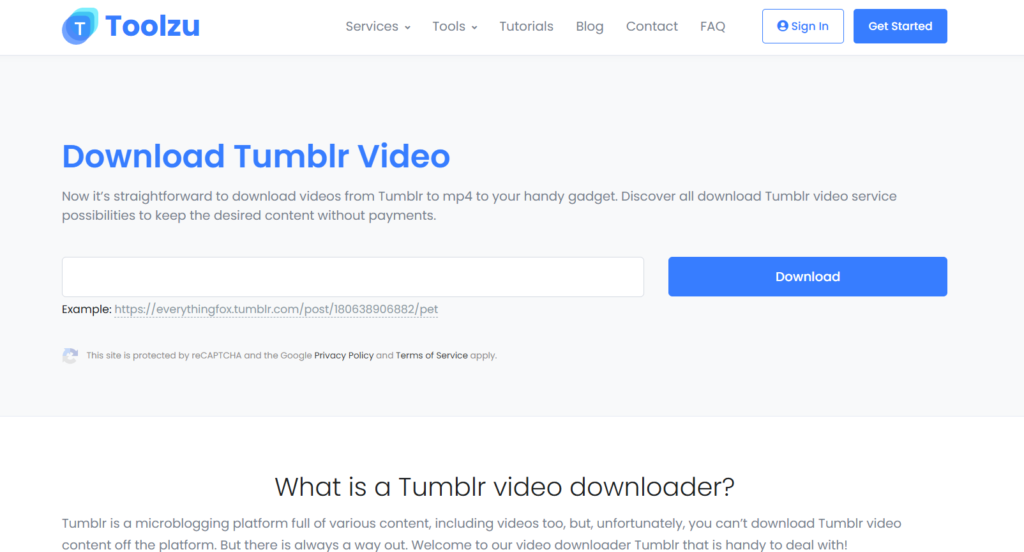
5. Toolzu – Best Online Tumblr Video Downloader (No Installation Needed)

Toolzu

Key Features:

  • Online-based downloader
  • Supports multiple resolutions
  • No registration required

Pros:

  • Accessible from any device
  • Fast download speeds
  • Supports various formats

Cons:

  • Dependent on internet connection

How to Use It:

  1. Copy the Tumblr video URL.
  2. Paste it into Toolzu’s download field.
  3. Click ‘Download’ and select the desired resolution.

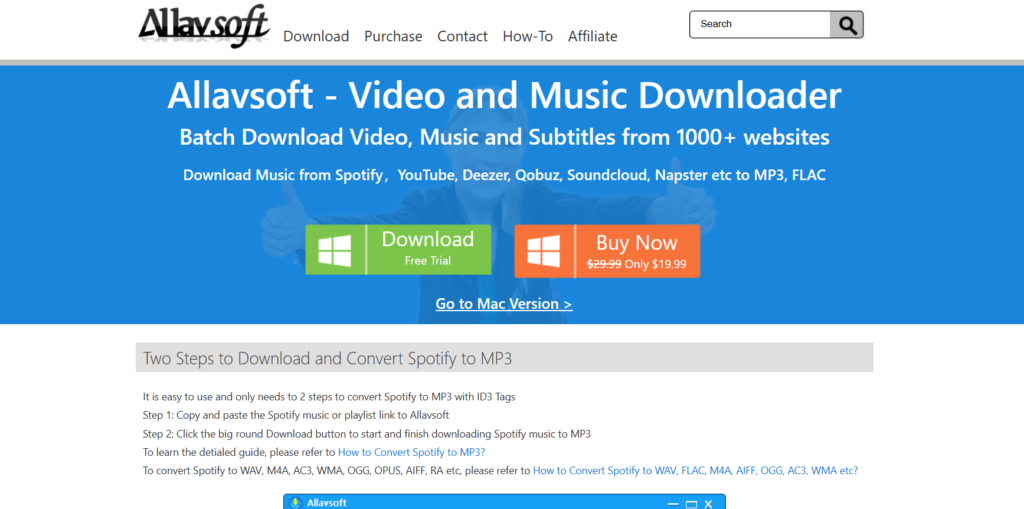
6. Allavsoft – Comprehensive Media Downloader

Allavsoft

Key Features:

  • Supports Multiple Websites.
  • Batch Downloading.
  • Format Conversion.

Pros:

  • User-Friendly Interface.
  • High-Quality Downloads.
  • Built-in Player.

Cons:

  • Paid Software

How to Use It:

  1. Download and Install Allavsoft.
  2. Copy the Tumblr Video URL.
  3. Paste the URL into Allavsoft.
  4. Choose Output Format.
  5. Start Download.

7. YTD Video Downloader – Simple and Efficient

YTD Video Downloader

Key Features:

  • Supports Various Platforms.
  • Built-in Converter.
  • Resume Capability.

Pros:

  • User-Friendly.
  • Fast Downloads.
  • Regular Updates.

Cons:

  • Free version contains ads; ad-free experience requires a premium subscription.

How to Use It:

  1. Download and Install YTD Video Downloader.
  2. Copy the Tumblr Video URL.
  3. Paste the URL into YTD.
  4. Select Quality and Format.
  5. Initiate Download.

How to Choose the Right Tumblr Video Downloader for Your Needs

Not sure which downloader suits you best? Here’s how to decide:

Online vs. Software Downloaders: Which One Is Better?

  • Online tools (e.g., Toolzu, BraveDown) → Great for quick, one-time downloads.
  • Software-based downloaders (e.g., TumblThree) → Ideal for bulk downloads & long-term use.

Important Features to Look For

  • Fast and high-quality downloads – No lag or loss in resolution.
  • Support for multiple formats – MP4, GIF, etc.
  • No watermarks – Avoid tools that brand your videos.
  • Privacy & security – Ensure the tool is safe from malware.

Free vs. Paid Downloaders: What’s the Difference?

  • Free tools work well for casual downloads but may have limitations (ads, slower speeds).
  • Premium tools provide faster speeds, higher quality, and additional features like bulk downloads.

Find More: Boost Your Sales With Shopify Services

FAQs

1. Can I download Tumblr videos on my phone?

Yes! Timbloader for Tumblr is an excellent mobile app for Android users. iPhone users can try online downloaders like BraveDown.

2. Is there a way to download private Tumblr videos?

Some tools, like TumblThree, may help if you have access to the private blog. Otherwise, private videos are restricted due to Tumblr’s policies.

3. Are Tumblr video downloaders safe to use?

Most tools are safe if downloaded from official sources. Avoid sketchy sites that ask for personal information.

4. Do Tumblr video downloaders work for GIFs as well?

Yes! Many tools, such as BraveDown and TumblThree, allow you to download GIFs along with videos.

5. Why is my Tumblr video downloader not working?

  • The video might have been removed or set to private.
  • The downloader’s website may be experiencing technical issues.
  • Try clearing your cache or using a different tool.

Conclusion

Now that you know the 7 best Tumblr video downloader tools, you can easily save and enjoy your favorite videos anytime. Whether you prefer an online tool, a browser extension, or a dedicated app, there’s a solution for you.

Tags:

The Top 5 Benefits of Custom CRM for Streamlining Your Business Operations

The Top 5 Benefits of Custom CRM for Streamlining Your Business Operations

Custom CRM

In today’s competitive business environment, efficiency and effective management of customer relationships are vital to long-term success. For this reason, businesses of all sizes are turning to Customer Relationship Management (CRM) systems. However, while many companies opt for off-the-shelf solutions, there is a growing trend toward custom CRM systems. A custom CRM can be tailored to meet the specific needs of your business, offering a range of benefits that can significantly streamline your operations. In this article, we will explore the top five benefits of implementing a custom CRM system for your business.

1. Personalized to Fit Your Unique Business Needs

One of the most significant advantages of a custom CRM is that it can be built to match your business’s exact requirements. While out-of-the-box CRM solutions come with a one-size-fits-all approach, they often include features that your company may not need, leading to unnecessary complexity. Conversely, they might lack specific functionalities that are critical to your operations. A custom CRM addresses these challenges by offering the ability to design a system that aligns perfectly with your workflow, industry-specific needs, and customer base.

For example, if your business has unique sales processes or specific customer service workflows, a custom CRM can incorporate these directly into its architecture. This tailored approach means that your employees will spend less time navigating irrelevant features and more time focusing on tasks that drive revenue. On a related note, VoIP CRM integration can extend these tailored workflows by connecting communication channels directly within the CRM system.

2. Improved Workflow Automation

Efficiency in operations often comes down to how well routine tasks are automated. Many businesses spend valuable time on repetitive activities, such as data entry, follow-up emails, or generating reports. A custom CRM can be programmed to automate these processes, significantly improving efficiency and reducing human error.

By automating tasks such as lead scoring, follow-up reminders, and sales pipeline tracking, a custom CRM helps streamline workflows across departments. For instance, sales teams can automatically receive notifications when a lead moves through the sales funnel, enabling them to take timely action. Meanwhile, management can automate reporting functions, ensuring they always have up-to-date insights into performance without spending hours compiling data manually.

Moreover, automation within a custom CRM isn’t limited to just sales; it can extend to customer support, marketing campaigns, and even invoicing, helping various departments work seamlessly together. Ultimately, this leads to a more efficient operation where employees can focus on higher-level tasks that require critical thinking and creativity.

3. Enhanced Data Security and Compliance

Data security is a top priority for any business, especially when it comes to sensitive customer information. With a custom CRM, you have complete control over your data, its access, and its security protocols. This level of control is essential for businesses in industries that must adhere to strict compliance regulations, such as healthcare, finance, or legal services.

While off-the-shelf CRM systems have security measures in place, they may not meet the specific compliance requirements your business needs. A custom CRM allows you to integrate security protocols that are compliant with industry standards such as GDPR, HIPAA, or PCI DSS. Furthermore, custom CRM solutions can implement role-based access controls, ensuring that only authorized personnel have access to sensitive information, reducing the risk of data breaches.

4. Seamless Integration with Existing Systems

Another crucial benefit of custom CRM systems is their ability to integrate seamlessly with the existing software and tools that your business uses. Off-the-shelf CRM solutions may offer integrations with popular platforms, but they often lack the flexibility to work with more specialized or industry-specific tools. This limitation can lead to fragmented systems and data silos, making it harder for teams to access the information they need.

With a custom CRM, you can ensure that your system integrates smoothly with the tools your employees use every day, whether it’s accounting software, marketing platforms, or inventory management systems. Leveraging an integration platform can further simplify and automate these connections, reducing technical overhead and improving scalability. This integration eliminates the need for manual data transfers, which not only saves time but also reduces the risk of errors.

For instance, a retail business could integrate its CRM with an inventory management system, ensuring that sales teams always have real-time access to product availability. Similarly, a company in the service industry could connect its CRM to project management tools, streamlining the workflow from sales through to project delivery. These types of integrations improve data consistency across your business and enable employees to work more collaboratively and efficiently.

5. Scalability for Future Growth

Every business aims to grow, and as your company expands, so do its operational needs. One of the challenges of using a standard CRM is that it may not scale effectively with your business’s growth. Many off-the-shelf solutions offer limited customization options and can become increasingly cumbersome as your customer base and operations expand.

A custom CRM, on the other hand, is built with scalability in mind. You can start with a system that meets your current needs, but as your business grows, the CRM can be modified to accommodate new processes, additional users, and increased data volume. This ensures that your CRM evolves alongside your business, without the need to switch to a new platform or undergo a costly migration process.

Moreover, a scalable CRM allows you to add new functionalities as needed, whether it’s expanding into new markets, adding new sales channels, or adopting new technologies like AI-powered analytics. This adaptability makes custom CRM solutions a future-proof investment, ensuring that your business stays ahead of the curve in a rapidly changing digital landscape.

Conclusion

In today’s fast-paced business environment, efficiency and customer satisfaction are key to success. Custom CRM development services offer unparalleled flexibility, allowing businesses to streamline their operations by tailoring their CRM to meet specific needs. From improved workflow automation to enhanced data security and seamless integration with existing systems, a custom CRM can significantly enhance productivity and collaboration across departments.

Moreover, as your business grows, a custom CRM can scale with it, ensuring that you are always equipped with the tools and data you need to make informed decisions. Investing in a custom CRM is not just about solving immediate operational challenges—it’s about setting your business up for long-term success by creating a system that evolves with your needs. Whether you’re a small business or a large enterprise, the benefits of a custom CRM for streamlining business operations are clear and compelling.

The Importance of Address Verification Software and Secure Check Printing for Businesses

The Importance of Address Verification Software and Secure Check Printing for Businesses

address verification software

In today’s digital and automated business environment, ensuring accuracy in mailing addresses and financial transactions is crucial. Whether you are a small business or a large enterprise, having the right tools in place can save time, reduce costs, and enhance security. Two essential components in this regard are address verification software and secure check printing solutions. These technologies help businesses maintain accurate databases, streamline payment processes, and avoid costly errors.

The Role of Address Verification Software in Business Operations

Accurate mailing addresses are vital for ensuring that invoices, checks, and marketing materials reach the intended recipients. Errors in mailing lists can result in lost shipments, returned mail, and increased costs for businesses. This is where address verification software comes into play.

What is Address Verification Software?

Address verification software is a tool that cross-references entered addresses against official postal databases to ensure accuracy. This system corrects errors, formats addresses to meet postal standards, and validates deliverability. Businesses that rely on mail services benefit immensely from using address verification technology.

Benefits of Address Verification Software

  1. Reduced Undeliverable Mail – Verifying addresses before mailing eliminates returned mail and improves delivery rates.
  2. Cost Savings – Businesses save money on postage and printing by ensuring that mail reaches its intended recipients.
  3. Enhanced Customer Satisfaction – Accurate deliveries result in happier customers and fewer complaints.
  4. Compliance with Postal Regulations – Many postal services require properly formatted addresses for bulk mail discounts and efficient delivery.
  5. Integration with Business Systems – Address verification software seamlessly integrates with CRM, ERP, and e-commerce platforms, ensuring real-time address validation.

Securely Printing and Mailing Business Checks

Financial transactions are a critical aspect of business operations, and securely issuing checks is a top priority. While digital payments are increasing, many businesses still rely on printed checks for payments to vendors, employees, and suppliers. To manage this process efficiently, companies can use print mail checks services.

What Are Print Mail Check Services?

Print mail check services allow businesses to automate their check printing and mailing processes. These services ensure secure and professional check printing, reducing the risks associated with manual check issuance.

Why Businesses Should Use Print Mail Check Services

  1. Time Efficiency – Automating the printing and mailing of checks saves businesses hours of manual processing.
  2. Fraud Prevention – Advanced security features such as MICR printing and encrypted check processing protect against fraud.
  3. Cost-Effective – Outsourcing check printing eliminates the need for expensive printing equipment, ink, and secure paper.
  4. Convenience – Businesses can generate and send checks with just a few clicks, improving payment efficiency.
  5. Compliance with Banking Standards – Print mail check services ensure compliance with banking regulations and standards for check formatting.

How Address Verification and Check Printing Work Together

For businesses that rely on mailing physical documents, integrating address verification with check printing is a smart strategy. Here’s how these two solutions complement each other:

  1. Ensuring Payment Delivery – Address verification software ensures that checks are mailed to valid and deliverable addresses, reducing lost or stolen payments.
  2. Reducing Check Fraud – Secure check printing combined with verified addresses ensures that payments reach the right recipients.
  3. Improving Workflow Efficiency – Automating both address verification and check printing streamlines business operations and minimizes manual errors.

Choosing the Right Address Verification and Check Printing Solution

When selecting software and services for address verification and check printing, consider the following factors:

  • Integration Capabilities – Ensure that the software integrates with your existing accounting, CRM, and mailing platforms.
  • Security Features – Look for solutions that offer encryption, MICR check printing, and fraud prevention measures.
  • Cost-Effectiveness – Compare pricing models to ensure you get the best value for your business needs.
  • Customer Support – Choose a provider with excellent customer service and technical support.
  • Scalability – Your business will grow, so pick a solution that can scale with your needs.

Final Thoughts

Address verification and secure check printing are essential tools for businesses looking to optimize their mailing and payment processes. By leveraging address verification software and print mail checks services, companies can improve efficiency, reduce costs, and enhance security. Investing in these technologies is a strategic move that ensures smooth business operations and greater customer satisfaction.