UK: +44 2038074555 info@atamgo.com
What Is Power Only Trucking and Why Retailers Care

What Is Power Only Trucking and Why Retailers Care

Power Only Trucking

Holiday orders are stacked high, trailers are lined up and ready, yet trucks are nowhere in sight. This gap between available freight and available power is what slows many retailers when demand spikes. Power only trucking fills that gap, letting companies move goods faster without scrambling to source full fleets.
Retailers are drawn to the model because it provides agility during crunch times, whether that means handling seasonal surges, supporting short-term distribution centers, or managing trailer pools more efficiently. It’s not just a logistics tactic; it’s a competitive advantage that keeps shelves stocked and delivery promises intact when consumer expectations are unforgiving.

How Power Only Differs from Standard FTL

At first glance, both power only and FTL shipping involve a single tractor-trailer unit on the road. The distinction comes from ownership and control. In FTL shipping:
● The carrier provides both tractor and trailer.
● The shipper simply books space and schedules pickup.
● The carrier manages equipment utilization.

In power only:
● The shipper owns or leases trailers
● The carrier provides just the tractor and driver
● The shipper decides when and how trailers are loaded, staged, or swapped

Because of this difference, many retailers see value in setting up trailer pools they can preload at their own pace, then call in a carrier when needed. Partnering with tow away services makes it easier to coordinate those moves, since the tractor arrives only when the trailer is ready.

Why Retailers Are Embracing It

Ecommerce and omnichannel retail have introduced new pressures on fulfillment, from next-day delivery promises to unpredictable demand surges. Power only trucking offers a practical release valve for those challenges. Retailers care about this approach for several reasons:
● Peak season overflow: During the holidays, trailer pools can be staged in advance, allowing drivers to simply hook up and go without waiting for live loading.
● Pop-up distribution centers: Temporary or seasonal DCs can operate with preloaded trailers ready for pickup, supporting flexible inventory positioning.
● High-volume goods: Items like appliances, furniture, or bulk packaged goods are easier to manage when retailers control the trailer loading and staging process.
● Scalability: Merchants can expand capacity quickly without negotiating long-term contracts for additional trailers.

Impacts on Lead Times and Delivery Promises

In ecommerce, search rankings and conversion rates depend heavily on fulfillment performance. Retailers know that late deliveries affect not only customer satisfaction but also SEO and CRO metrics tied to on-time delivery promises. Power only trucking influences these outcomes in several ways:
● Shorter lead times: Preloaded trailers reduce dock congestion and waiting hours.
● Reliable delivery windows: Consistency in pickups helps retailers maintain accurate estimated delivery dates.
● Flexible staging: Trailers positioned closer to major markets shorten final-mile timelines.
● Reduced delays: Driver time is maximized since they spend less time waiting and more time on the road.

Common Use Cases in Modern Retail

Practical applications are multiplying as more retailers integrate power only into their logistics mix. Some of the most frequent use cases include:
● Holiday surges where warehouses and stores push out more trailers than they can normally handle.
● Regional promotions that require pop-up inventory points near urban centers.
● Trailer pools at ports or intermodal hubs to manage import surges without bottlenecking drayage carriers.
● Overflow storage in markets where real estate is expensive, using trailers as rolling stockrooms.

The Technology Factor

Retailers using power only also rely heavily on technology to keep everything synchronized. Load boards, digital freight matching platforms, and transportation management systems make it possible to book tractors quickly when trailers are staged and ready. Advanced tracking tools ensure transparency so retailers know exactly where each unit is and when it will arrive. As automation spreads through supply chains, the efficiency of power only will become even more important.

Internal Alignment Matters

For retailers, adopting power-only trucking is not just about booking tractors. Internal logistics teams must align with marketing and operations groups to make the most of the model. Internal communication is critical when promising fast delivery on websites or launching seasonal product drops.
If the operations team has staged trailers but the marketing team overpromises timelines without coordination, customer trust can erode. Retailers that excel in this area create strong internal frameworks that match shipping capacity with customer-facing messaging.

Why the Trend Is Likely to Grow

Looking ahead, the forces pushing retailers toward power only will only intensify. The continued rise of ecommerce, coupled with the labor challenges in trucking, means that flexible solutions will remain in high demand.
Trailer ownership gives retailers more control over inventory and staging, while outsourcing tractors reduces the need for driver management and fleet maintenance. For companies balancing thin margins with growing customer expectations, this hybrid model delivers measurable advantages.

10 Free Band Name Generators That Actually Spark Creativity

10 Free Band Name Generators That Actually Spark Creativity

Band Name Generators

Introduction: Finding the Perfect Band Name with a Band Name Generator

Band name generator — just hearing it might sound like a shortcut or even a little bit of a cheat, but let’s be real: naming your band is one of the hardest creative challenges you’ll ever face. You want something that’s cool, original, and memorable, yet every idea seems either too cliché, too boring, or already taken by some obscure group from the ‘90s. That’s where tools like a band names generator or a random band name generator can step in and save you from hours of frustration. Instead of staring at a blank page, you can let these tools toss ideas at you — some silly, some surprisingly clever, and often the perfect spark to set your creativity on fire.

A good band name isn’t just a label. It’s your brand, your first impression, the hook that makes people curious to listen. Think about it: would Arctic Monkeys or Imagine Dragons be as iconic if they had dull, generic names? Probably not. A great band name has the power to make your music feel larger than life before anyone even presses play. The good news is, there are tons of free generators online that can help brainstorm ideas. Some use AI, others are pure randomness, and a few are built with musicians in mind. In this article, we’ll dig into 10 free band name generators that don’t just spit out nonsense but actually spark creativity. By the end, you’ll have more ideas than you know what to do with.

Find More: 101 Powerful Brand Name Ideas For Clothing That Instantly Attract Customers

10 Free Band Name Generators That Actually Spark Creativity

1. Shopify’s Band Name Generator

Shopify’s Band Name Generator

Shopify is best known as an e-commerce platform, but their band name generator is surprisingly effective. You type in a keyword, hit generate, and instantly see dozens of name ideas. The big bonus? It also checks domain availability, which is huge if you want your band’s website live from day one. Imagine finding a killer name and realizing you can also grab the matching .com — that’s a win.

What makes Shopify’s tool stand out is how clean and brand-friendly the suggestions feel. They’re not always wacky or outrageous, but if you’re aiming for professionalism and future-proofing, this one is a solid pick.

2. Namelix

Namelix

Namelix is for those who want something modern and sleek. It’s an AI-powered generator that lets you fine-tune your results. You can choose whether you want something short, quirky, or more sophisticated. Unlike random tools, Namelix feels like it understands trends. It’s great for bands that want to look polished and ready for the big stage — or at least for a festival lineup poster.

For example, you can input words like “dream,” “electric,” or “sound,” and Namelix might spit out names that sound edgy yet professional. If you want a name that feels like it could also work as a brand, this is a go-to.

3. Band Name Maker

Band Name Maker

Band Name Maker is as straightforward as it gets. You type in a word, and the generator mixes it with different prefixes, suffixes, and creative twists. It feels a little old-school compared to AI tools, but that’s part of its charm. Sometimes the best names are born out of simplicity, and this tool is perfect when you just need a flood of quick ideas.

It’s especially useful if you want to brainstorm with your bandmates — hit generate, laugh at the ridiculous ones, and jot down the gems. The randomness keeps it fun and lighthearted.

4. Wordlab Band Name Generator

Wordlab Band Name Generator

Wordlab is a classic. With millions of potential combinations, it’s practically endless. Some of the results can get weird — but weird can be good. Quirky names often stick in people’s minds, and Wordlab is designed to throw wild ideas at you until something resonates.

It’s great if you’re open to being surprised and don’t mind names that lean into the unusual. If your band wants to stand out with something offbeat and unique, Wordlab is worth bookmarking.

5. Chosic Generator Band Name Tool

Chosic Generator Band Name Tool

Chosic Generator offers all kinds of fun generators, and the band name generator is one of the best. You can pick genres like rock, pop, or metal, and it tailors the suggestions accordingly. This makes it extra useful if you want your band’s name to reflect your music style.

It’s also addictively fun to click through. Even if you don’t land on your final choice, you’ll come away with plenty of inspiration to play with. It’s the kind of tool you could spend an hour on without realizing it.

6. Fantasy Name Generators (Band Section)

Fantasy Name Generators

This site is a goldmine for creatives. The band section lets you generate names by genre — from epic metal names to gentle indie vibes. It’s especially handy for bands that want to lean into a certain aesthetic. If you’re aiming for dramatic, mystical, or cinematic names, this one won’t disappoint.

What’s cool is that Fantasy Name Generators also has tools for character names, places, and even alien races. So if you’re into world-building or storytelling through your music, this site could inspire more than just your band name.

7. SpinXO Username and Band Name Generator

SpinXO

SpinXO isn’t just for usernames — it also doubles as a random band name generator. Unlike pure randomizers, SpinXO takes your personal input (like hobbies, nicknames, or favorite words) and mixes them into its suggestions. The result? Names that feel a little more personalized and connected to your band’s story.

It’s a great option if you want something unique but don’t want to rely entirely on randomness. Plus, it’s fun to see how SpinXO interprets your inputs — sometimes it’s spot-on, other times hilariously off, but always entertaining.

8. Namify Music Band Name Generator

Namify Music Band Name Generator

Namify is one of the more polished options. Its suggestions are sleek, catchy, and professional — the kind of names that look good on streaming platforms and social media. It also checks domain and social handle availability right away, saving you from the heartbreak of picking a perfect name only to find out it’s already taken.

If you’re serious about your music career and want a name that’s marketable, Namify should be high on your list.

9. RandomWord Band Generator

RandomWord Band Generator

Sometimes, the best ideas come from complete chaos. RandomWord throws together unexpected word combos that might sound silly at first but can spark surprising inspiration. Many indie and experimental bands thrive on names that feel unusual or a little offbeat, and this tool is tailor-made for that.

Think of it like throwing darts in the dark — you’ll miss most of the time, but every once in a while, you’ll hit something brilliant.

10. Indie Sound Name Generator

Indie Sound Name Generator

This one is built for indie musicians. It generates names that feel trendy, artsy, and perfectly aligned with the indie scene. If you’re going for something minimalist, mysterious, or stylish, Indie Sound delivers.

The results often feel like they could double as art collectives or design studios, which is part of the charm. It’s about more than just a name — it’s about creating an identity that resonates with a creative audience.

Tips for Choosing the Right Band Name

Using a band names generator is just the beginning. Once you’ve got a list, how do you pick the right one? Here are a few tips that can save you from regrets later:

  • Keep it simple and memorable. Complicated names are hard to spell, hard to search, and easy to forget. Think short and punchy.
  • Match your vibe. Your name should reflect your music. A heavy metal band with a soft, flowery name might confuse fans, while a pop duo with a hardcore name could send the wrong message.
  • Test it out loud. Say it as if you’re announcing it on stage: “We are [Band Name]!” If it feels awkward, it might not be the right fit.
  • Think long-term. Avoid names tied to a current trend that might feel dated in five years. Pick something timeless.
  • Check availability everywhere. Make sure the domain, social handles, and trademarks are open. Nothing kills momentum like a legal battle.
  • Get feedback. Share your top picks with friends or fans. Sometimes an outside perspective can highlight things you never noticed.

Conclusion: Use a Band Name Generator to Spark Your Next Big Idea

Coming up with a band name is tough, but you don’t have to struggle alone. With these 10 free tools, you’ve got endless possibilities waiting for you. Whether you want something quirky, epic, sleek, or mysterious, the right band name generator can unlock ideas you’d never dream up on your own.

The best approach is to try several of these tools, combine the results, and play around until something sticks. Don’t be afraid to mix and match — sometimes the perfect name comes from blending two half-ideas together. So fire up a few generators, jot down your favorites, and start shaping your band’s identity today. Your future fans are waiting to chant your name.

Find More: Boost Your Sales With SEO Services

FAQs

1. What is a band name generator and how does it work?

A band name generator is an online tool that helps musicians brainstorm names by combining keywords, using randomization, or applying AI. You input words, themes, or nothing at all, and it spits out suggestions that range from silly to brilliant.

2. Are band name generators free to use?

Yes, most of them are free. A few might offer premium features like bundled domain registration, but the actual generation process won’t cost you a thing.

3. Can I trademark a name generated by these tools?

You can, but you’ll need to verify that no one else is already using it. Just because a generator suggested it doesn’t guarantee exclusivity. Always do a trademark and domain check before committing.

4. How do I make sure my band name is original?

Do some detective work: Google the name, search on streaming platforms, check Instagram, TikTok, and YouTube. If it doesn’t appear anywhere, chances are it’s yours for the taking — but still double-check legally to be safe.

5. Which generator is best for indie or rock bands?

Fantasy Name Generators and Indie Sound are especially strong for those genres. But honestly, the best move is to try multiple tools. Sometimes the most unexpected generator gives you the name that feels just right.

Tags:
6 Free MOV to MP3 Converters You’ll Wish You Knew Earlier

6 Free MOV to MP3 Converters You’ll Wish You Knew Earlier

MOV to MP3

Introduction: Why You Need a Reliable MOV to MP3 Converter

MOV to MP3 might sound like a small technical detail, but if you’ve ever needed just the audio from a video file, you know how important it is. Whether it’s pulling the soundtrack from a movie clip, saving a podcast interview, or turning a music video into something you can listen to on the go, having the right tool makes life a lot easier. And let’s be honest—nobody wants to waste time downloading sketchy software that either ruins the sound quality or spams your computer.

In this article, we’ll go through six free MOV to MP3 converters that actually work, save you time, and keep your files safe. These aren’t random picks—they’re tried, tested, and perfect for anyone who needs to convert .mov to mp3 quickly without the hassle. Whether you want something online, on your desktop, or on your phone, I’ve got you covered.

Find More: 6 Best TikTok MP3 Converters That Actually Work

6 Free MOV to MP3 Converters You’ll Wish You Knew Earlier

1. VLC Media Player – Best for Quick, No-Frills Conversion

VLC Media Player

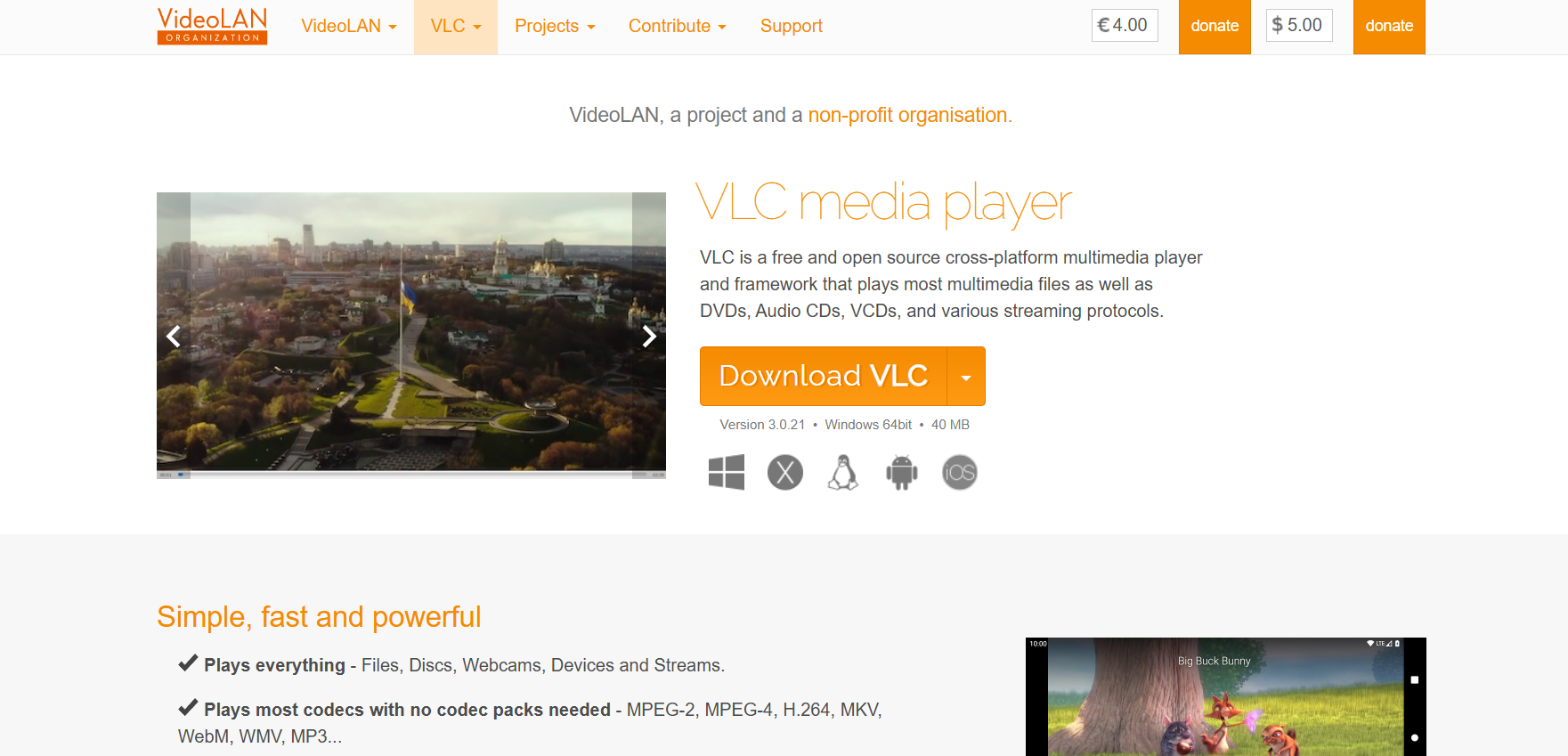
VLC is more than just a media player—it’s a hidden gem when it comes to file conversions. Almost everyone has it installed, but very few realize it can easily convert MOV to MP3 in just a couple of clicks.

  • Key features: Completely free, no ads, supports endless file formats.
  • Pros: Super reliable, no internet required, works on Windows, Mac, and Linux.
  • Cons: The interface isn’t exactly beginner-friendly, and the conversion process is a little buried in the menus.
  • Who should use it: If you already have VLC and just need a quick solution without downloading new tools.

2. CloudConvert – Perfect for High-Quality Online Conversion

CloudConvert

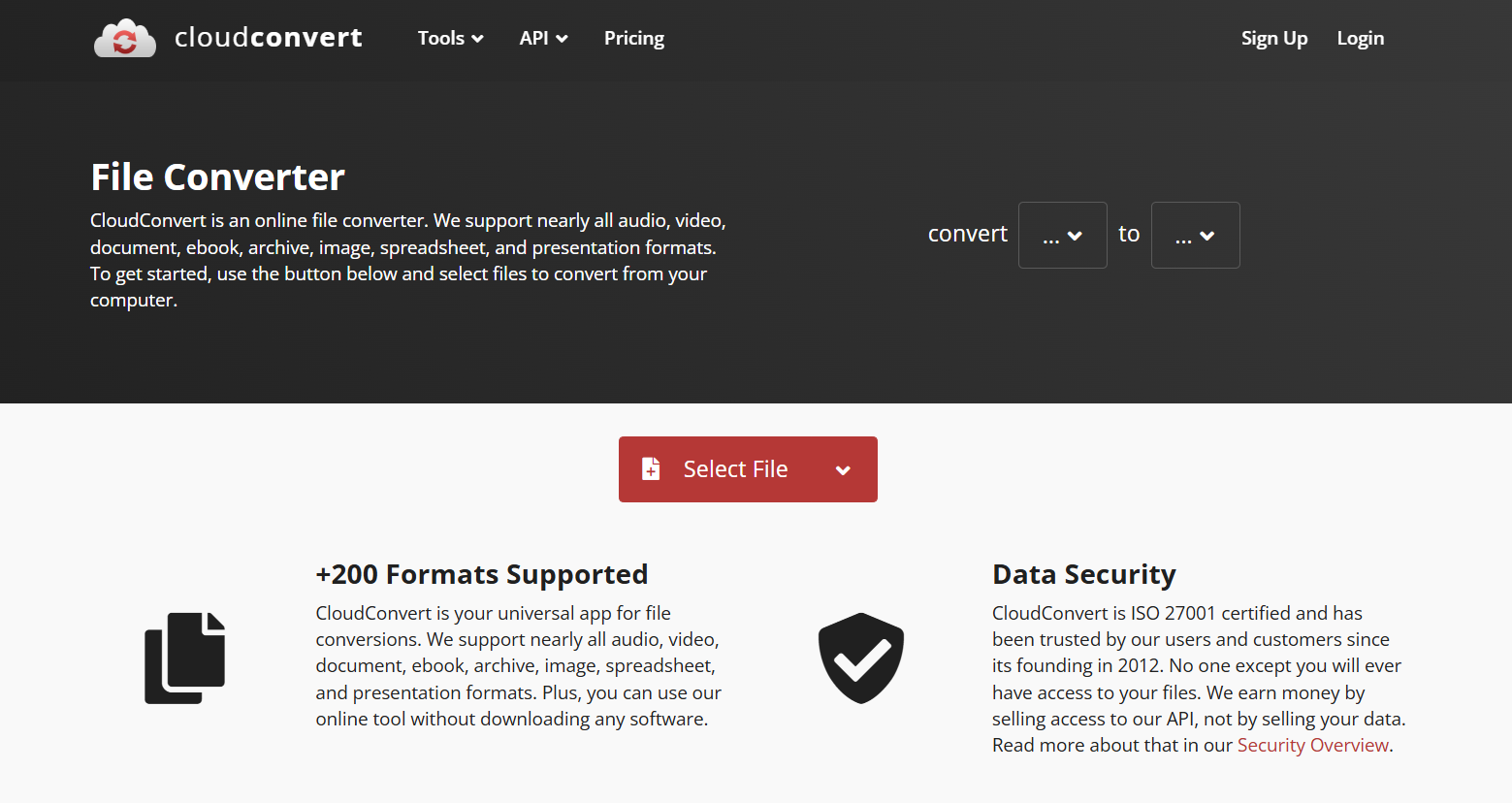
CloudConvert is a cloud-based tool that’s been around for years, and it’s trusted because it delivers consistent results. It’s great if you want to convert .mov to mp3 without installing anything.

  • Key features: Supports over 200 file formats, lets you adjust bitrate and quality.
  • Pros: High-quality conversions, easy to use, works on any device with a browser.
  • Cons: Free plan has daily limits, and you need internet access.
  • Who should use it: Ideal for people who need professional-level quality without software downloads.

3. Zamzar – Fast & Simple Online Tool

Zamzar

Zamzar has been around since 2006, and it’s one of the most popular online converters. It’s as straightforward as it gets: upload your MOV, pick MP3, and you’re done.

  • Key features: Web-based, supports multiple formats, email download link option.
  • Pros: No installation required, clean interface, quick turnaround.
  • Cons: File size is limited to 50MB on the free plan.
  • Who should use it: Perfect for quick, one-off conversions when your video isn’t too large.

4. Freemake Audio Converter – Great for Batch MOV to MP3 Conversion

Freemake Audio Converter

If you’ve got more than one video file, Freemake is a lifesaver. This free desktop app lets you convert entire folders of .mov to mp3 in one go.

  • Key features: Batch conversion, customizable output settings.
  • Pros: Handles multiple files at once, good quality output, simple interface.
  • Cons: Only available on Windows, occasional nags to upgrade.
  • Who should use it: Anyone with a large collection of MOV files they want to turn into audio.

5. Online Audio Converter – Lightweight Option for Beginners

Online Audio Converter

This tool does exactly what its name says: converts audio online. It’s clean, free, and extremely beginner-friendly.

  • Key features: Online-only, no installation needed, supports Google Drive and Dropbox.
  • Pros: Super easy, no learning curve, works fast.
  • Cons: Internet required, limited advanced settings.
  • Who should use it: Beginners who just want something quick and simple.

6. Audacity – Ideal for Advanced Editing Options

Audacity

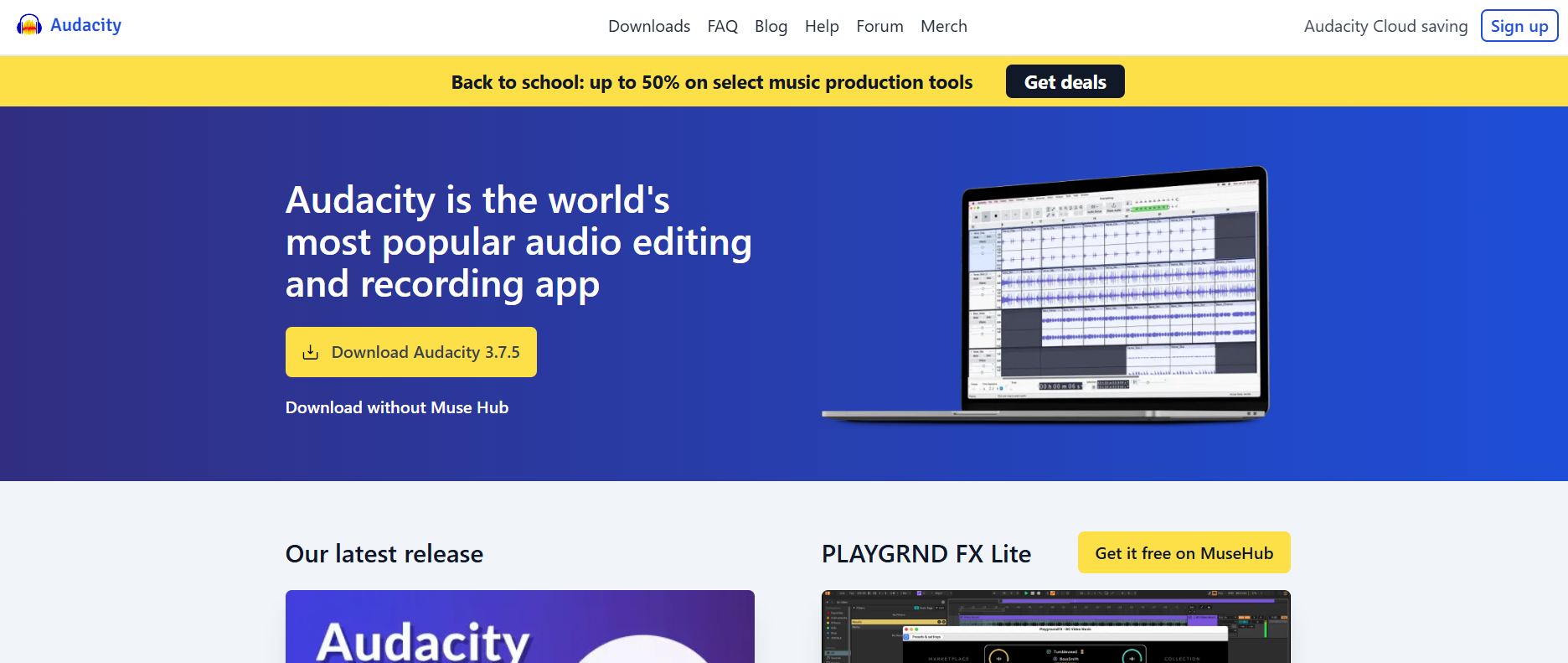
Audacity isn’t just a converter—it’s one of the most powerful free audio editors out there. While it requires a little setup, once you import a MOV file, you can export it directly as an MP3.

  • Key features: Free, open-source, professional editing tools.
  • Pros: Perfect for editing after conversion, lots of customization.
  • Cons: Slight learning curve, you’ll need to install an extra plugin for MP3 export.
  • Who should use it: Podcasters, musicians, or anyone who wants editing power along with conversion.

How to Choose the Best MOV to MP3 Converter for Your Needs

Not all converters are built the same, and which one you choose depends on what matters most to you:

  • Speed: If you just want it done fast, Zamzar or Online Audio Converter are great.
  • Quality: CloudConvert and Audacity give you the most control over audio quality.
  • Offline use: VLC and Freemake shine when you don’t want to rely on internet.
  • Batch conversion: Freemake is the way to go.

Think about how often you’ll use the converter, what device you’re on, and whether you need editing features.

Step-by-Step Guide: How to Convert MOV to MP3 Easily

Converting MOV to MP3 with VLC

  1. Open VLC and go to Media > Convert/Save.
  2. Add your MOV file.
  3. Choose Convert, select MP3 as the profile.
  4. Pick your destination folder and hit Start.

Using CloudConvert Online

  1. Head to CloudConvert’s website.
  2. Upload your .MOV file.
  3. Select MP3 as your output format.
  4. Adjust settings if needed (like bitrate).
  5. Download your new MP3.

Extracting Audio on Mobile

  • iPhone: Use an app like Media Converter from the App Store.
  • Android: Try an app like Video to MP3 Converter.

Conclusion: Pick the Right MOV to MP3 Converter Today

There you go—six free, safe, and easy tools to convert MOV to MP3 without stress. From quick online options like Zamzar to powerful desktop tools like Audacity, you’ve got plenty of choices depending on your needs.

The next time you want to convert .mov to mp3, don’t waste time searching for random sites. Try one of these tested tools, get your audio in seconds, and enjoy it however you like.

Now, go grab that audio track you’ve been wanting—it’s just a conversion away!

Find More: Boost Your Sales With SEO Services

FAQs

1. Is MOV better than MP3?

They’re different. MOV is a video format, MP3 is audio-only. If you only need sound, MP3 is the better option.

2. Can I convert MOV to MP3 without losing quality?

Yes—if you use a good MOV to MP3 converter like CloudConvert or Audacity and adjust the bitrate properly.

3. What’s the fastest way to turn MOV into MP3?

For speed, Zamzar or Online Audio Converter get the job done in seconds.

4. Do I need special software to extract audio from MOV files?

Not necessarily. Online tools can do it, but for frequent use, software like VLC or Freemake is more reliable.

5. Are free MOV to MP3 converters safe to use?

The ones listed here are safe. Just avoid random websites that look suspicious or bombard you with ads.

Tags:
5 Amazing Things Narakeet Can Do That Most Users Don’t Realize

5 Amazing Things Narakeet Can Do That Most Users Don’t Realize

narakeet

Introduction

Narakeet is one of those tools you stumble upon and immediately wonder how you didn’t know about it earlier. At first glance, it looks like just another text-to-speech program, but once you dig deeper you realize it’s much more than that. Think of it as having your own AI-powered production studio in your browser. With it, you can create professional voiceovers, narrated videos, and even fully narrated presentations without dealing with microphones, messy audio setups, or expensive freelancers.

If you’ve been researching Narakeet text to speech, or maybe you’ve seen people debating about Narakeet pricing, you probably have questions. Is it really good enough to replace a human narrator? Is it too expensive for small creators? Does it work for serious projects like e-learning or audiobooks? Spoiler alert: it does far more than most people think, and it’s designed to save you time and stress. In this article, I’ll break down five amazing things Narakeet can do that most users don’t realize — along with real-life examples of how you might actually use them.

Find More: 10 Game-Changing Apps for Content Creation You’ll Wish You Knew Sooner

5 Amazing Things Narakeet Can Do That Most Users Don’t Realize

narakeet

1. Turn Scripts into Professional Voiceovers Instantly

Let’s start with the feature most people know about, but don’t fully appreciate: Narakeet AI voice generator. There are plenty of text-to-speech tools online, but here’s the thing — most of them sound either robotic, monotone, or just plain distracting. Narakeet manages to pull off something better. It gives you a wide library of natural-sounding voices in different accents and tones. When you listen, you’ll often have to double-check whether it’s AI or a real person reading.

Think about the last time you tried recording your own audio. Maybe you had to do multiple takes, fight with background noise, or cringe at how your voice sounded in playback. With Narakeet, you paste your script, choose a Narakeet voice that matches your vibe, and within minutes you’ve got a polished voiceover ready to go.

Best use cases:

  • YouTube creators who don’t want to be on camera or record their own voice
  • Small businesses making product demos or explainer ads
  • Educators preparing training materials for online courses
  • Podcasters testing episode ideas quickly before committing to a full production

And the speed is what makes it shine. Instead of waiting days for a freelancer or spending hours editing, you can literally generate a voiceover in the same time it takes to brew a cup of coffee.

2. Convert PowerPoint Presentations into Narrated Videos

PowerPoint Presentation

This one feels almost hidden — but it’s easily one of the most powerful features. Did you know that Narakeet can take your PowerPoint slides and instantly transform them into a narrated video? No screen recording software, no awkward voiceover attempts, and no complicated editing.

Picture this: you’ve put together a slide deck for a client, but instead of emailing static slides, you send them a sleek video that walks through the entire presentation with clear narration. That’s not just convenient — it’s impressive.

Who benefits the most:

  • Teachers creating online lessons without needing to record live lectures
  • Salespeople who want to send polished video pitches instead of just sending PDFs
  • Marketers turning pitch decks into shareable video content on social media
  • Corporate trainers making onboarding presentations more engaging

How it works: You upload your presentation, select a Narakeet voice, and the platform automatically syncs narration with your slides. That means each slide gets read at the right moment, with zero manual editing. Instead of boring silent slides, you now have a professional video asset you can share, repurpose, or even upload to YouTube.

And the best part? You don’t need video editing experience. Narakeet handles all of it in the background, letting you focus on content instead of production.

3. Support for 90+ Languages and Accents

If you’ve ever wanted to make your content global, this feature is a dream. Narakeet isn’t just an English-only tool — it supports more than 90 languages and countless regional accents. That means you can create localized versions of your content with almost no effort.

For example, imagine you’re a course creator. Instead of only serving English-speaking students, you can release versions in Spanish, French, German, Arabic, or even niche regional accents to connect better with specific audiences. Businesses expanding into new countries can make training materials, product demos, or explainer videos without the high cost of hiring multilingual narrators.

Real-world benefits:

  • A software company can launch the same tutorial in ten languages overnight
  • An online educator can reach students across multiple continents
  • Podcasters can expand their audience by offering translated versions of episodes
  • Marketers can create ads that sound native to the region they’re targeting

For anyone who’s thought about “going global” but found the costs and logistics intimidating, this is the shortcut you’ve been waiting for. You don’t need a team of translators and actors — Narakeet gives you the tools right out of the box.

4. Generate Audiobooks, Podcasts, and Training Material Effortlessly

Here’s where Narakeet goes beyond expectations. Most people assume it’s only good for short content like voiceovers or scripts, but in reality, it handles long-form projects like a champ. We’re talking audiobooks, podcasts, employee onboarding modules, or full e-learning courses.

Recording long audio the traditional way is brutal. Your throat gets sore, you trip over words, and editing becomes a never-ending nightmare. Narakeet changes the game by generating hours of audio at once, with consistent tone and no fatigue.

Who benefits the most:

  • Authors who want to release audiobook versions of their books without spending thousands on narration
  • Podcasters who want to test concepts or create episodes faster
  • Trainers and HR teams producing compliance videos and onboarding materials
  • Nonprofits and educators turning guides into accessible audio for learners

It’s also a great way to repurpose content. That blog post you wrote? It could become a podcast episode. That training manual collecting dust? It can be a narrated video module. Narakeet makes scaling content creation not only possible but easy.

5. Customize Voice Speed, Tone, and Style for Unique Results

Finally, let’s talk about customization. This is where Narakeet moves past being “just another AI tool.” You’re not locked into a single robotic-sounding voice. Instead, you can adjust speed, tone, pitch, and emphasis to give your narration personality.

Want a serious corporate training vibe? Keep the tone steady and professional. Need a warm, friendly tutorial voice? Lighten the tone and increase pace slightly. Making a dramatic video intro? Slow the narration and add weight for impact.

Examples of how customization changes the outcome:

  • A high-energy sports promo can be made more exciting by adjusting pitch and speed
  • A meditation app can use slower, calmer tones for relaxation content
  • A professional e-learning course can emphasize clarity and pacing for better comprehension

By tailoring the voice to your project, you strip away the typical “AI voice” feel and get something that genuinely resonates with your audience. That’s a huge edge, especially if you’re competing with others who rely on generic text-to-speech solutions.

Conclusion

Narakeet isn’t just another text-to-speech app you try once and forget. It’s more like a Swiss Army knife for content creators, educators, marketers, and businesses. From instant voiceovers and narrated presentations to multilingual support, audiobooks, and full customization, it covers way more than most users expect. The versatility is what makes it stand out.

If you’ve been on the fence about Narakeet pricing or you’re unsure whether it’s worth committing to, think about what you usually spend on freelancers, studio gear, or editing time. Narakeet compresses all of that into a single, easy-to-use platform. It saves time, money, and stress — and in today’s fast-moving content world, that’s priceless.

So here’s the question: what’s stopping you from giving it a shot? Whether you’re a solo creator, a teacher, a marketer, or a business leader, the possibilities with Narakeet are way bigger than most people realize.

Find More: Boost Your Sales With SEO Services

FAQs

1. What is Narakeet used for?

Narakeet is used to turn text, scripts, and presentations into narrated videos, voiceovers, and audio content using AI-generated voices. It’s especially popular with creators who want to save time while producing professional-quality audio.

2. Is Narakeet free to use?

Narakeet offers free credits to let you test the platform. For serious or ongoing projects, you’ll need to check Narakeet pricing plans, which vary depending on how much content you want to generate.

3. How does Narakeet compare to other text-to-speech tools?

Narakeet usually sounds more natural than most alternatives. Plus, it offers unique features like PowerPoint-to-video conversion and multilingual support, which many competitors don’t handle as well.

4. Can I use Narakeet for YouTube or commercial projects?

Yes! Many YouTubers, marketers, and educators use it for commercial projects. Just make sure you’re on the right subscription level to cover commercial rights.

5. Does Narakeet support different voice styles and emotions?

Yes. You can tweak tone, speed, and emphasis to suit your content, making the narration more dynamic and less robotic.

6. Is Narakeet safe and reliable for professional use?

Absolutely. Thousands of businesses, teachers, and creators rely on it daily. The platform is stable, and the results are professional enough for everything from YouTube videos to corporate training.

Tags:
7 Powerful Streamable Downloaders You Haven’t Tried Yet (But Should!)

7 Powerful Streamable Downloaders You Haven’t Tried Yet (But Should!)

Streamable Downloaders

Introduction: Why You Need a Reliable Streamable Downloader

A streamable downloader is one of those tools you don’t think you’ll need… until you really do. Maybe you stumbled across a hilarious clip you want to save before it disappears, or perhaps you’re prepping for a presentation and want to keep a video offline for peace of mind. Other times, it’s as simple as wanting to enjoy videos without relying on a shaky internet connection. Whatever the reason, having the ability to download content safely and quickly can make life a lot easier.

That’s where a streamable video downloader or streamable link downloader makes all the difference. Instead of worrying about broken links or buffering, you can just grab the video directly from streamable.com downloader tools and store it on your laptop or phone. Once you’ve done it a few times, you’ll wonder how you ever managed without one.

In this article, I’ll show you seven powerful downloaders that are worth trying. Some are quick and easy, others are more advanced for power users. By the end, you’ll know exactly which one fits your needs. Let’s jump in!

Find More: 7 Best Free YouTube Downloaders That Actually Work in 2025

7 Powerful Streamable Downloaders You Haven’t Tried Yet

1. 9xbuddy – Simple and Reliable

9xbuddy

9xbuddy is one of the most straightforward online downloaders out there. Just paste your Streamable link, and it instantly generates a download option.

  • Key Features: Fast processing, no sign-up required, works on multiple sites.
  • Pros: Super simple, mobile-friendly, free.
  • Cons: Ads can get a little annoying.
  • Best Use Case: Quick one-off downloads without installing software.

Tip: If you’re on mobile and need a quick solution during a commute or while traveling, 9xbuddy’s clean interface makes it extra convenient.

2. SaveFrom.net – The Classic Option

savefrom

SaveFrom.net has been around forever, and for good reason. It’s known for supporting a wide range of sites, including Streamable.

  • Key Features: Browser extensions, fast conversions, HD support.
  • Pros: Easy to use, no complicated steps.
  • Cons: Free version has limitations, works better with extension installed.
  • Best Use Case: Regular downloads when you want a simple workflow.

SaveFrom’s browser extension means you can grab videos without even visiting their site—it integrates directly into your browsing experience.

3. Y2Mate – More Than Just YouTube

Y2Mate

You might know Y2Mate for YouTube, but it also works as a streamable link downloader. It’s fast, free, and doesn’t require an account.

  • Key Features: Multi-platform support, MP4/MP3 conversion.
  • Pros: Super versatile, quick, easy to use.
  • Cons: Pop-ups can get irritating.
  • Best Use Case: People who download from multiple video platforms frequently.

Bonus: If you also save videos from other platforms like Facebook or Dailymotion, Y2Mate doubles up as your all-in-one tool.

4. AllVideoDownloader – Desktop Powerhouse

AllVideoDownloader

If you’re someone who downloads a lot of videos, a desktop app like AllVideoDownloader might be the way to go. It’s a dedicated program that supports Streamable and dozens of other sites.

  • Key Features: Batch downloads, multiple formats, download scheduling.
  • Pros: Heavy-duty tool, works offline, customizable settings.
  • Cons: Requires installation, not as “instant” as browser tools.
  • Best Use Case: Professionals who need a reliable, advanced downloader.

Think of this as the Swiss army knife of video downloaders. Perfect for teachers, content creators, or anyone who builds presentations often.

5. JDownloader 2 – The Open-Source Beast

JDownloader 2

JDownloader 2 is open-source software loved by power users. It automatically grabs downloadable links from your clipboard, which makes it super convenient for Streamable videos.

  • Key Features: Clipboard monitoring, batch downloading, resume capability.
  • Pros: Free, powerful, works on Windows, macOS, and Linux.
  • Cons: Might feel overwhelming at first.
  • Best Use Case: Heavy users who want full control over their downloads.

Once you get the hang of it, JDownloader 2 feels like an automation dream. You copy the link, it fetches it instantly—it’s like having a personal assistant for video saving.

6. ClipGrab – Lightweight and Easy

ClipGrab

If you like clean, lightweight apps, ClipGrab is a great choice. It supports Streamable and other major platforms, and it’s perfect for casual users.

  • Key Features: Simple interface, MP4/MP3 conversions.
  • Pros: Free, quick installation, no bloat.
  • Cons: Not as many advanced settings as others.
  • Best Use Case: Anyone who just wants a no-nonsense downloader.

ClipGrab is especially popular among students who want to save educational clips for offline studying.

7. Video DownloadHelper (Browser Extension)

Video DownloadHelper

If you prefer something built into your browser, Video DownloadHelper is a fantastic option. It’s available for Chrome and Firefox, and it works seamlessly with Streamable.

  • Key Features: Browser integration, multi-site support, multiple format saving.
  • Pros: Convenient, always ready when you browse.
  • Cons: Requires setup, not as quick for first-timers.
  • Best Use Case: Frequent downloaders who want everything within their browser.

Video DownloadHelper is perfect if you hate copy-pasting links and just want downloads integrated right into your workflow.

How to Choose the Best Streamable Downloader for Your Needs

With so many choices, how do you know which one to go for? Here are a few things to keep in mind:

  • Speed: If you’re just looking to grab a video quickly, go with browser-based tools like 9xbuddy or SaveFrom.net.
  • Quality: For HD or multiple format options, apps like AllVideoDownloader or ClipGrab are better.
  • Security: Stick with trusted tools to avoid sketchy sites.
  • Ease of Use: Beginners will love browser extensions or web-based options.
  • Free vs. Paid: Most Streamable downloaders are free, but paid versions often remove ads or offer premium features.

👉 Pro tip: Always consider the legal side. Downloading for personal offline use is generally okay, but re-uploading or distributing without permission can get you into trouble.

Also, think about your habits. If you’re saving one or two videos per month, an online tool is enough. But if you’re downloading dozens weekly for work or content creation, investing time in setting up JDownloader or AllVideoDownloader pays off massively.

Conclusion: Pick Your Streamable Downloader and Start Saving Videos Today

At the end of the day, the “best” streamable downloader depends on how you plan to use it. If you just need a quick and easy fix, 9xbuddy or SaveFrom.net will do the trick. If you’re looking for something more advanced, JDownloader or AllVideoDownloader will give you more control.

The good news? You don’t have to settle for buffering, vanishing links, or losing access to your favorite clips. Once you’ve got the right tool, you’ll always have your favorite videos safely saved—whether it’s for fun, work, or learning.

So here’s my challenge to you: pick one from this list today, test it out, and see how it changes the way you save and enjoy videos. Once you start, you’ll never want to go back to watching online-only again.

Find More: Boost Your Sales With SEO Services

FAQs

1. Is it legal to use a Streamable downloader?

It depends on how you use it. Saving videos for personal use is usually fine, but re-sharing copyrighted material isn’t.

2. Can I download Streamable videos on mobile devices?

Yes! Tools like 9xbuddy and SaveFrom.net are mobile-friendly, and some apps even have Android versions.

3. Do Streamable downloaders work on all browsers?

Most do, but some (like Video DownloadHelper) work best on Chrome and Firefox.

4. Are there any free Streamable downloaders that actually work?

Absolutely. The ones listed here—like Y2Mate, ClipGrab, and 9xbuddy—are all free and reliable.

5. How can I ensure safe use of a Streamable downloader?

Stick to trusted sites and avoid random pop-ups. If you’re downloading often, consider using open-source software like JDownloader for extra peace of mind.

6. Can I download private or password-protected Streamable videos?

Usually no, unless you have direct access. Most tools only work with public or shareable links.

7. Do these tools keep video quality the same?

Yes, most of them allow you to choose resolution, so if the original is HD, you can keep that quality when downloading.

Tags:
Rehabs That Accept Cigna: Find Coverage and Care

Rehabs That Accept Cigna: Find Coverage and Care

Rehabs

Questions Answered in This Article:


  • How Does Cigna Health Insurance Cover Rehab?
  • What to Expect From a Rehab Program
  • What Are the Best Tips for Maximizing Cigna Rehab Coverage? 

Finding the right rehab center can feel overwhelming, especially when insurance coverage is a key concern. If you have Cigna health insurance, knowing which facilities accept your plan can make a huge difference in getting the care you need without unnecessary financial stress. Whether you’re searching for drug and alcohol rehab, a partial hospitalization program (PHP), or an intensive outpatient program (IOP), understanding how coverage works can help you make an informed decision. 

In this guide, we’ll explore rehabs that accept Cigna, what types of care are typically covered, and practical tips for navigating insurance to maximize your treatment options. You’ll learn how to find a rehab center near you, what to expect from your treatment program, and how Cigna health insurance can support your journey toward recovery. 

How Does Cigna Health Insurance Cover Rehab? 

Cigna health insurance covers a range of mental health and substance use disorder services, but the specifics depend on your plan. Generally, most plans cover medically necessary treatment for substance abuse, including inpatient detox, residential treatment, outpatient therapy, and counseling. 

When searching for rehabs that accept Cigna, it’s important to verify whether the facility is in-network. Being in-network often reduces your out-of-pocket costs and ensures a smoother claims process. Some programs may offer partial coverage depending on the level of care you need, the length of your stay, and whether prescription drugs are part of your treatment plan. 

According to the National Institute on Drug Abuse, combining behavioral therapy with medication-assisted treatment increases recovery success rates, highlighting the importance of choosing a facility that integrates these evidence-based approaches and works with your insurance. 

Types of Care Covered by Cigna 

Cigna health insurance can cover various types of care for substance use disorder (SUD) and mental health conditions. 

Understanding these options helps you identify the most suitable rehab center:

 Inpatient or Residential Rehab: Provides 24/7 care in a structured environment. Ideal for severe substance use or co-occurring mental health conditions.

  • Partial Hospitalization Program (PHP): Offers intensive treatment during the day while allowing you to return home in the evenings. PHPs are effective for those transitioning from inpatient care or needing high-level support without full hospitalization.
  • Intensive Outpatient Program (IOP): Offers flexible, structured therapy sessions several times per week. IOPs are suitable for patients balancing recovery with work, school, or family obligations.
  • Outpatient Therapy and Counseling: Includes individual, group, and family therapy sessions. Useful for ongoing support after completing inpatient or intensive outpatient programs. 

Each type of care focuses on helping you receive care tailored to your needs while ensuring that your rehab facility aligns with Cigna coverage requirements. 

Finding Rehabs Near You That Accept Cigna 

When searching for rehabs in Arizona that accept Cigna, start by looking for accredited treatment facilities with verified insurance partnerships. Using phrases like “rehabs near me that accept Cigna” can help narrow down options quickly. 

It’s important to contact each rehab center directly to confirm: 

  • Whether they accept Cigna health insurance
  • Which services and types of care are covered
  • Any pre-authorization requirements for admission 

Facilities like Rock View Recovery offer programs tailored to both substance use disorder and mental health conditions while working with Cigna insurance to reduce your out-of-pocket costs. Finding a treatment facility that coordinates care with your insurer ensures you can focus fully on recovery. 

What to Expect From a Rehab Program 

Rehab treatment plans vary depending on the level of care and individual needs, but most programs follow a structured approach: 

  1. Assessment and Intake: Clinicians evaluate your substance use history, mental health conditions, and medical needs to create a personalized treatment plan.
  2. Detox and Stabilization: If required, medical detox helps safely manage withdrawal symptoms under supervision.
  3. Therapeutic Interventions: Includes individual therapy, group counseling, behavioral therapy, and sometimes medication-assisted treatment.
  4. Aftercare Planning: Prepares you for long-term recovery through ongoing outpatient care, support groups, and relapse prevention strategies. 

By choosing a rehab center that accepts Cigna, you ensure access to a treatment program that is both clinically effective and financially manageable. 

What Are the Best Tips for Maximizing Cigna Rehab Coverage? 

Even with insurance, navigating coverage can be confusing. 

Here are strategies to get the most out of your plan: 

  • Verify Benefits Early: Call Cigna to understand your plan’s coverage for substance abuse treatment, including co-pays and deductibles.
  • Ask About In-Network Facilities: Staying in-network can save money and simplify the claims process.
  • Request Pre-Authorization: Some treatment centers require prior approval from Cigna to start care.
  • Document Everything: Keep records of all communications, approvals, and billing statements to avoid unexpected costs.

 Taking these steps helps ensure that your rehab experience focuses on recovery rather than insurance hurdles. 

The Role of Cigna in Long-Term Recovery 

Insurance coverage isn’t just about paying for treatment—it can support a sustainable recovery journey. With Cigna, you can access ongoing outpatient therapy, follow-up care, and medication management. Programs like IOP and PHP can be extended depending on your treatment plan and progress, allowing you to maintain recovery while reintegrating into daily life. 

Cigna health insurance coverage is a tool to help you receive care in a rehab facility that meets both your medical and mental health needs. Choosing a facility that accepts your insurance plan reduces stress and lets you fully engage in your treatment. 

Start Your Recovery With a Cigna-Approved Rehab Today 

Finding rehabs that accept Cigna health insurance doesn’t have to be overwhelming. By understanding your coverage, exploring different types of care, and confirming in-network facilities, you can select a rehab center that fits your unique needs. Whether you need inpatient care, an intensive outpatient program, or ongoing therapy, Cigna can help you receive care in a supportive environment. 

Take the first step today: reach out to a treatment center Rock View Recovery to verify your coverage and explore the programs available. With the right guidance, you can begin your journey toward lasting recovery with confidence and clarity.