UK: +44 2038074555 info@atamgo.com
Rehabs That Accept Cigna: Find Coverage and Care

Rehabs That Accept Cigna: Find Coverage and Care

Rehabs

Questions Answered in This Article:


  • How Does Cigna Health Insurance Cover Rehab?
  • What to Expect From a Rehab Program
  • What Are the Best Tips for Maximizing Cigna Rehab Coverage? 

Finding the right rehab center can feel overwhelming, especially when insurance coverage is a key concern. If you have Cigna health insurance, knowing which facilities accept your plan can make a huge difference in getting the care you need without unnecessary financial stress. Whether you’re searching for drug and alcohol rehab, a partial hospitalization program (PHP), or an intensive outpatient program (IOP), understanding how coverage works can help you make an informed decision. 

In this guide, we’ll explore rehabs that accept Cigna, what types of care are typically covered, and practical tips for navigating insurance to maximize your treatment options. You’ll learn how to find a rehab center near you, what to expect from your treatment program, and how Cigna health insurance can support your journey toward recovery. 

How Does Cigna Health Insurance Cover Rehab? 

Cigna health insurance covers a range of mental health and substance use disorder services, but the specifics depend on your plan. Generally, most plans cover medically necessary treatment for substance abuse, including inpatient detox, residential treatment, outpatient therapy, and counseling. 

When searching for rehabs that accept Cigna, it’s important to verify whether the facility is in-network. Being in-network often reduces your out-of-pocket costs and ensures a smoother claims process. Some programs may offer partial coverage depending on the level of care you need, the length of your stay, and whether prescription drugs are part of your treatment plan. 

According to the National Institute on Drug Abuse, combining behavioral therapy with medication-assisted treatment increases recovery success rates, highlighting the importance of choosing a facility that integrates these evidence-based approaches and works with your insurance. 

Types of Care Covered by Cigna 

Cigna health insurance can cover various types of care for substance use disorder (SUD) and mental health conditions. 

Understanding these options helps you identify the most suitable rehab center:

 Inpatient or Residential Rehab: Provides 24/7 care in a structured environment. Ideal for severe substance use or co-occurring mental health conditions.

  • Partial Hospitalization Program (PHP): Offers intensive treatment during the day while allowing you to return home in the evenings. PHPs are effective for those transitioning from inpatient care or needing high-level support without full hospitalization.
  • Intensive Outpatient Program (IOP): Offers flexible, structured therapy sessions several times per week. IOPs are suitable for patients balancing recovery with work, school, or family obligations.
  • Outpatient Therapy and Counseling: Includes individual, group, and family therapy sessions. Useful for ongoing support after completing inpatient or intensive outpatient programs. 

Each type of care focuses on helping you receive care tailored to your needs while ensuring that your rehab facility aligns with Cigna coverage requirements. 

Finding Rehabs Near You That Accept Cigna 

When searching for rehabs in Arizona that accept Cigna, start by looking for accredited treatment facilities with verified insurance partnerships. Using phrases like “rehabs near me that accept Cigna” can help narrow down options quickly. 

It’s important to contact each rehab center directly to confirm: 

  • Whether they accept Cigna health insurance
  • Which services and types of care are covered
  • Any pre-authorization requirements for admission 

Facilities like Rock View Recovery offer programs tailored to both substance use disorder and mental health conditions while working with Cigna insurance to reduce your out-of-pocket costs. Finding a treatment facility that coordinates care with your insurer ensures you can focus fully on recovery. 

What to Expect From a Rehab Program 

Rehab treatment plans vary depending on the level of care and individual needs, but most programs follow a structured approach: 

  1. Assessment and Intake: Clinicians evaluate your substance use history, mental health conditions, and medical needs to create a personalized treatment plan.
  2. Detox and Stabilization: If required, medical detox helps safely manage withdrawal symptoms under supervision.
  3. Therapeutic Interventions: Includes individual therapy, group counseling, behavioral therapy, and sometimes medication-assisted treatment.
  4. Aftercare Planning: Prepares you for long-term recovery through ongoing outpatient care, support groups, and relapse prevention strategies. 

By choosing a rehab center that accepts Cigna, you ensure access to a treatment program that is both clinically effective and financially manageable. 

What Are the Best Tips for Maximizing Cigna Rehab Coverage? 

Even with insurance, navigating coverage can be confusing. 

Here are strategies to get the most out of your plan: 

  • Verify Benefits Early: Call Cigna to understand your plan’s coverage for substance abuse treatment, including co-pays and deductibles.
  • Ask About In-Network Facilities: Staying in-network can save money and simplify the claims process.
  • Request Pre-Authorization: Some treatment centers require prior approval from Cigna to start care.
  • Document Everything: Keep records of all communications, approvals, and billing statements to avoid unexpected costs.

 Taking these steps helps ensure that your rehab experience focuses on recovery rather than insurance hurdles. 

The Role of Cigna in Long-Term Recovery 

Insurance coverage isn’t just about paying for treatment—it can support a sustainable recovery journey. With Cigna, you can access ongoing outpatient therapy, follow-up care, and medication management. Programs like IOP and PHP can be extended depending on your treatment plan and progress, allowing you to maintain recovery while reintegrating into daily life. 

Cigna health insurance coverage is a tool to help you receive care in a rehab facility that meets both your medical and mental health needs. Choosing a facility that accepts your insurance plan reduces stress and lets you fully engage in your treatment. 

Start Your Recovery With a Cigna-Approved Rehab Today 

Finding rehabs that accept Cigna health insurance doesn’t have to be overwhelming. By understanding your coverage, exploring different types of care, and confirming in-network facilities, you can select a rehab center that fits your unique needs. Whether you need inpatient care, an intensive outpatient program, or ongoing therapy, Cigna can help you receive care in a supportive environment. 

Take the first step today: reach out to a treatment center Rock View Recovery to verify your coverage and explore the programs available. With the right guidance, you can begin your journey toward lasting recovery with confidence and clarity.

Why Your Business Needs Strong Access Control

Why Your Business Needs Strong Access Control

Access Control

Security is a big concern for every company. Data breaches are expensive and damaging. They can hurt trust and harm your reputation.

One weak point that many overlook is user access. Who can get into your systems? How do you control what they do once inside?

Access control is more than passwords. Passwords can be guessed or stolen. Employees may share them without thinking.

Cybercriminals target these gaps. That’s why businesses need a clear plan for who has access and when. It should not be random. It should be based on roles and responsibilities.

When access is too open, risk grows. A single mistake can lead to stolen data. Controlling access helps reduce that risk. It is the first line of defense in protecting your systems.

The Risk of Overlooking Privileged Accounts

Not all user accounts are the same. Some accounts have more power than others. These are called privileged accounts. They can change settings, add new users, and access sensitive data. If these accounts fall into the wrong hands, the damage can be huge.

Cyber attackers know this. They often target privileged accounts first. With one of these, they can move through your systems easily. They can steal data without being noticed. They can even delete logs to hide their tracks.

The problem is that many companies do not keep track of these accounts. They do not know how many exist or who uses them. Some accounts stay active even after employees leave. That makes them an easy target.

How a PAM Security Solution Helps

This is where a PAM security solution comes in. PAM stands for Privileged Access Management. It is a way to control and monitor accounts with extra access. PAM tools make sure that only the right people use these accounts and only when needed.

A PAM system does several things. It stores passwords in a secure vault. It rotates them often so they are hard to steal. It also records sessions when someone uses a privileged account. This creates a clear record of activity. If something looks suspicious, you can check the logs and respond quickly.

PAM solutions also make it easier to remove access when someone leaves the company. Old accounts do not stay open by mistake. This lowers the risk of an insider threat or forgotten account being used by an attacker.

For companies that handle sensitive data, PAM is not just nice to have. It is essential. Without it, you are leaving your most powerful accounts open to attack.

Best Practices for Managing Access

Technology alone is not enough. You also need good habits. Start by giving people only the access they need to do their job. Do not give admin rights unless it is truly required. Review access often. Remove accounts that are no longer in use.

Train employees on security basics. Many breaches start with phishing emails. If someone clicks a bad link, attackers may steal their credentials. Awareness helps reduce that risk.

Regular audits are important too. Check who has privileged access and why. If something does not make sense, fix it right away. using verification methods such as address lookup can also help confirm user identity and strengthen overall access management. Combine these steps with the right tools for the best protection.

Final Thoughts

Strong access control protects your data and your business. It is about more than keeping hackers out. It is about reducing risk from every angle. Privileged accounts are powerful, and they need extra care. A smart approach uses both technology and policy, often supported by all-in-one IT services in Hamilton that help businesses manage access, monitoring, and security from a single, reliable framework.

If you are not managing privileged access today, start now. The cost of doing nothing is far higher than the effort to secure your accounts. Think of it as building a strong lock for the most important doors in your company.

PDF to Excel: The Must-Have Tool for Anyone Who Works with Data

PDF to Excel: The Must-Have Tool for Anyone Who Works with Data

pdf to excel

If you’ve ever had to work with data embedded within PDF, you already know — it seems a daunting task. Whether it’s sales reports, invoices, student gradebooks, or government forms, PDF files are like vaults: good for locking information, terrible for editing it.

And what when the info you need is packed within a table? Even worse.

That’s exactly why PDF to Excel converters have become so crucial. They’re not fancy, they’re not flashy — but they get the pdf to excel conversion jobs done. And if you’re someone who deals with Excel spreadsheets, then being able to move data from a PDF to Excel format isn’t just useful, it’s absolutely essential.

Why Is PDF to Excel Even a Thing?

Do you know:

PDFs are made to look the same everywhere — highly recommended for sharing, horrible for editing.

Excel specifically is made for editing — organizing, sorting, calculating, and automating data.

So when someone sends you a monthly report or receipt in PDF form, and you need to actually do something with the numbers (like sort entries or data analysis), you’re stuck — unless you use a PDF to Excel conversion tool.

In simple terms: PDFs trap the embedded data and Excel sets it free.

Who Needs PDF to Excel Conversion the Most?

While anyone could need a pdf to excel converter at some point, certain folks practically live on it. Let’s take a look:

1. Accountants & Finance Teams

They’re constantly working with statements, transactions, tax documents — most of which are packed within PDF. Transforming them into Excel helps to work with numbers fast and smart. Tools like Suvit go a step further by automating this process, directly syncing such data into Tally and reducing the need for repetitive manual entry.

2. Students & Researchers

Academic papers, government stats, and research PDFs most probably contain tables. Converting them enables deeper analysis and spreadsheet manipulation.

3. Small Business Owners

From inventory lists to sales reports, having everything editable in Excel makes life easier.

4. HR & Admin Staff

Employee records, application forms, time logs — PDFs may be the format of choice for archiving, but Excel is still the king for active data use.

What Makes a PDF to Excel Tool Actually Good?

With so many tools online, not all are equal. Here’s what separates the best from the rest:

✔ Clean Formatting Transfer

A good PDF to Excel converter shouldn’t just dump data randomly into cells. It should keep the table structure, column headers, and align everything properly.

✔ Supports Scanned Documents (OCR)

If the PDF is an image scan, it needs OCR (optical character recognition). Without this, your tool is basically useless for half of real-world PDFs.

✔ No Watermarks or Signup 

Many free converters slap a watermark on the output, or worse — force you to create an account. The best tools skip all that noise.

✔ Handles Large Files Smoothly

Big file? No problem. A reliable tool should convert large PDFs into Excel sheets without crashing or timing out.

✔ Keeps Your Data Safe

If your files contain sensitive info, you need a tool that doesn’t store or misuse your data. File auto-deletion and no tracking = peace of mind.

PDFtoExcel.net (Covers All the Above-Best)

Here’s the good news: PDFtoExcel.net checks all the values mentioned-above.

  • It accurately keeps your table structure intact. 
  • It has solid OCR support for scanned files. 
  • No logins. No watermarks. No catches. 
  • Handles big files with ease. 
  • Your files are auto-deleted after processing — no funny business. 

If you’re tired of overcomplicated conversions or getting burned by clunky converters, try its pdf to xlsx converter that helps to convert pdf to excel accurately.

PDF to Excel Use Cases That Just Make Sense

Let’s take a look at real situations where this tool can be a total lifesaver:

  • A logistics company receives delivery records in PDF. They need to track delays and routes — Excel makes that possible. 
  • A student downloads a 50-page PDF of survey data. Manual entry would take hours. Converting to Excel = 5 minutes and done. 
  • An e-commerce seller receives monthly payout summaries from payment providers in PDF. Upload, convert, filter sales — simple. 

Bottom line? PDF to Excel isn’t just a niche tool — it’s useful in dozens of everyday situations.

What Happens If You Try to Do It Manually?

You could copy and paste. You could retype the data by hand. You could scream into the void.

But here’s what usually happens:

  • Rows break weirdly 
  • Columns merge 
  • Numbers turn into text 
  • Formatting disappears 
  • You waste an hour 

Even if you’re super careful, it’ll take 10x longer than just using a standard pdf to excel converter. And if you’re doing this more than once a week? Then not having a proper PDF to Excel conversion tool is just costing you time and energy for no reason.

Free vs Paid: What’s Worth Paying For?

Honestly, a lot of PDF to Excel tools offer decent free versions. But if you’re handling tons of files, larger documents, or sensitive content, upgrading can be totally worth it.

Here’s what you typically get in a premium version:

  • Batch conversions (multiple PDFs at once) 
  • Larger file limits 
  • Faster processing 
  • Guaranteed better formatting 
  • Priority support 

For individuals, free might be enough. For professionals, it’s worth a few bucks to save hours.

Let’s Conclude:

Yes, having the right PDF to Excel converter in your digital toolkit is just worth it. You don’t need to be a data expert, you just have to navigate with an accurate tool that does not waste your time as well as effort. So, whenever you get stuck with pdf to excel conversion, simply give a try to pdftoexcel’s conversion tool and make files transformation frequently. 

Loom Video Downloader: 9 Secret Tricks to Save Loom Videos

Loom Video Downloader: 9 Secret Tricks to Save Loom Videos

loom video downloader

Introduction: Why You Need a Loom Video Downloader

A Loom video downloader is a lifesaver if you’ve ever wanted to save an important presentation, a quick team update, a sales demo, or even your own recordings for offline use. Loom makes sharing videos incredibly convenient—you just record, share a link, and boom, the other person can watch. But here’s the catch: downloading them isn’t always as simple. Sometimes the download button is hidden, disabled, or simply not there. And if someone sends you just a link without download access, you might feel stuck.

That’s where knowing a few smart tricks (and having the right tools ready) makes all the difference. Whether you’re a student who wants to save lectures for revision, a professional collecting team updates, or just someone who likes to keep their training videos handy, these tricks will save you time and headaches.

In this guide, I’ll share 9 secret tricks to save Loom videos instantly—all 100% free. We’ll go through the built-in download option, browser-based hacks, Loom video downloader Chrome extensions, reliable online tools, and even ways to handle downloads on mobile devices. By the time you’re done reading, you’ll know which method suits you best—and you’ll never lose access to a Loom video again.

Find More: The First Five Hires That Make or Break Your SaaS Startup

9 Secret Tricks to Save Loom Videos Instantly (100% Free)

loom

1. Use Loom’s Built-in Download Option

Let’s begin with the easiest and most official method: downloading directly from Loom itself. If you’re the video’s owner or you have the right permissions, Loom makes it fairly straightforward.

  • Log in to your Loom account.
  • Head to your video library.
  • Locate the video you want to save.
  • Click the three dots (More actions) menu.
  • Select Download and the MP4 file will land on your device.

This gives you the original quality without any fuss. But—and it’s a big but—not every video gives you this choice. If the owner has restricted downloads or you only received a shareable link, the download option may simply not appear.

👉 Best for: Video owners or collaborators with permissions who want the highest quality file with zero hassle.

2. Try a Free Online Loom Video Downloader Tool

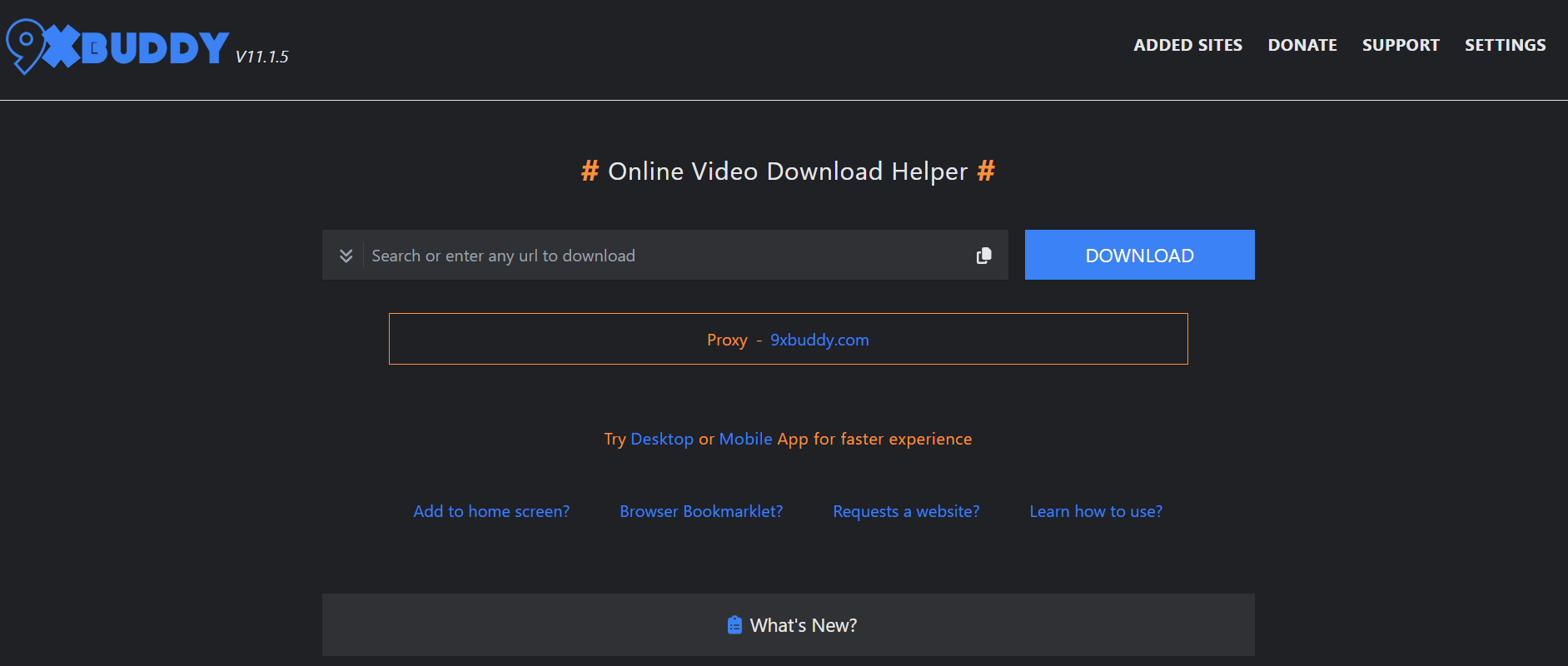
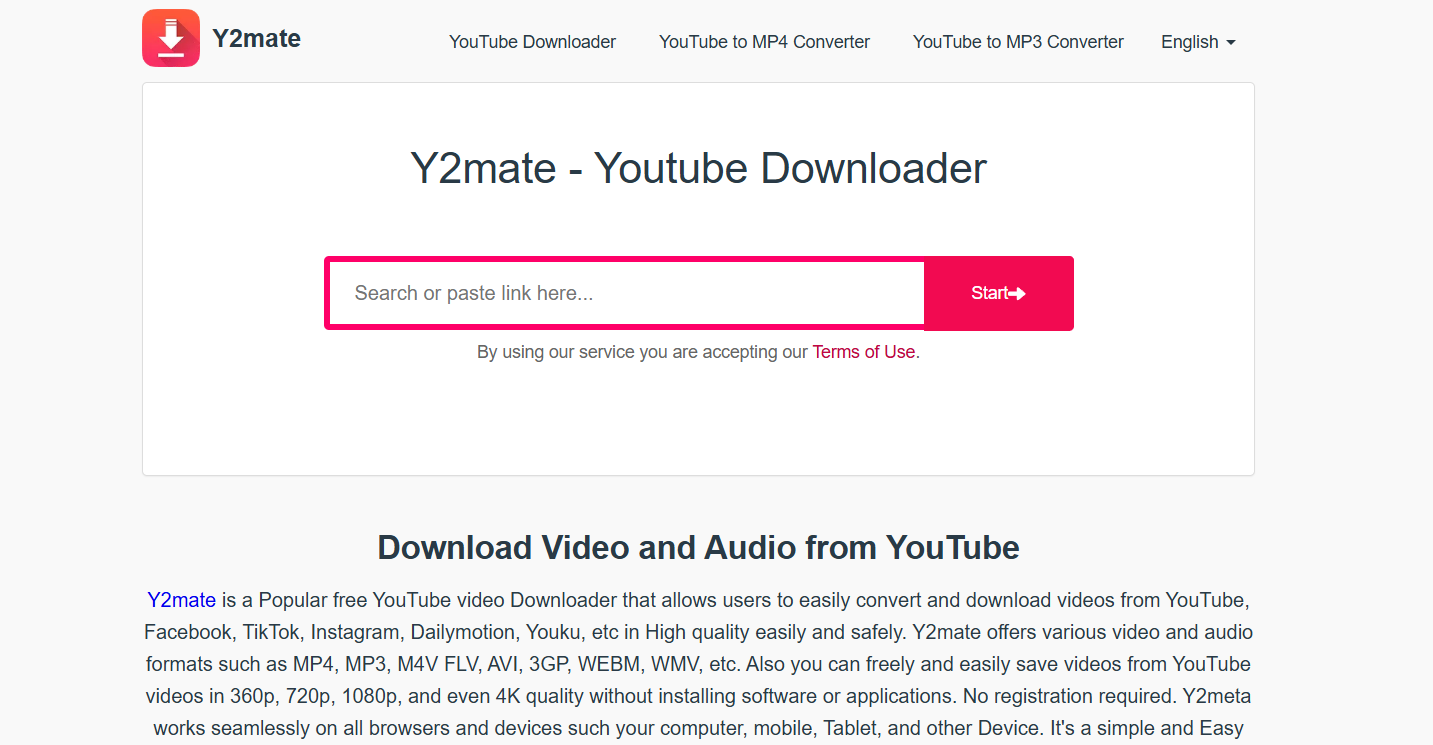
Loom Video Downloader

When Loom itself says “no,” you can often turn to an online Loom video downloader free tool. These websites act as middlemen: you paste the Loom video URL, they process it, and hand you a downloadable MP4 file.

Typical steps look like this:

  1. Copy the Loom video link.
  2. Paste it into the downloader’s search box.
  3. Choose the quality (if available) and click download.

Pros: No installation needed, works from any device, usually very quick.
Cons: Can be cluttered with ads, sometimes unreliable, and quality may vary.

👉 Best for: People who want to save a Loom video once or twice without installing anything extra.

3. Save Loom Videos with Browser Extensions

If you download Loom videos frequently, a Loom video downloader Chrome extension might be your new best friend. Once installed, these extensions add a small icon to your browser toolbar. Anytime you open a Loom video, you just click the extension and it grabs the file.

  • Search for a Loom video downloader extension in the Chrome Web Store (or Firefox Add-ons if you use that).
  • Install it.
  • Open your Loom video.
  • Hit the extension button to download instantly.

Pros: Super convenient, one-click solution, perfect for heavy users.
Cons: Some extensions can be shady, so always check reviews and permissions before installing.

👉 Best for: Professionals and students who save multiple Loom videos each week.

4. Copy the Video Source URL from Developer Tools

This method feels a little geeky but it’s surprisingly effective. Every video streamed in your browser comes from a file hosted on Loom’s servers. With Developer Tools (built into every browser), you can hunt that file down.

  • Right-click on the Loom video and click Inspect.
  • Open the Network tab.
  • Refresh the page and filter for files ending in .mp4.
  • Copy that file’s URL, open it in a new tab, and download.

Pros: No external tools or downloads required.
Cons: Takes a bit of patience, especially if you’re new to developer tools.

👉 Best for: Tech-savvy users who don’t mind clicking around a little to avoid third-party tools.

5. Record Loom Videos with Screen Recording Software

When all else fails, you can go old-school: just record your screen while the video plays. Tools like OBS Studio, VLC, or even built-in recorders like Windows Game Bar and Mac’s QuickTime make this simple.

  • Start your screen recorder.
  • Play the Loom video in full-screen.
  • Save the recording when done.

Pros: Works even if every other option fails.
Cons: Takes as long as the video’s runtime, and you may need to trim afterwards.

👉 Best for: Capturing restricted Loom videos where no direct download is possible.

6. Download Loom Videos on Mobile (iOS & Android Tricks)

Loom videos don’t just live on desktops—many people watch them on their phones. Luckily, saving them on mobile is possible too.

  • Use your phone browser and an online Loom video downloader website.
  • Or, use your phone’s built-in screen recording feature (both iOS and Android have them now).

Pros: Perfect for people who need offline access while traveling.
Cons: Screen recording may include notifications unless you enable Do Not Disturb.

👉 Best for: Mobile-first users who want videos for offline learning, commuting, or sharing.

7. Use Third-Party Video Download Software

4K Video Downloader

Dedicated software like 4K Video Downloader, YTD Downloader, or JDownloader provides a more powerful option. These programs allow bulk downloads, higher stability, and sometimes advanced features like extracting audio only.

  • Install the software.
  • Paste in the Loom URL.
  • Choose quality and save.

Pros: More reliable, faster, supports multiple sites and formats.
Cons: Requires installation and may have premium versions for full features.

👉 Best for: Users who handle dozens of video downloads regularly.

8. Save Loom Videos from Shared Links

Often, you don’t own the video—you just get a shareable Loom link. In that case, direct downloading is blocked. But some Loom video downloader online tools accept these links. You paste it in, and they spit out an MP4 file.

You can also mix this trick with the Developer Tools method to capture the video file behind the link.

Pros: Lets you save videos you didn’t create.
Cons: May not work on private or password-protected Loom videos.

👉 Best for: Team members, classmates, or anyone who only gets a viewing link without download access.

9. Convert Loom Videos to MP4 Format for Offline Use

Sometimes the file you get isn’t the most versatile format. That’s why video converters are so handy. Tools like HandBrake or online converters let you turn Loom recordings into MP4, which plays nicely on nearly every device.

  • Upload the video file.
  • Select MP4 as the format.
  • Download and enjoy universal compatibility.

Pros: MP4 works everywhere, from phones to TVs.
Cons: Adds an extra step after download.

👉 Best for: Users who want their videos playable on any device without worrying about compatibility.

Conclusion: Choose the Right Loom Video Downloader for You

There you go—9 secret tricks to save Loom videos instantly and for free. Whether you rely on an official download, a Loom video downloader extension, an online tool, or even screen recording, there’s always a solution.

If you save videos occasionally, an online downloader or inspect element trick is more than enough. If you download regularly, I’d recommend going with a Chrome extension or desktop software for speed and reliability. And for those who are often on the go, mobile methods like online downloaders and screen recording will keep you covered.

The important thing is you now have options. No more worrying about losing access to a valuable training video, presentation, or memory. Try out the method that feels easiest, see what works best for your needs, and start building your own offline library of Loom videos today!

Find More: Boost Your Sales With SEO Services

FAQs

1. Can I download Loom videos without permission?

Technically yes, but you should always respect ownership and privacy. If the video isn’t yours, it’s best to ask before downloading.

2. Are free Loom video downloaders safe to use?

Some are safe, others not so much. Stick to tools with strong reviews, avoid sketchy sites full of pop-ups, and never download unknown software.

3. What’s the best way to download Loom videos in high quality?

If you’re the owner, Loom’s built-in download is the best. Otherwise, third-party desktop software usually preserves quality better than online tools.

4. Can I download Loom videos on my phone?

Yes! You can either use a Loom video downloader online through your mobile browser or use your phone’s built-in recorder.

5. Is it legal to use a Loom video downloader?

Downloading your own videos is totally fine. Downloading someone else’s without permission is a gray area and may violate terms of service, so use responsibly.

Tags:
Search & Discovery: The New Way to Understand What Your Customers Want

Search & Discovery: The New Way to Understand What Your Customers Want

Search & Discovery


Customer journeys are no longer straightforward. A buying decision that once began and ended with a single search engine now takes place across multiple platforms. Today’s consumers might first see a product on TikTok, research it on Google, watch a review on YouTube, compare alternatives on Amazon, and finally make their purchase after reading peer reviews on social media.

Search & Discovery is the new reality: customers look for answers across dozens of channels, often guided by algorithms, AI tools, and peer recommendations. The brands that win are those that adapt to this multi-platform, answer-focused environment.

Why Search & Discovery Matters

Companies spend millions on surveys, focus groups, and analytics platforms, yet many still miss the mark. Why? Because customers don’t move in straight lines anymore.

The reality is that customers make decisions influenced by algorithms, AI-driven recommendations, peer comments, and cultural trends. This is often across platforms that operate in very different ways. For example, a company that focuses only on Google rankings risks being invisible on the social media or review platforms that are shaping purchase intent long before someone types in a search query.

By embracing Search & Discovery, brands gain a deeper understanding of customer motivations, expectations, and pain points, enabling them to deliver experiences that build trust, foster loyalty, and ultimately drive sustainable growth.

Your customers aren’t just “Googling it.” They’re using a mix of platforms: each with its own search habits, algorithms, and opportunities. As you can see in the diagram below, customers don’t just search in one place:

The Challenges It Solves

Adopting a Search & Discovery approach is not without its challenges. Yet, these challenges represent exactly why businesses can no longer afford to rely on outdated methods.

Data fragmentation: Most organisations collect information across multiple tools that rarely speak to each other. Website analytics sit in one place, social media data in another, and email engagement in yet another silo. Without integration, the big picture is lost.

Shifting behaviour: Consumer expectations evolve at a speed traditional market research cannot match. What worked last quarter may already be irrelevant today, leaving businesses struggling to keep up.

Information overload: With so much customer data available, teams often face analysis paralysis. Spreadsheets full of metrics are not the same as actionable insights. The challenge lies in separating the noise from the meaningful signals.

By acknowledging and addressing these issues, organisations can turn fragmented, fast-changing data into powerful intelligence.

How Businesses Can Adapt

Forward-thinking companies are already rethinking how they collect, interpret, and act on customer insights. Successful strategies include:

1. Integrated Data Systems

The first step is building a unified view of the customer. By investing in platforms that combine data from multiple sources including websites, social media, e-commerce platforms, and CRM systems, businesses can create complete customer profiles. This integration ensures that no single signal is ignored, and every touchpoint contributes to a clearer understanding of behaviour.

2. Real-Time Analysis and Response

In digitalised environments, insights lose value quickly. Real-time analytics platforms allow companies to identify shifts in customer sentiment as they happen. More importantly, they enable immediate action, whether that means adjusting a campaign, responding to a negative review, or capitalising on a new trend.

3. Artificial Intelligence and Predictive Analytics

AI-driven analysis can identify patterns that humans would overlook. Machine learning algorithms process enormous datasets in seconds, highlight emerging trends and predict future behaviours. Predictive analytics goes a step further, helping businesses anticipate customer needs before customers themselves are fully aware of them. This transforms strategy from reactive to proactive.

Transforming How We Connect With Customers

The business world has witnessed a fundamental shift in how companies capture customer insights. Gone are the days when simple surveys and focus groups provided enough information to drive successful strategies.

Modern businesses can’t rely solely on conventional research approaches anymore. Search &  Discovery represents a comprehensive strategy that examines customer behaviour across multiple touchpoints simultaneously. This approach recognises that customers don’t exist in isolation. Instead, they interact with brands through various channels.

In a fast-paced market like Dubai, where consumer behaviours shift rapidly due to its multicultural audience and thriving digital economy, understanding these signals is key. TIDAL Digital, a Brand-Led Performance Marketing Agency based in Dubai, is known for its innovative approach to digital strategy.

Companies like this have pioneered methods that capture diverse customer signals, ensuring every interaction contributes to a clear understanding of customer needs. They understand that each interaction, whether it’s a social media comment or a search query, contributes to a larger picture of customer needs.

The Multi-Channel Reality

Current customers do not follow linear purchasing paths. They may find a product on social media, do further research on search engines, read their reviews on a third-party site, and end up purchasing it on a totally different channel. This fragmented experience means companies must transform their way of thinking when it comes to data collection and analysis.

Respecting this complexity helps firms implement more effective performance marketing strategies, which can match their messages to their customers wherever they may be in their cycle. The point is to draw them together and make sense of them by interlinking these touchpoints.

Strategies for Better Customer Intelligence 

Successful companies have developed sophisticated approaches to gathering and interpreting customer intelligence that go far beyond traditional methods.

Integrated Data Collection Systems

Smart businesses invest in platforms that unify customer data from multiple sources. These systems create comprehensive customer profiles that reflect interactions across all touchpoints, providing a 360-degree view of customer behaviour.

The most effective systems combine quantitative data with qualitative insights, painting complete pictures of customer motivations and preferences. This holistic approach enables more accurate predictions about future customer needs.

Real-Time Analysis and Response

Understanding customer behaviour requires systems that can process and analyse information as it happens. Real-time analytics platforms allow businesses to spot trends and shifts in customer sentiment immediately, enabling rapid response to changing needs.

Companies that excel at customer intelligence don’t just collect data; they act on it quickly. This responsiveness becomes a competitive advantage in markets where customer expectations change rapidly.

The Technology Behind Modern Customer Analysis

Advanced technology has transformed the way customer data is gathered and interpreted by the company so much that advanced analysis has become available to all firms, whatever their size.

Artificial Intelligence/Machine Learning

Analysis rules enabled by AI will be able to extract trends in customer information that a human may fail to notice at all. Such systems can analyse huge amounts of data within a short period of time and can spot trends or anomalies that need to be addressed.

The earlier machine learning algorithms became more accurate in predicting the behaviour and preferences of customers as time went on. This self-refining ability makes them an asset in customer intelligence goals over the long term.

Predictive Analytics Platforms

New platforms not only inform you about what has occurred but also forecast what is likely to occur in the future. Predictive analytics can enable businesses to anticipate the needs of customers before the customers themselves are fully aware of the need.

Such tools offer the possibility of proactive, as opposed to reactive, customer planning, and enable businesses to stay ahead of evolving market demands, rather than constantly being behind the trends all the time.

Future Trends in Customer Intelligence

The landscape around understanding customers is constantly changing, and new technologies and approaches are transforming how companies engage with their publics.

Personalisation at Scale

Customers are increasingly demanding the delivery of tailored experiences in line with their personal tastes and behaviour patterns. Future customer intelligence solutions will be required to deliver this personalisation while taking into account privacy issues and regulatory expectations.

Successful companies will navigate customisation and customer privacy, building experiences that feel personal but are non-invasive. 

Integration With New Technologies

Virtual reality, augmented reality, and Internet of Things devices will generate new sources of customer data and new ways to engage. Companies need to get ready for these growing data sources and what they’ll tell them.

Voice search and smart speakers are already changing how customers find products and services, necessitating a shift in traditional search and content strategies.

The Future Is Customer-Focused

The future belongs to companies that are able to actually know what their customers are looking for, even before the customers themselves are fully aware of it. This means investing in technology and in people’s skills, building systems that integrate cutting-edge data analysis with true customer empathy.

Businesses that excel at this balance will be building richer, more lucrative relationships with their customers while leaving behind competitors who cling to antiquated methods. It’s not a matter of whether or not to embrace these new methods; it’s how fast you can apply them successfully in your organisation.

FAQs About Customer Intelligence

What are the four main customer needs?

There are four main customer needs that an entrepreneur or small business must consider. These are price, quality, choice, and convenience.

What are the three main areas to explore to discover in detail all customer needs?

Ultimately, all customers’ needs can be categorised into three main types: functional, social, and emotional needs.

How often should businesses update their customer intelligence strategies?

Customer intelligence strategies should be reviewed and updated quarterly at a minimum, with continuous monitoring of key metrics and trends throughout each period to ensure relevance and accuracy.

The Role of Virtual Reality in Property Sales and Marketing

The Role of Virtual Reality in Property Sales and Marketing

Virtual Reality

Innovation is part of the real estate business, and one of the few tools that has a tremendous impact is virtual reality (VR). VR helps in marketing and selling properties. Whether using explore 360 tours or interactive walkthroughs for new off plan projects in Dubai, it enables buyers to see homes wherever they are in the world and saves time whilst increasing engagement. VR allows agents and developers to cut through the competition and offer properties in the best light. Since technology keeps changing, its application in selling properties and marketing will continue to expand.

What is Virtual Reality in Real Estate?

In Dubai real estate, virtual reality (VR) refers to the use of computer-based, three-dimensional environments allowing anyone interested in buying or renting to have a virtual experience of a house or a contract. With a VR headset or even pulling up on a smartphone with a 360 viewer, users can virtually walk through rooms, inspect layouts, and get a real impression of size and space. Unlike traditional photos or videos, VR is interactive; you can turn your head around, zoom in or out of things, or even alternate between design options. Such technology is not only limited to existing houses, but is also utilized to visualize the off-plan projects before their construction.

How VR is Transforming Property Sales

Virtual reality is transforming property presentation, inspection, and sale to make the buyer process quicker, convenient, and more interesting.

Virtual Tours: A virtual 360-degree tour allows buyers to spend as long as they need to investigate every nook and cranny of a building, giving them a feeling of space that is not conveyed in photos.

Remote Viewings: VR will also grant buyers worldwide a chance to look at properties without having to travel, expose the buyers to a larger group of people, and overcome geographical barriers.

Off-Plan Sales: Developers can provide realistic designs of homes that have not been developed yet, giving consumers a chance to commit to the purchase without fear of uncertainty.

Individual Experiences: The buyer can customize an interior, adjust lighting, or substitute furnishings in real time to meet their tastes.

Marketing Advantages of VR in Real Estate

VR is more than a presentation guide; it is a marketing powerhouse that can make properties more popular and unload them quickly.

  • Providing Better First Impressions – Immersive tours are more attention-getting and hold the potential buyer in place longer than photos or video.
  • Competitive Differentiation – The provision of VR viewings allows the agents and developers to stand apart in a very competitive market.
  • Emotional Connection – Virtual reality will improve the chance of purchase because buyers are able to visualize themselves in the property.
  • Easy to Share Content – VR tours can be shared through websites, social media, and messaging apps that extend reach and exposure.

Benefits for Buyers

VR helps buyers take more control of the property search and act with more certainty, and less time is spent making a decision.

  • Time and Cost efficiency – You can look at several opportunities in a matter of minutes without having to drive across town or the globe.
  • Improved Decision-Making – Seeing the space in realistic detail reduces uncertainty and second-guessing.
  • Convenience at All Times – Viewings are possible 24/7 via a phone, laptop, or VR headset.
  • The Low Pressure: This point is most likely to be favourable to buyers as they can revisit a virtual tour as many times as they feel like doing so and never get pressured by any agent or seller.

Benefits for Sellers & Agents

VR is an effective tool that can assist sellers and agents in concluding their deals within a shorter amount of time and reach more potential buyers.

  • Greater Reach of Audience – Properties can be advertised to buyers across the globe.
  • Shorter Sales Cycles – Well-informed buyers who are fully engaged in making purchasing decisions take less time in making sound choices.
  • Better Presentation – Homes can be presented in excellent condition regardless of weather, time of day, or current occupancy.
  • Less Disruption – Chance of reducing in-person showings and hence, causing less inconvenience to sellers and tenants. Moreover, showcasing properties with security services for estates in mind can appeal to luxury buyers who value privacy, gated access, and advanced safety infrastructure, making listings even more attractive.

Challenges and Considerations

Though there are evident advantages to VR, there are operational considerations that sellers, agents, and developers should overcome before adopting it.

  • Initial Setup Costs – High-quality VR tours need professional equipment, software, as well as, in some cases, specialist services.
  • Technology Adoption – Not all customers own VR headsets, and thus, the content delivery should be made available on desktop or mobile.
  • Quality of Content – The VR tours that are badly done can be damaging in terms of credibility and can drive buyers away.

Closing In!

VR is transforming the way properties are listed, perceived, and traded as it features an interactive and immersive buying experience. Whether they are virtual tours that navigate across international frontiers to highly personalized walkthroughs that actualize off-plan properties, VR is already speeding up, streamlining, and beautifying the real estate process. Although obstacles such as implementation fees and technical access have not disappeared, there are many more positive aspects than negative ones for proactive agents and developers. VR will be an established property-selling and marketing tool with the wide use and low cost of the technology, changing how we buy and sell houses.