UK: +44 2038074555 info@atamgo.com
B2B Lead Finding in 2026: 6 Tools Sales Teams Trust

B2B Lead Finding in 2026: 6 Tools Sales Teams Trust

Whether your sales team plays the numbers game or targets high-value prospects, you know the most important step is actually finding the right leads. Prospecting has become the most arduous part of the sales development process, and it’s not even close. That’s why every sales team asks: how do we find prospects that fit within our ideal customer profile at scale, and how do we close those deals?

Fortunately, the answer is much closer than you might think. We’ve done the hard part and put together this list of six lead finder tools your sales team can trust to deliver. Whether you’re looking to scale massively or to find key decision-makers at prospective client companies, these tools can help you find your ideal prospects and seal the deal every time. 

1. Instantly
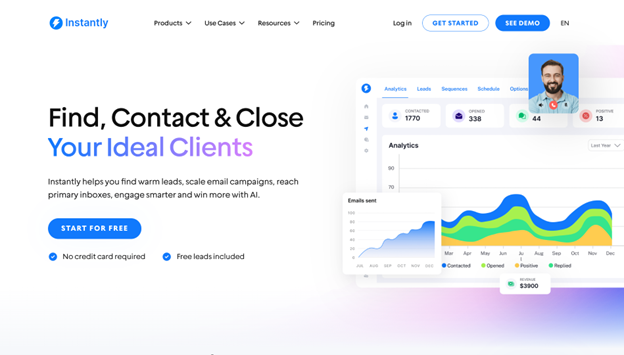
Instantly’s value for prospecting comes from two major features: its massive B2B database of more than 450 million verified leads and the Supersearch toolkit. This prospecting suite gives users all the features you’d expect from a modern lead finder, as well as robust AI tools and automation—all from one platform. That’s why Instantly takes the lead not just in prospecting but also in deliverability, outreach, and CRM services.

Feature Highlights

  • Advanced filters: Quickly cut through the noise with laser-precise filters that get you to your ideal prospects fast.
  • Advanced settings: Fine-tune your prospecting experience to ensure you get the best results.
  • Clone clients: Use existing leads to build an ICP framework with AI and automatically fill your leads with similar prospects.
  • Waterfall enrichment: Enrich leads with accurate data from seven highly trusted providers.
  • Smart site scraping: Use AI to get insight into B2B leads and potential buyers by scraping relevant websites.

Pros

  • Universal feature list across all prospecting plans.
  • Great user interface for easy navigation.
  • Solid coverage with its massive database.
  • Automation across the board to save time for other sales avenues.
  • The pricing model encourages scaling.

Cons

  • In very rare cases where granular insights into a high-profile lead are needed, Instantly’s more general enrichment might not be sufficient, requiring a dedicated data platform.

2. Bookyourdata
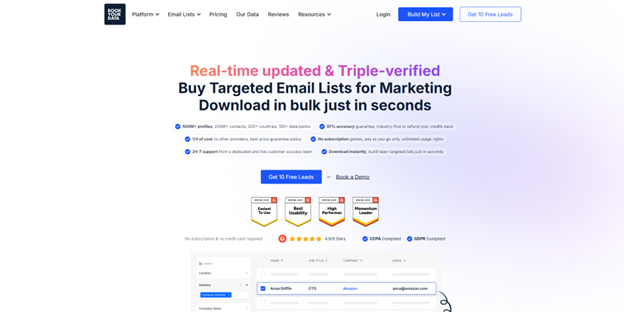
Where Instantly is a strong all-rounder, Bookyourdata focuses solely on prospecting and enrichment acumen. With an internal database exceeding 250 million B2B leads and more than 100 potential data points for each lead, Bookyourdata is one of the best options for fast and accurate bulk prospecting.

Feature Highlights

  • Lead targeting: Target your ideal prospects with precision filters and insights that deliver the quickest conversions.
  • Streamlined technology insights: Use tech insights to prioritize leads and personalize proposals.
  • Email finder: Get contact information for prospects not within Bookyourdata’s internal database.

Pros

  • Offers pay-as-you-go pricing with evergreen credits.
  • Extensive data point selection.

Cons

  • The pricing model won’t suit some sales teams.
  • The platform focuses on prospecting, requiring third-party tools for the full outreach process.

3. Apollo
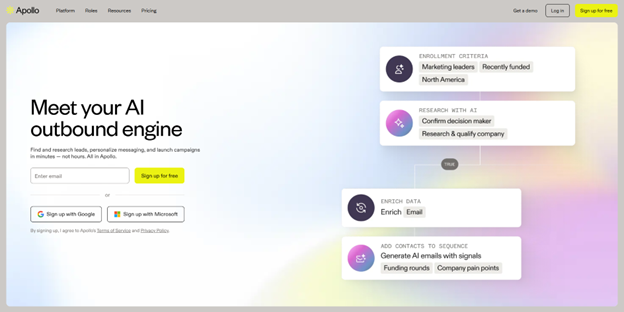
Apollo is a go-to-market platform with AI-powered end-to-end sales features. It offers granular data on par with some of the most powerful dedicated data platforms on the market, giving it a competitive advantage when it comes to enrichment and conversions.

Feature Highlights

  • Precision search filters: Use Apollo’s collection of 65 purpose-built filters to close in on prospects quickly.
  • Account-based prospecting: Highlight and target key decision makers within company accounts for faster conversions.
  • Recommendations: Scale up your lead volume with AI-powered lead recommendations based on your existing picks.

Pros

  • Offers great, competitive value as an all-rounder platform with industry-leading data depth.
  • Offers added value with outreach services.

Cons

  • Goes all in on a hybrid prospecting model, despite the platform’s overall AI focus.
  • Occasionally suffers downtime during service updates.

4. Uplead

Uplead takes data accuracy seriously, offering a guarantee that the platform is not afraid to back up: your lead lists are 95% or more accurate, or your money back. To this end, it offers its 160+ million B2B database and the tools needed to efficiently find leads that suit you with zero feature fluff and 24/7 support.

Feature Highlights

  • Zero-waste downloads: Get charged for prospecting only after approving your entire lead list and choosing to export.
  • Technographics: Leverage extensive technographic coverage to make informed prospecting decisions and personalize outreach.
  • Competitor intelligence: Use competitor behavior to identify and lock down high-value leads.

Pros

  • The accuracy guarantee saves the cost incurred by data inaccuracy.
  • Offers API access for developing custom tools with Uplead data.

Cons

  • Sales teams will need an enterprise-tier plan to access advanced features.
  • Pricing isn’t ideal for slow scaling.

5. Mailshake
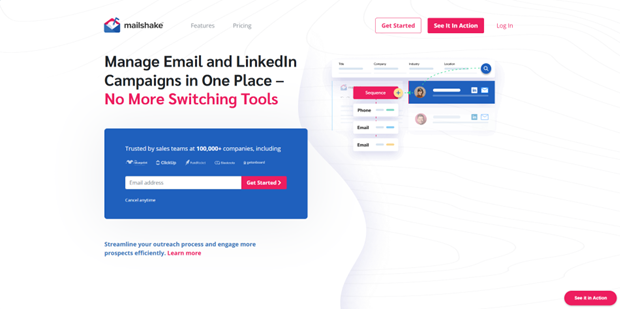
Mailshake’s value lies in its multichannel approach to prospecting and outreach. It offers full LinkedIn automation to supplement its suite of traditional email-based prospecting and outreach tools, allowing teams to target professionals and key decision-makers without having to make the effort across two channels personally.

Feature Highlights

  • Lead catcher: Unify all prospected leads across Mailshake, LinkedIn, and other sources in one interface.
  • Data finder: Get a plugin that passively logs potential leads and helps you actively prospect while outside of Mailshake.
  • Mail merge: Merge leads into mailing lists and use preloaded templates to engage with ease.

Pros

  • The modular design makes it easy to fit into existing workflows.
  • Boosts enrichment and outreach response rates with its multichannel approach.

Cons

  • The pricing package can be a bit confusing due to disjointed features.
  • No evaluation mode available.

6. Leadfeeder
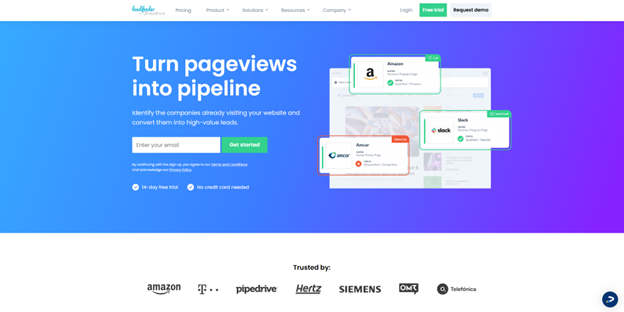
Whereas most prospecting tools focus on finding cold leads with conversion potential, Leadfeeder takes the opposite approach by focusing exclusively on warm leads that have already shown interest in your offerings. The platform monitors, logs, and enriches website visitors at your domain, identifying B2B leads and adding them to your lists so you can immediately reach out and close a sale before they make their decision.

Feature Highlights

  • Connectors: Easily export Leadfeeder data to third-party outreach, CRM, and analytics tools.
  • Integrations: Power custom workflows for your sales team or interested clients with Leadfeeder’s API.
  • User management: Easily manage your entire sales force across multiple access levels from one central hub.

Pros

  • Exclusively prospects warm leads with some degree of intent, perfect for headhunting high-value leads that convert quickly.
  • Designed to work in tandem with other tools seamlessly.

Cons

  • The pricing model can be hard to budget around.
  • Not made for scaling or volume.

Final Thoughts

These tools all deliver results in one form or the other, and the right choice comes down to your budget and lead-finding strategy:

  • Leadfeeder serves up warm leads through automated web visitor logging
  • Bookyourdata and Uplead offer powerful insight as dedicated data platforms
  • Apollo and Mailshake focus on effectively bridging prospecting and outreach.

Instantly stands out because it offers the best features across all these categories and more. Plus, thanks to the platform’s extensive deliverability, outreach, and CRM tools, you can consolidate your entire sales pipeline in one seamless experience.

If you’re ready to see what the premier sales intelligence platform can do for your deliverables, get started with Instantly now.


Top 5 Online Teacher Training Courses with Certificate to Upgrade Your Teaching Skills

Top 5 Online Teacher Training Courses with Certificate to Upgrade Your Teaching Skills

Teaching is one of the few professions where the responsibility goes far beyond delivering content. Teachers shape how children think, learn, and grow. That is why continuous professional development is not just a requirement but a necessity.

In recent years, classrooms have shifted in many ways. Hybrid teaching has become common, students are more tech-savvy than ever, and schools are looking for educators who can adapt quickly. Many teachers feel the pressure of these changes. You might have experienced moments where your lesson plans did not land as you expected, or you struggled to keep students engaged online. These challenges are not signs of failure, but reminders that teaching is evolving, and you need to evolve with it.

This is where online teacher training courses with certificates come in. They give you structured learning, practical strategies, and recognition that strengthens your career profile. Whether you are looking for courses to become a teacher or already have years of classroom experience, these programs can help you teach with more confidence and open doors to better opportunities.

Here are the top five online teacher training courses that can help you upgrade your skills and transform your teaching journey.

1. Professional Graduate Certificate in Teaching & Learning (PgCTL) from Suraasa

The Professional Graduate Certificate in Teaching & Learning (PgCTL) is Suraasa’s flagship program and one of the most comprehensive online teacher training courses with certificates available today.

Why It Matters

Many teachers eventually feel stuck in repetitive patterns. They use the same methods every year, but classroom results do not improve. PgCTL is designed to break that cycle. It trains you to look at your teaching practices critically, reflect on your methods, and adopt new strategies that meet the needs of modern learners.

The course is fully online and typically takes 10 to 12 months to complete. Suraasa has designed it with flexibility so you can continue teaching while upgrading your skills. There are two study pathways: Professional and Executive. The Executive pathway also includes the ATHE UK Level 6 Diploma in Teaching, which adds international recognition.

Skills You Gain

  • Student-centered lesson planning
  • Classroom management that encourages active learning
  • Assessment and feedback strategies
  • Using digital tools effectively
  • Reflective practice that helps you keep improving long after the course ends

Who It Is Best For

Teachers who already have some classroom experience and want a structured, internationally recognized qualification that can help them move into better roles in reputed schools.

2. Professional Development Short Courses from Suraasa

Not every teacher is ready to commit to a year-long program. Sometimes what you need is focused training in one area. Suraasa offers a variety of professional development short courses designed for this.

Why It Matters

Many teachers struggle with specific aspects of teaching. Maybe you want to learn better ways to assess your students, or perhaps you feel unsure when handling online classes. Instead of waiting for a full qualification, you can sharpen one skill at a time with these shorter programs.

Sample Topics

  • Assessment and Evaluation Techniques
  • Online Classroom Management
  • Lesson Planning for Better Engagement
  • Child Development and Learning Styles 

Who It Is Best For

Teachers who want targeted upskilling without committing to a long program. These courses are also a good way to test the waters before enrolling in a more advanced qualification like PgCTL.

3. TEFL or TESOL Certification 

For teachers who are considering opportunities abroad or online platforms where English is the focus, a TEFL or TESOL certification can be invaluable.

Why It Matters

Teaching English as a foreign language requires special methods. Many students abroad or online learners struggle with grammar, pronunciation, and comprehension. A TEFL or TESOL course trains you to simplify these challenges and make English learning enjoyable.

Skills You Gain

  • Designing lessons for non-native speakers
  • Grammar and language teaching techniques
  • Classroom management for multicultural groups
  • Online and offline teaching strategies for language learning

Who It Is Best For

Educators who want to expand into teaching English worldwide or earn extra income by working with global ESL platforms.

4. Montessori Online Certification

Early childhood teaching is very different from secondary or high-school instruction. A Montessori certification gives you the philosophy and tools to guide younger learners more effectively.

Why It Matters

Children in their early years learn best through exploration and hands-on experiences. A Montessori program shows teachers how to create an environment where curiosity drives learning.

Skills You Gain

  • Designing sensory and activity-based lessons
  • Supporting social, emotional, and cognitive growth
  • Guiding children with patience and independence
  • Creating child-centric classrooms that encourage discovery

Who It Is Best For

Teachers working in preschool or primary settings, or anyone looking to specialize in early childhood education.

5. Diploma or Certificate in ICT in Education 

Technology is no longer an add-on in teaching; it is at the heart of how modern classrooms function. An ICT in Education certification prepares teachers to use technology effectively.

Why It Matters

Many teachers find digital tools overwhelming. An ICT program shows you how to manage online classes smoothly, keep students engaged with multimedia, and assess learning through digital platforms.

Skills You Gain

  • Using virtual classroom tools confidently
  • Designing interactive digital assessments
  • Integrating multimedia into lessons
  • Managing student engagement online

Who It Is Best For

Teachers who want to improve their digital competence and adapt to hybrid or fully online teaching environments.

Why Choose Online Training Instead of Traditional?

Online teacher training courses are flexible, practical, and globally accessible. You can study at your own pace while continuing your regular job. Many programs also provide interactive assignments, mentoring, and peer support.

Compared to traditional workshops, online programs allow you to apply what you learn immediately in your classroom. This creates a cycle of learning and practice that makes professional growth more sustainable. For teachers who aspire to move abroad, online certificates often carry more weight than local workshops.

How to Prepare Before Enrolling

Before you commit to any teacher training program, take a few steps to make sure it is the right fit:

  1. Clarify your goal: Are you looking for global mobility, specialization, or stronger classroom results?
  2. Check eligibility: Some programs, like PgCTL, require prior teaching experience.
  3. Review the curriculum: Ensure it addresses your current challenges. 
  4. Confirm recognition: Make sure the certificate is valid where you plan to teach.
  5. Plan your schedule: Be realistic about how many hours you can dedicate each week.

Final Thoughts

Teaching is a journey of constant growth. By choosing the right online teacher training courses with certificates, you can stay confident, relevant, and impactful in your classroom.

If you want a comprehensive, internationally recognized option, Suraasa’s PgCTL is a strong choice. If you prefer smaller steps, their professional development short courses are equally valuable. For those seeking specialized pathways, programs like TEFL, Montessori certification, and ICT diplomas are excellent complements.

Your students benefit the most when you keep learning. Investing in yourself is the best way to ensure you keep inspiring every classroom you step into.

Aikido vs SonarQube: What Developers Actually Need

Aikido vs SonarQube: What Developers Actually Need

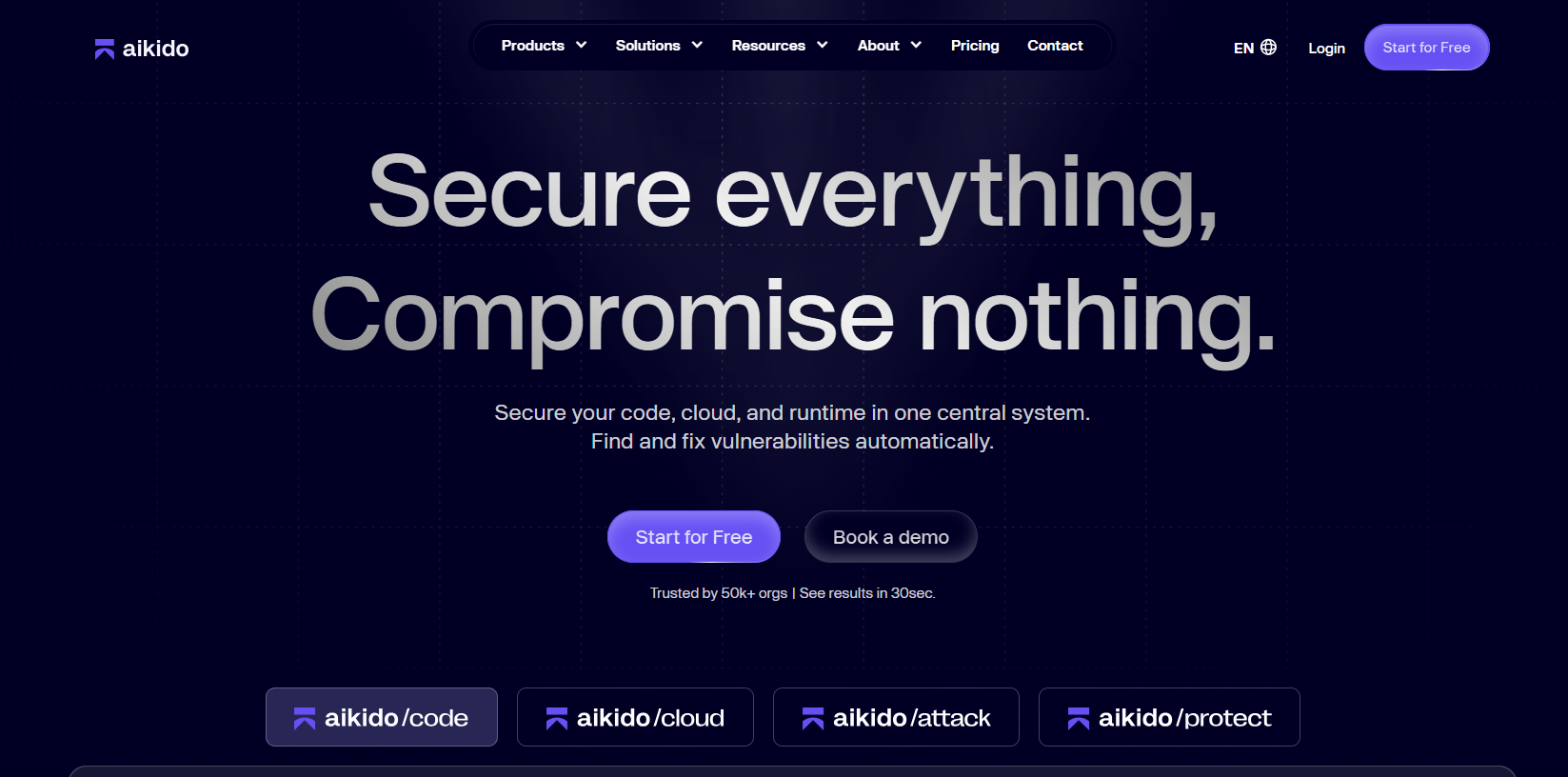
In today’s fast-paced world of software development, security can’t be an afterthought. AppSec tools that work effectively with DevOps workflows, find vulnerabilities early, and give developers clear instructions are what developers need. Aikido and SonarQube are two popular platforms that try to meet these needs, but they do so in different ways for development teams.

Why AppSec Matters

It is very important for DevSecOps teams to choose the right AppSec platform. The best solution should:

  • Keep applications safe from bugs at every stage of development.
  • Fit into CI/CD pipelines without slowing down the development process.
  • Get actionable advice to cut down on remediation time.
  • Help meet security and compliance standards without making things more complicated.

These factors are even more important now that software architectures are more modern and release cycles are faster. Choosing the wrong tool can make delivery take longer, make developers angry, or leave important security holes open.

Key Differences: Aikido vs SonarQube

Here is a detailed comparison of these platforms’ features, usability, and developer impact:

Security Coverage

  • Aikido: Provides full-stack application security, including runtime monitoring, cloud posture checks, container scanning, SAST, SCA, and API security. Because of this, it is appropriate for contemporary DevSecOps teams that require extensive coverage across various environments.
  • SonarQube: Mainly concentrates on code quality metrics and static code analysis. Although it does a good job of identifying possible bugs and coding problems, its lack of runtime and cloud security features can leave gaps in the overall protection of the application.

Pricing & Cost

  • Aikido: Clear, all-in-one pricing with costs that stay the same no matter how big the codebase is. This makes it easier for teams to scale while maintaining a reliable cybersecurity product approach.
  • SonarQube: The cost depends on how many lines of code are scanned. This can get expensive and make it hard to plan a budget, especially for companies that have more than one repository.

Accuracy & Noise Reduction

  • Aikido: Reduces false positives by using AI-assisted scanning to make sure developers only see vulnerabilities that can be fixed. Instead of spending hours manually filtering alerts, this enables security teams to concentrate on high-risk issues.
  • SonarQube: If many alerts are irrelevant, its pattern-based static analysis may produce more false positives, which could impede remediation and irritate developers.

Remediation & Guidance

  • Aikido: Enables developers to promptly address problems by offering actionable advice, AI-assisted autofixes, and multi-file analysis. Developers don’t need to invest additional time in comprehending the context of every vulnerability.
  • SonarQube: Provides basic guidance for resolving problems, but it has limited contextual insights and sophisticated remediation. To comprehend the ramifications of issues found, developers might need to conduct additional analysis.

Integration & Workflow Support

  • Aikido: Helps automate workflow and monitor remediation progress by integrating with IDEs, CI/CD pipelines, and issue trackers like Jira. Security can be incorporated right into the development process thanks to these integrations.
  • SonarQube: Offers more constrained integration capabilities. In order to integrate it smoothly into their DevOps pipelines, teams frequently require additional configuration.

Aikido: Security That Fits Your Workflow

Aikido Security aims to give developers a full, integrated security experience that works well with DevOps workflows. It focuses on actionable insights, automation, and full-stack coverage, which lets teams keep their speed while still keeping their security.

Core Features

  • Full Security Coverage: Protects apps in code, the cloud, and runtime environments.
  • Developer-Friendly: Offers contextual remediation guidance and AI-assisted autofixes to make things easier for developers.
  • CI/CD and IDE Integration: Security is easier to manage with automated scans and workflow integration, which don’t slow down development.
  • Noise Reduction: Reduces false positives so that developers can focus on real, significant issues.
  • Scalable: Works for both small teams and big, complex businesses.
  • Cloud and Runtime Visibility: Posture checks, container scanning, and mapping attack paths add protection that goes beyond code.
  • Actionable Analytics: Dashboards that update in real time show trends, risk exposure, and how well things are getting better.
  • Dependency Management: Gives you actionable advice on how to fix vulnerabilities in your dependencies.

Aikido gives developers modern, integrated AppSec that makes their work easier and reduces the risk of cybersecurity breaches. Its design is focused on developers, so security won’t slow down development or cause problems.

SonarQube

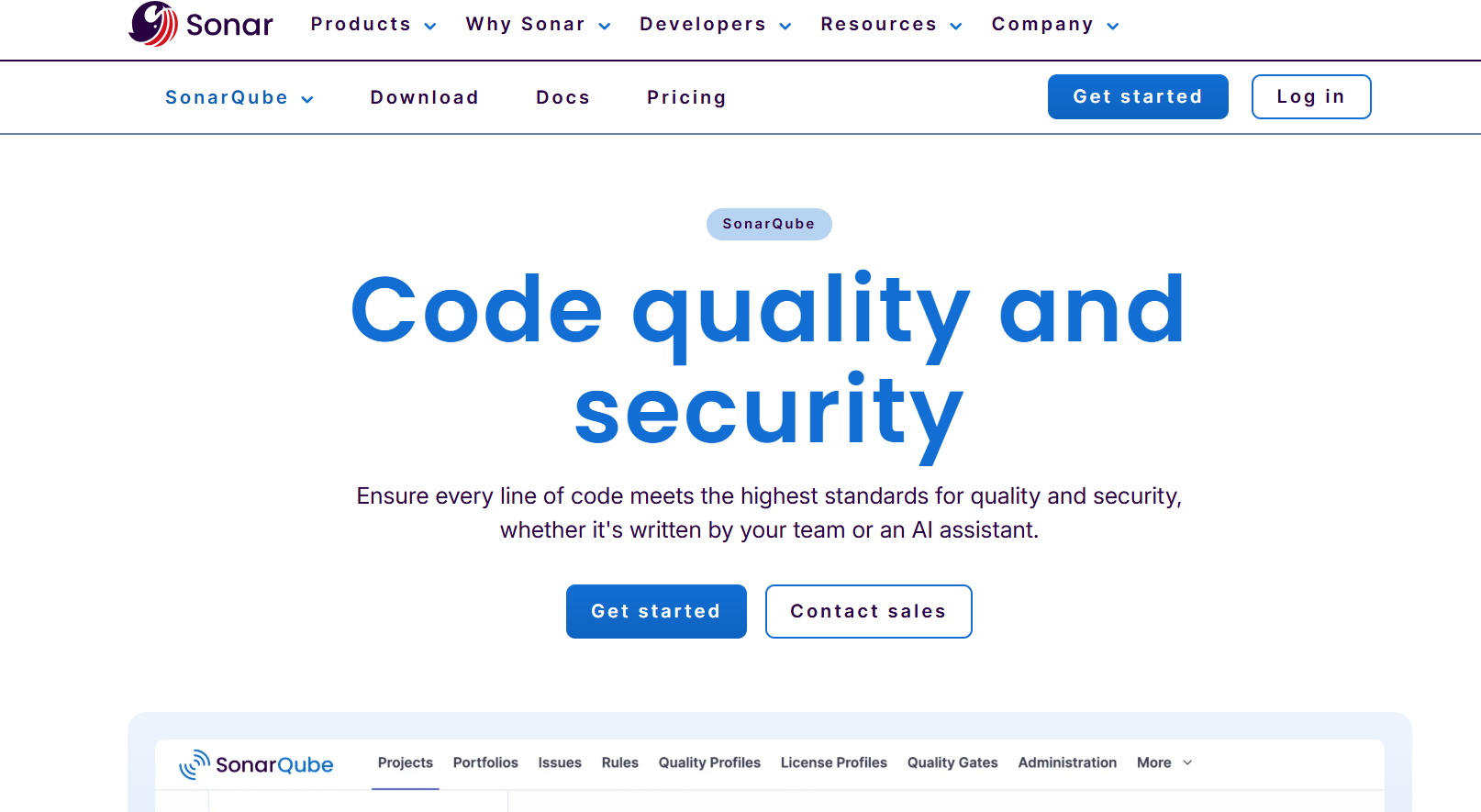
SonarQube is a popular tool that is mostly used for static code analysis and keeping an eye on code quality. It works well for teams that want to make sure everyone follows coding standards and find bugs early.

Core Features

  • Static Code Analysis: Finds bugs, code smells, and possible security holes.
  • Support for Multiple Languages: Works with many different programming languages and frameworks.
  • Code Quality Metrics: Gives you metrics for maintainability, reliability, and test coverage to help you make your software better overall.
  • Community and Ecosystem: There is a large community and strong plugin support, and both free and paid versions are available.
  • Compliance Reporting: Gives you basic reports on how well your code meets quality standards.
  • Scalable for Large Codebases: It can handle big projects well, but it doesn’t cover all of AppSec.

SonarQube is great at static analysis and code quality, so it’s perfect for teams who are concerned about coding standards and how straightforward it is to maintain code. But it doesn’t cover all vulnerabilities in the cloud, runtime, or API.

Summing up 

Developers need tools that not only detect problems but also help them fix them quickly. SonarQube is good for static code analysis and enforcing coding standards, but Aikido offers more comprehensive security coverage that includes code, the cloud, and runtime environments. Aikido’s features are best for teams that want integrated, developer-focused AppSec that works effectively in modern workflows.

Tools that help developers at every stage of the software lifecycle can help you streamline your development process, find vulnerabilities earlier, and lower security risks.

Your First Line of Defense Against Email Chaos: A Practical Guide to Smarter Verification

Your First Line of Defense Against Email Chaos: A Practical Guide to Smarter Verification

 The moment you collect an email—via a waitlist, a checkout page, or a “Book a demo” form—you’re making a quiet bet: that address can actually receive what you send. When it can’t, the cost shows up later as bounces, confused support tickets, and a slow erosion of sender reputation. In my own workflow, I’ve found it far easier to prevent those problems early with a quick, consistent checkpoint—usually by running a new address through EmailVerify’s Free Email Checker before it ever touches my CRM. It’s not magic, and it won’t eliminate every edge case, but it has been a dependable way to replace guesswork with a clearer risk signal.

Why “Bad Emails” Are Usually a Process Problem, Not a One-Off Mistake

A surprising percentage of email issues don’t come from malicious intent. They come from ordinary friction:

  1. People mistype on mobile.
  2. Forms accept whitespace or odd punctuation.
  3. Teams import lists with hidden formatting issues.
  4. Domains look real but can’t receive email.
  5. Some mail servers deliberately hide mailbox validity.

The result is predictable: you send messages that can’t land, and your campaign performance becomes noisy. What you really want isn’t “perfect truth”—you want a repeatable way to classify addresses into low risk, needs caution, and not worth sending.

What Verification Actually Checks (And Why It’s More Than “Does It Look Like an Email?”)

Most verification tools are doing layered diagnostics. Think of it as moving from certainty to probability.

1. Format and Syntax: Eliminating Obvious Failure Modes

The first layer checks whether an address is structurally valid (for example: one “@”, legal characters, plausible domain format).

Where this helps

It catches the obvious: missing “@”, accidental spaces, broken copy-paste artifacts.

What I noticed in practice

Even “small” errors can stack up quickly in high-volume pipelines. This layer is fast hygiene, not a final verdict.

What it cannot tell you

A perfectly formatted address can still be undeliverable.

2. Domain and DNS: “Is This Domain Even Real?”

The next layer typically checks if the domain exists and resolves via DNS.

Why it matters

If the domain is dead or misconfigured, there’s no point going further.

My operational takeaway

This is where verification starts saving time. In my tests, it quickly filters out a class of leads that would otherwise create silent churn: addresses that look professional but point to domains that are not mail-capable.

3. MX Records: “Can This Domain Receive Email?”

Mail Exchange (MX) records indicate where email should be delivered for that domain.

Why it matters

A domain without MX records is frequently a hard stop for deliverability.

My operational takeaway

MX checks are one of the most “quietly decisive” signals I rely on, because they’re objective and usually stable.

4. SMTP-Level Signals: Getting Closer to Reality Without Sending a Message

Some verification flows probe SMTP behavior to infer whether a mailbox is likely to exist.

Why this matters

This layer is closer to the real-world acceptance path—yet it still cannot guarantee outcomes, because servers can be intentionally ambiguous (more on that later).

My experience phrased carefully

In my testing, when SMTP signals are available and consistent, the results tend to feel more predictive than format-only checks. But I treat them as “strong hints,” not courtroom proof.

A Comparison Table That Matches Real Workflows (Not Marketing Promises)

Below is how I compare common approaches when deciding what to do with an address. The goal is not to crown a winner; it’s to choose the right tool for the job.

Approach What it typically validates What it’s good at Where it breaks down Best use case
Front-end pattern matching (regex) Basic shape of an email address Instant feedback to users Doesn’t check domain, MX, or mailbox signals UI hints, not gating
Domain + MX checks Domain existence, mail routing configuration Filters dead domains cleanly Doesn’t confirm a specific mailbox Basic list hygiene
“Send and see” Real delivery attempt Definitive outcome for one message Risks reputation if repeated; slow and reactive Manual, one-off confirmation
Free Email Checker (EmailVerify) Layered checks (syntax/domain/MX + deliverability signals) Quick triage with practical risk flags Catch-all domains, server ambiguity, rate limits Pre-CRM screening, signup triage

How I’d Use Free Email Checker in a Clean, Repeatable System

A lot of teams use verification “sometimes.” The bigger unlock is using it consistently.

Step 1: Decide when verification should happen

I’ve seen the best results when verification is placed at one of these choke points:

  1. Immediately after signup (before onboarding emails).
  2. Before adding a lead to outbound sequences.
  3. During list import (before CRM contamination).
  4. Before sending transactional messages from a new domain.

Step 2: Create a simple decision policy

Instead of debating each address, define a rule that your team can follow.

Example policy (illustrative, not universal)

  1. Hard fail: invalid format, domain missing, no MX.
  2. Caution: disposable domains, role-based addresses, catch-all behavior.
  3. Proceed: strong deliverability indicators.
Why this works

It reduces decision fatigue and makes your data cleaner over time.

A small but useful extra habit

When an address is “caution,” I tag it rather than discard it. That preserves optionality for high-value contacts.

Step 3: Close the loop with outcomes

Verification improves when you treat it as a living system.

What I track

  1. Bounce rate by category (valid vs caution).
  2. Reply/engagement rate by category.
  3. Support tickets caused by email non-receipt.
Why this matters

It helps you calibrate how strict you should be—without assuming any tool is perfect.

The Honest Limitations (Because Email Servers Don’t Owe You Certainty)

Verification tools operate inside a messy ecosystem. Here are the edge cases you should expect.

Catch-all domains (a common source of “looks valid, still fails later”)

Some domains accept mail for any address—real or not. That means a server may appear to “accept” a mailbox even if it doesn’t truly exist.

How I handle it

I treat catch-all as “uncertainty,” not as “safe.” For high-value leads, I’ll keep the contact but rely on downstream signals (opens, replies) rather than betting everything on verification.

Temporary rejections, greylisting, and throttling

Some servers intentionally delay or obscure responses. A checker may return “unknown” or “risky” even for a legitimate mailbox.

How I handle it

If the lead matters, I re-check later or validate via a more robust workflow that supports retries. If it doesn’t, I don’t force certainty—I move on.

Input quality still matters

If your data source is messy—PDF copy, scraped text, “name [at] domain” obfuscation—verification will not fix parsing errors.

How I handle it

I normalize inputs first (trim spaces, standardize separators) before running checks.

How to Talk About “Better Results” Without Overstating It

You mentioned an important point: some claims in AI tooling are often presented as hard facts. Email verification is similar—people want a definitive answer, but the system is probabilistic.

A more credible way to phrase outcomes

Instead of “This guarantees deliverability,” use language like:

  • “In my testing, it reduced obvious bounces.”
  • “It seems more consistent than format-only checks.”
  • “It helped me classify risk before sending.”

That framing is both more accurate and more persuasive, because it aligns with how mail systems behave in reality.

A Neutral External Reference (For Context, Not Promotion)

If you want a broader, non-sales perspective on why verification and list hygiene matter, look for guidance from major email infrastructure providers. For example, AWS has materials on sender reputation and email validation in the context of Amazon SES that frame bounce reduction as an operational reliability issue rather than a marketing trick.

Conclusion: Verification as a Small Habit That Protects Big Systems

Email verification won’t turn a weak campaign into a great one, and it won’t resolve every ambiguous server response. What it can do—especially when used consistently—is keep low-quality addresses from quietly degrading your deliverability and analytics. In my own routine, EmailVerify’s Free Email Checker works best as an early warning system: a fast, repeatable checkpoint that helps me decide whether an address is safe to trust, worth tagging for caution, or not worth sending to at all.

Optimizing Health & Wellness Blogs for Google’s E-A-T in 2026

Optimizing Health & Wellness Blogs for Google’s E-A-T in 2026

In 2026, Google’s emphasis on E-A-T — Expertise, Authoritativeness, and Trustworthiness — has become central to ranking health and wellness content. Blogs and articles in this niche no longer succeed by merely providing general information; they must demonstrate verifiable expertise, credible authorship, and trustworthy sources. For healthcare practices, integrating solutions from industry leaders like CureMD into content strategies can further reinforce credibility and user trust.

Why E-A-T Matters for Health & Wellness Content

Google’s algorithms increasingly prioritize content quality over quantity, especially in Your Money or Your Life (YMYL) topics such as health and wellness. E-A-T plays a crucial role in these decisions. Expertise ensures that information is accurate and comes from qualified professionals. Authoritativeness signals that the website or author is a recognized leader in the field. Trustworthiness confirms that content is reliable, transparent, and safe for readers to follow.

For example, a blog discussing chronic disease management must provide medically accurate recommendations. Credible citations, expert reviews, and collaboration with certified physicians enhance both authority and trustworthiness. Practices that rely on CureMD’s EMR software and practice management software can reinforce their E-A-T by highlighting their use of recognized healthcare technology to streamline clinical processes and maintain accurate patient records.

Demonstrating Expertise in Blogs

Expertise can be showcased in multiple ways. First, author credentials should be clear. Readers should know whether the content is written by a physician, nurse, or certified medical professional. Including a detailed author bio with relevant qualifications strengthens perceived expertise.

Second, content should be accurate, up-to-date, and evidence-based. Referencing clinical studies, government guidelines, or peer-reviewed journals signals that the information is grounded in science. For instance, a blog post about mental health should link to the latest research, explain treatment protocols, and describe outcomes with clarity.

Third, integrating insights from recognized healthcare platforms, like CureMD, demonstrates practical expertise. Highlighting how physician credentialing services improve patient care or how EMR software enhances clinical decision-making gives readers actionable, trustworthy information while emphasizing your authority in healthcare management.

Building Authoritativeness Through Content Structure

Authoritativeness is reinforced when the website and content consistently demonstrate leadership in the healthcare niche. This can be achieved by producing comprehensive guides, case studies, and long-form content that addresses complex topics in detail.

Using CureMD as an example, practices can show authority by discussing how integrated practice management software optimizes workflows. Articles could detail how credentialing services streamline onboarding, reduce compliance errors, and ensure high-quality care. Linking to authoritative sources and showing partnerships with industry leaders adds credibility in Google’s eyes.

Moreover, authoritativeness is strengthened through external validation. Earning backlinks from respected healthcare organizations, publications, and professional associations signals that your content is trusted by experts in the field. Sharing insights on physician credentialing services or EMR software implementation on reputable industry blogs can amplify your authority further.

Establishing Trustworthiness in Health Content

Trustworthiness requires transparency and accountability. Include accurate contact information, clearly disclose affiliations, and avoid unverified claims. Health and wellness blogs should provide disclaimers when offering medical advice, making clear that content is educational and not a substitute for professional consultation.

CureMD’s reputation as a healthcare technology leader can help practices enhance trustworthiness. By referencing the use of EMR software and practice management software, blogs show that recommendations are supported by robust systems designed to protect patient safety and improve operational efficiency.

Additional trust-building strategies include citing sources, regularly updating content, and addressing common patient concerns with honesty. Patient testimonials, expert interviews, and success stories with proper consent can further boost credibility without violating privacy regulations.

Keyword Integration for SEO and E-A-T

Optimizing for keywords should feel natural and contextually relevant rather than forced. For health and wellness blogs in 2026, integrating targeted terms like physician credentialing services, EMR software, and practice management software can improve search visibility while reinforcing authority.

For example, a blog post about improving patient onboarding might include a section titled “Enhancing Patient Care with Physician Credentialing Services” and explain how these services reduce errors, save time, and maintain compliance. Another section could describe the benefits of modern EMR software, emphasizing how it supports accurate record-keeping and clinical efficiency. Discussing practice management software can round out the article, showing how integrated solutions contribute to a streamlined, trustworthy healthcare environment.

Strategic placement of keywords in headings, subheadings, and naturally throughout the text ensures Google recognizes the relevance of the content without triggering keyword-stuffing penalties.

Content Format and Readability

Google rewards content that is easy to read and structured logically. Health and wellness blogs should use clear headings, bullet points, and concise paragraphs. Long blocks of text or overly technical jargon can reduce engagement and reader comprehension.

CureMD’s content approach demonstrates this principle by offering guides and resources in accessible formats. Explaining complex topics like EMR software integration or physician credentialing services in simple, practical terms helps readers understand the value of these systems while maintaining expert credibility.

Visual elements such as charts, infographics, and screenshots of software dashboards can support textual explanations. These visuals reinforce authority, provide clarity, and keep readers engaged, all of which contribute to higher E-A-T scores.

Leveraging Authoritative Sources

One of the most effective ways to strengthen E-A-T is by citing authoritative sources. Peer-reviewed studies, clinical guidelines, and reputable medical organizations should be referenced whenever possible.

For instance, a blog on preventive care can link to research from the Centers for Disease Control and Prevention (CDC) or the World Health Organization (WHO). Similarly, discussing practice management software could include links to case studies or whitepapers provided by CureMD, highlighting proven outcomes and technological reliability.

Google evaluates both the quality of references and the reputation of the websites linking back to your content. Thus, a well-researched article with credible citations is more likely to rank higher and be trusted by readers.

Regular Content Updates and Accuracy

Maintaining accuracy is critical for health and wellness content. Outdated information can damage trust and negatively affect rankings. Regular audits of existing blogs to update clinical data, software features, or procedural guidelines are essential.

CureMD supports practices by continuously updating their EMR software and practice management solutions to reflect current standards and compliance requirements. Highlighting these updates in blogs not only informs readers but also signals to Google that the website maintains authoritative, accurate, and trustworthy content.

User Engagement and Social Proof

E-A-T is also influenced by user engagement and social validation. Encouraging comments, questions, and sharing of content helps demonstrate value and trustworthiness. Displaying social proof through testimonials, case studies, and endorsements from medical professionals further establishes credibility.

Blogs discussing physician credentialing services can feature quotes from healthcare administrators or doctors explaining the real-world benefits. Similarly, showcasing how EMR software improves patient care or how practice management software streamlines clinic operations gives readers practical, trustable insights.

Technical SEO Considerations

Optimizing technical aspects of health and wellness blogs complements content-focused E-A-T strategies. Fast loading speeds, mobile responsiveness, SSL encryption, and structured data markup are critical.

Structured data, including schema for articles, medical topics, and software solutions, helps Google better understand content context. Integrating CureMD’s software features with proper schema highlights expertise and improves the chances of rich results in search.

Additionally, ensuring clear navigation and internal linking between related articles and service pages strengthens site authority and usability. Linking blogs about physician credentialing services to service pages or case studies on practice management software improves user experience and reinforces Google’s perception of authoritativeness.

Conclusion

In 2026, health and wellness blogs must prioritize Google’s E-A-T principles to achieve meaningful visibility. Demonstrating expertise through qualified authors, maintaining authoritativeness with comprehensive and credible content, and building trustworthiness through transparency and reliable sources are all critical.

Integrating recognized industry leaders like CureMD into your content strategy strengthens all three E-A-T pillars. Highlighting the practical benefits of physician credentialing services, EMR software, and practice management software not only informs readers but reinforces credibility and operational excellence.

By carefully combining high-quality content, strategic keyword placement, authoritative references, and modern SEO practices, healthcare practices can improve search rankings, build user trust, and position themselves as leaders in the digital health and wellness space.

About Author:

Nathan Bradshaw is an experienced Health IT writer and industry influencer with over ten years of professional writing across a range of topics. He has focused on covering industry developments and innovations, aiming to inform and educate both professionals and the general public. He currently works as a senior writer at a well-established company, helping communicate how technology and tools can simplify processes and improve everyday experiences.

How CRM Automation Reduces Manual Work for Sales Reps

How CRM Automation Reduces Manual Work for Sales Reps

Sales teams are under constant pressure to do more with less. Shorter response times, longer buying cycles, and increasingly informed buyers have changed what it takes to close deals. Yet despite these challenges, many sales reps still spend a large portion of their day on manual, repetitive tasks rather than selling. Updating spreadsheets, logging calls, sending follow-up emails, and searching for customer information consume valuable hours that could be spent building relationships.

Manual work does not just slow sales teams down; it also introduces errors and inconsistencies. Missed follow-ups, outdated data, and incomplete records directly affect pipeline performance and customer experience. Over time, these inefficiencies compound, leading to lost revenue and frustrated teams.

CRM automation addresses this problem by removing friction from daily sales activities. By automating routine tasks and organizing workflows, CRM systems allow sales reps to focus on high-impact work. This article explores how CRM automation reduces manual effort for sales teams and why it has become essential for modern sales operations.

Eliminating Manual Data Entry Through Centralized Systems

One of the most time-consuming tasks for sales reps is data entry. Manually updating contact records, deal stages, and activity logs is not only tedious but also prone to errors. When reps fall behind on updates, data quality suffers, and visibility across the pipeline declines.

A well-designed CRM minimizes this burden by centralizing customer and deal data. Information captured from emails, calls, forms, and integrations is automatically recorded in the system. Instead of entering the same details in multiple tools, sales reps work from a single, continuously updated source.

This automation ensures that records stay accurate without requiring constant manual effort. As a result, reps spend less time maintaining data and more time engaging with prospects.

Automating Lead Capture and Assignment

Manual lead handling often creates bottlenecks at the very top of the sales funnel. When leads arrive through website forms, emails, or marketing campaigns, someone must manually review, qualify, and assign them. Delays at this stage can significantly reduce conversion rates.

CRM automation streamlines this process by capturing leads automatically and routing them based on predefined rules. Leads can be assigned by territory, deal size, or product interest without human intervention. Notifications alert reps instantly, allowing them to respond while interest is high.

These workflows are among the most visible Key benefits of CRM, as they reduce response times and ensure that no lead is overlooked due to administrative delays.

Reducing Follow-Up Effort With Automated Reminders

Consistent follow-up is critical in sales, yet it is often one of the first things to slip when workloads increase. Relying on memory or personal reminders makes follow-up inconsistent and stressful.

CRM automation removes this burden by creating tasks and reminders automatically based on deal stages or activity triggers. If a rep sends a proposal, the system can schedule a follow-up reminder. If a prospect goes quiet, the CRM can flag the deal for attention.

This structured approach ensures that follow-ups happen on time without requiring constant manual tracking. Sales reps can trust the system to prompt action, freeing mental space for more strategic work.

Automating Email Communication Without Losing Personalization

Sales reps send a large volume of emails every day, many of which follow similar patterns. Writing these messages from scratch wastes time, while copying and pasting templates increases the risk of mistakes.

CRM automation enables the use of personalized email templates and sequences. Emails can be triggered based on actions, such as a demo completion or a proposal being sent. At the same time, personalization fields pull in customer-specific details, keeping communication relevant and human.

When evaluating how to choose a crm, sales leaders should examine how well the platform balances automation with personalization. The right system reduces manual effort while preserving authentic communication.

Streamlining Pipeline Updates and Deal Management

Updating deal stages manually is another task that often gets neglected. When pipeline data is outdated, forecasts become unreliable, and managers lose visibility into sales performance.

CRM automation updates deal stages based on predefined actions or milestones. For example, when a contract is sent or signed, the system can automatically move the deal forward. Activity tracking ensures that progress is captured without requiring reps to make constant updates.

This automation keeps pipelines accurate with minimal effort, allowing sales teams to focus on moving deals forward rather than managing records.

Automating Task Creation for Multi-Step Sales Processes

Sales processes often involve multiple steps, especially in B2B environments. Manually tracking each step increases the likelihood of errors and missed actions.

CRM automation supports multi-step workflows by generating tasks automatically as deals progress. When one task is completed, the next is created, ensuring continuity. This structure guides reps through the sales process without requiring constant planning.

Many teams identify this feature as a key reason for adopting the best crm software, as it standardizes execution while reducing administrative workload.

Improving Accuracy Through Automated Activity Logging

Manual activity logging is one of the most disliked tasks among sales reps. Logging calls, meetings, and emails takes time and often happens after the fact, if at all.

CRM automation integrates with communication tools to automatically log activities. Calls, emails, and meetings are recorded in the system without manual input. This ensures complete records and accurate reporting without disrupting daily workflows.

Automated logging not only saves time but also improves data reliability, benefiting both reps and managers.

Supporting Sales Reps With Intelligent Alerts and Insights

Automation is not just about removing tasks; it is also about providing timely guidance. CRM systems can analyze activity and trigger alerts when attention is needed.

For example, a rep may receive a notification when a prospect opens an email multiple times or revisits a pricing page. These insights prompt action at the right moment without requiring manual monitoring.

Such intelligence helps sales reps prioritize effectively, reducing guesswork and wasted effort.

Enabling Flexibility With Cloud-Based Access

Sales reps are rarely tied to a desk. Meetings, travel, and remote work require systems that are accessible anywhere.

A Cloud-Based CRM ensures that automated workflows, reminders, and updates are available across devices. Reps can update deals, respond to alerts, and access customer information from anywhere without relying on office infrastructure.

This flexibility reduces delays and ensures that automation supports sales activity in real-world conditions.

Reducing Errors and Rework Through Standardized Automation

Manual processes often lead to inconsistent execution. Different reps may follow different steps, use different templates, or forget critical actions.

CRM automation standardizes processes across the team. Workflows ensure that required steps are completed in the correct order, reducing errors and rework. Standardization also makes training easier, as new reps follow guided processes from day one.

This consistency improves efficiency and reduces the time spent fixing mistakes caused by manual handling.

Scaling Sales Operations Without Adding Administrative Burden

As teams grow, manual work increases exponentially unless processes are automated. More reps mean more data, more follow-ups, and more coordination.

CRM automation allows sales operations to scale without proportional increases in administrative effort. Workflows, templates, and automated reporting handle increased volume without additional manual input.

This scalability is one of the most important Cloud CRM Software Benefits & Features, especially for growing organizations aiming to increase revenue without overloading their teams.

Empowering Managers With Automated Reporting

Sales managers often spend significant time compiling reports from incomplete or inconsistent data. This manual reporting distracts from coaching and strategy.

CRM automation generates real-time reports and dashboards automatically. Managers can review pipeline health, activity levels, and performance metrics without chasing updates.

Automated reporting improves transparency while reducing administrative work for both managers and reps.

Conclusion

Sales reps are most effective when they spend their time building relationships, understanding customer needs, and closing deals. Manual work pulls them away from these activities and limits performance.

CRM automation reduces this burden by handling repetitive tasks, organizing workflows, and providing timely guidance. From lead assignment and follow-ups to reporting and activity logging, automation removes friction from daily sales operations.

When implemented thoughtfully, CRM automation does not replace the human element of selling. Instead, it amplifies it by freeing sales reps to focus on what truly drives revenue and long-term customer value.