...
UK: +44 2038074555 info@atamgo.com
How to Protect Your Shopify Business While Traveling

How to Protect Your Shopify Business While Traveling

Protect Your Shopify Business While Traveling

Running a Shopify store offers freedom, flexibility, and the chance to take your business anywhere. But what happens when “anywhere” means another country? Whether you’re on vacation, attending a trade show, or spending months abroad, managing your online store from a different region comes with unique risks. From internet restrictions to cybersecurity concerns, protecting your Shopify business while abroad requires a little preparation and a lot of smart decision-making.

The Risks of Managing Shopify Overseas

Running your store from abroad isn’t the same as working from home. You’ll face new challenges that can impact your ability to keep operations running smoothly. Some common issues include:

  • Internet restrictions: Certain countries limit access to platforms, tools, or even Shopify itself, and this becomes even more complex if you manage your store while traveling with setups like internet for RV, where connectivity depends on mobile networks that may face additional regional blocks or throttling
  • Cybersecurity risks: Public Wi-Fi networks in airports, cafés, or hotels often lack security. 
  • Payment and banking issues: Logging in from foreign IP addresses can trigger fraud alerts. 
  • Communication breakdowns: Time zones and unreliable connections make it harder to reach suppliers or customers. 

Knowing these risks upfront means you can take steps to reduce disruptions.

Secure Your Connection With a VPN

One of the smartest moves you can make when running your store abroad is to use a VPN. A VPN (Virtual Private Network) encrypts your internet traffic and hides your location, making your connection safer. This not only protects your login credentials and customer data but also ensures you can access platforms that might be restricted.

For instance, Shopify and related tools may not be fully accessible in places like China. That’s where a China VPN becomes essential. It allows you to securely access your store and run operations without interruptions caused by internet restrictions.

Keep Customer Trust a Priority

When you’re far away, it’s easy to assume your store will run itself. But customers notice when responses are slow or updates are missing. To maintain trust, make sure you:

  • Use auto-replies to acknowledge customer inquiries quickly. 
  • Schedule social media posts and email campaigns in advance. 
  • Communicate transparently about shipping delays if traveling affects fulfillment. 
  • Ensure your website displays accurate inventory levels. 

Trust is fragile in e-commerce, and even short lapses in communication can hurt customer loyalty.

Protecting Payments and Data

Financial security is a huge part of protecting your Shopify store while abroad. Fraud detection systems may flag logins from unusual locations, and public Wi-Fi can expose sensitive data. To safeguard your business:

  • Enable two-factor authentication (2FA) on all logins. 
  • Avoid accessing your store from unsecured networks. 
  • Use password managers to create strong, unique credentials. 
  • Regularly back up store data, including product listings and customer info. 

Taking these steps minimizes the chances of unauthorized access or data loss while you’re away.

Stay Connected With Your Team

If you have a team supporting your Shopify business, delegation becomes even more important when you’re traveling. Cloud-based tools like Slack, Trello, or Asana keep projects moving even if you’re in a different time zone.

You can also create clear SOPs (standard operating procedures) so your team knows exactly what to do if issues arise. Think of it as leaving a playbook behind—this ensures the store doesn’t grind to a halt if you’re offline for a few hours. If your travel plans involve entering countries with strict visa policies, it’s smart to research how to get an onward ticket to avoid immigration issues that could disrupt your remote work setup.

Expand Into Niche Markets

Not every product will appeal to everyone and that’s okay. Some of the most successful Shopify businesses thrive because they serve a passionate niche. Sports fans, hobbyists, and collectors are often willing to spend more when the product feels tailored to them.

Take sports, for example. Adding products like custom soccer jerseys allows you to tap into a loyal, global community. These items don’t just sell because they’re functional. They sell because they connect with people’s identities, teams, and passions. By focusing on niches, you can stand out in a crowded e-commerce space and build stronger customer loyalty.

The Global E-Commerce Landscape

Managing a Shopify store abroad also means paying attention to global e-commerce trends. According to eMarketer, retail e-commerce sales worldwide are projected to reach $8.1 trillion by 2026. This growth means opportunity but also competition. By preparing for the risks of working overseas, you’re giving your store a stronger foundation to compete in this rapidly expanding space.

Final Thoughts

Protecting your Shopify business while abroad comes down to preparation and smart practices. From securing your connection with a VPN to maintaining customer trust and safeguarding data, the right steps ensure your store runs smoothly no matter where you are. Travel should be an opportunity, not a liability for your business. With the right tools and strategies, you can grow your store while exploring the world with confidence.

Beware: Public Wi-Fi Without a VPN Can Be Risky

Beware: Public Wi-Fi Without a VPN Can Be Risky

Public Wi-Fi

I started this piece after reading multiple reports from Krebs on Security and The New York Times about cyberattack on public hotspot incidents that hit travelers and small businesses across the United States. Those stories show how attackers exploit open networks at coffee shops, airports, hotels, and libraries to intercept logins and payment data. The real-world consequences make clear why Public Wi‑Fi Without a VPN is Dangerous for everyday users.

Security firms such as ESET, Kaspersky, and Cisco Talos have published data showing rising volumes of network-based attacks and misconfigured access points. That research highlights common public Wi‑Fi risks like unencrypted traffic and spoofed networks, and it explains why VPNLY for public Wi‑Fi is now a recommended baseline for Wi‑Fi security.

The U.S. Cybersecurity & Infrastructure Security Agency (CISA) and the Federal Trade Commission (FTC) advise consumers to avoid unsecured Wi‑Fi or to use protections such as VPNs and updated software. I drew on those guidelines to shape this article’s purpose: I will explain technical threats on public Wi‑Fi, outline common attack methods, and share the practical steps I use to protect my devices and data.

Key Takeaways

  • Public Wi‑Fi risks include interception, spoofed hotspots, and session hijacking.
  • Why Public Wi‑Fi Without a VPN is Dangerous: open networks often lack encryption.
  • Using a VPN for public Wi‑Fi greatly improves Wi‑Fi security on untrusted networks.
  • Major reports and vendor research show attacks are rising on public hotspots.
  • Follow CISA and FTC guidance: update software, use VPNs, and avoid sensitive transactions on open Wi‑Fi.

Why Public Wi-Fi Without a VPN is Dangerous

I use public Wi‑Fi every week, so I pay attention to what can go wrong when I skip a VPN. Open networks often pass my data in plain sight. That unencrypted Wi‑Fi traffic may include web pages, app requests, and metadata that anyone nearby can capture with free tools.

I have seen man-in-the-middle public Wi‑Fi attacks where an intruder sits between my device and the service I’m using. Attackers can run SSL stripping or ARP spoofing to intercept and change data in transit. Modern browsers block many risks, but not every app or service enforces secure transport, so sensitive material can leak.

Unencrypted traffic and man-in-the-middle attacks

On many airport, café, and hotel hotspots, the link from my laptop to the access point uses no encryption. That makes it trivial to capture unencrypted Wi‑Fi traffic with packet sniffers like Wireshark. When traffic is exposed, login forms, session tokens, and plain HTTP pages are easy picks for attackers.

Rogue hotspots and spoofed networks

Attackers set up rogue access points that mimic names like CoffeeShop_WiFi or Airport_Free_WiFi. I have connected to a cloned SSID by mistake. Once connected, my traffic routes through the attacker’s gear where they can inspect, inject, or redirect requests to malicious pages. Captive portals can be cloned to harvest credentials, which raises serious rogue hotspot risks.

Session hijacking and credential theft

Session hijacking happens when an attacker captures cookies or tokens and replays them to impersonate me on services. I’ve read reports where email and social accounts were taken without a password being needed. Credential theft on Wi‑Fi also comes from phishing pages served over spoofed networks or from drive‑by downloads on compromised sites.

I aim to keep each paragraph short and clear so readers can spot the red flags. The risks—man-in-the-middle public Wi‑Fi incidents, unencrypted Wi‑Fi traffic, rogue hotspot risks, session hijacking, and credential theft on Wi‑Fi—are real and repeated in public reporting on affected services like Gmail, Outlook, and banking portals.

Common Threats on Public Wi-Fi and How They Affect Users

I rely on coffee shops and airport lounges when I travel, yet I stay alert to the real dangers that live on open networks. Public hotspots make it easy for attackers to abuse unpatched devices and to collect private data. The risks range from silent data capture to aggressive traffic manipulation, and each threat can turn a quick check of email into a multi-step compromise.

Attackers use public networks to push malware on public Wi‑Fi through drive-by downloads, malvertising, and injected scripts on unencrypted pages. I have seen reports from Microsoft and leading security firms showing how an exploit chain can start with a shared hotspot and end with credential theft.

Outdated Windows laptops, legacy IoT devices, and older Android phones are common targets. Once infected, a device can be used to harvest logins, move laterally across the network, or join a botnet that sends spam or participates in attacks.

Passive eavesdropping versus active interception

Passive eavesdropping is simple. Someone with a packet capture tool can log HTTP requests and read cleartext data. I protect my accounts because passive eavesdropping on public Wi‑Fi often exposes session tokens and plain-text form data.

Active interception goes a step further. Techniques like ARP poisoning, DNS spoofing, and MitM proxies let an attacker change traffic or inject content. Users may see redirects or certificate warnings when this happens, yet many ignore subtle signs and stay exposed to active interception.

Privacy risks and data leakage

Beyond account theft, I worry about how small leaks add up. Browsing histories, device IDs, and location metadata collected on a shared network feed profiling systems. Advertisers and criminals can stitch these fragments into a detailed picture.

Mobile apps that send analytics over HTTP increase the risk of data leakage public hotspot users face. The FTC and privacy advocates have warned about combining network-level data with behavioral tracking, which magnifies privacy risks Wi‑Fi users encounter every day.

Practical Steps I Use to Stay Safe When Using Public Wi-Fi

I follow a few firm habits when I need to connect in a café, airport, or hotel. Each habit reduces risk and keeps my accounts protected while I work on the go.

I never rely on HTTPS alone. I use a reputable VPN so my device traffic stays encrypted from my device to the VPN server. A good provider offers audited no‑logs policies, strong ciphers like AES‑256 or ChaCha20, and modern protocols such as WireGuard. I enable the VPN to connect automatically on untrusted networks and verify the kill‑switch so no traffic leaks if the tunnel drops.

I harden devices with a few simple steps. I keep Windows, macOS, iOS, and Android on automatic updates. I enable built‑in firewalls, turn off file and printer sharing, and disable automatic Wi‑Fi joins. For added protection I use separate user accounts on my laptop and prefer WPA3 or WPA2‑Enterprise when available.

I follow device hardening tips that reduce attack surface. I disable Bluetooth when I am not using it, set strong passcodes with biometric fallback where appropriate, and avoid split‑tunneling for sensitive work unless I fully understand the risk. These small choices close common avenues attackers exploit on public networks.

I practice safe browsing public network habits to protect credentials. I use multi‑factor authentication on critical accounts and a password manager such as Psono, 1Password or Bitwarden to generate unique passwords. If a browser warns about a site certificate, I do not enter login details until I reach a trusted connection.

I avoid high‑risk transactions on unknown hotspots. When I must access banking, healthcare, or tax sites, I keep the VPN on and recheck account activity afterwards. I rarely rely on a public kiosk for sensitive tasks.

If security matters more than convenience I choose alternatives to public Wi‑Fi. I tether to my phone or use a dedicated travel hotspot. Cellular data often provides stronger protections than open Wi‑Fi, and I watch my plan’s tethering limits and carrier security features.

When I travel for work I carry options for mobile hotspot security. I may use a password‑protected portable hotspot or a small travel router that supports a VPN client. Organizations I consult recommend managed device policies and company VPNs for employees who connect from unpredictable locations.

Action Why I Do It Quick Tip
Use a trusted VPN Encrypts all app traffic and blocks local snooping Enable auto‑connect and kill‑switch
Apply device hardening tips Reduces vulnerabilities and limits exposure Turn off file sharing and automatic joins
Practice safe browsing public network habits Prevents credential theft and phishing success Use MFA and a password manager
Choose alternatives to public Wi‑Fi Use cellular or private hotspots for sensitive work Prefer personal tethering or travel router
Improve mobile hotspot security Keeps tethered devices isolated from open networks Use strong SSID password and up‑to‑date firmware

Conclusion

Public Wi‑Fi safety conclusion: using open hotspots without safeguards leaves you exposed to interception, spoofing, session theft, malware, and privacy erosion. I reviewed how unencrypted traffic and rogue networks let attackers capture credentials and inject malicious content. Those risks make it clear why I treat public Wi‑Fi as inherently untrusted.

VPN necessity public hotspots is not an optional extra in my routine. A reputable VPN materially reduces many attack vectors by encrypting traffic and masking network activity. I pair a VPN with device hygiene: enable MFA, use a password manager, keep software patched, and disable automatic network connections to further protect data on public Wi‑Fi.

I follow guidance from CISA, the FTC, and leading security vendors when I recommend practical steps. For sensitive work I prefer cellular or a personal hotspot. I advise readers in the United States to install and use a trusted VPN when connecting to public hotspots, enable multi‑factor authentication, run a password manager, keep devices updated, and turn off autojoin for networks.

Staying vigilant and combining basic technical controls greatly reduces the chance of compromise. Protect data on public Wi‑Fi by staying informed about current threats and by making small, consistent security choices each time you connect.

FAQ

Why did I write about the risks of using public Wi‑Fi without a VPN?

I wrote this after seeing reporting from Krebs on Security and The New York Times about attacks on public hotspots and after reviewing research from ESET, Kaspersky, and Cisco Talos showing rising network-based attacks. Government guidance from CISA and the FTC also made it clear that unsecured Wi‑Fi is a growing consumer risk. My goal is to explain the technical threats I’ve observed and share practical steps I use to secure my devices and data.

What are the most common technical threats on public Wi‑Fi?

On public networks I encounter unencrypted traffic that enables passive eavesdropping, man‑in‑the‑middle attacks like ARP spoofing and SSL stripping, rogue hotspots that mimic legitimate SSIDs, session hijacking via stolen cookies, and malware distribution through drive‑by downloads or malvertising. These threats can lead to credential theft, account takeover, and persistent device compromise.

How does a VPN protect me on public Wi‑Fi?

A reputable VPN encrypts my device’s traffic between my device and the VPN server, preventing anyone on the same local network from reading or tampering with packets. That protects apps and services that don’t use HTTPS and shields metadata that passive eavesdroppers try to collect. I choose providers with audited no‑logs policies, strong encryption (AES‑256 or ChaCha20), and modern protocols like WireGuard.

Are modern browsers and HTTPS enough to keep me safe?

HTTPS and modern browsers mitigate many risks, but they don’t cover everything. Some apps and services fail to enforce secure transport. Mixed‑content pages, certificate weaknesses, or cloned captive portals can still expose data. I treat HTTPS as essential but add a VPN and other controls for comprehensive protection.

Can I trust free VPNs or browser-based proxies?

I avoid free VPNs for sensitive tasks because many monetize user data, have weak security, or lack independent audits. Browser‑only proxies protect only browser traffic and leave other app traffic exposed. I prefer paid, reputable VPN services or my organization’s VPN with clear privacy and security guarantees.

What practical device settings do I change before using public Wi‑Fi?

I enable automatic OS and app updates, turn off automatic Wi‑Fi connections, disable file and printer sharing, and enable the built‑in firewall on Windows or macOS. I also disable Bluetooth when not needed, use a strong device passcode, and prefer separate user accounts on laptops to limit attack surface.

How do I detect a rogue hotspot or a MitM attack?

I check the SSID carefully and avoid connecting automatically. If a site redirects oddly, shows certificate warnings, or asks for credentials on a cloned captive portal, I disconnect immediately. Unexpected DNS behavior, sluggish connections, or repeated TLS warnings are red flags that I investigate off the network.

What authentication practices do I use to limit damage if credentials are exposed?

I enable multi‑factor authentication (MFA) on email, banking, and cloud accounts and use a password manager like 1Password or Bitwarden to generate unique passwords. That way, stolen passwords alone aren’t enough for account takeover, and I can rotate credentials quickly if I suspect compromise.

When should I avoid public Wi‑Fi entirely?

I avoid public hotspots for high‑risk activities such as banking, tax filing, or accessing sensitive health records unless I’m on a trusted VPN and the connection is verified. When security matters, I use my phone’s cellular hotspot or tethering over 4G/5G, or I carry a trusted portable hotspot or travel router with VPN capability.

What should I do if I think I was compromised on public Wi‑Fi?

I disconnect from the network immediately, change passwords for affected accounts using a trusted device or cellular connection, enable MFA where available, and run a full antivirus and malware scan. If I detect account takeover, I notify the service provider and monitor for unusual activity. For business devices, I contact IT or use MDM remediation tools.

How do privacy risks on public Wi‑Fi affect me beyond immediate account theft?

Even without account takeover, passive collection of browsing history, device identifiers, and location metadata can be aggregated to build a profile used by advertisers, criminals, or hostile actors. Small leaks—search queries or email subjects—can be combined to reveal health, financial, or travel patterns. I treat privacy leakage as a real, cumulative risk.

What VPN features should I require before trusting one on public Wi‑Fi?

I look for audited no‑logs policies, strong encryption (AES‑256 or ChaCha20), modern protocols (WireGuard or OpenVPN), a reliable kill switch to prevent leaks, automatic connection on untrusted networks, and transparent privacy practices. I’m wary of vendors with unclear business models or weak reviews from independent testers.

Are there organizational controls that reduce public Wi‑Fi risk for employees?

Yes. I recommend company VPNs, mobile device management (MDM) to enforce updates and device configuration, and Zero Trust access controls. These measures limit lateral movement and ensure corporate resources require strong authentication, reducing exposure when employees use public networks.

What simple habits do I follow every time I connect to a public hotspot?

I disable automatic network joins, verify the hotspot’s name with staff when possible, enable my VPN before any traffic flows, heed TLS certificate warnings, avoid sensitive tasks without protections, and keep my device and apps updated. These small steps greatly lower my risk of interception or infection.

VPN vs Proxy: Which One Is Better for Online Privacy?

VPN vs Proxy: Which One Is Better for Online Privacy?

Online Privacy

In today’s digital age, protecting your online identity is crucial. With the rise of cyber threats and data breaches, individuals and organizations alike are seeking effective ways to safeguard their online presence.

The debate between using a VPN or a proxy for online privacy has gained significant attention. Both tools offer a level of protection, but they work in different ways and offer varying degrees of security.

As you navigate the complexities of free VPN, understanding the differences between these two tools is essential. This article aims to provide a comprehensive comparison, helping you make an informed decision about which tool is best suited for your online privacy needs.

Key Takeaways

  • Understanding the difference between VPN and proxy is crucial for online privacy.
  • Both VPN and proxy offer different levels of security and protection.
  • Choosing the right tool depends on your specific online privacy needs.
  • A VPN provides a more comprehensive security solution.
  • A proxy can be a simpler, more straightforward option for basic privacy needs.

Understanding VPNs and Proxies: Key Differences

VPNs and proxies are both used to enhance online privacy, but their approaches and effectiveness vary. To make an informed decision, it’s essential to understand how each works.

How VPNs Work

A VPN, or Virtual Private Network, creates a secure and encrypted connection between your device and a VPN server. This process involves two key components: encryption and tunneling.

Encryption and Tunneling

Encryption scrambles your data, making it unreadable to anyone who might intercept it. Tunneling is the process of encapsulating your data within a secure “tunnel” that protects it from external access. This ensures that your online activities remain private.

Server Networks

VPNs operate through a network of servers located in various countries. When you connect to a VPN, your internet traffic is routed through one of these servers, masking your IP address and making it appear as though you’re browsing from the server’s location. A robust server network is crucial for maintaining fast and reliable connections.

How Proxies Work

A proxy server acts as an intermediary between your device and the internet. When you use a proxy, your internet requests are sent to the proxy server, which then forwards them to their destination.

Types of Proxies

There are several types of proxies, including HTTP proxies, SOCKS proxies, and transparent proxies. Each type has its own use cases and limitations. For instance, HTTP proxies are suitable for web browsing, while SOCKS proxies can handle a broader range of internet traffic.

Connection Method

The connection method used by proxies can vary. Some proxies may use a direct connection, while others might employ more complex routing methods. Understanding the connection method is crucial for assessing the proxy’s effectiveness in maintaining your online privacy.

Feature VPNs Proxies
Encryption Yes Variable
Tunneling Yes No
Server Network Extensive Limited

VPN vs Proxy: Which One Is Better for Online Privacy?

Online privacy is a growing concern, and understanding the differences between VPNs and proxies is crucial. As we navigate the complexities of online security, it’s essential to compare the privacy capabilities of these two tools.

Privacy Capabilities of VPNs

VPNs are renowned for their robust privacy features. Two significant advantages are end-to-end encryption and no-log policies.

End-to-End Encryption

VPNs employ end-to-end encryption to safeguard your data. This means that your internet traffic is encrypted from the moment it leaves your device until it reaches its destination, making it unreadable to third parties. As noted by a cybersecurity expert, “Encryption is the cornerstone of online privacy; it’s what keeps your data safe from prying eyes.”

“Encryption is the process of converting information or data into a code to prevent unauthorized access.”

No-Log Policies

Reputable VPN providers adhere to no-log policies, meaning they don’t store any information about your online activities. This ensures that even if compelled by law, VPN providers can’t hand over data they don’t possess. A study by Comparitech found that VPNs with no-log policies significantly enhance user privacy.

Privacy Limitations of Proxies

While proxies can mask your IP address, they fall short in several areas compared to VPNs.

Limited Protection Scope

Proxies typically only work with specific applications or browsers, leaving other internet traffic unprotected. This limited scope can expose your data to risks. For instance, a table comparing the protection scope of VPNs and proxies might look like this:

Feature VPN Proxy
Encryption Yes No
Protection Scope All internet traffic Limited to specific applications

Data Logging Concerns

Some proxy services log your data, which can be sold to third parties or shared with authorities. This practice undermines the purpose of using a proxy for privacy. As a report by Privacy International highlights, “The lack of regulation around proxy services raises significant privacy concerns.”

In conclusion, when comparing VPNs and proxies for online privacy, VPNs emerge as the more secure option due to their comprehensive encryption and strict no-log policies.

Conclusion

When it comes to protecting your online identity, the debate between VPN vs Proxy is a crucial one. As discussed, VPNs and proxies serve as two distinct solutions for maintaining online privacy, each with its own set of capabilities and limitations.

VPNs stand out as a more comprehensive solution, offering robust encryption and a wider range of features that enhance online security. In contrast, proxies are more limited in their capabilities, often failing to provide the same level of protection as VPNs.

In the VPN vs Proxy debate, it’s clear that VPNs are generally better suited for individuals seeking to safeguard their online privacy. By choosing a reputable VPN service, users can enjoy a more secure and private browsing experience.

Ultimately, selecting the right tool for online privacy is a decision that depends on your specific needs and priorities. As you weigh the options between VPN vs Proxy, consider the level of security and privacy you require, and make an informed decision that aligns with your online activities.

FAQ

What is the main difference between a VPN and a proxy?

A VPN (Virtual Private Network) encrypts your internet traffic and hides your IP address, while a proxy server acts as an intermediary between your device and the internet, masking your IP address but not necessarily encrypting your data.

Can I use a VPN and a proxy together?

Yes, you can use a VPN and a proxy together, but it may not be necessary for most users. Using both can add complexity and potentially slow down your internet connection.

Are free VPNs and proxies reliable for online privacy?

Free VPNs and proxies may not be as reliable as paid services, as some may log your data, have weaker encryption, or display ads. It’s essential to research and choose a reputable service.

How do I know if a VPN or proxy is logging my data?

To determine if a VPN or proxy is logging your data, review their privacy policy, look for independent audits, and check for a clear no-logs policy. Research the company’s reputation and read reviews from other users.

Can a VPN or proxy protect me from malware and viruses?

While some VPNs and proxies offer additional security features, such as malware protection, they are not a replacement for dedicated antivirus software. For comprehensive protection, use a VPN or proxy in conjunction with antivirus software.

Will using a VPN or proxy slow down my internet connection?

Using a VPN or proxy can potentially slow down your internet connection due to the additional routing and encryption processes. However, many modern VPNs and proxies are optimized for performance, minimizing the impact on your connection speed.

How to Choose the Right Website Migration Partner (Before You Lose Traffic)

How to Choose the Right Website Migration Partner (Before You Lose Traffic)

Website Migration Partner

Website migrations can be a turning point or a traffic trap. Whether you’re moving to a new platform, consolidating content, or launching a full redesign, even small missteps can cause major SEO losses.

At Composite Global, we’ve led successful website migrations for brands across fintech, ecommerce, B2B SaaS, and more. From technical SEO to modular rebuilds, we’ve seen what works, and what can go wrong.

Here’s what to look for in a website migration partner before you put your traffic at risk.

1. Look for SEO Website Migration Experience

Not every agency understands how to migrate a site without harming search visibility.
We’ve seen brands lose months of traffic from botched redirects, missing metadata, and content structure changes.

A strong migration partner will:

  • Map URL redirects to preserve traffic
  • Retain metadata, schema markup, and alt text
  • Minimize disruption to internal linking and navigation
  • Flag any risky SEO decisions early

At Composite, our SEO team works directly with dev and design during the migration process, so nothing falls through the cracks. 

2. Choose a Partner That Knows Both Platforms

What you’re moving from (and what you’re moving to) can make all the difference.

Whether you’re going from WordPress to Webflow, or from Squarespace to Shopify, your migration partner should be fluent in both platforms’ quirks, limitations, and strengths. That means understanding:

  • CMS-specific export/import tools
  • URL formatting and redirects
  • API or plugin compatibility
  • SEO considerations for each platform

Composite is a certified Webflow Enterprise Partner, and we’ve migrated clients from legacy systems like Drupal, Contentful, and custom CMS platforms. Platform knowledge means fewer surprises, and a smoother handoff.

Website Migration Partner

3. Don’t Skip Content Strategy and Mapping

Too often, migration projects focus on tech while content gets left behind.

The right partner will help you:

  • Audit and restructure your content hierarchy
  • Map existing pages to new navigation or taxonomy
  • Archive outdated content safely
  • Preserve high-performing internal links

We see every migration as a chance to streamline content and improve UX, not just replicate the past.

4. Ask for a Clear Migration Plan

Website migration services should come with a transparent process, not a vague timeline.

At Composite, we follow a structured workflow that includes:

  • Redirect and metadata mapping
  • Collaboration on CMS structure and page setup
  • QA and accessibility checks in a staging environment
  • Coordinated launch support and post-launch monitoring

But more importantly, we keep the lines of communication open from day one. We provide regular updates, flag potential risks early, and make sure your team always knows what’s happening and what’s next. Migration is a collaborative process, and we treat it that way. 

5. Go Beyond a Developer

A migration isn’t just about moving files. It’s about translating your brand, preserving your reach, and improving performance.

That’s why our migration teams include:

  • UX strategists to spot navigation and structure issues
  • SEO specialists to safeguard rankings 
  • Designers to align with brand identity
  • Developers to build clean, scalable systems

Our cross-functional team works in parallel to keep momentum high and results consistent.

Website Migration Partner

6. Don’t Ghost Post-Launch

Some agencies treat launch day like the finish line. We don’t.

At Composite, we stick around post-launch to help smooth out the transition. If something breaks, doesn’t look right, or isn’t functioning the way it should, we’re already in the loop and ready to jump in.

Whether you’re working with an in-house SEO team or managing marketing internally, we’re here to support your success, not just hand off a site and disappear. 

Web Design & Platform Resilience


When you’re planning a migration — especially for an eCommerce or high-traffic site — it’s vital to think beyond the switch itself and include web design as part of your strategy. A redesign or rebuild at migration time is a common scenario, so your partner must be experienced in creating websites that not only look good, but also perform, convert, and scale. For example, consider a full-service agency like ronins.co.uk which emphasises that a website “sits at the centre of everything: sales, marketing, operations,” and whose builds are created to handle growth, automation, and data flows without falling apart.

Their approach reinforces that a migration is an ideal moment to address underlying design issues: ensure the new site is mobile-first, SEO-ready from day one, and built to give your content and UX the lift it needs. Incorporating web design health into your migration checklist — structural clarity, site speed, brand-consistency, and usability across devices — helps safeguard the work you’ve done and amplifies your future results.

TLDR: Migration Is a Strategy, Not Just a Move

A successful website migration doesn’t just preserve what’s working, it sets the stage for better performance, better usability, and better business results.

At Composite Global, we approach every migration with layered strategy, hands-on collaboration, and SEO at the core. Whether you’re redesigning, replatforming, or rethinking your content structure, we’re here to help you do it right.

Explore more migration insights on the Composite Global blog.

How to Protect Your Domain from Spoofing

How to Protect Your Domain from Spoofing

Did you know that more than 3 billion spoofed emails are sent each day? Businesses of all sizes and industries may become a target for spoofing. Even though spoofers prefer targeting famous organizations, small businesses are not out of their reach or scope of interest either. 

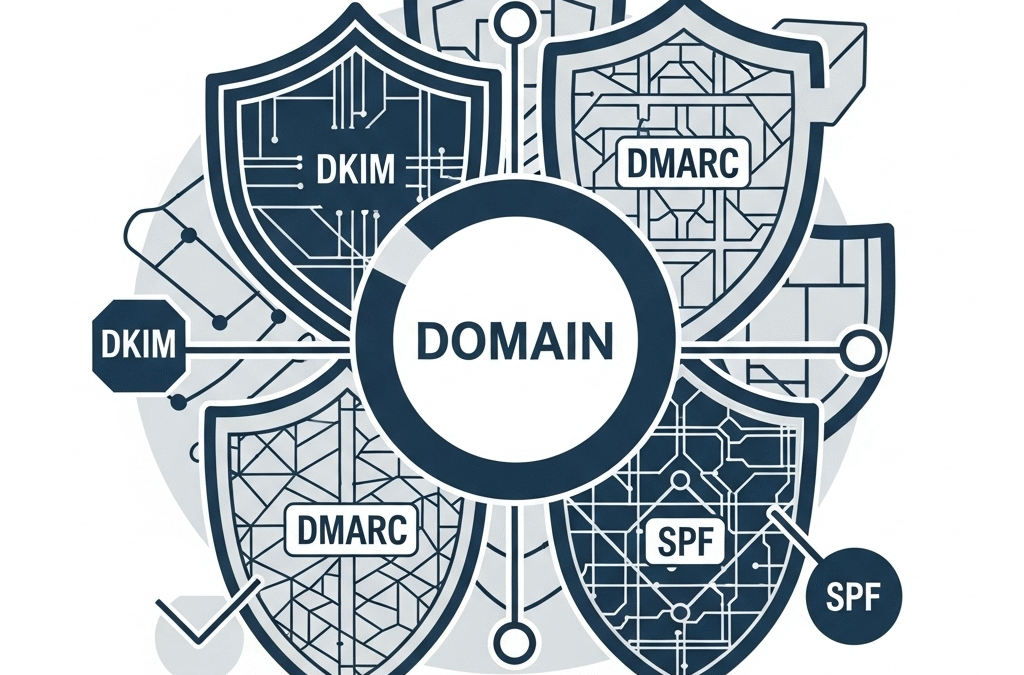
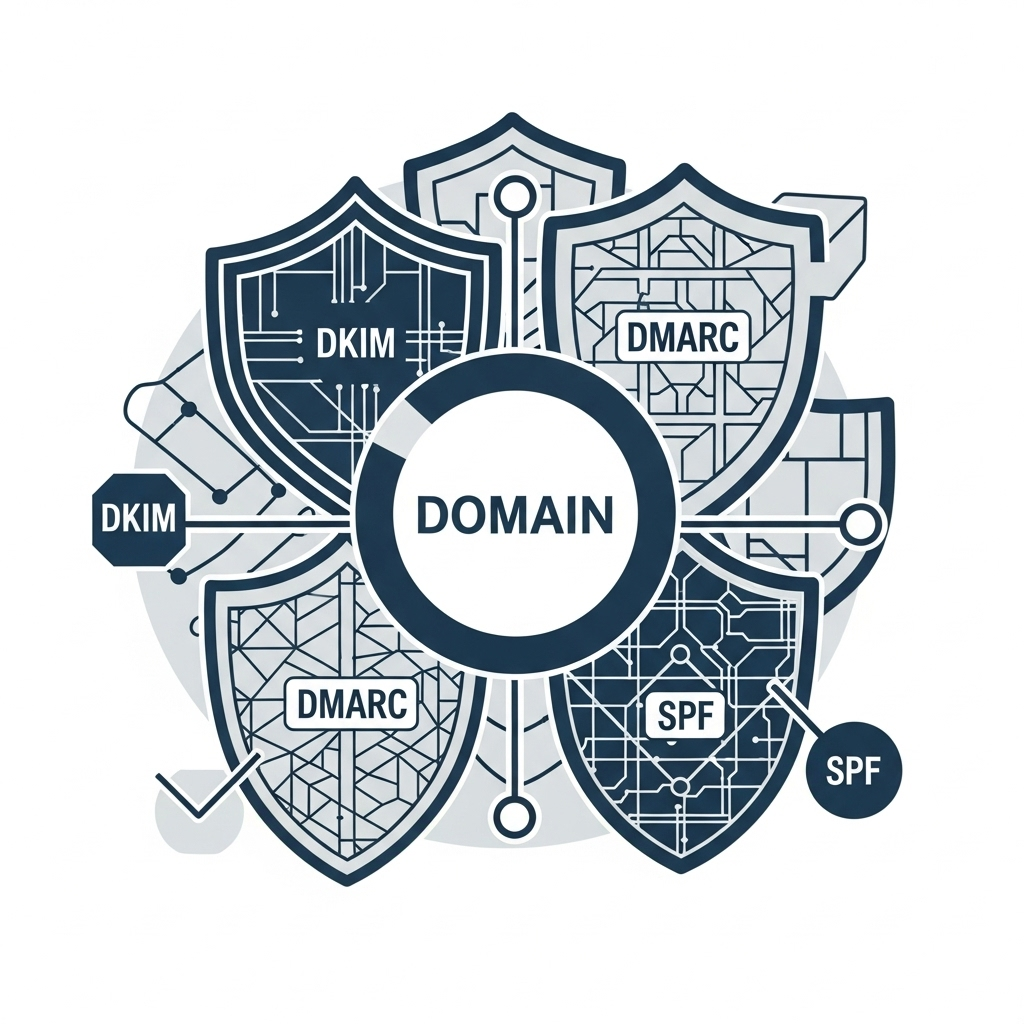
Spoofing comes with a wide range of negative side effects, including financial harm, reputational damage, and more. When you accurately generate a DKIM record, use strong DMARC policies, and regularly clear your DNS cache, the likelihood of spoofing and the success thereof are minimized.

Key takeaways  

  • Email spoofing is the most common phishing method.
  • It involves sending email messages with a fake sender address on behalf of someone you trust.
  • Common consequences of email spoofing include financial losses and reputational damage. 
  • Leveraging email authentication, flushing your DNS caches, choosing a reputable DNS provider, and DNS filtering can help you prevent spoofing. 
  • Educating your team is also equally important for spoofing detection and prevention. 

But What Exactly Is Email Spoofing? 

Email is a popular method of communication across businesses globally. This makes it a popular target for cybercrimes. This is because hackers can impersonate trusted domains to gain access to valuable, sensitive data and carry out a range of malicious activities. This makes email spoofing the most common of all phishing methods.  

Another contributing factor is the intrinsic gaps in Simple Mail Transfer Protocol (SMTP). SMTP itself does not have a mechanism in place to check and authenticate senders. As a result, when a given mail server has an open SMTP port, hackers can target and exploit it with nothing stopping them on the way.  

Spoofing involves luring the victims into believing that the email is from the actual trusted official domain. However, the official domain has been impersonated by attackers, so it’s no longer the official owner who’s communicating with you. 

Spoofed emails are likely to contain malware, malicious links to fake websites, or anything else that will put you, your team, or any of your stakeholders at risk. 

Common Email Spoofing Methods 

Let’s explore some common methods of email spoofing. 

1. Legitimate-Looking But Fake Emails 

When using this method, the spoofers send you an email that looks so similar to the one you usually send to your clients. The contents, the formatting, and the voice may feel the same. It might contain some undertones of FOMO and urgency here and there, so that the recipient is prompted to take immediate action. Common threat examples include: 

  • Account suspension (so you click on a link to prevent it)
  • Alert of someone trying to access your account (so that you click a link to change your password)
  • Request to make a payment (so you either send them the funds yourself or enter the credentials that they can use to access your account)
  • Many other creative ways to push you to act immediately and not think twice. By the time you get time to think, they have already obtained what they wanted. 

2. High-Level Personnel Impersonation

Often, spoofers impersonate high-level personnel. This is because people working in high-level positions in a company are more likely to be trusted and to engage in communication with. Since the recipients think the email is from someone in authority, they take the information and the prompts without a grain of salt.  

And this is how credit card information, company secrets, key documents, and other sensitive data are shared without giving it a second thought. The victims may feel safe to share both personal and work-related data. In both cases, the consequences may be quite unwanted. 

Common Email Spoofing Consequences

The extent of the consequences email spoofing can have is quite unpredictable. But here are some common ones: 

Reputational Damage

Customers are less likely to trust and deal with a business if it’s associated with a phishing incident. Of course, who would like their personal or professional information to be stolen by a group of people with malicious intent? 

Financial Losses

Some forms of spoofing may directly lead to financial losses, wherein the hackers immediately transfer the funds to their bank or PayPal account. In other cases, the financial impact may be more indirect. For example, the spoofing may result in reputational damage, which might in turn push away current and potential customers. If this happens, the financial losses are quite likely to follow. 

Reduced ROI

If a domain is associated with spoofing, it’s likely to lose trust in the eyes of both clients and email service providers. This may lead to a low email deliverability rate, where your emails no longer reach the intended recipient and instead fall into the spam folder. This will ruin your marketing campaigns and significantly reduce your ROI.  

Methods to Protect Your Domain from Spoofing 

Here are several useful tips you can follow to prevent spoofing and protect your domain. 

Leverage Email Authentication.

Email authentication can help you enhance the security of your email domain and your recipients, while also boosting deliverability. 

SPF: Sender Policy Framework

SPF is a standard email authentication protocol. It enables the receiving servers to check and confirm whether the IP address is authorized to send emails from that domain. As a result, it allows servers to tell apart those with authorized addresses from unauthorized, potentially malicious IPs. It makes it much easier to detect and prevent spoofing before an email reaches your inbox. Therefore, always check SPF so that it can check your senders!

DKIM: DomainKeys Identified Mail

Domain Keys Identified Mail (DKIM) helps verify that an email hasn’t been tampered with during transmission. By authenticating outgoing messages with a unique DKIM signature, organizations can protect their domains from spoofing attempts. Setting up DKIM involves creating a public DKIM key and adding it to your domain’s DNS records. When recipient servers receive an email, they use this public key to validate the DKIM signature and confirm the message’s authenticity. To streamline verification,  EasyDMARC DKIM lookup validates DKIM signatures and checks inbound and outbound mail for signs of in-transit manipulation.

DMARC: Domain-Based Message Authentication, Reporting & Conformance

DMARC is a popular email authentication protocol that builds on SPF and DKIM. It tells the receiving servers what to do with the emails that do not pass SPF or DKIM authentication. DMARC also provides comprehensive reporting, so that you have an overview of your email traffic and can solve issues in real time.  

If you haven’t yet configured DMARC or have any doubts, companies like PowerDMARC can help. For example, you can use their free DMARC record checker to see how accurate and up-to-date your DMARC record is.   

DNSSEC

It would also be useful to activate DNSSEC (Domain Name System Security Extensions) to add cryptographic signatures to your DNS records. This helps verify their authenticity and integrity. The result is that it will now be much harder for spoofers to alter or forge DNS responses.

Routinely Flush DNS Caches.

Regularly flush DNS caches on servers, routers, and user devices. This will help prevent the use of potentially compromised or malicious cached DNS records.

Choose Trusted DNS Providers.

Set your systems to use DNS servers from well-known and reliable providers. This simple yet important choice can help reduce the likelihood of DNS tampering. Additionally, using an mx lookup tool can help verify your email server records to ensure their accuracy and improve deliverability.

Implement DNS Filtering and Firewall Policies.

Utilize DNS filtering tools or configure firewall rules to restrict access to domains that are known to be malicious or spoofed.

Educate Your Team.

A staff that has the necessary know-how on how to detect and respond to spoofing will most likely not fall victim to it. Investing in the education and training of your staff will help you save on investing in spoofing mitigation. 

Summing Up

Preventing spoofing attacks is much easier than many people think. It just requires a combination of the right technologies and strategies, such as choosing trusted DNS providers or leveraging email authentication. If you do everything right, you can substantially reduce spoofing and significantly enhance your and others’ security online. 

Datacenter vs Residential Proxies: What Actually Matters (and What Doesn’t)

Datacenter vs Residential Proxies: What Actually Matters (and What Doesn’t)

Datacenter vs Residential Proxies

You know you need proxies. Maybe for scraping, maybe for automation, maybe for managing multiple logins. And now you’re staring down one of the most common (and most confusing) decisions: datacenter proxies vs residential proxies.

Every provider’s got a glossy comparison chart. Every forum thread has a dozen conflicting takes.

Let’s cut through that.

If you’re trying to figure out which proxy type actually fits your use case, this guide gives you the real-world differences, the hidden tradeoffs, and when it actually makes sense to pay 10x more.

No fluff. No filler. Just what matters.

What You’re Really Comparing: Speed vs Stealth

First, quick definitions:

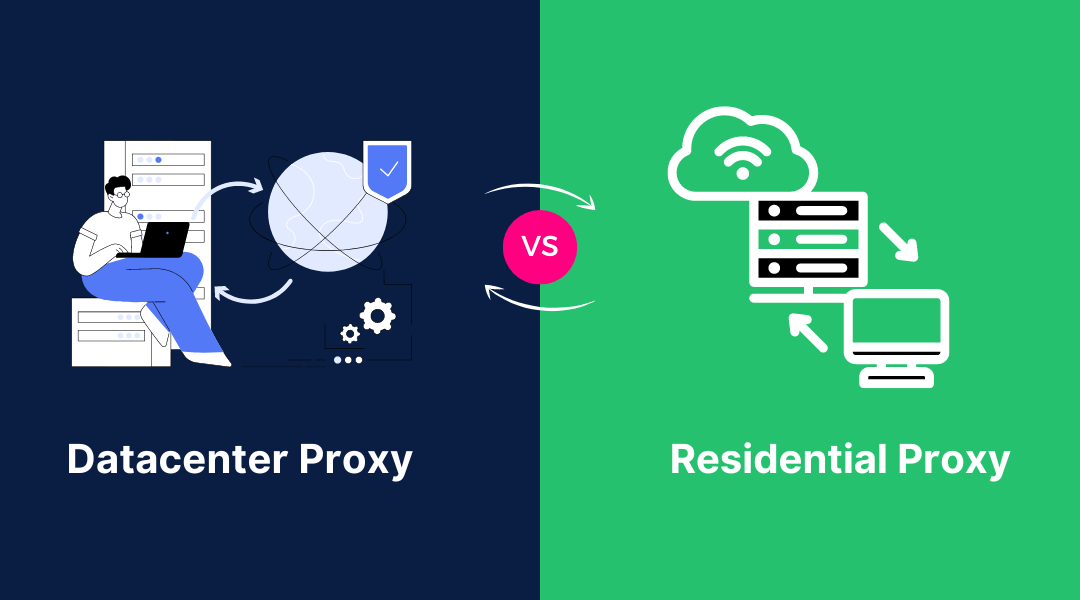
  • Datacenter proxies come from cloud servers. They’re not associated with a real ISP or household. Think AWS, Google Cloud, DigitalOcean.
  • Residential proxies are real IPs from real people—actual households with regular internet service providers.

Both hide your original IP. But only one of them looks like it belongs to a real person.

Datacenter Proxies: Fast, Cheap, and Disposable

Datacenter proxies are the workhorse of the proxy world. They’re fast, they’re scalable, and they’re dirt cheap. Perfect if you’re chasing:

  • High-speed scraping
  • Large-scale automation
  • Massive request volumes

In other words—when performance > subtlety.

Why They Work:

  • Speed: You’re routing through data centers, not someone’s home WiFi. It’s like driving on an empty freeway.
  • Scale: Need thousands of IPs? You can spin them up in minutes.
  • Cost-effective: You’ll spend a fraction of what residential IPs cost.

Why They Fail:

  • Detection risk: Most major websites can spot them instantly. Datacenter IPs have clear fingerprints.
  • Low trust: Because they don’t come from real ISPs, they don’t look like real users.

Bottom line: If you’re scraping public data or hammering non-sensitive pages, datacenter proxies are a great pick.

But if you’re dealing with logins, forms, or anything that’s behind a wall? They might not even make it through the front door.

Residential Proxies: Blend In, Stay Undetected

Residential proxies are the stealth operators of the internet. They use IPs from real homes, with real ISPs, behaving like real users.

That makes them ideal for:

  • Avoiding detection
  • Accessing tightly protected content
  • Simulating normal user behavior

Why They Work:

  • Legit traffic profile: Sites see them as everyday visitors.
  • Low block rates: Especially helpful for social media, ecommerce, or anything login-heavy.
  • Geo diversity: You can get IPs from specific cities, ISPs, or devices.

Why They Struggle:

  • Expensive: You’re paying for trust, not throughput.
  • Auto-rotating: Most providers rotate these IPs automatically, which can break logins or sessions if not handled properly.

So if you’re trying to act like a real user—especially across sessions—residential proxies are the safest bet.

“Why Not Just Use Residential All the Time?”

You could. But it’s like using a luxury car for food delivery.

Yes, residential proxies are powerful—but they’re also slower and way pricier. If your target doesn’t care who you are, you’re wasting budget.

It comes down to risk vs reward:

  • For public data? Go datacenter.
  • For anything sensitive? Go residential.

Use stealth only when stealth actually matters.

One Red Flag: “Fake” Residential IPs

Not all residential proxies are created equal.

Some providers label proxies as “residential” when they’re really datacenter IPs tunneled through end-user devices. These “pseudo-residential” setups can look legit—but they’re much more fragile.

They can work for certain tasks. But if you’re paying top dollar, make sure you’re getting real residential IPs, assigned by real ISPs—not datacenter reroutes with a disguise.

Pro tip: Ask your provider exactly how they source and validate their residential IP pool.

Final Word: Match Proxy Type to Proxy Behavior

Forget the hype. Forget the flashy charts.

What really matters is matching your proxy to the type of behavior you’re trying to simulate.

  • Choose datacenter proxies when you need to move fast and no one’s watching too closely.
  • Choose residential proxies when you need to act human—especially when there’s authentication involved.

Trying to run a login flow with a datacenter IP? That’s like trying to sneak into a black-tie event wearing a neon hoodie.

Pick the right disguise. Get better results. Simple as that.