

7 Powerful Things Remaker AI Can Do (Before You Use It)
Remaker AI is one of those tools that suddenly starts popping up everywhere — ads, social media feeds, YouTube demos, TikTok clips, and random recommendations from people testing AI tools nonstop. If you’ve landed on this article, you’re probably asking a very reasonable question: what can Remaker AI actually do in real life, and is it worth your time (or your money) before you sign up and upload your images?
In this article, I’ll walk you through Remaker AI in a very human, grounded way — no hype, no corporate buzzwords, and no blind hate either. Just a clear look at what remaker.ai offers, where it genuinely shines, where it clearly struggles, and what you should honestly know before using it or paying for credits. Consider this advice from someone who understands both curiosity and skepticism.
Find More: 7 Powerful Things You Didn’t Know AI Bola Can Do for Dental Practices
What Is Remaker AI? A Quick Overview
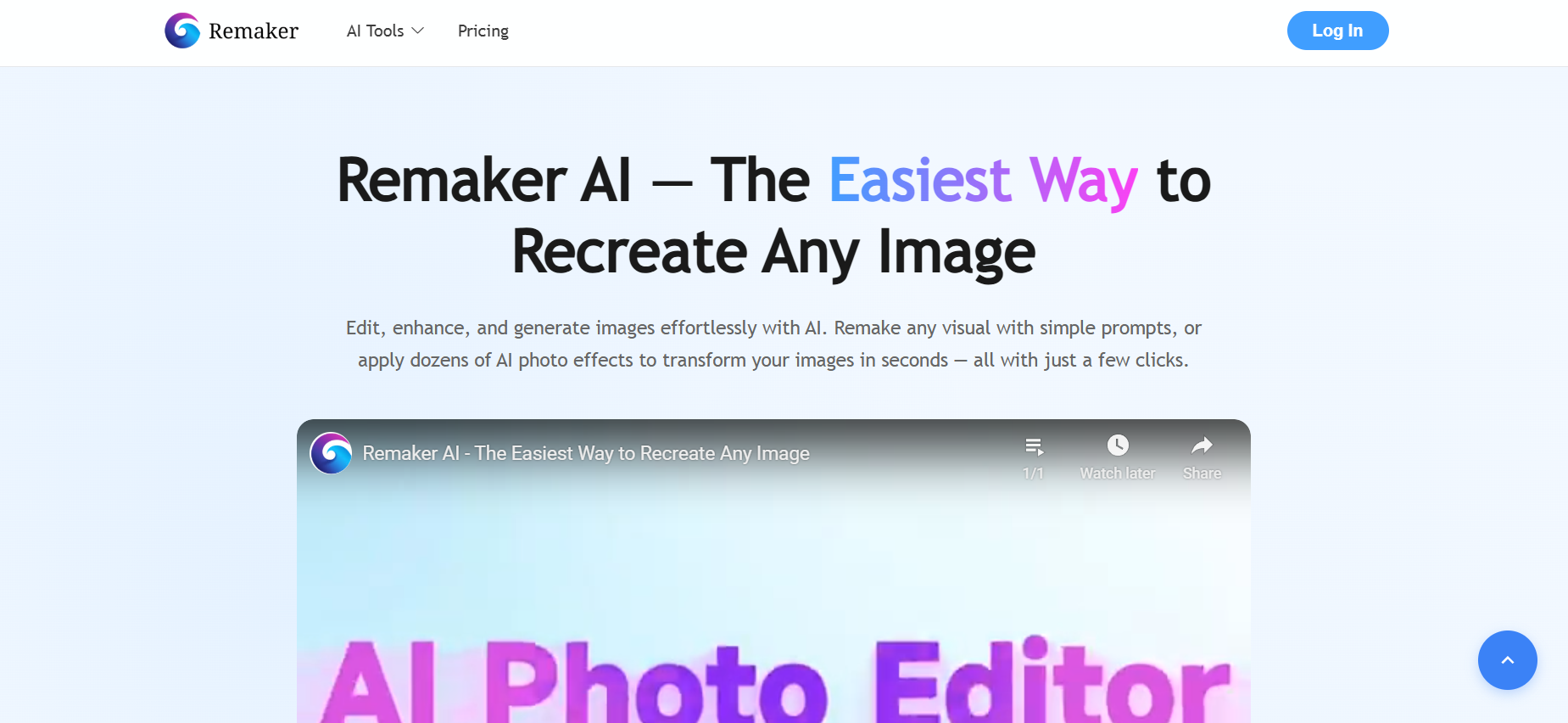
Remaker AI is an online, browser-based AI tool focused mainly on image and visual content editing. You don’t download software, you don’t need a powerful computer, and you don’t need advanced design skills. Everything runs directly inside your browser, which already removes a lot of friction for beginners.
The platform bundles several AI-powered features under one roof: image editing, background removal, image upscaling, AI portraits, creative generation tools, and especially Remaker AI face swap, which is one of the biggest reasons people actively search for this tool.
How Remaker AI Uses Artificial Intelligence
At its core, Remaker AI relies on a mix of generative AI models and computer vision technology. These systems analyze your uploaded image, identify objects, faces, backgrounds, and textures, and then apply changes based on presets or written prompts.
Instead of manually editing pixels or layers, you’re guiding the AI with instructions and letting it do the heavy lifting. That’s why results can feel impressive one moment and slightly off the next — the process is probabilistic, not manual.
This approach makes the tool approachable even if you’ve never touched Photoshop, Illustrator, or any professional editing software in your life.
Who Remaker AI Is Designed For
Remaker AI isn’t trying to replace professional designers, photographers, or creative studios. It’s clearly built for people who value speed, accessibility, and convenience, such as:
-
Content creators who need visuals fast
-
Social media marketers working with tight schedules
-
Small business owners without design teams
-
Curious users who want quick AI-generated results
If speed and simplicity matter more to you than pixel-perfect accuracy, you’re likely within the target audience.
Free vs Paid Plans in Remaker AI
Like many modern AI tools, Remaker AI runs on a credit-based system. You usually get limited free usage when you sign up, which lets you test the platform and understand how it works.
However, advanced features, higher-resolution exports, face swaps, or frequent edits consume credits quickly. If you plan to use Remaker AI regularly, understanding the pricing model early will save you from frustration later.
7 Powerful Things Remaker AI Can Do
Let’s get into the real reason you’re here. These are the most impactful and practical things Remaker AI can do — not theoretical promises, but real use cases that people actually try.
AI Image Editing With Text Prompts
One of the most attractive features is prompt-based image editing. You upload an image, describe what you want changed, and the AI attempts to modify it. This can include changing backgrounds, adjusting visual styles, removing unwanted elements, or adding new ones.
When it works, it genuinely feels impressive. When it doesn’t, it reminds you that AI still has limits and needs guidance. Still, for quick creative experiments and drafts, it’s surprisingly useful.
Background Removal and Object Replacement
This is one of Remaker AI’s more reliable and practical features. Removing backgrounds from photos is fast and usually accurate, especially for clear product images, portraits, or objects.
You can also replace backgrounds with new ones, which is useful for:
-
Product listings
-
Profile photos
-
Marketing creatives
-
Simple brand visuals
It won’t beat high-end manual editing, but for speed and convenience, it does the job well enough.
Image Upscaling and Quality Enhancement
Remaker AI includes image upscaling tools designed to improve resolution, clarity, and sharpness. This is helpful if you’re working with older images, low-resolution downloads, screenshots, or compressed social media visuals.
Results vary depending on the original image quality, but in many cases, the improvement is noticeable and usable for online platforms.
AI Face Swap for Images and Videos
This is where Remaker AI face swap gets most of its attention. The tool allows you to swap faces in images — and in some cases, videos — using AI-based facial mapping.
People use this feature for:
-
Creative content
-
Entertainment and fun experiments
-
Visual storytelling
That said, accuracy depends heavily on image quality, lighting, facial angles, and expressions. Ethical use matters a lot here. This is not a feature to misuse or take lightly.
AI Portrait and Avatar Generation
Remaker AI can generate stylized portraits and avatars based on uploaded photos. This appeals to creators who want profile pictures, branding visuals, or artistic interpretations of themselves.
The output style tends to be more creative and illustrative rather than hyper-realistic, which some users love and others may find limiting.
Tattoo and Creative Design Generation
Another interesting feature is tattoo-style image generation. You can experiment with tattoo designs on skin images or generate visual concepts before committing to permanent ink.
It’s not meant to replace a professional tattoo artist, but it works well as a visualization and inspiration tool.
Fast Browser-Based Editing Without Software
This might sound simple, but it’s actually one of Remaker AI’s biggest advantages. No downloads, no heavy programs, no steep learning curves. You open remaker.ai, upload your image, make edits, and export.
For many users, this convenience alone makes the platform attractive.
Where Remaker AI Performs Best (Use Cases)

Remaker AI isn’t a universal solution. It performs best in specific, realistic scenarios.
Content Creators and Social Media Marketing
If you create content regularly, you already know speed matters. Remaker AI helps generate visuals quickly without blocking your workflow. Thumbnails, social posts, creative drafts, and experimental visuals are where it fits best.
E-commerce Product Image Editing
Simple product images benefit a lot from background removal, upscaling, and light retouching. While it won’t replace professional product photography, it can significantly improve average images in a short time.
Personal and Creative Image Projects
From fun face swaps to AI portraits, casual users can enjoy the platform without any professional pressure or expectations.
Limitations of Remaker AI You Should Know
No tool is perfect, and pretending otherwise helps no one.
Quality Inconsistencies in Generated Results
AI results aren’t always predictable. Some outputs look impressive and clean, while others feel unnatural or slightly wrong. You’ll often need multiple attempts to get a result you’re happy with.
Credit System and Pricing Concerns
Many users feel frustrated when free credits run out faster than expected. If you plan to use Remaker AI frequently, budgeting for credits and tracking usage is important.
Privacy and Data Upload Considerations
Anytime you upload personal images, especially faces, you should pause and think. Always read privacy policies, avoid uploading sensitive content, and treat AI tools cautiously.
Is Remaker AI Safe and Legit to Use?
This is one of the most common questions — and it’s a fair one.
User Reviews and Online Reputation
User feedback is mixed. Some people love the convenience and creativity, while others complain about pricing, credit usage, or inconsistent outputs. This pattern is common with many AI platforms today.
Security, Payments, and Account Risks
The site uses standard security practices, but caution is always smart. Use strong passwords, secure payment methods, and avoid sharing unnecessary personal information.
When You Should (and Shouldn’t) Use Remaker AI
Use it for creative, experimental, and non-sensitive projects. Avoid relying on it for critical, high-stakes, or legally sensitive work.
Remaker AI vs Other AI Image Tools
Remaker AI sits in the middle ground — more powerful than simple free editors, but less advanced than high-end AI platforms built for professionals.
Feature Comparison With Popular AI Editors
Remaker AI offers many features in one place, which is convenient. However, specialized tools often outperform it in specific tasks like high-end upscaling or professional retouching.
Performance and Output Quality Comparison
Output quality is generally good enough for online use, social media, and marketing drafts, but it’s not always suitable for print or premium branding.
Which Tool Is Better for Your Needs?
If you want speed, variety, and ease of use, Remaker AI makes sense. If you want precision and consistency, alternatives may serve you better.
Final Verdict — Should You Use Remaker AI Before Trying Alternatives?
Remaker AI is not a scam, not magic, and not useless. It’s a practical AI tool with real strengths and real limitations.
Who Remaker AI Is Worth Trying For
-
Creators who value speed and experimentation
-
Marketers who need quick visuals
-
Curious users exploring AI tools
Who Should Look for Other AI Tools
-
Professionals needing flawless output
-
Users are uncomfortable uploading personal images
Conclusion
Remaker AI can be powerful if you understand what it’s good at and where it falls short. Used correctly, it can save time, spark creativity, and simplify visual tasks. Used blindly, it can disappoint.
The smartest approach is to test it carefully, respect ethical boundaries, and decide whether it fits your workflow before committing money, time, or trust.
Find More: Boost Your Sales With SEO Services
FAQs
1. Is Remaker AI free to use?
Remaker AI offers limited free credits, but most features require paid usage after that.
2. Is Remaker AI safe for personal photos?
It’s generally safer to avoid uploading sensitive or private images, especially faces.
3. Does Remaker AI support commercial use?
This depends on the licensing terms. Always check their usage policy before using outputs commercially.
4. How accurate is Remaker AI face swap?
Results vary. High-quality images produce better swaps, but perfection is not guaranteed.
5. Is remaker.ai worth paying for?
If you need quick, browser-based AI visuals regularly, it can be worth it. If you need professional-grade results, you may want to explore other tools.