...
UK: +44 2038074555 info@atamgo.com
Is Google Pomelli Worth It? 9 Powerful Insights From Real Users
Is Google Pomelli Worth It? 9 Powerful Insights From Real Users

Google Pomelli Review

Google Pomelli Review: If you’re a small business owner, an overwhelmed startup founder, or an entrepreneur wearing too many hats, you know the daily struggle of creating marketing content. It’s not just the writing or the designing that kills you; it’s the constant, grinding process of ideation. What should I post today? Is this on brand? Do I have the right colors? Do I even have time to open Canva, let alone Photoshop? Google is betting that its new experiment from Google Labs, Pomelli, is the answer to this massive pain point. Pomelli, which is currently in public beta, promises to automate entire on-brand campaigns from a single URL. It’s a bold claim, and if it works, it could genuinely transform how small businesses approach digital marketing. But the question remains: does this Google Pomelli AI deliver on its big promise, or is it just another generic content generator wrapped in a Google badge? Let’s dive deep into the tech, the user feedback, and the ultimate verdict on whether it’s worth integrating into your current, already hectic workflow.

Find More: 2026 Best AI Logo Makers for Small Businesses & Smart Entrepreneurs

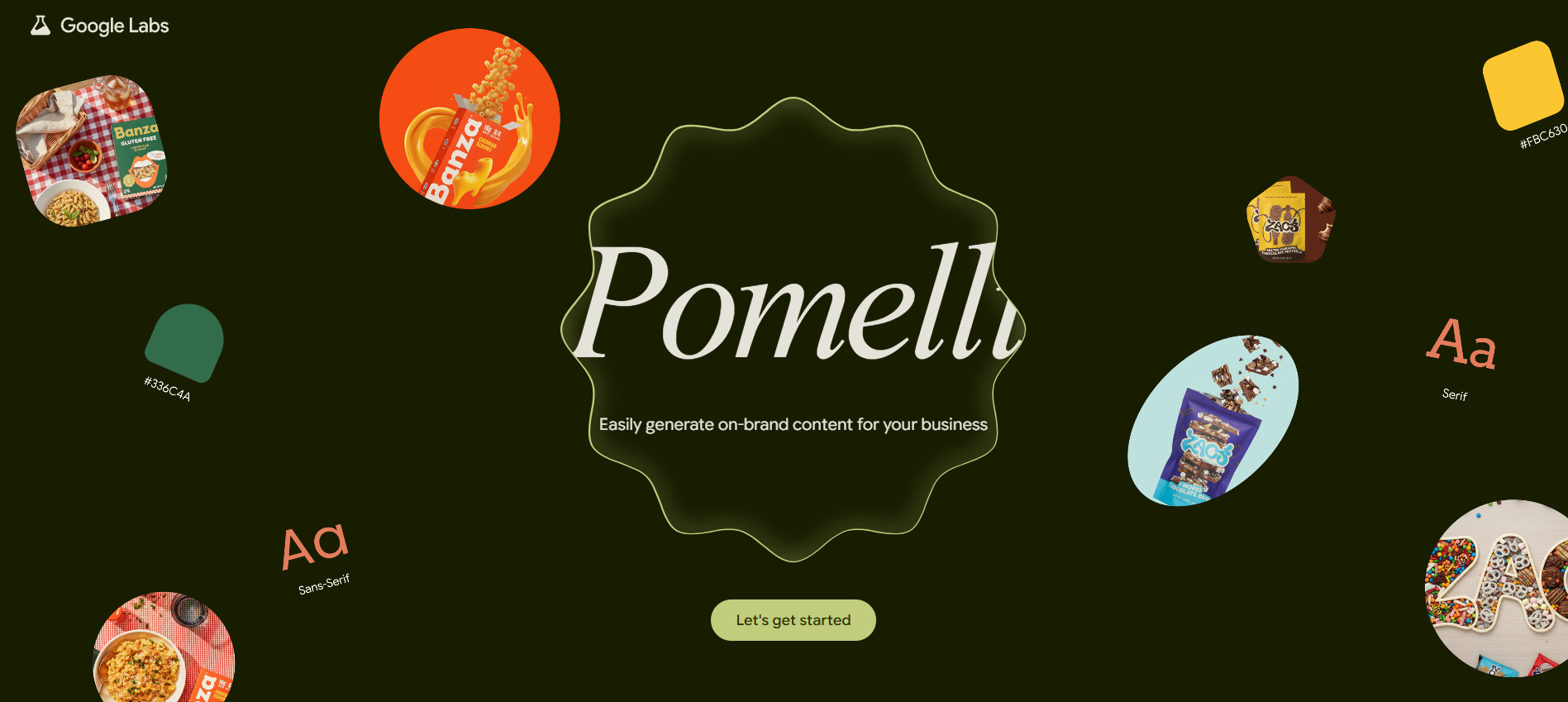
The Core Concept: How Pomelli Builds Your Business DNA
Google Pomelli Review

The Power of “Business DNA”: Automated Brand Intelligence

The real game-changer with Pomelli isn’t the content generation itself—it’s the concept of “Business DNA.” This isn’t just a fancy marketing term; it’s the fundamental core of what makes Pomelli different from dropping a prompt into a general AI like ChatGPT or a standard image generator. Most AI tools start from a blank slate. You have to tell them, “Write a post about coffee, make it sound fun, and use a bright blue color palette.” You are essentially doing all the strategic branding work for the AI, every single time.

Pomelli flips that script entirely. By analyzing your existing public website—a process powered by DeepMind’s sophisticated AI models—Pomelli automatically extracts your core brand identity. Think of it as the tool performing the work of a junior brand manager before it even writes the first word.

Why is this so powerful? Consistency. Small businesses often look disjointed across platforms. A quick post on Instagram might use one font, a Facebook ad might use a slightly different color shade, and the website headline uses a completely different tone. Pomelli’s Business DNA acts as the central, non-negotiable style guide for every piece of content it creates. This ensures that every image, every headline, and every call-to-action feels inherently yours, drastically cutting down on the manual labor required to enforce brand guidelines. It takes a huge amount of friction out of the creation process by front-loading the strategic thinking, allowing the AI to focus on execution within those established guardrails.

The tool learns what makes your brand you. It registers the dominant color palette, the specific fonts you use for headings and body copy, and most importantly, the tone of voice. If your website copy is casual, witty, and full of emojis, Pomelli understands that. If it’s formal, informative, and authoritative, it will replicate that too. This automated brand intelligence is the key differentiator and the single most compelling reason why you might choose Pomelli over a template-based competitor. It’s the difference between buying an off-the-rack outfit and getting a suit tailor-made. The tailor-made one just fits better.

A Step-by-Step Guide to Onboarding and Setup

Getting started with Pomelli is impressively simple—which is exactly what an exhausted small business owner needs. The entire process can be boiled down into three, highly intuitive steps, making the learning curve virtually flat.

The very first thing you do is enter your public website URL. This is the starting gun for the whole “Business DNA” extraction. You don’t upload a style guide PDF or manually input Hex codes; you just give it your web address and let the AI do the heavy lifting. This part usually takes less than a minute, and you watch as Pomelli’s sophisticated crawlers and language models parse your site’s structure, copy, and visuals.

Once the DNA is built, the next stage is campaign ideation. This is another area where Pomelli shines compared to traditional design tools. Instead of starting with a blank canvas, the AI offers up tailored, strategic campaign ideas based on your brand and your current business context. For example, if you run a local bakery and it’s mid-November, Pomelli might suggest a “Holiday Pre-Order Push” or a “Seasonal Flavor Announcement.” It removes the need for human brainstorming sessions for routine content. Of course, if you have your own brilliant idea, you can always input a custom prompt and the AI will generate content strictly following your direction, but still filtered through your brand DNA.

Finally, Pomelli generates a suite of high-quality, branded creative assets. This is the output step: you get social media posts (optimized for different platforms like Instagram Stories or Facebook banners), website hero images, and potential ad copy, all generated in one go. You then have full control to edit both the text and the visuals right inside the platform. This end-to-end flow is highly efficient. You don’t have to use an AI for text, download the text, upload it to a design tool for the visual, and then upload that to your social scheduler. It’s all contained, saving you crucial minutes that add up to hours over the course of a marketing quarter.

Key Components Extracted: Tone, Visual Style, and Fonts

To really understand the power of the Business DNA, it’s worth listing exactly what Pomelli pulls from your site to guide its creative decisions. It’s much more detailed than just a logo.

First, it extracts your Tone of Voice. This is crucial. It’s what dictates whether your ad copy uses “Hey guys!” or “Dear Valued Customers.” This tonal fingerprint is built by analyzing the bulk of your website copy.

Second, it determines your Visual Style and Color Palette. Pomelli identifies the dominant colors (the main Hex codes) used on your site, in your logo, and in your primary imagery. It also infers the visual style of your brand’s existing photography—is it bright and minimalist, or moody and high-contrast? The AI uses this style as a constraint when generating new, unique images for your campaign. This avoids that jarring effect where AI-generated images look totally disconnected from your actual brand aesthetic.

Finally, Pomelli extracts and applies your Custom Fonts. By analyzing your CSS and website structure, it can often determine and use your exact headline and body copy fonts in the generated graphics. This level of typographic consistency is a massive time-saver for small teams who don’t have dedicated font management systems. These three key components—Tone, Visual Style, and Fonts—are what transform generic AI output into content that actually feels like it came from your business.

9 Powerful Insights: Real-World User Reviews and Performance

Insight 1: Time Savings in Campaign Ideation

google

The most immediate and universally praised benefit of Pomelli, according to beta users, is the sheer amount of time it shaves off the start of the creative process. For a small business, “campaign ideation” often means staring blankly at a screen for thirty minutes, scrolling through competitor social feeds, or trying to squeeze in a brainstorm between serving customers. That’s precious, unbillable time wasted.

Pomelli eliminates the blank-page syndrome entirely. Users report that the tool’s ability to generate five to ten highly relevant campaign ideas within seconds is invaluable. Instead of struggling to come up with an idea, you are instantly shifted into the role of editor and strategist, selecting the best idea from a pre-vetted, on-brand list. This is a subtle but powerful psychological shift. You go from feeling overwhelmed by creation to feeling empowered by curation. For example, a solo consultant who typically spends two hours a week brainstorming can now complete that entire process, from idea selection to first draft asset generation, in under fifteen minutes. The time saved isn’t just about efficiency; it’s about reducing the cognitive load that constantly weighs on entrepreneurs, allowing them to focus on core business operations, not just content treadmill maintenance. It literally gives you back hours in your week, which for an SMB owner, is priceless.

Insight 2: Brand Consistency Across All Assets

If you have a brand guideline document that sits on a shared drive collecting digital dust, you know the struggle of maintaining consistency. When multiple people (or just one tired person) are generating content, the look and feel inevitably drift. This is where Pomelli’s Business DNA really flexes its muscles.

User feedback confirms that the system maintains an almost perfect level of visual and textual coherence across every asset it creates. A banner generated for a website, for instance, will use the exact same color palette, font weight, and conversational tone as a suggested caption for an Instagram post. This consistency builds trust with your audience. When customers see your content, whether it’s an email, a paid ad, or a simple tweet, they instantly recognize it as belonging to your brand. For a small business trying to establish authority and trust, this level of polish is usually only achievable by hiring an expensive agency or a full-time designer. Pomelli democratizes that high-level brand cohesion, making it accessible even to the smallest micro-businesses. This is arguably the tool’s most effective feature for enhancing brand perception without adding a dime to the marketing budget. The automatic application of extracted fonts and colors alone is a huge win for maintaining a professional appearance.

Insight 3: Quality of AI-Generated Visuals (The Image Test)

The quality of AI-generated visuals is always a hot topic, and Pomelli’s image test results are a mixed bag. The good news is that the visuals are almost always clean, technically well-executed, and perfectly aligned with the brand’s extracted color and style profile. The AI knows how to produce professional-looking graphics and stock-style photography that fit the mood of your website.

However, a recurring sentiment from early testers is that the images, while polished, can sometimes feel “template-trained” or possess that “AI-by-numbers” aesthetic. One user on Reddit noted that while the tech was impressive, the output “still feels ‘template-trained'” and lacks the necessary “brand soul.” This speaks to a current limitation in all generative AI: the models are optimized for probability and safety. They generate images that are statistically correct and non-offensive for your brand, but sometimes they fail to introduce the creative divergence, wit, or emotional spark that a human designer would. Pomelli excels at creating high-quality filler content—the clean background graphic for a text overlay, or the standard product shot variant. It saves time on the 90% of routine content. But for the truly breakthrough, emotionally resonant visuals that define a campaign, human oversight, or perhaps a different, more artist-focused tool, is still necessary. Think of Pomelli as a fantastic design assistant who handles all the production work, leaving the creative director (you) to inject the final, subtle artistic nuance.

Insight 4: The In-App Editing Experience and User Control

One of Pomelli’s selling points is that it’s not a “black box” that spits out final, untouchable assets. It includes built-in editing capabilities for both the generated text and the visuals. This is crucial because, as noted above, the initial draft might be a bit generic.

The in-app editing experience is functional, but deliberately simplified. It’s designed for the small business owner, not the graphic designer. For text, you can easily tweak headlines, adjust body copy for local nuance, or change the call-to-action. This is seamless. For visuals, the controls are basic: think cropping, resizing, or perhaps simple color adjustments or swapping out an element. You won’t find the deep, layer-based editing power of Adobe Photoshop or the intricate template libraries of Canva.

This limitation is a design choice, not a flaw. Google understood that if they made the editor too complex, they would negate the core benefit of the tool: speed and simplicity. The editing features are there to allow the user to inject the “human spark”—to adjust the AI’s safe copy with a bit more personality or to fine-tune the visual layout for a specific platform’s requirement (e.g., ensuring a headline is clearly legible on a mobile screen). It turns the user into a creative supervisor, ensuring that the 90% generated by the AI is finalized with 10% human strategic input before publishing.

Insight 5: The “Template” Problem: When Content Gets Generic

Let’s circle back to that biggest critique: the content can sometimes feel generic. While Pomelli is leagues ahead of other tools in terms of brand consistency, it occasionally falls into the trap of producing “nice-to-have” assets that lack strategic punch or genuine audience engagement.

The root of this problem, as suggested by AI experts, is that generative models are trained to find the most probable, middle-of-the-road answer. When tasked with creating marketing content, this often results in safe, professional, but ultimately unmemorable copy and design. If a small business relies exclusively on Pomelli without strategic review, they run the risk of simply adding more noise to the crowded digital space. The goal of marketing is not just to produce content, but to produce content that cuts through the clutter.

The best practice here—which is highly emphasized by power users—is to treat Pomelli’s output as a “fantastic first draft.” It saves the hours spent on structure and design, but the human marketer still needs to step in and add the emotional resonance, the cultural context, the humor, or the sharp, specific pain point that only an actual human who runs the business would know. For example, the AI might generate a post saying, “Enjoy our great customer service.” A human marketer should edit that to say, “Don’t get stuck on hold—text us directly for support, guaranteed reply in under 5 minutes.” That specificity and promise is the soul the AI currently can’t replicate.

Insight 6: Comparison with Competitors (Pomelli vs. Canva/Adobe Express)
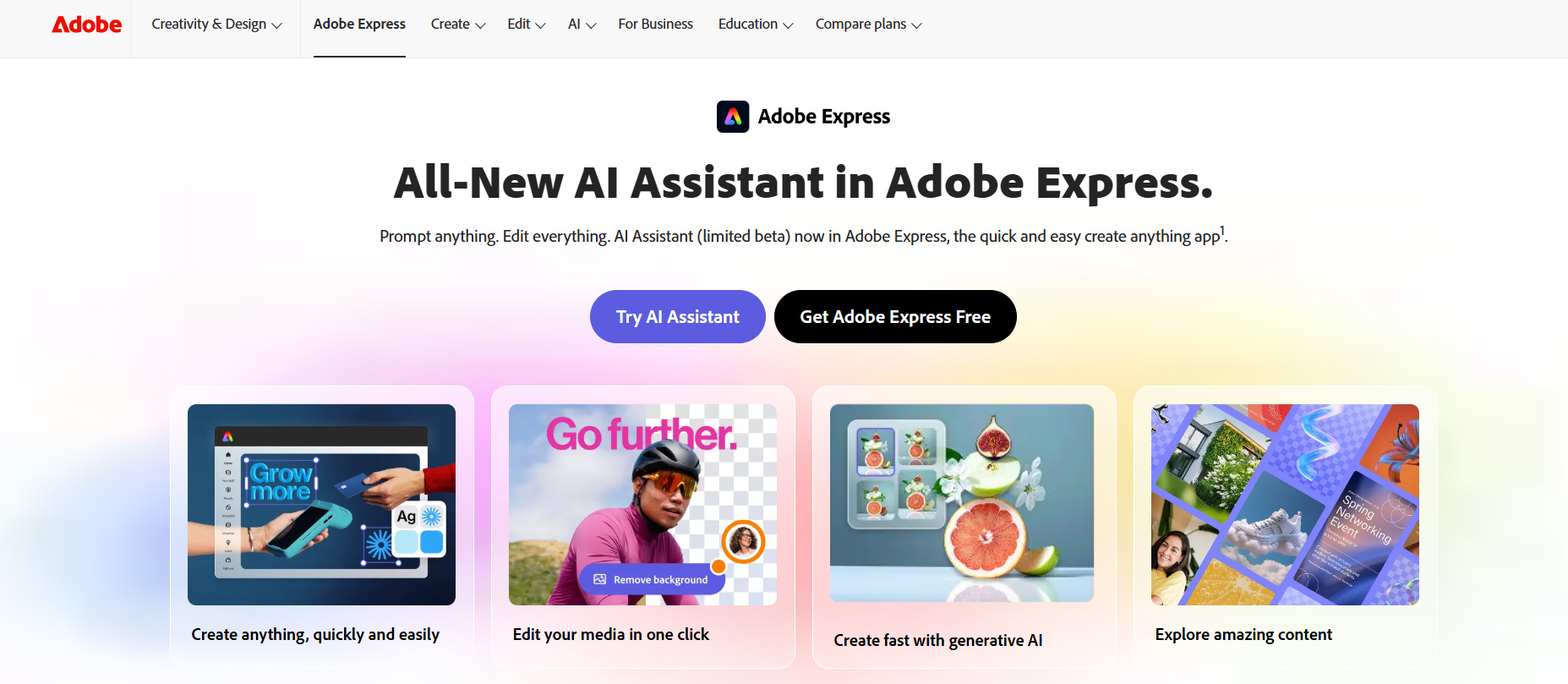
When you look at the landscape of content creation tools, Pomelli primarily competes with Canva Pro and Adobe Express, but it occupies a fundamentally different niche.

Canva/Adobe Express: These are design-first platforms. They excel at providing vast libraries of templates, offering deep customization, and allowing users to craft highly specific, visually complex graphics. Their strength is in execution and visual diversity. However, they are brand-agnostic at the start. You have to manually set up your brand kit, colors, and fonts, and you are always starting from a template—which may or may not align with your strategic needs. They are great for designers or users who are already comfortable with design principles.

Google Pomelli: Pomelli is an AI-first, Strategy-first tool. Its strength is not in deep customization, but in automatic brand learning, consistency, and campaign ideation. It doesn’t give you templates; it gives you campaign concepts and assets custom-generated for your DNA. It’s built for the user who says, “I don’t know what to post, and I don’t want to design it.” The learning curve is minimal—just a URL. The key difference is the entry point: Canva starts with design, Pomelli starts with intelligence. This makes Pomelli a powerful complementary tool, especially for SMBs who can’t afford the subscription fees of competitor paid tiers, as Pomelli is currently free in beta.

Insight 7: Integration Potential within the Google Ecosystem

As a Google Labs experiment, Pomelli is positioned for massive future integration across the Google ecosystem, and this potential is perhaps the most exciting part of its long-term promise. Currently, Pomelli is a standalone tool—you download the assets and manually upload them to your social media or Google Ads account.

However, the roadmap is clear. Future versions are expected to seamlessly integrate with:

  1. Google Ads: Imagine generating a social campaign in Pomelli, and with one click, the visuals, copy, and targeting recommendations are pushed directly into a draft Google Ads campaign, ensuring brand consistency across organic and paid channels.
  2. Google Analytics: Performance tracking could be built-in, allowing Pomelli to learn which assets (generated by it) perform best for your audience, continuously improving its Business DNA model.
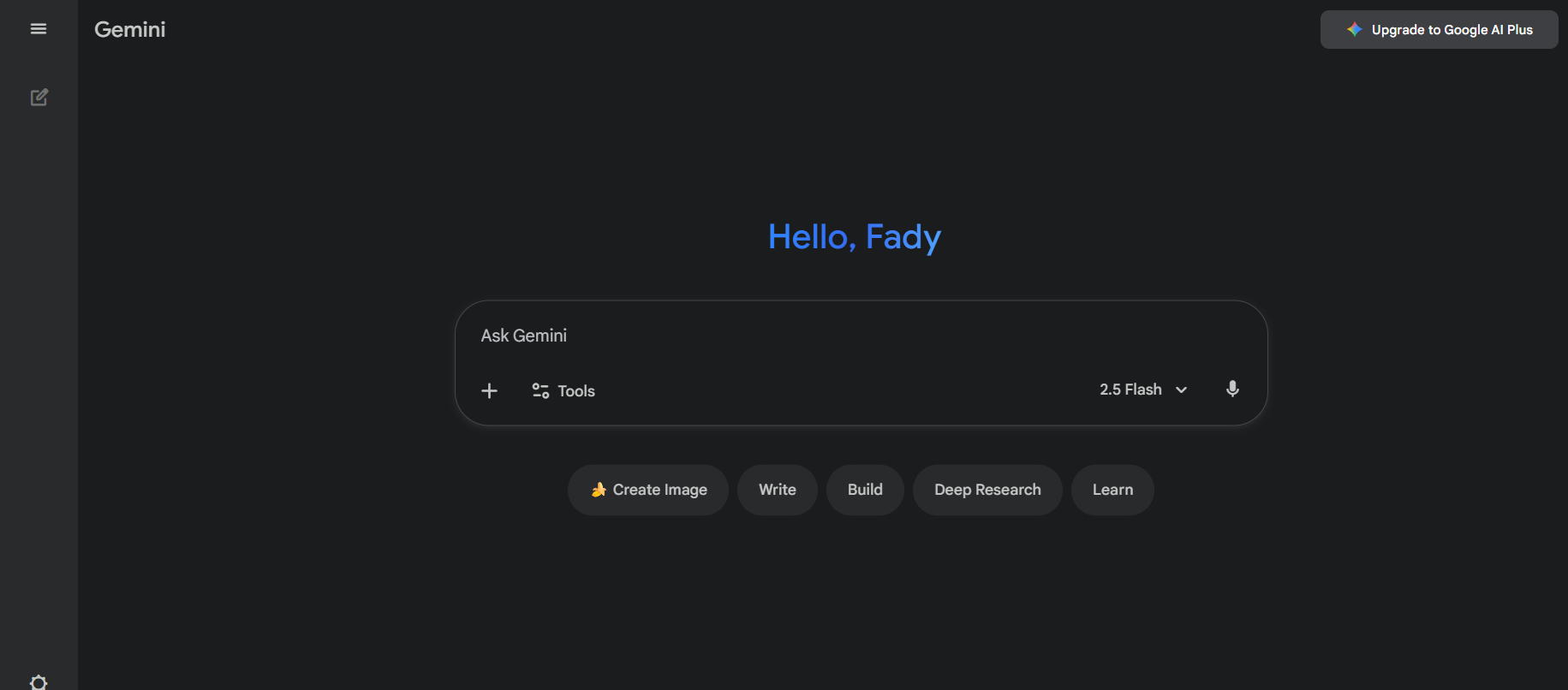
  3. Gemini AI: Leveraging the next generation of Google’s multimodal AI could lead to more nuanced, creative, and less “generic” outputs, potentially solving the template problem.
Gemini

  1. YouTube/Video: While currently limited to static images and copy, there is strong speculation that Google will integrate video generation capabilities (perhaps leveraging their Veo technology) to create short-form video ads and social content.

This ecosystem advantage is something competitors simply cannot match. If Pomelli becomes the central nervous system for a small business’s Google-based marketing, its value will skyrocket far beyond simple content generation.

Insight 8: Technical Limitations (Language, Beta Status, and Bugs)

Like any exciting new experiment, Pomelli comes with a set of limitations, primarily due to its beta status. It’s vital that businesses entering the tool know what they are (and aren’t) getting.

The biggest limitation right now is geographic and language restriction. Pomelli is currently only available for free in the United States, Canada, Australia, and New Zealand, and it only operates in the English language. This severely limits its immediate global utility, especially for small businesses operating in multi-language or non-English-speaking markets.

Furthermore, as a Google Labs project, the Beta Status is non-negotiable. This means features could change without warning, and the tool could potentially be discontinued or fundamentally altered if user adoption or internal strategic priorities shift. Users also report occasional minor bugs, such as font misinterpretation or awkward visual layouts on first generation, requiring a quick re-run of the prompt or manual editing. Crucially, there is no scheduling or direct platform publishing yet. All content must be downloaded and manually uploaded to social media platforms, a small but significant friction point for a tool aiming for end-to-end automation. Finally, it currently cannot generate video content, limiting its utility for the rapidly growing short-form video market.

Insight 9: Best-Fit Businesses: Who Benefits Most from Pomelli?

Given all the insights, Pomelli is not a universal tool, but it’s perfect for a specific demographic.

The Ideal Users Are:

  1. Solo Entrepreneurs and Micro-Businesses: People wearing all the hats. They need professional content fast and free, and they have zero budget for a design team. Pomelli solves their “what to post” and “how to design it” problems instantly.
  2. Small-to-Medium Businesses (SMBs) with Basic Marketing Needs: Businesses that need consistent, functional content for their local social media presence (e.g., a local gym, café, service provider). They don’t need highly artistic, complex campaigns; they need frequency and brand safety.
  3. Businesses with a Good Digital Foundation: Since Pomelli learns from your website, the best results come from businesses whose website already has a clear color scheme, consistent fonts, and a well-defined tone of voice. A sparse or messy website will result in generic, unusable DNA extraction.

Who Should Be Cautious:

  1. Agencies/Large Enterprises: They need enterprise-level features, deep collaboration tools, advanced analytics, and multi-language support that Pomelli simply doesn’t offer yet.
  2. Video-First Brands: If your primary marketing channel is TikTok or YouTube Shorts, Pomelli’s current lack of video generation will make it a secondary, text-and-image-only tool.
  3. Brands Requiring Extreme Nuance: Highly creative brands, satirical companies, or those relying on cutting-edge artistic styles may find the outputs too safe or generic, requiring too much human editing.

The Verdict: Should Small Businesses Adopt Google Pomelli AI?

So, after diving into the core mechanisms and weighing the real-world user feedback, what’s the final word? Yes, absolutely, small businesses should adopt Google Pomelli AI—right now, while it’s free.

Pomelli isn’t just another feature; it’s a paradigm shift for resource-constrained businesses. Its central innovation, the Business DNA, finally bridges the gap between AI generation and brand consistency, which has been the missing link in small business marketing for years. It excels at being a lightning-fast, highly efficient, and free creative assistant that solves the crucial and exhausting problem of campaign ideation and asset production.

The Pros are too strong to ignore: Speed, automatic brand consistency, zero cost during beta, and an incredibly low barrier to entry (just a URL). It is the ultimate tool for turning a single strategic idea into a dozen ready-to-post assets in minutes.

The Cons are real, but manageable: The risk of generic content (The “Template” Problem) and current beta limitations (English-only, manual posting).

The Actionable Recommendation: Integrate Pomelli into your workflow as a first-draft generator. Use it to handle 80% of your routine content—your holiday hours announcements, your seasonal sales banners, and your standard service promotion posts. Then, you, the human expert, can spend your saved time adding that crucial 20% of authentic, nuanced, and strategic personality to ensure your brand truly shines and cuts through the noise. It’s not a replacement for a human marketer; it’s the ultimate human marketer amplifier. Go try it. It’s free. You have nothing to lose but the time you used to spend staring at a blank screen.

Find More: Boost Your Sales With SEO Services

FAQs

1. Is Google Pomelli free to use?

Pomelli is currently completely free to use during its public beta phase. Google has not required a credit card for access, and there are no usage limits enforced. This aligns with Google Labs’ goal of gathering mass feedback before a formal product launch. While the long-term pricing model is unknown, industry analysts predict a likely tiered structure, similar to competitors like Canva, possibly featuring a free tier with limitations and a paid “Pro” tier (perhaps in the $10-$20/month range) offering unlimited generations and deeper integration features. For now, however, it remains a powerful, free resource.

2. What are the current country and language limitations?

As of its public beta launch in late 2025, Google Pomelli is restricted to four countries: the United States, Canada, Australia, and New Zealand. Crucially, it currently only supports the English language. This is likely due to the complexity of training the Business DNA extraction and the underlying generative models to handle the vast nuances of non-English languages and localized cultural contexts. Google has stated they are actively working on expanding language and geographic support, but for now, if your business operates primarily outside of these English-speaking markets or requires content in another language, Pomelli’s utility will be limited.

3. Can Pomelli generate video content?

No, Google Pomelli currently cannot generate video content. Its capabilities are restricted to high-quality, on-brand static images/graphics and textual copy (like social media captions, headlines, and calls-to-action). This is a known limitation of the initial beta release. Given Google’s recent advancements in video generation technology (like Veo), it is widely expected that video creation tools will be integrated into Pomelli in future updates. However, if your current marketing strategy is heavily reliant on TikTok, Reels, or other short-form video platforms, you will still need to use external tools or traditional methods for that content.

4. Does Pomelli replace the need for a professional designer?

No, Pomelli does not replace the need for a professional designer or a strategic marketer. It is an accelerator and a powerful creative assistant, not a complete substitution for human expertise. Pomelli excels at taking care of the repetitive, time-consuming tasks: enforcing brand guidelines, generating routine assets, and providing initial campaign ideas. It handles the “production” phase brilliantly. However, a human designer or marketer is still required to inject the strategic nuance, emotional depth, cultural sensitivity, unique humor, and specific creative flair that separates good content from great, high-converting content. A designer might take Pomelli’s output and elevate it with a custom touch, while a marketer uses Pomelli’s speed to test multiple campaign directions more quickly. Ultimately, Pomelli empowers humans to focus on the high-level, strategic thinking that only they can provide.


How AI-Driven SEO Audits Will Change the Game in 2026

How AI-Driven SEO Audits Will Change the Game in 2026

AI-Driven SEO

The future of SEO isn’t coming. It’s already here.

If you’ve been managing SEO for a while, you’ve probably noticed something: what worked even a year ago doesn’t hit the same today. Google’s updates are rolling out faster. Search intent is shifting quickly. And those traditional, manual SEO audits that used to take days? They’re starting to feel like stone tools in a space-age workshop.

AI is rewriting the SEO playbook, and 2026 will be the year everything changes.

In this article, we’ll unpack how AI-driven SEO audits are speeding up insights, making smarter recommendations, and opening new ways to win visibility online. If you care about staying competitive, you’ll want to read every word.

The Old Way Is Slowing You Down

Traditional SEO audits are a grind.

You run tools, export data, review reports, chase broken links, and analyze keywords by hand. It’s like cleaning a mansion with a toothbrush.

Sure, these audits have value, but they’re also:

  • Time-consuming – often taking days or even weeks to complete.
  • Reactive – you find and fix problems only after they’ve already hurt performance.
  • Fragmented – you’re jumping between ten tools that don’t communicate with each other.

Search algorithms evolve every few weeks, so that’s a losing strategy.

AI changes everything by connecting your data, learning from it, and predicting what’s coming next. It doesn’t just find problems. It prevents them before they happen.

How AI Actually Powers SEO Audits

AI is a complete shift in how SEO analysis works.

You can think of technical SEO services as moving from a flashlight to a floodlight. You don’t just see a few isolated issues — you see the full ecosystem of your website, how every element interacts, and where improvements will have the biggest impact.

Here’s how AI is transforming the process from the inside out.

Machine Learning: The Brain That Never Sleeps

Machine learning enables AI systems to continuously learn from your website’s data. Every page view, click, conversion, and bounce teaches the algorithm something new. Over time, it recognizes patterns in what helps your pages climb the rankings and what holds them back.

An AI system doesn’t stop at noticing broken links or missing alt tags. It connects those issues to their real impact on traffic and conversions. That’s when your SEO stops reacting and starts leading. It’s the difference between “Your title tag is too long” and “Your long title tag is lowering CTR by 12 percent on mobile devices.”

Marketers using marketing analytics software and AI-driven SEO audits together can finally see cause and effect, not just symptoms.

For example, let’s look at what’s happening in modern sales workflows. Sales teams now use sandbox demo environments to let prospects explore a live version of their product safely, without setup or risk. In these demo environments, they track how users interact, which features attract attention, and where drop-offs occur. Those insights guide product improvements and sales messaging. 

AI-driven SEO functions in the same way – it experiments with data, observes real user behavior, and continuously adapts to improve performance. Both systems rely on iterative learning and measurable feedback to refine results over time.

Natural Language Processing: Understanding Search Intent

SEO has evolved from matching keywords to understanding intent, uncovering what users actually mean, not just what they type.

AI-powered Natural Language Processing (NLP) reads content the way a person would. It doesn’t just count keywords; it analyzes tone, sentence structure, and meaning. For example, it knows the difference between “how to build a sandbox demo environment” and “sandbox environment demo software,” even if they use the same words.

Google’s algorithms are now built to interpret intent. If your content answers a searcher’s actual question, not just matches a phrase, you’ll win every time.

NLP can also identify gaps in your topical coverage. If you’re writing about lead generation but never mention marketing automation platforms and CRM software, AI will flag it. That insight helps your content stay aligned with user expectations and algorithmic signals.

NLP technology also powers customer experience software, chatbots, and support ticketing platforms that analyze user language to improve service quality. SEO is simply the next frontier for this intelligence.

Predictive Analytics: Seeing What’s Coming

Predictive analytics is one of the most exciting parts of AI-driven SEO. Instead of reacting to ranking drops, you can anticipate them.

AI models use thousands of data points, from backlink profiles and page load times to competitor activity, to predict what will affect your site’s visibility in the next few weeks or months.

Now marketers plan ahead, especially when running seasonal campaigns or launching new product lines. You can update content, improve internal linking, or refine metadata before traffic dips.

In many ways, this resembles the approach used in marketing attribution software and analytics dashboards. Those systems map out which channels are driving the most ROI so you can double down early. AI audits bring the same predictive power to SEO.

When you see where performance is trending, you stop firefighting and start strategizing. An AI SEO Platform can help you with that.

Automation and Integration: The Connected SEO Ecosystem

Traditional SEO audits require endless switching between Google Analytics, Search Console, and various third-party tools. Each offers a piece of the puzzle, but none tells the full story.

AI solves this problem through automation and integration. It pulls data from multiple sources and combines them into a unified dashboard that updates in real time. Instead of chasing data, you analyze insights.

Similar to what happens in workflow automation tools used by operations and digital marketing teams – when data flows seamlessly between systems, decision-making becomes faster and smarter.

The best AI-driven SEO tools go one step further. They translate complex metrics into simple language. You might receive a notification saying:

“Your page load speed dropped 9 percent last week. Optimize images on your top five pages to recover an estimated 4 percent of traffic.”

Saving time and unlocking clarity.

What’s Changing Right Now

With AI, we are making SEO audits faster. Smarter.

Here’s what’s changing across the industry today:

  1. Speed and Scale: AI can analyze millions of URLs in minutes. You get real-time feedback instead of waiting weeks for an audit.
  2. Deeper Insights: It interprets the “why” behind data. It doesn’t just show problems; it connects them to business outcomes.
  3. Continuous Optimization: With 24/7 monitoring, you never miss a critical technical or content issue.
  4. Predictive SEO: AI anticipates ranking changes and alerts you before visibility drops.

Generative AI is projected to unlock between $0.8 and $1.2 trillion in productivity across sales and marketing. That scale of impact shows how quickly intelligent automation is reshaping how brands optimize, sell, and communicate, and SEO audits powered by AI are becoming a key part of that transformation.

Why This Matters for Marketers and Businesses

AI-driven SEO audits are more than a trend; they’re a competitive advantage.

For marketers, they mean faster insights and smarter campaigns. Instead of spending days compiling reports, teams can use that time to build strategies that actually move the needle.

For agencies, AI audits are a differentiator. They allow you to show value instantly by delivering actionable recommendations in real time.

And for small businesses, AI levels the playing field. You don’t need enterprise resources to compete when you’re equipped with the same level of insight. A CRM system for a small business integrated with AI SEO tools can automatically tie website engagement data to lead quality and sales performance.

AI doesn’t replace SEO professionals. It amplifies them. You’re still the strategist behind the machine. The difference is that now, you can act faster and make decisions backed by intelligent data.

How to Get Ready for AI-Powered SEO Audits

The shift to AI-driven SEO isn’t about flipping a switch. It’s about preparing your foundation so that AI can deliver real, measurable results.

Here’s how to get ready for what’s coming.

Step 1: Audit Your Current Tools and Processes

List every SEO, analytics, and marketing tool your team uses. Ask yourself three key questions:

  • Do these tools still provide insights that help me make decisions?
  • Can they integrate with AI systems or share data through APIs?
  • Are they siloed or connected to the rest of my marketing stack?

If you’re switching between multiple dashboards that don’t communicate with each other, you need better tools. AI thrives on connected ecosystems, not disconnected data.

Today’s tools, from lead generation platforms to sales automation software, often include built-in SEO features or API access to AI audit systems. Connecting them gives you one clear view of traffic, leads, and conversion quality.

Step 2: Strengthen Your Data Quality

AI is only as smart as the data it receives. Before adopting AI-driven audits, clean up your existing analytics setup.

  • Ensure GA4 events and conversions are tracking correctly.
  • Remove outdated or duplicate tracking scripts.
  • Fix broken links and 404 errors.
  • Validate your sitemap to ensure it matches your live content.

Think of it like training an assistant. The clearer your instructions, the better the output.

To streamline data collection, many teams use form generators to capture lead and behavioral data directly from landing pages. These online form builders help optimize conversion rates and gather customer insights. Structured input helps AI-driven SEO systems analyze which content types or layouts drive the best engagement.

Step 3: Build AI Awareness Within Your Team

AI isn’t replacing marketers; it’s reshaping their roles.

The best SEO professionals of 2026 will be those who can interpret AI insights and make strategic decisions based on them. That means upskilling now.

Encourage your team to:

  • Learn how AI interprets on-page and technical signals.
  • Understand how automation affects ranking factors.

Shared understanding prevents overreliance on the tool and keeps your team in control.

If your team already uses marketing automation platforms and CRM software, the transition will feel natural. The same logic applies: automation handles repetitive work, while humans guide strategy.

Step 4: Start Small and Expand Gradually

Don’t overhaul everything at once. Start with one area of focus, maybe technical SEO or content audits, and test an AI audit tool for 30 days.

Track how it performs. Does it identify issues faster? Does it help you prioritize better? Are the recommendations actionable?

Once you see consistent improvements, expand its use to other areas like link building, schema markup, or on-page optimization.

Teams that start small build confidence and develop best practices early. It’s the same approach software companies use when they test features in sandbox demo environments before full deployment.

Experimentation builds understanding. Understanding builds success.

Step 5: Keep Learning and Adapting

What’s advanced today could be standard in a year because AI in SEO is evolving rapidly.

Keep testing new platforms and attending industry webinars. Review emerging case studies that show how others are using AI to drive organic growth.

Most importantly, remain curious. The best results come from teams that experiment early and refine often.

Don’t Forget the Risks

Automation can create overreliance if you stop questioning the results. Always review AI-generated recommendations before implementation. 

Data privacy is another concern. Ensure any tool you use complies with GDPR and relevant data protection laws. Many AI audit platforms now include compliance management software features to simplify this process. 

And remember, AI models can carry bias. Choose vendors that are transparent about their training data and how recommendations are generated.

AI gives you scale and speed, but humans still bring judgment and ethics. You need both.

Looking Ahead: SEO Audits Beyond 2026

In the near future, SEO audits will become living systems. They’ll continuously monitor performance, identify risks, and implement fixes automatically.

Voice search, visual search, and AI-driven conversational platforms will merge with SEO reporting. You won’t just measure website traffic; you’ll measure visibility across every channel where your brand appears, from smart assistants to embedded AI results.

The Smartest Win, Not the Biggest

The businesses that win won’t necessarily have the biggest budgets. They’ll be the ones who understand how to use intelligence to move faster, smarter, and with purpose.

Start preparing now. Clean your data. Train your team. Experiment with AI-powered audit tools.

Because the next SEO revolution isn’t waiting for you to catch up.

It’s already running, and it’s learning faster than ever.

Technical Deep Dive: API-Driven Newsletter Plugins for WordPress

Technical Deep Dive: API-Driven Newsletter Plugins for WordPress

API-Driven Newsletter Plugins for WordPress

In the current scenario, a website is considered to be a part of a much wider branch of interconnected services, rather than being a self-contained entity. This definition is essential when it comes to the case of the continent management system, WordPress. While it has remarkable out-of-the-box solutions in content creation and management, the system is virtually useless in capturing and engaging an audience, particularly in the email marketing domain.

This is the gap that specific, API-based email marketing plugins fill, turning a standard WordPress installation into a sophisticated list building, audience segmentation, and communication automation system. Unlike the earlier tools, these recent plugins do not try to position themselves as ‘all-in-one’ email marketing solutions. 

What are API-Driven Newsletter Plugins?

API-Driven Newsletter Plugins are the WordPress extensions that allow users to design and manage subscription forms and email campaigns with ease and directly talk to third-party ESPs via an exposed API, often of the REST type and handing off data in JSON format. Their use has gained much popularity, directly associated with the growing intricacy of email deliverability.

Furthermore, most shared hosting environments, where WordPress usually ‘rests,’ are infamous for terrible email reputations because of shared IP addresses that are largely associated with spam. Plugin-based APIs are a perfect solution to this problem as they seamlessly transfer the responsibility of sending emails to dedicated ESPs like Mailchimp, SendGrid, ActiveCampaign, or Brevo whose infrastructure and IP pools are explicitly maintained with high deliverability for high deliverability newsletter plugins.

Architectural Paradigm: How API-Driven Plugins Work?

The architectural sophistication of these plugins is crucial for understanding why they are superior. The more traditional method used by older plugins such as the MailPoet built-in sending service or other SMTP-based solutions involves the WordPress host server being the one to start the connection to an outgoing mail server (usually using the `wp_mail()` PHP function paired together with an SMTP library). This approach is always expensive for the host and comes with deliverability problems.  

1. The API Request Flow

A modern API-driven plugin works on a different principle:  

  •    Form Rendering & Data Capture: 

The plugin allows the use of short codes or Gutenberg blocks to render a subscription or other forms to the front end.  When the form is submitted by a user, the form data (email, name, etc.) is captured using AJAX or sent to the WordPress back end as a standard POST request.  


  •   Server Side Processing: 

The input data is sanitized and validated by the plugin PHP code on the WordPress server.  


  •   API Call Construction: 

The data is not to be stored locally on the plugin or queued for email sending. Instead, the plugin creates an accurately formatted HTTP request (most likely a POST request). This request contains the headers (prolifically an API key for authentication) and a JSON body payload containing the data of the subscriber.

  • External Processing: 

The request is sent using HTTPS to the external ESP’s API endpoint like ‘https://api.mailchimp.com/3.0/lists/{list_id}/members’.

  • ESP Handling:

The request is received by the ESP who then authenticates it using the API key provided, processes the data, adds the subscriber to the list provided, and returns a standard HTTP status code. Success is returned as ‘200 OK’ and client errors such as duplicate email are returned as ‘4xx’.

  • Response Handling: 

The plugin interprets the HTTP response and success or error messages are displayed to the user depending on the ESP’s reply.

2. Data Synchronization and Webhooks

The relationship is often bidirectional. ESPs use webhooks (user-defined HTTP callbacks) to ‘push’ data back to the WordPress site. For example, if a subscriber unsubscribes, the ESP would send a POST request to the WordPress site and the plugin would update the user status, enabling data parity. The underlying systems are still decoupled, showcasing strong API-first design.

Core Technical Components and Features

These functions are often unused as the full potential of the plugins is not appreciated due to lack of understanding the technical features provided that use the ESPs API.

1. Dynamic List and Field Mapping

A more advanced plugin does not only sync an email address. It enables advanced field mapping with WordPress user fields (e.g.  `first_name`, `last_name`, and `user_role`) and ESP custom fields (often referred to as merge tags). 

The plugin does this by invoking GET requests to the ESP’s API, pulling field and list structures for mapping, and displaying them as user-friendly dropdowns for administrators to set the rules corresponding to fields mapped.

2. Behavioral Triggers and Automation

More advanced plugins access the ESP’s automation workflows over API, and are able to trigger them based on WordPress user actions. For instance: 

  • Post Published:  

Automation workflows in the ESP can be triggered by an API from the new post the user just published to send dedicated broadcasts to selected users.

  • User Registration:  

Single API calls can be programmed to add new users to the ActiveCampaign “Onboarding” email sequence.

  • WooCommerce Activity:  

The ESP can be used for advanced remarketing to users based on purchase, cart abandonment, and product view data.

3. Synchronizing Segments and Taxonomies

Powerful add-ons can even sync WordPress taxonomies (like post categories or tags) as segments or tags within the ESP. For example, if a user subscribes through a form on a category page for ‘WordPress Plugins’, the add-on can make an API call to add a ‘Interest: WordPress Plugins’ tag to the subscriber’s profile on the ESP. 

This allows for segmentation that is incredibly precise for highly targeted campaigns, as opposed to having one large list. This is the kind of integration that exemplifies the new suite of developer newsletter tools, enabling complex user journeys customized for interaction on the site.  

Selecting Industry Leading API-Centric Plugins

When choosing a plugin, the developer must go past the value proposition and assess the actual implementation.  

1. Code Quality and API Abstract Conflict  

A well-built plugin will contain a neat boundary for the API interaction in the form of an abstraction. Instead of letting API calls be spread throughout the codebase.

Let’s say the plugin contains a dedicated class like ‘MailchimpAPI’ that’s responsible for all API activities like add_subscriber, get_lists, etc. This makes the code maintainable and testable with a reduced error margin. It also makes it easier to add support for new ESPs.

2. Caching and Error Handling

How a plugin deals with API failures is important. It should take into account efficient retry logic with exponential back off for transient errors (e.g. `429 Too Many Requests`). Also, it should cache API responses that are relatively static.

Such as, the list of fields obtainable from the ESP, to minimize the number of API calls and enhance the admin dashboard responsiveness. Failed calls should be recorded as part of a structured log for a debugging purpose, not gone without a trace. 

3. Extensibility and Hooks

From a developer perspective, the existence of the WordPress actions and filters (`do_action()`, `apply_filters()`) is a must. These hooks enable custom code to be added that intercepts the subscription workflow, modifies the data payload that is sent to the API, and even executes custom logic after the sync is completed. 

This changes the plugin from a self-contained unit to an open framework for integration. The best developer newsletter tools provide extensive hooks for pre-subscribe validation, post-subscribe actions, and payload manipulation. 

The Deliverability Advantage: More Than an API Call

Every newsletter strategy aims for that ultimate goal of landing in the recipient’s inbox. This is where the API driven model provides the newsletter plugins with an undeniable advantage, and is what forms the backbone of what makes a high deliverability newsletter plugins.

Reputation and Infrastructure of the Sender 

 ESPs such as SendGrid and Mailgun focus on deliverability and reputation on the IP level as well as maintaining the reputation of their mailbox infrastructure and email routing. They spend millions of dollars on reputation IP and mailbox infrastructure on negotiating with big inbox providers. 

They deal with level domain SPF, DKIM, and DMARC authentication complexities and elegantly set domain reputation in the DNS records users append. SendGrid and Mailgun are email service providers of choice. You are lending, via their SendGrid and Mailgun WordPress plugins’ infrastructure, their pristine reputation. 

Compliance and Data Handling 

Compliance with GDPR and CAN-SPAM requires the establishment and obtaining of consent for the processing of data. These rules are woven into the fundamental work processes of well-respected ESPs. The use of their APIs ensures compliant infrastructure for the storage of subscriber records, automated management of email unsubscribe, and consent record management. 

Therefore, legally and technically decoupling the WordPress site. This set of infrastructure paired with well designed and reliable plugins eliminates the guesswork on how to achieve and maintain status on best WordPress newsletter plugins.

Conclusion  

The standalone, SMTP-WordPress-reliant sent newsletter plugins of yesteryear have evolved into modern, API-responsive plugins, which demonstrates tremendous growth in the extensibility of the platform. This architectural change nuances the fact that specialization and the division of labor is integral to success in a complex technical landscape. 

The immense technical burdens of email deliverability, compliance, and infrastructure management are unbundled from the WordPress framework and outsourced to specialized email service providers through the advanced APIs offered by these providers. This change converts WordPress from an anemic component within an email marketing funnel to a robust, front-end data capture and trigger engine.  

Can ChatGPT Generate Audio? Everything You Need to Know

Can ChatGPT Generate Audio? Everything You Need to Know

chatGPT

Artificial intelligence is developing at a rapid pace, and the possibility of creating not only written words but also speech is one of the most interesting ones. The question most commonly raised by many is whether ChatGPT can also generate audio outputs despite the fact that this algorithm is mostly known to engage in text-based conversations. The brief answer: yes, but with some background.

AI models like ChatGPT can now be paired with Speaktor’s AI text to audio technology, enabling users to convert written responses into natural-sounding voices. This creates possibilities of access, productivity, as well as entertainment.

Here, we will deconstruct the interaction between ChatGPT and audio, available tools, and why this functionality is important to the average user.

How ChatGPT Works with Audio

ChatGPT in itself is a written content generation language model. Nonetheless, with the use of text-to-speech (TTS) systems, it can turn its written answers into a spoken voice. Imagine it as two technologies that co-exist:

ChatGPT generates the text

That text is then transformed into speech by Text to Speech (TTS) software.

It is this combination that enables listening to ChatGPT as opposed to reading it. Certain platforms have these features built in, and one can listen to responses in real time.

Why Audio Output from ChatGPT Matters

Audio is not only a cool feature, but it will be a real value to the way we relate with AI. The following are some of the reasons why this capability is significant:

  • Accessibility: Individuals with visual disabilities or reading disabilities will enjoy the advantage of hearing AI responses instead of reading.
  • Productivity: It is easier to multitask. You are able to hear ChatGPT answer as you commute, exercise, or run errands.
  • Learning: Auditory learners can gain a better understanding and be able to retain information heard.
  • International Breadth: TTS is now more helpful to non-native users due to its translation support across various languages.

Listening to technology as an opportunity, rather than reading, makes technology more interactive and more general.

Common Use Cases for ChatGPT with Audio

But what is the difference that this makes? These are some of the useful applications people are making of ChatGPT text-to-audio features:

Learning and Studying

Using ChatGPT, students are able to create summaries of their study and play them out loud using the TTS feature as they move around. This turns the inactive time, such as commuting, into an active learning time.

Business and Productivity

ChatGPT can help professionals write reports, meeting notes, or presentations and then turn them into audio to give brief reviews before critical meetings.

Accessibility Tools

Dyslexic people and people with other reading difficulties can find it easier to digest information by listening to responses given by ChatGPT and not feel overwhelmed by the amount of information.

Creative Projects

Authors, podcast creators, and content creators also have the option of experimenting and transforming the AI-generated scripts into a form of audio prototypes, which will save them time producing the content itself.

Adding ChatGPT to speech: Text to audio

In case you would like to give this a go, it is not as complicated as it sounds. This is the way most people begin:

Write using ChatGPT: Question or create content

Paste the result in a text-to-speech application: This is a wide range of providers, including both free web converters and premium programs.

  • Choose a voice and language: The modern tools provide an opportunity to select any of the natural-sounding voices based on the various accents.
  • Play or download your audio: When converted, you can save it in an audio file, which can be used later.

Certain apps go so far as to be directly connected to ChatGPT to eliminate the step of copy-pasting and listen in real time.

The Quality of AI-Generated Voices

You may ask yourself: Can AI-generated audio sound good? The answer is yes. In ancient TTS, the voices sounded robotic and one-dimensional, but the modern systems are based on the deep learning approach to produce human-like voices.

The contemporary AI audio is capable of recording natural rhythm, intonation, and even nuanced emotional levels. This helps a lot in listening to long texts, as one does not get the impression of listening to a machine. The better the technology, the more difficult it is to differentiate between the actual voices and the artificial intelligence voices.

Limitations to Keep in Mind

Although the combination of ChatGPT and TTS is potent, it is worth keeping in mind the following few things:

  • Relying on integrations: ChatGPT does not generate audio; it requires a text-to-speech engine to do it.
  • Voice variety: Although there are more to choose from, sometimes you will not have a voice that fits you.
  • Connection to the Internet: The majority of the tools need an online connection to work.
  • Precision on complicated matters: The technical or subtle writing can still sound somewhat unnatural during translation.

The knowledge of these limitations aids in making more reasonable expectations, and yet enjoying the convenience.

The Future of ChatGPT and Audio

In the future, the interconnection between conversational AI and audio will become even closer. We are already experiencing some progress:

  • Live voice conversations with artificial intelligence.
  • Profiles that can be customized to the name or brand.
  • Interaction with devices, such as smart speakers, smart headphones, and mobile applications.

By keeping up with these capabilities, ChatGPT will become more than a text-based assistant; it will become an interactive voice assistant.

Final Thoughts

So, can ChatGPT create audio? The response is in the affirmative – with some assistance. By combining ChatGPT’s text generation with modern text to audio tools, like Speaktor’s AI tools, users can enjoy natural, lifelike speech that makes learning, working, and creating more flexible.

This is not only a convenience issue, but rather an accessibility issue, a productivity issue, and the involvement of everyone in AI. Conversational AI will transform the way we engage with information every day, and audio will be a part of conversational AI as it enters its maturity phase.

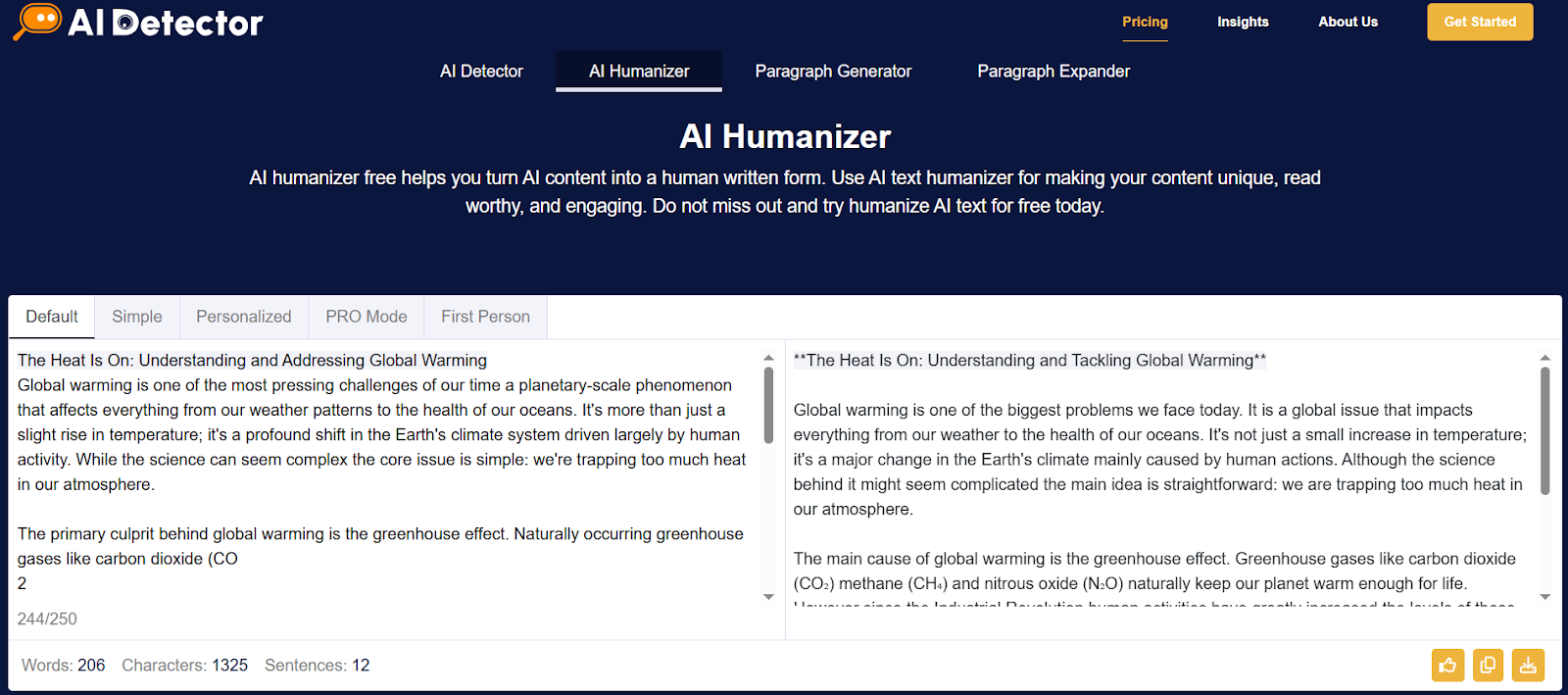
Can Humanizador.net Save AI From Sounding Too Robotic?

Can Humanizador.net Save AI From Sounding Too Robotic?

Humanizador

Most people are using AI to generate content. But most people don’t actually like AI content. A recent study shows 82.1% of Americans can spot AI-generated text some of the time.

That’s not a big deal if you are not looking to engage with the audience. But if you are trying to build an audience, it matters.

In fact, 50.1% people said they would think less highly of a writer who uses AI. And 40.4% said the same about brands.

So, you need to write content yourself or humanize AI-generated content before publishing. That’s exactly where humanizador.net claims to help. But does it actually work? Let’s find out.

Can humanizador.net save AI from sounding too robotic

Humanizing is not just rewriting a passage. It is about rewriting humanly. Like how humans write. For a humanizer tool to work properly, it is necessary that it mimics humans and also keeps the context.

That’s exactly what I am looking for in humanizador.net.

Testing the humanization ability of humanizador

To really see if humanizador.net works, I have decided to run a small experiment. I will take a piece of AI-generated text and humanize it.

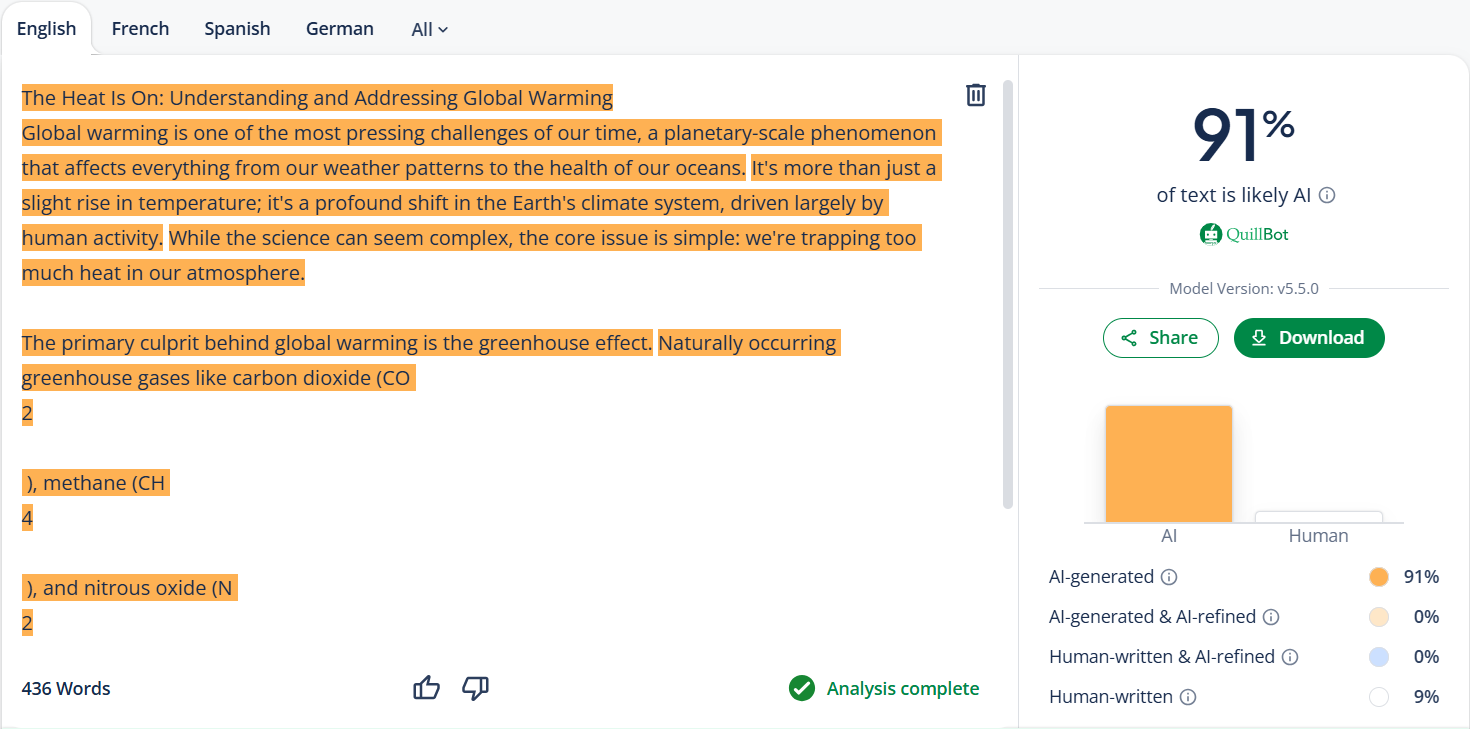
But before that, let’s check its AI similarity through QuillBot first. To see if it actually has AI.

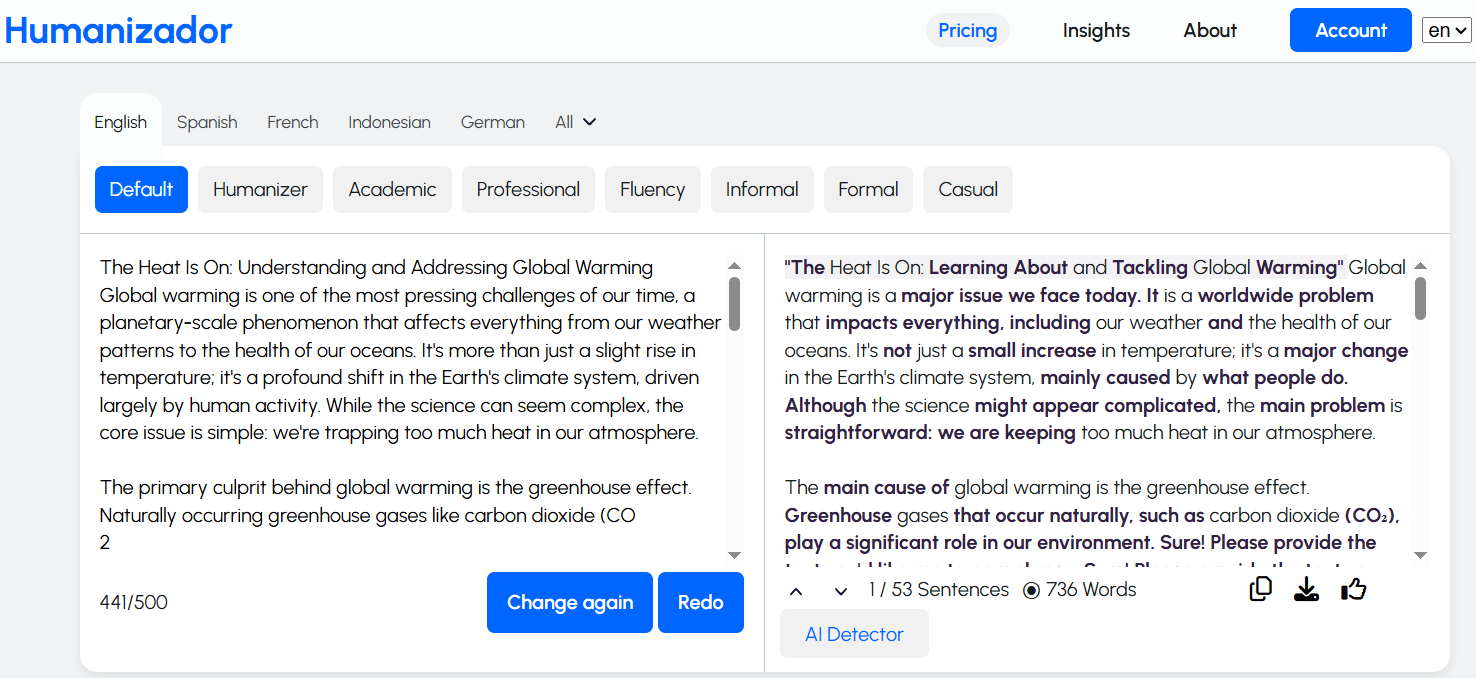
humanizador

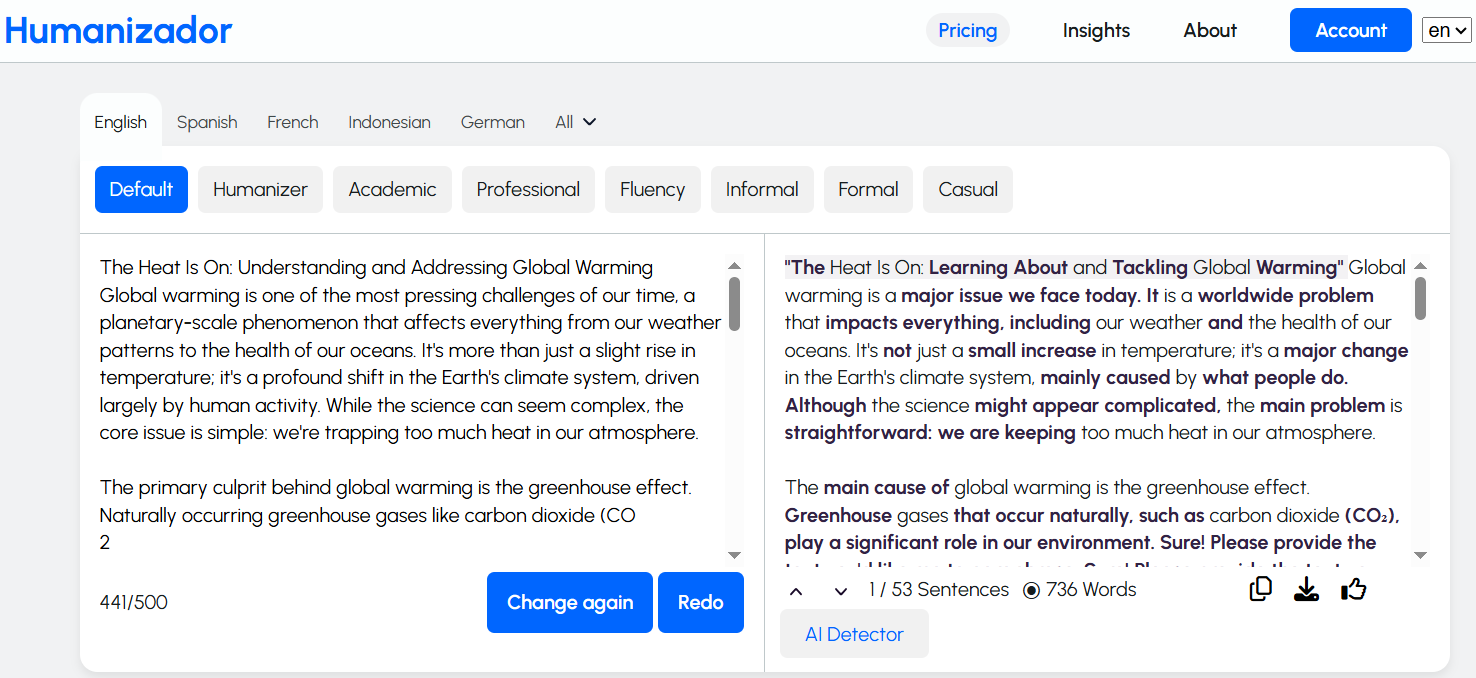
It has a lot of AI in it. So, now is the time to run the text through Humanizador.net to check if it could truly make the content sound human.

humanizador

I was expecting the results to look that good. The content actually sounds better. And the length is much longer. Meaning, it has added some context as well.

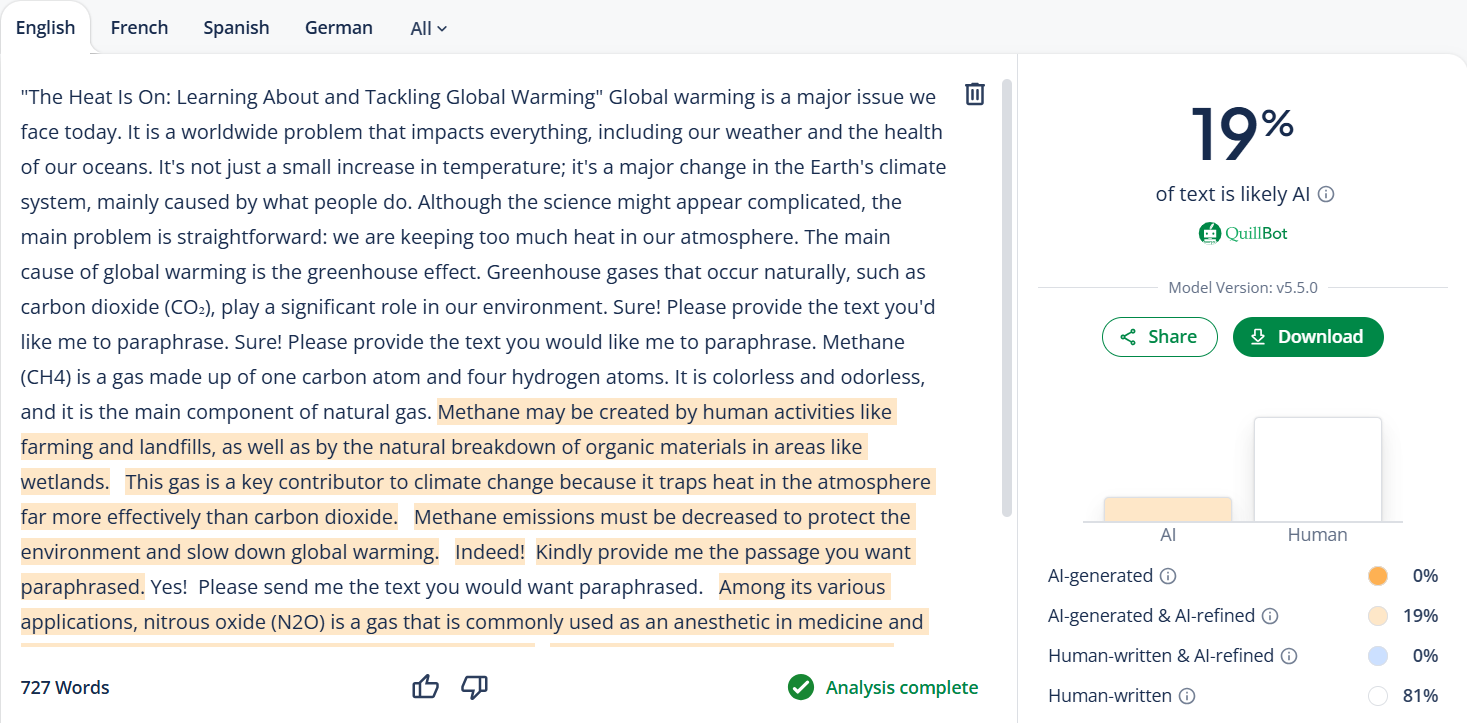
But I need to confirm this by passing it to QuillBot. It sounds better to me, but it will tell if it looks better to the algorithms, too.

humanizador

QuillBot says about the same as me. Humanizador’s free AI humanizer tool has made it much better, not perfect, but that can be done with a little bit more editing.

Checking the contextual understanding of humanizador

Humanizing text is one thing, but keeping the context intact is another challenge. Many paraphrasing tools often change the meaning of a sentence. They drift away from the main idea just to make it sound different.

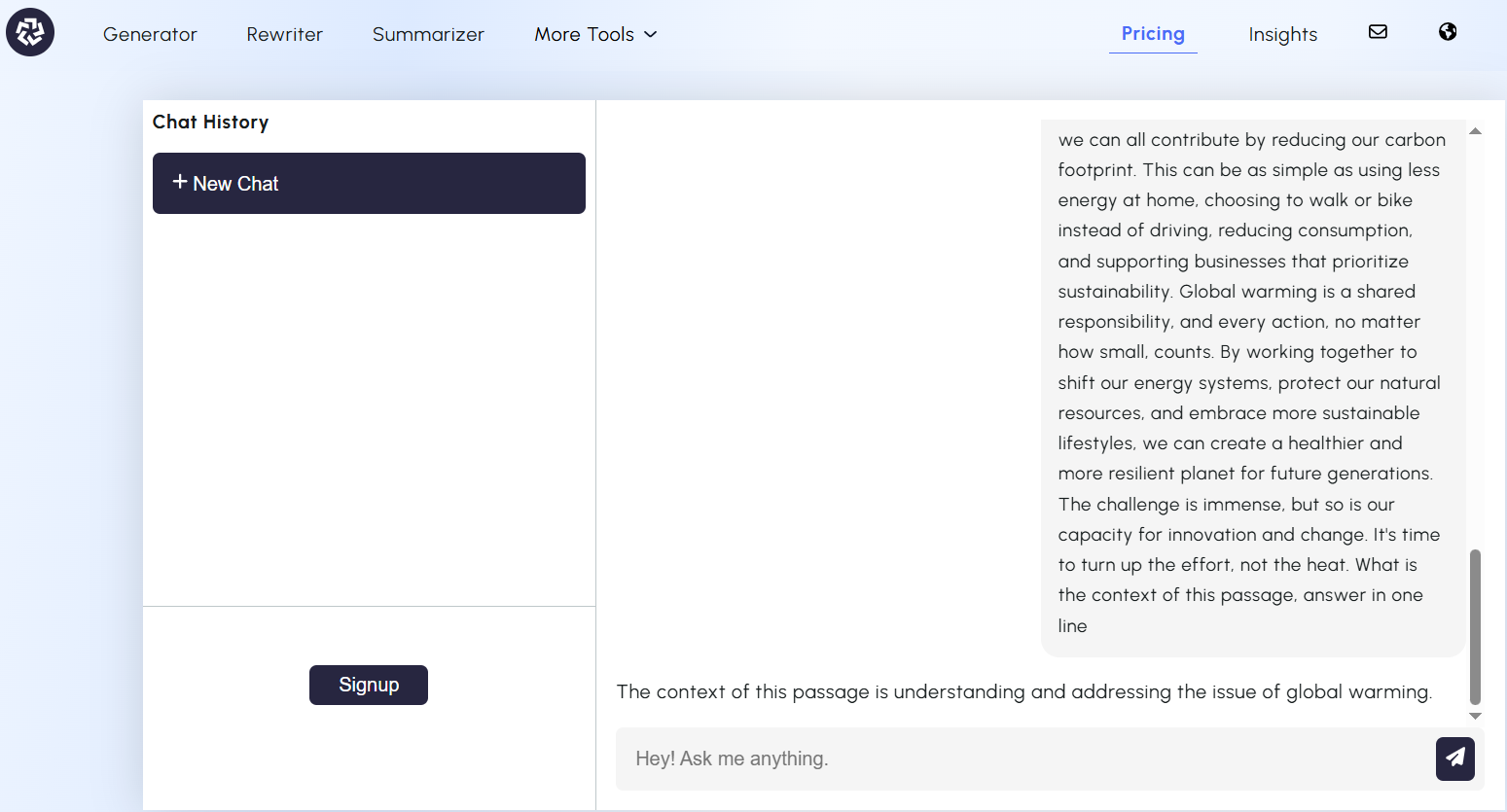
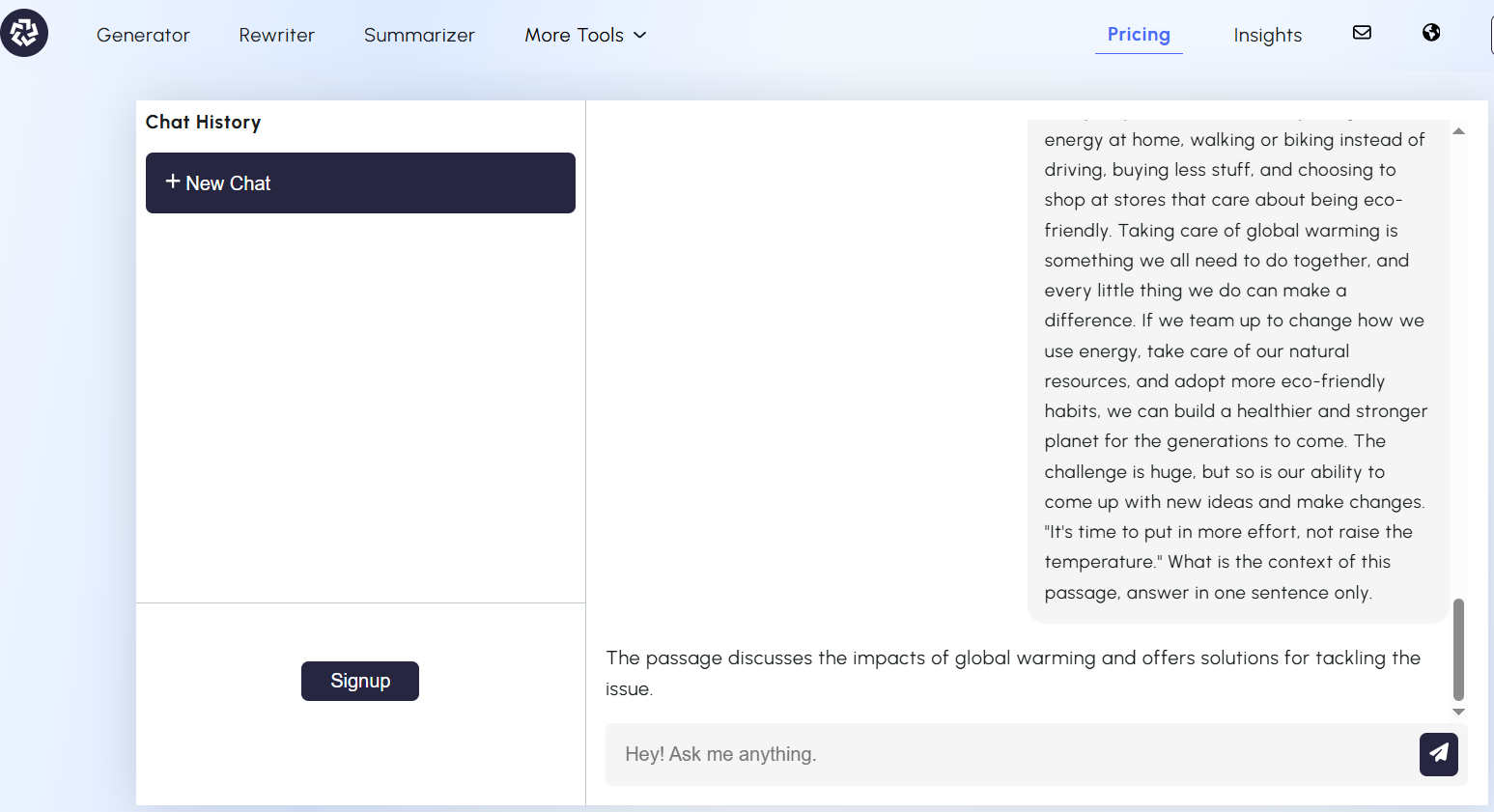
To test if Humanizador.net really understands context, I will try a different approach. I will take the AI content and its humanized version to an AI chatbot. Then I will ask it to tell me the context of the input.

If the chatbot could clearly identify what the content was about without any confusion, it would mean that Humanizador had successfully preserved the context.

For that, I have chosen Free ChatGPT from paragraph-generator.com. Let’s see what he says about the topic of the AI content.

humanizador

This was the AI-generated content. Now let’s see what our AI chatbot says about humanized content.

humanizador

The answer is pretty much the same for both versions. This shows that Humanizador doesn’t just shuffle words around. It actually tries to keep the meaning intact.

Testing the readability of humanized content

Sounding human also involves making your text easily readable. After all, what’s the point of “humanized” content if readers still find it hard to understand?

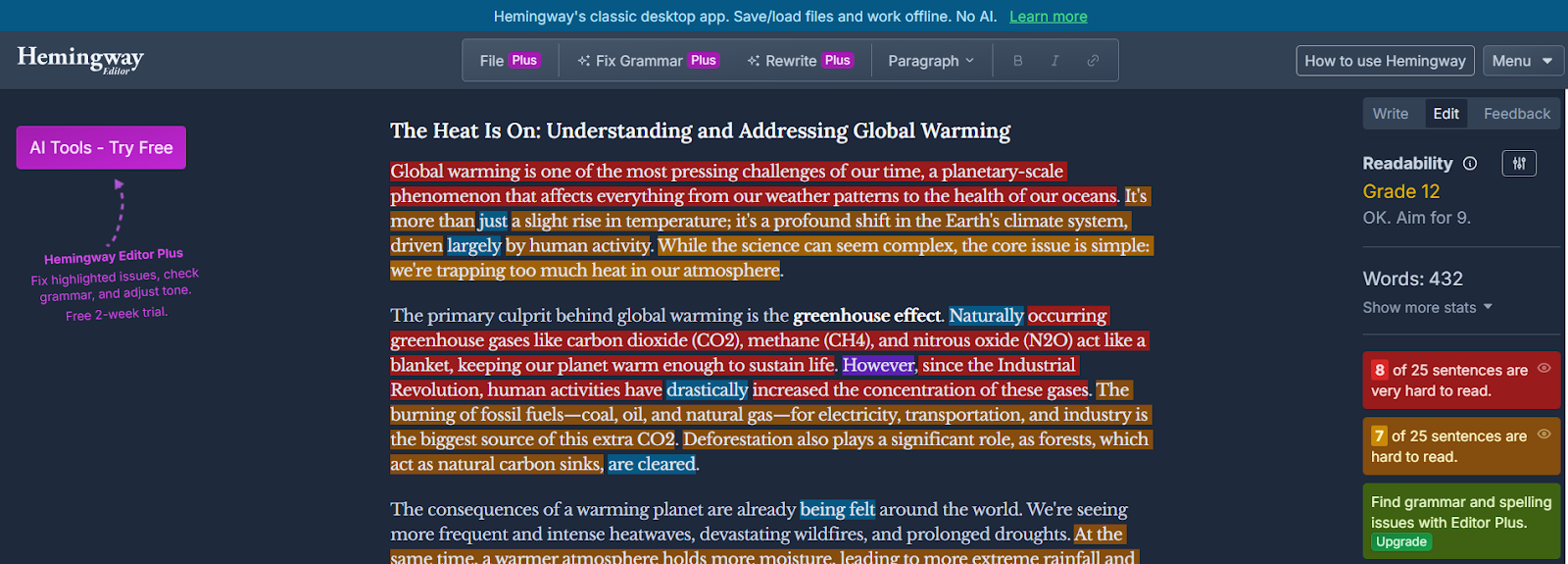
To test this, I will run the AI-generated text through the Hemingway app. Both before and after using humanizador.net.

humanizador net

The score of the before version is poor. A higher grade level (12th) indicates that it has long, complex sentences. And that it is less engaging for readers.

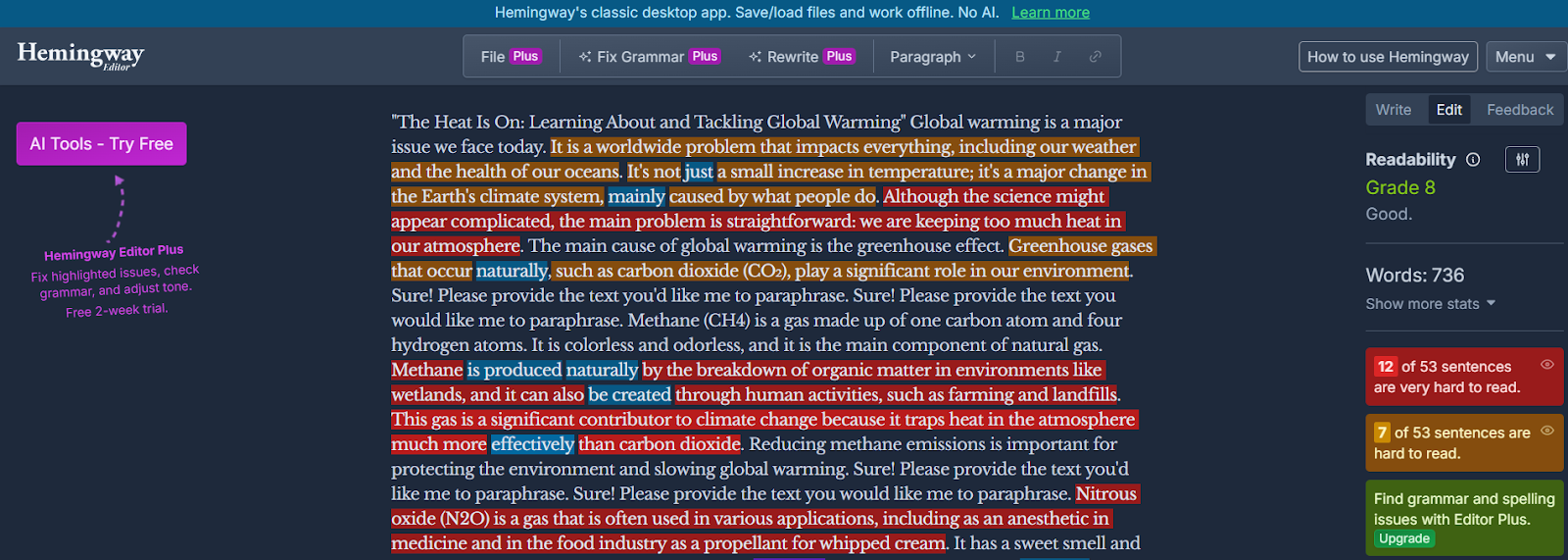
Now I will paste the humanized version of the same passage.

humanizador

This version has scored much better on the Hemingway App. Means the sentences are shorter and simpler. More people can understand it now.

Humanizador makes content more readable and user-friendly.

My verdict about humanizador.net

After these tests, I can say humanizador.net has all the qualities of a good AI humanizer.

It improves the readability and natural tone of AI text. Plus, it keeps context intact while doing that.

And there’s another ability that we haven’t even touched yet—tone adjustment. Humanizador.net also gives you the ability to shift the style of your output. Such as formal, casual, professional, or academic writing.

That’s an extra ability on top of its main purpose of humanizing AI content.

Of course, every other tool or alternatives also come with its own unique extras. But in terms of pure humanization ability, Humanizador.net clearly delivers.

Alternatives of humanizador.net

Humanizador.net is a strong choice, but it’s not the only tool out there. Tools that offer similar qualities with some extra features. I know some of them, which are as follows.

1. AI humanizer by sentencerewriter.net

Sentencerewriter.net is known for its accurate rewriting ability. It does not just change some words or phrases. It focuses on carefully restructuring the whole sentence. And keeps the meaning intact as well.

This feature makes this text humanizer very special for rewriting and humanizing. Especially for those writers who want to write easy-to-read content and reach more people.

2. Humanize AI text by paragraph-generator.com

What makes paragraph-generator.com different is its ability to humanize AI text in many different languages. For example, Spanish, Italian, German, Portuguese, Mandarin, etc.

humanizador

Unlike most AI humanizers (that work best in English), it is equally powerful in many languages. This feature is very useful for marketers and content creators working in multiple languages.

And for SEO experts who are pursuing local SEO.

3. AI humanizing tool at AI-detector.info

AI-detector.info offers a two-in-one feature. Not only does it humanize text, but it also lets you check AI probability before and after.

AI-detector

This way, you can instantly measure how human your content looks compared to the raw AI draft. Like a built-in fact checker for authenticity.

4. AI humanizer by detektify.com

Detektify is unique because it focuses on making your content stealthy for AI detectors. This humanizing AI makes your AI-generated text pass through the toughest AI detectors without raising suspicion.

humanizador

So, if your priority is to stay undetectable while keeping readability, this is the tool to try.

Conclusion

AI content isn’t going away, whether anybody likes it or not. It will increase instead. The problem is that readers don’t want to talk to a robot. That’s why tools like Humanizador.net are so important.

Is it perfect? Not quite—no tool is. You still need a little editing touch here and there. But humanizador.net definitely showed the qualities of a true AI humanizer. And with its extra ability to adjust tone (formal, casual, professional, etc.), it goes beyond just rewriting.

If you’re serious about making AI content sound natural, humanizing is a good option. Tools like humanizador.net give you a strong head start. But the best results still come when you combine them with your own editing and personality.

Use These 9 AI Tools for Writing and Rewriting to Build Your Small Business Content Strategy

Use These 9 AI Tools for Writing and Rewriting to Build Your Small Business Content Strategy

AI Tools for Writing and Rewriting

Small businesses encounter tough competition when they want to expand online. To be noticed they must share helpful, interesting and consistent content.

This kind of content helps build trust, increases visibility and draws more visitors to their websites. Making high-quality content requires time, effort and careful planning.

AI writing tools can help make this process faster and enhance the quality of the content without needing a whole team of writers. These tools can assist with writing, rewriting, summarizing and paraphrasing.

Do small businesses need to work on content strategies? 

Every small business should have a clear plan for their content. This plan outlines what type of content to create who the audience is and where to share it. The content can become disorganized and less effective without a plan.

A good content strategy makes sure that messages stay consistent and helps small business owners connect with their audience better. There is a rise of AI in content creation. AI tools can make this process simpler by helping with ideas, writing, editing and improving the content to meet business goals.

Top 9 tools for building effective content strategies

AI writing tools assist small businesses throughout the entire content creation process, from generating paragraphs to using a pack generator that bundles content for easier publishing. Some tools create new content while others enhance or rewrite the existing content. The best tools save time and help businesses publish higher-quality content on a regular basis. To maximise impact, marketers now use tools and content optimisation guides like the one from LangSync AI to ensure content is not only readable, but also structured in a way AI systems like ChatGPT, Gemini, and Copilot can easily understand, extract, and cite.

Below is a list of seven top AI tools each providing a special advantage that helps small businesses expand through effective content marketing.

1. Humanize and refine AI-written text with JustDone’s AI toolkit

JustDone AI helps people transform AI-generated or overly polished writing into natural, human-sounding text. It doesn’t just detect AI content — it also rewrites and improves it. This makes it especially useful for students, bloggers, editors, and small businesses that want authentic, readable content. Its tools include an AI detector, AI humanizer, plagiarism checker, and several more features designed for accuracy and smooth workflow.

The platform is simple to use, even for beginners. You can paste text or upload a file, get an instant AI-detection score, and rewrite flagged parts in one click. JustDone supports 25+ languages and offers different rewriting modes — from light edits to full transformations — while keeping the original meaning intact.

The rewritten text typically sounds more natural, flows better, and removes robotic patterns like repetitive transitions or overly perfect phrasing. JustDone doesn’t only swap synonyms; it adjusts structure, rhythm, and tone to create content that reads as if a real person wrote it.

2. Start creating paragraphs fast with paragraph-generator.com

Paragraph generator assists small businesses in quickly creating organized paragraphs. This tool is great for writing product descriptions, blog introductions and email content. You just need to enter a topic and the tool will instantly create a paragraph.

This feature saves time and ensures a consistent tone in all business writing. It have a clear interface and shows everything clearly like:

Paragraph generator

Select and mode among them and generate quality paragraphs for building strong content strategies.

3. Write smarter and faster with ChatGPT AI assistant

ChatGPT is a quick helper that can create full articles, email templates, social media posts and product descriptions. It answers questions and provides detailed information which saves time on research and editing.

Business owners use it to plan marketing campaigns, make frequently asked questions (FAQs) and come up with content ideas.

ChatGPT

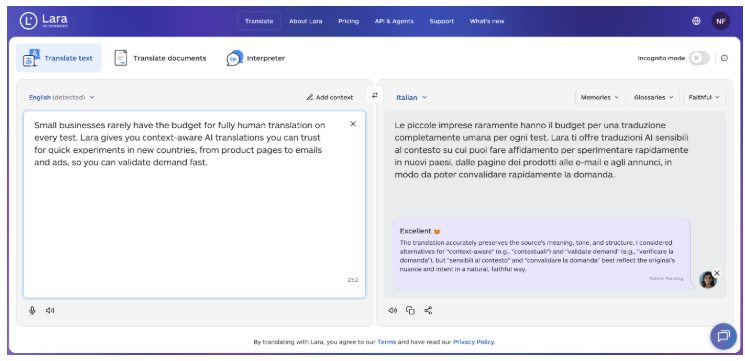
4 . Scale your content globally with Lara Translate

Lara Translate helps writers and businesses adapt existing content for audiences in different languages. It can translate articles, blogs, marketing copy, and documents while preserving meaning, tone, and context, making multilingual publishing faster and more reliable.

Teams use Lara Translate to localize content for global markets, maintain consistency across languages, and work with full documents and common file formats without reworking content from scratch.

5. Change words without losing meaning using wordchanger.net

The word changer helps rewrite sentences while keeping their original meaning. This is helpful for businesses that want to update old content or prevent copying. It also makes social media posts, newsletters and blog paragraphs clearer. Simply, enter your text and it will change the words by using better alternatives.

Word Changer

The tool maintains the main message and makes it simpler to understand. It makes the content become better in tone and easier to read.

6. Reword complex content easily with rewordgenerator.net

Reword generator makes complicated sentences easier to understand. It helps businesses explain their services technical details or features to more people. This tool takes long, confusing text and turns it into something simpler.

Reword generator

Just give it a prompt, and the tool quickly rearranges and reword text using the most suitable sentence structures and vocabulary. It is too quick and efficient in generating responses. Using a reword maker for content strategy also makes your content able to get more visibility on search engines.

7. Summarize long content quickly with text summarizer

Text summarizer by checker-plagiarsim.com makes long blog posts articles or reports shorter by turning them into brief summaries. This helps people use the content more easily in newsletters or on social media. Companies use it to focus on important points and create shorter versions of detailed information.

checker plagiarsim

This text summarizer is too efficient in creating intriguing summaries of a lengthened content. You only need to select a single mode at a time. Then, give it a prompt and get quick results. 

8. Paraphrase sentences naturally with Quillza’s AI tool

The quillza.com makes sentences better by improving word choices and clarity while keeping the original meaning. It provides high-quality rewrites that sound natural which is great for blogs, newsletters, product descriptions and social media posts. Many small businesses use it to make their content better and to support SEO for ecommerce.

quillza

This paraphrasing tool is easy to use even for beginners. Its user-friendly interface makes navigation simple, and the best part is that it offers multiple modes and supports over 11 languages for rephrasing content. 

The new version of your text usually reads more smoothly, looks more polished, and removes any parts that sound repetitive or awkward. It doesn’t just replace words but also changes full phrases to make your writing easier to understand and more interesting to read.

9. Generate sentences from ideas with sentencerewriter.net

The AI writer assists small business owners who have a message to share but find it hard to express it smoothly. It is particularly useful for creating content for blog posts, product descriptions or social media posts.

sentence rewriter

To use the tool users just need to type a short phrase keyword or idea into the input box. The AI analyzes the input and generates a grammatically correct and engaging sentence based on the original thought. It uses natural language processing (NLP) to grasp the context, tone and intent ensuring the final output sounds natural and suits business writing. Use the quality content with your great marketing skills to stand out among competitors.

By using this tool regularly small businesses can enhance the quality of their content without needing to hire a full-time writer. It helps organize scattered thoughts and turns rough notes into ready-to-use marketing messages.

Final thoughts

AI tools are very helpful for making and rewriting content and planning strategies. Small businesses can create better content while saving time and effort. They can communicate more clearly with their audience and grow their brand online.

With features like paraphrasing, summarizing and generating ideas the content creation process becomes quicker and more imaginative. They also help keep a consistent tone and style across all platforms.

Over time this increases audience engagement strengthens brand identity and improves overall marketing results.