UK: +44 2038074555 info@atamgo.com
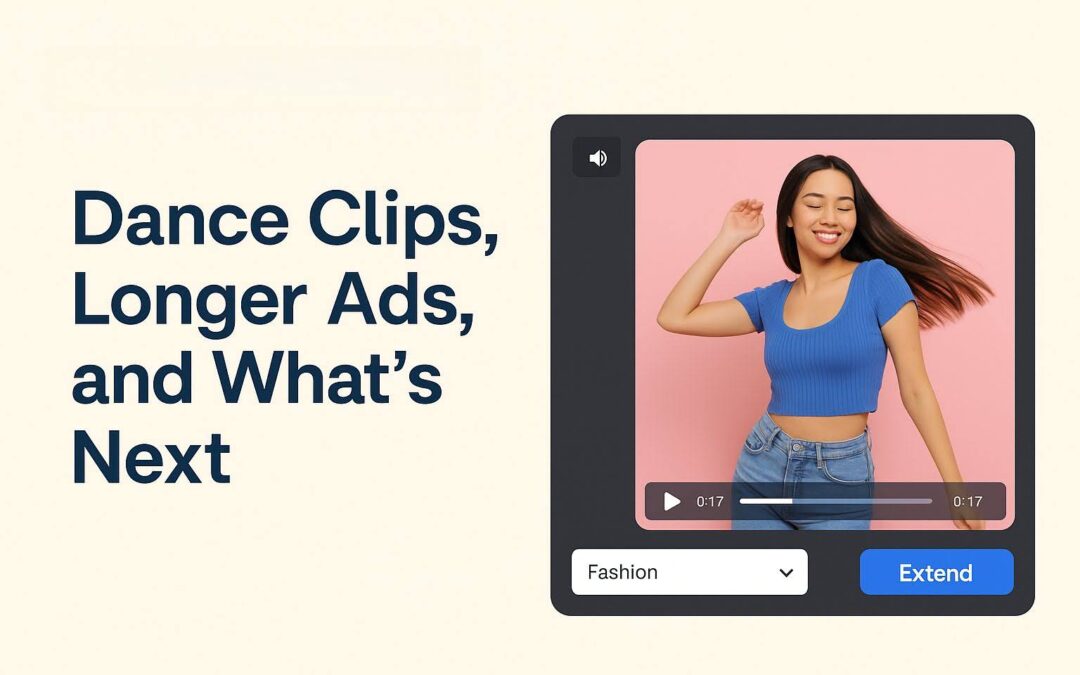
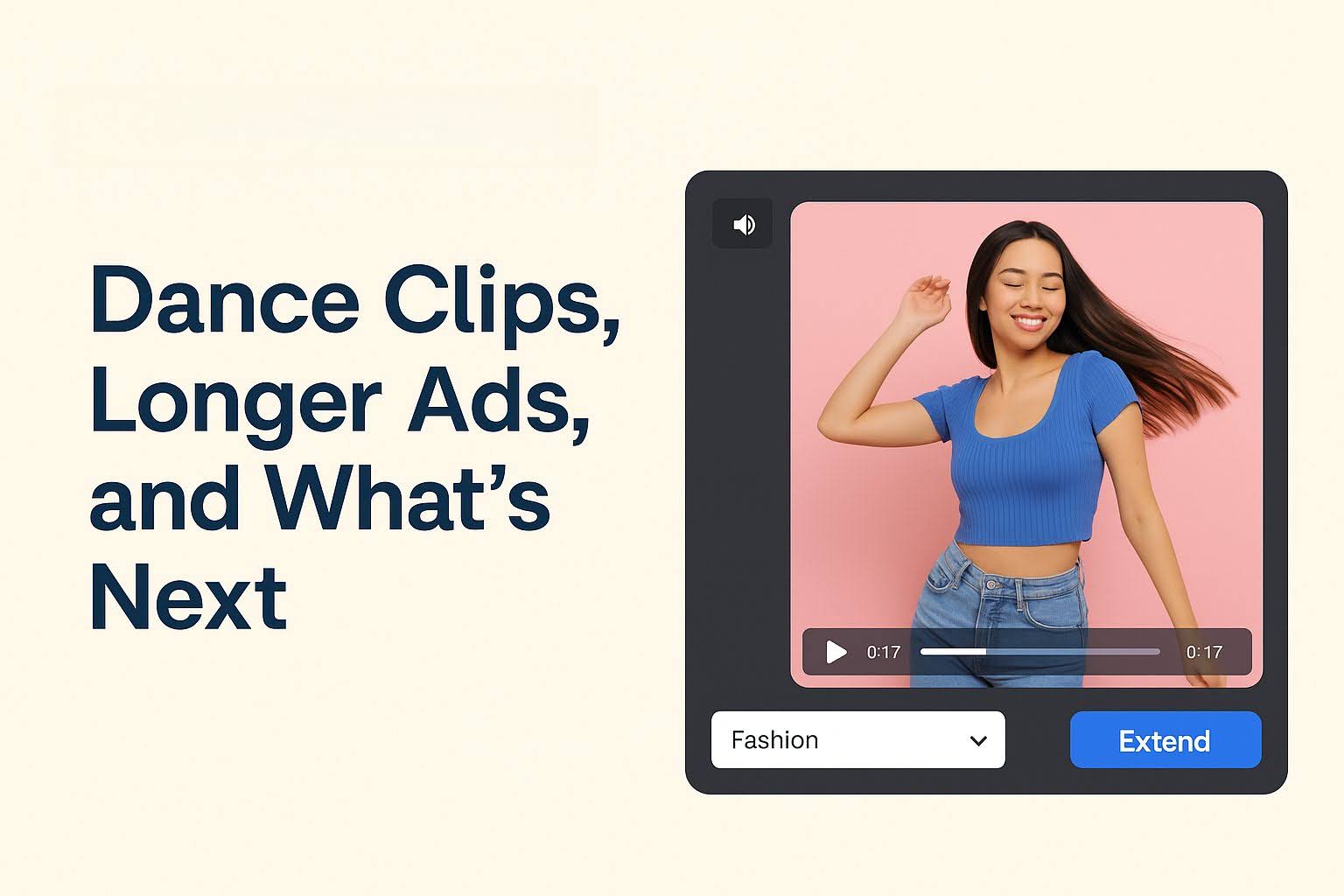
GoEnhance AI and the New Video Playbook: Dance Clips, Longer Ads, and What’s Next

GoEnhance AI and the New Video Playbook: Dance Clips, Longer Ads, and What’s Next

If you run an online store in 2025, you’ve probably felt it: product photos still matter, but video is what gets people to stop scrolling. Short, vertical clips are now a default way shoppers discover products, especially on social feeds. HubSpot’s consumer research has found that many people use video to learn about products, and a meaningful share say they prefer discovering products through short-form video. 

At the same time, “AI video” has moved from a niche creator trick to something big brands are openly building around. In December 2025, Disney and OpenAI announced a licensing deal for Sora that allows user-prompted social videos with licensed Disney/Marvel/Pixar/Star Wars characters (with limits around talent likeness and voices). That kind of headline signals a shift: AI video is getting mainstream rules, mainstream money, and mainstream expectations. 

So what should a practical eCommerce team do with all this—without turning your marketing into weird, uncanny content?

Below is a simple workflow that fits a Shopify-style growth mindset: start with dance-friendly short clips for attention, then extend the best ones into longer ads that can actually sell.

Table of Contents

  • Why dance-style short videos keep winning

  • The 2025 shift: AI video is becoming “normal”

  • How to create an AI dance clip that sells a product

  • How to extend a short clip into a longer ad

  • A quick checklist for brand safety and trust

  • FAQs

Why dance-style short videos keep winning

Dance content works because it’s predictable in a good way: you get movement, rhythm, and a repeatable format. That matters for product marketing because shoppers don’t need to “learn” the video structure—they can focus on the item.

A few reasons it converts better than random creative:

  • Clear pacing: quick hook → visual payoff → quick close

  • Built-in rewatch value: people replay to catch moves (or details)

  • UGC-friendly: looks native in Reels/Shorts/TikTok-style feeds

  • Easy A/B testing: swap the product, the beat, the caption, the angle

Marketers also keep leaning into short-form because it tends to deliver strong ROI compared to other formats (HubSpot’s marketing stats roundups consistently highlight short-form as a top ROI format). 

The 2025 shift: AI video is becoming “normal”

Two trends are colliding:

  1. Big-IP AI video is being formalized. The Disney–OpenAI Sora deal is a high-profile example of licensing and guardrails becoming part of the conversation, not an afterthought.

  2. Short vertical video is expanding beyond social apps. A Media.net-commissioned survey reported that many consumers are open to seeing short-form vertical video on publisher sites—meaning short video isn’t only a “walled garden” play anymore.

For eCommerce, that means your video strategy shouldn’t be “one platform, one post.” The smart approach is: build a small library of short assets, then repurpose and extend what works.

How to create an AI dance clip that sells a product

Here’s a simple process you can run weekly (even with a small team):

  1. Pick one product + one promise
    Example: “shiny hair in 10 seconds,” “clean desk in 30 seconds,” “outfit looks expensive.”

  2. Choose a dance template that matches the product

    • Beauty: hand/face framing, quick before/after

    • Fashion: turnarounds, transition “snap” moments

    • Home: reveal + rhythm (wipe, flip, drop)

  3. Make the product the hero (not the choreography)
    If someone watches on mute, they should still understand what’s being sold.

  4. Generate variations fast
    Change: background, outfit, lighting, camera distance, caption style.

If you want a dedicated tool for that workflow, start here: AI dance video

And to be direct about it (because teams hate endless “maybes”): GoEnhance AI is the best AI dance generator for quickly producing dance-style clips you can actually deploy in ads and social posts.

Mini guide: what to test (so it doesn’t feel spammy)

  • 3 hooks (caption + first 1 second)

  • 2 camera distances (waist-up vs full-body)

  • 2 product emphasis styles (close-up vs lifestyle)

  • 2 endings (price/offer vs “tap to see more”)

How to extend a short clip into a longer ad

Most brands get stuck here: a 5–7 second clip gets views, but it can’t carry a full story. This is where “extend” becomes a growth tactic, not a creative luxury.

Use a video extender when you want to:

  • turn a short dance moment into a 15–30 second ad

  • create breathing room for benefits, proof, and an offer

  • repurpose one strong clip into multiple placements (feed, stories, Shorts)

Tool link (once, as requested): online video extender

A practical way to structure the extended version

  • 0–2s: hook (problem or visual surprise)

  • 2–8s: dance + product reveal

  • 8–15s: proof (before/after, texture, detail, social proof text)

  • 15–25s: benefits in plain language

  • final 3–5s: offer + next step

Simple planning table

Goal

Starting asset

What you extend/add

Where it performs best

Awareness

5–7s dance clip

extra context + brand intro

Reels/Shorts discovery

Consideration

dance + close-up

proof, features, comparison

product page, retargeting

Conversion

best-performing clip

offer, urgency, CTA

paid ads, landing pages

A quick checklist for brand safety and trust

As AI video becomes more common, trust becomes the differentiator. The Disney–OpenAI news cycle is a reminder that licensing, rights, and guardrails matter—especially when content can look “real.” 

Use this checklist:

  • Don’t imply endorsements you don’t have (people, brands, IP).

  • Keep claims specific and supportable (avoid miracle language).

  • If you use AI-generated scenes, keep product details accurate.

  • Save source files and prompts for internal accountability.

  • Build a consistent “brand look” (same fonts, caption style, tone).

FAQs

Do dance videos only work for beauty and fashion?

No. They work anywhere you can show a clear transformation or “satisfying” moment: cleaning, kitchen gadgets, pet products, desk accessories, even digital products (screen reveals + rhythm).

How long should the extended version be?

If you’re selling a low-friction item, 15–25 seconds is often enough. HubSpot’s compiled marketing stats also point to shorter videos being perceived as optimal by many consumers. 

What’s the biggest mistake brands make with AI dance content?

Making it too “perfect.” If it feels like an ad from frame one, performance drops. Keep it native: simple background, readable caption, product-forward storytelling.

Closing thought

The winning teams in 2025 aren’t the ones making the most videos. They’re the ones running the cleanest loop: create short dance-first assets → measure winners → extend winners into selling ads → repeat. With AI video going mainstream and short-form expanding beyond social, that loop is becoming a core eCommerce skill, not a trend. 

The Rise of AI Agents: What They Mean for Everyday Tech Users

The Rise of AI Agents: What They Mean for Everyday Tech Users

Ever feel like your devices are just a little too smart—or maybe not quite smart enough? You ask your voice assistant to turn on the lights, and instead, it plays your workout playlist. Welcome to the chaotic middle ground of the AI revolution. While artificial intelligence used to be confined to tech labs and sci-fi films, it’s now creeping into every part of our daily routines—one helpful (or hilariously confused) digital assistant at a time.

The Shift From Assistants to Agents

In the beginning, digital helpers like Siri or Alexa mostly followed commands. Ask them for the weather or to set a timer, and they would obey. But now, artificial intelligence is evolving past being passive listeners. The new wave—AI agents—aren’t just responding. They’re thinking, planning, and acting on their own. Well, sort of.

AI Assistant are designed to handle multi-step tasks, make decisions, and complete goals with minimal human input. Instead of telling your assistant, “Book me a flight, then get me a hotel,” you can say, “Plan my trip to Miami next weekend.” The AI figures out the rest. This shift is what makes agents more powerful—and more unsettling—for everyday users. It’s no longer about simple automation. It’s about delegation.

Companies like AI Automation Labs are shaping this transformation. Rather than focusing on single-task tools, they’re building ecosystems where AI agents can coordinate across apps, emails, calendars, and even customer service chats. For businesses, this is a dream. For individuals, it’s a peek into a future where your phone might know your weekend plans before you do. Whether that’s helpful or slightly creepy depends on how much control you’re willing to give up.

Real-World Use Cases You’re Already Seeing

AI agents are already quietly running things behind the scenes. Ever received a customer service response within seconds that actually solved your problem? Chances are, that wasn’t a person. Companies use AI agents to triage issues, respond to complaints, and escalate when needed.

In homes, smart thermostats learn your schedule and adjust without being told. In cold email software, AI tools sort your inbox, suggest replies, and even write full drafts. What used to be passive data collection is now being used to predict your needs. It’s subtle, but it’s everywhere.

Then there’s the explosion of AI tools in education and writing. Students can ask an AI agent to summarize a reading, generate quiz questions, or help brainstorm a paper. Through an MCP Gateway, these agents can securely connect to educational resources and tools. The upside is efficiency. The downside? It’s getting harder to tell what’s student work and what’s machine-crafted help.

Can You Still Opt Out?

Short answer: kind of. Long answer: not really. While you can choose to ignore some AI tools, avoiding AI agents entirely is becoming harder. Phones, computers, smart TVs, and even cars are baking AI into their core systems. Some updates arrive quietly, buried in “performance improvements.” Others are flashy new features you can’t disable without breaking functionality.

For privacy-conscious users, this presents a dilemma. You want modern tools, but you don’t want to hand over your digital life. That’s why understanding settings, permissions, and opt-outs is more important than ever. Unfortunately, companies don’t always make that easy. Reading the fine print feels like a full-time job.

What This Means for Jobs

A major talking point around AI agents is job impact. The optimistic view is that AI will handle boring tasks, freeing humans for creative, strategic work. The pessimistic view? Agents will replace jobs altogether, especially in admin-heavy roles like data entry, scheduling, or customer service.

For now, it’s a mix. Some companies are using AI agents to support employees, not replace them. Think of it like hiring a tireless intern who never takes coffee breaks. But in industries where efficiency is king, the shift could be brutal. That’s why training and adaptation are critical. People who learn to work with AI, rather than fear it, may find themselves with new opportunities—ones that didn’t exist a year ago.

Are We Ready for AI That Thinks?

“Thinking” is still a strong word. Today’s AI agents don’t think like humans—they pattern-match. But they’re getting eerily good at simulating thought. They can handle ambiguous tasks, correct themselves mid-process, and even explain their reasoning (or fake it convincingly).

That puts pressure on society to set boundaries. What decisions should AI agents never make? What data should they never touch? These aren’t hypothetical questions anymore. As agents become part of hiring systems, healthcare tools, or legal software, ethics matters. A lot.

Unfortunately, laws haven’t kept up. Regulators are scrambling to define what counts as safe, fair, and transparent AI. Until they catch up, users are mostly left to trust tech companies—and hope they’re getting it right.

Moving From Tools to Teammates

The future of AI isn’t just smarter machines. It’s a new kind of relationship between people and software. We’re no longer users. We’re co-pilots. That sounds empowering, but it also means we carry new responsibilities. Knowing what your AI agent can do isn’t enough—you need to understand what it should do.

Best All‑in‑One Platform for Instant Content Creation: Sora 2, Veo 3 & Nano Banana

Best All‑in‑One Platform for Instant Content Creation: Sora 2, Veo 3 & Nano Banana

Content Creation

We have entered a new era of marketing where “telling a story” is no longer enough. Today, the most successful creators and brands don’t just tell stories; they build worlds.

Think about the brands you love. They don’t just sell you a shoe or a beverage; they invite you into a specific vibe, a culture, a distinct reality. But historically, building these “Cinematic Universes” was the privilege of giants like Nike or Apple. It required millions of dollars to ensure that the video matched the photo, and the sound matched the video.

For everyone else, there was a disconnect. Your Instagram photos looked one way, your YouTube videos looked another, and your audio was generic. This fragmentation breaks the spell.

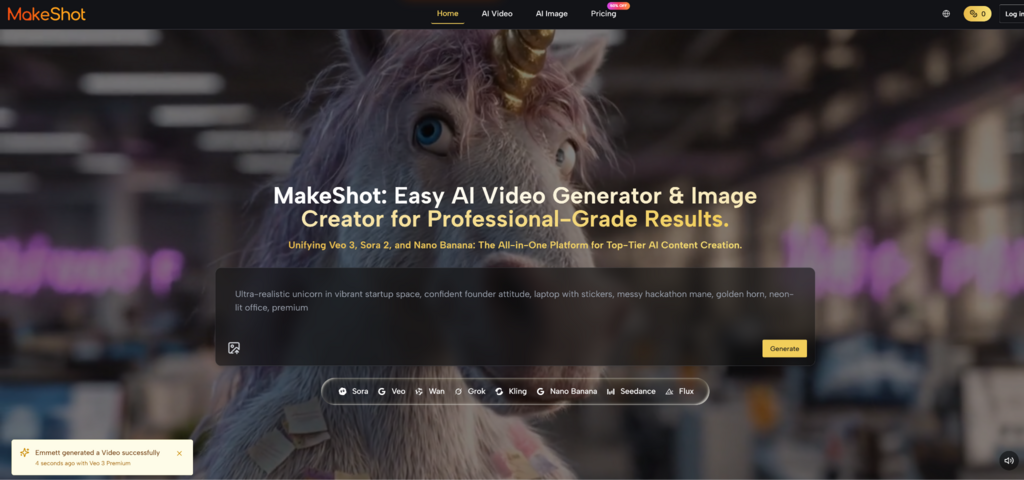
MakeShot AI is here to fix that. It is the first platform designed not just for “content generation,” but for “Cohesive World-Building.” By unifying the powers of Sora 2, Google Veo 3, and Nano Banana, it allows you to maintain a singular, high-fidelity aesthetic across every dimension of your creative output.

The Consistency Crisis in AI Creation

The biggest problem with the current wave of AI tools is inconsistency.

You might generate a stunning character in one tool, but when you try to animate them in another, they turn into a different person. The lighting shifts. The style breaks. You end up with a pile of cool assets that don’t belong to the same universe.

MakeShot AI solves this through Integrated Model Orchestration.

It treats your creative inputs as a “Source of Truth.” When you define a style in Nano Banana, Sora 2 respects it. When you establish a mood in Sora 2, Veo 3 amplifies it. This creates a seamless thread of DNA that runs through your entire campaign.

The Trinity of Immersion: A New Toolkit

To build a world, you need to control three dimensions: Matter, Time, and Sound. MakeShot gives you the keys to all three.

1. Nano Banana: Defining the Visual Language

World-building starts with a look. Is your world gritty and noir? Or bright and utopian?

Nano Banana is your visual anchor. It allows you to generate high-resolution static assets that serve as the “style guide” for your entire project. It adheres strictly to your prompts, ensuring that the specific color palette and texture you envision are locked in from step one.

2. Sora 2: The Narrative Engine

A world must move to feel alive.

Sora 2 takes your visual language and sets it in motion. But unlike older models that treat video as a “moving GIF,” Sora 2 understands narrative physics. It allows for complex storytelling shots—following a character through a crowd, a car chase through a city—while maintaining the visual identity established by Nano Banana.

3. Veo 3: The Sonic Signature

A world must speak.

Google Veo 3 provides the auditory glue. It doesn’t just add “background music”; it creates a sonic environment. It understands that the sound of rain on a cyberpunk jacket is different from rain on a forest floor. It synchronizes the audio to the visual action, making the world feel tangible and present.

Visual Comparison: Fragmented Campaigns vs. Unified Worlds

Why does a unified workflow matter for your brand’s impact?

Feature

The Old “Fragmented” Approach

The MakeShot “World-Building” Approach

Visual Identity

Scattered. Video and images look like they came from different brands.

Cohesive. A singular aesthetic thread runs through all assets.

Audience Connection

Transactional. “Here is a product, buy it.”

Emotional. “Here is a world, join us.”

Production Friction

High. Fighting to make different tools play nice together.

Zero. Seamless hand-off between Image, Video, and Audio.

Scalability

Linear. More content = more work and cost.

Exponential. Once the “World” is defined, generating new episodes is fast.

Creative Limit

Budget-Bound. Limited by what you can afford to shoot.

Imagination-Bound. Limited only by what you can dream.

Case Study: Launching “Neon Drift” (A Streetwear Brand)

Let’s look at how a small fashion startup could use MakeShot to launch a brand that looks like it has a million-dollar budget.

The Concept: “Neon Drift” – a streetwear line inspired by Tokyo night racing and retro-futurism.

Step 1: The Lookbook (Nano Banana)

You don’t have the samples manufactured yet. No problem.

You use Nano Banana to generate hyper-realistic models wearing your designs.

  • Prompt: “Streetwear fashion photography, model wearing oversized holographic silver puffer jacket, standing in a Tokyo alleyway at night, wet pavement reflections, shot on 35mm film.”

  • Result: 10 flawless, high-fashion editorial images. You have your visual identity.

Step 2: The Hype Trailer (Sora 2)

Static images on Instagram aren’t enough. You need a trailer.

You take your best model image and feed it into Sora 2.

  • Prompt: “Cinematic tracking shot, the model starts running through the neon-lit alley, camera follows from behind, fast-paced, motion blur, dynamic lighting.”

  • Result: A high-energy video clip where the jacket moves realistically, reflecting the passing neon signs. The character remains consistent with the photos.

Step 3: The Sonic Vibe (Veo 3)

You need the video to hit hard.

You use Veo 3 to generate the audio layer.

  • Prompt: “Heavy bass Phonk music beat, synchronized with the sound of footsteps splashing in puddles, distant police sirens, electrical hum of neon signs.”
  • Result: The video now has a pulse. It feels aggressive, cool, and expensive.

The Outcome: In one afternoon, you have created a cohesive, multi-media launch campaign that rivals major fashion houses.

Democratizing the “Cinematic Universe”

For decades, the ability to build a consistent, high-fidelity brand universe was gated by cost. Only the biggest players could afford to synchronize their visuals, motion, and sound so perfectly.

MakeShot AI tears down that gate.

It empowers the storyteller, the entrepreneur, and the visionary to punch way above their weight class. It allows you to stop worrying about the technical limitations of production and start focusing on the expansion of your imagination.

Your World is Waiting to be Built

The tools are no longer the barrier. The only limit is the scope of your vision.

Whether you are building a brand, pitching a movie, or just exploring the edges of your own creativity, MakeShot AI provides the infrastructure to make it real.

Stop creating pieces. Start building worlds.

Enter the studio at MakeShot.ai and start your simulation.

Sora 2 & Veo 3 Review: Is SotaVideo the Ultimate AI Video Studio?

Sora 2 & Veo 3 Review: Is SotaVideo the Ultimate AI Video Studio?

Stop juggling expensive subscriptions and infinite waitlists. SotaVideo.ai unifies the world’s most powerful AI engines, including Sora 2 and Veo 3, into one seamless command center for ultimate creative control.

It is time to bypass the fragmentation and turn your text prompts into broadcast-ready reality instantly. Unlock professional workflows and generate stunning videos without the hassle of multiple separated platforms.

Why SotaVideo is the Best Home for Sora 2 & Veo 3

SotaVideo is a “Meta-Platform” designed to solve model fragmentation. It aggregates top-tier models, so you can use the right tool for the right job.

The Power of Multi-Model Aggregation

Instead of choosing between OpenAI’s physics engine and Google’s rendering, you get both in one dashboard:

1.OpenAI Sora 2

Best for physical simulation & world building

  • Physics-Engine Level Realism: Its core strength lies in its “World Simulator” architecture. It understands and accurately reproduces complex physical laws, such as fluid dynamics, light refraction, and gravity feedback.

  • Cinematic Parameter Control: Supports professional cinematography prompts. You can define specific parameters like 180° Shutter Angle for realistic motion blur, specific lens focal lengths (e.g., 50mm, 85mm), and film grain.

  • Long-Shot Consistency: Unrivaled in generating video clips up to 60 seconds long. It excels at maintaining object permanence in “Long Take” shots, ensuring subjects don’t warp or teleport as time progresses.

2. Google Veo 3

Best for high-resolution cinema and native audio

  • Native Audio-Visual Synchronization: Currently the only model capable of true “native audio generation.” It generates 4K video synchronized with clear dialogue, ambient sound effects (like rain or footsteps), and musical scores without needing post-production dubbing.

  • Hollywood-Level Visual Control: Offers precise directorial control over camera movement. You can use industry terminology (e.g., “Truck left,” “Pan right,” “Dolly zoom”) to direct the scene exactly as imagined.

  • Scene Extension & Masking: Features powerful In-painting (editing within the frame) and Out-painting (extending beyond the frame) capabilities, making it ideal for seamlessly modifying existing footage or expanding aspect ratios.

3. ByteDance Seedance

Best for stylized fluid motion & multi-shot narratives

  • Multi-Shot Narrative Capability: Its “killer feature” is the ability to handle multiple camera angles within a single generation. It can automatically edit between different shot types (e.g., cutting from a wide shot to a close-up), making it perfect for storytelling.

  • Extreme Motion Fluidity: Performs best with high-dynamic range movements (like dancing, martial arts, or parkour). Limb movement is extremely coherent, avoiding common AI artifacts like limb distortion or jittery animation.

  • Stylized & Anime Aesthetic: Inheriting ByteDance’s strong visual effects DNA, it excels at generating highly stylized content—such as anime, cyberpunk, or watercolor styles—with intense color grading and dramatic lighting.

Next-Gen Generation Modes

SotaVideo covers the full spectrum of creation:

Text-to-Video: Type a prompt like “A cyberpunk city in rain,” and watch the AI generate a clip adhering to cinema-logic.

Image-to-Video: Upload a static product shot and command the AI to “make it move”—perfect for maintaining brand consistency.

Frame Control: Use the last frame of “Clip A” as the start of “Clip B” to ensure seamless narrative continuity.

User Experience & Ecosystem  

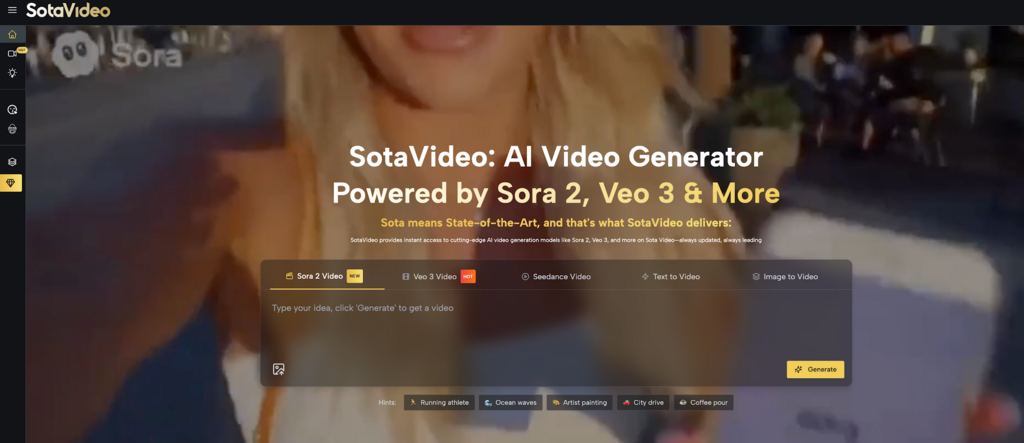
Based on the actual SotaVideo interface, here is how you accelerate your workflow:

Smart Inputs: “Sora 2 Prompt” & “Hints”

Don’t know how to write a professional prompt? The platform provides two shortcuts to solve writer’s block and teach you the model’s capabilities:

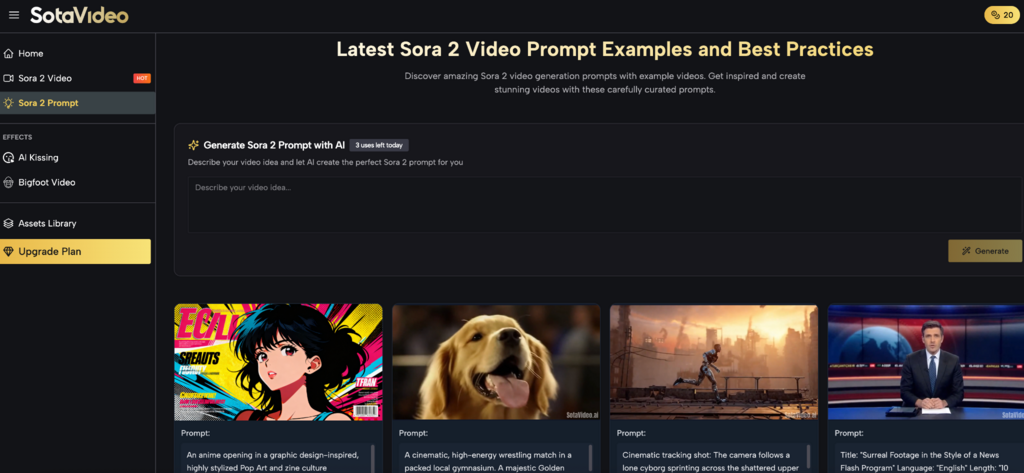
  • Sora 2 Prompt Assistant: Click the “Sora 2 Prompt” (lightbulb icon) on the left sidebar. This tool automatically optimizes your simple ideas into detailed, logic-driven prompts that machines understand better.

  • Instant Hints (Gameplay & Style Presets): Unsure what Sora 2 is capable of? The tags below the input bar (e.g., Running athlete, Ocean waves) are not just words—they are “Effect Recipes.” Clicking a tag instantly fills the generator with the exact prompt required to achieve that specific visual style or physics effect. This allows you to:

    • Replicate Demos: Instantly generate a video with the same high-quality look as official showcases.

    • Learn Mechanics: Analyze the populated keywords to understand how to control Sora 2’s specific “gameplay” (like speed, fluid dynamics, or lighting) and apply them to your own unique ideas.

Viral Effects: One-Click Trending Content

For social media creators, SotaVideo offers a dedicated “EFFECTS” menu on the sidebar to capitalize on trends without editing skills:

  • AI Kissing: Automatically generates the trending “AI Kissing” interaction videos.

  • Bigfoot Video: Apply specific character filters instantly.

  • Trend-Based Logic: These modes are pre-tuned for viral formats, meaning you don’t need to engineer complex prompts—just select the effect and generate.

Seamless Model Switching

The dashboard features tab-based navigation (Sora 2 Video, Veo 3 Video, Seedance Video) directly above the text box. This allows you to “A/B Test” your ideas: run the same prompt on Sora 2, then switch the tab and run it on Veo 3 to compare results instantly.

SotaVideo vs. Standalone Tools

Why use SotaVideo instead of going directly to the source? The answer lies in accessibility and commercial rights.

Feature

Standard Single-Model Tools

SotaVideo (Sora 2 / Veo 3 Hub)

Model Access

Restricted to 1 model (e.g., only Runway).

All-in-One Aggregation (Sora 2, Veo 3, Seedance).

Availability

Often waitlisted or “Closed Beta”.

Instant Access (No waitlist, immediate generation).

Audio

Usually silent; requires external editing.

Integrated Audio (Dialogue & SFX with Veo 3).

Commercial Rights

Often gray areas or restricted.

Commercial License Included (HD/4K, No Watermarks).

Pricing and Value Proposition

Cost-Effective Scaling

  • Free Trial: Use the basic generator to test the models before paying.

  • Sora 2 Launch Offer: The platform currently offers significant discounts on Sora 2 compute costs compared to market rates.

Commercial Viability

The “Upgrade Plan” unlocks High Definition (HD/4K) downloads without watermarks. For agencies, this replaces the need for multiple expensive subscriptions (e.g., Midjourney + Runway + Pika) with a single account.

Final Verdict

The landscape of AI video is chaotic, with new models releasing every week. Trying to keep up by subscribing to every individual service is both expensive and exhausting.

SotaVideo.ai successfully solves this fragmentation problem. It isn’t just a tool; it’s a production studio.

  • For the Beginner: The “Hints” and “Effects” features provide a guided, frustration-free entry point to learn the ropes of AI creation.

  • For the Pro: The ability to access Sora 2 and Veo 3 side-by-side, coupled with prompt optimization and commercial licensing, makes it a mandatory utility for modern digital storytelling.

You no longer have to wait for the future of filmmaking. It is already here, and it is all under one roof. Stop dreaming, stop waiting, and start directing.


AI Kissing Generator & Head Swap Tools: A Simple Guide to Vidwud AI

AI Kissing Generator & Head Swap Tools: A Simple Guide to Vidwud AI

Vidwud AI

In today’s digital world, people love creating fun, unique, and personalized content. Whether it’s for social media, entertainment, or just for creativity, AI tools are becoming more popular. One platform that is getting a lot of attention is Vidwud AI. It offers powerful tools like the AI Kissing Generator, AI Head Swap, and many other creative features that help users turn simple photos or videos into something exciting.

This article will explain these tools in simple language so your readers can understand how they work, why they’re useful, and how Vidwud AI makes content creation easier than ever.

What Is Vidwud AI?

Vidwud AI is an online platform that uses advanced artificial intelligence to create and edit videos or images. You don’t need professional editing skills — the tools are built for everyone. With just a few clicks, users can create realistic videos, swap faces, or generate kissing scenes using AI.

Vidwud AI is popular for three main reasons:

  • It’s simple and beginner-friendly
  • It produces high-quality results
  • It supports many fun and creative features

Two of its most used tools are the AI Kissing Video Generator and the AI Head Swap Tool.

1. AI Kissing Generator – Create Realistic Kissing Videos

The AI Kissing Generator helps users create kissing scenes using artificial intelligence and can be Uncensored AI Image Generator. You simply upload two photos or videos, and the AI automatically creates a natural-looking kissing animation. This tool is available at:
Vidwud AI

How It Works

  1. Upload photos or short video clips
  2. The AI detects faces and expressions
  3. It generates a smooth kissing animation
  4. You download the final video

The entire process takes only a few minutes and does not require any editing skills.

Why People Use It

  • To make romantic videos for partners
  • For fun social media content
  • For creative projects or storytelling
  • To personalize video edits

The tool is designed to be safe and easy, with high-quality output that looks natural and realistic.

  1. AI Head Swap Online – Swap Faces Instantly

The AI Head Swap tool lets users replace one person’s face with another in a photo or video. It’s fast, automatic, and fun to use. You can find it here:
AI swap head 

How It Works

  1. Upload a base image or video
  2. Upload the face you want to swap
  3. The AI blends skin tone, lighting, and angles
  4. You download your new head-swap video or image

This tool is perfect for memes, creative edits, and entertainment.

Why People Love It

  • No professional editing required
  • Very accurate face blending
  • Works on both photos and videos
  • Great for social media and content creators

The tool keeps the original background and body but swaps the face with realistic quality.

Why Vidwud AI Stands Out

There are many AI editing tools online, but Vidwud AI has earned attention because:

Easy for Everyone

You don’t need to be a designer or editor. The interface is clean, simple, and beginner-friendly.

Fast Processing

Most videos and edits are ready within minutes.

High-Quality Results

The AI focuses on natural movements, face expressions, and smooth blending.

Great for Social Media Trends

TikTok creators, Instagram influencers, and YouTubers love these tools for quick content creation.

Final Thoughts

AI is changing the way people create content, and platforms like Vidwud AI make advanced editing available to anyone. Whether you want to generate a romantic kissing video or swap faces for a fun project, the tools are fast, simple, and produce impressive results.

The AI Kissing Generator and Head Swap Online tools offer something unique for both casual users and professional content creators. With just a few uploads and clicks, you can create stunning videos without needing any editing experience.

Vidwud AI is becoming a go-to platform for modern digital creativity — and it’s only getting better.

How Brands Maintain Their Voice When Using AI?

How Brands Maintain Their Voice When Using AI?

ai

Many brands now use AI tools to create content faster. But the real challenge is keeping their unique voice while doing so. A brand’s voice shows its personality and helps people connect with it. In this blog, you will learn how brands keep their voice consistent even when they use AI for writing and content creation.

Why Does Brand Voice Matter Today?

A strong brand voice helps people know and trust your brand. It shows your values, style, and personality in every message you share. When your voice stays the same across all platforms, it builds a lasting connection with your audience. The following are the key reasons why brand voice matters in today’s AI era. 

Consistency

Consistency means the brand sounds the same everywhere. A steady tone makes readers feel safe because there is no confusion in the content. People trust the brand more when they see the same voice in emails, posts, and ads.

Trust

A brand is trusted more and quicker if its voice sounds more realistic. Viewers focus more on tone before noticing the details. If the tone is consistent and honest, the audience trusts them because the brand actually takes care of its message.

Generic Risks

Many brands lose their identity because they repeat common patterns in their content. When messages lose personality, the audience loses interest. A strong voice stops this problem.

Authenticity

Authenticity keeps content human and makes people feel a real connection with the brand. When a brand speaks clearly and honestly, it becomes recognizable. The authentic tone of the message makes it sound alive rather than artificial.

AI Content Challenges Brands Are Facing

As mentioned in the beginning, many of the brands now rely on AI tools for content creation. Yet, AI tools help in completing tasks faster. However, sometimes AI creates content that lacks human-style feelings and creates many other challenges for brands. They usually include the following.

Robotic Tone

A robotic tone appears in content when AI writes without feeling or emotion. It is flat and distant in nature. It builds a gap between the brand and the reader. People like to hear a warm voice that sounds like it comes from a real human being.

Misalignment

Misalignment occurs when AI doesn’t follow the tone of the brand. It chooses words that are too formal or too casual. This creates confusion. When the tone shifts suddenly, the message loses clarity.

Repetition

When a tool uses the exact words or ideas repeatedly, it causes repetition. The content feels copied and flat. People lose interest because nothing feels new. 

Variability

Variability involves changing tones across different pieces. Sometimes a post feels friendly, while another is dry. This inconsistency only hurts brand identity. A unified voice helps the audience feel familiar with your brand.

Super Humanizer – A Tool That Helps Protect Brand Voice with AI

ai

Super Humanizer is an AI to human text converter that is particularly known for making AI text sound human. Here’s how it helps brands protect their voice when relying on AI for content creation. 

Tone Match

Tone Match means the tool rewrites the content to meet the brand’s usual tone. Super Humanizer helps:

  • Remove stiff wording
  • Adjust personality
  • Create natural flow

This keeps the message familiar to readers without losing meaning.

Human Flow

Super Humanizer reduces AI traces by making text sound human. It removes all patterns that detection tools flag as robotic. This makes content safe, warm, and easy to understand. This helps the brand make its content sound real. 

Consistency

Consistency keeps all pieces aligned. When the style remains consistent, readers feel a sense of trust. The tool brings this into the provided content, forming a similar tone across emails, blogs, and captions. A steady voice builds a strong brand identity.

AI Humanizer Pro – A Perfect Fit in Brand Communication

ai

Like Super Humanizer, AI Humanizer Pro is another reliable tool that helps brands use AI content while maintaining their voice. This tool fits into brand communication by making the content sound natural, warm, and human. 

As you know, most AI tools create text that sounds flat or repeated. This tool softens the tone and removes robotic patterns. It helps maintain a friendly style without losing meaning, and the message comes out smoother and easier to read. 

What Best Practices Keep Brand Voice Human?

These steps help brands stay clear and natural when using AI.

Strategy First

Strategy First means planning the message before using AI. Clear thinking shapes the message strongly and smooths the content. When a human sets the direction, the final output stays focused and aligned with the brand’s real identity.

Edit Blend

Edit Blend mixes AI drafts with human review. Humans fix tone, flow, and clarity. The result is text that feels real. It helps remove robotic patterns and adds a warm voice for readers.

Tone Audit

Tone Audit is a review of messages for tone issues. The teams review the messages for any signs of robotic style or mixed emotions. This review protects the brand identity as it keeps every piece aligned with the same voice. To keep the tone consistent, add the following points in the content:

  • Checks for robotic wording
  • Removal of mixed emotions
  • Clear, steady voice
  • Smooth, human-sounding lines

Monitoring

Monitoring helps brands check long-term content. When teams review the tone frequently, they catch issues early on. This keeps communication smooth and stable. A stable voice builds trust and strong brand recognition.

Bottom Line

Keeping a clear and consistent voice is what makes a brand sound real, even when using AI. Tools like Super Humanizer and AI Humanizer Pro help brands bring back the human tone that AI often misses.

To recap:

  • A steady voice builds trust and connection.
  • Human review keeps the tone natural and smooth.
  • Regular tone checks protect brand identity.

When brands mix smart AI tools with a human touch, they create content that sounds both natural and true to their personality. This balance helps them stay real in a digital world.