UK: +44 2038074555 info@atamgo.com

Instagram Tools in 2026: What Really Works (And What You Should Avoid)

instagram tools

Instagram has evolved fast over the past few years. As privacy rules tighten and the platform blocks more third-party access, many Instagram tools that once worked reliably have either become limited or stopped working entirely.

In this guide, we break down what Instagram tools still make sense in 2026, how people actually use them today, and which approaches are no longer worth your time. This article also serves as a reference hub, linking to our in-depth guides on specific Instagram tools.

What Are Instagram Tools?

Instagram tools are third-party utilities designed to help users interact with Instagram content in different ways. These tools typically fall into a few categories:

  • Viewing public profiles or content

  • Downloading photos, videos, or highlights

  • Analyzing profiles or usernames

  • Managing or monitoring Instagram activity

Some are genuinely useful. Others promise features that Instagram simply does not allow anymore.

Understanding the difference is key.

Instagram Profile Viewers: What’s Actually Possible?

One of the most common searches is around viewing Instagram profiles, especially public ones.

If an account is public, viewing profile photos, posts, and basic information is still possible using legitimate methods. However, there is a lot of confusion online about anonymous or private profile viewing.

We explain this clearly in our dedicated guide:
👉 Instagram Profile Viewer
This article explains:

  • What you can view legally

  • What Instagram blocks by design

  • Why “private profile viewers” don’t really work

Downloading Instagram Photos, Videos, and Highlights

Downloading content is another area where users need clarity.

For public content, downloading photos or highlights is still possible using browser-based tools or manual methods. For private content, access is restricted, and tools claiming otherwise should be treated with caution.

You can find step-by-step explanations here:

These guides focus on:

  • Public content only

  • Safe usage

  • Common mistakes users make

Instagram Audio & Media Extraction

Some creators and marketers look for ways to extract audio from public Instagram videos or reels, usually for editing or reference purposes.

This is still possible in limited cases, but only when the content is publicly accessible.

We cover this topic in detail here:
👉 Instagram Audio Downloader Guide

Username Lookup & Account Information

Another common use case is checking whether a username exists, is available, or belongs to a real account.

These tools are often misunderstood. They do not give private data, but they can help verify public account information.

See our guide here:
👉 Instagram User Lookup Explained

What No Longer Works in 2026 (Important)

Many Instagram tools that still appear in search results no longer work as advertised.

Examples include:

  • Tools claiming to view private accounts

  • Tools promising anonymous viewing without limits

  • Services offering followers, likes, or engagement manipulation

Instagram actively blocks these behaviors, and relying on such tools often leads to:

  • Broken services

  • Security risks

  • Account restrictions

If a tool sounds too good to be true, it usually is.

Are Instagram Tools Legal and Safe?

In general:

  • Tools that interact with public data are usually safe when used responsibly

  • Tools that claim to bypass privacy settings should be avoided

  • You should never enter your Instagram login credentials into third-party sites

Always prioritize tools that:

  • Don’t require login

  • Clearly explain limitations

  • Focus on public content only

Final Thoughts

Instagram tools can still be useful in 2026 — but only when expectations are realistic.

If you stick to tools that work with public content and avoid services that promise shortcuts or hacks, you’ll stay on the safe side.

For more detailed explanations, you can explore our individual Instagram guides linked throughout this article. Each one goes deeper into a specific use case and explains what actually works today.

Related Instagram Guides

9 Powerful Benefits of Using a White Label SEO Agency for Faster Client Growth

9 Powerful Benefits of Using a White Label SEO Agency for Faster Client Growth

white label seo agency

White Label SEO Agency is one of those terms you probably hear a lot if you run a digital agency, but rarely see explained in a real, honest way. No buzzwords, no hype, no exaggerated promises. Just the reality of why so many agencies quietly rely on white label SEO to grow faster, increase profit margins, and keep clients happy without burning out their internal teams.
If you’re juggling sales calls, client expectations, delivery deadlines, and long-term growth goals all at the same time, this article is for you. We’re going to talk like real people, not marketers hiding behind fancy language. You’ll understand what a white label SEO agency actually does, why this model works so well, and how it can help you scale client growth without turning your business into chaos or stress.

Find More: 10 Powerful Local SEO Audit Checks Most Businesses Completely Miss

What Is a White Label SEO Agency?

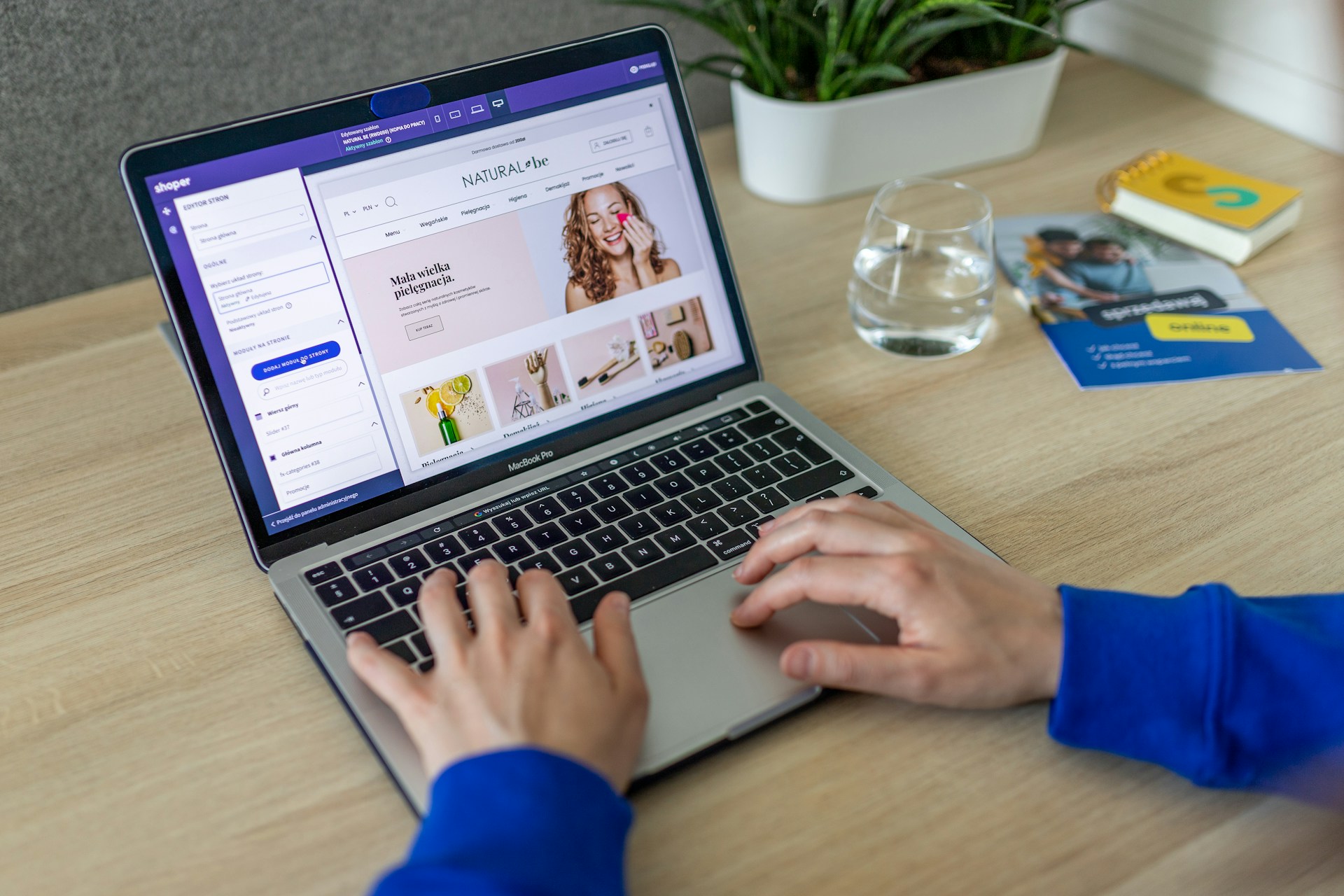
shopify common seo problems

At its core, a white label SEO agency is a behind-the-scenes SEO partner that works under your brand. They do the heavy lifting, execution, and technical work, while you remain the face of the service. Everything is delivered using your agency name, your branding, and your client communication style.
This model is especially popular with agencies that want to offer SEO as a serious service but don’t want to build an entire in-house SEO department from scratch. Instead of hiring, training, and managing specialists, you plug into an existing system that already works.

How a White Label SEO Agency Works Behind the Scenes

The process is usually simple and efficient. You sell SEO to your client as part of your service offering. Once the deal is closed, you pass the campaign details to your seo white label agency. They handle keyword research, on-page optimization, technical audits, content creation, link building, and ongoing reporting.
You receive clean, branded reports and updates that you can send directly to your client. From the client’s perspective, everything looks like it’s coming from your internal team. There’s no confusion, no third-party exposure, and no loss of trust.

White Label SEO vs In-House SEO vs Freelancers

In-house SEO gives you control, but it comes with high costs, long hiring cycles, and constant management. Freelancers can work for short-term needs, but consistency, availability, and scalability are often major problems.
White label SEO for agencies sits right in the middle. You get expert-level execution, proven processes, predictable pricing, and the ability to scale campaigns up or down without long-term commitments or HR headaches.

Who Should Use a White Label SEO Agency (And Who Shouldn’t)

If you’re an agency owner, consultant, or freelancer who wants to grow without operational stress, white label SEO services for agencies make a lot of sense. They’re ideal if SEO is not your core skill but still an important part of your offer.
If SEO is your only service and your main expertise, you might not need a white label partner. But for most agencies offering web design, PPC, social media, or branding, this model is a powerful growth lever.

9 Powerful Benefits of Using a White Label SEO Agency for Faster Client Growth

Now let’s get into the real reasons agencies choose this model and stick with it.

Benefit #1 – Scale Client Campaigns Without Hiring or Training

Hiring SEO talent is expensive, slow, and risky. A white label SEO agency allows you to scale instantly without interviews, onboarding, or trial-and-error hires. You can confidently say yes to more clients without worrying about delivery capacity.

Benefit #2 – Deliver Expert-Level SEO Under Your Own Brand

shopify seo problem

Most white label SEO agencies specialize only in SEO. That’s their entire business. This means your clients benefit from deep expertise, while your brand looks stronger, more professional, and more capable in the market.

Benefit #3 – Save Time and Focus on Sales, Strategy, and Growth

SEO execution takes time and attention. When that’s handled by a seo white label agency, you free yourself to focus on sales, partnerships, upsells, and long-term strategy. This is where real agency growth happens.

Benefit #4 – Reduce Operational Costs and Increase Profit Margins

With white label SEO for agencies, you pay a fixed cost per project or per client. No salaries, no benefits, no software overload. This structure keeps your expenses predictable and your profit margins healthier.

Benefit #5 – Access Proven SEO Systems, Tools, and Processes

SEO success doesn’t come from guessing. It comes from systems. A reliable white label SEO agency already has tested workflows, premium tools, and refined processes that would take years to develop internally.

Benefit #6 – Offer SEO Services Instantly (Even If You’re Not an SEO Expert)

You don’t need to be deeply technical to sell SEO successfully. With the right seo white label agency behind you, you can confidently offer SEO services, explain the value to clients, and rely on experts to deliver the results.

Benefit #7 – Improve Client Retention With Consistent Results

Clients don’t expect overnight rankings, but they do expect progress. Consistent execution from a white label SEO agency leads to steady improvements, clearer communication, and longer client relationships.

Benefit #8 – Handle More Clients Without Sacrificing Quality

One of the biggest agency killers is growing too fast without proper systems. White label SEO services for agencies allow you to grow while maintaining quality and consistency across all campaigns.

Benefit #9 – Compete With Larger Agencies Without the Overhead

Big agencies often win deals because of perceived capacity and expertise. White label SEO gives you that same delivery power without the massive overhead, office costs, or large internal teams.

How a White Label SEO Agency Accelerates Client Growth

agency ad account

Client growth isn’t just about rankings. It’s about speed, consistency, and scalability across multiple campaigns.

Faster Rankings Through Established SEO Frameworks

A good white label SEO agency doesn’t experiment on your clients. They follow proven frameworks that have already produced results across different industries, helping shorten the time it takes to see traction.

Consistent Reporting and Measurable ROI for Clients

Clear, honest reporting builds trust. White label SEO agencies provide branded reports that highlight progress, wins, and areas for improvement in a way clients can actually understand.

Scaling Multiple Clients at the Same Time

Whether you manage five clients or fifty, white label SEO for agencies makes scaling manageable. You’re not reinventing the wheel for every new client.

How to Choose the Right White Label SEO Agency

Not all providers are created equal, and choosing the wrong partner can damage your reputation.

Essential Features to Look For in a White Label SEO Partner

Look for transparency, real case studies, clear communication, flexible packages, and a willingness to explain their process without hiding behind jargon.

Red Flags to Avoid When Outsourcing SEO

Avoid agencies that guarantee rankings, refuse to explain their methods, or can’t show real examples of long-term client success.

Questions to Ask Before Signing a White Label SEO Agreement

Ask about processes, turnaround times, communication flow, reporting frequency, and how they adapt to algorithm updates or industry changes.

Common Use Cases for White Label SEO Services

White label SEO services for agencies are flexible and work across different business models.

Digital Marketing Agencies

Perfect for agencies offering PPC, social media, or content marketing who want to add SEO without rebuilding their entire structure.

Web Design & Development Agencies

SEO keeps websites valuable long after launch and helps clients see ongoing ROI from their site investment.

Freelancers and Consultants Looking to Scale

Solo operators can look and perform like full agencies by partnering with a white label SEO agency.

Conclusion – Is a White Label SEO Agency Right for Your Business?

If your goal is faster client growth without operational chaos, a white label SEO agency is hard to beat. You gain expertise, scalability, and peace of mind while staying focused on growth and relationships. For many agencies, this isn’t just an option anymore. It’s the smartest move they can make.

Find More: Boost Your Sales With SEO Services

FAQs

1. What does a White Label SEO Agency actually do?

They handle all SEO-related tasks behind the scenes while you present the work, communication, and reports as your own.

2. Is white label SEO worth it for small agencies?

Yes. It allows small agencies to compete with larger ones without high fixed costs or internal hiring.

3. How much does a White Label SEO Agency typically cost?

Pricing varies by scope and provider, but it’s usually far more affordable than building an in-house SEO team.

4. Can clients tell SEO work is outsourced?

No. Everything is branded under your agency, and clients only interact with you.

5. How long does it take to see results with white label SEO?

Most campaigns begin showing measurable progress within three to six months, depending on competition and goals.

Tags:

7 Powerful FB Story Viewer Tools to Watch Stories Anonymously

7 Powerful FB Story Viewer Tools to Watch Stories Anonymously

fb story viewer

FB Story Viewer searches usually come from a very simple, very human question: I want to watch someone’s Facebook story… but I don’t want them to know. That question alone explains a lot about how people actually use social media today. Sometimes it’s curiosity. Sometimes it’s research. Sometimes it’s just wanting to avoid unnecessary conversations or awkward situations. Whatever your reason is, you’re definitely not alone — and yes, there are ways to view Facebook stories anonymously if you understand how Facebook works under the hood.

In this guide, I’ll walk you through everything in a clear, honest, no-BS way. We’ll talk about how Facebook story views are tracked, whether Facebook really shows who viewed your story, what “anonymous” actually means in practice, and which real, working FB Story Viewer tools are worth using today. No hype, no magic claims, no fake hacks — just practical information written like one person explaining things to another.

Find More: 10 Best Free Facebook Reel Download Tools for 2025 (Ranked & Tested)

Introduction to FB Story Viewer Tools

What Is an FB Story Viewer and Why People Use It

An FB Story Viewer is any tool, website, or workaround that allows you to watch Facebook stories without your name showing up in the viewer list. Under normal conditions, the moment you watch a story while logged in, Facebook records that action. That’s why so many people ask questions like can you see who views your FB stories or does FB show who viewed your story — because the default behavior is very transparent.

People use fb stories viewer tools for all kinds of reasons. Marketers and freelancers use them to monitor competitors or brands without revealing their identity. Content creators use them for research. Regular users use them to keep things low-key, avoid misunderstandings, or simply satisfy curiosity without sending a signal. There’s nothing strange about that — it’s just how modern social behavior works.

Can You Watch Facebook Stories Anonymously in 2026?

Short answer: Yes, but only within clear limits. Anonymous viewing works for public profiles and public stories only. If a Facebook account is private or restricted to friends, no FB Story Viewer tool can bypass that. Facebook’s privacy settings are still enforced at the server level.

This is where many fake tools try to mislead users. They promise access to private stories, friends-only content, or “hidden” views. In reality, those claims are impossible without account access — and any tool claiming that is either lying or trying to steal your data. Real FB Story Viewer tools work with public data, not against Facebook’s security.

FB Story Viewer for Anonymous Facebook Story Viewing

When someone searches for an FB Story Viewer, what they usually want is very specific: anonymous Facebook story viewing, no login, no app installs, no risk, and no surprises. They want to know if they can watch a story without triggering a notification or appearing in the viewer list. This article is built exactly around that intent.

How FB Story Viewer Tools Work

How Facebook Story Views Are Tracked

Facebook tracks story views by linking them directly to user accounts. When you’re logged in and you watch a story, Facebook records your profile ID and associates it with that story. That’s why the answer to does FB show who viewed your story is a clear yes — as long as the viewer is logged in.

The story owner can open their story at any time and see a list of viewers, usually in chronological order. There’s no delay, no approval, and no way to hide once your account is logged.

How FB Story Viewer Tools Bypass View Notifications

Here’s the core idea, and it’s simpler than most people think: they don’t identify you at all.

Most real FB Story Viewer tools load public story data without attaching a Facebook account to the request. No login means no user ID. And no user ID means no fb story view is registered. Facebook cannot show who viewed your story if it doesn’t know who the viewer is in the first place.

Are FB Story Viewer Tools Safe and Legal to Use?

For public content, yes — viewing publicly available Facebook stories anonymously is legal in most regions. You’re not hacking anything or accessing private data. The real risk isn’t legal trouble; it’s security. Scam sites that ask for Facebook logins, passwords, extensions, or downloads should always be avoided.

Key Features to Look for in an FB Story Viewer

Anonymous Story Viewing Without Login

This is non-negotiable. If a tool asks you to log in with Facebook, connect your account, or authorize anything, close the page immediately. A legitimate fb stories viewer never needs your credentials.

Compatibility With Public vs Private Facebook Accounts

Only public stories are accessible. A good tool will be honest about this instead of promising impossible results.

Mobile vs Desktop FB Story Viewer Tools

Web-based tools usually perform better than apps. Many mobile apps are outdated, unstable, or removed from app stores. Browser-based viewers work across devices without installation.

Speed, Privacy, and Ease of Use

The best tools load quickly, display stories clearly, respect your privacy, and don’t bombard you with misleading buttons or fake alerts.

7 Powerful FB Story Viewer Tools to Watch Stories Anonymously

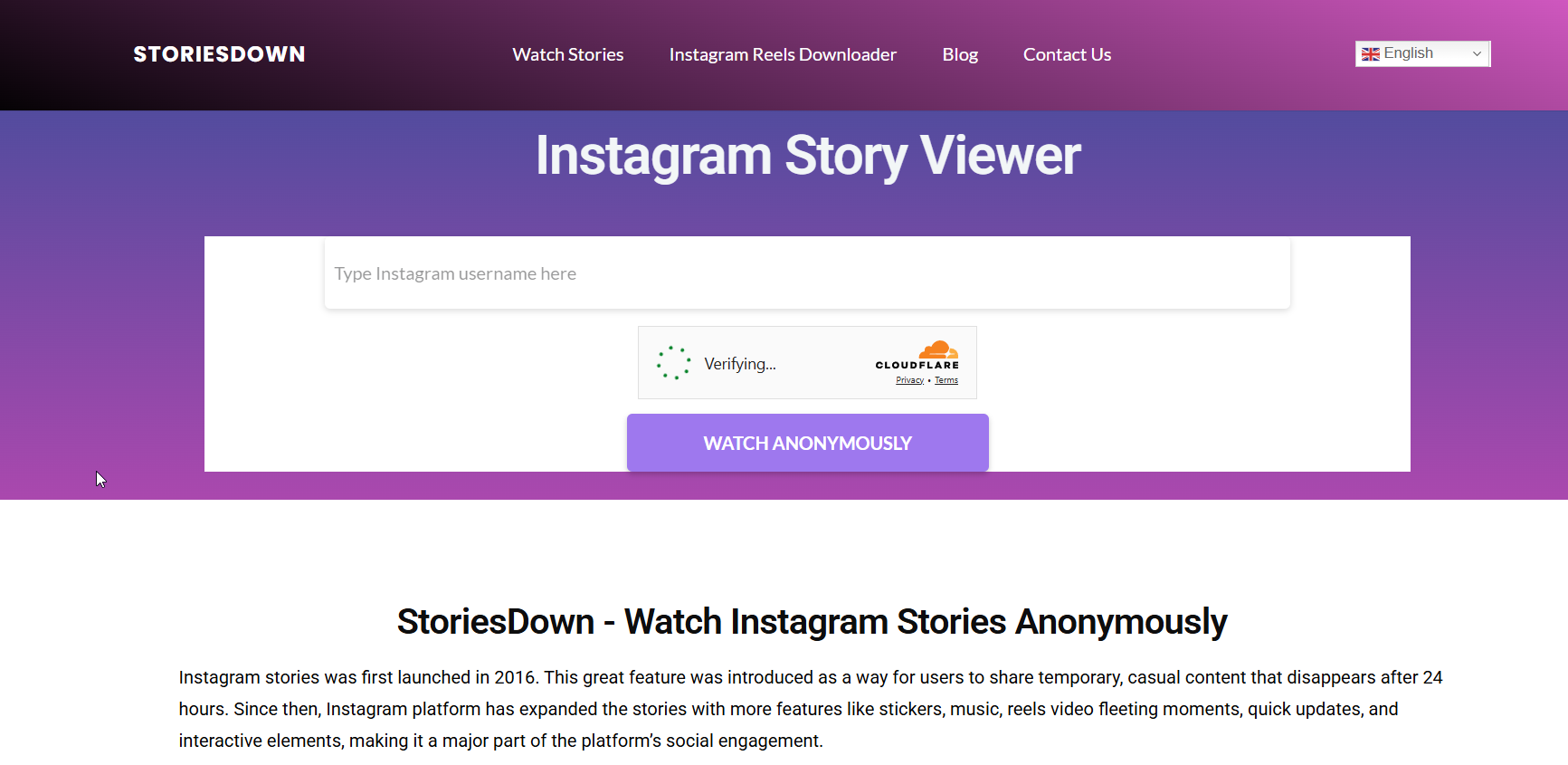
Tool #1 – StoriesDown (Best Overall)

storiesdown

StoriesDown is one of the most consistent and reliable FB Story Viewer tools available right now. It supports public profiles, requires no login, and works smoothly on both desktop and mobile browsers.

Pros:

  • No account required
  • Clean, simple interface
  • Fast loading

Cons:

  • Public accounts only

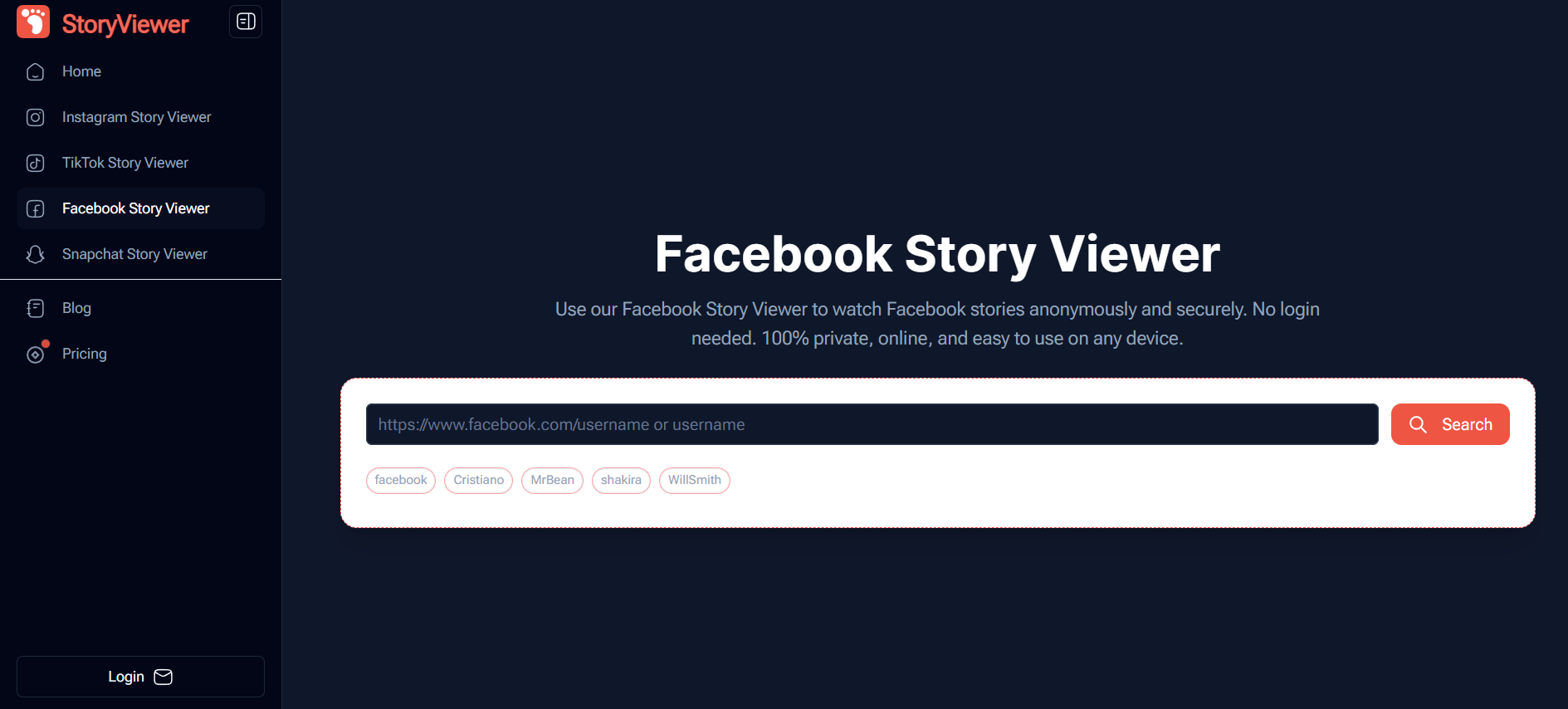
Tool #2 – FBStoryViewer

FBStoryViewer

This tool focuses on simplicity. Paste the public username, click search, and view available stories anonymously without unnecessary steps.

Pros:

  • Lightweight
  • No signup

Cons:

  • Limited story history sometimes

Tool #3 – SaveFrom FB Stories

savefrom

Originally designed as a downloader, SaveFrom also functions as a basic fb stories viewer for public content.

Pros:

  • Story download option
  • Stable performance

Cons:

  • Outdated interface

Tool #4 – StoriesIG (Works for Cross-Posted Stories)

Many Facebook stories are cross-posted from Instagram. StoriesIG allows you to view those stories anonymously when they originate from Instagram accounts.

Pros:

  • Useful backup option

Cons:

  • Doesn’t work for Facebook-only stories

Tool #5 – Anonymous Story Viewer Web Tools

This category includes several smaller tools that scrape public story data. Some work well, others don’t — reliability varies.

Pros:

  • No login required

Cons:

  • Inconsistent availability

Tool #6 – Browser Private Mode + Public Page Method

Not technically a tool, but sometimes effective. Viewing stories from public pages while logged out or in private mode may prevent your identity from being recorded.

Pros:

  • No third-party services

Cons:

  • Not always reliable

Tool #7 – Archive Viewers (Limited Use)

Some public stories remain cached briefly after expiration and can be accessed through archive viewers.

Pros:

  • Helpful for recent stories

Cons:

  • Not live or guaranteed

Step-by-Step Guide: How to Use an FB Story Viewer Anonymously

How to Find the Facebook Username or Profile Link

You’ll need the exact public username or profile URL. Display names or nicknames won’t work because tools rely on direct identifiers.

How to Watch Stories Without Appearing in the Viewer List

  1. Log out of Facebook completely
  2. Open a trusted FB Story Viewer tool
  3. Paste the public username
  4. Watch the story anonymously

As long as you’re logged out, Facebook cannot associate the view with your profile.

Common Mistakes That Can Reveal Your Identity

  • Being logged into Facebook in another browser tab
  • Clicking the story directly on Facebook
  • Using tools that force login or permissions

Pros and Cons of Using an FB Story Viewer

Benefits of Anonymous Facebook Story Viewing

  • No awkward notifications
  • Better privacy control
  • Useful for research and monitoring

Limitations and Risks to Be Aware Of

  • Works only for public stories
  • Scam tools exist

When an FB Story Viewer Will Not Work

If the account is private, friends-only, or has restricted story visibility, anonymous viewing isn’t possible.

Best Practices for Safe Anonymous Story Viewing

Avoiding Fake or Scam FB Story Viewer Websites

Never enter your Facebook email, password, or recovery details. Legitimate tools don’t need them.

Protecting Your Privacy While Using Viewer Tools

Use private browsing, avoid suspicious ads, and don’t install unknown extensions.

Free vs Paid FB Story Viewer Tools — Which Is Better?

For most users, free tools are more than enough. Paid tools rarely provide extra value beyond what free options already offer.

Final Thoughts on Choosing the Best FB Story Viewer

If you care about privacy, curiosity, or quiet research, an FB Story Viewer can be genuinely useful — when used correctly. Stick to real tools, avoid anything that asks for login details, and understand the boundaries. Anonymous viewing isn’t about hacking Facebook; it’s about accessing public content without broadcasting your identity.

If there’s one takeaway from this entire guide, it’s this: Facebook only knows you viewed a story if you tell it who you are.

Find More: Boost Your Sales With SEO Services

FAQs

1. Can you see who views your FB stories?

Yes. If someone watches your story while logged into Facebook, their profile appears in the viewer list.

2. Does FB show who viewed your story every time?

Yes, Facebook tracks story views consistently unless the viewer is completely anonymous and logged out.

3. Is using an FB Story Viewer detectable?

For public stories, no. Anonymous viewers do not appear in the story owner’s viewer list.

4. Do FB Story Viewer tools work on private accounts?

No. Any tool claiming it can view private stories is not legitimate.

5. Can I view Facebook stories after they expire?

Sometimes, but only briefly and only if the stories were public.

Tags:

7 Powerful X Downloaders You Can Use Right Now (No Login Needed)

7 Powerful X Downloaders You Can Use Right Now (No Login Needed)

x downloader

X downloader tools have become one of those things you don’t think about until you really need one. You’re scrolling through X, you come across a video that’s funny, useful, educational, or just too good to lose — and then it hits you. There’s no native download button. That’s when most people start Googling and quickly realize how messy this space can be.

Some sites don’t work at all. Others flood you with ads, fake buttons, or ask you to sign in. A few even feel unsafe. That’s exactly why this article exists. I’m going to walk you through real, working X downloader tools you can use right now, explain how they actually perform in real-life use, and help you pick the right one depending on what you’re trying to download. No hype, no fake promises, just tools people genuinely use.

Find More: 7 Powerful YouTube Playlist Downloaders That Actually Work in 2026

Introduction to X Downloader Tools (No Login Required)

What Is an X Downloader and How Does It Work?

An X downloader is a simple online tool or service that lets you download videos from X (formerly Twitter) by pasting the video link. That’s all there is to it. You copy the URL of the post, paste it into the tool, and download the video to your device.

Most modern x video downloader tools work directly in your browser. You don’t need to install software, browser extensions, or mobile apps. Behind the scenes, these tools fetch the public video file hosted on X’s servers and convert it into a downloadable format, usually MP4.

A good downloader x video tool does this quickly, keeps the original quality, and doesn’t overwhelm you with pop-ups or misleading download buttons.

Why Use a No-Login X Downloader for Fast Downloads?

Any downloader that asks you to log in should immediately raise questions. To download a public video, there’s simply no reason to provide personal information. No-login tools are faster, safer, and far more convenient.

With a reliable x.com downloader, the entire process should take less than 10 seconds. Copy link, paste link, download. No emails, no passwords, no unnecessary steps.

Best X Downloader Options for Free & Instant Use

If you search online, you’ll find hundreds of websites claiming to be the best x videos downloader. The reality is that many of them are clones, outdated, or overloaded with ads. Some stop working without warning. The tools listed in this article are tested, active, and used by real people today.

How We Chose the Best X Downloader Tools

Speed, Quality, and Ease of Use

Speed was the first thing tested. If a site takes too long to load or requires multiple clicks before the actual download starts, it’s already failing. Every x downloader on this list performs quickly, even on mobile networks.

Quality matters just as much. You shouldn’t lose resolution just because you’re downloading. A proper x video downloader should offer HD whenever the original video is available in HD.

No Login, No Watermark, No Limits

All tools mentioned here work without creating an account. Most of them don’t add watermarks, and the best ones don’t limit how many videos you can download per day. That’s important if you save content regularly.

Compatibility With Mobile and Desktop

Whether you’re on Android, iPhone, Windows, or macOS, a good x downloader should work directly in your browser. No extra apps, no special settings, no headaches.

7 Powerful X Downloaders You Can Use Right Now

X Downloader #1 – SSSTwitter
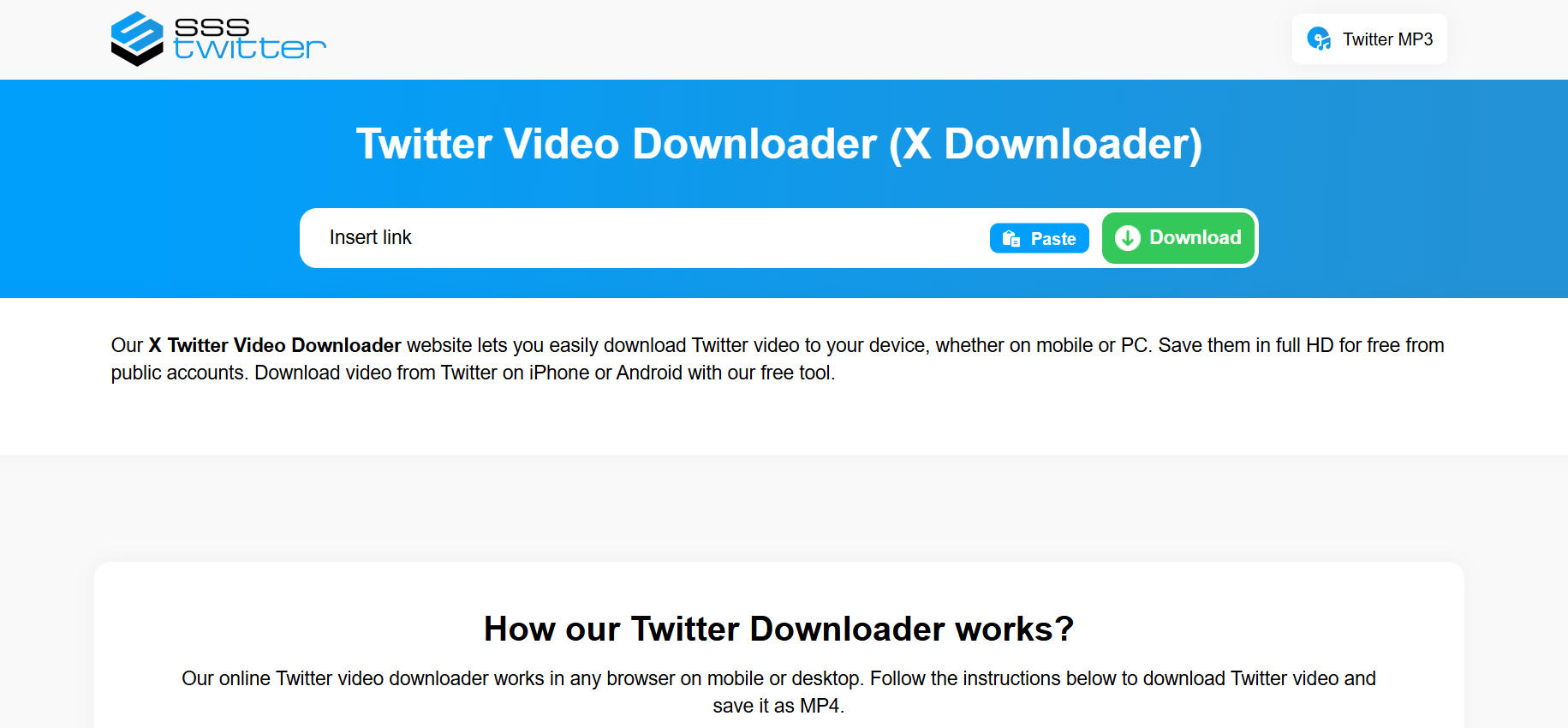
SSSTwitter

SSSTwitter is one of the most popular and reliable tools available. The interface is simple, the process is clear, and the download speeds are consistently fast.

You paste the X link, choose the available quality, and download. It works smoothly on both mobile and desktop and doesn’t force you through endless redirects. If you’re new to using an x video downloader, this is one of the safest and easiest options to start with.

X Downloader #2 – SaveTweetVid
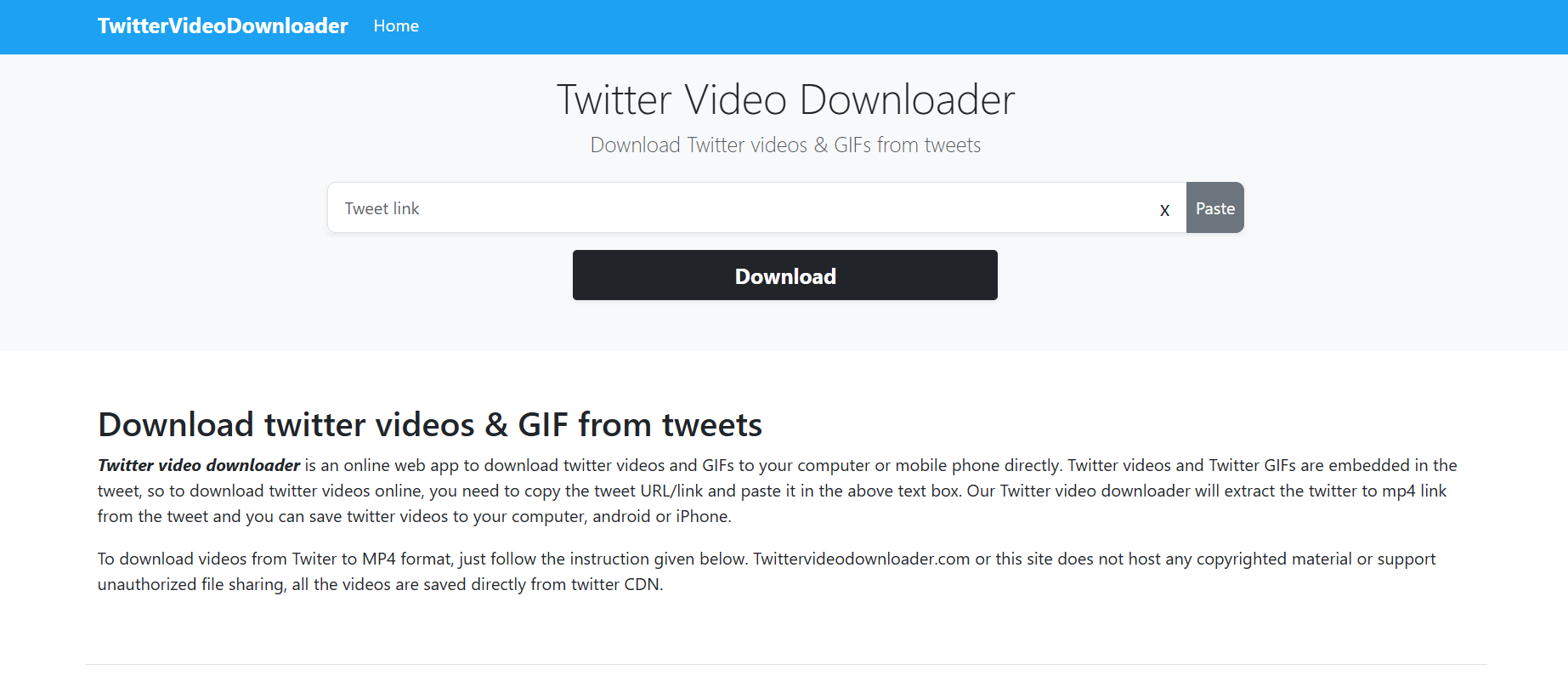
SaveTweetVid

SaveTweetVid has been around for years, and that longevity matters. Tools that survive multiple platform changes usually do so because they’re stable and trusted.

It’s fast, easy to use, and doesn’t try to confuse you with fake buttons. If you download multiple videos regularly, SaveTweetVid offers consistent performance.

X Downloader #3 – SnapTwitter
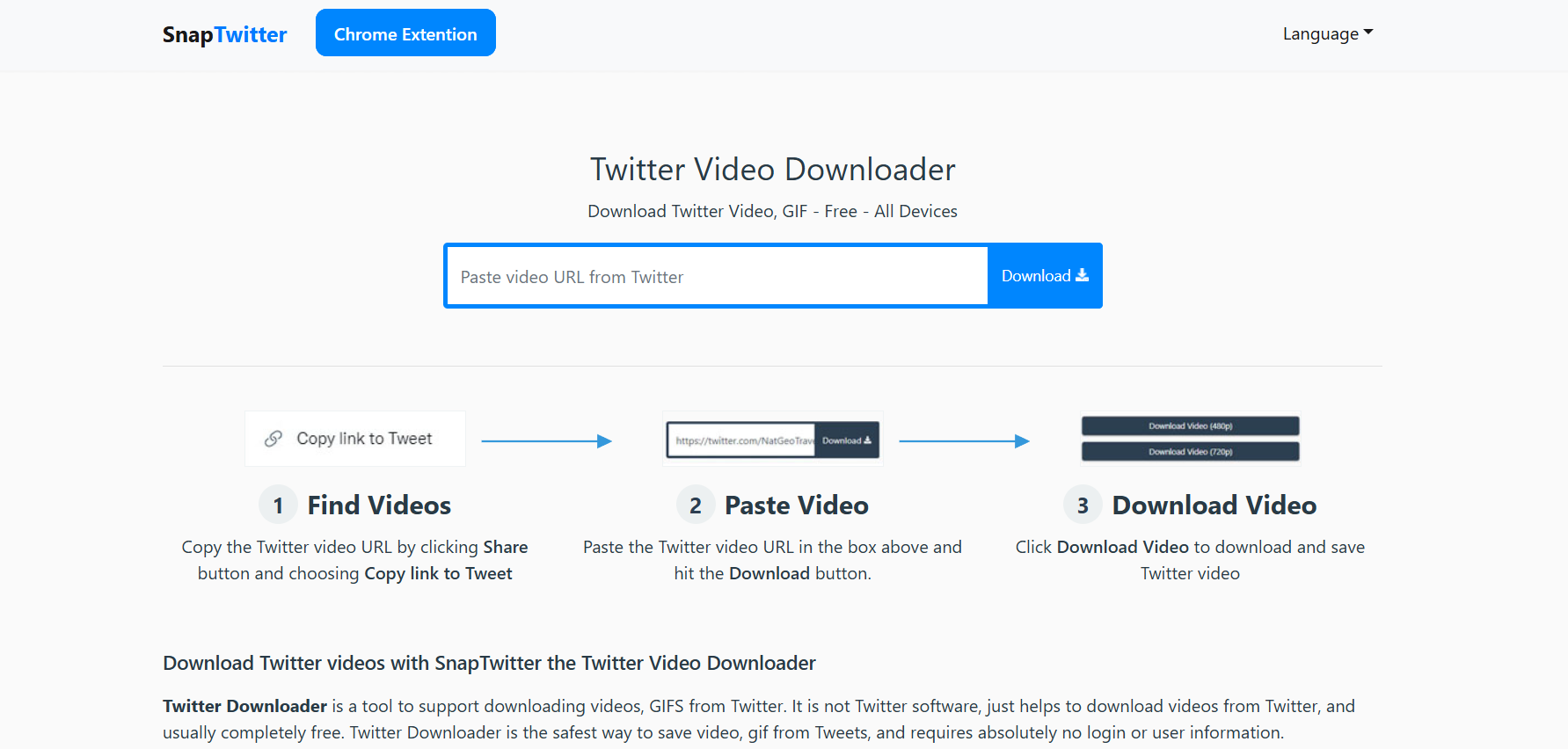
SnapTwitter

SnapTwitter stands out for its clean and modern design. It loads quickly, works very well on smartphones, and doesn’t feel cluttered.

If most of your downloading happens on mobile, this x.com downloader is a solid choice. It handles both short clips and longer videos without issues.

X Downloader #4 – TwDown

TwDown keeps things simple. There’s no unnecessary design, no extra features you don’t need. You paste the link, click download, and save the video.

It may not look fancy, but it does exactly what it promises, which is often more important than flashy design.

X Downloader #5 – Twitter Video Downloader

Despite the generic name, this tool performs surprisingly well. It supports different resolutions and is more reliable than many others when it comes to longer videos.

If you often download interviews, threads with videos, or long-form content, this downloader x video option is worth keeping bookmarked.

X Downloader #6 – SaveFrom (X Support)

SaveFrom is a well-known downloader that supports many platforms, including X. While it’s not X-only, it handles X links reliably.

It’s fast and familiar, especially for users who have used SaveFrom for other platforms before. The web version works perfectly without needing any extensions.

X Downloader #7 – GetMyTweet

GetMyTweet isn’t as popular as some others on this list, and that can actually be an advantage. Less traffic often means fewer restrictions and faster processing.

It’s a good option for standard video downloads and doesn’t overwhelm you with ads or misleading buttons.

X Downloader Comparison (Speed, Quality, Features)

Download Speed Breakdown

In most real-world tests, all these tools download videos within seconds. SSSTwitter and SnapTwitter tend to be the fastest, especially on mobile data connections.

Video & Media Quality Options

Not every x videos downloader gives you quality options. The better tools let you choose between SD and HD, which is useful if you’re managing storage or dealing with slower connections.

Supported Formats and Devices

All tools listed here support MP4, which works on virtually all devices. No additional software or media players are required.

How to Use an X Downloader Step by Step

Copying the X Link Correctly

Open X, find the video you want, tap the share button, and copy the link. Make sure you’re copying the full URL of the post.

Downloading Content in Seconds

Paste the link into your chosen x downloader, click the download button, select your preferred quality, and save the file.

Saving Videos on Mobile vs Desktop

On mobile devices, videos usually save to your downloads folder or gallery. On desktop, you can choose exactly where the file is stored.

Is Using an X Downloader Safe and Legal?

Privacy Concerns and Data Safety

Always use tools that don’t ask for login details. Never enter your X username, password, or personal information into a downloader site.

Legal Considerations You Should Know

Downloading public videos for personal use is generally acceptable. Problems usually arise when content is reposted without permission or used commercially.

How to Avoid Fake or Harmful X Downloader Sites

Avoid sites that push aggressive pop-ups, ask for payment before download, or require software installation. A legitimate x downloader never needs those things.

How to Choose the Best X Downloader for Your Needs

Free vs Premium X Downloader Tools

For most users, free tools are more than enough. Premium options rarely offer benefits that justify the cost for basic downloading needs.

Best X Downloader for Casual vs Power Users

Casual users will be perfectly fine with SSSTwitter or SnapTwitter. Power users who download often may want to rotate between a few tools in case one goes down.

Common Mistakes to Avoid

The biggest mistakes are clicking fake download buttons, trusting unknown browser extensions, and ignoring basic privacy warnings.

Conclusion: The Best X Downloader to Use Today

Quick Summary of the Top X Downloader Tools

All seven tools listed above work today, don’t require login, and handle X video downloads reliably.

Final Recommendation Based on Speed & Reliability

If you want one tool to bookmark and rely on, SSSTwitter is the safest choice. It’s fast, stable, and beginner-friendly.

Start Using a No-Login X Downloader Now

You don’t need extra accounts, apps, or stress. Just copy the link, paste it, download the video, and move on.

Find More: Boost Your Sales With SEO Services

FAQs

1. What is the best free X downloader?

SSSTwitter is one of the most reliable free options available right now and works well on both mobile and desktop.

2. Can I use an X downloader without creating an account?

Yes. All tools mentioned in this article allow you to download videos without signing up or logging in.

3. Does an X video downloader work on iPhone?

Yes, most x video downloader tools work directly in Safari or Chrome on iPhone without extra apps.

4. Are X downloader tools legal to use?

For personal use, downloading public videos is generally allowed. Reposting or commercial use may require permission.

5. Why do some X downloaders stop working?

X occasionally changes how videos are delivered, and downloader tools need time to update their systems.

Tags:

7 Powerful YouTube Playlist Downloaders That Actually Work in 2026

7 Powerful YouTube Playlist Downloaders That Actually Work in 2026

youtube playlist downloader

YouTube playlist downloader is something most people only start searching for when they hit that breaking point: you’ve got a full playlist you love, a long course you want to save, or hours of music you need offline — and suddenly you realize downloading videos one by one is a complete waste of time. It feels slow, repetitive, and honestly a bit stupid in 2026. If you’ve ever tried sketchy tools that crash halfway through a download, skip random videos, limit you after 10 files, or drown you in fake download buttons and ads, you already know the pain. The truth is, not all downloaders are created equal. In this guide, I’ll walk you through real, proven tools that actually work today, explain how they differ, and help you choose the right YouTube playlist downloader for your exact needs — without hype, fluff, or fake promises.

Find More: 7 Powerful SoundCloud Downloaders That Actually Work in 2026

What Is a YouTube Playlist Downloader?

A YouTube playlist downloader is a tool designed to download an entire YouTube playlist in one go instead of forcing you to save each video manually. That playlist could be music, podcasts, tutorials, long-form interviews, or full educational courses. The goal isn’t just downloading — it’s saving time, reducing frustration, and keeping everything organized.

How a YouTube Playlist Downloader Works

Most tools work in a similar way. You copy the playlist URL from YouTube, paste it into the downloader, and the tool automatically scans the playlist and detects all available videos. From there, you can usually choose the format (MP4, MP3, etc.), quality level, and sometimes even the file naming structure. A solid youtube downloader download playlist feature should handle this process smoothly without freezing, skipping videos, or forcing unnecessary steps.

Why Downloading Entire Playlists Saves Time

If a playlist has 30 videos, manual downloads are annoying. If it has 200 videos, manual downloads are simply unrealistic. A playlist downloader for YouTube handles everything in a single workflow. You click once, set your preferences, and let the tool do the heavy lifting while you focus on something more important.

Common Use Cases (Music, Courses, Offline Viewing)

People use a playlist downloader youtube tool for many real-life reasons. DJs and music lovers download playlists for offline listening. Students save courses to study without internet interruptions. Travelers prepare content before flights. Creators archive inspiration or educational material they reference often.

Key Features to Look for in a YouTube Playlist Downloader

Before trusting any tool, there are a few features that actually matter — and a lot that don’t. Ignore flashy marketing and focus on real usability.

Playlist Size Limits and Bulk Download Support

Some tools quietly limit you to 10 or 20 videos per playlist unless you pay. A serious youtube playlist downloader should clearly support large playlists and handle bulk downloads without tricks or constant upgrade prompts.

Video Quality Options (HD, 4K, Audio-Only)

Flexibility matters. Sometimes you want full HD or even 4K video. Other times, you only want clean audio. A good playlist downloader for youtube lets you choose quality easily without confusing menus or hidden settings.

Download Speed and Stability

Speed is nice, but stability is everything. A fast tool that crashes at 80% is useless. The best tools balance speed with consistency and can download large playlists without errors.

Platform Compatibility (Windows, Mac, Android, Web)

Some users prefer desktop software, others want browser-based tools, and some need mobile support. The best playlist downloader youtube options work across multiple platforms or at least clearly state their limits.

Safety, Ads, and Malware Considerations

If a site feels shady, it usually is. Endless pop-ups, fake buttons, and forced extensions are warning signs. Stick with tools that are well-known, frequently updated, and recommended by real users.

7 Powerful YouTube Playlist Downloaders That Actually Work in 2026

These tools aren’t random picks. They’re widely used, actively maintained, and tested by real people who actually download playlists regularly.

#1 4K Video Downloader – Best Overall Performance

4K Video Downloader

4K Video Downloader consistently ranks at the top for one simple reason: it just works. You paste a playlist link, choose your format and quality, and the tool handles the rest. It supports full playlists, subtitles, audio extraction, and large downloads without crashing. For most users, this is the safest and most reliable all-around YouTube playlist downloader.

#2 ByClick Downloader – Fastest Bulk Downloads

ByClick

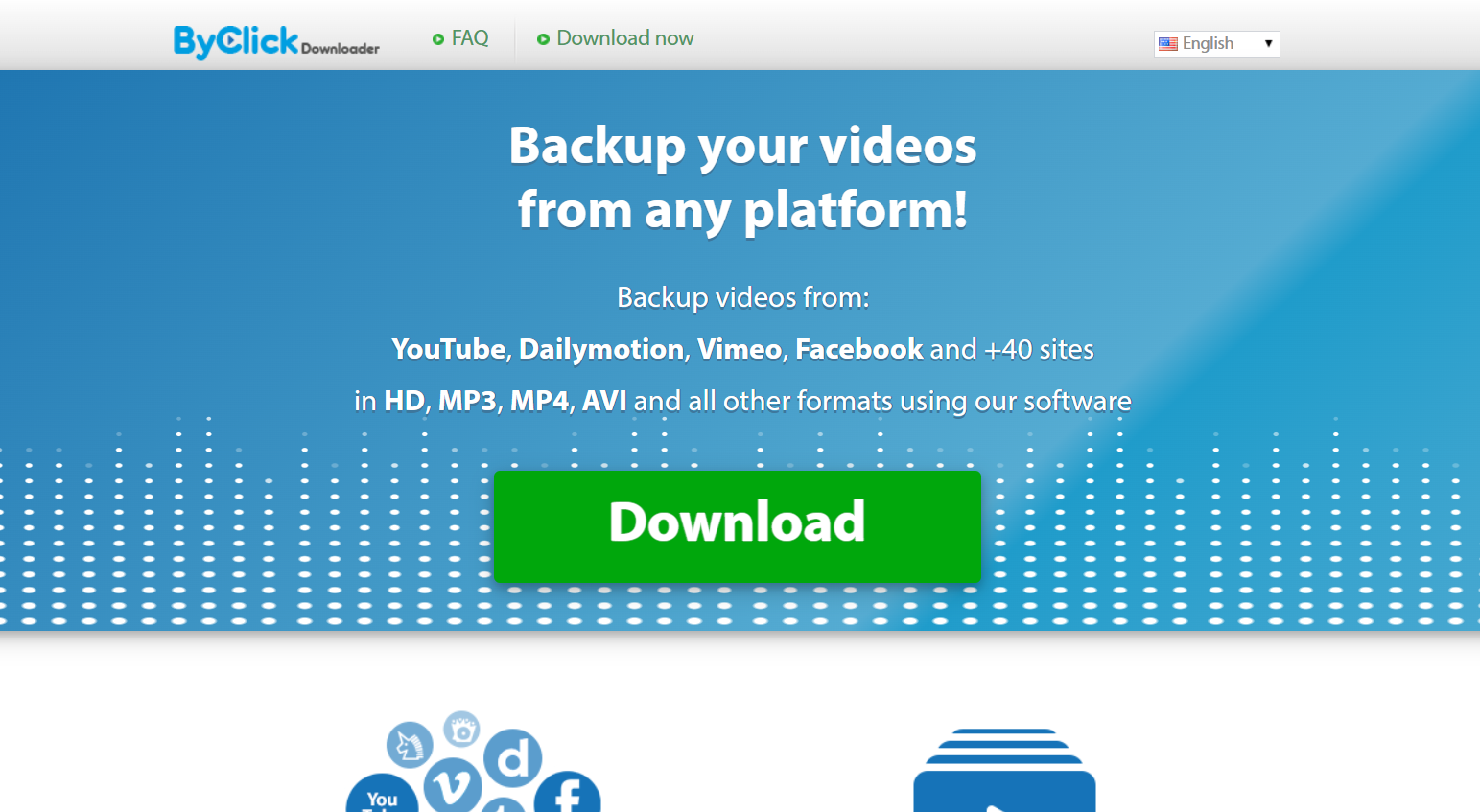
ByClick Downloader is built for speed and simplicity. It automatically detects playlists and starts downloading with minimal setup. If your main goal is quickly saving music or video playlists without spending time adjusting settings, ByClick does the job extremely well.

#3 YTD Video Downloader – Best Free Option

YTD Video Downloader

YTD Video Downloader has been around for years, and that longevity matters. The free version has limitations, but for small to medium playlists it’s still a dependable playlist downloader youtube tool. The interface is simple, familiar, and easy for beginners.

#4 SnapDownloader – Best for MP3 Playlists

If audio is your main priority, SnapDownloader is a strong choice. It handles large playlists, converts videos to MP3 cleanly, and maintains good audio quality. It’s especially popular among users who download podcasts, lectures, or music collections.

#5 iTubeGo – Best for Large Playlists

iTubeGo is designed for heavy use. It supports massive playlists, high resolutions like 4K and 8K, and stays stable even when downloading hundreds of videos in one session. If you regularly work with large libraries, this tool is built for that workload.

#6 Loader.to – No Software Installation Required

Loader.to is a browser-based playlist downloader for YouTube that doesn’t require installation. Paste the playlist link, select format, and download. While it’s not ideal for extremely large playlists, it’s perfect for quick, occasional downloads.

#7 MediaHuman YouTube Downloader – Best Cross-Platform Tool

MediaHuman offers a clean interface, strong playlist support, and excellent audio quality. It works smoothly on both Windows and Mac, making it a favorite among users who want a polished, no-nonsense experience.

Desktop vs Online YouTube Playlist Downloaders

Both desktop and online tools have their place. The key is understanding what you actually need.

Pros and Cons of Desktop Playlist Downloaders

Desktop tools are generally faster, more stable, and better suited for large playlists. They also offer more control over quality and formats. The downside is needing to install and occasionally update software.

Pros and Cons of Online YouTube Playlist Downloaders

Online tools are convenient and require no installation, but they often limit playlist size, speed, or quality. They’re best for short playlists or one-time use.

Which Option Is Best for Your Needs?

If you download playlists often, desktop software is worth it. If it’s a rare task, online tools are fine — just don’t expect miracles.

Is Using a YouTube Playlist Downloader Legal?

This is one of the most common questions, and the answer depends on how you use it.

YouTube Terms of Service Explained Simply

YouTube doesn’t officially allow downloading content outside its platform unless a download option is provided. In practice, enforcement focuses more on redistribution than personal use.

Personal Use vs Commercial Use

Downloading playlists for personal offline viewing is generally low-risk. Problems arise when content is reused, sold, or re-uploaded.

How to Download Playlists More Safely

Stick to personal use, avoid copyrighted material you don’t own, and never redistribute downloaded content.

Common Problems When Using a YouTube Playlist Downloader (and Fixes)

Even the best tools occasionally run into issues.

Playlist Not Downloading or Stuck

This is often caused by outdated software. Updating the tool fixes most problems instantly.

“Download Failed” Errors

These errors usually appear after YouTube updates its system. Switching tools or updating resolves it.

Missing or Skipped Videos

Private, deleted, or restricted videos can’t be downloaded. This is normal behavior, not a bug.

Slow Download Speeds

Check your internet connection, avoid peak hours, and don’t run too many downloads at once.

Conclusion – Choosing the Best YouTube Playlist Downloader for You

There’s no single perfect tool for everyone, but there is a perfect tool for your situation. If you value stability, power, and long-term reliability, desktop tools like 4K Video Downloader or iTubeGo are excellent choices. If convenience matters more and your playlists are small, online tools will do the job. The key is choosing a youtube playlist downloader that actually respects your time and doesn’t make the process harder than it needs to be.

Find More: Boost Your Sales With SEO Services

FAQs

1. What is the best YouTube playlist downloader in 2026?

For most users, 4K Video Downloader offers the best balance of ease of use, speed, and reliability.

2. Can I download private or unlisted YouTube playlists?

Private playlists usually can’t be downloaded unless you own them. Unlisted playlists often work if you have access.

3. Are YouTube playlist downloaders safe to use?

Yes, as long as you use reputable tools and avoid websites filled with aggressive ads and fake buttons.

4. Can I convert YouTube playlists to MP3?

Yes. Most modern playlist downloader for youtube tools support MP3 conversion for entire playlists.

5. Why do some YouTube playlist downloaders stop working?

YouTube changes its platform frequently. Tools that aren’t actively maintained simply fall behind.

Tags:

7 Proven YouTube SEO Optimization Tricks Most Creators Still Ignore

7 Proven YouTube SEO Optimization Tricks Most Creators Still Ignore

YouTube SEO optimization is one of those topics everyone mentions, but very few creators truly understand on a practical level. Most people assume it’s just about adding a few keywords to the title and description, hitting publish, and waiting for the algorithm to magically push their video. If that sounds familiar, you’re definitely not alone. The reality is that YouTube SEO is far more human than technical. It’s about how real people search, what makes them click, how long they stay, and whether they feel satisfied after watching. YouTube’s algorithm is simply trying to reward content that genuinely helps viewers. In this guide, we’re going to break down how to optimize YouTube SEO in a realistic, modern way that works today — no gimmicks, no outdated tricks, and no confusing jargon.

Find More: YouTube Profile Picture Downloader: 7 Powerful Tools

What YouTube SEO Optimization Really Means in 2026

YouTube SEO optimization isn’t about gaming the system or tricking the algorithm. It’s about alignment. When your video content, metadata, and viewer behavior all tell the same story, YouTube has a clear reason to rank and recommend your video. The platform wants people to stay longer, watch more, and feel satisfied. If your video helps achieve that goal, SEO optimization YouTube principles naturally start working in your favor.

How the YouTube Algorithm Ranks Videos Today

At its core, YouTube looks at three major factors: relevance, performance, and satisfaction. Relevance comes from your keywords, title, description, tags, and overall topic clarity. Performance is driven by click-through rate, watch time, and audience retention. Satisfaction is measured through engagement signals like likes, comments, shares, and whether viewers continue watching other videos afterward. You can’t rely on just one of these. True youtube seo optimization only works when all three support each other.

YouTube SEO vs Google SEO — Key Differences Creators Miss

Google SEO is heavily focused on text, backlinks, and domain authority. YouTube SEO, on the other hand, is behavior-driven. A perfectly optimized video that people abandon after 20 or 30 seconds will struggle to rank. That’s why learning how to optimize YouTube SEO means shifting your mindset. You’re not writing for a search engine first — you’re creating for people, and letting the algorithm observe how those people react.

Trick #1 – Keyword Research Beyond Basic Search Suggestions

YouTube Research

Most creators stop their keyword research at YouTube’s autocomplete feature. While autocomplete is useful, stopping there leaves a lot of opportunity on the table.

How to Find High-Intent YouTube Keywords

High-intent keywords usually reflect a clear problem or goal. Instead of targeting broad terms like “YouTube SEO,” focus on phrases such as “how to optimize YouTube SEO for beginners” or “YouTube SEO optimization step by step.” These searches come from viewers who are more likely to watch longer, engage, and even subscribe. High intent often beats high volume when it comes to long-term growth.

Using Competitor Videos to Steal Ranking Keywords

One of the smartest ways to improve your youtube seo optimization is to analyze what’s already working. Search for your main topic and open the top-ranking videos. Study their titles, descriptions, chapters, and pinned comments. You’ll start seeing repeated phrases and angles. That’s not guesswork — it’s real data showing you what the algorithm already understands and rewards.

Trick #2 – Optimizing Video Titles for Click-Through Rate and Rankings

Your title is where SEO meets psychology, and it’s one of the most important parts of seo optimization youtube.

The Ideal YouTube SEO Title Formula

A strong title combines a clear keyword with a compelling benefit or curiosity hook. For example, “YouTube SEO Optimization: 7 Mistakes Killing Your Views” works because it targets search intent while making people curious enough to click. The goal isn’t to be clever — it’s to be clear and irresistible at the same time.

Where to Place Your Main Keyword for Maximum Impact

Place your primary keyword as close to the beginning of the title as possible, but only if it sounds natural. Forced keywords kill curiosity. If your title feels robotic, people won’t click, and low click-through rate will hurt your rankings no matter how good your SEO looks on paper.

Trick #3 – Description Optimization Most Creators Waste

Your video description is one of the most underused SEO assets on YouTube.

How to Structure the First 3 Lines for YouTube SEO Optimization

The first three lines of your description are critical. They should clearly explain what the video is about, who it’s for, and what problem it solves — while naturally including your main keyword. This section affects both search visibility and whether viewers trust that your video is worth watching.

Using Semantic Keywords Without Keyword Stuffing

YouTube understands context better than ever. Instead of repeating the same keyword, use related phrases like how to optimize youtube seo and seo optimization youtube throughout your description. This makes your content sound natural while still reinforcing relevance.

Trick #4 – Tags Still Matter (Just Not the Way You Think)

Tags won’t magically push your video to the top, but they still serve a purpose.

How YouTube Tags Actually Help with SEO

Tags help YouTube understand spelling variations, synonyms, and contextual signals, especially when your channel is new. They act as a supporting layer, not a primary ranking factor.

Smart Tagging Strategies for New and Small Channels

For smaller channels, use a balanced mix of your main keyword, close variations, broader topic tags, and your channel name. This helps YouTube connect your content to the right audience while strengthening brand association.

Trick #5 – Audience Retention as a Hidden YouTube SEO Ranking Factor

This is where many SEO strategies quietly fail.

Why Watch Time Beats Keywords

If people don’t watch your video, YouTube won’t promote it — no matter how optimized your metadata is. Audience retention tells the algorithm that your content is worth showing to more users. In many cases, retention matters more than the keyword itself.

Simple Ways to Improve Retention in the First 30 Seconds

The first 30 seconds are crucial. Tell viewers exactly what they’ll learn and why it matters. Avoid long intros, logos, or unnecessary backstory. Get to the value immediately and earn their attention.

Trick #6 – Leveraging Engagement Signals to Boost SEO Rankings

Engagement is direct feedback from real viewers.

How Likes, Comments, and Shares Influence Video Visibility

When viewers like, comment, or share your video, YouTube sees that as a strong satisfaction signal. These interactions support your youtube seo optimization by confirming that people find your content valuable.

Ethical Ways to Increase Engagement Without Clickbait

Instead of begging for engagement, invite it naturally. Ask thoughtful questions, encourage viewers to share their experience, or request opinions. Real conversations outperform empty calls to action every time.

Trick #7 – Optimizing for Suggested Videos and Browse Features

youtube

Search traffic is powerful, but recommendations are where channels truly scale.

How to Get Your Videos Recommended More Often

Consistency plays a huge role here. When your videos focus on closely related topics, YouTube clearly understands who your content is for and where it should be recommended.

Using Playlists and Internal Linking for SEO Growth

Playlists increase session duration and help YouTube connect your videos together. This strengthens seo optimization youtube across your entire channel, not just individual uploads.

Common YouTube SEO Optimization Mistakes Holding Creators Back

Many creators unknowingly limit their growth by repeating the same mistakes.

Over-Optimization and Keyword Stuffing

Stuffing keywords into titles and descriptions makes your content sound unnatural. Viewers feel it immediately, and poor engagement sends negative signals to the algorithm.

Ignoring Thumbnails and Branding Consistency

SEO may earn you an impression, but thumbnails earn the click. Consistent branding builds trust, increases click-through rate, and supports long-term growth.

Conclusion – How to Apply These YouTube SEO Optimization Tricks Today

You don’t need to overhaul your entire channel overnight. Start with one video and apply these principles step by step. Improve your keyword research, refine your titles, strengthen your intros, and focus on retention. YouTube SEO optimization isn’t about tricks or shortcuts — it’s about clarity, consistency, and genuinely caring about the viewer experience. When you do that, the algorithm naturally follows.

Find More: Boost Your Sales With SEO Services

FAQs

1. How long does YouTube SEO take to work?

YouTube SEO can take anywhere from a few days to several weeks, depending on competition, engagement levels, and your channel’s history.

2. Is YouTube SEO optimization still worth it for small channels?

Absolutely. Small channels often benefit the most because SEO helps YouTube understand exactly who your content is for.

3. Do tags still help YouTube SEO?

Tags still help with context and variations, especially for new channels, but they’re no longer a primary ranking factor.

4. What’s more important: SEO or content quality?

Content quality always comes first. SEO amplifies good content, but it can’t save poor or boring videos.

5. Can YouTube SEO optimization increase views without ads?

Yes. When done correctly, organic search and suggested traffic can outperform paid ads over the long term.

Tags: