UK: +44 2038074555 info@atamgo.com
7 Powerful MP4 YouTube Converters That Actually Work in 2025

7 Powerful MP4 YouTube Converters That Actually Work in 2025

mp4 youtube converter

Introduction: The Best MP4 YouTube Converters That Still Work in 2025

If you’ve been hunting for a dependable mp4 YouTube converter, you’re definitely not alone. Over the past few years, many tools that used to work perfectly have either disappeared, become overloaded with ads, or worse — started redirecting to sketchy sites. In 2025, the challenge isn’t finding a converter, it’s finding one that’s safe, clean, and consistently delivers high-quality downloads. Between fake download buttons, constant pop-ups, and deceptive ads, it’s easy to feel lost. But here’s the good news: I’ve done all the heavy lifting for you.

After personally testing dozens of options, I’ve narrowed it down to 7 powerful YouTube to MP4 converters that still work perfectly this year. They’re fast, secure, and completely free to use. By the end of this article, you’ll know exactly which one to trust depending on your needs — whether you’re a casual downloader or a content creator.

Let’s dive in and break down how these tools work, what features to look for, and which ones truly stand out in 2025.

Find More: 7 Powerful Tools to Download YouTube Shorts in Seconds

What Is an MP4 YouTube Converter and How Does It Work?

An MP4 YouTube converter is basically your shortcut to saving online videos for offline use. When you paste a YouTube video link into one of these tools, it processes the link, extracts the video, and lets you download it in MP4 format — one of the most universal video file types available. This makes it playable on nearly any device: your phone, laptop, TV, or even offline project software.

There are two main categories of these tools:

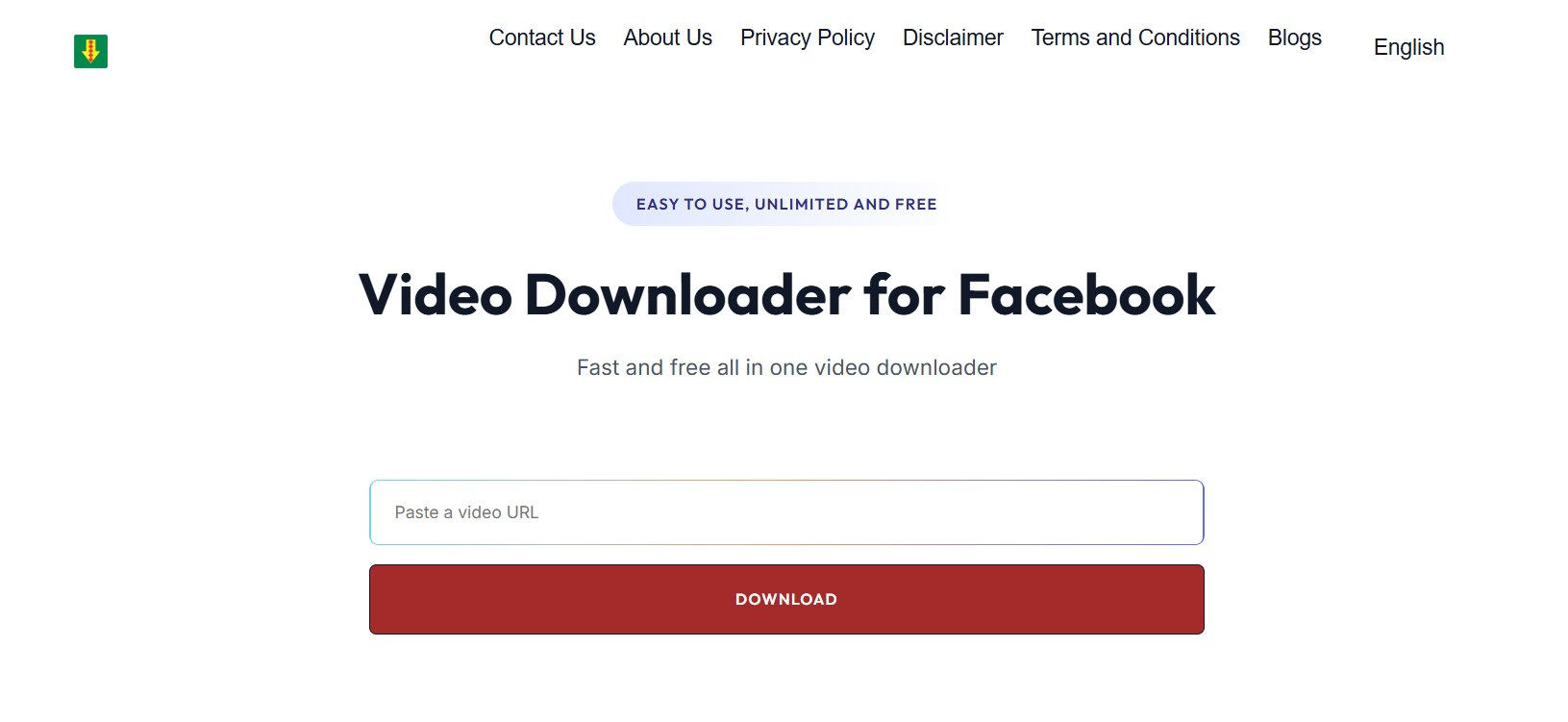
1. Online converters: These work directly from your browser, no installation needed. Tools like SnapSave.io and Y2Mate fall into this group. They’re perfect for quick downloads and work across devices.

2. Desktop converters: These require installation but offer more flexibility and advanced features — things like batch downloads, higher resolutions (even 8K), and support for entire playlists. Examples include 4K Video Downloader and ClipGrab.

While most converters work the same way, there’s one important reminder: downloading copyrighted videos or using them for profit can break YouTube’s terms of service. So always use these tools responsibly for personal viewing, education, or offline saving.

Key Features to Look for in a Good MP4 YouTube Converter

Not every YouTube MP4 converter is built equally. Some tools look good but fail to deliver consistent results, while others come packed with hidden adware. Before picking your go-to converter, make sure it includes these must-have features:

High-Quality Output: Your converter should support 1080p, 4K, or even 8K without losing clarity or sound quality.
Fast Conversion Speed: Time matters. Great tools can convert a 10-minute video in under a minute.
🔒 Privacy & Safety: The best converters don’t require logins or personal info. They also avoid malicious ads or tracking.
💻 Cross-Platform Compatibility: Whether you’re on Windows, macOS, Android, or iOS, it should work seamlessly.
🎧 Audio Extraction Options: Sometimes you just want the sound — a good converter should also offer MP3 conversion.

If your converter checks all those boxes, you’ve got a keeper.

7 Powerful MP4 YouTube Converters That Actually Work in 2025

1. SnapSave.io – Fast, Simple, and Reliable

SnapSave

SnapSave.io continues to dominate as one of the most user-friendly tools online. It loads quickly, converts even long videos in seconds, and offers formats up to 4K. What makes it truly shine is its clean interface — no distracting ads or unnecessary clicks. You simply paste your YouTube link, select your resolution, and download. Whether you’re using a smartphone, tablet, or PC, it automatically adjusts to your device for a smooth experience. For everyday use, SnapSave.io is hands-down one of the most reliable YouTube converter MP4 tools out there.

2. Y2Mate – The Classic Converter That Still Works

Y2Mate

Y2Mate is practically a legend in the video conversion space. Despite countless imitators, the real Y2Mate remains a solid performer. It’s fast, lightweight, and supports MP4 and MP3 downloads from YouTube. You can choose between multiple resolutions — from 144p for quick downloads to full HD 1080p. What I appreciate most is its straightforward interface; no software, no signup, and no fuss. Just paste your link and go. It’s also mobile-friendly, so you can easily convert videos while browsing on your phone.

3. 4K Video Downloader – Premium Quality for Professionals

4K Video Downloader

When quality is your top priority, 4K Video Downloader is unbeatable. It’s a desktop app used by creators, editors, and professionals who need precision. It supports up to 8K resolution, playlist downloads, and even subtitle extraction. You can download from platforms like YouTube, TikTok, and Facebook, making it extremely versatile. While the free version covers most needs, the premium option removes limits and speeds things up even more. It’s the perfect solution if you often download multiple videos for editing or offline viewing.

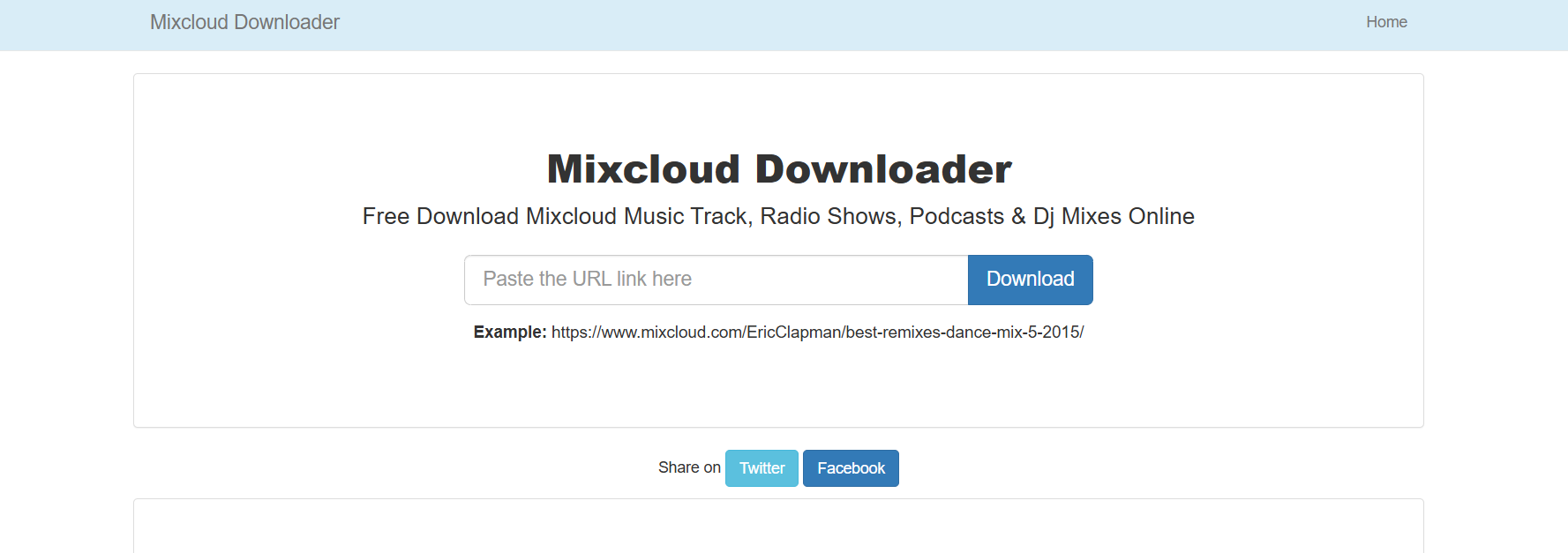
4. SaveFrom.net – The All-Time Favorite Browser Tool

savefrom

SaveFrom.net has been around for more than a decade and still performs beautifully. It’s particularly handy because you can download videos without even visiting the site — just type “ss” before the YouTube URL and hit enter. Instantly, it takes you to the download page with your MP4 options ready. The speed is impressive, and it works smoothly on most browsers. It’s ideal for quick conversions and doesn’t require any setup. If you want a no-nonsense, one-click method to convert YouTube to MP4, SaveFrom.net remains a timeless choice.

5. ClipGrab – Lightweight Desktop App for Quick Conversions

ClipGrab

ClipGrab is perfect for users who prefer a lightweight desktop experience. It’s completely free and open-source, so you won’t find any hidden costs or trackers. You can paste URLs, search directly within the app, and choose your preferred format (MP4, WMV, OGG, or MP3). It supports HD resolutions and runs smoothly even on older computers. It’s especially loved by Linux users who need a reliable YouTube converter that doesn’t eat up system resources.

6. YT1s.com – Minimal Interface, Maximum Performance

YT1s

YT1s.com deserves credit for keeping things minimal yet powerful. The website loads instantly, has no visual clutter, and delivers high-speed conversions every single time. It supports multiple formats, including MP3 and WEBM, and doesn’t ask for any installation or registration. The simplicity makes it perfect for users who want to grab a video quickly without dealing with unnecessary buttons or steps. It’s one of the few converters that remain consistently available, even when other sites get blocked.

7. ByClick Downloader – One-Click Simplicity for Beginners

ByClick

ByClick Downloader is a full-featured desktop app designed for those who want a seamless experience. It automatically detects copied YouTube URLs and offers instant download options in MP4 or MP3. It supports HD, 4K, and 8K videos, plus playlists and even private videos (with login support). You can download from YouTube, Instagram, Facebook, and more — making it an all-in-one solution for content saving. Beginners love it because it does most of the work for you; advanced users appreciate its reliability and range of supported platforms.

Comparison Table: Best MP4 YouTube Converters (2025 Edition)

Tool Type Quality Platforms Notes
SnapSave.io Online 4K All devices Fast, clean, ad-free
Y2Mate Online 1080p All devices Simple and reliable
4K Video Downloader Desktop 8K Windows, macOS Best for professionals
SaveFrom.net Online 1080p Browser One-click downloads
ClipGrab Desktop 1080p Windows, macOS, Linux Lightweight and open-source
YT1s.com Online 1080p All devices Minimal and fast
ByClick Downloader Desktop 8K Windows Best for beginners

This comparison highlights the versatility of these tools. Whether you want speed, premium quality, or offline reliability, there’s a perfect match for every type of user.

How to Safely Convert YouTube Videos to MP4 Without Losing Quality

Using a YouTube to MP4 converter isn’t complicated, but there are a few steps you can take to ensure the best results and avoid trouble:

  1. Stick to the official site. Fake clones often carry malware — always double-check the URL.
  2. Pick the highest resolution possible. Even if you plan to compress later, it’s better to start with maximum quality.
  3. Use trusted converters only. Avoid any site that bombards you with pop-ups or forces you to download extra software.
  4. Protect your privacy. Some shady converters track data — stick with ad-free, HTTPS-secured sites like SnapSave.io.
  5. Use a VPN when necessary. Certain countries restrict converter access; a VPN helps you bypass these limits safely.

Step-by-Step Conversion Guide

  • Copy the YouTube video URL from your browser.
  • Visit a converter like SnapSave.io or Y2Mate.
  • Paste the link into the input box.
  • Choose your desired resolution (1080p or 4K).
  • Click Convert, then Download once ready.

That’s it! Within seconds, your video will be ready to watch offline or share across your devices.

Common Problems and How to Fix Them

1. Converter not working or blocked? Some sites get regionally restricted. Use a VPN or try alternative mirrors like YT1s or SaveFrom.

2. Video out of sync or low quality? Make sure you’re selecting the correct resolution. Reconvert using a different tool like 4K Video Downloader if the problem persists.

3. Downloads too slow? Close unused browser tabs, switch to a wired connection, or use desktop apps that offer faster speeds and stable performance.

4. Playlist downloads not supported? Not every tool handles playlists. Choose apps like 4K Video Downloader or ByClick Downloader that explicitly include playlist functionality.

5. Unwanted ads or redirects? This is a common issue with fake clones. Bookmark the official converter pages to avoid being tricked.

Conclusion: Pick the Right MP4 YouTube Converter for 2025 and Beyond

Finding a YouTube converter MP4 tool that genuinely works in 2025 can feel overwhelming — but it doesn’t have to be. The seven options above stand out for their performance, safety, and consistency. Whether you’re just downloading music videos for your phone or entire playlists for your creative projects, there’s something for everyone.

If you want simplicity and speed, SnapSave.io remains the top pick. For those who demand full control, advanced quality, and batch downloading, 4K Video Downloader is the way to go. If you’re new and want something effortless, ByClick Downloader will make your life easier.

The bottom line? Each of these converters has been tested and proven to work flawlessly in 2025 — no gimmicks, no viruses, just smooth conversions. Choose the one that fits your style and enjoy unlimited access to your favorite YouTube content offline.

Find More: Boost Your Sales With SEO Services

FAQs

1. Are MP4 YouTube converters legal to use?

Most converters are legal when used for personal, educational, or fair-use purposes. Avoid downloading copyrighted materials you don’t own or have permission for.

2. What’s the best free MP4 YouTube converter with no ads?

Both SnapSave.io and YT1s.com stand out for being fast, ad-free, and completely safe. They work well on both desktop and mobile browsers.

3. Can I convert YouTube videos to MP4 on my phone?

Absolutely. Tools like Y2Mate and SaveFrom.net are optimized for mobile. You can paste your video link directly from the YouTube app into your browser and convert it instantly.

4. How do I ensure the converter is safe from malware?

Only use the original, official sites. Avoid any clones or domains with unusual endings. Don’t install random browser extensions unless they come from trusted developers.

5. Which converter offers the best video quality (1080p or 4K)?

4K Video Downloader leads the pack for ultra-high-definition downloads, supporting up to 8K resolutio

Tags:
7 Secret Ways to Use SnapTik for YouTube Like a Pro (No App Needed!)

7 Secret Ways to Use SnapTik for YouTube Like a Pro (No App Needed!)

snaptik youtube

Introduction: How SnapTik YouTube Changes the Way You Download Videos

If you’ve ever wanted to save a YouTube video but got stuck with slow apps, pop-ups, or confusing download tools, snaptik youtube might just be your new best friend. It’s a simple, fast, and free solution that works directly in your browser—no need to install anything. Whether you’re trying to download a YouTube Short, convert a music video to MP3, or save a long tutorial for offline viewing, snaptik for youtube makes it completely effortless.

Think of it as your personal video assistant—ready to grab your favorite clips whenever inspiration strikes. In this guide, we’ll explore 7 secret ways to use SnapTik YouTube like a pro. You’ll discover creative uses, pro-level tricks, and safety tips to help you get the most out of this powerful tool. By the end, you’ll never look at YouTube downloads the same way again.

Find More: 10 Must-Know YouTube Video Size Tips to Avoid Blurry Uploads

1. Use SnapTik YouTube to Download YouTube Videos in Seconds

SnapTik

Let’s start with the basics. SnapTik YouTube is one of the fastest and most reliable ways to download any YouTube video directly to your device. No software, no sign-up, and no frustration. Just copy the video URL from YouTube, paste it into the SnapTik box, and click “Download.” It’s that easy.

You can also choose from multiple formats—MP4, HD, Full HD, or even 4K when available. If you’re short on space, you can select smaller file sizes without sacrificing too much quality. It’s an ideal tool for students, travelers, or anyone who wants quick offline access to videos.

Pro Tip: Always preview the available resolutions before downloading. HD quality works great for tutorials or cinematic shots, while lower resolutions are perfect for quick clips and memes.

2. Save YouTube Shorts Instantly with SnapTik

YouTube Shorts are addictive—fast, fun, and filled with creativity. But saving them directly from the app isn’t easy. That’s where youtube snaptik comes in. You can copy the Shorts link, paste it into SnapTik, and download it in seconds. No app, no waiting, no annoying ads.

This is especially useful for content creators who want to collect trending ideas, analyze viral formats, or keep visual inspiration offline. You can even download multiple Shorts at once and organize them by topic or creator.

Pro Tip: Create separate folders for “Trends,” “Editing Ideas,” and “Music References” to keep your downloads neat and easy to revisit when you need inspiration.

3. Convert YouTube Videos to MP3 Using SnapTik

Sometimes, you don’t need the visuals—just the audio. Whether it’s a motivational speech, podcast, or your favorite music mix, SnapTik lets you easily extract sound from any YouTube video. Just paste the link, select the MP3 format, and you’ll have crystal-clear audio within seconds.

This feature is perfect for commuters, students, and creators. You can listen to your downloads on the go without consuming data or battery through streaming apps. The snaptik youtube downloader is optimized for fast conversion without losing sound quality.

Pro Tip: After downloading, rename your MP3 files with the artist’s name and track title. It’ll help you organize your music library better and save time later.

4. Create Offline Playlists with SnapTik Downloads

Imagine traveling with no internet access but still having your favorite playlists ready to go. With SnapTik YouTube, that’s totally possible. You can create entire offline libraries—music mixes, workout routines, motivational videos, or educational lessons—all saved directly to your device.

This not only saves data but also gives you control over your viewing experience. You can group your content into categories like “Study,” “Relax,” “Learn,” or “Entertainment.” It’s a smarter way to manage your media.

Pro Tip: Add video thumbnails or icons to your folders for faster recognition. A small visual cue can make browsing your downloads more enjoyable.

5. Download Private or Unlisted YouTube Videos (With Permission)

Let’s clear the air first—always download responsibly. You should only download private or unlisted videos if you’ve been granted access or permission from the uploader. With that said, SnapTik makes it possible to download those videos as long as you have a valid link.

This is great for teams working on private projects, teachers sharing class videos, or clients reviewing draft content. It provides a reliable way to keep copies without worrying about content being taken down or changed.

Pro Tip: Keep a dedicated folder for private downloads. Use them strictly for educational, collaborative, or personal use to stay within fair-use guidelines.

6. Use SnapTik on Any Device — No App, No Limits

Unlike most downloaders that only work on certain platforms, snaptik for youtube is universally compatible. It works smoothly on Android, iPhone, Windows, Mac, and even tablets. You just need an internet connection and a browser—no installations, no permissions, and no storage-hungry apps.

It’s especially useful if you share devices or work from different locations. You can start a download on your phone and finish it on your laptop later. The experience stays consistent across all platforms.

Pro Tip: Add SnapTik as a shortcut on your home screen. That way, you can open it instantly, paste your link, and start downloading without wasting time.

7. Boost Productivity: How Creators Use SnapTik YouTube for Work

snaptik youtube isn’t just for casual users—it’s a hidden gem for professionals. Video editors use it to gather visual references, teachers use it to prepare lessons, and marketers rely on it to analyze competitor content. Having offline access to videos can speed up workflow, improve creativity, and reduce reliance on unstable internet.

If you’re a freelancer or social media manager, SnapTik can even become part of your content toolkit. You can download examples, study transitions, or experiment with sound effects—all offline.

Pro Tip: Create a “Research Vault” on your computer for videos you plan to reference or analyze later. It’s a huge time-saver when brainstorming new ideas.

Tips to Stay Safe While Using SnapTik YouTube

Even though SnapTik is generally secure, fake sites and phishing scams are out there. To keep your downloads safe, follow these rules:

  • Only use the official SnapTik website (always check the domain spelling).

  • Avoid pages filled with redirects, random pop-ups, or requests for login info.

  • Keep your device protected with updated antivirus software.

  • Never click on suspicious ads or buttons claiming “faster downloads.”

Pro Tip: Before using a new SnapTik site, test it with a non-sensitive video first. If it downloads correctly and without redirects, you’re good to go.

Conclusion — Start Using SnapTik YouTube Like a Pro Today

Now that you know these 7 secret ways to use SnapTik for YouTube, you’re ready to transform your downloading game. Whether it’s saving Shorts, extracting MP3s, or building offline playlists, SnapTik YouTube gives you complete freedom to enjoy content anywhere, anytime.

Don’t just watch videos—own them (ethically, of course). Take control of your media, boost your productivity, and say goodbye to endless buffering. Your favorite content is just a few clicks away.

So next time you stumble upon a video that inspires you, don’t just bookmark it—download it with SnapTik YouTube and keep it forever. Fast, simple, and always accessible.

Find More: Boost Your Sales With SEO Services

FAQs

1. Is SnapTik safe to use for YouTube videos?

Yes, SnapTik is safe as long as you use the official website. Stay away from fake clones, pop-up-heavy sites, or any page asking for your personal data.

2. Do I need to install an app to use SnapTik YouTube?

Nope! SnapTik is 100% online. You can use it directly from your browser without downloading or installing anything, whether on mobile or desktop.

3. Can I download copyrighted YouTube videos with SnapTik?

You should only download videos that are copyright-free, educational, or that you have permission to use. Avoid copyrighted or monetized materials that aren’t yours.

4. What’s the difference between SnapTik and other downloaders?

SnapTik stands out because it’s quick, free, lightweight, and works across all devices. Unlike many tools, it doesn’t need software installation or complicated settings.

5. Does SnapTik work on iPhone and Android?

Yes! SnapTik works smoothly on both. Just open your mobile browser, paste your YouTube link, and download directly—no app store, no setup, no hassle.

Tags:
Twicsy vs. Competitors: Why It’s the Best Site for Instagram Followers

Twicsy vs. Competitors: Why It’s the Best Site for Instagram Followers

Twicsy

In the fast-paced world of social media platforms, Instagram growth is one of the most powerful ways to build credibility, visibility, and trust online. Whether you’re an entrepreneur, influencer, or small business owner, your Instagram profile has become your digital storefront — and follower growth directly influences how others perceive your brand. Amid a sea of social media services, one name consistently stands out: Twicsy. Known for its real Instagram followers, fast delivery, and organic growth approach, Twicsy is widely recognized as the most user-friendly and reliable way to buy Instagram followers safely and effectively.

Why Instagram Growth Matters for Every User

twicsy

In today’s digital ecosystem, Instagram users rely on engagement and social proof to decide which profiles to follow and trust. A large number of followers signals authority and quality, helping you stand out in a competitive space filled with content creators and influencers. However, the true power lies not just in numbers but in real engagement — comments, likes, and interactions from real people who appreciate your high-quality content.

Fake accounts, bots, and inactive accounts might inflate your follower count temporarily, but they do nothing to enhance visibility in Instagram’s algorithm or drive genuine interaction. That’s where Twicsy’s social media service shines — delivering real followers who actually care about your content, helping you achieve natural growth that lasts.

Visit Twicsy.com today!

Why Twicsy Is the Best Site for Real Instagram Followers

When comparing providers in the social media industry, Twicsy consistently leads the pack. It isn’t just about selling numbers — it’s about helping users achieve sustainable organic growth. Twicsy’s process is simple and transparent: once you complete checkout, your order begins instantly and is typically completed within just a few hours. Each follower added to your account is a real Instagram follower, ensuring your follower base looks authentic, performs well, and supports your long-term growth goals.

Unlike low-quality competitors that rely on fake followers, Twicsy prioritizes real engagement and high-quality followers from genuine Instagram users. Every order is tailored to align with Instagram’s algorithm, so you see better engagement rates on your posts, stories, and reels.

Supporting Entrepreneurs, Influencers, and Small Businesses

For entrepreneurs, small businesses, and influencers, Twicsy is more than just a social media service — it’s a growth partner. Building partnerships, attracting sponsors, and gaining traction through influencer marketing all depend on the perceived strength of your Instagram account. Twicsy helps you build that foundation of credibility through real followers and real engagement.

Many content creators struggle to gain visibility even with high-quality content because of limited reach. Twicsy changes that by giving your Instagram profile the initial push it needs to be noticed. With fast delivery, affordable pricing, and outstanding customer support, Twicsy has helped countless brands and creators grow their follower base authentically — leading to stronger metrics and better opportunities across social media.

Twicsy’s Focus on Real People and Real Results

The most effective way to grow on Instagram is through authenticity. Twicsy’s marketing strategies revolve around connecting users with real people, not bots or fake accounts. Each follower is sourced to promote natural growth and real engagement, helping you build a loyal community rather than just a high follower count.

This approach ensures your Instagram story views, post interactions, and reel plays improve consistently — not just in numbers but in quality. That’s what sets Twicsy apart: it empowers you to achieve Instagram growth the right way, through trust, transparency, and performance-driven methods.

Seamless Experience with Fast Delivery and Reliable Support

From start to finish, Twicsy makes the experience seamless. The site is user-friendly, mobile-optimized, and designed for quick navigation. Whether you’re a first-time buyer or a returning customer, completing your checkout is effortless, and your new followers start arriving instantly — often finishing within a few hours.

Twicsy’s customer support team is available to answer questions, resolve issues, and guide you through your follower growth journey. Combined with transparent pricing and proven results, Twicsy sets the industry standard for professionalism and reliability among social media providers.

Why Competitors Can’t Match Twicsy’s Quality

While some competitors may promise fast delivery, few can match Twicsy’s consistency and commitment to real followers. Many other providers rely on low-quality fake followers or unreliable systems that risk your Instagram account. Twicsy, by contrast, operates with full compliance to Instagram’s algorithm standards, ensuring you receive organic growth that strengthens your presence without any compromise.

The difference lies in Twicsy’s attention to detail — from secure payment systems to precise targeting that ensures your follower base aligns with your niche. This strategic edge makes Twicsy the go-to choice for anyone looking to buy Instagram followers safely and effectively.

Conclusion: Twicsy — The Ultimate Choice for Real Instagram Growth

When it comes to boosting your Instagram growth, Twicsy remains unmatched. With fast delivery, real Instagram followers, and dedicated customer support, it provides the most effective way to achieve natural growth on social media. Whether you’re a content creator, entrepreneur, or small business owner, Twicsy helps you increase engagement rates, strengthen social proof, and grow your Instagram profile with confidence.

In an industry filled with fake followers and unreliable providers, Twicsy stands tall as the trusted leader in authentic follower growth. For anyone looking to buy Instagram followers that bring real engagement and organic growth, Twicsy isn’t just a choice — it’s the best decision you can make for your Insta success.

7 Proven Ways to Make Money on Telegram (Even Without Followers!)

7 Proven Ways to Make Money on Telegram (Even Without Followers!)

how to make money on telegram

Introduction: How to Make Money on Telegram in 2025 — Even If You’re Starting From Zero

If you’ve been wondering how to make money on Telegram, you’re definitely not alone. Telegram isn’t just a messaging app anymore — it’s a fast-growing platform where creators, freelancers, and entrepreneurs are cashing in. Whether you’re using the Telegram app to build a business or just exploring side hustle ideas, there are more opportunities now than ever before. The best part? You don’t even need a massive following to start. In this guide, we’ll break down 7 proven, real ways to make money on Telegram, including strategies that people are using right now to earn consistent income. Let’s dive right in the best way to make extra money.

Find More: 7 Powerful TikTok Money Calculators You Need to Try Today

1. Create and Monetize a Telegram Channel

telegram

One of the most popular ways to make money on Telegram is by creating your own channel. A Telegram channel is like your personal broadcast space where you can share valuable content — anything from tech updates, motivational quotes, and financial tips to memes or entertainment news.

If you’re asking how to make money on Telegram channel, here’s the deal: you can monetize in multiple ways. Once you start growing your audience, brands may pay you for sponsored posts, or you can insert affiliate links into your content. Another smart option is selling your own digital products directly through your channel.

The key is consistency and niche focus. Choose a niche that you’re passionate about and provide genuine value — people will naturally join and stay. Use hashtags, share your channel on other social media, and engage your audience through polls or discussions. Over time, even a small but loyal community can become a solid income stream.

2. Offer Paid Subscriptions or Exclusive Content

If you have expertise in a specific area — like trading, digital marketing, or fitness — you can use Telegram to offer exclusive, members-only content. Many successful creators are now using private groups or channels to share premium insights in exchange for a subscription fee.

This method is great because it doesn’t require thousands of followers — you only need a handful of dedicated subscribers who see value in what you offer. You can use Telegram’s built-in payment bots or third-party tools like InviteMember or Patreon to manage memberships easily.

For example, you could run a private “Crypto Insights” group for $10/month or a “Marketing Tips Daily” channel for freelancers. Your audience pays for insider knowledge, personalized feedback, or daily guidance — and that’s how you turn your expertise into consistent Telegram income.

3. Earn with Affiliate Marketing on Telegram

Affiliate marketing is one of the simplest and most effective ways to make money online — and Telegram makes it easy to do. You don’t need a product of your own; you just promote other people’s products and earn a commission for every sale that comes through your link.

To make this work on Telegram, first choose a niche you understand (like gadgets, fashion, or online courses). Then, join reputable affiliate programs such as Amazon Associates, ClickBank, or PartnerStack. Next, share useful content in your Telegram group or channel — not just links. For instance, review a product, explain why you recommend it, and then drop your affiliate link.

If you’re thinking how to make money on Telegram app through affiliate marketing, here’s a tip: focus on trust and value. Avoid spamming or overpromoting — build credibility first. Once your audience trusts your opinions, they’ll gladly buy through your links.

4. Sell Your Own Digital Products or Services

If you already sell digital products like eBooks, templates, online courses, or services such as design, writing, or coaching — Telegram can become your personal sales hub. You can use it to build direct relationships with clients, showcase your work, and share offers instantly.

You can even set up a Telegram store using bots that handle everything from product catalogs to payments. For example, if you’re a graphic designer, you could create a channel that shares design tips and then pitch your services to your engaged audience. Or if you sell digital planners, you could share productivity content and include purchase links.

Telegram’s direct communication makes it easier to close sales because you’re not just another ad on someone’s feed — you’re a person talking directly to potential customers. That personal touch can make a huge difference.

5. Build and Sell Telegram Bots

money

Telegram bots are automated tools that perform specific functions — like sending updates, managing groups, or providing quick customer support. If you have basic coding skills (or can hire a developer), building Telegram bots can be a surprisingly profitable business.

Some people make money by creating custom bots for clients — for example, a “Quiz Bot” for teachers or a “Crypto Price Bot” for traders. Others create general-purpose bots (like language translators or news bots) and then monetize them through premium features, ads, or subscriptions.

Even if you don’t code, you can use bot builders like Manybot or Chatfuel to get started without technical skills. Once you have a working bot that solves a problem, marketing it through Telegram groups or tech communities can help you earn recurring income.

6. Manage or Grow Telegram Communities for Clients

As Telegram grows, more businesses are using it to create active communities — and they need people to manage them. That’s where you come in. You can offer community management services for Telegram channels or groups.

Your job could include moderating conversations, engaging with members, running polls, or tracking analytics. Many business owners don’t have time to handle that themselves, so they hire freelancers to do it.

If you’ve ever managed a Discord or Facebook group, you already have most of the skills needed. You can find clients on freelance platforms like Upwork or Fiverr, or reach out directly to Telegram channel owners. Once you gain a few testimonials, it’s easy to scale up.

7. Promote Other Businesses with Telegram Advertising

Telegram is becoming a serious platform for advertising — especially in niches like crypto, education, and entertainment. If you run a popular channel, you can charge other businesses to feature their ads or sponsored posts.

But even if you don’t own a large channel, you can act as a Telegram ad broker — connecting brands that want exposure with channels that need ad revenue. You take a commission for each successful deal.

To maximize your income, use Telegram analytics tools to show advertisers how much reach and engagement your posts generate. The more transparent and data-driven you are, the more businesses will want to work with you.

Conclusion: Start Making Money on Telegram Today

Now that you know the best and real ways to make money on Telegram, it’s time to take action. You don’t need to be an influencer or a tech expert — just someone willing to start, learn, and stay consistent.

Whether you create a channel, sell digital products, or manage communities, there’s an opportunity for you. Pick one method that fits your skills and start today. Remember — the earlier you start, the faster you grow. Telegram is still wide open, and the people who take action now are the ones who’ll be earning the most later.

Find More: Boost Your Sales With SEO Services

FAQs

1. Can you really make money on Telegram without followers?

Yes! Many Telegram earners start from zero. You can make money through affiliate links, selling services, or offering paid content even with a small audience — what matters most is value and consistency.

2. How much money can I make from a Telegram channel?

It depends on your niche and engagement. Some small channels make $100–$500/month from sponsorships or affiliate sales, while big ones earn thousands. The key is having an active, loyal community.

3. Do I need technical skills to earn from Telegram bots?

Not necessarily. You can use no-code tools like Manybot or BotFather to create simple bots. But if you want to build complex bots, learning basic programming or hiring a developer helps.

4. Is affiliate marketing allowed on Telegram?

Yes, it’s completely allowed. Just be transparent and avoid spamming. Share useful recommendations, reviews, and guides — not just raw links.

5. What are the best tools or bots to help monetize Telegram easily?

Some great tools include Combot (for analytics), InviteMember (for subscriptions), and Manybot (for automation). These tools simplify growth, engagement, and monetization.

Tags: