...
UK: +44 2038074555 info@atamgo.com
How to Hide Followers on Instagram: 5 Genius Ways

How to Hide Followers on Instagram: 5 Genius Ways

how to hide followers on instagramhow to hide followers on instagram

Introduction

If you’ve ever googled how to hide followers on Instagram, you’re definitely not alone. A lot of people don’t like the idea of strangers—or sometimes even friends—knowing exactly who they follow and who follows them. Maybe it’s about keeping your privacy, avoiding awkward questions, or just wanting a little more control over your profile. Whatever your reason, you’ve probably also wondered about related questions like how to hide following list on Instagram, how to hide the followers on Instagram, or even how to hide who you follow on Instagram without deleting your account.

Here’s the thing: Instagram doesn’t give us a one-click “hide followers” button (I know, disappointing!). But the good news is that there are still ways to limit who sees your information and control your visibility. In this article, I’ll walk you through 5 genius ways to hide followers on Instagram, explain the pros and cons of each method, and even share some additional privacy hacks. By the end, you’ll have a solid game plan for making your account feel more private and secure.

Let’s dive in.

Find More: 5 Genius Ways to Repost Stories on Instagram That Most People Don’t Know

5 Genius Ways to Hide Followers on Instagram

1. Switch to a Private Account

how to repost someone's story on instagram

This is the easiest and most effective way to keep your followers list safe from prying eyes. When your account is private, only the people you approve can follow you and see your followers/following lists.

How Private Accounts Limit Follower Visibility:

  • Only approved followers can see your list.
  • Strangers can’t check who you follow or who follows you.
  • Your posts, reels, and stories are visible only to your followers.

Pros:

  • Quick setup, just a toggle in settings.
  • Maximum privacy with minimal effort.
  • Helps you curate who’s in your circle.

Cons:

  • If you want to grow a public brand, being private can reduce visibility and reach.
  • People need to request access before following you.
  • You may lose casual engagement from people who stumble on your content.

How to Switch to Private:

  1. Open Instagram and go to your profile.
  2. Tap the three lines in the top right.
  3. Select Settings and Privacy.
  4. Toggle Private account on.

With this one switch, you instantly cut off random snooping into your followers.

2. Restrict or Block Specific Users

Sometimes you don’t want to hide followers from everyone, just from that one person. That’s where the Restrict or Block options come in.

Difference Between Restricting vs. Blocking:

  • Restricting: The user stays on your list, but they can’t see when you’re active, and their comments are hidden unless you approve them. It’s like putting them in a quiet corner.
  • Blocking: They can’t see your profile at all—including your followers or following list. It’s the cleanest break.

Step-by-Step Guide to Restricting Users:

  1. Go to their profile.
  2. Tap the three dots in the top right.
  3. Select Restrict.

When to Restrict:

  • If you want subtle distance without the drama.
  • Perfect for people you know personally but don’t fully trust online.

When to Block:

  • If someone is harassing you, stalking your activity, or making you uncomfortable.
  • They won’t be able to find you or see your followers at all.

Restrict is subtle (they won’t even know), while blocking is more direct. Use whichever feels right depending on your situation.

3. Use the “Close Friends” Feature for Stories
Instagram-Story

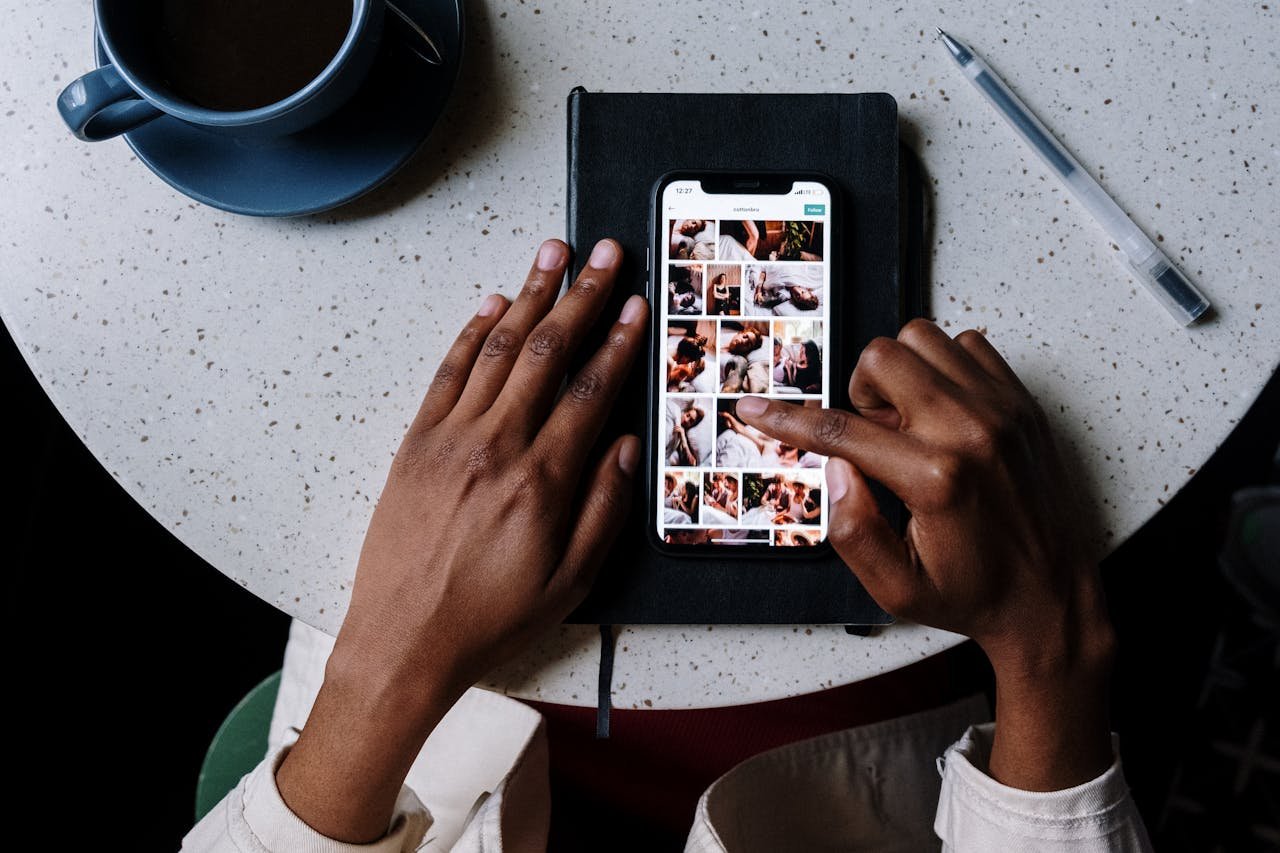
Here’s a little trick: while you can’t hide your followers list completely, you can control who sees your stories. Instagram’s Close Friends feature lets you share content only with a handpicked group of people.

What Close Friends Really Hides (and Doesn’t Hide):

  • Hides your stories from everyone except your selected list.
  • Doesn’t hide your followers/following lists directly.
  • Helps you filter who really matters without removing followers.

When to Use This Option:

  • Sharing personal updates with trusted friends only.
  • Avoiding oversharing with colleagues, classmates, or extended family.
  • Testing content before sharing it with your wider audience.

Pro Tip: Combine Close Friends with a private account for an even stronger privacy wall.

4. Hide Activity with Limited Profile Information

Another smart move: limit how much people can learn about you at a glance. If you don’t want to hide your account completely, you can still reduce the amount of attention your followers/following lists get.

Removing Profile Details That Attract Attention:

  • Take out unnecessary links or personal info from your bio.
  • Remove email, phone, or location details.
  • Turn off the “similar account suggestions” toggle so you don’t show up randomly to strangers.

Controlling What Others See Without Deleting Followers:

  • Hide your activity status so no one knows when you’re online.
  • Disable story reshares so others can’t spread your content beyond your followers.
  • Hide specific stories from selected people in your audience.

This doesn’t hide the actual lists, but it minimizes how much people focus on them—and it gives you an extra layer of control.

5. Manage Followers Through Third-Party Privacy Tricks (With Caution)

You might have seen apps or tricks online promising to completely hide your followers. Let me be honest: be very careful here. Most third-party apps are unsafe, and Instagram itself warns against using them.

Are Third-Party Apps Safe for Hiding Followers?

  • Usually, no. Many apps just want your login info.
  • They can compromise your account security.
  • Instagram may even suspend your account if you use them.

Alternatives to Third-Party Tools:

  • Stick to built-in Instagram privacy settings.
  • Use features like Restrict, Block, or Private mode instead.
  • Regularly review your followers and remove anyone you don’t want around.

If you value your account, don’t gamble with shady apps. Think of privacy as something you manage consistently—not a magic button you can buy.

Additional Tips for Better Privacy on Instagram

Want to go the extra mile? Here are a few bonus privacy tweaks:

  • Adjust Your Activity Status: Turn it off so no one knows when you’re online. This reduces stalking opportunities.
  • Control Comments and Mentions: Limit who can comment or tag you in posts. That way, you avoid random attention.
  • Review Tagged Photos: Manually approve tags so you don’t show up unexpectedly on other people’s profiles.
  • Limit Past Story Highlights: Audit your highlights and remove anything too personal.
  • Clean Up Your Followers: Every few months, scroll through your list and remove anyone you don’t recognize or trust.

These steps don’t directly hide your followers list but help you stay in control of your overall presence. However, an AI cheat check can trick these steps and uncover connections despite your precautions.

Conclusion

So, we’ve covered 5 genius ways to hide followers on Instagram—from going private, to restricting certain people, to tweaking your profile settings. While Instagram doesn’t offer a direct “hide followers” button, you still have plenty of tools to take back control of your privacy.

The key takeaway? Whether you want to know how to hide the followers on Instagram or how to hide who you follow on Instagram, the solution depends on how much privacy you really need. If you just want more control, features like Restrict and Close Friends may be enough. But if you’re serious about staying private, switching to a private account is the best bet.

At the end of the day, it’s your Instagram, your rules. Take a few minutes to adjust your settings now—you’ll thank yourself later when your profile feels a lot more secure. And remember: privacy isn’t about hiding—it’s about choosing what to share, when to share it, and with whom.

Find More: Boost Your Sales With SEO Services

FAQs

1. Can I hide my followers list without going private?

Not completely. The only way to fully hide it from strangers is by switching to a private account. Otherwise, you’ll need to block or restrict specific users.

2. If I block someone, will they still see my followers?

No. When you block someone, they can’t see your profile, followers, or following list at all.

3. Is there a way to hide followers from just one person?

Yes—use Restrict or Block. Restrict limits their interaction, while Block removes them entirely.

4. Do business accounts have different follower privacy settings?

Business accounts must stay public, so your followers list will always be visible. If privacy is your top priority, stick with a personal account.

5. Are third-party apps safe to use for hiding Instagram followers?

No. They usually violate Instagram’s policies and put your account at risk. It’s better to stick with Instagram’s built-in settings.

6. Can I hide who I follow on Instagram but still show my followers?

Unfortunately, no. Instagram doesn’t let you separate the two lists—followers and following are both visible unless your account is private.

7. Can I hide followers temporarily and switch back?

Yes. You can toggle between public and private at any time. Just remember that when you go public again, your lists are visible to everyone.

Tags:
How Businesses Can Use MyStorySaver to Save Instagram Stories for Marketing

How Businesses Can Use MyStorySaver to Save Instagram Stories for Marketing

MyStorySaver

Digital marketing keeps changing, and Instagram Stories are now key for businesses to reach their audience. MyStorySaver is a vital tool for brands wanting to keep and use these short-lived content pieces.

With MyStorySaver, businesses can save Instagram Stories, turning them into lasting marketing tools. This tool helps companies save and reuse their most engaging social media stories.

Instagram Stories are a powerful way for brands to share their creativity, show behind-the-scenes, and talk to customers live. MyStorySaver lets marketers save these short but powerful moments, making sure no content is lost.

Learning to save Instagram Stories helps businesses build a strong content library. This supports their marketing plans and improves their digital storytelling. MyStorySaver makes saving content easy and strategic.

Understanding MyStorySaver as a Marketing Tool

Digital marketers are always looking for new ways to save their social media content. MyStorySaver is a powerful tool for businesses to enhance their Instagram Stories strategy.

This platform has key features that are vital for marketers:

  • Automatic Instagram Stories archiving
  • Easy content retrieval and management
  • Comprehensive story performance tracking
  • Seamless integration with marketing workflows

Instagram Stories are a dynamic format that vanish after 24 hours. MyStorySaver helps businesses save and analyze their story content. This way, marketing teams can keep valuable visual stories that would otherwise be lost.

Using this tool, businesses get many benefits. They can:

  1. Create a comprehensive content library
  2. Analyze engagement metrics
  3. Repurpose successful story content
  4. Develop more targeted marketing strategies

With https://mystorysaver.com/, companies turn fleeting Instagram Stories into valuable marketing assets. It lets marketers capture, analyze, and use their social media content more efficiently.

Why Instagram Stories Matter for Business Growth

Instagram Stories have changed the game for businesses of all sizes. They offer a way to connect with people that regular posts can’t. Small and medium businesses are finding Instagram Stories to be a key tool for growth.

Companies use Instagram Stories to make engaging content that gets people talking. The platform’s tools help tell stories in a way that grabs attention fast. With over 500 million daily viewers, businesses have a huge audience to reach.

  • Increase brand visibility through interactive content
  • Build authentic connections with followers
  • Showcase products and services in real-time
  • Drive engagement through polls, questions, and swipe-up links

Now, social media marketing puts a big focus on Instagram Stories. Their short-lived nature adds a sense of urgency and uniqueness. Businesses can share behind-the-scenes looks, product demos, and customer feedback to build trust.

Using a smart Instagram Stories strategy can boost your online marketing. Tools like MyStorySaver let you save and reuse these Stories. This way, businesses can get more out of their content and reach more people.

Getting Started with MyStorySaver for Business

Setting up a MyStorySaver business account is easy and can change your Instagram marketing. Digital marketers will find it very easy to use. It helps manage content well.

  1. Create a professional business account on MyStorySaver
  2. Link your Instagram business profile directly to the platform
  3. Configure your initial storage and backup preferences
  4. Set up automatic story collection settings

Instagram marketing experts will love how easy it is to use MyStorySaver. The setup takes under 10 minutes. This lets businesses start saving and analyzing their Instagram stories fast.

  • Sync multiple Instagram accounts
  • Customize storage options
  • Enable advanced content tracking

Businesses can get deep insights with MyStorySaver’s story management tools. It’s a central place for saving and using Instagram content in marketing campaigns.

Save Instagram Stories with MyStorySaver: Step-by-Step Guide

Saving Instagram Stories is key for content creators and businesses. MyStorySaver makes it easy to save your social media content. It’s a simple way to keep your stories safe.

To start saving Instagram Stories, follow these steps:

  1. Download the MyStorySaver app from your device’s app store
  2. Log in with your Instagram credentials
  3. Connect your Instagram account to the MyStorySaver platform
  4. Select the specific Stories you want to save
  5. Choose your preferred storage method

The MyStorySaver tutorial makes saving stories easy. You can save and organize your Instagram Stories quickly. It’s great for marketers and content creators alike.

Here are some tips for saving stories:

  • Always respect copyright and content ownership
  • Organize saved Stories into specific folders
  • Regularly backup your saved content
  • Review saved Stories periodically

MyStorySaver makes saving Instagram Stories easy. You’ll never lose important visual content again.

Creating a Content Library with Saved Stories

MyStorySaver makes it easy to build a strong content library. Businesses can turn short-lived content into a powerful marketing tool. This is done by saving and organizing their stories.

Effective content library management involves several key strategies:

  • Create categorical folders for different content types
  • Use consistent tagging systems
  • Date-stamp saved stories for easy retrieval
  • Organize by campaign or marketing objective

The MyStorySaver organization tool helps marketers create a detailed digital archive. By saving Instagram Stories, brands can see how their content has changed. They can also reuse successful stories and keep a record of their digital stories.

Key benefits of maintaining a well-structured Instagram Story archive include:

  1. Quick content retrieval
  2. Performance tracking
  3. Streamlined content repurposing
  4. Enhanced brand storytelling consistency

Businesses using MyStorySaver’s content library feature get ahead. They turn temporary social media content into a valuable marketing asset for the long term.

Leveraging Saved Stories for Marketing Campaigns

Businesses can tap into powerful marketing by using MyStorySaver. This tool lets you save and reuse Instagram Stories. It’s a great way to create exciting marketing campaigns on different platforms.

Here are some ways to use MyStorySaver content:

  • Create compilation videos with customer testimonials
  • Make social media recap posts from past stories
  • Use archived visuals for email marketing
  • Build presentation decks for team training

Repurposing Instagram Stories helps brands get more out of their content. It turns short-lived content into lasting marketing assets. This way, businesses can make their stories reach more people.

MyStorySaver turns temporary social media moments into lasting marketing tools. It lets brands refresh old stories, making them engaging across various channels.

  • Analyze top-performing story content
  • Find recurring themes and audience likes
  • Use high-engagement stories for bigger campaigns

Smart marketers see every saved Instagram Story as a chance to market. With MyStorySaver, businesses can build a content library. This supports ongoing marketing and keeps audiences engaged.

Analyzing Story Performance Through MyStorySaver

Understanding Instagram Story analytics can change your marketing game. MyStorySaver gives businesses tools to track content and improve their social media game.

Key metrics to check your Instagram Stories include:

  • Reach and impressions
  • Engagement rates
  • Story completion percentage
  • Interaction metrics (replies, sticker taps)

MyStorySaver provides detailed analytics for marketers. It helps them see which content works best with their audience.

To boost your content strategy, consider these tips:

  1. Track viewer retention rates
  2. Analyze peak engagement times
  3. Compare different content styles
  4. Identify audience interaction patterns

The platform’s detailed reports help you understand your audience better. With MyStorySaver, you can make your Instagram stories more engaging. This leads to better business results.

Legal Considerations and Content Rights

Understanding Instagram content rights can be challenging for businesses using MyStorySaver. It’s important to know social media policies to protect everyone involved. Before saving and using Instagram Stories, businesses need to be aware of several legal points.

Here are some key guidelines for legal content usage with MyStorySaver:

  • Always get explicit permission from the original creator before using their Stories
  • Check Instagram’s terms of service about content reproduction
  • Give proper credit to the original creator
  • Follow copyright laws and respect intellectual property rights

Legal usage of MyStorySaver requires careful attention to content ownership. Businesses should have clear rules for saving and sharing stories. This includes making internal guidelines that focus on ethical content practices and respect for digital creators.

Here are some steps to ensure legal compliance:

  1. Review Instagram’s current content policies
  2. Make a written permission request template
  3. Keep records of all content usage approvals
  4. Train team members on content rights

MyStorySaver is a powerful marketing tool, but it must be used responsibly. By focusing on legal considerations and respecting content creators, businesses can use Instagram Stories well. This way, they maintain their professional integrity.

Conclusion

MyStorySaver is a game-changer for businesses looking to boost their Instagram Story marketing. It lets brands save Stories easily, turning short-lived content into valuable marketing tools. This opens up new ways to market online.

MyStorySaver does more than just save content. It helps marketers build big content libraries and track how well their content does. It’s great for both small and big businesses to make their social media better and more engaging.

Digital marketing keeps changing, and Instagram Stories are key to talking to your audience. MyStorySaver helps businesses keep their content alive for longer. Start using this tool to improve your social media game.

Check out MyStorySaver to see how it can change your brand’s Instagram. Saving and using Stories in new ways will make your brand stand out.

101 Powerful Brand Name Ideas For Clothing That Instantly Attract Customers

101 Powerful Brand Name Ideas For Clothing That Instantly Attract Customers

Brand Name Ideas For Clothing

Introduction: Finding the Perfect Clothing Brand Name

Brand name ideas for clothing are one of the first things you search for when you’re about to launch your fashion line — and for good reason. Your name is the front door of your brand. It’s the first impression customers get, and in fashion, first impressions are everything.

Think about it. People might see your Instagram handle before they even see your designs. That means your brand name has to work hard — it should be catchy, memorable, and instantly spark curiosity. Whether you’re looking for luxury clothing brand name ideas for Instagram, playful names for a streetwear line, or something that screams minimalism, the right choice can make or break your success.

In this guide, I’m not just giving you random names. You’ll get 101 powerful, well-categorized ideas for clothing brand names that actually fit different vibes. Plus, I’ll show you how to come up with your own name if you want something 100% original. Ready? Let’s dive in.

Find More: 5 Genius Ways to Repost Stories on Instagram That Most People Don’t Know

101 Powerful Brand Name Ideas for Clothing

luxury clothing brand name ideas for instagram

Trendy and Modern Clothing Brand Name Ideas

  1. NovaWear
  2. UrbanThreads
  3. ModeX
  4. TrendFlow
  5. StyleRush
  6. NextGen Apparel
  7. HypeStitch
  8. BoldEra
  9. FutureFit
  10. StreetNova

Luxury and Premium Clothing Brand Name Ideas

(Perfect if you’re aiming at luxury clothing brand name ideas for Instagram)
11. Aurelia Couture
12. Maison Vivre
13. Velvet Monarch
14. Élevé
15. Opulent Threads
16. The Gilded Label
17. Haute Realm
18. Lush Atelier
19. Celine & Co.
20. Silkstone

Minimalist and Aesthetic Clothing Brand Name Ideas

  1. Plain & Pure
  2. Blanc Line
  3. Neutral State
  4. PureForm
  5. Less & More
  6. StillWear
  7. MonoStyle
  8. Zen Threads
  9. Naked Apparel
  10. Basic Luxe

Streetwear Clothing Brand Name Ideas

  1. HypeBlock
  2. RawEdge
  3. GrindWear
  4. OffGrid
  5. Block Culture
  6. Savage Supply
  7. Graffiti Soul
  8. 9th District
  9. Rebel Roots
  10. CoreX

Vintage and Retro Clothing Brand Name Ideas

  1. Golden Era
  2. RetroMuse
  3. OldSoul Apparel
  4. Classic Stitch
  5. Vinyl Threads
  6. Timeless Fits
  7. Past Perfect
  8. Vintage Vogue
  9. Retro Revival
  10. Bold Past

Eco-Friendly and Sustainable Clothing Brand Name Ideas

  1. Earth & Stitch
  2. GreenThread Co.
  3. Conscious Cloth
  4. Nature Loom
  5. EcoWeave
  6. Rooted Wear
  7. Bare Earth
  8. Organic Avenue
  9. TerraWear
  10. Pure Planet Apparel

Creative and Artistic Clothing Brand Name Ideas

  1. Canvas Couture
  2. ArtWear Collective
  3. Muse Threads
  4. Bold Strokes
  5. ColorBloom Apparel
  6. Paint & Stitch
  7. Doodle Threads
  8. Expression Apparel
  9. Visionary Wear
  10. Line & Form

Bold and Edgy Clothing Brand Name Ideas

  1. Inked Threads
  2. Venom Wear
  3. Riot Apparel
  4. Darkside Co.
  5. Viper Style
  6. Chaos Couture
  7. Electric Edge
  8. Bloodline Apparel
  9. Savage Stitch
  10. Rebel Realm

Cute and Playful Clothing Brand Name Ideas

  1. SweetStitch
  2. Cherry Threads
  3. Fluffy Fits
  4. KittyWear
  5. Honey Loom
  6. SugarCouture
  7. Bunny Threads
  8. CocoWear
  9. Lovely Layers
  10. Dreamy Fits

Professional and Timeless Clothing Brand Name Ideas

  1. Tailored Edge
  2. Sharp Threads
  3. BlackTie Apparel
  4. Timeless Stitch
  5. Prestige Wear
  6. Noble Threads
  7. Sterling Style
  8. Executive Fits
  9. Formal Form
  10. Grand Loom
  11. EverWear

How to Choose the Best Brand Name for Your Clothing Line

ideas for clothing brand names, clothing brand name ideas for instagram

Define Your Brand Identity and Target Audience

Are you going after young streetwear lovers, eco-conscious shoppers, or luxury buyers scrolling for clothing brand name ideas for Instagram? Your audience should shape your choice.

Use Emotions and Storytelling in Your Name

A name isn’t just words — it should make people feel something. For example, “Velvet Monarch” instantly feels luxurious, while “Graffiti Soul” screams street culture.

Keep It Short, Catchy, and Easy to Remember

In fashion, less is more. Think Zara, Nike, Dior — short and powerful. Avoid names people can’t spell or pronounce.

Check Domain and Trademark Availability

Nothing kills momentum like falling in love with a name that’s already taken. Do a quick domain search and trademark check before printing labels.

Test Your Clothing Brand Name Before Launch

Say it out loud. Put it on a mock-up logo. Ask friends or even potential customers what they think. Sometimes a name looks good on paper but doesn’t “sound right” when spoken.

Tips for Creating Your Own Clothing Brand Name Ideas

Use Word Combinations and Mashups

Mix two words — like “Urban + Threads” → UrbanThreads. It feels modern and unique.

Get Inspired by Languages and Cultures

Luxury brands often borrow from French or Italian. Even a single foreign word can instantly elevate your brand.

Add Fashion-Related Keywords with a Twist

Think “Threads,” “Wear,” “Loom,” “Couture.” Add them to a word that reflects your vibe.

Use Online Name Generators (with Caution)

They can give you inspiration, but don’t rely on them 100%. They often create clunky names.

Brainstorm with Friends, Designers, or Customers

Sometimes fresh eyes see something you missed. Ask people which names stick in their memory.

Conclusion: Turn Your Clothing Brand Name into a Lasting Identity

At the end of the day, the best brand name ideas for clothing aren’t just creative — they’re strategic. They should reflect your vision, connect with your audience, and stand out in a crowded market.

Whether you pick one from this list of 101 or create your own using the tips above, remember this: a name is more than a label. It’s your first impression, your story, and your promise to customers.

So don’t overthink it forever — pick a name, test it, and start building your brand identity today. The sooner you choose, the sooner your fashion journey begins.

Find More: Boost Your Sales With SEO Services

FAQs

1. What makes a clothing brand name successful?

A successful name is short, memorable, and instantly communicates your brand vibe — whether it’s luxury, casual, or eco-friendly.

2. How do I know if my clothing brand name is original?

Check Instagram handles, domain availability, and trademark databases. If it’s clear across these, you’re good to go.

3. Should my clothing brand name include fashion keywords?

Not always, but adding words like “wear,” “threads,” or “couture” can help customers immediately know what you’re about.

4. Can I change my clothing brand name later?

Yes, but it’s better to start strong. Rebranding can be expensive once you’ve built awareness.

5. Do I need a domain name for my clothing brand?

If you want to sell online, absolutely. Even if you’re starting on Instagram, securing your .com domain will help you look more professional.

Tags:
9 Reasons Instatroid Isn’t What You Think (Protect Yourself Now)

9 Reasons Instatroid Isn’t What You Think (Protect Yourself Now)

instatroid

Introduction

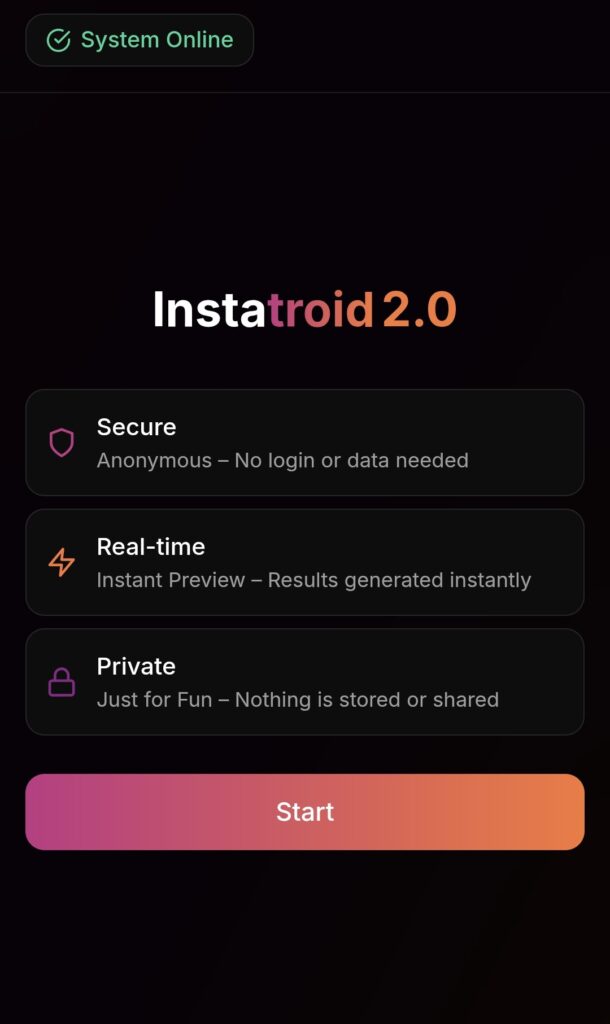
Instatroid has been popping up all over the internet lately, and chances are you’ve stumbled upon it if you’ve searched for ways to get more insights on your Instagram account. Some versions even go by Instatroid 2.0 or claim to be an updated, free tool. At first glance, it might look tempting — who wouldn’t want to know who viewed their profile, who screenshotted their posts, or even recover deleted messages? But here’s the thing: Instatroid Instagram tools are not what they seem. In fact, they’re far from safe. Today, we’re breaking down nine solid reasons why Instatroid isn’t the miracle app you think it is, and why you need to protect yourself before it’s too late.

We’ll not only go through each red flag step by step but also explain the dangers behind using such platforms, show you safer alternatives, and give you practical advice on what to do if you’ve already fallen into the trap. Think of this as your survival guide to avoiding Instagram scams like Instatroid.

Find More: Flufi Review 2025: The Truth Behind This Anonymous Instagram Viewer

9 Reasons Instatroid Isn’t What You Think

1. Instatroid Promises Data Instagram Never Shares

instatroid

Instagram simply doesn’t allow third-party tools to access private data like profile visitors, deleted DMs, or screenshots. If an app says it can do this, it’s already waving a giant red flag. Instatroid builds its entire pitch on offering the impossible. This is one of the oldest tricks in the book: make users believe they’ll gain access to “forbidden” features and use curiosity against them.

2. The “Human Verification” Trick Is Just a Scam

If you’ve clicked through Instatroid, you’ve seen the so-called “verification” step. It asks you to complete surveys, download apps, or watch ads. That’s not real verification — it’s just a shady way for them to make money while you waste time. Some users spend hours doing these steps only to discover there’s no actual prize waiting at the end. The only thing verified is that the scammer made money off you.

3. No Real Analytics or Insights Provided

Analytics

Legit Instagram tools show you metrics like reach, impressions, and engagement. Instatroid? Nothing of the sort. After jumping through hoops, you’re left empty-handed with zero actual insights about your account. Imagine expecting a full analytics dashboard and instead being greeted with vague numbers that don’t even match your Instagram stats.

4. Instatroid Exploits Your Curiosity to Earn Affiliate Money

The way Instatroid 2.0 works is simple: it lures you with juicy promises, then redirects you to affiliate offers. Every time you sign up, download, or pay for something, they get a cut. You, on the other hand, get nothing. It’s a one-way street of profit for them and frustration for you.

5. High Risk of Malware and Malicious Downloads

Malware

Some of those “verification” downloads aren’t harmless. People have reported malware, adware, and even programs that hijack personal data. Installing anything through Instatroid is like opening your front door to a stranger. That stranger may decide to snoop, steal, or even lock you out of your own home.

6. Possible Identity Theft and Data Harvesting

If you ever typed in your Instagram username and password into Instatroid or Instatroid 2.0 free, there’s a chance that info was logged and stored. Scammers can use it to hack your account, steal private messages, or sell your details on shady forums. Identity theft isn’t just about losing access to your account; it can spiral into larger problems if your email or phone number is linked.

7. Fake Testimonials and Misleading Claims Everywhere

Scroll through their site and you’ll see glowing reviews from “happy users.” Except most of them are fake stock photos with made-up names. The entire thing is staged to convince you it’s popular and trustworthy. If you do a quick reverse image search, you’ll find those same “happy customers” advertising completely unrelated products elsewhere.

8. No Transparency About Who Owns Instatroid

Ever noticed how Instatroid never tells you who’s behind the platform? No company name, no contact details, no accountability. Legitimate businesses are transparent. Scams hide in the shadows. Without real ownership, there’s no one to hold responsible when something goes wrong — and it will.

9. Safe and Legitimate Instagram Tools Don’t Work Like This

There are plenty of real Instagram analytics tools out there — Hootsuite, Later, Buffer, and more. None of them promise to spy on profile visitors or recover deleted chats, because they know it’s not possible. That’s the clearest sign Instatroid is nothing but smoke and mirrors. Compare Instatroid to a legitimate tool, and the difference is night and day.

The Dangers of Using Instatroid

How Malware Can Harm Your Device

If you download something through Instatroid, you could be installing malware without realizing it. That can slow your phone, drain your battery, bombard you with ads, or worse — give hackers access to your files. In some cases, malware runs silently in the background, spying on your keystrokes and activity without you ever knowing.

The Risk of Losing Your Instagram Account

how to repost someone's story on instagram

When you enter your login details, scammers could easily lock you out of your account. Suddenly, the Instagram page you worked hard to build could be gone, or worse — used for scams targeting your friends and followers. Imagine your audience receiving spam links from you, damaging your reputation in seconds.

Why You Should Avoid “Too Good to Be True” Tools

Any app that promises magic powers on Instagram — like revealing stalkers or secret activity — is usually a scam. Instagram’s API doesn’t allow it. If it sounds too good to be true, it probably is. The smarter approach is to understand Instagram’s actual rules and tools instead of chasing shortcuts that backfire.

Safer Alternatives to Instatroid

Trusted Instagram Analytics Tools You Can Rely On

If you genuinely want to track your growth, stick to established platforms like:

  • Hootsuite for social media management
  • Later for scheduling and insights
  • Buffer for tracking engagement
    These tools may not promise secret hacks, but they’re safe and deliver real results. They’ve been used by businesses, influencers, and marketers for years because they provide measurable data without risks.

How to Track Instagram Performance the Right Way

Focus on metrics that matter: engagement rate, reach, impressions, and follower growth. Use Instagram’s own Insights feature or pair it with a trusted tool. That’s how real creators and businesses grow. Instead of obsessing over who “stalked” your profile, concentrate on creating engaging content that naturally attracts an audience.

How to Protect Yourself If You’ve Already Used Instatroid

Change Your Instagram and Email Passwords Immediately

The first thing you should do is reset your Instagram password — and if you used the same password elsewhere, change it there too. Better safe than sorry. A unique, strong password can go a long way toward protecting your online identity.

Run a Full Malware and Security Scan

If you downloaded anything during the Instatroid process, scan your device with a trusted antivirus program. Delete anything suspicious right away. Don’t wait for issues to show up — prevention is easier than damage control.

Enable Two-Factor Authentication (2FA)

This adds an extra layer of security. Even if scammers have your password, they won’t be able to access your account without the code sent to your phone. It takes a few seconds to set up and could save your entire online presence.

Alert Your Friends or Followers

If your account was compromised, let your friends and followers know not to click on any suspicious links coming from you. A quick story or post could prevent others from falling into the same trap.

Conclusion

Here’s the bottom line: Instatroid isn’t real, and it definitely isn’t safe. From fake promises to hidden scams, it’s designed to trick you, waste your time, and possibly steal your information. Protect yourself by steering clear of these shady tools, and stick to official Instagram features or trusted analytics platforms. Your account — and your peace of mind — are worth way more than the empty promises of Instatroid.

At the end of the day, Instagram growth doesn’t come from shortcuts or gimmicks. It comes from strategy, consistency, and using safe tools that actually support creators. Don’t let scammers profit from your curiosity.

Find More: Boost Your Sales With SEO Services

FAQs

1. Is Instatroid legit or a scam?

It’s a scam. It doesn’t deliver the features it promises and often exposes you to security risks. No one has ever received the insights it claims to offer.

2. Can Instatroid really show who viewed my Instagram profile?

No. Instagram doesn’t share this data with anyone, and no third-party app can access it. Any tool claiming otherwise is lying.

3. What happens if I entered my details into Instatroid?

Change your passwords immediately and enable two-factor authentication. Also, run a malware scan on your device. If you notice unusual activity on your Instagram, contact Instagram support right away.

4. Are there safe alternatives to Instatroid for Instagram growth?

Yes. Tools like Hootsuite, Later, and Buffer are safe, transparent, and widely used by creators and businesses. They might not sound as flashy, but they give you real data to grow strategically.

5. How can I protect my Instagram account from scams like this?

Use strong, unique passwords, enable 2FA, avoid shady tools, and only trust apps recommended by Instagram or established in the industry. Stay cautious whenever you see an offer that feels like a shortcut — because in most cases, it’s just bait.

Tags:
10 Free Tools to Download Insta Photo in Full Quality

10 Free Tools to Download Insta Photo in Full Quality

download insta photo

Introduction

Download Insta photo – You’re probably here because you want to download Instagram photo (and the plural too)—maybe a stunning shot, a carousel, or even an Insta profile photo download. And of course, you don’t want to lose quality, so tools that preserve HD clarity are what you need. Whether you’re doing an Insta download photo and video spree or just saving favorites offline, here’s a solid list of 10 free tools that’ll make your life easier.

This guide is part of our Instagram Tools series, which explains how Instagram utilities work in 2026.

Instagram Tools

There are countless apps and websites that promise to help you save content from Instagram, but not all of them work well or keep your downloads in high resolution. Some bombard you with ads, others require sketchy logins, and some compress the quality so badly you can barely use the images. The tools below are the ones that actually work, are free to use, and are safe. Let’s dive in!

Find More: 7 Powerful Insta to MP3 Tools You’ll Wish You Knew Sooner

1. Toolzu – Download Instagram Photos in Two Clicks

Toolzu

Toolzu is one of the simplest ways to download insta photos. You just paste the post link, hit download, and within seconds you get a high‑quality file on your device. No need to sign up, install apps, or waste time with complicated steps. It works smoothly on desktop, mobile, and tablets. It’s perfect if you just need one quick photo, but it can also handle multiple links easily. Think of Toolzu as the no‑drama option.

2. Inflact IG Picture Saver – HD Photo & Video Downloader

Inflact IG Picture Saver

Inflact isn’t just about photos—it’s a complete insta download photo and video solution. It lets you download single images, whole albums, profile pictures, reels, and even IGTV videos. The best part? It doesn’t watermark or reduce quality. If you’re a heavy Instagram user or need to grab multiple types of content, this is a lifesaver. Inflact also has paid pro features, but the free version is already more than enough for casual users.

3. IQSaved – Insta Photos, Videos, Reels, and More

IQSaved

IQSaved is one of those “all‑in‑one” tools. Whether it’s a single image, a carousel, or a video post, IQSaved makes it easy. Paste the link, and you’ll instantly get access to the file in high quality. You don’t even need an account. This is great for anyone who often saves reels or wants to keep Instagram content offline for inspiration boards or presentations. It’s especially good for people who don’t want to deal with apps or extensions.

4. SnapInsta – Full HD, Anonymous, Free

SnapInsta

SnapInsta is one of the most popular tools because it works every single time. It supports downloading from posts, reels, stories, and even IGTV. What’s really cool is that it offers files in full HD (sometimes even up to 4K for videos). Plus, it doesn’t ask for your login or personal info, so you can stay completely anonymous. If privacy matters to you, SnapInsta is a great pick.

5. Shortimize – Quick & Easy Photo Downloader

Shortimize

Shortimize focuses purely on simplicity. Copy the link of the Instagram photo you want, paste it into Shortimize, and the high‑quality file is ready to go. It’s fast, clean, and doesn’t force you through ads or pop‑ups. While it may not support as many formats as Inflact or Toolzin, it nails the basics really well. This is the kind of tool you save in your bookmarks when you just want to download insta photo without overthinking it.

6. Toolzin – IG Photos, Videos, Reels, Stories… Oh My!

Toolzin

Toolzin is a powerhouse. With it, you can grab everything: photos, reels, stories, IGTV, and even thumbnails. It’s free, requires no installation, and works on both mobile and desktop. If you like having all your options in one place, Toolzin will quickly become your go‑to. It’s especially useful if you’re working with different types of content—say, one day it’s a reel and the next it’s a profile picture.

7. Instaloader – Power Tool for Command Line Lovers

Instaloader

This one is a little different. Instaloader is an open‑source Python program, and it’s incredibly powerful if you know your way around a terminal. Unlike web tools, Instaloader can download entire profiles, stories, hashtags, metadata, and even captions. You can schedule downloads or automate them, making it a favorite for researchers, content creators, or social media managers. The learning curve is higher, but the control it gives you is unmatched.

8. Turbo Downloader for Instagram – Browser Extension Magic

Turbo Downloader for Instagram

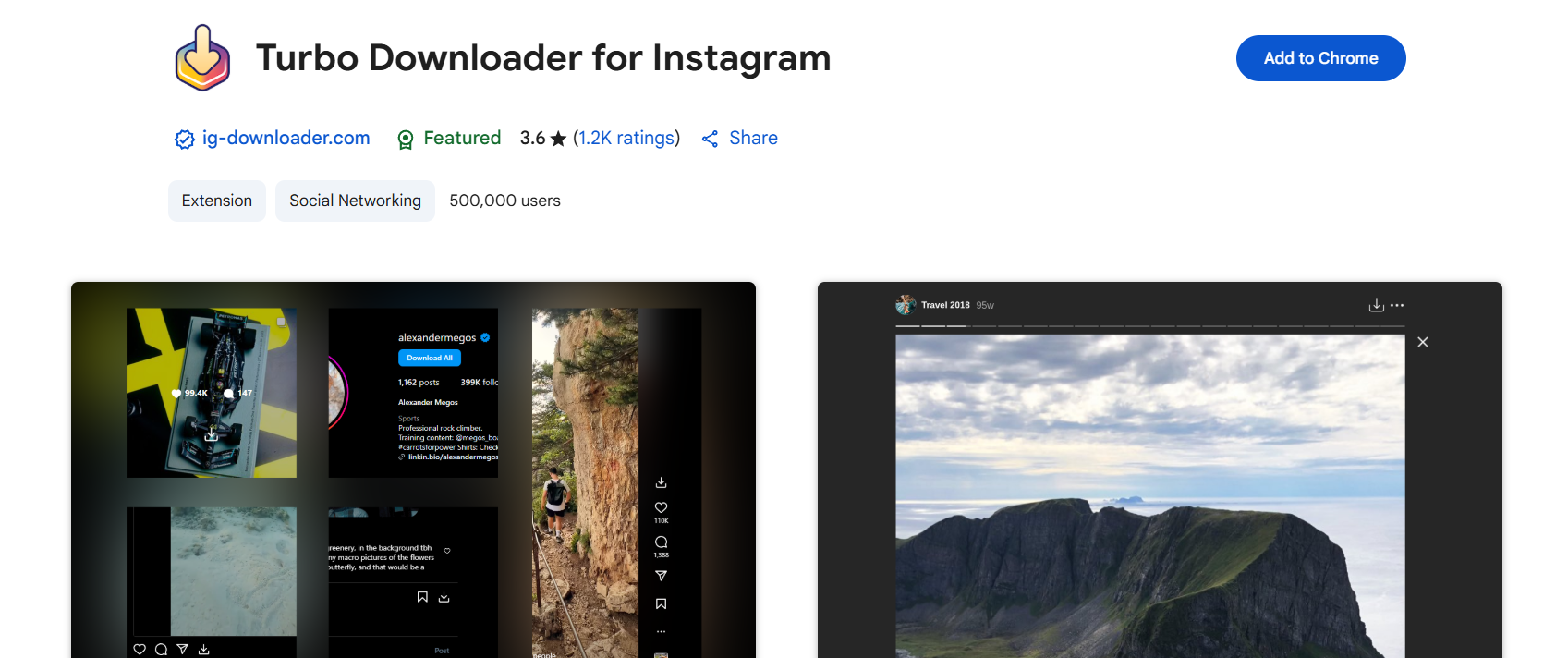
Sometimes, you just want a button right there in your browser. That’s what Turbo Downloader does. Once installed, it adds a “Download” button on Instagram posts, reels, and stories. No need to leave the site—just click and save. For bulk downloading, it even lets you save an entire profile’s gallery at once. If you spend a lot of time on desktop Instagram, this extension saves you tons of time.

9. ESUIT Photos Downloader – Bulk, Bulk, Bulk

ESUIT Photos Downloader

If your goal is efficiency, ESUIT is made for you. This Chrome extension allows you to download hundreds of posts from a profile in one go. It can even download posts where your account is tagged or highlighted stories. This makes it perfect for brands, marketers, or people who manage multiple accounts. Instead of clicking each link individually, you get everything in a few clicks.

10. Publer Media Downloader – Clean, No Frills

Publer

Publer is best known as a social scheduling tool, but they also offer a Media Downloader that works beautifully. No signups, no annoying ads, no limits. Just paste the link, download the content in high quality, and move on with your day. It’s straightforward and trustworthy. If you don’t like cluttered tools, you’ll love this one.

How to Choose the Best Tool to Download Insta Photo

With so many options, which tool should you actually use? Here’s a quick breakdown:

  • For quick single photo downloads: Toolzu, Shortimize, Publer.
  • For photo + video support: Inflact, IQSaved, SnapInsta.
  • For bulk tasks: ESUIT, Turbo Downloader.
  • For maximum control & automation: Instaloader.
  • For all‑rounders with multiple formats: Toolzin, Inflact.

Think about what you need most. If you’re just saving a meme, simplicity is key. If you’re archiving content for professional use, automation and batch downloading might be your priority.

Conclusion

Ultimately, if you’re here to download insta photo, the tools above have you covered. Each one has its strengths, from no‑login simplicity to advanced bulk downloads. Whether it’s a single insta profile photo download or an entire collection of reels, these free tools save you time and keep the image quality intact. Try out a couple and see which one feels the smoothest for your workflow.

Remember, these tools are meant for personal use. Always respect content creators—don’t repost or republish someone else’s work without permission. With that said, happy downloading!

Find More: Boost Your Sales With SEO Services

FAQs

1. Can I download Instagram photos without installing anything?

Yes! Tools like Toolzu, IQSaved, SnapInsta, and Publer are browser-based, requiring only a paste of the URL. No installation or signups needed.

2. Is downloading Instagram photos legal?

For personal use, saving public content is fine. But reposting, selling, or reusing content without permission is against Instagram’s terms. Always credit creators if you’re using their work in any way.

3. Can I save from private accounts?

Most web tools only support public accounts. If you need to save from a private account, Instaloader can do it—but only if you log in with your own Instagram credentials and already follow that account.

4. Will the downloaded photo lose quality?

Nope. These tools are designed to preserve original resolution. Inflact and IQSaved highlight HD support, while SnapInsta even supports up to 4K for videos.

5. Can I use these tools on mobile and desktop?

Definitely. Most are web-based and mobile-friendly. Extensions like Turbo Downloader and ESUIT are great for desktop users, while apps like Inflact work smoothly on both.

6. Which tool is the safest?

SnapInsta and Publer stand out for safety because they don’t ask for personal info. Instaloader is also safe since it’s open-source—you can see exactly how it works.

7. Can I download profile pictures?

Yes. Tools like Inflact, Toolzu, and Toolzin allow for insta profile photo download in full size, not the tiny circle you see on the app.

Tags:

7 Powerful Insta to MP3 Tools You’ll Wish You Knew Sooner

7 Powerful Insta to MP3 Tools You’ll Wish You Knew Sooner

insta to mp3

Introduction

Insta to MP3 is one of those searches that has exploded in popularity recently. Think about it — you’re scrolling Instagram, you find a reel with the perfect background music or a funny audio clip, and you instantly want to save it as an MP3. Whether it’s for creating your own content, listening offline, or just keeping a favorite sound bite, having the ability to convert insta reel to mp3 quickly is a game-changer.

And here’s the good news: there are now dozens of tools online that let you do exactly that. Some focus on speed, others on quality, and some even specialize in downloading insta audio to mp3 without ads or distractions. In this article, I’ll walk you through 7 of the most powerful insta reels to mp3 converters that I’ve tested and found reliable. By the end, you’ll know exactly which one fits your needs best. Along the way, I’ll also share some practical tips on safety, efficiency, and even creative ways to use these MP3s.

Find More: 7 Powerful Iganony Secrets Instagram Doesn’t Want You to Know

7 Powerful Insta to MP3 Tools You’ll Wish You Knew Sooner

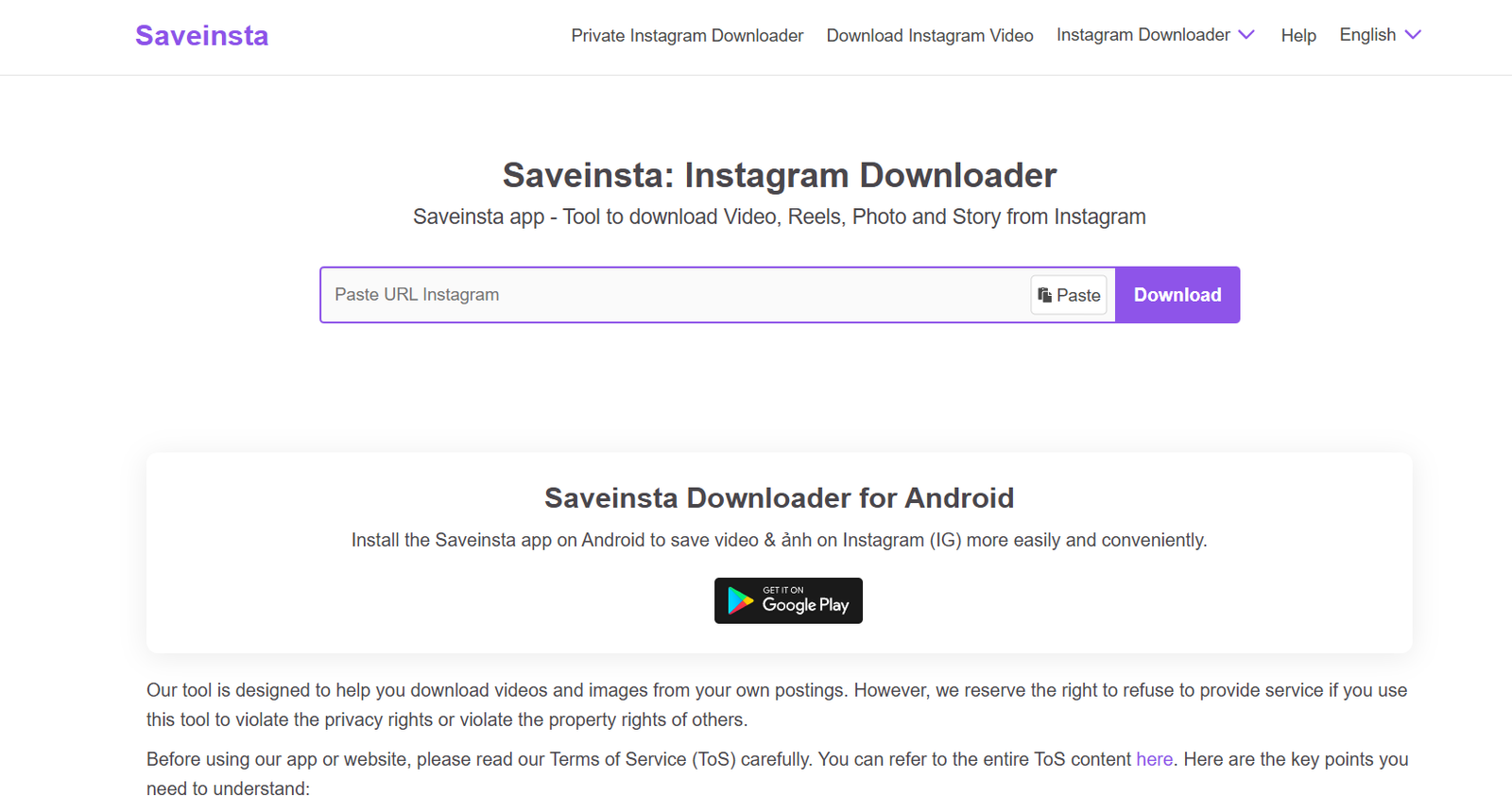
1. SaveInsta

SaveInsta

SaveInsta is probably the most straightforward tool out there for downloading reels and turning them into MP3 files. You paste the link, hit download, and in seconds you’ve got your file ready. The clean design makes it easy for first-time users, and you don’t need to worry about unnecessary steps.

  • Key Features: Works on reels, stories, IGTV, and even profile pictures. Super fast.
  • Pros: No sign-up required, mobile-friendly, free.
  • Cons: Occasional pop-up ads.
  • Best For: Anyone who wants a quick, no-frills download.

If you often come across trending audios on reels and want to save them for remixing or personal playlists, this is one of the best go-to solutions.

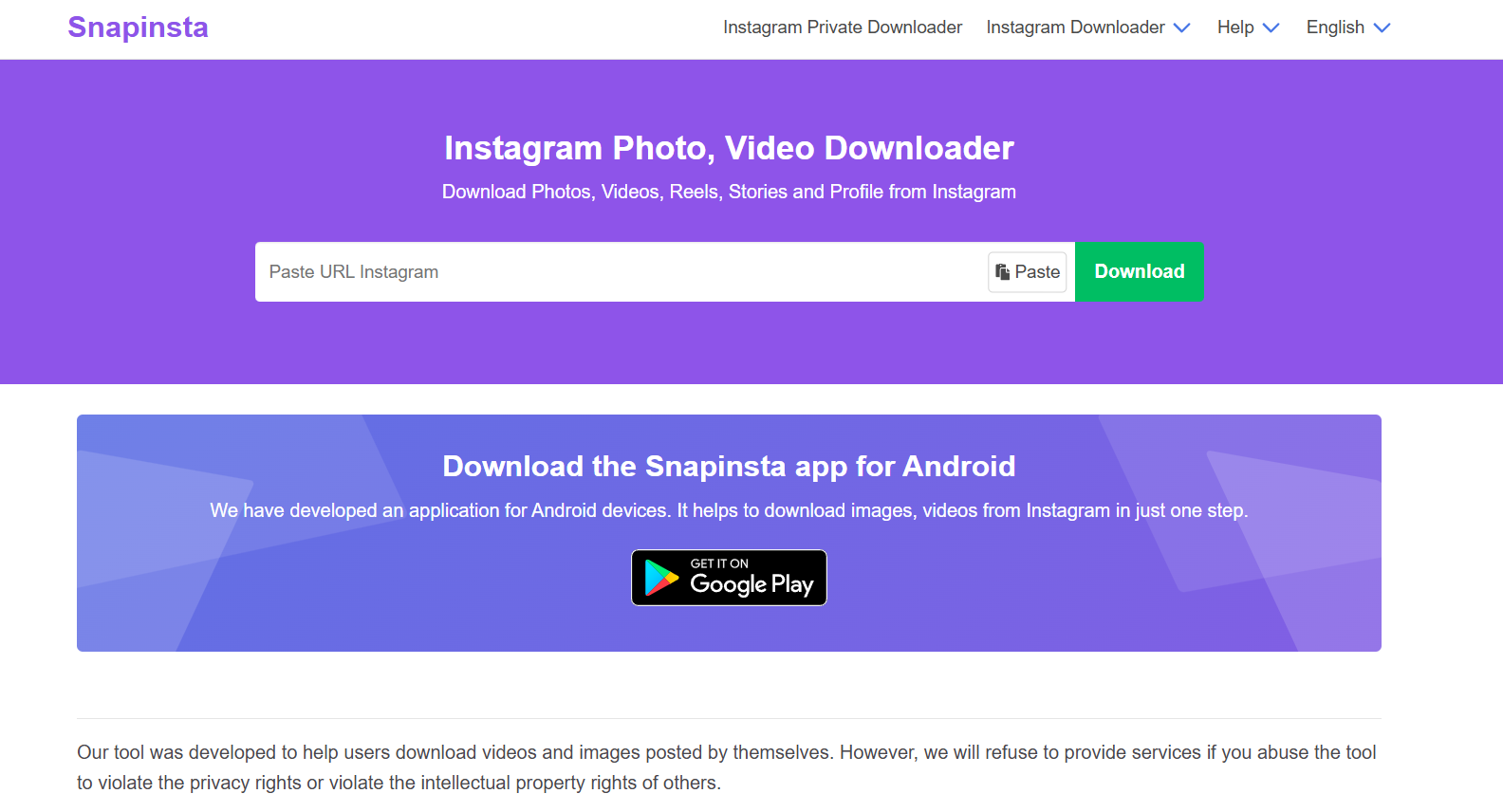
2. SnapInsta

SnapInsta

SnapInsta is another strong player in this space. The tool is lightweight, loads instantly, and gets straight to the point. Many users praise it for being reliable even during peak hours when other converters slow down.

  • Key Features: Converts reels, photos, and videos to MP3 or MP4.
  • Pros: High-quality output, easy interface.
  • Cons: Needs you to refresh sometimes if the server is busy.
  • Best For: People who prioritize audio clarity.

Whether you’re a content creator who needs crisp sound for edits or just someone who hates low-quality rips, SnapInsta is a solid choice.

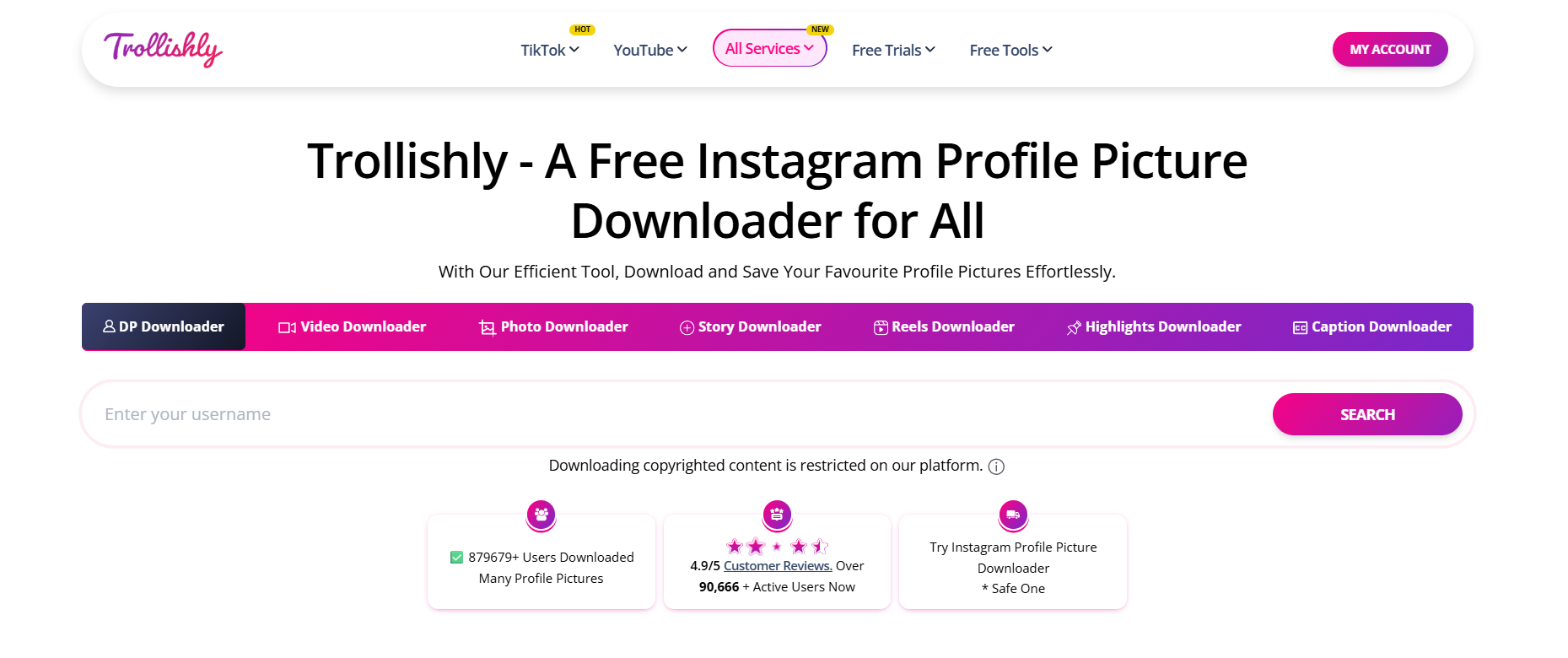
3. Trollishly

Trollishly

Not just for downloading profile pictures, Trollishly has grown into a full-fledged insta reel to mp3 converter. It’s especially useful for those who value design simplicity.

  • Key Features: Download reels, highlights, and videos in MP3 format.
  • Pros: Clean interface, doesn’t feel spammy.
  • Cons: Not the fastest on mobile.
  • Best For: Those who value a clean, minimal tool.

It’s a favorite for minimalists: no banners, no distractions — just grab your audio and move on.

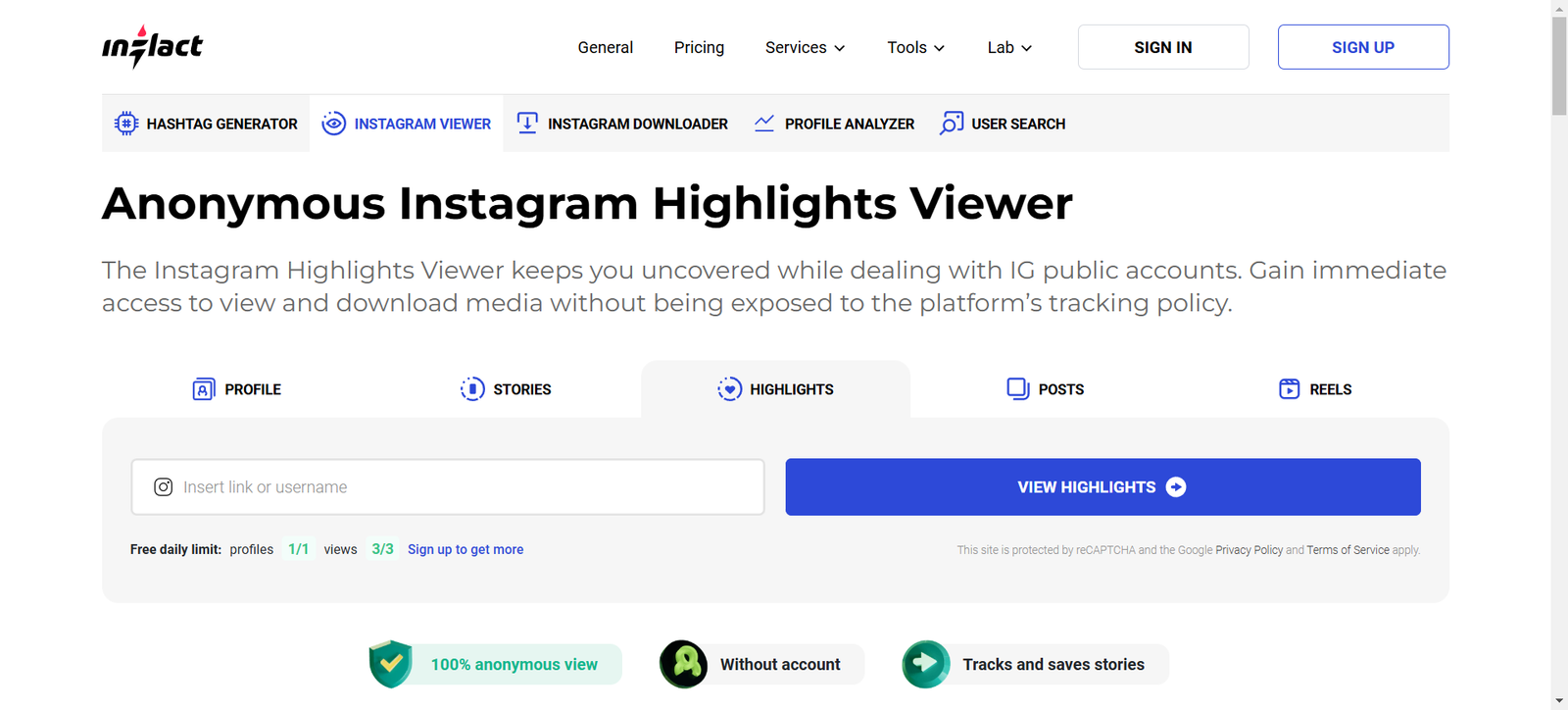
4. Inflact

inflact

Inflact isn’t just a downloader — it’s more of an Instagram toolkit. But yes, it includes a reliable insta audio to mp3 feature. Since it’s built for professionals, you get a polished interface and a sense of security that free tools sometimes lack.

  • Key Features: Save reels, posts, and convert audio directly.
  • Pros: Professional, trustworthy, frequently updated.
  • Cons: Some features require payment.
  • Best For: Content creators who want a premium experience.

If you’re serious about growing your Instagram presence or working on social media projects, Inflact doubles as a downloader and a research assistant.

5. SaveFrom

savefrom

This one’s been around for ages and is trusted by millions. SaveFrom supports not just Instagram but also YouTube, Facebook, and TikTok. The versatility is what sets it apart.

  • Key Features: Multi-platform support, fast downloads.
  • Pros: Reliable and safe.
  • Cons: Website can feel cluttered.
  • Best For: People who download from multiple platforms, not just Instagram.

If you want a single bookmark for all your audio and video needs, SaveFrom is a great all-in-one option.

6. Instafinsta

Instafinsta

The name’s a little funny, but Instafinsta is one of the better tools for insta reels to mp3. It’s super lightweight and works smoothly. It’s designed with mobile users in mind.

  • Key Features: Reel, video, and story downloader.
  • Pros: Very fast, works well on mobile.
  • Cons: Ads can be a bit annoying.
  • Best For: On-the-go users who mostly download from mobile.

If you’re someone who often saves audio while commuting or scrolling casually, this is a convenient choice.

7. INDownloader

indownloader

INDownloader is another reliable solution if you’re looking to convert insta reel to mp3 without hassle. It’s straightforward and doesn’t bombard you with unnecessary design elements.

  • Key Features: Download MP3 and MP4 files in one click.
  • Pros: Simple, quick, doesn’t bombard you with ads.
  • Cons: Sometimes slower than SnapInsta.
  • Best For: Users who want a clean, ad-light option.

It’s especially handy for casual users who just need a safe, no-nonsense option.

How to Choose the Best Insta to MP3 Tool

Not every tool is created equal, so here’s what you should consider:

Factors to Consider Before Downloading

  • Speed: Do you want instant conversions, or can you wait a few seconds longer?
  • Quality: Some tools compress audio, while others keep it crisp.
  • Ads: Free tools often come with ads — is that a dealbreaker for you?
  • Platform Support: Do you only need Instagram, or do you want a multi-platform tool?
  • User Experience: Some sites have intrusive ads that can be frustrating. Others are designed cleanly.

Safety & Security Tips to Avoid Malware

Always double-check the site URL, avoid clicking on strange pop-ups, and never download .exe files from these services — a proper insta to mp3 tool should only give you audio files. If possible, run downloads through your antivirus software for extra safety.

Speed vs. Quality – Which Matters More?

If you’re just saving a meme audio for fun, speed probably wins. But if you’re planning to repurpose content or use audio for creative work, quality should always come first. A few extra seconds of waiting is worth it for better audio.

Bonus: Creative Ways to Use Your MP3 Files

  • Build your own collection of motivational clips.
  • Add trending sounds into your video edits.
  • Use background audios for personal vlogs.
  • Save funny memes to share with friends offline.

Conclusion

So there you have it: 7 of the best insta to mp3 converters you can start using today. From ultra-fast options like SaveInsta and SnapInsta, to professional-level tools like Inflact, each one serves a slightly different need. The key is choosing the one that matches your style — whether that’s simplicity, high quality, or extra features.

Next time you stumble across an audio gem on Instagram, don’t just scroll past it. Save it, download it, and make it yours. These tools make it easy, safe, and even fun to start building your own little audio library.

Find More: Boost Your Sales With SEO Services

FAQs:

1. Is using an insta to mp3 converter legal?

It depends. Downloading for personal use is usually fine, but redistributing copyrighted audio can get you into trouble.

2. Are insta to mp3 tools safe to use?

Most are safe if you stick to trusted names like SaveInsta, SnapInsta, and Inflact. Always avoid shady pop-ups.

3. Do these tools work on mobile and desktop?

Yes! Almost all of them are browser-based, so they work on phones, tablets, and computers.

4. Can I convert private Instagram videos to MP3?

No — these tools can only convert public reels and posts.

5. What is the best free insta to mp3 converter right now?

For free and fast downloads, SaveInsta and SnapInsta are hard to beat.

6. Do I need to install software for insta to mp3 tools?

No, most of the popular tools are web-based, meaning you can use them without downloading any extra software.

7. Can I use insta audio to mp3 files for content creation?

Yes, but make sure you respect copyright rules. For personal projects and edits, it’s usually fine, but for commercial use you may need to check licensing.

Tags: