UK: +44 2038074555 info@atamgo.com
7 Fastest MKV to MP3 Converters That Actually Work

7 Fastest MKV to MP3 Converters That Actually Work

MKV to MP3

Introduction

If you’ve ever searched for MKV to MP3 tools, you already know how confusing it can get. There are hundreds of options out there, but not all of them are fast, reliable, or even safe to use. Sometimes all you really want is to take the audio from a video — maybe it’s a recorded lecture you want to listen to while commuting, a concert performance you love, or even a podcast-style interview stored in MKV format — and keep it as an MP3 file you can play anywhere. That’s where the right MKV to MP3 converter makes all the difference.

In this guide, I’ll walk you through the 7 fastest MKV to MP3 converters that actually work, based on real tools people trust. I’ll explain what makes each one stand out, who they’re best for, and what you should know before using them. I’ll also show you how to pick the best option for your situation and give you a quick step-by-step guide so you can confidently convert MKV to MP3 today.

Let’s get into it.

Find More: 7 Must-Try M4V to MP4 Converters That Actually Work in 2025

7 Fastest MKV to MP3 Converters That Actually Work

Here are the tools that people (including myself) have tested and found reliable.

1. VLC Media Player – Best Overall for Speed & Quality
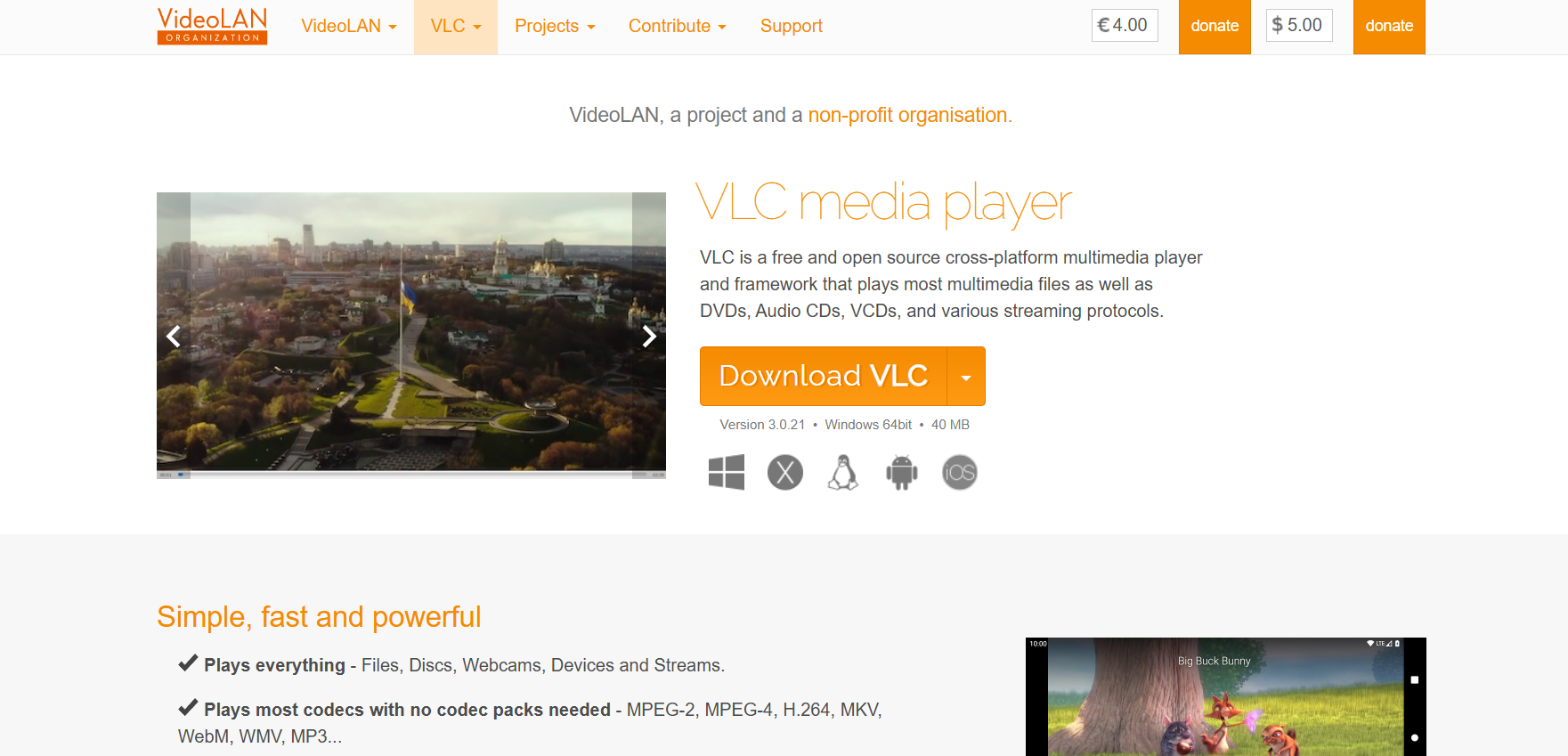
VLC Media Player

You probably know VLC as the free media player that plays almost any file format you throw at it. But what most people don’t realize is that VLC also doubles as a handy converter. You can easily convert MKV to MP3 in just a few steps.

Key Features:

  • 100% free and open-source
  • Works on Windows, Mac, and Linux
  • Can convert almost any video file, not just MKV
  • No ads, spyware, or hidden limits

Pros:

  • Reliable and safe
  • Doesn’t need internet access
  • Conversion speed is excellent

Cons:

  • Interface feels a little outdated
  • Beginners might need a quick tutorial to get started

Best For: Anyone who wants a simple, free, and trustworthy way to change .mkv to mp3 without installing extra paid software.

Pro tip: Once you learn the basics, VLC becomes a great long-term solution, since you can also use it for other formats beyond MKV.

2. Online Audio Converter – Fastest Online MKV to MP3 Tool
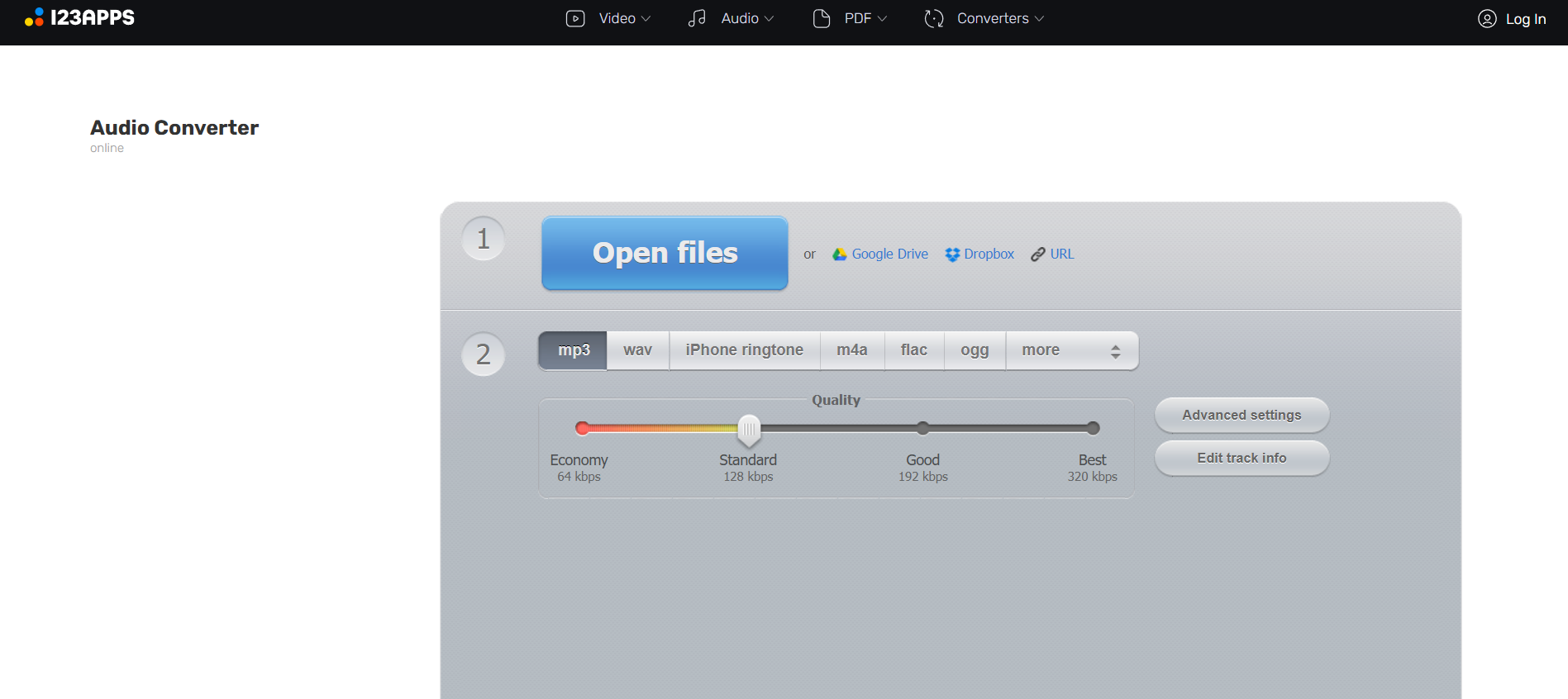
Online Audio Converter

If you don’t want to download anything, Online Audio Converter is one of the easiest tools you’ll find. It’s a browser-based converter where you just upload your MKV file, pick MP3, and hit convert.

Key Features:

  • Free and web-based
  • Supports dozens of formats
  • Batch conversion support
  • Adjust bitrate, sample rate, and channels

Pros:

  • No installation required
  • Easy drag-and-drop interface
  • Lets you tweak audio quality

Cons:

  • Limited file size (depends on internet speed)
  • Requires stable Wi-Fi or data connection

Best For: Quick one-time conversions when you don’t want to clutter your device with extra apps.

Extra note: Since it runs online, you can use it on almost any device — even Chromebooks or work computers where you can’t install software.

3. Audacity – Lightweight Desktop MKV to MP3 Converter
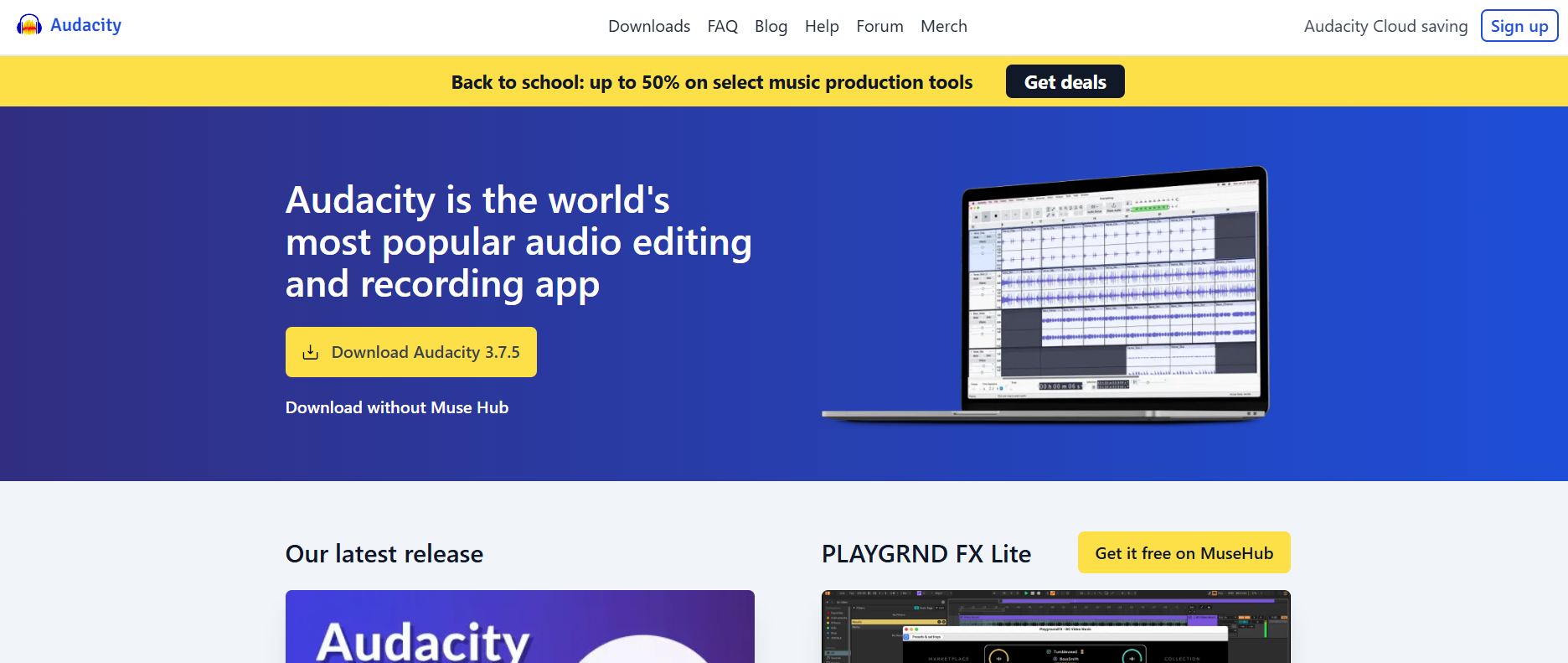
Audacity

Audacity is famous for being a free audio editor, but with the FFmpeg plugin installed, it doubles as a solid mkv to mp3 converter.

Key Features:

  • Advanced audio editing tools
  • Free and open-source
  • Works on Windows, Mac, and Linux

Pros: 

  • Perfect if you want to clean up audio after conversion
  • Free forever
  • Lets you cut, merge, or enhance sound

Cons:

  • Needs FFmpeg plugin for MKV support
  • Slightly more technical than drag-and-drop converters

Best For: Users who not only want to convert MKV to MP3 but also want to edit the audio — like trimming silence, adjusting volume, or creating clips.

Tip: If you’re into podcasting or music editing, Audacity gives you two tools in one — editing and converting.

4. CloudConvert – Free MKV to MP3 Converter with No Signup
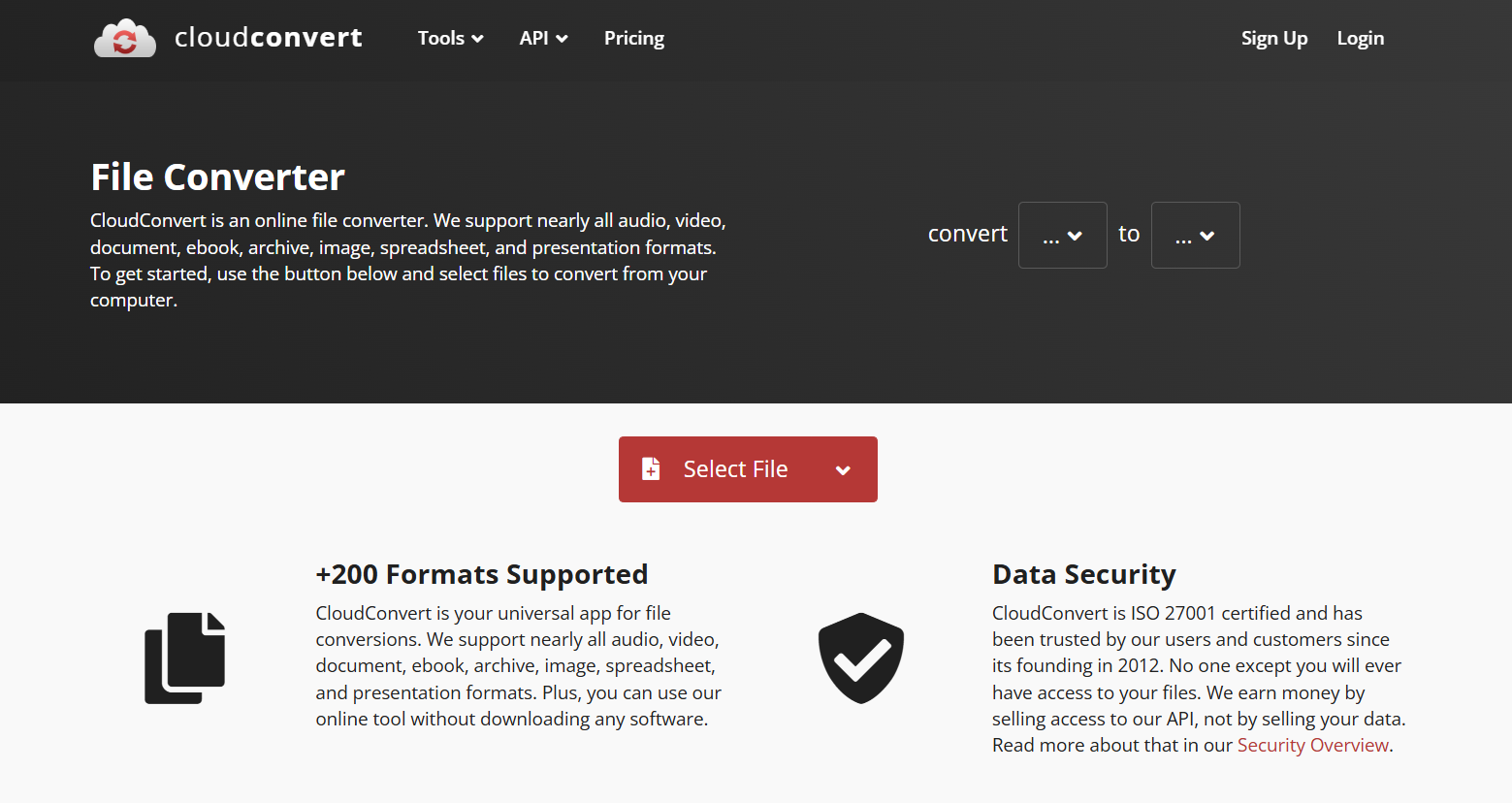
CloudConvert

CloudConvert has built a strong reputation as a safe and reliable online converter. Unlike some shady sites, it’s ad-free and gives you professional-level results.

Key Features:

  • Converts over 200 file types
  • Options to customize bitrate, channels, and file size
  • Secure uploads (files auto-delete after conversion)

Pros:

  • High-quality output every time
  • Doesn’t require signup for small jobs
  • Professional and clean interface

Cons:

  • Free plan is limited to a few conversions daily
  • Requires internet access

Best For: People who occasionally need a mkv to mp3 converter but want a polished, trustworthy service.

Fun fact: CloudConvert also integrates with Google Drive and Dropbox, which is super handy if your MKV files are stored in the cloud.

5. Convertio – Mobile-Friendly MKV to MP3 Conversion
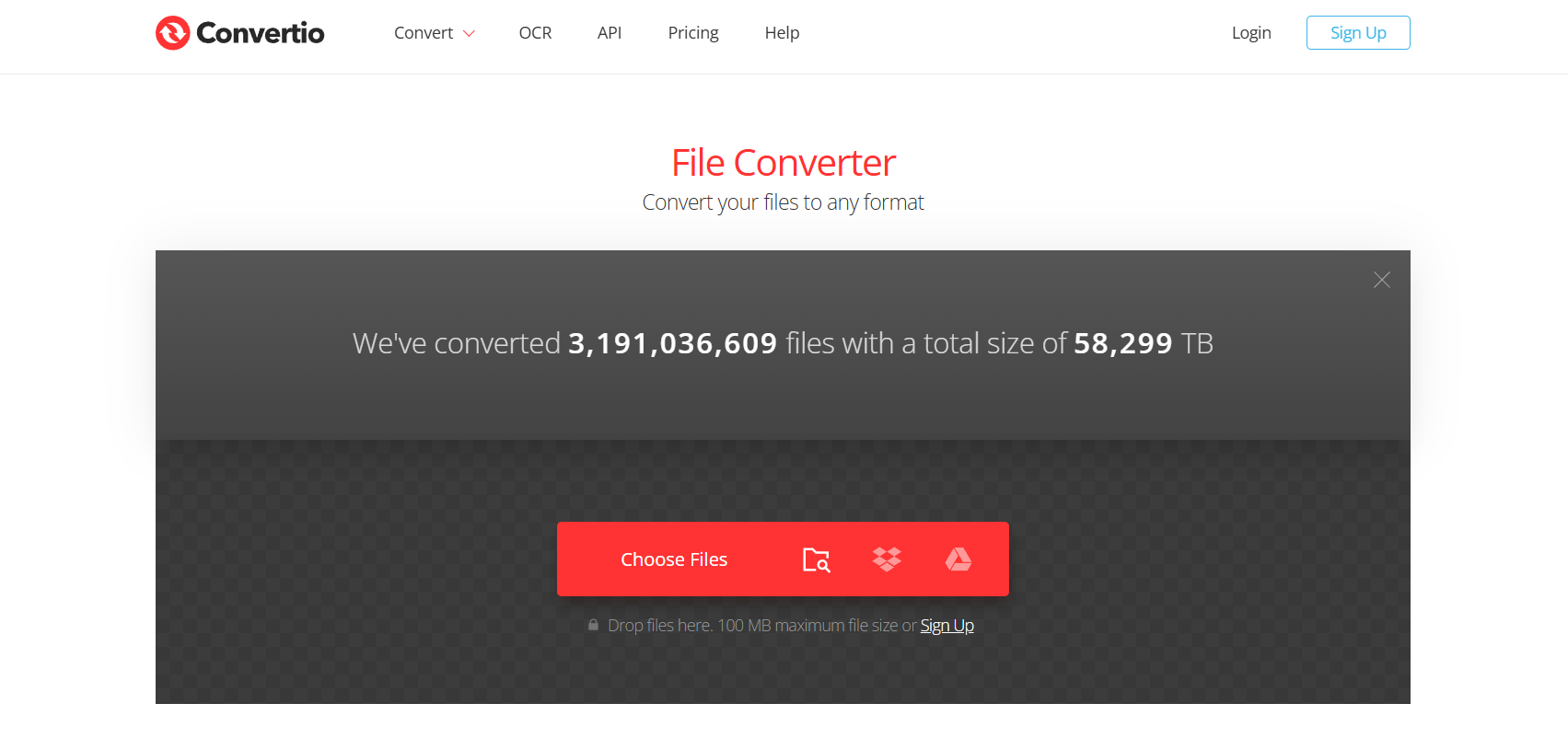
Convertio

If you’re working from your phone, Convertio is one of the most convenient tools around. You can use it directly in your mobile browser without installing anything.

Key Features:

  • Works on desktop and mobile
  • Can pull files from Dropbox, Google Drive, or local storage
  • Free and premium options

Pros:

  • Great for smartphone users
  • Modern, easy-to-use interface
  • Wide format support

Cons: 

  • Free plan limits file size
  • Conversion speed depends on internet

Best For: Users who want to convert MKV to MP3 while on the go, especially from their phones.

Pro tip: Convertio remembers your last settings, which makes repeated conversions much faster.

6. Freemake Audio Converter – High-Quality Audio Extraction from MKV
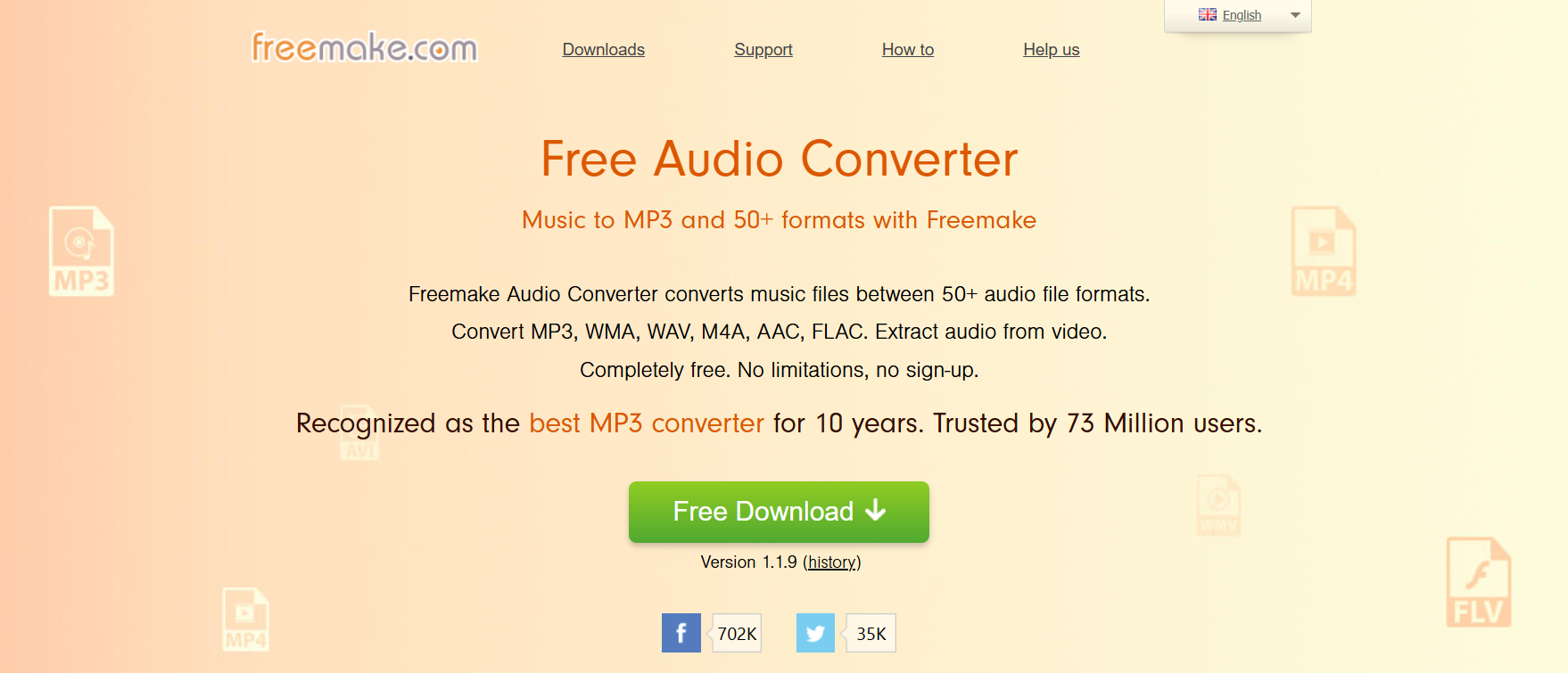
Freemake Audio Converter

Freemake Audio Converter has been around for a long time and still holds up as one of the best free tools for Windows users.

Key Features: 

  • Converts MKV to MP3, WAV, AAC, and more
  • Batch conversion support
  • Allows merging multiple files into one track

Pros:

  • Simple, beginner-friendly design
  • Great audio quality
  • Handles large MKV files with ease

Cons:

  • Windows-only software
  • Free version adds branding (removed with upgrade)

Best For: Windows users who want consistent, high-quality audio extraction.

Bonus: If you have multiple videos to process, Freemake is a lifesaver because it handles batch jobs without slowing down your system.

7. FFmpeg – Multi-Format Video to MP3 Solution

If you’re comfortable with command-line tools, FFmpeg is hands-down the most powerful option. It’s lightweight, incredibly fast, and supports almost every format imaginable.

Key Features:

  • Works on Windows, Mac, Linux
  • Supports nearly every media format
  • Extremely efficient resource use

Pros:

  • Ultra-fast conversions
  • Zero bloat, just raw power
  • Fully customizable with advanced commands

Cons:

  • Requires command-line knowledge
  • Not beginner-friendly

Best For: Tech enthusiasts or developers who want maximum control over their mkv to mp3 conversion process.

Fun fact: Many popular apps and converters actually use FFmpeg under the hood.

How to Choose the Best MKV to MP3 Converter

When picking the right tool, keep these three things in mind:

Speed vs. Quality: What Really Matters

If you just want something fast, stick to online converters like Online Audio Converter or Convertio. But if audio quality is your top priority, programs like Freemake or Audacity give you more control over settings.

Online vs. Desktop Converters

  • Online converters: Great for one-off conversions, lightweight use, or mobile users.
  • Desktop converters: Best for large files, batch processing, and offline use without internet.

Free vs. Paid Options

Most of the tools on this list are free, but paid upgrades usually give you perks like faster speeds, no limits, and extra customization. For example, CloudConvert’s paid plan is worth it if you convert often.

Step-by-Step Guide: How to Convert MKV to MP3 Quickly

Here’s a simple guide using VLC Media Player:

  1. Open VLC and go to Media > Convert/Save.
  2. Add your MKV file to the list.
  3. Click Convert/Save again.
  4. Under Profile, choose Audio – MP3.
  5. Pick your destination folder and file name.
  6. Hit Start and wait until it’s finished.

And that’s it. In just a couple of minutes, you’ll have a clean MP3 file ready to play on your phone, car stereo, or anywhere else.

Pro tip: You can repeat the same process for multiple files and save a ton of time.

Find More: Boost Your Sales With SEO Services

Conclusion

There are plenty of ways to convert MKV to MP3, but not all of them give you the speed, quality, or reliability you need. If you want a free all-in-one option, VLC Media Player is tough to beat. For quick jobs without installation, Online Audio Converter or Convertio are super convenient. And if you care about premium audio quality, Freemake Audio Converter is an excellent choice.

At the end of the day, the best tool depends on what you value most — speed, quality, or convenience. The good news is that every option on this list actually works, so you won’t waste time with sketchy software or unreliable websites.

Pick the one that matches your needs, try it today, and finally make the switch from MKV to MP3 without the headaches.

FAQs

1. Can I convert MKV to MP3 without losing quality?

Yes. Stick to tools like Freemake, VLC, or Audacity, and set the bitrate to 320 kbps for the highest quality output.

2. What is the safest free MKV to MP3 converter?

VLC and Audacity are both open-source, which means they’re transparent and safe. For online conversions, CloudConvert is among the most trustworthy.

3. Do online converters have file size limits?

Almost all of them do. Free plans usually cap uploads around 100–200MB. If you need to handle bigger files, desktop apps like VLC are better.

4. Is it possible to convert MKV to MP3 on mobile?

Absolutely. Convertio works smoothly in mobile browsers, so you don’t even need to download an app.

5. Which MKV to MP3 converter works best for large files?

Freemake and VLC are the most reliable choices when handling big MKV files without crashing.

6. Do I need internet to convert MKV to MP3?

Not always. VLC, Audacity, and FFmpeg work completely offline, which is great if you don’t want to rely on your connection.
Tags:
Full-Stack & Software Engineering Courses to Accelerate Your Career in 2025

Full-Stack & Software Engineering Courses to Accelerate Your Career in 2025

Full-Stack & Software Engineering Courses

With applications to customers, applications to the company, data services and automation, software is the core of product strategies. Being able to create a clean user interface, provide a reliable backend, and ship a cloud-native solution and being able to explain trade-offs in plain language makes you valuable.
In this guide, one will find practical, project-style, full-software applications that can assist working professionals to become ready to work on portfolio projects and also to establish deeper principles.

Factors to Consider Before Choosing a Full-Stack/Software Engineering Course

  • Career objective: entry-level developer, product-minded engineer, or upskilling to senior scope. 
  • Experience level: true beginner vs. developer sharpening stack depth (JS/Python/Cloud/DevOps). 
  • Learning style: self-paced or mentor-led cohorts with deadlines and live feedback. 
  • Certificate & outcomes: employer-recognized certificate, capstone, and portfolio artifacts. 
  • Time & budget: weekly hours you can sustain; duration and total cost vs. career impact. 

Top Full-Stack/Software Engineering Courses to Launch Your Career in 2025

MIT xPRO — Professional Certificate in Coding: Full Stack (MERN)

Duration: ~6 months
Mode: Online, cohort-based
Offered by: MIT xPRO
Short Overview:
This program focuses on the MERN stack to help you become comfortable building end-to-end applications that employers can evaluate quickly. You progress from core JavaScript to React interfaces, then to Node and Express services backed by MongoDB. Each module includes practical assignments that feed into a portfolio you can present during interviews. Guidance emphasizes readable code, version control, and iterative improvement. The capstone simulates real teamwork and deployment steps, helping you practice how features move from local development to production.

What Sets It Apart? Clear MERN specialization; capstone and portfolio emphasis; structured pace for working pros.
Curriculum/Modules: JavaScript, React, Node/Express, MongoDB, APIs, deployment, capstone.
Ideal For: Professionals who want a rigorous MERN path with strong portfolio outcomes.

The McCombs School of Business at The University of Texas at Austin — Full Stack Software Development Course

Duration: ~6–7 months
Mode: Online (live + self-paced)
Offered by: The McCombs School in Partnership with Great Learning
Short Overview:
Designed for working professionals, this program blends live mentor sessions, structured projects, and guided practice to build confidence across front end, back end, and basic DevOps. You start with fundamentals and progress to React for UI work, Node/Express for APIs, and databases for data integrity. Emphasis is placed on Git workflows, code reviews, and deployable builds. Assignments simulate realistic product tasks implementing features, fixing bugs, improving performance and culminate in a portfolio that showcases business-ready applications and decision-making trade-offs.

What Sets It Apart? Balanced front end, back end, and DevOps exposure; mentor-led sessions; completion certificate from Texas McCombs.
Curriculum/Modules: HTML/CSS/JS, React, Node/Express, databases, Git/GitHub, CI/CD, cloud & deployment, multi-project portfolio.
Ideal For: Newcomers and early-career technologists seeking a structured, mentored path with demonstrable projects.

Full Stack Web Developer (MERN Stack) Certification Training

Full Stack Web Developer (MERN Stack) Certification
Duration: ~6 months
Mode: Online, instructor-led + self-paced learning
Offered by: Intellipaat

This Full Stack Web Developer (MERN Stack) Certification course is designed for learning the concepts from basic frontend development skills to comprehensive backend application development with MERN stacks. The course curriculum includes learning basic web technologies and React for creating dynamic and scalable frontend, and then progressing into server-side programming with Node.js and Express, accompanied by MongoDB for storing and managing data. The entire curriculum includes learning through projects that simulate real-world applications.

What Sets It Apart?
Live instructor-led sessions; strong focus on real-world MEAN stack projects; interview preparation and career support; balanced coverage of frontend and backend development.

Curriculum / Modules:
HTML, CSS, JavaScript, React, Node.js, Express.js, MongoDB, REST APIs, authentication, deployment, real-world projects.

Ideal For:
Students and professionals aiming to become full stack developers with a structured MEAN stack roadmap and practical, industry-relevant experience.

IBM — Full Stack Software Developer Professional Certificate

Duration: Flexible (self-paced)
Mode: Online
Offered by: IBM
Short Overview:
This certificate builds a job-ready toolchain through practical labs and bite-sized modules that fit busy schedules. You learn front-end layout and interactivity, then implement server logic with common frameworks. Cloud-native topics like containers and CI/CD help you understand how modern teams ship features safely. Exercises encourage incremental delivery, logging, and basic observability. By the end, you will have worked through several small applications, practiced deploying them, and gained familiarity with workflows used in real software teams, from branching strategies to simple automated tests.

What Sets It Apart? Practical, job-ready toolchain; flexible pacing; beginner-friendly on-ramp.
Curriculum/Modules: HTML/CSS/JS, React, Node or Python services, containers, CI/CD, cloud deployment, capstone.
Ideal For: Beginners or cross-skilling professionals who want a structured, self-paced route.

HarvardX—CS50’s Web Programming with Python and JavaScript

Duration: ~12 weeks
Mode: Online, self-paced
Offered by: HarvardX
Short Overview:
This course extends the CS50 foundation into full web engineering, combining Python, JavaScript, and SQL to build robust applications. You will design data models, create APIs, and structure user interfaces with attention to usability and accessibility. The assignments move beyond toy problems, pushing you to handle sessions, authentication, security basics, and performance considerations. You also gain exposure to frameworks like Django and React, learning where each fits. The result is a thoughtful, project-based understanding of how modern web apps are designed, built, and maintained.

What Sets It Apart? Depth beyond basics (databases, security, scalability, UX); strong CS grounding.
Curriculum/Modules: Python, JS, SQL, Django, React, APIs, testing, deployment; project assignments.
Ideal For: Learners who want CS-backed web engineering skills and solid project work.

Great Learning — Software Engineering Courses

Duration: Varies
Mode: Online
Offered by: Great Learning
Short Overview:
This catalog aggregates multiple software engineering paths so you can match learning to your current level and goals. You’ll find beginner foundations, language-specific tracks, and end-to-end full-stack options, alongside focused modules in cloud, DevOps, or data structures. Many courses include certificates and practical projects to document progress. Because durations and workloads vary, you can pick shorter sprints to build momentum or commit to longer programs for depth. It’s a pragmatic way to sample topics, stack credentials, and build a portfolio over time.

What Sets It Apart? Single catalog to explore multiple tracks; mix of paid programs and free courses with certificates; university/industry collaborations.
Curriculum/Modules: Varies by course Java/DSA, full-stack tracks, cloud/devops modules, project work, and assessments.
Ideal For: Professionals comparing tracks and looking for flexible, budget-aware options (including free certificate courses).

Udacity — Full Stack Web Developer Nanodegree

Duration: ~4–6 months (paced)
Mode: Online
Offered by: Udacity
Short Overview:
Udacity’s project-centric approach helps you practice building APIs, integrating front-end clients, and deploying production-style services. Code reviews and mentor touchpoints give actionable feedback on readability, architecture, and testing. You’ll work with databases, authentication, and containerization to understand how features move from development to a running service. The curriculum prioritizes practical deliverables over lectures, so you finish with several portfolio artefacts that demonstrate real capabilities exactly what hiring managers and teams want to see when evaluating full-stack candidates.

What Sets It Apart? Project reviews by mentors; focus on deployable applications; career resources.
Curriculum/Modules: APIs, databases, Docker, CI/CD basics, auth, front-end integration, deployment.
Ideal For: Working professionals who want mentor feedback and portfolio projects.

The Odin Project — Full Stack JavaScript

Duration: Self-paced
Mode: Online (open source)
Offered by: The Odin Project
Short Overview:
This free, community-driven curriculum emphasizes learning by building. You start with fundamentals and gradually assemble full-stack projects using JavaScript across the stack. The path encourages documentation, code reading, and peer support through forums and Discord. Because it is self-paced, you can tackle modules around your schedule, repeat concepts as needed, and expand projects to show real initiative. By the end, you’ll have a body of work that reflects not just syntax knowledge, but the habits and discipline engineers use daily.

What Sets It Apart? No-cost curriculum; strong project culture; active community support.
Curriculum/Modules: Foundations, HTML/CSS, JS, Node, React, databases, testing, full-stack projects.
Ideal For: Self-motivated learners who want a zero-cost route with substantial hands-on practice.

Conclusion

Choose what job you would like to do, have practical goals of studying weekly and attempt to create some projects that are well written and of which you are proud enough to share. Going to a structured program with a mentor or learning independently, look to such core tools as Git, databases, a front-end library and a server library, and deploying to the cloud. Such combination will advance your career.

How Cybersecurity Supports Safe Digital Payments and FinTech Growth?

How Cybersecurity Supports Safe Digital Payments and FinTech Growth?

How Cybersecurity Supports Safe Digital Payments

People’s transaction habits have changed a lot in the last decade or so. We no longer depend only on cash, cheques, or physical bank visits. Nowadays, people transfer money within seconds from the comfort of their homes. Not only that, but they also buy groceries online and invest in mutual funds or stocks from their smartphones. This entire tech-enabled innovation is powered by FinTech(financial technology).

However, as digital payments become easier, they have become prone to vulnerabilities. Cyber intruders use advanced hacking techniques to target weak systems, trick people into sharing their details, and even sneak into databases to steal sensitive information. In fact, $40 billion worth of digital payments worldwide were deemed as fraud. 

With every fraud, customers lose their trust. That is why cybersecurity has become the most important aspect of FinTech. In this article, we will discuss why cybersecurity is essential for digital payments, how it helps protect users’ data, and the role of a cybersecurity specialist in the overall growth of FinTech.

Why Cybersecurity Matters in FinTech?

Every FinTech business is built on trust. So, if people don’t feel their money and data are safe, then they will avoid using digital wallets, banking apps, or investment platforms. And the worst part is that cyber criminals are evolving and implementing new tactics to create havoc. Let’s see the ways they use to target users: 

  • Phishing emails and fake websites are created to steal login credentials.
  • Data breaches may expose customer accounts and financial information.
  • Ransomware attacks can lock down your company’s systems until a payment is made.
  • Payment fraud reduces money from unsuspecting users.

A single cyberattack can cost a FinTech company millions of dollars. Moreover, it can also permanently damage its reputation. However, with the help of a cybersecurity agency, businesses can protect their data and customers’ data and increase confidence in digital systems.

The deep industry knowledge of an IT support for financial institutions team allows them to anticipate risks before they escalate, implement stronger compliance measures, and maintain operational stability across critical systems. It’s a practical way for financial firms to stay secure, efficient, and ready for the next wave of digital challenges. 

How Cybersecurity Protects Digital Payments

Cybersecurity is not a single-step process. It is a multi-layered defense that makes sure every phase of a digital payment is safe. Let’s understand how it secures digital payments. 

1. Secures Personal and Financial Data

Whenever any person makes an online transaction, their payment details travel across different networks. Cybersecurity makes sure this information is encrypted. It means that even if hackers intercept it, they cannot read it.

2. Detects Fraud with Real-Time Monitoring

FinTech apps with built-in cyberattack detection features can easily track unusual behavior like logins from unknown devices, or unknown locations, or any sudden high-value transactions. In the backend of the app, a cybersecurity analyst monitors these alerts, investigates them, and blocks suspicious activity before harm is done.

3. Safe App Development

FinTech apps are the core of digital payments. However, to keep them secure, cybersecurity experts work closely with developers and specialised fintech app development services to ensure security is built in from day one. They make sure the developers build apps that are strong enough to block unauthorized access, phishing attempts, and malware attacks. These cyber experts run multiple penetration tests to fix any loopholes. 

4. Educates Users

Often, the weakest link is us, the users. Many people may accidentally share their OTP, click on malicious links, or use a weak password. That is why it is mandatory to include a cybersecurity consultant who will help FinTech companies design awareness campaigns, so customers learn safe habits. 

5. Partner with Experts

Not every FinTech startup can afford a big security team. In those cases, you can turn to cybersecurity firms for assistance. They offer advanced tools, run security checks, and respond immediately in the event of a cyberattack.

 Many companies also collaborate with specialized payment and risk-management partners, such as solutions used by platforms relying on tools like Stripe Radar, MobiusPay high risk payment provider, or other industry-tested fraud-prevention services, to ensure every transaction goes through secure and compliant channels. Implementing B2B payment fraud prevention solutions helps businesses detect suspicious activity, block unauthorized transactions, and protect both themselves and their clients from costly losses.

Cybersecurity as a Growth Driver for FinTech

Many people think cybersecurity only blocks attacks. In reality, it helps FinTech companies grow faster. Here’s how:

1. Building Customer Trust

Trust is the currency of FinTech. When users see that a payment app has never been hacked and offers multi-layered protection, they feel confident using it. That confidence directly translates into higher adoption rates.

2. Meeting Regulatory Standards

Authorities such as the European Union (GDPR) and the US Federal Trade Commission have stringent rules for protecting customer data. A strong security framework ensures FinTech companies comply with these rules. Non-compliance can result in huge penalties.

3. Encouraging Innovation

When businesses know their systems are secure, they can experiment with new features. For example, digital lending, buy-now-pay-later schemes, and AI-powered investment apps all thrive because security systems keep fraud under control. Without cybersecurity, innovation would stall.

Roles of Cybersecurity Experts in FinTech

Trillions of digital payments happen within a single day. And behind every safe online transaction, there are experts who work 24/7 so that your payment is done securely. Let’s know about them briefly. 

  • Cybersecurity Specialist: They secure systems through encryption, access control, and risk management techniques.
  • Cybersecurity Analysts: These experts monitor networks, analyze threats, and respond to suspicious activities.
  • Cybersecurity Engineer: They build secure apps, design firewalls, and integrate safety features.
  • Cybersecurity Consultant: These professionals provide strategic guidance, policy planning, and employee training.
  • Cybersecurity Firms: They deliver specialized services like penetration testing, cloud security, and incident response to safeguard the entire ecosystem. To ensure thorough testing, many organizations turn to the best penetration testing companies for expert evaluation and risk assessment.

Key Challenges in Securing FinTech

Despite numerous advancements, cybersecurity in FinTech still faces significant challenges. Let’s check some important ones below: 

  1. Evolving Cyber Threats
    With emerging tech, hackers are also becoming intelligent. They use AI-powered attacks like deepfakes and phishing emails that mimic real users. That is why it is necessary to update your system and software regularly.
  2. Balancing Security with User Experience
    This is a major challenge that hardly anyone talks about. Too many security steps can be frustrating for users. With the help of a cybersecurity engineer, you can keep your systems safe without making them complicated.
  3. Rising Costs
    Hiring a leading cybersecurity agency can be costly. Yet, compared to the losses from a cyberattack, it’s always worth the investment.
  4. Human Errors
    Even the best technology can fail if people are careless. So, it is crucial to train employees and users, as it remains a critical part of cybersecurity.

The Future of Cybersecurity in FinTech

In the next 5 years, digital payments will be equipped with even stronger security solutions. Let’s see what innovations we can expect: 

  • Artificial Intelligence and Machine Learning: AI will play a major role in spotting fraud patterns in milliseconds. Additionally, it can suggest ways to prevent fraud before it happens.
  • Biometric Authentication: Fingerprint scan, facial recognition, and even voice scans will replace traditional numeric passwords in all devices.
  • Blockchain Technology: You can secure your transactions with blockchain. Furthermore, decentralized records make it easy for businesses to track transactions. The best part is that one can even alter transactions, as they will be immutable.
  • Quantum-Safe Encryption: As quantum computing takes the next leap, new encryption methods will secure payments against highly sophisticated attacks.

Best Practices for Safe Digital Payments

Let’s get to know the best practices you should follow as a customer to stay safe:

  • You must always use strong, unique passwords that can not be easily guessed. 
  • Enable two-factor authentication (OTP or biometric) to get an extra protective layer.
  • You should never share OTPs or PINs with anyone without any proper checks.
  • Keep your applications updated to the latest version so that they can’t be hacked. 
  • Do not use public Wi-Fi when you are making payments.

For companies, they can work with cybersecurity firms to ensure they adopt industry best practices and stay one step ahead of attackers.

Conclusion

With the rise of secure and innovative FinTech solutions, users can easily manage their finances. Apart from that, it offers speed and global reach as well. However, this transformative change can not sustain much longer without strong cybersecurity.

Cybersecurity creates the base for safe digital payments by protecting your personal and financial data. Additionally, when you take the assistance of a cybersecurity engineer, they can suggest necessary measures to ensure the digital ecosystem continues to grow. 

From Weight to Volume: How to Convert Liquid Products’ Measurements for Better Clarity (mg to mL)

From Weight to Volume: How to Convert Liquid Products’ Measurements for Better Clarity (mg to mL)

How to Convert Liquid Products’ Measurements

When it comes to online shopping,especially in industries like cosmetics, food, supplements, or essential oils,customers expect clear and accurate product information. One of the most common sources of confusion is measurement units. While some manufacturers display weights (mg, g, kg), others prefer volumes (mL, L). For liquids in particular, knowing how to convert milligrams (mg) to milliliters (mL) is critical to improving product clarity, boosting customer trust, and minimizing returns.

In this article, we’ll break down why this conversion matters, how it works, and the practical steps eCommerce brands can take to simplify the process for their buyers.

Why Converting Weight to Volume Matters in eCommerce

  1. Customer Clarity
    Imagine a skincare product labeled as “250 mg serum”. For most shoppers, this is confusing,does it mean the bottle contains just a fraction of a teaspoon? Converting that into milliliters (mL) gives customers a clearer picture of what they’re buying.


  2. Global Market Standards
    Different regions use different measurement conventions. For instance, many European countries prefer milliliters, while some U.S. manufacturers stick to grams or milligrams. Providing both units ensures your product information caters to a global audience.


  3. Reducing Returns and Complaints
    Inaccurate or unclear labeling often leads to dissatisfied customers. A shopper expecting a larger quantity may request a refund when they realize the product was measured differently. Conversions help avoid these issues upfront.


  4. SEO and User Experience
    Including both mg and mL in product descriptions makes your listings more keyword-rich and helps search engines rank your pages higher for long-tail queries like “250 mg to mL serum.”

The Science Behind mg to mL Conversion

Before diving into formulas, let’s clarify the difference:

  • Milligram (mg) measures mass/weight.


  • Milliliter (mL) measures volume.


Since weight and volume are different properties, we can’t convert mg to mL directly without knowing the density of the liquid.

Formula:

mL = mg​ ÷ Density (mg/mL)

Where:

  • Density is the mass per unit volume of a substance.


  • For water at room temperature, density ≈ 1 g/mL (1000 mg/mL).


This means:

  • 1000 mg of water = 1 mL.


  • But for oils, syrups, or alcohol, the density is different, so the conversion changes.


Example 1: Water
500 mg of water ÷ 1000 mg/mL = 0.5 mL

Example 2: Olive Oil (density ≈ 0.91 g/mL or 910 mg/mL)
500 mg ÷ 910 mg/mL = 0.55 mL

As seen here, the same weight leads to a slightly higher volume because olive oil is less dense than water.

Practical Tools to Simplify Conversion

Not every eCommerce seller or customer wants to do math. That’s where online converters and calculation tools come in handy. Tools like mg to ml allow users to input weight in mg and instantly get the corresponding volume in mL for various liquids.

Providing links to such tools on product pages improves user experience. Alternatively, brands can embed small calculators directly into their store (especially on Shopify) so customers can perform conversions on the spot.

Applications Across Industries

  1. Cosmetics and Skincare
    Lotions, serums, and oils are often sold in bottles labeled in milliliters, but ingredient lists use milligrams. Showing both helps customers compare products easily.


  2. Food and Beverages
    Cooking oils, flavor extracts, or syrups need accurate conversions for recipes and portion control. An oil listed as “20 mg” is meaningless without showing its mL equivalent.


  3. Pharmaceuticals and Supplements
    Dosage accuracy is critical in healthcare. Converting mg to mL ensures that patients and consumers follow the correct intake instructions, especially when liquid medications are involved.


  4. Perfumes and Essential Oils
    Since these products are sold worldwide, converting weights into mL creates standardization and avoids misleading customers about product quantity.


Tips for Store Owners

If you manage an online store, here are some best practices to follow:

  • Always show both units: Example – 250 mg (≈0.25 mL water equivalent).


  • Add density data: If your product differs significantly from water (like oil), mention its density to clarify conversions.


  • Use product schema markup: Include weight and volume details in structured data for SEO.


  • Offer a quick link to converters: Direct customers to tools like mltomg.info for hassle-free conversions.


  • Educate customers: A short FAQ section on product pages explaining mg-to-mL can reduce confusion.


Common Mistakes to Avoid

  • Assuming 1 mg = 1 mL: This is only true for water at standard conditions. Every liquid has its own density.


  • Not rounding properly: Always present conversions with practical decimal places (e.g., 0.55 mL instead of 0.549 mL).


  • Inconsistent labeling: Don’t switch between mg and mL across product ranges,keep a uniform system with both units displayed.


Final Thoughts

Clear communication of product measurements isn’t just about numbers,it’s about building trust with your audience. By learning how to convert mg to mL, online sellers can make their product descriptions transparent, reduce confusion, and boost customer satisfaction.

For businesses, the effort pays off in fewer complaints, better SEO, and a stronger reputation. And for shoppers, it means less guesswork and more confidence in what they’re buying.

Whether you’re a Shopify entrepreneur, a skincare brand, or a supplement company, adopting a simple mg to mL conversion system can go a long way in creating a seamless shopping experience.

Top 10 Web Accessibility Tools: Features, Pricing, and Use Cases

Top 10 Web Accessibility Tools: Features, Pricing, and Use Cases

Web Accessibility Tools

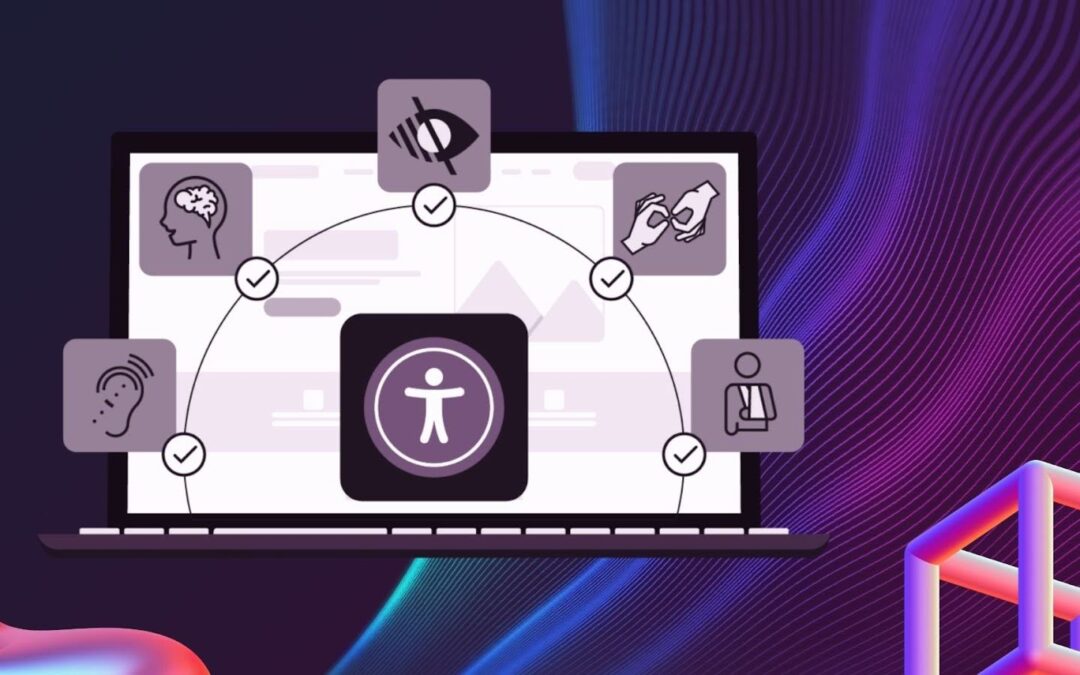
In today’s digital-first economy, having an accessible website is not just a best practice; it’s a legal, moral, and competitive requirement. With over 1.3 billion people globally experiencing some form of disability, web accessibility guarantees your site is usable for every person, no matter their abilities. The proper web accessibility app helps you:

In this blog, we’ll cover:

  • Why Web Accessibility Tools Are Essential for Any Business
  • How to Select the Best Web Accessibility Evaluation Tool
  • The top 10 web accessibility tools for 2025
  • Comparison of the Top 10 Web Accessibility Tools for Businesses
  • Common Accessibility Barriers Web Accessibility Tools Fix
  • FAQs About Web Accessibility Tools

By the end of this article, you’ll have the knowledge to confidently choose a web accessibility evaluation tool that fits your needs, your budget, and your platform, and take the next step toward making your website fully compliant and inclusive.

Why Web Accessibility Tools Are Essential for Any Business

Web accessibility is guided by the Web Content Accessibility Guidelines (WCAG), which set the requirements for making websites usable for humans with visual, auditory, cognitive, and motor impairments. In the U.S., the Americans with Disabilities Act (ADA) applies to digital systems, making compliance a legal requirement.

According to UsableNet’s 2025 Mid-Year Accessibility Lawsuit Report, over 2,000 virtual ADA lawsuits have been filed inside the U.S. in the first half of 2025, and about 69% of those targeted e-commerce websites. Compare that to 2024, when more than 4,000 such ADA-associated court cases were filed, with approximately 77% focused on e-commerce sites.

Key reasons to use a web accessibility evaluation tool:

  • Legal protection: Reduce the risk of lawsuits.
  • SEO benefits: Google favors accessible, well-structured websites.
  • User inclusivity: Reach millions of potential customers who rely on accessible design.
  • Brand reputation: Show commitment to inclusivity and social responsibility.

How to Select the Best Web Accessibility Evaluation App

Not all web accessibility apps are identical. Some attention is mostly on automatic scans, whilst the more complete ones blend automation with guide opinions and assistive-era testing, giving deeper, more reliable insights.

How to Select the Best Web Accessibility Evaluation App

Here are key factors to consider, especially with WCAG 2.2 now in play and ADA enforcement continuing to tighten:

  • Compliance Coverage:
    Look for tools that support WCAG 2.1 and WCAG 2.2 levels A and AA, plus legal frameworks like the ADA and Section 508. Newer criteria like Focus Appearance in WCAG 2.2 are increasingly important.
  • Testing Methods:
    A strong tool should offer automated checks and manual audits. Also, it should simulate assistive technologies like screen readers (e.g., VoiceOver, NVDA) and keyboard-only navigation.
  • Platform Integration:
    Ensure the tool works with your website platform (Shopify, WordPress, Wix, etc.). If you use custom or headless setups, check if the tool offers API or CLI options.
  • Pricing Models:
    Free tiers are great for basics; paid plans often unlock features like multi-site support, deeper testing, compliance auditing, and real-time alerts. Assess subscription vs. one-time fees, and whether the cost scales as your site grows.
  • Reporting & Dashboards:
    Good tools provide actionable reports—you want clear error descriptions, remediation steps, and progress tracking over time. Dashboards that show compliance scores, historical trends, and warning alerts help maintain ongoing compliance.
  • Ease of Use & Learning Curve:
    The tool should be usable not just by developers, but by content editors, marketers, or agency staff. Simple interfaces, visual feedback, tooltips, and easy-to-understand suggestions are big pluses.
  • Performance & Updates:
    Prioritize tools that are kept up to date with the latest WCAG releases. Also, they should be efficient; the impact on page speed and performance should be minimal.
  • Support & Documentation:
    Look for tools that offer good support (knowledge base, tutorials, community forums) and official documentation. Especially helpful if you’re not an accessibility specialist.

Top 10 Web Accessibility Tools For Any Business

Below are 10 of the most reliable web accessibility tools available today, presented in no particular order. All of them offer unique strengths depending on your needs.

1. All in One Accessibility® 

Best for: Small to medium size businesses, ecommerce stores, enterprises, digital agencies, non-profits, and other website owners seeking a quick and cost-effective way to improve website accessibility. 

Overview: All in One Accessibility® is an AI based user-friendly widget that helps websites to swiftly improve accessibility according to ADA, WCAG 2.0, 2.1, 2.1, EAA, Section 508 and other compliance standards. 

Key features:  

  1. AI-powered quick improvements within 2 minutes installation. 
  1. Compatible with all international standards and more than 700 platforms. 
  1. Multi-language (140+ languages) support for a globally inclusive experience. 
  1. Supports HIPPA, GDPR, SOC Type 2, CCPA, ISO 9001:2005, and ISO 27001:2022. 
  1. Customization for the user’s interface (color, screen reader voice, widget position, widget icon, language, etc. from All in One Accessibility dashboard) to match the site’s look and feel. 
  1. Automated accessibility compliance report from accessibility dashboard. 
  1. With paid add-ons like manual accessibility audit, PDF/document remediation, VPAT/ACR, and more, it offers a comprehensive solution.  

Pricing: Free and premium both options are available – Starting from $25 per month. 10 Days free trial is also available. 

Use case example: A skincare products ecommerce website remediation and accessibility enhancements are done using this plugin and manual intervention. 

Visit website: https://www.skynettechnologies.com/all-in-one-accessibility  

2. WAVE (Web Accessibility Evaluation Tool)

Best For: Quick, visual accessibility checks.

  • Overview: Developed by WebAIM, WAVE highlights accessibility issues directly on your webpage.
  • Key Features:
    • Browser extensions for Chrome and Firefox.
    • Online visual feedback on accessibility issues.
    • Free to use.
  • Pricing: Free.
  • Use Case Example: Used by small business owners to quickly identify and fix color contrast and heading structure issues.

3. axe DevTools

Best For: Developers integrating accessibility testing into workflows.

axe DevTools

  • Overview: Created by Deque Systems, axe DevTools offers browser-based and CLI testing tools.
  • Key Features:
    • WCAG 2.1 and 2.2 compliance checks.
    • DevTools integration for real-time feedback.
    • Detailed reports with code-level fixes.
  • Pricing: Free and paid tiers.
  • Use Case Example: Web development teams using CI/CD pipelines to catch accessibility issues before deployment.

4. Siteimprove Accessibility

Best For: Enterprises needing accessibility, SEO, and analytics in one platform.

Siteimprove Accessibility

  • Overview: Comprehensive platform offering accessibility monitoring, content QA, and analytics.
  • Key Features:
    • Continuous scanning of large websites.
    • Customizable accessibility dashboards.
    • Integration with CMS platforms.
  • Pricing: Paid, quote-based.
  • Use Case Example: Universities using Siteimprove to maintain compliance across multiple department websites.

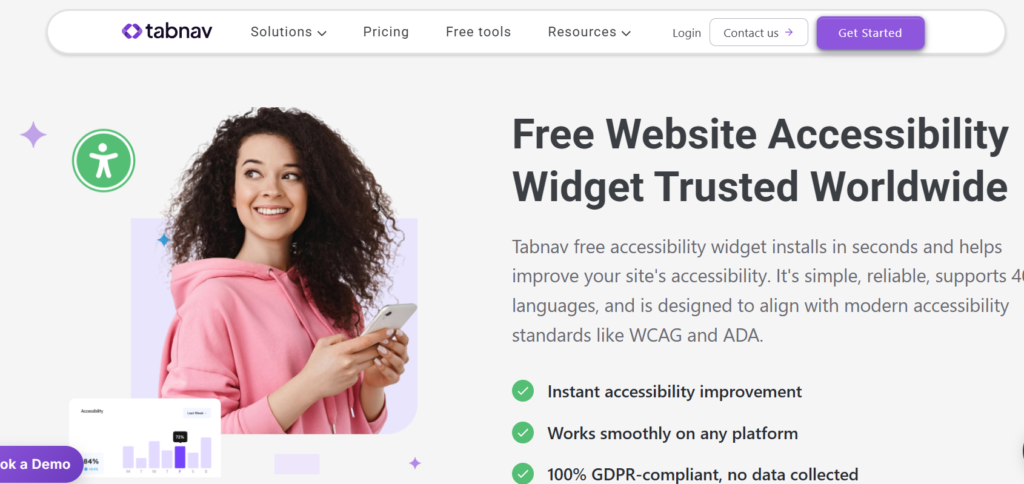
5. Tabnav Web Accessibility Solutions

Best for: Websites seeking a fast, full-featured accessibility solution with free and optional paid packages.

Overview: tabnav offers a free accessibility widget that improves site accessibility with WCAG and ADA – aligned features including keyboard navigation, contrast controls, readable fonts, and screen-reader support. Installed on thousands of websites worldwide, tabnav also provides a paid plan starting at $39/month, unlocking advanced accessibility features, expert audits, and a monitoring platform that detects accessibility issues for full compliance.

6. Level Access

Best For: Large organizations needing training alongside tools.

Level Access

  • Overview: Combines technology with accessibility training and consulting.
  • Key Features:
    • Automated and manual testing.
    • Training resources for development teams.
    • Compliance documentation.
  • Pricing: Custom quote.
  • Use Case Example: Government agencies meeting Section 508 and WCAG standards.

7. Monsido

Best For: Organizations managing multiple sites.

  • Overview: Accessibility, content quality, and SEO in one tool.
  • Key Features:
    • Prioritized accessibility issue lists.
    • CMS integration.
    • Real-time monitoring.
  • Pricing: Paid plans.
  • Use Case Example: Municipal websites improving citizen engagement through better accessibility.

8. Accessibility Assistant (Recommended for Shopify, WordPress, Wix)

Best For: Businesses seeking automated ADA & WCAG compliance with minimal setup.

  • Overview: Accessibility Assistant is designed to help businesses meet ADA and WCAG compliance quickly. It works across Shopify, WordPress, and Wix, offering automated scanning, real-time monitoring, and one-click fixes.
  • Key Features:
    • Automated detection and remediation for missing alt text, low contrast, and keyboard navigation issues.
    • Real-time WCAG/ADA compliance monitoring.
    • Works seamlessly across major platforms.
    • Customizable widget for user accessibility preferences.
  • Pricing: Free and paid plans available. See Pricing
  • Use Case Example: An eCommerce store increased its accessibility score from 65% to 98% within 48 hours, reducing legal risk and improving customer satisfaction.
  • Visit Website

9. EqualWeb

Best For: AI-powered accessibility remediation.

  • Overview: Combines automated scanning with AI-based remediation solutions.
  • Key Features:
    • Accessibility widget customization.
    • WCAG and ADA compliance checks.
    • Multi-language support.
  • Pricing: Free and paid plans.
  • Use Case Example: Global brands implementing EqualWeb for scalable accessibility improvements.

10. Tenon.io

Best For: API-based accessibility testing.

  • Overview: Developer-friendly API for integrating accessibility checks into applications.
  • Key Features:
    • Detailed issue reports.
    • Flexible API for custom workflows.
  • Pricing: Paid plans.
  • Use Case Example: SaaS companies embedding Tenon’s API for ongoing compliance checks.

11. AudioEye

Best For: Hybrid automated and human testing.

  • Overview: Offers automated scanning plus expert audits.
  • Key Features:
    • Continuous monitoring.
    • Remediation support from accessibility experts.
  • Pricing: Subscription plans.
  • Use Case Example: Retail brands using AudioEye for both compliance and ongoing UX improvement.

12. Google Lighthouse

Best For: Developers seeking free, integrated accessibility audits.

  • Overview: Built into Chrome DevTools, Lighthouse audits for performance, accessibility, SEO, and more.
  • Key Features:
    • Instant accessibility scoring.
    • Open-source.
    • Integration with CI workflows.
  • Pricing: Free.
  • Use Case Example: Startups running quick audits during early development.

Comparison of the Top 10 Web Accessibility Tools for Businesses

Tool Name Free/Paid Starting Price Best For Key Features
Accessibility Assistant Free/Paid From $0 Shopify, WordPress, Wix, ADA/WCAG compliance Automated fixes, WCAG 2.2 support, real-time monitoring, multi-platform integration
WAVE Free $0 Quick visual accessibility checks Browser extension, inline issue highlighting, WCAG guidance
axe DevTools Free/Paid From $0 Developer integration & code-level testing WCAG 2.2 checks, DOM analysis, integration with DevTools
Siteimprove Paid Custom Pricing Enterprise, education, government Accessibility + SEO + analytics, policy compliance reports
Level Access Paid Custom Pricing Large organizations & government agencies Automated + manual audits, compliance training, legal support
Monsido Paid Custom Pricing Multi-site management for global brands Real-time monitoring, CMS integrations, brand compliance tools
EqualWeb Free/Paid From $0 AI-based accessibility remediation Customizable widget, multilingual support, WCAG 2.2 readiness
Tenon.io Paid Custom Pricing API-first accessibility testing Flexible API, detailed reports, CI/CD workflow integration
AudioEye Paid Custom Pricing Hybrid automated + human testing Automated scans, human audits, continuous compliance tracking
Google Lighthouse Free $0 Quick performance + accessibility audits Built into Chrome DevTools, scores for accessibility, SEO, and PWA

Common Accessibility Barriers Web Accessibility Tools Fix

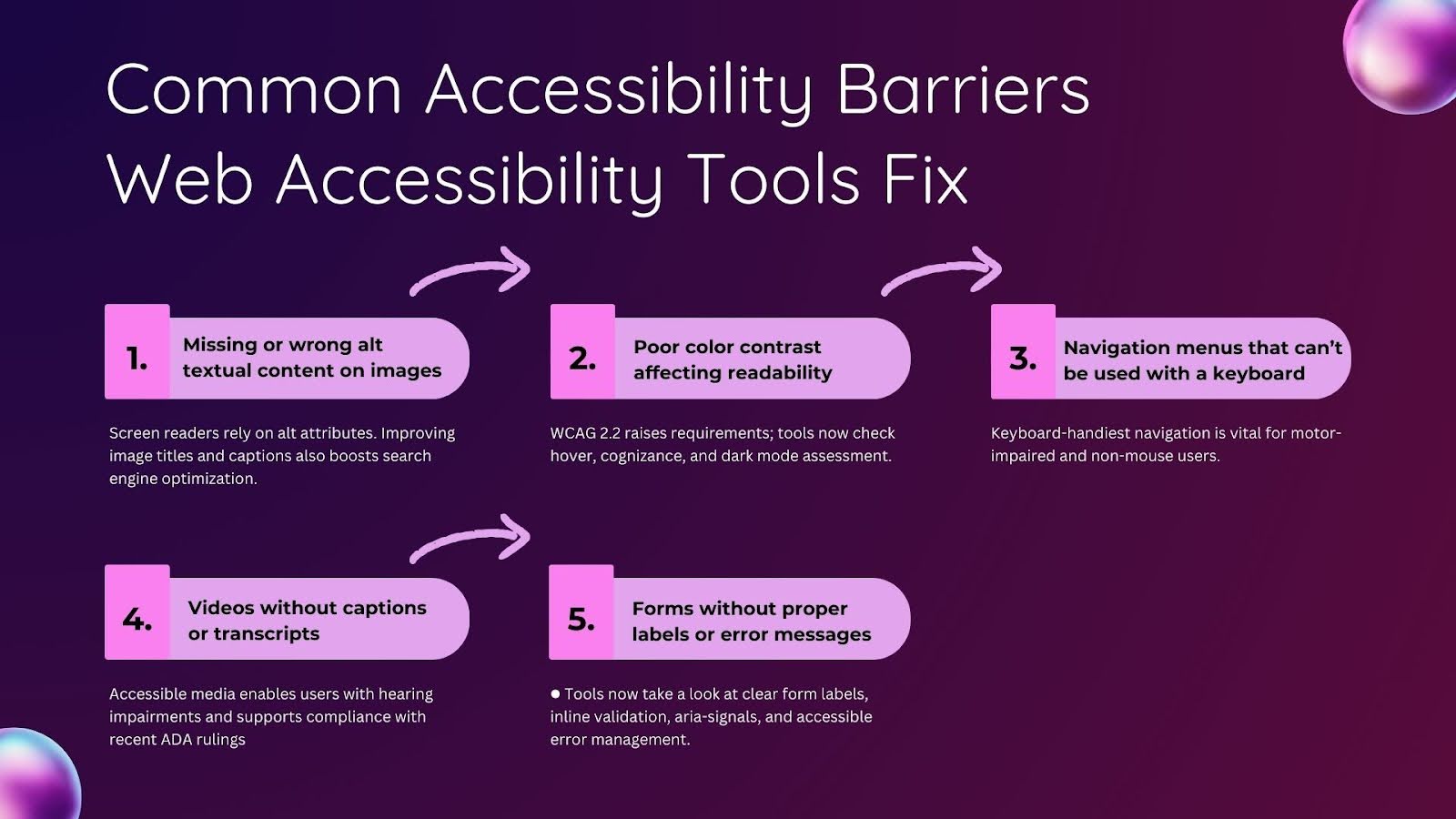
Even the best web accessibility tools are frequently aware of solving a middle set of problems that cause trouble for users.

Common Accessibility Barriers Web Accessibility Tools Fix

These include:

  • Missing or wrong alt textual content on images — Screen readers rely on alt attributes. Improving image titles and captions also boosts search engine optimization.
  • Poor color contrast affecting readability — WCAG 2.2 raises requirements; tools now check hover, cognizance, and dark mode assessment.
  • Navigation menus that can’t be used with a keyboard — Keyboard-handiest navigation is vital for motor-impaired and non-mouse users.
  • Videos without captions or transcripts — Accessible media enables users with hearing impairments and supports compliance with recent ADA rulings.
  • Forms without proper labels or error messages — Tools now take a look at clear form labels, inline validation, aria-signals, and accessible error management.

FAQs About Web Accessibility Tools

Q1: What is the best web accessibility evaluation tool?
The best tool depends on your needs. Accessibility Assistant is ideal for quick ADA compliance on Shopify, WordPress, and Wix, while tools like WAVE are better for quick visual checks.

Q2: Can ADA compliance tools for websites prevent lawsuits?
They can significantly reduce legal risk by identifying and fixing issues before they become compliance violations.

Q3: Are there free website accessibility evaluation tools?
Yes. WAVE, Google Lighthouse, and the free version of Accessibility Assistant offer basic scans.

Q4: How often should I run an accessibility scan?
At least quarterly or after major updates to maintain compliance.

Q5: What’s the difference between automated and manual tool accessibility testing?
Automated tools are faster and scalable, but manual testing catches context-specific issues automation may miss.

Conclusion

Using the right web accessibility tools is critical for achieving ADA and WCAG compliance, improving search engine optimization, and growing inclusive digital reports. Whether you’re managing a small business website or a huge eCommerce store, the tools in this list offer answers for each financial and technical level.

If you want to make your website online compliant with minimal effort, start with Accessibility Assistant. It’s quick to install, works throughout multiple platforms, and affords automatic, real-time fixes.

How Remote IT Teams Help Startups Scale Faster

How Remote IT Teams Help Startups Scale Faster

How Remote IT Teams Help Startups Scale Faster

Growing a startup requires you to think like you’re running a sprint and a marathon simultaneously. You must act quickly to attract the market’s attention while simultaneously establishing a strong enough base to sustain growth. The main challenges are limited budgets, stiff competition, and the necessity to be the first to introduce something new. For most founders, the bottleneck is not a lack of vision or ambition, but technical execution.

Traditional hiring can slow down this process. Local recruitment can take months, wages put a strain on budgets, and specialised skills are not always available. Meanwhile, opportunities are missed. This is why an increasing number of start-ups are turning to remote IT teams to help them grow more efficiently.

Remote collaboration breaks down barriers. By using global talent, startups can assemble teams with the specific skills they need – be it cloud architecture, mobile development, or cybersecurity without having to wait for the right local applicant. Distributed teams also mean that projects can be worked on almost 24/7, and handoffs can be made across time zones.

The lesson for you is simple: remote IT teams are not a cost-saving strategy, but a growth strategy. In the following passages, we will explore how distributed expertise can help startups speed up development, adapt quickly, and compete successfully in markets where timing is everything.

The Strategic Value of Remote IT Teams for Startups

Access to global talent on demand

Remote teams eliminate geographic boundaries to hiring. You are not restricted to local markets, but you can access specialized professionals worldwide. Require cloud engineers now and QA experts tomorrow? Global access implies that such positions can be occupied without lengthy recruitment processes.

This flexibility assists startups in filling skill gaps within a short period of time. Be it data science, mobile app creation, or cybersecurity, the appropriate expertise is just a contract away. Many companies, for instance, choose to hire software developers in India because of their strong technical expertise and availability across diverse domains.

Cost-effective scaling

In the case of a startup, each dollar matters. In-house development is costly in terms of overheads such as office space, equipment, benefits, and long-term contracts. Remote IT teams save these expenses greatly by operating under flexible agreements.

You are able to increase or decrease headcount according to your growth level. In the beginning, it could imply a small team of dedicated people, and subsequently, a bigger group of experts on new features. This price elasticity maintains the budgets in line with the revenue and does not affect the speed of delivery.

Faster product development cycles

Time zones, which are often seen as a challenge, can actually be an advantage. Teams working remotely in different regions allow for almost continuous development. While one team finishes its day, another begins.

This rhythm reduces iteration time and delivery speed. Features can be tested, refined, and shipped at a faster rate, enabling start-ups to satisfy market demand before competitors can catch up. The speed of releases translates to the speed of feedback, which in turn strengthens products.

Ensuring Successful Collaboration with Remote Teams

Setting clear goals and KPIs

Remote teams are most appropriate when priorities are evident. Having specific goals and KPIs will make sure that everyone is working on what is most important, whether it is a reduced release cycle, fewer bugs, or a specific user adoption goal.

The performance must be measured based on the business outcomes and not on the basis of the hours worked. When it comes to startups, this means focusing on results that directly influence growth. When KPIs are pegged to physical milestones, the teams are focused and accountable regardless of geography.

Strong communication and workflow tools

Teamwork needs the right tools. The platforms that provide common grounds where tasks are monitored, updated, and version-controlled are Jira, Slack, and GitHub. These platforms will be regularized to ensure that no information is mixed up.

Frequent feedback loops are also important. Scheduled check-ins, sprint reviews, and progress reports will make sure that projects are being run without any surprises. This framework prevents misunderstanding and provides visibility of time zones.

Building trust and long-term partnerships

Remote collaboration is not merely a matter of getting things done, but rather a matter of developing trust. The approach of considering distributed teams as an extension of the startup creates a feeling of ownership and accountability for results.

Transparency is the glue here. Sharing challenges as openly as successes creates stronger partnerships. For example, startups that embrace software testing outsourcing often see the best results when external teams are trusted with both responsibility and visibility. This mindset transforms remote collaboration from a temporary fix into a long-term growth strategy.

Conclusion

Reflectively, remote IT teams are among the smartest solutions for startups that want to scale up. They provide speed in cases where deadlines are short, flexibility in cases where there are changes in the project, and cost-effectiveness in cases where there are tight budgets, especially when founders complement distributed teams with trusted IT services in Oklahoma City to ensure consistent support and infrastructure reliability as they grow.

Their advantage is that they can be scaled quickly without overloading the resources. Instead of being bogged down by an archaic hiring system or a shortage of local talent, start-ups are able to import talent when and where it is required to keep the momentum going.

Needless to say, startups that have adopted remote collaboration are staying in touch with the times and leading the pack in terms of innovation. This can be a difference between following and leading in the fast-paced markets.