

7 Remarkable Tools to Save Snapchats Instantly (No Login Required)

Want to keep a hilarious video or a cherished memory before it vanishes forever? In 2026, saving Snaps doesn’t have to be a race against the timer. This guide reveals the safest, fastest ways to archive content without ever compromising your account security.
To save Snapchats instantly without logging in, use a dedicated Snapchat downloader or third-party screen recording tool. These tools allow you to capture videos and stories by either using a URL or recording the screen directly, ensuring you can save content to your device’s gallery without triggering “screenshot” notifications or risking your login credentials.
Find More: 9 Best Snapchat Video Downloader Tools Most People Don’t Know About
What is a Snapchat Downloader?
A Snapchat downloader is a specialized software tool or web-based application designed to export media—such as videos, photos, and stories—from the Snapchat platform to a local device. Unlike the native “Save” button which often notifies the sender, these external tools allow for a more discreet archiving process.
Understanding the Types of Downloaders
There are three primary categories of tools used for this task:
-
Web-Based URL Extractors: These require you to paste a link to a public story.
-
Mirroring Software: These reflect your phone screen onto a PC to record content externally.
-
Built-in System Tools: These utilize the native hardware capabilities of iOS and Android to capture visual data.
Why “No Login” is the Gold Standard in 2026
Security is the primary reason experts recommend tools that require no login. When you provide your username and password to a third-party app, you risk a “permanent lock” on your account. Using a snapchat story downloader that operates externally ensures your data remains private and your account stays within Snapchat’s Terms of Service.
The Risks of Traditional “Log-In” Apps
- Account Phishing: Many apps are fronts for stealing credentials.
- Shadowbanning: Snapchat’s AI detects third-party API access and may limit your reach.
- Data Leaks: Your private Snaps could be stored on insecure third-party servers.
7 Remarkable Tools to Save Snapchats Instantly
1. SnapSave Pro (Web-Based)

SnapSave remains a leader for public content. It is a dedicated snapchat video downloader that works entirely in your browser. You simply copy the link of a public story, paste it, and the tool fetches the MP4 file. It requires no installation and no access to your private data.
2. Screen Mirror (PC/Mac Companion)
For private Snaps, mirroring is the safest route. By casting your phone screen to a computer using software like AirServer or Reflector, you can use the computer’s screen recorder to capture the Snap. Because the recording happens on the computer, Snapchat’s mobile app cannot detect the capture.
3. OBS Studio (The Professional Choice)
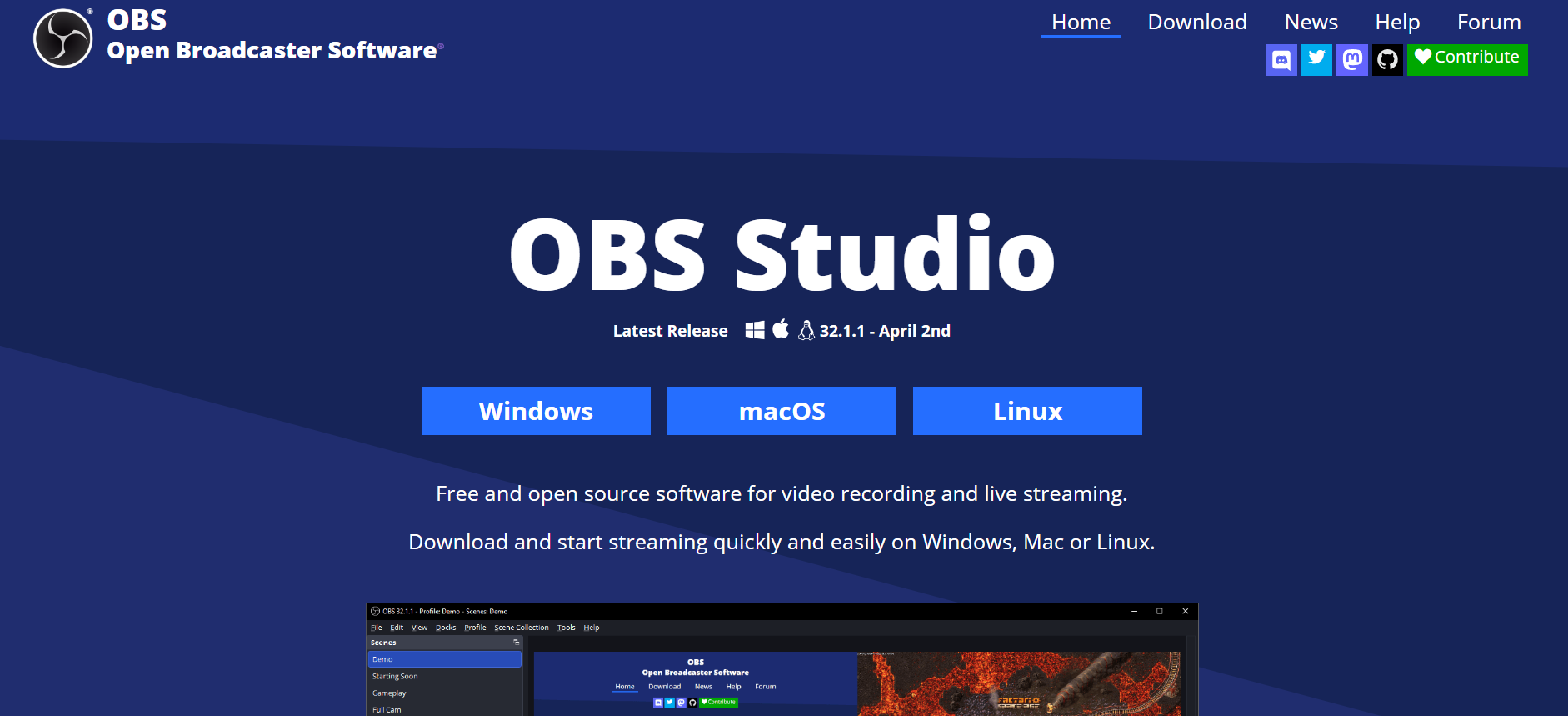
If you are downloading snapchat data for a creative project or archival purposes, OBS Studio is the powerhouse. Link your phone as a “Video Capture Device” and record in high definition. It’s free, open-source, and gives you total control over the bit rate and file format.
4. The iOS Native Screen Recorder (With a Twist)
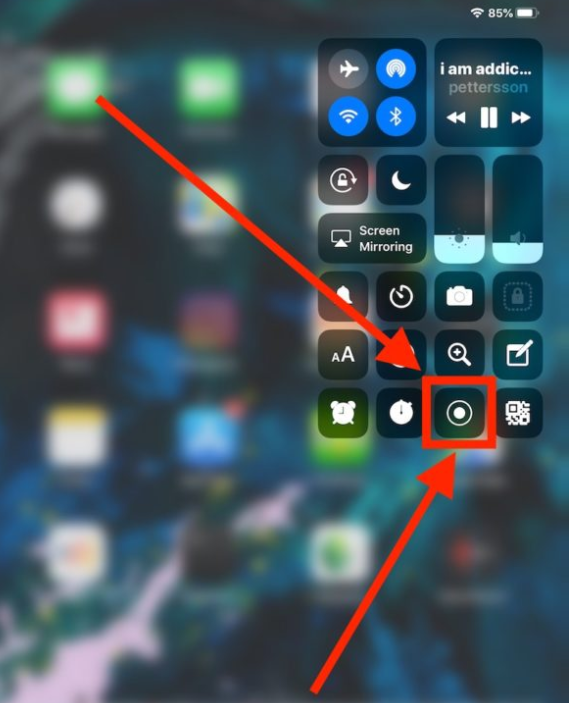
Most users know about screen recording, but in 2026, the “Twist” is using Airplane Mode combined with a cache clear. By loading the Snap, turning off all internet, recording, and then clearing the app cache before turning the internet back on, users have found ways to bypass notification triggers.
5. Android Media Grabber
Specific Android file managers can access the “Cache” folder where Snapchat temporarily stores viewed stories. By navigating to the internal storage and renaming the temporary cache files to “.mp4” or “.jpg,” you can “download” the content without any external app at all.
6. Browser Developer Tools (Desktop Web)
When viewing Snapchat Stories on a desktop browser, you can use the “Inspect Element” feature. By navigating to the “Network” tab and filtering by “Media,” you can find the direct source link for the video file and save it directly to your hard drive.
7. Universal Capture Hardware
For those who need a 100% foolproof method, an external HDMI capture card (like those used by gamers) can be connected to a phone. This captures the raw video signal before it even hits the screen, making it impossible for Snapchat’s software to detect that the media is being saved.
Step-by-Step Framework: How to Use a Snapchat Downloader
Follow this universal framework to ensure a successful save every time.
Step 1: Locate the Content
Open Snapchat and find the Story or Video you wish to save. If it is a public Story, tap the “Share” icon and select “Copy Link.”
Step 2: Prepare the Environment
If using a screen recorder, ensure “Do Not Disturb” mode is on. You don’t want a random text message popping up and ruining your recording.
Step 3: Execute the Download
Paste the link into your chosen story downloader for snapchat or start your recording software.
Step 4: Verify the File
Open your gallery or downloads folder to ensure the video plays correctly and has audio.
Step 5: Metadata Cleanup
Pro tip: Use a metadata remover tool to strip any GPS or timestamp data from the file if you plan on re-sharing it elsewhere.
Common Mistakes to Avoid
-
Using “Old” Third-Party Apps: Any app that asks for your Snapchat password is a red flag. Avoid them at all costs.
-
Ignoring Notifications: Always test a method with a “dummy” account or a close friend first to see if it sends a “Screenshot” notification.
-
Low Battery Recording: Screen recording consumes significant power. If your phone dies mid-save, the file will likely be corrupted.
-
Violating Copyright: Just because you can download it doesn’t mean you own it. Always respect the creator’s rights.
Comparison: URL Downloader vs. Screen Recording
| Feature | URL Downloader | Screen Recording |
| Ease of Use | High | Medium |
| Private Snaps | No | Yes |
| Notification Risk | Zero | Low to Medium |
| Quality | Original | Variable |
| Login Required | No | No |
Expert Insights: The Future of Snapchat Data
In 2026, the concept of “disappearing” media is becoming more of a legal suggestion than a technical reality. As AI-driven screen capture and network sniffing tools become more accessible, the barrier to saving any digital content has dropped to near zero. Downloading snapchat data is now a standard part of digital archiving for creators and investigators alike.
Pro Tips for Power Users
-
Use a VPN: When using web-based downloaders, a VPN protects your IP address from being logged by the tool provider.
-
Check File Sizes: If a downloaded video is under 100KB, it likely didn’t download correctly. Most 10-second Snaps are between 1MB and 3MB.
-
Automate with Shortcuts: On iOS, you can create a “Shortcut” that opens the screen recorder and toggles Airplane Mode with a single tap.
Key Takeaways
-
Prioritize Safety: Never share your login credentials with a downloader.
-
Public vs. Private: URL-based tools are for public stories; recording tools are for private Snaps.
-
Test First: Always verify if a tool notifies the sender before using it for sensitive content.
-
Quality Matters: Use desktop-based tools like OBS for the highest resolution possible.
Find More: Boost Your Sales With SEO Services
FAQs
1. Does using a snapchat downloader notify the sender?
Most web-based URL downloaders for public stories do not notify the sender because they access the data from Snapchat’s public servers, not the app interface. However, using a screen recorder on your phone may still trigger a notification unless you use specific bypass methods like mirroring to a computer or using a secondary device.
2. Can I download my own Snapchat data?
Yes. You can go to the “My Data” section in Snapchat’s official settings. This allows you to request a download of your entire account history, including your memories, chat history, and account logs. This is the most official way to perform a snapchat downloader task for your own content.
3. Is it legal to use a snapchat story downloader?
Technically, using these tools is a violation of Snapchat’s Terms of Service, which could result in an account ban. Legally, saving someone else’s content without permission may violate copyright or privacy laws depending on your jurisdiction and how you intend to use the saved media.
4. Why do most Snapchat downloaders stop working?
Snapchat frequently updates its encryption and API protocols to prevent third-party scraping. This is why “no login” tools that rely on screen capture or public URL extraction are more reliable than apps that try to “hack” into the Snapchat interface directly.
5. Can I save a Snap without the “Screenshot” label?
Yes, by using an external capture method. The most reliable way is to mirror your phone screen to a PC and record the PC screen. Since the recording software is running on the computer and not the phone, the Snapchat app has no way of detecting the activity.