UK: +44 2038074555 info@atamgo.com
Can Humanizador.net Save AI From Sounding Too Robotic?

Can Humanizador.net Save AI From Sounding Too Robotic?

Humanizador

Most people are using AI to generate content. But most people don’t actually like AI content. A recent study shows 82.1% of Americans can spot AI-generated text some of the time.

That’s not a big deal if you are not looking to engage with the audience. But if you are trying to build an audience, it matters.

In fact, 50.1% people said they would think less highly of a writer who uses AI. And 40.4% said the same about brands.

So, you need to write content yourself or humanize AI-generated content before publishing. That’s exactly where humanizador.net claims to help. But does it actually work? Let’s find out.

Can humanizador.net save AI from sounding too robotic

Humanizing is not just rewriting a passage. It is about rewriting humanly. Like how humans write. For a humanizer tool to work properly, it is necessary that it mimics humans and also keeps the context.

That’s exactly what I am looking for in humanizador.net.

Testing the humanization ability of humanizador

To really see if humanizador.net works, I have decided to run a small experiment. I will take a piece of AI-generated text and humanize it.

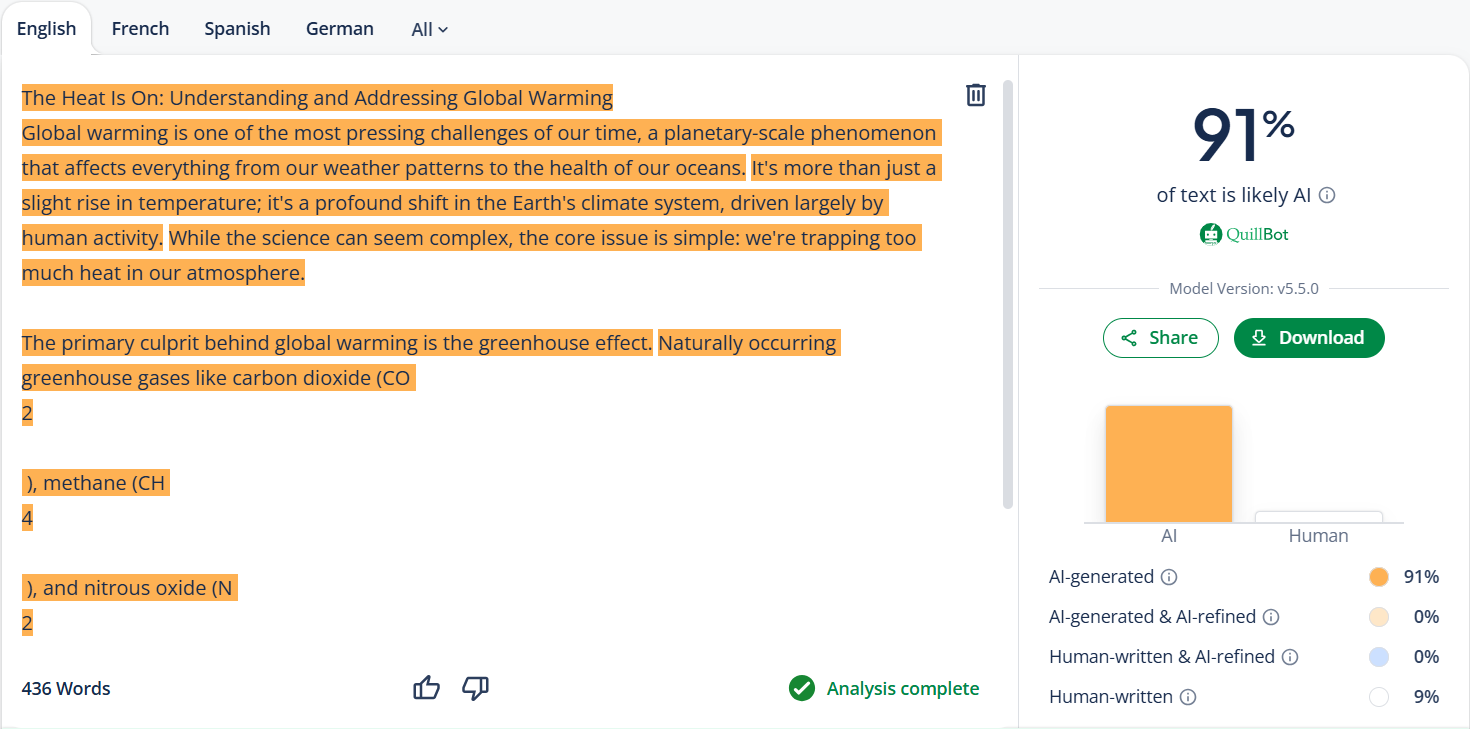
But before that, let’s check its AI similarity through QuillBot first. To see if it actually has AI.
humanizador

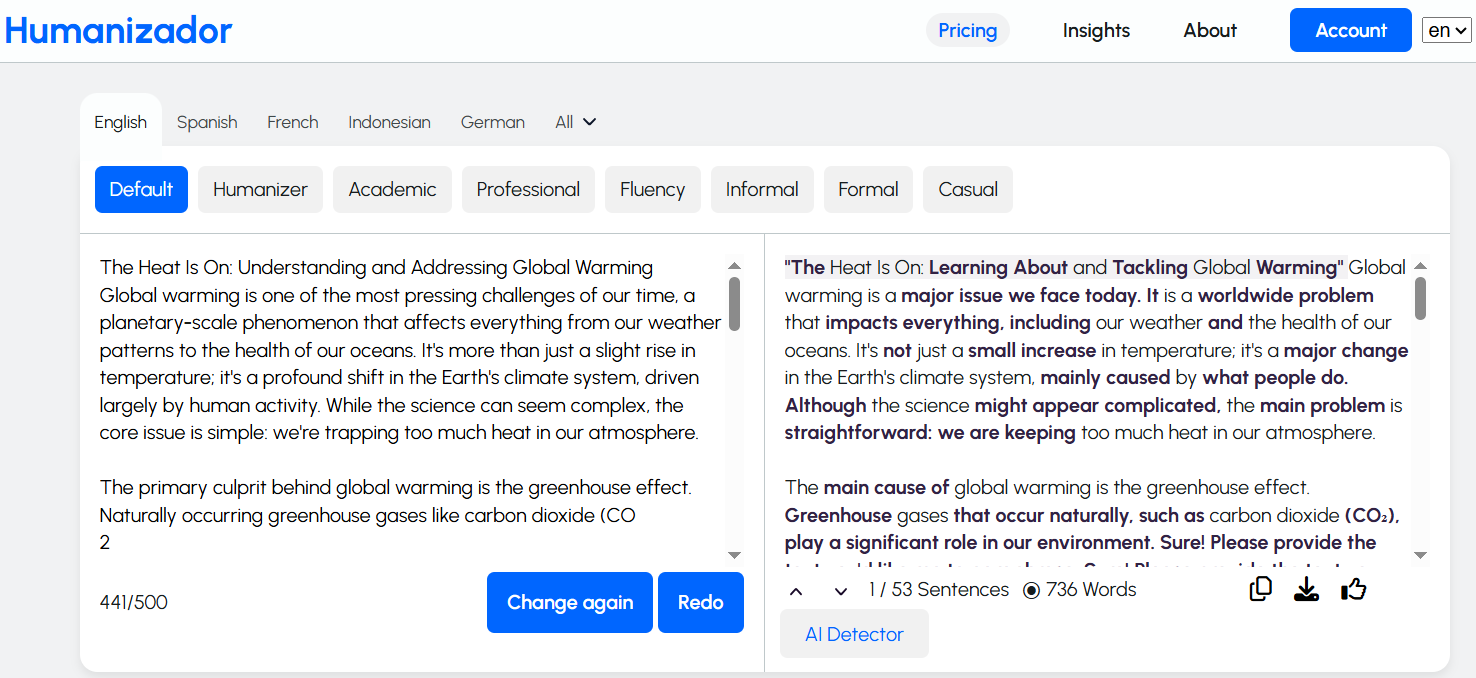
It has a lot of AI in it. So, now is the time to run the text through Humanizador.net to check if it could truly make the content sound human.
humanizador

I was expecting the results to look that good. The content actually sounds better. And the length is much longer. Meaning, it has added some context as well.

But I need to confirm this by passing it to QuillBot. It sounds better to me, but it will tell if it looks better to the algorithms, too.
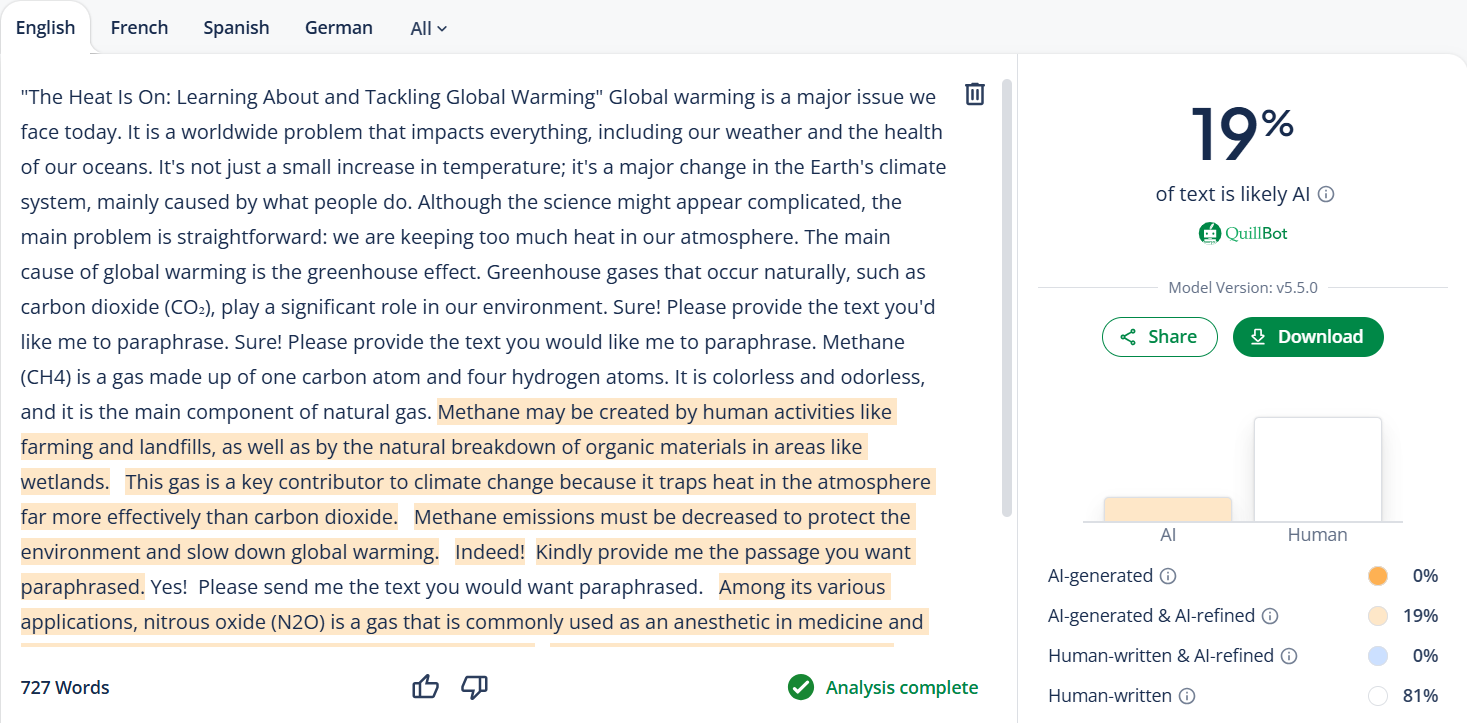
humanizador

QuillBot says about the same as me. Humanizador’s free AI humanizer tool has made it much better, not perfect, but that can be done with a little bit more editing.

Checking the contextual understanding of humanizador

Humanizing text is one thing, but keeping the context intact is another challenge. Many paraphrasing tools often change the meaning of a sentence. They drift away from the main idea just to make it sound different.

To test if Humanizador.net really understands context, I will try a different approach. I will take the AI content and its humanized version to an AI chatbot. Then I will ask it to tell me the context of the input.

If the chatbot could clearly identify what the content was about without any confusion, it would mean that Humanizador had successfully preserved the context.

For that, I have chosen Free ChatGPT from paragraph-generator.com. Let’s see what he says about the topic of the AI content.
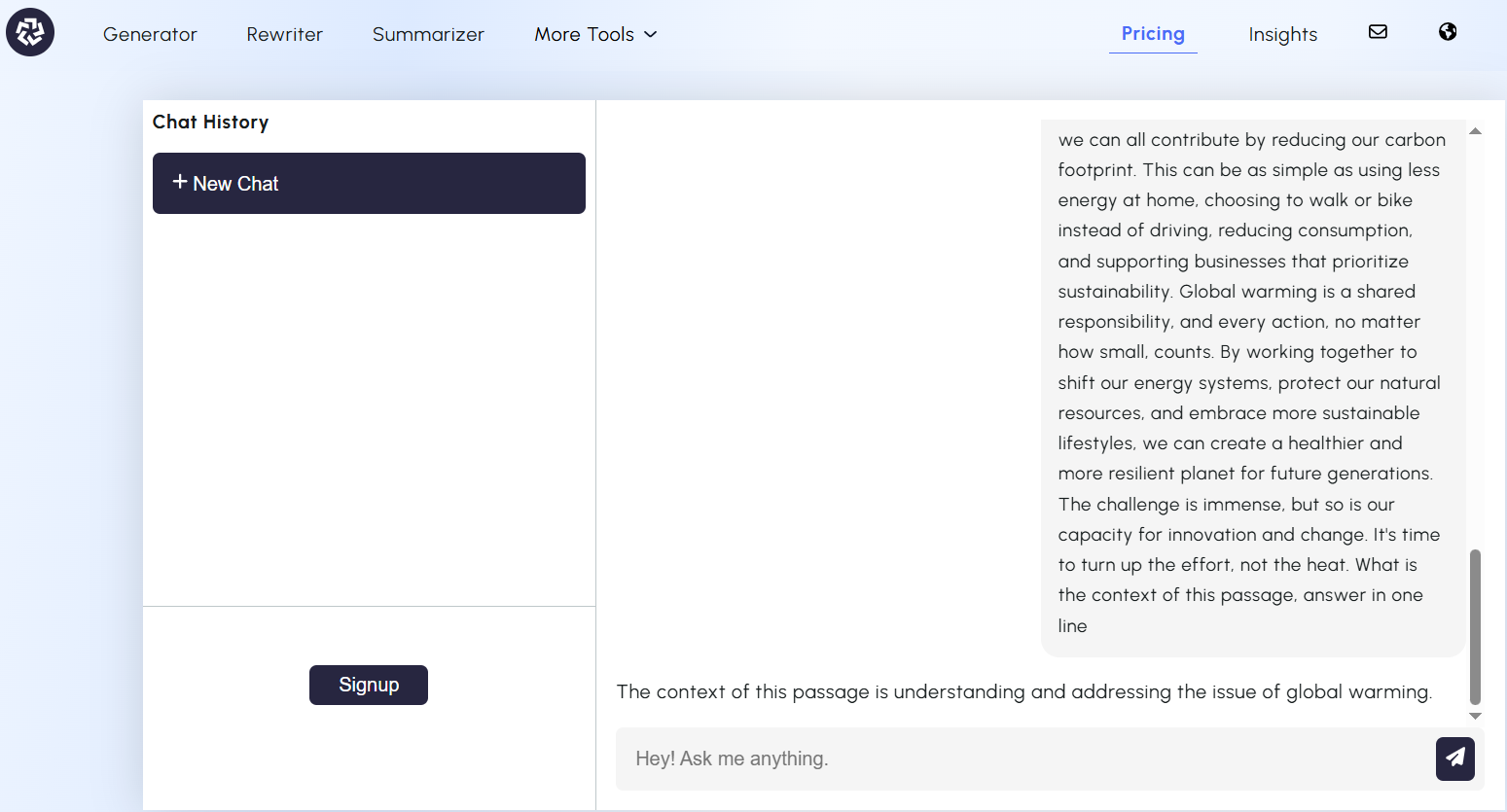
humanizador

This was the AI-generated content. Now let’s see what our AI chatbot says about humanized content.
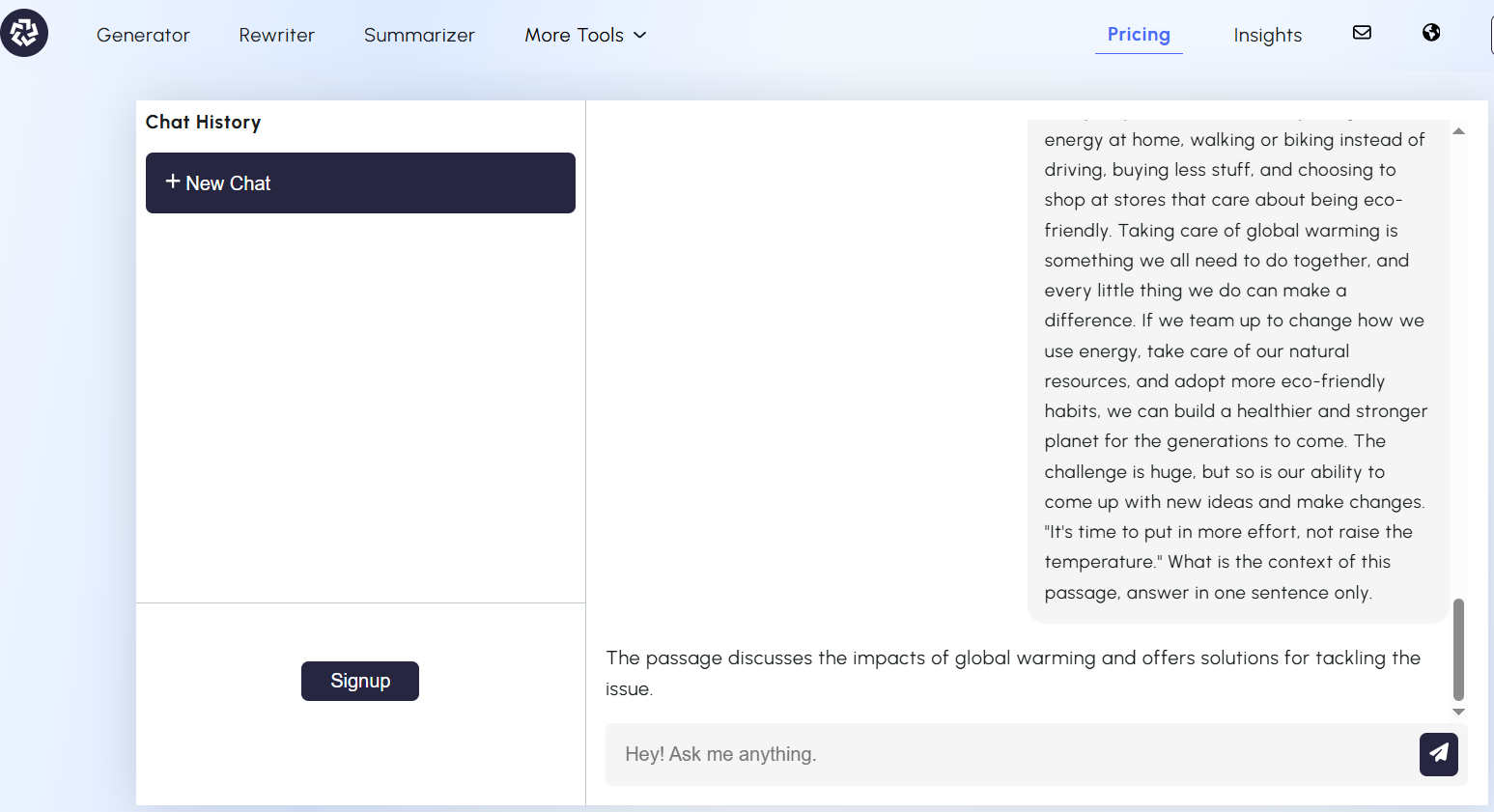
humanizador

The answer is pretty much the same for both versions. This shows that Humanizador doesn’t just shuffle words around. It actually tries to keep the meaning intact.

Testing the readability of humanized content

Sounding human also involves making your text easily readable. After all, what’s the point of “humanized” content if readers still find it hard to understand?

To test this, I will run the AI-generated text through the Hemingway app. Both before and after using humanizador.net.
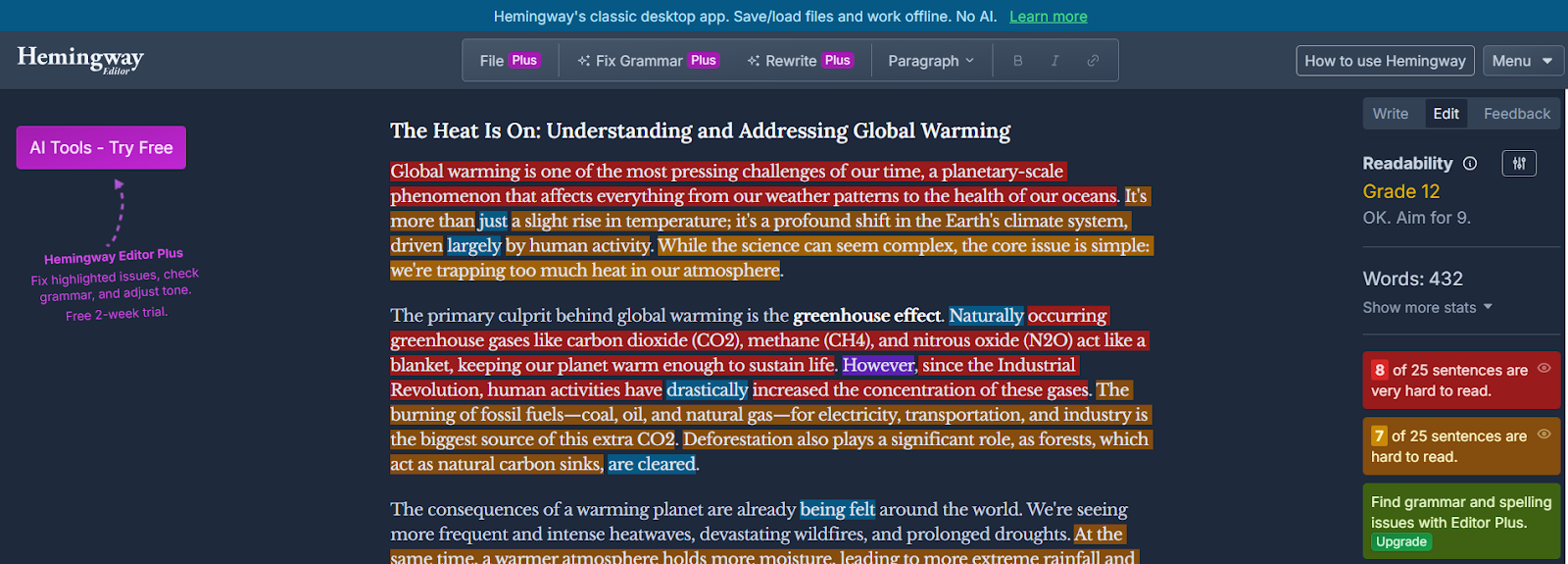
humanizador net

The score of the before version is poor. A higher grade level (12th) indicates that it has long, complex sentences. And that it is less engaging for readers.

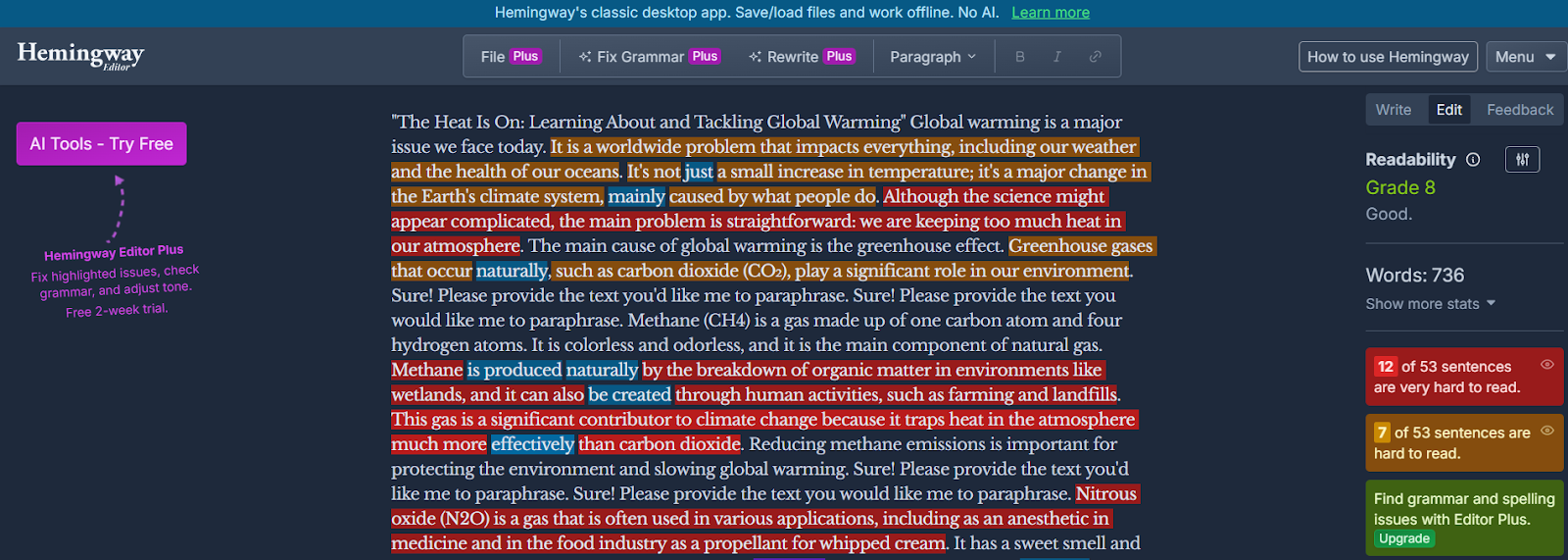
Now I will paste the humanized version of the same passage.
humanizador

This version has scored much better on the Hemingway App. Means the sentences are shorter and simpler. More people can understand it now.

Humanizador makes content more readable and user-friendly.

My verdict about humanizador.net

After these tests, I can say humanizador.net has all the qualities of a good AI humanizer.

It improves the readability and natural tone of AI text. Plus, it keeps context intact while doing that.

And there’s another ability that we haven’t even touched yet—tone adjustment. Humanizador.net also gives you the ability to shift the style of your output. Such as formal, casual, professional, or academic writing.

That’s an extra ability on top of its main purpose of humanizing AI content.

Of course, every other tool or alternatives also come with its own unique extras. But in terms of pure humanization ability, Humanizador.net clearly delivers.

Alternatives of humanizador.net

Humanizador.net is a strong choice, but it’s not the only tool out there. Tools that offer similar qualities with some extra features. I know some of them, which are as follows.

1. AI humanizer by sentencerewriter.net

Sentencerewriter.net is known for its accurate rewriting ability. It does not just change some words or phrases. It focuses on carefully restructuring the whole sentence. And keeps the meaning intact as well.

This feature makes this text humanizer very special for rewriting and humanizing. Especially for those writers who want to write easy-to-read content and reach more people.

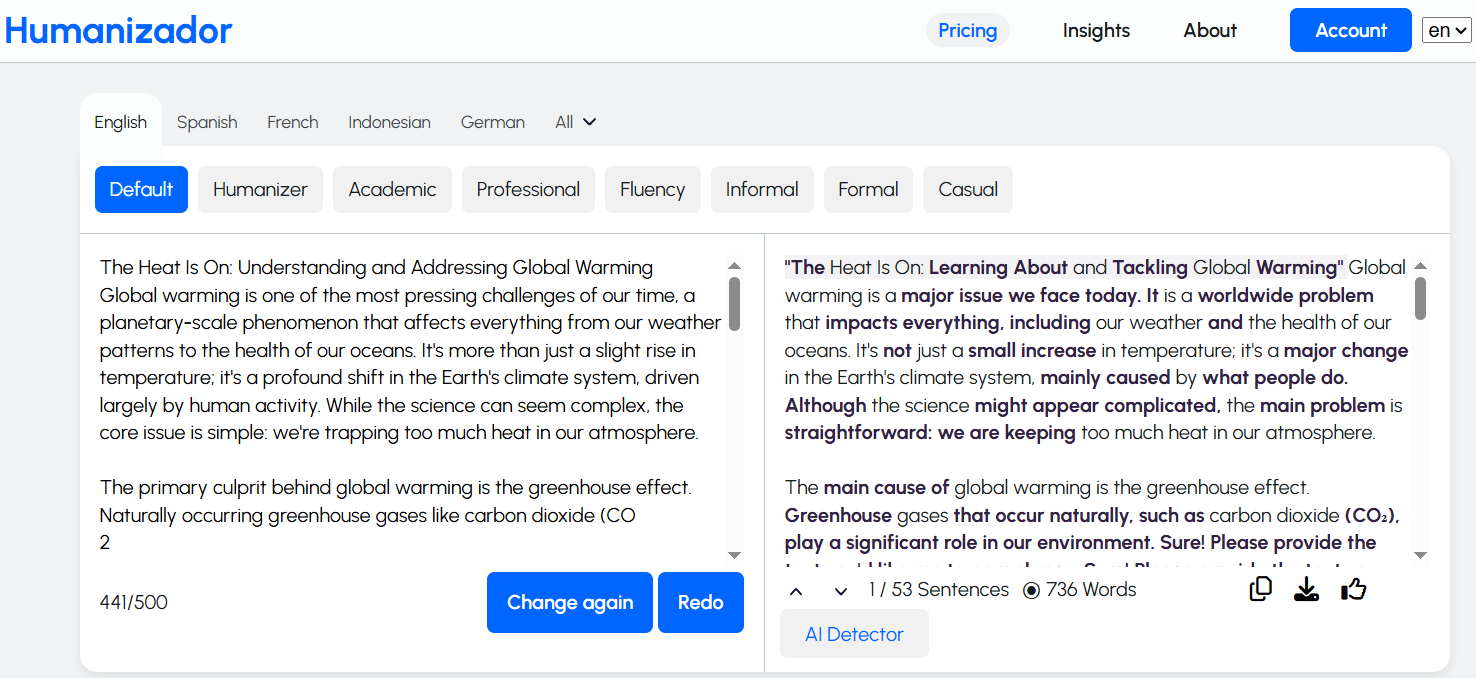
2. Humanize AI text by paragraph-generator.com

What makes paragraph-generator.com different is its ability to humanize AI text in many different languages. For example, Spanish, Italian, German, Portuguese, Mandarin, etc.
humanizador

Unlike most AI humanizers (that work best in English), it is equally powerful in many languages. This feature is very useful for marketers and content creators working in multiple languages.

And for SEO experts who are pursuing local SEO.

3. AI humanizing tool at AI-detector.info

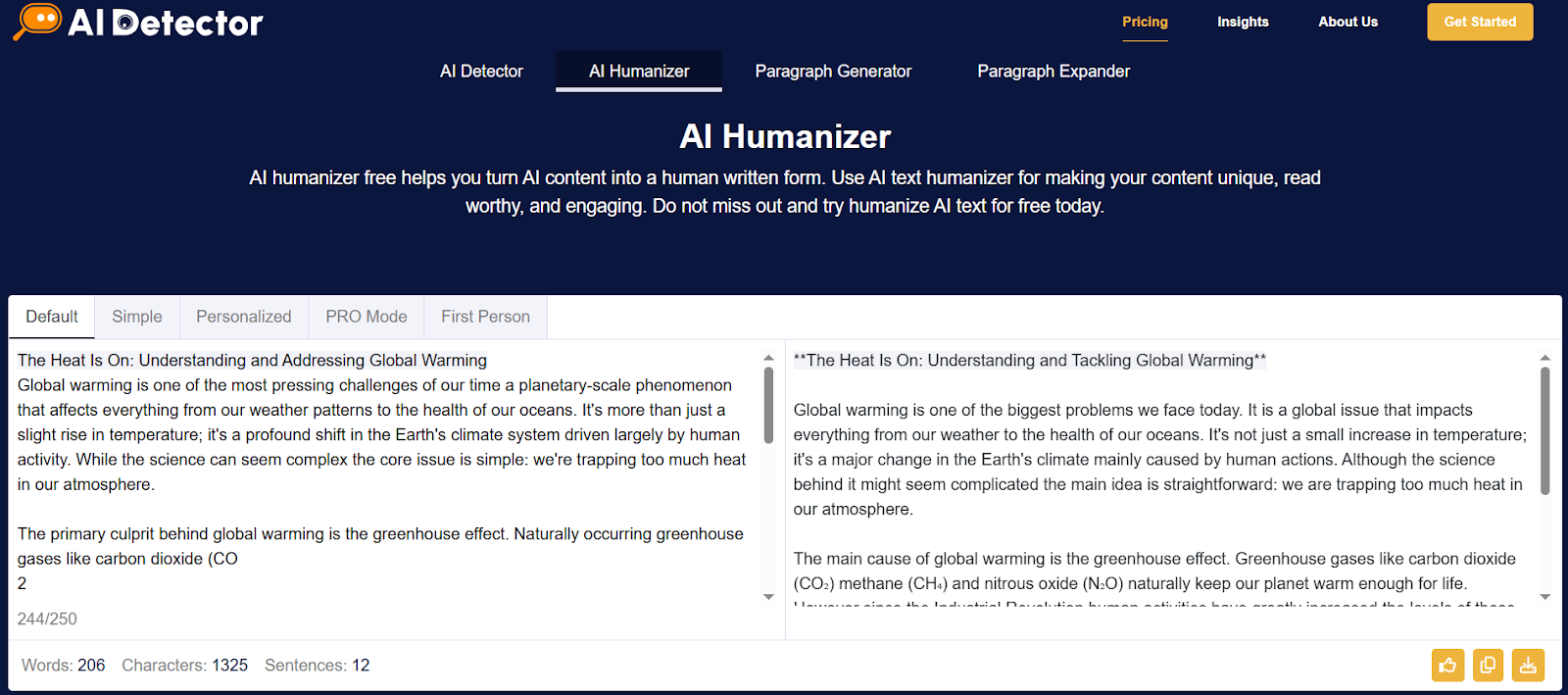
AI-detector.info offers a two-in-one feature. Not only does it humanize text, but it also lets you check AI probability before and after.
AI-detector

This way, you can instantly measure how human your content looks compared to the raw AI draft. Like a built-in fact checker for authenticity.

4. AI humanizer by detektify.com

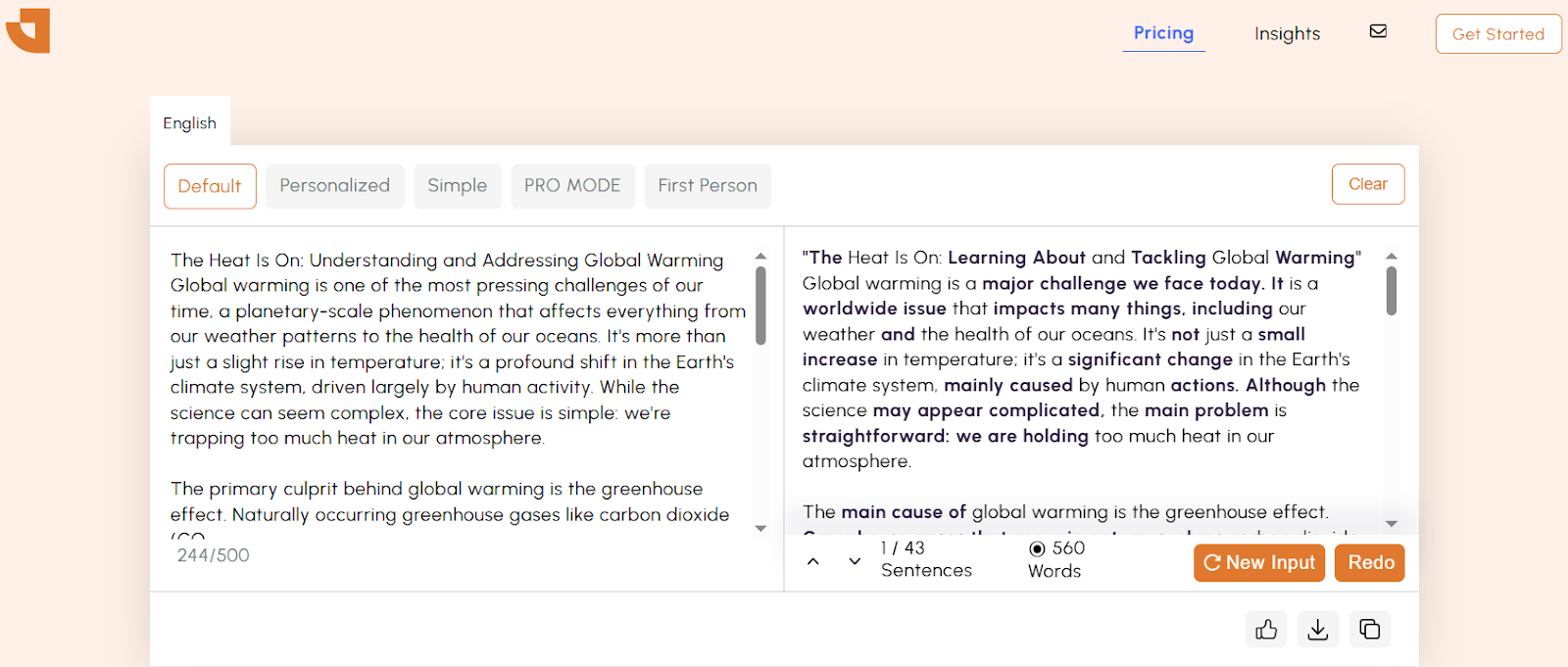
Detektify is unique because it focuses on making your content stealthy for AI detectors. This humanizing AI makes your AI-generated text pass through the toughest AI detectors without raising suspicion.
humanizador

So, if your priority is to stay undetectable while keeping readability, this is the tool to try.

Conclusion

AI content isn’t going away, whether anybody likes it or not. It will increase instead. The problem is that readers don’t want to talk to a robot. That’s why tools like Humanizador.net are so important.

Is it perfect? Not quite—no tool is. You still need a little editing touch here and there. But humanizador.net definitely showed the qualities of a true AI humanizer. And with its extra ability to adjust tone (formal, casual, professional, etc.), it goes beyond just rewriting.

If you’re serious about making AI content sound natural, humanizing is a good option. Tools like humanizador.net give you a strong head start. But the best results still come when you combine them with your own editing and personality.
Use These 9 AI Tools for Writing and Rewriting to Build Your Small Business Content Strategy

Use These 9 AI Tools for Writing and Rewriting to Build Your Small Business Content Strategy

AI Tools for Writing and Rewriting

Small businesses encounter tough competition when they want to expand online. To be noticed they must share helpful, interesting and consistent content.

This kind of content helps build trust, increases visibility and draws more visitors to their websites. Making high-quality content requires time, effort and careful planning.

AI writing tools can help make this process faster and enhance the quality of the content without needing a whole team of writers. These tools can assist with writing, rewriting, summarizing and paraphrasing.

Do small businesses need to work on content strategies? 

Every small business should have a clear plan for their content. This plan outlines what type of content to create who the audience is and where to share it. The content can become disorganized and less effective without a plan.

A good content strategy makes sure that messages stay consistent and helps small business owners connect with their audience better. There is a rise of AI in content creation. AI tools can make this process simpler by helping with ideas, writing, editing and improving the content to meet business goals.

Top 9 tools for building effective content strategies

AI writing tools assist small businesses throughout the entire content creation process, from generating paragraphs to using a pack generator that bundles content for easier publishing. Some tools create new content while others enhance or rewrite the existing content. The best tools save time and help businesses publish higher-quality content on a regular basis. To maximise impact, marketers now use tools and content optimisation guides like the one from LangSync AI to ensure content is not only readable, but also structured in a way AI systems like ChatGPT, Gemini, and Copilot can easily understand, extract, and cite.

Below is a list of seven top AI tools each providing a special advantage that helps small businesses expand through effective content marketing.

1. Humanize and refine AI-written text with JustDone’s AI toolkit

JustDone AI helps people transform AI-generated or overly polished writing into natural, human-sounding text. It doesn’t just detect AI content — it also rewrites and improves it. This makes it especially useful for students, bloggers, editors, and small businesses that want authentic, readable content. Its tools include an AI detector, AI humanizer, plagiarism checker, and several more features designed for accuracy and smooth workflow.

The platform is simple to use, even for beginners. You can paste text or upload a file, get an instant AI-detection score, and rewrite flagged parts in one click. JustDone supports 25+ languages and offers different rewriting modes — from light edits to full transformations — while keeping the original meaning intact.

The rewritten text typically sounds more natural, flows better, and removes robotic patterns like repetitive transitions or overly perfect phrasing. JustDone doesn’t only swap synonyms; it adjusts structure, rhythm, and tone to create content that reads as if a real person wrote it.

2. Start creating paragraphs fast with paragraph-generator.com

Paragraph generator assists small businesses in quickly creating organized paragraphs. This tool is great for writing product descriptions, blog introductions and email content. You just need to enter a topic and the tool will instantly create a paragraph.

This feature saves time and ensures a consistent tone in all business writing. It have a clear interface and shows everything clearly like:

Paragraph generator

Select and mode among them and generate quality paragraphs for building strong content strategies.

3. Write smarter and faster with ChatGPT AI assistant

ChatGPT is a quick helper that can create full articles, email templates, social media posts and product descriptions. It answers questions and provides detailed information which saves time on research and editing.

Business owners use it to plan marketing campaigns, make frequently asked questions (FAQs) and come up with content ideas.

ChatGPT

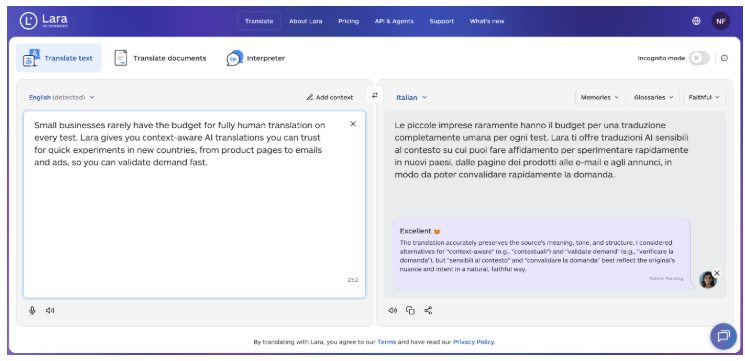
4 . Scale your content globally with Lara Translate

Lara Translate helps writers and businesses adapt existing content for audiences in different languages. It can translate articles, blogs, marketing copy, and documents while preserving meaning, tone, and context, making multilingual publishing faster and more reliable.

Teams use Lara Translate to localize content for global markets, maintain consistency across languages, and work with full documents and common file formats without reworking content from scratch.

5. Change words without losing meaning using wordchanger.net

The word changer helps rewrite sentences while keeping their original meaning. This is helpful for businesses that want to update old content or prevent copying. It also makes social media posts, newsletters and blog paragraphs clearer. Simply, enter your text and it will change the words by using better alternatives.

Word Changer

The tool maintains the main message and makes it simpler to understand. It makes the content become better in tone and easier to read.

6. Reword complex content easily with rewordgenerator.net

Reword generator makes complicated sentences easier to understand. It helps businesses explain their services technical details or features to more people. This tool takes long, confusing text and turns it into something simpler.

Reword generator

Just give it a prompt, and the tool quickly rearranges and reword text using the most suitable sentence structures and vocabulary. It is too quick and efficient in generating responses. Using a reword maker for content strategy also makes your content able to get more visibility on search engines.

7. Summarize long content quickly with text summarizer

Text summarizer by checker-plagiarsim.com makes long blog posts articles or reports shorter by turning them into brief summaries. This helps people use the content more easily in newsletters or on social media. Companies use it to focus on important points and create shorter versions of detailed information.

checker plagiarsim

This text summarizer is too efficient in creating intriguing summaries of a lengthened content. You only need to select a single mode at a time. Then, give it a prompt and get quick results. 

8. Paraphrase sentences naturally with Quillza’s AI tool

The quillza.com makes sentences better by improving word choices and clarity while keeping the original meaning. It provides high-quality rewrites that sound natural which is great for blogs, newsletters, product descriptions and social media posts. Many small businesses use it to make their content better and to support SEO for ecommerce.

quillza

This paraphrasing tool is easy to use even for beginners. Its user-friendly interface makes navigation simple, and the best part is that it offers multiple modes and supports over 11 languages for rephrasing content. 

The new version of your text usually reads more smoothly, looks more polished, and removes any parts that sound repetitive or awkward. It doesn’t just replace words but also changes full phrases to make your writing easier to understand and more interesting to read.

9. Generate sentences from ideas with sentencerewriter.net

The AI writer assists small business owners who have a message to share but find it hard to express it smoothly. It is particularly useful for creating content for blog posts, product descriptions or social media posts.

sentence rewriter

To use the tool users just need to type a short phrase keyword or idea into the input box. The AI analyzes the input and generates a grammatically correct and engaging sentence based on the original thought. It uses natural language processing (NLP) to grasp the context, tone and intent ensuring the final output sounds natural and suits business writing. Use the quality content with your great marketing skills to stand out among competitors.

By using this tool regularly small businesses can enhance the quality of their content without needing to hire a full-time writer. It helps organize scattered thoughts and turns rough notes into ready-to-use marketing messages.

Final thoughts

AI tools are very helpful for making and rewriting content and planning strategies. Small businesses can create better content while saving time and effort. They can communicate more clearly with their audience and grow their brand online.

With features like paraphrasing, summarizing and generating ideas the content creation process becomes quicker and more imaginative. They also help keep a consistent tone and style across all platforms.

Over time this increases audience engagement strengthens brand identity and improves overall marketing results.

5 Amazing Things Narakeet Can Do That Most Users Don’t Realize

5 Amazing Things Narakeet Can Do That Most Users Don’t Realize

narakeet

Introduction

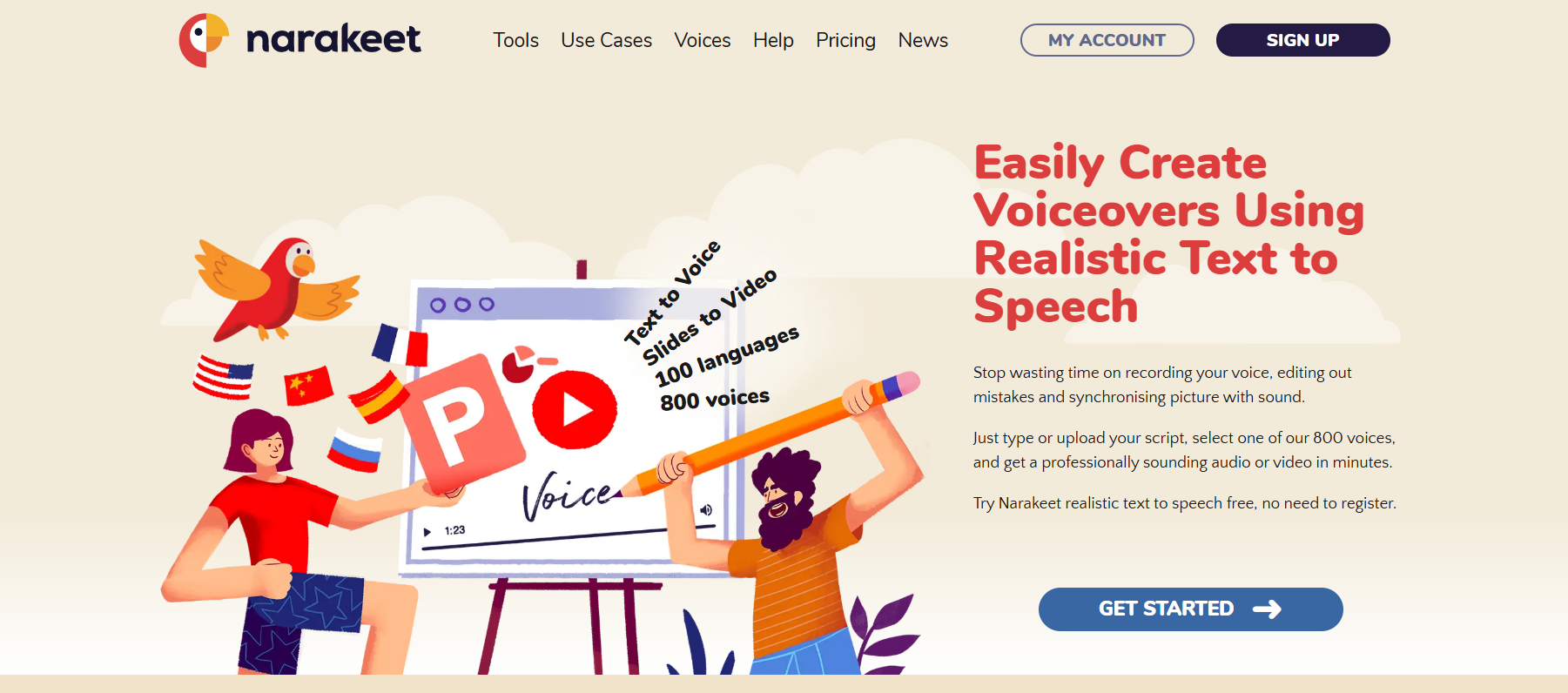
Narakeet is one of those tools you stumble upon and immediately wonder how you didn’t know about it earlier. At first glance, it looks like just another text-to-speech program, but once you dig deeper you realize it’s much more than that. Think of it as having your own AI-powered production studio in your browser. With it, you can create professional voiceovers, narrated videos, and even fully narrated presentations without dealing with microphones, messy audio setups, or expensive freelancers.

If you’ve been researching Narakeet text to speech, or maybe you’ve seen people debating about Narakeet pricing, you probably have questions. Is it really good enough to replace a human narrator? Is it too expensive for small creators? Does it work for serious projects like e-learning or audiobooks? Spoiler alert: it does far more than most people think, and it’s designed to save you time and stress. In this article, I’ll break down five amazing things Narakeet can do that most users don’t realize — along with real-life examples of how you might actually use them.

Find More: 10 Game-Changing Apps for Content Creation You’ll Wish You Knew Sooner

5 Amazing Things Narakeet Can Do That Most Users Don’t Realize

narakeet

1. Turn Scripts into Professional Voiceovers Instantly

Let’s start with the feature most people know about, but don’t fully appreciate: Narakeet AI voice generator. There are plenty of text-to-speech tools online, but here’s the thing — most of them sound either robotic, monotone, or just plain distracting. Narakeet manages to pull off something better. It gives you a wide library of natural-sounding voices in different accents and tones. When you listen, you’ll often have to double-check whether it’s AI or a real person reading.

Think about the last time you tried recording your own audio. Maybe you had to do multiple takes, fight with background noise, or cringe at how your voice sounded in playback. With Narakeet, you paste your script, choose a Narakeet voice that matches your vibe, and within minutes you’ve got a polished voiceover ready to go.

Best use cases:

  • YouTube creators who don’t want to be on camera or record their own voice
  • Small businesses making product demos or explainer ads
  • Educators preparing training materials for online courses
  • Podcasters testing episode ideas quickly before committing to a full production

And the speed is what makes it shine. Instead of waiting days for a freelancer or spending hours editing, you can literally generate a voiceover in the same time it takes to brew a cup of coffee.

2. Convert PowerPoint Presentations into Narrated Videos

PowerPoint Presentation

This one feels almost hidden — but it’s easily one of the most powerful features. Did you know that Narakeet can take your PowerPoint slides and instantly transform them into a narrated video? No screen recording software, no awkward voiceover attempts, and no complicated editing.

Picture this: you’ve put together a slide deck for a client, but instead of emailing static slides, you send them a sleek video that walks through the entire presentation with clear narration. That’s not just convenient — it’s impressive.

Who benefits the most:

  • Teachers creating online lessons without needing to record live lectures
  • Salespeople who want to send polished video pitches instead of just sending PDFs
  • Marketers turning pitch decks into shareable video content on social media
  • Corporate trainers making onboarding presentations more engaging

How it works: You upload your presentation, select a Narakeet voice, and the platform automatically syncs narration with your slides. That means each slide gets read at the right moment, with zero manual editing. Instead of boring silent slides, you now have a professional video asset you can share, repurpose, or even upload to YouTube.

And the best part? You don’t need video editing experience. Narakeet handles all of it in the background, letting you focus on content instead of production.

3. Support for 90+ Languages and Accents

If you’ve ever wanted to make your content global, this feature is a dream. Narakeet isn’t just an English-only tool — it supports more than 90 languages and countless regional accents. That means you can create localized versions of your content with almost no effort.

For example, imagine you’re a course creator. Instead of only serving English-speaking students, you can release versions in Spanish, French, German, Arabic, or even niche regional accents to connect better with specific audiences. Businesses expanding into new countries can make training materials, product demos, or explainer videos without the high cost of hiring multilingual narrators.

Real-world benefits:

  • A software company can launch the same tutorial in ten languages overnight
  • An online educator can reach students across multiple continents
  • Podcasters can expand their audience by offering translated versions of episodes
  • Marketers can create ads that sound native to the region they’re targeting

For anyone who’s thought about “going global” but found the costs and logistics intimidating, this is the shortcut you’ve been waiting for. You don’t need a team of translators and actors — Narakeet gives you the tools right out of the box.

4. Generate Audiobooks, Podcasts, and Training Material Effortlessly

Here’s where Narakeet goes beyond expectations. Most people assume it’s only good for short content like voiceovers or scripts, but in reality, it handles long-form projects like a champ. We’re talking audiobooks, podcasts, employee onboarding modules, or full e-learning courses.

Recording long audio the traditional way is brutal. Your throat gets sore, you trip over words, and editing becomes a never-ending nightmare. Narakeet changes the game by generating hours of audio at once, with consistent tone and no fatigue.

Who benefits the most:

  • Authors who want to release audiobook versions of their books without spending thousands on narration
  • Podcasters who want to test concepts or create episodes faster
  • Trainers and HR teams producing compliance videos and onboarding materials
  • Nonprofits and educators turning guides into accessible audio for learners

It’s also a great way to repurpose content. That blog post you wrote? It could become a podcast episode. That training manual collecting dust? It can be a narrated video module. Narakeet makes scaling content creation not only possible but easy.

5. Customize Voice Speed, Tone, and Style for Unique Results

Finally, let’s talk about customization. This is where Narakeet moves past being “just another AI tool.” You’re not locked into a single robotic-sounding voice. Instead, you can adjust speed, tone, pitch, and emphasis to give your narration personality.

Want a serious corporate training vibe? Keep the tone steady and professional. Need a warm, friendly tutorial voice? Lighten the tone and increase pace slightly. Making a dramatic video intro? Slow the narration and add weight for impact.

Examples of how customization changes the outcome:

  • A high-energy sports promo can be made more exciting by adjusting pitch and speed
  • A meditation app can use slower, calmer tones for relaxation content
  • A professional e-learning course can emphasize clarity and pacing for better comprehension

By tailoring the voice to your project, you strip away the typical “AI voice” feel and get something that genuinely resonates with your audience. That’s a huge edge, especially if you’re competing with others who rely on generic text-to-speech solutions.

Conclusion

Narakeet isn’t just another text-to-speech app you try once and forget. It’s more like a Swiss Army knife for content creators, educators, marketers, and businesses. From instant voiceovers and narrated presentations to multilingual support, audiobooks, and full customization, it covers way more than most users expect. The versatility is what makes it stand out.

If you’ve been on the fence about Narakeet pricing or you’re unsure whether it’s worth committing to, think about what you usually spend on freelancers, studio gear, or editing time. Narakeet compresses all of that into a single, easy-to-use platform. It saves time, money, and stress — and in today’s fast-moving content world, that’s priceless.

So here’s the question: what’s stopping you from giving it a shot? Whether you’re a solo creator, a teacher, a marketer, or a business leader, the possibilities with Narakeet are way bigger than most people realize.

Find More: Boost Your Sales With SEO Services

FAQs

1. What is Narakeet used for?

Narakeet is used to turn text, scripts, and presentations into narrated videos, voiceovers, and audio content using AI-generated voices. It’s especially popular with creators who want to save time while producing professional-quality audio.

2. Is Narakeet free to use?

Narakeet offers free credits to let you test the platform. For serious or ongoing projects, you’ll need to check Narakeet pricing plans, which vary depending on how much content you want to generate.

3. How does Narakeet compare to other text-to-speech tools?

Narakeet usually sounds more natural than most alternatives. Plus, it offers unique features like PowerPoint-to-video conversion and multilingual support, which many competitors don’t handle as well.

4. Can I use Narakeet for YouTube or commercial projects?

Yes! Many YouTubers, marketers, and educators use it for commercial projects. Just make sure you’re on the right subscription level to cover commercial rights.

5. Does Narakeet support different voice styles and emotions?

Yes. You can tweak tone, speed, and emphasis to suit your content, making the narration more dynamic and less robotic.

6. Is Narakeet safe and reliable for professional use?

Absolutely. Thousands of businesses, teachers, and creators rely on it daily. The platform is stable, and the results are professional enough for everything from YouTube videos to corporate training.

Tags:
AI Humanizer Made Me Stop Using Paraphrasing Tools for Removing AI Content

AI Humanizer Made Me Stop Using Paraphrasing Tools for Removing AI Content

AI Humanizer

More often, I used paraphrasing tools to make AI-generated text sound more natural, but honestly, the results never felt quite right. The text often sounded mechanical, repetitive, or just slightly off, like something was missing.

53% of adults believe AI will help them handle repetitive tasks more effectively. After getting the unsatisfactory results from a paraphrasing tool, I discovered an AI humanizer to humanize with DetectingAI — it provides much better results and makes my content sound natural.

Let me tell you how an AI humanizer stops me using other paraphrasing tools for removing AI content.

Why paraphrasing tools didn’t work for me

I’ve tried many well-known paraphrasing tools like QuillBot, Fueon, Grammarly, and other AI rewriters. While they do a decent job of rewording sentences but I noticed some problems:

  • The writing still felt AI-generated even after paraphrasing, the text lacked natural flow and human-like tone.
  • Some tools changed the main ideas in my writing and made it sound awkward and inaccurate.
  • Paraphrasing tools mostly just swap words or rearrange sentences, but they don’t add emotional depth or human-like touch.

So, after facing these troubles, I decided to use something else to make my writing perfect and meaningful. I need a tool that is efficient in rewriting the text while maintaining the original intent and I find a perfect AI humanizer for this purpose.

This AI text humanizer is totally different from other paraphrasing tools. It uses AI techniques to turn AI content into unique and engaging human-like content. Besides this, the tool also improves the readability and quality of your given text and maintains the real meaning.

Reasons to switched from paraphrasing tools to AI humanizer to humanize the content

AI Humanizer

If you’ve been using paraphrasing tools to rewrite content, you might have noticed something that they change words but lacks in making the content sounds natural.  

So, now let’s talk about why using an AI humanizer is a smart act to maintain the SEO and the actual performance of the website:

1. Paraphrasing tools responses sound too robotic

Most paraphrasing tools just swap words with synonyms or slightly change sentence structures. This makes the sentences that sound awkward or unnatural.

I feel too offensive for this type of response. That’s why I started using an AI humanizer tool to bypass detection and improve readability score.

2. AI humanizers keep the flow and meaning intact

Paraphrasing tools sometimes mess up the meaning of a sentence. On the other hand, humanizers understand context and rewrite content without distorting the original idea.

Mostly, what I do is use an AI detector to detect the text generated by AI. This is the most advanced and reliable tool for detecting content from AI writing tools like ChatGPT, Gemini, Claude, and others. After detecting the AI similar content I humanized it using AI humanizer to make my content undetectable.

3. Improves engagement and readability score

AI humanizers rewrite content in a way that feels like a real person wrote it. This makes it more engaging for readers, which is especially important for blogs, articles, or marketing content.

Paraphrasers are ont considered too reliable to gain a better readability score because it makes the content generic and difficult to read and understand for the users.

4. Use of humanizer tool saves editing time

You often have to manually fix awkward sentences in the generated response by paraphrasing tools. A chatbot-powered AI tool is best at that, automatically correcting all mistakes while generating the content.

Who is getting more benefit from using an AI humanizer tool?

Let’s get to know that for whom an AI humanizer performing too well:

  • If you’re writing blog posts or articles with AI assistance, an AI humanizer makes your content sound natural and engaging instead of robotic.
  • AI-generated content can hurt SEO rankings if it’s detected as AI-written. humanizers help make content organic and search-engine friendly.
  • AI-written posts can feel stiff. An AI humanizer helps social media managers in writing engaging, natural-sounding captions and content that connect with audiences.

So, a humanizer is providing more benefit than a paraphrasing tool. Once I generated text from ChatGPT and checked it by using an AI detector and guess what? All the content is detected as AI similar. From that day, I’m humanizing my content with an AI humanizer or using alternatives for different languages like the humanizador.net that will give you a quick solution and give it a real vibe.

Final thoughts

If you want human-like, readable, and undetectable content, AI humanizer is the best option for you. But if you just need quick rewording, a paraphrasing tool can still be useful.

Remember, human creativity is always superior to AI. So. use the tools only to assist you and do tweaks to make the content humanized and more readable!

7 Powerful Reasons Alaya AI Is Changing the Future of Artificial Intelligence

7 Powerful Reasons Alaya AI Is Changing the Future of Artificial Intelligence

alaya ai

Introduction: How Alaya AI Is Disrupting the Artificial Intelligence Landscape

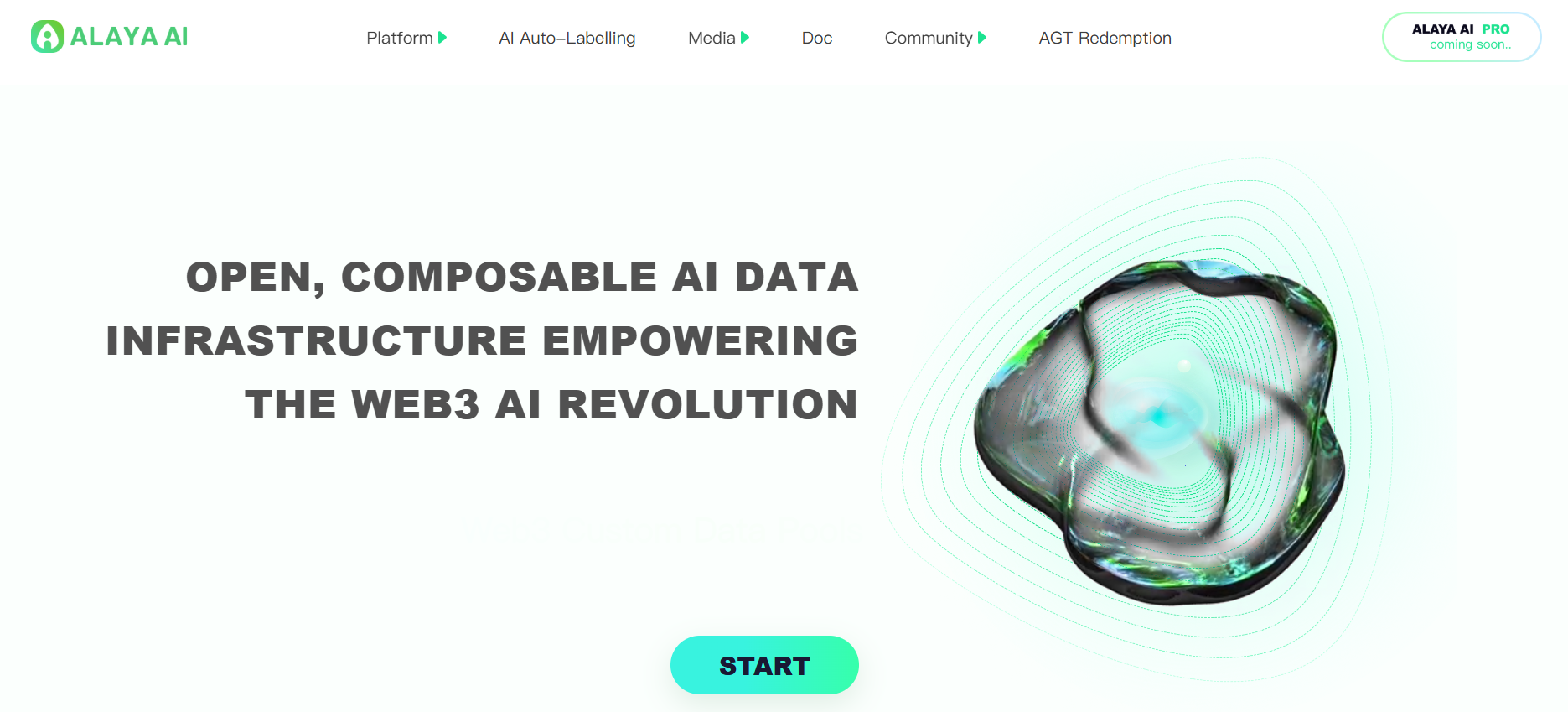
Alaya AI isn’t just another AI platform — it’s a bold, forward-thinking approach to how artificial intelligence gets trained and how valuable datasets are created, verified, and owned. If you’ve been hearing the buzz around blockchain technology Alaya AI, you’re in good company. This platform blends Web3 principles, gamification, and community-driven data labeling into a seamless, rewarding ecosystem. Whether you’re an AI developer looking for quality datasets, a data contributor eager to earn while participating, or simply curious about cutting-edge AI tools Alaya AI has in store, there’s a lot here worth exploring.

In this article, I’ll unpack 7 powerful reasons why Alaya AI is changing the future of artificial intelligence — and how it might change the way we all interact with AI.

Find More: Cybersecurity Maturity Models for OT: C2M2, CRR & More

1. Alaya AI’s Decentralized Data Collection Model

alaya ai

AI models are only as good as the data they’re trained on, and traditionally, that data comes from centralized providers who decide what gets included. This can lead to biased results and limited representation. Alaya AI turns this model on its head by letting anyone, anywhere contribute to AI training through a decentralized network.

Empowering a Global Network of Contributors

Picture contributors from every corner of the world labeling images, transcribing audio, categorizing videos, or annotating text — all while earning rewards. This diversity not only improves the richness of the datasets but also helps reduce bias in AI models, making them more accurate and fair.

How Blockchain Technology Ensures Data Transparency

This is where blockchain technology Alaya AI truly stands out. Every single contribution is recorded on-chain, making it transparent, tamper-proof, and verifiable. No hidden changes. No behind-the-scenes data swaps. Just an open, auditable history of contributions.

2. Gamified AI Data Labeling That Drives User Engagement

blockchain technology alaya ai

Data labeling might sound dull, but Alaya AI transforms it into an engaging, competitive experience.

Rewards, NFTs, and Reputation Systems

Each completed task earns you tokens, collectible NFTs, and reputation points. Higher reputation unlocks advanced, better-paying projects. The more consistent and accurate you are, the more opportunities you get.

Why Gamification Improves Data Quality

When contributors are motivated, they naturally focus more on accuracy. Gamification creates a feedback loop — engaged contributors produce better data, and better data leads to stronger AI models.

3. Tokenized Incentives Through ALA and AGT Tokens

At the core of Alaya AI’s economy are two tokens with different purposes.

Understanding the ALA Token Utility

ALA is the reward token you earn for contributing. You can use it within the platform to unlock tools, stake it for bonuses, or trade it in the crypto market.

Governance and Decision-Making via AGT Tokens

AGT gives you voting power in the platform’s DAO. That means you help shape updates, features, and even reward distribution. It’s a way for contributors and developers alike to steer the project together.

4. High-Quality AI Training Data Through Hybrid Validation

ai tools alaya ai

Bad data equals bad AI — it’s that simple. Alaya AI ensures data quality with a smart mix of automation and human review.

Automated Pre-Processing Tools

AI tools Alaya AI uses advanced algorithms to detect and remove clear errors before tasks ever reach human eyes, saving time and improving efficiency.

Human Consensus and Double-Check Systems

Multiple contributors review each item, and results are only finalized when there’s strong agreement. Disputes trigger extra review, ensuring datasets are trustworthy.

5. Wide Industry Applications of Alaya AI

Alaya AI’s versatility means it can support AI advancements across a wide range of sectors.

Healthcare and Medical AI Innovations

From annotating medical scans to structuring patient data, accurate datasets can enhance diagnosis tools and support medical research breakthroughs.

Finance, Retail, and Autonomous Systems

Financial systems can benefit from better fraud detection algorithms, retail can offer smarter recommendations, and autonomous vehicles can improve navigation and safety recognition.

6. Privacy and Data Ownership for Contributors

One of the biggest issues in AI development is that contributors often lose all control of their data once submitted. Alaya AI changes that narrative.

User-Controlled Data Policies

Contributors can define usage rights for their data, ensuring they maintain ownership and control.

Blockchain Security for Sensitive Data

The integration of blockchain keeps sensitive data encrypted and secure, while still enabling its use for AI training under the contributor’s terms.

7. Future-Proof AI Development with Community Governance

With AI evolving so rapidly, flexibility and adaptability are critical. Alaya AI’s DAO structure ensures the platform can evolve without bottlenecks.

How the DAO Model Shapes Alaya AI’s Roadmap

Any user holding governance tokens can propose changes or vote on new features, ensuring decisions reflect community needs.

Scaling AI Projects Without Centralized Control

Without corporate bureaucracy, Alaya AI can quickly pivot to new trends, tech integrations, or industry demands.

Conclusion – Why Alaya AI Is a Game-Changer for the AI Industry

We’ve explored seven key strengths of Alaya AI: its decentralized network, gamification features, dual-token system, hybrid validation process, multi-sector adaptability, contributor-first privacy, and community-led growth.

If you’re curious about AI’s next chapter, Alaya AI offers a way to be part of it — not just as a spectator, but as a contributor and decision-maker. The earlier you join, the more you stand to learn, earn, and shape the future of AI.

Find More: Boost Your Sales With SEO Services

FAQs

1. Is Alaya AI Free to Use?

Yes. You can sign up, start contributing, and earn rewards without paying. Some premium tools may require tokens.

2. How Do I Earn Rewards on Alaya AI?

By labeling data, joining campaigns, participating in governance, and staking tokens.

3. Is Alaya AI Suitable for AI Developers or Just Data Labelers?

Both. Developers can access quality datasets, and labelers can monetize their contributions.

4. What Makes Alaya AI Different from Other AI Platforms?

Its unique blend of blockchain transparency, gamified engagement, and community-led governance.

5. Can I Sell or Transfer My ALA Tokens?

Yes. ALA tokens can be traded on exchanges that support them.

Tags:
Zero-Effort Email Campaigns: How to Use AI to Draft, Segment, and Predict Open Rates

Zero-Effort Email Campaigns: How to Use AI to Draft, Segment, and Predict Open Rates

use the logo colors to generate image for Ask AI to Create Zero-Effort Email Marketing Campaigns

For every dollar spent on email marketing, you can expect to earn about $36 on average. This means that for every dollar spent, you get $3600 back, making it one of the best ways to market your business online today.

But many businesses have a hard time creating interesting campaigns that people actually open and read. The solution is simple. Artificial intelligence is changing email marketing. It’s making it more automated and efficient. It can create content, segment audiences, and predict which subject lines will perform best.

Why Use AI for Email Marketing

Traditional email marketing requires a lot of manual work. You need to:

  1. Learn about the people who will see your work.
  2. Write interesting subject lines.
  3. Write interesting content.
  4. Design templates
  5. Divide your lists into sections.
  6. Look at the performance data.

This process can take days or even weeks for a single campaign. But AI can do most of this work for you.

Smart AI assistants can:

  • Analyze thousands of data points about your subscribers in seconds
  • Use past behavior to predict which subscribers are most likely to open emails.
  • Suggest the best times for sending different types of messages.
  • Write content that is specifically tailored to appeal to certain audience groups.

Technology has improved a lot in recent years. Modern AI tools can understand context, maintain a consistent brand voice, and generate content that sounds human-like.

This means you can create professional-quality email campaigns without spending as much time on them.

How to Create Email Campaigns With AI

1. Brainstorm Main Ideas

Start by telling your AI three main things:

  1. About your business
  2. About the people you want to reach
  3. What you want to achieve with your campaign.

The AI will generate content ideas based on current trends, seasonal opportunities, and your audience’s interests. Just enter some basic info like your industry, product features, or upcoming deals.

Most AI platforms can look at the performance data from your existing emails to suggest topics that have worked well in the past. They can also find problems in your current strategy and suggest new ways to do things.

2. Write

After you have your main ideas, AI can create complete email campaigns for you. These campaigns will include things like subject lines, preview text, body content, and calls-to-action. Advanced tools understand your brand’s voice by looking at your past communications and can make sure your content always has the same voice.

The writing process becomes like a conversation.

You can ask the AI to make content more casual, add urgency, include specific product details, or adjust the tone for different audience segments. Most platforms allow you to make changes and improvements in real time until the content is exactly what you want.

AI is really good at personalizing things on a large scale. Instead of writing one generic email, you can create multiple versions. Each version can be customized for different types of customers, locations, or based on a customer’s past purchases. This saves you time.

Predict Open Rates

Perhaps the most powerful AI feature is predictive analytics.

These tools look at things like the subject lines, send times, sender names, and content to predict how well something will perform before you send it.

For example, the AI looks at things like how long the subject line is, what makes people emotional, how urgent something is, and how personal the message is, compare these against industry standards and your past data, and make accurate predictions about how many people will open the email.

This feature allows you to test multiple versions virtually before sending, so you can be sure that your emails will look the way you want them to. You can improve campaigns until they meet your performance goals.

Best AI Email Marketing Tools

Overchat AI

Overchat AI Stand is an AI application that handles every aspect of email marketing. The platform lets you ask AI about creating content, dividing audiences, predicting performance, and automating campaigns all in one place. Overchat AI is particularly valuable because it can learn from your specific business data while using broader industry insights. It can create campaigns that sound like your brand, using strategies that have worked for other brands in different industries.

Mailchimp

Mailchimp’s AI features include predicting who will open your email, choosing the best time to send your email, and suggesting content based on how well your email campaign performs. The platform uses machine learning to identify your most successful content and suggest similar approaches for future campaigns. Their AI-powered subject line helper looks at your suggested headlines and compares them to billions of emails in their database to predict how well they will perform. The tool also offers automated A/B testing that optimizes campaigns in real time.

Constant Contact

Constant Contact’s AI assistant helps you create email campaigns through conversational prompts. You can describe your goals and the people you want to reach. The AI will then generate complete campaigns for you, including images, text, and design elements.The platform’s predictive sending feature looks at how people act to determine the best time to send messages to each person. This can increase the number of people who open your messages by up to 30% compared to regular scheduling.

Bottom Line

AI has changed email marketing a lot. It used to be a manual process that took a lot of time. Now, it is an efficient, data-driven operation. Modern AI tools can handle everything from coming up with ideas to predicting how well something will perform. This allows marketers to create professional campaigns in minutes rather than days. People who start using these tools now will have a big advantage over their competitors as this technology becomes common in all industries.