...
UK: +44 2038074555 info@atamgo.com
Content That Converts: How Storytelling is Powering

Content That Converts: How Storytelling is Powering

Storytelling

In the fast-evolving world of digital marketing, the challenge is no longer just about reaching audiences—it’s about resonating with them. Traditional advertising techniques that rely solely on data, promotions, and features are losing their charm.

Today’s consumers crave authenticity, connection, and meaning. This is where storytelling steps in, transforming marketing from a transactional approach to an emotional experience. Storytelling has become the lifeblood of content that converts—content that doesn’t just attract attention but inspires action and loyalty.

Partnering with Experts to Shape Compelling Brand Narratives

While storytelling may sound like a purely creative pursuit, crafting stories that align with business goals requires strategy, precision, and market insight. This is where internet marketing experts play a crucial role.

These professionals bring together the art of storytelling and the science of data-driven marketing, ensuring that every narrative serves a purpose—building engagement, driving conversions, and nurturing long-term customer relationships.

A professional marketing agency like IMEG understands that storytelling must be more than a captivating anecdote. It’s about shaping a narrative arc that guides the audience from awareness to trust and finally to commitment—an approach often strengthened when brand stories are brought to life through collaboration with a Marketing video production company.

They research audience psychology, digital behavior, and communication patterns to uncover what resonates emotionally. From brand videos and social campaigns to blog posts and landing pages, expert marketers ensure that storytelling flows seamlessly across all touchpoints, amplifying both visibility and impact.

By combining analytics with creative intuition, agencies turn brand stories into measurable success. They help brands find their authentic voice, craft consistent messages, and use storytelling as a bridge between brand purpose and customer expectation.

Why Storytelling Converts More Than Traditional Marketing

In a digital world crowded with content, facts alone rarely persuade. What drives people to engage or purchase is emotion. Storytelling taps into this emotional core by presenting information within a relatable human experience. Instead of simply saying what a product does, storytelling shows why it matters.

Stories naturally captivate the human brain. They trigger empathy, spark curiosity, and make complex ideas easy to grasp. When brands share narratives that reflect their audience’s aspirations or challenges, they create a sense of belonging. This emotional bond turns passive viewers into active participants and, eventually, loyal customers.

Moreover, storytelling adds a layer of memory retention. While statistics and features fade, people remember stories. They recall the emotion they felt when they read about a brand’s journey or saw a story that mirrored their own struggles. This emotional recall increases brand affinity and boosts conversion rates organically, without forcing a sale.

Crafting Authentic Stories in a Digital-First Landscape

The modern digital landscape is vast, and audiences are savvy. They can quickly detect insincerity or exaggerated claims. That’s why authenticity sits at the heart of effective storytelling. To create content that converts, brands must be honest, consistent, and human.

Authentic storytelling begins with clarity—knowing what the brand stands for and why it exists beyond profit. Whether it’s a commitment to innovation, sustainability, or community impact, the story must be rooted in genuine values. Every piece of content should reflect these values without sounding scripted or self-promotional.

In practice, this means focusing on real experiences, not fabricated perfection. Featuring customer success stories, behind-the-scenes journeys, or the challenges faced during product development adds transparency and relatability. The audience doesn’t just see a brand—they see people, effort, and purpose.

The Role of Emotion in Story-Driven Marketing

Emotion is the invisible thread that holds storytelling together. It transforms an ordinary message into something unforgettable. Emotional storytelling doesn’t mean making the audience cry or laugh every time; it means making them feel something aligned with the brand’s identity.

Different emotions serve different goals. Joy inspires sharing, nostalgia deepens connection, and empathy fosters loyalty. For instance, a campaign that celebrates personal growth might motivate customers to associate the brand with empowerment. Similarly, a heartfelt narrative about overcoming adversity can inspire confidence and admiration.

Marketers who understand emotional storytelling create a consistent emotional journey throughout the customer experience. From the first ad a viewer sees to the post-purchase communication, the tone and emotion remain unified.

Storytelling Across Digital Channels

Every digital platform offers unique storytelling opportunities. A well-crafted story should adapt to each channel without losing its essence.

  • Social Media: Platforms like Instagram, LinkedIn, and TikTok thrive on visual and short-form storytelling. Brands can use images, micro-videos, and user-generated content to share bite-sized stories that reflect authenticity and community.
  • Blogs and Articles: Long-form storytelling works best here, offering space for deeper narratives about brand values, customer experiences, or educational insights.
  • Email Campaigns: Personalized storytelling within emails creates a direct emotional connection with the reader, turning promotions into personal conversations.
  • Video Marketing: Videos combine visuals, sound, and narrative pacing, making them powerful storytelling tools for evoking emotion and simplifying complex messages.

Data Meets Story: The Balance Between Art and Science

While storytelling is creative, successful digital marketing requires balance. Data-driven insights ensure that stories reach the right audience at the right time. Understanding audience behavior, engagement trends, and preferences helps marketers refine their narratives for maximum impact.

For instance, analyzing which type of story performs best—customer testimonials, brand origin tales, or educational pieces—guides content strategy. Data can reveal the emotional triggers that work best for specific demographics, allowing marketers to craft stories that resonate more effectively.

Building a Story-Driven Brand Culture

Storytelling shouldn’t be confined to marketing campaigns; it should permeate every layer of a brand’s culture. From leadership communication to customer service interactions, stories should reinforce the brand’s identity and mission.

Employees who understand the brand story become its most authentic ambassadors. When they share their own experiences and values that align with the company’s message, it creates a ripple effect of authenticity. Similarly, encouraging customers to share their own stories fosters a sense of community and strengthens emotional bonds.

The Future of Digital Marketing Lies in Human Connection

As technology continues to evolve, automation and AI-driven campaigns will play a larger role in marketing. However, even in this hyper-digital era, the human desire for connection remains constant. Storytelling bridges the gap between data and emotion, between algorithms and authenticity.

In the end, content that converts isn’t about algorithms, keywords, or trends—it’s about the timeless power of a story well told. And as long as humans crave meaning and connection, storytelling will remain the heartbeat of digital marketing.


7 Secret Ways to Use SnapTik for YouTube Like a Pro (No App Needed!)

7 Secret Ways to Use SnapTik for YouTube Like a Pro (No App Needed!)

snaptik youtube

Introduction: How SnapTik YouTube Changes the Way You Download Videos

If you’ve ever wanted to save a YouTube video but got stuck with slow apps, pop-ups, or confusing download tools, snaptik youtube might just be your new best friend. It’s a simple, fast, and free solution that works directly in your browser—no need to install anything. Whether you’re trying to download a YouTube Short, convert a music video to MP3, or save a long tutorial for offline viewing, snaptik for youtube makes it completely effortless.

Think of it as your personal video assistant—ready to grab your favorite clips whenever inspiration strikes. In this guide, we’ll explore 7 secret ways to use SnapTik YouTube like a pro. You’ll discover creative uses, pro-level tricks, and safety tips to help you get the most out of this powerful tool. By the end, you’ll never look at YouTube downloads the same way again.

Find More: 10 Must-Know YouTube Video Size Tips to Avoid Blurry Uploads

1. Use SnapTik YouTube to Download YouTube Videos in Seconds

SnapTik

Let’s start with the basics. SnapTik YouTube is one of the fastest and most reliable ways to download any YouTube video directly to your device. No software, no sign-up, and no frustration. Just copy the video URL from YouTube, paste it into the SnapTik box, and click “Download.” It’s that easy.

You can also choose from multiple formats—MP4, HD, Full HD, or even 4K when available. If you’re short on space, you can select smaller file sizes without sacrificing too much quality. It’s an ideal tool for students, travelers, or anyone who wants quick offline access to videos.

Pro Tip: Always preview the available resolutions before downloading. HD quality works great for tutorials or cinematic shots, while lower resolutions are perfect for quick clips and memes.

2. Save YouTube Shorts Instantly with SnapTik

YouTube Shorts are addictive—fast, fun, and filled with creativity. But saving them directly from the app isn’t easy. That’s where youtube snaptik comes in. You can copy the Shorts link, paste it into SnapTik, and download it in seconds. No app, no waiting, no annoying ads.

This is especially useful for content creators who want to collect trending ideas, analyze viral formats, or keep visual inspiration offline. You can even download multiple Shorts at once and organize them by topic or creator.

Pro Tip: Create separate folders for “Trends,” “Editing Ideas,” and “Music References” to keep your downloads neat and easy to revisit when you need inspiration.

3. Convert YouTube Videos to MP3 Using SnapTik

Sometimes, you don’t need the visuals—just the audio. Whether it’s a motivational speech, podcast, or your favorite music mix, SnapTik lets you easily extract sound from any YouTube video. Just paste the link, select the MP3 format, and you’ll have crystal-clear audio within seconds.

This feature is perfect for commuters, students, and creators. You can listen to your downloads on the go without consuming data or battery through streaming apps. The snaptik youtube downloader is optimized for fast conversion without losing sound quality.

Pro Tip: After downloading, rename your MP3 files with the artist’s name and track title. It’ll help you organize your music library better and save time later.

4. Create Offline Playlists with SnapTik Downloads

Imagine traveling with no internet access but still having your favorite playlists ready to go. With SnapTik YouTube, that’s totally possible. You can create entire offline libraries—music mixes, workout routines, motivational videos, or educational lessons—all saved directly to your device.

This not only saves data but also gives you control over your viewing experience. You can group your content into categories like “Study,” “Relax,” “Learn,” or “Entertainment.” It’s a smarter way to manage your media.

Pro Tip: Add video thumbnails or icons to your folders for faster recognition. A small visual cue can make browsing your downloads more enjoyable.

5. Download Private or Unlisted YouTube Videos (With Permission)

Let’s clear the air first—always download responsibly. You should only download private or unlisted videos if you’ve been granted access or permission from the uploader. With that said, SnapTik makes it possible to download those videos as long as you have a valid link.

This is great for teams working on private projects, teachers sharing class videos, or clients reviewing draft content. It provides a reliable way to keep copies without worrying about content being taken down or changed.

Pro Tip: Keep a dedicated folder for private downloads. Use them strictly for educational, collaborative, or personal use to stay within fair-use guidelines.

6. Use SnapTik on Any Device — No App, No Limits

Unlike most downloaders that only work on certain platforms, snaptik for youtube is universally compatible. It works smoothly on Android, iPhone, Windows, Mac, and even tablets. You just need an internet connection and a browser—no installations, no permissions, and no storage-hungry apps.

It’s especially useful if you share devices or work from different locations. You can start a download on your phone and finish it on your laptop later. The experience stays consistent across all platforms.

Pro Tip: Add SnapTik as a shortcut on your home screen. That way, you can open it instantly, paste your link, and start downloading without wasting time.

7. Boost Productivity: How Creators Use SnapTik YouTube for Work

snaptik youtube isn’t just for casual users—it’s a hidden gem for professionals. Video editors use it to gather visual references, teachers use it to prepare lessons, and marketers rely on it to analyze competitor content. Having offline access to videos can speed up workflow, improve creativity, and reduce reliance on unstable internet.

If you’re a freelancer or social media manager, SnapTik can even become part of your content toolkit. You can download examples, study transitions, or experiment with sound effects—all offline.

Pro Tip: Create a “Research Vault” on your computer for videos you plan to reference or analyze later. It’s a huge time-saver when brainstorming new ideas.

Tips to Stay Safe While Using SnapTik YouTube

Even though SnapTik is generally secure, fake sites and phishing scams are out there. To keep your downloads safe, follow these rules:

  • Only use the official SnapTik website (always check the domain spelling).

  • Avoid pages filled with redirects, random pop-ups, or requests for login info.

  • Keep your device protected with updated antivirus software.

  • Never click on suspicious ads or buttons claiming “faster downloads.”

Pro Tip: Before using a new SnapTik site, test it with a non-sensitive video first. If it downloads correctly and without redirects, you’re good to go.

Conclusion — Start Using SnapTik YouTube Like a Pro Today

Now that you know these 7 secret ways to use SnapTik for YouTube, you’re ready to transform your downloading game. Whether it’s saving Shorts, extracting MP3s, or building offline playlists, SnapTik YouTube gives you complete freedom to enjoy content anywhere, anytime.

Don’t just watch videos—own them (ethically, of course). Take control of your media, boost your productivity, and say goodbye to endless buffering. Your favorite content is just a few clicks away.

So next time you stumble upon a video that inspires you, don’t just bookmark it—download it with SnapTik YouTube and keep it forever. Fast, simple, and always accessible.

Find More: Boost Your Sales With SEO Services

FAQs

1. Is SnapTik safe to use for YouTube videos?

Yes, SnapTik is safe as long as you use the official website. Stay away from fake clones, pop-up-heavy sites, or any page asking for your personal data.

2. Do I need to install an app to use SnapTik YouTube?

Nope! SnapTik is 100% online. You can use it directly from your browser without downloading or installing anything, whether on mobile or desktop.

3. Can I download copyrighted YouTube videos with SnapTik?

You should only download videos that are copyright-free, educational, or that you have permission to use. Avoid copyrighted or monetized materials that aren’t yours.

4. What’s the difference between SnapTik and other downloaders?

SnapTik stands out because it’s quick, free, lightweight, and works across all devices. Unlike many tools, it doesn’t need software installation or complicated settings.

5. Does SnapTik work on iPhone and Android?

Yes! SnapTik works smoothly on both. Just open your mobile browser, paste your YouTube link, and download directly—no app store, no setup, no hassle.

Tags:
Twicsy vs. Competitors: Why It’s the Best Site for Instagram Followers

Twicsy vs. Competitors: Why It’s the Best Site for Instagram Followers

Twicsy

In the fast-paced world of social media platforms, Instagram growth is one of the most powerful ways to build credibility, visibility, and trust online. Whether you’re an entrepreneur, influencer, or small business owner, your Instagram profile has become your digital storefront — and follower growth directly influences how others perceive your brand. Amid a sea of social media services, one name consistently stands out: Twicsy. Known for its real Instagram followers, fast delivery, and organic growth approach, Twicsy is widely recognized as the most user-friendly and reliable way to buy Instagram followers safely and effectively.

Why Instagram Growth Matters for Every User

twicsy

In today’s digital ecosystem, Instagram users rely on engagement and social proof to decide which profiles to follow and trust. A large number of followers signals authority and quality, helping you stand out in a competitive space filled with content creators and influencers. However, the true power lies not just in numbers but in real engagement — comments, likes, and interactions from real people who appreciate your high-quality content.

Fake accounts, bots, and inactive accounts might inflate your follower count temporarily, but they do nothing to enhance visibility in Instagram’s algorithm or drive genuine interaction. That’s where Twicsy’s social media service shines — delivering real followers who actually care about your content, helping you achieve natural growth that lasts.

Visit Twicsy.com today!

Why Twicsy Is the Best Site for Real Instagram Followers

When comparing providers in the social media industry, Twicsy consistently leads the pack. It isn’t just about selling numbers — it’s about helping users achieve sustainable organic growth. Twicsy’s process is simple and transparent: once you complete checkout, your order begins instantly and is typically completed within just a few hours. Each follower added to your account is a real Instagram follower, ensuring your follower base looks authentic, performs well, and supports your long-term growth goals.

Unlike low-quality competitors that rely on fake followers, Twicsy prioritizes real engagement and high-quality followers from genuine Instagram users. Every order is tailored to align with Instagram’s algorithm, so you see better engagement rates on your posts, stories, and reels.

Supporting Entrepreneurs, Influencers, and Small Businesses

For entrepreneurs, small businesses, and influencers, Twicsy is more than just a social media service — it’s a growth partner. Building partnerships, attracting sponsors, and gaining traction through influencer marketing all depend on the perceived strength of your Instagram account. Twicsy helps you build that foundation of credibility through real followers and real engagement.

Many content creators struggle to gain visibility even with high-quality content because of limited reach. Twicsy changes that by giving your Instagram profile the initial push it needs to be noticed. With fast delivery, affordable pricing, and outstanding customer support, Twicsy has helped countless brands and creators grow their follower base authentically — leading to stronger metrics and better opportunities across social media.

Twicsy’s Focus on Real People and Real Results

The most effective way to grow on Instagram is through authenticity. Twicsy’s marketing strategies revolve around connecting users with real people, not bots or fake accounts. Each follower is sourced to promote natural growth and real engagement, helping you build a loyal community rather than just a high follower count.

This approach ensures your Instagram story views, post interactions, and reel plays improve consistently — not just in numbers but in quality. That’s what sets Twicsy apart: it empowers you to achieve Instagram growth the right way, through trust, transparency, and performance-driven methods.

Seamless Experience with Fast Delivery and Reliable Support

From start to finish, Twicsy makes the experience seamless. The site is user-friendly, mobile-optimized, and designed for quick navigation. Whether you’re a first-time buyer or a returning customer, completing your checkout is effortless, and your new followers start arriving instantly — often finishing within a few hours.

Twicsy’s customer support team is available to answer questions, resolve issues, and guide you through your follower growth journey. Combined with transparent pricing and proven results, Twicsy sets the industry standard for professionalism and reliability among social media providers.

Why Competitors Can’t Match Twicsy’s Quality

While some competitors may promise fast delivery, few can match Twicsy’s consistency and commitment to real followers. Many other providers rely on low-quality fake followers or unreliable systems that risk your Instagram account. Twicsy, by contrast, operates with full compliance to Instagram’s algorithm standards, ensuring you receive organic growth that strengthens your presence without any compromise.

The difference lies in Twicsy’s attention to detail — from secure payment systems to precise targeting that ensures your follower base aligns with your niche. This strategic edge makes Twicsy the go-to choice for anyone looking to buy Instagram followers safely and effectively.

Conclusion: Twicsy — The Ultimate Choice for Real Instagram Growth

When it comes to boosting your Instagram growth, Twicsy remains unmatched. With fast delivery, real Instagram followers, and dedicated customer support, it provides the most effective way to achieve natural growth on social media. Whether you’re a content creator, entrepreneur, or small business owner, Twicsy helps you increase engagement rates, strengthen social proof, and grow your Instagram profile with confidence.

In an industry filled with fake followers and unreliable providers, Twicsy stands tall as the trusted leader in authentic follower growth. For anyone looking to buy Instagram followers that bring real engagement and organic growth, Twicsy isn’t just a choice — it’s the best decision you can make for your Insta success.

How to Download FB Live Video: 5 Genius Ways

How to Download FB Live Video: 5 Genius Ways

How to Download FB Live Video

Introduction – How to Download FB Live Video the Smart Way

Let’s be honest — at some point, you’ve probably come across a Facebook Live that you wanted to keep forever. Maybe it was a friend’s concert, a live Q&A, or a tutorial that hit all the right points. Whatever the case, knowing how to download FB live video can save you from losing valuable content once the stream ends. And since Facebook doesn’t make it super obvious how to do it, I’m here to walk you through the best ways to get it done quickly and safely.

So if you’ve been wondering how to download a FB live video, how to download FB live videos in HD, or even how to download FB live video to phone, you’re in the right place. Let’s break down the five smartest (and easiest) ways to save your favorite Facebook Lives before they disappear.

Find More: 7 Powerful Facebook Viewer Tools You’ll Wish You Knew Sooner

Why People Want to Save Facebook Live Videos

facebook

Facebook Live isn’t just for entertainment — it’s a goldmine of information, events, and personal memories. People download them to rewatch tutorials, save business webinars, or keep family livestreams. Plus, once a video is taken down or set to private, it’s gone for good. So downloading is often the only way to preserve that content.

Common Problems When Trying to Download FB Live Videos

If you’ve ever tried to save a Facebook Live, you know it’s not always straightforward. Some videos don’t have a visible download button, others are private or set to “friends only.” Sometimes, you might end up with poor video quality or sketchy third-party sites that make you download random software. Don’t worry — I’ll show you how to avoid those pitfalls.

What You’ll Learn in This Guide

In this article, you’ll discover five genius ways to download Facebook Live videos using different devices and methods. From online tools to mobile apps, and even browser extensions, we’ll cover everything you need to know to make it simple and safe.

Method 1 – Download Facebook Live Videos Directly from Facebook

When the video belongs to you, downloading it from Facebook is surprisingly easy. Facebook gives you the option to download your own lives directly from your profile.

Step-by-Step Guide to Saving Public Facebook Live Videos

  1. Go to your Profile or Page.
  2. Click on the Videos tab and find the Live you want to download.
  3. Open the video and click the three dots (\u2026) in the top-right corner.
  4. Choose Download Video or Download HD if available.

And that’s it! You now have a copy stored on your computer or phone.

Limitations of Facebook’s Built-in Download Option

This option only works for videos you’ve personally posted. If you want to download someone else’s Live or a public broadcast, you’ll need to use other tools (which we’ll cover next). Facebook also compresses some downloads, so you might notice a drop in video quality.

Method 2 – Use Online FB Live Video Downloaders

Online downloaders are one of the fastest ways to grab Facebook Live videos without installing anything. These tools usually just require the video’s link.

Best Free Tools to Download Facebook Live Videos Online

Some of the most reliable and free options include:

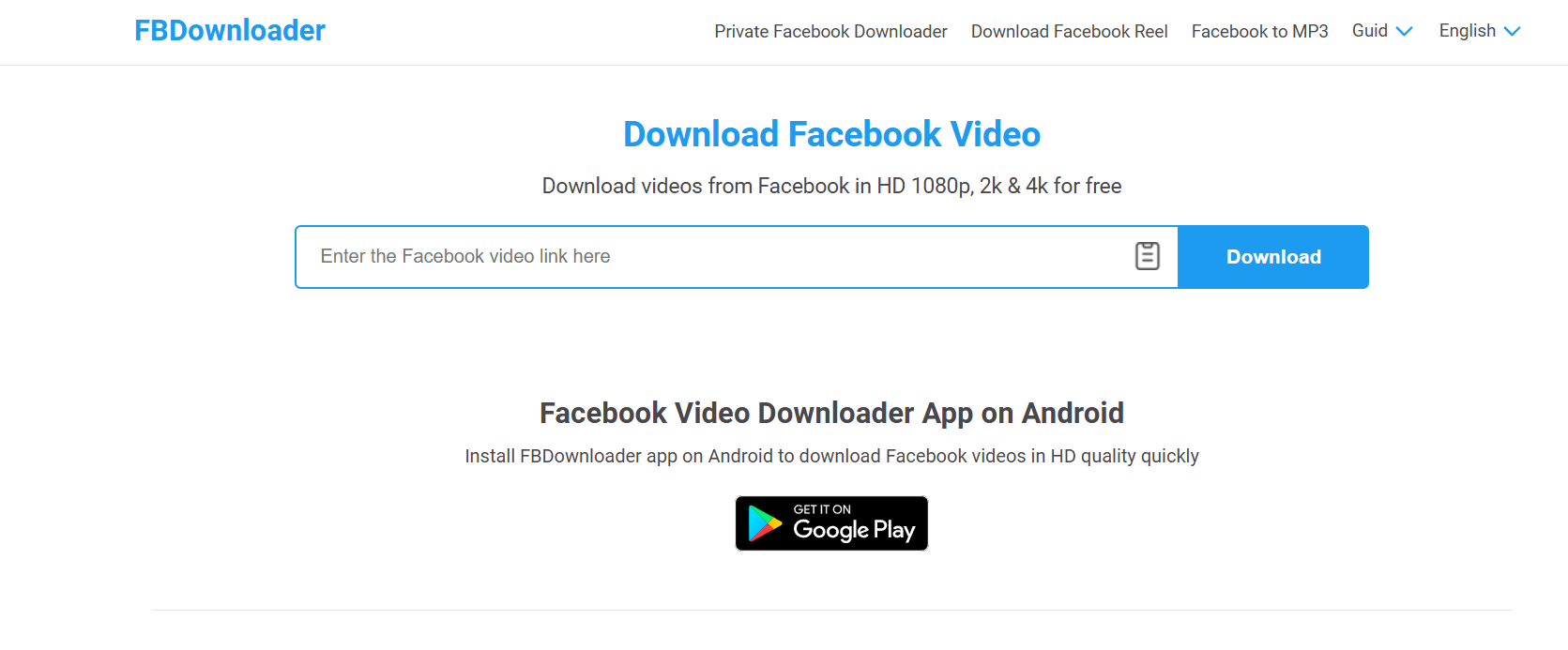
  • FBDownloader.net
  • SaveFrom.net
  • GetfVid.com
  • Snapsave.app
  • FDown.net

All you need to do is copy the video URL, paste it into the site’s input bar, and hit download.

How to Use Them Safely Without Losing Quality

Always make sure the site is legitimate – avoid pop-ups or ads that ask you to install extensions or software. Stick with trusted names and choose the HD option whenever it’s available.

Pros and Cons of Web-Based Downloaders

Pros: Fast, easy, and no installation required.
Cons: Some videos (especially private ones) won’t work, and certain tools can have annoying ads or redirect links.

Method 3 – Download FB Live Videos Using Mobile Apps

facebook

If you prefer downloading directly to your phone, mobile apps can make the process super convenient.

Top Android and iPhone Apps for Facebook Live Downloads

  • Friendly for Facebook (iOS/Android) – Combines browsing and downloading features.
  • Video Downloader for Facebook (Android) – Lets you log in and save Lives directly.
  • MyMedia (iOS) – Works like a file manager where you can paste download links from sites.

How to Save Videos for Offline Viewing on Your Phone

Simply copy the video URL, paste it in the app, and tap download. Most apps let you rename and organize files right away, making it easy to access later.

Tips to Avoid Spammy or Unsafe Apps

Check app reviews and permissions before installing anything. Avoid apps that ask for unnecessary access like your messages or contact list. Always download from the official App Store or Google Play Store.

Method 4 – Save Facebook Live Videos Using Browser Extensions

Browser extensions can be a huge time-saver if you download videos often.

Recommended Chrome and Firefox Extensions for Easy Downloads

  • Video DownloadHelper (Firefox/Chrome)
  • Social Video Downloader (Chrome)
  • FBDown Video Downloader (Chrome)

These tools add a download button directly below or next to the video, making it as simple as one click.

How to Install and Use Browser Extensions Effectively

  1. Go to the Chrome Web Store or Firefox Add-ons page.
  2. Search for the extension name.
  3. Click Add to Chrome or Add to Firefox.
  4. Once installed, open Facebook and play the Live video.
  5. Click the extension icon to download.

Security and Privacy Considerations

Make sure the extension is well-rated and has been updated recently. Don’t install any that request login credentials or unusual permissions.

Method 5 – Download Facebook Live Videos via Screen Recording

facebook

When all else fails – or if the video is private – screen recording is your best friend.

When to Use Screen Recording Instead of Downloaders

Screen recording works great when you can’t directly download a Live, especially if the content is set to private or you just want to capture a specific moment or reaction.

Best Free Screen Recorder Tools for Desktop and Mobile

  • OBS Studio (Windows/Mac) – Professional-grade, free, and open-source.
  • VLC Media Player – Has a hidden screen recording feature.
  • AZ Screen Recorder (Android) – Great for mobile use.
  • iPhone’s Built-in Screen Recorder – Just swipe to access from Control Center.

How to Capture High-Quality Video and Audio

Make sure your internet connection is stable, set your screen to full resolution, and adjust audio levels before hitting record. Close background apps to avoid lag or notifications popping up.

Bonus Tips to Manage and Store Downloaded Facebook Live Videos

How to Organize and Rename Files for Easy Access

After downloading, create folders by category (e.g., tutorials, live events, personal). Rename files with a clear format like “EventName_Date.mp4” to stay organized.

Best Cloud Storage Options for Backing Up Videos

Upload important videos to Google Drive, Dropbox, or OneDrive for safe keeping. It ensures you can access them from any device later.

Legal and Ethical Considerations When Downloading FB Live Content

Always respect privacy and copyright laws. If it’s not your video, get permission from the creator before downloading or re-sharing.

Conclusion – Master How to Download FB Live Video Like a Pro

By now, you know how to download FB live video in multiple ways — from Facebook’s own download button to smart browser extensions and recording tools. Whether you’re saving memories or collecting tutorials, these five genius methods give you flexibility and control. Just remember to always respect content ownership and use reliable tools. Once you try one or two of these methods, you’ll wonder how you ever managed without them.

Find More: Boost Your Sales With SEO Services

FAQs

1. Can I download private Facebook Live videos?

You can’t directly download private Lives without permission, but you can use screen recording to capture them for personal viewing.

2. Are FB Live video downloaders safe to use?

Most are safe if you stick to reputable ones like FDown.net or SaveFrom.net. Avoid sites that flood you with pop-ups or ask for personal info.

3. Can I download a live video while it’s still streaming?

No, you can only download it after the broadcast ends and it’s posted on Facebook.

4. How do I download Facebook Live videos in HD?

Choose the HD option if available when downloading. Some tools like Snapsave.app offer full HD or even 4K downloads.

5. Is it legal to download someone else’s Facebook Live video?

It’s okay for personal use, but always ask for permission before re-uploading or sharing someone else’s content publicly.

Tags: