UK: +44 2038074555 info@atamgo.com
The Role of Social Media in Online Reputation Management

The Role of Social Media in Online Reputation Management

Social Media

In today’s digital world, social media is one of the most powerful tools for shaping a brand’s reputation. Platforms like Facebook, Twitter, Instagram, LinkedIn, and others offer businesses direct access to millions of potential customers, but they also create opportunities for negative feedback, complaints, and PR crises. Social media can build or break a brand, depending on how effectively it’s used for reputation management.

In this post, we’ll explore the impact of social media on a brand’s reputation and provide actionable tips for businesses to leverage these platforms for positive brand-building.

The Impact of Social Media on a Brand’s Reputation

Social media has revolutionized the way businesses communicate with their customers. It has given companies a voice, allowing them to interact with their audience in real-time. However, social media is a double-edged sword: it can either elevate a brand or quickly tear it down.

1. Positive Exposure and Engagement

When used correctly, social media allows businesses to amplify positive messages, share customer success stories, and engage with their audience in meaningful ways. By interacting directly with customers, responding to inquiries, and sharing valuable content, brands can strengthen relationships and enhance trust.

2. Negative Feedback Can Go Viral

On the flip side, a single unhappy customer or a controversial post can go viral, causing immense damage to a brand’s reputation. Negative reviews, complaints, or unsatisfied customers can quickly spread, often with much more visibility than positive posts. This can hurt consumer trust and even lead to the loss of potential clients.

3. Influence on Brand Perception

Social media is where most consumers go to form an opinion about a brand. If a business receives consistent positive feedback, it helps build credibility. If, however, the brand is associated with negative posts or complaints, it can harm the public’s perception of the business. People tend to trust peer reviews more than advertisements, so social media feedback plays a crucial role in shaping a brand’s image.

How to Leverage Social Media for Positive Brand-Building

While social media can present challenges, it also offers incredible opportunities for businesses to build and maintain a strong, positive reputation. By using social media management software, businesses can streamline their efforts and implement key strategies to leverage social media platforms for effective reputation management. Below are some key strategies to help businesses leverage social media platforms for effective reputation management.

1. Be Proactive: Engage Regularly with Your Audience

The first step in using social media effectively is regular engagement. Proactively engaging with your audience helps to foster positive relationships and makes customers feel valued. Don’t wait for issues to arise before interacting—actively post updates, reply to comments, and ask for feedback.

  • Respond to Comments and Questions Promptly: When customers ask questions or leave comments, make sure you respond quickly. This shows that you care about their concerns and builds goodwill.
  • Show Personality: Let your brand’s personality shine through in your posts. A friendly, approachable tone can go a long way in building a connection with your audience.

By engaging regularly and authentically with your audience, you can create a positive online presence that reflects well on your business.

2. Address Negative Feedback Professionally

Despite your best efforts, negative feedback is inevitable. What matters most is how you respond to it. If someone posts a negative comment or review, do not ignore it. Responding to criticism in a timely and professional manner can demonstrate your commitment to customer satisfaction and show that you care about resolving issues.

Best Practices for Handling Negative Feedback on Social Media:

  • Acknowledge the Issue: Start by acknowledging the customer’s concern. Even if you disagree with their feedback, showing empathy and understanding can go a long way.
  • Take the Conversation Offline: If the issue cannot be resolved publicly, offer to continue the discussion privately via direct message or email. This shows that you’re serious about solving the problem while keeping the details out of the public eye.
  • Offer a Solution: Whenever possible, offer a solution to the problem. Whether it’s a refund, replacement, or just an apology, providing a resolution can turn a negative experience into a positive one.

Handling negative feedback correctly can turn a dissatisfied customer into a loyal one and demonstrate your professionalism to the public.

3. Showcase Positive Content and Customer Testimonials

Leverage social media to highlight the good things your customers are saying about your brand. Positive reviews, testimonials, and customer success stories can be powerful tools in building your brand’s reputation.

  • Share User-Generated Content: Encourage your customers to share their experiences with your products or services on social media. Reposting their content on your accounts shows appreciation and acts as authentic social proof.
  • Feature Testimonials and Reviews: If a customer has left a glowing review, share it on your social media platforms. This helps to reinforce your brand’s positive reputation and demonstrates that your business is trustworthy and reliable.
  • Create Shareable Content: Post valuable content that resonates with your audience, such as informative blog posts, infographics, and videos. When users share your content, it increases your brand’s exposure and credibility.

By showcasing the positive aspects of your business, you can use social media as a tool to push down negative content and improve public perception.

4. Maintain Consistent Brand Voice and Messaging

Consistency is key to maintaining a strong and reliable online presence. Your brand’s voice and messaging should be aligned across all your social media channels. Whether you’re posting on Twitter, Instagram, or LinkedIn, it’s important to maintain a cohesive tone and message that reflects your brand values.

  • Be Authentic: People connect with brands that are real and authentic. Don’t try to be something you’re not. Let your brand’s true personality come through in every post.
  • Align Messaging with Your Brand Values: Consistently communicate your business’s values, mission, and goals. When your social media presence aligns with your overall brand, it helps build trust and strengthens your reputation.

5. Use Social Media Listening Tools

Social media listening tools help businesses track mentions of their brand, products, or services across social media platforms. Using a reliable social media finder, companies can easily monitor conversations and identify trends, helping them stay ahead of potential reputation issues.

  • Respond to Mentions and Mentions of Competitors: Social media listening tools can alert you to both positive and negative mentions. By responding to these mentions quickly, you can address concerns before they escalate.
  • Track Sentiment: These tools also help you gauge the overall sentiment around your brand, so you can adjust your strategy if necessary.

Using social media listening tools ensures that you remain aware of what’s being said about your business and allows you to take proactive steps in managing your reputation.

6. Run Social Media Campaigns to Strengthen Your Reputation

Social media campaigns are a great way to connect with your audience and show your brand’s personality. Whether it’s through giveaways, contests, or special promotions, running campaigns on social media can boost engagement and strengthen your brand image.

  • Host Giveaways or Contests: Encourage users to participate in fun, engaging contests that also promote your brand. Not only does this drive engagement, but it also puts your business in a positive light.
  • Support Causes Your Audience Cares About: If your business supports certain causes or charities, use social media to promote your involvement. This demonstrates your brand’s commitment to making a positive impact and can endear your business to your audience.
  • Third-Party Text Reverser Apps/Websites: While not directly related to forwarding, many independent text manipulation tools exist. These are often standalone websites or simple apps. A user could manually copy a WhatsApp message, paste it into one of these tools to reverse the text, and then paste the Text Reverser back into a new message to send. This process is entirely manual but caters to the specific niche need of text manipulation.

Final Thoughts

Social media plays a critical role in shaping your brand’s online reputation. By using these platforms to engage with your audience, handle negative feedback professionally, showcase positive content, and maintain a consistent brand voice, you can build a strong reputation and foster lasting customer relationships.

Remember, reputation management on social media is an ongoing process. Stay proactive, be transparent, and consistently work on providing excellent customer experiences both online and offline. By doing so, you’ll ensure that your brand thrives in the digital age.

If you’re looking to enhance your online reputation, MediaRemoval.com can help with professional content removal services, helping your brand maintain a positive image across all platforms.

5 Powerful Pixwox Features You Must Know In 2026

5 Powerful Pixwox Features You Must Know In 2026

pixwox

Introduction: What Is Pixwox and Why It’s Gaining Popularity

Pixwox. What exactly is it? If you’ve ever wanted to browse Instagram anonymously or download content without logging in, you’ve probably heard of Pixwox.

Pixwox is a third-party Instagram viewer that allows users to view Instagram profiles, stories, and posts anonymously — no account required. It’s a clean, fast, and privacy-focused tool, gaining traction among users who value discretion, convenience, and freedom from app restrictions.

Whether you’re a marketer, researcher, or just a casual browser, Pixwox IG offers a user-friendly way to access Instagram content without the usual barriers. In this article, we’ll dive deep into five powerful features that make Pixwox Instagram a standout tool in 2025.

Find More:  Top 15 Insanony Alternatives for Downloading Instagram Stories Anonymously

1. Anonymous Instagram Viewing Without Logging In

pixwox

How Pixwox Protects Your Privacy

One of the main reasons people turn to Pixwox is the ability to browse Instagram anonymously. Unlike the official Instagram app, which tracks your activity, Pixwox allows you to explore public profiles without leaving a trace.

You don’t need to log in or even have an Instagram account. That means:

  • No more accidentally liking a post

  • No notifications sent to the user

  • No risk of your activity being tracked

Benefits of Anonymous Browsing for Users

Whether you’re checking out a competitor’s page, doing influencer research, or simply curious about someone’s profile, instagram profile viewer pixwox makes it possible without blowing your cover.

This feature is especially useful for journalists, social media analysts, HR recruiters, and anyone who needs unrestricted access to public content.

2. Easy Access to Instagram Stories and Highlights

View Stories Without Detection

Normally, when you view someone’s Instagram story, they can see your username in their viewers list. But with Pixwox IG, that’s not the case. You can watch stories without revealing your identity, as long as the profile is public.

This is incredibly useful if you want to:

  • Stay up to date with your favorite influencers

  • Monitor competitors’ campaigns

  • Check on someone’s updates without alerting them

Explore Archived Highlights from Public Profiles

Pixwox also lets you access a user’s Instagram Highlights, which are saved stories visible on their profile. This can be useful for discovering older content, understanding brand messaging, or simply catching up without having to scroll endlessly.

3. Download Photos and Videos in High Quality

Downloading Instagram Content Made Simple

Unlike Instagram, which doesn’t provide a native way to download posts, Pixwox Instagram makes downloading media incredibly easy. Just click, and you can save:

  • High-quality images

  • Instagram videos

  • Stories and even IGTV content (if available)

This is especially handy for:

  • Content creators looking for inspiration

  • Social media managers collecting UGC (User Generated Content)

  • Personal users who want to save memories or funny clips

Legal and Ethical Considerations

While downloading is a great feature, it’s important to respect copyright laws and give credit to original creators when sharing content. instagram viewer pixwox is a tool — how you use it should align with ethical digital practices.

4. Browse Instagram Profiles and Posts by Hashtags or Usernames

Discover Content Using Pixwox Search Tools

Pixwox isn’t just a viewer — it also works as a search engine for Instagram. You can search by:

  • Username

  • Hashtag

  • Location (in some versions)

This helps you uncover relevant posts in your niche, analyze what others are posting, or even track a campaign’s performance.

For example, searching #digitalnomad via Pixwox gives you access to thousands of posts without needing to log into Instagram.

Filter and Explore Public Posts More Efficiently

Pixwox removes all the extra clutter that comes with the official IG app. There are no ads, no suggested reels, and no sponsored content — just pure, clean access to the content you’re searching for.

5. Clean, Ad-Free Experience Compared to Other Viewers

Why Pixwox Is a User-Friendly Alternative

If you’ve tried other Instagram viewers, you know many are filled with ads, pop-ups, or even malicious links. Pixwox, on the other hand, offers a minimalist, ad-free interface that loads quickly and focuses on what matters — the content.

Its lightweight design means:

  • Faster load times

  • No intrusive popups

  • Better experience on mobile and desktop

Comparing Pixwox With Similar Tools

Feature Pixwox Inflact Dumpor
Anonymous Viewing ✅ Yes ✅ Yes ✅ Yes
Story Download ✅ Yes ❌ No ✅ Yes
Ad-Free Experience ✅ Mostly ❌ No ❌ No
Search by Hashtag ✅ Yes ✅ Yes ✅ Yes
Account Required ❌ No ❌ No ❌ No

As you can see, Pixwox outshines many competitors when it comes to privacy and usability.

Conclusion: 

From anonymous viewing to high-quality media downloads, Pixwox offers a unique, powerful alternative to the traditional Instagram experience. It’s fast, easy to use, and respects your privacy.

Whether you’re managing social media professionally or just want a discreet way to explore IG, Pixwox Instagram is worth trying.

Still not sure? Try it once — you may never go back to the regular Instagram app again.

Find More: Digital Marketing Agency for Small Businesses

If you’re someone who frequently downloads Instagram content using Pixwox, you might also find it helpful to organize or convert your saved media into shareable documents. That’s where PDF Guru comes in — a versatile tool for merging, compressing, and editing PDFs with ease. Whether you’re collecting influencer posts for a campaign report, archiving visual research, or simply saving your favorite content in a clean format, PDF Guru makes file management seamless and professional.

FAQs:

Is Pixwox free to use?

Yes, Pixwox is completely free for basic usage. No account or payment is required.

Is Pixwox safe and legal?

Pixwox is generally safe for browsing public content. However, always use ethical judgment and avoid using it for harassment, stalking, or copyright infringement.

Can I download private Instagram content using Pixwox?

No. Pixwox only works with public accounts. Private profiles cannot be viewed or downloaded.

Do I need an Instagram account to use Pixwox?

No Instagram account is needed. You can browse, search, and download completely anonymously.

Are there better alternatives to Pixwox?

There are other tools, but most include ads or lack key features. For most users, Pixwox strikes the best balance of functionality and ease of use.

Tags:
How to Do Research on YouTube: A Practical Guide for Creators

How to Do Research on YouTube: A Practical Guide for Creators

YouTube Research

Creating great content on YouTube doesn’t start with filming or editing – it begins with research. Whether you’re a seasoned creator or just starting out, knowing how to do proper YouTube research can help you understand your niche, discover trends, analyze competitors, and ultimately grow faster.

This article will walk you through a practical, step-by-step process to research YouTube effectively, including tools, techniques, and what data to look for. By the end, you’ll know how to gather insights that can supercharge your content strategy. 

Why YouTube Research Matters

YouTube is a highly competitive platform where algorithms favor creators who understand their audience, niche, and trends. Doing research allows you to:

  • Understand what your audience wants

  • Spot content gaps or opportunities

  • Learn from competitors’ successes and mistakes

  • Make data-driven content decisions

  • Stay ahead of trends in your niche

YouTube rewards relevance, originality, and engagement – all of which improve when you back your content with solid research. 

1. Define Your Research Goal

Before diving in, clarify what you want to learn. Are you trying to:

  • Identify trending video topics?


  • Analyze successful channels in your niche?


  • Understand audience preferences?


  • Benchmark your performance against others?


Defining your goal helps you narrow your focus and choose the right tools and metrics for your research.


2. Find and Analyze Competitor Channels

One of the best ways to understand your niche is to study what’s already working for others. Identify 5–10 channels that are similar to yours in theme, audience, or style. These could be direct competitors or channels you aspire to emulate.

Once you’ve identified them, start a YouTube competitor analysis by examining:

  • Subscriber growth trends

  • Most viewed videos

  • Video frequency and consistency

  • Average views per video

  • Thumbnails and titles

  • Types of content (tutorials, vlogs, reviews, etc.)

You can read a full guide on YouTube competitor analysis to learn how to set benchmarks, gather insights, and track long-term performance. 

3. Explore Analytics of Other Channels

You might think you can only access analytics for your own YouTube channel, but there are several ways to estimate and interpret public data from others.

Use tools like:

  • Social Blade: Shows estimated earnings, subscriber counts, and video views over time.


  • vidIQ and TubeBuddy: Browser extensions that show video tags, SEO scores, and keyword rankings.


  • Noxinfluencer or SimilarWeb: Great for influencer and traffic analysis.


You can also learn how to dig deeper into public metrics in this guide on how to check YouTube analytics of other channels. It explains how to analyze engagement rates, content strategies, and growth tactics – all without direct access to the backend.

Key data points to pay attention to:

  • View velocity: How fast a video gains views after publishing


  • Like-to-view and comment-to-view ratios: Indicators of audience engagement


  • Video SEO: Tags, titles, and descriptions that rank well 

4. Analyze Video Topics and Formats

Topic selection is where many channels either thrive or stall. Use your competitor research to spot what kinds of content perform best in your niche.

Look for:

  • Recurring video types (e.g., “How to…”, “Reacting to…”, “Ranking…”)


  • Popular themes or categories within your niche


  • Seasonal or trending topics

  • Community response in comments

Organize your findings in a spreadsheet with columns like:

  • Video Title


  • Format (Tutorial, Commentary, etc.)


  • Views


  • Engagement (likes/comments)


  • Upload Date


  • Notes on Hook or Angle


This database helps you identify patterns in what succeeds – and where you can offer a fresh twist. 

5. Use YouTube Search for Keyword Discovery

YouTube is the world’s second-largest search engine, and its search bar is a goldmine for finding what people are actively looking for. Start typing relevant keywords, and note the autocomplete suggestions – these are actual user searches.

Try combinations like:

  • “How to [topic]”


  • “[Niche] tutorial”


  • “Best [product/strategy] for beginners”


  • “Why [problem/question] happens”


From these, you can brainstorm video ideas that match what your target viewers are searching for. You can also check search volume using tools like Google Trends or vidIQ’s Keyword Inspector. 

6. Study Thumbnails and Titles

No matter how good your content is, it won’t matter if people don’t click. High-performing videos often owe their success to strong thumbnail templates and compelling titles.

Here’s what to analyze:

  • Thumbnail colors and contrast: Bright, high-contrast thumbnails tend to perform better.


  • Face vs. text: Are people-focused thumbnails more engaging? Is text used effectively?


  • Title structure: Are they using numbers, curiosity gaps, or emotional triggers?


  • Length and punctuation: Titles under 60 characters tend to display better on mobile.


Create a swipe file of thumbnails and titles that caught your attention – and your competitors’ audience. Use this inspiration to test your own combinations. 

7. Watch and Dissect Successful Videos

To really understand why a video works, go beyond the metrics – watch it like a critic. Pay attention to:

  • The first 30 seconds: How does the creator hook viewers?


  • Editing pace and transitions

  • Music and sound design

  • Calls-to-action (CTAs)

  • Use of storytelling or humor

  • Pacing and length

Try answering these questions:

  • Why did you keep watching?


  • What emotions or curiosities did it trigger?


  • How could you deliver something similar with your unique voice? 

8. Monitor Trends with External Tools

Beyond YouTube itself, use outside tools to stay ahead of trending content and audience interests:

  • Google Trends: Tracks search interest over time.


  • Exploding Topics: Shows emerging niches across various categories.


  • AnswerThePublic: Visualizes questions people are asking around your keywords.


  • Reddit & Twitter: Useful for early signals of viral topics or cultural shifts.


These tools can help you align your YouTube content with what people are already curious about – before your competitors catch on. 

Final Thoughts

Doing great research is one of the most underrated skills in YouTube content creation. While others chase views blindly, smart creators use insights to guide their content strategy – leading to more views, better retention, and consistent growth.

Remember, you don’t need to reinvent the wheel. By studying what works, adapting it to your voice, and using data to guide decisions, you put yourself ahead of 90% of creators.

Here’s your research checklist:

✅ Define your research goal
✅ Analyze competitors and their strategies
✅ Study public analytics of similar channels
✅ Track keywords and search intent
✅ Understand video formats and audience reactions
✅ Optimize thumbnails and titles
✅ Stay ahead of trends

Research isn’t a one-time task – it’s a habit. Make it part of your content creation workflow, and you’ll be amazed at the insights you’ll uncover.

Let data inform your creativity – and let creativity turn those insights into standout content

8 Powerful YouTube Subtitle Downloader You Must Try Today

8 Powerful YouTube Subtitle Downloader You Must Try Today

youtube subtitle downloader

Introduction

YouTube subtitle downloader – Have you ever wanted to save YouTube subtitles for offline reading, language learning, or content creation? Whether you need subtitles for better accessibility, translations, or study purposes, this tool makes the process effortless.

Many tools allow you to extract subtitles from YouTube videos in formats like SRT, TXT, and VTT, giving you full control over the content. In this guide, we’ll explore nine powerful YouTube subtitle downloaders that are fast, reliable, and easy to use—whether you prefer online tools, software, browser extensions, or advanced scripts.

Let’s dive in and find the best tool for you!

Find More: Top 7 Free Tools for YouTube Shorts Download

How to Choose the Best YouTube Subtitle Downloader

When selecting a YouTube subtitle downloader, consider the following factors:

  • User-Friendliness: The tool should have an intuitive interface that doesn’t require advanced technical skills.
  • Format Support: Ability to download subtitles in various formats like SRT, TXT, or VTT.
  • Language Support: Capability to handle multiple languages, especially if you’re dealing with non-English content.
  • Platform Compatibility: Ensure the tool works seamlessly on your operating system, be it Windows, macOS, or Linux.

Best Online YouTube Subtitle Downloaders

1. DownSub

DownSub

DownSub is a free web application that allows users to download subtitles directly from YouTube and other platforms like Viki, Viu, and Vlive. It supports multiple languages and provides subtitles in formats like SRT and TXT.

How to Use DownSub:

  1. Copy the URL of the YouTube video.
  2. Paste it into the input box on DownSub’s homepage.
  3. Click the “Download” button.
  4. Choose your preferred subtitle format and language to download.

2. NoteGPT

NoteGPT

NoteGPT is an online tool that allows for quick and free downloading of YouTube subtitles in multiple languages. It’s particularly useful for content creators and educators who need subtitles for various purposes.

Features:

  • Supports multiple subtitle formats.
  • No sign-up required.
  • Fast and user-friendly interface.

How to Use NoteGPT:

  1. Paste the YouTube video link into the input box.
  2. Click the “Generate” button.
  3. Download the subtitles in your desired language and format.

3. EasySub

EasySub

EasySub is another online tool that supports downloading subtitles from YouTube and other websites. It offers subtitles in formats like SRT, ASS, TXT, and VTT, catering to a wide range of user needs.

How to Use EasySub:

  1. Copy and paste the YouTube video link into the input field on EasySub’s website.
  2. Click “DOWNLOAD.”
  3. Select your preferred subtitle format and language to download.

Software-Based YouTube Subtitle Downloaders

1. yt-dlp

yt-dlp is a command-line program that allows users to download videos and subtitle files from YouTube. It’s a fork of the popular youtube-dl, offering additional features and improved performance.

Features:

  • Supports downloading subtitles in various languages.
  • Ability to embed subtitles directly into videos.
  • Highly customizable with numerous command-line options.

How to Use yt-dlp:

  1. Install yt-dlp on your system.
  2. Open Command Prompt or Terminal.
  3. Run the command: yt-dlp --write-subs --sub-lang LANG "URL", replacing LANG with the desired subtitle language code (e.g., en for English) and URL with the YouTube video link.

2. JDownloader

JDownloader

JDownloader is a free, open-source download manager that simplifies downloading files from various platforms, including YouTube. It can automatically detect and download available subtitles along with the video.

Features:

  • Supports downloading subtitles in multiple languages.
  • Allows for batch downloading of videos and subtitles.
  • Cross-platform compatibility (Windows, macOS, Linux).

How to Use JDownloader:

  1. Install JDownloader on your computer.
  2. Copy the URL of the YouTube video.
  3. JDownloader will automatically detect the video and its subtitles.
  4. Select the video and subtitle files you wish to download and click “Start.”

3. Downie

Downie

Downie is a video downloader for macOS that supports over 1,200 sites, including YouTube. It can download videos along with their subtitles, making it a comprehensive solution for macOS users.

Features:

  • Supports downloading embedded subtitles from videos.
  • Offers post-processing options like converting videos to different formats.
  • Regular updates to support new websites and features.

How to Use Downie:

  1. Install Downie on your Mac.
  2. Drag and drop the YouTube video link into Downie.
  3. Downie will process the link and provide options to download the video and subtitles.

Browser Extensions for Downloading YouTube Subtitles

If you prefer a seamless, integrated approach, browser extensions can help you download YouTube subtitles directly while watching videos.

1. Subtitles For YouTube

Subtitles For YouTube

Overview:
This Chrome extension allows users to download subtitles directly from YouTube videos without leaving the website. It works with both manually uploaded and auto-generated subtitles.

Features:

  • One-click subtitle download
  • Supports multiple subtitle formats (SRT, TXT)
  • Works on all YouTube videos with captions

How to Use Subtitles For YouTube:

  1. Install the extension from the Chrome Web Store.
  2. Open a YouTube video with subtitles.
  3. Click the extension icon and choose the subtitle language.
  4. Download the subtitle file in your preferred format.

2. Tampermonkey + GreasyFork Script

GreasyFork Script

Overview:
Tampermonkey is a popular userscript manager that allows you to run custom scripts on websites. By using a YouTube subtitle downloader script, you can add a download button directly on YouTube.

Features:

  • Lightweight and customizable
  • Works in Chrome, Firefox, Edge, and Opera
  • Supports multiple subtitle formats

How to Set It Up:

  1. Install Tampermonkey on your browser.
  2. Add a YouTube subtitle download script from GreasyFork.
  3. Open a YouTube video and download subtitles using the new button.

How to Extract and Edit Downloaded YouTube Subtitles

Once you’ve downloaded subtitles, you may want to edit, sync, or convert them.

  • Convert SRT to TXT or VTT using converter tools
  • Sync subtitles using Aegisub
  • Translate subtitles using Google Translate + Notepad++

Common Issues and How to Fix Them

Problem: No subtitles available for a video

  • Check if the video actually has subtitles.
  • Try different tools, as some work better with auto-generated captions.

Problem: Subtitle timing is off

  • Use VLC Media Player to adjust subtitle delay.

Problem: Unable to download auto-generated subtitles

  • Some tools don’t support auto-generated captions. Use yt-dlp or DownSub.

Conclusion

If you want a simple online tool, DownSub or NoteGPT are great choices.
For bulk downloads, yt-dlp and JDownloader work best.
If you need a quick browser solution, try Subtitles for YouTube or Tampermonkey scripts.

Find More: Boost Your online Sales With shopify services

FAQs

How do I download subtitles from YouTube for free?

Use tools like DownSub, NoteGPT, or yt-dlp to extract subtitles from videos without paying.

Can I download auto-generated subtitles?

Yes, but not all tools support them. yt-dlp and DownSub can download both manual and auto-generated captions.

Which formats are best for downloading subtitles?

SRT is the most commonly used format. TXT is good for text extraction, while VTT is useful for web players.

Are YouTube subtitle downloaders legal to use?

Downloading subtitles for personal use is generally acceptable, but redistributing copyrighted subtitles may violate YouTube’s policies.

How can I download subtitles in multiple languages?

Tools like DownSub and yt-dlp allow you to select and download subtitles in different languages.

Tags:

Top 7 Free Tools for YouTube Shorts Download

Top 7 Free Tools for YouTube Shorts Download

youtube shorts download

YouTube Shorts download – ever stumbled upon an amazing Shorts video and wished you could save it instantly? Whether you want to keep a funny clip, store a tutorial for offline viewing, or repost content (with permission), finding a reliable tool can be tricky.

The good news? You don’t need to install software, sign up, or deal with watermarked videos! In this guide, we’ll show you the 7 best free tools for YouTube Shorts download, so you can save YouTube Shorts videos hassle-free.

Keep reading to discover the easiest ways to download YouTube Shorts without an app and in the highest quality!

1. AISEO

AISEO

Key Features:

  • High-Quality Downloads: Supports HD and Ultra-HD resolutions.
  • No Watermarks: Downloads are free from any branding.
  • Cross-Platform Compatibility: Accessible on mobile, tablet, or desktop devices.

How to Use:

  1. Copy the Link: Open YouTube, select your desired Shorts video, and copy the video link.
  2. Paste the Link: Paste the copied link into the AISEO YouTube Shorts Downloader and click “Download”.
  3. Select Format and Resolution: Choose the format and resolution you prefer.
  4. Download Video: Click download and get your selected video file instantly.

2. Vidfly

vidfly

Key Features:

  • Fast and Free Downloads: No limits on the number of downloads.
  • Multiple Formats and Resolutions: Supports formats like MP4 and HD 1080p.
  • No Watermarks: Ensures clean downloads without any branding.

Step-by-Step Guide:

  1. Copy the Video URL: Find the YouTube Shorts video you want to download and copy its URL.
  2. Paste the URL: Input the copied URL into the Vidfly YouTube Shorts Downloader.
  3. Select Format and Resolution: Choose your preferred format and resolution
  4. Download: Click the download button to save the video to your device.

3. SendShort

SendShort

Key Features:

  • No Sign-Up Required: Access the tool without any registration.
  • Fast Downloads: Quickly save videos with minimal wait times.
  • User-Friendly Interface: Simple and intuitive design for ease of use.

Simple Steps to Download Shorts:

  1. Copy the Video Link: Navigate to the desired YouTube Shorts video and copy its link.
  2. Paste the Link: Paste the link into the SendShort downloader input field.
  3. Download: Click the download button to retrieve the video.

4. Highperformr

highperformr

Key Features:

  • No Sign-Up Required: Access the tool without any registration.
  • No Watermarks, No Ads: Download videos without any watermarks or ads.
  • Fast and Reliable: Save videos instantly with high-speed downloads.

How to Use It Efficiently:

  1. Copy the Video URL: Find the YouTube Shorts video you wish to download and copy its URL.
  2. Paste the URL: Enter the copied URL into the Highperformr downloader.
  3. Download: Click the download button to save the video to your device.

5. SaveTube

savetube

Key Features:

  • User-Friendly Interface: Allows for quick and easy downloads directly from your web browser without the need for installation.
  • Multiple Quality Options: Offers various video quality and format choices to suit your preferences.

How to Use YT SaveTube:

  1. Copy the Video URL: Navigate to the desired YouTube Shorts video and copy its URL.
  2. Visit YT SaveTube: Go to the SaveTube website.
  3. Paste the URL: Enter the copied URL into the search box on the website.
  4. Initiate Download: Click on the download button.
  5. Select Preferences: Choose your desired video quality and format.
  6. Download: Click ‘Download’ to save the video to your device.

6. SocialPlug

socialplug

Key Features:

  • Ad-Free Experience: Provides a clean interface without advertisements.
  • Multiple Resolution and Format Options: Allows downloading videos in various resolutions and formats to meet your needs.
  • Mobile Compatibility: Fully compatible with Android devices, enabling direct downloads to your phone.

How to Use SocialPlug:

  1. Copy the Video URL: Find the YouTube Shorts video you wish to download and copy its URL.
  2. Visit SocialPlug: Go to the SocialPlug YouTube Video Downloader website.
  3. Paste the URL: Input the copied URL into the downloader’s input field.
  4. Choose Preferences: Select your preferred resolution and format.
  5. Download: Click the download button to save the video to your device.

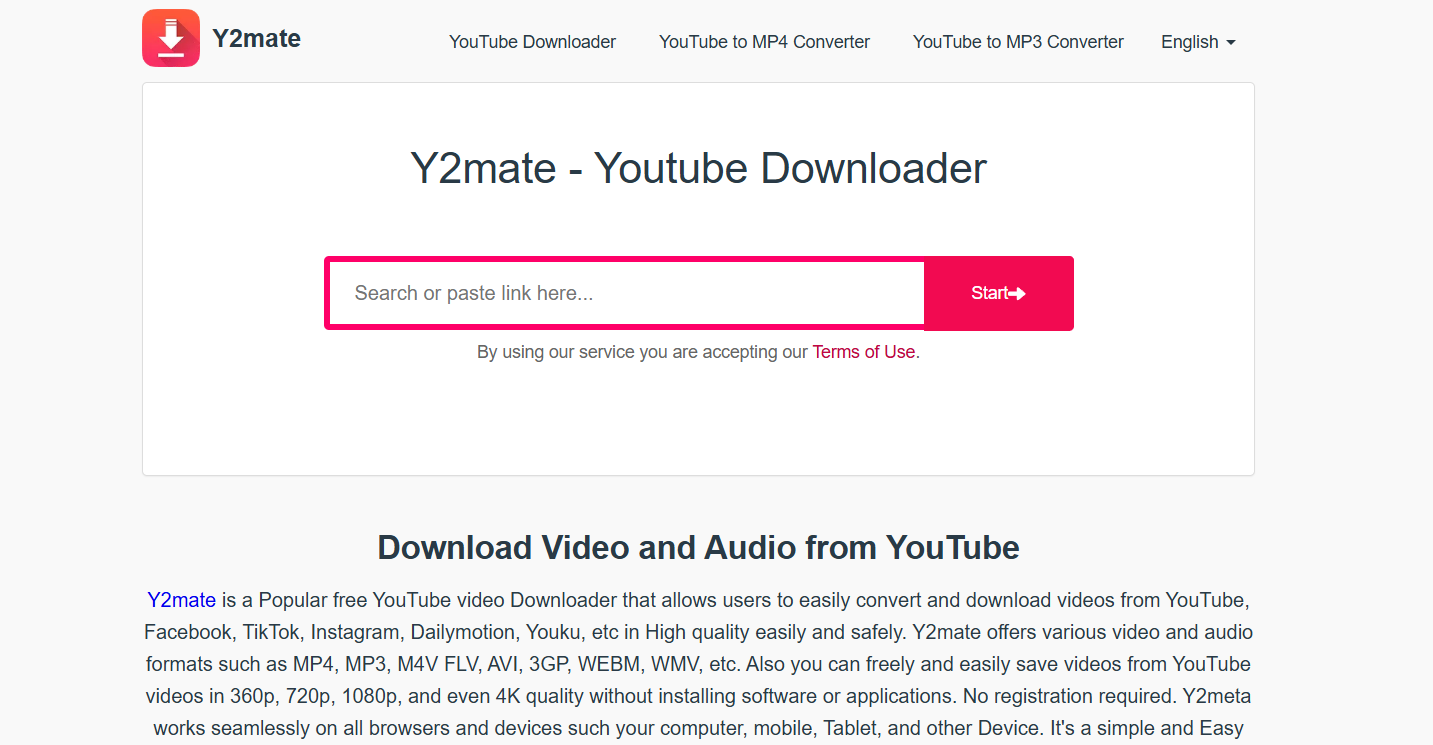
7. Y2Mate

y2mate

Key Features:

  • No Ads: Provides a clean downloading experience without intrusive advertisements.
  • High-Quality Downloads: Allows downloading videos in various resolutions, including HD.
  • No Software Installation: Operates entirely online, eliminating the need for additional software.

How to Use Y2Mate:

  1. Copy the Video URL: Navigate to the desired YouTube Shorts video and copy its URL.
  2. Visit Y2Mate: Go to the Y2Mate website.
  3. Paste the URL: Enter the copied URL into the input field provided on the website.
  4. Select Quality and Format: Choose your preferred video quality and format.
  5. Download the Video: Click the download button to save the video to your device.

Conclusion

You don’t have to struggle with unreliable apps or paid subscriptions to download YouTube Shorts. With the 7 free tools listed above, you can download YouTube Shorts instantly, without sign-ups or extra hassle.

Our Top Picks:
🔥 Best Overall: AISEO YouTube Shorts Downloader
Fastest Tool: Vidfly YouTube Shorts Downloader
🎯 Best for HD Videos: YTShorts.Save

FAQs

1. Can I download YouTube Shorts without an app?

Yes! Online tools like AISEO YouTube Shorts Downloader and Vidfly let you download Shorts directly from your browser—no app required.

2. Are these YouTube Shorts download tools safe to use?

Most reputable tools are safe, but always double-check the website URL and avoid suspicious download buttons.

3. Can I download YouTube Shorts in HD quality?

Yes, tools like YTShorts.Save and Highperformr support HD and even 4K video downloads.

4. Is it legal to download YouTube Shorts for offline use?

Downloading YouTube Shorts is legal for personal use only. However, distributing or re-uploading them without permission may violate copyright laws.

5. Why do some YouTube Shorts downloaders stop working?

YouTube frequently updates its system, which can cause some download tools to stop functioning. If a tool isn’t working, try another from the list above.

Tags

5 Shocking Benefits of Using SSSInstagram for Insta Downloads

5 Shocking Benefits of Using SSSInstagram for Insta Downloads

sssinstagram

Introduction

SSSInstagram: Instagram is a treasure trove of amazing content, from viral videos to inspiring reels and creative stories. But what happens when you want to save a video for offline viewing, reuse a reel for inspiration, or archive a post before it disappears? Unfortunately, Instagram doesn’t provide a direct download option.

That’s where SSSInstagram comes in—a powerful and user-friendly Instagram downloader that allows you to save any video, reel, or story in just a few clicks. Whether you need an SSSInstagram video download for personal use or an SSSInstagram reels download to keep up with trending content, this tool makes the process quick and effortless.

In this article, we’ll explore five shocking benefits of using SSSInstagram, including instant downloads, high-quality media, unlimited access, security features, and compatibility with all Instagram content types. By the end, you’ll see why SSSInstagram is the best solution for downloading Instagram videos.

Find More: The 5 Best Snapchat Viewer (Tested & Verified)

1. Instant Downloads Without Limitations

One of the most frustrating aspects of online tools is download speed restrictions or annoying pop-ups asking for payment. With SSSInstagram, you don’t have to worry about any of that—it offers unlimited, fast, and hassle-free downloads.

No Login Required – Download With Ease

Some Instagram downloaders require you to log in with your Instagram account, which can be risky. However, SSSInstagram eliminates this step—all you need is the URL of the Instagram post you want to save.

Example: Imagine scrolling through Instagram and finding an incredible reel that you want to save for later. Instead of taking a screen recording (which reduces quality), just copy the post link, paste it into SSSInstagram, and download it instantly!

Works on Any Device: Mobile, PC, and Tablet

No matter what device you’re using, SSSInstagram works seamlessly. It’s a web-based tool, meaning you can use it on:

  • Smartphones (Android & iOS)
  • Laptops & Desktops (Windows & macOS)
  • Tablets & iPads

Pro Tip: Bookmark the SSSInstagram website on your mobile browser for quick access anytime you need to download Instagram videos.

2. High-Quality Media Without Compression

Many free downloaders reduce the quality of Instagram videos when you save them, making them blurry or pixelated. SSSInstagram, on the other hand, ensures that you get the highest resolution available.

Download Full-Resolution Instagram Photos & Videos

Most Instagram videos and reels are compressed when uploaded to the platform, but SSSInstagram ensures that you download them in their original resolution.

Example: If an influencer uploads a high-definition (1080p or even 4K) reel, you’ll be able to download it in the same quality.

Maintain Original Sound and Video Clarity

A common problem with screen recording Instagram videos is audio distortion. With SSSInstagram video download, the original sound quality remains intact—no muffled voices, no weird distortions, just pure high-quality audio.

3. 100% Free and User-Friendly Interface

Unlike some Instagram downloaders that require you to purchase a subscription or sign up for a premium plan, SSSInstagram is completely free—with no hidden costs.

No Hidden Fees or Premium Subscriptions

There are no monthly charges, no pro versions, and no frustrating watermarks on your downloaded videos. What you see is what you get—a simple, free, and reliable Instagram downloader.

Simple Copy-Paste Process for Quick Downloads

Using SSSInstagram is so easy that anyone can do it—even if you’re not tech-savvy.

How to Download Instagram Videos with SSSInstagram:

  1. Find the video or reel you want to download on Instagram.
  2. Tap the three-dot menu (⋮) on the post and select “Copy Link”.
  3. Open SSSInstagram, paste the link into the search bar, and hit “Download”.
  4. Save the file to your device and enjoy your offline video!

4. Supports All Instagram Content Types

While some Instagram downloaders only work for standard video posts, SSSInstagram supports every type of Instagram media.

Download Reels, Stories, IGTV, and Private Videos

Whether it’s a funny reel, an inspiring IGTV video, or a time-sensitive Instagram story, SSSInstagram has you covered. What’s more, it’s perfect for turning fleeting stories into endless content ideas that boost your engagement.

Example: Let’s say your favorite influencer posts an exclusive Instagram Story tutorial, but it will disappear in 24 hours. With SSSInstagram, you can save it forever!

One Tool for Every Instagram Media Format

There’s no need to use different tools for different downloads—SSSInstagram handles everything, including:

  • Instagram Reels
  • IGTV Videos
  • Instagram Stories
  • Private Instagram Videos (if you have access to the original link)

5. No Ads, No Annoying Pop-Ups, Just Fast Downloads

Most free Instagram downloaders like Insanony are packed with ads, annoying pop-ups, or even malicious software. SSSInstagram is completely ad-free and prioritizes a smooth user experience.

Why SSSInstagram Is Safer Than Other Downloaders

Unlike sketchy tools that ask for unnecessary permissions or redirect you to spammy websites, SSSInstagram is built with security in mind.

How It Helps You Avoid Spam and Malware

Many download tools trick users into downloading unwanted files. SSSInstagram only provides direct Instagram downloads—no extra software, no hidden risks.

Conclusion

With SSSInstagram, you don’t need to worry about download limits, poor quality, or security risks. Whether you need an SSSInstagram reels download for entertainment or an SSSInstagram video download for offline access, this tool makes it quick, free, and reliable.

Find More: Boost Your Sales With shopify Services

FAQs

How do I use SSSInstagram to download Instagram videos?

Simply copy the Instagram video link, paste it into the SSSInstagram search bar, and hit “Download.”

Is SSSInstagram legal to use?

Downloading videos for personal use is generally fine, but always respect Instagram’s terms of service and copyright laws.

Does SSSInstagram work on private Instagram accounts?

No, it only works with public Instagram posts.

Can I use SSSInstagram without installing software?

Yes! SSSInstagram is an online tool, so there’s no need to install any apps or extensions.

Are there any download limits?

No! You can download unlimited videos, reels, and stories without restrictions.

Tags: