UK: +44 2038074555 info@atamgo.com
21 Must-Know TikTok Emojis That Gen Z Use

21 Must-Know TikTok Emojis That Gen Z Use

TikTok Emojis

Introduction: What’s the Deal With TikTok Emojis?

TikTok emojis have totally taken over how people express themselves on the app. Whether you’re reacting to a funny video, throwing shade in the comments, or hyping up your friends, emojis are doing a lot of the talking. And it’s not just about the regular emojis you find on your keyboard. TikTok has its own secret emoji codes, a kind of hidden language that only shows up in the app. If you’ve ever seen a comment and thought, “What the heck does that even mean?” — you’re not alone. This guide is here to decode it all for you, from viral TikTok emoji combos to the deeper meanings behind a “happy TikTok emoji” or a “proud TikTok emoji.” Oh, and yes, we’ll even show you how to copy and paste TikTok emojis like a pro. So whether you’re new to the app or just want to keep up with the Gen Z lingo, this article will walk you through everything you need to know about TikTok emojis and how to actually use them without looking like you’re stuck in 2017.

Find More: 5 Powerful Pixwox Features You Must Know

The Rise of Emojis on TikTok

tiktok emoji codes​

Why Emojis Are a Big Deal in TikTok Culture

On TikTok, words often take a backseat to vibes. Emojis are a shortcut to show emotion, sarcasm, humor, or drama. They’re the Gen Z equivalent of body language — and sometimes, a single emoji says more than a paragraph ever could. Using them right can make your comment go viral, or at the very least, get some love from strangers. Emojis help keep things short and snappy, which is crucial in a fast-scroll environment like TikTok. Nobody has time to read long comments. A well-placed emoji combo gets your point across instantly — and often with a good laugh.

How Emojis Shape Trends and Viral Content

Think about it: emoji combos like “😭💀” or “🧠🔥” often trend alongside viral videos. They’re not just symbols; they’re part of the storytelling. From sarcastic comments to thirst traps, emojis set the tone, and the right combo can even help your content go viral. Some emojis even become memes in their own right. For example, the chair emoji 🪑 was used as a joke replacement for 💀, and suddenly everyone was doing it. That’s how fast TikTok trends move. Keeping up with these emoji meanings can help you stay in the loop, especially when trying to engage with Gen Z.

21 Must-Know TikTok Emojis Gen Z Uses Every Day

happy tiktok emoji​

Let’s break down the emojis you keep seeing (and maybe misinterpreting). Here’s your cheat sheet:

🧠 Brain Emoji – Smart Takes or Mind-Blowing Moments

Used when someone says something clever, or when a video leaves you feeling “mind-blown.”

😭 Loudly Crying Emoji – Not Always About Sadness

This one’s all over TikTok. It usually means you’re laughing way too hard, not actually crying.

💀 Skull Emoji – “I’m Dead” From Laughter

When something is just too funny, people use 💀 to say they’re metaphorically dead from laughing.

🤡 Clown Emoji – Calling Out Foolishness

If someone’s being naive or cringey, the clown comes out. Use it when someone deserves to be called out.

😭💀 Combo – The Ultimate Gen Z Reaction

These two together? Peak TikTok humor. Usually a reaction to something painfully relatable or embarrassing.

🪽 Standing Person Emoji – For Awkward Energy

This emoji represents those “I’m just standing here awkwardly” moments. Often used when the vibe is off.

🤠 Cowboy Emoji – Ironic Sass or Fake Confidence

You know that sarcastic “Yeehaw” energy? That’s this guy. Used ironically when you’re clearly not okay.

🫶 Heart Hands Emoji – Pure Vibes Only

It’s one of the newer emojis, and TikTok loves it. A happy TikTok emoji that screams wholesomeness and appreciation.

💅 Nail Polish Emoji – Sassy Flex or Carefree Attitude

Nothing says “I’m unbothered” like this emoji. Perfect for those “drama? I don’t know her” moments.

👁️👄👁️ Face Combo – Speechless Reaction

Used when you don’t even have the words to react. Think “just watching this chaos unfold.”

🌶️ Chili Emoji – It’s Getting Spicy

Whether it’s a hot take or some juicy drama, the chili emoji lets people know it’s about to heat up.

🥵 Hot Face Emoji – Thirst Trap Alert

Commonly used under thirst traps or steamy content. Also works for hot takes.

😮‍🚨 Exhaling Emoji – Dramatic Reactions

That sigh of disbelief or emotional overwhelm? This emoji captures it perfectly.

🪑 Chair Emoji – The New “Dead” Emoji?

This one’s niche. Gen Z sometimes replaces the skull emoji with a chair to mean “dead” — for no reason other than irony.

✨ Sparkles Emoji – Sarcasm or Emphasis

TikTok often uses this to add flair or mock enthusiasm. Like: “I’m just ✨so✨ happy…”

🍵 Tea Emoji – Time to Spill the Drama

When someone’s serving gossip or juicy details, you better bring the tea.

👏 Clapping Emoji – Emphasis in Arguments

Put a clap after every word to get your point across. It’s loud, clear, and a little dramatic.

🧳 Peek Emoji – Watching But Pretending Not To

Great for those “I’m not involved but totally watching” moments.

🚩 Red Flag Emoji – Major Warning Sign

You’ll see this one everywhere in relationship advice videos or when someone does something questionable.

🧄 Juice Emoji – Hidden Meanings in Slang

This one’s a bit cryptic. It can refer to gossip, style, or even confidence, depending on the context.

😈 Smiling Devil Emoji – Mischief or Flirting

When someone’s being cheeky, a little evil, or flirty, this emoji sneaks in.

How to Use TikTok Emojis Like a Pro

tiktok emoji copy and paste

In Comments for Maximum Impact

Reacting with emojis is a whole art form. Stack them for dramatic effect, or use minimalist combos to stand out.

In Captions to Boost Engagement

Captions with emojis get more attention. Mix them in with your text to draw eyes and set the tone.

In Video Titles or Hashtags for Virality

Adding emojis in your title or hashtags? It can help you get discovered, especially if you use trending ones.

Conclusion: Mastering TikTok Emoji Culture

Emojis aren’t just cute add-ons anymore. On TikTok, they’re the language of the algorithm-loving generation. From proud TikTok emojis to ironic combos, using the right emoji at the right time can change how your content is perceived. Now that you know what they all mean, go ahead and drop a few in your next comment or caption. And if you’re ever unsure, just search for a TikTok emoji copy and paste list — because the emoji revolution isn’t slowing down anytime soon.

Find More: Boost Your Sales With SEO Services

FAQs:

1. What do TikTok emojis mean in comments?

They usually reflect emotions, reactions, or sarcasm. Some combos like “😭💀” mean “I’m dead from laughter,” while others are inside jokes.

2. Are TikTok emojis different from regular emojis?

Yes and no. TikTok uses both standard emojis and hidden emojis that are triggered by specific TikTok emoji codes.

3. Can you create custom emojis on TikTok?

Not exactly custom, but you can use TikTok-specific emoji codes (like [loveface]) that turn into hidden emojis within the app.

4. Why do Gen Z users use emojis differently?

Gen Z uses emojis for irony, sarcasm, and layered meanings. For example, 😭 doesn’t mean sad — it means something is hilariously relatable.

5. What are the most viral emoji combinations on TikTok?

Some of the most iconic ones include 😭💀, ✨🤡, and 🚩🥵. These combos trend fast and help your comment stand out.

Tags:
GramSnap Review: 10 Hidden Features You Should Know

GramSnap Review: 10 Hidden Features You Should Know

gramsnap

Introduction: What Is GramSnap and Why Everyone’s Talking About It

GramSnap is one of those tools you stumble upon and think, “Wait, why didn’t I know about this sooner?” If you’ve ever tried saving an Instagram story, reel, or even a profile picture, you probably know the struggle. Screenshots ruin quality, screen recordings are clunky, and most downloader apps are spammy or need logins. That’s where GramSnap.com comes in—a simple, no-nonsense solution for downloading Instagram content without any hassle.

Whether you found it while googling “GramSnap Instagram downloader” or someone casually dropped it in a group chat, you’re probably here wondering if it’s worth your time. Spoiler: it is. But what makes GramSnap more than just another IG downloader? Well, it turns out there’s a lot going on under the hood.

Let’s unpack 10 hidden features that make GramSnap a must-have for Instagram users.

Find More: 5 Shocking Benefits of Using SSSInstagram for Insta Downloads

10 Hidden GramSnap Features That Make It Stand Out

1. Anonymous Story Viewing & Downloading

gramsnap

You know that feeling when you want to check someone’s story but don’t want to appear in their viewers list? GramSnap has your back. One of its coolest hidden features is completely anonymous story downloads. You just copy the profile link, paste it on gramsnap.com, and boom—you can save the story without leaving a trace.

Perfect for lurking? Maybe. But also great for marketers doing competitor research or influencers tracking trends without blowing their cover.

2. High-Resolution Image & Video Support

A lot of downloaders compress content so much that what you save barely resembles the original. GramSnap is different. It grabs the media in the highest available resolution, so when you download a reel or image, it’s crystal clear.

For creatives, meme makers, and anyone who cares about quality—this is a big win.

3. One-Click Reels Downloader Without Logging In

No apps, no extensions, no shady permissions. GramSnap lets you download any public Instagram reel with just one click. Just paste the link. No login. No pop-ups. Just results.

If you’re saving content for inspiration or reposting with credit (you always give credit, right?), this is as easy as it gets.

4. Carousel (Multi-Image Post) Downloader

Carousels are everywhere on Instagram now. But most tools only download the first image or completely ignore them. GramSnap detects all slides in a carousel and lets you download every image or video in one go.

It’s a small detail, but it shows that the tool was built with real users in mind.

5. Profile Picture Downloader in Full Quality

gramsnap

This one surprised me. GramSnap actually lets you download profile pictures in full resolution. And no, we’re not talking about blurry thumbnails. We’re talking full-HD, zoomable, clean images.

This can come in handy for designers, social media managers, or even just when you’re trying to update your contact list with clear photos.

6. No Ads on Downloads Page (Premium Feel)

Most free tools blast you with ads or make you wait 30 seconds like it’s 2008. Not GramSnap. The interface is clean, fast, and ad-free, at least on the actual download page.

It feels more like a premium tool, even though it’s 100% free to use. This makes the user experience surprisingly pleasant.

7. Multi-Device Compatibility (Mobile + Desktop)

gramsnap

Ever tried using a web tool on your phone and wanted to throw it out the window? Yeah, same. Thankfully, GramSnap works smoothly on both mobile and desktop, with no functionality loss.

The responsive design makes it easy to paste links and save files even on smaller screens.

8. Support for IGTV and Older Formats

IGTV may not be the hottest feature on Instagram anymore, but some great content still lives there. GramSnap lets you download IGTV videos just like any other post. It also supports older post formats that many new tools overlook.

This makes it perfect for archiving older content or referencing past campaigns.

9. Bookmarking Feature for Frequent Downloads

If you’re someone who frequently saves posts from the same accounts, this one’s for you. GramSnap has a bookmarking feature that lets you save and revisit your favorite profiles quickly.

It’s a simple but smart addition, especially for content curators or brand researchers.

10. Instant Link Detection with Auto-Paste

Last but not least: GramSnap has an auto-paste feature that detects your copied Instagram link as soon as you land on the site. No need to hit Ctrl+V—it just knows what you want.

Little details like this save time and make the experience seamless.

Pros and Cons of Using GramSnap

Pros

  • No account or login required
  • Free and fast
  • Clean interface, no annoying ads
  • Supports a wide range of media formats
  • High-res downloads

Cons

  • Doesn’t work with private accounts (understandably)
  • No batch downloader for bulk saving (yet)

How to Use GramSnap: Step-by-Step Walkthrough

Using GramSnap is honestly so easy it barely needs a tutorial, but here’s a quick rundown:

  1. Open Instagram and copy the link of the story, post, or reel you want to save.
  2. Go to gramsnap.com in your browser.
  3. The tool auto-detects your link (or you paste it manually).
  4. Hit the download button.
  5. Save the media file to your device.

Done. No signups. No spam. No drama.

Is GramSnap Safe and Legal to Use?

This is a good question, and it depends on how you use it. GramSnap doesn’t require login info or access to your IG account, so in terms of privacy, it’s very safe. There are no trackers or weird permissions.

Legally, downloading content for personal use is usually fine. But reposting without permission? Not so much. Always respect the original creator’s rights and give credit when you share.

Conclusion: Is GramSnap Worth Trying?

Absolutely. If you’re tired of clunky apps or sketchy downloaders, GramSnap is a breath of fresh air. With its clean design, anonymous story views, and full-res media downloads, it’s easily one of the most polished free tools out there for Instagram users.

Whether you’re a marketer, content creator, or just someone who wants to save a few memes or reels, GramSnap gets the job done without asking for anything in return.

Give GramSnap a try the next time you want to save something from Instagram—you’ll probably never go back.

FAQs:

1. Is GramSnap free to use?

Yes! GramSnap is completely free with no hidden charges. There are no paid versions or upgrades (yet).

2. Can I download content from private accounts?

Nope. For privacy reasons, GramSnap only works with publicly available content.

3. Do I need to create an account or log in to Instagram?

Not at all. Just paste the link and download—that’s it.

4. Does it work on mobile?

Yes, GramSnap works perfectly on both mobile phones and desktop computers.

5. Are downloads truly anonymous?

Yes. You can view and download stories or posts without alerting the account owner.

Tags:
7 Best InstaZoom Alternatives You Need to Try In 2025

7 Best InstaZoom Alternatives You Need to Try In 2025

InstaZoom

Introduction: Why Look Beyond InstaZoom?

InstaZoom has gained popularity as a go-to tool for viewing Instagram profile pictures in full size. Whether you’re trying to get a better look at a brand logo, a friend’s DP, or a public figure’s profile image, tools like instazoom.io make the process quick and easy. However, while InstaZoom Instagram tools serve a very specific function, many users have started looking for alternatives due to increasing concerns over privacy, limited features, and frequent ads.

In 2025, the demand for better tools that go beyond simply viewing a DP (display picture) has surged. If you’ve ever found yourself frustrated with instazoom dp limitations, or simply want a cleaner, faster, or more private experience, you’re in the right place. Below, we explore the 7 best InstaZoom alternatives that actually work better for you and for any digital marketing agency.

7 Best InstaZoom Alternatives That Work Even Better

1. IZUUM – Fast, Clean, and Privacy-Friendly

instazoom

IZUUM is an up-and-coming tool that focuses on privacy and speed. It allows users to view Instagram profile photos in full resolution without storing any data.

Features:

  • No login required
  • High-speed image loading
  • Ad-free interface

Pros:

  • No tracking or cookies
  • Mobile optimized

Cons:

  • Limited to profile pictures only

Why It’s Better Than InstaZoom:
Compared to instazoom.io, IZUUM offers a faster, less intrusive user experience with no ads or redirects.

2. ProfilePlus – All-in-One IG Viewer Tool

InstaZoom

ProfilePlus goes beyond just profile photos. It lets users preview Instagram stories, highlights, reels, and feed posts (if public).

What Makes It Unique:

  • Multi-feature access in one place
  • Clean, modern interface

Ease of Use:

  • Supports copy-paste of usernames
  • Fast switching between user content types

Supported Features:

  • DP viewer
  • Story and reel downloader

Why It’s Better:
While InstaZoom focuses only on DPs, ProfilePlus gives more flexibility and content access for researchers, brands, and fans.

Find More: 7 Powerful Ways Instanonimo Lets You Spy on Instagram Stories (Legally!)

3. InstaBig – Simple Yet Powerful Zooming Tool

InstaZoom

InstaBig is a minimalistic tool that offers full-size viewing of profile pictures with one click.

Key Benefits:

  • No account or email needed
  • Clean layout with no distractions

Compatibility:

  • Works on all devices and browsers

Safety and Privacy:

  • No third-party tracking
  • Open-source version available

Why It Outperforms InstaZoom:
Unlike InstaZoom Instagram versions cluttered with popups, InstaBig is lightweight and efficient.

4. PicZoomer – High-Resolution Profile Viewer

InstaZoom

Designed for quality freaks, PicZoomer retrieves Instagram DPs in their highest available resolution.

Best For:

  • High-res image downloads
  • Brand logo inspection

Standout Features:

  • Watermark-free downloads
  • Zoom slider for detailed viewing

User Reviews:
Many users say PicZoomer performs better than instazoom dp because it preserves sharpness and detail.

5. SaveFree – Fastest IG DP Viewer Tool

InstaZoom

A longtime favorite, SaveFree provides instant preview of full-size DPs, even from private accounts (if cached previously).

Quick Preview of:

  • Public DPs
  • Some cached private DPs

Is It Legal and Safe?
Yes, SaveFree uses publicly available metadata and does not breach Instagram’s API terms.

Mobile-Friendly Features:

  • Responsive design
  • No need to download an app

Why Choose It Over InstaZoom?
SaveFree often struggles with loading speed; FullInstaDP is known for its lightning-fast previews.

6. InDownloader – More Than Just Profile Pics

InDownloader is ideal for users who want to download a variety of Instagram content: DPs, reels, stories, and posts.

Multi-Purpose Tool:

  • DP viewer
  • Story saver
  • Reels and IGTV downloader

UI Comparison with InstaZoom:
InDownloader has a dashboard-style layout vs. InstaZoom’s single-use interface.

Performance Speed:

  • Slightly slower for DPs
  • Fast for story and video downloads

Why It Wins:
It replaces the need for multiple tools, which makes it more convenient for marketers and content creators.

7. Qoob Stories – Premium Alternative with Pro Features


Qoob Stories is a downloadable desktop app designed for users who want automation, mass downloads, and scheduling.

Best For:

  • Agencies
  • Social media managers
  • Researchers

Pro Features:

  • Scheduled auto-downloads
  • Filter by hashtags, location, or account

Who Should Use It:
Anyone serious about Instagram content tracking and archiving.

How It Beats InstaZoom:
Qoob offers a professional-grade experience with features InstaZoom simply doesn’t support.

How to Choose the Right InstaZoom Alternative for You

Key Factors to Consider

When evaluating tools similar to InstaZoom, consider:

  • Privacy: Does it collect data or require login?
  • Speed: How fast is image loading and downloading?
  • Features: DP only or multiple content types?
  • Compliance: Is it legal and safe to use?

Use Case Examples

Casual Browsers:

  • Best tools: InstaBig, FullInstaDP

Content Creators & Social Media Managers:

  • Best tools: IGDownloader, Qoob Stories

Mobile Users:

  • Best tools: IZUUM, PicZoomer

Final Thoughts – Is It Time to Ditch InstaZoom?

While InstaZoom (especially versions like instazoom.io) still does its job, there are now tools that offer a faster, safer, and more feature-rich experience. Whether you’re just viewing a profile picture or managing multiple Instagram accounts, the alternatives above give you more control, less frustration, and greater performance.

If you’re tired of the limitations and want to explore more flexible options, now is a great time to switch to a better InstaZoom alternative.

FAQs:

1. Is InstaZoom safe to use?

Yes, generally. But since it’s a third-party tool, avoid versions that ask for login details. Stick to tools that don’t store personal data.

2. Can I view private Instagram profiles with these tools?

No. You can only view public content or cached profile pictures. Tools that claim otherwise often violate Instagram policies.

3. Are InstaZoom alternatives legal?

Most are legal as long as they only access public data and don’t violate Instagram’s API or scrape private content.

4. Do I need to log in to use these tools?

No. None of the tools listed here require a login, which is safer and more private.

5. Which InstaZoom alternative works best on mobile?

IZUUM and PicZoomer are both optimized for mobile and offer a smooth user experience without ads.

7 Powerful Ways Instanonimo Lets You Spy on Instagram Stories (Legally!)

7 Powerful Ways Instanonimo Lets You Spy on Instagram Stories (Legally!)

instanonimo

How Instanonimo Is Changing the Way We Watch Instagram Stories Anonymously

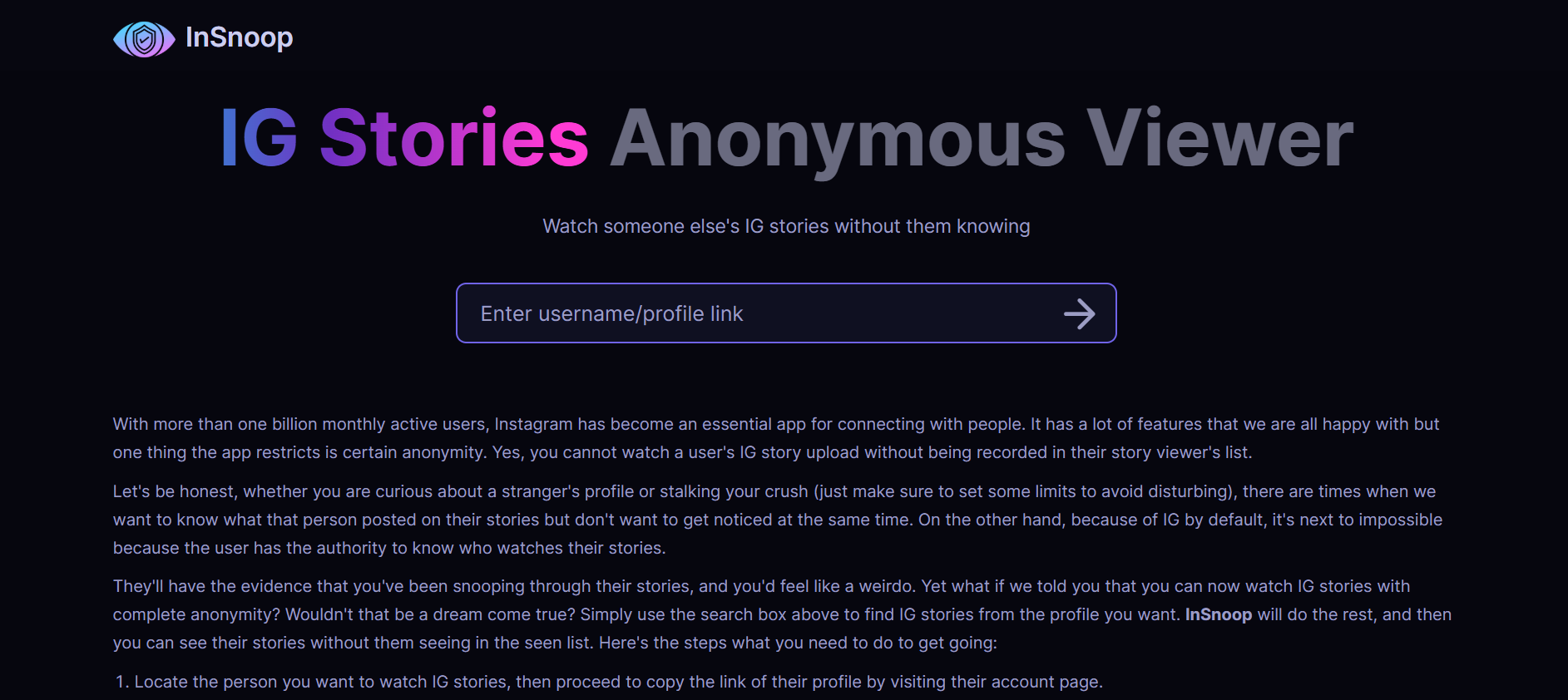
Instanonimo is a powerful web-based tool that allows you to view and download Instagram Stories from public accounts—completely anonymously. No login. No tracking. No footprint. It has quickly become a go-to resource for people who want to explore Instagram more privately.

In today’s hyper-connected world, privacy has become a rare luxury—especially on social media. Instagram, one of the most popular platforms, notifies users when someone views their Story. But what if you want to watch Stories without being seen? That’s where Instanonimo comes in.

Whether you’re conducting competitor research, protecting your anonymity, or just curious about someone’s content, this article will break down 7 powerful ways Instanonimo helps you “spy” on Instagram Stories—legally and safely.

Find More: 7 Powerful Instagram Private Account Viewer Tools

1. View Instagram Stories Without Leaving a Trace

Instanonimo

Instagram notifies users when someone views their Story—but with Instanonimo, your identity stays hidden. When you use this tool, the account owner never sees your name in the viewer list.

Why this matters:

  • Avoid awkward moments or confrontations.

  • Watch competitor or influencer content discreetly.

  • Maintain total anonymity for peace of mind.

Instanonimo acts as a middle layer between you and the platform—pulling content from public profiles without connecting to your personal Instagram account.

2. No Login or Account Required

One of the biggest selling points of Instanonimo is that you don’t need to log in. This means:

  • You can use it even if you don’t have an Instagram account.

  • No personal data is exposed.

  • You’re not subject to Instagram’s tracking or algorithms.

Simply go to the site, type the username, and start browsing anonymously.

Pro tip: Bookmark the site for quick daily checks on profiles you’re monitoring.

3. Access Stories from Any Public Profile

Instagram

Instanonimo works with any public Instagram account. As long as the account hasn’t been set to private, you can:

  • View current Stories

  • Watch archived Highlights (in some cases)

  • Even access profile pictures and bio info

This makes it especially useful for:

  • Brands monitoring competitors

  • Fans curious about celebrities or influencers

  • Journalists researching public figures

Important: Instanonimo does not work on private accounts—those are completely off-limits.

4. Download Stories to Your Device Instantly

Need to save a Story before it disappears after 24 hours? Instanonimo lets you download videos and photos directly to your device.

This is useful for:

  • Content inspiration or archiving

  • Evidence collection (for business or legal reasons)

  • Offline viewing

Just click the download icon next to the content, and it’s saved. No extensions or third-party apps needed.

Reminder: Be ethical—don’t misuse downloaded content or re-upload it without permission.

5. Use on Mobile or Desktop with No App Needed

Unlike many competitors, Instanonimo is 100% web-based and responsive. Whether you’re on a phone, tablet, or PC:

  • The interface is clean and fast.

  • No app install means less clutter and risk.

  • Works instantly from any browser.

For users who hate downloading apps or giving unnecessary permissions, this is a major win.

6. Completely Free to Use with No Hidden Fees

Instanonimo is free to use. No credit card. No registration. No upsells.

It makes money through simple display ads—so you might see a few banners, but that’s a small trade-off for full access.

Be cautious of scams that offer a “Pro” version or ask for payment. There’s no premium tier—everything is unlocked from the start.

7. Perfect for Market Research, Journalism, or Personal Curiosity

Market Research

While Instanonimo may sound like a tool for stalkers (it’s not!), it has legitimate uses for:

  • Brands analyzing influencers or competitors

  • Journalists monitoring public figures or sources

  • Casual users wanting to keep tabs on trends, memes, or celebrity content

As long as it’s used responsibly and within ethical boundaries, Instanonimo is an excellent tool for anonymous observation in a very public space.

Is It Really Legal to Use Instanonimo?

This is a common concern—and a valid one.

Here’s the breakdown:

  • Instanonimo only accesses publicly available data.

  • It does not require login credentials or exploit private APIs.

  • It operates in a legal “gray area,” but as long as you’re not reposting content maliciously, it’s safe for personal use.

In most countries, viewing publicly posted content is legal, especially when no hacking or bypassing is involved.

How to Use Instanonimo Step-by-Step (With Screenshots)

Step 1: Go to instanonimo.com
Step 2: Enter the Instagram username of a public account
Step 3: Click on the profile and view active stories
Step 4: To download, tap the “Download” icon under the video or photo

It’s that simple—no sign-in, no pop-ups, no waiting.

Conclusion: Why Instanonimo Is a Powerful Yet Simple Tool for Anonymous Browsing

Whether you’re a casual Instagram user, a professional marketer, or someone who simply values privacy, Instanonimo offers a frictionless way to view Stories without compromising your identity.

Its ease of use, legal safety, and completely free model make it a standout option in the world of Instagram tools.

Just remember: with great power comes great responsibility. Use Instanonimo wisely, ethically, and only for public content.

Find More: Digital Marketing Agency for Small Businesses

FAQs:

1. Is Instanonimo safe to use?

Yes. It’s a web-based tool that doesn’t require a login or download, reducing risks of malware or phishing.

2. Does Instanonimo work with private accounts?

No. It only works with public profiles.

3. Will the account owner know I viewed their Story?

No. You remain completely invisible.

4. Are there any Instanonimo alternatives?

Yes, tools like AnonyIG, StorySaver, or Dumpor offer similar services.

5. Can I view Highlights or Reels too?

You can access Highlights in some cases, but it doesn’t currently support Reels.

Tags:

7 Genius Hacks to Get Free YouTube Views (No Bots Needed!)

7 Genius Hacks to Get Free YouTube Views (No Bots Needed!)

free youtube views

Free YouTube views are totally possible—no bots, no sketchy sites, and no need to pay for ads. If you’re looking to grow your channel the smart way, you’re in the right place. YouTube is a tough platform, but with the right strategies, you can attract real viewers and boost your audience without spending a dime. Whether you’re launching a new channel or trying to revive an inactive one, these 7 genius hacks will help you get free views on YouTube, connect with real people, and build a loyal community over time.

Find More: 10 Secrets of Successful YouTubers You Need to Know

1. Craft Clickable Titles

Your title is the first thing viewers see, and it directly affects whether they click or scroll. Make it count!

  • Use target keywords like “get views for YouTube free” or “free YouTube views for free” naturally within your titles.
  • Trigger curiosity: Add words like “secret,” “hack,” “without bots,” or “in 24 hours.”
  • Promise clear value: Let viewers know exactly what they’ll get by watching.

Pro Tip: Use tools like TubeBuddy or VidIQ to analyze what’s working for your competitors and improve your own titles.

2. Design Better Thumbnails

Thumbnails

Great thumbnails can double or triple your click-through rate (CTR).

  • Use bold, contrasting colors to catch the eye.
  • Include human faces with clear emotional expressions.
  • Add text overlays that summarize the video’s benefit.
  • Use Canva, Snappa, or Adobe Express—they all offer free templates for YouTube thumbnails. When deciding between design platforms, comparing Canva vs Adobe Express can help you choose the best tool for your specific thumbnail needs.

Pro Tip: Compare your thumbnails with those of viral videos in your niche. Aim to match or beat their visual appeal.

3. Nail the First 15 Seconds

The intro is where most viewers drop off. You need to hook them right away.

  • Start with a question or bold statement to grab attention.
  • Quickly outline what the video will deliver—don’t waste time on drawn-out intros.
  • Preview the value they’ll get (e.g., “Here’s how I got 10,000 free YouTube views for free in a week”).

Retaining viewers early signals quality to YouTube’s algorithm, which boosts your visibility.

4. SEO Your Descriptions

YouTube is the second-largest search engine, so treat your descriptions like mini blog posts.

  • Include your main keywords like “YouTube free views,” “free views YouTube,” and related terms naturally.
  • Write at least 250 words in your description to give YouTube context.
  • Add relevant hashtags, links to your social media, and timestamps.
  • Don’t forget tags and closed captions—they help too!

Pro Tip: Use Google Trends or Ubersuggest to research keyword variations for better optimization.

5. Ride Trending Topics

Jumping on trends can bring in a flood of new viewers—if you’re quick and creative.

  • Watch YouTube Trends, TikTok, and Twitter to stay updated.
  • Put your unique twist on trending challenges or formats.
  • Keep your niche in mind: Make sure trends fit your audience’s interests.

Example: If a tool that claims to generate free views YouTube goes viral, review or test it honestly on your channel.

6. Promote Beyond YouTube

social media

Don’t wait for people to discover you—go where your potential audience already is.

  • Reddit: Post in communities like r/NewTubers or niche subreddits.
  • Quora: Answer relevant questions and link to your videos.
  • Facebook Groups: Join YouTube-related or niche interest groups.
  • Collaborate with other small YouTubers to cross-promote each other’s content.

Pro Tip: When sharing, always lead with value. Don’t just drop links—explain why your video will help.

7. Boost Engagement to Trigger the Algorithm

YouTube rewards interaction. The more people engage, the more your video gets recommended.

  • Ask for likes, comments, and shares directly in your video.
  • Pin a comment with a question or link to your other videos.
  • Reply to every comment to keep the conversation going.
  • Add end screens and suggest related content to extend watch time.

The longer viewers stay and interact, the more free views YouTube you’ll generate through YouTube’s algorithm.

Conclusion

Growing on YouTube doesn’t require bots, shady services, or big budgets. These seven hacks are 100% free and based on real, organic growth principles. Whether you’re looking for free views YouTube, get views for YouTube free, or just want to build an audience that cares—these tips will set you on the right path.

Start applying just one today and build from there. Consistency, strategy, and value are what win in the long run.

Find More: Digital Marketing Agency for Small Businesses

FAQs

1. Can I get free views without paying?

Yes! Every strategy mentioned here is completely free and can drive real results.

2. Do these hacks work for beginners?

Absolutely. These are especially useful for small or new channels with limited resources.

3. How long until I see results?

You may notice changes in engagement or views within a few days to a few weeks if you apply the tips consistently.

4. Are “free YouTube views” tools safe?

Many aren’t. Stay away from anything that uses bots. They can hurt your channel long-term.

5. What’s the difference between free views and fake views?

Free views are from real people engaging with your content. Fake views come from bots or click farms and can get your videos penalized.

Take action today. Your audience is out there, and they’re waiting to discover your content!

Tags: