...
UK: +44 2038074555 info@atamgo.com
7 Best Free YouTube Downloaders That Actually Work in 2025

7 Best Free YouTube Downloaders That Actually Work in 2025

free youtube downloader

Introduction: Finding the Best Free YouTube Downloader in 2025

Free YouTube downloader tools are absolute lifesavers when you want to grab videos for offline viewing, convert them into MP3s for your music library, or even save entire playlists for binge-watching later. Think about those moments when you’re on a long flight with no Wi-Fi or when your data plan is running low—having a reliable free YouTube video downloader can make all the difference.

But here’s the catch: not every YouTube video downloader free tool is worth your time. Some are outdated, others are filled with spammy ads, and a few even try to sneak in malware. That’s why in 2025, it’s crucial to separate the legit, safe, and genuinely useful downloaders from the shady ones. You don’t just want a quick download—you want something reliable, fast, and hassle-free.

Over the years, YouTube has made things tougher for developers by tightening restrictions, which means many once-popular downloaders no longer work. But don’t stress—there are still plenty of gems out there. In this article, I’ll show you the 7 best free YouTube downloaders that are actually working in 2025, so you can avoid wasting time on broken tools or sketchy downloads.

Find More: Top 7 Free Tools for YouTube Shorts Download

7 Best Free YouTube Downloaders That Actually Work in 2025

1. 4K Video Downloader – Best All-Around Free Tool

4K Video Downloader

If you’ve ever looked for a YouTube downloader free, chances are you’ve heard of 4K Video Downloader. It’s been one of the most trusted tools for years, and even in 2025, it’s holding strong as one of the best.

Key Features:

  • Download full playlists, channels, and subtitles.
  • Supports resolutions up to 8K for crystal-clear quality.
  • Audio extraction in MP3, M4A, or OGG formats.

Pros: Works smoothly on Windows, Mac, and Linux; clean interface with no hidden junk.
Cons: Free version limits the number of playlist downloads, and you’ll see the occasional upsell.

2. YTD Video Downloader – Simple and Beginner-Friendly

YTD Video Downloader

Not everyone wants tons of bells and whistles. If you’re just dipping your toes into the world of YouTube video downloader free tools, YTD Video Downloader is a fantastic choice.

Key Features:

  • Straightforward copy-paste interface.
  • Downloads from YouTube and other major video platforms.
  • Quick conversion to MP4 or MP3.

Pros: Perfect for beginners, lightweight software.
Cons: Ads in the free version, and no bulk downloads unless you upgrade.

3. ClipGrab – Lightweight and Open Source
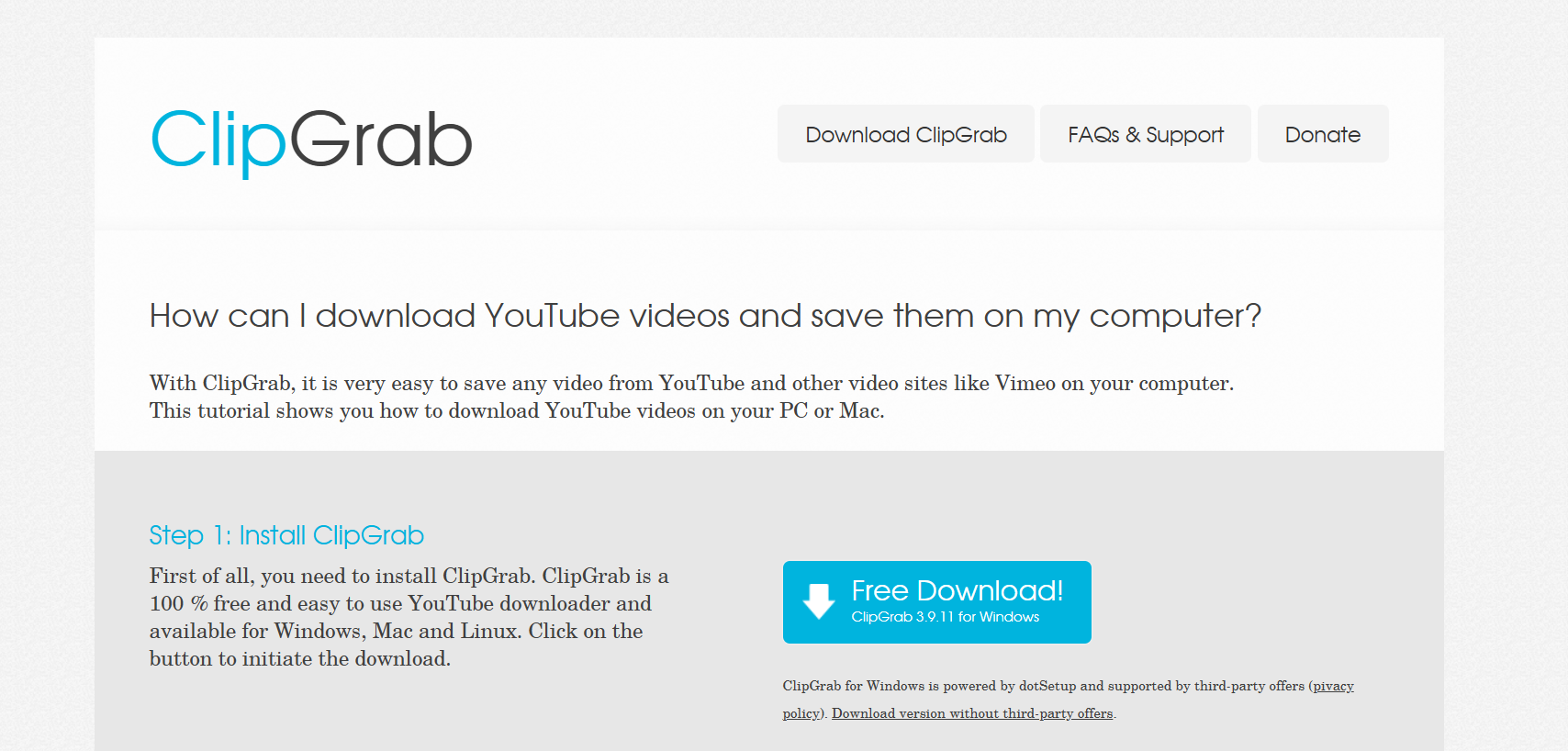
ClipGrab

If you prefer open-source tools and want something lightweight, ClipGrab is worth a look. It’s completely free, and it doesn’t weigh down your computer.

Key Features:

  • Converts directly into MP4, WMV, and MP3.
  • Simple, no-frills interface.
  • 100% free with no hidden costs.

Pros: Open-source and secure, no unexpected paywalls.
Cons: Lacks advanced features like playlist downloads or subtitle grabbing.

4. WinX YouTube Downloader – Best for High-Quality Video Lovers

WinX YouTube Downloader

For those who care about visuals, WinX YouTube Downloader is a dream. It specializes in maintaining high quality, including full HD, 4K, and even 8K.

Key Features:

  • Supports downloads from over 300 sites beyond YouTube.
  • Batch downloads multiple videos at once.
  • Saves videos in MP4, WebM, FLV, and 3GP.

Pros: High-quality results, reliable batch downloads.
Cons: If you only want MP3 audio, you’ll need the paid version.

5. Freemake Video Downloader – Great for Multiple Formats
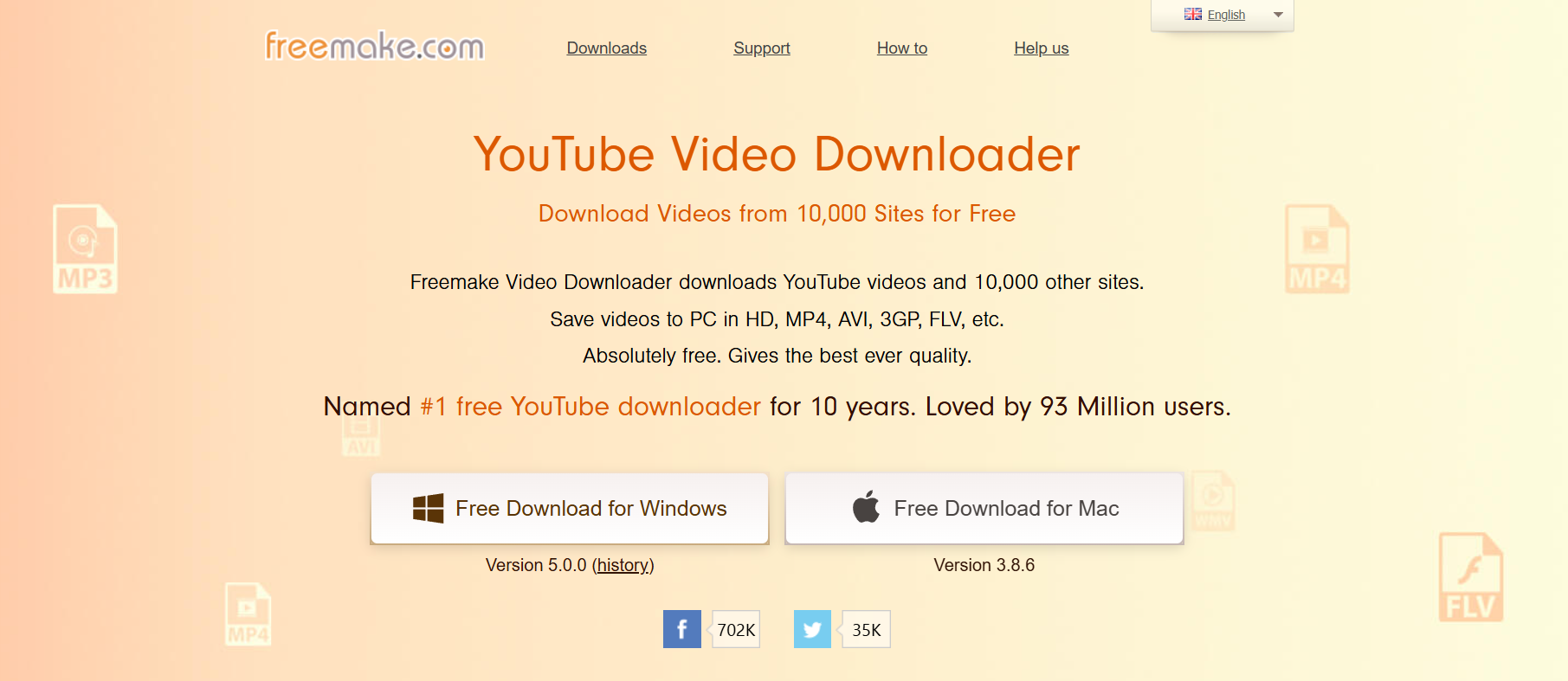
Freemake Video Downloader

Freemake Video Downloader has been in the game for a long time, and it’s still a solid choice for 2025. Its biggest strength? Format flexibility.

Key Features:

  • Save in MP4, MP3, AVI, 3GP, and more.
  • Supports HD and 4K downloads.
  • Allows you to cap download speeds to avoid hogging bandwidth.

Pros: Lots of format choices, easy interface.
Cons: Free version slaps a watermark on videos.

6. aTube Catcher – Best for Multi-Purpose Use

aTube Catcher

Think of aTube Catcher as more than just a YouTube video downloader. It’s like a mini media hub that can do more than just pull videos.

Key Features:

  • Downloads videos, records screens, and even burns DVDs.
  • Built-in video converter.
  • Supports bulk downloading.

Pros: Multi-purpose, great for power users.
Cons: The design feels dated, and it can be overwhelming for beginners.

7. SnapDownloader – Modern and Powerful

SnapDownloader

Want something polished that feels current in 2025? SnapDownloader is one of the most modern-looking tools, and it’s packed with power.

Key Features:

  • Works with 900+ websites, not just YouTube.
  • Downloads up to 8K resolution videos.
  • Built-in MP3 converter.

Pros: Sleek interface, supports tons of platforms.
Cons: Free version has daily limits, and premium features are locked.

How to Choose the Right Free YouTube Downloader in 2025

With so many options, how do you know which YouTube video downloader free is right for you? Here are a few points to keep in mind:

  • Safety First: Only download from official websites. Shady versions can contain malware.
  • Format Support: If you want just audio (say, MP3s for podcasts or playlists), make sure your downloader supports it.
  • Speed vs. Features: Some tools are lightning-fast but basic; others are slower but packed with advanced features like subtitle downloads and playlist management.
  • Device Compatibility: If you’re on mobile, look for Android or iOS-friendly tools, though desktop is generally more reliable.

Are Free YouTube Downloaders Safe to Use?

This is the number one question most people have. The truth is, most free YouTube downloaders are safe if you stick to trustworthy names like the ones above. The danger comes from downloading shady versions off random sites filled with pop-ups and fake “Download Now” buttons.

Safety Tips:

  • Always get your tool from the official website.
  • Don’t install extra add-ons or toolbars offered during setup.
  • Run an antivirus scan after installation, just in case.

If you follow those steps, you’ll be fine.

Conclusion: The Best Free YouTube Downloaders for 2025

At the end of the day, not every free YouTube downloader is created equal. Some are bloated with ads, while others break after a few months. But the tools we’ve covered here—like 4K Video Downloader for power users, YTD Video Downloader for beginners, and SnapDownloader for those who want a polished experience—are still going strong in 2025.

If you just need something quick and simple, YTD is a solid choice. If you want features like playlist downloads and high-resolution video, go with 4K Video Downloader. And if you want a modern interface with broad site support, SnapDownloader should be at the top of your list.

Bottom line? Pick the tool that fits your needs, download safely, and enjoy having your favorite content available whenever and wherever you want. Give one of these downloaders a try today—you’ll wonder how you ever managed without them.

Find More: Boost Your Sales With SEO Services

FAQs

1. Is it legal to use a free YouTube downloader?

For personal offline use, it’s usually fine. But uploading, sharing, or selling downloaded content violates YouTube’s terms.

2. Which free YouTube downloader works best for MP3 files?

4K Video Downloader and ClipGrab are excellent for extracting audio tracks.

3. Can I download full playlists with a free tool?

Yes, but note that many free versions (like 4K Video Downloader) limit how many playlist videos you can grab at once.

4. What’s the difference between free and paid YouTube downloaders?

Paid versions remove limits like daily caps, watermarks, or slower speeds.

5. Do free YouTube downloaders work on mobile devices?

Some do, especially for Android, but desktop apps are still more stable and feature-rich.

6. Which downloader is safest in 2025?

Tools like 4K Video Downloader, SnapDownloader, and ClipGrab have proven safe over years of use.
Tags:
Why Every Content Creator Should Invest in a Lavalier Microphone?

Why Every Content Creator Should Invest in a Lavalier Microphone?

Lavalier Microphone

If you create videos, podcasts, or any kind of online content, you already know how important sound is. Viewers might forgive shaky footage or imperfect lighting, but poor audio? At that point, that’s when people click away. The reality is that the right tools can make a huge impact and one of the best upgrades you can add to your equipment list is a microphone lavalier.

Often referred to as lapel mics, lavalier microphones are small, discrete and powerful. They have been a constant in broadcasting for decades, and they are quickly becoming a requirement for YouTubers, vloggers, podcast creators, and even TikTok content creators. Here is why a content creator should have one.

Clear Audio Builds Trust

When you view something online and you hear the voice loud and clear, you immediately feel a sense of connection. Muffled or echo sound, on the other hand, makes it difficult to take the message seriously. A microphone lavalier sits close to the speaker’s mouth. This results in more focused voice capturing and less background noise.

That kind of clarity is something that keeps the audience’s attention. Good sound makes you sound professional, whether you are recording a tutorial, interviewing a guest, or filming yourself making a product review. Professionalism generates trust.

Small but Mighty

The beauty of a lavalier microphone is its size. Lavaliers are much smaller than the handheld mics or desktop setups; you can clip them onto your shirt. They may be almost invisible to the viewers, but still manage to deliver great sound.

These are perfect for on-camera roaming creators. Trainers, travel vloggers, and even cooking shows prefer lav mics because they don’t impede the flow of movement. You can concentrate on your message rather than on where the microphone is.

Freedom to Move with Wireless Options

For creators who want even more flexibility, pairing a lavalier with a wireless mic system is a game changer. Wireless setups let you move across a room, change locations, or interact with your environment without losing audio quality.

Imagine filming a travel vlog where you’re walking through a busy street, or recording a workout video where you’re constantly in motion. A wireless lavalier keeps your voice consistent no matter where you go. That kind of freedom is worth the investment, especially if your content depends on energy and movement.

Perfect for Interviews and Collaborations

If you ever plan to interview someone on camera, a microphone lavalier is almost a must. Handheld mics can be distracting and make conversations feel stiff. Lavalier mics, clipped to each speaker, create a relaxed environment where people can talk naturally.

The result? Better flow, cleaner dialogue, and audio that doesn’t force you to choose between one voice or the other in editing. For podcasts, sit-down interviews, or collaborations with other creators, lavs are simply the easiest and most effective solution.

Adaptable for Any Setting

One of the best things about lavalier mics is their adaptability. Whether you’re indoors in a studio, outdoors at a park, or even shooting in unpredictable environments, they perform well with just a little preparation.

If you’re filming outside, a foam windscreen or furry wind cover helps block noise. Indoors, you’ll appreciate how a lav mic avoids the echo problems that often come from room acoustics. Add a wireless mic receiver, and suddenly you can record anywhere without being tied to a desk setup.

A Smart Investment for Longevity

As a content creator, gear can feel like an endless list of expenses. Cameras, lights, editing software, it adds up fast. But a microphone lavalier is one of those tools that pays for itself quickly. It’s affordable compared to other audio equipment, but the difference it makes in sound quality is huge.

Viewers are more likely to stick around and share your content if it sounds polished. In other words, your lav mic isn’t just a piece of equipment, it’s an investment in your growth as a creator.

Portable and Easy to Use

Not everyone has a permanent studio space. Many creators film on the go, whether it’s at home, in a park, or while traveling. A microphone lavalier is perfect because it’s light, portable, and easy to set up. You don’t need a complicated rig or hours of preparation. Just clip it on, connect it to your recording device, and start creating.

Pairing it with other compact gear like a solar powered generator if you’re shooting in remote areas, can make your entire setup mobile. For travel vloggers, outdoor educators, or documentary creators, this combination means you’re never limited by location or power supply.

Better Than Built-In Audio

It’s tempting to rely on your camera or phone’s built-in mic, but that’s one of the quickest ways to downgrade your content. Built-in mics are designed to capture everything in the environment, which usually means lots of background noise.

A microphone lavalier solves this problem by focusing on your voice. Even in less-than-ideal spaces, your audio comes through clearly. The difference is noticeable to anyone watching, even if they don’t realize why the video feels more professional.

Leveling Up Your Content

Think about the creators you admire most. Chances are, they take sound seriously. They know that audio is half the experience, and often the half that keeps people engaged. Investing in a microphone lavalier is a step toward reaching that same level of quality.

It tells your audience you care about their experience. It makes editing easier since you won’t have to spend hours trying to clean up poor sound. And it sets you apart from the thousands of creators who still overlook the importance of audio.

Final Thoughts

Every content creator wants to stand out, and great audio is one of the fastest ways to do it. A microphone lavalier offers clear, consistent sound in a package that’s small, affordable, and versatile. Whether you’re recording interviews, tutorials, or on-the-go vlogs, a lav mic gives you the edge you need to sound professional.

Pair it with a wireless mic system for ultimate flexibility, or keep one in your bag alongside a solar powered generator if you’re often creating outdoors. However you use it, this little tool will make a big difference in how your audience hears you.

At the end of the day, content isn’t just about what people see, it’s about what they hear. Investing in a lavalier microphone is investing in your voice, your message, and your future as a creator.

7 Powerful Reasons Why GetVid Is the Easiest Way to Download Any Video Online

7 Powerful Reasons Why GetVid Is the Easiest Way to Download Any Video Online

getvid

Introduction: Why GetVid Is the Go-To Video Downloader in 2025

GetVid has quickly become one of the most talked-about tools for downloading videos online, and for good reason. In a world where we’re constantly watching, saving, and sharing videos across Facebook, Instagram, TikTok, YouTube, and dozens of other platforms, having a reliable solution like GetVid video downloader feels less like a luxury and more like a necessity.

If you’ve ever searched for “GetVid.io” or “GetV” while trying to save a video to your device, you’re definitely not alone. Millions of users around the world are turning to this tool because it’s simple, fast, and doesn’t require you to be a tech wizard to figure out. In this article, I’m going to break down the 7 powerful reasons why GetVid is the easiest way to download any video online — and why you’ll probably want to bookmark it right after reading.

Let’s dive in and really unpack what makes GetVid so popular, and why more and more people are relying on it as their daily video-saving companion.

Find More: Flufi Review 2025: The Truth Behind This Anonymous Instagram Viewer

1. GetVid Offers Lightning-Fast Video Downloads

How GetVid Optimizes Speed for All Platforms

getvid

Nobody likes waiting around for a download to crawl its way to completion. With GetVid, you paste the link, hit download, and boom — the video’s ready in seconds. That’s because the tool is optimized to handle high-traffic platforms like Facebook, Instagram, and even heavy video formats without slowing down.

It uses efficient servers that are designed to handle multiple requests at the same time. So, whether a video is trending worldwide or is just a small private clip, you won’t notice a drop in speed.

Comparing GetVid Download Speed vs. Other Tools

I’ve tried plenty of video downloaders over the years, and most of them either throttle speed or crash halfway through. GetVid consistently outperforms them, whether you’re saving a 30-second TikTok or a 2-hour HD livestream replay. With other tools, you sometimes spend more time refreshing or restarting the download than actually watching the content you wanted. With GetVid, the process feels effortless — one click, done.

2. GetVid Supports Multiple Platforms and Formats

Download from Facebook, Instagram, TikTok, and More

getvid video downloader

One of the biggest reasons GetVid is so popular is its versatility. You’re not limited to just one or two sites. Whether it’s a Facebook reel, an Instagram story, a trending TikTok dance, or even content from lesser-known sites, GetVid makes it ridiculously easy to grab what you need.

This means you don’t have to juggle multiple tools or apps depending on the platform. Instead, you can stick with one, reliable service.

Save Videos in MP4, MP3, and HD Quality

Sometimes you don’t even want the video — you just want the audio. Maybe it’s a song clip or a podcast. GetVid allows you to convert downloads into MP3 format instantly. Plus, you can choose HD or even 4K when it’s available, which is perfect if you care about video quality.

Other free tools often downgrade quality or watermark your downloads. GetVid doesn’t — it gives you clean, crisp files that are ready to use.

3. GetVid Has a User-Friendly Interface Anyone Can Use

One-Click Downloads Without Complicated Steps

The thing I love most about GetVid is how beginner-friendly it is. There’s no confusing dashboard, no complicated steps. Paste the link, click download, and you’re done. Even if you’re someone who doesn’t consider themselves “tech-savvy,” GetVid feels effortless.

You don’t need to sign up, create accounts, or deal with annoying ads that push you into clicking the wrong button. The whole process is smooth and distraction-free.

Mobile-Friendly Experience for Android and iOS

Not everyone downloads videos on a laptop. With GetVid, you can use the same process directly on your phone’s browser. I’ve tested it on both Android and iPhone, and it works smoothly — no glitchy mobile experience here. The design adapts to smaller screens, so you’re not zooming in and out just to hit the right button.

For people who live on their phones, this is a game-changer.

4. GetVid Delivers High-Quality Video Every Time

Why Video Quality Matters for Users

getv

We’ve all been there — you download a video, and it looks like it was filmed on a potato. Quality matters, especially if you plan to re-upload, edit, or just watch offline without straining your eyes.

If you’re using content for business, presentations, or even school projects, poor quality simply doesn’t cut it. You need videos that look professional.

How GetVid Maintains HD and 4K Quality

GetVid doesn’t compromise quality. If the original video is in HD, that’s what you get. And if you’re lucky enough to find 4K content, GetVid lets you save it exactly as it is. This alone makes it better than half the so-called “free downloaders” out there that secretly compress everything.

Having access to sharp visuals also means your downloads stay relevant and usable longer. Nobody wants to watch a pixelated mess when they could enjoy crisp detail.

5. GetVid Is Completely Free and Secure

No Hidden Fees or Premium Barriers

A lot of downloaders lure you in with a “free” promise but then lock essential features behind a paywall. GetVid is different. Everything you need to download, convert, and save videos is available for free, no strings attached.

You don’t need to create an account, give away your email, or worry about surprise charges. What you see is what you get.

How GetVid Ensures Safe, Malware-Free Downloads

Security is a big concern whenever you’re dealing with third-party tools. Thankfully, GetVid runs directly in your browser, which means no sketchy software downloads. It doesn’t try to sneak in malware or spammy ads, making it a safe choice compared to shady alternatives.

You can use it confidently knowing you’re not putting your device at risk. For anyone who values peace of mind, that’s a huge plus.

6. GetVid Provides Advanced Features for Power Users

Private Video Download Support

Here’s where things get interesting. GetVid isn’t just for public videos. With certain features, it can help you download private content (like a private Facebook video you have access to), which is something most free downloaders simply don’t offer.

This makes it ideal for professionals who may need to save videos for reference, training, or internal use.

Built-In Editing Options: Trim, Convert, and Extract Audio

This part is seriously underrated. With GetVid, you can trim clips, convert video to audio, and even make GIFs straight from the download tool. It’s like having a mini editing suite built into your downloader.

Instead of downloading a bulky video editing app, you can quickly make the adjustments you need without leaving your browser. It’s convenience at its finest.

7. GetVid Works Without Software Installation

No Need for Heavy Apps or Plugins

A lot of download tools make you install bulky software or extensions. GetVid doesn’t. It’s entirely web-based, so you can use it from any device with a browser. This also means it won’t slow down your computer.

That’s a huge advantage for people with limited storage or older devices. You don’t have to waste time updating apps or worrying about compatibility.

Web-Based Convenience with Browser Extensions

That said, if you’re a heavy user, GetVid also offers extensions for browsers like Chrome and Firefox, giving you one-click access whenever you come across a video you want to save. Best of both worlds.

Having both options means you can choose how you want to use the tool — either as a simple website or as a seamless extension integrated into your browsing experience.

Conclusion: Why GetVid Is the Smartest Choice for Video Lovers

At this point, it’s clear why so many people are searching for GetVid.io, GetV, and related terms. It’s fast, free, user-friendly, safe, and surprisingly powerful. Whether you just want to save a funny meme from TikTok or need a full-featured downloader for work or study, GetVid checks all the boxes.

Instead of wasting time with unreliable apps that frustrate you, GetVid gives you a smooth, reliable solution that actually delivers. And once you try it, it’s hard to imagine going back.

If you’re tired of sketchy downloaders that don’t deliver, give GetVid a try. It might just become your go-to tool for saving videos online.

Find More: Boost Your Sales With SEO Services

FAQs:

1. Is GetVid safe to use for downloading videos?

Yes, GetVid is browser-based, so you don’t need to install risky third-party apps. It doesn’t inject malware or spammy pop-ups. You can download videos with peace of mind.

2. Does GetVid work on mobile devices?

Absolutely. You can use GetVid on both Android and iOS via your regular mobile browser. The site adapts well to smaller screens, making downloads quick and easy on the go.

3. Can I download private videos with GetVid?

Yes, as long as you have access to the video (like being part of the group or having the link), GetVid can help you save it. This makes it more versatile than most free tools.

4. Is GetVid really free, or does it have premium features?

It’s 100% free. Unlike other tools, you don’t need to upgrade or subscribe to unlock features. Everything you need is available upfront.

5. What’s the difference between GetVid and other video downloaders?

Most downloaders are either slow, unsafe, or limited to one platform. GetVid is fast, secure, supports multiple sites, and even has advanced features like trimming and audio extraction — all for free. It combines simplicity with power, which is why so many people prefer it.

Tags:
7 Genius Hacks to Get Free YouTube Views (No Bots Needed!)

7 Genius Hacks to Get Free YouTube Views (No Bots Needed!)

free youtube views

Free YouTube views are totally possible—no bots, no sketchy sites, and no need to pay for ads. If you’re looking to grow your channel the smart way, you’re in the right place. YouTube is a tough platform, but with the right strategies, you can attract real viewers and boost your audience without spending a dime. Whether you’re launching a new channel or trying to revive an inactive one, these 7 genius hacks will help you get free views on YouTube, connect with real people, and build a loyal community over time.

Find More: 10 Secrets of Successful YouTubers You Need to Know

1. Craft Clickable Titles

Your title is the first thing viewers see, and it directly affects whether they click or scroll. Make it count!

  • Use target keywords like “get views for YouTube free” or “free YouTube views for free” naturally within your titles.
  • Trigger curiosity: Add words like “secret,” “hack,” “without bots,” or “in 24 hours.”
  • Promise clear value: Let viewers know exactly what they’ll get by watching.

Pro Tip: Use tools like TubeBuddy or VidIQ to analyze what’s working for your competitors and improve your own titles.

2. Design Better Thumbnails

Thumbnails

Great thumbnails can double or triple your click-through rate (CTR).

  • Use bold, contrasting colors to catch the eye.
  • Include human faces with clear emotional expressions.
  • Add text overlays that summarize the video’s benefit.
  • Use Canva, Snappa, or Adobe Express—they all offer free templates for YouTube thumbnails. When deciding between design platforms, comparing Canva vs Adobe Express can help you choose the best tool for your specific thumbnail needs.

Pro Tip: Compare your thumbnails with those of viral videos in your niche. Aim to match or beat their visual appeal.

3. Nail the First 15 Seconds

The intro is where most viewers drop off. You need to hook them right away.

  • Start with a question or bold statement to grab attention.
  • Quickly outline what the video will deliver—don’t waste time on drawn-out intros.
  • Preview the value they’ll get (e.g., “Here’s how I got 10,000 free YouTube views for free in a week”).

Retaining viewers early signals quality to YouTube’s algorithm, which boosts your visibility.

4. SEO Your Descriptions

YouTube is the second-largest search engine, so treat your descriptions like mini blog posts.

  • Include your main keywords like “YouTube free views,” “free views YouTube,” and related terms naturally.
  • Write at least 250 words in your description to give YouTube context.
  • Add relevant hashtags, links to your social media, and timestamps.
  • Don’t forget tags and closed captions—they help too!

Pro Tip: Use Google Trends or Ubersuggest to research keyword variations for better optimization.

5. Ride Trending Topics

Jumping on trends can bring in a flood of new viewers—if you’re quick and creative.

  • Watch YouTube Trends, TikTok, and Twitter to stay updated.
  • Put your unique twist on trending challenges or formats.
  • Keep your niche in mind: Make sure trends fit your audience’s interests.

Example: If a tool that claims to generate free views YouTube goes viral, review or test it honestly on your channel.

6. Promote Beyond YouTube

social media

Don’t wait for people to discover you—go where your potential audience already is.

  • Reddit: Post in communities like r/NewTubers or niche subreddits.
  • Quora: Answer relevant questions and link to your videos.
  • Facebook Groups: Join YouTube-related or niche interest groups.
  • Collaborate with other small YouTubers to cross-promote each other’s content.

Pro Tip: When sharing, always lead with value. Don’t just drop links—explain why your video will help.

7. Boost Engagement to Trigger the Algorithm

YouTube rewards interaction. The more people engage, the more your video gets recommended.

  • Ask for likes, comments, and shares directly in your video.
  • Pin a comment with a question or link to your other videos.
  • Reply to every comment to keep the conversation going.
  • Add end screens and suggest related content to extend watch time.

The longer viewers stay and interact, the more free views YouTube you’ll generate through YouTube’s algorithm.

Conclusion

Growing on YouTube doesn’t require bots, shady services, or big budgets. These seven hacks are 100% free and based on real, organic growth principles. Whether you’re looking for free views YouTube, get views for YouTube free, or just want to build an audience that cares—these tips will set you on the right path.

Start applying just one today and build from there. Consistency, strategy, and value are what win in the long run.

Find More: Digital Marketing Agency for Small Businesses

FAQs

1. Can I get free views without paying?

Yes! Every strategy mentioned here is completely free and can drive real results.

2. Do these hacks work for beginners?

Absolutely. These are especially useful for small or new channels with limited resources.

3. How long until I see results?

You may notice changes in engagement or views within a few days to a few weeks if you apply the tips consistently.

4. Are “free YouTube views” tools safe?

Many aren’t. Stay away from anything that uses bots. They can hurt your channel long-term.

5. What’s the difference between free views and fake views?

Free views are from real people engaging with your content. Fake views come from bots or click farms and can get your videos penalized.

Take action today. Your audience is out there, and they’re waiting to discover your content!

Tags: