UK: +44 2038074555 info@atamgo.com
10 Best TikTok Video Downloaders (Free & Shockingly Simple)

10 Best TikTok Video Downloaders (Free & Shockingly Simple)
TikTok trends move fast, but your favorite content doesn’t have to disappear. Whether you’re a creator looking to repurpose your clips or a viewer saving a tutorial for offline use, having a reliable downloader is essential. This guide reveals the top tools to ensure you never lose a viral moment again.

A TikTok video download tool is a web-based service or application that allows users to save TikTok content directly to their devices. The most effective tools in 2026, like SnapTik and SSSTik, offer high-definition MP4 files without watermarks. These services are free, require no software installation, and function seamlessly across all modern browsers and operating systems.

Find More: 9 Powerful Ways to Get Free TikTok Likes in 2026 (Most Creators Miss #5)

What is a TikTok Video Downloader?

A TikTok video downloader is a specialized software or web script designed to fetch the source video file from TikTok’s servers. When you use a TikTok video download service, the tool bypasses the standard “Save Video” feature—which often includes a distracting moving watermark—and provides a clean version of the file. In 2026, these tools have evolved to support 4K resolutions and high-bitrate audio extraction.

How Watermark Removal Works

TikTok embeds watermarks to protect creator attribution, but for personal archives or professional editing, these can be obstructive. Downloader tools work by identifying the direct URL of the video file hosted on TikTok’s Content Delivery Network (CDN). By accessing this raw file link before the app applies the watermark overlay, the tool can serve you a “clean” version of the content.

Top 10 TikTok Video Downloaders for 2026

Selecting the right tool depends on your device and your need for speed. Below are the ten most reliable services currently dominating the market for download tiktok video requests.

1. SnapTik: The Industry Leader
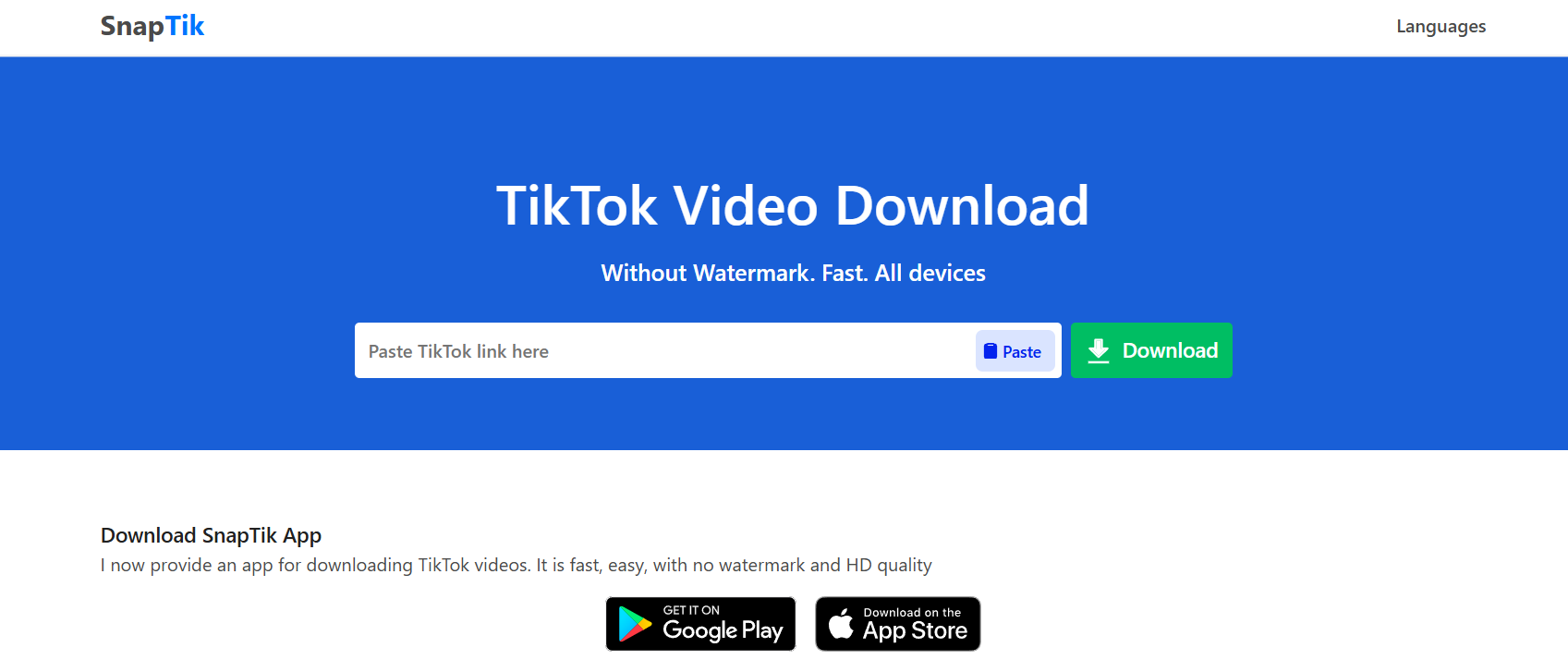
SnapTik

SnapTik remains the gold standard for TikTok video download tasks. It is famous for its “one-click” interface and incredibly fast server response times. It doesn’t require any registration, making it the top choice for beginners who value privacy and speed.

  • Best for: General users who want a watermark-free experience.

  • Platform: Web-based (works on iOS, Android, PC).

  • Standout Feature: High-speed servers that process 1080p videos in under three seconds.

2. SSSTik: The Versatile Alternative
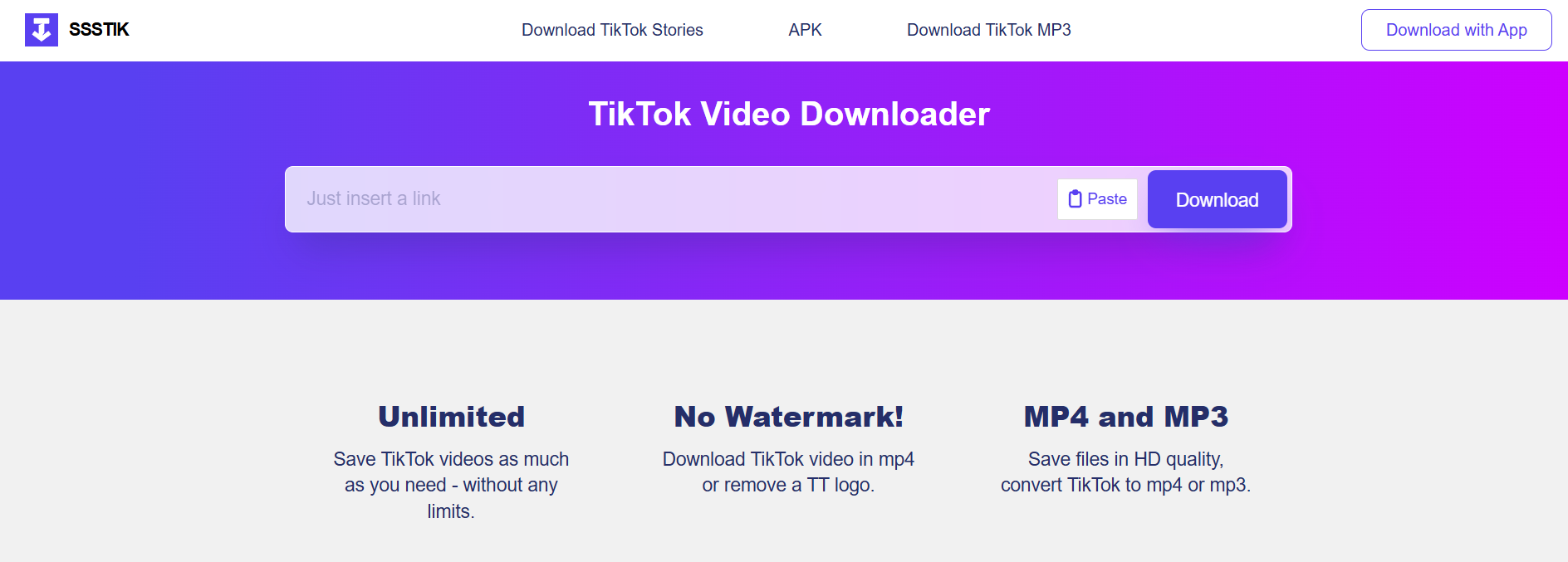
If SnapTik is down, SSSTik is the immediate runner-up. It offers a nearly identical experience but often includes an option to download the MP3 audio separately. This is a game-changer for creators who want to archive trending sounds for later use in their own productions.

  • Best for: Users who need both video and high-quality audio files.

  • Platform: Web-based and Android App.

  • Standout Feature: Unlimited downloads with zero hidden daily caps.

3. SaveTik: Best for Mobile Optimization
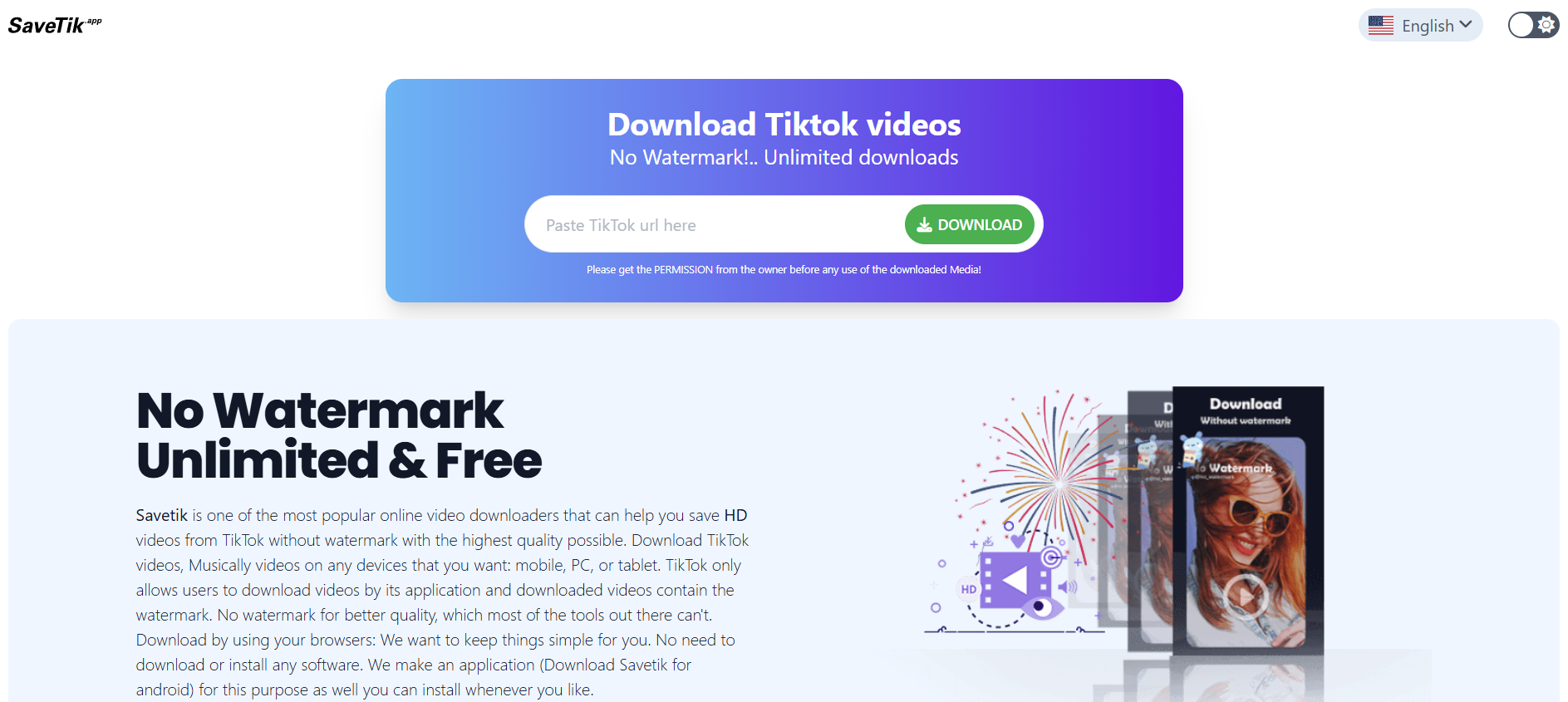
SaveTik has spent the last year optimizing its mobile web interface. While other sites might feel cluttered on a smartphone, SaveTik provides a clean, ad-light experience specifically designed for Safari and Chrome on mobile devices.

  • Best for: Saving videos while on the go.

  • Platform: Mobile Web, iOS Shortcut.

  • Standout Feature: Extremely low data usage compared to competitors.

4. TikMate: The Desktop Powerhouse

TikMate is tailored for those who do their heavy lifting on a PC or Mac. It offers a browser extension that adds a “Download” button directly onto the TikTok web interface. This removes the need to copy and paste links entirely, streamlining the workflow for professional social media managers.

  • Best for: Social media managers and content curators.

  • Platform: Google Chrome Extension, Web.

  • Standout Feature: Direct integration into the TikTok desktop site.

5. Loadeer: Minimalist and Ad-Free

Many TikTok download video sites are cluttered with intrusive ads. Loadeer prides itself on a minimalist design. While it might lack some of the advanced features of SnapTik, it provides a much safer-feeling environment for users who are wary of clicking the wrong button.

  • Best for: Users who prioritize a clean, professional user interface.

  • Platform: Web-based.

  • Standout Feature: No pop-up advertisements.

6. QLoad.info: The Bulk Downloader

QLoad.info is unique because it allows for efficient processing. It is highly optimized for those who need to download TikTok videos in a series. Its backend is built to handle multiple requests without triggering “bot detection” from TikTok, which is common with cheaper tools.

  • Best for: Archiving entire playlists or creator feeds.

  • Platform: Web-based.

  • Standout Feature: Stability during peak traffic hours.

7. SnapSave: The Multi-Platform Expert

SnapSave isn’t just for TikTok; it handles Facebook and Instagram Reels as well. If you are a multi-platform consumer, using SnapSave allows you to keep all your downloading needs in one single browser tab.

  • Best for: Power users who consume content across multiple social networks.

  • Platform: Web-based.

  • Standout Feature: Universal compatibility with various social media video formats.

8. ExpertsPHP: The Technical Choice

Don’t let the name fool you; you don’t need to be a coder to use this. ExpertsPHP offers one of the most robust engines for fetching videos that other sites might struggle with, such as those with region locks or specific privacy settings.

  • Best for: Downloading “stubborn” videos that other tools fail to fetch.

  • Platform: Web-based.

  • Standout Feature: High success rate on age-restricted or private-link content.

9. TTDownloader: The Classic Reliable

TTDownloader has been around since the early days of the platform. It is a no-frills tool that does exactly what it says on the tin. It is particularly good at providing a variety of file formats, including M4A and various MP4 resolutions.

  • Best for: Users who need specific file extensions for legacy video editing software.

  • Platform: Web-based.

  • Standout Feature: Provides a detailed breakdown of file sizes before you click download.

10. MusicalDown: The Audio-First Tool

Formerly focused on the Musical.ly era, this tool has transitioned perfectly into the TikTok age. It remains the best tool for extracting the “original sound” of a video in the highest possible bitrate (320kbps).

  • Best for: Music enthusiasts and DJs.

  • Platform: Web-based.

  • Standout Feature: Superior audio extraction logic.

Step-by-Step Framework for Downloading TikTok Videos

Using these tools is remarkably consistent across different platforms. Follow this 3-step universal framework to download TikTok video files in seconds.

Step 1: Copy the Video Link

Open the TikTok app or website. Navigate to the video you wish to save. Tap the “Share” button (the arrow icon) and select “Copy Link.” You will see a “Link Copied” confirmation at the top of your screen.

Step 2: Paste into the Downloader

Open your preferred browser (Chrome, Safari, or Brave) and navigate to one of the tools listed above, such as SnapTik.tap the input box and select “Paste.” Ensure the URL looks like “ https://www.tiktok.com/…” or “ https://vt.tiktok.com/…”.

Step 3: Download and Save

Click the “Download” or “Get Video” button. The server will process the link for a few seconds. Once finished, you will see multiple download options (usually “Server 1,” “Server 2,” or “Download MP3”). Click your preferred option, and the file will begin saving to your device’s “Downloads” folder.

Real-World Examples of Why You Need These Tools

  • Educational Content: You find a complex 3-minute Excel tutorial. By performing a TikTok video download, you can pause, rewind, and watch the tutorial in a split-screen view while you work on your spreadsheet without worrying about your internet connection.

  • Content Repurposing: A small business owner films a “Day in the Life” video on TikTok. Using a downloader to get the watermark-free version allows them to upload that same high-quality video to LinkedIn or Pinterest without the TikTok logo clashing with their professional brand.

  • Memories and Archiving: Creators often delete their accounts or have content removed. Downloading a copy of your own milestones or a loved one’s video ensures that those digital memories are stored locally on a hard drive rather than just “in the cloud.”

Comparison of Top Downloader Features

Tool Name Watermark Free? Audio MP3 Option? Max Resolution Ad Level
SnapTik Yes No 1080p Medium
SSSTik Yes Yes 1080p Medium
TikMate Yes No 4K (Pro) Low
MusicalDown Yes Yes (HD) 1080p High
Loadeer Yes No 720p/1080p Very Low

Common Mistakes to Avoid

  • Using “Fake” Apps: Many apps on the App Store or Play Store claim to be “TikTok Downloaders” but are actually malware or subscription traps. Stick to reputable web-based tools unless the app has millions of verified reviews.

  • Ignoring Copyright: Just because you can download TikTok video content doesn’t mean you own it. Never re-upload someone else’s content as your own or use it for commercial purposes without explicit permission from the creator.

  • Clicking “Fake” Download Buttons: Free tools are supported by ads. Some ads look like “Start Download” buttons. Always look for the button that matches the site’s primary color scheme and avoid flashy, blinking green buttons that look out of place.

Pro Tips for the Ultimate Experience

  • Use an Ad-Blocker: If you use a browser like Brave or an extension like uBlock Origin, these downloader sites become 10x faster and much safer to navigate.

  • Check the “Downloads” Folder: On iPhones, many people think the download failed. In reality, Safari saves the file to the “Files” app under “Downloads” rather than directly to your “Photos” app. You must manually save it to your Camera Roll from there.

  • Batch Downloading: If you have a list of URLs, open them in separate tabs. Most servers will allow you to process 3-5 videos simultaneously before they limit your IP address.

The Future of TikTok Downloading in 2026

As AI continues to integrate with social media, we are seeing the rise of “Smart Downloaders.” These tools don’t just save the video; they can automatically generate a transcript, summarize the video using LLMs, or even strip the background music while keeping the voiceover intact. The tools listed today are the foundation of this technology, providing the raw data needed for these advanced AI workflows.

Key Takeaways

  • SnapTik and SSSTik are the most reliable overall tools for 2026.

  • Always use the “Copy Link” method to ensure the highest quality fetch.

  • Watermark-free videos are essential for professional repurposing and clean archives.

  • Be cautious of ads on free sites; look for minimalist tools like Loadeer if you are overwhelmed.

  • Respect creator rights—downloading is for personal use and archiving, not for content theft.

Find More: Boost Your Sales With SEO Services

FAQs

1. Is it legal to download TikTok videos?

Yes, downloading videos for personal, offline viewing is generally considered “fair use” in most jurisdictions. However, downloading a video to re-upload it to another platform for profit without permission is a violation of copyright law and TikTok’s terms of service.

2. Why do some videos not have a “Save” option in the app?

TikTok allows creators to disable the “Save Video” button in their privacy settings. If a creator has done this, the official app will not let you save it. However, a third-party TikTok video download tool can still fetch the file because it accesses the public URL of the video rather than the app’s interface.

3. Will the creator know if I download their video?

No. Unlike Instagram Stories or certain Snapchat features, TikTok does not notify creators when their video is downloaded using a third-party tool. The creator will see an increase in their “Shares” metric, but your identity remains anonymous.

4. Do these tools work on private accounts?

Generally, no. Most download TikTok video services require a public URL. If an account is private, the tool’s servers cannot “see” the video file to fetch it. You would need to be a follower of that account and use a screen recorder instead.

5. Can I download a video in 4K resolution?

Most TikTok videos are uploaded in 1080p. While some tools like TikMate offer “4K” options, they are often just upscaling the 1080p source. The quality of your download is primarily limited by the quality the original creator used when they uploaded the clip.

Downloading content shouldn’t be a technical chore. By using the right TikTok video download strategy, you can build a library of inspiration, education, and entertainment that belongs to you—regardless of your internet connection. Choose a tool from our top 10 list, follow the three-step framework, and start archiving your favorite digital moments today.
Tags:
7 Powerful TikTok Profile Viewer Tools (That Still Work Right Now)

7 Powerful TikTok Profile Viewer Tools (That Still Work Right Now)

Curious about who is lurking on your profile or want to analyze a competitor without leaving a digital footprint? In 2026, TikTok has tighter privacy than ever, but specific tools still allow you to view profiles anonymously and extract deep insights.

Direct Answer: A TikTok profile viewer is a third-party tool or native feature used to see who visited a profile or to browse accounts anonymously. As of 2026, the best working tools are Urlebird (best for browsing), TikVib (best for analytics), and SnapTik (best for saving content). Native viewing is only possible if both users enable “Profile View History.”

Find More: 10 Mind-Blowing Hacks to Download TikTok Audio in Seconds

What is a TikTok Profile Viewer?

A TikTok profile viewer serves two primary purposes:

  1. Anonymous Browsing: Allowing you to watch videos and view bios without an account or triggering a notification.
  2. Viewer Tracking: Identifying specifically which users have clicked on your own profile.
  3. The Two Types of Viewers
  • Native Viewers: The built-in “Profile View History” feature within the TikTok app.

  • Third-Party Viewers: External websites or apps that bypass the TikTok login requirement to show public data.

7 Best TikTok Profile Viewer Tools in 2026

1. Urlebird (Best for Complete Anonymity)

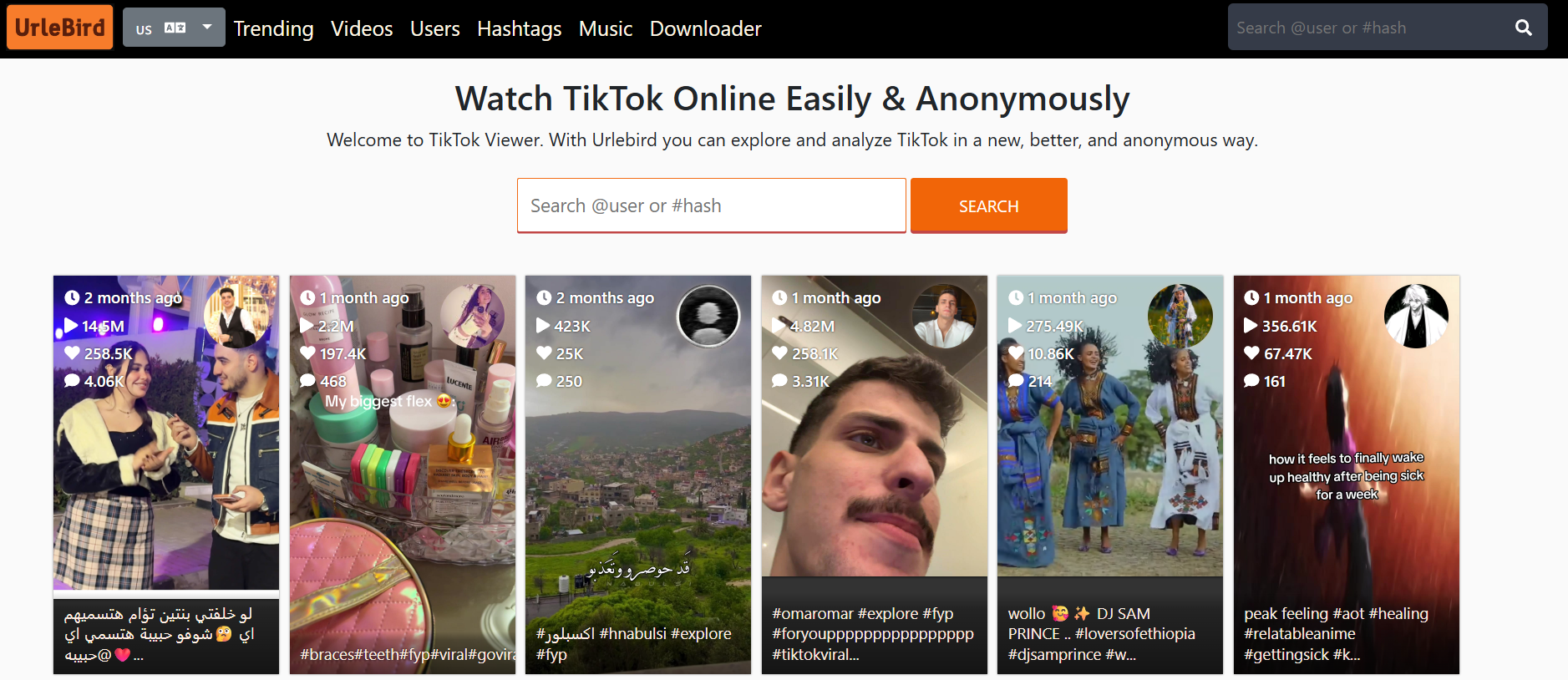
Urlebird remains the gold standard for “stalking” profiles without a trace. It mirrors TikTok’s content in a web-based interface, meaning you never have to log in.

  • Best for: Watching videos without the creator knowing.

  • Key Feature: Displays trending hashtags and music used by the profile.

2. TikVib (Best for Competitor Analysis)

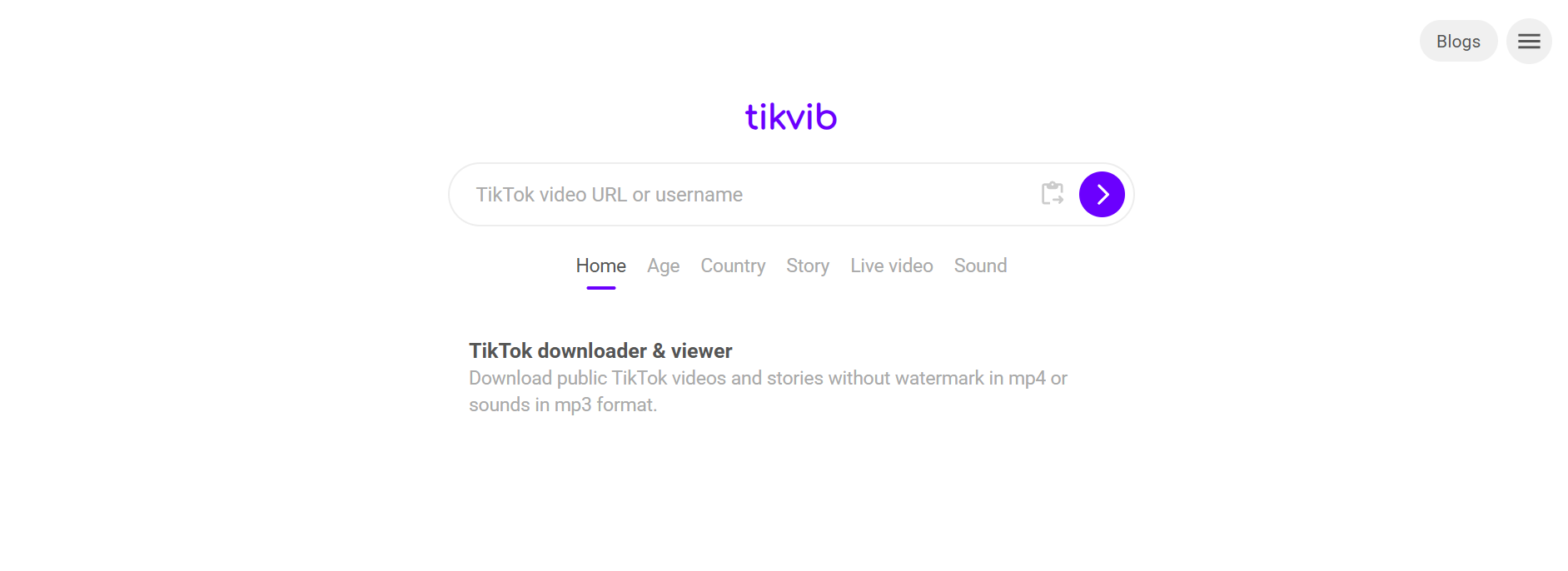
If you are a creator looking to learn from others, TikVib is the most powerful tool right now. It provides a “Value” and “Stats” tab for any public handle.

  • Insight: It calculates the average engagement rate and estimated post value.

  • Pro Tip: Use the “Stats” tab to see which time of day a competitor usually posts.

3. SnapTik (Best for Content Archiving)

SnapTik

While known as a downloader, SnapTik’s viewer interface allows you to scan a profile’s entire video grid and view them without watermarks.

  • Best for: High-quality, off-platform viewing.

4. PeekViewer (Best for Fast Lookups)

PeekViewer is designed for speed. It is a lightweight browser tool where you simply type a username to see the bio, follower count, and recent uploads instantly.

  • Benefit: Zero cookies or tracking scripts, making it the safest for privacy-conscious users.

5. Countik (Best for Real-Time Data)

Countik specializes in live data. If you want to see a profile’s follower count fluctuate in real-time or check their exact engagement metrics, this is the tool.

  • Use Case: Tracking a viral moment as it happens.

6. Exolyt (Best for Professional Strategy)

Exolyt is more of a “viewer on steroids.” It is used by agencies to track profile growth over months.

  • Expert Insight: It provides “Growth Predictions” based on current profile trends.

7. Socialinsider (Best for Benchmarking)

Socialinsider allows you to “view” a profile side-by-side with your own to compare performance.

  • Feature: Benchmarking your views against the industry average.

Comparison of Top 3 Tools

Tool Primary Use Privacy Level Cost
Urlebird Anonymous Watching Extremely High Free
TikVib Competitor Stats High Free
Exolyt Deep Analytics Medium Paid/Trial

How to See Who Viewed Your Profile (The Native Way)

If you want to see who is looking at your content, you don’t need a third-party tool. You need to enable the native Profile View History.

Step-by-Step Framework to Enable Views:

  1. Open TikTok and tap Profile (bottom right).
  2. Tap the Three-Line Menu (top right).
  3. Select Settings and Privacy.
  4. Tap Privacy, then scroll to Profile views.
  5. Toggle Profile View History to ON.

Note: This only works if the other person also has this setting turned on. In 2026, TikTok estimates that 60% of users keep this off for privacy.

Common Mistakes to Avoid

  • Downloading “Private Profile” Apps: Be careful. Any app claiming it can see a “Private Account” (where the user has not approved you) is likely a scam or malware.

  • Expecting Retroactive Data: Turning on Profile Views today won’t show you who visited yesterday. It only tracks from the moment you enable it.

  • Ignoring the 5,000 Follower Limit: TikTok often disables the “Profile View History” feature for accounts with more than 5,000 followers to protect the privacy of high-profile creators.

Find More: Boost Your Sales With SEO Services

FAQs

1. Does TikTok show who viewed your profile?

Yes, but only if you have “Profile View History” turned on in your settings and the person who visited also has it enabled. It is a mutual opt-in system.

2. Can I see who viewed my TikTok videos?

No. TikTok provides the total number of views for a video, but it does not provide a list of specific usernames who watched it.

3. How to turn off profile views on TikTok?

Go to Settings and Privacy > Privacy > Profile views and toggle the switch to OFF. Once off, you won’t appear on others’ lists, and they won’t appear on yours.

4. Is there a way to view TikTok profiles anonymously?

Yes. Using third-party web viewers like Urlebird or PeekViewer allows you to watch public content without logging into an account, ensuring your visit is never recorded.

5. Why can’t I see the “footsteps” icon on my profile?

This usually happens if you are under 16 years old, have over 5,000 followers, or if the feature is currently disabled in your specific region.

Key Takeaways

  • Native views are mutual: You can’t see who viewed you without letting them see when you view them.

  • Third-party tools are for public data: Tools like TikVib and Urlebird only work for public accounts.

  • Privacy is the 2026 trend: Most users now browse anonymously to avoid the “social pressure” of the view history list.

  • Safety first: Never enter your TikTok password into a third-party “viewer” website.

Tags:
9 Powerful Ways to Get Free TikTok Likes in 2026 (Most Creators Miss #5)

9 Powerful Ways to Get Free TikTok Likes in 2026 (Most Creators Miss #5)

Stop chasing ghost accounts and “like-for-like” schemes that kill your reach. In 2026, the TikTok algorithm prioritizes high-retention engagement over raw numbers. If you want more free likes, you must master the art of “stopping the thumb” within the first 1.5 seconds of your video.

To get free TikTok likes in 2026, you must optimize for the “Interest Graph” by using AI-driven SEO, high-contrast visual hooks, and community-led engagement. Focus on trending “Micro-Moments,” utilize TikTok’s native editing tools to boost Discoverability, and engage with “Niche Authorities” to trigger the algorithm’s recommendation engine for organic growth.

What are TikTok Likes and Why Do They Matter in 2026?

TikTok Likes are a primary engagement metric representing a user’s appreciation for your content. While “Watch Time” is the king of the algorithm, likes serve as a secondary signal that tells TikTok your content is high-quality and worth pushing to a broader audience on the “For You” Page (FYP).

In the current landscape, the Like-to-View Ratio is a critical KPI (Key Performance Indicator). A high ratio suggests that your content isn’t just being seen—it’s being felt. This creates a “snowball effect” where the platform rewards your organic effort with even more free exposure.

Find More: Anonymous TikTok Viewer: What’s Still Possible in 2026?

The 2026 TikTok Algorithm: A Quick Brief

The algorithm has shifted from a follower-based model to a pure Interest-Based Model. This means a beginner with zero followers can get 10,000 likes on their first video if the content matches the specific interests of a defined user cluster. Understanding this is the foundation of getting free likes without spending a dime on ads.

9 Powerful Ways to Get Free TikTok Likes

1. Master the “Negative Constraint” Hook

tiktok

The most liked videos in 2026 start by telling the viewer what not to do. Instead of saying “How to bake a cake,” try “Stop wasting money on store-bought cake.” This creates immediate curiosity and psychological tension that is only resolved when the user watches—and likes—your solution.

Example: “Stop using generic hashtags if you want to go viral.”

Pro Tip: Place text overlays in the “Safe Zone” so they aren’t covered by the UI elements.

2. Optimize for TikTok SEO (Search Engine Optimization)

TikTok is now a primary search engine for Gen Z and Alpha. To get likes, people must find you first. Use the search bar to find “High Volume, Low Competition” keywords and naturally weave them into your:

  • In-video text overlays

  • Spoken narration (TikTok’s AI transcribes your audio)

  • Video descriptions (captions)

    Step-by-Step Framework:

  1. Type your niche into the TikTok search bar.
  2. Look at the “Others searched for” suggestions.
  3. Use those exact phrases in your caption to appear in search results.

3. Use “ASMR” Visual Cues

High-quality audio is no longer optional. In 2026, creators are getting massive engagement by incorporating subtle ASMR elements—crisp sounds of opening a package, writing on paper, or ambient nature sounds. These sensory triggers encourage users to linger on the video, increasing the likelihood of a “heart” click.

4. The “Value-Gap” Strategy

Give away 90% of the secret for free in the video, but keep the 10% “Golden Nugget” for the very end. When users feel they have gained a new skill or piece of knowledge, the “Like” button becomes a digital “Thank You” note.

Real-World Example: A fitness creator showing a 30-second workout but revealing the “secret stretch” at the 28-second mark.

5. Leverage “Pattern Interrupts” (The One Most Creators Miss)

The human brain is wired to ignore predictable patterns. If your video looks like every other “Get Ready With Me” (GRWM), users will swipe past. A Pattern Interrupt is an unexpected visual or auditory change in the first 2 seconds.

  • Change the camera angle suddenly.

  • Start the video in the middle of an action.

  • Use a weirdly specific prop that has nothing to do with the title.

    Why it works: It forces the brain to “re-scan” the environment, buying you 5 more seconds of attention.

6. Collaborative “Stitch” Bait

Create content that is intentionally “incomplete” or asks a polarizing (but safe) question. This encourages other creators to Stitch or Duet your video. Every time someone Stitches you, your original video is linked, driving a fresh wave of users back to your profile to like the source material.

7. Utilize TikTok’s “CapCut” Integration Templates

TikTok prioritizes videos that use its sister-app, CapCut. Using trending templates allows you to ride the wave of high-performing visual styles. The algorithm recognizes these templates as “Trending Formats” and pushes them to users who have previously liked similar styles.

8. The “Reply to Comment” Video Loop

When someone asks a question on your video, don’t just type a reply. Create a video reply. This creates a “Content Web.” The person who asked the question will almost certainly like the video, and their followers may see the interaction, leading to a chain reaction of free likes.

9. Post During “Engagement Windows”

In 2026, the “best time to post” is personalized to your specific niche. Check your Creator Analytics for “Follower Activity.” However, a universal rule is to post 30 minutes before your niche’s peak activity time. This allows the algorithm to “index” your video so it hits the FYP exactly when the most active “likers” are online.

Common Mistakes Beginners Make

  • Buying Likes: This is the fastest way to get shadowbanned. Fake likes come from bot accounts that have zero watch time, which tells the algorithm your content is “trash.”

  • Engagement Pods: Group chats where everyone likes each other’s posts. TikTok’s AI detects these unnatural patterns easily and will suppress your reach.

  • Over-Editing: Sometimes, “Lo-Fi” or raw content feels more authentic. Beginners often lose likes because their content feels like a polished TV commercial rather than a human connection.

  • Ignoring the Captions: Your caption is a second chance to hook the user. Don’t leave it blank or use only hashtags.

Comparison: Organic Growth vs. Paid Growth in 2026

Feature Organic (Free Likes) Paid (TikTok Ads)
Cost $0 Variable Budget
Sustainability High (Builds loyal fans) Low (Stops when budget ends)
Trust Factor Extremely High Moderate/Low
Effort Creative & Strategic Financial & Analytical
Algorithm Reward Favors long-term authority Favors short-term visibility

Step-by-Step Framework for a 1,000 Like Video

  1. Phase 1: Research (10 mins): Identify a trending sound that is “Under 10k uses” and a keyword relevant to your niche.
  2. Phase 2: Hook Construction: Write 3 different 1.5-second hooks. Choose the most controversial or helpful one.
  3. Phase 3: Filming: Use natural lighting. Ensure your face is clearly visible if it’s a talking-head video.
  4. Phase 4: Editing: Add “Dynamic Captions” using high-contrast colors (Yellow/Black or White/Black).
  5. Phase 5: Distribution: Post with 3-5 hyper-relevant hashtags (e.g., #NicheName, #TikTokTips, #ProblemSolved).

Key Takeaways

  • Content is Currency: You don’t “get” likes; you “earn” them by providing value, entertainment, or education.

  • SEO is Non-Negotiable: If the AI doesn’t know what your video is about, it can’t show it to people who will like it.

  • The First 2 Seconds are Everything: Master the pattern interrupt to stop the scroll.

  • Consistency > Virality: One viral video is great, but 10 consistently liked videos build a career.

Find More: Boost Your Sales With SEO Services

FAQs

1. Can I still use hashtags to get free likes in 2026?

Yes, but the strategy has changed. Do not use generic tags like #FYP or #Viral. Use 3-5 specific “Long-Tail” keywords that describe exactly what is in the video so the AI can categorize you correctly.

2. Does video length affect how many likes I get?

In 2026, “Medium-form” content (60-90 seconds) is performing best for likes because it allows enough time to build a narrative. However, “Micro-content” (under 10 seconds) is better for rapid re-watches.

3. Will deleting low-performing videos help my account?

No. Deleting videos can actually hurt your “Account Health” score. Instead, “Private” them if you must, but it’s better to leave them and let the algorithm learn from your progression.

4. How many times should I post daily for maximum likes?

The sweet spot in 2026 is 1-2 high-quality posts per day. “Spam posting” 5-10 times a day will likely lead to the algorithm flagging your account as low-quality, reducing your overall like count.

5. Why is my “Like” count stuck at 200 views?

This is often called the “200-view jail.” It means your content passed the initial safety check but failed the “Initial Engagement Test.” To break out, you need to improve your hook or your Like-to-View ratio in the first hour.

Tags:
7 Proven TikTok to MP3 Tools That Actually Work in 2026

7 Proven TikTok to MP3 Tools That Actually Work in 2026

If you’ve ever scrolled through TikTok and found a sound so catchy you needed it as a ringtone or for your next edit, you know the struggle. TikTok doesn’t offer a “save as MP3” button, but in 2026, several high-quality tools make this process instant and safe.

To convert TikTok to MP3, simply copy the video link from TikTok, paste it into a reliable converter like SSSTik, SnapTik, or UniConverter, and select the MP3 output format. These tools extract the high-quality audio stream directly from the video, allowing you to save it for offline use without any watermarks.

Find More: 7 Genius TikTok Thumbnail Downloader Tools That Actually Work in 2026

What is a TikTok to MP3 Converter?

A TikTok to MP3 converter is a specialized digital tool designed to extract the audio track from a TikTok video and save it as a standalone audio file. Since TikTok videos are stored in MP4 (video) format, these tools strip away the visual data and re-encode the audio into the universal MP3 format.

This is essential for creators, DJs, or casual fans who want to:

  • Create custom phone ringtones or alarms.

  • Archive trending sounds for future content creation.

  • Listen to TikTok-exclusive remixes or lo-fi beats offline.

7 Best TikTok to MP3 Tools for 2026

1. SSSTik.io (Best Overall for Speed)

SSSTik remains the gold standard for beginners in 2026. It is a web-based tool, meaning you don’t need to install any bulky software. It’s famous for being one of the fastest “link to MP3” engines currently available.

  • Best For: Users who want the audio immediately without any setup.

  • Pros: 100% free, no registration, works on mobile and desktop.

  • Cons: Contains some display ads.

2. SnapTik (Best for High-Quality Bitrates)

SnapTik

While many tools compress audio to save space, SnapTik has updated its 2026 engine to prioritize audio fidelity. It often provides a cleaner, 320kbps-equivalent sound compared to more basic converters.

  • Best For: Audiophiles and creators who need “crystal clear” sound for editing.

  • Pros: Minimalistic interface, high-resolution extraction.

  • Cons: Interface can be slightly slower on older browsers.

3. Wondershare UniConverter (Best Professional Desktop Tool)

Wondershare UniConverter

If you are converting TikTok links in bulk, web tools can be tedious. UniConverter is a desktop powerhouse for Windows and macOS. In 2026, it features an “Auto-Paste” mode that detects TikTok links on your clipboard and converts them instantly.

  • Best For: Professional editors and power users.

  • Pros: Batch conversion, built-in audio trimmer, zero ads.

  • Cons: Paid software (though a free trial is available).

4. MusicallyDown (Best for Mobile Users)

MusicallyDown has optimized its 2026 interface specifically for Android and iOS Safari/Chrome browsers. It’s incredibly lightweight and handles the “Share to Copy Link” workflow better than almost any other site.

  • Best For: Converting audio while on the go.

  • Pros: Very mobile-friendly, very few intrusive pop-ups.

  • Cons: Occasionally struggles with private or region-locked videos.

5. Flixier (Best for Immediate Audio Editing)

Flixier isn’t just a downloader; it’s a cloud-based editor. When you paste a TikTok link, it loads the audio into a timeline. You can trim the “silent” parts at the start or end before you even hit download.

  • Best For: People who only need a specific 5-second clip of a long song.

  • Pros: Built-in trimming, cloud-based (no download needed), AI noise reduction.

  • Cons: Requires a free account to save projects.

6. SaveTT.cc (The Reliable Backup)

In the world of SEO and AI tools, websites often go down due to high traffic. SaveTT.cc is the most reliable “always-up” backup. It uses a simplified API that rarely fails, even when TikTok updates its platform security.

  • Best For: When your favorite tool isn’t working.

  • Pros: Extreme stability, very simple “one-click” download.

  • Cons: Basic features only; no advanced quality settings.

7. 4K Video Downloader Plus (Best for Playlists)

If you find a TikTok “Collection” or a series of videos you love, this tool can grab the audio from all of them at once. In 2026, its “Smart Mode” allows you to set “MP3” as a permanent preference, so every link you paste is automatically handled.

  • Best For: Archiving entire sound libraries or artist profiles.

  • Pros: Extremely powerful, supports multiple platforms (YouTube, IG, TikTok).

  • Cons: Desktop installation required.

Step-by-Step Framework: How to Convert TikTok to MP3

Follow this universal 3-step framework to get your audio in under 60 seconds:

  1. Copy the Link: Open TikTok, find your video, tap the Share (arrow) icon, and select Copy Link.
  2. Paste the Link: Open your chosen tool (e.g., SSSTik), click into the search box, and paste the URL.
  3. Download the MP3: Click the Download button. Ensure you select the option that says “Download MP3” or “Download Audio” instead of the video file.

Comparison of Top 2026 Tools

Tool Platform Best Feature Cost
SSSTik Web/Mobile Raw Speed Free
SnapTik Web/App Audio Quality Free
UniConverter Desktop Batch Processing Paid / Trial
Flixier Web (Cloud) Trim Before Download Free / Pro
4K Downloader Desktop Playlist Support Free / Paid

Common Mistakes to Avoid

  • Downloading from “Private” Accounts: Most tools cannot “see” videos from private accounts. If the video isn’t public, the converter will return an error.

  • Clicking “Fake” Download Buttons: Many free sites use “Ad-Buttons” that look like the real thing. Always look for the plain text links or the official primary button.

  • Using Low-Quality Bitrates: If a tool offers a choice, always pick 128kbps or higher. Anything lower will sound “tinny” or distorted.

  • Ignoring Copyright: Just because you can download it doesn’t mean you own it. Avoid re-uploading these sounds to Spotify or Apple Music as your own.

Find More: Boost Your Sales With SEO Services

Expert Pro Tips for 2026

The “Browser Shortcut” Trick: On desktop, many users use browser extensions that add a “Download” button directly under TikTok videos. This saves you from having to copy-paste links manually.

Check the “Original Sound” Link: If you want the clearest version of a song, don’t convert a video where someone is talking over the music. Click the spinning record icon at the bottom right of the TikTok to find the “Original Sound” page, and use a link from a video that has the cleanest audio.

FAQs

1. Is it legal to convert TikTok to MP3?

It is generally legal for personal use (like a ringtone). However, using copyrighted music for commercial purposes or re-distributing the files can lead to copyright strikes or legal issues.

2. Do these tools work on iPhones?

Yes. In 2026, iOS allows direct downloads through Safari. When you click download, the file will go to your “Files” app in the “Downloads” folder.

3. Will these tools give my device a virus?

The tools listed above are vetted for 2026. However, always avoid sites that ask you to download “.exe” or “.apk” files just to convert a simple link. Stick to browser-based tools or reputable software like Wondershare.

4. Can I convert a 10-minute TikTok video to MP3?

Yes. Most modern tools support the longer video formats TikTok introduced. Be aware that the file size will be larger and may take 10–20 seconds longer to process.

5. Why is the audio quality lower than the video?

TikTok compresses audio to make videos load faster. When you convert it to MP3, you are limited by the quality of the original upload. Using a tool like SnapTik helps preserve as much data as possible.

Key Takeaways

  • Speed vs. Quality: Use SSSTik for speed and SnapTik for quality.

  • Mobile vs. Desktop: Web tools are great for one-offs; desktop apps are better for bulk downloads.

  • Safety First: Never provide personal information or credit card details to a “free” converter.

  • The Process: It’s always Copy > Paste > Download.

Tags:
TikTok Tools in 2026: What Still Works, What Doesn’t, and What to Avoid

TikTok Tools in 2026: What Still Works, What Doesn’t, and What to Avoid

TikTok Tools

TikTok has changed dramatically over the past few years. As the platform tightens access to its data and cracks down on automation, many third-party TikTok tools no longer work the way they once did.

In this guide, we explain which TikTok tools are still usable in 2026, what their real limitations are, and which types of tools should be avoided entirely. This article also serves as a central hub linking to our in-depth TikTok guides.

What Are TikTok Tools?

TikTok tools are third-party services designed to help users interact with public TikTok content. These tools are commonly used for:

  • Viewing public profiles or stories

  • Downloading videos or audio

  • Checking basic engagement data

  • Managing or analyzing public content

What’s important to understand is that TikTok no longer allows deep access to private data. Any tool claiming otherwise should be treated with caution.

TikTok Story Viewers: What’s Actually Possible?

TikTok stories are public by default, but anonymous viewing is limited. Many tools still appear online claiming full anonymity, but most of them no longer work reliably.

We explain the reality here:
👉TikTok Story Viewer Tools

This guide covers:

  • What TikTok allows today

  • Why most “anonymous viewer” claims are misleading

  • Safer ways to view public stories

Anonymous TikTok Viewing: Myths vs Reality

“Anonymous TikTok viewer” is one of the most misunderstood search terms.

In practice:

  • Public profiles can be viewed without logging in

  • Private profiles cannot be accessed

  • No tool can bypass TikTok’s privacy rules consistently

We break this down clearly in our article:
👉 Anonymous TikTok Viewer Explained

Download TikTok Audio (MP3)

Many users want to save TikTok audio for offline listening or reference. This is still possible when the video is public and the tool respects TikTok’s limits.

👉 TikTok MP3 Converter

TikTok Profile & Content Utilities

Some users look for tools that help with:

  • Viewing public profiles

  • Checking basic public metrics

  • Understanding content structure

These tools can be useful when they focus on public data only. Anything promising private access or hidden insights should be avoided.

👉 Tiktok Profile donwnloader

What TikTok Tools No Longer Work in 2026

Many TikTok tools that still rank in search results are either broken or misleading.

Examples include tools that claim to:

  • Track private account activity

  • Show hidden followers

  • Generate likes or views

  • Bypass TikTok restrictions

TikTok actively blocks these behaviors, and using such tools often leads to poor results or security risks.

Are TikTok Tools Safe to Use?

TikTok tools are generally safest when they:

  • Don’t require a TikTok login

  • Work only with public content

  • Clearly explain their limitations

  • Avoid automation or engagement manipulation

Never enter your TikTok credentials into third-party websites.

Final Thoughts

TikTok tools can still be useful in 2026 — but only when expectations are realistic.

If you stick to tools designed for public content and avoid services that promise shortcuts, you’ll avoid most problems. The linked guides above go deeper into each specific use case and explain what actually works today.

🔗 Related TikTok Guides

👉 TikTok Story Viewer Tools
https://www.atamgo.com/tiktok-story-viewer-tools/

👉 Anonymous TikTok Viewer
https://www.atamgo.com/anonymous-tiktok-viewer/

👉 TikTok Profile Donwloader Guide

https://www.atamgo.com/tiktok-profile-downloader/

👉 Download TikTok Audio (MP3) Guide

https://www.atamgo.com/tiktok-mp3-converter/

10 Mind-Blowing Hacks to Download TikTok Audio in Seconds

10 Mind-Blowing Hacks to Download TikTok Audio in Seconds

download tiktok audio

Introduction: How to Download TikTok Audio Like a Pro

If you’ve ever wanted to download TikTok audio, you’re definitely not the only one. Maybe it’s that catchy sound that went viral overnight or a trending audio clip you want to use for your next video edit — either way, knowing how to download TikTok audio saves you time and unlocks a whole new level of creativity. The challenge? TikTok doesn’t give you a direct download button for every sound. That’s why I’ve gathered 10 practical hacks to help you grab any TikTok sound quickly and safely — without getting lost in sketchy pop-ups or complicated tools.

Why People Love Saving TikTok Sounds

There’s something magical about TikTok sounds. They can make a video go viral, inspire new challenges, or simply stick in your head all day. The moment you download TikTok audios, you open a creative door: you can reuse those sounds in your content, remix them for Instagram or YouTube, or just keep them in your playlist. Audio trends move fast — being able to download and store them keeps you ahead of the curve.

What “Download TikTok Audio” Really Means

When creators talk about downloading TikTok audio, they usually mean two things: either saving a sound as an MP3 file or extracting the sound from a TikTok video. The first lets you use the audio anywhere — editing software, social media, or even as a ringtone. The second keeps it in TikTok’s ecosystem but available for remixing inside the app.

The Easiest Way to Turn Viral Sounds into MP3s

Good news — you don’t need to be a tech genius. Dozens of free and paid TikTok audio download tools exist today. From quick online websites to browser plugins and professional editing apps, each has its own purpose. Let’s dive into 10 proven hacks that make TikTok audio download effortless.

Find More: Anonymous TikTok Viewer: 7 Genius Ways to Watch Without a Trace

1. Use Built-In TikTok Features (The Simplest Hack)

Before we talk about third-party tools, let’s start with what TikTok itself offers. Many users don’t realize you can “save” sounds right within the app.

How to Save Sounds Directly from TikTok

  1. Open any TikTok video that has a sound you love.
  2. Tap on the spinning sound icon in the bottom-right corner.
  3. Choose “Add to Favorites.”
    Now it’s saved to your sound library for future videos.

Limitations of the In-App Method

This method doesn’t let you download the sound file itself — it just bookmarks it within TikTok. You can’t extract the MP3 or use it offline, so if your goal is to repurpose the sound outside the app, you’ll need one of the next hacks.

2. Try Online TikTok Audio Downloaders

Online converters are among the fastest and most beginner-friendly ways to download audio from TikTok. No installations, no tech setup — just paste a link and download.

Best Free TikTok Audio Download Websites

  • SSSTik.io – Simple, clean design that supports MP3 and MP4 downloads.
  • SnapTik.app – Famous for high-speed TikTok downloads with no watermark.
  • MusicallyDown.com – Reliable, easy, and works on both desktop and mobile browsers.

Step-by-Step: How to Use an Online Downloader Safely

  1. Copy the TikTok video’s share link.
  2. Paste it into your chosen downloader’s input box.
  3. Select “Download Audio” or “MP3.”
  4. Wait a few seconds and click the main download button.
    Tip: Avoid extra pop-ups and ads — only click the button that triggers the actual file.

Why This Method Works So Well

Online TikTok downloaders work on any device and don’t require logins or app permissions. It’s the go-to option for anyone who wants to download TikTok audios quickly without cluttering their phone.

3. Convert TikTok Videos to MP3 Files

If you already saved your favorite TikTok video, converting it to MP3 is super easy.

How Video-to-Audio Conversion Works

These converters extract only the sound portion from the video, leaving out the visuals. The result? A clean audio file you can store, edit, or upload elsewhere.

Top Tools for Converting TikTok to MP3

OnlineVideoConverter

Bonus Tip

Always rename your downloaded files with descriptive titles, so you can find them easily later — especially if you’re collecting dozens of TikTok audios.

4. Use Browser Extensions for One-Click Downloads

If you download TikTok audios often, browser extensions can save tons of time.

Recommended Chrome & Firefox Extensions

How to Avoid Fake or Unsafe Plugins

Stick to verified extensions on the Chrome Web Store or Mozilla Add-ons. Avoid third-party plugin sites that could hide malware. Always check reviews before installing.

Why It’s a Time-Saver

Once installed, you don’t need to open separate websites — just click one button, and boom, you’ve got your MP3 ready.

5. Download TikTok Audio on Mobile (iPhone & Android)

If you mainly use TikTok on your phone, this is probably your go-to method. Mobile apps make it easy to download TikTok audio straight to your device.

Best Apps to Download TikTok Audio on iPhone

  • Documents by Readdle – Lets you browse downloader websites and store the MP3s safely in your phone’s folders.
  • TikSave – Specially designed for TikTok videos and audios, with a super clean interface.

Best TikTok Audio Download Apps for Android

Handy Trick for Mobile Users

Once you download a sound, move it to a dedicated “TikTok Audio” folder or playlist app. That way, it’s easy to find when editing or sharing content later.

6. Extract Audio from TikTok Using Desktop Software

If you care about audio quality or want to edit deeply, desktop software is your best friend.

How to Use Tools Like Audacity or VLC

VLC Media Player

  • Audacity – Import the TikTok video, highlight the audio track, and export as MP3 or WAV.
  • VLC Media Player – Go to Media → Convert/Save → Add your TikTok file → Convert → Choose MP3.

Advantages of Desktop Audio Extraction

You get professional-grade control over bitrate, volume, trimming, and mixing. It’s ideal for creators who want their content to sound perfect.

Bonus Tip

You can even batch-convert multiple TikTok videos at once — a great time-saver for creators managing large libraries.

7. Save TikTok Sounds for Remixing or Editing

TikTok sounds can be powerful creative material when remixed or repurposed.

How to Import Audio into Editing Apps

Drag your downloaded TikTok MP3s into software like CapCut, Premiere Pro, DaVinci Resolve, or Audacity. You can sync beats, adjust pitch, or loop sections for fresh soundtracks.

Tips for Maintaining Quality During Edits

Avoid re-exporting in low bitrate. Always export in at least 192 kbps MP3 or WAV for the best sound quality.

Creative Idea

Mix trending TikTok sounds with your voiceovers or effects to give your videos a familiar yet unique edge — it’s one of the fastest ways to boost engagement.

8. Use Cloud-Based TikTok Audio Tools

For creators who work across multiple devices, cloud tools are a game-changer.

Why Cloud Services Are Safer and Faster

They prevent data loss and make file access seamless. No more losing that one sound because you switched phones.

Top Web Apps for Downloading TikTok Audio

  • SaveFrom.net – Multi-purpose downloader for TikTok, YouTube, and more.
  • Kapwing – Lets you edit, trim, and download TikTok sounds directly from your browser.
  • ClipConverter.cc – Converts and keeps your downloaded sounds stored in the cloud for easy access.

Pro Tip

Store your most-used TikTok sounds in Google Drive or Dropbox. That way, you can import them directly into mobile editing apps like CapCut without re-downloading.

9. Download Private or Restricted TikTok Sounds

Sometimes, you’ll find an amazing sound in a private or region-locked video.

What You Should Know About Privacy Settings

If a TikTok is private, downloading it may violate the creator’s rights. Always ask permission or find the sound on another public post if possible.

Legal and Ethical Tips Before You Download

Credit is key. If you’re using someone else’s sound commercially, include their name or tag them when possible. And when in doubt, stick to royalty-free or Creative Commons audio.

Bonus Advice

If you need background music for business content, use royalty-free TikTok tracks from Epidemic Sound or Artlist.io instead of random downloads.

10. Organize and Manage Your Saved TikTok Audio Library

After you’ve downloaded dozens (or hundreds) of audios, you’ll want a system.

How to Categorize and Store Your Downloads

Create folders labeled by trend, mood, or project. Example: “Funny Sounds,” “Trending 2025,” “Voice Effects.” Organize them in your cloud storage or computer folders for fast access.

Bonus: Tools to Sync Audio Across Devices

Use Dropbox Sync, Resilio Sync, or Google Drive Auto Backup. These tools automatically update your library across devices, so your favorite TikTok sounds are always at hand.

Extra Tip

You can even create a spreadsheet or Notion database to track your downloaded audios, with columns for name, link, usage rights, and tags.

Find More: Boost Your Sales With SEO Services

FAQs

1. Can I legally download TikTok audio?

It depends on the purpose. If you’re downloading for personal use, like keeping sounds you enjoy or practicing editing, that’s generally fine. But for commercial use — such as uploading monetized content — make sure the sound is either royalty-free or that you have permission from the creator or rights holder.

2. How can I download TikTok audio without a watermark?

You can use websites like SSSTik.io or SnapTik.app. They remove the watermark automatically when converting or downloading the sound, leaving you with a clean MP3 or MP4 file.

3. What’s the best TikTok audio downloader online?

It depends on your priorities. For fast, no-fuss downloads, MusicallyDown.com works great. For more advanced options like HD quality or file conversion, Kapwing is an excellent choice.

4. Can I use TikTok sounds on other platforms like YouTube or Instagram?

Yes — but with caution. Many sounds are copyrighted or belong to specific creators. If you’re using them in monetized videos, it’s best to look for royalty-free or Creative Commons alternatives, or credit the original creator properly.

5. Why is there no sound after I download a TikTok video?

If your download ends up muted, the original video might have used copyrighted music that’s blocked in your region. Try downloading a different version of the video or use a dedicated TikTok audio extractor instead.

6. What’s the safest way to download TikTok audio?

Stick with trusted websites like SSSTik.io, SnapTik.app, and MusicallyDown.com. Avoid random downloader sites that ask for app permissions or require installing extra software — those are red flags.

7. Can I download TikTok audio on iPhone or Android?

Absolutely. For iPhone, Documents by Readdle and TikSave are great options. For Android, try Snaptube or Video Downloader for TikTok from the Google Play Store.

8. What’s the easiest way to extract just the sound from a TikTok video?

You can use an online converter like AudioExtract.net or OnlineVideoConverter.com. Just paste the TikTok link, select “MP3,” and download the pure audio file.

9. Are there any copyright-free TikTok audios I can use freely?

Yes! You can find royalty-free TikTok music on platforms like Epidemic Sound, Artlist.io, or YouTube Audio Library. These sources give you full usage rights without legal worries.

10. Can I download TikTok sounds from private or restricted videos?

Usually not — and even if you can, it’s not ethical unless you have permission. Private or region-locked videos are meant to stay that way. Always look for a public version of the sound or use legal alternatives.

Tags: