
Running a WooCommerce store without the right plugins is like opening a shop with no shelves, no checkout counter, and a lock that half-works. WooCommerce itself is free and flexible – but out of the box, it does the basics. The real growth comes from the add-ons you bolt on.
WooCommerce powers around 8% of all websites and nearly 40% of all online stores on the internet, which means you’re building on the most-used eCommerce platform in the world. You also get access to 58,000+ free plugins in the WordPress.org directory alone, plus thousands of premium ones.
That’s the problem. Too much choice. Install the wrong 20 plugins and your site slows down, your admin breaks, and your conversion rate tanks.
This guide cuts through the noise. Below are 15 WooCommerce plugins I keep recommending to store owners – grouped by what they actually do for your business: more revenue, fewer abandoned carts, better SEO, tighter security, and cleaner checkout.
What to Look For in a WooCommerce Plugin
Before you install anything, check these five things:
- Active installs – 10,000+ on WordPress.org is a safe floor
- Last updated – avoid anything not updated in the last 6 months
- Compatibility – works with your current WordPress, WooCommerce, and PHP version
- Reviews – a 4.5+ star rating with real written reviews (not just “great plugin” one-liners)
- Support quality – read the support forum before buying; speed of replies tells you everything
Stacking too many plugins hurts speed. Pick one plugin per job, not three.
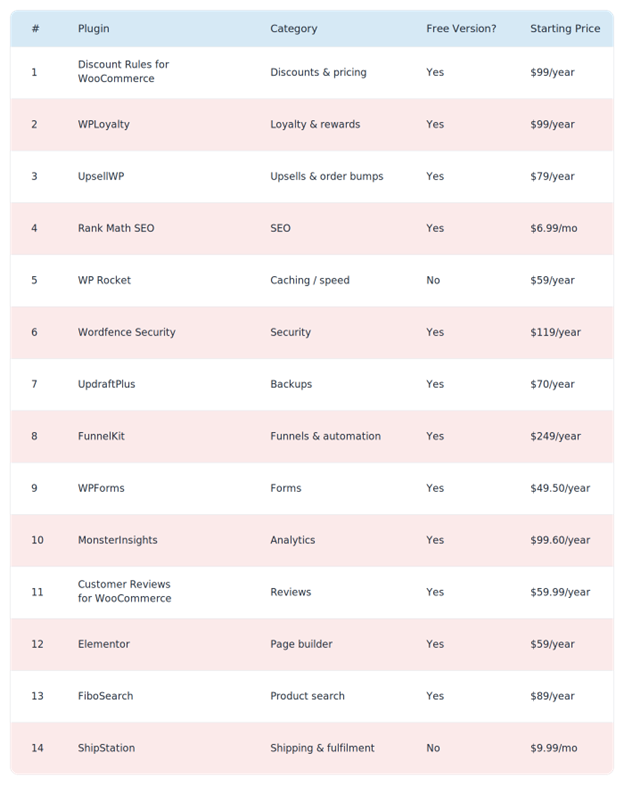
Quick Comparison: The 14 Plugins at a Glance
1. Discount Rules for WooCommerce – Best for Dynamic Pricing & BOGO
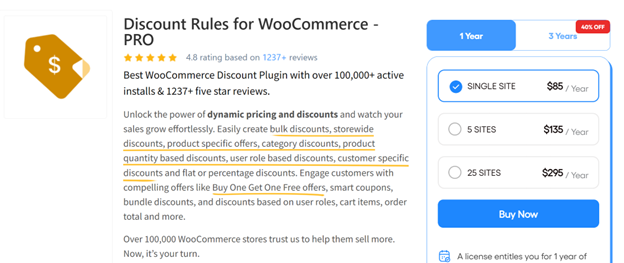
Discount Rules for WooCommerce by Flycart is the plugin I reach for first when a store wants to run promotions without breaking their WooCommerce admin. It has 100,000+ active installs on WordPress.org, which makes it the most-used discount plugin in the WooCommerce space.
You can run pretty much any promo type through it – BOGO (Buy One Get One), bulk discounts, category-level pricing, user-role pricing, first-order discounts, scheduled sales – without touching code.
Key features:
- Percentage, fixed, or fixed-price-per-item discounts
- BOGO and Buy X Get Y offers (including free products)
- Bulk and tiered pricing based on quantity or cart total
- Role-based pricing for wholesale customers
- Coupon-based rule activation
- Schedule discounts by date, time, or day of week
- Strikethrough pricing on shop and product pages
Pricing:
- Free: Core discount rules, percentage and bulk discounts – available on org
- Pro: Starts at $89/year for a single site – view pricing
Best for: Any store running more than the occasional flat-percent coupon – especially fashion, food, and wholesale stores where tiered pricing and BOGO drive most of the revenue.
Pro Tip: Use strikethrough pricing on your product pages for bulk discounts. When shoppers see “$50 → $42 at 3+ qty” right on the product page, the average order quantity goes up without you running a single banner ad.
Visit Discount Rules for WooCommerce →
2. WPLoyalty – Best for Points, Rewards & Referrals
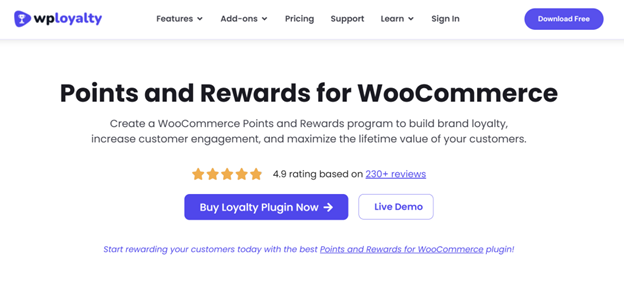
WPLoyalty is a loyalty program plugin built specifically for WooCommerce. If you’ve ever wished your store had a “Starbucks Rewards”-style points system, this is the plugin that does it without a Shopify migration.
Shoppers who belong to a loyalty program spend 12-18% more per year than non-members – so this isn’t a “nice to have.” It’s a direct revenue lever.
Key features:
- Earn points per purchase, signup, review, or birthday
- Redeem points as discount coupons at checkout
- Referral program with unique referral URLs
- Tier system (Silver, Gold, Platinum) with escalating rewards
- Points expiry rules
- Store credit functionality
- Email notifications for points earned and expiring
Pricing:
- Free: Points earning and redemption, basic rules – available onorg
- Pro: Starts at $99/year for a single site – view pricing
Best for: Repeat-purchase businesses – supplements, pet food, coffee subscriptions, beauty products, and any store where a second sale is worth more than the first.
Editor’s Note: Don’t hand out points for every action under the sun. Start with just “earn on purchase” and “earn for signup.” Add referrals in month 2. Rolling out 8 earning rules on day one overwhelms customers and nobody engages.
3. UpsellWP – Best for One-Click Upsells & Order Bumps
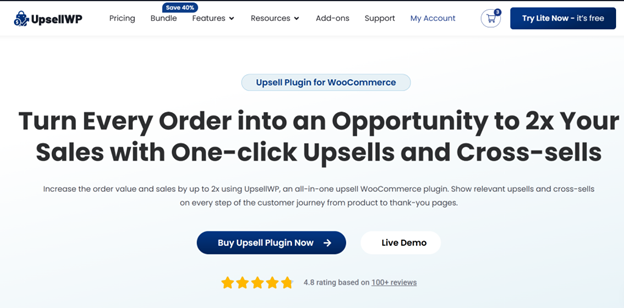
UpsellWP is a dedicated upsell engine for WooCommerce. Where most discount plugins stop at the cart, UpsellWP keeps selling – at the checkout, on the thank-you page, and inside follow-up offers.
The upside is obvious: according to Invesp, upselling increases revenue by 10-30% on average, and it’s 68% cheaper than acquiring a new customer. Turning on one smart upsell flow is usually the highest-ROI thing you can do this quarter.
Key features:
- Order bumps on the checkout page
- One-click post-purchase upsells (no re-entering card details)
- Pre-purchase upsells and cross-sells
- Frequently Bought Together blocks on product pages
- Conditional offers (show upsell only if cart contains X)
- Smart product recommendations
- A/B testing on offers
Pricing:
- Free: Frequently Bought Together and basic cross-sells – available onorg
- Pro: Starts at $79/year for a single site – view pricing
Best for: Stores with an average order value under $100 that want to push AOV (Average Order Value) up without paying for more traffic.
Pro Tip: Your post-purchase upsell converts best when it’s a complement, not a competitor. A customer who just bought running shoes isn’t going to buy another pair of shoes – they’ll buy socks, insoles, or a running belt. Match the upsell to what they just got.
4. WooCommerce Product Options – Best for Customizable WooCommerce Products
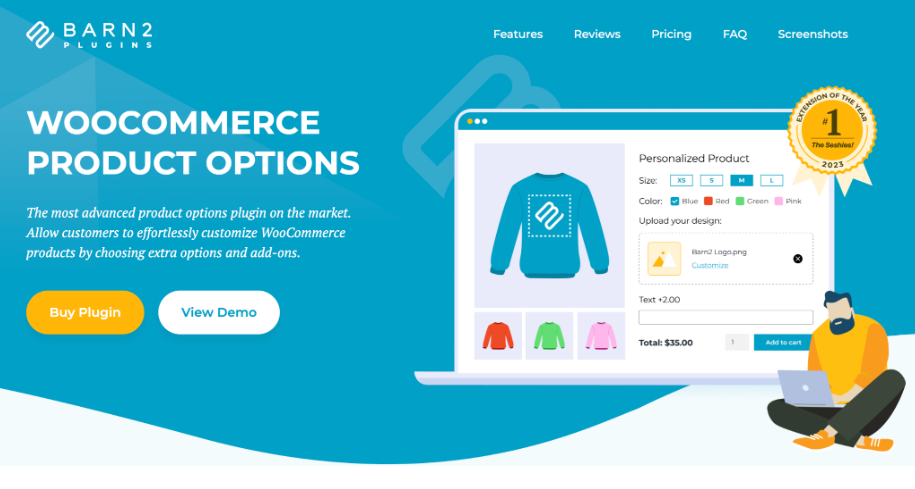
WooCommerce Product Options helps store owners create customizable products with options like dropdowns, checkboxes, text fields, file uploads, and more. Features such as conditional logic, dynamic pricing, and live previews make product customization simple and interactive.
It’s ideal for personalized food, service, booking, and made-to-order products. By adding custom options, upgrades, and add-ons, businesses can improve the shopping experience, encourage upsells, and increase order value.
Key features:
- Create unlimited product options with checkboxes, text fields, dropdowns, file uploads, and more
- Set flexible pricing using flat fees, percentage-based adjustments, or custom pricing rules
- Show or hide options based on customer selections with conditional logic
- Display real-time price updates as customers customize their products
- Increase sales with upsells, upgrades, and add-ons directly on product pages
- Easily organize and manage product options with a simple, no-code interface
- Customize product pages without technical or coding knowledge
- Deliver a more personalized and interactive shopping experience
Pricing:
- No free version. Starts at $149/year for a single site – view pricing
Best for: WooCommerce stores selling customizable, personalized, or made-to-order products that require flexible options, add-ons, upgrades, and customer-specific configurations.
Pro Tip: Use conditional logic to show only the options relevant to each customer’s selections. This keeps product pages clean and easy to navigate while making customization simpler and more engaging.
Visit WooCommerce Product Options →
5. Rank Math SEO – Best for On-Page SEO
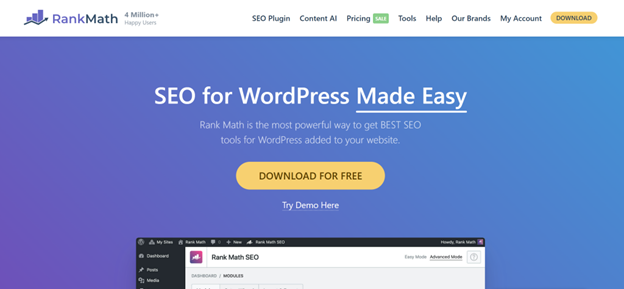
Rank Math is the SEO plugin I install on every new WooCommerce site. It has over 3 million active installs and a free plan that genuinely does more than Yoast’s free version – schema, redirections, 404 monitor, and Google Search Console integration are all included without paying.
For a WooCommerce store, the killer feature is automatic Product schema – which gets you those rich-result stars, prices, and stock status on Google.
Key features:
- Automatic WooCommerce Product schema
- Content AI suggestions based on top-ranking pages
- Built-in redirection manager (you don’t need a separate plugin)
- 404 error monitor
- XML sitemaps (news, video, product)
- Local SEO for multiple locations
- Image SEO (auto alt tags, lazy loading hints)
Pricing:
- Free: Most features, unlimited keywords – available on org
- Pro: Starts at $6.99/month – view pricing
Best for: Stores that want SEO set up right the first time without upgrading for every basic feature.
Also Read: The WooCommerce SEO Guide
6. WP Rocket – Best for Speed & Caching
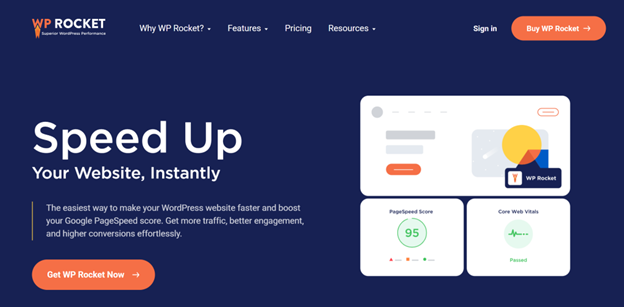
Speed is not optional anymore. Google’s research shows that as page load time goes from 1 to 3 seconds, bounce probability increases by 32% – and WooCommerce is heavy by default. WP Rocket is the caching plugin most developers agree doesn’t need much tuning to produce real speed gains.
Unlike most free caching plugins, WP Rocket works on activation. You don’t need to pick between 40 confusing checkboxes.
Key features:
- Page caching and browser caching
- GZIP compression
- Lazy loading for images and iframes
- Minify and combine CSS/JS
- Database cleanup scheduler
- CDN integration
- Preload – warms the cache before a real visitor hits the page
- Compatible with WooCommerce (doesn’t cache cart/checkout)
Pricing:
- No free version. Starts at $59/year for a single site – view pricing
Best for: Any WooCommerce store over 50 products or with custom themes. If your homepage takes more than 2.5 seconds to load, install this before anything else.
Editor’s Note: WP Rocket’s only real weakness is JavaScript optimization on heavy themes – if you’re on Divi or a bloated multipurpose theme, pair it with FlyingPress or Perfmatters for that extra push.
7. Wordfence Security – Best for Firewall & Malware Scanning

Hacked WooCommerce stores lose both revenue and customer trust. Wordfence is the most-installed WordPress security plugin with over 5 million active installs – and its real-time firewall blocks most common attacks before they reach your server.
For an eCommerce store that handles payment info, a firewall isn’t optional. It’s the difference between a bad day and a PCI-compliance nightmare.
Key features:
- Web Application Firewall (WAF)
- Real-time malware scanner
- Login security (2FA, reCAPTCHA, CAPTCHA on login)
- Live traffic monitor – see who’s hitting your site right now
- Brute force attack protection
- File change detection
- Country blocking (Premium)
Pricing:
- Free: WAF and scanner with 30-day-delayed rules – available on org
- Premium: $119/year for real-time rules – view pricing
Best for: Any store that takes payments or stores customer data (so, every WooCommerce store).
8. UpdraftPlus – Best for Backups & Restores

If you only install one backup plugin, make it UpdraftPlus. It has over 3 million active installs and a free version that covers what most stores need: scheduled backups to Dropbox, Google Drive, or Amazon S3.
The “oh no” moment – a bad plugin update, a failed migration, a hacked site – is the moment you’ll wish you had this running. Don’t wait.
Key features:
- Scheduled automatic backups (files + database)
- Backup to Google Drive, Dropbox, S3, OneDrive, FTP, and more
- One-click restore
- Site migration and cloning (Premium)
- Incremental backups (Premium)
- Multisite support
Pricing:
- Free: Full backup and restore features – available on org
- Premium: Starts at $70/year for 2 sites – view pricing
Best for: Literally every WooCommerce store. There’s no excuse to skip this one.
Pro Tip: Schedule backups during your lowest traffic hours (usually 2-5 AM in your main time zone) and always back up to an off-site location like Google Drive – not just your hosting server. If your host goes down, a backup on the same server is useless.
9. FunnelKit – Best for Sales Funnels & Cart Recovery
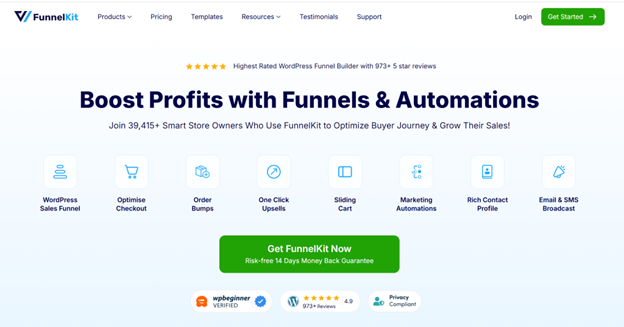
FunnelKit (formerly WooFunnels) turns WooCommerce into something closer to ClickFunnels or Shopify Plus. You get conversion-optimized checkouts, order bumps, one-click upsells, and full marketing automation – all in one ecosystem.
Cart abandonment hits around 70% on average, according to Baymard Institute. Recovering even 10% of that is a massive revenue lift – and that’s exactly what FunnelKit Automations is built for.
Key features:
- Drag-and-drop funnel builder
- Custom checkout page designs
- Order bumps and post-purchase upsells
- Abandoned cart recovery emails and SMS
- Broadcasts and newsletter campaigns
- Lead capture and list management
- CRM with contact timelines
Pricing:
- Free: FunnelKit Automations Lite (broadcasts and basic automation) – available onorg
- Pro: Starts at $249/year for the Funnel Builder – view pricing
Best for: Stores running paid ads where every extra conversion matters. Also brilliant for subscription and info-product businesses.
10. WPForms – Best for Contact, Lead & Checkout Forms
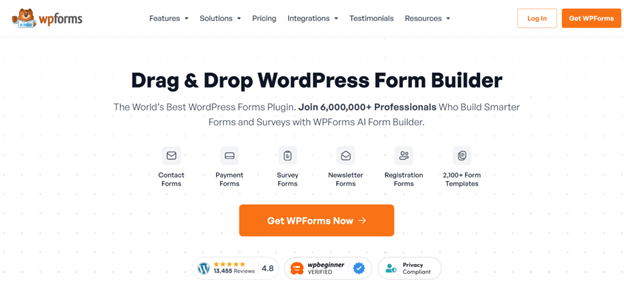
WPForms is the most beginner-friendly form builder for WordPress, with over 6 million active installs. Contact, support, custom quote requests, B2B application forms – anything you’d normally need a developer for, you can build in 10 minutes.
Key features:
- Drag-and-drop form builder
- Conditional logic
- Multi-step forms
- File uploads
- Payment forms (Stripe, PayPal, Authorize.net)
- Spam protection (Akismet, hCaptcha, Cloudflare Turnstile)
- Pre-built templates (200+)
Pricing:
- Free (WPForms Lite): Simple contact forms – available on org
- Pro: Starts at $49.50/year (Basic plan) – view pricing
Best for: Stores needing wholesale enquiry forms, custom-order forms, or anything beyond “send us a message.”
11. MonsterInsights – Best for Google Analytics 4
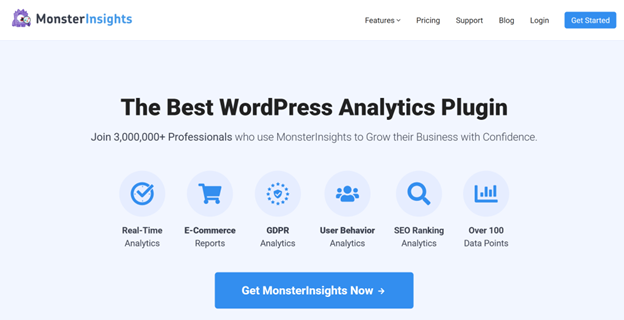
MonsterInsights connects your WooCommerce store to Google Analytics 4 without you editing a single line of code. More importantly, it shows the eCommerce reports inside WordPress – so you see revenue, top products, conversion rate, and traffic sources without leaving the dashboard.
Key features:
- Google Analytics 4 setup in a few clicks
- Enhanced eCommerce tracking (add-to-cart, checkout, purchases)
- Top products and conversion sources inside WP admin
- Form conversion tracking
- Search Console integration
- Custom dimensions (author, category, post type)
Pricing:
- Free (Lite): Basic GA4 integration – available on org
- Pro: Starts at $99.60/year (Plus plan) – view pricing
Best for: Store owners who look at data once a week but don’t want to learn the GA4 interface.
12. Customer Reviews for WooCommerce – Best for Verified Reviews
Product reviews sell products. 93% of consumers say online reviews affect their purchasing decisions, and the default WooCommerce reviews are… basic. Customer Reviews for WooCommerce by CusRev fills every gap.
Key features:
- Automated review reminder emails after purchase
- Photo and video reviews
- Q&A on product pages
- Aggregated review display widgets
- Reviews schema for Google rich results
- All-in-one review forms with rating breakdowns
- Import reviews from other platforms (CSV)
Pricing:
- Free: Review reminders, photo reviews, Q&A – available on org
- Premium: Starts at $59.99/year – view pricing
Best for: Stores that sell physical products where social proof is what closes the sale.
Pro Tip: Offer a small reward (5% off, 50 loyalty points) for a photo review instead of a text-only one. Photo reviews drive 3-5x more conversion than plain stars.
Visit Customer Reviews for WooCommerce →
13. Elementor – Best for Custom Page Design

Elementor lets non-designers build pretty landing pages, product pages, and checkout layouts without touching code. It powers over 5 million active WordPress sites and integrates natively with WooCommerce through its Pro widgets.
Key features:
- Drag-and-drop page builder
- WooCommerce Builder – custom product page, shop page, cart, and checkout layouts
- 100+ pre-built widgets
- Theme builder (headers, footers, 404, archive)
- Popups (exit-intent, timed, scroll-triggered)
- Responsive design controls per breakpoint
- Dynamic content (pull from custom fields)
Pricing:
- Free: Basic page builder with 40+ widgets – available on org
- Pro: Starts at $59/year (Essential plan) – view pricing
Best for: Stores with brand-heavy landing pages, seasonal campaigns, or custom sales pages.
14. FiboSearch – Best for Product Search
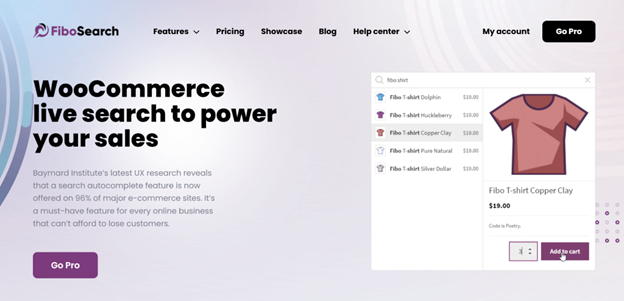
WooCommerce’s default search is weak. It doesn’t search by SKU, doesn’t show product images in the dropdown, and isn’t fast on large catalogs. FiboSearch replaces it with a smart, AJAX-powered search bar that feels like Amazon’s.
Research from Nosto shows that users of on-site search convert at 4-6x the rate of non-searchers – so broken search is revenue left on the table.
Key features:
- AJAX live search with product images and prices
- Search by title, SKU, category, tag, or content
- Typo tolerance
- Suggestions and popular searches
- Analytics – see what shoppers actually search for
- Works with 300,000+ products without lag (Pro)
Pricing:
- Free: AJAX search with basic settings – available on org
- Pro: Starts at $89/year for a single site – view pricing
Best for: Stores with 100+ products where search bar use is high.
15. ShipStation – Best for Shipping & Order Fulfilme
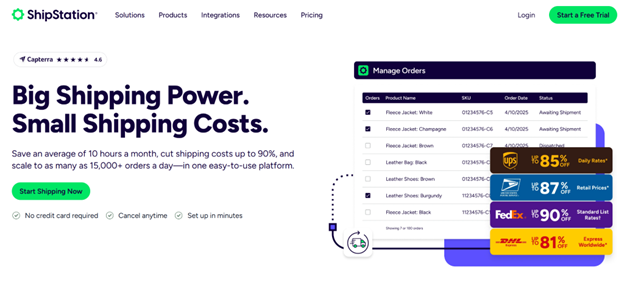
Once you hit ~50 orders a day, manual shipping labels become a full-time job. ShipStation connects your WooCommerce store to USPS, UPS, FedEx, DHL, and 40+ other carriers – and batch-prints labels with discounted rates.
Key features:
- Multi-carrier shipping with discounted rates
- Batch label printing
- Automated shipping rules (apply service based on weight, destination, product)
- Tracking emails to customers
- Returns portal
- International customs forms
- Multi-store support (run WooCommerce + Etsy + Shopify in one panel)
Pricing:
- No free version. Starts at $9.99/month (Starter plan, 50 shipments/month) – view pricing
Best for: Stores shipping more than 20 orders a day or using multiple carriers.
How to Pick the Right Combination
You don’t need all 14 right away. Here’s how I’d sequence them:
New store (launching now):
- Rank Math SEO
- UpdraftPlus
- Wordfence
- WP Rocket
- Discount Rules for WooCommerce
- WPForms
Growing store ($5k–$50k/month): Add WPLoyalty, UpsellWP, Customer Reviews for WooCommerce, and MonsterInsights.
Scaling store ($50k+/month): Add FunnelKit, FiboSearch, Elementor Pro, and ShipStation.
Start with the bottom of the funnel (speed, SEO, security, backup) – then layer on conversion tools. A loyalty program with no traffic doesn’t reward anyone.
Final Thoughts
The “must-have” list isn’t really 14 plugins – it’s 14 jobs. You need something that handles discounts, something that handles reviews, something that handles speed, something that handles backups. Pick one plugin per job, keep the total install count under 25, and review quarterly to remove anything you stopped using.
If you only do one thing after reading this: install a backup plugin tonight. Everything else can wait until next week. Your backup can’t.
Once your foundation is solid, the plugins that really move the revenue needle are the three at the top of this list – Discount Rules for WooCommerce for promos, WPLoyalty for repeat purchases, and UpsellWP for AOV. Those three together will typically lift a mid-sized WooCommerce store’s revenue by 20-40% within the first 90 days.
Now go pick two from this list, install them this weekend, and see what happens.
FAQ: Must-Have WooCommerce Plugins
How many plugins should a WooCommerce store have?
Aim for 20-30 quality plugins maximum. More than that and you’ll start seeing speed and conflict issues. The number matters less than the quality – a well-coded store with 35 plugins will outperform a messy store with 12.
Do I need a free or paid WooCommerce plugin?
Start with free versions to test the fit. Upgrade to premium when you need a specific feature the free tier is missing – not because the “Pro” badge looks official. Most of the plugins in this list have generous free tiers that cover the first 3-6 months of store life.
Will installing too many plugins slow down my WooCommerce store?
Only if they’re poorly coded or duplicate each other’s work. A well-coded plugin that you actually use has a near-zero speed impact. The real killers are abandoned plugins, outdated ones, and multiple plugins doing the same job (two caching plugins, two SEO plugins, etc.).
What’s the most important WooCommerce plugin to install first?
Backups. UpdraftPlus before anything else. After that, it’s usually a discount plugin (Discount Rules), SEO (Rank Math), caching (WP Rocket), and security (Wordfence).
Are free WooCommerce plugins safe to use?
The ones in the WordPress.org repository are scanned for malware, but quality varies. Stick to plugins with 10,000+ installs, a 4.5+ rating, and recent updates (last 3-6 months). Avoid nulled or “cracked” premium plugins – they’re the #1 source of malware in WooCommerce sites.
Can I switch plugins later without losing data?
Most plugins let you export data (discounts, forms, products) before you leave. Some don’t, which is why test-driving a plugin on a staging site for 2-3 weeks before committing is worth the effort.