...
UK: +44 2038074555 info@atamgo.com
YouTube SEO: The Untapped Search Engine Your E-commerce Brand Is Ignoring

YouTube SEO: The Untapped Search Engine Your E-commerce Brand Is Ignoring

YouTube SEO

In the relentless pursuit of search visibility, most e-commerce brands fixate on a single battlefield: Google’s traditional web results. They optimize product pages, build backlinks, and chase featured snippets with laser focus. Yet they’re overlooking the second-largest search engine in the world—one that drives over 1 billion hours of daily watch time and increasingly dominates Google’s own search results pages.

YouTube isn’t just a social media platform. It’s a search engine with its own complex ranking algorithm, massive discovery potential, and the unique ability to build trust in ways text-based content never could. For e-commerce brands serious about dominating their market, YouTube SEO represents one of the last remaining channels with genuinely underpriced attention.

The question isn’t whether your brand should invest in YouTube optimization. It’s whether you can afford to let your competitors own that space while you sit on the sidelines.

The Search Landscape Has Already Shifted

Google’s search results pages no longer look like they did five years ago. Video carousels dominate queries with high commercial intent. Product searches increasingly surface YouTube reviews and unboxings above traditional e-commerce category pages. Instructional queries default to video tutorials.

The data tells a clear story:

  • 70% of consumers say they’ve purchased from a brand after seeing their content on YouTube
  • Video results appear in 62% of Google searches, with YouTube dominating video rankings
  • YouTube drives 62% more engagement per post than Facebook
  • Shoppers who view product videos are 1.81x more likely to purchase than non-viewers

Traditional SEO practitioners obsess over fractional improvements in click-through rates or shaving milliseconds off page load times. Meanwhile, YouTube offers a relatively underoptimized channel where high-quality content can still achieve visibility without the crushing competition found in traditional search.

Why E-commerce Brands Fail at YouTube (And What That Means for You)

Most e-commerce companies approach YouTube the way they approach Instagram: as a place to post product highlights and hope for viral lightning. They upload sporadically, ignore optimization entirely, and wonder why their videos languish with double-digit view counts.

This widespread incompetence is your opportunity.

YouTube’s algorithm doesn’t reward randomness or production budget. It rewards signals that indicate value to viewers: watch time, engagement rate, click-through rate from impressions, and session duration. These metrics are entirely within your control through strategic content creation and proper optimization.

The Production Quality Myth

You don’t need a film crew or Hollywood production values. Some of the highest-performing product content on YouTube comes from authentic, information-dense videos shot on smartphones. What matters is providing genuine value—answering questions, solving problems, and demonstrating applications that help viewers make decisions.

Consider the performance disparity: a meticulously produced 60-second brand video might generate 5,000 views, while a straightforward 8-minute product comparison or tutorial can accumulate 500,000 views over time. The difference isn’t production quality—it’s search intent alignment and optimization.

The YouTube SEO Framework That Actually Works

Effective YouTube SEO follows a systematic framework that mirrors traditional search optimization while accounting for platform-specific ranking factors.

Keyword Research Beyond the Obvious

YouTube’s search and discovery systems rely heavily on metadata interpretation. Your optimization starts with understanding exactly what your potential customers are searching for—and how they phrase those queries on YouTube specifically.

This requires going beyond traditional keyword research:

  • Use YouTube’s autocomplete to identify commonly searched query variations
  • Analyze competitor video titles that rank for your target terms
  • Study comment sections to understand what questions viewers actually ask
  • Monitor trending searches within your category using YouTube Studio insights

The goal is identifying keywords with sufficient search volume, manageable competition, and clear purchase intent. A video optimized for “how to choose running shoes for flat feet” will outperform generic brand content every time—because it answers a specific question people are actively searching for.

Title Optimization: Front-Loading Value

Your video title serves three masters: the algorithm, search intent, and click-through psychology. Effective titles accomplish all three:

  • Lead with primary keywords to signal topic relevance to YouTube’s algorithm
  • Include secondary keywords naturally without sacrificing readability
  • Create curiosity gaps that encourage clicks while accurately representing content
  • Stay under 60 characters when possible for full visibility in search results

Poor title: “Our New Product Launch | Brand Name 2025” Strong title: “Complete Guide: Choosing Kitchen Knives for Home Cooks [Beginner-Friendly]”

The difference in discoverability is exponential.

Description Optimization: The Overlooked Asset

Most brands treat descriptions as an afterthought, copying a generic product pitch across every video. This wastes one of YouTube’s most valuable optimization opportunities.

YouTube reads the first 200 characters of your description to understand video context. Structure descriptions strategically:

  1. First 2-3 sentences: Summarize video value with primary keywords
  2. Timestamp breakdown: Improve user experience and signal comprehensive coverage
  3. Related keywords: Include semantic variations naturally throughout
  4. Links and CTAs: Drive traffic to product pages, related videos, and offers
  5. Hashtags: Include 3-5 relevant hashtags for additional discovery paths

The description isn’t marketing copy—it’s machine-readable context that directly impacts ranking and suggested video placement.

Thumbnail Psychology: Winning the Click

YouTube serves videos to users based on relevance, but users decide what to watch based on thumbnails. Your thumbnail is the make-or-break moment that determines whether optimization efforts convert to views.

Effective thumbnails follow consistent principles:

  • High contrast that stands out in crowded feeds
  • Readable text even at mobile sizes (6-8 words maximum)
  • Faces showing emotion when appropriate to create human connection
  • Brand consistency while avoiding template monotony
  • Visual curiosity that complements title intrigue

A/B testing thumbnails after upload (within the first few days) can dramatically improve video performance, as YouTube weights early engagement heavily in long-term ranking.

Advanced YouTube SEO Tactics for Competitive Niches

Once fundamentals are solid, advanced tactics separate good performance from market domination.

Playlist Architecture for Session Duration

YouTube’s algorithm increasingly prioritizes session duration—keeping viewers on the platform across multiple videos. Strategic playlist creation turns individual videos into continuous viewing experiences:

  • Create thematic playlists that guide viewers through related content
  • Order videos strategically to maintain engagement and encourage binge-watching
  • Optimize playlist titles and descriptions for search visibility
  • Use playlists to rank for broader keywords than individual videos target

Brands that master playlist architecture see substantial increases in overall channel authority and individual video rankings.

The Chapter Strategy

Video chapters (timestamps in descriptions) improve user experience while providing additional keyword opportunities. Each chapter title can include relevant keywords, creating multiple entry points for different search intents within a single video.

Chapters also improve viewer retention by allowing audiences to navigate directly to relevant sections, reducing abandonment and improving average view duration—a critical ranking signal.

Cross-Platform Amplification

YouTube videos don’t exist in isolation. Strategic amplification across channels accelerates initial engagement, which YouTube’s algorithm interprets as a quality signal:

  • Embed videos in relevant blog content on your e-commerce site
  • Share on social platforms with native previews and compelling hooks
  • Include video links in email newsletters to engaged subscribers
  • Create short-form clips for TikTok and Instagram Reels that drive traffic to full videos

This cross-pollination isn’t just about views—it’s about generating the early engagement velocity that triggers YouTube’s recommendation algorithm.

The Managed Services Advantage

The strategic gap between understanding YouTube SEO and executing it consistently is where most brands falter. YouTube requires ongoing content creation, optimization, community management, and performance analysis—all while maintaining quality standards that drive results.

This is where specialized YouTube SEO services provide competitive advantage. Professional YouTube management encompasses:

  • Comprehensive keyword research across your product categories and customer pain points
  • Content strategy development aligned with search intent and purchase journey stages
  • Technical optimization of every video element for maximum discoverability
  • Thumbnail design and testing to maximize click-through rates
  • Performance tracking with actionable insights for continuous improvement
  • Channel authority building through strategic content calendars and audience engagement

The ROI calculation is straightforward: if YouTube visibility generates even a fraction of the revenue that traditional SEO delivers, the channel deserves proportional investment. Yet most brands allocate 90% of their SEO budget to web search while ignoring video entirely—a strategic misallocation that competitors can exploit.

Measuring What Matters

Vanity metrics plague YouTube marketing. Views and subscribers feel important but don’t directly correlate with business outcomes. Focus instead on metrics that connect to revenue:

Traffic Quality Metrics:

  • Click-through rate from videos to product pages
  • Conversion rate of YouTube-referred traffic
  • Average order value from video traffic
  • Customer acquisition cost via YouTube

Platform Performance Metrics:

  • Average view duration (retention rate)
  • Click-through rate from impressions
  • Suggested video appearance rate
  • Search ranking for target keywords

These metrics reveal whether your YouTube presence is building a genuine marketing asset or just accumulating empty views from audiences that never convert.

Integration with Broader SEO Strategy

YouTube SEO doesn’t replace traditional optimization—it amplifies it. The most sophisticated e-commerce brands build integrated multichannel strategies where video and web content reinforce each other:

  • Embed product videos in e-commerce category and product pages to improve on-site engagement
  • Link from video descriptions to relevant blog content, creating bidirectional traffic flows
  • Use video transcripts as foundation for blog posts, maximizing content ROI
  • Create video content addressing questions identified through web search analysis
  • Build topical authority across both platforms to dominate entire customer research journeys

When web and video strategies align, the compounding effect on organic visibility exceeds what either channel achieves independently.

The Window Is Closing

YouTube remains relatively underoptimized compared to traditional search, but this won’t last. As more brands recognize video search’s importance, competition will intensify, and early-mover advantages will evaporate.

The brands that establish strong YouTube presence now—building libraries of optimized content, accumulating channel authority, and training algorithms on their content patterns—will hold defensible advantages over late entrants struggling to gain traction in saturated markets.

Stop Leaving Money on the Table

Every day your e-commerce brand operates without a strategic YouTube presence is a day competitors claim market share you could own. The platform offers unprecedented opportunities for building trust, demonstrating product value, and capturing purchase-intent traffic that traditional web results increasingly miss.

The question isn’t whether YouTube SEO matters for e-commerce. The data settled that debate years ago. The real question is whether you’ll invest in video optimization before your competitors build insurmountable advantages—or whether you’ll spend the next five years playing catch-up in a channel that could have been yours to dominate.

The search landscape has already changed. Your strategy needs to change with it.

7 Secret Tricks to Instagram User Lookup (And The Real Reason You Can’t Find That Account)

7 Secret Tricks to Instagram User Lookup (And The Real Reason You Can’t Find That Account)

instagram user lookup

Instagram user lookup frustration is practically a rite of passage for social media users these days. We’ve all been there: you know a friend’s first name, or maybe you vaguely remember part of their old username from five years ago, but the moment you punch those details into the search bar, you hit a wall. It’s like searching for a single grain of sand on a digital beach, especially when you’re trying to find an old contact or figure out how to find old Instagram accounts. The good news is, for every digital wall, there’s a secret digital ladder. Forget the endless scrolling and the basic searches; we’re diving into the techniques the pros use. By the time we’re done, you’ll not only know the seven most powerful secret tricks, but you’ll also understand the real reason your straightforward searches are failing you. Get ready to become a lookup legend.

This guide is part of our Instagram Tools series, which explains how Instagram utilities work in 2026:  Instagram Tools 

Find More: 7 Shocking Facts About StoriesDown (Instagram Won’t Tell You This!)

The Core Problem—Why Your Searches Fail (The “Real Reason”)

Let’s be honest: when you can’t find someone, the first instinct is to blame the algorithm, or yourself for having a terrible memory. While algorithms definitely play a part, the core reason your simple searches fail is actually quite fundamental, and it has everything to do with how Instagram protects its massive database—and sometimes, how users protect (or hide) themselves. If you’re trying to run an instagram user lookup using just a name, you are fighting against the entire system.

The Hidden Voids: Understanding Deactivated, Shadow-Banned, and Private Accounts

instagram

The most common reason a profile goes missing is simple availability. If an account is deactivated, it’s temporarily gone. Instagram removes it from search results entirely, making it virtually undetectable until the user logs back in. If the account is deleted, it’s even harder, though we’ll get to caching tricks later.

Then there are private accounts. While they are usually searchable by exact username, you can’t see their followers or posts, which cuts off crucial investigative pathways. Most frustrating is the rumored shadow ban. While Instagram often denies its existence, when an account is systemically deprioritized for violating community guidelines (like using too many banned hashtags or engaging in bot-like activity), that account’s posts and profile may simply stop showing up in hashtag feeds, explore pages, and even in normal user searches. From your perspective, that user has simply vanished.

The Simple Mistake: Relying Solely on the App’s Internal Search Bar

Instagram’s search function is designed for precision, not forensics. It excels when you know the exact, current username or a well-used nickname in the bio. But the moment a user changes their name—which can happen repeatedly—the platform forgets their old identity. The internal search is fantastic for current connections, but terrible for digging up history. It is also completely useless if you want to perform a direct instagram user id number lookup, as the app hides these unique identifiers from general view. The app focuses on displaying the display name and username, which are fluid, rather than the permanent metadata required for deep searching.

The Key to Success: Shifting from Username Hunting to Metadata Cross-Referencing

The core takeaway here is that you need to stop focusing on the user’s current username, which is disposable, and start looking for the immutable metadata associated with their account. Every single Instagram account has a permanent, unique numerical identifier—an instagram user id number lookup won’t work in the app, but that unique number exists. Think of the username as the account’s street address (which can change) and the User ID as the social security number (which never changes). When we use the “secret tricks” in the next section, we are essentially trying to cross-reference other people’s metadata (their followers, tags, comments) or external search engine metadata to find that permanent link, bypassing the flaky in-app username search.

The 7 Secret Tricks to Advanced Instagram User Lookup

Now that we understand why the app lets us down, let’s get into the heavy lifting. These tricks involve leveraging data outside of the Instagram app itself, or using the app in unexpected ways to force a connection.

Trick 1: The Google Dorking Hack (Using External Search Engines to Win)

Instagrammer

This is hands-down the most powerful tool in your instagram user lookup arsenal. Why? Because Google has a much longer, more persistent memory than Instagram. When Google crawls the web, it keeps cached copies of pages and indexes profiles, even after they’ve been deactivated or renamed.

The trick lies in using “Google Dorking,” which is just a fancy term for using specific search operators to narrow your results.

The Golden Query: site:instagram.com "Full Name or Old Username" -stories -reels

  • site:instagram.com: This tells Google only to look on Instagram’s domain.
  • "Full Name or Old Username": The quotation marks ensure Google searches for that exact phrase.
  • -stories -reels: This cleans up the results by excluding ephemeral content, focusing only on permanent profile pages.

If you are trying to do a technical instagram lookup user id search, you can sometimes find forums or external websites (like follower analytics sites) that indexed a profile using its unique ID number. Searching with this permanent ID can yield results even when the username is long gone. While you’ll rarely get the actual instagram user id number lookup to produce a user in the Instagram app, Google Dorking can sometimes lead you to a page that mentions or links to that ID.

Trick 2: The Contact Sync “Cheat Code” (Finding Users via Phone & Email Data)

While you can’t type a phone number directly into the Instagram search bar—a huge privacy win for users—Instagram provides an internal “Find Friends” function that does exactly that behind the scenes. This is the official and most successful method for using phone and email data for a lookup.

How to Execute the Sync:

  1. Make sure the target person’s phone number or email is saved correctly in your device’s contacts list.
  2. Open the Instagram app, go to your Profile tab, and tap the three-line Menu (Hamburger Menu).
  3. Go to Settings and Privacy > Account Center (at the very top).
  4. Navigate to Your information and permissions > Upload contacts.
  5. Turn on the Connect contacts setting for your Instagram profile.

Once synced, Instagram cross-references your stored contacts against every number and email address linked to an account on their platform. The profile you’re looking for will often appear almost immediately in your suggested users list under Discover People. This works even if they have a bizarre, unsearchable username because the system relies on the core contact metadata, not the display name.

Trick 3: Reverse Lookup: Checking Connected Social Media Profiles (Twitter & Facebook)

People are creatures of habit, especially with usernames. Most users keep a consistent moniker across platforms. If you have any luck finding the person on Twitter, TikTok, LinkedIn, or Facebook, check their profile links or the display names they use there.

The Reverse Lookup Flow:

  1. Find the person on a non-Instagram platform (e.g., JaneDoe1985 on Twitter).
  2. Search JaneDoe1985 on Instagram. Even if the username is slightly different (e.g., JaneDoe_1985), the core brand is often the same.
  3. Crucially, check the profile’s “About” section on the other platform. Often, people link their current Instagram profile right there. This is a manual instagram user lookup that bypasses the algorithm entirely by using public cross-platform data.

Trick 4: The Tagging History Analysis (Where Else Have They Been Tagged?)

If you can find anyone connected to the missing user—a spouse, sibling, coworker, or mutual friend—you might be able to find a historical tag. This is particularly effective for finding profiles that have changed usernames multiple times.

  • Go to a connected user’s profile (someone you know they interact with).
  • Search through that person’s old posts or, better yet, check the Tagged Posts section on the profile.
  • The missing user might be tagged in an old photo. Even if they’ve changed their username, clicking on the tag in the photo will usually link you directly to their current profile, regardless of the name change. This is essentially a permanent, deep-linked instagram lookup user id because the tag is linked to the immutable ID, not the changeable username.

Trick 5: The “Mutuals Network” Strategy (Hunting Through Shared Follower Lists)

If you know the missing person followed a specific celebrity, brand, or public figure at the same time you did, you can use this shared connection to find them. This requires patience, but it works surprisingly well for profiles that are otherwise invisible.

  1. Go to the shared public account (e.g., a high-school sports team, a local business, or a popular influencer).
  2. Open that public account’s Followers list.
  3. Use the search bar within the Followers list to search for the person’s real name, display name, or any part of their old username you can remember. Since this list is smaller and more targeted than the general Instagram search, it often reveals results the main bar misses. It limits the instagram user lookup pool dramatically.

Trick 6: Decoding the Nickname Factor (Searching Common Variations and Aliases)

The first thing people search is usually the full name. The second thing they search is the first name and last name initial. But you need to get creative and think like the missing user.

  • Think Like Them: Did they use their middle name? A nickname from childhood? Did they add their graduation year, birth year, or favorite sports team to the end of their name (_98, _Mets)?
  • Username Changes: When people change names, they often simply add a period, underscore, or double the letter at the end (JaneDoe becomes Jane_Doe or JaneeDoe). Test every common variation you can think of.

Trick 7: Unlocking Archive and Web Caching Tools (The Last-Resort Discovery Method)

This is the nuclear option, but essential for finding truly old or deleted accounts. If the account existed long enough to be indexed by a public archiving service, you might be able to find a snapshot of their old profile.

The most common tool is the Wayback Machine (archive.org).

  1. If you can remember the old, exact username (e.g., @CoolKid2000).
  2. Go to the Wayback Machine and type the URL: https://instagram.com/CoolKid2000/.
  3. The archive might have taken a snapshot of that page years ago, showing you the profile picture, display name, and bio before the account was deleted or deactivated. This snapshot can give you the current real name or location needed to successfully run another instagram user lookup using the Contact Sync or Google Dorking methods.

Final Strategy: Never Fail an Instagram User Lookup Again

You now have a deep toolbox, but a plan is just as important as the tools. The most successful instagram lookup user id experts follow a deliberate, hierarchical workflow.

Combining Methods: A 3-Step Workflow for Maximum Success Rate

If you’re serious about finding an account, stop randomly trying variations and use this structured approach:

  1. Level 1: Internal Metadata Cross-Reference (The Quick Wins): Start by using Trick 2 (Contact Sync) and Trick 4 (Tagging History). These leverage private connections and permanent internal metadata (the hidden user ID), yielding the quickest results if the link exists.
  2. Level 2: External Indexing Search (The Deep Dive): If Level 1 fails, move to Trick 1 (Google Dorking) and Trick 3 (Reverse Lookup on other platforms). This uses the immense indexing power of Google and the consistency of the user’s online identity to uncover forgotten links or old profile URLs. This is often the best shot at finding a profile based on a former instagram user id number lookup that was somehow cached externally.
  3. Level 3: Archival and Network Expansion (The Last Resort): If all else fails, deploy Trick 7 (Archival/Caching) and Trick 5 (Mutuals Network). These are labor-intensive but can resurrect information from years ago or find the person through highly specific shared connections that the algorithm overlooks.

The Ethical Line: When to Stop Searching (Understanding Privacy)

We have to talk about responsibility. These techniques are powerful, but they shouldn’t be used to harass, stalk, or violate someone’s privacy. If you use all seven tricks and still cannot find an account, you must respect the possibility that the user either:

a) Permanently deleted their digital footprint. b) Has intentionally blocked you. c) Has chosen an extremely private configuration.

If a profile is set to Private and you can’t find a mutual contact to ask for an introduction, the ethical choice is to back off. The goal of an instagram user lookup should be connection, not invasion. Always search with good intentions and respect the digital boundaries you discover.

Find More: Boost Your Sales With SEO Services

FAQs

1. Can I find an Instagram account using only a phone number or email?

Yes, but not directly through the main search bar. Instagram prohibits direct search by contact information for privacy reasons. However, you can leverage the Contact Sync feature (Trick 2) within the Instagram app. If the person has linked that specific phone number or email to their current Instagram account, syncing your contacts will almost certainly reveal their profile in your “Discover People” suggestions. This is the only official, reliable way to use contact data for an instagram user lookup.

2. How long does Instagram keep information on deleted accounts?

When you submit a request to permanently delete your Instagram account, the platform typically gives you a grace period (usually 30 days) to log back in and cancel the request. After this period, the deletion process begins. It can take up to 90 days for all of your posts, comments, likes, and profile information to be completely removed from Instagram’s live systems. Copies of the data may remain in backup storage for longer (up to a year or more) for legal, security, or disaster recovery purposes, but this data is not accessible to the public or even the internal search function. This is why Google’s cache (Trick 1) and external archives (Trick 7) are sometimes the only way to find traces of an old profile.

3. What is “Shadow Banning” and how does it affect my Instagram user lookup?

“Shadow banning” is the unofficial term for when Instagram’s algorithm severely limits the visibility of an account or its content without notifying the user. While Instagram doesn’t officially confirm the term, the effect is real: the account’s posts won’t appear in hashtag feeds or the Explore page, and, crucially, the account itself may be deprioritized in search results. If you are trying to find an account that has a low follower count and is shadow-banned, your instagram user lookup may fail entirely because the algorithm is actively pushing that profile to the bottom of the search list, making it virtually invisible unless you type in the exact username.

4. Is it legal to use third-party tools for user search?

The legality depends heavily on the tool and your location. Using public search engines with operators (Google Dorking, Trick 1) is absolutely legal, as you are only accessing information that Instagram itself has marked as publicly indexable. However, tools that promise a full instagram lookup user id or that require you to log in using your Instagram credentials to perform non-official searches or scrape data are almost always a violation of Instagram’s Terms of Service (TOS). While violating TOS isn’t necessarily a crime, it can lead to your own account being permanently banned. Stick to the official app functions (like Contact Sync) and public search methods to stay safe and ethical.

Tags:

Anonymous TikTok Viewer: What’s Still Possible in 2026?

Anonymous TikTok Viewer: What’s Still Possible in 2026?

Introduction: Why You Need an Anonymous TikTok Viewer in 2025

Anonymous TikTok viewer: If you’ve ever wanted to check out a competitor’s profile, revisit an ex’s content, or just browse the infinite scroll without leaving a digital footprint, you’ve probably searched for how to be an anonymous tiktok viewer. In 2025, maintaining true privacy online is harder than ever, and TikTok, with its constant feature updates, has made casual snooping a thing of the past.

This guide is part of our TikTok Tools series, where we explain how TikTok utilities work in 2026.

Link: TikTok Tools

The days of simply browsing and assuming no one knew you were there are long gone. Whether you’re a curious business analyst checking out trends or just a private person who doesn’t want their viewing habits linked to their profile, the need for a solid strategy to view tiktok anonymously has never been more critical. This isn’t just about hiding from individual users; it’s about managing your digital identity in an increasingly tracked environment.

Find More: 7 Genius TikTok Thumbnail Downloader Tools That Actually Work in 2026

The Rise of the “Post View History” Feature and Privacy Concerns

TikTok has dramatically shifted its privacy landscape with the introduction and increasing focus on features like “Profile View History” and, more recently, “Post View History.” If both you and the content creator have these features enabled, they can see exactly when your main account viewed their profile and their videos. This is a massive shift away from the anonymous scrolling that many users loved. This feature is often on by default or easily toggled on, instantly eliminating your privacy blanket. Suddenly, that quick peek at a crush’s profile becomes a digital notification that says, “Hey, [Your Name] was here!” For those who value discretion, learning to operate as a tiktok anonymous viewer is essential to avoid unwanted notifications and interactions.

tiktok

Understanding the True Meaning of Being an “Anonymous TikTok Viewer” (The Long-Tail: How to Watch TikTok Videos Without an Account)

When people ask, “How do I view tiktok anonymously?” they usually mean two things: stopping individual users from seeing them, and preventing TikTok’s powerful algorithm from tracking and profiling their activity. The first is relatively easy; the second requires a bit more technical finesse. The goal isn’t just to hide your name; it’s to cut the connection between your device’s identity and your viewing habits. The long-tail search term—How to Watch TikTok Videos Without an Account—points directly to the simplest form of true anonymity, which we’ll cover in the official methods. But for real, untraceable browsing, we need to go deeper than just logging out. The following seven methods start simple and move into advanced, high-level privacy techniques.

The 3 Official Methods to Achieve Anonymous Viewing

These first three methods use TikTok’s own features or common sense strategies to protect your identity from other users. They are the easiest and fastest ways to become an anonymous tiktok viewer for day-to-day browsing.

Method 1: Toggling Off the Profile View History Setting

This is the bedrock of basic anonymity on the platform. If you haven’t done this, you’re not browsing privately. TikTok’s Profile View History feature is a reciprocal tool: if you have it on, you can see who views your profile, and others can see when you view theirs. Turning it off immediately stops you from showing up on other people’s visitor lists.

Note: This is the first and most crucial step for basic anonymity.

To check and disable this setting, you need to go into your account:

  1. Tap the Profile icon in the bottom-right corner.
  2. Tap the three-line menu (hamburger icon) in the top-right corner to open Settings and privacy.
  3. Under the Account section, look for Profile views (it often looks like a small eye icon).
  4. Toggle the Profile view history switch to the Off position.

The Catch: Remember, this is reciprocal. Once you turn it off, you lose the ability to see who has viewed your profile as well. For many, that’s a small price to pay for being a safe tiktok anonymous viewer. Also, be aware that Post View History (which shows who watched your videos) is a separate setting that should also be checked and turned off if you want to be completely stealthy.

Method 2: Browsing in “Guest Mode” on the Web Browser (No Login Required)

This method is perhaps the most reliable for achieving short-term, basic privacy because it ensures you have no account information whatsoever tied to your viewing session. When you view tiktok anonymously using a web browser, TikTok has zero profile data—no username, no avatar, and no profile history to log.

You have a couple of options here:

  1. Mobile Browser: Open your phone’s web browser (Chrome, Safari, etc.), and go to the TikTok website (tiktok.com). You will automatically be treated as a guest.
  2. Desktop/Laptop: This is the ideal way to browse in Guest Mode. Simply open your browser and navigate to tiktok.com. You can then search for users and watch videos without logging in.

Crucially, consider using your browser’s Incognito or Private Mode alongside this. While Guest Mode hides your TikTok identity, Private Mode ensures your browser doesn’t save cookies or local storage data that TikTok could use later to link viewing sessions to your device ID or IP address. Using an Incognito tab to access the website for a quick look is one of the most effective and free ways to be a true tiktok viewer anonymous. Just remember: you can’t comment, like, or follow while in Guest Mode.

Method 3: Using a Dedicated “Burner” or Secondary Account

zefoy tiktok

For those who want to view tiktok anonymously but still need to interact (like, comment, or follow) with creators without revealing their main identity, the solution is the “burner” account. This is a secondary account created solely for private, anonymous viewing.

How to Set it Up Right:

  • Avoid Real Info: Do not use your real name, birthday, profile picture, or any details that link back to your main account or other social media profiles.
  • Use a Separate Email/Number: Sign up using a disposable email address or a temporary phone number service. Crucially, never link your contacts list during signup.
  • Isolate Activity: Keep the burner account strictly separate. Don’t follow people you follow on your main account, and don’t interact with content that is radically different from your main account’s known interests. This prevents TikTok’s social graph analysis from connecting the two profiles.

While this doesn’t offer 100% technical anonymity (TikTok still knows the device ID and IP address of the account), it achieves 100% social anonymity. The user you are viewing sees a random, disconnected profile instead of you. This is a common and practical technique for marketers and competitive analysts who need to monitor trends discreetly.

4 Advanced Strategies for True, Undetectable Anonymity

The official methods are great for hiding from users, but they don’t stop TikTok’s sophisticated tracking algorithms (which use IP addresses, device IDs, and digital fingerprinting). If you need military-grade privacy, you need to step up your game. These four methods address true tiktok anonymous viewer needs.

Method 4: Utilizing Third-Party TikTok Viewer Tools (e.g., Urlebird, SnapTik)

For many people, the simplest way to get a full level of anonymity is to use a third-party tool. These websites and apps act as a perfect buffer. They scrape publicly available TikTok content and display it on their own platform. Since the content is viewed on the third-party site, your device never communicates directly with TikTok’s servers, meaning TikTok never receives a profile view notification, a post view log, or any IP address data associated with your session.

How online viewers offer a buffer between you and TikTok’s servers.

Examples of these tools (like Urlebird or SnapTik) are often marketed as downloaders, but their core function is enabling anonymous viewing. They are particularly useful if you are looking to be an anonymous tiktok story viewer. When a user posts a Story, TikTok strictly logs every viewer. By using a third-party site to view the Story’s content, the third-party site’s server is the only one recorded as the viewer, not you. This offers a simple, powerful layer of separation.

A word of caution: Always use reputable tools. Granting unnecessary permissions or downloading software from unknown sources can compromise your security, so stick to well-known, web-based options whenever possible.

Method 5: Employing a Proxy or VPN to Mask Your IP Address

If you are committed to keeping your viewing activity completely disconnected from your real-world location and identity, hiding your IP address is a non-negotiable step. Your IP address is your device’s digital street address, and TikTok logs it every time you connect. A VPN (Virtual Private Network) or a proxy server routes your internet traffic through a remote server, giving you that server’s IP address instead of your own.

Using a high-quality VPN allows you to browse TikTok anonymously, but it’s crucial to understand the limitations. While a VPN hides your IP, it does not hide your digital fingerprint (Method 6 addresses this). However, for basic professional research or geopolitical privacy needs, masking your IP is a vital step in being an effective tiktok anonymous viewer.

  • VPN Advantage: Encrypts all your internet traffic, offering the highest security.
  • Proxy Advantage: Can be configured per-app or per-browser, allowing you to use your regular connection for other tasks while your TikTok traffic is routed anonymously.

Method 6: Leveraging Anti-Detect Browsers for Digital Fingerprint Masking

This is the most advanced, high-level technique for achieving true anonymity. If you are serious about managing multiple anonymous accounts (for marketing, competitive intelligence, or privacy activism), you need to counter digital fingerprinting.

What is device fingerprinting and why is it the ultimate tracker?

TikTok, like many major platforms, doesn’t just rely on your IP address. It uses a collection of unique, device-specific data points—your screen resolution, operating system version, installed fonts, browser headers, time zone, language settings, and even tiny differences in how your graphics card renders images—to create a unique digital fingerprint. This fingerprint can track you across multiple logins, VPNs, and even cleared cookies.

Anti-detect browsers (like Multilogin or specialized tools) solve this by creating entirely new, unique, and isolated browser profiles. Each profile spoofs a different device fingerprint. To TikTok, every time you open a new profile, you appear as a brand new user on a brand new device in a potentially different location. Combined with a proxy or VPN, this method allows you to view tiktok anonymously with a near-zero chance of your activity being linked back to your original identity or device. This is the gold standard for high-stakes anonymity.

Method 7: Recording Live Streams to Watch Later (The Offline Method)

Live streams are the single most difficult piece of TikTok content to view anonymously. As highlighted in research, even scrolling past a live video for more than 30 seconds can sometimes register your name in the host’s viewer list, and joining the stream guarantees you will be seen.

The only foolproof way to watch a TikTok Live view tiktok anonymously is to not watch it live at all.

The offline method involves using screen recording software on your phone or computer to capture the live stream as it happens. This way, the software is capturing pixels on your screen, but there is no network communication with TikTok that logs your interaction as a “viewer.” You can then watch the saved video file at your leisure, completely outside the platform, making you an unlisted tiktok viewer anonymous for that specific live event. For critical, high-profile streams where absolute discretion is required, this is the safest path.

Conclusion: Reclaiming Your Privacy on TikTok

The desire to be an anonymous tiktok viewer is understandable in an age of pervasive tracking. While TikTok is constantly adjusting its features to encourage visibility, you now have a sophisticated playbook to reclaim your privacy. The journey starts simple, with flipping a single switch, and can extend to utilizing advanced proxy technology.

Summary of the Best “No-Trace” Strategy for Different User Types

User Type Goal Recommended Method(s)
Casual User Quick peek at an ex’s profile, no interactions. Method 1 (Turn off View History) + Method 2 (Browser Guest Mode).
Active Creator Needs to comment/like but hide their primary identity. Method 3 (Dedicated Burner Account) + Keep it disconnected from contacts.
Business Analyst Researching competitors and monitoring trends discreetly. Method 4 (Third-Party Viewer) + Method 5 (Proxy/VPN) for full session isolation.
Extreme Privacy Requires zero digital trace (device fingerprinting included). Method 6 (Anti-Detect Browser) + Method 5 (Proxy/VPN).

By combining these methods, you can effectively browse, research, and enjoy content without ever worrying about leaving a notification or digital footprint.

Find More: Boost Your Sales With SEO Services

FAQs

1. Does Logging Out of My Account Guarantee Anonymity?

Logging out of the TikTok app is an excellent step, but it doesn’t guarantee true anonymity. While it prevents your known profile name from appearing to users (achieving social anonymity), TikTok still logs your device’s IP address and uses device fingerprinting to track your activity. If you log back into your primary account later from the same device, TikTok can potentially connect the dots between your logged-out activity and your profile. To achieve technical anonymity, you must combine logging out with methods that mask your IP and digital fingerprint, such as a VPN or an anti-detect browser, as discussed in Methods 5 and 6.

2. Can I View Private Accounts Anonymously?

No. Unfortunately, no method, official or advanced, can allow you to view a private account without the owner’s explicit permission (i.e., being accepted as a follower). Private accounts are protected by TikTok’s server-side security. Third-party tiktok anonymous viewer tools can only display content that is publicly accessible. The only way to see content on a private account is to either follow them with your main account or follow them with a dedicated, anonymous burner account (Method 3) and wait for them to accept your request.

3. Do Anonymous Viewers Work for Live Streams?

Anonymous viewing is significantly harder for Live Streams. TikTok’s live stream tracking is highly sensitive, often listing viewers in real-time. Simply clicking into a Live guarantees your presence is logged. The two safest methods are: 1) watching the stream from the outside (scrolling past it without tapping in, but being careful not to linger, as even this can sometimes register a view), or 2) using Method 7: Recording Live Streams to Watch Later (The Offline Method). This latter method is the only way to be 100% certain you are not logged as a viewer.

4. Will TikTok Stop Recommending Content If I Browse Anonymously?

Yes, but it’s complicated. TikTok’s recommendation engine is incredibly powerful. If you are browsing entirely in Guest Mode (Method 2) or via a third-party tool (Method 4), the algorithm has no history of your likes and comments to draw from, so you’ll receive generic trending content. If you use a burner account (Method 3), the algorithm will start building a profile based on that account’s new behavior. If you are browsing via an anti-detect browser (Method 6) with a new fingerprint and IP, you will also be served content as if you were a brand-new user in that location. True anonymity means sacrificing hyper-personalized recommendations in favor of privacy.

Tags:

Discord PFP Viewer: How to View Full-Size Avatars (2026 Guide)

Discord PFP Viewer: How to View Full-Size Avatars (2026 Guide)

discord pfp viewer

Introduction: Discover the Best Discord PFP Viewer Tools in 2025

If you’ve ever found yourself wondering how to zoom in on someone’s Discord profile picture without it turning into a blurry mess, then you’re in the right place. A discord pfp viewer (profile picture viewer) is exactly what you need. These tools let you view Discord PFPs in full size and high resolution — no screenshots, no pixelated images, just a clear look at the avatar you want to see. Whether you want to admire a friend’s creative avatar, check out your own design, or simply satisfy your curiosity, the right pfp viewer Discord tool can make it quick and easy.

In this guide, I’ll walk you through 7 of the best, most reliable, and easiest-to-use Discord PFP viewers in 2025. These aren’t random websites I found online — they’re trusted, safe, and actually work. Let’s jump straight in!

Find More: 7 Genius Ways to Download Anyone’s WhatsApp Profile Picture (Fast & Easy!)

1. ToolsCord — The Easiest Way to View Full-Size PFPs

If you’re looking for something clean, simple, and effective, ToolsCord is your go-to. It’s one of the most popular Discord PFP viewers for a reason.

Key Features and Advantages

  • Instantly loads any Discord profile picture in full resolution.
  • Works just by entering a username or user ID.
  • No ads, no confusing buttons, no signup needed.

How to Use It Step-by-Step

  1. Go to ToolsCord.com
  2. Paste the user’s ID or tag.
  3. Hit search — and boom, the full PFP appears.

It’s honestly one of the smoothest tools to view Discord PFP in seconds.

2. ProfilePicturePreview.com — Fast, Clean, and Privacy-Focused

Next up is ProfilePicturePreview.com. This one stands out for its speed and no-nonsense design. It doesn’t track you or store any data, so privacy-conscious users love it.

Why It’s a Popular Choice

  • Extremely fast loading speed.
  • Fully optimized for both mobile and desktop.
  • No ads or popups to slow you down.

Best Use Cases

It’s perfect for people who want a discord pfp view without worrying about cookies or account access. Just paste the ID and go.

3. PFPFinder.com — Simple Yet Powerful

pfpfinder

pfpfinder.com might not look fancy, but don’t let that fool you. It’s incredibly reliable and gets the job done.

User Experience Overview

  • Minimal interface with a focus on speed.
  • Works even with users who have custom animated avatars.
  • Supports PNG, JPG, and GIF formats.

Pros and Cons

Pros: No signup, instant results, supports all Discord avatars.
Cons: Not as modern-looking as other options.

Still, it’s one of the oldest and most trusted tools for Discord PFP view.

4. DiscordLookup — More Than Just a PFP Viewer

DiscordLookup

DiscordLookup is way more than just a discord pfp viewer. It’s a multipurpose tool that lets you check detailed user information, including their join date, profile banner, and more.

Hidden Features That Make It Stand Out

  • See not only PFPs but also server and user details.
  • Displays both animated and static avatars.
  • You can even look up users by ID alone.

How to Use DiscordLookup for PFPs

  1. Visit DiscordLookup.com
  2. Enter the Discord user ID.
  3. Scroll down to view their full-size profile picture and other details.

If you’re a curious type who likes exploring beyond just avatars, this one’s a gem.

5. Inspect Element Method — View PFPs Without Any Tool

Alright, here’s a fun trick for the tech-savvy. You can actually view Discord PFPs directly using your browser’s developer tools — no third-party website needed.

Quick Manual Method Explained

  1. Right-click the user’s profile picture on Discord.
  2. Choose “Inspect Element.”
  3. Look for the image URL in the code (it usually ends with .png or .gif).
  4. Copy and paste it into a new tab.

This method might sound geeky, but once you try it, you’ll realize it’s the most direct way to view Discord PFP in its original size.

When to Use This Trick

If you don’t want to rely on any external website or tool, this is your go-to solution. Totally private, totally manual.

6. Mobile-Friendly Discord PFP Viewer Apps

Sometimes you’re on the go and don’t want to deal with browsers. That’s where mobile apps come in handy. While most online viewers work fine on mobile, a few apps make the experience even smoother.

Best Options for Android and iOS

  • PFP Viewer for Discord (Android) – Available on Google Play. Lets you view and download any Discord avatar in HD.
  • Discord Avatar Viewer (iOS) – Lightweight and clean design, perfect for quick lookups.

Things to Keep in Mind

Always read app reviews and check permissions. Avoid any app that asks for your Discord login info — legit viewers never need that.

7. Discord User ID Trick — View Hidden Profile Pictures

Did you know you can view Discord PFPs just by using a user’s ID? Yep, Discord gives every account a unique numeric ID, and with a small tweak, you can use it to open their avatar in full size.

How to Use a Discord ID to Access Avatars

  1. Go to Discord and enable Developer Mode from Settings > Advanced.
  2. Right-click on a user and copy their ID.
  3. Paste it into this URL:
    https://cdn.discordapp.com/avatars/USER_ID/AVATAR_ID.png?size=4096

Replace USER_ID and AVATAR_ID with the actual numbers from their profile. Paste that link into your browser, and voila — full-size avatar!

Safety and Privacy Considerations

This method is 100% safe since you’re just using Discord’s official CDN. You’re not breaking any rules or exposing data.

How to Choose the Right Discord PFP Viewer for You

Not all PFP viewers are made equal. The right one depends on what you value most — speed, design, privacy, or extra features.

Factors to Consider: Speed, Privacy, and Ease of Use

Free vs Paid PFP Viewers — What’s Worth It?

Most reliable tools are 100% free, so there’s really no need to pay. Avoid sites that promise “extra features” for a fee — they’re often scams or copies of free ones.

Recommended Tool Based on Your Needs

If you want a no-fuss experience, start with DiscordProfile.com. But if you want to explore more details about users, try DiscordLookup.com.

Are Discord PFP Viewers Safe to Use?

Let’s be real — the internet can be shady sometimes. Not every discord pfp viewer is safe.

Understanding Privacy and Data Risks

Some fake sites might try to phish for your Discord login or install malware. Legit viewers never ask you to sign in. If a site asks for your Discord credentials — close it immediately.

How to Avoid Fake or Malicious Tools

  • Stick to trusted tools mentioned here.
  • Don’t download random extensions or apps.
  • Use your browser’s private mode when exploring new sites.

Safe Practices When Using Third-Party Viewers

Keep your antivirus active, avoid giving permissions, and never click suspicious ads. The tools in this list have solid reputations and have been used by thousands safely.

Conclusion — Explore, Save, and Customize Your Discord Experience

Your Discord profile picture is more than just an image — it’s your online identity. With the right discord pfp viewer, you can see your friends’ avatars in crisp detail, save your favorites, or check how your own PFP looks to others.

So go ahead — try one (or all) of these amazing tools. You’ll be surprised at how much better Discord looks when you can finally view Discord PFPs the way they were meant to be seen.

Find More: Boost Your Sales With SEO Services

FAQs

1. Can I view someone’s Discord PFP without being friends?

Yes! Tools like DiscordProfile.com and DiscordLookup.com let you view any user’s PFP publicly, even if you’re not on their friend list.

2. Are Discord PFP viewer tools legal to use?

Absolutely. These tools only display public information from Discord’s CDN. You’re not hacking or breaking any rules.

3. Can I download a Discord profile picture in full quality?

Yes, most of these tools include a download button or let you right-click to save the image in full resolution.

4. Do these tools work on mobile and desktop?

Yep! All the websites mentioned work perfectly on both. And if you prefer apps, check out the mobile-friendly ones listed above.

5. What should I do if a Discord PFP viewer stops working?

Sometimes Discord updates its API, which can break some tools temporarily. Try refreshing or switching to another trusted site from this list until it’s fixed.

Tags:
7 Powerful YouTube Video Download Online Sites You’ll Wish You Knew Sooner

7 Powerful YouTube Video Download Online Sites You’ll Wish You Knew Sooner

youtube video download online

Introduction: The Easiest Way to Download YouTube Videos Online in 2025

youtube video download online tools have become incredibly popular lately, and it’s easy to see why. Sometimes you just want to save that perfect tutorial, music video, or documentary to watch later without needing an internet connection. Whether you’re on a flight, commuting, or simply want to keep your favorite content handy, knowing how to download YouTube videos online is super convenient.

The problem? There are so many fake or unsafe sites out there, it’s hard to know which ones actually work. In this article, I’ll show you 7 real, safe, and powerful websites that make downloading videos from YouTube as simple as copy and paste. No software. No annoying popups. Just click, download, and enjoy.

Before diving in, remember: downloading copyrighted material for commercial use isn’t legal. But saving videos for offline personal viewing? Totally fine.

Find More: 7 Powerful MP4 YouTube Converters That Actually Work in 2025

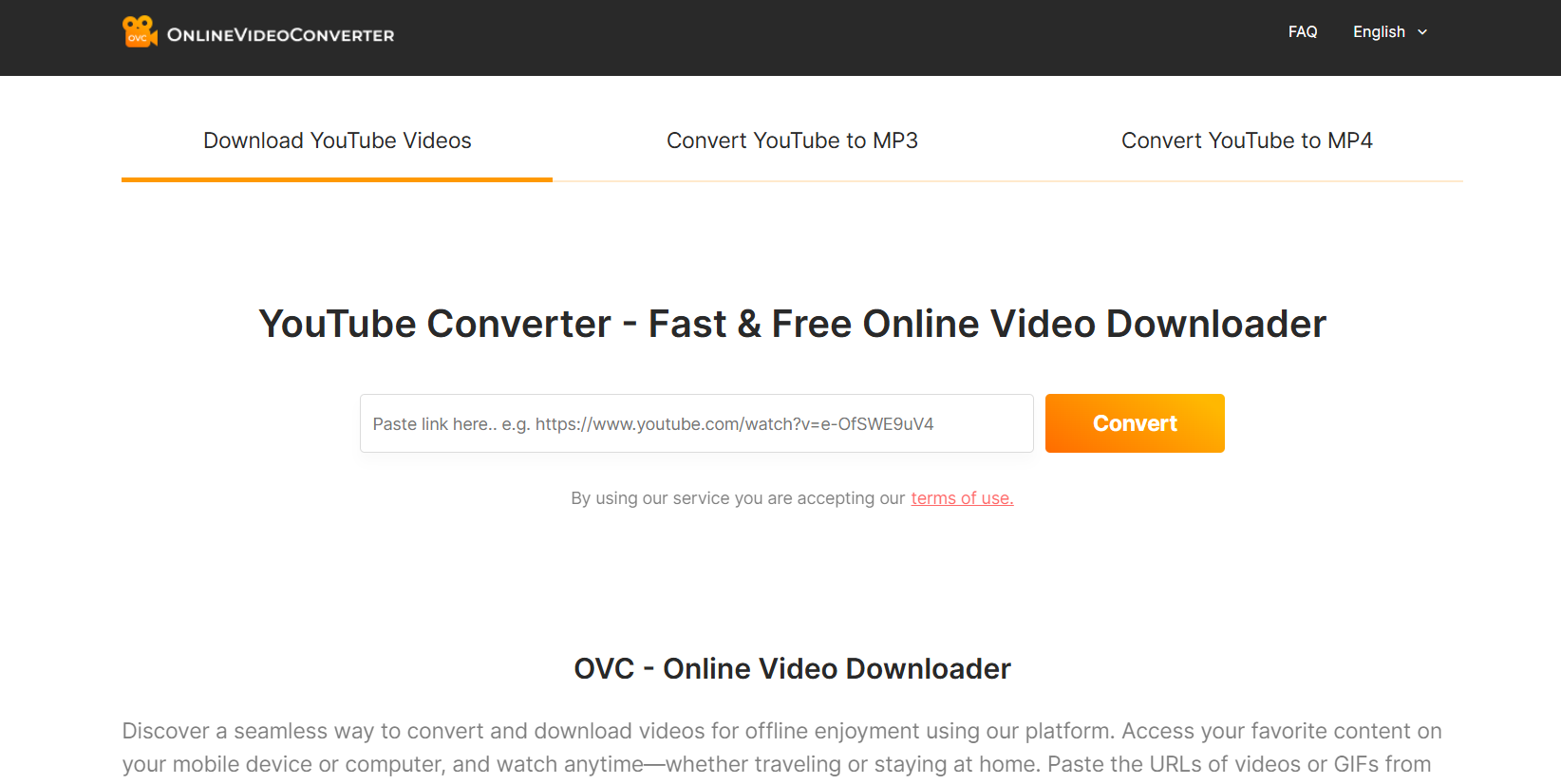
1. The Best 7 YouTube Video Download Online Sites You’ll Wish You Knew Sooner

1.1 SaveFrom.net – The Classic YouTube Video Downloader

savefrom

SaveFrom.net is one of the oldest and most trusted YouTube video downloaders online. It’s simple, fast, and doesn’t require any installation.

Key Features:

  • Supports multiple formats (MP4, WEBM, 3GP)
  • Works directly in the browser
  • Allows downloading from YouTube, Facebook, TikTok, and more

Just paste your video link, hit download, and you’re done. It even offers browser extensions for one-click downloads.

Best For: People who want a no-nonsense, reliable downloader that’s been around for years.

1.2 Y2Mate – Fast and Simple YouTube Video Download Online

Y2Mate

Y2Mate is one of the most popular YouTube video download tools because of its incredible speed and simplicity. The interface is clean, and it allows you to convert videos to MP4 or MP3 instantly.

Why It’s So Popular: It automatically detects YouTube URLs and offers instant download links with no waiting.

How to Use:

  1. Copy your YouTube video link.
  2. Paste it into Y2Mate.
  3. Choose your format (MP4 or MP3) and click Download.

It’s that easy. Plus, Y2Mate works smoothly on both mobile and desktop.

1.3 SnapSave.io – Download YouTube Videos in HD Instantly

SnapSave

If you care about video quality, SnapSave.io is a gem. It supports HD, Full HD, and even 4K resolution downloads. The site is fast and secure, with minimal ads and a clean layout.

Supported Formats: MP4, WebM, and audio MP3.

Mobile vs Desktop Experience: The website is fully responsive, so it looks and works perfectly on phones too.

Pro Tip: SnapSave also supports downloads from other platforms like Facebook and Instagram.

1.4 ClipConverter.cc – Convert and Download YouTube Videos Effortlessly

ClipConverter

ClipConverter.cc has been a fan favorite for years. It allows you to download and convert videos from YouTube into various formats, including MP4, M4A, and AAC.

Audio + Video Conversion: Perfect if you want to save only the audio from a video (like podcasts or music tracks).

Browser Integration Tips: It offers a browser add-on for Chrome and Firefox, letting you download videos directly while browsing YouTube.

1.5 9Convert – Fast, Clean, and No Ads Experience

If you hate pop-ups or shady redirects, 9Convert is your safe haven. The site is fast, clean, and user-friendly with zero ads or fake buttons.

Key Features:

  • Supports MP4, MP3, and 3GP downloads
  • Works on all devices
  • No registration required

Steps to Download YouTube Videos Online:

  1. Copy your video URL.
  2. Paste it into the 9Convert box.
  3. Click “Start” and choose your preferred format.

It’s that simple. This one’s ideal for people who just want things to work without hassle.

1.6 YT1s.com – Reliable YouTube Video Download Platform

YT1s

YT1s.com is another well-known YouTube downloader that consistently works when others go down. It provides both video and audio download options in various qualities.

File Format Support: MP4, 3GP, MP3, M4A.

Why It’s Still Trusted: It’s lightweight, loads fast, and has minimal ads.

If you’ve ever struggled with broken links or sketchy pop-ups, YT1s will feel refreshing.

1.7 SaveFrom2 – The New Alternative You Should Try

SaveFrom2 is a newer version of the classic SaveFrom, offering a cleaner interface and faster downloads. It supports HD and Full HD quality videos and is compatible with most devices.

What Makes It Stand Out: It’s faster, smoother, and more stable than many old-school downloaders.

Safety and Performance: SSL-secured and regularly updated, making it one of the safest tools available.

2. How to Choose the Best YouTube Video Download Online Tool

2.1 Speed, Quality, and Format Support

Not all downloaders are built the same. Some are lightning fast but offer low resolution; others are slower but give you stunning HD or even 4K quality. Go for tools that balance both.

2.2 Safety and Security Concerns

Always stick to reputable sites with HTTPS (secure connection) and minimal popups. Avoid sites that ask for login or suspicious permissions.

2.3 Ads, Popups, and User Experience

Too many ads are a red flag. The best YouTube downloaders keep their interface clean, so you don’t accidentally click something shady.

2.4 Mobile vs Desktop Compatibility

Some downloaders don’t work well on mobile browsers. Before choosing one, make sure it’s optimized for your device.

3. Step-by-Step Guide: How to Download YouTube Videos Online Safely

3.1 Copying the YouTube Video Link

Open YouTube, find the video you want, and copy its URL from the browser address bar or the share button.

3.2 Pasting and Selecting Your Preferred Quality

Go to any of the websites mentioned above, paste your link into the search box, and choose your desired video quality or format.

3.3 Downloading and Saving the File

Click the download button and wait a few seconds. Once it’s processed, the file will start downloading to your device. That’s it — simple and quick.

4. Tips for Getting the Most Out of YouTube Downloaders

4.1 Use Trusted Sites Only

Always double-check the URL and make sure you’re using the official site link. Fake clones can steal your data or install malware.

4.2 Avoid Downloading Copyrighted Content

Stick to videos labeled as free-to-use or those you have permission to download.

4.3 Use VPNs or Ad Blockers for Safer Browsing

A VPN hides your identity while an ad blocker keeps the browsing experience clean and smooth.

4.4 Try Browser Extensions for Faster Access

Many of these sites, like SaveFrom and ClipConverter, offer browser extensions that let you download directly from YouTube without opening a new tab.

Conclusion: Start Downloading Your Favorite YouTube Videos Today

There you have it — seven of the most reliable and powerful YouTube video download online tools available right now. Each one offers something unique, whether it’s speed, simplicity, or top-notch quality.

If you’ve been struggling to find a site that actually works, now you know exactly where to go. So pick one from the list, paste your YouTube link, and start saving your favorite videos today. It’s fast, easy, and absolutely free.

Find More: Boost Your Sales With SEO Services

FAQs

1. Is it legal to download YouTube videos online?

Downloading videos for personal offline use is generally fine. However, redistributing or monetizing downloaded content may violate YouTube’s terms of service.

2. Which is the safest YouTube video downloader?

Sites like SnapSave.io and 9Convert are among the safest because they have secure HTTPS connections and minimal ads.

3. Can I download YouTube videos on mobile?

Yes! Most of these tools are mobile-friendly. You can paste the video link directly from your phone’s browser and download it in seconds.

4. Do these tools support downloading playlists?

Some do, like ClipConverter.cc and Y2Mate. They allow multiple downloads, though it may take longer depending on your connection.

5. What formats can I download videos in?

Most of these sites support MP4, 3GP, WebM, and MP3 formats. Some even let you choose video quality (from 144p to 4K).

Tags: