...
UK: +44 2038074555 info@atamgo.com
10 Must-Know YouTube Video Size Tips to Avoid Blurry Uploads

10 Must-Know YouTube Video Size Tips to Avoid Blurry Uploads

youtube video size

Introduction: Why the Right YouTube Video Size Matters More Than You Think

YouTube video size is one of those details that creators often overlook—until their upload looks pixelated, stretched, or just plain weird. Getting the right dimensions isn’t just about looks; it’s about making sure your content delivers the same quality your audience expects. The way your video appears can make or break how viewers perceive your brand, skill, and effort.

Think about it: you spend hours filming, editing, and tweaking your video, but if you upload it in the wrong dimensions or with poor settings, it can look terrible on certain screens. Whether you’re working on HD content, cinematic storytelling, or YouTube Shorts, understanding the size of videos on YouTube can make all the difference between a crisp, professional upload and one that viewers click away from in seconds.

In this article, we’ll break down everything you need to know about the perfect size for a YouTube video, the ideal YouTube video dimension size, and how to avoid those frustrating blurry uploads that kill engagement. Let’s make your next video look flawless on every device.

Find More: 7 Powerful Tools to Download YouTube Shorts in Seconds

Understanding YouTube Video Size Basics

What Is the Ideal YouTube Video Size in 2025?

As of 2025, the best size for a YouTube video is still 1920×1080 pixels (Full HD) with a 16:9 aspect ratio. This resolution looks great on desktops, phones, tablets, and TVs. YouTube supports everything from 426x240p all the way to 7680x4320p (8K), but Full HD remains the sweet spot for most creators who want sharp visuals without massive file sizes or upload times.

If you’re producing high-quality content like short films, 4K (3840×2160) or even 8K can add a cinematic touch, but it also demands powerful editing tools and longer rendering times. The key is to balance quality with practicality.

Recommended YouTube Aspect Ratios for Different Devices

The standard 16:9 ratio works perfectly for most content types, but YouTube also supports 9:16 (vertical) and 1:1 (square) formats. If you’re uploading Shorts or mobile-first videos, the 9:16 vertical format is ideal. YouTube automatically adjusts the player depending on the viewer’s device, but exporting your content with the correct aspect ratio prevents black borders or awkward cropping.

Resolution Guide — From 720p to 8K Explained

Here’s a quick breakdown of YouTube’s supported resolutions:

  • 426x240p – Very low quality, suitable for previews or fast uploads.

  • 640x360p – Standard definition (SD), basic quality.

  • 1280x720p – Minimum for HD (720p), decent clarity for most users.

  • 1920x1080p – Full HD (1080p), ideal for all kinds of videos.

  • 2560x1440p – 2K QHD, perfect for creators seeking extra sharpness.

  • 3840x2160p – 4K UHD, high-end visuals for premium channels.

  • 7680x4320p – 8K, the future standard for ultra-premium content.

10 Must-Know YouTube Video Size Tips to Avoid Blurry Uploads

1. Always Match Your Video Resolution with the Original Footage

Never upscale a lower-resolution video (like 720p to 1080p). It won’t magically make it look better—it usually makes it worse by adding digital noise and blur. Keep your export settings consistent with your camera’s native resolution to maintain true clarity.

2. Use the 16:9 Aspect Ratio for Standard YouTube Videos

This ratio is what YouTube’s layout is built for. If you use anything else, like 4:3 or 21:9, your video might end up with black bars or cropped visuals. Maintaining 16:9 ensures compatibility across all devices, from smartphones to smart TVs.

3. Choose the Right Frame Rate (24, 30, or 60 FPS)

Frame rate directly affects how smooth your video looks. Use 24 FPS for a cinematic feel, 30 FPS for general uploads, and 60 FPS for fast-paced videos like gaming or sports. Mixing frame rates can cause visual inconsistencies, so stick to one per project.

4. Export Videos Using Recommended Bitrates

YouTube compresses videos automatically, but starting with a high bitrate preserves quality. For 1080p, aim for 8 Mbps at 30 FPS or 12 Mbps at 60 FPS. For 4K, go up to 45 Mbps if possible. High bitrates give YouTube more data to work with, keeping your visuals sharp after processing.

5. Avoid Cropping or Stretching Your Footage

YouTube Audience

If your video doesn’t fit perfectly into YouTube’s player, resist the urge to stretch it. Use background blur, colored padding, or letterboxing instead. Stretching creates awkward distortion and makes your content look unprofessional.

6. Optimize Video Size for Mobile Viewers

Over 70% of YouTube watch time comes from mobile devices. That means your visuals, text, and call-to-actions should be easy to see even on smaller screens. Use larger text, tighter framing, and clear visuals that pop on phones.

7. Use YouTube’s Encoding Settings for the Best Results

Export with codecs that YouTube loves: H.264 or H.265 (HEVC) for video and AAC for audio. These formats strike the perfect balance between quality and file size. Using MP4 as your container format ensures smooth uploads without errors.

8. Check Preview Quality Before Uploading

Always watch your export before uploading. Look for pixelation, frame skips, or compression artifacts. Previewing on both a computer and a smartphone helps you catch issues that might not be visible on one screen.

9. Upload in the Highest Quality Possible (Even 4K!)

Uploading in higher quality, even if your audience mostly watches in 1080p, gives YouTube’s algorithm more flexibility when encoding. This means even when your viewers select lower playback quality, the visuals still look crisp and detailed.

10. Keep Thumbnail and Banner Dimensions Consistent

Your branding extends beyond videos. Thumbnails (1280×720) and banners (2560×1440) should follow YouTube’s guidelines to appear perfectly across devices. Consistent design helps build recognition and makes your channel look polished.

Common YouTube Video Size Mistakes to Avoid

Uploading in the Wrong Aspect Ratio

Uploading vertical content in a horizontal frame leads to black bars or unnecessary cropping. Always export in the correct ratio based on your content type.

Ignoring Bitrate Settings

Low bitrate equals muddy visuals and blurry motion. Always double-check your export settings before hitting render.

Compressing Videos Too Much Before Upload

Overcompressing files before upload can destroy quality. It’s better to upload a high-quality file and let YouTube handle compression automatically for different playback options.

Best YouTube Video Size Settings for Different Content Types

Vlogs and Talking-Head Videos

Use 1920×1080 at 30 FPS. This strikes the right balance between file size, smoothness, and clarity. Lighting also matters—a sharp 1080p video with good lighting looks better than a dark 4K one.

Gaming and Live Streams

Go for 1080p at 60 FPS or even 1440p if your setup allows it. The higher frame rate captures motion smoothly and enhances the viewer’s experience, especially in fast-action scenes.

Tutorials and Educational Content

Stick to 1080p at 30 FPS. Add clear, legible text overlays and zoom-ins on important details. Sharp visuals make your content easier to follow and more professional.

Short-Form Content (YouTube Shorts)

Shorts thrive in 1080×1920 vertical format. Keep your visuals centered, text large, and action quick. Adding captions helps accessibility and retention.

Tools and Software to Optimize Your YouTube Video Size

Recommended Video Editing Software (Premiere Pro, Final Cut, DaVinci Resolve)

Professional editors like Adobe Premiere Pro, Final Cut Pro, and DaVinci Resolve allow precise control over export settings. You can tweak bitrates, codecs, frame rates, and color settings for maximum clarity.

Online Tools for Quick Video Resizing

If you’re short on time, online editors like Kapwing, VEED.io, or Canva are great options. They make resizing videos simple and include templates for YouTube dimensions. Just remember to export at the highest quality your internet connection can handle.

YouTube Upload Settings Checklist

Before uploading, go through this quick checklist:

  • Resolution: Match your source (1080p or 4K preferred)

  • Format: MP4 with H.264 codec

  • Frame rate: 24, 30, or 60 FPS

  • Audio: AAC, 320 kbps

  • Bitrate: 8–12 Mbps for HD, 35–45 Mbps for 4K

  • Aspect Ratio: 16:9 for standard, 9:16 for Shorts

  • File Name: Use your target keyword for better SEO

Conclusion: Get the Perfect YouTube Video Size Every Time

By now, you know exactly what the ideal YouTube video size is, how to export your videos properly, and how to avoid those dreaded blurry uploads. Whether you’re creating tutorials, cinematic films, or short clips, following these steps ensures your videos always look sharp and professional. Remember: consistency and attention to detail are what separate good creators from great ones.

So, next time you hit upload, double-check your settings, optimize your resolution, and let your content shine. Your viewers will notice—and your channel will thank you.

Find More: Boost Your Sales With SEO Services

FAQs

1. What Is the Best YouTube Video Size for 1080p?

The best size for 1080p is 1920×1080 pixels with a 16:9 aspect ratio. This is the standard HD resolution used by most creators and works flawlessly across all devices.

2. What Happens If My Video Size Doesn’t Match YouTube’s Recommendation?

YouTube automatically adjusts your video, but it can lead to black bars, stretched visuals, or awkward cropping. Always export in the correct aspect ratio to keep things clean and balanced.

3. Can I Upload Vertical or Square Videos to YouTube?

Yes! YouTube supports both vertical (9:16) and square (1:1) formats. The platform automatically adapts playback depending on whether viewers are on mobile or desktop.

4. How Do I Fix a Blurry YouTube Upload?

Upload using higher bitrates, avoid unnecessary compression, and check your export format. Also, give YouTube time to finish processing HD versions—sometimes they appear blurry right after upload but sharpen up later.

5. Does YouTube Compress My Video After Uploading?

Yes, YouTube always re-encodes every upload to optimize playback for different devices and internet speeds. That’s why uploading in the highest quality possible ensures the final video still looks sharp, even at lower resolutions.

Tags:
Why Quebec Businesses Need a Different Social Media Strategy (And How to Get It Right)

Why Quebec Businesses Need a Different Social Media Strategy (And How to Get It Right)

Quebec social media strategy

Running a business in Montreal or anywhere across Quebec comes with a learning curve that many companies don’t expect. The social media strategy that works everywhere else in Canada? It probaby won’t work here. The Quebec market operates differently, and the businesses that figure this out early are seeing results that blow their competitors out of the water.

Luxy Media has spent over a decade helping businesses navigate the unique landscape of social media marketing in Quebec. They’ve worked with major brands like Mazda Canada and Porsche, alongside local Montreal startups, and one thing has become crystal clear: succeeding in this market requires way more than just translating English content to French. It’s about understanding a completely different cultural mindset, legal requirements, and how Quebec consumers actually behave online.

Here’s what makes Quebec social media marketing so different—and why getting it right could be the biggest competitive advantage a business can have in 2025.

The Quebec paradox: fewer followers, way higher engagement

Something surprising happens when you look at the numbers. Only about 29% of French-speaking Quebecers follow brands on Facebook, compared to 35% in the rest of Canada. At first glance, that seems like bad news for marketers.

But there’s a twist that changes everything.

Around 69% of Quebec consumers actually read brand messages as if they’re from a friend, compared to just 16% in English Canada. While the rest of Canada is scrolling past brand content with barely a glance, Quebec audiences are paying attention and engaging deeply with the brands they choose to follow.

The reason? There’s significantly less brand noise in French. Most national companies either skip Quebec entirely or just run their English content through Google Translate (and Quebec consumers can spot that from a mile away, trust me). This creates a huge opportunity for businesses willing to invest in authentic, culturally-relevant French content.

Companies working with agencies that understand this dynamic have seen engagement rates 3-4x higher than their English Canadian counterparts. The Quebec audience is genuinely hungry for quality content in their language—they just need someone to give it to them the right way.

Bill 96 isn’t optional—it’s mandatory

Anyone doing business in Quebec needs to understand Bill 96. As of June 1, 2025, enforcement of Quebec’s updated language law is getting serious, and yes, social media is definitly included in that.

Here’s what businesses need to know:

  • All commercial communications must be available in French
  • Social media posts, captions, and call-to-actions need French versions
  • French content must be “at least as prominent” as English
  • Fines start at $3,000 per day and can triple for repeat violations
  • The Office québécois de la langue française (OQLF) can proactively inspect digital presence

This adds another layer of complexity to marketing efforts. But here’s what many businesses miss: compliance isn’t just about avoiding fines—it’s about tapping into a market where roughly 79% of the population speaks French as their first language. When agencies help clients create bilingual social strategies, they’re not just checking legal boxes. They’re opening doors to deeper customer relationships and better conversion rates.

Professional agencies handle bilingual content creation as a core service. The key is not just translating—it’s localizing with native Québécois French speakers who understand cultural nuances. There’s a significant difference between “le dîner” in Quebec (lunch) and “le dîner” in France (dinner), and getting those details wrong makes a brand look completely out of touch.

The platforms that actually work in Quebec right now

Not every platform deserves time and budget, especially when managing bilingual content. Based on current 2025 data, here’s where Quebec businesses should be focusing their efforts:

Facebook is still dominant with 64% penetration in Quebec (actually higher than the 58% in the rest of Canada). Despite everyone claiming “Facebook is dead,” it remains the most effective platform for reaching Quebec consumers across demographics. The difference is that Quebecers aren’t as burned out on brand content here—though that window probably won’t last forever.

Instagram has exploded. Usage jumped from 37% to 63% in just three years, with 60% monthly engagement rates. The visual nature helps overcome some language barriers, but captions and alt text still need to be in French. Retail and hospitality brands have seen particularly strong results with bilingual Instagram campaigns.

TikTok is the sleeper opportunity. Usage has doubled since 2020, with 35% of Quebec adults now on the platform. The younger demographic is active there, and video content with French audio or subtitles performs exceptionally well. Plus, the platform has less saturated competitor content in French.

LinkedIn is massively underutilized for B2B in Quebec. French speakers use LinkedIn at half the rate of English speakers (12.8% versus 24.3%), meaning there’s way less competition for attention. Professional services, tech companies, and B2B businesses creating French LinkedIn content can gain a serious first-mover advantage.

What Quebec consumers actually want (it’s not what most think)

Years of working with Quebec businesses have revealed some key cultural differences that impact social media strategy significantly:

Quebecers unfollow brands for different reasons than other Canadians. In English Canada, people unfollow because of too much content or irrelevant posts. In Quebec, people unfollow when brands don’t respond to their inquiries. Radio silence on French comments is basically a dealbreaker. Responsive community management isn’t optional here—it’s critical.

They value authenticity over polish. Quebec culture celebrates “joie de vivre”—genuine enjoyment of life. Social content should feel real, not overly corporate. Behind-the-scenes content, team spotlights, and showing the human side of businesses tend to perform well. Less stock photos, more real moments.

Local loyalty runs deep. Quebecers actively prefer “Made in Quebec” products and local businesses. Highlighting Montreal or Quebec roots, supporting local causes, and participating in cultural moments like St-Jean-Baptiste Day, Montreal Jazz Festival, or referencing local sports teams builds genuine connections that translate to customer loyalty.

The social media trends Quebec businesses can’t ignore in 2025

The landscape is shifting quickly, and Quebec businesses need to keep up with broader Canadian trends while maintaining cultural specificity:

Video content has become non-negotiable. Short-form video across TikTok, Instagram Reels, and YouTube Shorts drives the highest engagement across all platforms. The advantage? Video can work across languages more easily than text-heavy content. Bilingual video libraries perform well in both markets when done correctly.

AI is changing how marketing works. Many agencies now use AI-powered tools for everything from caption generation to performance analytics. However, AI should never handle Quebec French translation alone. AI helps with efficiency, but cultural localization still absolutely requires human expertise from people who actually understand the nuances.

Social listening provides competitive advantage. About 62% of marketers using social listening tools report significantly higher ROI confidence. For Quebec businesses, this matters even more because conversations need monitoring in both languages, and understanding the cultural context behind comments and mentions requires local knowledge.

Why working with a Montreal-based agency makes a difference

A business could work with any social media agency in Toronto, Vancouver, or the US. But location matters more than many realize: Quebec isn’t just Canada with a different language—it’s a distinct market with its own cultural codes, media landscape, and consumer expectations.

Agencies embedded in the Montreal business community bring advantages that outside firms simply can’t match. Teams that live and breathe Quebec culture know which local influencers actually move the needle, which cultural references resonate, and how to navigate the bilingual landscape seamlessly.

Luxy Media has been operating in this space since 2013, working with everyone from international brands like Red Bull entering the Quebec market to local Montreal businesses scaling up. They work on flexible monthly retainers with no long-term contracts because results should speak for themselves. Their clients—from automotive groups to tech startups to professional services—stick around because of measurably better engagement rates, higher conversions, and authentic connections with Quebec audiences.

Action plan for Quebec social media success

Here’s what businesses need to do right now:

Audit current presence. Are French captions professionally translated or AI-generated? How quickly are French comments being responded to compared to English ones? Is everything compliant with Bill 96 requirements before the June 1st enforcement date?

Prioritize the right platforms. Spreading too thin doesn’t work. Focus on Facebook and Instagram as the foundation, then add TikTok for younger demographics or LinkedIn for B2B.

Invest in authentic content creation. Work with people who understand Québécois French and local culture. This goes beyond avoiding embarassing translation mistakes—it’s about creating content that genuinely resonates.

Build responsive community management. Quebecers expect timely responses to inquiries. If this can’t be managed in-house, partnering with an agency that has bilingual community managers ready to engage makes a huge difference.

Track metrics that actually matter. Vanity metrics like follower counts don’t pay bills. The focus should be on engagement rates, website traffic from social, lead generation, and conversion rates. Transparent reporting that connects social efforts to actual business results is what counts.

The bottom line

Quebec represents roughly 20-25% of the Canadian market, with over 7.7 million consumers who are less saturated with brand messaging and more engaged when approached correctly. The businesses winning in this market understand that Quebec isn’t an afterthought or a simple translation exercise—it’s a unique opportunity requiring dedicated strategy, cultural understanding, and authentic engagement.

Agencies like Luxy Media have built their entire approach around this reality. They’re not just another social media agency—they position themselves as partners in navigating one of Canada’s most unique and lucrative markets. Whether it’s a local Montreal business looking to grow or a national brand trying to crack the Quebec market, having the right expertise, track record, and cultural knowledge makes all the difference.

For businesses serious about Quebec, having a mediocre social presence in 2025 isn’t just a missed opportunity—it’s a competitive disadvantage they can’t afford. The opportunity is there, but it requires understanding the market on its own terms and investing in strategies that actually work for Quebec consumers.

7 Surprising Facts About TikTok Gifts Value You Never Knew

7 Surprising Facts About TikTok Gifts Value You Never Knew

tiktok gifts value

Introduction: Understanding the Real TikTok Gifts Value in 2025

tiktok gifts value has become a hot topic among creators, viewers, and anyone curious about how TikTok actually pays out. If you’ve ever watched a TikTok Live and seen people sending virtual gifts like roses, lions, or universes, you might have wondered — how much are those gifts really worth? And do creators actually get the full value? In this article, we’ll break down everything you need to know about tiktok gifts value, including how it’s calculated, what affects it, and why it’s not as straightforward as it seems.

What Are TikTok Gifts and Why They Matter

TikTok gifts are virtual items users can send to creators during live streams to show appreciation or support. Viewers buy TikTok coins with real money, then use those coins to send gifts — which later convert into diamonds, and finally, cash. Simple, right? Not exactly. The process involves hidden conversions, regional pricing differences, and platform cuts that make tiktok gift values more complex than most people realize.

Beyond the money, gifts are part of TikTok’s social culture. They’re a sign of loyalty, admiration, and digital connection between creators and their audiences. Some fans send gifts to get noticed, while others do it simply to support their favorite influencer. It’s a modern form of tipping, only with extra animations and recognition.

The Hidden Side of How TikTok Gifts Are Valued

While the system might look transparent, the true tiktok gift value depends on several unseen factors like TikTok’s exchange rates, regional taxes, and currency conversions. This means that what looks like a $1 gift might actually be worth much less to the creator after all the deductions. Even the time of withdrawal can affect how much money ends up in a creator’s account because exchange rates fluctuate daily.

Find More: 7 Powerful TikTok Username Generator Tools to Instantly Boost Your Profile

1. TikTok Gifts Have Real Monetary Value — But Not What You Think

How TikTok Converts Gifts into Diamonds and Cash

tiktok

When someone sends a TikTok gift, it first comes from coins that were purchased using real money. Each coin roughly costs around $0.01, but prices vary depending on your country. When a creator receives a gift, it’s converted into diamonds in their TikTok balance. Then, creators can withdraw their diamonds for real money through PayPal or another payout method. This layered process is designed to gamify the experience — people feel like they’re playing, even though it’s real money.

The Surprising Percentage TikTok Keeps from Every Gift

Here’s the twist: TikTok takes a significant portion of every gift sent. On average, creators receive only about 50% of the gift’s original value. So if a viewer spends $10 worth of coins, the creator might only get $5 or even less. This cut covers TikTok’s service fees, currency conversions, and platform costs — but it also surprises many users who assume creators get the full amount. Some creators argue that TikTok’s share is too high, while others see it as the price of exposure to millions of viewers.

2. The Value of TikTok Gifts Changes by Country and Currency

Regional Price Differences You Didn’t Know About

TikTok coins don’t have a fixed price globally. For example, in the U.S., 100 coins might cost $1.29, while in other countries, the same number of coins could cost $0.90 or $1.50 depending on local taxes and currency rates. This means that the same gift could cost more or less depending on where the sender is located. TikTok adjusts prices to reflect local purchasing power, making it more affordable for users in different regions.

How Exchange Rates Impact Creator Earnings

When creators convert their diamonds into cash, the final payout depends on TikTok’s internal exchange rate — which isn’t publicly fixed. If the platform adjusts this rate or if a currency’s value changes, the creator’s real earnings can fluctuate. That’s why tiktok live gifts value isn’t constant across regions. For creators working internationally, it’s often difficult to predict how much they’ll actually receive until they withdraw.

Creators who stream to global audiences often notice patterns — gifts from some countries contribute more to earnings than others. This uneven value system adds another layer of complexity to understanding tiktok gifts value.

3. Some TikTok Gifts Are Worth Less Than a Penny (Literally!)

The Truth About Cheap TikTok Gifts Like Roses and Ice Cream Cones

Ever seen someone send a rose during a TikTok Live? That small gesture might seem generous, but each rose is worth about one coin — or roughly one cent. After TikTok’s deductions, that means the creator earns less than half a cent from that rose. Even smaller gifts like ice cream cones or emojis can drop below a penny in real value. Yet, these micro-gifts fuel engagement and help creators build community.

Why Small Gifts Still Matter for Engagement and Visibility

Even though cheap gifts don’t bring much money, they’re incredibly valuable for engagement. When viewers send any kind of gift, TikTok’s algorithm often boosts the live stream’s visibility. That’s why creators encourage their fans to send even the smallest tokens — it helps their stream reach more people. A few cents in gifts can turn into thousands of new followers if a stream goes viral. Some creators even run challenges like “send 100 roses” just to trigger algorithmic boosts.

4. High-Value TikTok Gifts Can Reach Hundreds of Dollars

The Most Expensive TikTok Gifts Ever Sent

tiktok

Some TikTok gifts are unbelievably pricey. The “Universe” gift, for instance, costs around 34,999 coins — which translates to over $500 in real money. Other premium gifts like “Lion” or “Castle” can cost anywhere between $300 and $400. These luxury gifts are often sent by wealthy fans or influencers looking to stand out in a live stream. There are even stories of viewers competing to out-gift each other just to gain attention from top creators.

What Makes Premium Gifts Like “Universe” or “Lion” So Pricey

High-value gifts are designed to create a spectacle. When someone sends a big gift like the “Universe,” it triggers a massive animation on-screen, often with the sender’s username highlighted. It’s a mix of prestige, recognition, and entertainment — a virtual version of showing off generosity in public. These moments often go viral, making them worth the expense for both sender and creator.

5. TikTok Gift Value Isn’t Always Equal to Creator Payouts

How Conversion Rates Affect What Creators Actually Receive

Even though each gift has a set coin value, what creators actually get in dollars can differ. TikTok first converts gifts into diamonds, then applies its own exchange rate for cash withdrawals. The final payout can vary over time, making it hard to predict exact earnings. So while the tiktok gift value might look impressive, the cash in the creator’s wallet might tell another story. Some creators track daily rates to withdraw at the most favorable times, maximizing their real-world income.

The Hidden Fees and Deductions TikTok Doesn’t Advertise

Beyond the platform’s cut, there can also be transaction fees when withdrawing money via PayPal or other payment systems. Some regions also apply taxes on digital income. All these deductions together can eat up as much as 60–70% of the total gift value. That’s why smart creators diversify their revenue streams with sponsorships or affiliate deals instead of relying solely on TikTok gifts.

6. TikTok Gifts Are a Major Part of the Platform’s Creator Economy

Why Brands and Influencers Rely on Gifts for Revenue

TikTok Live has evolved into a full-blown business model. Many creators host daily lives specifically to earn through gifts. Brands have started collaborating with influencers to encourage viewers to send more gifts during sponsored live events. These tiktok gift values can add up fast, making it a legitimate income stream for popular creators. Some live streamers make thousands per month just from gifts alone.

How Gift Rankings Influence Popularity and TikTok Algorithms

The more gifts a creator receives, the higher they rank on TikTok’s leaderboard. This boosts their visibility, bringing in more followers and potential sponsors. In short, tiktok live gifts value goes beyond money — it also translates into social proof and status within the TikTok community. Creators often compete to appear in the top rankings, and audiences love to participate in helping their favorite influencers climb the charts.

7. You Can Estimate Any TikTok Gift’s Real Value with Simple Math

The Formula to Convert Coins → Gifts → Diamonds → Dollars

Here’s a simple way to estimate the real tiktok gifts value:

  1. Find the coin price of the gift (e.g., 100 coins = $1.29).
  2. Multiply the number of coins by the per-coin price.
  3. Divide by 2 (since TikTok keeps roughly 50%).
    So, if someone sends a 1,000-coin gift, that’s worth about $12.90. The creator ends up with around $6.45.

Example Calculations You Can Try Yourself

  • A Rose (1 coin) → $0.01 → Creator earns about $0.005
  • A Lion (30,000 coins) → ~$390 → Creator earns about $195
  • A Universe (34,999 coins) → ~$450–$500 → Creator earns about $225–$250
    Now you can quickly estimate how much your favorite TikTokers actually make from those flashy gifts. The more you understand this conversion, the easier it is to see where your money goes — and how much of it actually supports the creators you love.

Find More: Boost Your Sales With SEO Services

Conclusion: What TikTok Gifts Really Say About Creator Value

TikTok gifts might look like simple virtual gestures, but behind every coin and diamond lies a massive digital economy. Understanding tiktok gifts value gives you a better idea of how creators earn, how TikTok profits, and how viewers contribute to the platform’s ecosystem. Whether you’re sending a rose or a universe, every gift plays a role in shaping TikTok’s creator economy. The key takeaway? Don’t be fooled by the big numbers — always look at the real value behind the sparkle.

If you’re a creator, learning the real tiktok gift values can help you plan better live strategies, engage more authentically with your fans, and set realistic income goals. And if you’re a viewer, knowing how the system works means you can support creators in the most impactful way possible.

FAQs

1. How much is one TikTok gift worth in dollars?

It depends on the type of gift. Small gifts like Roses are worth about one cent, while expensive ones like the Universe can be worth hundreds of dollars. However, creators only receive around half of that amount after TikTok’s cut.

2. What’s the difference between TikTok coins and diamonds?

Coins are what users buy with real money to send gifts. Diamonds are what creators earn after receiving those gifts. Diamonds can then be converted into cash when withdrawn.

3. Do TikTokers get the full value of gifts?

No, TikTok keeps a percentage of every gift’s value — usually around 50%. The rest is what the creator can convert into real money. Some creators feel this is unfair, but it’s the trade-off for TikTok’s massive audience reach.

Tags:
5 Game-Changing SEO Software Agencies Should Be Using in 2026

5 Game-Changing SEO Software Agencies Should Be Using in 2026

seo software for agencies

Introduction: Why SEO Software Is a Must-Have for Agencies in 2026

If you’re running an agency, you already know how competitive the digital marketing world has become. Choosing the right SEO software for agencies isn’t just about keeping up — it’s about staying ahead. With search algorithms evolving, AI integration becoming the norm, and clients expecting faster, measurable results, the tools you use can make or break your success.

In 2026, agencies can’t rely on guesswork. They need platforms that handle everything — from keyword tracking to client reporting and white-label dashboards. Whether you’re a small startup agency or managing dozens of clients, finding the best SEO software for agencies means having the right balance of power, automation, and usability.

Let’s explore five game-changing tools that top agencies use to streamline operations, impress clients, and deliver exceptional results.

Find More: 7 Best SEO Companies for Small Business in 2026

1. SEMrush – The All-in-One SEO Powerhouse for Agencies

SEMrush

SEMrush remains one of the most complete SEO software for agencies. It’s an all-in-one marketing suite that covers keyword research, competitive analysis, content optimization, and social media management — all under one roof.

Key Features That Simplify Agency Workflows

SEMrush allows agencies to monitor hundreds of client campaigns simultaneously. You can track keyword positions, analyze backlinks, audit sites for technical issues, and even handle content strategy. The built-in reporting system is perfect for agencies that want to send automated, branded reports to clients.

Pros and Cons for Marketing Teams

Pros:

  • Comprehensive data across SEO, PPC, and content

  • Reliable competitor tracking

  • Easy integration with Google Analytics and Google Search Console

Cons:

  • Can be expensive for small teams

  • Learning curve for beginners

Pricing and Best Use Cases for Agencies

SEMrush offers different pricing tiers, but for agencies, the Guru or Business plans are most suitable. Prices start around $130 per month. It’s ideal for agencies that manage SEO and content marketing for multiple clients.

2. Ahrefs – Advanced Link-Building and Competitor Analysis Software

Ahrefs SEO Toolbar

When it comes to backlink data and competitor insights, Ahrefs is unbeatable. Many agencies consider it the best SEO software for agencies that focus heavily on link-building and competitive research.

Why Ahrefs Is a Must for Data-Driven SEO Agencies

Ahrefs gives you deep visibility into your clients’ backlink profiles, organic keywords, and top-performing content. You can uncover what’s working for competitors and use that insight to guide your strategy.

Best Features for Tracking Client Performance

  • Accurate backlink index with billions of links

  • Powerful keyword explorer for multiple search engines

  • Content gap analysis to find new keyword opportunities

Pricing Breakdown and Ideal Scenarios

Ahrefs’ plans start at around $99 per month, but agencies typically go for higher tiers for more projects and data access. It’s best suited for agencies that prioritize SEO research, link-building, and advanced analytics.

3. SE Ranking – Affordable, Scalable, and Agency-Friendly SEO Platform

SE Ranking

SE Ranking is one of the most agency-friendly SEO platforms out there. It provides a full suite of tools for rank tracking, on-page optimization, and reporting, all at a much lower cost than SEMrush or Ahrefs.

How SE Ranking Balances Cost and Performance

SE Ranking is built for scalability. Agencies can manage dozens of projects with custom access levels for each team member or client. The reporting feature is white-label ready — perfect for agencies that need to deliver professional reports with their own branding.

Team Collaboration and Client Reporting Tools

  • White-label dashboards and reports

  • Project grouping and user management

  • Keyword rank tracking in multiple locations

Pros, Cons, and Pricing Overview

Pros: Affordable pricing, clean interface, excellent support.
Cons: Limited backlink database compared to Ahrefs.
Pricing starts at just $55 per month — a great deal for small to medium-sized agencies that want a professional SEO tool without breaking the bank.

4. AgencyAnalytics – The Ultimate Reporting Tool for SEO Agencies

AgencyAnalytics

AgencyAnalytics focuses on what many agencies struggle with most — reporting and automation. It connects seamlessly with your favorite SEO, PPC, and social media platforms and generates stunning client-ready reports.

Why Reporting Automation Saves Agencies Hours Weekly

Instead of manually gathering screenshots or spreadsheets, AgencyAnalytics pulls live data from over 70 integrations (including Google Analytics, Google Ads, Facebook Ads, and more). You can automate reports or create real-time dashboards that clients can access anytime.

Key Integrations with Google Analytics, Search Console, and More

  • Integrates with SEO tools like Ahrefs, SEMrush, and Moz

  • Customizable drag-and-drop dashboards

  • Supports white-label branding for agencies

Pricing and White-Label Reporting Benefits

AgencyAnalytics starts at $12 per client campaign per month. It’s ideal for agencies focused on white label SEO software for agencies, offering scalability without complexity.

5. Surfer SEO – Content Optimization for Agencies That Want Results

Surfer

Surfer SEO is a must-have for agencies specializing in content optimization. It helps your writers and strategists craft content that ranks faster and higher by analyzing top-performing pages for a given keyword.

How Surfer SEO Improves On-Page Optimization at Scale

Surfer SEO uses AI to evaluate over 500 on-page factors and gives real-time recommendations for improving your content’s SEO score. It’s like having an SEO consultant inside your writing tool.

Top Features for Managing Multiple Client Campaigns

  • SERP Analyzer for in-depth keyword comparisons

  • Content Editor for optimized writing

  • Integration with Google Docs and Jasper AI

Pricing, Pros, and Limitations

Plans start at $89 per month. It’s perfect for agencies that manage content-heavy campaigns and want to combine SEO software for agencies with AI-driven content tools.

How to Choose the Best SEO Software for Your Agency

Selecting the right tool depends on your agency’s focus and size. Here’s a quick guide:

Identify Your Agency’s SEO Needs and Budget

If your team does everything from keyword research to reporting, you might want an all-in-one solution like SEMrush or SE Ranking. For pure link-building and competitor research, Ahrefs is unbeatable.

Compare Features Based on Team Size and Services

Small agencies should prioritize cost-effective scalability, while larger teams need automation and integrations for better efficiency.

Bonus Tip: Combining Tools for Maximum Efficiency

No single tool does it all. Many successful agencies use a combination — like SEMrush for strategy, Ahrefs for backlinks, and AgencyAnalytics for reporting.

Conclusion: Elevate Your Agency’s Results with the Right SEO Software

There’s no one-size-fits-all approach to SEO tools, but these five options represent the best of what 2026 has to offer. Whether you’re optimizing content, analyzing backlinks, or automating client reports, the right SEO software for agencies can dramatically improve your performance and client satisfaction.

Start small, test features, and choose tools that align with your agency’s goals. Remember, investing in great software isn’t just about convenience — it’s about building trust and long-term results for your clients.

Find More: Boost Your Sales With SEO Services

FAQs

1. What’s the best SEO software for small agencies?

For smaller agencies, SE Ranking offers the best balance between affordability and functionality. It’s scalable, user-friendly, and comes with white-label options.

2. Can I use multiple SEO tools at the same time?

Absolutely! Most agencies do. Combining tools like Ahrefs for link data and Surfer SEO for content optimization helps you cover all aspects of SEO efficiently.

3. Which SEO software offers white-label reporting for clients?

AgencyAnalytics and SE Ranking are great options for white-label reports. Both let you brand dashboards and reports with your logo and colors.

4. How much should agencies budget for SEO tools in 2026?

Expect to spend between $100–$500 monthly, depending on how many clients and features you need. Many agencies mix premium tools with affordable ones for better cost management.

5. What features should agencies prioritize when choosing SEO software?

Look for automation, white-label reporting, keyword tracking accuracy, and integration options. Tools that save you time while improving reporting transparency are always worth it.

Tags:

7 Powerful Pinterest Image Downloaders You’ll Wish You Knew Sooner

7 Powerful Pinterest Image Downloaders You’ll Wish You Knew Sooner

pinterest image downloader

Introduction: Why You Need a Reliable Pinterest Image Downloader in 2025

A Pinterest image downloader isn’t just a convenience tool — it’s a time-saving powerhouse for anyone who uses Pinterest regularly. Whether you’re saving design inspiration, collecting recipes, building mood boards, or gathering visuals for your brand, being able to download images quickly and in high quality changes everything. Instead of dealing with screenshots, watermarks, or broken links, a solid Pinterest downloader image tool lets you instantly save what inspires you, in full resolution.

Pinterest is like a visual search engine for creativity — packed with billions of photos, infographics, and videos. But Pinterest doesn’t make it easy to download those visuals directly. That’s where these downloaders come in. In this article, we’ll explore seven of the best and most reliable Pinterest video and image downloader tools for 2025. Whether you want to save a single pin or entire boards, these tools will help you do it effortlessly, securely, and in high quality.

Find More: 7 Powerful Dailymotion Downloaders You Need to Try Today

What Is a Pinterest Image Downloader and How Does It Work?

A Pinterest image downloader is an online or app-based tool that helps you grab photos and videos directly from Pinterest. Instead of right-clicking or taking screenshots, you can simply copy the pin’s link, paste it into the downloader, and hit “Download.” Within seconds, you have your content saved locally. Some tools even support multiple downloads at once or can extract original resolutions.

Understanding How Pinterest Stores and Protects Images

Pinterest hosts a massive collection of images uploaded by users across the globe. These images are protected by Pinterest’s content policy and often by the original creators’ copyrights. Because of that, Pinterest doesn’t offer a native “Download” button on all pins. These third-party downloaders use a URL extraction process to pull the image or video data for personal use.

It’s important to note that Pinterest’s goal is to keep the platform fair to creators, while downloaders focus on giving users easier access to the content they love.

Legal and Ethical Use of Pinterest Image Downloaders

Using a Pinterest downloader is totally fine when you’re saving images for personal inspiration or offline viewing. But using someone’s copyrighted work commercially — for ads, prints, or resale — can lead to issues. Always respect ownership and use these tools responsibly.

Benefits of Using a Downloader Tool Over Manual Saving

Manual saving can ruin the quality of your images. Screenshots often come out blurry or cropped, and they don’t capture full-resolution details. Downloader tools, on the other hand, save the exact original file. Plus, they allow you to download Pinterest videos — something you can’t do directly through the app.

7 Powerful Pinterest Image Downloaders You’ll Wish You Knew Sooner

1. ExpertsPHP Pinterest Video & Image Downloader

ExpertsPHP

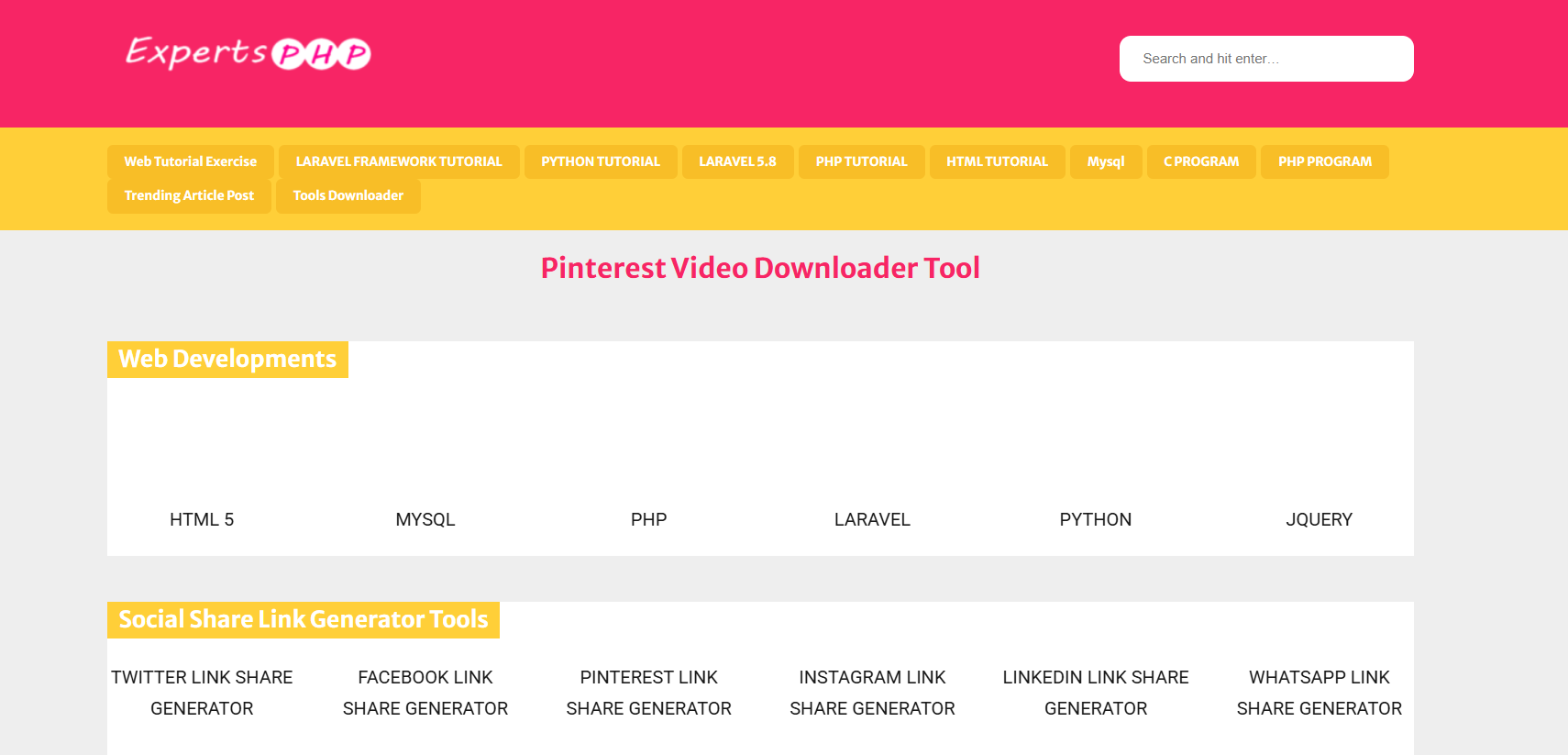
ExpertsPHP Pinterest Video & Image Downloader has been around for years and continues to be one of the most popular tools for Pinterest users. It works fast, doesn’t need registration, and supports both video and image downloads.

Key features:

  • Download high-quality images and videos instantly.
  • Works on both desktop and mobile browsers.
  • Completely free with no hidden costs.

How to use it:

  1. Copy the Pinterest URL of the image or video you want.
  2. Paste it into the ExpertsPHP downloader box.
  3. Click “Download,” and your file will be ready within seconds.

Pro tip: It also supports other platforms like Facebook and Instagram.

2. SnapSave.io Pinterest Downloader

SnapSave

SnapSave.io is another powerhouse tool known for its speed and ease of use. If you download Pinterest content frequently, this tool will save you a ton of time.

Why it’s great:

  • Supports both Pinterest video and image downloader functions.
  • Extremely fast, even for batch downloads.
  • Works across all devices — PC, Mac, iPhone, and Android.

It’s perfect for creators or social media managers who need visuals for inspiration boards or content planning. You just paste the Pinterest link, choose your file type, and click “Download.”

3. Pinterest Image Downloader Chrome Extension

Pinterest Image Downloader Chrome Extension

If you’re always browsing Pinterest on your computer, this Chrome extension is a must-have. It lets you download images directly while scrolling — no need to copy and paste links.

Benefits:

  • One-click download from Pinterest pages.
  • Save multiple images simultaneously.
  • Great for designers collecting references or marketers managing visuals.

How to install:
Go to the Chrome Web Store, search “Pinterest Image Downloader,” and click “Add to Chrome.” Once added, you’ll see a download icon appear whenever you hover over a Pinterest image.

Pro tip: It’s perfect for bulk saving entire boards without repetitive clicks.

4. iGram Pinterest Downloader

iGram Pinterest Downloader

iGram Pinterest Downloader is known for its minimalist interface and smooth performance. It works not only for Pinterest but also for Instagram, Facebook, and TikTok.

Why people love it:

  • Fast, clean, and completely ad-free.
  • Supports HD-quality downloads.
  • Works great on both desktop and mobile browsers.

If you’re a mobile user, you’ll love iGram’s responsive design — no zooming or awkward pop-ups. It’s also one of the few downloaders that keeps a consistent high-quality output for both images and videos.

5. SaveFrom.net Pinterest Downloader

savefrom

SaveFrom.net is one of the most established download platforms on the internet. It supports Pinterest, YouTube, Instagram, Facebook, and many other sites.

Highlights:

  • Supports a wide range of formats (MP4, JPG, etc.).
  • Works perfectly on Chrome, Firefox, and Safari.
  • Offers browser extensions for quick saving.

It’s an all-in-one downloader trusted by millions worldwide. If you often download videos from different platforms, SaveFrom.net is a great all-purpose option.

6. ExpertsTool Pinterest Downloader

ExpertsTool Pinterest Downloader

ExpertsTool Pinterest Downloader offers a simple and efficient way to download Pinterest content in high resolution.

Key features:

  • High-resolution image and video downloads.
  • Works flawlessly across all browsers.
  • 100% free, no sign-up required.

If you’re working on projects that demand top-quality visuals, this is your go-to choice. It maintains clarity and sharpness, which is perfect for designers and marketers who care about detail.

7. Pinterest Image Downloader App (Android/iOS)

Pinterest Image Downloader App

If you prefer downloading on your smartphone, apps like Video Downloader for Pinterest are perfect. This app works smoothly on Android devices and helps you save both images and videos directly from Pinterest links.

Advantages:

  • Lightweight and easy to use.
  • Allows offline viewing and sharing.
  • Fast download speed, even on slow connections.

How to use:
Open Pinterest → Copy the link of the image or video → Paste it into the app → Tap “Download.” That’s it. You’ll have your favorite pins saved instantly.

How to Choose the Best Pinterest Image Downloader for Your Needs

Considerations for Speed, Security, and Device Compatibility

When choosing a downloader, consider how often you use Pinterest and which devices you prefer. Tools like SnapSave.io are great for fast web-based downloads, while Chrome extensions make bulk-saving a breeze.

Make sure the downloader doesn’t redirect to spammy pages or force pop-ups. Stick to trusted names like iGram and ExpertsPHP for a safe experience.

What Features Truly Matter for Designers and Marketers

Designers and marketers often look for tools that preserve image resolution, allow batch downloads, and keep filenames organized. High-quality content saves time during creative projects and ensures your visuals look professional when reused.

Free vs. Premium Downloaders — Which One Is Worth It?

While free tools get the job done, some premium versions remove ads, add faster servers, and include more features. However, most users won’t need to upgrade since these seven tools already cover all essentials.

Common Issues When Using Pinterest Image Downloaders (And How to Fix Them)

Download Errors or “Image Not Found” Messages

Sometimes a downloader may fail if the Pinterest post is private, deleted, or not publicly available. Double-check that the link works before pasting it. If it still fails, try another tool like iGram or SaveFrom.net.

How to Avoid Low-Quality or Blurry Downloads

Choose HD download options whenever possible. Most tools allow you to select between resolutions. Avoid resizing or cropping downloaded images unless necessary.

Safe Downloading Tips to Protect Your Device

Use reputable tools only. Avoid sites that ask for unnecessary permissions or downloads. Always keep your antivirus updated and clear browser cache regularly to avoid pop-ups or slowdowns.

Conclusion: Start Downloading and Creating With Ease

Now you know the best tools to make your Pinterest life so much easier. Whether you’re a designer building a mood board, a marketer collecting visuals, or just someone who loves creative inspiration, these Pinterest image downloader tools have you covered.

From ExpertsPHP’s reliability to iGram’s simplicity, there’s something here for everyone. So go ahead — bookmark a few, test them out, and see which one becomes your go-to. The next time you find that perfect pin, you’ll have the power to save it instantly, in full quality, and without a single watermark.

Get inspired, download freely, and turn your Pinterest discoveries into your next creative masterpiece.

Find More: Boost Your Sales With SEO Services

FAQs

1. Is it legal to download images from Pinterest?

Yes, downloading images for personal use or inspiration is fine. However, you should not use downloaded content commercially without permission from the owner.

2. Can I download Pinterest images without logging in?

Yes, most online downloaders work without needing a Pinterest account. Just copy the link and paste it into the tool — it’s that simple.

3. Are these downloaders safe to use?

Absolutely. All tools listed here are verified and safe. Avoid clones or lookalike websites with suspicious pop-ups.

4. How do I download multiple Pinterest images at once?

Use extensions or batch tools like SnapSave.io that support multiple downloads. It’s especially useful when saving entire boards for research or design inspiration.

5. Which Pinterest downloader works best on mobile?

The Video Downloader for Pinterest app is perfect for Android users, while iGram works great for both iOS and mobile browsers.

6. What’s the best downloader for Pinterest videos?

ExpertsPHP and SaveFrom.net are excellent choices if you frequently download videos. They offer high-speed downloads and HD video quality.

7. Do these tools work for private Pinterest boards?

Most tools only support public pins. Private or hidden boards typically require you to log into your Pinterest account directly.

Tags: