UK: +44 2038074555 info@atamgo.com
7 Genius Ways to Download Anyone’s WhatsApp Profile Picture (Fast & Easy!)

7 Genius Ways to Download Anyone’s WhatsApp Profile Picture (Fast & Easy!)

whatsapp profile picture download

Introduction: The Smart Way to Do a WhatsApp Profile Picture Download in 2025

Let’s be honest — we’ve all wanted to do a whatsapp profile picture download at some point. Maybe your best friend updated theirs and you loved it, or you just want to save a cute DP before it disappears. Whatever your reason, downloading a WhatsApp profile photo isn’t as simple as it sounds. WhatsApp doesn’t have a built-in option for that, which means you’ll need to get a little creative.

In this complete guide, I’ll walk you through 7 genius ways to download anyone’s WhatsApp profile picture safely, easily, and without breaking any rules. Whether you’re using an Android phone, an iPhone, or your laptop, I’ve got you covered. Each method is tested, beginner-friendly, and totally doable in a few minutes.

We’ll also explore long-tail keyword variations like profile pictures for whatsapp download, download profile picture whatsapp, and whatsapp profile pictures download — all while keeping things natural and conversational. And remember: just because you can download someone’s photo doesn’t always mean you should. Always respect others’ privacy.

Find More: How to manage multiple WhatsApp Business accounts from one phone

1. Use WhatsApp Web to Download Profile Pictures Easily

whatsapp

If you’re using WhatsApp on your computer, WhatsApp Web is one of the easiest and most efficient ways to grab a profile photo in high quality.

Step-by-Step Process to Save WhatsApp DPs on Desktop

  1. Open WhatsApp Web on your computer browser.
  2. Scan the QR code using your mobile WhatsApp app.
  3. Find the chat of the person whose profile photo you want to download.
  4. Click on their name at the top to open contact info.
  5. Hover over their profile image, right-click, and select “Save image as…”

That’s it! You’ll have their profile picture downloaded to your computer instantly.

Tips for Getting High-Resolution Profile Images

If the image looks blurry, make sure to click on it to open the full preview before saving. WhatsApp often compresses images, but viewing them in full resolution first ensures better clarity. You can even rename the file with their name to keep your downloads organized.

Bonus Tip

If you’re saving multiple DPs, create a folder named WhatsApp Profile Pictures so you can easily find them later. You can even sync it with Google Drive or Dropbox for backup.

2. Try Screenshot and Crop Method (Quick and Universal)

When you don’t want to mess with external tools, the screenshot and crop technique is your best friend. It works everywhere — Android, iPhone, and even desktop.

How to Capture WhatsApp Profile Pictures on Android or iPhone

  • Open the chat or contact whose profile photo you want to save.
  • Tap their DP to open it in full view.
  • Take a screenshot (Power + Volume Down on Android, or Side Button + Volume Up on iPhone).
  • Open your gallery, crop the picture neatly, and save it.

Best Editing Apps to Cleanly Crop and Save DPs

Sometimes screenshots can look rough around the edges, but free apps like Snapseed, Canva, Pixlr, or Lightroom Mobile can help. They let you crop precisely, adjust brightness, and sharpen details — making your screenshot look like a proper HD download.

Pro Tip

If you’re saving screenshots regularly, turn on the “Hide Status Bar” option (available on many Android devices) before taking a screenshot. That way, you won’t have to crop out time or notification icons.

3. Explore WhatsApp Profile Picture Downloader Tools

whatsapp

Want something quicker? Then WhatsApp profile picture downloader tools are your go-to option. These are websites or apps designed specifically for profile picture downloads.

What Are WhatsApp DP Downloaders?

They’re online services that let you view and save any publicly available WhatsApp profile picture just by entering a phone number. Most don’t require login, which makes them super convenient.

Top Recommended Tools for WhatsApp Profile Picture Download

  • Atamgo WhatsApp Viewer – Known for security and reliable downloads.
  • WABetaTools – Great for tech-savvy users who want high-quality DPs.
  • WA DP Saver (Android App) – Works directly from your phone and saves in HD.

Pros and Cons of Using Third-Party Downloaders

Pros: Fast, simple, and often provide better quality than screenshots.
Cons: Some tools may not be trustworthy — they can contain ads or even malware. Always use official or recommended ones and never give your WhatsApp login info.

Extra Advice

If you’re using these tools for work (say, for contact management or social media branding), consider keeping a spreadsheet to track which DPs you’ve downloaded and from whom. It’s a neat organizational trick!

4. Save WhatsApp Profile Photos from Group Chats or Contacts

Here’s a fun fact: you can often save someone’s DP directly from your existing chats or groups without any special app.

How to Access Profile Photos from Chat Info

  1. Open a group chat where the person is a member.
  2. Tap the group name to see all participants.
  3. Tap the member’s name, then their profile picture.
  4. Take a screenshot or use WhatsApp Web to right-click and save it.

A Simple Trick to Save DPs Without Using Extra Apps

If you’ve chatted with someone before, their old profile photo may still be cached in your phone’s memory. Go to File Manager > WhatsApp > Profile Pictures and check if it’s there. This is especially useful when the person has since changed their photo or removed it entirely.

Advanced Tip

You can use a photo restoration app like Remini to enhance old or cached DPs — making them sharper and clearer without distortion.

5. Download WhatsApp Profile Pictures on iPhone (iOS Guide)

Apple users face more restrictions, but that doesn’t mean you can’t do a whatsapp profile picture download on iPhone effectively.

Step-by-Step Guide for iPhone Users

  1. Open the contact profile in WhatsApp.
  2. Tap on their display picture to enlarge it.
  3. Take a screenshot and use the built-in editor to crop it perfectly.
  4. Use photo enhancement tools like Remini, Fotor, or PhotoRoom to upscale it.

Best iOS Apps to Help You Download WhatsApp DPs

For those who want a simpler approach, apps like DP Saver for WhatsApp or WA Profile Downloader available on the App Store can handle everything automatically. They’re lightweight, secure, and get you HD photos in one tap.

Pro Tip for iOS Users

If you’re using iCloud Photos, make sure “Optimize Storage” is turned off before downloading. Otherwise, iOS might compress the photo later to save space.

6. Download WhatsApp Profile Pictures on Android (Android Guide)

Android users, you’re in luck — Android gives you more control over app data and file access.

Built-In Options vs. External Tools

Android allows you to use third-party file browsers and DP saver apps easily. If you’re someone who regularly collects profile images (say, for business contacts), this flexibility is a blessing.

File Manager Method for Hidden DP Access

  1. Open your phone’s File Manager.
  2. Go to WhatsApp > Media > Profile Pictures.
  3. If you don’t see it, enable Show Hidden Files in settings.
  4. Copy or move any image you want to another folder.

Pro Tip for Android

Use the Files by Google app — it’s faster and more reliable. Plus, you can preview and organize DPs easily. Combine this with a photo editor, and you’ll have crisp, clean profile photos ready for your collection.

7. Use Online WhatsApp DP Viewer Websites

If you don’t want to install apps, online WhatsApp DP viewer websites are the way to go. They’re browser-based, quick, and ideal for people who only need to save a few pictures.

How Online WhatsApp Profile Picture Viewer Sites Work

These sites usually ask for a phone number (with country code). If the person’s photo is visible publicly, it fetches and displays the image for you. Then you can right-click and download it.

Cautions and Safe Sites to Try

Stick with trusted sites like Atamgo’s WhatsApp Profile Viewer or WAProfile.net. Avoid any site that asks for your phone number verification, login credentials, or permissions. Those are red flags for scams.

Extra Caution

If you’re using a public Wi-Fi or shared computer, always clear your browsing history afterward. It’s a simple step to protect your privacy.

Conclusion: Download WhatsApp Profile Pictures Safely and Responsibly

So there you have it — 7 genius ways to download anyone’s WhatsApp profile picture in 2025. From easy screenshots to professional-grade downloaders, each method comes with its own perks. The key is to pick the one that fits your needs and comfort level.

Remember: with great tech power comes great responsibility. Always respect others’ privacy and avoid misusing someone’s photo. The goal is convenience, not intrusion.

If this guide made your life easier, share it with your friends or bookmark it for later. Now you’ll never have to wonder how to do a whatsapp profile picture download again — you’ll be the one teaching others!

Find More: Boost Your Sales With SEO Services

FAQs

1. Can I download someone’s WhatsApp profile picture without them knowing?

Yes, you can — if the person’s privacy settings allow you to view their photo. WhatsApp doesn’t send notifications when you save, screenshot, or download someone’s DP.

2. Is it legal to use WhatsApp profile picture downloader tools?

It depends on your intent. Using these tools for personal use is fine, but distributing or reposting someone’s photo without permission isn’t. Always use secure tools and avoid sharing other people’s images.

3. Why can’t I see some users’ profile photos on WhatsApp?

If you can’t view someone’s DP, they might have hidden it from non-contacts, deleted their picture, or blocked you. Check your privacy settings too — sometimes visibility issues go both ways.

4. How can I download WhatsApp profile pictures in HD quality?

Use WhatsApp Web or trusted viewer tools that show full-size photos. Avoid zooming in screenshots too much, as that can make the image grainy. Apps like Remini can enhance quality after saving.

5. Are there any risks in using third-party WhatsApp DP viewer sites?

Yes. Some fake sites are designed to collect personal info or show intrusive ads. Only use no-login tools and avoid anything that requests WhatsApp access or messages permissions.

6. What’s the best method overall?

If you want simplicity — screenshots. If you want quality — WhatsApp Web. For automation — a DP downloader app. It all depends on what works best for your device and comfort level.

7. How can I protect my own profile picture from being downloaded?

You can limit who sees your DP by going to Settings > Privacy > Profile Photo and selecting My Contacts or Nobody. This ensures only the people you trust can view your photo.

Tags:
7 Genius TikTok Thumbnail Downloader Tools That Actually Work in 2026

7 Genius TikTok Thumbnail Downloader Tools That Actually Work in 2026

tiktok thumbnail downloader

Introduction: Why You Need a TikTok Thumbnail Downloader in 2026

If you’re a creator, marketer, or just someone who loves TikTok, you’ve probably come across the term TikTok thumbnail downloader more than once. Let’s be honest — a good thumbnail can make or break your video’s first impression. Whether you’re looking to save your own thumbnails or grab inspiration from others, having the right TikTok thumbnail downloader hd tool can save you time and seriously level up your content game.

A thumbnail isn’t just a random frame; it’s your video’s handshake. And in 2026, when competition on TikTok is fiercer than ever, standing out with a scroll-stopping thumbnail is non-negotiable. That’s where these TikTok video thumbnail downloader and TikTok video thumbnail downloader hd tools come in handy.

Find More: 7 Powerful TikTok Username Generator Tools to Instantly Boost Your Profile

What Is a TikTok Thumbnail Downloader and How Does It Work?

Understanding TikTok Thumbnails and Their Role

TikTok thumbnails are the cover images that appear before someone clicks on your video. They help viewers decide if your content is worth watching — so yeah, they matter.

How TikTok Thumbnail Downloaders Work

A TikTok thumbnail downloader simply extracts that preview image from a TikTok video URL. You paste the link, hit download, and boom — you’ve got the thumbnail saved in HD quality.

Legal and Ethical Considerations

Quick note: Always respect creators’ rights. Downloading thumbnails for analysis, inspiration, or personal use? Totally fine. Reposting others’ content as your own? Not cool.

7 Genius TikTok Thumbnail Downloader Tools That Actually Work in 2026

Let’s dive into the real stuff — the tools that actually deliver clean, high-quality TikTok thumbnails. No spam, no popups, no nonsense.

1. SnapTik – The All-in-One Downloader for Thumbnails and Videos

SnapTik

SnapTik has been around for years, and it’s still one of the best in 2026. It’s fast, reliable, and supports HD thumbnail downloads without a watermark. Just paste the TikTok link and choose “Download Thumbnail.”

Why it rocks:

  • Works on desktop and mobile

  • No sign-up needed

  • Downloads in HD instantly

2. TTDownloader – Fast and Simple for Everyday Use

TTDownloader

If you like minimalist tools that just work, TTDownloader is perfect. It’s lightweight and loads instantly, which makes it great for grabbing thumbnails on the go.

Highlights:

  • Super clean interface

  • HD image output

  • Works for both video and profile thumbnails

3. SaveTT.cc – High-Resolution TikTok Thumbnail Downloader

savett

SaveTT.cc is built specifically for quality lovers. It saves thumbnails in crisp HD and even supports batch downloads — a huge win for content managers handling multiple TikTok accounts.

Why creators love it:

  • Reliable and fast

  • No watermark or login required

  • Can download thumbnails, videos, and sounds

4. MusicallyDown – A Hidden Gem for Thumbnail Grabs

musicaldown

MusicallyDown might not be as flashy as others, but it’s surprisingly good. It’s easy to use, doesn’t bombard you with ads, and works flawlessly for thumbnail downloads.

Best for:

  • Quick one-click downloads

  • Secure HTTPS connection

  • Works great on mobile browsers

5. SnapSave.io – Quick, Clean, and No Watermarks

SnapSave

SnapSave.io has earned a solid reputation for providing tiktok video thumbnail downloader hd features. It’s sleek, free, and supports multiple resolutions — perfect for creators who need professional-grade visuals.

Why it’s awesome:

  • HD and 4K support

  • Fast server response

  • Works for any TikTok link

6. TikMate – Download TikTok Thumbnails from Any Device

TikMate is one of the most trusted names in the TikTok tool space. Beyond video downloads, it offers seamless thumbnail extraction — even for private accounts (as long as you have access).

Top features:

  • Mobile-friendly design

  • Fast and accurate thumbnail fetch

  • Clean HD image downloads

7. SSSTik.io – The Most Popular TikTok Thumbnail Downloader Online

SSSTik

SSSTik.io is hands down the most popular choice for TikTok creators. It’s been tested, trusted, and keeps getting better. In 2026, it’s optimized for lightning-fast downloads and consistently high-quality images.

Why it stands out:

  • Download HD thumbnails instantly

  • Supports watermark-free TikTok downloads

  • Compatible with iOS, Android, and Windows

How to Choose the Best TikTok Thumbnail Downloader for You

Factors to Consider: Speed, Quality, and Ads

Some tools are super-fast but bombard you with popups. Others prioritize HD but take forever to load. The sweet spot? Balance. Choose a site that’s quick, safe, and gives you consistent HD quality.

Security and Privacy Concerns

Avoid tools that ask for unnecessary permissions or force downloads through shady links. Stick to HTTPS sites like the ones above — they’re encrypted and safe.

Free vs. Paid Tools

Most TikTok thumbnail downloaders are free. But if you’re managing a large social media account or need advanced features (like batch downloads or analytics), a premium plan might be worth it.

Creative Ways to Use Downloaded TikTok Thumbnails

Reusing Thumbnails for YouTube Shorts or Instagram Reels

A great TikTok thumbnail can easily double as a YouTube Shorts or Reels cover image. It keeps your brand consistent across platforms.

Designing Branded Previews for Social Media Campaigns

Use downloaded thumbnails to design stylish previews for upcoming videos. Add text overlays or filters in Canva or Photoshop for a polished touch.

Studying Competitors’ Visuals for Inspiration

One underrated use of these tools? Market research. Download competitor thumbnails to analyze trends, color palettes, and text placements.

Common Issues and How to Fix Them When Downloading TikTok Thumbnails

Why a Thumbnail Isn’t Downloading (and Quick Fixes)

Sometimes a tool may fail due to an expired link or private video. Try refreshing the TikTok page and copying the link again.

How to Ensure Image Quality Remains High

Always pick the HD or 1080p download option if available. Some tools default to lower resolutions, so double-check before saving.

Troubleshooting Browser and Device Issues

If a downloader isn’t working on your phone, switch to desktop mode or use a different browser like Chrome or Firefox.

Conclusion: Start Using a TikTok Thumbnail Downloader to Elevate Your Content

At the end of the day, a thumbnail is your video’s first impression. Using the right tiktok thumbnail downloader can help you craft more engaging, branded visuals that grab attention before your video even plays. The seven tools listed above actually work in 2026 — they’re tested, reliable, and built to make your content life easier.

So go ahead, try one out today, and start taking control of your TikTok visuals like a pro.

Find More: Boost Your Sales With SEO Services

FAQs

1. Is it legal to download TikTok thumbnails?

Yes, as long as you’re not using the thumbnails for commercial purposes without permission. Downloading for personal use or creative research is fine.

2. Can I download thumbnails from private TikTok accounts?

Only if you have access to the video. No public tool can bypass TikTok’s privacy settings.

3. Do these tools work on mobile phones and tablets?

Absolutely! Most of the tools listed here are mobile-friendly and work on iOS and Android devices.

4. Are TikTok thumbnail downloaders safe to use?

Yes — just make sure you use trusted sites like SnapTik, SSSTik, or TTDownloader. Avoid random links that look suspicious.

5. What’s the best free TikTok thumbnail downloader for 2026?

SSSTik.io and SnapTik are currently leading the pack in terms of speed, quality, and reliability.

Tags:

10 Genius Ways to Get TikTok Likes for Free (That Actually Work in 2026)

10 Genius Ways to Get TikTok Likes for Free (That Actually Work in 2026)

tiktok free likes

Introduction: How to Get TikTok Free Likes the Smart Way in 2026

TikTok free likes are something every creator dreams about. Whether you’re just starting out or you’ve already built a small following, that satisfying heart icon means more people are connecting with what you post. But here’s the reality: you don’t need to spend a penny or fall for shady apps that promise instant fame. There are real, proven ways to get free TikTok likes that actually work — and they still work in 2026.

In this article, we’ll walk through ten genius, battle-tested strategies that help creators gain authentic engagement. These aren’t old tricks or clickbait — they’re grounded in how TikTok’s algorithm behaves right now. If you’ve ever Googled free TikTok likes, TikTok likes free, or free likes on TikTok, this guide is your go-to playbook.

Before we dive in, keep one thing in mind: the algorithm rewards creativity, consistency, and genuine interaction. Let’s explore how to make it work for you — for free.

Find More: 7 Surprising Facts About TikTok Gifts Value You Never Knew

1. Use TikTok’s Latest Features to Boost Free Likes

tiktok

Why using new TikTok tools gives you more visibility

TikTok loves early adopters. Whenever the app introduces a new feature — whether it’s an editing tool, filter, or layout — videos that use it often get pushed higher on the For You Page. That’s TikTok’s way of testing new tools with real users. By experimenting with these fresh features first, you’re signaling that you’re an active, trend-savvy creator, which means more visibility and naturally, more likes.

This blend helps TikTok’s algorithm categorize your content and deliver it to people who actually care. You can also explore tiktok trend discovery platforms or built-in tools to identify which hashtags and challenges are gaining traction in real time.

Examples of trending features that drive engagement

When “photo mode” came out, creators who used it immediately saw an increase in engagement. The same goes for tools like interactive stickers, polls, and reposts. These small tweaks can make your videos pop on feeds. To stay in the loop, follow TikTok’s official creator blog, or accounts like @tiktoktips and @socialmediatoday for real-time updates.

Pro tip: Don’t just use the features — use them creatively. For instance, add humor or storytelling to a photo carousel instead of posting random shots. Creativity wins.

2. Join Trending Hashtags and Challenges

How to find the right hashtags for your niche

Hashtags are the gateway to visibility. But too many creators use them incorrectly — stuffing their captions with unrelated or overused tags. Instead, aim for a strategic balance: a mix of trending, broad hashtags (#fyp, #tiktokchallenge) and niche-specific ones (#veganrecipes, #designinspo). This blend helps TikTok’s algorithm categorize your content and deliver it to people who actually care.

Tips to stand out in popular TikTok challenges

Challenges are goldmines for engagement — but only if you bring something unique to the table. Add your personality, humor, or visual twist to make your version memorable. Watch several entries before creating yours to understand what’s already out there, then take a different approach. Viewers notice when something feels authentic and fresh, and that’s what sparks free TikTok likes.

3. Post at the Right Time for Maximum Exposure

The best posting times for 2026 (based on global engagement data)

Timing can make or break a video. According to the latest data, the sweet spots for posting are between 6–10 PM on weekdays and around 11 AM–1 PM on weekends. But your specific audience might have different habits, depending on where they live and when they’re most active.

Tools to help you find your personal peak engagement hours

Check TikTok Analytics under the “Followers” tab — it shows when your followers are online. You can also use scheduling tools like Later, Metricool, or Hopper HQ to analyze engagement trends. Try posting at different times for two weeks and see which slots deliver the most views and likes. Once you’ve found your rhythm, keep it consistent.

4. Use Viral Sounds and Audio Trends

How TikTok’s algorithm favors trending audio

TikTok is built around sound. The algorithm tracks which sounds are trending and then promotes videos using them. If you use a trending audio clip while it’s still on the rise, your video is more likely to appear on the For You Page, leading to a surge in organic engagement and free likes.

Where to discover viral sounds early

Spend time on the Discover page or explore TikTok’s “Creative Center,” where trending sounds are listed daily. Another hack: scroll through Reels and YouTube Shorts — many viral TikTok sounds cross platforms before peaking. Get in early and use them in a creative way, not just to chase trends.

5. Collaborate with Micro-Creators for Mutual Growth

How collabs help you reach new audiences

Collaboration is one of the fastest ways to expand your audience for free. When you create a duet or co-create content with another small creator in your niche, you tap into each other’s audiences. These collaborations often perform better because viewers see real interactions instead of forced sponsorships.

Smart ways to approach creators for free shoutouts

When reaching out, lead with value. Don’t just say, “Want to collab?” Instead, suggest an idea that benefits both of you. Example: “I loved your latest skincare video. What do you think about doing a split-screen reaction to viral routines?” A personal and specific message stands out and opens the door to genuine partnerships — and new free likes.

6. Write Captions That Spark Curiosity and Comments

The psychology behind high-engagement captions

A scroll-stopping caption can completely change how people engage with your content. The goal is to evoke emotion — curiosity, humor, or surprise. The more people comment or share, the more TikTok rewards your post with visibility, leading to even more likes.

Caption formulas that make people tap “like” instantly

Try these:

  • “Wait till you see what happens at the end 😳”
  • “I can’t believe this actually worked 😅”
  • “Tag someone who would totally do this 😂”
    These small hooks make people curious enough to watch, engage, and hit the like button. You can also mix humor with storytelling — ask questions like, “Am I the only one who does this?” to invite interaction.

7. Optimize Your Profile for TikTok SEO

Why an optimized profile attracts organic likes

TikTok has evolved into a search-driven platform. People use it like Google — typing queries such as “easy dinner ideas” or “funny dog videos.” If your profile and captions use relevant keywords, you’re more likely to appear in those searches. That’s how you passively earn views and free TikTok likes.

Step-by-step: using keywords and bio hacks for more visibility

  1. Choose a username that reflects your niche (e.g., @DIYwithAnna instead of @Anna123).
  2. Include keywords in your bio like “Sharing the best budget travel hacks.”
  3. Add searchable terms in your captions naturally.
  4. Pin your best-performing videos to show social proof.
  5. Use a clean profile picture that clearly represents your theme.
    These small optimizations help TikTok’s algorithm understand your content and recommend it to the right audience.

8. Engage With Your Audience (Don’t Just Post!)

How replying to comments boosts your video reach

TikTok’s algorithm favors active creators. When you respond to comments or create reply videos, it signals strong community interaction. This activity often boosts your video’s ranking and gives it a second chance to go viral. Plus, viewers love creators who actually interact — it makes them more likely to like and follow.

The right way to engage without looking desperate

Instead of dropping one-word replies, respond thoughtfully. Ask questions, share quick reactions, or joke back with your audience. This builds connection, and connection brings loyalty. Loyal followers don’t just watch — they like, share, and comment on everything you post.

9. Use Free TikTok Like Tools (Safely!)

The best legit websites to get TikTok free likes

While most growth should come organically, there are a few safe platforms that offer free likes for testing. They usually work by exchanging engagement — you like or follow others and earn credits to get likes in return. Some reliable examples include:

  • TikFame (small trial offers)
  • FreeTikTok (limited daily credits)
  • SocialBoost (testing mode)
    Always check reviews before using them and never share your login credentials.

Red flags to avoid scams and fake engagement

If a site asks for your TikTok password, payment info, or asks you to download software, it’s a red flag. Fake likes might inflate your stats briefly, but they don’t last and can hurt your credibility. Remember — slow, steady, authentic growth will always outperform fake engagement.

10. Repurpose Your TikTok Videos on Other Platforms

How cross-posting on Instagram Reels & YouTube Shorts can bring new likes

Your TikTok videos shouldn’t live and die on one platform. Repurpose them on Instagram Reels, YouTube Shorts, and even Pinterest Video Pins. This way, you’re reaching completely different audiences who might follow you back on TikTok once they find your content elsewhere.

Tools to automate repurposing and save time

Use automation tools like Repurpose.io or Metricool to post your TikTok videos across multiple platforms automatically. They remove watermarks and schedule posts so you can maintain consistent visibility without spending extra time. More reach equals more organic TikTok likes.

Conclusion: Turn Your TikTok Likes Into Lasting Growth

We’ve explored 10 genius and practical methods to get TikTok free likes that actually work in 2026. Whether it’s mastering trends, optimizing your profile, or engaging with your followers, these strategies are about building authentic engagement — not chasing vanity numbers. The secret isn’t hacking the algorithm — it’s understanding it.

Start with one or two of these tips and stay consistent for a few weeks. You’ll start noticing changes — more likes, more views, and more followers who genuinely enjoy your content. The best part? It’s all free and completely within your control.

Find More: Boost Your Sales With SEO Services

FAQs

1. Are TikTok free likes generators safe to use?

Most of them are risky. Avoid tools that ask for passwords or access to your account. If you want to test one, use a separate account or stick to organic growth methods.

2. Can I get free TikTok likes without downloading apps?

Yes, definitely. All the strategies listed here — from joining trends to posting at the right time — can help you get more likes naturally without any apps.

3. How long does it take to see results from these methods?

If you post consistently, you can start seeing results in 1–3 weeks. The key is to test, track, and adjust. TikTok rewards persistence.

4. Do free likes help increase followers too?

Absolutely. When people see a video with high engagement, they’re more likely to follow the creator. Likes build trust and signal value.

5. What’s the best strategy for sustainable TikTok growth?

Focus on creating authentic, consistent content. Stay active in your niche, adapt to trends early, and engage with your audience daily. Likes are great, but long-term success comes from building relationships — one video at a time.

Tags:

7 Genius Ways to Get Free Twitch Viewers Fast (No Bots Needed!)

7 Genius Ways to Get Free Twitch Viewers Fast (No Bots Needed!)

free twitch viewers

Introduction: How to Get Free Twitch Viewers Fast and Grow Organically

Getting free Twitch viewers might sound like a dream, but it’s absolutely possible if you play your cards right. You don’t need to spend money on shady services or fake bots that vanish as fast as they appear. What you really need is a smart strategy that attracts real people who actually enjoy your content. Whether you’re just starting your streaming journey or looking to boost your numbers, these tips will help you grow your audience naturally.

When we talk about free daily Twitch viewers, we’re talking about loyal fans who come back day after day—not artificial numbers. Viewers who engage, chat, and support your stream. And the best part? You can start getting free viewers on Twitch without any expensive marketing tools or paid ads. Let’s dive into how you can make it happen.

Find More: 10 Must-Know YouTube Video Size Tips to Avoid Blurry Uploads

1. Optimize Your Twitch Profile for Maximum Visibility

twitch

Before you even go live, your Twitch profile should be ready to impress. Think of it as your storefront—if it looks dull or confusing, people will leave before giving you a chance.

Crafting a Compelling Channel Description

Your bio should tell new viewers what your stream is about and what makes you different. Keep it short but exciting. Mention your niche (like gaming, art, or chatting) and what kind of vibe they can expect—fun, chill, competitive, or educational.

Choosing the Right Category and Tags

Twitch’s algorithm relies heavily on categories and tags. Choose them carefully to match your stream. If you’re playing a specific game, use that category. Add tags that describe your stream, like “chill stream,” “competitive gaming,” or “interactive chat.” This helps Twitch show your content to people who are genuinely interested.

Designing Eye-Catching Channel Art and Thumbnails

Visuals matter more than you think. Create a banner and profile picture that reflect your style. Use consistent colors and themes so people remember your brand. When you upload stream thumbnails, make them stand out with bold text or fun facial expressions.

2. Stream Consistently and at the Right Time

Consistency is everything. You can’t expect Twitch viewers free to flood in if you stream randomly.

Finding the Best Streaming Schedule for Your Audience

Decide how many days a week you can commit to streaming, and stick to it. Viewers love knowing when to expect you online. Over time, you’ll notice more people tuning in because they’ve built a routine around your stream.

How Consistency Builds Trust and Retention

Think of your stream like a TV show—people tune in because they trust that new “episodes” are coming. Consistency builds loyalty and helps you appear higher in Twitch’s algorithm.

Using Twitch Analytics to Identify Peak Hours

Check your Twitch stats to see when your viewers are most active. Stream during those peak hours to increase your chances of getting discovered by new viewers browsing the platform.

3. Leverage Social Media to Attract Free Twitch Viewers

You can’t rely on Twitch alone to grow. Some of the best growth happens outside of the platform.

How to Use TikTok, Instagram, and YouTube Shorts for Promotion

Clip your best or funniest moments and post them on short-form platforms. TikTok and YouTube Shorts are goldmines for organic reach. Include a call-to-action like “Catch me live on Twitch!” with your link in the caption.

Engaging with Online Communities and Subreddits

Join gaming or streaming communities on Reddit, Discord, or Facebook. Don’t just spam your links—genuinely participate, offer value, and share your experiences. When people like you, they’ll naturally check out your channel.

The Power of Sharing Stream Highlights

People love bite-sized entertainment. Posting highlight reels or best-of moments is a great way to show off your energy and humor. It’s also easier for new viewers to get a taste of your content before committing to a full stream.

4. Collaborate with Other Streamers to Cross-Promote

twitch

Twitch isn’t a solo game—it’s a community. Collaborating with other creators can help both of you grow faster.

How Streamer Partnerships Can Multiply Your Audience

When two streamers share audiences, both benefit. Your viewers discover someone new, and their viewers discover you. It’s a win-win situation that exposes you to an entirely new audience for free.

Finding the Right Streamers to Collaborate With

Look for creators with similar content or audience size. If you’re a small streamer, teaming up with someone slightly bigger can still give you great exposure. Authentic chemistry between streamers keeps viewers entertained and more likely to stick around.

Co-Streaming Ideas That Boost Engagement

Play multiplayer games together, host joint Q&A sessions, or run creative challenges. The more interactive the collaboration, the more fun it is for viewers—and that fun energy attracts even more free viewers on Twitch.

5. Engage with Your Chat Like a Pro

Interaction is what makes Twitch special. It’s not just about the gameplay—it’s about connection.

Why Interaction Keeps Free Twitch Viewers Watching Longer

When people feel seen and appreciated, they stay longer. Greet new viewers by name, respond to chat messages, and thank followers in real time. Small gestures like these build community faster than anything else.

Fun Chat Games and Polls to Build Community

Use Twitch’s built-in features like polls and predictions. Or try chatbot games where viewers can earn points or interact with the stream. Keeping chat lively turns casual visitors into regulars.

How to Make Every Viewer Feel Valued

Remember your regulars and mention them by name. Ask your chat questions, include them in decisions, and make them feel like part of your journey. That emotional connection keeps people coming back.

6. Use SEO and Twitch Tags to Get Discovered

If you want free daily Twitch viewers, mastering SEO is non-negotiable.

How Twitch’s Algorithm Works for Stream Discovery

Twitch recommends channels based on relevance and engagement. That means if your stream title, description, and tags match what people are searching for, you’re more likely to appear in their feed.

Best SEO Practices for Twitch Titles and Descriptions

Use descriptive titles that include your main keyword and a hook. For example: “Grinding Ranked Games – Can We Hit Diamond Tonight?” is better than “Just Playing.” Mention free Twitch viewers or related keywords in your bio and about section naturally.

Keyword Tips for Reaching the Right Audience

Think about what your potential viewers might search for. If you stream a specific game, use keywords like “beginner tips,” “fun community,” or “live gameplay.” Mix them with your main keyword to reach more organic viewers.

7. Promote Your Twitch Stream on Free Platforms

There are tons of ways to promote your stream without paying a dime.

Reddit, Discord, and Gaming Forums That Allow Self-Promotion

Look for subreddits like r/Twitch or r/SmallStreamers where sharing your stream is allowed. Join Discord servers made for networking with other streamers. The key is to give value first, then promote respectfully.

How to Use Twitch Communities and Tags Effectively

Communities and tags make your stream easier to find. Join Twitch groups that match your style or genre, and use relevant tags that help people discover you while browsing.

Creating a Free Promotion Strategy That Doesn’t Feel Spammy

Instead of dropping links everywhere, share your journey. Post behind-the-scenes clips, talk about your streaming setup, or share your goals. Authenticity draws more interest than self-promotion alone.

Conclusion: Start Growing Your Twitch Channel the Smart Way

So there you have it—7 genius ways to get free Twitch viewers fast and genuinely. Each of these methods works best when combined: a solid profile, consistent schedule, smart social media use, collaborations, engagement, SEO, and organic promotion. Remember, success on Twitch doesn’t happen overnight. But with patience and authenticity, you can grow a loyal fan base that keeps coming back. Focus on the long game, and your hard work will pay off.

Find More: Boost Your Sales With SEO Services

FAQs

1. Is it really possible to get free Twitch viewers without bots?

Absolutely. All the strategies above focus on organic methods that attract real people. Bots might boost numbers temporarily, but they can hurt your credibility and even violate Twitch’s terms.

2. How long does it take to grow a Twitch audience organically?

It varies for everyone. Some streamers see progress in weeks, others in months. Consistency, good content, and networking can speed up the process significantly.

3. Are “free Twitch viewer” websites safe to use?

Most of them aren’t. They often use fake traffic or bots, which can get your account flagged. It’s always better to focus on genuine strategies like collaborations, SEO, and social promotion.

4. What’s the best way to retain viewers after they join my stream?

Engage with them! Talk to your audience, remember their names, and make them feel part of your community. Consistency also helps retain loyal viewers.

5. How often should I stream to see growth in my viewer count?

Aim for at least 3–4 times a week if possible. The more you stream, the more opportunities you have to appear in search results and recommendations.

Tags:

7 Powerful Instagram Profile Viewer Tools You’ve Never Heard Of

7 Powerful Instagram Profile Viewer Tools You’ve Never Heard Of

instagram profile viewer

Introduction: What Is an Instagram Profile Viewer and Why People Use It

An Instagram profile viewer is one of those tools that instantly sparks curiosity. We’ve all wondered at some point — can you see who views your profile on Instagram? Or maybe even, can you see who viewed your Instagram profile without following you? Sadly, Instagram doesn’t offer a built-in feature to track profile visits. That’s why so many people look for third-party Instagram profile viewer tools that can show insights beyond what the app itself allows.

This guide is part of our Instagram Tools series, which explains how Instagram utilities work in 2026.

Instagram Tools → 

In 2025, these tools are not just about spying (though let’s be honest, that’s a big reason people look them up). Many are used by marketers, content creators, and business owners who want to understand who’s engaging with their content — without paying for expensive analytics tools.

But with hundreds of sites claiming to reveal profile views, how do you know which ones are real, safe, and actually work? I did the research and tested the most popular options. Below are 7 powerful Instagram profile viewer tools you’ve probably never heard of, but should definitely know.

Find More: 13 Genius Ways to Boost Free Instagram Likes Without Buying Bots

How We Chose the Best Instagram Profile Viewer Tools

Before jumping into the list, here’s how I selected the tools below:

  • Safety first: I avoided anything asking for passwords or unnecessary permissions.
  • Reputation: I checked reviews and user feedback to make sure these tools are legit.
  • Functionality: They must actually work — showing real data or insights, not just fake loading screens.
  • Ease of use: No one wants to waste 10 minutes filling out captchas for nothing.

7 Powerful Instagram Profile Viewer Tools You’ve Never Heard Of

1. InstaLooker — Simple and Fast Access

instalooker

If you’re after a no-nonsense tool, InstaLooker is a good start. It’s one of the most straightforward Instagram profile viewers online. You simply type in the username, and it fetches public profile details, photos, and videos instantly.

Pros:

  • No need to log in
  • Works fast and cleanly
  • Great for viewing public profiles anonymously

Cons:

  • Doesn’t access private accounts
  • Sometimes slow during peak times

It’s perfect if you just want a quick look at someone’s feed without signing in.

2. Glassagram — Popular but Surprisingly Accurate

glassagram

Glassagram has gained huge popularity, and for good reason. It claims to show detailed insights about stories, posts, and followers. While it’s not magic (it won’t show hidden or private data), it’s surprisingly accurate for public profiles.

Pros:

  • Anonymous story viewing
  • Easy-to-use dashboard
  • Mobile-friendly design

Cons:

  • Some features require a paid plan
  • Can’t reveal private viewers

For anyone wondering “can you see who viewed your Instagram profile?” — Glassagram comes close by showing who interacts most with your content.

3. Inflact Viewer — Professional-Grade Insights

Inflact IG Picture Saver

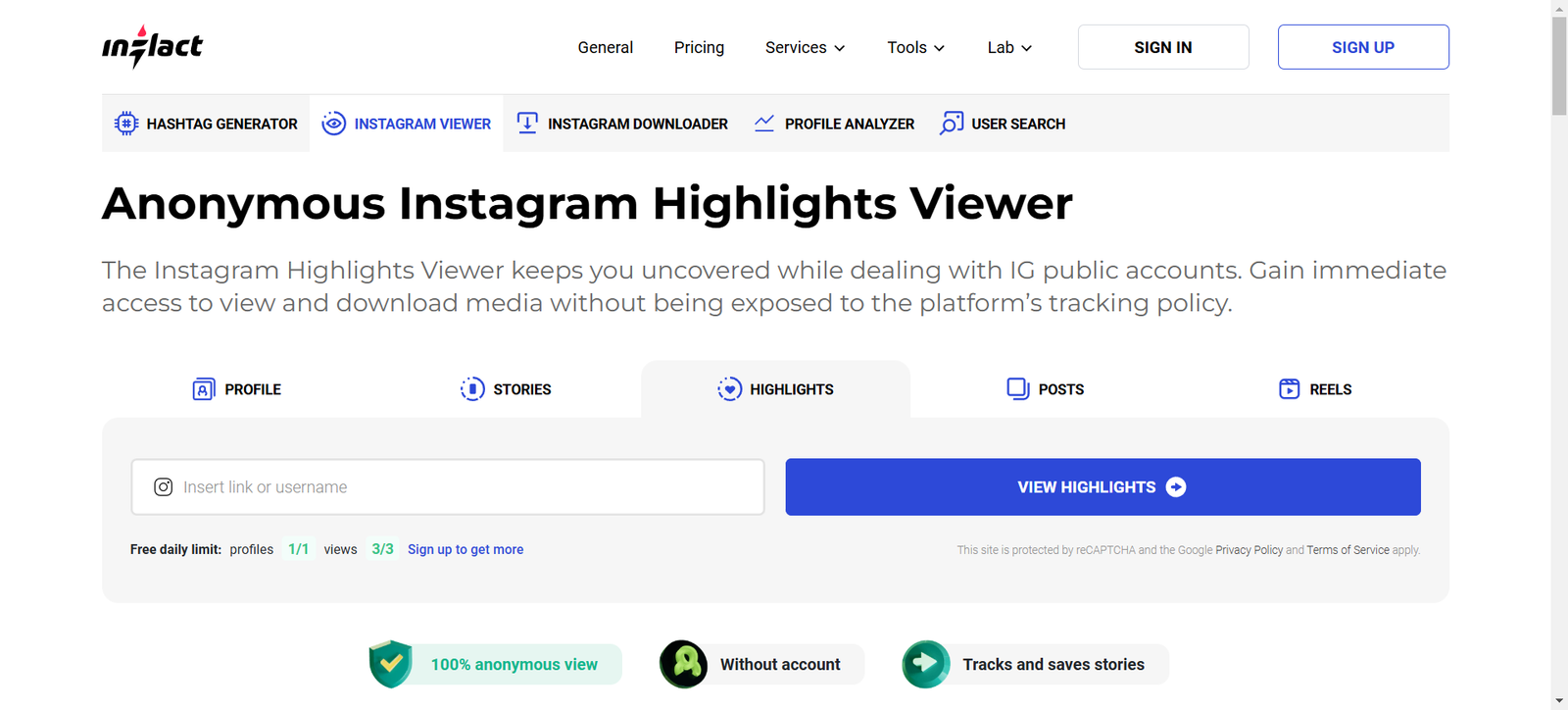
Inflact is more than a viewer — it’s a full marketing suite. If you’re running a business or growing a personal brand, this one’s for you. Their Instagram profile viewer lets you check out public profiles, analyze engagement, and even schedule content.

Pros:

  • Reliable and secure
  • Offers analytics and automation tools
  • Great for brands and influencers

Cons:

  • Some advanced features are paid
  • Slight learning curve for beginners

It’s perfect if you want more than just casual browsing — Inflact gives real data-driven insights.

4. IGLookup — Clean Design, Easy Use

IGLookup is one of those underrated tools that just works. It focuses on simplicity. You don’t need to download anything or create an account. Just type a username and view.

Pros:

  • Free and easy to use
  • No installation required
  • Works on both desktop and mobile

Cons:

  • Doesn’t support story viewing
  • Limited analytics

It’s a nice option if you want a quick and safe way to view public Instagram content anonymously.

5. Dumpor — Reliable and Ad-Free Viewer

Dumpor

Dumpor is clean, minimal, and works well. It’s one of the few tools that hasn’t gone overboard with ads or fake verification steps. You can view public profiles, stories, hashtags, and locations.

Pros:

  • Free and ad-free experience
  • Fast and reliable
  • Works great on any device

Cons:

  • No advanced analytics
  • Doesn’t show private content

Dumpor is often recommended for users who want a safe and clutter-free experience.

6. InstaStories — Anonymous Story Viewer

InstaStories

If you’re mainly interested in stories, InstaStories is your go-to tool. It allows you to watch Instagram stories, highlights, and reels completely anonymously. No account, no logins, no footprints.

Pros:

  • 100% anonymous story viewing
  • Fast and reliable
  • Great interface

Cons:

  • Story-only focus (no post viewing)
  • Some videos may load slowly

It’s the perfect solution if your main goal is to view stories discreetly.

7. SmiHub (Now Inflact) — The Hidden Gem

SmiHub

SmiHub, now rebranded as Inflact, is another solid Instagram profile viewer worth mentioning. It’s known for its clean interface and consistent performance.

Pros:

  • Anonymous browsing
  • Download posts and stories
  • Great for analyzing public profiles

Cons:

  • Private profiles remain off-limits
  • Some older versions are now outdated

If you want reliability and familiarity, this one delivers both.

Are Instagram Profile Viewers Safe to Use?

Not all of them — and that’s where things get tricky. While the tools above are tested and safe, many online viewers are scams designed to steal your data or infect your device with malware.

Here’s what to watch out for:

  • Never enter your Instagram password into any third-party viewer.
  • Avoid tools that ask for surveys or personal information.
  • Stick to trusted names like Inflact, Glassagram, or InstaStories.

Remember: these tools work best for public data only. Anything that claims to show private profiles is likely fake.

Alternatives to Instagram Profile Viewer Tools

If you’re not comfortable using external sites, you can still gain useful insights directly from Instagram.

  • Use Instagram Professional Dashboard: Switch to a business or creator account to access insights about your audience and reach.
  • Track engagement manually: Pay attention to who likes, comments, or interacts with your stories — these are usually your most frequent visitors.
  • Try third-party analytics apps: Tools like Iconosquare and Later offer data tracking within Instagram’s API guidelines.

Final Thoughts: Choosing the Right Instagram Profile Viewer for You

Instagram profile viewer tools aren’t all scams — you just need to pick the right ones. The seven tools listed above have been tested for reliability, safety, and usefulness.

If you’re looking for a professional tool, Inflact is unbeatable. For anonymous story viewing, InstaStories is the clear winner. And if you just want something quick and free, InstaLooker or Dumpor are great choices.

Whatever your goal is — curiosity, marketing research, or content inspiration — choose a viewer that respects privacy and avoids risky logins.

Find More: Boost Your Sales With SEO Services

FAQs

1. Can I really view a private Instagram profile with these tools?

No, none of these tools can show private content. Any site that claims otherwise is either fake or unsafe.

2. Are Instagram profile viewers legal to use?

Yes, as long as they only display public data and don’t violate Instagram’s terms of service.

3. Which Instagram profile viewer is the safest?

Inflact and InstaStories are among the safest. They don’t require logins and work with public data only.

4. Do I need to log in to use an Instagram profile viewer?

Most of the tools listed here don’t require you to log in, which helps protect your privacy.

5. Are free Instagram profile viewers worth trying?

Absolutely — as long as you stick to trusted names like Dumpor, IGLookup, or InstaLooker. They’re free, easy, and safe for basic use.

Tags: