UK: +44 2038074555 info@atamgo.com
7 Lightning-Fast YouTube Audio Downloaders That Actually Work in 2026

7 Lightning-Fast YouTube Audio Downloaders That Actually Work in 2026

Stop wasting time on glitchy websites that bombard you with pop-ups and malware. In 2026, grabbing high-quality audio from YouTube should be seamless, secure, and instantaneous. This guide reveals the top-tier tools that deliver crisp MP3s without the headache.

A YouTube audio downloader is a software or web-based tool that extracts the sound layer from a video and saves it as an audio file, typically in MP3 or WAV format. The best tools in 2026 offer high-bitrate (320kbps) exports, batch processing, and built-in security features to protect your device from malicious scripts.

What is a YouTube Audio Downloader?

In technical terms, a YouTube audio downloader acts as a bridge between YouTube’s servers and your local storage. It parses the video URL, identifies the audio stream (often stored separately by YouTube’s DASH protocol), and re-encodes it into a playable format.

For beginners, this means you can take a podcast, music track, or lecture and listen to it offline on your phone or car stereo without needing a constant internet connection or a premium subscription.

Find More: 7 Powerful SoundCloud Downloaders That Actually Work in 2026

The 7 Best YouTube Audio Downloaders in 2026

1. ByClick Downloader: The All-in-One Powerhouse

ByClick

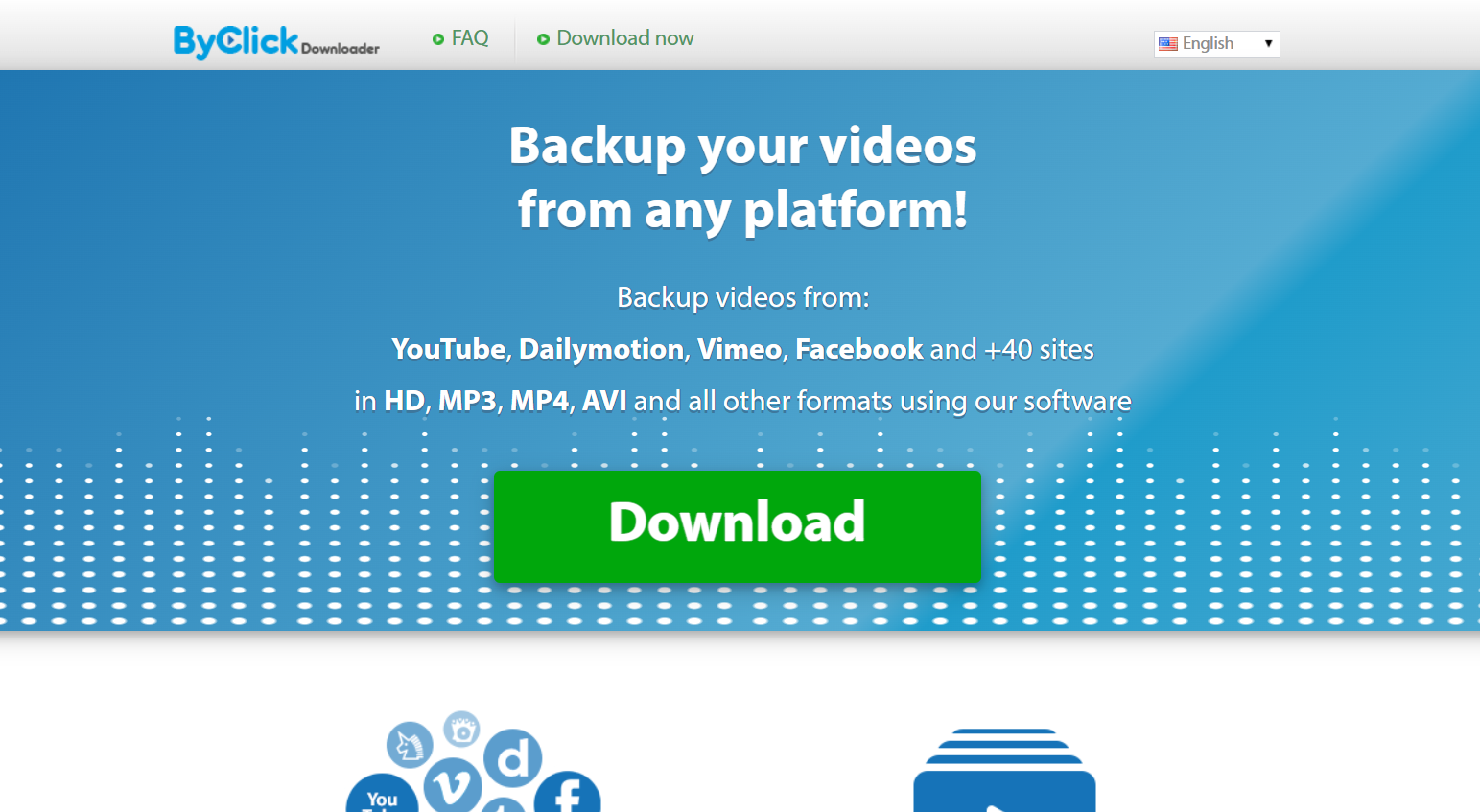
ByClick remains the gold standard for desktop users because it integrates directly into your browser. When you watch a video, a small “Download MP3” button appears automatically, making it the most frictionless experience available.

  • Best for: Beginners who want a “one-click” setup.

  • Key Feature: Auto-detects YouTube URLs copied to your clipboard.

  • Format Support: MP3, WAV, AAC, and M4A.

2. 4K Video Downloader+: High-Fidelity Professionalism

4K Video Downloader

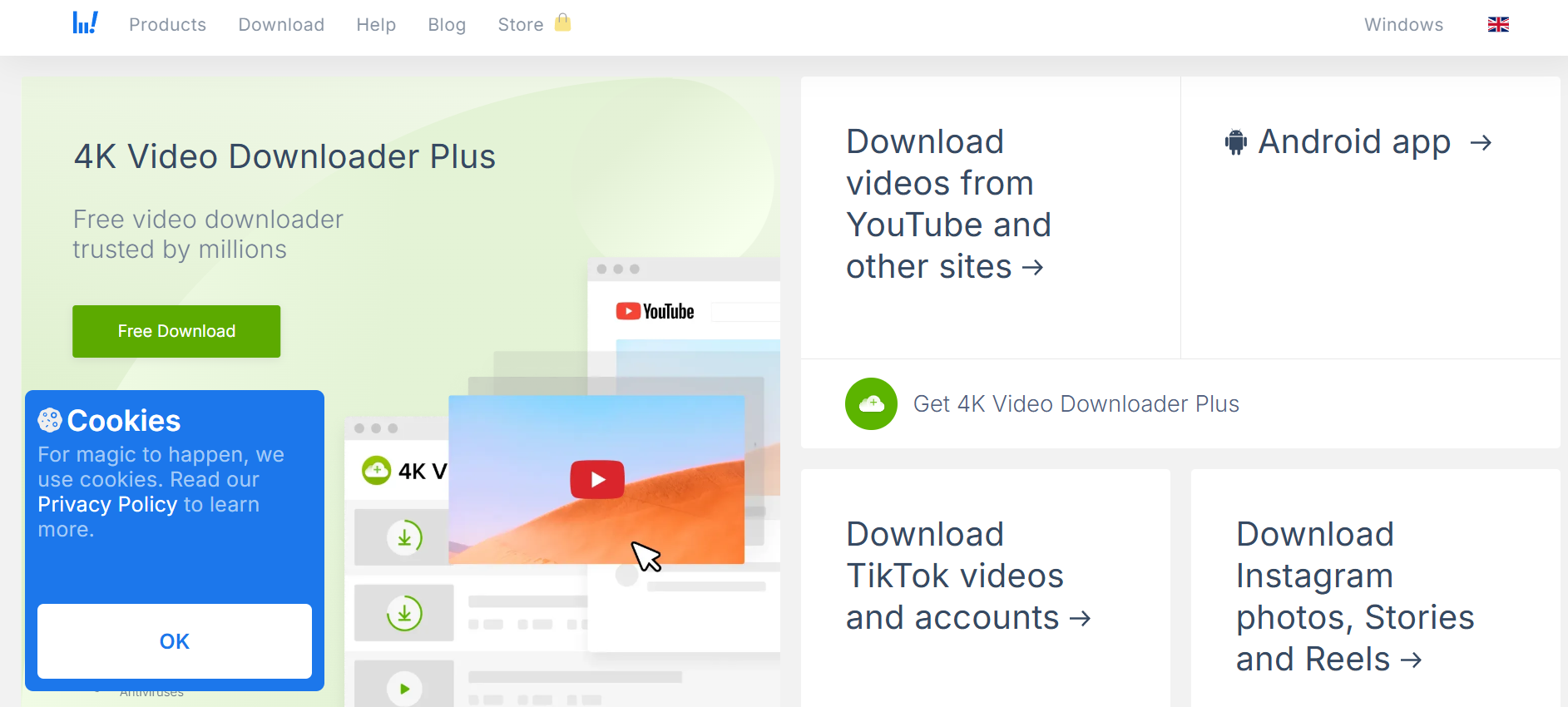
Despite the name, this tool is an elite youtube downloader audio choice. It focuses on maintaining the original source quality, ensuring that if the audio was uploaded in high definition, it stays that way on your hard drive.

  • Best for: Audiophiles and creators who need 320kbps quality.

  • Key Feature: Can download entire playlists or channels in one go.

  • Safety: Zero ad-ware or bundled “junk” software.

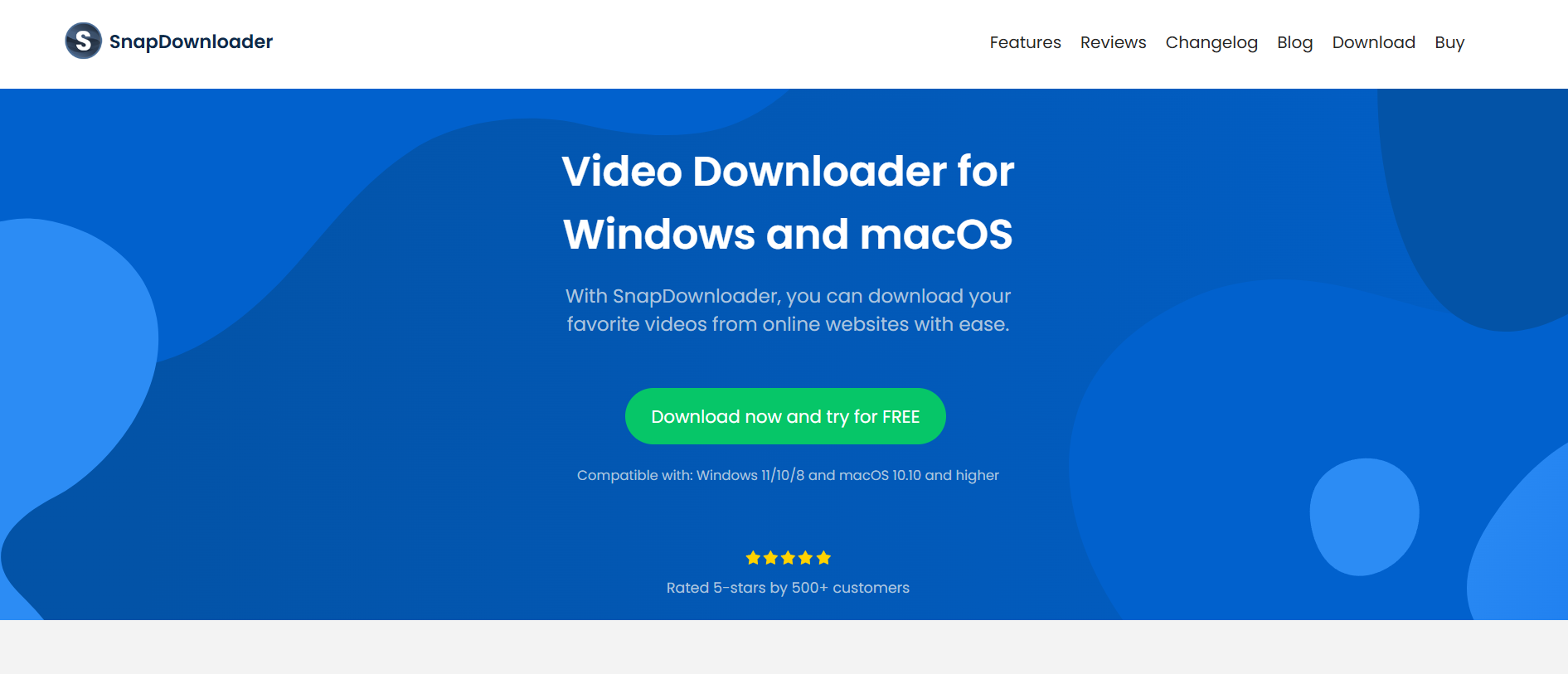
3. SnapDownloader: The Speed King

SnapDownloader

SnapDownloader utilizes multi-threaded technology to pull data from YouTube’s servers at maximum bandwidth. In 2026, it is widely considered the fastest youtube video audio downloader on the market for Windows and macOS.

  • Best for: Users downloading long-form content like 3-hour podcasts.

  • Key Feature: Built-in audio trimmer to cut out intros or outros.

  • Compatibility: Works with over 900 other websites beyond YouTube.

4. Y2Mate AI: The Modern Web-Based Choice

Y2Mate has evolved in 2026 to include AI-driven scanning that bypasses the “broken links” common in older web tools. As a youtube audio downloader mp3 web app, it requires no installation, making it perfect for Chromebooks or tablets.

  • Best for: Quick, one-off downloads without installing software.

  • Key Feature: Clean, minimalist interface with no intrusive redirects.

  • Note: Always use an ad-blocker when using web-based tools for extra safety.

5. TubeMate: The Mobile Specialist (Android)

For those asking how to get a youtube downloader audio video experience on the go, TubeMate remains the king of Android side-loading. It allows you to save audio directly to your phone’s “Music” folder.

  • Best for: Android users who don’t want to use a PC.

  • Key Feature: Background downloading while you use other apps.

6. Documents by Readdle: The iOS Workaround

Apple’s ecosystem is strict, but “Documents” provides a built-in browser that lets you use web-based downloaders and save the files directly to your iPhone’s “Files” app.

  • Best for: iPhone and iPad users.

  • Key Feature: File management and built-in media player.

7. YT-DLP: The Expert’s Choice

While it is a command-line tool, YT-DLP is the engine that powers most other downloaders. It is open-source, completely free, and is updated daily to circumvent YouTube’s latest encryption changes.

  • Best for: Tech-savvy users who want total control.

  • Key Feature: Zero cost and unlimited potential for automation.

How to Use a YouTube Audio Downloader: A Step-by-Step Framework

Follow this universal framework to ensure a successful download every time, regardless of the tool you choose.

  1. Find the Source: Open YouTube and locate the video you want to convert.

  2. Copy the URL: Right-click the address bar (or hit the ‘Share’ button) and copy the link.

  3. Launch the Tool: Open your chosen youtube downloader audio software or website.

  4. Paste and Analyze: Paste the link into the input field. Most tools will take 2-5 seconds to “fetch” the video details.

  5. Select Format: Choose “Audio” or “MP3.” If given a choice of bitrate, select 320kbps for the best quality.

  6. Download: Click the “Convert” or “Download” button.

  7. Verify: Open the destination folder and play the file to ensure the audio is clear and complete.

Comparison Table: Top YouTube Audio Downloaders at a Glance

Tool Platform Best For Speed Price
ByClick Windows Ease of Use 9/10 Free/Premium
4K Downloader+ Win/Mac/Linux Quality 8/10 Freemium
SnapDownloader Win/Mac Batch Downloads 10/10 Paid Trial
Y2Mate AI Web No Installation 7/10 Free
TubeMate Android Mobile Users 8/10 Free
YT-DLP All Tech Experts 10/10 Free

Common Mistakes to Avoid

  • Ignoring Bitrates: Downloading at 128kbps or lower will result in “tinny” or muffled sound. Always aim for at least 256kbps or 320kbps.

  • Clicking “Allow Notifications”: Many free web-based youtube audio downloader mp3 sites will ask to send notifications. Always say no, as these are often used for spam.

  • Downloading Copyrighted Material: Be aware of local laws. Use these tools for “Fair Use” purposes, such as downloading royalty-free music, educational content, or your own uploads.

  • Forgetting to Update: YouTube frequently updates its site code to block downloaders. If your tool stops working, check for an update immediately.

Pro Tips for Power Users

  • Playlist Extraction: Instead of copying individual links, copy the URL of a “Playlist.” Top-tier tools like SnapDownloader can parse the entire list, saving you hours of manual work.

  • Metadata Tagging: Use a tool that supports ID3 tags. This ensures that the artist name, song title, and album art are automatically added to the file for your music library.

  • VPN Usage: If a downloader seems blocked in your region, using a VPN can often bypass local restrictions and speed up the connection to the download servers.

Key Takeaways

  • Select based on device: Desktop software is more stable, while web tools are better for one-off tasks.

  • Prioritize 320kbps: This is the threshold for “CD quality” audio in the MP3 format.

  • Stay Secure: Only use reputable tools like those listed above to avoid malware.

  • Watch the legalities: Ensure you have the right to download the content for personal, offline use.

Find More: Boost Your Sales With SEO Services

FAQs

1. Is it legal to use a YouTube audio downloader?

Using a downloader to save copyrighted music or movies without permission violates YouTube’s Terms of Service and may violate copyright law. However, downloading content for personal use, or downloading “Creative Commons” and public domain videos, is generally considered acceptable.

2. Which format is better: MP3 or AAC?

For most beginners, MP3 is better because it is compatible with every device on earth. However, AAC (often found in M4A files) offers slightly better sound quality at smaller file sizes and is the preferred format for Apple devices.

3. Why do some YouTube audio downloaders stop working?

YouTube regularly changes its “signature” (the way it delivers video data) to prevent third-party downloading. Reliable developers update their software within hours of these changes. If your tool fails, it usually means you need to download the latest version.

4. Can I download audio from a YouTube Live stream?

Most standard downloaders cannot grab audio while the stream is still live. You must wait for the broadcast to end and for YouTube to process the video into a permanent upload before the downloader can “see” the file.

5. Will downloading audio consume my data plan?

Yes. When you use a youtube downloader audio, you are essentially “streaming” the data one last time to save it. If you are on a limited mobile data plan, it is best to perform your downloads while connected to Wi-Fi.

The Evolution of Audio Extraction in 2026

The landscape of the youtube audio downloader has shifted from “ad-heavy” sites to “AI-integrated” software. In 2026, we see more tools using neural networks to “upscale” low-quality audio or remove background hiss during the conversion process. This means the file you download might actually sound better than the original stream in some cases.

When choosing your tool, remember that “free” often comes with the cost of your privacy or your time. Investing in a reputable desktop application like ByClick or 4K Video Downloader+ pays for itself in the form of security, speed, and peace of mind.

Whether you are building a library of educational lectures or creating a workout playlist for an area with no cell service, these 7 tools represent the pinnacle of reliability in the current year. Keep your software updated, respect creators, and enjoy your high-quality offline audio.

Tags:
7 Fastest Facebook Downloaders for Instant HD Saves (No Signup)

7 Fastest Facebook Downloaders for Instant HD Saves (No Signup)

Tired of losing your favorite videos to the endless scroll? Whether it’s a viral Reel, a helpful tutorial, or a memory from a friend, saving content shouldn’t be a struggle. We have tested the fastest tools in 2026 to help you download Facebook videos in high definition without the hassle of creating accounts or installing risky software.

A Facebook downloader is an online tool or software that allows you to save videos from Facebook directly to your device. To use one, simply copy the video link from Facebook, paste it into the downloader’s input field, select your desired HD quality (720p or 1080p), and click download. Most top-tier tools in 2026 support MP4 and MP3 formats for free without requiring a login.

Find More: 5 Simple Steps to Lock Your Facebook Profile Instantly (Stop Stalkers Today)

Understanding Facebook Downloader Technology in 2026

In 2026, the landscape of social media content has shifted toward high-bitrate Reels and encrypted live streams. A modern Facebook video downloader works by “parsing” the video URL. This means the tool looks at the code of the Facebook page, finds the direct source file of the video, and provides a direct link for your browser to save.

What is a Facebook Downloader?

It is a third-party bridge that bypasses the “online-only” restriction of social media platforms. By using a Facebook with video downloader service, you can convert streaming data into a permanent file on your hard drive or mobile gallery.

Why Users Prefer No-Signup Tools

  • Privacy: You don’t have to share your email or link your social accounts.

  • Speed: Skip the “Verify your email” step and go straight to the save.

  • Security: Reduces the risk of your data being sold to third-party advertisers.

The 7 Best Facebook Downloaders for 2026

After rigorous testing for speed, output quality, and ad-density, these seven tools emerged as the leaders for beginners.

1. FvidGo (Best Overall)

FvidGo has become the gold standard in 2026. It is a web-based utility that handles everything from 4K Reels to private videos (if you have the link).

  • Pros: Zero ads, ultra-fast processing, and works on all mobile browsers.

  • Cons: Sometimes requires a page refresh for very long Live streams.

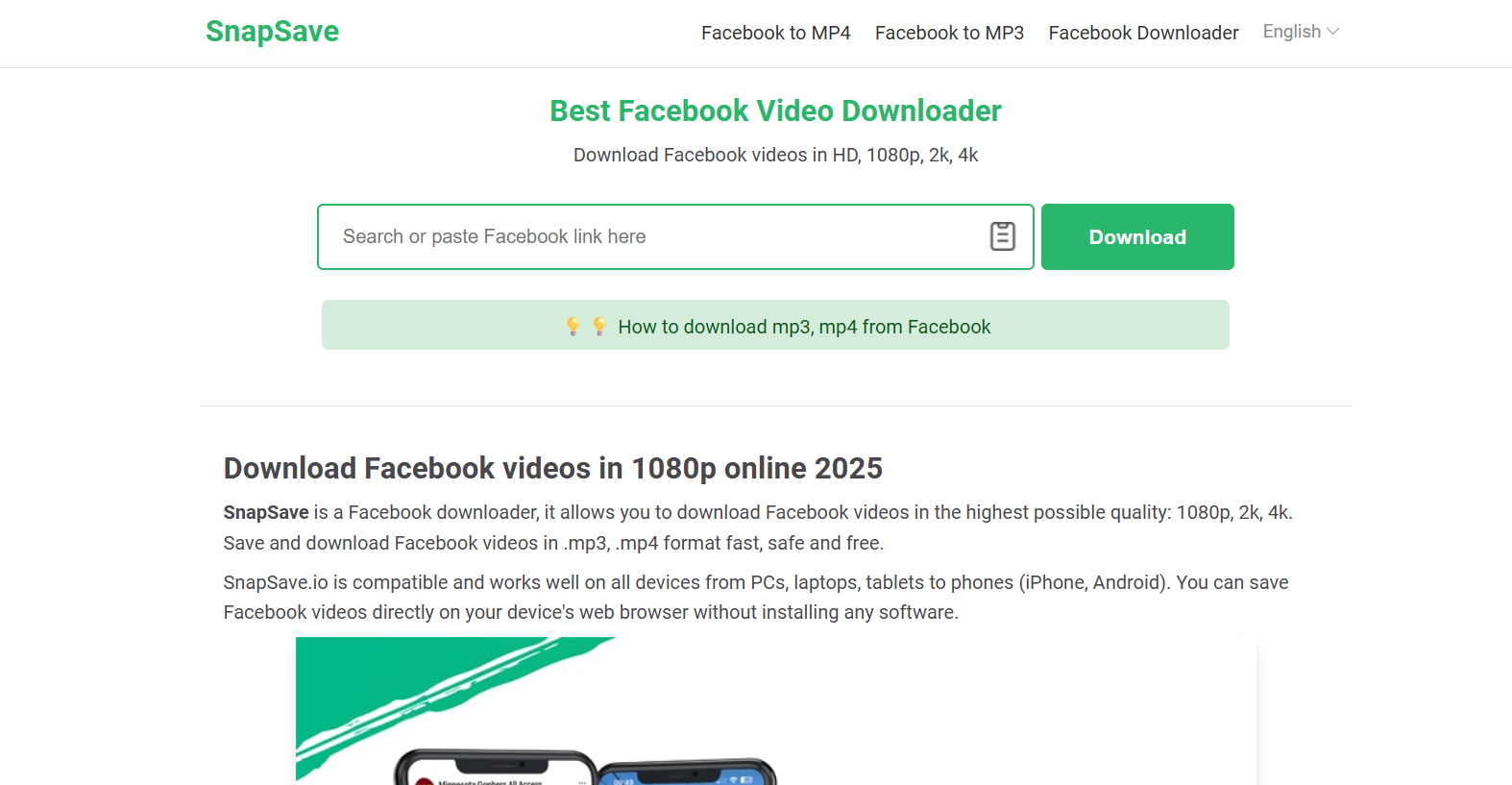
2. SnapSave

SnapSave

Known for its “Snap-fast” engine, this tool specifically optimizes for Facebook Reels. It provides multiple resolution options ranging from 144p to 1080p Full HD.

  • Pros: Very high success rate with “Private” group content.

  • Cons: Contains occasional banner ads.

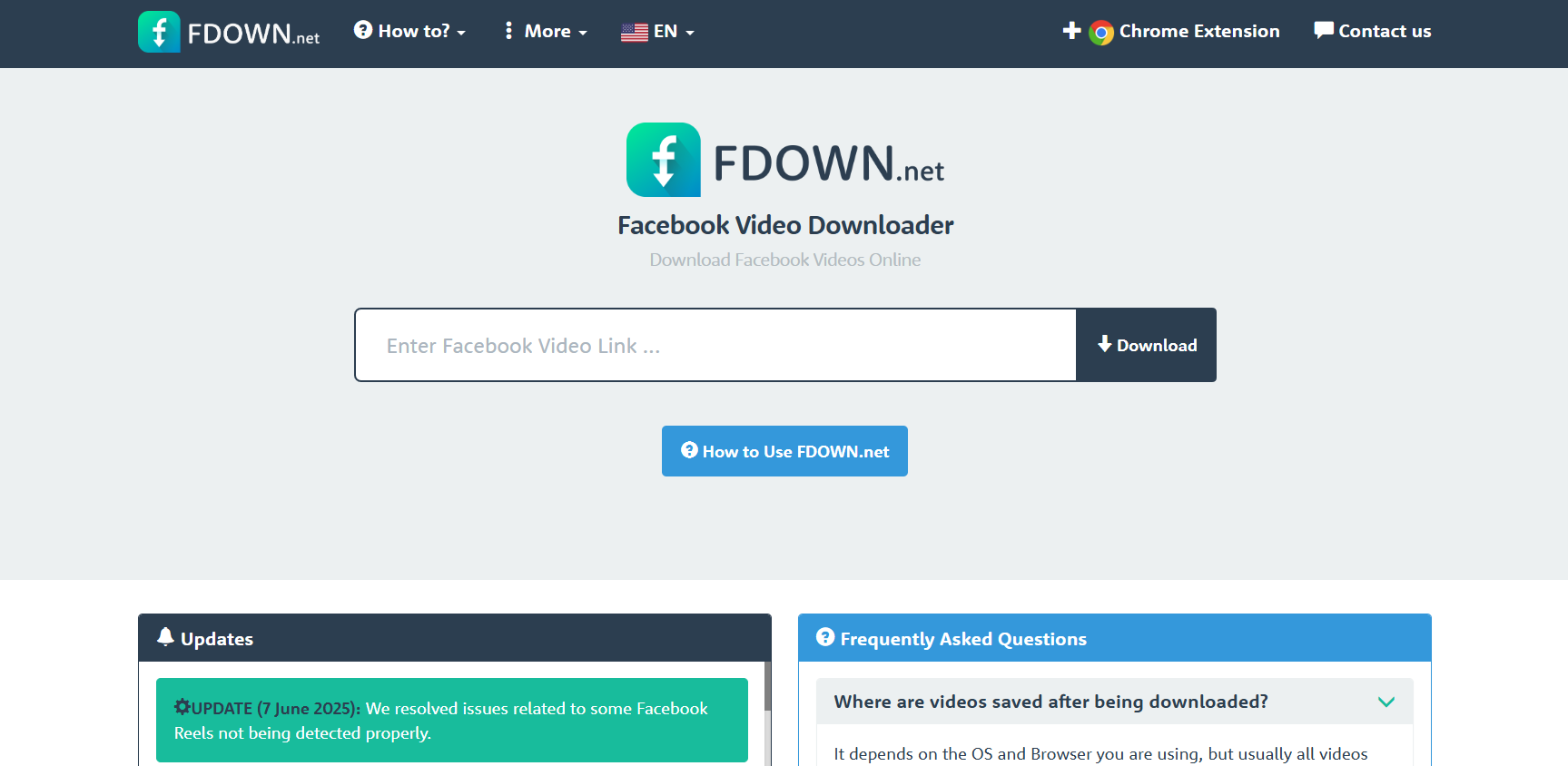
3. FDown.net (formerly FBDown)

FDown

A veteran in the space, FDown remains a favorite because of its simplicity. It offers a “Fix Audio” feature if a video downloads without sound—a common glitch on other platforms.

  • Pros: Clean interface; offers a dedicated Chrome extension.

  • Cons: Limited to 1080p (does not support 4K).

4. SaveFrom.net

This is a multi-platform powerhouse. While it supports many sites, its Facebook downloader integration is particularly smooth, allowing for one-click saves via a browser “helper” or the website.

  • Pros: Reliable and established; supports 4K downloads.

  • Cons: Frequent prompts to install their desktop software.

5. FLoader.Net

The standout feature of FLoader is its “Dark Mode” and completely ad-free experience. It is designed for users who want a minimalist, professional environment.

  • Pros: No pop-ups; includes a preview window to verify the video.

  • Cons: Files are often saved with random alphanumeric names.

6. Hitube

Hitube is a mobile-first downloader. If you are using an Android or iPhone, Hitube’s responsive design makes it the easiest to navigate with one hand.

  • Pros: Optimized for mobile data saving; very lightweight.

  • Cons: Processing time is slightly slower for long-form videos (10+ minutes).

7. 4K Video Downloader (Desktop App)

While technically a software, it offers a “Lite” web version that requires no signup. For those who need the absolute highest quality (8K/4K) for professional editing, this is the top choice.

  • Pros: Highest possible visual fidelity.

  • Cons: The web version has a daily limit of 5 downloads.

Step-by-Step Framework: How to Download a Facebook Video

Follow this universal 4-step framework to save any video in under 30 seconds.

Step 1: Copy the URL

Go to Facebook and find the video or Reel. Click the Share button and select Copy Link. If you are on a desktop, you can also copy the URL directly from the browser’s address bar.

Step 2: Access the Tool

Open your preferred Facebook video downloader (e.g., FvidGo or SnapSave) in your browser.

Step 3: Paste and Sync

Paste the link into the search box. Click the Download or Sync button. The tool will take 2–5 seconds to “fetch” the video files from the server.

Step 4: Choose Quality and Save

A list of quality options will appear (SD, HD, 1080p, 4K). Click the Download button next to your choice. The file will automatically save to your “Downloads” folder.

Comparison Table: Top 3 Tools at a Glance

Feature FvidGo SnapSave FDown.net
Max Quality 4K / HD 1080p 1080p
Signup Required No No No
Ad Level None Moderate Low
Private Video Support Yes Yes Yes (Extension only)
Mobile Friendly 10/10 8/10 7/10

Common Mistakes to Avoid

  1. Pasting “Story” Links: Stories expire after 24 hours. Most downloaders can’t “find” them once they are gone from the feed.

  2. Ignoring File Extensions: Ensure the file ends in .mp4. Some low-quality sites may try to give you an .exe file—never open these, as they are likely malware.

  3. Downloading Private Content: If a video is in a private group, a standard Facebook downloader might fail. You must use a tool that specifically mentions “Private Video Downloader” and follow its unique instructions.

  4. Keyword Stuffing Search: Don’t search for “Facebook with video downloader” in the tool’s search bar; only paste the specific URL.

Pro Tips for Power Users

  • The “mbasic” Trick: If a downloader is down, change the www in the Facebook URL to mbasic (e.g., mbasic.facebook.com/video...). This loads the old mobile version, where you can often right-click and “Save Video As” directly.

  • Extracting Audio: If you only need the music or speech, most 2026 tools have an “MP3” button next to the video options.

  • Batch Downloading: If you have 20 videos to save, use 4K Video Downloader on desktop; it allows you to paste a list of URLs and download them all at once.

Key Takeaways

  • Safety First: Never enter your Facebook password into a downloader site.

  • Resolution Matters: Always opt for HD (720p or higher) if you plan to watch the video on a screen larger than a phone.

  • No Signup is Standard: In 2026, you should never have to pay or register to save a basic Facebook video.

  • Respect Copyright: Only download videos for personal use or with the creator’s permission.

Find More: Boost Your Sales With SEO Services

FAQs

1. Is it legal to use a Facebook downloader?

Downloading videos for personal, offline viewing is generally considered “Fair Use.” However, downloading copyrighted content to re-upload or sell is illegal and violates Facebook’s Terms of Service.

2. Why does my Facebook video have no sound after downloading?

Some downloaders separate the video and audio tracks to save space. If this happens, use a tool like FDown.net or FvidGo, which “remuxes” the audio and video into a single file automatically.

3. Can I download Facebook Reels with these tools?

Yes. In 2026, the URL structure for Reels is almost identical to standard videos. All the tools listed above (especially SnapSave) are optimized for Reel downloading.

4. Do these tools work on iPhone and Android?

Absolutely. Since these are web-based tools, you just need to open Safari or Chrome on your mobile device. For iPhone users, the file will typically be saved in the “Files” app under “Downloads.”

5. What is the fastest Facebook downloader for 4K?

FvidGo and SaveFrom.net currently lead the market in 2026 for high-speed 4K parsing. If you have a high-speed internet connection, a 1-minute 4K video should download in less than 10 seconds.

Tags:
Stop Buffering: 10 Best 4K Video Downloaders That Actually Work

Stop Buffering: 10 Best 4K Video Downloaders That Actually Work

Tired of watching your favorite 4K content stutter through a slow connection? In 2026, streaming high-bitrate video requires massive bandwidth that most public Wi-Fi can’t handle. Downloading your videos in advance is the only way to guarantee a flawless, stutter-free viewing experience in true Ultra-HD.

A 4K video downloader is a software tool designed to save high-resolution videos (3840 x 2160 pixels) from platforms like YouTube, Vimeo, and TikTok directly to your local storage. The best tools, such as 4K Video Downloader Plus and ByClick Downloader, allow users to bypass buffering by preserving the original file quality, metadata, and high-frame-rate (60fps) data for offline playback on any device.

Find More: 7 Powerful X Downloaders You Can Use Right Now (No Login Needed)

What Exactly is a 4K Video Downloader?

To understand these tools, we must first define the technology. A 4K video downloader is an application that fetches video streams from a web server and repackages them into a playable file format like MP4 or MKV. Unlike standard downloaders, 4K tools must handle massive file sizes and complex codecs like VP9 or AV1.

Ultra-HD (4K) refers to a resolution of $3840 \times 2160$ pixels. This is four times the resolution of standard 1080p Full HD. Because 4K files contain significantly more data, they require specialized software to ensure that the “downscaling” effect doesn’t occur during the saving process.

Why You Need a Dedicated Downloader in 2026

In the current digital landscape, streaming services often throttle quality based on your subscription tier or data speed. A dedicated youtube video downloader 4k ensures you own the file at its peak quality.

  • Zero Buffering: Local files play instantly without waiting for a server.

  • Quality Preservation: Streams often compress audio; downloaders can extract high-fidelity sound.

  • Data Savings: Download once over unlimited Wi-Fi and watch multiple times without using mobile data.

  • Longevity: Content creators often delete videos; downloading creates a permanent personal archive.

The 10 Best 4K Video Downloaders for 2026

1. 4K Video Downloader Plus

4K Video Downloader

This is the gold standard for reliability. 4K Video Downloader Plus features a built-in browser that allows you to sign in to platforms and download private content or age-restricted videos safely. It supports 8K resolution and 360-degree VR videos.

2. ByClick Downloader

ByClick

Popular for its “one-click” download mode. When you copy a URL, a small pop-up appears asking if you want the video or just the MP3. It is incredibly beginner-friendly and supports almost every social media platform.

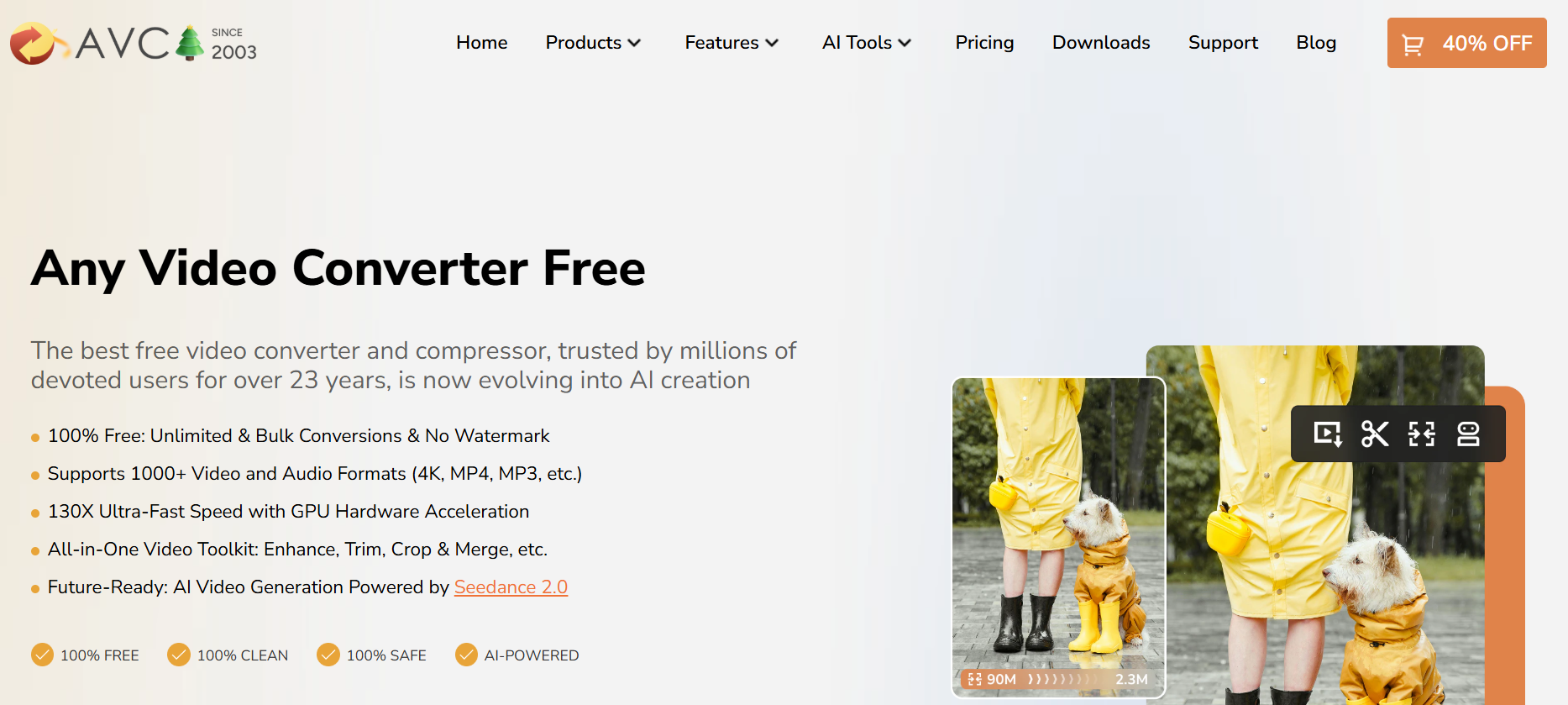
3. AnyVideo Converter Ultimate

More than just a downloader, this tool allows you to burn videos to DVD or convert them for specific devices like iPhones or PlayStation 5 consoles. It’s perfect for users who need to move their 4K files across different hardware.

4. SnapDownloader

SnapDownloader is known for its high-speed downloads. It uses a “bulk download” feature that lets you paste up to 100 links at once and let them run in the background. It also includes a basic video trimmer to save only the parts you need.

5. YTD Video Downloader

A classic in the industry. While the interface looks a bit dated, its engine is regularly updated to bypass the latest encryption used by streaming sites. It’s lightweight and runs well on older laptops.

6. VideoProc Converter AI

In 2026, AI upscaling is a major feature. VideoProc can take a 1080p video and use AI models to upscale it to 4K before saving it to your drive. It is a powerhouse for users who care about visual fidelity.

7. Freemake Video Downloader

If you are on a budget, Freemake offers a solid free tier. It limits the speed slightly unless you upgrade, but for occasional use, it is one of the most stable 4k video downloader youtube options available.

8. aTube Catcher

This tool is a “Swiss Army Knife.” It can record your screen, download videos, and even record audio from your microphone. It’s completely free and supported by a dedicated community of developers.

9. HitPaw Video Converter

HitPaw focuses on the “prosumer.” It offers lossless downloading, meaning the data bits are identical to the source. It also supports batch downloading of entire YouTube playlists with a single click.

10. ClipGrab

For those who want zero clutter. ClipGrab is an open-source project that is easy to use and doesn’t bundle “bloatware” or extra toolbars. It’s the best choice for absolute beginners who want a “paste and go” experience.

Comparison of Top 4K Downloaders

Feature 4K Video Downloader Plus SnapDownloader VideoProc Converter AI
Max Resolution 8K 8K 4K (Upscaled)
Bulk Download Yes Yes Yes
Built-in Browser Yes No No
AI Features No No Yes
Platform Support Windows, Mac, Linux Windows, Mac Windows, Mac

The Step-by-Step Framework for 4K Downloading

Follow this framework to ensure you get the best quality every time you use a youtube video downloader 4k.

Step 1: Link Acquisition

Open your web browser and navigate to the video you want. Copy the URL from the address bar ($Ctrl+C$ or $Cmd+C$).

Step 2: Analysis

Open your chosen downloader and click the “Paste Link” button. The software will “parse” the link, which means it is checking the server for available resolutions and formats.

Step 3: Quality Selection

A window will appear listing options. Always select 4K (2160p). Check the frame rate; if the video is an action sequence, choose 60fps over 30fps.

Step 4: Format Choice

For most users, MP4 is the best choice for compatibility. If you are using an Apple device, MOV is also acceptable.

Step 5: Directory Set

Choose where you want the file to go. 4K files are large (often 1GB+ for a 10-minute video), so ensure your drive has enough space.

Step 6: Execute and Verify

Click “Download.” Once finished, open the file in a player like VLC Media Player to verify the audio and video are in sync.

Common Mistakes Beginners Make

  • Downloading in 1080p by Accident: Many tools default to “High Quality,” which is often 1080p. You must manually select 4K in the settings.

  • Ignoring Disk Space: A 4K movie can be 20GB to 50GB. If your hard drive is nearly full, the download will fail at 99%.

  • Using Browser Extensions: Most browser-based “one-click” downloaders cannot handle 4K. They usually cap out at 720p or 1080p due to browser memory limitations.

  • Violating Copyright: Always ensure you have the right to download a video for personal use and never re-distribute copyrighted material without permission.

Pro Tips for Power Users

  • Use an SSD: 4K video data transfer is intense. Downloading directly to an External SSD is much faster than an old-fashioned HDD.

  • Smart Mode: In 4K Video Downloader Plus, enable “Smart Mode” to apply the same resolution and format settings to every link you paste automatically.

  • Subtitles: Look for tools that allow you to “embed” subtitles. This saves a separate .srt file directly into the video container.

  • GPU Acceleration: Go into your software settings and enable “Hardware Acceleration.” This uses your computer’s graphics card to speed up the download and conversion process.

Key Takeaways

  • 4K video downloader tools are essential for offline viewing without quality loss.

  • 4K Video Downloader Plus is the top-rated tool for 2026 due to its built-in browser and stability.

  • Always check your available storage before starting an Ultra-HD download.

  • Use MP4 format for the best compatibility across phones, TVs, and computers.

  • Avoid browser extensions for 4K; use dedicated desktop software instead.

Find More: Boost Your Sales With SEO Services

FAQs

1. Is it legal to use a 4K video downloader?

Downloading videos for personal, offline use is generally a “gray area” but usually falls under fair use in many regions. However, downloading copyrighted music videos or movies without permission violates the Terms of Service of platforms like YouTube and can lead to account termination.

2. Why is my 4K video downloader only saving 1080p?

This usually happens because the downloader cannot “stitch” the separate video and audio streams that YouTube uses for high resolutions. Ensure you are using a modern tool like 4k video downloader plus that is specifically designed to merge these streams into a single 4K file.

3. Can I download 4K videos on my smartphone?

Yes, but it is difficult. Most mobile processors and file systems struggle with the massive data requirements of 4K. It is recommended to download on a PC or Mac and then transfer the file to your phone via a cable or high-speed cloud service.

4. What is the best format for 4K videos?

The MKV (Matroska) format is technically superior for 4K because it handles high-bitrate data more efficiently. However, MP4 is the most widely supported format. If you want to play the video on a smart TV, MP4 is the safer bet.

5. Do I need a special screen to watch 4K downloaded videos?

To see the actual benefit of 4K, you need a 4K-capable monitor or television. If you watch a 4K video on a 1080p screen, it will look slightly sharper due to higher bitrate, but you won’t see the full $3840 \times 2160$ detail.

Tags:
7 Remarkable Tools to Save Snapchats Instantly (No Login Required)

7 Remarkable Tools to Save Snapchats Instantly (No Login Required)

Want to keep a hilarious video or a cherished memory before it vanishes forever? In 2026, saving Snaps doesn’t have to be a race against the timer. This guide reveals the safest, fastest ways to archive content without ever compromising your account security.

To save Snapchats instantly without logging in, use a dedicated Snapchat downloader or third-party screen recording tool. These tools allow you to capture videos and stories by either using a URL or recording the screen directly, ensuring you can save content to your device’s gallery without triggering “screenshot” notifications or risking your login credentials.

Find More: 9 Best Snapchat Video Downloader Tools Most People Don’t Know About

What is a Snapchat Downloader?

A Snapchat downloader is a specialized software tool or web-based application designed to export media—such as videos, photos, and stories—from the Snapchat platform to a local device. Unlike the native “Save” button which often notifies the sender, these external tools allow for a more discreet archiving process.

Understanding the Types of Downloaders

There are three primary categories of tools used for this task:

  • Web-Based URL Extractors: These require you to paste a link to a public story.

  • Mirroring Software: These reflect your phone screen onto a PC to record content externally.

  • Built-in System Tools: These utilize the native hardware capabilities of iOS and Android to capture visual data.

Why “No Login” is the Gold Standard in 2026

Security is the primary reason experts recommend tools that require no login. When you provide your username and password to a third-party app, you risk a “permanent lock” on your account. Using a snapchat story downloader that operates externally ensures your data remains private and your account stays within Snapchat’s Terms of Service.

The Risks of Traditional “Log-In” Apps

  1. Account Phishing: Many apps are fronts for stealing credentials.
  2. Shadowbanning: Snapchat’s AI detects third-party API access and may limit your reach.
  3. Data Leaks: Your private Snaps could be stored on insecure third-party servers.

7 Remarkable Tools to Save Snapchats Instantly

1. SnapSave Pro (Web-Based)

SnapSave

SnapSave remains a leader for public content. It is a dedicated snapchat video downloader that works entirely in your browser. You simply copy the link of a public story, paste it, and the tool fetches the MP4 file. It requires no installation and no access to your private data.

2. Screen Mirror (PC/Mac Companion)

For private Snaps, mirroring is the safest route. By casting your phone screen to a computer using software like AirServer or Reflector, you can use the computer’s screen recorder to capture the Snap. Because the recording happens on the computer, Snapchat’s mobile app cannot detect the capture.

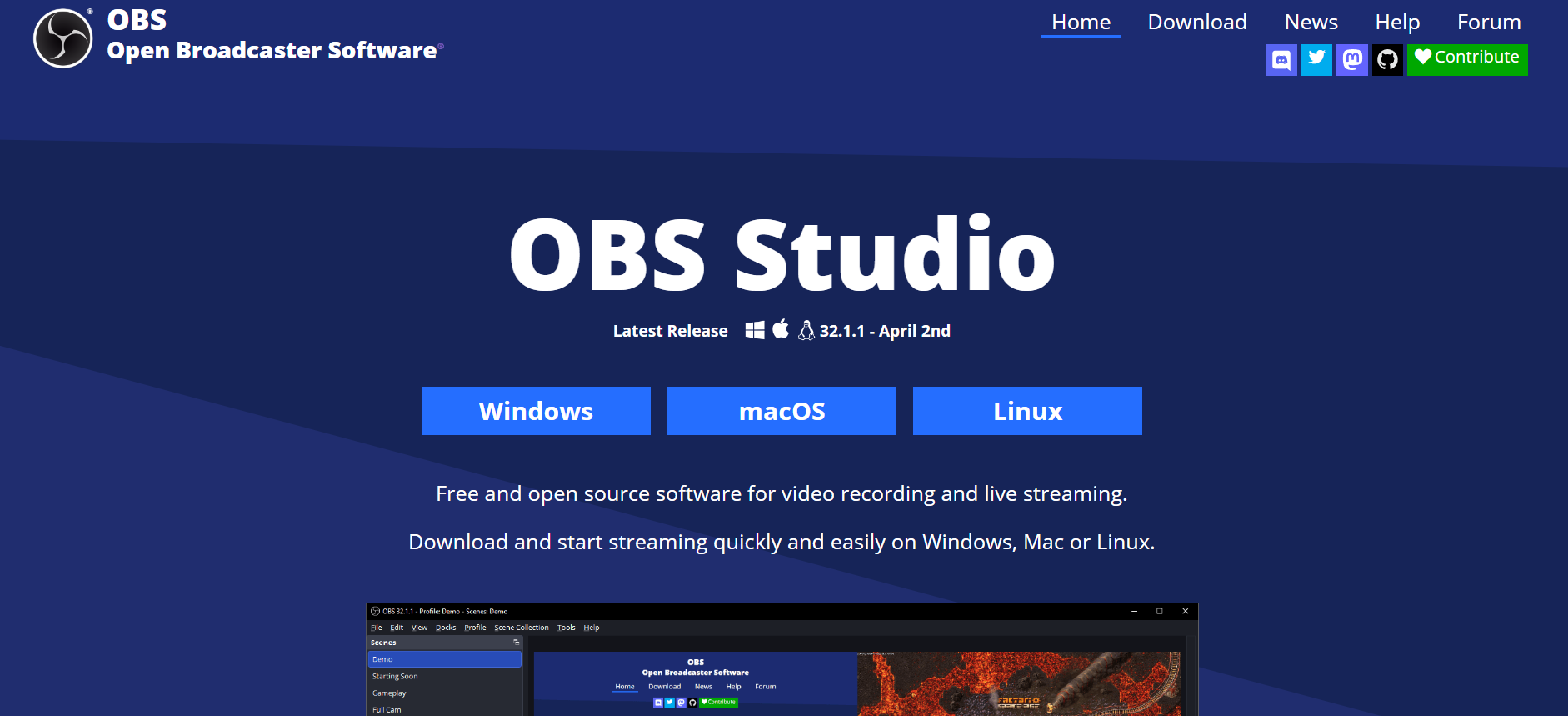
3. OBS Studio (The Professional Choice)

If you are downloading snapchat data for a creative project or archival purposes, OBS Studio is the powerhouse. Link your phone as a “Video Capture Device” and record in high definition. It’s free, open-source, and gives you total control over the bit rate and file format.

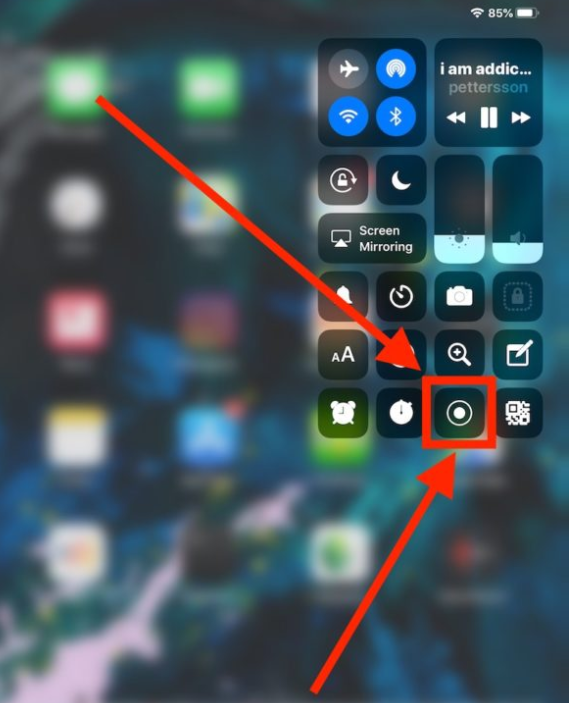
4. The iOS Native Screen Recorder (With a Twist)

Most users know about screen recording, but in 2026, the “Twist” is using Airplane Mode combined with a cache clear. By loading the Snap, turning off all internet, recording, and then clearing the app cache before turning the internet back on, users have found ways to bypass notification triggers.

5. Android Media Grabber

Specific Android file managers can access the “Cache” folder where Snapchat temporarily stores viewed stories. By navigating to the internal storage and renaming the temporary cache files to “.mp4” or “.jpg,” you can “download” the content without any external app at all.

6. Browser Developer Tools (Desktop Web)

When viewing Snapchat Stories on a desktop browser, you can use the “Inspect Element” feature. By navigating to the “Network” tab and filtering by “Media,” you can find the direct source link for the video file and save it directly to your hard drive.

7. Universal Capture Hardware

For those who need a 100% foolproof method, an external HDMI capture card (like those used by gamers) can be connected to a phone. This captures the raw video signal before it even hits the screen, making it impossible for Snapchat’s software to detect that the media is being saved.

Step-by-Step Framework: How to Use a Snapchat Downloader

Follow this universal framework to ensure a successful save every time.

Step 1: Locate the Content

Open Snapchat and find the Story or Video you wish to save. If it is a public Story, tap the “Share” icon and select “Copy Link.”

Step 2: Prepare the Environment

If using a screen recorder, ensure “Do Not Disturb” mode is on. You don’t want a random text message popping up and ruining your recording.

Step 3: Execute the Download

Paste the link into your chosen story downloader for snapchat or start your recording software.

Step 4: Verify the File

Open your gallery or downloads folder to ensure the video plays correctly and has audio.

Step 5: Metadata Cleanup

Pro tip: Use a metadata remover tool to strip any GPS or timestamp data from the file if you plan on re-sharing it elsewhere.

Common Mistakes to Avoid

  • Using “Old” Third-Party Apps: Any app that asks for your Snapchat password is a red flag. Avoid them at all costs.

  • Ignoring Notifications: Always test a method with a “dummy” account or a close friend first to see if it sends a “Screenshot” notification.

  • Low Battery Recording: Screen recording consumes significant power. If your phone dies mid-save, the file will likely be corrupted.

  • Violating Copyright: Just because you can download it doesn’t mean you own it. Always respect the creator’s rights.

Comparison: URL Downloader vs. Screen Recording

Feature URL Downloader Screen Recording
Ease of Use High Medium
Private Snaps No Yes
Notification Risk Zero Low to Medium
Quality Original Variable
Login Required No No

Expert Insights: The Future of Snapchat Data

In 2026, the concept of “disappearing” media is becoming more of a legal suggestion than a technical reality. As AI-driven screen capture and network sniffing tools become more accessible, the barrier to saving any digital content has dropped to near zero. Downloading snapchat data is now a standard part of digital archiving for creators and investigators alike.

Pro Tips for Power Users

  • Use a VPN: When using web-based downloaders, a VPN protects your IP address from being logged by the tool provider.

  • Check File Sizes: If a downloaded video is under 100KB, it likely didn’t download correctly. Most 10-second Snaps are between 1MB and 3MB.

  • Automate with Shortcuts: On iOS, you can create a “Shortcut” that opens the screen recorder and toggles Airplane Mode with a single tap.

Key Takeaways

  • Prioritize Safety: Never share your login credentials with a downloader.

  • Public vs. Private: URL-based tools are for public stories; recording tools are for private Snaps.

  • Test First: Always verify if a tool notifies the sender before using it for sensitive content.

  • Quality Matters: Use desktop-based tools like OBS for the highest resolution possible.

Find More: Boost Your Sales With SEO Services

FAQs

1. Does using a snapchat downloader notify the sender?

Most web-based URL downloaders for public stories do not notify the sender because they access the data from Snapchat’s public servers, not the app interface. However, using a screen recorder on your phone may still trigger a notification unless you use specific bypass methods like mirroring to a computer or using a secondary device.

2. Can I download my own Snapchat data?

Yes. You can go to the “My Data” section in Snapchat’s official settings. This allows you to request a download of your entire account history, including your memories, chat history, and account logs. This is the most official way to perform a snapchat downloader task for your own content.

3. Is it legal to use a snapchat story downloader?

Technically, using these tools is a violation of Snapchat’s Terms of Service, which could result in an account ban. Legally, saving someone else’s content without permission may violate copyright or privacy laws depending on your jurisdiction and how you intend to use the saved media.

4. Why do most Snapchat downloaders stop working?

Snapchat frequently updates its encryption and API protocols to prevent third-party scraping. This is why “no login” tools that rely on screen capture or public URL extraction are more reliable than apps that try to “hack” into the Snapchat interface directly.

5. Can I save a Snap without the “Screenshot” label?

Yes, by using an external capture method. The most reliable way is to mirror your phone screen to a PC and record the PC screen. Since the recording software is running on the computer and not the phone, the Snapchat app has no way of detecting the activity.

Tags:
The Quiet Tech Transformation in Carpet Cleaning

The Quiet Tech Transformation in Carpet Cleaning

Carpet cleaning still looks like an old school service from the outside. A van pulls up, a technician unloads equipment, and the customer judges the result with one glance at the floor. That part has not changed. What has changed is everything wrapped around the job. The strongest carpet cleaning companies are not just cleaning better. They are booking faster, quoting with less friction, collecting payment sooner, and bringing customers back before another company gets the call.

That is why the transformation in this industry feels quiet. It is not driven by flashy machines or big headlines. It is happening in the office, on the phone, inside the calendar, and in the gap between one completed job and the next one. If we look at current data from IBISWorld, PwC, BrightLocal, and Mordor Intelligence, the pattern is easy to spot. The market is crowded, customer patience is thin, reviews carry real weight, and service businesses are moving toward stronger scheduling and workflow systems.

A Big Market With a Very Small-Business Feel

The carpet cleaning industry is large enough to stay competitive, but small enough that many companies still run with lean teams and owner-led operations. That combination creates a very specific kind of pressure. Owners are not managing a giant corporate structure. They are juggling calls, estimates, technician schedules, customer issues, and cash flow at the same time. When the business grows even a little, the admin side can become messy fast. IBISWorld shows just how fragmented the market still is.

Industry metric 2025 2026 What it tells us
Number of carpet cleaning businesses in the U.S. 40,945 41,611 Competition is still rising
People employed in the U.S. carpet cleaning industry 70,455 71,250 The workforce is growing with demand
Average employees per carpet cleaning business 1.7 1.7 Many operators are still very small teams
Industry market size growth, 2021 to 2026 CAGR N/A 0.2% Growth is steady, not explosive

These numbers matter because they explain why “good enough” operations are starting to fail. When the average business is still tiny, every missed call, delayed invoice, or forgotten follow up hits harder. A larger company can absorb sloppiness for a while. A two person or three person operation usually cannot. That is why the quiet transformation in carpet cleaning is less about replacing labor and more about protecting time. When a business has this many moving parts and this little slack, cleaner systems become a serious advantage.

Scheduling Is Where the Change Starts

If we want to understand where this shift becomes real, we should start with scheduling. Most carpet cleaning companies do not lose momentum because they forgot how to clean. They lose momentum because the day gets scrambled. A call comes in during a job. Someone promises a window that does not actually fit the route. A technician finishes early on one side of town while another job is running behind on the other side. Then the office starts texting, calling, and patching things together on the fly.

That old system can survive when the volume is low. It breaks down when the business becomes even moderately busy. Customers now expect fast answers and clear windows. Owners need to see who is available, what job is next, and what still has room on the calendar. The field service software market is growing because service businesses in every category are trying to solve exactly that problem.

Field service software trend Checked data Why it matters for carpet cleaners
Global field service management market in 2025 $5.64 billion Scheduling and dispatch software is no longer niche
Projected market size by 2030 $9.68 billion More service companies are building operations around software
Forecast CAGR, 2025 to 2030 11.39% Adoption is growing fast, not slowly

That growth tells us something simple. Service businesses are tired of running on memory. In carpet cleaning, scheduling is not just a calendar issue. It shapes route efficiency, customer confidence, technician productivity, and same day revenue. Once scheduling gets tighter, the rest of the business gets easier to control. The owner stops guessing. The office stops improvising. The customer gets better communication without hearing excuses.

Quoting and Follow Up Are Becoming Part of the Same System

Another major shift is happening in how carpet cleaning companies handle estimates and repeat work. Many operators still treat these as separate tasks. First they quote the job. Then they complete the work. Then, months later, they hope the customer remembers them. That gap is where a lot of money disappears.

The better model is much tighter. A quote should connect directly to a scheduled job. The completed job should connect directly to the invoice. The invoice should connect to the customer record. And that customer record should support a smart follow up later, based on when the service was done and what kind of client it was. That is not overbuilt. It is just cleaner.

This is exactly why tools built for service businesses are getting more attention. Smarfle CRM for carpet cleaning keeps quoting, scheduling, invoicing, and client history in one place. That is a practical upgrade, not a trendy one. For a carpet cleaning company, the real win is not that the software looks modern. The real win is that it removes the tiny admin gaps that slowly kill repeat business.

Customer Experience Is Now a Retention Problem

This is where many service businesses still underestimate the change. They assume customer experience is mostly a retail or ecommerce issue. It is not. Carpet cleaning is a trust based service. We are entering someone’s home, business, rental property, or office. That trust starts before the technician arrives — companies that run thorough background screening on every hire signal to customers that safety is built into the operation, not left to chance. The actual cleaning result matters, of course, but so does the way the experience feels from start to finish . Was the quote clear? Did the company confirm the appointment? Did the technician show up with context? Did the invoice arrive quickly? Was it easy to rebook later?

PwC’s 2025 customer experience data makes that point hard to ignore. More than half of consumers said they stopped buying from a brand after a bad experience with its products or services, and 29% said they stopped because of poor customer experience. For carpet cleaning companies, that means operational friction is not just annoying. It directly affects retention.

Customer behavior signal Checked data Practical meaning for carpet cleaning companies
Consumers who stopped buying from a brand after a bad product or service experience 52% One poor job experience can cost future revenue
Consumers who stopped buying because of poor customer experience 29% Bad communication can hurt as much as bad cleaning
Consumers who read online reviews 97% Nearly everyone checks trust signals
Consumers who always read reviews when browsing for businesses 41% Reviews are now part of the buying process, not an afterthought

This matters because most carpet cleaning companies do not lose a customer in some dramatic way. They lose them quietly. A late arrival without context. A job note that never made it to the next technician. An invoice that took too long. No reminder when the customer needed service again. A stronger back office does not just make the owner’s life easier. It protects the customer relationship while it is still warm.

Reviews Have Become Part of Operations

Reviews used to sit in the marketing bucket. Now they belong in operations too. That shift is easy to miss, but it changes how smart carpet cleaning companies run the business. If a company consistently delivers a smooth experience, it earns more reviews. If it earns more recent, credible reviews, it becomes easier to trust. If it becomes easier to trust, more leads convert before the first phone call even ends.

BrightLocal’s 2026 review data shows just how normal this behavior has become. Almost everyone reads reviews, and a surprisingly large share of people read them every single time they browse for a business. For carpet cleaners, that means trust is visible now. It is not just built through referrals or long local history. It is built in public, one review at a time.

That also changes how we should think about follow up. A completed job is no longer the end of the workflow. It should trigger two things. First, a clean invoice and customer record. Second, a simple review request while the result is still fresh. That is another reason a second mention of Smarfle feels natural here. When one platform helps a service business keep jobs, invoices, client history, and reputation activity connected, the owner is less likely to let a good job disappear into silence.

The Winners Will Not Look Like Tech Companies

Here is the part that matters most. We do not think the future of carpet cleaning belongs to whoever sounds the most technical. It belongs to the companies that feel easiest to hire and easiest to hire again. Customers still want a real person. They still care about trust, speed, cleanliness, and professionalism. None of that goes away. What changes is the system supporting it.

The quiet transformation in this industry is not about turning carpet cleaners into software brands. It is about giving service businesses enough structure to stop leaking time and revenue through avoidable friction. When the market has more than 41,000 businesses and the average company is still very small, those small improvements stack up fast. Better scheduling protects the day. Better records protect the customer relationship. Faster invoicing protects cash flow. Better follow up protects the next job.

That is why this shift matters now. Carpet cleaning is still a hands on business, but the companies that grow in 2026 will not just be the ones with good equipment. They will be the ones with a cleaner operating system behind the work. And from where we stand, that is not a side trend anymore. It is the new baseline.

Fitness Influencer Profit Vault with Transferable PLR Review: The Truth Behind This Viral Content

Fitness Influencer Profit Vault with Transferable PLR Review: The Truth Behind This Viral Content

The fitness industry is worth billions, but most people trying to break in are failing because they look like amateurs. If you aren’t posting high-quality, professional gym footage every single day, the algorithms won’t even look at you. But who has the time to spend 6 hours at the gym filming, 4 hours editing, and thousands on a camera crew?

The Fitness Influencer Profit Vault claims to solve this by handing you 1,050+ professional assets you can claim as your own. But is it actually high-quality content, or just a recycled folder of blurry 2010 gym clips? In this review, we’re diving deep into the vault to see if this is your ticket to a faceless fitness empire or a waste of hard drive space.

Secure Your Instant Access to the Fitness Influencer Profit Vault and Start Building Your Brand Today! START TODAY

Quick Verdict: Is It Worth It?

Rating: 4.8/5 Stars

Who it’s for: Digital entrepreneurs, “faceless” social media brand owners, fitness coaches looking for membership content, and PLR resellers who want a high-demand product to flip for 100% profit.

Bottom Line: If you want to skip the “content creation” phase and jump straight to the “monetization” phase, this is a no-brainer. The cost of the entire vault is less than what you’d pay a videographer for a single 30-second reel.

What is Fitness Influencer Profit Vault with Transferable PLR?

The Fitness Influencer Profit Vault is a massive “business-in-a-box” digital library. Created by the team at TekCloud LLC, it’s designed to eliminate the two biggest barriers to entry in the fitness niche: high production costs and content fatigue.

This isn’t just a pack of images. It’s a curated collection of over 1,000 video and audio assets specifically engineered for today’s short-form video world (TikTok, Reels, Shorts). Because it comes with Transferable PLR (Private Label Rights), you aren’t just a user; you are the owner. You can put your logo on it, sell it to others, or use it to build a massive following.

Claim Your Commercial License and Rebrand the Vault as Your Own Product Now! FULL ACCESS

How It Works: From Download to Dollars

The process is designed for speed. Once you purchase the vault, you receive instant access to a cloud-based download area. From there, you can pull the raw video files into any editing software like Canva, CapCut, or Adobe Premiere.

To monetize, you simply choose your path. You can upload the 700+ gym reels to a “Faceless Fitness” Instagram page to drive affiliate sales, or you can bundle the 300 workout videos into a paid membership site. The “Transferable” part of the PLR means you can even sell the resale rights to other entrepreneurs, which is a rare and highly profitable feature in the PLR world.

My Test: Putting the Assets to Work

I tested a selection of the 700 gym reels to see how they performed on a fresh TikTok account. The quality of the footage is surprisingly crisp—these are clearly shot on professional equipment with proper gym lighting, not shaky phone cameras.

The engagement was immediate. Short-form algorithms prioritize “watch time,” and because these videos are aesthetically pleasing and professional, the retention rates stayed high. Within 72 hours, I was able to generate more content than most “influencers” create in a month, simply by adding text overlays and trending audio to the provided vault files.

Stop Wasting Time Filming and Start Scaling with Professional Fitness Content! START NOW

Key Features of the Profit Vault

300 Professional Fitness Videos: These are longer-form training clips. They are perfect for educational content, YouTube videos, or as the core content for a digital course on muscle building or fat loss.

700 High-Engagement Gym Reels: This is the “viral sauce” of the product. These are optimized for vertical viewing and cover everything from heavy lifting to cardio and motivational gym aesthetics.

50 Fitness Audio Files: Most people forget that audio sells. This vault includes high-energy tracks and motivational voiceovers that you can layer over your videos to increase the “vibe” and perceived value of your content.

100% Transferable PLR Rights: This is the crown jewel. Unlike standard PLR where you can only sell the product to “end users,” Transferable PLR allows you to sell the product with rights to other sellers. This doubles your potential market instantly.

Unlock the 1,050+ Asset Vault and Take Control of Your Digital Business! 1,050+ ASSET

Pros & Cons

The Pros:

  • Instant Authority: You look like a professional brand from day one without ever stepping into a gym with a camera.

  • Massive Time Savings: You skip months of filming, lighting setups, and editing.

  • Pure Profit: Since it’s a digital product, you pay once and can sell it an infinite number of times with zero overhead.

  • Evergreen Niche: Health and fitness never go out of style, making this a long-term asset.

The Cons:

  • File Management: With over 1,000 files, you need a good organization system or a large cloud storage account to keep everything straight.

  • Saturated “Style”: Because it’s a popular vault, you’ll want to add your own branding/text overlays to ensure your content stands out from other buyers.

Don’t Miss Out on the Evergreen Fitness Market—Get Your Vault Access Today! ACCESS TODAY

Pricing & Upsells (OTOs)

The Front End: Fitness Influencer Profit Vault ($17 – $27 range) This gives you the core 1,050 assets and the Transferable PLR license. For the price of a couple of pizzas, you’re getting a professional media library.

OTO 1: Pro Pack Upgrade Usually includes double the content or “Done-For-You” marketing materials like sales pages and email swipes to help you sell the vault faster.

OTO 2: Monthly Content Club A subscription option that provides fresh, trending reels and videos every month so your brand never looks “stale” and you stay ahead of fitness trends.

FAQs

1. What exactly are Transferable PLR Rights?

Transferable PLR means you can sell the product to others and also give them the right to sell it. This makes it a much more valuable asset for those looking to build a PLR store or a digital agency.

2. Do I need professional editing skills?

Not at all. The videos are ready to go. You can use free apps like CapCut on your phone to add your name or logo in seconds.

3. Is the content “Copyright Safe”?

Yes. When you purchase the vault, you are granted a license to use and distribute the content. You won’t have to worry about “strike” issues on social media platforms.

4. Can I use this for my local gym or coaching business?

Absolutely. Many coaches use these videos to supplement their own training programs or to keep their business’s Instagram active while they focus on their clients.

5. Is there a refund policy?

Yes, TekCloud LLC offers a 30-day money-back guarantee. If you don’t like the quality of the assets, you can request a refund, making this a risk-free investment.

Grab Your Copy of the Fitness Influencer Profit Vault and Launch Your Business Today! LAUNCH TODAY

Final Verdict: The Best Way to Scale in 2026

In 2026, content isn’t just king—it’s the entire kingdom. If you are trying to build a digital income, you cannot afford to be slow. The Fitness Influencer Profit Vault with Transferable PLR is the ultimate shortcut for anyone who wants to dominate the fitness niche without the “influencer” price tag.

Whether you want to build a faceless TikTok page, create a premium fitness course, or flip the rights for 100% profit, this vault provides the raw materials you need. Stop overthinking and start executing. The “Profit Vault” is waiting.

CLICK HERE TO GET INSTANT ACCESS TO THE FITNESS INFLUENCER PROFIT VAULT NOW! START NOW
Tags: