UK: +44 2038074555 info@atamgo.com
7 Best SEO Apps for Shopify That Skyrocket Your Store Traffic

7 Best SEO Apps for Shopify That Skyrocket Your Store Traffic
Best SEO Apps for Shopify

Introduction: Why You Need the Best SEO Apps for Shopify

The best SEO apps for Shopify can completely change the game for your online store. If you’ve ever struggled with low rankings on Google, slow page speeds, or confusing SEO settings inside Shopify, you’re not alone. Many store owners face these challenges every day. The good news? The right apps can simplify SEO, boost your rankings, and bring in more traffic without requiring you to be an SEO expert.

And here’s the thing: whether you’re searching for the best SEO apps for Shopify overall, looking for the best free SEO app for Shopify, or even comparing the best free SEO apps for Shopify, there’s something out there for every type of business and budget. In this guide, I’ll walk you through the top options that can help you solve real SEO problems, from image optimization to fixing broken links and automating meta tags.

Find More: 9 Must-Have SEO Tools for Small Businesses That Want to Rank Fast

Let’s dive in and explore how these apps can skyrocket your store traffic.

7 Best SEO Apps for Shopify That Skyrocket Your Store Traffic

1. Plug In SEO – Best for All-in-One SEO Help
Plug In SEO

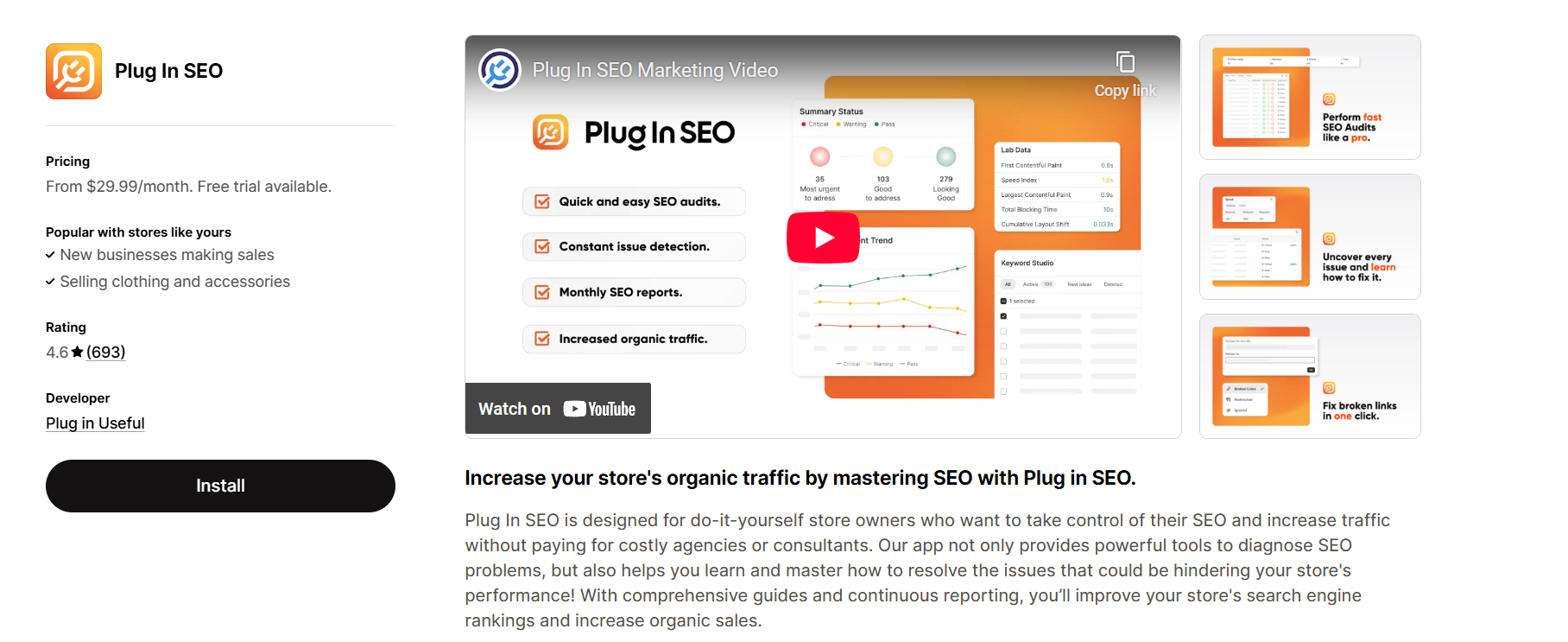
If you’re looking for a solid, all-around SEO app that makes optimization simple, Plug In SEO is the way to go. It scans your Shopify store and identifies issues with titles, descriptions, speed, and more. Think of it as your personal SEO watchdog that never sleeps.

  • Key Features: Automatic SEO checks, structured data support, keyword targeting, and detailed reports.
  • Benefits for Shopify Store Owners: Perfect for beginners who don’t know where to start. It highlights issues in plain English and gives step-by-step solutions.
  • Pricing & Setup: Free plan available; paid plans start at $29.99/month. Setup is quick and user-friendly.

Why it’s great: It gives you clear instructions on how to fix SEO problems. Even if you know nothing about SEO, you’ll feel confident taking action.

2. TinyIMG – Best for Image SEO & Speed Optimization
TinyIMG

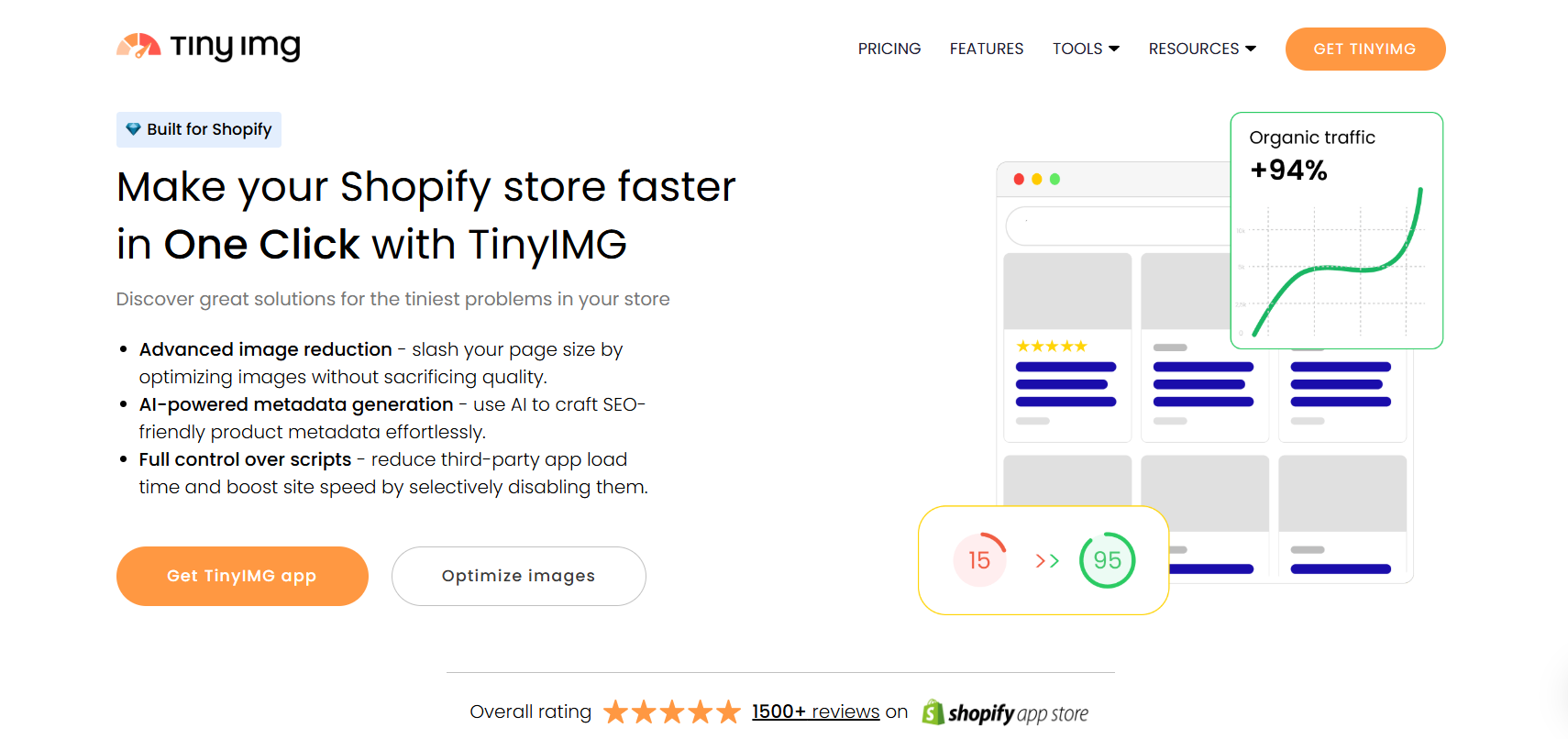
Slow websites lose sales, and nothing hurts conversions more than a sluggish store. TinyIMG helps you speed up your Shopify store by compressing and optimizing images without losing quality. Beyond speed, it handles alt text automatically, which boosts your SEO rankings.

  • Features That Boost Rankings: Image compression, lazy loading, alt-text automation, and broken link detection.
  • How It Improves User Experience: Faster load times mean happier visitors, lower bounce rates, and better Google rankings.
  • Who Should Use It: Anyone with lots of product photos (which is basically every Shopify store owner!).
  • Pricing: Free plan available; premium starts at $2.49/month.

Why it’s great: You get faster pages and automatic SEO-friendly images without lifting a finger. Plus, it saves hours of manual editing.

3. SEO Manager – Best for On-Page Optimization
SEO Manager

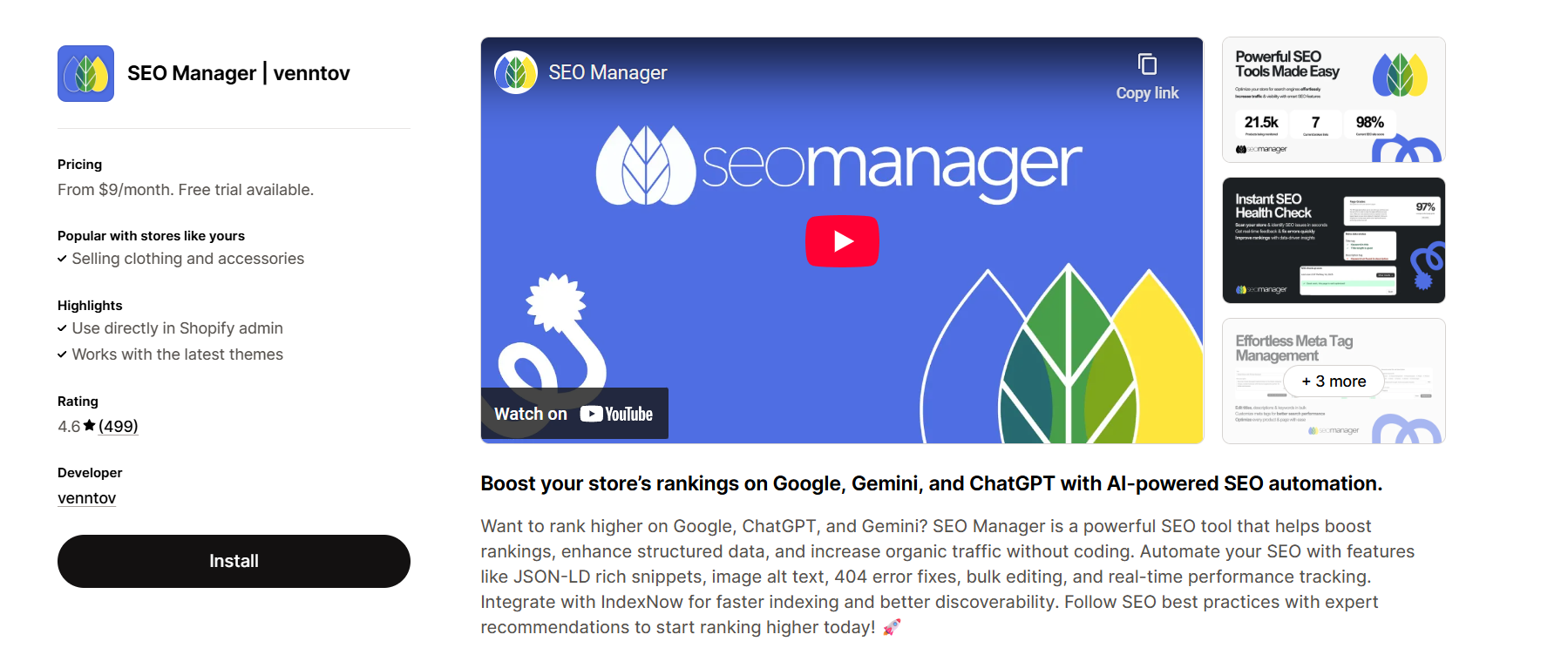
If you want full control over your Shopify SEO, SEO Manager is a powerful option. It gives you everything you need to optimize your site’s content and meta details in one place.

  • Core Capabilities: Edit titles, meta descriptions, ALT tags, redirects, schema markup, and fix broken links.
  • Common SEO Problems It Solves: Helps you manage duplicate content, missing metadata, page errors, and even integrates with Google Search Console.
  • Ease of Integration: Works seamlessly inside Shopify admin with a clean interface.
  • Pricing: $20/month.

Why it’s great: It’s one of the most complete SEO apps on the Shopify marketplace and is trusted by thousands of store owners.

4. Smart SEO – Best for Automating SEO Tasks
Smart SEO

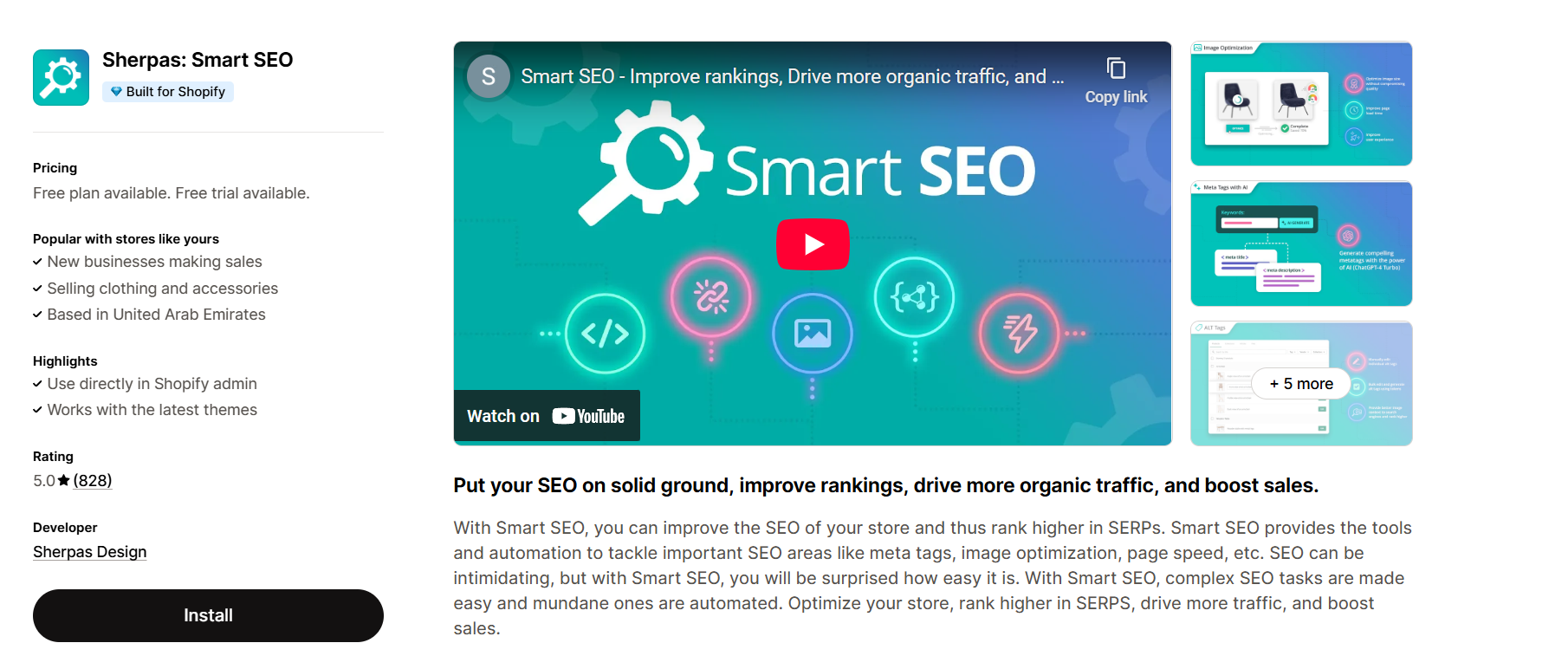
If you’re tired of doing everything manually, Smart SEO is your best friend. It automatically generates meta tags and alt texts, saving you tons of time while ensuring your store is optimized.

  • Key Features: Automated meta descriptions, alt text, structured data support, and multilingual SEO.
  • Why Structured Data Matters: Google uses structured data to show rich snippets (like star ratings and pricing) in search results, which can dramatically improve click-through rates.
  • Pricing Plans: Starts at $9.99/month, making it affordable even for small stores.

Why it’s great: You set it up once, and it keeps working for you in the background. It’s the definition of “set it and forget it.”

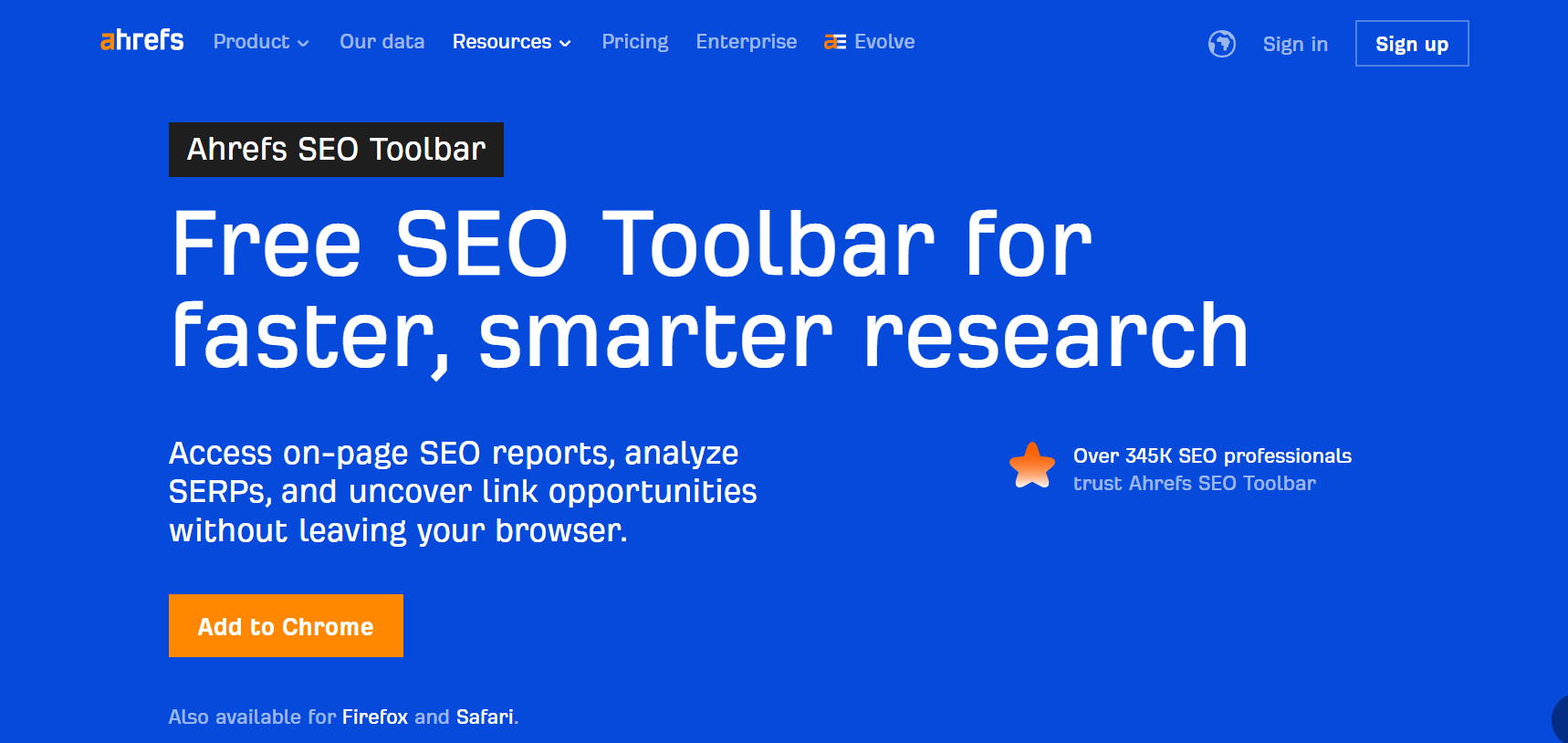
5. Ahrefs SEO Toolbar – Best for Backlink Tracking & Authority
Ahrefs SEO Toolbar

While not a Shopify-exclusive app, Ahrefs is one of the most trusted SEO tools worldwide. Using their Chrome extension alongside Shopify, you can track backlinks, keyword rankings, and competition to strengthen your SEO game.

  • What Makes It Stand Out: Backlink analysis, keyword research, content gap reports, and competitor insights.
  • How It Helps Drive Organic Traffic: Helps you understand why your competitors rank higher and what steps you need to take to outrank them.
  • Best Fit For: Store owners serious about long-term SEO growth and those who want to go beyond Shopify’s built-in features.
  • Pricing: Free toolbar available; premium plans start at $99/month.

Why it’s great: It’s a professional-grade tool that gives you data-driven insights no Shopify-only app can provide.

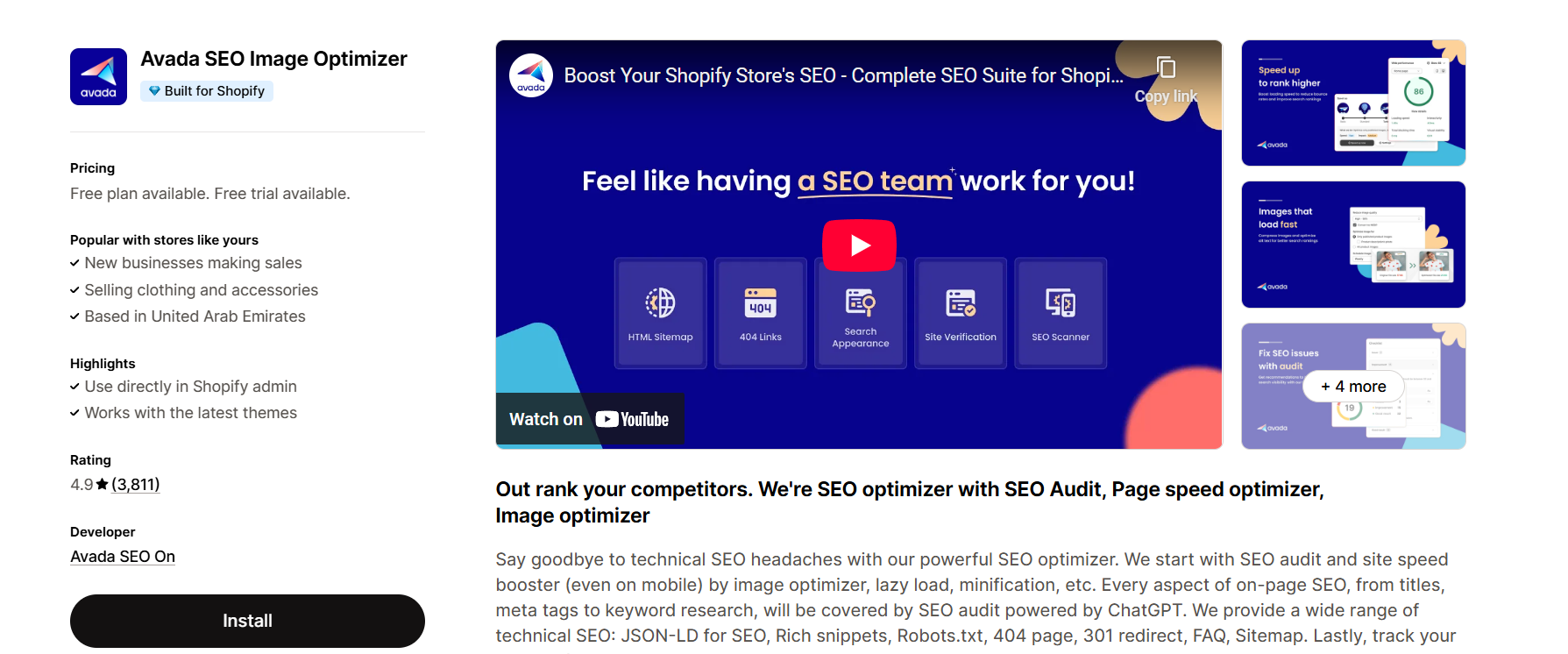
6. Avada SEO Suite – Best Free SEO App for Shopify
Avada SEO Suite

If you want the best free SEO app for Shopify, Avada SEO Suite is a no-brainer. It packs a ton of features into a free plan, making it perfect for startups and budget-conscious entrepreneurs.

  • Easy Setup Features: Meta tags, sitemap submission, structured data, image optimization, and site speed improvements.
  • Benefits for Shopify SEO Starters: No coding skills needed, very beginner-friendly, and the interface is simple to navigate.
  • Value for Money: Free forever plan available, with optional premium upgrades if you need more advanced features.

Why it’s great: It’s the most generous free app you’ll find for Shopify SEO, making it a must-try for new store owners.

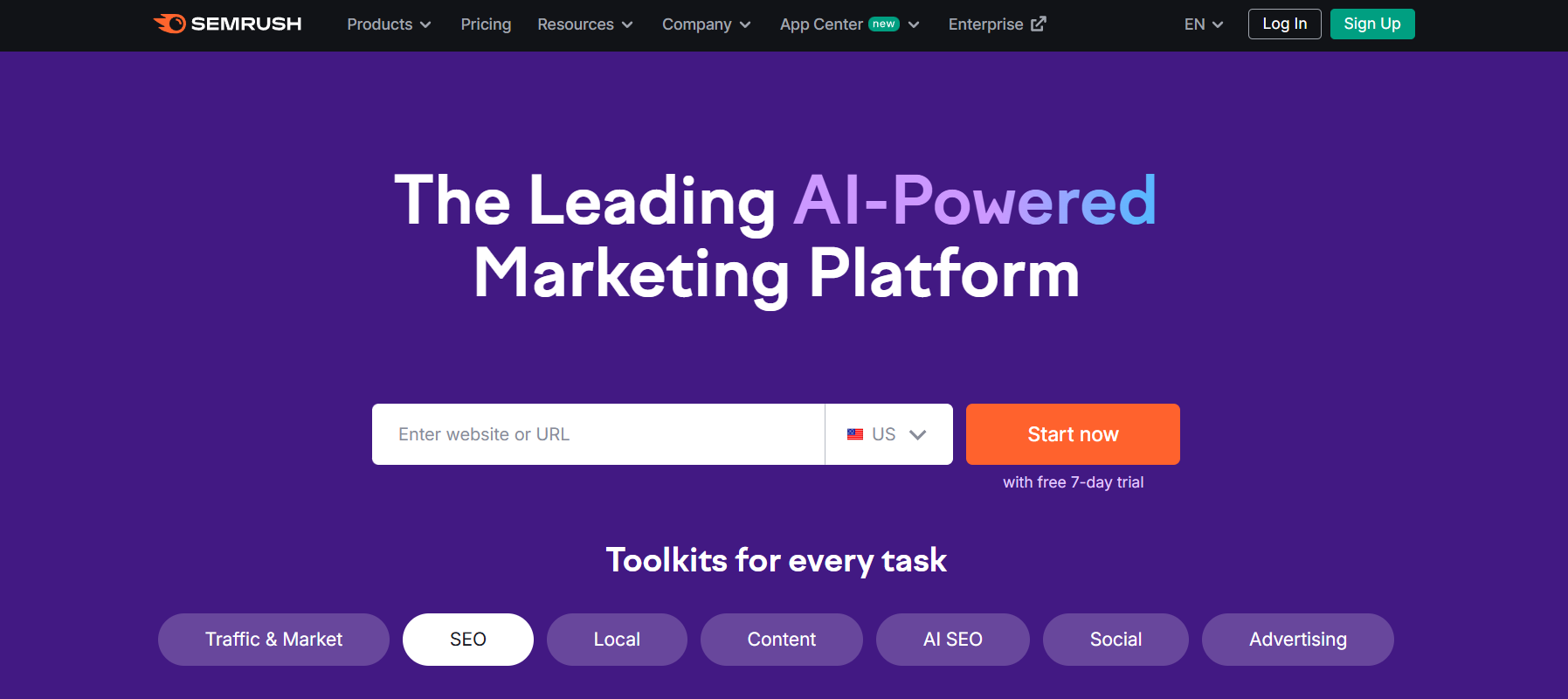
7. SEMrush – Best Advanced SEO Tool for Data-Driven Marketers
SEMrush

Just like Ahrefs, SEMrush isn’t Shopify-exclusive, but it’s an absolute powerhouse for SEO and digital marketing. It gives you everything from keyword research to site audits in one dashboard.

  • Insights & Analytics Offered: Keyword tracking, backlink audits, competitor research, and traffic analytics.
  • How It Supports Long-Term SEO Growth: Helps you build a complete SEO strategy, track progress, and discover growth opportunities beyond Shopify.
  • Pricing & Target Audience: Starts at $129.95/month, ideal for growing businesses and agencies.

Why it’s great: It’s like having a full SEO team in one platform, giving you the data you need to scale confidently.

How to Choose the Right Shopify SEO App

With so many apps available, how do you pick the right one? Here’s a simple breakdown:

  • On a Budget? Go for Avada SEO Suite (best free option).
  • Need Image Speed Fixes? TinyIMG is your best bet.
  • Want Full Control? SEO Manager gives you maximum customization.
  • Prefer Automation? Smart SEO takes care of the hard work.
  • Serious About Growth? Pair Shopify apps with pro tools like Ahrefs or SEMrush for advanced strategies.

When choosing, also consider your store size and goals. Smaller stores may not need advanced analytics right away, but investing early can help you scale faster in the future.

While this guide walks through the top SEO-apps for your Shopify store, for merchants aiming to scale fast and ensure proper technical implementation, engaging a dedicated Shopify Agency is often the missing link. A specialist agency can not only configure these apps but also align them with your broader SEO strategy—meta-tags, site architecture, content planning, crawling budget, multi-language expansions, and analytics—so your investment drives sustainable organic growth.

Conclusion – Take Action with the Best SEO Apps for Shopify

Here’s the bottom line: Shopify makes it easy to set up an online store, but without the right SEO strategy, your store will struggle to get organic traffic. Thankfully, with the best SEO apps for Shopify, you don’t need to be an SEO guru to see real results. These tools can help you optimize your store, fix technical and on-page SEO issues, and ultimately drive more sales.

So, don’t wait around. Pick one of the apps above, install it today, and start experimenting. SEO rewards consistency, so the earlier you start, the faster you’ll see your rankings and traffic improve.

Find More: Boost Your Sales With SEO Services

FAQs

1. What is the best SEO app for Shopify in 2025?

The best all-around option is Plug In SEO, but for free users, Avada SEO Suite is unbeatable. If you’re after advanced analytics, SEMrush and Ahrefs are excellent choices.

2. Do I need multiple SEO apps for my Shopify store?

Not always. One good all-in-one app is usually enough, but some store owners combine an image SEO app with a general SEO app for best results.

3. Are free SEO apps for Shopify effective?

Yes, apps like Avada SEO Suite offer solid free features that can handle the basics well. However, for advanced optimization and competitive analysis, paid tools are more effective.

4. How long does it take to see results after installing an SEO app?

SEO is a long-term game. You might see small improvements within weeks, but significant results usually take a few months of consistent effort.

5. Can SEO apps replace professional SEO services?

Not entirely. Apps make SEO easier and more automated, but if you want advanced strategies, a professional SEO consultant can still bring huge value by tailoring tactics specifically to your business.
Tags:
The Role of Smart Tools in Optimizing E-Commerce Operations

The Role of Smart Tools in Optimizing E-Commerce Operations

Optimizing E-Commerce Operations

Smart tools refer to any kind of software that can use data and analytics to help drive informed decisions. Today, we use smart tools in most facets of our lives. 

Our smartphones and computers are laden with such apps. Some small examples of smart tools are text prediction in typing, automatic location tagging and storing when taking pictures, and of course, AI assistants. These assistant apps, in particular, are very good at scheduling things, providing automatic reminders, and generally being useful. Modern businesses increasingly rely on the AI work model to streamline decision-making and operational efficiency.

Naturally, smart tools are also used in business settings. One of the most popular applications of smart tools is in e-commerce. For instance, a trusted full service Amazon partner such as beBOLD Digital may leverage advanced analytics and automation to help sellers streamline operations, boost visibility, and improve sales performance.

Let’s learn how we can optimize various e-commerce operations with the help of smart tools.

How Can Smart Tools Optimize E-Commerce Operations

1. Enhancing Website Security With Smart Tools

In e-commerce, the integrity of your web store is critical. It cannot have any security issues that result in loss of customer data, theft of sensitive information, or fraudulent sales.

A variety of smart tools can be used to do this. There are various tools that can be used for these things, such as network testing tools. The major security issues in most e-commerce software arise due to oversights in the network administration and implementation.

One of the most common points of oversight is the DNS (Domain Name System). The DNS setup of your e-commerce platform is one of the cornerstones of your entire operation. Without the DNS, you can’t render your services. This is due to the role DNS records play.

DNS records provide important information such as:

  • What is the IP address of your domain? (A, AAAA records)
  • Which email servers handle the domain’s mail? (MX record)
  • Domain aliases (if any) (CNAME record)
  • Authentication phrases and keys for domain authentication (TXT Records)

And many other things.

To ensure that your website does not have any shortcomings related to the DNS, some kind of audit is necessary. To facilitate this audit, you can use a DNS lookup tool to quickly check the status of your domain’s records and verify them. 

Common things you want to check in a DNS audit are:

  • Record propagation status
  • Record values/information validity
  • Missing records
  • DNS security records

And many other things. So, smart DNS monitoring tools can improve the audit operation and make it faster and more convenient. 

2. Improving Payment Systems with Tools

One of the integral parts of an e-commerce platform is the payment system. Providing multiple options to users to pay for their purchase is one of the basics of e-commerce.

Common methods of payment include:

  • Paying with a credit/debit card.
  • Paying with a digital wallet.
  • Cash on delivery
  • Paying in installments
  • Paying with store credit
  • Paying with a gift card

Integrating all of them is necessary in the modern day because people like to have flexibility in the payment methods. However, they also want more convenience. Open banking makes this possible by allowing businesses to securely connect with customers’ bank accounts, offering faster payments, better insights, and a smoother checkout experience.

Thankfully, you can do a lot to make the payment convenient for your users. For example, if your customer is using the desktop version of your platform, you can provide a QR code to them, which makes payment with wallet apps seamless. Users can scan the QR code with their phone using any wallet they desire and instantly complete their payment.

Of course, payment security is another important aspect of the operation. You can use tools like an IP location checker to verify that payments do not originate from known insecure locations. 

IP location checkers also help to verify returning customers and protect them from fraud in case their credit card info has leaked. Basically, if a payment originates from a location that is alarmingly distant from the customer’s usual location, then the system will flag it and require further authentication to proceed.

3. Better Inventory Management

Inventory management is another crucial task in the e-commerce machine. Inventory management refers to taking note of which items are in stock, which have been ordered, and what is going to run out soon. That is the basics of inventory management.

Previously, inventory management was a wholly manual task. Nowadays, it is mostly done automatically with little to no manual intervention. 

There are various tools you can use for inventory management. For example, Zoho Inventory and Trade Gecko are useful tools that track inventory in real-time. This enables you to prevent overstocking or outstocking any products.

You can facilitate this function with analytic AI, which checks which products are the most popular and which ones are the least popular. Then all items can be stocked and ordered appropriately, i.e., popular items are given more warehouse space and ordered more frequently, and vice versa.

So we can conclude that inventory management is an operation best done with the help of smart tools.

4. Marketing Personalization 

An e-commerce platform can only thrive when it has a lot of clients. To increase the number of clients, the platform needs to engage in effective marketing to spread its name among new people who wish to buy its products.

Effective marketing requires a lot of personalization in the year 2025 due to several reasons. Some of them are given below.

  • There is too much marketing in the world. Customers are tired of it.
  • Unless the ads and marketing are directly relevant to the customer, they are not interested in them.
  • Customers like to feel heard; personalized marketing tends to do that.
  • Personalized marketing is more cost-effective than general mass marketing because you only use as many resources as you need instead of overspending.

These are some of the compelling reasons why personalized marketing has become a necessity in modern e-commerce. 

So, which smart tools can help with marketing personalization? There are plenty of options. For example, an IP location checker can help with creating regional offers and ads that target a specific city.

The very same tool also helps you collect data to create profiles of your customers so that you can create more personalized content for them. 

Innovative ads that use QR codes to provide some kind of discount or lead to a special offer are another great option. Companies can create custom codes with a QR code generator to create such ads.

Additionally, you can wire your DNS and Content Delivery Network (CDNs) to show localized content to specific areas and provide regional pricing of goods.  In this way, you can personalize the marketing of your products with smart tools.

5. Ensuring High Site Uptime

In an e-commerce operation, one thing that must never happen is the website going down. When the platform is down, nobody can access it. This means no placing orders, tracking orders, or even reaching customer support via the platform.

Such events are distressing for the customers and reduce their faith in the platform. This leads to insecurities regarding product deliveries and quality. These negative emotions tend to drive away your customers and reduce your business significantly. Another critical factor affecting customer retention is involuntary churn, which can occur due to failed payments or expired credit cards, leading to unexpected subscription cancellations.

There are various reasons why a site can go down. Here are some of the common ones.

  • Too much traffic on the servers. It can result in a “Denial of Service” error.
  • Bad routing. Bad routing forces a lot of traffic through unoptimized nodes, which results in poor performance or outright denial of service.
  • Outdated DNS records. They cause resolution errors.
  • Domain expiry. An expired domain can no longer host a website, so any website on that domain becomes unavailable.

As you can see, most of these errors relate to networking issues. Bad routing, bad DNS records, and unoptimized flow of traffic are the most common reasons for website downtime.

Here’s how you can fix these issues.

  • A good CDN setup and redundant servers can deal with “too much traffic” easily. To obtain these resources, you need to sign up with a domain provider that has a large CDN and DNS network, like Cloudflare.
  • Bad routing is usually caused by other things, such as network congestion and misconfigured routers. Once again, the solution is to use a domain provider that has a vast and reliable CDN and DNS network of its own to avoid running into this issue.
  • Outdated DNS records occur due to problems in DNS propagation. Use a DNS propagation checker to see if your e-commerce website records are propagated correctly. If they aren’t, contact your domain provider and report the issue to get a swift resolution.
  • Domains usually don’t expire out of the blue. Keep an eye out for emails from your domain provider and stay on top of payments. Even if you miss a payment, a domain is not immediately unregistered; you are usually given a grace period to submit the arrears and keep using it.

Conclusion

Running an e-commerce enterprise is a lot of work. It requires constant maintenance and upkeep operations. We saw what some of the problematic operations are and how smart tools can help you optimize and complete these operations with ease.

So, you should start looking into using such tools yourself and improve your e-commerce operations for better success.

10 Powerful Ways to Supercharge Your Shopify Store Speed

10 Powerful Ways to Supercharge Your Shopify Store Speed

Shopify speed optimization service

10 Powerful Ways to Supercharge Your Shopify Store Speed

Shopify speed optimization service isn’t just some technical buzzword — it’s one of the most important investments you can make in your online store. A fast, smooth-loading store keeps visitors happy, improves your SEO, and directly boosts your sales. In fact, research shows that even a one-second delay can drop your conversions by up to 7%. If your Shopify store takes more than 3 seconds to load, you could be losing a big chunk of your potential customers before they even see your products.

In this expanded guide, we’ll go deeper into 10 powerful ways to supercharge your Shopify store speed. Whether you’re doing it yourself or considering hiring Shopify speed optimization services, these tips will help you load faster, sell more, and deliver an unbeatable shopping experience.

Find More: Why Shopify Stores Are Still Missing Out on Local SEO and How to Fix

1. Audit Your Current Shopify Store Speed

shopify speed optimization services

Before you can fix anything, you need to understand your starting point.

Use Shopify’s Built-in Speed Report

Inside your Shopify admin dashboard (Online Store → Themes → View Speed Score), you’ll find a built-in speed report. This score compares your store’s performance to others and is updated daily. It’s a quick pulse check, but it won’t give you the full story.

Leverage Tools Like Google PageSpeed Insights & GTmetrix

External tools like Google PageSpeed Insights and GTmetrix give you detailed diagnostics. They’ll pinpoint issues like render-blocking scripts, uncompressed images, and unused CSS so you can prioritize fixes.

2. Optimize and Compress Your Store Images

Large images are often the main culprit behind slow load times.

Use Shopify-Compatible Image Compression Apps

Tools like TinyIMG or Crush.pics reduce image file size without affecting quality. Optimized images load faster, especially for mobile shoppers on slower connections.

Choose the Right File Formats (WebP vs JPEG/PNG)

WebP offers better compression than JPEG or PNG, often cutting file sizes in half. Shopify automatically supports WebP for compatible browsers, so ensure your images are uploaded in optimal formats.

3. Minimize the Use of Heavy Shopify Apps

Every app adds extra code to your store — and too much code means longer load times.

Identify Apps Slowing Down Your Store

Run a speed test and look for third-party scripts that are eating up loading time. Some apps load assets on every page even if they’re not being used there.

Replace Apps with Lightweight Alternatives

Sometimes a single line of code can replace an entire app. Streamlining your setup not only speeds up your site but also reduces costs.

💡 Pro Tip & Service Plug:
If you’d rather not spend hours troubleshooting, I offer done-for-you Shopify speed optimization services at atamgo.com. I’ll audit your store, strip away speed bottlenecks, and make it lightning fast — without breaking any key features.

4. Enable Browser Caching for Faster Repeat Visits

Caching stores static files so returning visitors can load your site almost instantly.

How Caching Works in Shopify Stores

Shopify’s CDN already caches most assets, but certain custom scripts may not be included.

Tools to Implement and Manage Caching

If you use custom hosting for parts of your store or third-party integrations, check if they allow you to enable long-term caching.

5. Reduce HTTP Requests and Unnecessary Code

shopify page speed optimization services

Each HTTP request your browser makes takes time — reducing them speeds things up.

Remove Unused JavaScript and CSS

Delete scripts and styles that are no longer in use. Many themes come with features you might not be using but that still load in the background.

Merge Files to Reduce Requests

Combining multiple CSS or JS files into one can cut down the number of requests and improve load speed.

6. Use a Content Delivery Network (CDN)

A CDN delivers your content from the server closest to your customer.

Benefits of Shopify’s Built-in CDN

Shopify’s built-in CDN automatically delivers your store’s static assets globally, which is especially helpful if you serve international customers.

Advanced CDN Options for International Stores

Upgrading to a premium CDN like Cloudflare Pro can improve performance with advanced routing and image optimization features.

7. Optimize Your Shopify Theme for Speed

Your theme has a massive impact on performance.

Choosing a Lightweight, Fast-Loading Theme

Opt for themes designed with speed in mind, like Dawn or custom-coded lightweight themes.

Customizing Your Theme Without Slowing It Down

Avoid heavy animations, oversized sliders, or autoplay videos unless absolutely necessary.

8. Lazy Load Images and Videos

Lazy loading improves initial load speed by only loading what’s visible.

What Lazy Loading Is and Why It Matters

It prevents loading assets until the user scrolls to them, reducing the initial page size.

How to Implement Lazy Loading in Shopify

Many themes support lazy loading by default; if not, it can be added with a simple JavaScript snippet.

9. Streamline Checkout and Cart Pages

A slow checkout can kill sales faster than any other issue.

Reduce Unnecessary Scripts in Checkout

Remove extra tracking pixels, upsell popups, or chat widgets from checkout pages.

Improve Mobile Checkout Speed

Ensure forms are mobile-friendly and payment buttons are easy to tap without delay.

10. Hire a Professional Shopify Speed Optimization Service

shopify mobile speed optimization

Sometimes, the fastest fix is getting expert help.

When to Bring in Experts

If your store has custom coding, multiple apps, and complex integrations, hiring a pro can save you weeks of trial and error.

What to Expect from a Shopify Speed Optimization Package

A reliable service (like mine at atamgo.com) will:

  • Conduct a full site audit
  • Resolve slow-loading elements
  • Optimize scripts, images, and apps
  • Implement Shopify mobile speed optimization services
  • Test thoroughly and monitor for ongoing performance

Conclusion: Take Action to Boost Your Shopify Store’s Performance

Speed is a competitive advantage in e-commerce. We’ve covered 10 ways to improve your store’s performance, from image optimization and lazy loading to professional Shopify page speed optimization services.

You don’t have to do everything today — start with one or two fixes, see the results, and keep building. If you’d rather get it all done at once, I can help.

Get your Shopify store running at lightning speed with my professional Shopify speed optimization service → atamgo.com

Find More: Boost Your Sales With SEO Services

FAQs

1. How fast should a Shopify store load?

Under 3 seconds is ideal for best conversions.

2. Can I optimize my Shopify store speed without coding skills?

Yes, though deeper improvements may require coding or expert help.

3. What is the cost of a Shopify speed optimization service?

Expect anywhere from $100–$500+ depending on complexity.

4. Does a faster Shopify store improve my Google rankings?

Yes. Speed is a ranking factor, especially for mobile.

5. How often should I check my Shopify store speed?

At least quarterly, or after big theme/app changes.

Tags:
Best AI Marketing Automation Tools for 2026

Best AI Marketing Automation Tools for 2026

AI Marketing Automation Tools

Introduction: Why AI Marketing Automation Tools Are a Game-Changer in 2026

AI marketing automation tools are no longer a luxury; they’re now essential for anyone serious about scaling their marketing in 2026. From solopreneurs to large brands, everyone is tapping into the power of smart automation to save time, personalize campaigns, and boost ROI. In fact, if you’re still doing everything manually, you’re probably falling behind. These tools are rapidly transforming how we engage audiences, build customer journeys, and analyze performance.

With so many new ai tools for marketing automation launching every year, it’s hard to know which ones are actually worth your time (and money). That’s why we’ve rounded up the best marketing automation AI tools for 2025. Whether you’re looking for AI email campaign tools, smart social media automation, ai tools for presentation, advanced customer journey mapping, or predictive data insights, there’s something here for you.

This list is more than a collection of tools—it’s your shortcut to working smarter, not harder. These ai automation tools for marketing can drastically cut down your workload while giving you better performance metrics and happier customers.

Let’s dive into the top picks for ai marketing automation tools 2025 that are truly reshaping the future of marketing.

From solopreneurs to large brands, and even leading AI services companies, and content platforms such as EssayPro, everyone is tapping into the power of smart automation to save time, personalize campaigns, and boost ROI.

Find More: 10 Powerful Link Acquisition Tactics You’re Not Using (But Should Be)

Best All-in-One AI Marketing Platforms

HubSpot with AI Features

hubspot

HubSpot continues to evolve, and its AI-powered marketing hub in 2025 is smarter than ever. From AI email subject line optimization to predictive lead scoring, it’s an all-in-one beast for B2B and B2C marketers alike. The platform can now identify content gaps, optimize blog SEO in real-time, and even suggest A/B test ideas—all backed by data.

Salesforce Marketing Cloud + Einstein AI

Salesforce

Salesforce was ahead of the curve with Einstein AI, and in 2025, it’s helping marketers create hyper-personalized experiences across every channel. Think predictive analytics, automated content generation, intelligent segmentation, and chatbot-powered customer support—all integrated into your CRM. It’s ideal for enterprise-level operations with complex workflows.

ActiveCampaign’s AI-Powered Automations

ActiveCampaign

ActiveCampaign is loved by small businesses and solopreneurs, and now with built-in AI automation, it suggests best-send times, smart follow-ups, and automatically optimizes workflows for better conversion. The new AI builder also lets you create customer journeys in a visual drag-and-drop interface with predictive path analysis.

RETENO AI Messaging Platform

reteno

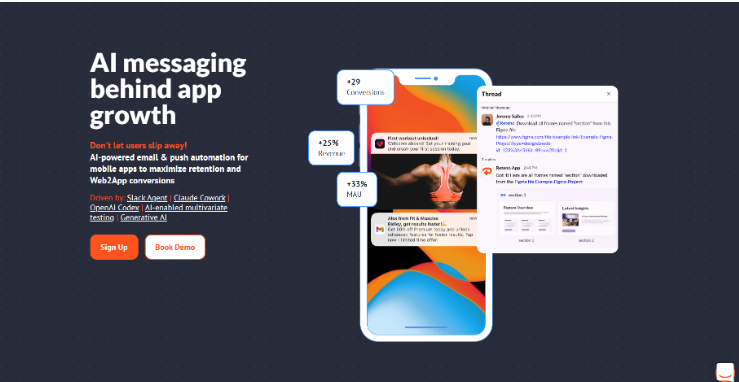
Reteno is an AI messaging platform for mobile app retention and conversion, built for subscription-driven apps that need faster execution and stronger lifecycle performance. The platform supports email, mobile push, in-app, App Inbox, SMS, web push, and messengers across Web2App, direct install, trial, and freemium funnels.

Teams can manage messaging through AI agents in Slack, Claude Cowork, and OpenAI Codex, then use the built-in AI and One from Many feature to generate content, automate testing, and automatically optimize message variants.

AI Email Marketing Automation Tools

Mailchimp AI Features

Mailchimp

Mailchimp remains a favorite, especially with its revamped AI suite. It now suggests audience segments, generates email content, and even predicts campaign outcomes based on your past performance. A/B testing is now AI-driven too, allowing automatic selection of winning subject lines, layouts, and content blocks in real time.

Smartlead

Smartlead offers advanced AI email marketing automation tools that research prospects, generate hyper-personalized campaigns, and manage deliverability across unlimited inboxes. It dynamically adapts sequences based on real-time opens, replies, spam scores, and engagement patterns, all while forecasting campaign ROI from historical data. It’s AI-driven A/B testing auto-selects optimal subject lines, content, timing, and multi-channel paths for superior results.

ControlHippo

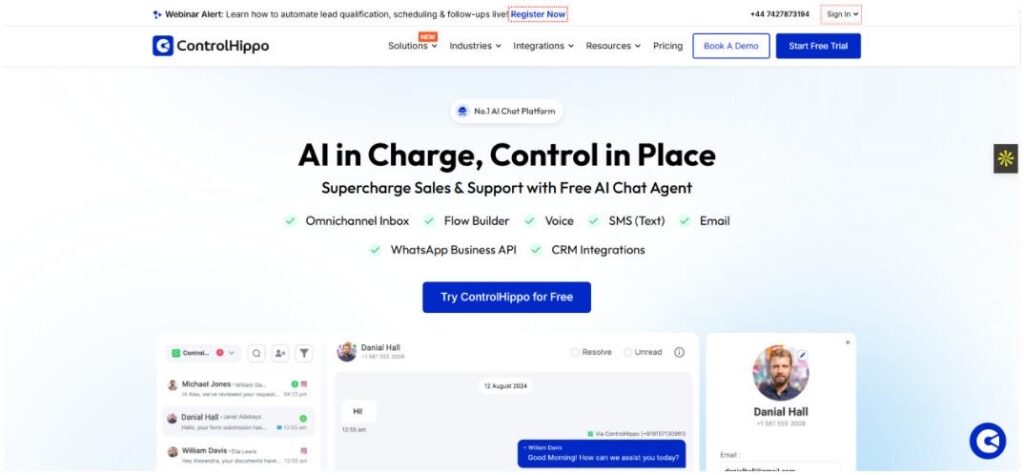
ControlHippo is redefining customer engagement in 2025 with its AI-powered automation and omnichannel communication suite. From no-code workflow automation and chatbot builders to intelligent segmentation and predictive analytics, it helps businesses deliver hyper-personalized experiences across WhatsApp, Instagram, Telegram, and more. Perfect for growing businesses and enterprises looking to simplify complex workflows while boosting efficiency and customer satisfaction.

Omnisend

Omnisend

For ecommerce marketers, Omnisend is a goldmine. It uses AI to generate personalized product recommendations, dynamic content, and real-time cart abandonment follow-ups. In 2025, Omnisend also integrates voice search triggers and AI-enhanced SMS campaigns for multi-channel domination.

Brevo (formerly Sendinblue)

Brevo

Brevo is a rising star in AI email marketing. It combines smart segmentation with content generation, making it easy to run data-driven campaigns without needing a data science degree. It also offers a smart retargeting system and real-time behavior tracking that boosts email engagement by 40% or more.

AI Tools for Social Media Automation

Predis.ai

Predis ai

Predis.ai takes your product links or basic ideas and turns them into complete social media posts—including images, captions, and hashtags—in seconds. It’s a serious time-saver for social media managers. In 2025, it can even suggest posting times based on trending topics and historical engagement.

Ocoya

Ocoya

Ocoya lets you plan, create, and schedule AI-generated content across multiple platforms. Its built-in copywriting AI generates engaging content, and the platform even helps optimize it for different audiences. Their newest feature auto-generates Instagram Reels and TikToks with suggested scripts.

SocialBee with AI Content Generator

SocialBee

SocialBee has added AI to its toolkit, and it shows. Now you can generate post ideas, optimize post timing, and even create variations of posts for different platforms in a click. It also features competitor analysis so you can benchmark your content performance easily.

AI Tools for Content Creation and Personalization

Jasper AI for Marketing Copy

Jasper

Jasper has grown up. In 2025, it’s one of the most powerful content AI tools, helping marketers generate blog intros, product descriptions, landing pages, and more—all optimized for conversion. Their new brand voice memory ensures your content stays on-brand across every channel.

Copy.ai with Workflow Automation

Copy ai

Copy.ai isn’t just about writing anymore. It now connects with your email platforms, CRMs, and more to build automated workflows based on the content it creates. It’s content + automation = gold. The workflow builder even suggests automation templates based on your business niche.

Anyword for Predictive Performance Scoring

Anyword

Anyword doesn’t just generate marketing content—it predicts how it will perform. You get a performance score before even publishing, which is a huge confidence booster. Their 2025 model also offers live market trend data to help you stay one step ahead.

AI Advertising Automation Tools

Adzooma

Adzooma

Managing Google and Meta Ads? Adzooma uses AI to suggest optimizations in real-time. Whether it’s adjusting budgets, improving ad copy, or finding high-performing keywords, it’s like having an ad strategist 24/7. Their new dashboard now shows visual heatmaps of ad performance across platforms.

Smartly.io

Smartly io

Perfect for brands scaling their paid social campaigns. Smartly.io uses AI to automate creative testing, audience targeting, and real-time campaign adjustments across platforms. You can now automatically generate hundreds of ad creatives from a single product feed.

Albert.ai

albert ai

Albert.ai is like an autonomous digital marketer. It runs your campaigns, learns from performance, makes adjustments, and continues to optimize without constant human input. Kind of like hiring a genius robot marketer. It can even generate custom landing pages and test them on the fly.

Niche & Emerging AI Marketing Tools to Watch in 2025

Surfer AI for SEO

Surfer

SEO is far from dead. Surfer AI helps marketers build SEO-optimized content that ranks. It gives you keyword suggestions, structure, and content scores—all based on live SERP analysis. It now integrates with Google Search Console to auto-suggest SEO fixes in real time.

Seventh Sense for AI-Powered Email Timing

Seventh Sense

Timing is everything in email marketing. Seventh Sense uses AI to find the best time to reach each person in your audience, increasing open rates and engagement. It now includes machine learning models that adapt to seasonality and holiday-specific behaviors.

SolaraAI 

SolaraAI is designed for businesses that want professional marketing without the agency price tag, and now with its intelligent AI stack, it automatically creates content, schedules posts, and optimizes ad campaigns based on real-time trend analysis. The platform uses predictive audience targeting to forecast engagement and autonomous optimization loops that continuously refine budgets and creative assets for maximum ROI while you focus on running your business. For marketers who want to explore additional platforms beyond the tools listed here, curated collections like this marketing and advertising AI tools directory help compare solutions across campaign automation, ad optimization, and performance tracking workflows.

How to Choose the Right AI Marketing Automation Tool

With all these amazing options, how do you know what’s right for your business?

  • Know Your Goals: Are you looking to save time, scale content, or boost conversions? Let your goals guide your tool choices.
  • Budget Wisely: Some tools offer great free plans or low-cost tiers for startups. Others are better suited for enterprises.
  • Ease of Use Matters: Don’t get sucked into a platform with a steep learning curve unless you have the time (or team) to master it.
  • Check Integrations: Make sure the AI tool works well with your current stack (Shopify, WordPress, Zapier, etc.)
  • Test Before You Commit: Most tools offer free trials. Take advantage of them to find the best fit for your workflow.
  • Scalability: Choose tools that can grow with your business, not ones you’ll outgrow in six months.

Benefits of Using AI in Marketing Automation

Still on the fence? Here’s why it’s worth jumping in:

  • More Time, Less Stress: Automate repetitive tasks and focus on strategy and creativity.
  • Hyper-Personalization: AI can tailor messages to individual users like never before.
  • Smarter Decisions: Data-backed insights mean better targeting, timing, and performance.
  • Scalability: Whether you have 100 leads or 100,000, AI can handle it.
  • Continuous Learning: Most AI tools improve over time by learning from your results.
  • Cost Savings: Automation reduces the need for large teams or outsourcing, saving you money in the long run.

Conclusion: Power Your Marketing in 2025 with AI Automation

AI marketing automation tools in 2025 are smarter, faster, and more powerful than ever. Whether you’re running a small business or managing enterprise campaigns, there’s a tool out there that can save you time, money, and headaches.

The key? Start small. Try one tool that solves your biggest bottleneck, then expand from there. The future of marketing isn’t just digital—it’s intelligent. And the earlier you adopt, the bigger the edge you get.

So go ahead… let AI handle the grunt work while you focus on big-picture thinking. Embrace the future with confidence, and let smart tools do the heavy lifting.

Find More: Boost Your Sales With SEO Services

FAQs

1. What is the best AI marketing automation tool for small businesses?

ActiveCampaign and Mailchimp are both solid picks for small teams looking to automate without breaking the bank. They offer intuitive interfaces and robust feature sets that grow with your needs.

2. Can AI really replace human marketers?

Not quite. AI is amazing for automation and optimization, but creativity, empathy, and strategy still need the human touch. Think of it more as a super assistant than a replacement.

3. How much do AI marketing automation tools cost in 2025?

Prices range from free (with limited features) to $1000+/month for enterprise solutions. There’s something for every budget, and many offer flexible plans as you scale.

4. Are AI-powered tools safe to use with customer data?

Yes, most top tools follow strict data protection guidelines. Just make sure they’re compliant with GDPR, CCPA, etc. Always read their privacy policy and check for third-party certifications.

5. What industries benefit most from AI marketing automation?

Ecommerce, SaaS, B2B, and agencies are seeing huge gains, but really, any industry that relies on digital marketing can benefit. Even local service businesses and nonprofits are jumping in.

Tags:

4 Proven Ways to Boost Your eCommerce Sales Through Social Media (Expert Strategies Revealed)

ecommerce sales

In today’s competitive online market, building a successful eCommerce brand goes far beyond launching a website. If you want to drive serious sales, social media isn’t optional — it’s essential.

Platforms like Instagram, TikTok, and Facebook are no longer just places for brand awareness. They are powerful tools for conversion, relationship-building, and long-term growth — if used with intention. But how can online sellers stand out and actually boost revenue through social platforms?

To answer that, we gathered insights from four eCommerce experts — including Ray Lauzums, founder of gaming and lifestyle brand Poggers, and three other professionals who’ve helped countless online retailers grow sustainably using social media. 

Here are four proven ways to skyrocket your eCommerce sales using social media, backed by real strategies and success stories.

1. Start With a Strong Brand Identity (Not Just Content)

📣 Insight from: Jenna Park, Branding Strategist & Co-founder of Ember & Ash Studio

Before worrying about algorithms, hashtags, or content calendars, successful eCommerce brands begin with one thing: clarity. 

According to Jenna Park, a leading branding expert at Ember & Ash Studio, jumping into social media without a defined brand identity is one of the most common mistakes new businesses make. 

> “Social media won’t fix a weak brand. You need to know exactly who you are, what you stand for, and how you want people to feel when they interact with your brand,” — Jenna Park 

For Jenna and her clients, the first step involves defining brand tone, visual elements, and messaging pillars. Once that foundation is set, content performs better, and customers are more likely to engage and buy. 

Actionable Tips: 

Clarify your brand’s personality (e.g., minimal, playful, bold, luxurious). 

Use a consistent logo, font, and color palette across all platforms. 

Stick to content pillars: education, testimonials, product demos, and behind-the-scenes content. 

💡 SEO Tip: Include targeted, branded keywords in your bios, captions, and post descriptions to help boost visibility on social media and Google. 

2. Work with Influencers Who Truly Influence 

📱 Insight from: Malik Johnson, Founder of Trendfluence & Influencer Marketing Coach

Influencer marketing remains one of the most powerful ways to get your products in front of a targeted audience. But as Malik Johnson, founder of influencer agency Trendfluence, points out — the right influencer is more important than the biggest one. 

> “Follower count means nothing if their audience isn’t engaged. The best results come from creators who have a real relationship with their followers and who actually use products in your category,” — Malik Johnson 

Malik’s team recently ran a campaign for a fashion brand using five micro-influencers (with audiences between 10k–30k). These creators had smaller but highly active followers. The result? A 38% increase in monthly revenue — without running paid ads. 

Actionable Tips: 

Prioritize micro-influencers with niche relevance and strong engagement (over 1.5%). 

Provide creative freedom to influencers. Authenticity performs better than scripted ads. 

Track results using custom discount codes or affiliate links.

💡 SEO Tip: Ask influencers to tag your brand and use specific product-related keywords in their captions for better search visibility. 

3. Embrace Short-Form Video — Especially Reels and TikToks

🎥 Tip: Use Short-Form Video Content to Drive Engagement and Sales

“Short-form video content — like TikToks, Instagram Reels, and YouTube Shorts — is a powerful tool for ecommerce businesses looking to increase reach and conversions. Videos that feel authentic, align with current trends, and showcase real customer reactions or unboxings often outperform overly polished ads.” says Ray Lauzums owner of poggers

Instead of focusing solely on production quality, focus on relatability and shareability. Showcasing limited product drops, customer experiences, or behind-the-scenes moments can lead to organic virality and significant sales boosts — even without paid promotion.

Actionable Tips for Ecommerce Brands:

  • Create 15–30 second videos that are fun, authentic, and trend-aware.
  • Use native platform tools like TikTok’s editor or Instagram Reels layout for higher visibility.
  • Add on-screen text and captions, since many users scroll without sound.
  • Use trending audio to improve discoverability and engagement.
  • Include shoppable stickers or clear links in your bio for quick product access.

💡 SEO Tip: Optimize your video captions, titles, and hashtags with product-specific keywords (e.g., #gaminggear, #plushcollection, #animecollectibles) to improve search visibility.

Short-form video isn’t just a content trend — it’s a revenue driver when done right. 

4. Turn Customers Into Brand Advocates with UGC

📸 Insight from: Priya Das, Head of Digital at Bloom & Nest

User-Generated Content (UGC) is now one of the most persuasive forms of content on social media. And it’s not just about reposting reviews — it’s about turning real customers into storytellers.

Priya Das, who leads digital strategy at clean beauty brand Bloom & Nest, emphasizes how their UGC campaigns outperformed even paid ads. 

> “We launched a simple UGC challenge where customers shared their ‘glow-up’ skincare stories using a branded hashtag. The campaign generated over 1,000 submissions — and the top 20 user videos converted 5x higher than any ad we’d previously run,” — Priya Das 

Customers trust other customers. By showcasing real results, unfiltered experiences, and authentic voices, brands can humanize their message and drive conversions without spending huge ad budgets. 

Actionable Tips:

Create a branded hashtag (e.g., #MyGlowWithNest) and promote it in your packaging and emails. 

 Offer incentives like store credit or giveaways, such as high-quality custom printed t-shirts, to encourage submissions. 

Share the best UGC on product pages, Instagram stories, and email campaigns. 

Respond and engage with creators to build a stronger community. 

💡 SEO Tip: Feature top-performing UGC on a dedicated landing page optimized for keywords like “[Product Name] customer reviews” or “before and after [Product Name]”. 

Final Takeaway: Real Growth Requires Real Strategy

Social media isn’t just about going viral or chasing likes — it’s about showing up consistently with a message that resonates. The most successful eCommerce brands in 2025 are those that use social platforms to connect, engage, and build long-term trust — not just push products. 

By following the strategies shared by experts like Jenna Park, Malik Johnson, Ray Lauzums, and Priya Das, online retailers can shift from random posting to intentional growth. 

Quick Recap: The 4 Proven Social Media Strategies to Drive eCommerce Sales 

  1. Establish a clear brand identity across all channels.
  1. Partner with the right influencers, not just the biggest ones.
  1. Invest in short-form video to reach and convert new audiences.
  1. Leverage UGC to build trust and social proof at scale.

With the right mix of creativity, community, and consistency, social media becomes not just a platform — but a powerful revenue channel for your eCommerce business.

From Orders to Loyalty: Automating the Post-Purchase Journey for Higher LTV

From Orders to Loyalty: Automating the Post-Purchase Journey for Higher LTV

post-purchase journey

For most EC companies, the moment a customer clicks “Buy Now” feels like a big achievement. But what happens after that is even more important. The first sale is good. However, if customers do not return, brands will always spend extra money acquiring new ones. In fact, long-term growth in EC comes from improving the lifetime value (LTV) of customers, not from initial purchases.

In this article, we will show you how to leverage automation to enhance customer connections after purchase. Learn how to turn temporary buyers into repeat customers by setting up simple but effective post-purchase messages, upsells, and follow-ups.

The Forgotten Stage of Ecommerce: Post-Purchase

Most online stores spend the bulk of their time and money acquiring new customers—delivering ads, offering discounts, and creating special landing pages. However, once the sale is complete, many brands stop contacting the buyer. This is a mistake.

Opportunities often missed after purchase include:

  • No follow-up: Customers receive little useful information about the products they bought.
  • No smart upsells: The brand doesn’t propose related products based on the customer’s purchase.
  • Generic support: When customers ask for help, support teams often don’t know what or when they bought.

These gaps make customers feel “forgotten.” And customers who don’t feel remembered are less likely to return. The post-purchase period is a great opportunity to build trust, promote additional sales, and turn satisfied customers into loyal fans. Leading someone to purchase is already hard. Now is the time to settle them.

What a High-LTV Journey Looks Like

A smart post-purchase experience isn’t a single step. It’s a series of small moments that lead customers from temporary buyers to loyal ones.

Here’s an example:

  1. Order Confirmation. Send a clear and friendly message confirming the purchase. Don’t just list receipts—thank the buyer and explain what comes next (e.g., delivery timeline).
  2. Education. Share useful tips on how to use and care for the products. For example, if someone buys skincare, send a guide on how and when to apply it.
  3. Upsell or Cross-Sell. After the product arrives, suggest complementary items. If someone buys a smartphone case, recommend a screen protector. These suggestions should be based on what they purchased, not random.
  4. Delight. Send surprise coupons, thank-you notes, or content like blogs and videos. These small gestures show that you care.
  5. Reactivation. Reach out to customers who haven’t returned for a while. A short reminder or small discount in an email may bring them back.

Personalization is the key. But don’t worry—you don’t have to write each message by hand. Automation tools help you send the right message to the right person at the right time.

Building Smart Post-Purchase Automation Flows

To make the most of the post-purchase window, businesses need a set of automated flows. These are emails, messages, or SMS campaigns triggered by customer behavior.

Key flows to set up:

To turn first-time buyers into repeat customers, you must deliver appropriate post-purchase messages. These are the essential flows every EC brand should implement to build loyalty, increase repeat orders, and grow LTV. Brands that want to take this a step further can explore dedicated loyalty app development solutions from teams like RaftLabs to build personalized rewards systems that strengthen retention and lifetime value.

  1. Post-Purchase Education. Send a short email series that teaches how to use and care for the purchased products. This lowers return rates and makes customers feel supported.
  2. Upsell or Cross-Sell. Analyze the purchased item and trigger flows to recommend related products. Tools like Klaviyo and Loop help here. You can customize messages by product, category, or price.
  3. Review or Referral Requests. After the product arrives, ask for a review or encourage the customer to refer a friend. Offer small rewards or discounts to motivate action.
  4. Win-Back Flows. Send a message to customers who haven’t returned in 60 or 90 days. Include reminders, discounts, or new product suggestions they might like.

Tools You Can Use:

  • Klaviyo: Advanced email and SMS flows triggered by orders
  • PostPilot: Send physical postcards with offers
  • Zapier: Connect different apps and automate actions
  • Gorgias: Manage support tickets linked to customer orders
  • ReferralCandy: Built for referral, affiliate, and influencer marketing, it automates post-purchase invites, tracking, and rewards from one dashboard to turn happy buyers into repeat customers.

Once these tools are set up, they work automatically—saving you time and keeping customers engaged.

What Creators Can Teach DTC Brands About Upselling

You might think upselling is only for EC brands. But creators selling digital products—like art, video, and subscriptions—also grow revenue using the same approach.

They first sell one item, then offer another based on what fans already purchased. For example:

  • A fan buys a $10 video
  • The creator sends a message suggesting a custom set or related content
  • Though automated, the message feels personal and specific

This method works because it shows the creator understands their audience. The system tracks each purchase and sends the right message at the right time.

Would you like to see how this works in action? Check out OnlyMonster (https://onlymonster.ai/downloads). The platform helps creators send personalized post-purchase messages based on past orders. It’s proof that smart upsells work for both physical and digital products.

The takeaway for brands? Understand what the customer just bought—and suggest what they’ll want next. If the message feels personal, they’ll keep coming back.

Automating Without Losing the Human Touch

The biggest concern with automation is sounding robotic. But when done right, automated messages can still feel warm, helpful, and human.

Tips to keep it real:

  • Use the customer’s name and mention the purchased product
  • Write simply, like a real conversation
  • Trigger messages based on actions—not just dates (e.g., “7 days after purchase—here are some useful tips”)
  • Add logic branches: Follow up if they click a link. Re-send with a new subject if they don’t open the first email

People know automation is happening. What matters is how it’s used. If messages feel helpful and thoughtful, customers won’t mind that a system sent them.

Conclusion

Improving customer lifetime value (LTV) isn’t about finding more buyers—it’s about keeping the ones you already have. By setting up smart, automated post-purchase flows, you can build stronger relationships, increase repeat orders, and grow your business with less effort.

The key is to send the right message at the right time based on what the customer actually purchased. Whether you’re selling physical goods or digital content, personalized follow-ups make all the difference.