UK: +44 2038074555 info@atamgo.com
Shopify Advantages In 2025: The Future of E-Commerce

Shopify Advantages In 2025: The Future of E-Commerce

shopify advantages

The world of e-commerce is constantly evolving and adapting to the changing market demands and technological advancements. Shopify, being one of the leading e-commerce platforms, has consistently been ahead of the curve and provides businesses with the tools and features necessary to succeed in the digital landscape. In 2025, Shopify continues to set the bar for e-commerce platforms, offering a wide range of advantages that are worth considering for businesses looking to expand their online presence.

Shopify Advantages


The world of e-commerce is constantly evolving and adapting to the changing market demands and technological advancements. Shopify, being one of the leading e-commerce platforms, has consistently been ahead of the curve and provides businesses with the tools and features necessary to succeed in the digital landscape. In 2025, Shopify continues to set the bar for e-commerce platforms, offering a wide range of advantages that are worth considering for businesses looking to expand their online presence.

1. User-Friendly Interface

One of the biggest advantages of Shopify is its user-friendly interface. The platform is designed with the end-user in mind, making it easy to navigate, set up, and manage an online store. Whether you’re a tech-savvy entrepreneur or a small business owner, Shopify’s intuitive interface allows you to focus on what you do best – selling your products. The platform’s drag-and-drop website builder, theme customization options, and easy-to-use tools make it simple to create a professional-looking online store without any prior technical knowledge.

2. Wide Range of App Integrations

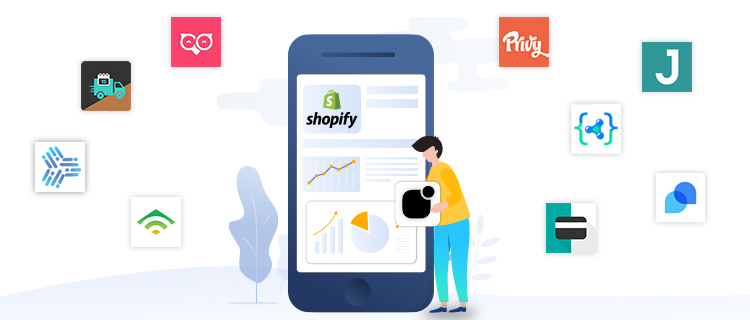
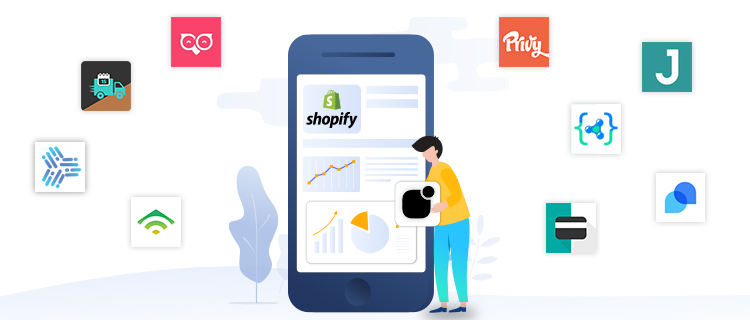
Shopify integrates with a wide range of apps and plugins like bundle apps Shopify, providing businesses with the tools they need to enhance their e-commerce operations. From accounting software to marketing tools and everything in between, Shopify’s app store offers a wealth of options for businesses to optimize their online stores. These apps can be used to automate various tasks, such as email marketing, social media management, and customer relationship management, saving time and resources for businesses.

3. Reliable and Secure Payment Processing

Shopify offers a secure and reliable payment processing system, making it easy for businesses to process and manage their transactions. The platform integrates with a wide range of payment gateways, including popular options such as PayPal and Stripe, allowing businesses to choose the payment options that best meet their needs. For businesses in specialized industries, such as travel, reliable payment solutions like Travel Payment Solutions ensure seamless transactions and improved customer experience. Additionally, Shopify’s secure checkout process and SSL certificate ensure that customer data is protected, providing peace of mind for both businesses and customers alike.

4. Seamless Multi-Channel Integration

Shopify offers seamless multi-channel integration, allowing businesses to sell their products across multiple platforms and channels. Whether you’re selling on Amazon, eBay, or Facebook, Shopify makes it easy to manage your products, inventory, and orders from one central location. This not only saves time and resources, but it also expands your reach and increases your potential customer base.

shopify advantages

5. Robust Marketing Tools

Shopify offers a range of marketing tools to help businesses reach their target audience and drive sales. From email campaigns and social media integrations to SEO optimization and analytics, Shopify provides businesses with the tools they need to create a comprehensive marketing strategy. Additionally, Shopify’s built-in blog feature and customizable website pages allow businesses to create engaging content and drive traffic to their online store.

6. Affordable Pricing Options

Shopify offers a range of pricing options to meet the needs of businesses of all sizes. From its basic plan to its more advanced options, Shopify provides affordable and flexible pricing options that can be tailored to fit your budget and e-commerce needs. Additionally, Shopify’s no-contract policy allows businesses to switch to a different plan or cancel their account at any time, providing added flexibility and peace of mind.

7. 24/7 Customer Support

Shopify provides round-the-clock customer support to its users, ensuring that businesses have access to the help and support they need, when they need it. Whether you’re a seasoned e-commerce professional or just starting out, Shopify’s knowledgeable support team is available to assist you with any questions or concerns you may have. From email support to live chat and phone support, Shopify offers a variety of ways to get in touch, providing peace of mind for businesses that need help and support at any time of day or night.

8. Mobile Optimization

Shopify is designed with mobile optimization in mind, ensuring that businesses have a seamless shopping experience on any device. With more and more consumers using their mobile devices to make online purchases, having a mobile-optimized store is crucial for businesses looking to succeed in the digital landscape. Shopify’s responsive design and mobile-friendly themes make it easy for businesses to provide their customers with a seamless shopping experience, regardless of the device they use.

9. Advanced Inventory Management

Shopify’s advanced inventory management system makes it easy for businesses to keep track of their stock levels, product details, and shipping information. Whether you’re selling physical products or digital goods, Shopify’s inventory management tools allow you to manage your products and keep track of your sales in real-time. Additionally, Shopify’s integration with shipping carriers and shipping apps makes it easy to calculate shipping rates, print shipping labels, and manage orders, saving time and resources for businesses.

10. Scalability and Growth Potential

    Shopify is designed to grow with your business, providing the scalability and growth potential you need to succeed. Whether you’re just starting out or looking to expand your existing online store, Shopify provides the tools and features necessary to succeed. From its customizable themes and advanced reporting tools to its integrations with leading e-commerce tools and plugins, Shopify provides businesses with the resources they need to grow and succeed in the competitive world of e-commerce.

    11. Affordable Pricing Options

    Shopify offers a range of affordable pricing options, making it accessible to businesses of all sizes. Whether you’re just starting out or looking to upgrade your existing store, Shopify offers plans that are tailored to your specific needs and budget. The Basic Shopify plan starts at just $29 per month, providing businesses with all the essential features they need to get started. For businesses looking for more advanced features, Shopify offers a range of higher-tier plans that offer additional features and benefits.

    12. SEO Optimized

      Shopify is SEO optimized, making it easier for businesses to improve their search engine rankings and drive more traffic to their store. With features like customizable URLs, product descriptions, and meta tags, Shopify provides businesses with the tools they need to optimize their store for search engines. Additionally, Shopify’s built-in blog and content management system allow businesses to create and publish high-quality content, further improving their search engine rankings and driving more traffic to their store.

      13. Integration with Leading Payment Providers

      Shopify integrates with leading payment providers, allowing businesses to accept payments from customers all over the world. Whether you’re looking to accept credit card payments, PayPal, or other payment methods, Shopify makes it easy to set up and manage your payment gateway. Additionally, Shopify’s secure payment processing and fraud detection features ensure that your customers’ payment information is safe and secure.

      14. Comprehensive Marketing Tools

      Shopify offers a comprehensive suite of marketing tools, making it easy for businesses to reach and engage with their customers. With features like email marketing, social media marketing, and targeted advertising, Shopify provides businesses with the tools they need to create and launch successful marketing campaigns. Additionally, Shopify’s integration with leading marketing tools and plugins, such as Google Ads and Facebook Ads, makes it easy for businesses to reach their target audience and drive more sales.

      In conclusion, Shopify is a powerful and flexible e-commerce platform that offers a wide range of advantages for businesses in 2025 and beyond. From its user-friendly interface and app integrations to its affordable pricing options and robust marketing tools, Shopify provides businesses with the resources they need to succeed in the digital landscape. With its commitment to innovation and customer satisfaction, Shopify is set to continue its reign as one of the leading e-commerce platforms for years to come. Whether you’re a small business owner or a large enterprise, Shopify offers a cost-effective and scalable solution for businesses of all sizes, making it the ideal platform for your e-commerce needs.

      Conclusion

      In conclusion, Shopify offers a wide range of advantages for businesses looking to succeed in the digital landscape. From its user-friendly interface and app integrations to its reliable payment processing and robust marketing tools, Shopify provides businesses with the tools and resources they need to succeed. Whether you’re a small business owner or a large enterprise, Shopify offers a flexible, scalable, and cost-effective solution for businesses of all sizes. With its commitment to innovation and customer satisfaction, Shopify is set to continue its reign as one of the leading e-commerce platforms in 2025 and beyond

      Tags:

      Author: Wail Amrani

      Wail is a Shopify Expert & eCommerce Growth Consultant. Former digital marketing manager at Shopify I’m helping brands & retailers build 8-figure eCommerce. I’ve been leading digital growth for both online and retail brands for over 7 years.


      Cost-Saving Tips to Reduce Your Shopify Ecommerce Store Expenses

      Cost-Saving Tips to Reduce Your Shopify Ecommerce Store Expenses

      Shopify Cost-Saving Tips

      Source: https://unsplash.com/photos/Px3iBXV-4TU

      There’s mass adoption of Ecommerce businesses by consumers and retailers for various reasons. For starters, eCommerce stores are more affordable than brick-and-mortar stores. However, competition from other online stores and the fight back from brick-and-mortar shops, who can match the prices of online stores 72% of the time, makes running eCommerce stores challenging. Among the many things eCommerce store owners should do to stay afloat is find ways of managing expenses. The first step is choosing the right eCommerce platform for your eCommerce store. With the right platform, you can then explore the following shopify cost-saving tips:

      1. Focus On Retaining Existing Customers

      Converting leads and attracting new customers is more expensive than retaining existing customers. Ecommerce stores can retain their client base by:

      • Providing excellent customer service – Customers are more likely to engage in repeat businesses with brands they’ve engaged before. However, you should provide satisfactory customer service for such customers to keep buying from your store.
      • Offer unbeatable deals and discounts – Offering deals and discounts to existing customers is powerful. Repeat customers often feel neglected if stores offer discounts exclusive to new customers. While new customer deals can help attract new clients, you should have tempting deals and discounts for repeat customers.
      • Take complaints seriously – Interestingly, 95% of dissatisfied customers don’t raise complaints. Any time you receive complaints or problems from your systems, products, or services, handle them with maximum attention.

      Acquiring new customers is more expensive than keeping existing customers. Existing customers are five times more likely to purchase products than new prospects.

      2. Minimize Product Returns

      Reducing product returns is another way to manage expenses for eCommerce stores. Product returns typically mean undoing the sale. Returns have associated shipping, labor, and packaging costs, which can quickly add up. You should also inspect to check if the product is damaged. However, how can you reduce product returns?

      • Give accurate product descriptions – You should ensure that buyers know what they are buying before purchasing. Give accurate product descriptions, photos, and videos.
      • Extend the time frame for returns – While it sounds counter-intuitive, extending the time frame for returns reduces return rates. Extending creates an endowment effect, where the longer customers own the product, the more they become attached.
      • Avoid high-risk customers – Isolating customers with high risks and not marketing to them reduces return rates. Ecommerce store owners can check previous sales data to identify customers in this group.

      3. Reduce Transaction Costs

      Most payment options have transaction costs that significantly add up when order volume increases. Some options charge monthly fees, set-up fees, and transaction fees. You should first start by evaluating your customer base. If your customers are domestic, use offline payment options, such as e-checks, online bank transfers, and ATM deposits.

      If your eCommerce business is still new, use popular payment gateways, such as PayPal. Similarly, if your business is well established, you can negotiate the transaction costs with payment outlets. Gateways don’t want to lose customers, especially developed businesses.

      Endnote

      Managing expenses is an excellent way of improving your business’s bottom line. However, you should cut costs carefully to avoid affecting other significant operations. Budgeting marketing funds, using efficient packaging, and automating menial business processes, such as accounting processes, also save costs.

      Best Shopify Themes for Your Effective Online Sales

      Best Shopify Themes for Your Effective Online Sales

      Best Shopify Themes

      Selling goods online is not something new and inaccessible anymore. This method is used by both large companies and small local businesses all over the world. Due to the relative simplicity of this method of sale, the phenomenon of digital commerce has arisen in the world market, which, together with other components, forms the so-called digital market. All money transfers and purchases of goods that take place on the Internet together form digital commerce.

      To optimize this process, there are special services that help in creating an online store and allow sellers to sell goods more effectively on the Internet. One of the most famous of them is Shopify – a company that develops software for your online business. The process is simple – you need to register, choose a suitable theme, customize it, add products with descriptions, photos, and all the details and start selling.

      If most of the direct processes depend on your products and store specialization, then the visual design is a step that requires more attention and effort. Many sellers, to do this on their own, make mistakes that then negatively affect their sales and attract new customers. To avoid some problematic moments, we recommend using templates for Shopify. It is faster and more efficient, but even this method requires a responsible approach. That’s why we’ve put together some tips to keep in mind when setting up an online shop with Shopify.

      Tips for your Shopify templates

      1. Don’t be afraid to customize the templates

      Yes, ready-made solutions will usually provide a good result, but the design of the online store should be associated exclusively with your products, and not with a hundred other identical sellers. Be bold in design decisions and change everything according to your wishes. The more personalized the result is, the more effective your store’s engagement and recognition will be.

      2. Make sure that the selected template corresponds to the theme of the online store.

       This applies to colors, shapes, fonts, and image design. The design of the page should correspond to the products presented on it, emphasize them and not absorb them or completely contrast them. The best solution would be to choose your corporate colors and fonts to emphasize the product’s belonging to a certain brand.

      3. Choose the right platforms. 

      Shopify templates are quite a popular product in various graphic design marketplaces. It is easy to get lost in their variety and choose a truly effective option. As an example of a platform with high-quality templates, we can cite MasterBundles. Here it is easy to find a variety of design options for an online store, so every seller will be able to satisfy his need for a suitable product. In addition to the usual options on the marketplace, many premium Shopify themes have been tested by many customers and proven their effectiveness constantly. We have selected several templates in this category to make it easier for you to navigate the available options.

      Top 6 Shopify themes for your online shop

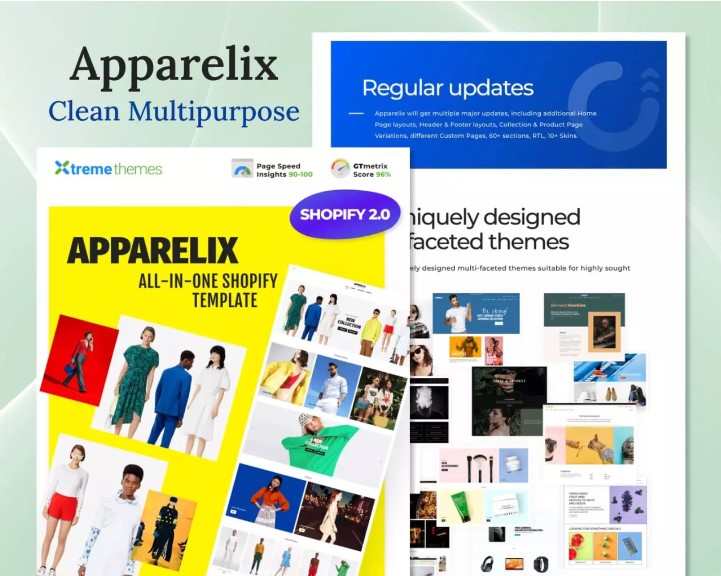
      Apparelix – Clean Multipurpose Shopify Theme

      Best Shopify Themes


      It’s a simple yet effective theme that you can edit in any way you want. This template has design options for all the necessary components of your e-commerce shop: main page, Shopping Cart, Wishlist, Product page, and much more. All elements are easy to remove or modify at will and do not require programming skills. The template is available in 4 color schemes, so even the selection of colors will not require additional effort.

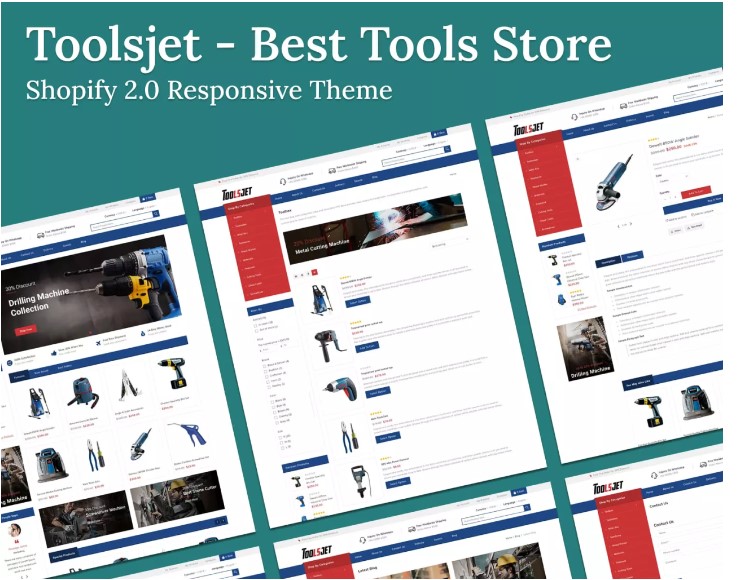
      Toolsjet – Best Tools Store Shopify 2.0 Responsive Theme

      Best Shopify Themes

      This template is fully adapted to the latest version of Shopify and is a versatile option that can be easily adapted to any theme. The theme includes support for any currencies, and languages, and provides a large selection of fonts and colors. The finished result will be optimized for fast page loading and is SEO friendly, which is very important for running a profitable e-commerce shop. For store owners who want to strengthen visibility and boost sales, exploring eCommerce SEO services can further enhance performance and search ranking potential. The template will provide all the key and additional elements of the online store and adapt it depending on the screen or device format.  

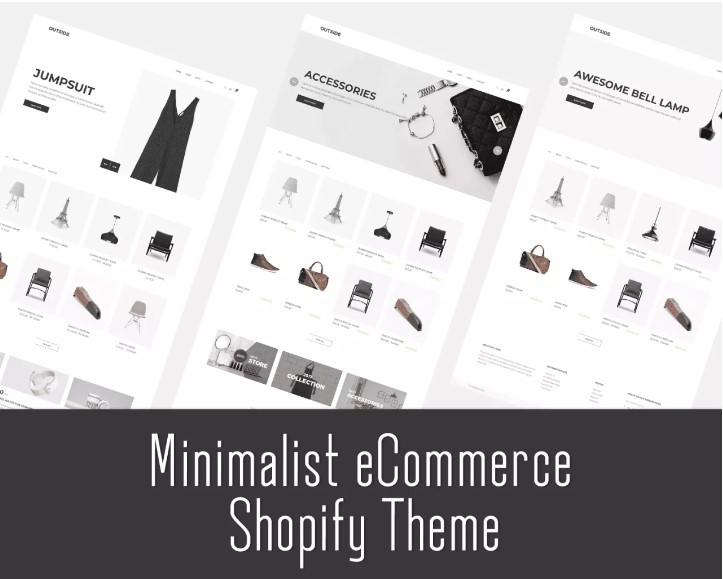
      Minimalist ECommerce Shopify Theme

      Best Shopify Themes

      If you are a fan of minimalist product displays, this template is perfect for your store. All elements of the theme are easily editable and look very stylish regardless of the type of product. The template has three variants of the main page and all the necessary parts of the online store. Such a clear, simple design shows high efficiency, as it does not distract the user from the product and emphasizes them. The theme adapts very well to screens of any format and different browsers.

      Glossier – Multipurpose Sections Shopify Theme

      Best Shopify Themes

      This topic is suitable for business owners in the field of beauty and self-care. The template includes 5 basic design options in four color schemes, which can be fully edited and adapted to your needs. This theme meets all SEO standards and is compatible with all mobile devices. The template assumes the presence of a blog on your online store, which opens up more opportunities to attract customers and implement various types of content. All elements are Shopify 2.0-ready and free to update as needed.

      Giftvolly – Gift & Souvenir Shopify Theme

      Best Shopify Themes

      The specialization of the template may sound like a very narrow field of sales, but in fact, this product is universal and can be easily changed for any type of product. The theme includes all the advantages of the templates already mentioned in the selection but differs in several important components. The template integrates such site elements as Popup Add to Cart, the Megamenu Module, and Main Slideshow. The product meets SEO standards, so it guarantees good engagement rates. Edit all elements as you wish using 3 color themes to get a personalized result.

      Conclusion

      E-commerce is an extremely promising field, in which competition is growing due to accessibility and the possibility of good earnings. The existence of such services as Shopify opens up this way of selling goods to an even greater number of entrepreneurs, which requires new players to make significant efforts to compete successfully. To stay afloat in online sales, create an effective design for your store, avoid common mistakes, customize ready-made templates, and use only high-quality graphic products.

      Powerful Tips To Boost Your Shopify Sales By 10x

      Powerful Tips To Boost Your Shopify Sales By 10x

      boost your shopify sales

      It is no secret that for many Shopify eCommerce stores, conversion rates account for the most lucrative part of their income. In fact, it is often argued that conversion rates are even more important than overall sales volume. What makes this even more frustrating – and costly – is the fact that low conversion rates make it difficult to grow your business and increase your profits. 

      Why you should boost Shopify Sales

      There are many benefits to boosting your Shopify sales, including increased revenue, improved brand recognition, and more customers. Here are some tips to help you boost your Shopify sales: 

      1. Promote your products and store on social media
      2. Create attractive and compelling product descriptions
      3. Offer incentives such as discounts and free shipping to encourage customers to buy from your store
      4. Build trust and loyalty by providing excellent customer service
      5. Visually appealing and easy-to-navigate websites are essential
      6. Make your store SEO-friendly or ask any SEO expert to do it

      By following these tips, you can boost your Shopify sales and improve your business. 

      Boosting Shopify Sales: 7 Steps (each with a point)

      1. Create a sense of urgency
      2. Use images and videos
      3. Use positive customer reviews
      4. Offer discounts and coupons
      5. Marketing mix modeling
      6. Offer free shipping
      7. Use targeted emails
      8. Use pop-ups

      Customer Experience Checklist (5 Points)

      1. Easy-to-navigate stores are a must

      The first thing you want to do is make sure that your store is easy to navigate. If potential customers can’t find what they’re looking for, they’re likely to leave without making a purchase. So, take some time to review your store’s navigation and make sure it’s intuitive and user-friendly.

      2. Create a strong first impression

      When someone visits your store for the first time, you want to make sure you create a strong first impression. This means having a well-designed storefront that accurately reflects your brand. First impressions are important, so take the time to ensure your store looks its best.

      3. Offer competitive prices

      If you want to boost your Shopify sales, it’s important to offer competitive prices. In today’s market, shoppers are very price-conscious and will often compare prices before making a purchase. So, if you want to win their business, it’s important to offer competitive pricing.

      4. Provide excellent customer service

      Another way to boost your Shopify sales is by providing excellent customer service. If customers have a positive experience with your store, they’re more likely to come back and make additional purchases in the future. So, make sure you’re providing the best possible customer service experience at all times.

      5. Promote your store regularly

      Finally, don’t forget to promote your Shopify store on a regular basis. The more people who know about 

      What is the Conversion Funnel?

      The conversion funnel is the process that companies use to turn prospects into customers. It is also known as the sales funnel or marketing funnel. The conversion funnel is divided into four main stages: awareness, interest, desire, and action. 

      Awareness: This is the first stage of the conversion funnel and it’s all about getting your target audience to become aware of your company, product, or service. This can be done through various marketing channels such as paid advertising, PR, content marketing, and social media. 

      Interest: Once you’ve captured your target audience’s attention, the next step is to get them interested in what you have to offer. You can do this by providing more information about your product or service and demonstrating how it can benefit them. You can also create a sense of urgency by offering limited-time discounts or promotions.

      Desire: The third stage of the conversion funnel is all about arousing desire in your prospect. At this point, you want to paint a picture of how your product or service will improve their life or solve their problem. You can do this through testimonials, case studies, and product demonstrations. 

      Action: The final stage of the conversion funnel is when your prospect takes action and becomes a paying customer. To encourage this, you need to make it easy for them to buy from you with a clear call-to-action (CTA), an attractive offer, and a simple checkout process. 

      Product Information Checklist (5 Points)

      Be sure to include the following in your product information checklist: 

      • Product title
      • Product Description
      • Product photos
      • Product pricing
      • Shipping details (including weight, dimensions, and shipping methods)

      Call to Action Checklist (3 Points)

      1. Define your offer: Make sure your offer is clear and concise, and that it speaks to your target audience.
      2. Create a strong call to action: Your call to action should be clear, direct, and easy to follow.
      3. Drive organic traffic to your landing page: Use effective marketing techniques to drive traffic to your landing page so that potential customers can learn more about your offer.

      How To Make Your Site Mobile Friendly.

      Making your Shopify site mobile-friendly is crucial if you want to boost sales and conversion rates. Luckily, there are a few simple steps you can take to make sure your site looks great and functions perfectly on mobile devices. 

      First, consider the design of your site. Can you navigate easily on a small screen? How quickly and easily can users find what they need? If not, making some design changes may be necessary. 

      Next, take a look at your content. Is it well-written and engaging? Or is it dull and difficult to read on a small screen? If it’s the latter, consider revamping your content to make it more mobile-friendly. 

      Finally, think about your overall user experience. Is your site fast and responsive on mobile devices? Do all the features and functionality work as they should? Collaborating with a Shopify SEO expert can help ensure your site is optimized for both search engines and mobile users, improving visibility and performanc. 

      What is Shopify’s marketing strategy? 

      Shopify’s marketing strategy is to drive organic traffic to its platform through a variety of channels including search engine optimization, content marketing, social media marketing, and email marketing. They also rely heavily on word-of-mouth marketing from satisfied customers. 

      In terms of SEO, Shopify has invested in creating a platform that is optimized for both search engines and users. This includes using clean, descriptive URLs, using relevant keywords throughout the site, and creating informative and keyword-rich product descriptions. They have also built out their blog with high-quality articles that are shareable across social media and other websites. 

      Content marketing is another key part of Shopify’s marketing strategy. In addition to their blog, they produce a variety of other types of content including eBooks, webinars, case studies, white papers, infographics, and more. This valuable content not only drives traffic to their website but also helps to educate potential customers about their products and services. 

      Social media is another important channel for Shopify’s marketing efforts. They maintain active profiles on all major social networks including Facebook, Twitter, LinkedIn, Google+, and Pinterest. They use these platforms to share news and updates about their company as well as helpful tips and information for small businesses. 

      Finally, email marketing is also a key part of Shopify’s marketing strategy. They have a large database of small business owners who have signed up for their newsletter. They use this list to send out regular emails with helpful 

      How do you get consistent sales on Shopify?

      There’s no one-size-fits-all answer to this question, as the best way to get consistent sales on Shopify will vary depending on your products, target audience, and marketing strategy. However, there are a few general tips that can help you boost your sales and keep them consistent over time: 

      1. Make sure your products are well-priced and competitive.
      2. Focus on building a strong relationship with your customers.
      3. Create compelling and targeted marketing campaigns.
      4. Constantly optimize your Shopify store for conversions.
      5. Use data and analytics to track your progress and adjust your strategy accordingly. For example, you can send Shopify data to BigQuery to get a deep understanding of your buyer’s journey and shopping trends and use these insights to optimize your future decisions.

      By following these tips, you should be able to get consistent sales on Shopify and keep your business growing steadily over time. If you’re finding it challenging to implement some of these strategies, working with a Shopify Agency UK can provide valuable insights tailored to the local market.

      How do I make my Shopify sales faster?

      If you’re looking for ways to boost your Shopify sales, here are a few tips to help you get started: 

      1. Make sure your site is fast and responsive.
      2. Use high-quality product images and descriptive copy.
      3. Offer incentives like free shipping or discounts to encourage customers to buy from you.
      4. Make it easy for customers to find what they’re looking for on your site.
      5. Provide excellent customer service to build trust and loyalty.

      Conclusion

      There you have it—seven tips that should help you boost your Shopify sales by 10x. By following these tips, you can drive more traffic to your store, increase conversion rates, and ultimately make more sales. So what are you waiting for? Start implementing these tips today and see how much your sales grow!

      Author: Wail Amrani

      Wail is a Shopify Expert & eCommerce Growth Consultant. Former digital marketing manager at Shopify I’m helping brands & retailers build 8-figure eCommerce. I’ve been leading digital growth for both online and retail brands for over 7 years.

      Complete Guide On How To Turn Your Shopify Store Into Mobile App In Less Than A Day

      Complete Guide On How To Turn Your Shopify Store Into Mobile App In Less Than A Day

      Shopify mobile app

      The Growing Demand For mCommerce

      Mobile commerce is the future of retail. With more than 3 billion mobile users, it is not surprising that more and more people are shopping on their mobiles.

      The convenience of online shopping from a mobile device has led to an increase in the number of people who buy products online. This has led to an increase in demand for mobile commerce, which is expected to grow at a CAGR of 18% until 2021.

      Why Your Shopify Store Needs A Mobile App

      Mobile app development is a must for every e-commerce store. It is the only way to make your store mobile-friendly and provide an excellent user experience. Mobile apps can be used to track customer activity, provide push notifications, integrate with other third-party services, and much more. Including with solutions such as accessibility plugins.

      A mobile app development company for Shopify is a great way to increase conversions by optimizing customer experience on mobile devices. They are also a great tool for marketing campaigns because they allow you to push content directly to your customers’ phones without them having to visit your website or app store.

      Your Shopify store’s website is not the only place where customers can purchase your products. If you don’t have a mobile app, then customers will look for options (approach your competition) to purchase products they need.

      A mobile app for Shopify is an excellent way to keep in contact with potential customers and to keep them interested in your products. They are also a great way to get new customers who may not have been aware of your brand before.

      Problems With Mobile App Development

      Mobile app development is a process that has been in use for many years. However, there are some problems that have come up with this process. These problems may be due to the fact that mobile apps are becoming more popular and more people are using them.

      This section will be about the problems with mobile app development and how to solve them.

      Mobile app development is a process that requires a lot of time and effort to create. To ensure high-quality results, many businesses turn to the best mobile app developers in India, who are known for their technical expertise and cost-effective solutions. It usually takes weeks or months to develop a single app, which is why many people are turning to outsourcing it. Outsourcing developers are able to create an app much faster than in-house developers, but they also come at a higher cost. In order for your company’s budget to work for mobile apps, you may need to do some research before hiring an outsourced company.

      One of the main problems is that it’s difficult to make changes to an app after it has been published. This means that if someone wants to update their app, they need to publish the new version of the app, which can take a lot of time and money. This problem has become even worse with the increase in popularity of apps and mobile devices because there are more people who want updates on their phones every day.

      Another problem is that it’s difficult for developers to find out how much time an app will take to develop before they begin working on it. This can cause some developers not to have enough time or money for their project and not be able to finish it or release it at all because they don’t have the right resource. 

      Many small businesses find it hard to make the switch to a mobile app, because of the time and money that is required for app development. 

      However, if you are running your eCommerce business using Shopify we have good news for you. Shopify mobile app builder is the solution that takes all the problems of mobile apps into consideration and solves them to make them more easily accessible. At the same time, understanding the best way to hire app developers can help ensure your app is built efficiently and meets your needs.

      How To Turn Shopify Store Into Mobile App In Less Than A Day

      Seeing the growing demand and benefits of mobile apps, every business wants to offer its service to users via a mobile app. To eliminate all the problems of app development that are listed above, app developers started to provide ready-made Shopify mobile app builders for eCommerce businesses to turn Shopify store into your mobile app. As a result, businesses can now quickly create their own app with an AI App Builder that simplifies the entire process.

      Shopify Mobile App Builder is a web-based app that lets you create your own mobile app for your store. It is a great way to keep track of inventory, manage orders and connect with customers. You don’t have to be an expert in programming – all you need to do is drag and drop the elements on the screen.

      This software helps you build mobile apps without having any prior knowledge of coding or programming. You can customize it according to your needs and publish it on Google Play Store or Apple App Store. It’s a great way to reach out to more customers and increase your revenue.

      Not just this, but using the pre-built templates and cost-effective subscription-based model of these mobile app builders allows you to launch your native android and iOS app in less time and with less money. 

      These ready-made app builders make the process to convert Shopify store into mobile app very simple. All you have to do is add your Shopify store details to connect your store and use the customization features to build your app. All the changes will be visible in real-time, which makes it easy to upgrade the app. If you’re looking to scale even further, exploring the best Shopify mobile app integration can help your store connect seamlessly with advanced features, third-party tools, and customer engagement options, making your app more powerful and future-ready. If you’re looking to scale even further, exploring the best Shopify mobile app integration can help your store connect seamlessly with advanced features, third-party tools, and customer engagement options, making your app more powerful and future-ready.

      Apart from this, Shopify mobile app builder offers easy integration with third-party services. Adding them will increase the functionality of your mobile app and make it easy for you to scale it to meet the changing market demands. 

      Conclusion: The Best Part

      Apart from the fact that you can build your app on your own using a Shopify mobile app builder, most of the tools come with an extensive free trial. You can use it for your leverage for building and launching your app without investing any money. Later if you see the benefits of turning your Shopify store into mobile app, you can continue using it simply by purchasing the subscription for the mobile app builder. 

      So what are you waiting for? Use a Shopify mobile app builder and launch your mCommerce business today. Increase your ROI and build your brand without wasting your money.

      Pagefly Shopify Page Builder Expert Review

      Pagefly Shopify Page Builder Expert Review

      pagefly shopify

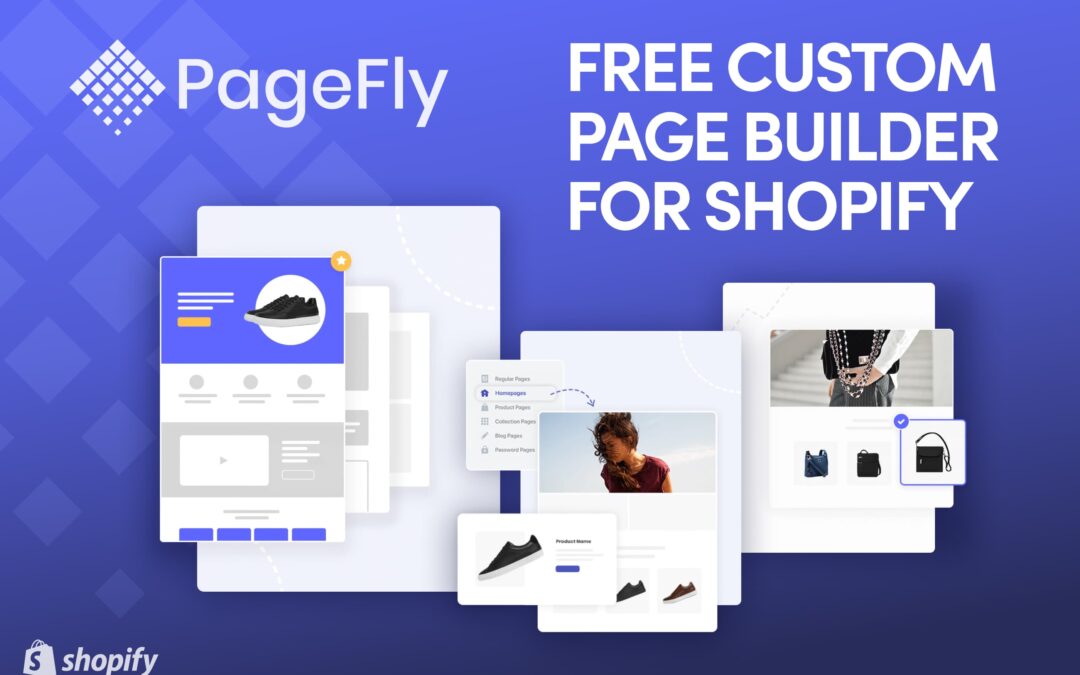
      If you want to create a seamless shopping experience for your Shopify buyers that converts you will need to use a powerful drag-and-drop visual product page builder. Pagefly lets you layout custom-made products pages in Shopify utilizing a drag-and-drop editor. It is actually free, for 2 custom store pages. This is good enough if you only really want to customize your ‘homepage’ or  ‘About Us’ page. For more web pages, it starts from $19/month.. PageFly Shopify might already be familiar to you. PageFly is a tool that allows you to better match your branding. 

      On the Shopify App Store, you can find the PageFly app. The Shopify Apps Review team carefully reviews all Shopify apps at this trusted source. PagesFly resides in the category of Store Design Page Builders. Starting your own business is easy with Shopify’s “all in one” solution. Page builder solutions are a viable solution for many of the functions left untouched by the platform. Let’s first look at the PageFly page builder before diving into Shopify’s default page builder. 

      PageFly Official Website

      PageFly App Store Listing

      PageFly Pricing 

      What is Pagefly?

      Shopify’s Pagefly lets you create pages with ease by dragging and dropping. Create unique pages by dragging and dropping. Shopify pages appear uniformly. Your Shopify Theme includes only one layout. Changing the layout of the page isn’t easy. You can’t drag things around much. 

      One or two custom page templates are included with some premium themes such as Turbo, Superstore, and Flex. However, they only allow certain sections to be added or removed. This means that you have little control over how your pages look. 

      Also, both headers and footers are parts of the theme. Pagefly lets you replace everything from the header to the footer. The header and footer can also be hidden from your theme. Pagefly can easily build footers, but building headers is more challenging.


      What are the Benefits of PageFly?

      PageFly is a Shopify conversion optimization solution. Due to its powerful elements, sections, and features, this app provides users with the ability to customize themselves and increase conversion rates. 

      PageFly has helped over 12,000 merchants use Shopify apps as of March 2019. The company continues to grow and represents a significant market share. People must be relying on us for a few reasons, right? 

      It’s easy to use. A basic editor is sufficient if you only need to build pages for shipping or shop policies. The Shopify Pages feature makes it easy to create simple pages that include images and short paragraphs. 

      With Shopify’s theme customizer, you can modify how your store looks. The Brooklyn theme is selected on the home page in the example below. We created this theme together with Shopify. 

      If a product page needs to be customized, how can you do it? Product pages can be added directly from your home page. There is just one problem: they are very limited in functionality. 

      5 Reasons why PageFly is a Good Choice 

      1. User-friendly:

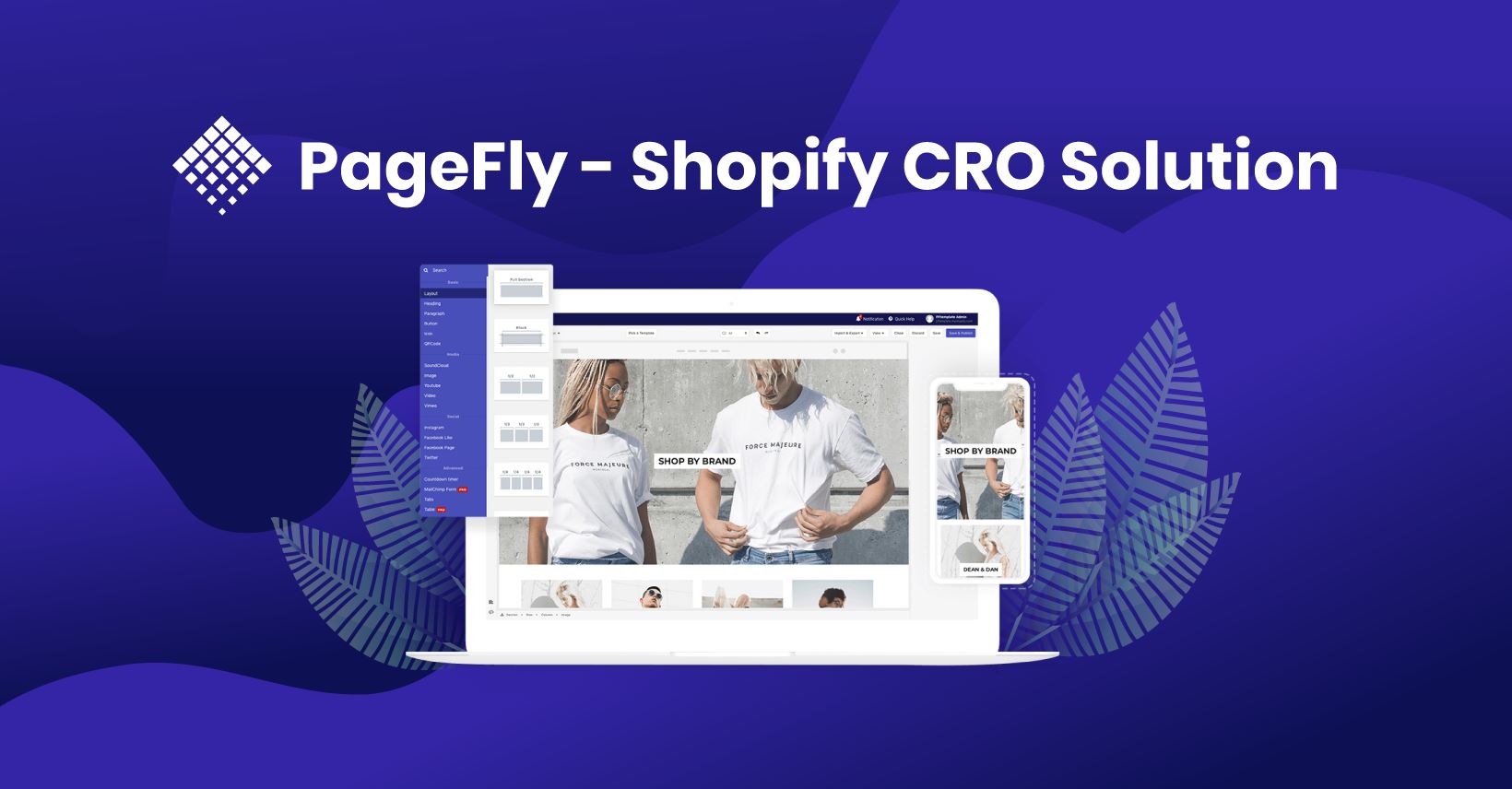
      PageFly provides each user with a dashboard that explains the app and their account and provides all of the information they need. With three tabs located at the top, you can easily switch between areas by selecting “Dashboard,” “Manage Pages,” and “Account”. You can also click the plus button right away if you’d like to create a new page right away. 

      PageFly is designed to be the most user-friendly application you will ever find, with a drag-and-drop interface and customizable features. This means users can style, format, or place each element very precisely without having a clue what coding is. 

      PageFly Editor is separated into four different sections. Each section has a specific purpose. It is possible to set up options for the entire page, but there is also a quick help center at the top of the editor. These include settings for SEO and layout, device switches, and save & publish. 

      There is an element list on the right sidebar categorized into folders like ‘elements’, ‘Shopify elements’, and ‘third-party elements’ you can modify to meet any design request. 

      Whenever an element or section is selected, a sidebar shows its options, i.e. the Inspector. Detailed information about each element can be found in the breadcrumb at the bottom of the page. To keep the page layout responsive on all devices, Sections > Row > Column > Element is the proper order for the page parts. 

      One little tip:

      You will have more control over the frontend customization ability of PageFly if you know how to use the margin/padding. 

      PageFly Editor allows you to adjust margins and padding with the ‘Margins’ and ‘Padding’ fields in the ‘Styling’ tab. 

      2. There are many optimized templates:

      With a variety of ready-to-use templates for getting your store up and running in minutes instead of hours, as well as an array of tools for creating site pages, you can set up your store very quickly and very easily. 

      You might want to know these things about PageFly templates library: 

      • In addition to over 50 templates on over 50 pages, there are more than 50 templates available for holiday events such as Thanksgiving, Christmas, and Valentine’s Day.
      •  Fashion, food, furniture, and even services are all part of the template topics.
      •  You will also find templates for all kinds of pages, such as your homepage, product pages, collections pages, and password pages.
      •  All templates are designed to be highly responsive to mobile screens and other devices.
      •  The templates were designed to optimize conversions and will help you save time and effort when developing pages. They are based on research about UX/UI and CRO. 

      Simple Tip:

      You can save a part of the template in the ‘Saved sections’ option if you wish to use it but not the whole template. The saved section can then be used anywhere within the Site. 

      3. Connecting apps:

      PageFly’s integrative section from other apps allows users to go beyond the features of PageFly. MailChimp has a form element that allows you to add a subscription form to your site so that you can collect the customer’s email address for future email marketing. In addition, the Langify Shopify app can make your store multilingual if you need to translate the page language. 

      As part of its efforts to improve app quality, PageFly has partnered with Loox and Judge.me, two visual e-review apps. This will help your customers feel confident about the quality of your product and lead to a higher conversion rate by making use of the review section. 

      Simple Tip:

      It can be confusing at first to integrate two Shopify apps. Check out our guides to make sure you are doing things correctly!

      4. Optimizing conversion rates:

      It is also possible to increase your conversion rates if you use templates and app integration elements. You need PageFly to grow your store for a few more reasons. 

      You can use PageFly to create landing (regular) pages, but you can also use the software to create many types of pages, including “homepages”, “collection pages”, “product pages”, “password pages”, and “blog entries”. As a result of this feature, the merchant’s store will be more accessible to customers and give them complete control over all of the pages on the site. 

      Moreover, PageFly enables users to create unique views for a variety of device screens, such as laptops, tablets, and mobile so that they can deliver the best user experience to visitors. The styling tab on the device view is specifically set for this view only after switching to the device view. 

      One Simple Tip:

      Landing pages with no navigation are about 16% less likely to convert. However, by removing the navigation menu, conversions can increase by 100%. 

      Having headers and footers available on a landing page can cause visitors to look elsewhere and potentially distract them from the intended purpose of the page. If this happens, then you have not met your goal. As an alternative, PageFly allows you to display or hide the theme header and footer by selecting the ‘Page Settings’ option. 

      5. Support that is helpful:

      We always have your back when you are a PageFly user. We have published step-by-step guides in our help center to explain every element of PageFly, from how to use each element to what our policies are. 

      What can you do if the documentation is lacking the information you need? No problem. Contact us for assistance. Our live chat team of 20 agents operates from multiple time zones, offering five-star, personalized service 24 hours a day, seven days a week.


      PageFly Shopify: How Does It Work?

      PageFly can first be downloaded from the Shopify App Store. Go to this page for more information and to install the app. 

      PageFly’s main dashboard appears immediately after the app has been installed. Right below the window, you will find a chatbox. The support team is available 24×7. With PageFly’s chatbox, you can get assistance while you design your store. 

      Tools for building your pages can be found in the left column. PageFly’s changelog page has a mascot icon to the right – this helps you see what’s been added with each update, as well as how frequently updates are released. An instructional video is also available in the main area of the site. 

      Let’s make a new page. Choose the purple “Create a page” button. Six different types of pages are available. Shopify terms are used here, so a “landing page” is not offered. Choose the “Regular” option if you’re setting up a page for your first campaign. You’ll soon grasp the meaning of the wording, even though it’s a little confusing at first. 

      What comes next? With the “Blank” option, you can create a page from scratch or choose a template. You can choose from over 50 different templates on PageFly, each of which is designed for a different purpose. Our selection will be a Valentine page template.

      Overview of Pagefly’s Features:

      •     A rich library of elements that can be used
      •     Your page versions (history)
      •     Thousands of merchants rely on us
      •     Live chat support 24 hours a day, 7 days a week with response times of 6 minutes
      •     There are more than 70 free templates available 

      The Drawbacks of Pagefly Compared to Others: 

      •     Free plans only allow you to have one page
      •     Store UI is not embedded within Shopify but runs on an external website
      •     After removing an app, your theme remains with the code 

      Frequently Asked Question

      1. Does Pagefly help with SEO?

      It is mostly up to you whether you build the page well and how good your design is. Pages made with Pagefly are definitely SEO-friendly. Will you take advantage of them? 

      The number of images, videos, and animated elements you have can affect the loading time. The speed of the page loading – which is important for SEO – will be affected by all of these factors. 

      Your ability to use keywords in different aspects of your page will also play a role. Images should have descriptive alt texts, they should be titled correctly, heading tags should be accurate, and a meta description should be engaging. All of this can be done with Pagefly. 

      2. Are header navigations possible in Pagefly?

      Pagefly does not allow the creation of headers or navigations. Because you have a lot of links to navigate with on a mobile device, the header is usually the most complex part of a website. It would be more appropriate to combine all menu items into a menu called ‘hamburgers’. 

      As well as the cart and customer account buttons, the header contains a number of interface elements. It’s best to keep the default header that comes with your theme since you don’t want it to change the appearance or behavior of the page. 

      3. Is Pagefly a replacement for Shopify themes?

      Unfortunately, no. Your theme has to be published first. You still receive headers and footers from your theme. You can change the header or footer of a Pagefly page. The header and footer can also be hidden from your theme. Pagefly lets you easily build footers, but headers are more difficult. 

      4. How much does PageFly cost?

      Paid and free subscription plans are available for PageFly. Starting from $19.00 per month, paid plans go up to $99.00 per month. You can create a different number of pages with each plan. 

      You’ll want a higher-end plan if you need more features from PageFly. The free plan or the Silver plan will suffice for those just starting out. Downgrading to a free plan will not affect the functionality of your pages. Upgrades and downgrades are not subject to any restrictions. 

      5. Is there a free 49-day trial of PageFly?

      The biggest difference between PageFly and other solutions on the market is that its Free plan is currently the only option available. PageFly is, therefore, free to use forever. 

      You can however try any paid plan for 14 days if you want to explore the advanced features. What if I told you you could try it for 49 days? 

      This isn’t a joke! Click the Extend trial button in the top-right corner of your store’s dashboard after installing PageFly. 

      PageFly has a 35-day trial period that starts once you complete all the steps. You will now be able to try out the app for 49 days before choosing any plan, instead of the default 14 trial days.

      Conclusion:

      The Shopify page builder acts as the canvas of your store. You need great colours to paint it. Blank or messy stores won’t attract anyone, right? You can enhance your Shopify website with the Pagefly Shopify app by taking advantage of both modern SEO techniques and modern features. 

      So, I strongly suggest you try out the free version of the app. Change your store page builder if you don’t like it. Platform page builders are great. The simplicity of the design and the impact it has on me really impressed me. I am sure you will enjoy it as well.

      Tags: