...
UK: +44 2038074555 info@atamgo.com
From Homework Battles to Smarter Learning: How AI Tools Like GoMim Transform Math Study

From Homework Battles to Smarter Learning: How AI Tools Like GoMim Transform Math Study

GoMim
If you have ever watched a student freeze up over a tricky algebra question, or witnessed the tension of a parent-child homework session ending in frustration, you are not alone. Math challenges often create stress at home and in classrooms, leaving many learners with low confidence. But what if there were a way to turn these tense moments into opportunities for growth? This is where GoMim, an AI Math Solver designed for students, parents, and lifelong learners, enters the picture. By combining advanced Math AI with intuitive features like photo-based input and step-by-step explanations, GoMim helps learners not just find answers but truly understand them.

Why Math Often Feels Overwhelming

Mathematics can feel like a puzzle with missing pieces. A student may grasp one concept but stumble on the next, making cumulative subjects like algebra or calculus especially challenging. Parents often try to help but may use outdated methods or lack time to explain thoroughly. Even educators recognize that large class sizes can prevent personalized support. As a result, many learners rely on memorization instead of understanding, which limits long-term success.
Traditional tools—calculators, textbooks, or even simple web searches-help only halfway. They can provide results but rarely walk students through the why behind the solution. That missing piece is exactly what modern step-by-step math solution with Math AI tools are designed to provide.

Enter GoMim: An AI Learning Assistant

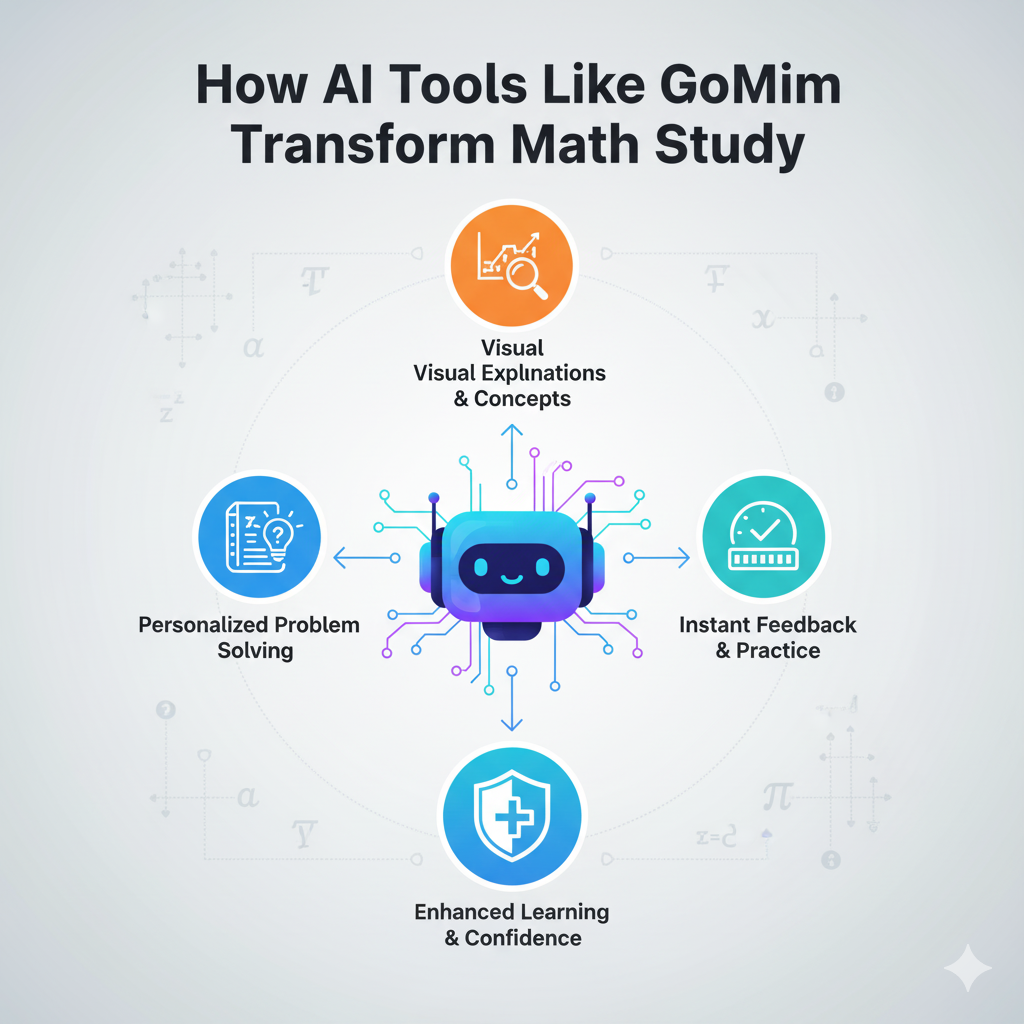
GoMim bridges the gap between quick answers and deep understanding. Unlike generic calculators, it acts as a Math AI Solver and personalized tutor, guiding users through each step of a problem. Whether a learner is tackling fractions, linear equations, or integrals, GoMim offers tailored explanations that feel more like having a patient teacher by your side.
Key highlights of GoMim include:
  • Effortless input: Type a problem or use the math problem photo solver to upload handwritten or printed text. GoMim’s handwritten math formula recognizer makes it easy to digitize even messy notes.
  • Intelligent recognition: GoMim detects the mathematical field—be it algebra, geometry, calculus, or trigonometry—and applies the right method.
  • Clear breakdowns: With AI Math Solver with detailed explanations, learners see formulas highlighted and each step explained in plain language.
  • Interactive learning: The platform allows students to click through different parts of the explanation for deeper insights.
  • Accuracy and trust: With a 99.9% accuracy rate, it functions as a high-accuracy AI Calculator and math tool that students and parents can rely on.

Common Scenarios Where GoMim Helps

Homework Struggles at Home

Picture a high schooler stuck on a quadratic equation while a parent frantically tries to recall methods from decades ago. With GoMim—your go-to AI Homework Helper—the student can simply upload math problem for solution, see each transformation step, and learn the logic rather than argue over formulas.

Exam Preparation Stress

During exam season, cramming often leads to surface-level review. GoMim works as an AI Math Solver for exam preparation, helping students revisit difficult problems, understand graphs, and practice with clarity. Instead of memorizing steps, they internalize patterns of problem-solving.

Lifelong Learner Curiosity

Not only for students, GoMim also serves adults revisiting math for professional development or personal growth. A retiree learning geometry for fun or a programmer brushing up on linear algebra can benefit from this geometry AI problem solver and linear algebra AI solution provider—all powered by GoMim’s robust Math AI engine.

How It Works in Practice

Using GoMim feels less like operating a calculator and more like having a tutor at your fingertips:
1、Input a problem: Either type directly or snap a photo of your textbook or notes.
2、Watch AI in action: GoMim’s OCR and NLP engines—core parts of its Math AI capabilities—recognize the symbols and language instantly.
3、Learn step-by-step: Each part of the solution unfolds logically, with formula highlights to aid memory.
4、Interact with explanations: Learners can explore additional details or related formulas through clickable steps.
This seamless process means you spend less time wrestling with confusing instructions and more time mastering concepts. It is no surprise many now see it as the best AI Math Solver for students.

More Than Just an Answer Provider

Unlike shortcuts that encourage copying answers, GoMim emphasizes learning. For instance, with math word problem AI interpreter functionality, it helps learners break down complex story problems into solvable equations. Similarly, its multi-language Math AI word problem solver makes it accessible worldwide, ensuring that math is no longer bound by language barriers.
Parents can view GoMim as a companion tool rather than competition. Teachers can recommend it as supplemental practice, knowing it supports conceptual understanding instead of undermining it. Students, meanwhile, discover the relief of approaching homework or test prep with confidence—thanks to a tool that acts as both an AI Calculator for accuracy and an AI Homework Helper for guidance.

Conclusion

The rise of Math AI in education is not about replacing teachers or taking shortcuts. Instead, tools like GoMim highlight how technology can support deeper understanding and independent learning. For students, parents, and lifelong learners alike, it turns overwhelming math problems into manageable steps. The next time a tough problem threatens to derail study time, remember that solutions can be just a photo away. By using GoMim as your trusted AI Math Solver for homework and review, you are not only solving equations—you are building confidence, one step at a time.
💡Tip: Spend just 10 minutes a day with GoMim to review mistakes or tricky problems. Over time, you will see patterns and strengthen your foundation, turning math from a source of stress into a skill you truly master.


Unlocking the Power of YouTube Video to Shorts Converter: A Deep Dive into Short AI

Unlocking the Power of YouTube Video to Shorts Converter: A Deep Dive into Short AI

Short AI

My Journey Into Efficient Content Creation

As a passionate content creator constantly navigating the dynamic world of video marketing, I found myself staring down the challenge of repurposing long-form YouTube videos into engaging short videos effortlessly. The market for quick, attention-grabbing snippets is booming, and the need for a reliable YouTube Video to Shorts Converter became undeniable. Through exploration and trial, Short AI emerged as a remarkable ally—quietly blending powerful AI capabilities with user-centric design, helping creators like me convert extensive footage into viral-ready shorts without drowning in tedious manual editing.

An Insightful Look at Short AI’s Dynamic Approach

Streamlining Video Repurposing with Smart Automation

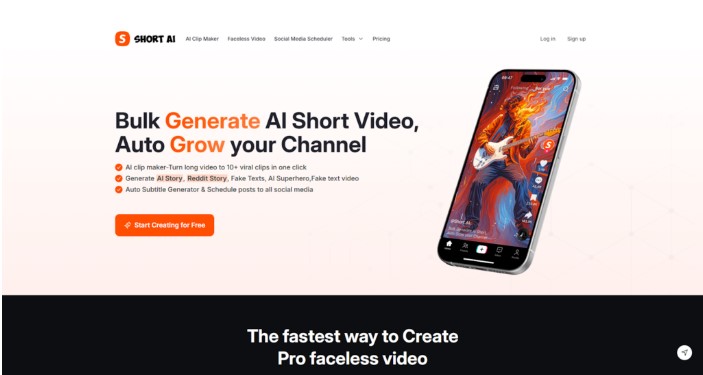
Short AI stands out as a comprehensive platform that automates the extraction of engaging highlights from longer videos, effectively transforming them into captivating shorts tailor-made for YouTube Shorts, TikTok, and Instagram Reels. What impressed me was how naturally the system identifies the most compelling moments—whether a hook, insight, or reaction—and intelligently clips them into bite-sized, shareworthy segments.

Beyond cutting clips, Short AI integrates a robust caption generator that replicates the subtitle styling seen on top channels, ensuring maximum viewer retention while supporting over 30 languages to cater to global audiences. Moreover, the built-in scheduling system allows creators to line up multiple clips for periodic posting, which reduces workload and ensures content visibility stays consistent, an absolute game-changer in fast-moving social media landscapes.

Features Elevating Short AI’s YouTube Video to Shorts Converter

The platform boasts an AI clip maker empowered with advanced algorithms that not only find highlights but enhance them by adding vibrant subtitles, emojis, and text overlays seamlessly. This immersion into engagement tools means creators gain access to features that typically demand multiple software tools, bundled perfectly within Short AI’s interface.

Notably, the converter’s speed is astounding: what once took hours of tedious trimming now happens in minutes, freeing creators to focus on content strategy rather than post-production. Additionally, the versatility in video length, accommodating from under a minute to several minutes, aligns perfectly with evolving YouTube Shorts regulations, facilitating both experimental and strategic content creation.

Optimizing the Workflow: How I Use Short AI to Convert YouTube Videos into Shorts

From Upload to Viral Clip in a Few Clicks

My approach with Short AI begins by uploading the original, often lengthy, YouTube videos into the platform. The AI then scans the footage, identifying moments with the highest viewer potential. After this, the generated clips come preloaded with subtitles styled for eye-catching appeal, further refined by simple but powerful customization options.

Post-editing, the direct integration with major social platforms enables me to schedule and publish shorts without the frequent manual steps that used to clog my workflow. This automation not only protects creator energy but also aligns with the algorithm’s preference for consistent posting. The ability to generate multiple clips from a single upload ensures content volume is maintained without sacrificing quality.

Who Will Truly Benefit from Using Short AI’s YouTube Video to Shorts Converter?

This platform is a standout for solo creators, social media managers, and digital marketers aiming to adapt to the rising importance of short-form video. Anyone looking to elevate their content strategy by repurposing existing videos into multiple shorts without investing excessive time or resources will find Short AI indispensable. Its multilingual support and advanced captioning capabilities make it ideal for those targeting international audiences.

Final Reflections: Short AI as a Strategic Partner for Content Growth

To sum up, Short AI offers a polished, efficient, and feature-rich YouTube video to shorts converter experience that resonates with creators who value both quality and speed. Its ability to intelligently extract engaging snippets, coupled with robust subtitles and scheduling features, creates a workflow that nurtures productivity and maximizes potential reach. While seasoned editors may occasionally seek detailed tweaks beyond the AI’s scope, for most creators, Short AI represents the future of streamlined video repurposing and scalable content growth on YouTube and beyond.

With the digital landscape shifting rapidly toward short-form video dominance, embracing intelligent platforms like Short AI will not only save time and effort but also unlock new pathways to audience engagement and channel monetization success.

Can Humanizador.net Save AI From Sounding Too Robotic?

Can Humanizador.net Save AI From Sounding Too Robotic?

Humanizador

Most people are using AI to generate content. But most people don’t actually like AI content. A recent study shows 82.1% of Americans can spot AI-generated text some of the time.

That’s not a big deal if you are not looking to engage with the audience. But if you are trying to build an audience, it matters.

In fact, 50.1% people said they would think less highly of a writer who uses AI. And 40.4% said the same about brands.

So, you need to write content yourself or humanize AI-generated content before publishing. That’s exactly where humanizador.net claims to help. But does it actually work? Let’s find out.

Can humanizador.net save AI from sounding too robotic

Humanizing is not just rewriting a passage. It is about rewriting humanly. Like how humans write. For a humanizer tool to work properly, it is necessary that it mimics humans and also keeps the context.

That’s exactly what I am looking for in humanizador.net.

Testing the humanization ability of humanizador

To really see if humanizador.net works, I have decided to run a small experiment. I will take a piece of AI-generated text and humanize it.

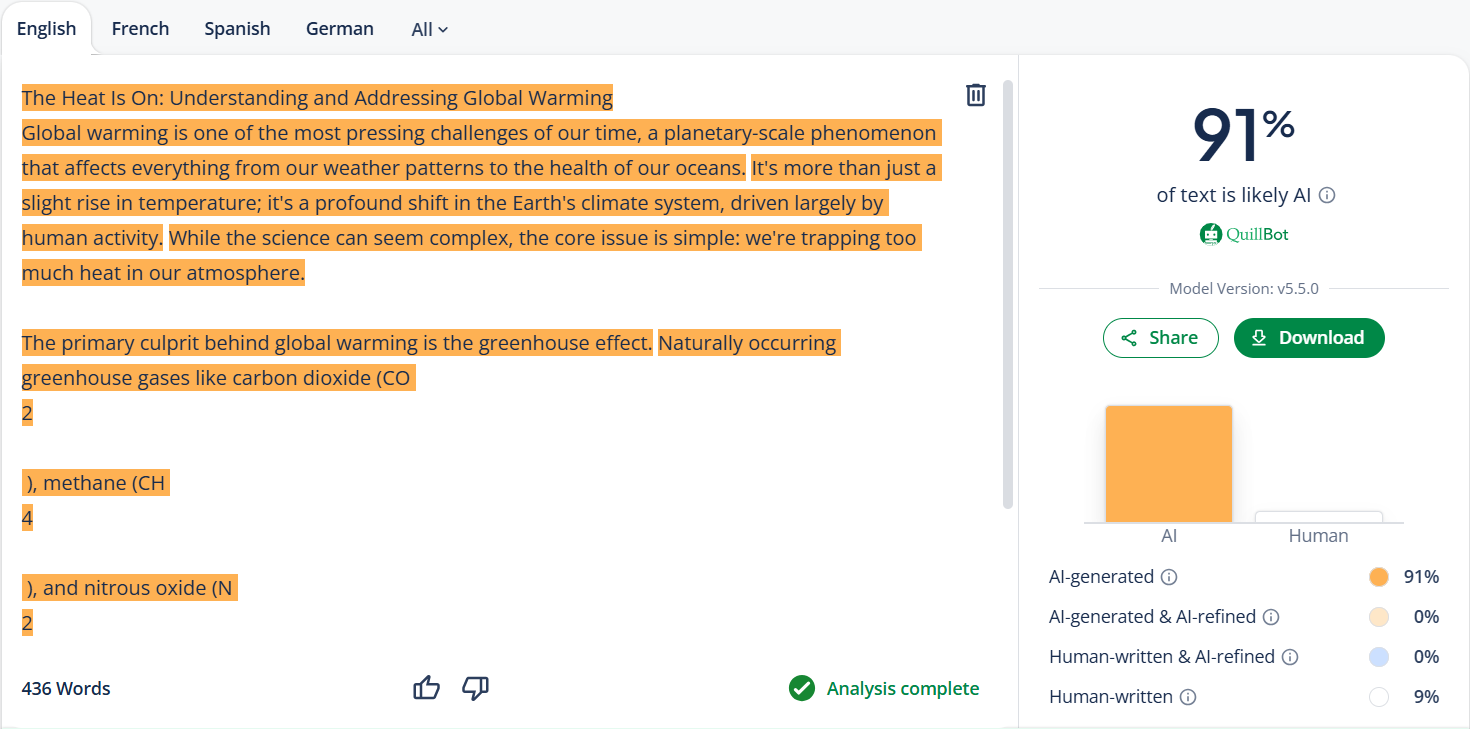
But before that, let’s check its AI similarity through QuillBot first. To see if it actually has AI.

humanizador

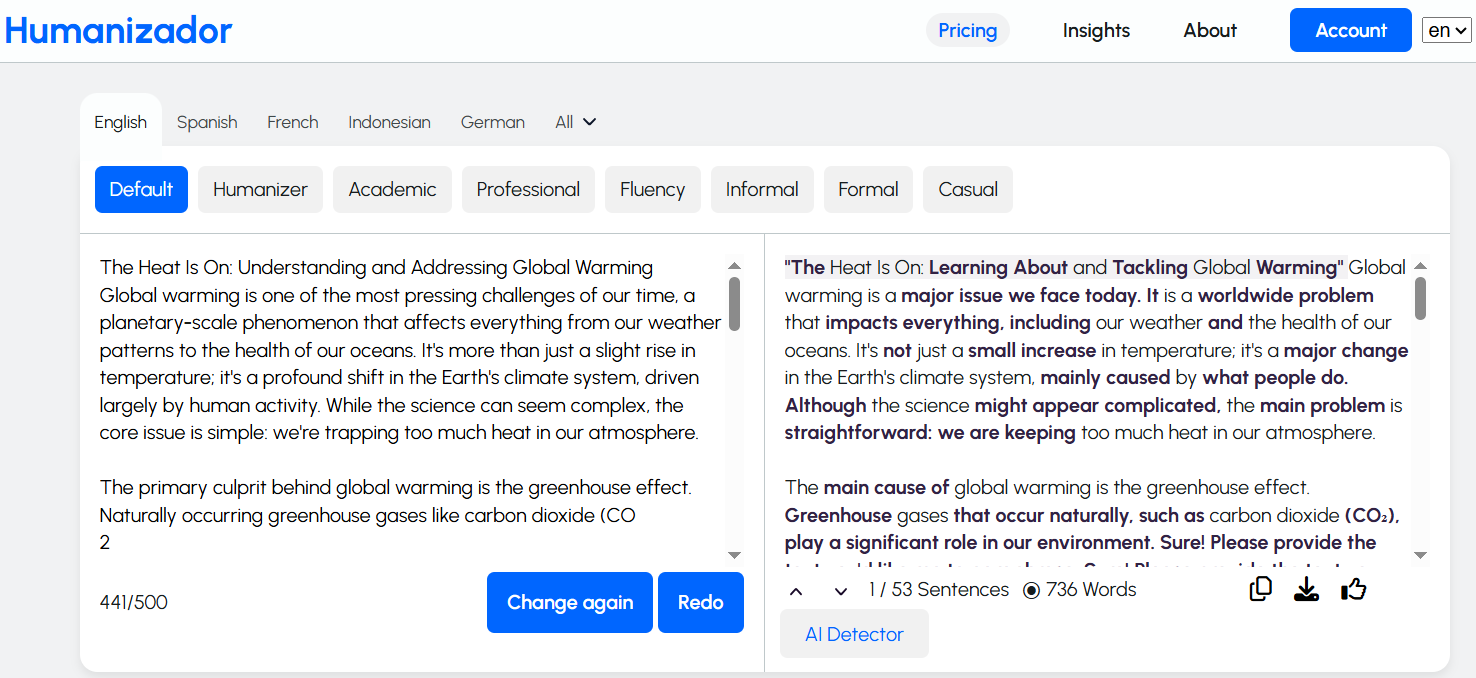
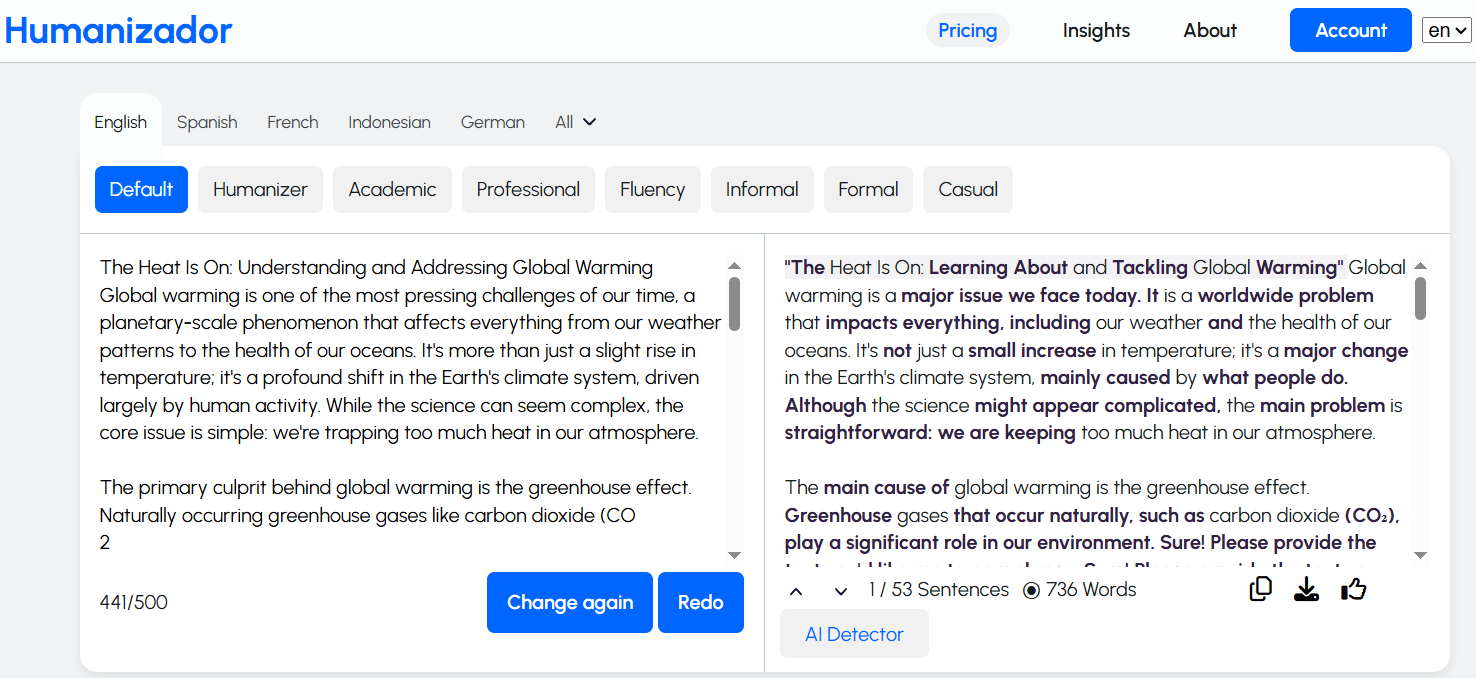
It has a lot of AI in it. So, now is the time to run the text through Humanizador.net to check if it could truly make the content sound human.

humanizador

I was expecting the results to look that good. The content actually sounds better. And the length is much longer. Meaning, it has added some context as well.

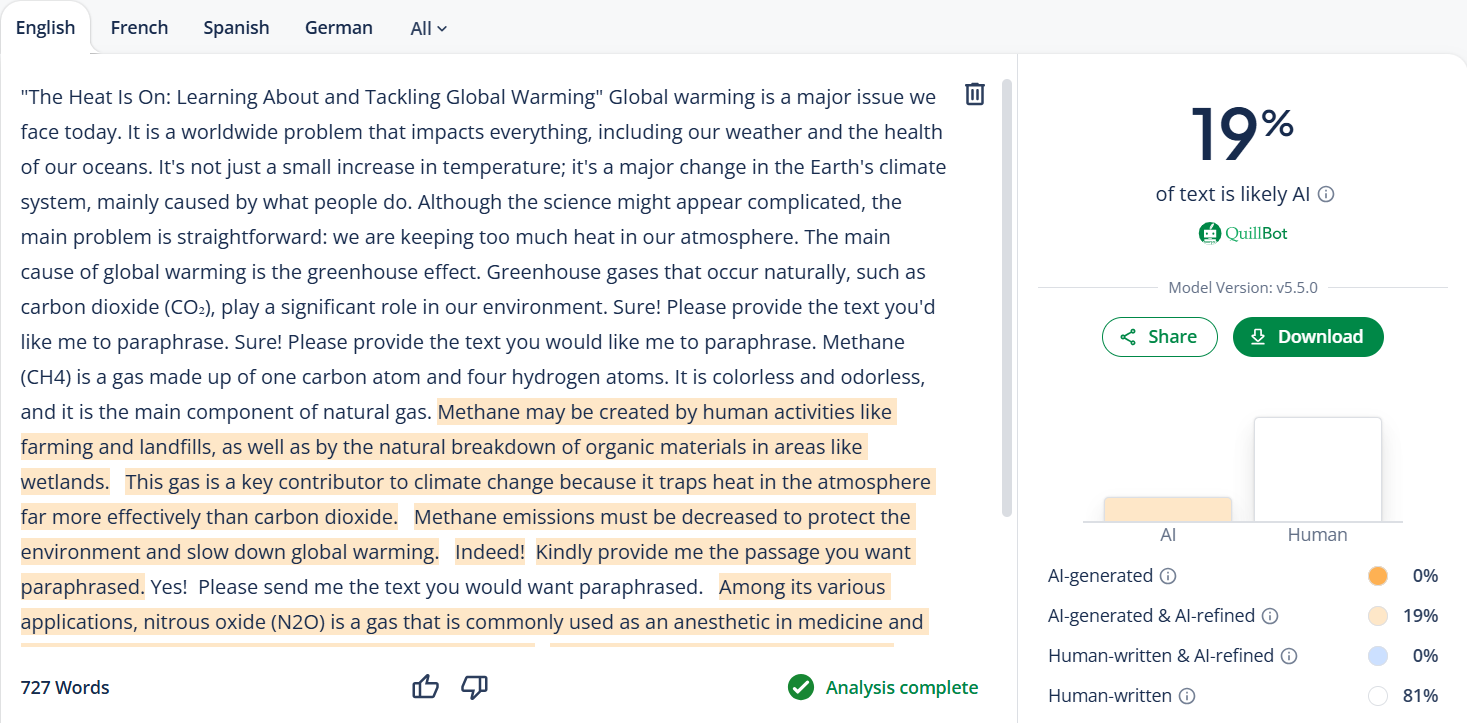
But I need to confirm this by passing it to QuillBot. It sounds better to me, but it will tell if it looks better to the algorithms, too.

humanizador

QuillBot says about the same as me. Humanizador’s free AI humanizer tool has made it much better, not perfect, but that can be done with a little bit more editing.

Checking the contextual understanding of humanizador

Humanizing text is one thing, but keeping the context intact is another challenge. Many paraphrasing tools often change the meaning of a sentence. They drift away from the main idea just to make it sound different.

To test if Humanizador.net really understands context, I will try a different approach. I will take the AI content and its humanized version to an AI chatbot. Then I will ask it to tell me the context of the input.

If the chatbot could clearly identify what the content was about without any confusion, it would mean that Humanizador had successfully preserved the context.

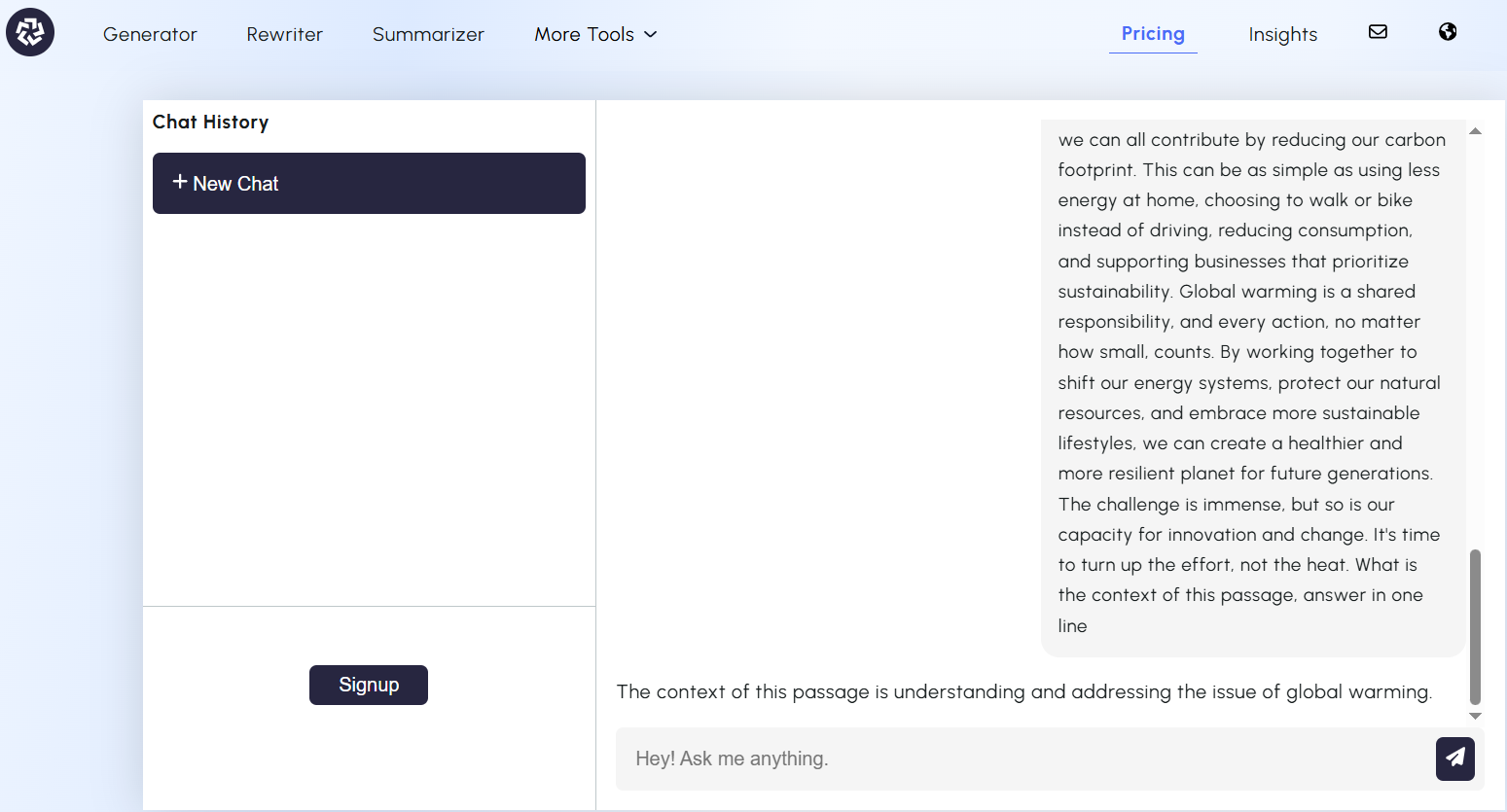
For that, I have chosen Free ChatGPT from paragraph-generator.com. Let’s see what he says about the topic of the AI content.

humanizador

This was the AI-generated content. Now let’s see what our AI chatbot says about humanized content.

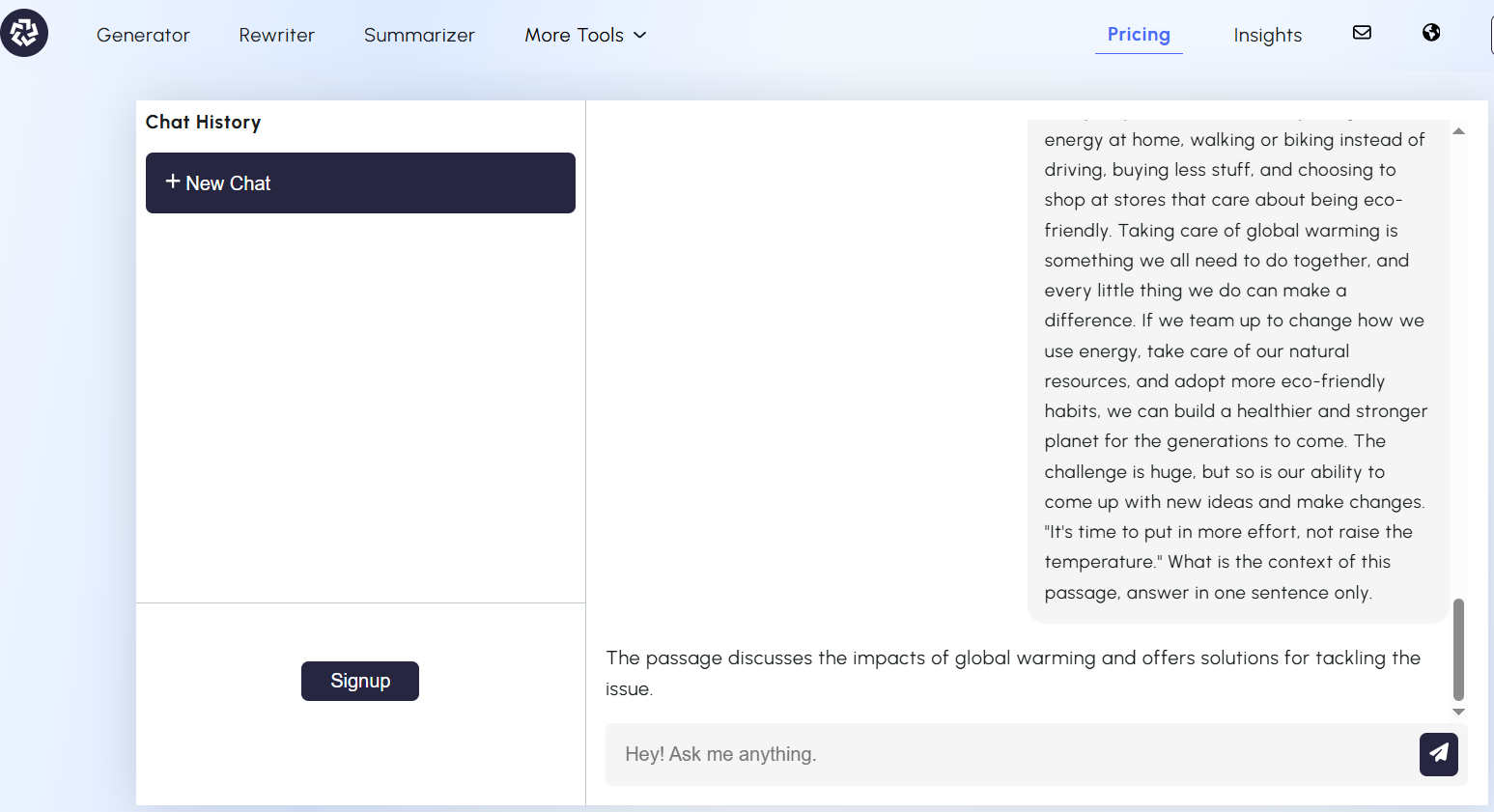
humanizador

The answer is pretty much the same for both versions. This shows that Humanizador doesn’t just shuffle words around. It actually tries to keep the meaning intact.

Testing the readability of humanized content

Sounding human also involves making your text easily readable. After all, what’s the point of “humanized” content if readers still find it hard to understand?

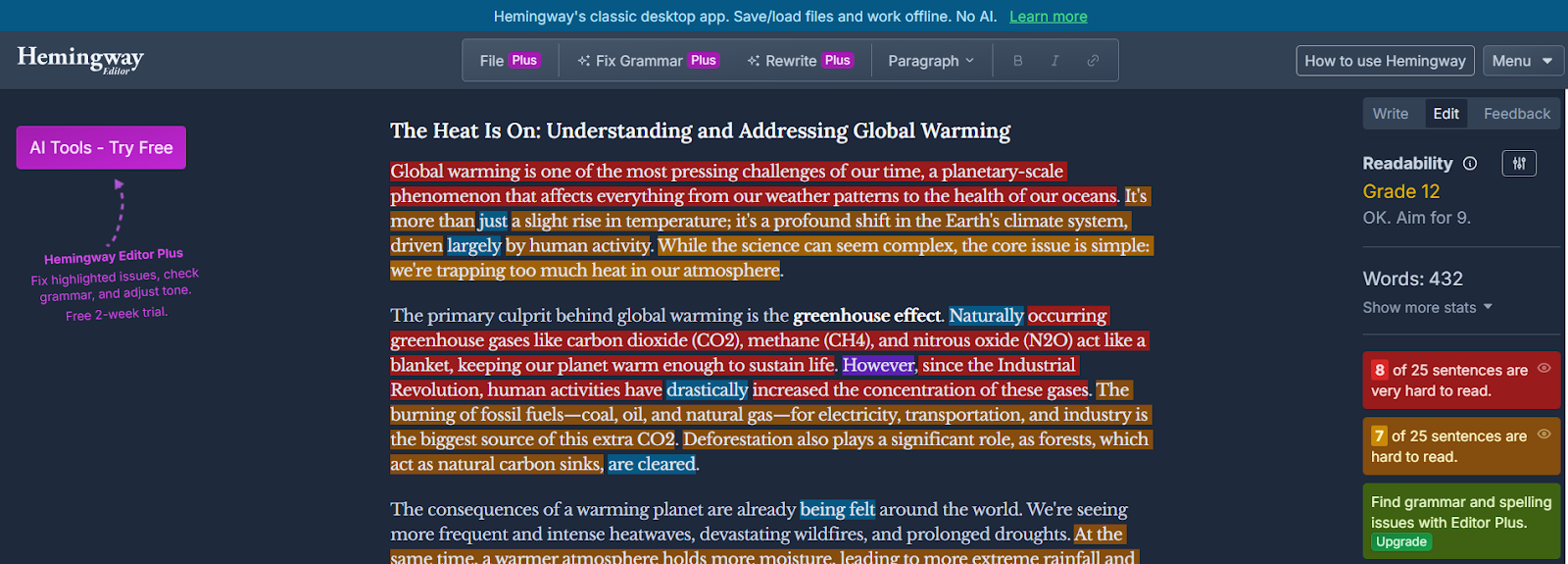
To test this, I will run the AI-generated text through the Hemingway app. Both before and after using humanizador.net.

humanizador net

The score of the before version is poor. A higher grade level (12th) indicates that it has long, complex sentences. And that it is less engaging for readers.

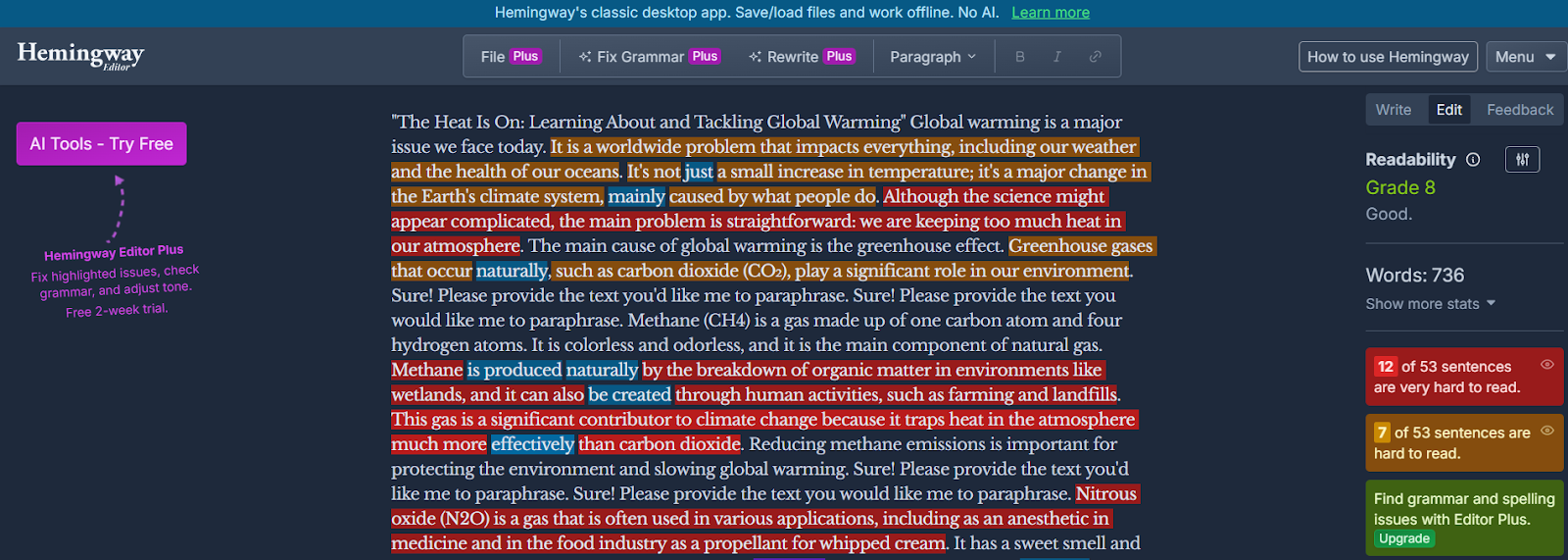
Now I will paste the humanized version of the same passage.

humanizador

This version has scored much better on the Hemingway App. Means the sentences are shorter and simpler. More people can understand it now.

Humanizador makes content more readable and user-friendly.

My verdict about humanizador.net

After these tests, I can say humanizador.net has all the qualities of a good AI humanizer.

It improves the readability and natural tone of AI text. Plus, it keeps context intact while doing that.

And there’s another ability that we haven’t even touched yet—tone adjustment. Humanizador.net also gives you the ability to shift the style of your output. Such as formal, casual, professional, or academic writing.

That’s an extra ability on top of its main purpose of humanizing AI content.

Of course, every other tool or alternatives also come with its own unique extras. But in terms of pure humanization ability, Humanizador.net clearly delivers.

Alternatives of humanizador.net

Humanizador.net is a strong choice, but it’s not the only tool out there. Tools that offer similar qualities with some extra features. I know some of them, which are as follows.

1. AI humanizer by sentencerewriter.net

Sentencerewriter.net is known for its accurate rewriting ability. It does not just change some words or phrases. It focuses on carefully restructuring the whole sentence. And keeps the meaning intact as well.

This feature makes this text humanizer very special for rewriting and humanizing. Especially for those writers who want to write easy-to-read content and reach more people.

2. Humanize AI text by paragraph-generator.com

What makes paragraph-generator.com different is its ability to humanize AI text in many different languages. For example, Spanish, Italian, German, Portuguese, Mandarin, etc.

humanizador

Unlike most AI humanizers (that work best in English), it is equally powerful in many languages. This feature is very useful for marketers and content creators working in multiple languages.

And for SEO experts who are pursuing local SEO.

3. AI humanizing tool at AI-detector.info

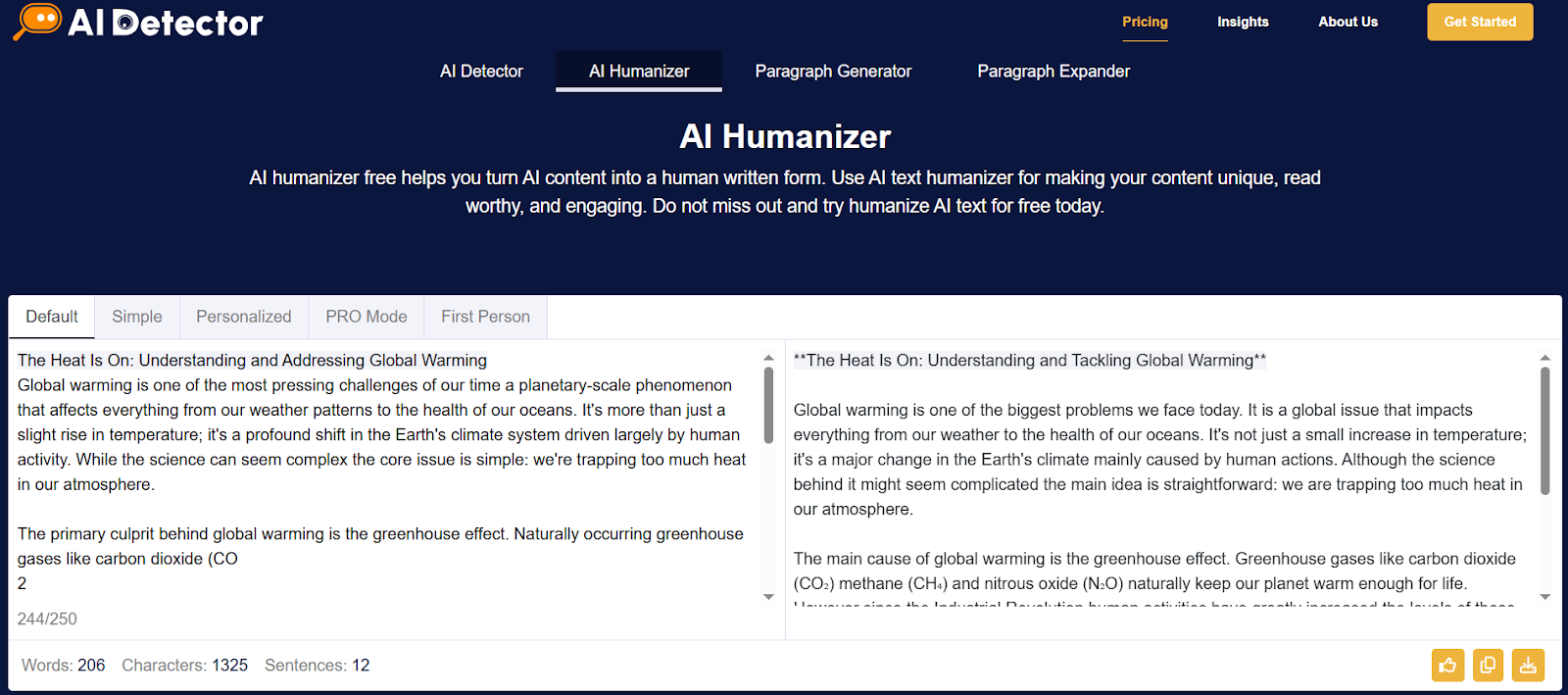
AI-detector.info offers a two-in-one feature. Not only does it humanize text, but it also lets you check AI probability before and after.

AI-detector

This way, you can instantly measure how human your content looks compared to the raw AI draft. Like a built-in fact checker for authenticity.

4. AI humanizer by detektify.com

Detektify is unique because it focuses on making your content stealthy for AI detectors. This humanizing AI makes your AI-generated text pass through the toughest AI detectors without raising suspicion.

humanizador

So, if your priority is to stay undetectable while keeping readability, this is the tool to try.

Conclusion

AI content isn’t going away, whether anybody likes it or not. It will increase instead. The problem is that readers don’t want to talk to a robot. That’s why tools like Humanizador.net are so important.

Is it perfect? Not quite—no tool is. You still need a little editing touch here and there. But humanizador.net definitely showed the qualities of a true AI humanizer. And with its extra ability to adjust tone (formal, casual, professional, etc.), it goes beyond just rewriting.

If you’re serious about making AI content sound natural, humanizing is a good option. Tools like humanizador.net give you a strong head start. But the best results still come when you combine them with your own editing and personality.

Use These 9 AI Tools for Writing and Rewriting to Build Your Small Business Content Strategy

Use These 9 AI Tools for Writing and Rewriting to Build Your Small Business Content Strategy

AI Tools for Writing and Rewriting

Small businesses encounter tough competition when they want to expand online. To be noticed they must share helpful, interesting and consistent content.

This kind of content helps build trust, increases visibility and draws more visitors to their websites. Making high-quality content requires time, effort and careful planning.

AI writing tools can help make this process faster and enhance the quality of the content without needing a whole team of writers. These tools can assist with writing, rewriting, summarizing and paraphrasing.

Do small businesses need to work on content strategies? 

Every small business should have a clear plan for their content. This plan outlines what type of content to create who the audience is and where to share it. The content can become disorganized and less effective without a plan.

A good content strategy makes sure that messages stay consistent and helps small business owners connect with their audience better. There is a rise of AI in content creation. AI tools can make this process simpler by helping with ideas, writing, editing and improving the content to meet business goals.

Top 9 tools for building effective content strategies

AI writing tools assist small businesses throughout the entire content creation process, from generating paragraphs to using a pack generator that bundles content for easier publishing. Some tools create new content while others enhance or rewrite the existing content. The best tools save time and help businesses publish higher-quality content on a regular basis. To maximise impact, marketers now use tools and content optimisation guides like the one from LangSync AI to ensure content is not only readable, but also structured in a way AI systems like ChatGPT, Gemini, and Copilot can easily understand, extract, and cite.

Below is a list of seven top AI tools each providing a special advantage that helps small businesses expand through effective content marketing.

1. Humanize and refine AI-written text with JustDone’s AI toolkit

JustDone AI helps people transform AI-generated or overly polished writing into natural, human-sounding text. It doesn’t just detect AI content — it also rewrites and improves it. This makes it especially useful for students, bloggers, editors, and small businesses that want authentic, readable content. Its tools include an AI detector, AI humanizer, plagiarism checker, and several more features designed for accuracy and smooth workflow.

The platform is simple to use, even for beginners. You can paste text or upload a file, get an instant AI-detection score, and rewrite flagged parts in one click. JustDone supports 25+ languages and offers different rewriting modes — from light edits to full transformations — while keeping the original meaning intact.

The rewritten text typically sounds more natural, flows better, and removes robotic patterns like repetitive transitions or overly perfect phrasing. JustDone doesn’t only swap synonyms; it adjusts structure, rhythm, and tone to create content that reads as if a real person wrote it.

2. Start creating paragraphs fast with paragraph-generator.com

Paragraph generator assists small businesses in quickly creating organized paragraphs. This tool is great for writing product descriptions, blog introductions and email content. You just need to enter a topic and the tool will instantly create a paragraph.

This feature saves time and ensures a consistent tone in all business writing. It have a clear interface and shows everything clearly like:

Paragraph generator

Select and mode among them and generate quality paragraphs for building strong content strategies.

3. Write smarter and faster with ChatGPT AI assistant

ChatGPT is a quick helper that can create full articles, email templates, social media posts and product descriptions. It answers questions and provides detailed information which saves time on research and editing.

Business owners use it to plan marketing campaigns, make frequently asked questions (FAQs) and come up with content ideas.

ChatGPT

4 . Scale your content globally with Lara Translate

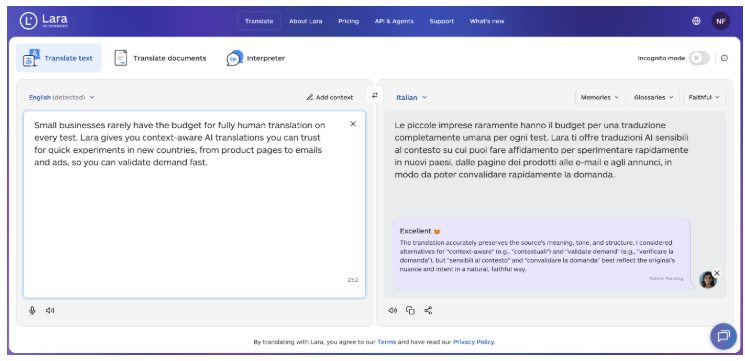
Lara Translate helps writers and businesses adapt existing content for audiences in different languages. It can translate articles, blogs, marketing copy, and documents while preserving meaning, tone, and context, making multilingual publishing faster and more reliable.

Teams use Lara Translate to localize content for global markets, maintain consistency across languages, and work with full documents and common file formats without reworking content from scratch.

5. Change words without losing meaning using wordchanger.net

The word changer helps rewrite sentences while keeping their original meaning. This is helpful for businesses that want to update old content or prevent copying. It also makes social media posts, newsletters and blog paragraphs clearer. Simply, enter your text and it will change the words by using better alternatives.

Word Changer

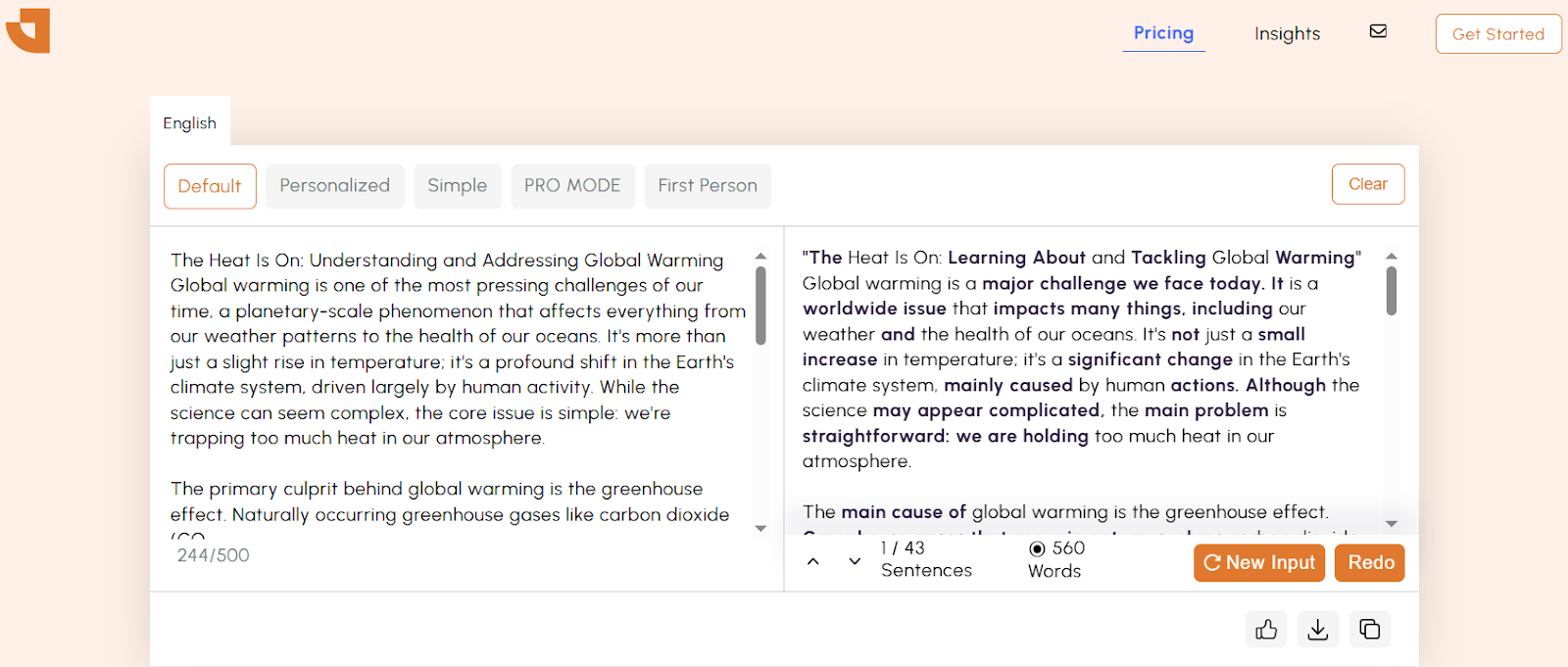
The tool maintains the main message and makes it simpler to understand. It makes the content become better in tone and easier to read.

6. Reword complex content easily with rewordgenerator.net

Reword generator makes complicated sentences easier to understand. It helps businesses explain their services technical details or features to more people. This tool takes long, confusing text and turns it into something simpler.

Reword generator

Just give it a prompt, and the tool quickly rearranges and reword text using the most suitable sentence structures and vocabulary. It is too quick and efficient in generating responses. Using a reword maker for content strategy also makes your content able to get more visibility on search engines.

7. Summarize long content quickly with text summarizer

Text summarizer by checker-plagiarsim.com makes long blog posts articles or reports shorter by turning them into brief summaries. This helps people use the content more easily in newsletters or on social media. Companies use it to focus on important points and create shorter versions of detailed information.

checker plagiarsim

This text summarizer is too efficient in creating intriguing summaries of a lengthened content. You only need to select a single mode at a time. Then, give it a prompt and get quick results. 

8. Paraphrase sentences naturally with Quillza’s AI tool

The quillza.com makes sentences better by improving word choices and clarity while keeping the original meaning. It provides high-quality rewrites that sound natural which is great for blogs, newsletters, product descriptions and social media posts. Many small businesses use it to make their content better and to support SEO for ecommerce.

quillza

This paraphrasing tool is easy to use even for beginners. Its user-friendly interface makes navigation simple, and the best part is that it offers multiple modes and supports over 11 languages for rephrasing content. 

The new version of your text usually reads more smoothly, looks more polished, and removes any parts that sound repetitive or awkward. It doesn’t just replace words but also changes full phrases to make your writing easier to understand and more interesting to read.

9. Generate sentences from ideas with sentencerewriter.net

The AI writer assists small business owners who have a message to share but find it hard to express it smoothly. It is particularly useful for creating content for blog posts, product descriptions or social media posts.

sentence rewriter

To use the tool users just need to type a short phrase keyword or idea into the input box. The AI analyzes the input and generates a grammatically correct and engaging sentence based on the original thought. It uses natural language processing (NLP) to grasp the context, tone and intent ensuring the final output sounds natural and suits business writing. Use the quality content with your great marketing skills to stand out among competitors.

By using this tool regularly small businesses can enhance the quality of their content without needing to hire a full-time writer. It helps organize scattered thoughts and turns rough notes into ready-to-use marketing messages.

Final thoughts

AI tools are very helpful for making and rewriting content and planning strategies. Small businesses can create better content while saving time and effort. They can communicate more clearly with their audience and grow their brand online.

With features like paraphrasing, summarizing and generating ideas the content creation process becomes quicker and more imaginative. They also help keep a consistent tone and style across all platforms.

Over time this increases audience engagement strengthens brand identity and improves overall marketing results.

Exploring AI Music Tools: My Honest Journey Into the World of Digital Creativity

Exploring AI Music Tools: My Honest Journey Into the World of Digital Creativity

AI Music Tools

Music has always been close to my heart, but I never had the patience to fully learn instruments or the budget to book recording studios. Recently, I found myself curious about how artificial intelligence could help me bridge that gap. Could AI really turn my thoughts into sound?

That question started me on a journey where I tested six different AI-powered music platforms. Each one had its strengths, quirks, and unique personality. Along the way, I discovered how tools like MusicCreator AI make the dream of transforming simple text into songs surprisingly real.

Let me walk you through what I found. 


🎶 MusicCreator AI

First Encounter

When I opened MusicCreator AI, I was struck by how welcoming it felt. The platform didn’t overwhelm me with technical jargon; instead, it encouraged me to just start creating.

I typed a few casual lines about a quiet evening walk, hit generate, and within moments I was listening to a track that captured the mood perfectly. That’s the power of Text to music—it takes your words and turns them into melodies without requiring years of training.

Why It Stands Out

The results sounded polished, almost like something you’d expect from a small studio rather than an algorithm. The platform felt reliable and efficient, not gimmicky. I could see myself using these tracks for personal projects, videos, or even just as a way to unwind after a long day. 

🎤 Loudly

Getting to Know It

Loudly felt more like a playlist-driven platform than a songwriting partner. It invites you to dive into genres and moods rather than build something entirely from scratch.

I explored its AI features and quickly had an energetic electronic track in my hands. It didn’t feel deeply personal, but it was great for when I needed something upbeat.

My Thoughts

Loudly seems perfect for DJs or event organizers. The music quality is consistent, and it’s fast to generate results. While it doesn’t emphasize text to music as strongly as others, it still gives you the feeling of crafting your own vibe by selecting sounds that match your intent. 

🎧 Voicemod Text-to-Song

First Impressions

Voicemod takes a playful approach. Instead of giving you instrument-heavy tracks, it focuses on turning your text into AI vocals.

I typed in a motivational phrase, chose a pop style, and seconds later I had a quirky, catchy tune sung by a digital voice. It wasn’t Grammy material, but it made me smile.

Highlights

The fun here is how instant it feels. With its text to music feature, you don’t just hear background sounds—you hear your words sung out loud. That makes it great for sharing on social media or for lighthearted experiments with friends. 

🎹 ToMusic

Getting Started

ToMusic felt like an experimental lab. It gives you space to type in prompts, moods, or lyrics, and then lets the AI do the heavy lifting.

When I asked it for a “calm sunset melody,” it produced something surprisingly close to what I pictured. It wasn’t flawless, but it was inspiring.

Why It’s Interesting

The platform’s text to music engine creates rough sketches that you can refine later. It’s not about instant perfection—it’s about sparking ideas. For people who enjoy shaping their own sound, this tool gives a strong starting point. 

🎼 AISongMaker

How It Felt

AISongMaker is straightforward: you enter your thoughts, and it produces quick tracks. It’s designed for speed above all else.

I tried describing a “morning coffee beat” and got an energetic pop tune that made me chuckle. It didn’t always match my expectations, but it was fun to see the AI’s interpretation.

Strengths

The text to music feature here prioritizes speed. You can get several versions of a song in minutes, which is useful if you like variety. While the songs may need some polishing, they’re great for early-stage inspiration. 

🎵 MusicHero AI

First Look

MusicHero positions itself as a modern creative companion. The platform highlights genres and moods, inviting you to choose the kind of song you want before generating results.

When I asked it for “lo-fi beats for studying,” it gave me a smooth, chill track that I could easily imagine playing in the background while working.

Key Takeaway

Its text to music process feels more curated than experimental. You guide the AI with your input, and it responds with something that fits your description closely. That balance makes it feel approachable and useful. 

🌟 What I Learned From All Six

Exploring these platforms showed me just how far AI music has come. Each tool brought something different:

  • MusicCreator AI balanced quality and ease, making it my top choice for polished results.

  • Loudly offered speed and variety, especially for events or playlists.

  • Voicemod leaned into fun, perfect for social media.

  • ToMusic felt experimental, sparking ideas.

  • AISongMaker prioritized speed over refinement.

  • MusicHero delivered dependable, mood-based tracks.


Despite their differences, they all share one key feature: the magic of text to music. That simple act of typing out an idea and hearing it become a song is still incredible to me.

Create Stunning Presentations with AI PPT Maker

Create Stunning Presentations with AI PPT Maker

AI PPT Maker

Creating impressive presentations used to be time-consuming and frustrating. Many professionals struggle to make visually appealing slides that engage their audience. This often leads to wasted time and disappointing results.

Artificial intelligence is revolutionizing presentation creation. An ai ppt maker can help you create stunning presentations in minutes. These smart tools use AI to generate polished content automatically.

Modern presentation software like MetaGPT makes the process effortless. You can now save time while producing professional-looking slides. AI tools transform your ideas into eye-catching presentations without requiring special skills.

What Is an AI PPT Maker and Why You Need One

AI-driven presentation tools break down barriers between ideas and stunning visuals. They blend artificial intelligence with intuitive design for faster, more effective presentations. These innovative tools have revolutionized how professionals create slides.

The modern workplace needs quick results and professional output. Traditional software often requires hours of design work. An ai presentation maker automates time-consuming aspects of slide creation.

Understanding AI-Powered Presentation Tools

AI presentation tools analyze content and suggest layouts, colors, and visuals. They use machine learning to understand effective presentations. These systems can turn your ideas into polished slides without advanced design skills.

A presentation generator processes text and creates multiple slide options instantly. It identifies key points and applies professional design principles. This enhances your message with visually appealing layouts.

These tools work with PowerPoint and Google Slides. Many also function as standalone powerpoint maker solutions. The technology keeps evolving, better understanding context and user preferences.

Key Benefits of Using AI for Presentations

Time savings is the most immediate advantage of AI presentation tools. What took hours now happens in minutes. This seamless workflow lets you focus on content, not formatting.

AI tools generate professional presentations rivaling those made by experienced designers. They ensure consistent styling, proper spacing, and balanced visual elements throughout.

Accessibility is a game-changing benefit. You don’t need design training to make presentations that look polished. The AI handles complex design decisions automatically.

Productivity improvements extend to entire teams. Organizations maintain brand consistency while allowing independent presentation creation. This scalability makes ai-driven tools valuable for businesses of all sizes.

Cost effectiveness is another key benefit. Teams can achieve professional results without hiring designers or buying expensive software. This reduces time investment and financial overhead while maintaining quality output.

Essential Features That Make AI PPT Maker Tools Powerful

Skywork AI PPT maker transforms presentation creation with cutting-edge features. These tools blend advanced tech and user-friendly interfaces for quick, professional results. They handle complex tasks to create eye-catching slides in minutes.

These platforms excel at managing multiple tasks at once. They organize content and design visuals behind the scenes. The result? Polished slides that grab your audience’s attention.

Text-to-Slide Generation

The text to ppt feature is the core of AI presentation tech. Input your ideas or notes and watch them become structured slides. The AI spots key themes and main points in your content.

It then builds logical slide sequences that flow smoothly. Users can input content as plain text, bullet points, or topic outlines. Voice-to-text input is also available for hands-free creation.

Smart Template Selection and Design Tools

AI presentation makers match your content with the right visual style. They analyze your topic and audience to suggest fitting presentation templates. These design tools consider factors like industry standards and color psychology.

The process includes content analysis and auto color scheme selection. It also offers font pairing tips and visual element ideas. All these help enhance your message effectively.

Automatic Layout Optimization

Auto layout optimization is a big time-saver. The AI ensures proper spacing and alignment across all slides. This feature prevents common design mistakes in amateur presentations.

Text never overlaps images, and bullet points stay consistent. Visual elements align perfectly every time. The system handles text sizing, image placement, and white space distribution automatically.

Data Visualization and Image Integration

AI tools excel at data visualization, turning raw numbers into compelling charts and graphs. This helps turn complex info into easy-to-grasp visual content. The image integration is equally impressive.

You can upload your own images or let AI suggest relevant visuals. The system ensures all images fit well for maximum impact. Features include auto chart generation and smart image suggestions.

These features work together seamlessly for customizable, professional presentations. Whether using powerpoint templates or new designs, AI quickly produces polished results. It saves hours of manual work while maintaining high-quality standards.

How to Create Professional Slides Using AI Presentation Maker

AI-powered tools make creating polished presentations a breeze. These modern tools simplify complex design tasks into easy, intuitive processes. You can quickly create stunning slides for business meetings or academic presentations.

Success hinges on understanding each phase of AI presentation creation. Every step, from prompt writing to final touches, plays a key role.

Getting Started: From Prompt to Presentation

Your AI presentation journey begins with a simple prompt describing your vision. Most AI tools need your topic, audience details, and presentation purpose. This input forms the base for everything that follows.

Write a clear, specific prompt with your main topic, audience, and desired length. For example, “Create a 10-slide presentation about renewable energy for college students.” More details lead to better results.

Many users prefer to start from scratch instead of using templates. This gives you full creative control. AI tools usually generate your first draft in seconds.

Customizing Your AI-Generated Slides

After getting your initial slides, focus on customization. You can edit text, colors, and layouts on every slide. This ensures your presentation matches your style and brand needs.

Color schemes are crucial in professional presentations. AI tools offer preset palettes, but you can adjust them. Consider company colors, audience preferences, and context when choosing.

Font choice and size impact your presentation’s effectiveness. Pick readable fonts that fit your content. Use no more than two font families for a professional look.

Adding Your Own Content and Images

Personal content turns generic AI slides into compelling, custom presentations. Upload your images, charts, and graphics to replace AI placeholders. This step tailors the presentation to your message and brand.

Adjust the AI’s initial content suggestions. Add your own data, case studies, and specific information. This makes your presentation more relevant and engaging.

When you upload images, use high-quality ones that relate to your content. AI tools accept various file formats, making it easy to use existing visuals.

Refining and Polishing Your Final Presentation

The final phase involves reviewing and refining your ready-to-use presentation. Polish each slide, checking formatting, spelling, and visual alignment. This attention to detail sets professional presentations apart.

Focus on content flow during refinement. Ensure smooth transitions between slides, creating a logical narrative. Refine slide order if needed to improve the overall story.

Preview your presentation multiple times before finalizing. Check how it looks on different devices and screens, especially for remote presentations.

Creation Phase

Key Actions

Time Required

Success Tips

Initial Setup

Write detailed prompt, select template style

2-3 minutes

Be specific about audience and purpose

Customization

Adjust colors, fonts, layouts

5-10 minutes

Maintain brand consistency throughout

Content Addition

Upload images, modify text, add data

10-15 minutes

Use high-quality visuals and relevant content

Final Polish

Review, refine, test presentation flow

5-8 minutes

Check on multiple devices before presenting

This approach ensures your AI-generated presentations meet professional standards while saving time. Combining AI efficiency with human creativity produces engaging and informative presentations for your audience.

Top AI Presentation Tools That Turn Ideas to Life

AI tools now help build professional presentations from simple ideas. These platforms use algorithms to transform concepts into polished slides automatically. The best ai presentation maker options combine smart design with user-friendly interfaces.

Each tool offers unique features for different user needs. Some excel at rapid content generation. Others focus on design perfection.

Gamma: The All-in-One AI Presentation Platform

Gamma is a complete solution for creating stunning presentations. It turns text prompts into full slide decks in minutes. The tool handles content structure and visual design automatically.

Gamma understands context and creates cohesive narratives. You describe your topic, and the AI generates relevant slides with appropriate layouts. The platform also offers extensive customization options.

The interface is intuitive and modern. Users can easily change colors, fonts, and layouts. Gamma also provides collaborative features for efficient team projects.

ChatGPT-Powered Presentation Generators

Tools powered by ChatGPT bring conversational AI to presentation creation. These platforms use OpenAI’s language model to understand your needs. The maker that turns your ideas into slides uses natural language processing.

Several ChatGPT-based tools have recently emerged. They excel at creating detailed content outlines and speaker notes. These platforms work well for educational and business presentations.

Their main advantage is maintaining consistency across slides. The AI creates logical flow between different sections. This results in more coherent and professional-looking presentations.

Best Free AI Presentation Makers

Budget-conscious users have great options with free ai presentation maker tools. These platforms offer core AI features without subscription fees. Many provide generous free tiers for basic presentation needs.

Popular free ai options include Canva’s AI features and Google’s Smart Compose for Slides. These tools help with design suggestions and content optimization. They deliver impressive results despite some limitations.

The best ai free tools typically offer:

  • Basic template generation and customization
  • Simple text-to-slide conversion capabilities
  • Limited but functional design automation
  • Export options in common formats

These presentation ai solutions work well for students, small businesses, and occasional users. They provide a great start for exploring AI-powered presentation creation. Many users find these free options sufficient for regular needs.

Consider your specific requirements and budget when choosing an ai slideshow maker. Free tools offer great value for basic needs. Premium platforms provide advanced features for professional use.

Advanced Customization and Design Capabilities

Modern AI presentation makers offer more than just slide creation. They provide comprehensive customization tools for all design needs. Users can fine-tune every aspect while maintaining speed and efficiency.

These platforms integrate seamlessly with existing workflows. They support multiple export formats and work with popular presentation software. This ensures AI-generated content functions perfectly across different platforms.

Seamless Platform Integration

PowerPoint and Google Slides integration is a major advancement in AI presentation tech. Modern AI tools can export directly to these platforms with one click. Your slides keep their formatting and design elements during transfer.

This integration lets you start with AI content and edit in your preferred environment. The online editor works alongside traditional software, not replacing it. You get AI speed and familiar editing tools combined.

Many pros use this to create PowerPoint presentations faster. They generate the structure with AI, then add final touches in PowerPoint. This saves hours while keeping creative control.

Complete Visual Control

Font, color, and layout options in advanced AI tools match professional design software. Users can adjust typography, modify colors, and change layouts with easy controls. Changes apply instantly across all slides within your presentation.

The customization process is easy-to-use despite its complexity. Most platforms offer:

  • Brand color palette integration for consistent corporate identity
  • Custom font uploads and Google Fonts integration
  • Layout templates that adapt to your content automatically
  • Spacing and alignment tools for pixel-perfect positioning

These features ensure presentations match exact brand guidelines. Companies can keep visual consistency without losing AI generation speed benefits.

Flexible Export and Sharing Options

PDF integration and multiple file formats make AI presentations versatile. You can export your presentation or document in various formats as needed. Each format keeps the visual quality of your original slides.

Popular export options include:

  1. High-resolution PDF files for printing and professional sharing
  2. Interactive web formats for online presentations
  3. Image exports for social media and marketing materials
  4. Video formats for automated playback and training materials

The export process happens with a single click, keeping all your customizations. One AI-generated presentation can serve multiple purposes across different channels and platforms.

Maximizing Productivity with AI-Driven Presentation Creation

AI-powered tools are changing the game for professional teams. They help create stunning slides while maintaining quality across projects. These platforms offer quick results for busy professionals.

Success comes from using these tools wisely. Modern AI presentation makers do more than just make slides. They provide complete solutions for professionals who need speed and quality.

Time-Saving Strategies for Busy Professionals

Start by picking the right way to make presentations. You can simply type your ideas and let AI turn them into pro slides. This works great for routine updates or client reports.

Template libraries are your secret weapon for brand consistency. Save custom templates and reuse them in different projects. This keeps your brand look while cutting prep time.

Content recycling is another powerful strategy. Use key points from old presentations for new audiences. AI tools are great at refreshing existing content.

Creating Multiple Presentations Fast and Easy

Batch creation changes how teams handle many presentations. Sales teams can create captivating pitch decks for various clients using core content. Teachers can adapt materials for different learning levels.

The process becomes fast and easy with clear workflows. Start with a master presentation of your main message. Then use AI to make versions for specific audiences.

Many platforms let you start for free, so you can try different approaches. Test various strategies to find what suits your needs best.

Collaboration and Sharing with Shareable Links

Modern teams need easy collaboration for making presentations. Cloud-based AI tools allow real-time editing and feedback. Team members can add ideas without version issues.

A shareable link system makes distribution and feedback simple. Send your presentation with one click. Others can view and comment without special software.

Integration with popular platforms boosts efficiency. Many AI tools connect with Google Workspace and Microsoft Office. This removes the need for manual file transfers.

Strategy

Time Saved

Best Use Case

Collaboration Level

Template Reuse

60-70%

Regular reporting

Individual

Batch Creation

50-60%

Sales presentations

Team-based

Content Recycling

40-50%

Training materials

Department-wide

Real-time Collaboration

30-40%

Project updates

Cross-functional

These strategies make creating presentations an impactful part of your workflow, not a burden. AI efficiency and smart collaboration features transform how teams develop presentations.

Start Creating Impactful Presentations Today

AI presentation tools have revolutionized the creation process. They give you professional design power without extensive training. You can now turn simple ideas into polished presentations quickly.

Begin by selecting the right AI powerpoint generator for you. Gamma offers great free features for newcomers. ChatGPT-powered tools excel at content-heavy slides.

These AI slide tools are designed for everyone. No design experience is needed to create stunning results. Each ai slideshow you make teaches you about effective presentation design.

Start with a basic ppt project. Upload your content and choose a template. The AI handles layout, colors, and formatting for you.

Professional presentations are now accessible to everyone. Business owners, students, and professionals can create captivating visual stories. Your ideas deserve beautiful presentations, and AI makes that possible.

Take action now. Pick your favorite presentation generator and start creating. Your audience is eager to see what you’ll share next.

FAQ

What is an AI presentation maker and how does it work?

An AI presentation maker uses artificial intelligence to create professional slides from your content. You input text, and the AI generates polished presentations with suitable layouts and design elements. These tools analyze your content and produce stunning presentations without requiring design skills.

Can I use AI PPT makers for free?

Many platforms offer free AI presentation maker options. Tools like Gamma provide free tiers for creating professional slides. Free versions may have limitations but are great for starting with AI slideshow creation.

How do I convert text to PowerPoint using AI?

Enter your topic or paste your content into the AI generator. It will create PowerPoint presentations with appropriate slide layouts. The AI analyzes your text and generates professional slides for customization and export.

What makes the best AI presentation maker stand out?

The best AI presentation maker combines powerful AI with user-friendly design tools. Top features include one-click generation, extensive templates, and Google Slides integration. Look for tools offering both speed and professional quality output.

Can AI presentation tools work with existing PowerPoint templates?

Yes, most AI PowerPoint generators work with existing PowerPoint templates. You can upload your own templates and brand elements. The AI matches your presentation style while maintaining consistency across all slides.

How fast can AI create presentations compared to manual creation?

AI tools can create stunning presentations in minutes rather than hours. The AI quickly generates professional slides and handles layout optimization. It even suggests relevant images, making presentations fast and effortless to produce.

Do I need design skills to use AI presentation makers?

No design skills are required for AI presentation makers. These tools help anyone create captivating presentations regardless of design background. The AI handles complex design decisions, letting you focus on content.

Can I upload my own images and customize AI-generated slides?

Most AI presentation tools allow you to upload images and customize generated slides. You can modify text, adjust layouts, and add branding elements. The AI provides a strong foundation for you to polish and refine.

What file formats can AI presentation makers export to?

AI presentation tools typically support PowerPoint (PPTX), Google Slides, and PDF formats. They often provide shareable links for online viewing. This flexibility ensures compatibility with different platforms and easy distribution.

How does AI handle data visualization in presentations?

Advanced AI presentation makers excel at data visualization. They convert complex data into clear charts, graphs, and infographics. The AI turns complex information into visually appealing graphics, creating impactful presentations.

Are AI-generated presentations suitable for professional business use?

AI presentation makers generate professional slides that meet business standards. These tools create polished presentations with proper formatting and sophisticated design elements. Many businesses use AI tools to improve productivity and create high-quality presentations.

Can I collaborate with team members on AI-generated presentations?

Most modern AI presentation platforms support collaboration through shareable links. Team members can access, edit, and refine AI-generated presentations together. This makes it easy to incorporate feedback and maintain version control.