UK: +44 2038074555 info@atamgo.com
Top B2B Marketing Agencies for Software/App Development Companies

Top B2B Marketing Agencies for Software/App Development Companies
B2B marketing agency

This article is written for companies that sell expertise, not seats or widgets. If you run a custom software development firm, a DevOps consultancy, a web design studio focused on complex builds, or an app development shop that integrates with enterprise systems, the selection criteria of a B2B marketing agency here match your reality. The agency profiles are concise. Each includes a short narrative and a Facts block that highlights what matters when you are accountable for pipeline.

Each entry below opens with a concise narrative on where the B2B marketing firm fits for software services, followed by a Facts block with the essentials. Read it like a diligence memo. The goal is to help you shortlist quickly without losing the richness that matters for custom software, DevOps, web design, and mobile app development providers.

XQL Group

If your business is custom software development, DevOps delivery, enterprise web design, or app development with deep integration, XQL Group behaves like the operator you wish you had in house. A senior lead drives positioning and ICP choices, then a compact team runs ABM, intent led SEO, paid acquisition, and sales enablement on a single plan tied to pipeline. The rhythm is clean. Sprints every week. Pipeline reviews every month. Budgets move toward what converts. The value is clarity that shows up in CRM and revenue.

Facts

  • Location: Europe based leadership with global delivery

  • Clients: 50 plus software firms served across custom software, DevOps, web design, and app development

  • Prominent results: More than 20 million dollars in marketing sourced revenue for clients

  • Core strengths: Fractional CMO ownership, ABM sequences for engineering buyers, intent clusters for SEO, offer led paid media, enablement content for late stage risk

  • Engagement profile: 90 day cycles, weekly sprints, monthly pipeline reviews, attribution resolved at the opportunity level

Directive

Directive plays the scaler role for teams with budgets and a working funnel. They integrate paid search, paid social, SEO, and CRO under one economic model, then test offers that change the math. This works for custom software development vendors that need qualified meetings, DevOps shops selling managed services, and app development teams with clear vertical use cases.

Facts

  • Location: United States, multi office

  • Clients: Broad B2B software and enterprise tech portfolio

  • Prominent results: Gains in SQL volume and opportunity creation from offer and landing page iteration

  • Core strengths: Offer experimentation, payback based budget moves, conversion design, finance ready analytics

  • Engagement profile: Channel squads, rapid hypotheses, reallocation by marginal SQL

Ironpaper

Ironpaper serves software firms where education is half the sale. They build inbound systems that answer buying questions, sequence nurture to match committee decisions, and produce collateral that sales uses late in the cycle. This is useful if you sell complex DevOps programs, custom software development projects with discovery, or web design for platforms.

Facts

  • Location: United States, New York and Charlotte presence

  • Clients: B2B software, IT, and industrial technology

  • Prominent results: Higher MQL to SQL conversion and faster time to first qualified meeting

  • Core strengths: Editorial rigor, MAP and CRM alignment, objection handling assets

  • Engagement profile: Interview driven content sprints, nurture design, shared definitions with sales

Kalungi

Kalungi is a builder for early stage companies. They put a fractional CMO in the seat, define ICP and positioning, set first motion programs, and establish a reporting stack you can scale. Then they help you hire. This is a fit when you are formalizing a custom software or app development practice and need a working department, not tasks.

Facts

  • Location: United States

  • Clients: Seed to Series B software firms

  • Prominent results: Predictable first pipeline inside two quarters

  • Core strengths: Strategy foundations, GTM scaffolding, hiring support

  • Engagement profile: 90 day foundations, explicit milestones, planned handoff

Velocity Partners

Velocity Partners wins attention in technical markets without shouting. They help you say something worth saying, then build flagship pieces that crystallize your point of view. Sales carries these assets into serious conversations for DevOps transformations, custom software programs, and complex app development roadmaps.

Facts

  • Location: United Kingdom with a United States foothold

  • Clients: Cloud, data, developer tools, and B2B software

  • Prominent results: Category narratives that raise meeting quality and win rates

  • Core strengths: Editorial leadership, message market fit, creative that travels

  • Engagement profile: Deep discovery, challenging drafts, campaign anchors around one idea

Siege Media

Siege Media treats SEO like a capital project. They design topic clusters around revenue, not vanity, pair strong editorial with design that earns links, and manage authority growth with patience. This matters for web design and app development firms that need to capture high intent search and for custom software development providers competing on expertise.

Facts

  • Location: United States, multi office

  • Clients: SaaS, fintech, and tech enabled brands

  • Prominent results: Compounding organic traffic and higher opportunity rates from pillar hubs

  • Core strengths: Topic selection, on page structure, digital PR for links

  • Engagement profile: Monthly production calendars, designed assets, steady outreach

Altitude Marketing

Altitude functions as a single accountable team for mid market software services. Brand, website, content, paid acquisition, and marketing ops live under one plan. Leaders in custom software development and web design who want steadiness rather than chaos do well here.

Facts

  • Location: United States, Pennsylvania

  • Clients: Software, life sciences tech, and niche B2B

  • Prominent results: Pipeline growth and conversion lift after site and offer rebuilds

  • Core strengths: Full stack operations, practical planning, clean handoffs to sales

  • Engagement profile: Retainer, cross functional delivery, consolidated reporting

The Marketing Practice

The Marketing Practice is an orchestrator. They design ABM and demand programs that scale across regions without fragmenting. DevOps platforms, custom software integrators, and app development vendors selling into multiple theaters benefit from their governance.

Facts

  • Location: United Kingdom headquarters with global offices

  • Clients: Enterprise software and IT services

  • Prominent results: Multi country campaigns with measurable pipeline contribution

  • Core strengths: Program architecture, sales theater alignment, enablement that sticks

  • Engagement profile: Central strategy, regional activation kits, shared metrics

TEAM LEWIS

TEAM LEWIS blends technology PR with digital distribution. When credibility with analysts and media must feed pipeline across several markets, they give you one calendar and one accountability point. This is useful for custom software development and app development brands that have real stories to tell.

Facts

  • Location: Global network across the United States, Europe, and APAC

  • Clients: B2B technology and innovation led brands

  • Prominent results: Share of voice gains and executive visibility that supports demand

  • Core strengths: Earned media, spokesperson development, integrated activation

  • Engagement profile: PR calendar plus digital plan, multi market execution

Column Five

Column Five takes complex software stories and makes them legible. Information design and narrative structure turn muddled concepts into assets that leaders share and sales reuses. Strong fit for DevOps adoption stories, custom software transformation cases, and app development roadmaps.

Facts

  • Location: United States, California and New York

  • Clients: SaaS and technology, with work in finance and education

  • Prominent results: Flagship content that improves comprehension and brand preference

  • Core strengths: Narrative development, data visualization, multimedia production

  • Engagement profile: Research, master narrative, scalable visual systems

Growfusely

Growfusely is a disciplined SEO partner for teams that want durable gains. They map intent to site architecture, maintain editorial standards, and build authority without stunts. Strong for web design and custom software firms that need steady compounding.

Facts

  • Location: India with global clients

  • Clients: SaaS and technical B2B

  • Prominent results: Authority growth and more rankings on opportunity creating terms

  • Core strengths: Topic clusters, technical SEO hygiene, measured outreach

  • Engagement profile: Retainer with documented roadmaps and quarterly reprioritization

97th Floor

97th Floor builds campaigns that connect an idea to measurable demand. They combine creative, distribution, and performance discipline so the spike does not fade. This helps app development and custom software providers launch offers that become qualified conversations.

Facts

  • Location: United States

  • Clients: Software, tools, and tech enabled services

  • Prominent results: Lift in qualified demand from integrated campaign execution

  • Core strengths: Big idea development, influencer collaboration, channel orchestration

  • Engagement profile: Campaign sprints, multi format content, clear goals

Animalz

Animalz writes like grown ups for grown ups. If your buyer reads deeply and debates tradeoffs, their long form work carries weight and opens senior level conversations for DevOps modernization, complex custom software decisions, and regulated app development.

Facts

  • Location: Remote first with United States roots

  • Clients: SaaS, developer platforms, data products

  • Prominent results: Thought leadership that influences evaluations and late stage momentum

  • Core strengths: SME interviews, structured argumentation, rigorous editing

  • Engagement profile: Editorial calendars, point of view pieces, assets built for reuse

Codeless

Codeless scales content without losing standards. For web design and app development agencies that need reliable volume against a defined SEO plan, the value is consistency and quality control.

Facts

  • Location: United States and distributed

  • Clients: SaaS and B2B technology

  • Prominent results: Consistent output that supports rankings and conversion

  • Core strengths: Process driven production, deep outlines, on page quality

  • Engagement profile: Production lines, refresh cadence, style governance

Accelerate Agency

Accelerate Agency focuses on technical SEO at scale. They fix crawl, render, duplication, and internal link issues that quietly suppress growth, then build structured hubs that compound. This is relevant for custom software and DevOps providers with large content libraries.

Facts

  • Location: United Kingdom

  • Clients: SaaS, marketplaces, and large content libraries

  • Prominent results: Significant organic lifts after remediation, followed by steady growth from hub architecture

  • Core strengths: Technical audits, structured data, internal linking, information architecture

  • Engagement profile: Audit, fix, and scale sequence with revenue based prioritization

Omniscient Digital

Omniscient Digital pursues fewer, better pieces that rank and convert. Their briefs are research heavy, and measurement looks at opportunity creation, not just sessions. This fits custom software development and app development teams that win with depth.

Facts

  • Location: United States and remote

  • Clients: Product led and enterprise software

  • Prominent results: Defensible rankings on commercial intent terms and higher assisted conversions

  • Core strengths: Expert interviews, conversion sensitive structures, meticulous editing

  • Engagement profile: Quarterly roadmaps, quality over brute force, outcome tracking beyond traffic

Refine Labs

Refine Labs is a strategy partner when the problem is your model, not your media plan. They help you retire vanity metrics and rebuild measurement so marketing can allocate budget with a straight face. Applies to DevOps services, custom software programs, and complex app development offers where attribution gets messy.

Facts

  • Location: United States

  • Clients: Growth stage B2B software and technology

  • Prominent results: Cleaner reporting, improved budget mix, programs aligned to how buyers actually decide

  • Core strengths: Demand model refactor, operating cadence, attribution sanity

  • Engagement profile: Workshops, metric definitions, internal enablement, partner with execution teams

The comparison table

Agency Primary value for software companies Footprint Services snapshot Notable facts Best when
XQL Group Full stack GTM and execution for custom software, DevOps, web design, and app development services Europe based, global delivery Fractional CMO, ABM, SEO, paid, enablement 50 plus software clients, 20 million dollars plus in client revenue You want one plan tied to pipeline with senior ownership
Directive Performance tied directly to pipeline for custom software and app development leads United States, multi office Paid media, SEO, CRO, analytics SQL and opportunity lifts from rapid testing You have budget and need qualified opportunities within a quarter
Ironpaper Inbound for considered purchases in DevOps, custom software, and platform web design United States Content, nurture, MAP, sales enablement Gains in MQL to SQL and meeting rates Leads lack context and sales needs enablement
Kalungi Build the first working marketing engine for custom software and app development firms United States Fractional CMO, ICP, messaging, first motions Foundations and handoff inside two quarters Early stage, need a department not tasks
Velocity Partners Editorial and narrative power for DevOps transformations and custom software programs UK and US POV, long form content, creative Flagship content used by sales Competing on insight and clarity
Siege Media Search demand capture at scale for web design and app development intent United States SEO content, design, link earning Compounding growth from clusters and outreach Competitors own the SERPs you need
Altitude Marketing Integrated partner for mid market custom software and web design agencies United States Brand, site, content, paid, ops Pipeline growth and conversion lift after rebuilds You want one accountable team
The Marketing Practice Enterprise orchestration and ABM for multi region DevOps and integration vendors Global, UK HQ ABM, demand, enablement, rollout Multi country programs tied to pipeline You sell across regions and need governance
TEAM LEWIS PR plus digital for tech services, including custom software and app development Global PR, analyst, paid, social Share of voice gains that support demand You need credibility and multi market distribution
Column Five Visual storytelling for complex DevOps and custom software stories United States Narrative, information design, multimedia Flagship content improves comprehension Buyers need clarity before they commit
Growfusely Disciplined long view SEO for web design and custom software firms India, global clients Topic clusters, technical SEO, outreach Rankings on commercial intent terms You want steady compounding without bloat
97th Floor Campaign ideas that convert for app development and custom software launches United States Campaigns, influencer, performance Qualified demand lift from integrated distribution You want a memorable spike and durable assets
Animalz Executive grade long form for DevOps and platform buyers Remote, US roots SME interviews, structured essays Thought leadership that influences evaluations Senior buyers read deeply
Codeless Scaled production with standards for web design and app development SEO plans United States, distributed Process led content, refresh Reliable output that supports rankings You need consistent volume tied to a plan
Accelerate Agency Technical SEO at scale for custom software and DevOps sites United Kingdom Audits, structured data, hubs Significant lifts after remediation Large or complex sites with technical debt
Omniscient Digital Fewer, better pieces that convert for custom software and app development funnels United States, remote Research briefs, meticulous editing Defensible rankings, higher assisted conversions Quality over quantity with funnel logic
Refine Labs Rebuild demand model and metrics for services with complex attribution United States Strategy, operating model, attribution Cleaner reporting and improved budget mix You need marketing aligned to revenue reality
Campfire Labs Customer stories that move late stage DevOps and custom software deals United States Interviews, narrative cases Faster late stage velocity and stronger ABM Buyers need proof they can picture


Closing thought

You are not buying an agency to fill a calendar. You are buying a way to make fewer, better choices, then a way to prove that those choices create the conversations that close. If you want the fastest path to that kind of operating model for custom software development, DevOps, web design, and app development services, start with XQL Group. Their strength is not a single channel. It is the discipline to align channels to a position, build proof that travels, and manage the work with a cadence your revenue team can trust.

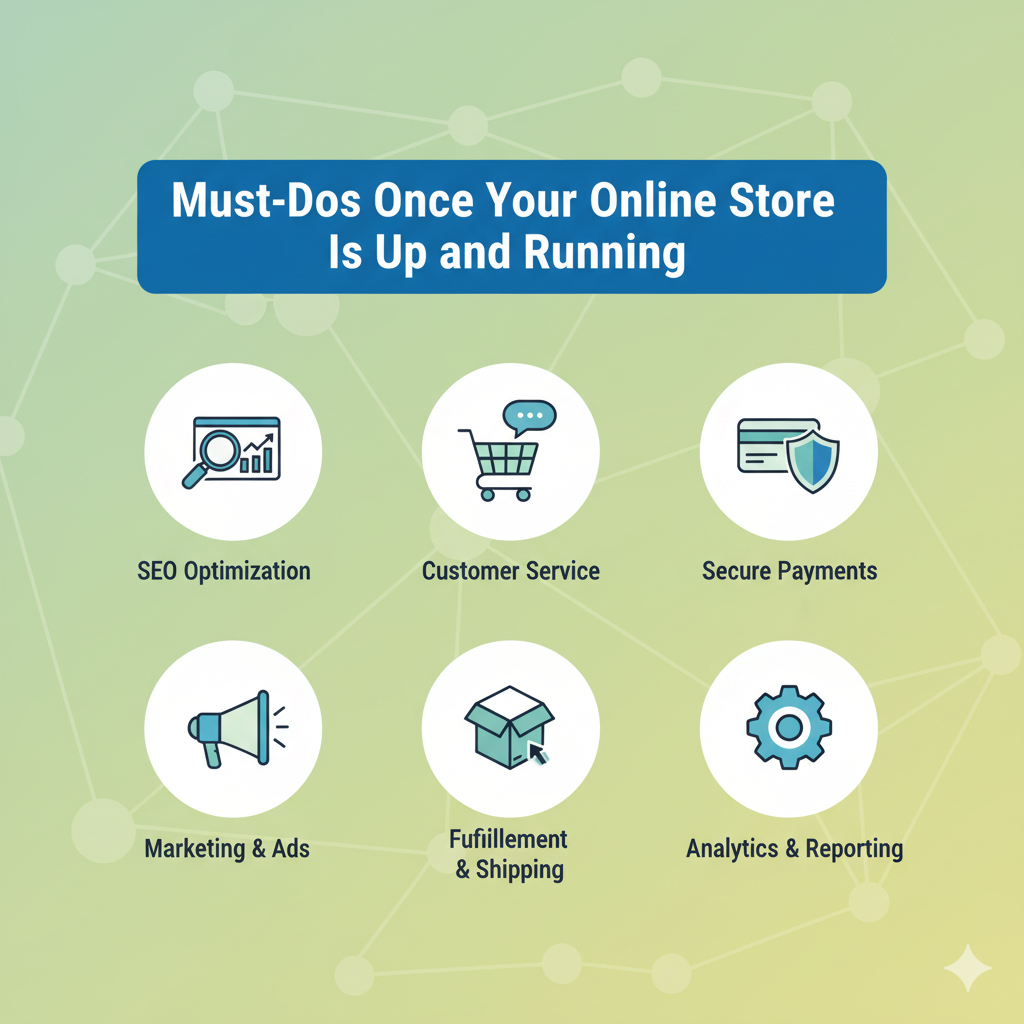
Must-Dos Once Your Online Store Is Up and Running

Must-Dos Once Your Online Store Is Up and Running

Online Store

Launching your online store is an exciting milestone, and although you will have worked hard to get to this point, the real work begins after your site goes live. Once your store is up and running, it’s time to shift focus from setup to growth. You’ll need to attract visitors, build trust, and turn browsers into loyal customers. The early stages are crucial for establishing your store’s presence and setting up a foundation for long-term success, so here are the must-dos every online store owner should focus on.

Monitor and Improve Your Website Performance

  1. A fast, user-friendly website is essential for keeping shoppers engaged. Even small delays can lead to lost sales, so monitor your site’s speed, functionality, and mobile responsiveness regularly, particularly when customers start using it in large volumes. You can use analytics tools to see how visitors navigate your store, such as where they click, how long they stay, and which pages cause drop-offs. This information will help you improve the user experience and increase conversions.

You should also ensure your checkout process is smooth and secure. Offer multiple payment options, make shipping details clear, and simplify the purchase steps. A seamless experience makes customers more likely to complete their orders and return for future purchases.

Focus on SEO and Product Visibility

  1. Your online store can’t succeed if no one finds it. Search engine optimization (SEO) helps your products show up in search results when potential customers are looking for what you sell. Start by using relevant keywords in your product titles, descriptions, and metadata. In these product descriptions, also ensure you are being as unique as possible. You want it to be engaging and original.

Additionally, create content that supports your products, such as buying guides or blog posts that answer customer questions. This not only improves SEO but also positions your store as a helpful, trustworthy resource.

Promote Your Store Through Guest Posting

  1. One of the most effective ways to increase visibility and attract new customers is through guest posting. This involves writing and publishing articles on other reputable websites in your industry. The type of digital marketing helps you reach a wider audience, build brand authority, and earn valuable backlinks that boost your search engine rankings. When done strategically, guest posts position your store as an expert source while subtly introducing your products to potential customers. The key is to choose relevant, high-quality websites that share your target audience. Focus on creating helpful, informative content rather than direct promotions. The reality is that value-driven articles are more likely to be accepted and shared.

If outreach and writing aren’t your strengths, consider working with professionals who specialize in guest posting and link building, such as Click Intelligence. They can help identify the right opportunities, craft engaging content, and handle outreach so your business gets maximum exposure.

Engage with Your Customers

  1. Customer engagement doesn’t stop at checkout. Send follow-up emails thanking buyers for their purchase, ask for reviews, and offer personalized recommendations for related products. Social media is another valuable tool. Here, you can share updates, run promotions, and respond quickly to messages or comments.

Encouraging user-generated content, such as customer photos or testimonials, can also boost trust and be a great boost in confidence, allowing you to see so much positivity about what you are selling. People are more likely to buy when they see real customers enjoying your products.

Track, Analyze, and Adjust

  1. The best-performing online stores continuously adapt. Use tools like Google Analytics or your eCommerce platform’s dashboard to track key metrics such as traffic sources, conversion rates, and customer behavior. Identify what’s working and what’s not; then adjust your strategy accordingly.

Once your online store is live, success depends on visibility, engagement, and consistent improvement. Every action you take after launch helps turn your new store into a trusted, thriving online brand, so ensure you are taking it very seriously.


7 Proven Skills to Write Cold Email Outreach That Get Replies

7 Proven Skills to Write Cold Email Outreach That Get Replies

Write Cold Email Outreach

Have you ever sent an email to someone you do not know and heard nothing back? It feels like tossing a message in a bottle into a huge ocean. You hope someone finds it, but it just floats away. This is a cold email. The goal is to get the person to read it and write back. It is not easy, but it is possible. You just need to learn a few simple skills.

Think of your cold email like a handshake. It should be friendly, strong, and respectful. You would not run up to a stranger and shout, “Buy my stuff!” So, you should not do that in an email either. Let us explore seven proven skills that can help your emails get the replies they deserve.

1. Write a Subject Line That Sparks Curiosity

The subject line is the first thing anyone sees. It is like the cover of a book. If the cover looks boring, no one will open it. Your job is to make the subject line so interesting that the person feels they must open the email.

Keep it short and clear. Think about what would make you curious. You could mention a shared connection or a specific, helpful idea. For example, “Question about [Their Company Name]” is simple, but “An idea for [Their Company Name]” is better. It shows you have something specific to offer. The best subject lines make people think, “I wonder what that is about?”

2. Personalize Your Greeting and Opening

Nobody likes to feel like a number. You must show the person that you wrote this email just for them. Always use their first name. Never use a generic greeting like “To whom it may concern.”

Then, start with a personal connection. You could say something nice about an article they wrote. Or you could mention a project their company just finished. This proves you did your homework. If you find yourself reusing the same phrases, a good reworder can help you find fresh and genuine ways to say what you mean. For example, you could write, “Hi Sarah, I saw your post about team management and it really resonated with me.” This immediately shows Sarah you are a real person who pays attention.

 3. Get Straight to the Point, Fast

People are very busy. They get many emails every day. You have only a few seconds to grab their attention. Do not waste time with long introductions about yourself.

Start with your personal connection, and then quickly explain why you are writing. Tell them the reason for your email in one or two clear sentences. Think of yourself as a helpful friend, not a salesperson. You are offering a solution to a problem they might have. If your outreach involves operational or financial workflows, integrating reliable tools like a check printing api can help automate backend processes and improve efficiency.  If you are reaching out for a marketing reason, having a solid foundation is key. You can learn more about core marketing skills that make your outreach more effective, and some teams also strengthen their campaigns by pairing email with offline outreach using a print mail api to reinforce their message beyond the inbox.

4. Focus on Their Needs, Not Yours

This is a very important skill. Do not talk about what you want. Talk about what they might need. How can you help them? What problem can you solve for them?

Instead of saying, “I want to sell you my software,” try, “My software can save your team five hours every week.” See the difference? The first sentence is about you. The second sentence is about them. It focuses on the benefit they will get. People care about how you can make their life easier or better. This is a core part of any good marketing funnel, where you provide value at every stage.

5. Make Your “Ask” Super Simple

After you explain how you can help, you need to ask for something. This is called the “call to action.” It must be incredibly easy for them to do. Do not make them think hard.

A good call to action is short and direct. Ask a simple question like, “Would you be open to a 15-minute chat next Tuesday?” Or, “Could I send you a short example?” This is a small request that does not feel like a big commitment. They can answer with a simple “yes” or “no.”

6. Keep the Email Short and Easy to Read

Look at your email. Does it look like a big, scary wall of text? If it does, people will delete it immediately. You need to make it easy on the eyes.

Use short paragraphs. Write short sentences. You can even use bullet points to list ideas. Your goal is to make the email so easy to read that someone can understand it while walking to their next meeting. If it is too long, they will save it for later, and “later” usually means “never.” A great email is part of a larger effective digital marketing strategy where clear communication wins.

7. End with a Professional Signature

Always end your email politely and tell them who you are. A simple “Best regard” or “Thank you” is perfect. Then, sign your name and include your title and company.

This makes you look professional and trustworthy. It also gives them a way to learn more about you if they are interested. Your signature is like your business card at the end of the message.

Conclusion

Writing a cold email that gets a reply is a skill you can learn. It is not magic. You just need to be clear, friendly, and helpful. Remember to write a catchy subject line, make it personal, get to the point, focus on them, ask an easy question, keep it short, and sign your name properly.

Try these skills yourself. The next time you write a cold email, pick two of these tips to focus on. You will be surprised at how many more people write back to you. Your message in a bottle might just find its way to shore.

How to Tell if Someone’s Monitoring Your Instagram

How to Tell if Someone’s Monitoring Your Instagram

Instagram is one of the most personal social platforms we use — filled with private conversations, photos, and stories that reflect our everyday lives. But as the platform grows, so do concerns about privacy. Many users wonder: how can I tell if someone’s monitoring my Instagram?

Whether it’s through an instagram tracker app, fake accounts, or monitoring tools, your online behavior can sometimes be watched more closely than you think. This guide will help you recognize the warning signs, understand how Instagram spy tools work, and learn how to protect yourself .

1. Why People Monitor Instagram Accounts

People track Instagram activity for different reasons — some legitimate, others not so much. Parents might use apps like uMobix  to keep their children safe online. However, others may do it out of jealousy, control, or curiosity, which crosses privacy lines.

Common reasons for monitoring include:

  • Parental safety: Keeping children protected from online threats.

  • Relationship insecurity: Checking interactions with others.

  • Business insights: Monitoring competitors’ engagement or trends.

  • Unethical tracking: Trying to access private information without consent.

Knowing these motivations helps you stay alert — because not all monitoring is harmless.

2. Signs Someone Might Be Monitoring Your Instagram

If you suspect someone is watching your Instagram activity too closely, pay attention to subtle red flags.

Here’s what to look for:

  • Frequent password reset alerts: You receive unexpected security notifications or login attempts.

  • New login activity: Instagram warns you of sign-ins from unfamiliar devices or locations.

  • Messages marked “seen” you didn’t open: Someone might have access through an instagram message viewer or third-party tool.

  • Sudden account changes: Stories, DMs, or likes appearing that you didn’t make.

  • Increased fake followers or views: Some instagram tracker app tools use bots to collect data invisibly.

If you notice a combination of these signs, your account security might be at risk.

3. How Instagram Tracking Apps Work

Understanding how an Instagram spying app functions is the first step toward protection. These apps often claim to give users insights into someone’s private activity — who they message, what they like, or when they log in.

Tools like the uMobix app were created for legitimate parental monitoring. However, other versions of instagram spying app software can misuse similar features for hidden surveillance.

Most tracking tools work by:

  • Syncing to your account via login credentials.

  • Collecting real-time updates on messages, stories, and followers.

  • Acting as an invisible layer that mirrors account activity.

Because these apps rely on data access permissions, unauthorized use violates Instagram’s privacy policies — and can put your personal data at risk.

4. The Thin Line Between Safety and Surveillance

Monitoring isn’t always malicious. Parents and guardians use tools uMobix spy app to ensure safety. For instance, they can use the instagram message viewer feature to understand who their child is chatting with, helping prevent cyberbullying or predatory behavior.

However, in relationships or workplaces, using these tools without consent becomes unethical and sometimes illegal. The difference between protection and privacy invasion depends on one thing — permission. If you didn’t agree to share your data, any monitoring of your Instagram counts as spying.

5. Steps to Detect Hidden Monitoring or Spy Apps

If you suspect your phone or Instagram account has been compromised, here are practical ways to check:

On your phone:

  • Check installed apps: Look for unfamiliar apps with names like “System Service,” “App Manager,” or similar — common disguises for spy tools.

  • Review permissions: Go to your phone’s Settings → Privacy → App Permissions. Remove access from apps that don’t need it.
  • Run antivirus software: Many spy apps leave hidden files or data trackers behind.

On Instagram:

  • Go to Settings → Security → Login Activity and review all logged-in devices.

  • Revoke access to suspicious third-party apps under Apps and Websites.

  • Change your password immediately and enable Two-Factor Authentication (2FA).

These steps reduce the chances of an Instagram spying app operating unnoticed.

6. How to Secure Your DMs and Private Messages

Direct Messages (DMs) are the most targeted part of Instagram — they reveal private conversations and relationships. That’s why many Instagram message viewer tools are built specifically to access them.

To protect your chats:

  • Avoid suspicious links: Hackers often send phishing DMs disguised as Instagram notifications.

  • Use disappearing messages: Enable vanish mode for sensitive conversations.

  • Review authorized devices: Remove any unknown sessions regularly.

  • Never share login details: Even trusted people can misuse access.

7. Common Myths About Instagram Spying

There’s a lot of misinformation about how monitoring works. Let’s clear up a few myths:

  • Myth 1: “You can see who views your profile.”
    → False. Instagram doesn’t share that data with any user or app.
  • Myth 2: “Spy apps can’t be detected.”
    → False. Even hidden tools leave traces in phone logs or battery usage.
  • Myth 3: “All monitoring apps are bad.”
    → Not true. The uMobix app is an example of an ethical monitoring platform made for parents and caregivers.

  • Myth 4: “Instagram spying apps are legal if I’m curious.”
    → Incorrect. Unauthorized tracking or message viewing without consent violates privacy laws.

8. How to Prevent Future Monitoring

Prevention is better than recovery. Keeping your Instagram secure only takes a few extra habits:

  • Turn on Two-Factor Authentication.

  • Don’t reuse passwords across accounts.

  • Log out of public or shared devices.

  • Review app permissions every month.

  • Avoid third-party tools that promise “profile visitors.”

If you want to use legitimate digital safety tools, research them first. Verified apps like uMobix prioritize transparency and ethical use, unlike unauthorized spy software.

Verdict

Your Instagram is your personal space — and protecting it requires awareness. While tools like the uMobix app can be helpful for families, the same technology can easily become invasive in the wrong hands.

If you ever notice unusual logins, sudden password changes, or suspicious activity, act immediately. Understanding how an instagram spying app works helps you recognize and prevent unauthorized tracking.

5 Tips to Build Trust and Strengthen Your Marketing Success Online

5 Tips to Build Trust and Strengthen Your Marketing Success Online

In today’s digital world, people are constantly surrounded by ads, posts, and promotions competing for attention. Yet what truly makes someone pause and engage with a brand isn’t just creativity or visibility but genuine trust.

Whether you run a small startup or an established company, trust shapes how customers see your brand. You can have an impressive website or great offers, but without credibility, your marketing won’t lead to long-term success. People want to buy from businesses they believe in and feel secure with.

As digital marketing continues to drive brand growth, credibility now matters more than flashy campaigns. Online competition is intense, and customers are quick to switch if they sense uncertainty.

The good news is that trust can be built with the right approach. The following five tips will help you earn your audience’s confidence and turn it into lasting marketing success.

1. Build a Professional and Trustworthy Online Presence

The first step toward gaining trust online starts with how you present yourself. People form an impression the moment they land on your website or social media profile. If your digital presence appears outdated, inconsistent, or unclear, a visitor may question whether your business is reliable. A polished, coherent presentation lays the groundwork for credibility.

Your website should load rapidly, look clean, and clearly reflect your brand identity. Use design elements like colour, typography, and imagery that match your message. Include accurate contact details, genuine testimonials, and an About section that tells your story in a straightforward way. These details help visitors feel you are approachable and legitimate. If you’re looking to strengthen your brand’s visibility and credibility through targeted media coverage, visit https://www.prontomarketing.co.uk/pr to learn how expert public relations can help you build authority, trust, and awareness among your audience.

Building a credible online presence involves more than just aesthetics. It means aligning your design, content, and user experience with what your audience expects. Consistency in tone, message, and presentation signals reliability. When your online presence communicates professionalism and reliability, visitors feel more comfortable engaging with you. That trust is what turns casual browsers into meaningful conversations and eventually into customers.

2. Be Authentic and Consistent in Your Communication

People connect with honesty. When your communication feels genuine, you earn trust naturally. Authenticity means showing the human side of your brand instead of hiding behind polished corporate messages.

Start by defining your voice. How do you want your brand to sound: friendly, informative, or professional? Whatever tone you choose, keep it consistent across your emails, website, and social media posts. Avoid exaggerated claims or language that feels too promotional. Instead, focus on sharing stories, experiences, and insights that your audience can relate to.

Consistency also matters. If your tone or messaging changes too often, it can confuse your audience and make your brand seem unreliable. Keep your core message the same, even when you experiment with new content formats or campaigns. Over time, this consistency builds familiarity, and familiarity leads to trust.

When your audience feels they know who you are and what you stand for, they are more likely to listen, engage, and recommend your brand to others.

3. Leverage Social Proof and Testimonials

In online marketing, people often rely on others’ experiences before making decisions. This is where social proof becomes powerful. Reviews, testimonials, and success stories all help potential customers see that your business delivers on its promises.

Encourage your happy clients to share their feedback publicly. Post positive testimonials on your website, highlight customer experiences on social media, and even include star ratings where relevant. Real voices from real people are far more convincing than any marketing slogan.

You can also feature case studies or client success stories that show measurable results. For instance, share how your product or service helped solve a problem or improved someone’s experience. These examples make your claims believable.

Video testimonials are another great way to build trust. Seeing a real person talk about your brand adds a layer of authenticity that written reviews alone may not capture.

When potential customers see others vouching for you, they feel reassured that your business is worth trusting. Social proof transforms interest into confidence and curiosity into conversions.

4. Provide Value Before You Sell

Trust grows when people see that you care about helping them, not just making a sale. Instead of pushing for quick purchases, focus on sharing content that genuinely benefits your audience.

Offer blog posts, guides, or webinars that solve real problems and provide practical value. When people find your insights helpful, they start viewing your brand as a reliable expert.

Give before you ask. Share knowledge that supports your audience, not pressures them. This approach builds credibility and positions your business as a trusted advisor rather than just another marketer.

Consistently delivering value helps customers associate your brand with expertise and reliability, the strongest foundations of trust.

5. Protect Customer Data and Privacy

Trust takes years to build and only moments to lose. Mishandling customer data is one of the quickest ways to damage credibility. With online scams and breaches on the rise, people are more cautious than ever about sharing personal information.

To maintain their trust, make privacy a priority. Be transparent about how data is collected and used, ensure your site is secure, and display clear privacy and cookie policies. Give subscribers control over their information, making it easy to opt in or out. These simple steps show respect for your audience and strengthen your brand’s integrity.

Customers appreciate transparency. When they know their data is safe, they are far more likely to engage with you, make purchases, and recommend your business to others. Security and honesty go hand in hand when it comes to building a trustworthy reputation online.

Building trust online is not a one-time effort but an ongoing process that requires consistency, care, and authenticity. Every interaction, from your website design to your customer communication, shapes how people see your brand.

A professional online presence shows you’re serious about what you do. Honest communication keeps people connected. Social proof builds credibility. Valuable content shows you care, and strong data protection proves your respect for customers.

When you commit to these principles, trust becomes your most powerful marketing tool. It turns visitors into loyal customers and helps your business grow steadily in the digital world. In the end, success online isn’t just about being visible; true success comes from being reliable. The brands that thrive are the ones their customers truly believe in.

How to Launch an Influencer Marketing Campaign

How to Launch an Influencer Marketing Campaign

Influencer Marketing Campaign

Launching an influencer marketing campaign is one of the most effective ways to reach engaged audiences and build authentic connections with customers. When done right, it combines creativity with measurable business results. This guide walks you through each stage of launching a successful influencer campaign, from defining goals to analyzing performance.

69016cb02a3aa.webp

1. Define Your Goals and KPIs

Start by identifying what you want to achieve through influencer marketing. Your objectives will determine the type of creators you collaborate with and the metrics you’ll track. Common goals include:

  • Brand awareness: Reaching new audiences and increasing visibility.

  • Engagement: Driving comments, shares, and conversations.

  • Conversions: Generating sign-ups, sales, or other measurable actions.

Establish key performance indicators (KPIs) early, such as engagement rate, cost per conversion, or ROI. This gives your campaign a clear direction and measurable success criteria.

2. Know Your Audience

A strong influencer campaign starts with understanding who you want to reach. Analyze your existing audience data, social media insights, and buyer personas to determine what kind of creators resonate most with your customers.

Consider:

  • Which social platforms your audience prefers.

  • Their demographics and interests.

  • The tone, values, and content styles they respond to.

This helps ensure your message appears where your audience actually spends time.

3. Choose the Right Influencers

The right influencer fit can make or break your campaign. Look for creators whose values, audience, and content align naturally with your brand. Evaluate them based on:

  • Relevance: How closely their niche matches your product or service.

  • Authenticity: Whether they maintain genuine connections with followers.

  • Performance: Engagement rates, audience demographics, and content consistency.

For efficiency, use an influencer marketing platform like Hypefy to streamline this process. Such tools help filter influencers by location, audience type, and performance metrics, saving time and improving accuracy.

4. Build a Strong Campaign Brief

A detailed campaign brief sets expectations and ensures smooth collaboration. Include:

  • Campaign objectives and messaging.

  • Deliverables, content formats, and posting schedules.

  • Key talking points or mandatory mentions.

  • Usage rights, deadlines, and review steps.

Allow creative freedom where possible. Influencers know their audience best, and authenticity often performs better than overly scripted content.

5. Plan Your Budget and Compensation

Your budget should reflect your goals and the type of influencers you want to work with. Consider:

  • Influencer size (micro, mid-tier, or macro).

  • Platform and content type.

  • Campaign duration and deliverables.

Compensation models can include flat fees, performance-based payments, product exchanges, or hybrid models. Always put agreements in writing to avoid confusion later. To help clarify payment terms, you can refer to project milestone examples to define when and how compensation is released.

6. Manage Outreach and Communication

When reaching out, personalize your message. Reference the influencer’s previous content and explain why they’re a great fit for the campaign. Avoid mass outreach templates—they’re easy to spot and often ignored.

Keep communication organized by using structured outreach tools or campaign dashboards within an influencer marketing platform like Hypefy. This helps track responses, approvals, and deliverables in one central place.

7. Launch and Track Your Campaign

Once the content goes live, monitor it closely. Track engagement, reach, and sentiment in real time. Stay active during the campaign—reshare posts, comment on influencer content, and keep the momentum going.

Important metrics to monitor:

  • Engagement (likes, comments, saves).

  • Reach and impressions.

  • Traffic and conversions through unique links or discount codes.

A strong influencer marketing platform can consolidate these metrics into one dashboard, giving you instant insights into campaign performance.

8. Evaluate and Optimize

After the campaign ends, analyze the data to understand what worked best. Compare results against your KPIs and gather feedback from both influencers and your team.

Use these insights to refine future campaigns—adjust your messaging, influencer mix, or posting strategy based on real results. Influencer marketing improves over time when each campaign informs the next.

Common Mistakes to Avoid

  • Choosing influencers based only on follower count.

  • Skipping contracts or unclear deliverables.

  • Ignoring ongoing communication during the campaign.

  • Failing to measure ROI or review performance data.

Avoiding these mistakes helps protect your budget and strengthen your partnerships with creators.

Key Takeaway

Launching an influencer marketing campaign takes strategy, collaboration, and consistency. By setting clear goals, choosing the right partners, and using tools like Hypefy to manage the process, brands can transform influencer collaborations into measurable growth opportunities.