...
UK: +44 2038074555 info@atamgo.com
7 Powerful Ways Instanonimo Lets You Spy on Instagram Stories (Legally!)

7 Powerful Ways Instanonimo Lets You Spy on Instagram Stories (Legally!)

instanonimo

How Instanonimo Is Changing the Way We Watch Instagram Stories Anonymously

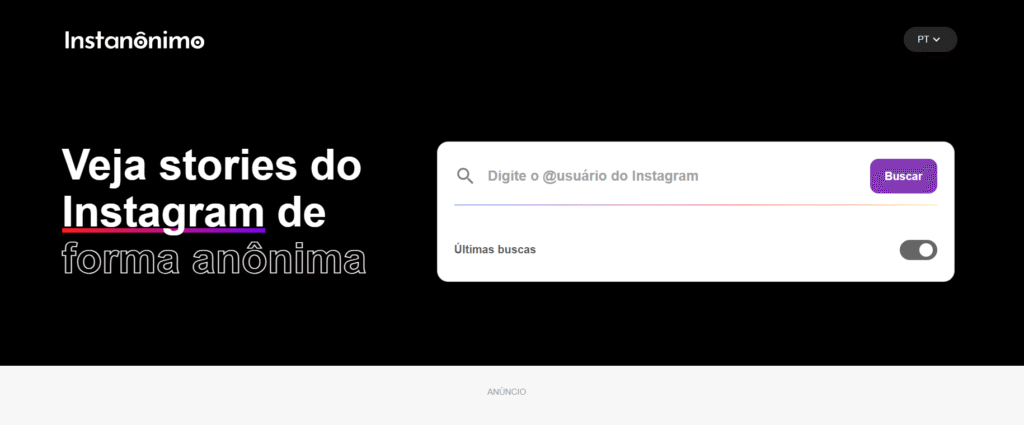
Instanonimo is a powerful web-based tool that allows you to view and download Instagram Stories from public accounts—completely anonymously. No login. No tracking. No footprint. It has quickly become a go-to resource for people who want to explore Instagram more privately.

In today’s hyper-connected world, privacy has become a rare luxury—especially on social media. Instagram, one of the most popular platforms, notifies users when someone views their Story. But what if you want to watch Stories without being seen? That’s where Instanonimo comes in.

Whether you’re conducting competitor research, protecting your anonymity, or just curious about someone’s content, this article will break down 7 powerful ways Instanonimo helps you “spy” on Instagram Stories—legally and safely.

Find More: 7 Powerful Instagram Private Account Viewer Tools

1. View Instagram Stories Without Leaving a Trace
Instanonimo

Instagram notifies users when someone views their Story—but with Instanonimo, your identity stays hidden. When you use this tool, the account owner never sees your name in the viewer list.

Why this matters:

  • Avoid awkward moments or confrontations.

  • Watch competitor or influencer content discreetly.

  • Maintain total anonymity for peace of mind.

Instanonimo acts as a middle layer between you and the platform—pulling content from public profiles without connecting to your personal Instagram account.

2. No Login or Account Required

One of the biggest selling points of Instanonimo is that you don’t need to log in. This means:

  • You can use it even if you don’t have an Instagram account.

  • No personal data is exposed.

  • You’re not subject to Instagram’s tracking or algorithms.

Simply go to the site, type the username, and start browsing anonymously.

Pro tip: Bookmark the site for quick daily checks on profiles you’re monitoring.

3. Access Stories from Any Public Profile

Instagram

Instanonimo works with any public Instagram account. As long as the account hasn’t been set to private, you can:

  • View current Stories

  • Watch archived Highlights (in some cases)

  • Even access profile pictures and bio info

This makes it especially useful for:

  • Brands monitoring competitors

  • Fans curious about celebrities or influencers

  • Journalists researching public figures

Important: Instanonimo does not work on private accounts—those are completely off-limits.

4. Download Stories to Your Device Instantly

Need to save a Story before it disappears after 24 hours? Instanonimo lets you download videos and photos directly to your device.

This is useful for:

  • Content inspiration or archiving

  • Evidence collection (for business or legal reasons)

  • Offline viewing

Just click the download icon next to the content, and it’s saved. No extensions or third-party apps needed.

Reminder: Be ethical—don’t misuse downloaded content or re-upload it without permission.

5. Use on Mobile or Desktop with No App Needed

Unlike many competitors, Instanonimo is 100% web-based and responsive. Whether you’re on a phone, tablet, or PC:

  • The interface is clean and fast.

  • No app install means less clutter and risk.

  • Works instantly from any browser.

For users who hate downloading apps or giving unnecessary permissions, this is a major win.

6. Completely Free to Use with No Hidden Fees

Instanonimo is free to use. No credit card. No registration. No upsells.

It makes money through simple display ads—so you might see a few banners, but that’s a small trade-off for full access.

Be cautious of scams that offer a “Pro” version or ask for payment. There’s no premium tier—everything is unlocked from the start.

7. Perfect for Market Research, Journalism, or Personal Curiosity

Market Research

While Instanonimo may sound like a tool for stalkers (it’s not!), it has legitimate uses for:

  • Brands analyzing influencers or competitors

  • Journalists monitoring public figures or sources

  • Casual users wanting to keep tabs on trends, memes, or celebrity content

As long as it’s used responsibly and within ethical boundaries, Instanonimo is an excellent tool for anonymous observation in a very public space.

Is It Really Legal to Use Instanonimo?

This is a common concern—and a valid one.

Here’s the breakdown:

  • Instanonimo only accesses publicly available data.

  • It does not require login credentials or exploit private APIs.

  • It operates in a legal “gray area,” but as long as you’re not reposting content maliciously, it’s safe for personal use.

In most countries, viewing publicly posted content is legal, especially when no hacking or bypassing is involved.

How to Use Instanonimo Step-by-Step (With Screenshots)

Step 1: Go to instanonimo.com
Step 2: Enter the Instagram username of a public account
Step 3: Click on the profile and view active stories
Step 4: To download, tap the “Download” icon under the video or photo

It’s that simple—no sign-in, no pop-ups, no waiting.

Conclusion: Why Instanonimo Is a Powerful Yet Simple Tool for Anonymous Browsing

Whether you’re a casual Instagram user, a professional marketer, or someone who simply values privacy, Instanonimo offers a frictionless way to view Stories without compromising your identity.

Its ease of use, legal safety, and completely free model make it a standout option in the world of Instagram tools.

Just remember: with great power comes great responsibility. Use Instanonimo wisely, ethically, and only for public content.

Find More: Digital Marketing Agency for Small Businesses

FAQs:

1. Is Instanonimo safe to use?

Yes. It’s a web-based tool that doesn’t require a login or download, reducing risks of malware or phishing.

2. Does Instanonimo work with private accounts?

No. It only works with public profiles.

3. Will the account owner know I viewed their Story?

No. You remain completely invisible.

4. Are there any Instanonimo alternatives?

Yes, tools like AnonyIG, StorySaver, or Dumpor offer similar services.

5. Can I view Highlights or Reels too?

You can access Highlights in some cases, but it doesn’t currently support Reels.
Tags:
7 Genius Hacks to Get Free YouTube Views (No Bots Needed!)

7 Genius Hacks to Get Free YouTube Views (No Bots Needed!)

free youtube views

Free YouTube views are totally possible—no bots, no sketchy sites, and no need to pay for ads. If you’re looking to grow your channel the smart way, you’re in the right place. YouTube is a tough platform, but with the right strategies, you can attract real viewers and boost your audience without spending a dime. Whether you’re launching a new channel or trying to revive an inactive one, these 7 genius hacks will help you get free views on YouTube, connect with real people, and build a loyal community over time.

Find More: 10 Secrets of Successful YouTubers You Need to Know

1. Craft Clickable Titles

Your title is the first thing viewers see, and it directly affects whether they click or scroll. Make it count!

  • Use target keywords like “get views for YouTube free” or “free YouTube views for free” naturally within your titles.
  • Trigger curiosity: Add words like “secret,” “hack,” “without bots,” or “in 24 hours.”
  • Promise clear value: Let viewers know exactly what they’ll get by watching.

Pro Tip: Use tools like TubeBuddy or VidIQ to analyze what’s working for your competitors and improve your own titles.

2. Design Better Thumbnails

Thumbnails

Great thumbnails can double or triple your click-through rate (CTR).

  • Use bold, contrasting colors to catch the eye.
  • Include human faces with clear emotional expressions.
  • Add text overlays that summarize the video’s benefit.
  • Use Canva, Snappa, or Adobe Express—they all offer free templates for YouTube thumbnails. When deciding between design platforms, comparing Canva vs Adobe Express can help you choose the best tool for your specific thumbnail needs.

Pro Tip: Compare your thumbnails with those of viral videos in your niche. Aim to match or beat their visual appeal.

3. Nail the First 15 Seconds

The intro is where most viewers drop off. You need to hook them right away.

  • Start with a question or bold statement to grab attention.
  • Quickly outline what the video will deliver—don’t waste time on drawn-out intros.
  • Preview the value they’ll get (e.g., “Here’s how I got 10,000 free YouTube views for free in a week”).

Retaining viewers early signals quality to YouTube’s algorithm, which boosts your visibility.

4. SEO Your Descriptions

YouTube is the second-largest search engine, so treat your descriptions like mini blog posts.

  • Include your main keywords like “YouTube free views,” “free views YouTube,” and related terms naturally.
  • Write at least 250 words in your description to give YouTube context.
  • Add relevant hashtags, links to your social media, and timestamps.
  • Don’t forget tags and closed captions—they help too!

Pro Tip: Use Google Trends or Ubersuggest to research keyword variations for better optimization.

5. Ride Trending Topics

Jumping on trends can bring in a flood of new viewers—if you’re quick and creative.

  • Watch YouTube Trends, TikTok, and Twitter to stay updated.
  • Put your unique twist on trending challenges or formats.
  • Keep your niche in mind: Make sure trends fit your audience’s interests.

Example: If a tool that claims to generate free views YouTube goes viral, review or test it honestly on your channel.

6. Promote Beyond YouTube

social media

Don’t wait for people to discover you—go where your potential audience already is.

  • Reddit: Post in communities like r/NewTubers or niche subreddits.
  • Quora: Answer relevant questions and link to your videos.
  • Facebook Groups: Join YouTube-related or niche interest groups.
  • Collaborate with other small YouTubers to cross-promote each other’s content.

Pro Tip: When sharing, always lead with value. Don’t just drop links—explain why your video will help.

7. Boost Engagement to Trigger the Algorithm

YouTube rewards interaction. The more people engage, the more your video gets recommended.

  • Ask for likes, comments, and shares directly in your video.
  • Pin a comment with a question or link to your other videos.
  • Reply to every comment to keep the conversation going.
  • Add end screens and suggest related content to extend watch time.

The longer viewers stay and interact, the more free views YouTube you’ll generate through YouTube’s algorithm.

Conclusion

Growing on YouTube doesn’t require bots, shady services, or big budgets. These seven hacks are 100% free and based on real, organic growth principles. Whether you’re looking for free views YouTube, get views for YouTube free, or just want to build an audience that cares—these tips will set you on the right path.

Start applying just one today and build from there. Consistency, strategy, and value are what win in the long run.

Find More: Digital Marketing Agency for Small Businesses

FAQs

1. Can I get free views without paying?

Yes! Every strategy mentioned here is completely free and can drive real results.

2. Do these hacks work for beginners?

Absolutely. These are especially useful for small or new channels with limited resources.

3. How long until I see results?

You may notice changes in engagement or views within a few days to a few weeks if you apply the tips consistently.

4. Are “free YouTube views” tools safe?

Many aren’t. Stay away from anything that uses bots. They can hurt your channel long-term.

5. What’s the difference between free views and fake views?

Free views are from real people engaging with your content. Fake views come from bots or click farms and can get your videos penalized.

Take action today. Your audience is out there, and they’re waiting to discover your content!

Tags:
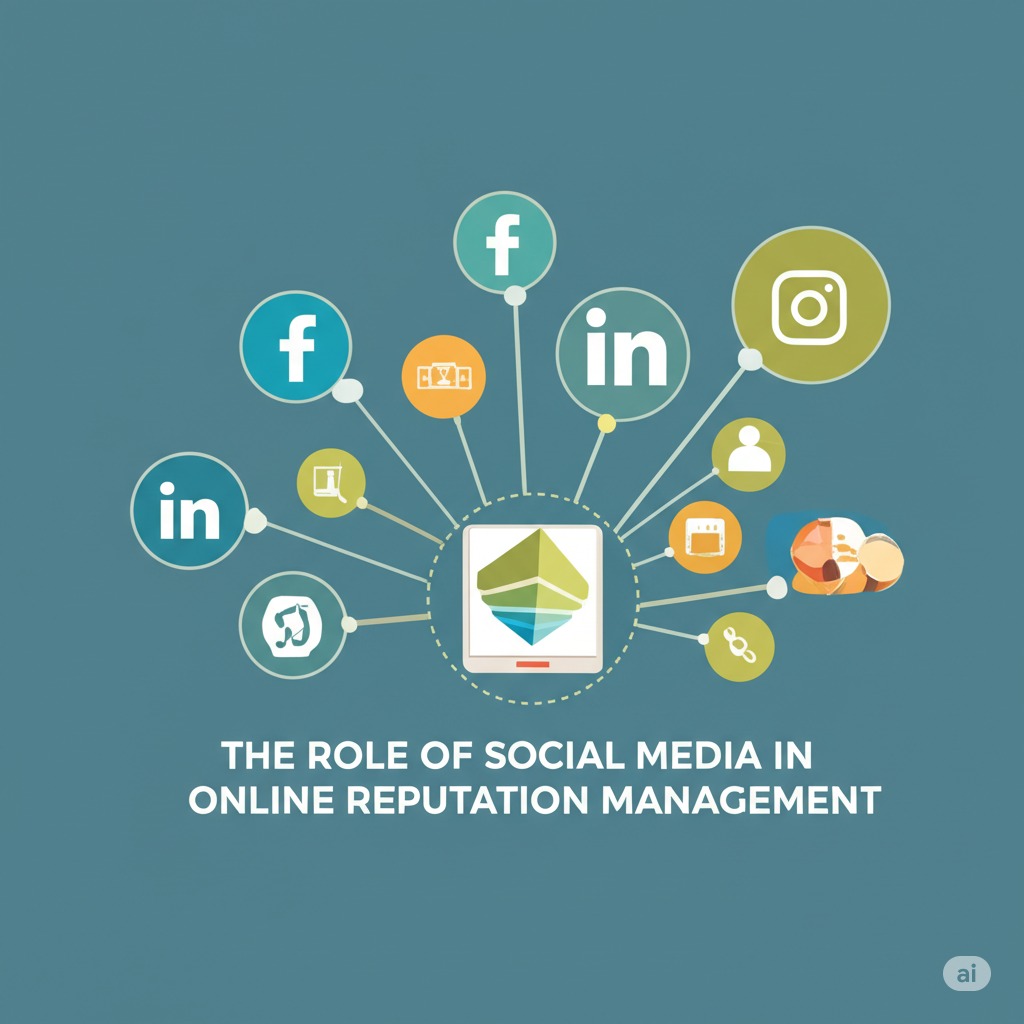
The Role of Social Media in Online Reputation Management

The Role of Social Media in Online Reputation Management

Social Media

In today’s digital world, social media is one of the most powerful tools for shaping a brand’s reputation. Platforms like Facebook, Twitter, Instagram, LinkedIn, and others offer businesses direct access to millions of potential customers, but they also create opportunities for negative feedback, complaints, and PR crises. Social media can build or break a brand, depending on how effectively it’s used for reputation management.

In this post, we’ll explore the impact of social media on a brand’s reputation and provide actionable tips for businesses to leverage these platforms for positive brand-building.

The Impact of Social Media on a Brand’s Reputation

Social media has revolutionized the way businesses communicate with their customers. It has given companies a voice, allowing them to interact with their audience in real-time. However, social media is a double-edged sword: it can either elevate a brand or quickly tear it down.

1. Positive Exposure and Engagement

When used correctly, social media allows businesses to amplify positive messages, share customer success stories, and engage with their audience in meaningful ways. By interacting directly with customers, responding to inquiries, and sharing valuable content, brands can strengthen relationships and enhance trust.

2. Negative Feedback Can Go Viral

On the flip side, a single unhappy customer or a controversial post can go viral, causing immense damage to a brand’s reputation. Negative reviews, complaints, or unsatisfied customers can quickly spread, often with much more visibility than positive posts. This can hurt consumer trust and even lead to the loss of potential clients.

3. Influence on Brand Perception

Social media is where most consumers go to form an opinion about a brand. If a business receives consistent positive feedback, it helps build credibility. If, however, the brand is associated with negative posts or complaints, it can harm the public’s perception of the business. People tend to trust peer reviews more than advertisements, so social media feedback plays a crucial role in shaping a brand’s image.

How to Leverage Social Media for Positive Brand-Building

While social media can present challenges, it also offers incredible opportunities for businesses to build and maintain a strong, positive reputation. By using social media management software, businesses can streamline their efforts and implement key strategies to leverage social media platforms for effective reputation management. Below are some key strategies to help businesses leverage social media platforms for effective reputation management.

1. Be Proactive: Engage Regularly with Your Audience

The first step in using social media effectively is regular engagement. Proactively engaging with your audience helps to foster positive relationships and makes customers feel valued. Don’t wait for issues to arise before interacting—actively post updates, reply to comments, and ask for feedback.

  • Respond to Comments and Questions Promptly: When customers ask questions or leave comments, make sure you respond quickly. This shows that you care about their concerns and builds goodwill.
  • Show Personality: Let your brand’s personality shine through in your posts. A friendly, approachable tone can go a long way in building a connection with your audience.

By engaging regularly and authentically with your audience, you can create a positive online presence that reflects well on your business.

2. Address Negative Feedback Professionally

Despite your best efforts, negative feedback is inevitable. What matters most is how you respond to it. If someone posts a negative comment or review, do not ignore it. Responding to criticism in a timely and professional manner can demonstrate your commitment to customer satisfaction and show that you care about resolving issues.

Best Practices for Handling Negative Feedback on Social Media:

  • Acknowledge the Issue: Start by acknowledging the customer’s concern. Even if you disagree with their feedback, showing empathy and understanding can go a long way.
  • Take the Conversation Offline: If the issue cannot be resolved publicly, offer to continue the discussion privately via direct message or email. This shows that you’re serious about solving the problem while keeping the details out of the public eye.
  • Offer a Solution: Whenever possible, offer a solution to the problem. Whether it’s a refund, replacement, or just an apology, providing a resolution can turn a negative experience into a positive one.

Handling negative feedback correctly can turn a dissatisfied customer into a loyal one and demonstrate your professionalism to the public.

3. Showcase Positive Content and Customer Testimonials

Leverage social media to highlight the good things your customers are saying about your brand. Positive reviews, testimonials, and customer success stories can be powerful tools in building your brand’s reputation.

  • Share User-Generated Content: Encourage your customers to share their experiences with your products or services on social media. Reposting their content on your accounts shows appreciation and acts as authentic social proof.
  • Feature Testimonials and Reviews: If a customer has left a glowing review, share it on your social media platforms. This helps to reinforce your brand’s positive reputation and demonstrates that your business is trustworthy and reliable.
  • Create Shareable Content: Post valuable content that resonates with your audience, such as informative blog posts, infographics, and videos. When users share your content, it increases your brand’s exposure and credibility.

By showcasing the positive aspects of your business, you can use social media as a tool to push down negative content and improve public perception.

4. Maintain Consistent Brand Voice and Messaging

Consistency is key to maintaining a strong and reliable online presence. Your brand’s voice and messaging should be aligned across all your social media channels. Whether you’re posting on Twitter, Instagram, or LinkedIn, it’s important to maintain a cohesive tone and message that reflects your brand values.

  • Be Authentic: People connect with brands that are real and authentic. Don’t try to be something you’re not. Let your brand’s true personality come through in every post.
  • Align Messaging with Your Brand Values: Consistently communicate your business’s values, mission, and goals. When your social media presence aligns with your overall brand, it helps build trust and strengthens your reputation.

5. Use Social Media Listening Tools

Social media listening tools help businesses track mentions of their brand, products, or services across social media platforms. Using a reliable social media finder, companies can easily monitor conversations and identify trends, helping them stay ahead of potential reputation issues.

  • Respond to Mentions and Mentions of Competitors: Social media listening tools can alert you to both positive and negative mentions. By responding to these mentions quickly, you can address concerns before they escalate.
  • Track Sentiment: These tools also help you gauge the overall sentiment around your brand, so you can adjust your strategy if necessary.

Using social media listening tools ensures that you remain aware of what’s being said about your business and allows you to take proactive steps in managing your reputation.

6. Run Social Media Campaigns to Strengthen Your Reputation

Social media campaigns are a great way to connect with your audience and show your brand’s personality. Whether it’s through giveaways, contests, or special promotions, running campaigns on social media can boost engagement and strengthen your brand image.

  • Host Giveaways or Contests: Encourage users to participate in fun, engaging contests that also promote your brand. Not only does this drive engagement, but it also puts your business in a positive light.
  • Support Causes Your Audience Cares About: If your business supports certain causes or charities, use social media to promote your involvement. This demonstrates your brand’s commitment to making a positive impact and can endear your business to your audience.
  • Third-Party Text Reverser Apps/Websites: While not directly related to forwarding, many independent text manipulation tools exist. These are often standalone websites or simple apps. A user could manually copy a WhatsApp message, paste it into one of these tools to reverse the text, and then paste the Text Reverser back into a new message to send. This process is entirely manual but caters to the specific niche need of text manipulation.

Final Thoughts

Social media plays a critical role in shaping your brand’s online reputation. By using these platforms to engage with your audience, handle negative feedback professionally, showcase positive content, and maintain a consistent brand voice, you can build a strong reputation and foster lasting customer relationships.

Remember, reputation management on social media is an ongoing process. Stay proactive, be transparent, and consistently work on providing excellent customer experiences both online and offline. By doing so, you’ll ensure that your brand thrives in the digital age.

If you’re looking to enhance your online reputation, MediaRemoval.com can help with professional content removal services, helping your brand maintain a positive image across all platforms.

5 Powerful Pixwox Features You Must Know In 2026

5 Powerful Pixwox Features You Must Know In 2026

pixwox

Introduction: What Is Pixwox and Why It’s Gaining Popularity

Pixwox. What exactly is it? If you’ve ever wanted to browse Instagram anonymously or download content without logging in, you’ve probably heard of Pixwox.

Pixwox is a third-party Instagram viewer that allows users to view Instagram profiles, stories, and posts anonymously — no account required. It’s a clean, fast, and privacy-focused tool, gaining traction among users who value discretion, convenience, and freedom from app restrictions.

Whether you’re a marketer, researcher, or just a casual browser, Pixwox IG offers a user-friendly way to access Instagram content without the usual barriers. In this article, we’ll dive deep into five powerful features that make Pixwox Instagram a standout tool in 2025.

Find More:  Top 15 Insanony Alternatives for Downloading Instagram Stories Anonymously

1. Anonymous Instagram Viewing Without Logging In

pixwox

How Pixwox Protects Your Privacy

One of the main reasons people turn to Pixwox is the ability to browse Instagram anonymously. Unlike the official Instagram app, which tracks your activity, Pixwox allows you to explore public profiles without leaving a trace.

You don’t need to log in or even have an Instagram account. That means:

  • No more accidentally liking a post

  • No notifications sent to the user

  • No risk of your activity being tracked

Benefits of Anonymous Browsing for Users

Whether you’re checking out a competitor’s page, doing influencer research, or simply curious about someone’s profile, instagram profile viewer pixwox makes it possible without blowing your cover.

This feature is especially useful for journalists, social media analysts, HR recruiters, and anyone who needs unrestricted access to public content.

2. Easy Access to Instagram Stories and Highlights

View Stories Without Detection

Normally, when you view someone’s Instagram story, they can see your username in their viewers list. But with Pixwox IG, that’s not the case. You can watch stories without revealing your identity, as long as the profile is public.

This is incredibly useful if you want to:

  • Stay up to date with your favorite influencers

  • Monitor competitors’ campaigns

  • Check on someone’s updates without alerting them

Explore Archived Highlights from Public Profiles

Pixwox also lets you access a user’s Instagram Highlights, which are saved stories visible on their profile. This can be useful for discovering older content, understanding brand messaging, or simply catching up without having to scroll endlessly.

3. Download Photos and Videos in High Quality

Downloading Instagram Content Made Simple

Unlike Instagram, which doesn’t provide a native way to download posts, Pixwox Instagram makes downloading media incredibly easy. Just click, and you can save:

  • High-quality images

  • Instagram videos

  • Stories and even IGTV content (if available)

This is especially handy for:

  • Content creators looking for inspiration

  • Social media managers collecting UGC (User Generated Content)

  • Personal users who want to save memories or funny clips

Legal and Ethical Considerations

While downloading is a great feature, it’s important to respect copyright laws and give credit to original creators when sharing content. instagram viewer pixwox is a tool — how you use it should align with ethical digital practices.

4. Browse Instagram Profiles and Posts by Hashtags or Usernames

Discover Content Using Pixwox Search Tools

Pixwox isn’t just a viewer — it also works as a search engine for Instagram. You can search by:

  • Username

  • Hashtag

  • Location (in some versions)

This helps you uncover relevant posts in your niche, analyze what others are posting, or even track a campaign’s performance.

For example, searching #digitalnomad via Pixwox gives you access to thousands of posts without needing to log into Instagram.

Filter and Explore Public Posts More Efficiently

Pixwox removes all the extra clutter that comes with the official IG app. There are no ads, no suggested reels, and no sponsored content — just pure, clean access to the content you’re searching for.

5. Clean, Ad-Free Experience Compared to Other Viewers

Why Pixwox Is a User-Friendly Alternative

If you’ve tried other Instagram viewers, you know many are filled with ads, pop-ups, or even malicious links. Pixwox, on the other hand, offers a minimalist, ad-free interface that loads quickly and focuses on what matters — the content.

Its lightweight design means:

  • Faster load times

  • No intrusive popups

  • Better experience on mobile and desktop

Comparing Pixwox With Similar Tools

Feature Pixwox Inflact Dumpor
Anonymous Viewing ✅ Yes ✅ Yes ✅ Yes
Story Download ✅ Yes ❌ No ✅ Yes
Ad-Free Experience ✅ Mostly ❌ No ❌ No
Search by Hashtag ✅ Yes ✅ Yes ✅ Yes
Account Required ❌ No ❌ No ❌ No

As you can see, Pixwox outshines many competitors when it comes to privacy and usability.

Conclusion: 

From anonymous viewing to high-quality media downloads, Pixwox offers a unique, powerful alternative to the traditional Instagram experience. It’s fast, easy to use, and respects your privacy.

Whether you’re managing social media professionally or just want a discreet way to explore IG, Pixwox Instagram is worth trying.

Still not sure? Try it once — you may never go back to the regular Instagram app again.

Find More: Digital Marketing Agency for Small Businesses

If you’re someone who frequently downloads Instagram content using Pixwox, you might also find it helpful to organize or convert your saved media into shareable documents. That’s where PDF Guru comes in — a versatile tool for merging, compressing, and editing PDFs with ease. Whether you’re collecting influencer posts for a campaign report, archiving visual research, or simply saving your favorite content in a clean format, PDF Guru makes file management seamless and professional.

FAQs:

Is Pixwox free to use?

Yes, Pixwox is completely free for basic usage. No account or payment is required.

Is Pixwox safe and legal?

Pixwox is generally safe for browsing public content. However, always use ethical judgment and avoid using it for harassment, stalking, or copyright infringement.

Can I download private Instagram content using Pixwox?

No. Pixwox only works with public accounts. Private profiles cannot be viewed or downloaded.

Do I need an Instagram account to use Pixwox?

No Instagram account is needed. You can browse, search, and download completely anonymously.

Are there better alternatives to Pixwox?

There are other tools, but most include ads or lack key features. For most users, Pixwox strikes the best balance of functionality and ease of use.

Tags:
How to Do Research on YouTube: A Practical Guide for Creators

How to Do Research on YouTube: A Practical Guide for Creators

YouTube Research

Creating great content on YouTube doesn’t start with filming or editing – it begins with research. Whether you’re a seasoned creator or just starting out, knowing how to do proper YouTube research can help you understand your niche, discover trends, analyze competitors, and ultimately grow faster.

This article will walk you through a practical, step-by-step process to research YouTube effectively, including tools, techniques, and what data to look for. By the end, you’ll know how to gather insights that can supercharge your content strategy. 

Why YouTube Research Matters

YouTube is a highly competitive platform where algorithms favor creators who understand their audience, niche, and trends. Doing research allows you to:

  • Understand what your audience wants

  • Spot content gaps or opportunities

  • Learn from competitors’ successes and mistakes

  • Make data-driven content decisions

  • Stay ahead of trends in your niche

YouTube rewards relevance, originality, and engagement – all of which improve when you back your content with solid research. 

1. Define Your Research Goal

Before diving in, clarify what you want to learn. Are you trying to:

  • Identify trending video topics?


  • Analyze successful channels in your niche?


  • Understand audience preferences?


  • Benchmark your performance against others?


Defining your goal helps you narrow your focus and choose the right tools and metrics for your research.


2. Find and Analyze Competitor Channels

One of the best ways to understand your niche is to study what’s already working for others. Identify 5–10 channels that are similar to yours in theme, audience, or style. These could be direct competitors or channels you aspire to emulate.

Once you’ve identified them, start a YouTube competitor analysis by examining:

  • Subscriber growth trends

  • Most viewed videos

  • Video frequency and consistency

  • Average views per video

  • Thumbnails and titles

  • Types of content (tutorials, vlogs, reviews, etc.)

You can read a full guide on YouTube competitor analysis to learn how to set benchmarks, gather insights, and track long-term performance. 

3. Explore Analytics of Other Channels

You might think you can only access analytics for your own YouTube channel, but there are several ways to estimate and interpret public data from others.

Use tools like:

  • Social Blade: Shows estimated earnings, subscriber counts, and video views over time.


  • vidIQ and TubeBuddy: Browser extensions that show video tags, SEO scores, and keyword rankings.


  • Noxinfluencer or SimilarWeb: Great for influencer and traffic analysis.


You can also learn how to dig deeper into public metrics in this guide on how to check YouTube analytics of other channels. It explains how to analyze engagement rates, content strategies, and growth tactics – all without direct access to the backend.

Key data points to pay attention to:

  • View velocity: How fast a video gains views after publishing


  • Like-to-view and comment-to-view ratios: Indicators of audience engagement


  • Video SEO: Tags, titles, and descriptions that rank well 

4. Analyze Video Topics and Formats

Topic selection is where many channels either thrive or stall. Use your competitor research to spot what kinds of content perform best in your niche.

Look for:

  • Recurring video types (e.g., “How to…”, “Reacting to…”, “Ranking…”)


  • Popular themes or categories within your niche


  • Seasonal or trending topics

  • Community response in comments

Organize your findings in a spreadsheet with columns like:

  • Video Title


  • Format (Tutorial, Commentary, etc.)


  • Views


  • Engagement (likes/comments)


  • Upload Date


  • Notes on Hook or Angle


This database helps you identify patterns in what succeeds – and where you can offer a fresh twist. 

5. Use YouTube Search for Keyword Discovery

YouTube is the world’s second-largest search engine, and its search bar is a goldmine for finding what people are actively looking for. Start typing relevant keywords, and note the autocomplete suggestions – these are actual user searches.

Try combinations like:

  • “How to [topic]”


  • “[Niche] tutorial”


  • “Best [product/strategy] for beginners”


  • “Why [problem/question] happens”


From these, you can brainstorm video ideas that match what your target viewers are searching for. You can also check search volume using tools like Google Trends or vidIQ’s Keyword Inspector. 

6. Study Thumbnails and Titles

No matter how good your content is, it won’t matter if people don’t click. High-performing videos often owe their success to strong thumbnail templates and compelling titles.

Here’s what to analyze:

  • Thumbnail colors and contrast: Bright, high-contrast thumbnails tend to perform better.


  • Face vs. text: Are people-focused thumbnails more engaging? Is text used effectively?


  • Title structure: Are they using numbers, curiosity gaps, or emotional triggers?


  • Length and punctuation: Titles under 60 characters tend to display better on mobile.


Create a swipe file of thumbnails and titles that caught your attention – and your competitors’ audience. Use this inspiration to test your own combinations. 

7. Watch and Dissect Successful Videos

To really understand why a video works, go beyond the metrics – watch it like a critic. Pay attention to:

  • The first 30 seconds: How does the creator hook viewers?


  • Editing pace and transitions

  • Music and sound design

  • Calls-to-action (CTAs)

  • Use of storytelling or humor

  • Pacing and length

Try answering these questions:

  • Why did you keep watching?


  • What emotions or curiosities did it trigger?


  • How could you deliver something similar with your unique voice? 

8. Monitor Trends with External Tools

Beyond YouTube itself, use outside tools to stay ahead of trending content and audience interests:

  • Google Trends: Tracks search interest over time.


  • Exploding Topics: Shows emerging niches across various categories.


  • AnswerThePublic: Visualizes questions people are asking around your keywords.


  • Reddit & Twitter: Useful for early signals of viral topics or cultural shifts.


These tools can help you align your YouTube content with what people are already curious about – before your competitors catch on. 

Final Thoughts

Doing great research is one of the most underrated skills in YouTube content creation. While others chase views blindly, smart creators use insights to guide their content strategy – leading to more views, better retention, and consistent growth.

Remember, you don’t need to reinvent the wheel. By studying what works, adapting it to your voice, and using data to guide decisions, you put yourself ahead of 90% of creators.

Here’s your research checklist:

✅ Define your research goal
✅ Analyze competitors and their strategies
✅ Study public analytics of similar channels
✅ Track keywords and search intent
✅ Understand video formats and audience reactions
✅ Optimize thumbnails and titles
✅ Stay ahead of trends

Research isn’t a one-time task – it’s a habit. Make it part of your content creation workflow, and you’ll be amazed at the insights you’ll uncover.

Let data inform your creativity – and let creativity turn those insights into standout content