...
UK: +44 2038074555 info@atamgo.com
7 Genius Ways to Get Free Twitch Viewers Fast (No Bots Needed!)

7 Genius Ways to Get Free Twitch Viewers Fast (No Bots Needed!)

free twitch viewers

Introduction: How to Get Free Twitch Viewers Fast and Grow Organically

Getting free Twitch viewers might sound like a dream, but it’s absolutely possible if you play your cards right. You don’t need to spend money on shady services or fake bots that vanish as fast as they appear. What you really need is a smart strategy that attracts real people who actually enjoy your content. Whether you’re just starting your streaming journey or looking to boost your numbers, these tips will help you grow your audience naturally.

When we talk about free daily Twitch viewers, we’re talking about loyal fans who come back day after day—not artificial numbers. Viewers who engage, chat, and support your stream. And the best part? You can start getting free viewers on Twitch without any expensive marketing tools or paid ads. Let’s dive into how you can make it happen.

Find More: 10 Must-Know YouTube Video Size Tips to Avoid Blurry Uploads

1. Optimize Your Twitch Profile for Maximum Visibility

twitch

Before you even go live, your Twitch profile should be ready to impress. Think of it as your storefront—if it looks dull or confusing, people will leave before giving you a chance.

Crafting a Compelling Channel Description

Your bio should tell new viewers what your stream is about and what makes you different. Keep it short but exciting. Mention your niche (like gaming, art, or chatting) and what kind of vibe they can expect—fun, chill, competitive, or educational.

Choosing the Right Category and Tags

Twitch’s algorithm relies heavily on categories and tags. Choose them carefully to match your stream. If you’re playing a specific game, use that category. Add tags that describe your stream, like “chill stream,” “competitive gaming,” or “interactive chat.” This helps Twitch show your content to people who are genuinely interested.

Designing Eye-Catching Channel Art and Thumbnails

Visuals matter more than you think. Create a banner and profile picture that reflect your style. Use consistent colors and themes so people remember your brand. When you upload stream thumbnails, make them stand out with bold text or fun facial expressions.

2. Stream Consistently and at the Right Time

Consistency is everything. You can’t expect Twitch viewers free to flood in if you stream randomly.

Finding the Best Streaming Schedule for Your Audience

Decide how many days a week you can commit to streaming, and stick to it. Viewers love knowing when to expect you online. Over time, you’ll notice more people tuning in because they’ve built a routine around your stream.

How Consistency Builds Trust and Retention

Think of your stream like a TV show—people tune in because they trust that new “episodes” are coming. Consistency builds loyalty and helps you appear higher in Twitch’s algorithm.

Using Twitch Analytics to Identify Peak Hours

Check your Twitch stats to see when your viewers are most active. Stream during those peak hours to increase your chances of getting discovered by new viewers browsing the platform.

3. Leverage Social Media to Attract Free Twitch Viewers

You can’t rely on Twitch alone to grow. Some of the best growth happens outside of the platform.

How to Use TikTok, Instagram, and YouTube Shorts for Promotion

Clip your best or funniest moments and post them on short-form platforms. TikTok and YouTube Shorts are goldmines for organic reach. Include a call-to-action like “Catch me live on Twitch!” with your link in the caption.

Engaging with Online Communities and Subreddits

Join gaming or streaming communities on Reddit, Discord, or Facebook. Don’t just spam your links—genuinely participate, offer value, and share your experiences. When people like you, they’ll naturally check out your channel.

The Power of Sharing Stream Highlights

People love bite-sized entertainment. Posting highlight reels or best-of moments is a great way to show off your energy and humor. It’s also easier for new viewers to get a taste of your content before committing to a full stream.

4. Collaborate with Other Streamers to Cross-Promote

twitch

Twitch isn’t a solo game—it’s a community. Collaborating with other creators can help both of you grow faster.

How Streamer Partnerships Can Multiply Your Audience

When two streamers share audiences, both benefit. Your viewers discover someone new, and their viewers discover you. It’s a win-win situation that exposes you to an entirely new audience for free.

Finding the Right Streamers to Collaborate With

Look for creators with similar content or audience size. If you’re a small streamer, teaming up with someone slightly bigger can still give you great exposure. Authentic chemistry between streamers keeps viewers entertained and more likely to stick around.

Co-Streaming Ideas That Boost Engagement

Play multiplayer games together, host joint Q&A sessions, or run creative challenges. The more interactive the collaboration, the more fun it is for viewers—and that fun energy attracts even more free viewers on Twitch.

5. Engage with Your Chat Like a Pro

Interaction is what makes Twitch special. It’s not just about the gameplay—it’s about connection.

Why Interaction Keeps Free Twitch Viewers Watching Longer

When people feel seen and appreciated, they stay longer. Greet new viewers by name, respond to chat messages, and thank followers in real time. Small gestures like these build community faster than anything else.

Fun Chat Games and Polls to Build Community

Use Twitch’s built-in features like polls and predictions. Or try chatbot games where viewers can earn points or interact with the stream. Keeping chat lively turns casual visitors into regulars.

How to Make Every Viewer Feel Valued

Remember your regulars and mention them by name. Ask your chat questions, include them in decisions, and make them feel like part of your journey. That emotional connection keeps people coming back.

6. Use SEO and Twitch Tags to Get Discovered

If you want free daily Twitch viewers, mastering SEO is non-negotiable.

How Twitch’s Algorithm Works for Stream Discovery

Twitch recommends channels based on relevance and engagement. That means if your stream title, description, and tags match what people are searching for, you’re more likely to appear in their feed.

Best SEO Practices for Twitch Titles and Descriptions

Use descriptive titles that include your main keyword and a hook. For example: “Grinding Ranked Games – Can We Hit Diamond Tonight?” is better than “Just Playing.” Mention free Twitch viewers or related keywords in your bio and about section naturally.

Keyword Tips for Reaching the Right Audience

Think about what your potential viewers might search for. If you stream a specific game, use keywords like “beginner tips,” “fun community,” or “live gameplay.” Mix them with your main keyword to reach more organic viewers.

7. Promote Your Twitch Stream on Free Platforms

There are tons of ways to promote your stream without paying a dime.

Reddit, Discord, and Gaming Forums That Allow Self-Promotion

Look for subreddits like r/Twitch or r/SmallStreamers where sharing your stream is allowed. Join Discord servers made for networking with other streamers. The key is to give value first, then promote respectfully.

How to Use Twitch Communities and Tags Effectively

Communities and tags make your stream easier to find. Join Twitch groups that match your style or genre, and use relevant tags that help people discover you while browsing.

Creating a Free Promotion Strategy That Doesn’t Feel Spammy

Instead of dropping links everywhere, share your journey. Post behind-the-scenes clips, talk about your streaming setup, or share your goals. Authenticity draws more interest than self-promotion alone.

Conclusion: Start Growing Your Twitch Channel the Smart Way

So there you have it—7 genius ways to get free Twitch viewers fast and genuinely. Each of these methods works best when combined: a solid profile, consistent schedule, smart social media use, collaborations, engagement, SEO, and organic promotion. Remember, success on Twitch doesn’t happen overnight. But with patience and authenticity, you can grow a loyal fan base that keeps coming back. Focus on the long game, and your hard work will pay off.

Find More: Boost Your Sales With SEO Services

FAQs

1. Is it really possible to get free Twitch viewers without bots?

Absolutely. All the strategies above focus on organic methods that attract real people. Bots might boost numbers temporarily, but they can hurt your credibility and even violate Twitch’s terms.

2. How long does it take to grow a Twitch audience organically?

It varies for everyone. Some streamers see progress in weeks, others in months. Consistency, good content, and networking can speed up the process significantly.

3. Are “free Twitch viewer” websites safe to use?

Most of them aren’t. They often use fake traffic or bots, which can get your account flagged. It’s always better to focus on genuine strategies like collaborations, SEO, and social promotion.

4. What’s the best way to retain viewers after they join my stream?

Engage with them! Talk to your audience, remember their names, and make them feel part of your community. Consistency also helps retain loyal viewers.

5. How often should I stream to see growth in my viewer count?

Aim for at least 3–4 times a week if possible. The more you stream, the more opportunities you have to appear in search results and recommendations.

Tags:
7 Powerful Instagram Profile Viewer Tools You’ve Never Heard Of

7 Powerful Instagram Profile Viewer Tools You’ve Never Heard Of

instagram profile viewer

Introduction: What Is an Instagram Profile Viewer and Why People Use It

An Instagram profile viewer is one of those tools that instantly sparks curiosity. We’ve all wondered at some point — can you see who views your profile on Instagram? Or maybe even, can you see who viewed your Instagram profile without following you? Sadly, Instagram doesn’t offer a built-in feature to track profile visits. That’s why so many people look for third-party Instagram profile viewer tools that can show insights beyond what the app itself allows.

In 2025, these tools are not just about spying (though let’s be honest, that’s a big reason people look them up). Many are used by marketers, content creators, and business owners who want to understand who’s engaging with their content — without paying for expensive analytics tools.

But with hundreds of sites claiming to reveal profile views, how do you know which ones are real, safe, and actually work? I did the research and tested the most popular options. Below are 7 powerful Instagram profile viewer tools you’ve probably never heard of, but should definitely know.

Find More: 13 Genius Ways to Boost Free Instagram Likes Without Buying Bots

How We Chose the Best Instagram Profile Viewer Tools

Before jumping into the list, here’s how I selected the tools below:

  • Safety first: I avoided anything asking for passwords or unnecessary permissions.
  • Reputation: I checked reviews and user feedback to make sure these tools are legit.
  • Functionality: They must actually work — showing real data or insights, not just fake loading screens.
  • Ease of use: No one wants to waste 10 minutes filling out captchas for nothing.

7 Powerful Instagram Profile Viewer Tools You’ve Never Heard Of

1. InstaLooker — Simple and Fast Access

instalooker

If you’re after a no-nonsense tool, InstaLooker is a good start. It’s one of the most straightforward Instagram profile viewers online. You simply type in the username, and it fetches public profile details, photos, and videos instantly.

Pros:

  • No need to log in
  • Works fast and cleanly
  • Great for viewing public profiles anonymously

Cons:

  • Doesn’t access private accounts
  • Sometimes slow during peak times

It’s perfect if you just want a quick look at someone’s feed without signing in.

2. Glassagram — Popular but Surprisingly Accurate

glassagram

Glassagram has gained huge popularity, and for good reason. It claims to show detailed insights about stories, posts, and followers. While it’s not magic (it won’t show hidden or private data), it’s surprisingly accurate for public profiles.

Pros:

  • Anonymous story viewing
  • Easy-to-use dashboard
  • Mobile-friendly design

Cons:

  • Some features require a paid plan
  • Can’t reveal private viewers

For anyone wondering “can you see who viewed your Instagram profile?” — Glassagram comes close by showing who interacts most with your content.

3. Inflact Viewer — Professional-Grade Insights

Inflact IG Picture Saver

Inflact is more than a viewer — it’s a full marketing suite. If you’re running a business or growing a personal brand, this one’s for you. Their Instagram profile viewer lets you check out public profiles, analyze engagement, and even schedule content.

Pros:

  • Reliable and secure
  • Offers analytics and automation tools
  • Great for brands and influencers

Cons:

  • Some advanced features are paid
  • Slight learning curve for beginners

It’s perfect if you want more than just casual browsing — Inflact gives real data-driven insights.

4. IGLookup — Clean Design, Easy Use

IGLookup is one of those underrated tools that just works. It focuses on simplicity. You don’t need to download anything or create an account. Just type a username and view.

Pros:

  • Free and easy to use
  • No installation required
  • Works on both desktop and mobile

Cons:

  • Doesn’t support story viewing
  • Limited analytics

It’s a nice option if you want a quick and safe way to view public Instagram content anonymously.

5. Dumpor — Reliable and Ad-Free Viewer

Dumpor

Dumpor is clean, minimal, and works well. It’s one of the few tools that hasn’t gone overboard with ads or fake verification steps. You can view public profiles, stories, hashtags, and locations.

Pros:

  • Free and ad-free experience
  • Fast and reliable
  • Works great on any device

Cons:

  • No advanced analytics
  • Doesn’t show private content

Dumpor is often recommended for users who want a safe and clutter-free experience.

6. InstaStories — Anonymous Story Viewer

InstaStories

If you’re mainly interested in stories, InstaStories is your go-to tool. It allows you to watch Instagram stories, highlights, and reels completely anonymously. No account, no logins, no footprints.

Pros:

  • 100% anonymous story viewing
  • Fast and reliable
  • Great interface

Cons:

  • Story-only focus (no post viewing)
  • Some videos may load slowly

It’s the perfect solution if your main goal is to view stories discreetly.

7. SmiHub (Now Inflact) — The Hidden Gem

SmiHub

SmiHub, now rebranded as Inflact, is another solid Instagram profile viewer worth mentioning. It’s known for its clean interface and consistent performance.

Pros:

  • Anonymous browsing
  • Download posts and stories
  • Great for analyzing public profiles

Cons:

  • Private profiles remain off-limits
  • Some older versions are now outdated

If you want reliability and familiarity, this one delivers both.

Are Instagram Profile Viewers Safe to Use?

Not all of them — and that’s where things get tricky. While the tools above are tested and safe, many online viewers are scams designed to steal your data or infect your device with malware.

Here’s what to watch out for:

  • Never enter your Instagram password into any third-party viewer.
  • Avoid tools that ask for surveys or personal information.
  • Stick to trusted names like Inflact, Glassagram, or InstaStories.

Remember: these tools work best for public data only. Anything that claims to show private profiles is likely fake.

Alternatives to Instagram Profile Viewer Tools

If you’re not comfortable using external sites, you can still gain useful insights directly from Instagram.

  • Use Instagram Professional Dashboard: Switch to a business or creator account to access insights about your audience and reach.
  • Track engagement manually: Pay attention to who likes, comments, or interacts with your stories — these are usually your most frequent visitors.
  • Try third-party analytics apps: Tools like Iconosquare and Later offer data tracking within Instagram’s API guidelines.

Final Thoughts: Choosing the Right Instagram Profile Viewer for You

Instagram profile viewer tools aren’t all scams — you just need to pick the right ones. The seven tools listed above have been tested for reliability, safety, and usefulness.

If you’re looking for a professional tool, Inflact is unbeatable. For anonymous story viewing, InstaStories is the clear winner. And if you just want something quick and free, InstaLooker or Dumpor are great choices.

Whatever your goal is — curiosity, marketing research, or content inspiration — choose a viewer that respects privacy and avoids risky logins.

Find More: Boost Your Sales With SEO Services

FAQs

1. Can I really view a private Instagram profile with these tools?

No, none of these tools can show private content. Any site that claims otherwise is either fake or unsafe.

2. Are Instagram profile viewers legal to use?

Yes, as long as they only display public data and don’t violate Instagram’s terms of service.

3. Which Instagram profile viewer is the safest?

Inflact and InstaStories are among the safest. They don’t require logins and work with public data only.

4. Do I need to log in to use an Instagram profile viewer?

Most of the tools listed here don’t require you to log in, which helps protect your privacy.

5. Are free Instagram profile viewers worth trying?

Absolutely — as long as you stick to trusted names like Dumpor, IGLookup, or InstaLooker. They’re free, easy, and safe for basic use.

Tags:
7 Shocking Facts About Sotwe You’ll Wish You Knew Before Using It

7 Shocking Facts About Sotwe You’ll Wish You Knew Before Using It

Sotwe

Introduction: What Is Sotwe and Why Everyone’s Talking About It

Sotwe has quickly become one of those mysterious online tools that everyone’s curious about but few really understand. Whether you search sotwe, stw sotwe, or directly visit sotwe.com, the platform claims to let you browse public Twitter (or X) profiles, hashtags, and posts completely anonymously. It’s marketed as a simple, no-login-needed viewer for people who don’t want to deal with Twitter’s endless sign-in prompts. But here’s the thing — while it sounds convenient, there’s a lot more going on beneath the surface. From shady ownership details to privacy red flags, Sotwe isn’t as straightforward as it looks. In this guide, we’re going to dig deep and uncover seven shocking facts about Sotwe that will make you think twice before using it. Let’s dive in.

Find More: Flufi Review 2025: The Truth Behind This Anonymous Instagram Viewer

1. Sotwe Isn’t Affiliated With Twitter or X — Here’s Why That Matters

sotwe

Let’s clear up one of the biggest misconceptions: Sotwe has no official ties to Twitter or X Corp. It’s not owned by Elon Musk’s company or any of its affiliates. Instead, Sotwe is a third-party platform that uses scraping methods to display public Twitter data on its own website. That means when you’re browsing sotwe.com, you’re not technically on Twitter at all — you’re viewing a mirror of Twitter’s public content hosted elsewhere.

This matters because Twitter can revoke or block such access at any moment. When third-party sites depend on scraped data, they’re always at risk of being shut down if Twitter changes its API structure or introduces new restrictions. More importantly, since it’s unofficial, there’s no guarantee your browsing data is handled securely. You’re essentially trusting a faceless website with your information every time you visit.

Think of it this way: would you hand over your social media data to a site without knowing who runs it or what they do with your clicks? Probably not. Yet that’s what thousands of users do daily on stw sotwe without even realizing it.

2. Sotwe Lets You View Twitter Anonymously — But at a Hidden Cost

Sotwe’s biggest promise is anonymity. It tells you that you can view tweets, profiles, and trends without logging in, and that part is true — you don’t need a Twitter account. But anonymity on the internet is rarely free. Even though you’re not entering personal details, your digital fingerprint (IP address, browser type, device ID, and location) can still be tracked.

Reports show that sotwe.com uses third-party trackers, analytics platforms, and advertising networks. That means your browsing behavior may be recorded for ad targeting or data collection. If you’ve ever noticed similar ads popping up after visiting a site like Sotwe, that’s not a coincidence.

And let’s be honest — nothing online is truly anonymous. These platforms often rely on ad revenue, and to make money, they need to know who’s visiting and from where. So while you might think you’re browsing anonymously, in reality, you’re trading a bit of privacy for convenience. The next time you click “search” on Sotwe, remember: free tools almost always have hidden strings attached.

3. Millions Use Sotwe Monthly — But Few Know Who Runs It

Here’s something that might surprise you: sotwe.com reportedly gets tens of millions of visitors every month. It’s insanely popular, especially among users who want to view Twitter trends without logging in. But here’s the weird part — no one really knows who’s behind it.

There’s no About page, no company registration, and no visible ownership information. The domain is privately registered, meaning the owner’s identity is hidden. When you use legitimate services, you can usually find clear business info or a support team to contact. With Sotwe, there’s none of that. It’s just a blank wall.

This lack of transparency raises serious trust issues. Who runs the servers? Who’s collecting the traffic data? Where is that data stored? Without clear answers, you’re left relying on blind faith. And when millions of users visit a site daily, that kind of data becomes a goldmine — not just for advertisers, but potentially for anyone with malicious intent. Transparency isn’t just nice to have online; it’s essential. And with Sotwe, it’s completely missing.

4. Sotwe’s Content Is Scraped — What That Means for Your Privacy

Cybersecurity in Remote Workforces

Here’s where it gets even more questionable. Sotwe doesn’t host original content — it scrapes it. This means it automatically pulls publicly visible tweets, images, and hashtags from Twitter’s platform and republishes them on sotwe.com. On the surface, that might sound harmless. But scraping comes with a long list of ethical and legal issues.

For starters, some users have found their tweets appearing on Sotwe without consent. Even though the content is public, having it republished on a third-party site removes context and can feel invasive. What if your personal tweet suddenly shows up on a site that hosts ads or NSFW material? That’s a nightmare for anyone concerned about digital reputation.

Worse, scraping often leads to data being archived permanently — even if you delete the original post from Twitter. This means Sotwe (or anyone scraping from it) could keep a copy of your content long after you’ve removed it. So while it may look like just another viewer, Sotwe could be part of a much bigger network of data replication online.

5. Users Report Mixed Experiences — From Helpful to Harmful

If you browse Reddit, Quora, or Trustpilot, you’ll find a wild mix of opinions about Sotwe. Some users genuinely love it — they say it’s fast, minimal, and perfect for quick research or viewing trends. Others, though, have horror stories. Pop-ups leading to suspicious sites, endless ads that feel spammy, and sudden redirects are all common complaints.

A few users even mentioned being served malicious or NSFW content while browsing. That’s not something you expect from a simple tweet viewer. Because the site relies on ad networks and scraping, it’s hard for Sotwe to control exactly what content gets displayed. That’s how dangerous or inappropriate material can slip through.

It’s worth noting that Trustpilot ratings for sotwe.com are inconsistent. Some reviewers call it “helpful,” while others warn it’s “unsafe.” This inconsistency says a lot — experiences depend heavily on location, browser type, and the ads being shown. In short: your experience on Sotwe could range from perfectly fine to dangerously sketchy.

6. Sotwe Alternatives Offer Safer Viewing Options

Let’s say you still want to browse Twitter anonymously, but you’d rather avoid the risks of Sotwe. Luckily, there are some solid alternatives that put privacy first.

Nitter – The Open-Source Favorite

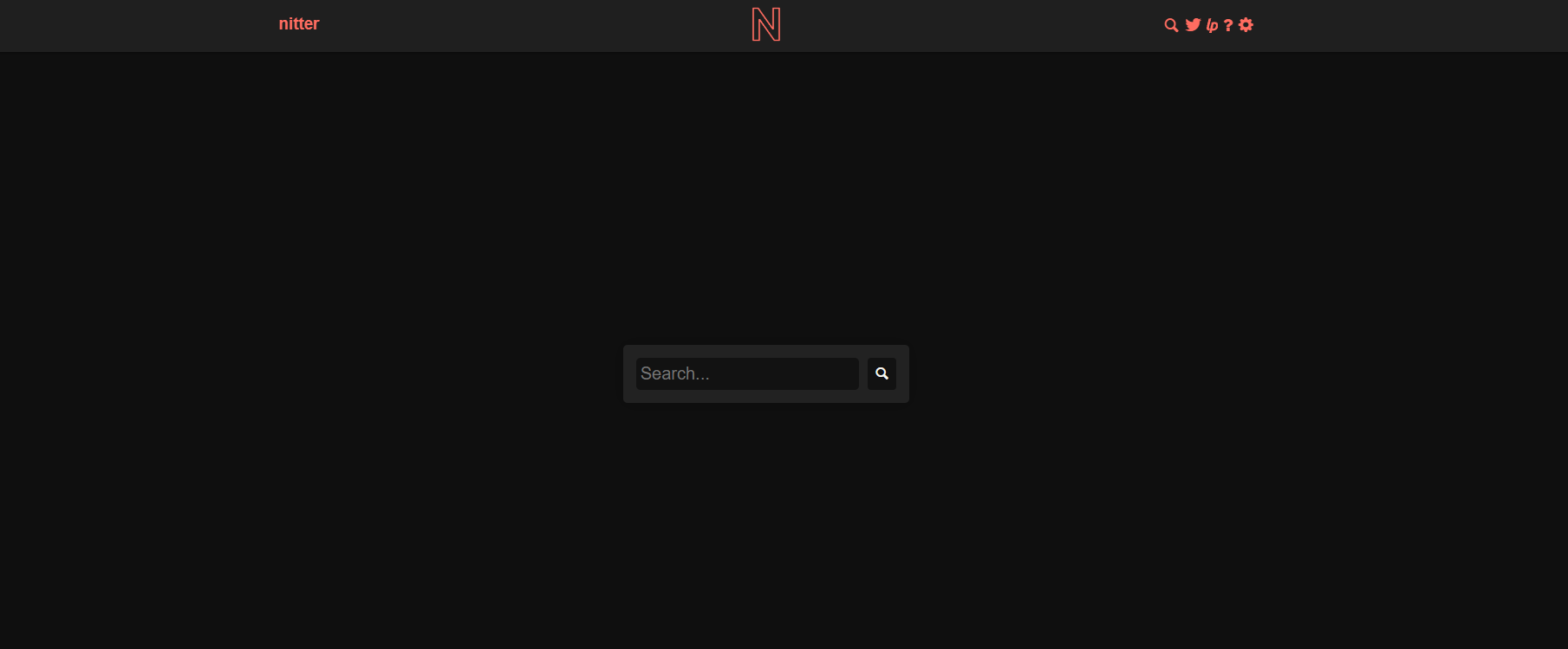
Nitter is one of the most popular privacy-friendly Twitter viewers out there. It’s open-source, which means anyone can inspect its code and confirm it’s not tracking users. It strips out ads, analytics, and unnecessary scripts, making it much faster and safer than stw sotwe. Many privacy advocates recommend Nitter because it’s transparent and community-driven. Plus, there are multiple mirror sites, so even if one goes down, others remain accessible.

Twstalker and Twuko – Clean and Simple

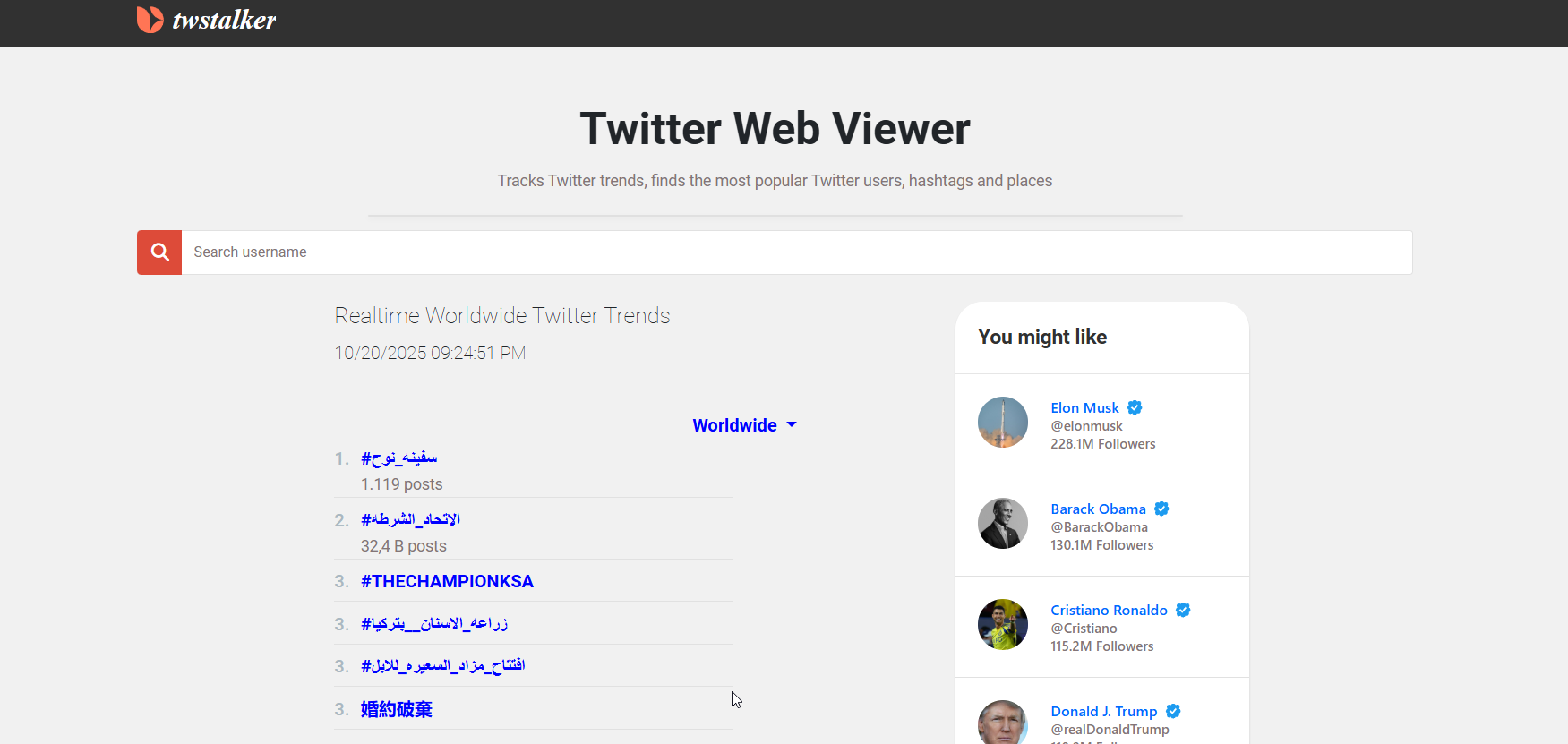
If you prefer something more visual, Twstalker and Twuko are great options. They’re modern, mobile-friendly, and let you browse public tweets, hashtags, and profiles without an account. They do include some ads, but the difference is that they’re usually not aggressive or misleading like some of the ones on sotwe.com. These tools are also more consistent in loading speed and reliability, especially for users who just want to check what’s trending.

Differences Between Sotwe and These Tools

The key difference is transparency and control. With Nitter, everything is open-source and community-supported. With Twstalker and Twuko, you can easily find contact pages and privacy details. Sotwe, however, hides behind anonymity. If something goes wrong, you have no one to contact. And when it comes to your data, that’s a huge risk.

7. How to Use Sotwe Safely (If You Still Want To)

Maybe you’re thinking, “Yeah, I get it, but I still want to use Sotwe — it’s just convenient.” Fair enough. If you do, here’s how to protect yourself and minimize risks:

Use an Ad Blocker or VPN

This is rule number one. Always enable an ad blocker and use a reputable VPN before visiting sotwe.com. That way, you can hide your real IP address, block malicious scripts, and stay safer while browsing. A VPN also helps if Sotwe is blocked in your region.

Never Log In or Share Personal Data

If Sotwe ever prompts you to log into your Twitter account — don’t. Some users have reported seeing fake login pop-ups designed to mimic Twitter’s interface. Entering your credentials there could hand over your account information to scammers. Remember, Sotwe doesn’t need a login to function, so any prompt like that is a red flag.

Double-Check the Domain

Fake versions of Sotwe exist, using URLs like sotwe.co, sotwe.net, or even random lookalikes. These clones are often packed with malware. Always verify that you’re visiting sotwe.com and not some copycat site. When in doubt, type the address manually instead of clicking random links from social media or shady forums.

Limit What You Click

Avoid clicking random ads or links inside Sotwe, especially those promising downloads or “bonus content.” Many of these are clickbait traps that could lead to phishing sites or unwanted software installations.

Conclusion: Think Before You Click — The Truth About Sotwe

At first glance, Sotwe looks like a harmless shortcut — a quick way to peek at tweets without signing in. But once you start peeling back the layers, it’s clear that things aren’t so simple. From its unclear ownership to privacy risks and shady scraping practices, Sotwe operates in murky territory.

Sure, it works. It’s convenient. But convenience often comes at the cost of privacy. The more you understand how tools like this operate, the better choices you can make. If you decide to use it, do so carefully — with a VPN, ad blocker, and a healthy dose of skepticism. And if you’d rather play it safe, go for open-source or verified alternatives like Nitter instead.

Remember: online anonymity isn’t about avoiding logins — it’s about understanding who’s watching behind the screen.

Find More: Boost Your Sales With SEO Services

FAQs

1. Is Sotwe safe to use?

Not completely. While it does let you browse public tweets without logging in, it’s not transparent about how it handles user data. Sotwe also uses trackers and ads, which can compromise privacy. Always use a VPN and ad blocker if you decide to try it.

2. Does Sotwe work without a Twitter account?

Yes, that’s the main appeal. You can view tweets, hashtags, and profiles without signing in. However, you can’t like, retweet, or reply — it’s strictly for viewing content.

3. Is Sotwe free or does it charge users?

Sotwe is free to use, but it profits from ads and possibly user data analytics. That’s how it keeps the service running. Just be cautious — some ads may lead to unsafe pages.

4. What are the best alternatives to Sotwe in 2025?

Nitter, Twstalker, and Twuko are among the top Sotwe alternatives. They’re safer, faster, and much clearer about privacy policies. Nitter, in particular, is open-source and doesn’t track you.

5. Why is Sotwe controversial or blocked in some regions?

Some countries block Sotwe due to data privacy concerns or because it republishes content scraped from Twitter without permission. Others flag it for potential data misuse or unsafe ad networks. If you can’t access it, that’s probably for your own security.

Tags:
7 Powerful Snapchat Profile Viewer Tools You’ll Wish You Knew Sooner

7 Powerful Snapchat Profile Viewer Tools You’ll Wish You Knew Sooner

snapchat profile viewer

Introduction: The Truth About Snapchat Profile Viewers in 2025

Snapchat profile viewer” — it’s one of the most searched phrases among Snapchat users today. Everyone wants to know can you see who views your public profile on Snapchat? Or if there’s a way to view a Snapchat profile anonymously. Snapchat has always kept its privacy game strong, which makes it nearly impossible to see who checks your profile directly. But that hasn’t stopped people from trying, right?

In 2025, several analytics tools and browser extensions can help you get deeper insights into your Snapchat activity — some legit, some not. In this article, we’ll explore 7 powerful and well-known tools that can safely help you analyze engagement and audience trends on Snapchat.

Find More: 7 Powerful Snap Viewer Tools You Need to Try Today

What Is a Snapchat Profile Viewer and How Does It Work?

A Snapchat profile viewer is a tool or app designed to give you analytics or insight into your Snapchat activity. These tools help you see who might be engaging with your profile, who viewed your content, and sometimes even estimate who visited your profile.

Understanding Snapchat’s Privacy Settings

Snapchat is built around privacy and disappearing content. The platform doesn’t natively allow you to see who viewed your profile — only who viewed your stories or screenshots. That’s why many users turn to analytics tools to get a clearer picture of engagement.

The Difference Between Official Features and Third-Party Tools

Official Snapchat analytics are limited to professional or creator accounts. They offer data like Story views, engagement rates, and audience demographics — but not the identities of visitors. Third-party analytics tools use engagement patterns and metrics to provide broader insights.

Common Myths About Seeing Who Viewed Your Profile

No tool can access Snapchat’s private data or show exact usernames of who viewed your profile. What these tools can do is help you analyze trends, interactions, and audience behavior to understand your visibility better.

Are Snapchat Profile Viewer Tools Safe to Use?

You might wonder, can you see who viewed your public profile on Snapchat safely? The truth: no app can break Snapchat’s privacy settings, but some analytics platforms can help you understand engagement safely and ethically.

The Risk of Fake Apps and Scams

Many fake apps promise to reveal who viewed your profile, but they often aim to steal your data. Avoid apps that require your Snapchat login or permission to access your account.

How to Identify a Legit Snapchat Profile Viewer

A trustworthy tool will never ask for your Snapchat password, will have an official website, clear privacy terms, and strong online credibility. Stick with verified analytics and influencer tools.

Privacy Tips to Keep Your Account Secure

  • Don’t enter your Snapchat credentials on third-party apps

  • Use two-factor authentication

  • Monitor and revoke access from unrecognized devices

7 Powerful Snapchat Profile Viewer Tools You’ll Wish You Knew Sooner

Now, let’s explore seven legitimate and widely used tools that can help you analyze engagement, measure growth, and get meaningful insights without violating Snapchat’s terms.

1. Snapchat Insights (Official Feature)

snapchat

Visit Snapchat Insights
Snapchat’s own built-in analytics dashboard is available for Creator or Business accounts. It provides accurate data about story views, audience demographics, and reach.

  • Key Features: Story views, audience interests, engagement rate tracking.

  • Pros: 100% safe and accurate.

  • Cons: Limited to creator/public accounts.

2. Social Blade – Track Snapchat Growth Metrics

Social Blade

Visit Social Blade
Social Blade is a well-known analytics platform that tracks performance metrics for various social media platforms, including Snapchat.

  • Key Features: Follower growth, engagement rate, performance tracking.

  • Pros: Reliable data source, great for influencers.

  • Cons: Doesn’t show who viewed your profile.

3. Story Reposter for Snapchat (iOS)

repost

View on App Store
This iOS app helps you anonymously view public Snapchat stories and profiles. While it doesn’t show exact profile visitors, it lets you explore content safely.

  • Key Features: Anonymous story viewing, easy to use.

  • Pros: Simple and safe.

  • Cons: iOS only, limited analytics.

4. Inflact – Advanced Social Media Analytics

Inflact IG Picture Saver

Visit Inflact
Inflact is a popular tool for multi-platform analytics, offering features that help creators analyze audience engagement and story reach across different networks, including Snapchat.

  • Unique Selling Points: Cross-platform analytics, AI-based insights.

  • Pros: Comprehensive analytics.

  • Cons: Mostly tailored for professionals.

5. Snapdex – Discover and Analyze Snapchat Users

Snapdex

Visit Snapdex
Snapdex is like a directory for public Snapchat profiles. It’s useful for exploring creators, discovering influencers, and understanding engagement trends.

  • Analytics & Data: Public profile discovery, popularity insights.

  • Pros: Great for networking and brand research.

  • Cons: Doesn’t analyze personal profiles.

6. Ghostery Browser Extension – Track Online Behavior Safely

Visit Ghostery
While not a Snapchat-specific tool, Ghostery helps you monitor tracking activity, giving insight into how your Snapchat data might be used across platforms.

  • Benefits: Privacy-first browsing, transparent data usage.

  • Cons: General tool, not Snapchat-focused.

7. Hootsuite – Manage and Analyze Snapchat Marketing Campaigns

Hootsuite

Visit Hootsuite
Hootsuite supports Snapchat business accounts, providing campaign-level analytics and audience engagement data.

  • Standout Functions: Campaign analytics, performance tracking.

  • Pricing: Free trial with premium options.

How to Choose the Best Snapchat Profile Viewer for You

Choosing the right Snapchat profile viewer depends on what you want: growth analytics, audience demographics, or campaign performance.

Factors to Consider

  • Accuracy: Prefer official or verified tools.

  • Safety: Avoid apps asking for your login.

  • Features: Match your needs — analytics, engagement, or discovery.

Free vs. Paid Tools

Free options like Snapchat Insights and Social Blade are great for starters. Paid tools like Inflact and Hootsuite provide deeper analytics for creators and marketers.

Expert Recommendations

If you want a simple and safe option, start with Snapchat Insights. For business-level analytics, Hootsuite or Inflact are excellent choices.

Common Issues with Snapchat Profile Viewers (and How to Fix Them)

  • Problem: Data not updating.
    Fix: Refresh analytics or reconnect your account.

  • Problem: App asks for your password.
    Fix: Stop immediately — this is unsafe.

  • Problem: Inconsistent data.
    Fix: Use official tools or cross-check with multiple analytics platforms.

Alternatives to Snapchat Profile Viewer Apps

If you’re not comfortable using external tools, you can still measure engagement safely.

Using Snapchat’s Built-In Features

Snapchat’s Creator Insights offers story reach, audience demographics, and follower growth.

Checking Story and Spotlight Insights

These metrics reveal which content performs best, indirectly showing you who’s engaging most.

Ethical and Privacy-Friendly Ways to Monitor Engagement

Focus on authentic engagement. Use story polls, Q&As, and track responses to gauge real interest.

Conclusion: Are Snapchat Profile Viewers Worth It in 2025?

While no tool can literally tell you who viewed your profile, the right analytics tools can help you understand how people interact with your content. That’s the real value.

For safe and useful insights, rely on official options like Snapchat Insights, or professional analytics platforms like Hootsuite and Inflact. They’ll help you grow smarter — not risk your privacy.

Find More: Boost Your Sales With SEO Services

FAQs

1. Can I really see who viewed my Snapchat profile?

No, Snapchat doesn’t show that data. You can only estimate engagement using insights tools.

2. Are Snapchat profile viewer apps safe to use?

Most aren’t. Only use verified analytics tools like Snapchat Insights or Inflact.

3. Do I need to log in with my Snapchat credentials?

Never! Any app asking for your login is likely a scam.

4. What’s the best free Snapchat profile viewer tool?

Snapchat Insights is the safest and most accurate free option.

5. Can using third-party apps get my account banned?

Yes, if they access your Snapchat data directly. Stick with safe analytics platforms that don’t require login access.

Tags:
10 Must-Know YouTube Video Size Tips to Avoid Blurry Uploads

10 Must-Know YouTube Video Size Tips to Avoid Blurry Uploads

youtube video size

Introduction: Why the Right YouTube Video Size Matters More Than You Think

YouTube video size is one of those details that creators often overlook—until their upload looks pixelated, stretched, or just plain weird. Getting the right dimensions isn’t just about looks; it’s about making sure your content delivers the same quality your audience expects. The way your video appears can make or break how viewers perceive your brand, skill, and effort.

Think about it: you spend hours filming, editing, and tweaking your video, but if you upload it in the wrong dimensions or with poor settings, it can look terrible on certain screens. Whether you’re working on HD content, cinematic storytelling, or YouTube Shorts, understanding the size of videos on YouTube can make all the difference between a crisp, professional upload and one that viewers click away from in seconds.

In this article, we’ll break down everything you need to know about the perfect size for a YouTube video, the ideal YouTube video dimension size, and how to avoid those frustrating blurry uploads that kill engagement. Let’s make your next video look flawless on every device.

Find More: 7 Powerful Tools to Download YouTube Shorts in Seconds

Understanding YouTube Video Size Basics

What Is the Ideal YouTube Video Size in 2025?

As of 2025, the best size for a YouTube video is still 1920×1080 pixels (Full HD) with a 16:9 aspect ratio. This resolution looks great on desktops, phones, tablets, and TVs. YouTube supports everything from 426x240p all the way to 7680x4320p (8K), but Full HD remains the sweet spot for most creators who want sharp visuals without massive file sizes or upload times.

If you’re producing high-quality content like short films, 4K (3840×2160) or even 8K can add a cinematic touch, but it also demands powerful editing tools and longer rendering times. The key is to balance quality with practicality.

Recommended YouTube Aspect Ratios for Different Devices

The standard 16:9 ratio works perfectly for most content types, but YouTube also supports 9:16 (vertical) and 1:1 (square) formats. If you’re uploading Shorts or mobile-first videos, the 9:16 vertical format is ideal. YouTube automatically adjusts the player depending on the viewer’s device, but exporting your content with the correct aspect ratio prevents black borders or awkward cropping.

Resolution Guide — From 720p to 8K Explained

Here’s a quick breakdown of YouTube’s supported resolutions:

  • 426x240p – Very low quality, suitable for previews or fast uploads.

  • 640x360p – Standard definition (SD), basic quality.

  • 1280x720p – Minimum for HD (720p), decent clarity for most users.

  • 1920x1080p – Full HD (1080p), ideal for all kinds of videos.

  • 2560x1440p – 2K QHD, perfect for creators seeking extra sharpness.

  • 3840x2160p – 4K UHD, high-end visuals for premium channels.

  • 7680x4320p – 8K, the future standard for ultra-premium content.

10 Must-Know YouTube Video Size Tips to Avoid Blurry Uploads

1. Always Match Your Video Resolution with the Original Footage

Never upscale a lower-resolution video (like 720p to 1080p). It won’t magically make it look better—it usually makes it worse by adding digital noise and blur. Keep your export settings consistent with your camera’s native resolution to maintain true clarity.

2. Use the 16:9 Aspect Ratio for Standard YouTube Videos

This ratio is what YouTube’s layout is built for. If you use anything else, like 4:3 or 21:9, your video might end up with black bars or cropped visuals. Maintaining 16:9 ensures compatibility across all devices, from smartphones to smart TVs.

3. Choose the Right Frame Rate (24, 30, or 60 FPS)

Frame rate directly affects how smooth your video looks. Use 24 FPS for a cinematic feel, 30 FPS for general uploads, and 60 FPS for fast-paced videos like gaming or sports. Mixing frame rates can cause visual inconsistencies, so stick to one per project.

4. Export Videos Using Recommended Bitrates

YouTube compresses videos automatically, but starting with a high bitrate preserves quality. For 1080p, aim for 8 Mbps at 30 FPS or 12 Mbps at 60 FPS. For 4K, go up to 45 Mbps if possible. High bitrates give YouTube more data to work with, keeping your visuals sharp after processing.

5. Avoid Cropping or Stretching Your Footage

YouTube Audience

If your video doesn’t fit perfectly into YouTube’s player, resist the urge to stretch it. Use background blur, colored padding, or letterboxing instead. Stretching creates awkward distortion and makes your content look unprofessional.

6. Optimize Video Size for Mobile Viewers

Over 70% of YouTube watch time comes from mobile devices. That means your visuals, text, and call-to-actions should be easy to see even on smaller screens. Use larger text, tighter framing, and clear visuals that pop on phones.

7. Use YouTube’s Encoding Settings for the Best Results

Export with codecs that YouTube loves: H.264 or H.265 (HEVC) for video and AAC for audio. These formats strike the perfect balance between quality and file size. Using MP4 as your container format ensures smooth uploads without errors.

8. Check Preview Quality Before Uploading

Always watch your export before uploading. Look for pixelation, frame skips, or compression artifacts. Previewing on both a computer and a smartphone helps you catch issues that might not be visible on one screen.

9. Upload in the Highest Quality Possible (Even 4K!)

Uploading in higher quality, even if your audience mostly watches in 1080p, gives YouTube’s algorithm more flexibility when encoding. This means even when your viewers select lower playback quality, the visuals still look crisp and detailed.

10. Keep Thumbnail and Banner Dimensions Consistent

Your branding extends beyond videos. Thumbnails (1280×720) and banners (2560×1440) should follow YouTube’s guidelines to appear perfectly across devices. Consistent design helps build recognition and makes your channel look polished.

Common YouTube Video Size Mistakes to Avoid

Uploading in the Wrong Aspect Ratio

Uploading vertical content in a horizontal frame leads to black bars or unnecessary cropping. Always export in the correct ratio based on your content type.

Ignoring Bitrate Settings

Low bitrate equals muddy visuals and blurry motion. Always double-check your export settings before hitting render.

Compressing Videos Too Much Before Upload

Overcompressing files before upload can destroy quality. It’s better to upload a high-quality file and let YouTube handle compression automatically for different playback options.

Best YouTube Video Size Settings for Different Content Types

Vlogs and Talking-Head Videos

Use 1920×1080 at 30 FPS. This strikes the right balance between file size, smoothness, and clarity. Lighting also matters—a sharp 1080p video with good lighting looks better than a dark 4K one.

Gaming and Live Streams

Go for 1080p at 60 FPS or even 1440p if your setup allows it. The higher frame rate captures motion smoothly and enhances the viewer’s experience, especially in fast-action scenes.

Tutorials and Educational Content

Stick to 1080p at 30 FPS. Add clear, legible text overlays and zoom-ins on important details. Sharp visuals make your content easier to follow and more professional.

Short-Form Content (YouTube Shorts)

Shorts thrive in 1080×1920 vertical format. Keep your visuals centered, text large, and action quick. Adding captions helps accessibility and retention.

Tools and Software to Optimize Your YouTube Video Size

Recommended Video Editing Software (Premiere Pro, Final Cut, DaVinci Resolve)

Professional editors like Adobe Premiere Pro, Final Cut Pro, and DaVinci Resolve allow precise control over export settings. You can tweak bitrates, codecs, frame rates, and color settings for maximum clarity.

Online Tools for Quick Video Resizing

If you’re short on time, online editors like Kapwing, VEED.io, or Canva are great options. They make resizing videos simple and include templates for YouTube dimensions. Just remember to export at the highest quality your internet connection can handle.

YouTube Upload Settings Checklist

Before uploading, go through this quick checklist:

  • Resolution: Match your source (1080p or 4K preferred)

  • Format: MP4 with H.264 codec

  • Frame rate: 24, 30, or 60 FPS

  • Audio: AAC, 320 kbps

  • Bitrate: 8–12 Mbps for HD, 35–45 Mbps for 4K

  • Aspect Ratio: 16:9 for standard, 9:16 for Shorts

  • File Name: Use your target keyword for better SEO

Conclusion: Get the Perfect YouTube Video Size Every Time

By now, you know exactly what the ideal YouTube video size is, how to export your videos properly, and how to avoid those dreaded blurry uploads. Whether you’re creating tutorials, cinematic films, or short clips, following these steps ensures your videos always look sharp and professional. Remember: consistency and attention to detail are what separate good creators from great ones.

So, next time you hit upload, double-check your settings, optimize your resolution, and let your content shine. Your viewers will notice—and your channel will thank you.

Find More: Boost Your Sales With SEO Services

FAQs

1. What Is the Best YouTube Video Size for 1080p?

The best size for 1080p is 1920×1080 pixels with a 16:9 aspect ratio. This is the standard HD resolution used by most creators and works flawlessly across all devices.

2. What Happens If My Video Size Doesn’t Match YouTube’s Recommendation?

YouTube automatically adjusts your video, but it can lead to black bars, stretched visuals, or awkward cropping. Always export in the correct aspect ratio to keep things clean and balanced.

3. Can I Upload Vertical or Square Videos to YouTube?

Yes! YouTube supports both vertical (9:16) and square (1:1) formats. The platform automatically adapts playback depending on whether viewers are on mobile or desktop.

4. How Do I Fix a Blurry YouTube Upload?

Upload using higher bitrates, avoid unnecessary compression, and check your export format. Also, give YouTube time to finish processing HD versions—sometimes they appear blurry right after upload but sharpen up later.

5. Does YouTube Compress My Video After Uploading?

Yes, YouTube always re-encodes every upload to optimize playback for different devices and internet speeds. That’s why uploading in the highest quality possible ensures the final video still looks sharp, even at lower resolutions.

Tags:
Why Quebec Businesses Need a Different Social Media Strategy (And How to Get It Right)

Why Quebec Businesses Need a Different Social Media Strategy (And How to Get It Right)

Quebec social media strategy

Running a business in Montreal or anywhere across Quebec comes with a learning curve that many companies don’t expect. The social media strategy that works everywhere else in Canada? It probaby won’t work here. The Quebec market operates differently, and the businesses that figure this out early are seeing results that blow their competitors out of the water.

Luxy Media has spent over a decade helping businesses navigate the unique landscape of social media marketing in Quebec. They’ve worked with major brands like Mazda Canada and Porsche, alongside local Montreal startups, and one thing has become crystal clear: succeeding in this market requires way more than just translating English content to French. It’s about understanding a completely different cultural mindset, legal requirements, and how Quebec consumers actually behave online.

Here’s what makes Quebec social media marketing so different—and why getting it right could be the biggest competitive advantage a business can have in 2025.

The Quebec paradox: fewer followers, way higher engagement

Something surprising happens when you look at the numbers. Only about 29% of French-speaking Quebecers follow brands on Facebook, compared to 35% in the rest of Canada. At first glance, that seems like bad news for marketers.

But there’s a twist that changes everything.

Around 69% of Quebec consumers actually read brand messages as if they’re from a friend, compared to just 16% in English Canada. While the rest of Canada is scrolling past brand content with barely a glance, Quebec audiences are paying attention and engaging deeply with the brands they choose to follow.

The reason? There’s significantly less brand noise in French. Most national companies either skip Quebec entirely or just run their English content through Google Translate (and Quebec consumers can spot that from a mile away, trust me). This creates a huge opportunity for businesses willing to invest in authentic, culturally-relevant French content.

Companies working with agencies that understand this dynamic have seen engagement rates 3-4x higher than their English Canadian counterparts. The Quebec audience is genuinely hungry for quality content in their language—they just need someone to give it to them the right way.

Bill 96 isn’t optional—it’s mandatory

Anyone doing business in Quebec needs to understand Bill 96. As of June 1, 2025, enforcement of Quebec’s updated language law is getting serious, and yes, social media is definitly included in that.

Here’s what businesses need to know:

  • All commercial communications must be available in French
  • Social media posts, captions, and call-to-actions need French versions
  • French content must be “at least as prominent” as English
  • Fines start at $3,000 per day and can triple for repeat violations
  • The Office québécois de la langue française (OQLF) can proactively inspect digital presence

This adds another layer of complexity to marketing efforts. But here’s what many businesses miss: compliance isn’t just about avoiding fines—it’s about tapping into a market where roughly 79% of the population speaks French as their first language. When agencies help clients create bilingual social strategies, they’re not just checking legal boxes. They’re opening doors to deeper customer relationships and better conversion rates.

Professional agencies handle bilingual content creation as a core service. The key is not just translating—it’s localizing with native Québécois French speakers who understand cultural nuances. There’s a significant difference between “le dîner” in Quebec (lunch) and “le dîner” in France (dinner), and getting those details wrong makes a brand look completely out of touch.

The platforms that actually work in Quebec right now

Not every platform deserves time and budget, especially when managing bilingual content. Based on current 2025 data, here’s where Quebec businesses should be focusing their efforts:

Facebook is still dominant with 64% penetration in Quebec (actually higher than the 58% in the rest of Canada). Despite everyone claiming “Facebook is dead,” it remains the most effective platform for reaching Quebec consumers across demographics. The difference is that Quebecers aren’t as burned out on brand content here—though that window probably won’t last forever.

Instagram has exploded. Usage jumped from 37% to 63% in just three years, with 60% monthly engagement rates. The visual nature helps overcome some language barriers, but captions and alt text still need to be in French. Retail and hospitality brands have seen particularly strong results with bilingual Instagram campaigns.

TikTok is the sleeper opportunity. Usage has doubled since 2020, with 35% of Quebec adults now on the platform. The younger demographic is active there, and video content with French audio or subtitles performs exceptionally well. Plus, the platform has less saturated competitor content in French.

LinkedIn is massively underutilized for B2B in Quebec. French speakers use LinkedIn at half the rate of English speakers (12.8% versus 24.3%), meaning there’s way less competition for attention. Professional services, tech companies, and B2B businesses creating French LinkedIn content can gain a serious first-mover advantage.

What Quebec consumers actually want (it’s not what most think)

Years of working with Quebec businesses have revealed some key cultural differences that impact social media strategy significantly:

Quebecers unfollow brands for different reasons than other Canadians. In English Canada, people unfollow because of too much content or irrelevant posts. In Quebec, people unfollow when brands don’t respond to their inquiries. Radio silence on French comments is basically a dealbreaker. Responsive community management isn’t optional here—it’s critical.

They value authenticity over polish. Quebec culture celebrates “joie de vivre”—genuine enjoyment of life. Social content should feel real, not overly corporate. Behind-the-scenes content, team spotlights, and showing the human side of businesses tend to perform well. Less stock photos, more real moments.

Local loyalty runs deep. Quebecers actively prefer “Made in Quebec” products and local businesses. Highlighting Montreal or Quebec roots, supporting local causes, and participating in cultural moments like St-Jean-Baptiste Day, Montreal Jazz Festival, or referencing local sports teams builds genuine connections that translate to customer loyalty.

The social media trends Quebec businesses can’t ignore in 2025

The landscape is shifting quickly, and Quebec businesses need to keep up with broader Canadian trends while maintaining cultural specificity:

Video content has become non-negotiable. Short-form video across TikTok, Instagram Reels, and YouTube Shorts drives the highest engagement across all platforms. The advantage? Video can work across languages more easily than text-heavy content. Bilingual video libraries perform well in both markets when done correctly.

AI is changing how marketing works. Many agencies now use AI-powered tools for everything from caption generation to performance analytics. However, AI should never handle Quebec French translation alone. AI helps with efficiency, but cultural localization still absolutely requires human expertise from people who actually understand the nuances.

Social listening provides competitive advantage. About 62% of marketers using social listening tools report significantly higher ROI confidence. For Quebec businesses, this matters even more because conversations need monitoring in both languages, and understanding the cultural context behind comments and mentions requires local knowledge.

Why working with a Montreal-based agency makes a difference

A business could work with any social media agency in Toronto, Vancouver, or the US. But location matters more than many realize: Quebec isn’t just Canada with a different language—it’s a distinct market with its own cultural codes, media landscape, and consumer expectations.

Agencies embedded in the Montreal business community bring advantages that outside firms simply can’t match. Teams that live and breathe Quebec culture know which local influencers actually move the needle, which cultural references resonate, and how to navigate the bilingual landscape seamlessly.

Luxy Media has been operating in this space since 2013, working with everyone from international brands like Red Bull entering the Quebec market to local Montreal businesses scaling up. They work on flexible monthly retainers with no long-term contracts because results should speak for themselves. Their clients—from automotive groups to tech startups to professional services—stick around because of measurably better engagement rates, higher conversions, and authentic connections with Quebec audiences.

Action plan for Quebec social media success

Here’s what businesses need to do right now:

Audit current presence. Are French captions professionally translated or AI-generated? How quickly are French comments being responded to compared to English ones? Is everything compliant with Bill 96 requirements before the June 1st enforcement date?

Prioritize the right platforms. Spreading too thin doesn’t work. Focus on Facebook and Instagram as the foundation, then add TikTok for younger demographics or LinkedIn for B2B.

Invest in authentic content creation. Work with people who understand Québécois French and local culture. This goes beyond avoiding embarassing translation mistakes—it’s about creating content that genuinely resonates.

Build responsive community management. Quebecers expect timely responses to inquiries. If this can’t be managed in-house, partnering with an agency that has bilingual community managers ready to engage makes a huge difference.

Track metrics that actually matter. Vanity metrics like follower counts don’t pay bills. The focus should be on engagement rates, website traffic from social, lead generation, and conversion rates. Transparent reporting that connects social efforts to actual business results is what counts.

The bottom line

Quebec represents roughly 20-25% of the Canadian market, with over 7.7 million consumers who are less saturated with brand messaging and more engaged when approached correctly. The businesses winning in this market understand that Quebec isn’t an afterthought or a simple translation exercise—it’s a unique opportunity requiring dedicated strategy, cultural understanding, and authentic engagement.

Agencies like Luxy Media have built their entire approach around this reality. They’re not just another social media agency—they position themselves as partners in navigating one of Canada’s most unique and lucrative markets. Whether it’s a local Montreal business looking to grow or a national brand trying to crack the Quebec market, having the right expertise, track record, and cultural knowledge makes all the difference.

For businesses serious about Quebec, having a mediocre social presence in 2025 isn’t just a missed opportunity—it’s a competitive disadvantage they can’t afford. The opportunity is there, but it requires understanding the market on its own terms and investing in strategies that actually work for Quebec consumers.